

2026’nın Kâr Amacı Gütmeyen Kuruluşlar İçin En İyi 10 Proje Yönetimi Yazılımı

10 Kâr Amacı Gütmeyen Kuruluşlar İçin En İyi Proje Yönetimi Yazılımları Kısa Listesi


Kâr amacı gütmeyen kuruluşunuz için doğru proje yönetimi yazılımını seçmek; sınırlı kaynaklarınızı, kısıtlı bütçelerinizi ve farklı yerlere dağılmış ekiplerinizi yönetmenin en iyi yoludur. Peki nereden başlamalısınız?
Kâr amacı gütmeyen kuruluşlar için en iyi proje yönetimi yazılımları seçimlerim burada. Kâr amacı gütmeyen kuruluşunuzun kendine özgü ihtiyaçlarına en uygun seçeneği bulmanıza yardımcı olmak için bir proje yöneticisi olarak deneyimimden yararlanarak en popüler seçenekleri test ettim ve değerlendirdim.
Why Trust Our Software Recommendations
Our team has been testing and reviewing software since 2012. As project managers ourselves, we know how difficult—and important—it is to choose the right software.
For this guide, we evaluated tools using hands-on testing and independent research, scoring tools using our selection criteria. We also draw on insights from industry thought leaders and practicing project management experts.
Our reviews reflect our human editorial judgment, not a sales pitch.
Expert reviewers:
Karşılaştırma Tablosu: Kâr Amacı Gütmeyen Kuruluşlar İçin Proje Yönetimi Yazılımları
Bu karşılaştırma tablosu, kâr amacı gütmeyen kuruluşlar için en iyi proje yönetimi yazılımları seçimlerimin fiyatlandırmasını, ücretsiz denemelerini ve demo kullanılabilirliğini kapsar.
Score legend (out of 5)
- Excellent 4.5–5
- Good 4–4.4
- Average 3–3.9
- Below average 2–2.9
- Poor 1–1.9
| Tool | Starting Price | Website | |||||||
|---|---|---|---|---|---|---|---|---|---|
| Best for team collaboration | 3.7 out of 5 | 3 | 5 | 4 | 4 | 3 | 3 | Pricing upon request Free plan + 15-day trial + demo available | Website |
| Best for visual project management and collaboration | — | — | 3 | 4 | 4 | 2 | 3 | $8/user/month Free plan + 14-day trial available | Book Demo |
| Best for hierarchical task organization | 3.2 out of 5 | 2 | 4 | 4 | 2 | 3 | 4 | $7.65/user/month Free plan + 30-day free trial available | Website |
| Best for portfolio-level project reporting | 3.5 out of 5 | 3 | 5 | 4 | 1 | 4 | 4 | $10/user/month 14-day free trial | Website |
| Best for affordability | 3.2 out of 5 | 1 | 4 | 4 | 4 | 2 | 4 | $2.49/user/month Free plan + 14-day trial available | Website |
| Best for AI-driven nonprofit project tracking | 3.8 out of 5 | 2 | 5 | 4 | 5 | 4 | 3 | $9/user/month Free plan + 14-day trial available | Book Demo |
| Best for tracking funding goals and managing budgets | 3.5 out of 5 | 3 | 5 | 4 | 2 | 4 | 3 | $12/user/month Free plan + free demo available | Book Demo |
| Best for cross-functional teams | 3.8 out of 5 | 3 | 5 | 4 | 3 | 4 | 4 | $10/user/month Free plan + 14-day free trial available | Website |
| Best for spreadsheet users | 3.3 out of 5 | 2 | 5 | 4 | 1 | 4 | 4 | $9/user/month 30-day free trial + demo available | Book Demo |
| Best for workflow customization | 3.3 out of 5 | 2 | 5 | 4 | 3 | 3 | 3 | $10.99/user/month Free plan available | Website |
Kâr Amacı Gütmeyen Kuruluşlar İçin En İyi Proje Yönetimi Yazılımları İncelemeleri
Kâr amacı gütmeyen kuruluşlar için uyarlanmış en iyi proje yönetimi araçlarının her birine ilişkin incelemem burada. Her inceleme; özelliklere, avantajlara ve belirli kullanım alanlarına ayrıntılı bir bakış sunar.

Best for team collaboration

Zoho Projects is an online project management tool designed to help teams plan, track, and collaborate on projects.
Why I Picked Zoho Projects: I chose Zoho Projects for this list because it supports team collaboration dynamically and efficiently. Its ability to handle complex project requirements while maintaining ease of use makes it a standout choice for teams looking to enhance their collaborative efforts.
I believe Zoho Projects is best for team collaboration because it offers a centralized platform on which team members can interact, share documents, and stay updated on project progress.
Standout features & integrations:
Features include task automation, customizable workflows, and in-depth reporting tools.
Integrations include Zoho CRM, Zoho Analytics, Zoho Sprints, Microsoft Teams, Slack, GitHub, and Dropbox.
Pros and Cons
Pros:
- Comprehensive project management features
- Wide range of integrations with other tools
- Can fit various workflows
Cons:
- Can be overwhelming for new users due to its extensive features
- The free plan is very restrictive
New Product Updates from Zoho Projects
Zoho Projects Adds CodeX Scripts for Custom Modules
Zoho Projects now supports CodeX Scripts for custom modules, enabling conditional logic and rules for creating, updating, and deleting records. For more information, visit Zoho Projects' official site.
 .
Miro
Best for visual project management and collaboration

Miro is a collaborative online workspace designed to facilitate brainstorming, project management, diagramming, process mapping, and content visualization. It provides a suite of tools that enable teams to move from ideation to execution within a single platform.
Why I Picked Miro: Miro is a visual project management software that offers a variety of tools for nonprofits, including diagramming, process mapping, content and data visualization, and asynchronous collaboration tools. It provides an enterprise-grade workspace with a focus on security and accessibility, allowing teams to brainstorm and execute tasks in one place.
Miro is a popular choice for nonprofits, offering capabilities for strategizing and planning, designing customer-centric solutions, and developing products and services. It also allows for faster feedback cycles and automation for tedious tasks. Nonprofits can also benefit from a 30% discount on any paid plan, making it a cost-effective solution for managing projects and collaborating in real-time on an infinite canvas.
Standout features & integrations:
Features include visual project management tools, dynamic visual aids such as Miro Cards, Kanbans, and Flow Chart, product development workflows, and Miro Assist, an AI assistant that helps automate tasks and expand thinking during ideation and creation.
Integrations include Zoom, Google Workspace, Asana, Trello, Confluence, Jira, Adobe Creative Cloud, Dropbox, Microsoft Teams, and Slack.
Pros and Cons
Pros:
- Useful for distributed teams
- Offers a variety of built-in templates
- Users can create interactive presentations
Cons:
- Wide variety of features can be overwhelming
- Limited user controls and moderation
New Product Updates from Miro
Miro Adds Japan Data Residency for Enterprise Customers
Miro has introduced Japan data residency for enterprise customers, offering in-region storage for production data, backups, and metadata, plus in-region compute infrastructure. For more information, visit Miro's official site.
 .

Quire
Best for hierarchical task organization

Quire is a cloud-based project management tool that helps teams organize, plan, and track their work. It allows users to break down complex projects into smaller, manageable tasks using a nested list structure.
Why I Picked Quire: Quire's hierarchical task management system is particularly beneficial for nonprofits managing multifaceted projects. The ability to create nested tasks and subtasks enables teams to outline every aspect of a project, ensuring nothing is overlooked.
Additionally, Quire offers a range of features that support collaborative work environments. Real-time updates, comments on tasks, and notifications about assignments and deadlines keep all team members informed and engaged.
Standout features & integrations:
Features include the ability to establish task dependencies, ensuring a smooth flow of work and accurate scheduling. This helps teams anticipate potential bottlenecks and optimize project timelines. Quire also provides a panorama view, allowing users to see all tasks across all projects within the organization, offering a comprehensive display of the team's workload for strategic planning.
Integrations include Google Calendar, Gmail, Slack, Outlook, Zoho Flow, GitHub, Apple Calendar Sync, Box, Dropbox, Google Drive, and Microsoft Teams.
Pros and Cons
Pros:
- Easy to collaborate with team members
- Multiple project views, including lists, boards, and timelines
- Ability to create nested tasks and subtasks, allowing for detailed project breakdowns
Cons:
- The mobile version lacks some features available on the desktop
- Potential for notification overload, especially when working with large teams
New Product Updates from Quire
Quire Adds Custom Field Locking and Comment Reaction API Support
Quire adds custom field locking and API support for reading and setting emoji reactions on comments. These updates give teams more control over field data and expand comment interaction options for developers. For more information, visit Quire’s official site.
 .

Celoxis
Best for portfolio-level project reporting

Celoxis is a project portfolio management platform that combines multi-project scheduling, resource allocation, budget tracking, time and expense management, and cross-project reporting in one place.
Who Is Celoxis Best For?
Celoxis is a good fit for mid-to-large nonprofits managing multiple concurrent programs or grants that need visibility across projects, budgets, and teams in one place.
Why I Picked Celoxis
I've included Celoxis in my top picks because its portfolio-level reporting capabilities go well beyond a basic project list view. The fully customizable portfolio dashboards roll up progress, budgets, and risk indicators across all active programs in real time, which means a nonprofit's leadership team can see grant spend, project health, and delivery status in a single view without manually pulling data. I also like that reports can be scheduled for email delivery and downloaded as PDFs, so board and donor reporting doesn't require any extra prep work.
Celoxis Key Features
- Gantt chart scheduling: Build multi-project timelines with task dependencies, milestones, and auto-scheduling across programs.
- Time and expense tracking: Log billable and non-billable hours against tasks with configurable approval workflows.
- Budget tracking: Monitor planned vs. actual costs at the task, project, and program level.
- Client portal: Give board members or donors free read-only access to project status without requiring a paid seat.
Celoxis Integrations
Celoxis offers native integrations with Google Drive, Microsoft Excel, Microsoft Project, Salesforce, Jira, Zendesk, Slack, QuickBooks Online, and more. It also connects with Zapier, and an API is available for custom integrations.
Pros and Cons
Pros:
- On-premise and cloud deployment options
- Interactive Gantt charts with dependency mapping
- Built-in budget and cost tracking per project
Cons:
- Requires five-user minimum to start
- Interface feels dated and menu-dense

Best for affordability

Freedcamp is a versatile project management tool that caters to personal and professional needs. Freedcamp stands out as the best for personal because of its free plan. It includes unlimited projects, tasks, and storage, making it accessible for individual users managing personal projects or small teams.
Why I Picked Freedcamp: I chose Freedcamp for this list because it offers a large set of features without a hefty price tag. Its ability to handle unlimited users and projects at no cost differentiates it from other tools that often limit these aspects in their free versions. Additionally, Freedcamp's user-friendly interface and flexibility make it an excellent choice for individuals looking to organize tasks and projects efficiently.
Freedcamp is best for personal use because it provides a no-cost solution for individuals and small teams to manage their work. The platform's scalability and the inclusion of essential project management features in the free plan make it ideal for personal projects, freelancers, and small non-profit organizations.
Standout features & integrations:
Features include task management, time tracking, milestone setting, and file storage, all essential for effective project management. The platform also offers discussion boards for team communication, a calendar for scheduling, and an issue tracker to manage and prioritize issues effectively.
Integrations include Google Drive, Dropbox, OneDrive, Zapier, Google Calendar, Outlook, and Slack.
Pros and Cons
Pros:
- Unlimited projects, tasks, and storage even in the free plan
- User-friendly interface suitable for personal and small team use
- Wide range of integrations with popular tools and services
Cons:
- The free plan has a file size limit of 10MB, which may be restrictive for some users
- Some users may require additional training to fully utilize all features

Best for AI-driven nonprofit project tracking
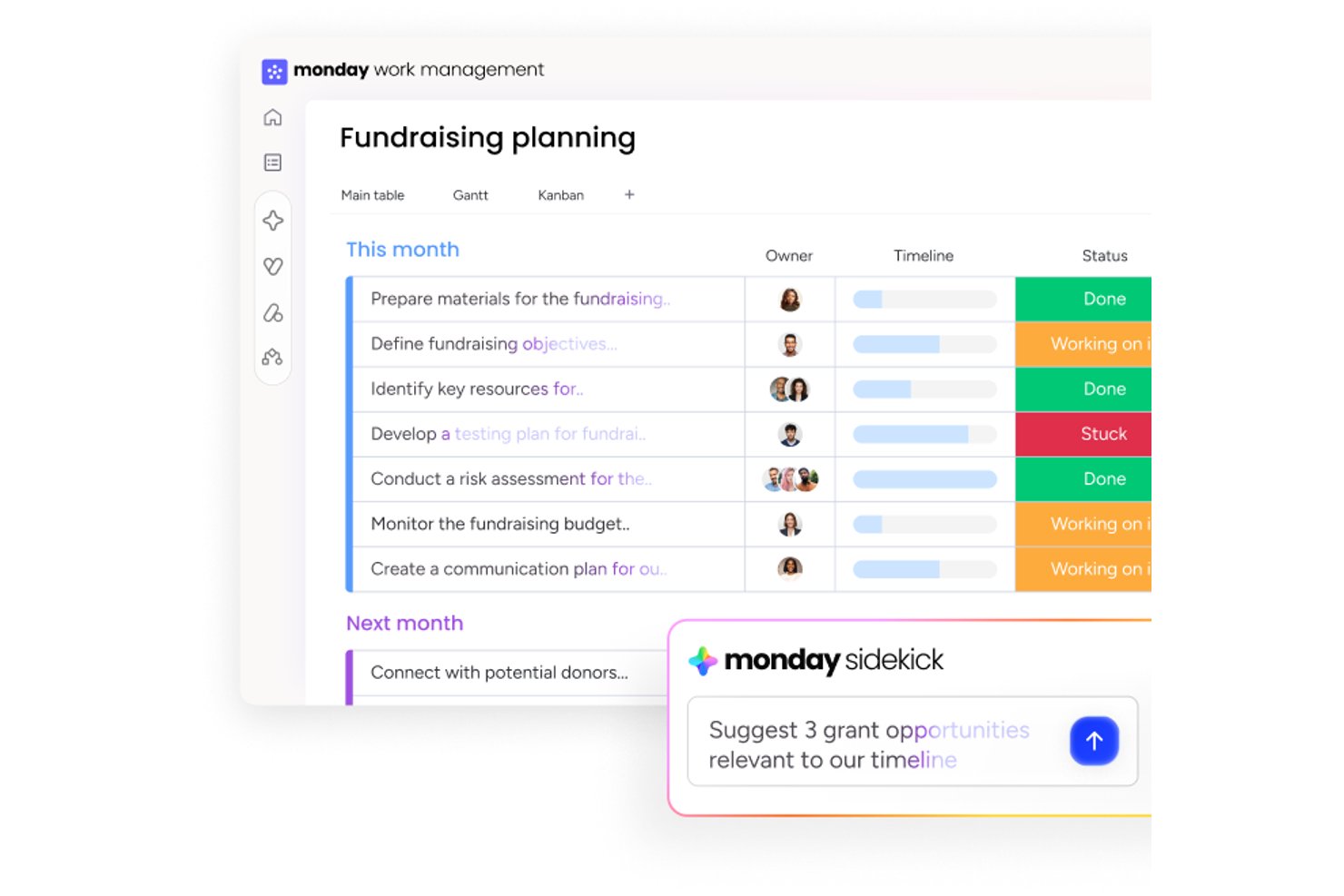
monday AI Workspace is an AI-driven project management platform for nonprofits that combines visual project boards, portfolio tracking, cross-project dependencies, automations, and built-in AI agents to manage programs, volunteers, and reporting in one place.
Who Is monday AI Workspace Best For?
monday AI Workspace is a strong fit for mid-sized nonprofits that run multiple programs simultaneously and need one place to track projects, automate follow-ups, and report progress to leadership.
Why I Picked monday AI Workspace
I picked monday AI Workspace because the built-in AI agents genuinely change how a lean nonprofit team manages multiple programs at once. The Project Monitor agent watches your Gantt dependencies and flags conflicts before they become missed deadlines, while the Nudger automatically chases task updates from staff and volunteers so you're not doing it manually. I also love that the Portfolio Health agent gives executive directors a real-time snapshot across all active initiatives without anyone building a status report from scratch.
monday AI Workspace Key Features
- Workdocs: Create and edit documents collaboratively in real time, with live data connected directly to your project boards.
- Volunteer and hours tracking: Log volunteer details, availability, and hours in a dedicated board to keep engagement visible across your team.
- Scheduled dashboard PDF exports: Send automated dashboard snapshots to up to 50 recipients on a daily, weekly, or monthly schedule.
- 200+ pre-built templates: Launch new programs, fundraisers, or grant projects quickly using a library of customizable board templates.
monday AI Workspace Integrations
monday AI Workspace lists 850+ integrations and apps, including native integrations with Salesforce, QuickBooks, HubSpot, Slack, Gmail, Google Calendar, Outlook, Microsoft Teams, Mailchimp, and GitHub. Its GraphQL API and SDK support custom integrations.
Pros and Cons
Pros:
- Custom boards and automations organize multiple programs
- Dashboards surface workload and deadlines across boards
- AI agents flag dependency conflicts and chase updates
Cons:
- Grant budgets require manual tracking and reconciliation
- Complex workflows take trial-and-error setup
New Product Updates from monday AI Workspace
monday AI Workspace Adds Human Approval Routing
monday AI Workspace adds a human-in-the-loop approval block to AI Workflows, sending approval requests and routing workflow paths based on responses. For more information, visit monday AI Workspace's official site.
 .
ClickUp
Best for tracking funding goals and managing budgets

ClickUp is a comprehensive project management tool that offers a wide range of features to enhance work processes and improve collaboration among teams.
Why I Picked ClickUp: One of the most significant advantages of ClickUp is its ability to track funding goals and manage budgets effectively. Nonprofits often operate on tight budgets and need to account for every dollar spent. ClickUp's custom fields and formula features allow organizations to calculate donations, track hours spent on various tasks, and generate detailed reports for donors.
Another key feature that makes ClickUp ideal for nonprofits is its robust task and resource management capabilities. ClickUp simplifies processes with its drag-and-drop calendar view, which allows organizations to schedule volunteer tasks easily and share these schedules publicly.
Standout features & integrations:
Features include document management, reporting and analytics, collaboration tools, automation capabilities, time tracking, and task and resource management.
Integrations include Slack, GitHub, GitLab, Webhooks, HubSpot, Everhour, Toggl, Harvest, Google Drive, OneDrive, Dropbox, Outlook, Google Calendar, and Figma.
Pros and Cons
Pros:
- Good time tracking capabilities
- Wide range of collaboration tools
- Customizable workflows
Cons:
- Platform can be hard to navigate at first
- Extensive features may be overwhelming for new users
New Product Updates from ClickUp
ClickUp Adds List Automations, Time Off Scheduling, and Org Charts
ClickUp adds template-based List automations, personal time off scheduling, a unified picker, automatic task date syncing, and Org Charts. These updates help teams automate project setup, manage availability, and organize work. For more information, visit ClickUp’s official site.
 .
Nifty
Best for cross-functional teams

Nifty simplifies project management for cross-functional teams, integrating tasks, timelines, and communication in one place.
Why I Picked Nifty: I selected Nifty because it uniquely combines various project management tools into one cohesive platform, which is particularly beneficial for cross-functional teams. This integration of features distinguishes it from other software that may not offer such a complete solution.
Nifty is best for cross-functional teams due to its centralized approach. It facilitates effective collaboration and maintains project visibility for team members from different departments.
Standout features & integrations:
Features include task management, milestones, discussions, docs and files, and time tracking, all designed to enhance team collaboration and project oversight.
Integrations include Google Drive, Zoom, Slack, Dropbox, Trello, Asana, GitHub, GitLab, and Bitbucket.
Pros and Cons
Pros:
- Intuitive user interface
- Multiple views for project tracking
- Centralized platform for various project aspects
Cons:
- Limited number of templates
- Lack of full integrations
Best for spreadsheet users

Smartsheet enables project management and workflow automation, which is ideal for those familiar with spreadsheets.
Why I Picked Smartsheet: I selected Smartsheet because of its distinctive blend of familiarity with spreadsheets and advanced project management features. It stands out as the best for spreadsheet users due to its user-friendly interface, which many users find comfortable and easy to adopt.
Standout features & integrations:
Features include a user-friendly spreadsheet interface, real-time collaboration tools, and powerful automation capabilities. It also provides various project views, including grid, Gantt, calendar, and card views.
Integrations include Google Drive, OneDrive, Dropbox, Box, Evernote, Microsoft Project, Excel, and Trello.
Pros and Cons
Pros:
- Intuitive interface similar to spreadsheets
- Enables real-time collaboration and workflow automation
- Offers multiple views and integrates with a range of tools
Cons:
- Limited number of templates
- Potential learning curve for non-spreadsheet users
New Product Updates from Smartsheet

Smartsheet Adds Non-Plan User Management in Admin Center
Smartsheet adds a Non plan users tab to the Seat types and true-up page in Admin Center. This lets system admins review non-plan users and add them to the plan or remove them from the organization in one place. For more information, visit Smartsheet’s official site.
 .
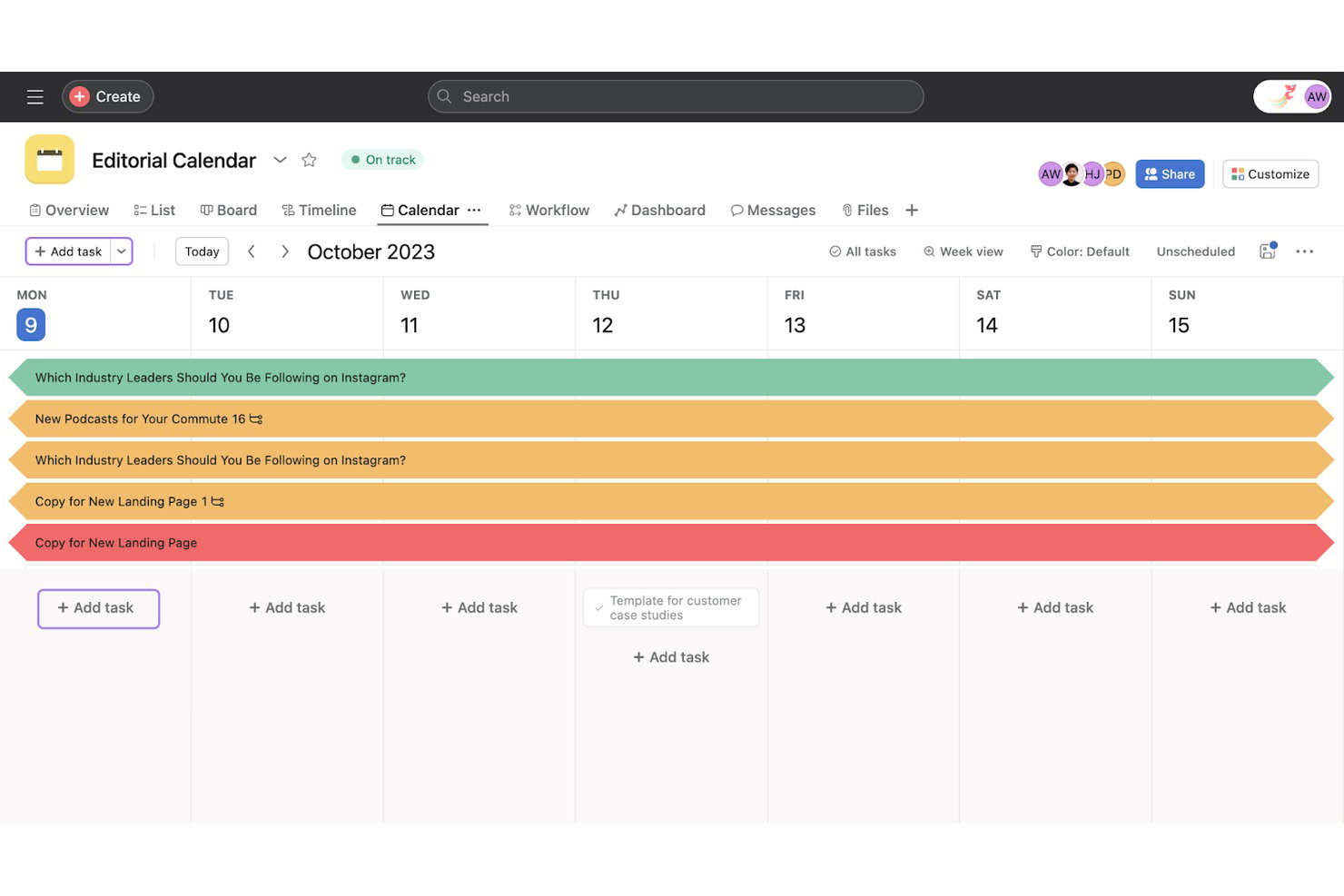
Asana is a project management platform that combines task tracking, workflow automation, timeline views, and cross-team reporting to support nonprofits managing programs, fundraising campaigns, and distributed teams.
Who Is Asana Best For?
Asana is a strong fit for nonprofits with multi-program operations that need flexible, automated workflows to keep lean teams aligned across initiatives.
Why I Picked Asana
I've included Asana in my top picks because its workflow customization depth is genuinely hard to match for nonprofits running multiple programs at once. I like that automation rules on the Starter plan let lean teams auto-assign tasks, trigger status updates, and route intake forms without any manual follow-up. On the Advanced plan, branching logic in forms means a single intake form can route grant applications, volunteer requests, and event logistics to the right project automatically.
Asana Key Features
- Unlimited free guests: Invite volunteers, board members, and external partners to projects without using a paid seat.
- Timeline and dependency tracking: Visualize project schedules with Gantt-style views and set task dependencies to flag delays before they cascade.
- Portfolio dashboards: Monitor the health and progress of multiple programs from a single view on the Advanced plan.
- Role-based project permissions: Assign members as editors, commenters, or viewers to control what each collaborator can see and do.
Asana Integrations
Asana offers 100+ free integrations, including Slack, Microsoft Teams, Google Workspace, Microsoft 365, Google Drive, Dropbox, Salesforce, Tableau, Power BI, and Zapier.
Pros and Cons
Pros:
- Cross-project views clarify program progress
- Intake forms route program requests
- Automation reduces repetitive coordination work
Cons:
- Volunteer invite controls need tighter governance
- Advanced workflows take time to configure
Kâr Amacı Gütmeyen Kuruluşlar İçin Diğer Proje Yönetimi Yazılımları
Yukarıda aradığınızı bulamadıysanız inceleyebileceğiniz, kâr amacı gütmeyen kuruluşlar için ek proje yönetimi yazılımlarının listesi aşağıdadır.
- Workzone
For project lifecycle management
- TaskRay
With Salesforce-native integration
- Wrike
For scaling organizations
- ProofHub
For centralizing all project work in one place
- Trello
For volunteer-friendly visual task boards
- GanttPRO
For Gantt-based nonprofit scheduling
- Airtable
For database-driven grant tracking
- Hive
For marketing teams
- GoodDay
For customizable multi-program workspaces
- Notion
For notes and projects in one workspace


İlgili Proje Yönetimi Yazılımları
Burada aradığınızı hâlâ bulamadıysanız, derlediğimiz diğer proje yönetimi aracı incelemelerine göz atın.
- Gantt Şeması Oluşturucu
- Verimlilik Araçları
- Proje Takip Yazılımı
- Proje Planlama Yazılımı
- Proje Yönetimi Yazılımı
- Kaynak Yönetimi Yazılımı
How I Evaluate Project Management Software for Nonprofits
I split my evaluation into three parts, with core functionality carrying the most weight: assign tasks, track deadlines, and offer nonprofit pricing. Next, I look for standout features such as funder-ready report templates. Finally, I consider beyond-feature factors like onboarding and support for lean teams.
Core Functionality (Table Stakes For This List)
When I'm selecting tools for my list, I score each one on a scale from 0 (does not offer the functionality) to 5 (excels in this area) for each core functionality listed below. I then convert the total into a percentage to help assess each tool's overall fit, with extra weight on any functionalities I’ve deemed essential.
- Task & Project Tracking (Essential): I look for ways to assign owners, track deadlines, and monitor dependencies across concurrent programs and projects.
- Nonprofit Pricing (Essential): I check for nonprofit discounts, free tiers, or donation-based access that let lean teams use core project features.
- Multi-User Collaboration: I evaluate shared workspaces, comments, and task assignments for coordinating staff, volunteers, and board members.
- Budget & Grant Tracking: I look for project-linked budgets and deliverable tracking that help managers monitor grant-funded work and spending.
- Reporting & Visibility: I assess dashboards and reports for clear status, milestones, and deadlines that teams can share with stakeholders.
- External User Access: I check whether teams can manage volunteer and partner access with permissions suited to their roles.
Once I have a list of tools that meet the criteria, I consider what sets each platform apart.
Differentiating Factors (What Sets Vendors Apart)
Here's how I compare and contrast different vendors:
Standout Features
I look for volunteer onboarding workflows that let coordinators invite and orient new helpers without bottlenecks—important when a fundraising campaign doubles your headcount overnight. I also check for multi-chapter or multi-program hierarchies, since federated nonprofits need chapter-level autonomy with org-wide reporting. Donor-facing report templates matter too; I evaluate whether a tool can generate funder-ready updates without rebuilding slides from scratch each quarter.
Beyond Features
I check how quickly a team can verify nonprofit status and unlock discounted pricing—some vendors partner with TechSoup, while others require manual document submission that can stall onboarding for weeks. I also evaluate whether role-based permissions let coordinators restrict volunteer access to sensitive donor or beneficiary data. Total cost of ownership matters too, since discounted tiers often cap seats, and fluctuating volunteer rosters can push you into a pricier plan at renewal.
Kâr Amacı Gütmeyen Kuruluşlar İçin Proje Yönetimi Yazılımı Nasıl Seçilir?
Uzun özellik listeleri ve karmaşık fiyatlandırma yapıları arasında kaybolmak kolaydır. Kendinize özgü yazılım seçim sürecinizde ilerlerken odaklanmanızı korumanıza yardımcı olmak için aklınızda bulundurmanız gereken faktörlerin bir kontrol listesi aşağıda yer alıyor:
| Faktör | Dikkate Alınması Gerekenler |
|---|---|
| Ölçeklenebilirlik | Kâr amacı gütmeyen kuruluşunuzla birlikte büyüyen bir yazılım seçin. Esnek fiyatlandırma, kullanıcı ekleme olanağı ve hem küçük hem de büyük ekipleri destekleyen özellikler arayın. |
| Entegrasyonlar | İş akışlarını kolaylaştırmak için aracın bağışçı yönetimi yazılımı, muhasebe araçları ve e-posta platformları gibi mevcut sistemlerinizle bağlantı kurabildiğinden emin olun. |
| Özelleştirilebilirlik | Kâr amacı gütmeyen kuruluşunuzun ihtiyaçları benzersizdir. İş akışlarını, gösterge tablolarını ve raporları süreçlerinize uyacak şekilde düzenlemenize olanak tanıyan yazılımlar arayın. |
| Kullanım Kolaylığı | Karmaşık bir araç zaman kaybettirir. Sezgisel arayüzlere, kısa öğrenme eğrisine ve ekibiniz ile gönüllüleriniz için erişilebilir eğitim kaynaklarına öncelik verin. |
| Bütçe | Kâr amacı gütmeyen kuruluşlar genellikle kısıtlı bütçelerle çalışır. Şeffaf fiyatlandırmaya, kâr amacı gütmeyen kuruluşlara yönelik indirimlere ve maliyet ile işlevsellik arasında denge kuran planlara sahip yazılımlar arayın. |
| Güvenlik Önlemleri | Şifreleme, role dayalı izinler ve veri koruma düzenlemelerine uygunluk dahil olmak üzere güçlü güvenlik özellikleriyle bağışçı ve kuruluş verilerini koruyun. |
| İş Birliği Özellikleri | Ekibinizin verimli bir şekilde birlikte çalışması gerekir. Paylaşılan görev listeleri, ekip içi mesajlaşma ve gerçek zamanlı dosya iş birliği özelliklerini arayın. |
| Destek & Eğitim | Güvenilir destek çok önemlidir. Kâr amacı gütmeyen kuruluşunuzun yazılımın değerini en üst düzeye çıkarmasına yardımcı olacak 7/24 destek, eğitim materyalleri ve hızlı yanıt veren bir müşteri hizmetleri ekibi olup olmadığını kontrol edin. |
Kâr Amacı Gütmeyen Kuruluşlar İçin Proje Yönetimi Yazılımındaki Trendler
Araştırmam sırasında, farklı kâr amacı gütmeyen kuruluşlara yönelik proje yönetimi yazılımı sağlayıcılarından sayısız ürün güncellemesi, basın bülteni ve sürüm günlüğü inceledim. Takip ettiğim yeni trendlerden bazıları şunlar:
- Bağış toplama platformlarıyla entegrasyon: Kâr amacı gütmeyen kuruluşlara yönelik proje yönetimi yazılımları, bağış toplama platformlarıyla giderek daha fazla entegre oluyor. Bu, bağış toplama çalışmalarını proje bütçeleri ve zaman çizelgeleriyle karşılaştırarak izlemenize olanak tanır. Finans ve proje ekipleri arasındaki boşluğu kapattığı için önemlidir.
- Gönüllü yönetimi özelliklerine verilen önem: Yazılımlar artık sıklıkla gönüllü yönetimi özellikleri içeriyor. Bu araçlar, kâr amacı gütmeyen kuruluşların gönüllüleri verimli bir şekilde planlamasına, takip etmesine ve onlarla iletişim kurmasına yardımcı olur. Bu trend, büyük ölçüde gönüllü çalışanlara dayanan kuruluşlar için hayati önem taşır.
- Hibe başvuruları için gelişmiş raporlama: Daha iyi raporlama özellikleri hibe başvurularınıza yardımcı olabilir. Finansman taleplerinizi desteklemek için ayrıntılı raporlar oluşturabilirsiniz; bu da misyon açısından kritik projeler için kaynak sağlamanıza doğrudan yardımcı olur.
- Mobil erişilebilirlik iyileştirmeleri: Mobil erişilebilirlikteki iyileştirmeler dikkat çeken bir trenddir. Kâr amacı gütmeyen kuruluşların ekipleri, proje verilerine her yerden erişebilmeli ve iş birliği yapabilmelidir. Bu, sahada yürütülen projelere veya uzaktan çalışan ekiplere sahip kuruluşlar için önemlidir.
- Özelleştirme ve ölçeklenebilirlik: Özelleştirme ve ölçeklenebilirlik giderek daha gelişmiş hâle geliyor; yazılımı çoğu zaman ihtiyaçlarınıza göre uyarlayabilir ve kuruluşunuz büyüdükçe ölçeklendirebilirsiniz. Bu trend, esneklik ve uzun vadeli kullanılabilirlik sağladığı için ilerici bir niteliktedir.
Kâr Amacı Gütmeyen Kuruluşlar İçin Proje Yönetimi Yazılımı Nedir?
Kâr amacı gütmeyen kuruluşlar için proje yönetimi yazılımı, hayır amaçlı kuruluşların projeleri planlama, yürütme ve takip etme konusundaki benzersiz ihtiyaçlarını desteklemek üzere tasarlanmış özel bir araçtır. Kâr amacı gütmeyen kuruluşların personeli ve gönüllüleri tarafından etkinlikleri, bağış toplama kampanyalarını ve misyon odaklı diğer girişimleri yönetmek için kullanılır. Ayrıca sınırlı kaynakları etkili bir şekilde yönetmenize yardımcı olur.
Yazılım özellikleri, proje ilerlemesine ilişkin net bir genel bakış sunmak, ekip üyeleri arasındaki iletişimi kolaylaştırmak ve projelerin zamanında ve bütçe dahilinde tamamlandığından emin olmanıza yardımcı olmak için görev yönetimi, planlama, kaynak tahsisi ve raporlama özelliklerini içerir.
Kâr Amacı Gütmeyen Kuruluşlar İçin Proje Yönetimi Yazılımının Özellikleri
Kâr amacı gütmeyen kuruluşlar için proje yönetimi yazılımı seçerken, kâr amacı gütmeyen kuruluşların benzersiz ihtiyaçlarına özel olarak hitap eden özellikleri aramak önemlidir. Dikkate alınması gereken bazı temel özellikler şunlardır.
- Bütçe takibi: Bu özellik, finansal kaynakları izlemenizi sağlar. Kâr amacı gütmeyen kuruluşlar şeffaflığı korumalı ve fonların hedefleriyle uyumlu şekilde etkili kullanıldığından emin olmalıdır.
- Görev yönetimi: Bu özellik, görevleri atamanızı ve takip etmenizi sağlar. Ekip üyelerinin sorumluluklarını bilmelerine ve görevlerini zamanında yerine getirmelerine yardımcı olur.
- İş birliği araçları: Bu araçlar, ekip üyeleri arasındaki iletişimi kolaylaştırır. Ekip çalışmasının genellikle kritik önem taşıdığı kâr amacı gütmeyen kuruluşlarda iş birliği, başarı için vazgeçilmezdir.
- Zaman takibi: Bu özellik, ekibin projelerde harcanan zamanı kaydetmesini sağlar. Kâr amacı gütmeyen kuruluşlar, özellikle hibe tarafından finanse edilen faaliyetleri muhasebeleştirirken zaman tahsisi hakkında rapor sunmalıdır.
- Raporlama ve analiz: Bu özellik, proje performansına ilişkin içgörüler sunar. Kâr amacı gütmeyen kuruluşlar ilerlemelerini anlayarak ve etkilerini artırmak için verilere dayalı kararlar alarak bundan fayda sağlayabilir.
- Bağışçı yönetimi: Bu özellik, bağışçıları takip etmenize ve onlarla etkileşim kurmanıza yardımcı olur. Finansman, kâr amacı gütmeyen kuruluşların yaşam kaynağı olduğundan bağışçı ilişkilerini etkili şekilde yönetmek sürdürülebilirliğin anahtarıdır.
- Gönüllü yönetimi: Bu özellik, gönüllü çalışmalarını koordine etmeye yardımcı olur. Kâr amacı gütmeyen kuruluşlar gönüllülere büyük ölçüde güvendiğinden, katkılarını verimli şekilde yönetmek operasyonel başarı için hayati önem taşır.
- Hibe takibi: Bu özellik, hibe başvurularını ve ödüllerini yönetmenize yardımcı olur. Son tarihleri ve gereklilikleri yakından takip etmek, hibeye bağlı olan kâr amacı gütmeyen kuruluşlar için kritik öneme sahiptir.
- Dosya paylaşımı ve depolama: Bu özellik, belgelere kolayca erişilmesini sağlar. Merkezi belge yönetimi, tutarlılığı ve düzeni korumanıza yardımcı olur.
- Özelleştirme: Bu özellik, yazılımı ihtiyaçlarınıza göre uyarlamanızı sağlar. Her kâr amacı gütmeyen kuruluş farklıdır ve yazılımı özelleştirebilme olanağı, belirli kurumsal gereksinimlere uyum sağlamasını mümkün kılar.
Kâr Amacı Gütmeyen Kuruluşlar İçin Proje Yönetimi Yazılımının Faydaları
Kâr amacı gütmeyen kuruluşlar için proje yönetimi yazılımının sektördeki kullanıcılara ve kuruluşlara sağlayabileceği beş temel fayda aşağıda verilmiştir.
- Daha iyi iş birliği: Proje yönetimi yazılımını kullanan kâr amacı gütmeyen kuruluş ekipleri daha etkili bir şekilde iş birliği yapabilir ve gerçek zamanlı bilgileri paylaşabilir.
- Geliştirilmiş kaynak tahsisi: Kaynaklarınızı ve bütçenizi etkili şekilde takip etmek ve her doların akıllıca harcandığından emin olmak için proje yönetimi yazılımından yararlanabilirsiniz.
- Artan hesap verebilirlik: Bu yazılım, görevler atamanıza, son tarihler belirlemenize ve ilerlemeyi izlemenize yardımcı olur. Bireysel hesap verebilirliği artırır ve projelerin planlandığı şekilde ilerlemesini sağlamanıza yardımcı olur.
- Daha iyi raporlama ve analiz: Proje yönetimi yazılımı, bilinçli kararlar almanıza, çalışmalarınızın etkisini anlamanıza ve sonuçları paydaşlarla paylaşmanıza yardımcı olan raporlar ve analizler oluşturabilir.
- Daha güçlü bağış toplama çalışmaları: Kâr amacı gütmeyen kuruluşlar, bağış toplama faaliyetlerini planlamak, yürütmek ve izlemek için proje yönetimi araçlarını kullanabilir. Bu da finansal hedeflere ulaşmayı ve faaliyetlerini sürdürmeyi kolaylaştırır.
Kâr Amacı Gütmeyen Kuruluşlar İçin Proje Yönetimi Yazılımının Maliyetleri ve Fiyatlandırması
Aşağıda, kâr amacı gütmeyen kuruluşlar için uygun proje yönetimi yazılımının plan seçeneklerini ve fiyatlandırmasını özetleyen bir tablo yer almaktadır.
| Plan Türü | Ortalama Fiyat | Yaygın Özellikler |
|---|---|---|
| Ücretsiz Seçenek | $0 | Temel görev yönetimi, sınırlı kullanıcı sayısı, temel entegrasyonlar |
| Temel/Başlangıç | $5 - $10/ kullanıcı/ay | Görev atamaları, son tarihler, dosya paylaşımı, bazı entegrasyonlar, sınırlı depolama |
| Standart | $10 - $15/ kullanıcı/ay | Daha iyi iş birliği araçları, raporlama, ek entegrasyonlar, daha fazla depolama |
| Premium | $15 - $25/ kullanıcı/ay | Gelişmiş raporlama, zaman takibi, bütçe yönetimi, artırılmış depolama |
| Kurumsal | Özel fiyat teklifi | Özel özellikler, eksiksiz entegrasyonlar, özel destek, sınırsız depolama |
Kâr Amacı Gütmeyen Kuruluşlar İçin Proje Yönetimi Yazılımı Sıkça Sorulan Sorular
Hayır kuruluşları, kâr amacı gütmeyen kuruluşlar için proje yönetimi yazılımını karşılayabilir mi?
Evet, birçok proje yönetimi yazılımı sağlayıcısı kâr amacı gütmeyen kuruluşlara özel fiyatlandırma sunar. Hatta bazıları temel özelliklere sahip ücretsiz sürümler sağlarken, diğerleri normal fiyatlandırma planlarında önemli indirimler sunabilir.
Kâr amacı gütmeyen kuruluşlar için proje yönetimi yazılımını uygulamaya geçirmek zor mudur?
Uygulamanın karmaşıklığı, seçtiğiniz yazılıma bağlı olarak değişir. Bununla birlikte, birçok proje yönetimi aracı kullanıcı dostudur ve geçiş sürecinde size yardımcı olacak destek ve eğitim kaynaklarıyla birlikte gelir.
Kâr amacı gütmeyen kuruluşlar için proje yönetimi yazılımı kullanılarak gönüllüler nasıl yönetilebilir?
Proje yönetimi yazılımı; görev atama, çalışma saatlerini takip etme ve iletişimi kolaylaştırma özellikleriyle gönüllüleri yönetmenize yardımcı olabilir. Bazı yazılımlar mobil erişim de sunarak gönüllülerin bağlantıda ve bilgilendirilmiş kalmasını kolaylaştırır.
Kâr amacı gütmeyen kuruluşlar için proje yönetimi yazılımı raporlama ve uyumluluk süreçlerine yardımcı olur mu?
Evet, proje yönetimi yazılımı proje ölçütleri ve sonuçları hakkında raporlama yapmanıza yardımcı olabilir. Bu veriler, paydaşlar için raporlar oluşturmak ve finansman gerekliliklerine uyduğunuzdan emin olmak amacıyla kullanılabilir.