GitScrum Review: Pros, Cons, Features, and Pricing Explained



GitScrum is an agile tool built around Git-based workflows, designed for development teams that manage sprints, backlogs, and tasks directly within a Git environment. I'd consider it if your team wants the structure of Scrum without the configuration overhead that comes with Jira—GitScrum keeps things leaner and more tightly connected to how developers actually work day to day.
GitScrum Evaluation Summary
- From $3.50/user/month (min of 5 seats)
Why Trust Our Software Recommendations
Our team has been testing and reviewing software since 2012. As project managers ourselves, we know how difficult—and important—it is to choose the right software.
For this guide, we evaluated tools using hands-on testing and independent research, scoring tools using our selection criteria. We also draw on insights from industry thought leaders and practicing project management experts.
Our reviews reflect our human editorial judgment, not a sales pitch.
Expert reviewers:
GitScrum Overview
When I was evaluating GitScrum, I thought its customizable workflows, lifetime pricing options, and intuitive interface set it apart for small teams and freelancers. While its integrations and advanced reporting are less extensive than some competitors, GitScrum’s onboarding is straightforward, and support is responsive. If you’re selecting a tool for creative agencies or startups that value flexibility over deep enterprise features, GitScrum is a strong contender. For example, its user story mapping and kanban boards make it easy to adapt processes as your team grows.
pros
-
Lifetime pricing options with no recurring fees.
-
Built-in time tracking and client invoicing features.
-
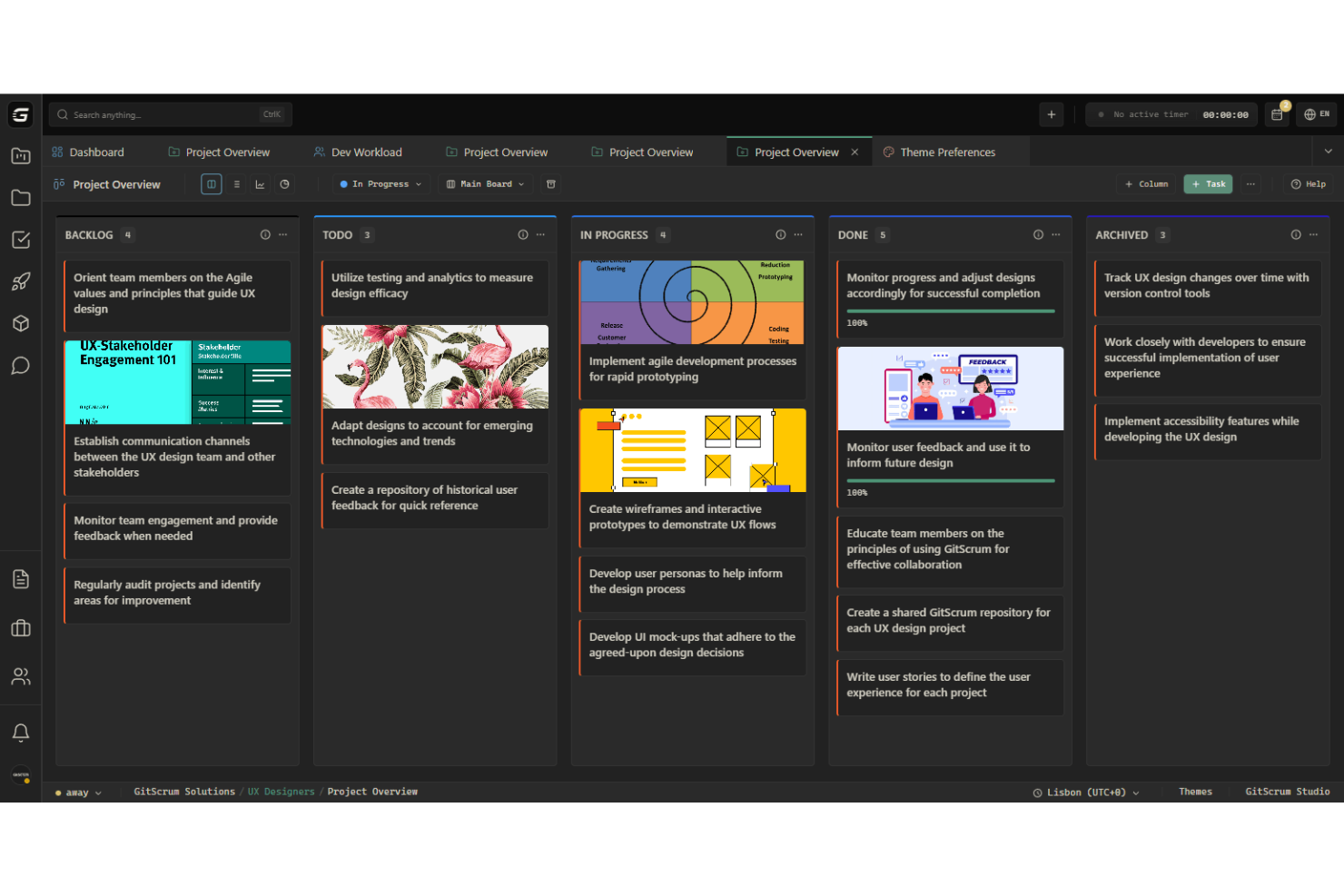
Kanban boards and sprint analytics for agile workflows.
cons
-
Reporting and analytics are less advanced than competitors.
-
Some users report slow feature updates and bug fixes.
-
Limited advanced automation for complex workflows.
-

Celoxis
Visit WebsiteThis rating combines scores from multiple user review sites to reflect overall customer sentiment about the product.4.5 -
Smartsheet
Visit WebsiteThis rating combines scores from multiple user review sites to reflect overall customer sentiment about the product.4.5 -
Accelo
Visit WebsiteThis rating combines scores from multiple user review sites to reflect overall customer sentiment about the product.4.4





Our Review Methodology
How We Test & Score Tools
We’ve spent years building, refining, and improving our software testing and scoring system. The rubric is designed to capture the nuances of software selection and what makes a tool effective, focusing on critical aspects of the decision-making process.
Below, you can see exactly how our testing and scoring works across seven criteria. It allows us to provide an unbiased evaluation of the software based on core functionality, standout features, ease of use, onboarding, customer support, integrations, customer reviews, and value for money.
Core Functionality (25% of final scoring)
The starting point of our evaluation is always the core functionality of the tool. Does it have the basic features and functions that a user would expect to see? Are any of those core features locked to higher-tiered pricing plans? At its core, we expect a tool to stand up against the baseline capabilities of its competitors.
Standout Features (25% of final scoring)
Next, we evaluate uncommon standout features that go above and beyond the core functionality typically found in tools of its kind. A high score reflects specialized or unique features that make the product faster, more efficient, or offer additional value to the user.
We also evaluate how easy it is to integrate with other tools typically found in the tech stack to expand the functionality and utility of the software. Tools offering plentiful native integrations, 3rd party connections, and API access to build custom integrations score best.
Ease of Use (10% of final scoring)
We consider how quick and easy it is to execute the tasks defined in the core functionality using the tool. High scoring software is well designed, intuitive to use, offers mobile apps, provides templates, and makes relatively complex tasks seem simple.
Onboarding (10% of final scoring)
We know how important rapid team adoption is for a new platform, so we evaluate how easy it is to learn and use a tool with minimal training. We evaluate how quickly a team member can get set up and start using the tool with no experience. High scoring solutions indicate little or no support is required.
Customer Support (10% of final scoring)
We review how quick and easy it is to get unstuck and find help by phone, live chat, or knowledge base. Tools and companies that provide real-time support score best, while chatbots score worst.
Customer Reviews (10% of final scoring)
Beyond our own testing and evaluation, we consider the net promoter score from current and past customers. We review their likelihood, given the option, to choose the tool again for the core functionality. A high scoring software reflects a high net promoter score from current or past customers.
Value for Money (10% of final scoring)
Lastly, in consideration of all the other criteria, we review the average price of entry level plans against the core features and consider the value of the other evaluation criteria. Software that delivers more, for less, will score higher.
Core Features
Kanban Boards and Gantt Charts
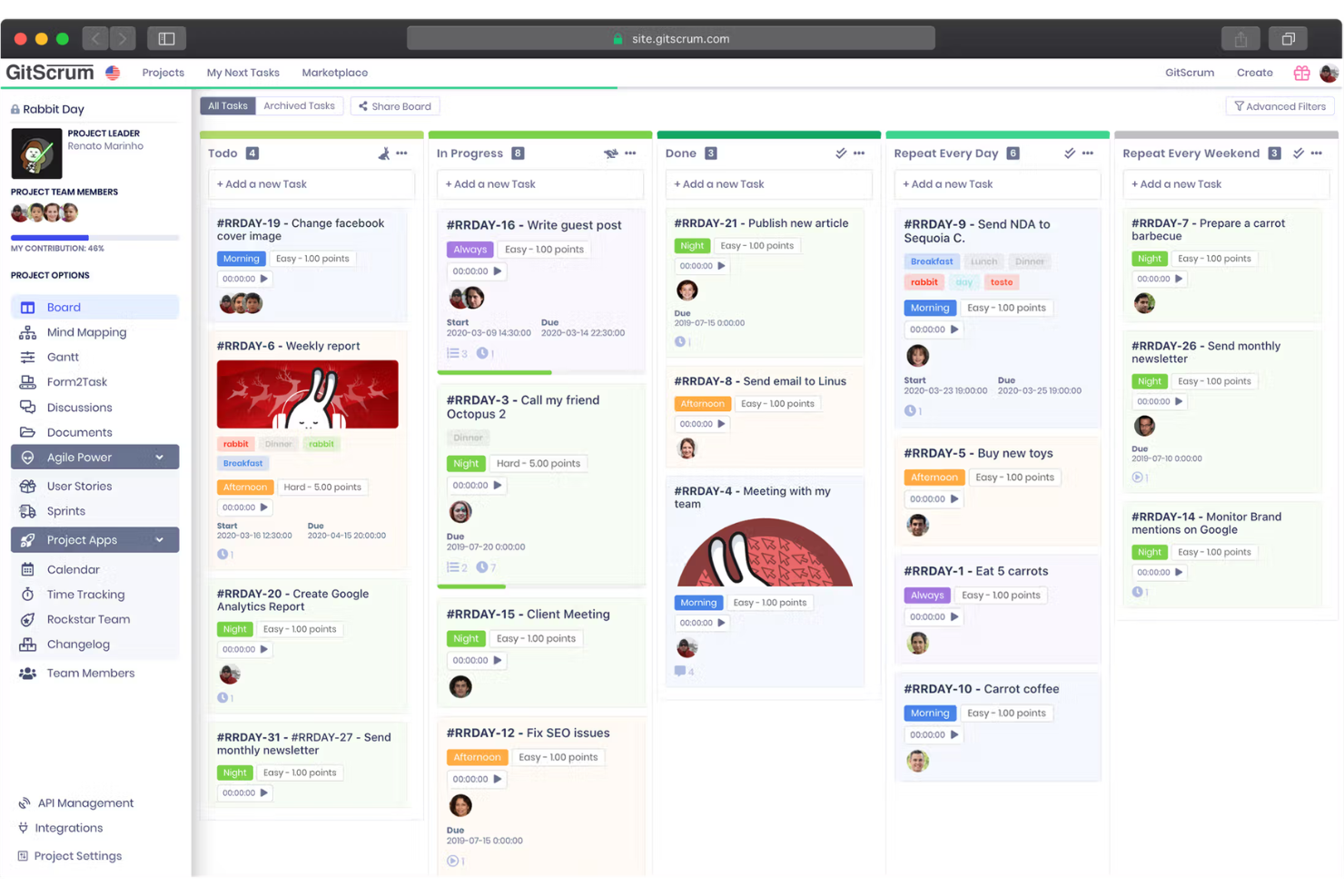
Visualize tasks, set priorities, and move cards through custom workflow stages. Teams can quickly adapt boards for different projects or clients.
Sprint Management
Plan, launch, and track sprints with built-in analytics. Velocity and progress tracking keep agile teams focused on delivery.
User Story Mapping
Break down projects into user stories and organize them visually. This helps teams clarify requirements and prioritize work.
Time Tracking
Log hours directly on tasks and generate timesheets for billing or reporting. Freelancers and agencies can easily track billable time.
Client Invoicing
Create and send invoices to clients from within the platform. Link billable hours and project milestones to streamline payments.
Task Dependencies
Set relationships between tasks to manage sequencing and deadlines. Prevent bottlenecks by making dependencies visible to the whole team.
Ease of Use
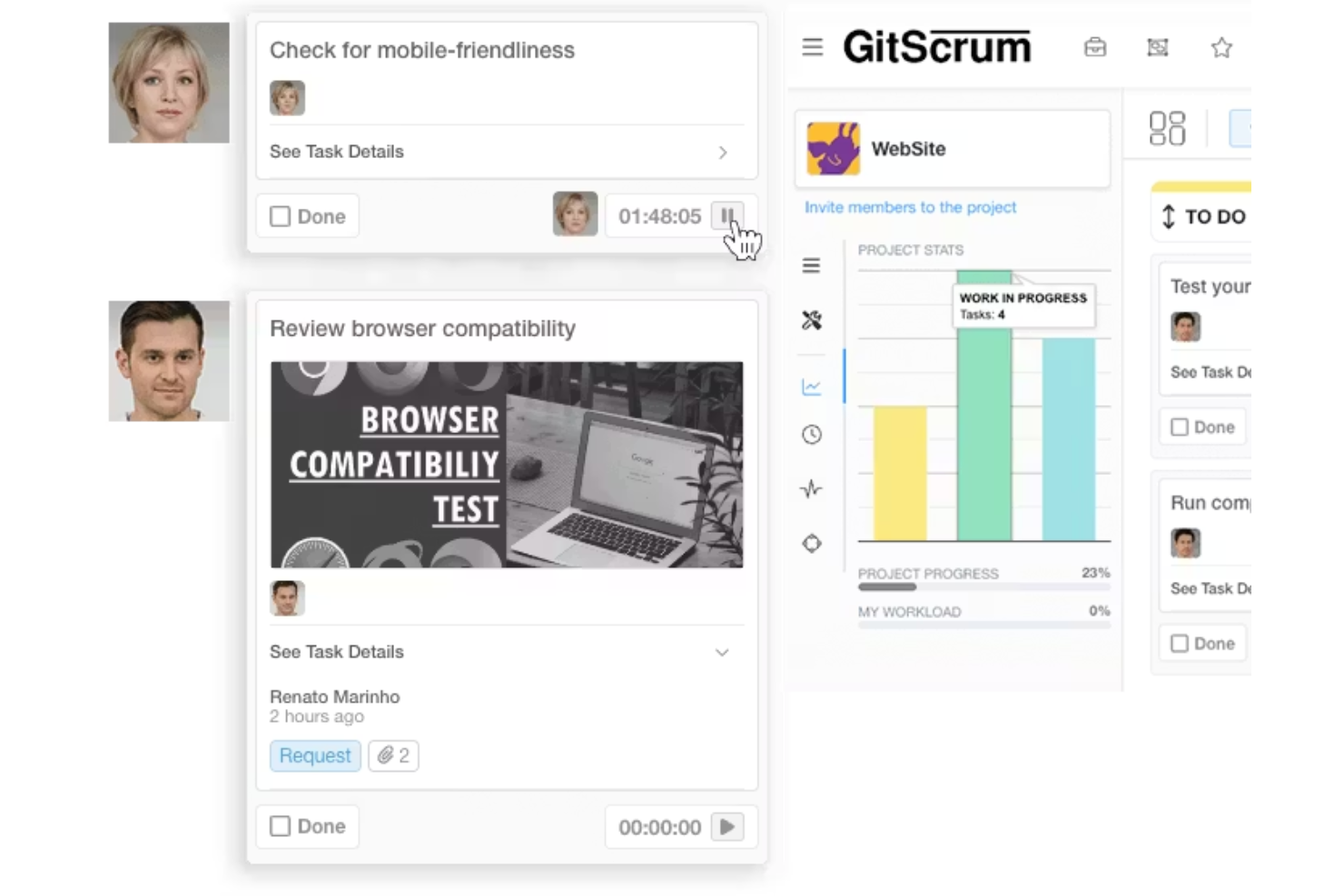
GitScrum offers a clean, intuitive user interface that makes onboarding straightforward for new users, even those without agile experience. Most users find navigation simple, with drag-and-drop boards and clear task organization. The platform’s visual approach to workflows and built-in guides help teams get started quickly. However, some users mention that advanced features require extra exploration and a slight learning curve, but overall, GitScrum manages to balance robust functionality with a user-friendly approach.
Integrations
GitScrum integrates with Slack, GitHub, GitLab, BitBucket, Microsoft Teams, Discord, and Pabbly, among others.
GitScrum also offers an API and connects with third-party integration tools like Zapier for expanded automation options.

GitScrum Specs
- API
- Approval Workflows
- Batch Permissions & Access
- Budgeting
- Calendar Management
- Contact Management
- Contact Sharing
- Custom Reports
- Customer Management
- Dashboard
- Dashboards
- Data Export
- Data Import
- Data Visualization
- Document Management
- Expense Tracking
- External Integrations
- Gantt Charts
- Multi-User
- Notifications
- Process Modeling
- Project Management
- Resource Management
- Risk Assessment
- Roadmapping
- Scheduling
- Task Scheduling/Tracking
- Third-Party Plugins/Add-Ons
- Travel Management
- Workflow Management