
15 Best Zoom Alternatives Reviewed in 2026

Best Zoom Alternatives Shortlist
Here's my pick of the 10 best software from the 15 tools reviewed.


As a project manager, you face the daily challenge of coordinating teams, managing schedules, and ensuring effective communication. Video conferencing and online meeting software can help alleviate these pain points, but finding the right collaboration tools for your needs is important. You might be seeking an alternative to Zoom meetings to better suit your team's specific requirements, whether it's enhanced security, integration with existing tools, or an improved user experience.
In my experience, understanding these needs is key to choosing the right solution. In this article, I'll provide an unbiased review of the top free Zoom alternatives, focusing on what makes each one uniquely suited to different business challenges. You'll find insights that can guide you in selecting the best tool for your team.
What is Zoom?
Zoom is a video conferencing platform and online meeting software that enables you and your team to connect virtually. After gaining traction during the pandemic, it's commonly used by professionals in various industries, including education, healthcare, and corporate sectors, providing a reliable platform for communication and collaboration. Features such as screen sharing, breakout rooms, and meeting recording capabilities help with coordinating meetings, facilitating discussions, and capturing important information. Overall, Zoom offers a valuable solution for maintaining communication and productivity in remote or hybrid work environments.
Best Zoom Alternatives Summary
This comparison chart summarizes pricing details for my top Zoom alternative selections to help you find the best one for your budget and business needs.
| Tool | Best For | Trial Info | Price | ||
|---|---|---|---|---|---|
| 1 | Best for Google Workspace integration | Free plan available | Pricing upon request | Website | |
| 2 | Best for user privacy and data ownership | Free plan available | From $1/host/month (billed annually) | Website | |
| 3 | Best for AI-assisted customer conversations | 14-day free trial + free demo available | From $15/user/month (billed annually) | Website | |
| 4 | Best for Microsoft 365 integration | Free plan available | rom $4/user/month (billed annually) | Website | |
| 5 | Best for security-controlled external meetings | 30-day free trial available | From $69/user/month | Website | |
| 6 | Best for AI-unified communications for employees | 14-day free trial | From $20/user/month (billed annually) | Website | |
| 7 | Best for open-source video conferencing | Not available | Free-forever plan | Website | |
| 8 | Best for gaming and social interaction | Free plan available | From $2.99/user/month | Website | |
| 9 | Best for small-business webinars and meeting engagement | Free demo available | From $27.99/user/month (as part of Intermedia Unite) | Website | |
| 10 | Best for pair programming and debugging | Free plan available | From $20/user/month | Website |
Why You Can Trust Us
-

Insightful
Visit WebsiteThis is an aggregated rating for this tool including ratings from Crozdesk users and ratings from other sites.4.8 -
Accelo
Visit WebsiteThis is an aggregated rating for this tool including ratings from Crozdesk users and ratings from other sites.4.4 -
Wrike
Visit WebsiteThis is an aggregated rating for this tool including ratings from Crozdesk users and ratings from other sites.4.2





Best Zoom Alternatives Reviews
Below are my detailed summaries of the best Zoom alternatives that made it onto my shortlist. My reviews offer a detailed look at the key features, pros and cons, integrations, time limits, and ideal use cases of each tool to help you find the best one for you.

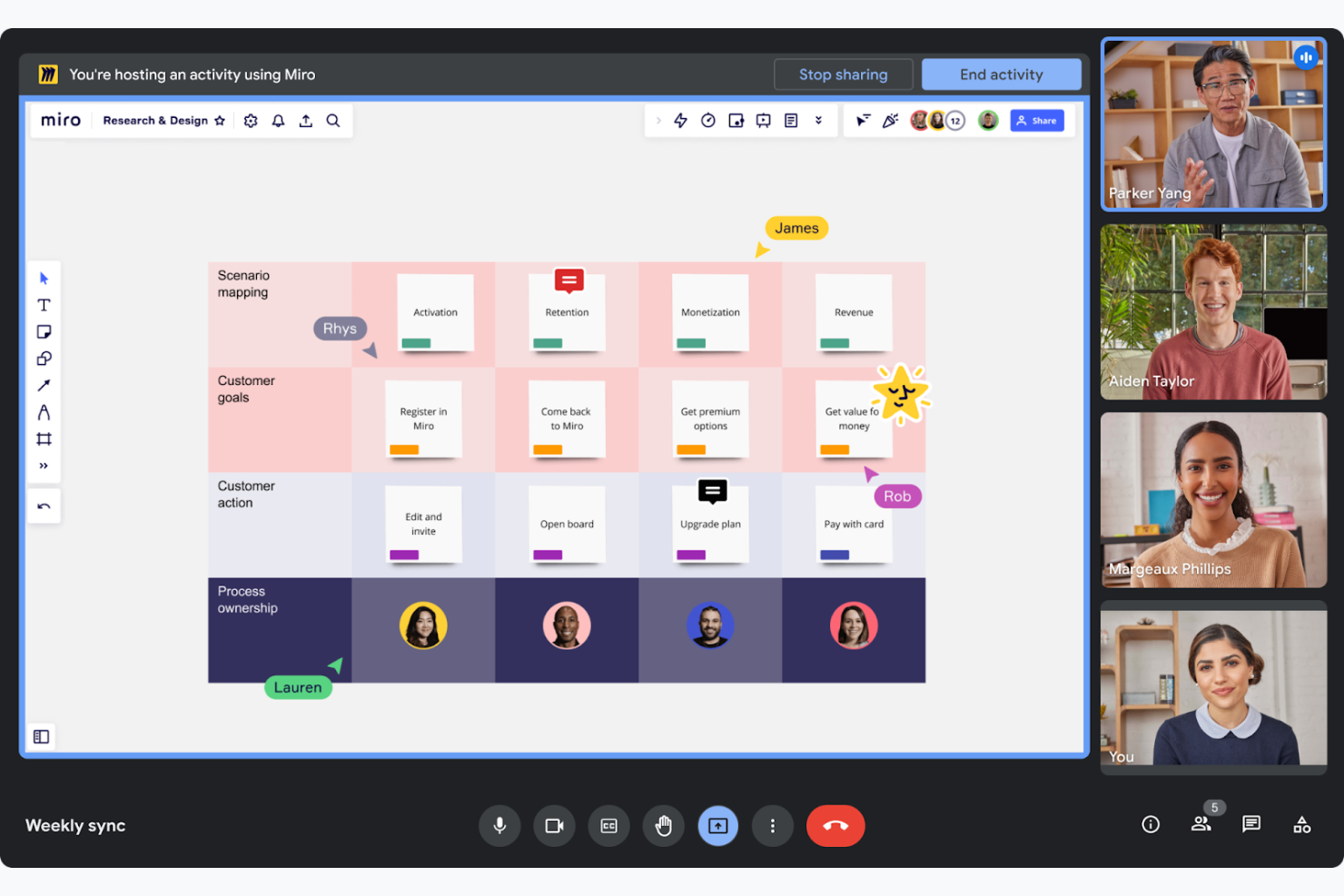
Google Meet is a video conferencing tool designed to facilitate virtual meetings and collaboration for businesses and educational institutions. It allows your team to conduct meetings with ease, directly from their web browsers or mobile devices.
Why it's a good Zoom alternative: Google Meet forms part of Google Workspace, enabling you to schedule one-on-one or team meetings directly from Google Calendar and collaborate on Google Docs during calls. This tight integration coordinates workflows for teams already using Google's suite of productivity tools. Additionally, its browser-based operation means you don't need to install any additional software, making it accessible and convenient.
Standout features and integrations:
Features include real-time live captions powered by Google's speech recognition technology, enhancing accessibility. The platform supports up to 250 participants per call, making it suitable for large meetings. You can also record meetings and save them directly to Google Drive, ensuring easy access and sharing.
Integrations include Google Calendar, Google Drive, Gmail, Google Docs, Google Sheets, Google Slides, Miro, and more.
Pros and Cons
Pros:
- Easy meeting scheduling
- Real-time captions available
- Supports large meetings
Cons:
- Occasional connectivity issues
- Basic interface design

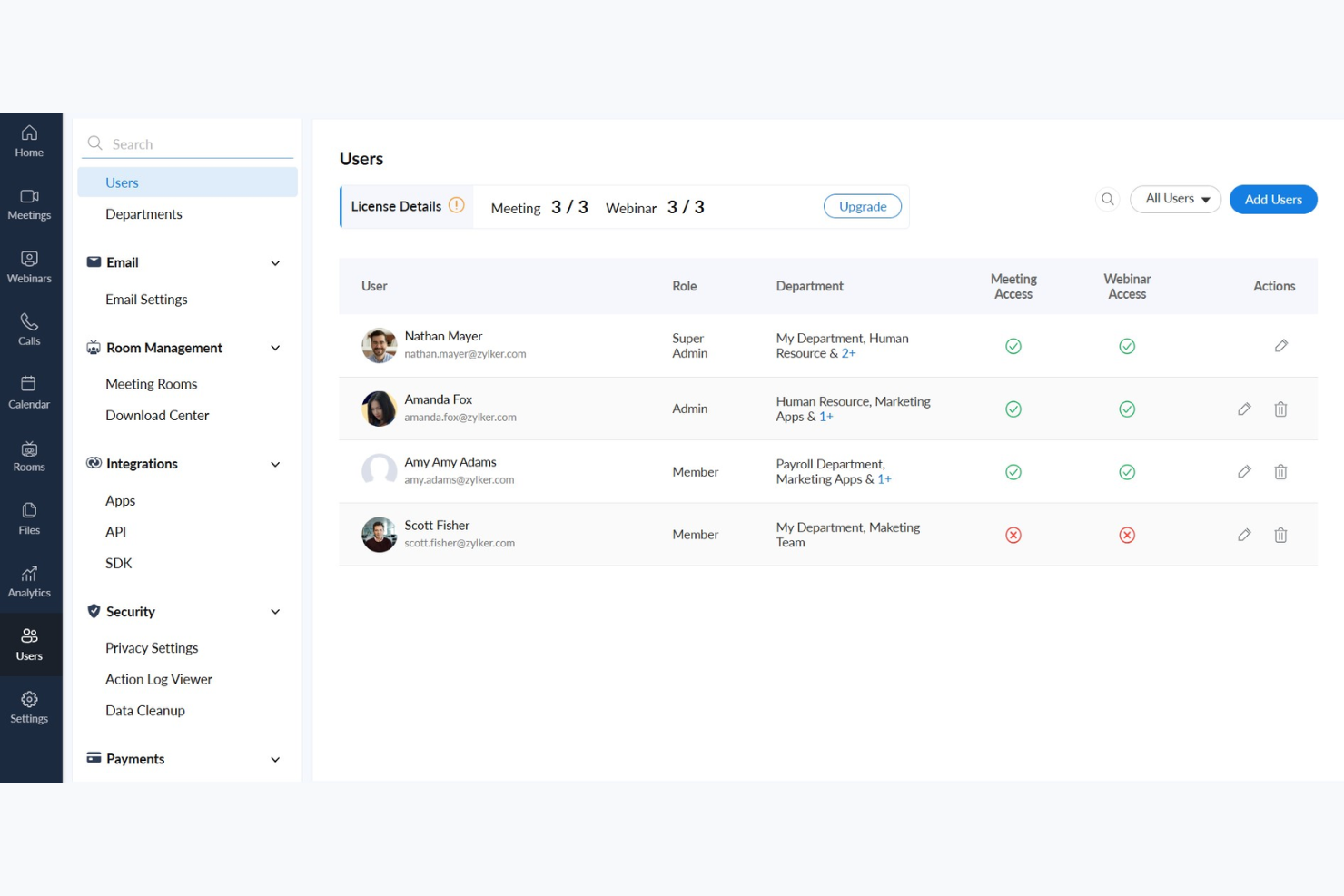
Zoho Meeting is a web-based conferencing solution designed for businesses that need secure and reliable online meeting tools. It serves professionals and teams looking to conduct webinars and virtual meetings efficiently.
Why it's a good Zoom alternative: Zoho Meeting prioritizes user privacy and data ownership, making it a preferred choice for those concerned about data security. It offers features such as meeting encryption and customizable registration forms, helping to ensure that your team's information is protected. The platform also provides detailed analytics and reports for webinars so you can track engagement and refine your presentations.
Standout features and integrations:
Features include screen sharing, which allows you to present your ideas visually to participants. The platform supports webinar polls and Q&A sessions, enabling you to engage your audience effectively. You can also record meetings and webinars, providing a valuable resource for future reference and training.
Integrations include Zoho CRM, Zoho Projects, Zoho Connect, Google Calendar, Microsoft Outlook, Slack, and more.
Pros and Cons
Pros:
- Meeting encryption available
- Detailed analytics for webinars
- Focus on privacy and data security
Cons:
- Limited scalability for large events
- Limited advanced features

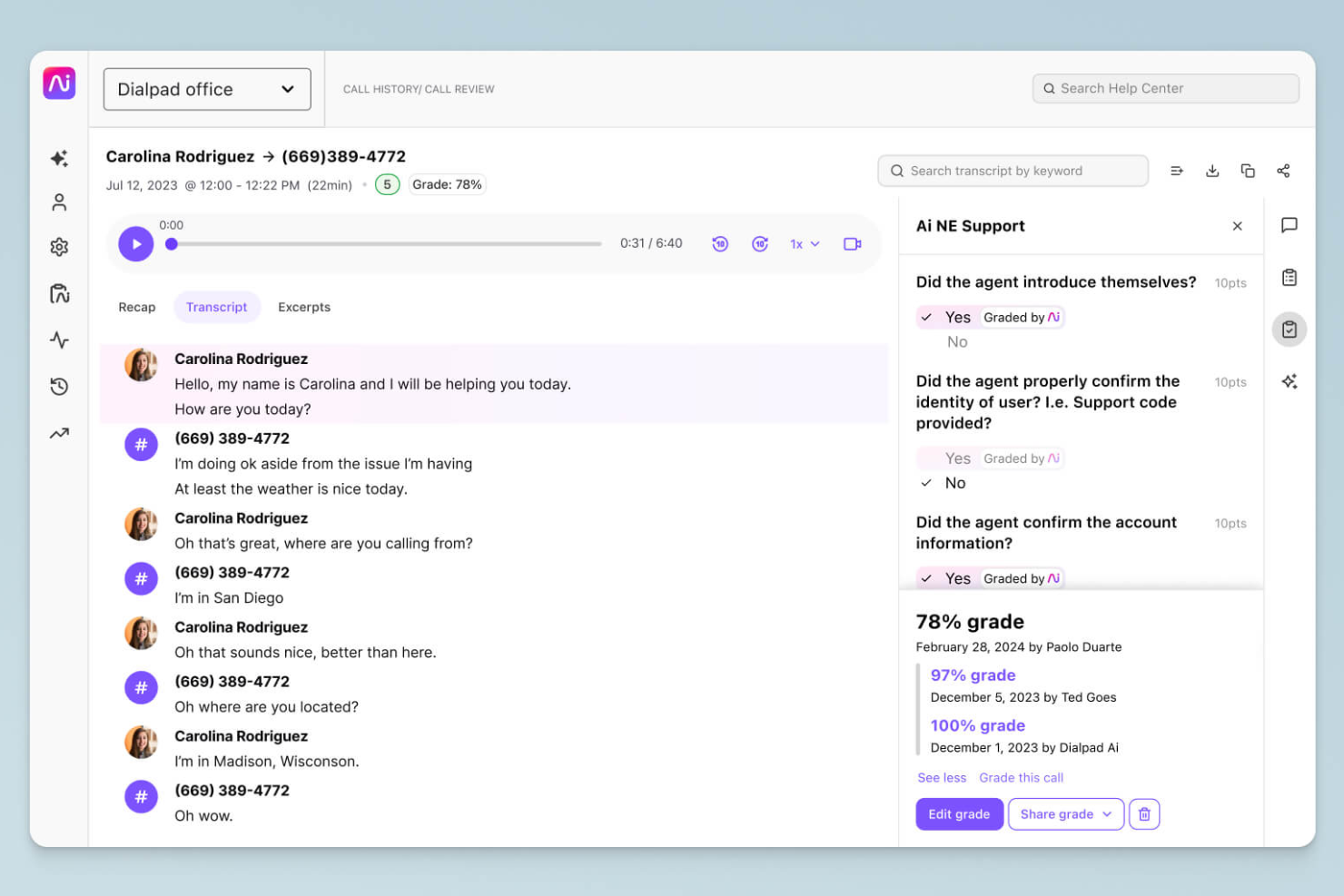
Dialpad is a cloud-based communication platform to enhance communication with AI-driven insights. It caters to companies seeking efficient voice, video, and messaging solutions to support customer and team interactions.
Why it's a good Zoom alternative: Dialpad's AI-powered features provide real-time transcription and voice analytics, offering valuable insights during calls. This allows your team to make informed decisions and improve customer interactions. With built-in call routing and customizable workflows, Dialpad supports efficient communication processes, making it a versatile alternative to Zoom's video-centric approach.
Standout features and integrations:
Features include voice intelligence that offers real-time call coaching and sentiment analysis, helping your team improve conversations. The platform supports cloud recording, cloud storage, and playback of calls, which is useful for training and quality assurance. Additionally, Dialpad provides a unified communication experience with voice, video, and messaging in one app.
Integrations include Salesforce, Microsoft 365, Google Workspace, Slack, HubSpot, Zendesk, ServiceNow, Okta, and more.
Pros and Cons
Pros:
- Efficient call routing
- Real-time transcription
- AI-driven call insights
Cons:
- Occasional system outages
- Hardware compatibility

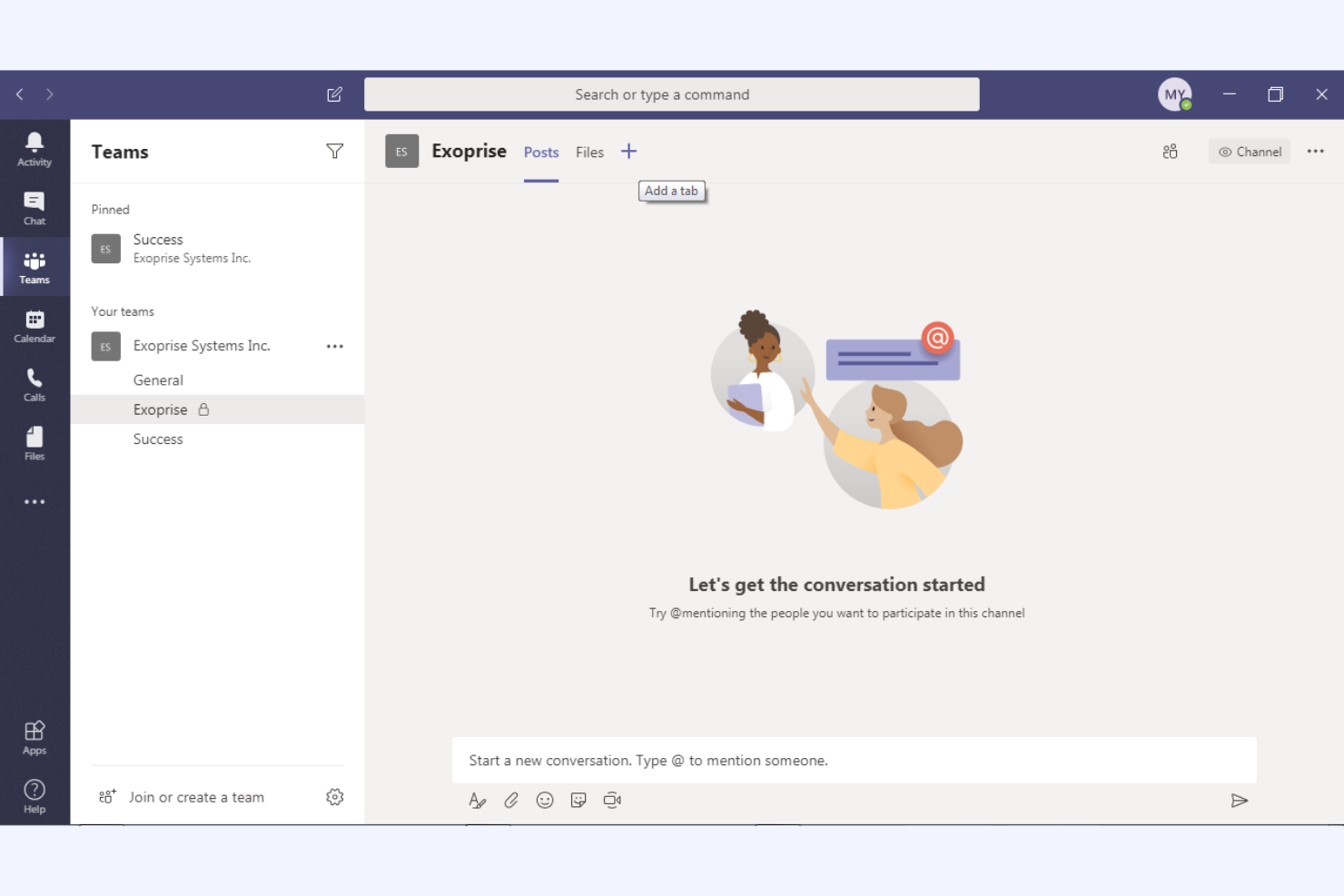
Microsoft Teams is a collaboration platform that integrates chat, video conferencing, and file sharing, designed mainly for business and educational users. It helps your team communicate efficiently and manage projects within a unified workspace.
Why it's a good Zoom alternative: Microsoft Teams offers deep integration with the Microsoft 365 ecosystem, enhancing productivity through real-time document collaboration features and calendar syncing. These capabilities make it ideal if your organization already uses Microsoft products. Additionally, its extensive chat and channel functionalities support ongoing team communication and project management, providing a deeper solution than Zoom's video-focused platform.
Standout features and integrations:
Features include task management tools that let you assign and track tasks within your team. The platform includes a built-in wiki for documenting and sharing knowledge, and it supports live events for larger audiences, making it versatile for different communication needs.
Integrations include Microsoft Outlook, SharePoint, OneDrive, Power BI, Trello, Asana, GitHub, Salesforce, and more.
Pros and Cons
Pros:
- Real-time document collaboration
- Supports large virtual events
- Deep Microsoft 365 integration
Cons:
- Can be resource-intensive
- Limited customization options
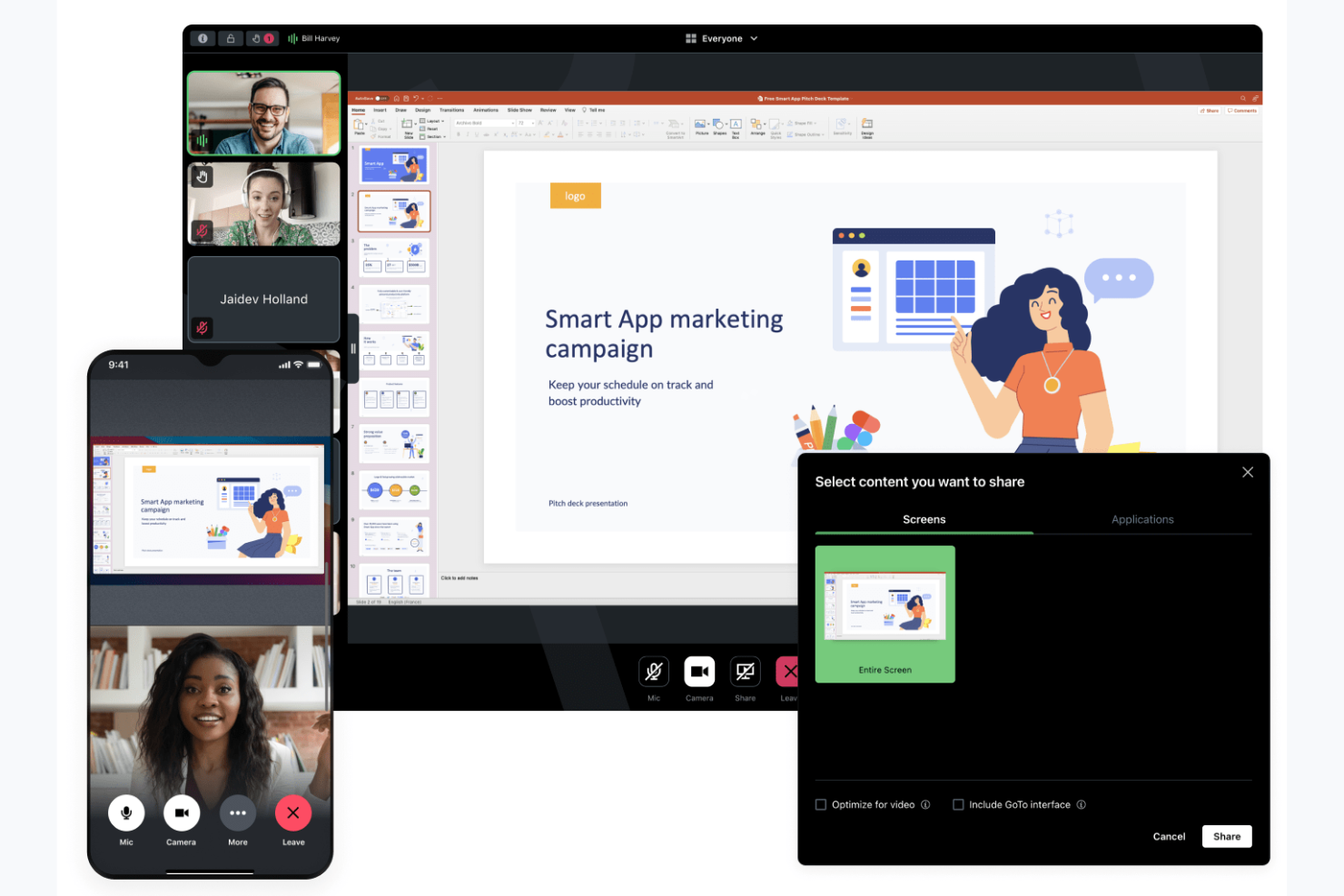
GoTo Meeting is a web conferencing tool designed for businesses that need a reliable platform for hosting virtual meetings. It serves professionals across industries, offering features to support efficient communication and collaboration.
Why it's a good Zoom alternative: GoTo Meeting focuses on providing secure and flexible meeting options with security features such as meeting encryption and admin controls, and customizable meeting settings. These capabilities help your meetings stay private and tailored to your needs. The platform supports HD video conferencing and offers mobile apps, making it convenient for teams on the go.
Standout features and integrations:
Features include a "Call Me" option that simplifies joining meetings by calling participants directly and drawing tools that let you annotate shared screens for better collaboration. You can also take advantage of the personalized meeting rooms, which provide a consistent space for your team to gather.
Integrations include Salesforce, Google Calendar, Zapier, Zoho CRM, Zendesk, Outlook, Trello, and more.
Pros and Cons
Pros:
- HD video quality conferencing
- Flexible meeting settings
- Secure meeting encryption
Cons:
- Multiple steps are required to join a workflow
- Dated interface compared to some competitors
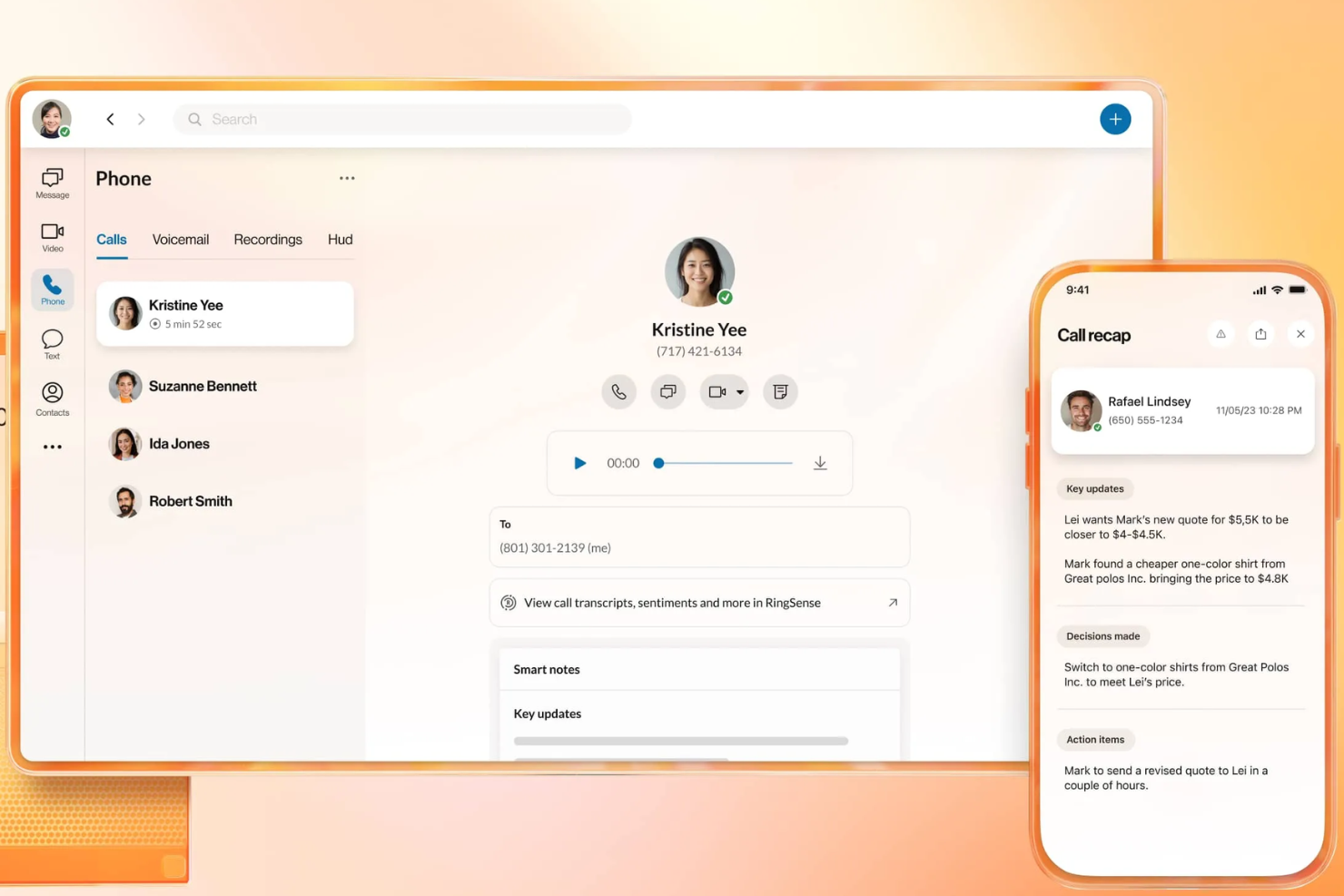
RingEX is a cloud-based communication platform designed to enhance a business's communication capabilities with advanced features. It offers reliable voice, video, and messaging solutions for team collaboration.
Why it's a good Zoom alternative: RingEX offers AI-driven insights and analytics, enabling your team to make informed decisions during calls. The platform supports features such as call recording and real-time transcription, providing useful resources for training and quality assurance. Additionally, RingEX's customizable workflows and robust call management tools make it a versatile choice for businesses of all sizes.
Standout features and integrations:
Features include advanced call routing that ensures calls are directed to the right team members. The platform provides call analytics, giving you insights into your team's communication patterns. You can also use video conferencing with screen sharing capabilities, enhancing collaboration during virtual meetings.
Integrations include Microsoft 365, Google Workspace, Salesforce, Slack, Zendesk, HubSpot, Zapier, Microsoft Teams, Okta, and more.
Pros and Cons
Pros:
- Suitable for large enterprises
- Customizable call management
- AI-driven call analytics
Cons:
- Inconsistent call reliability
- Complex setup and user interface

Jitsi is an open-source video conferencing tool for individuals and teams seeking flexible and secure communication solutions. It provides a platform for hosting virtual meetings without requiring user accounts, downloads, or a paid plan.
Why it's a good Zoom alternative: Jitsi meetings offer control over your data and privacy, which is ideal if you're concerned about security. You can customize and host your own server, ensuring that your free video conferencing meetings are more secure, and its open-source nature means you can modify and extend the platform to fit your specific requirements, unlike Zoom, which is a closed system.
Standout features and integrations:
Features include high-quality video and audio, ensuring clear communication during longer meetings. You can also use the platform's chat feature for text-based communication alongside video calls. Jitsi supports screen sharing, allowing you to present information and collaborate effectively with your team.
Integrations vary depending on hosting/setup; can be extended via open-source plugins and APIs
Pros and Cons
Pros:
- Self-hosting option
- High data privacy
- Open-source flexibility
Cons:
- Limited support for large meetings
- May require technical knowledge

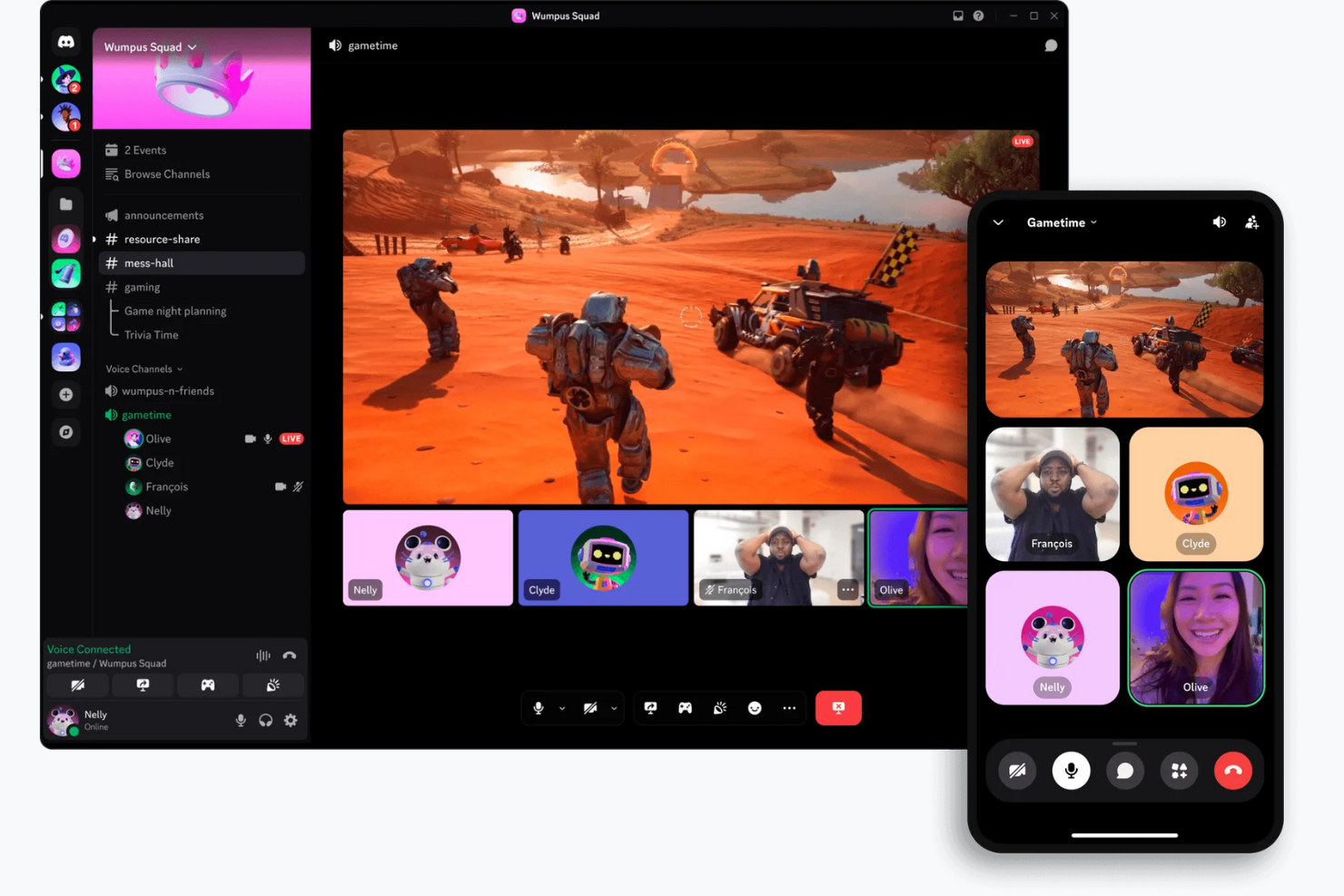
Discord is a communication platform designed primarily for gamers and social communities. Providing voice, video, and text chat capabilities, it's widely used by gaming enthusiasts and online communities for real-time interaction and collaboration.
Why it's a good Zoom alternative: Discord offers persistent voice channels, allowing your team to join and leave conversations at will, unlike Zoom's scheduled meetings. The platform provides customizable server settings and roles to manage user permissions and create organized discussion spaces. Additionally, Discord's free version and community-focused features, such as public servers and user-friendly interfaces, make it ideal for informal gatherings and social interactions.
Standout features and integrations:
Features include screen sharing, which lets you share your screen with others for collaborative gaming or working, as well as video and voice calls. You can also use Discord's direct messaging feature to communicate privately with individuals or through small calls.
Integrations include Spotify, Twitch, YouTube, Reddit, Patreon, Steam, GitHub, and more.
Pros and Cons
Pros:
- Community-focused features
- Customizable server settings
- Persistent voice channels
Cons:
- Low file upload size limits
- Limited enterprise compliance and auditing

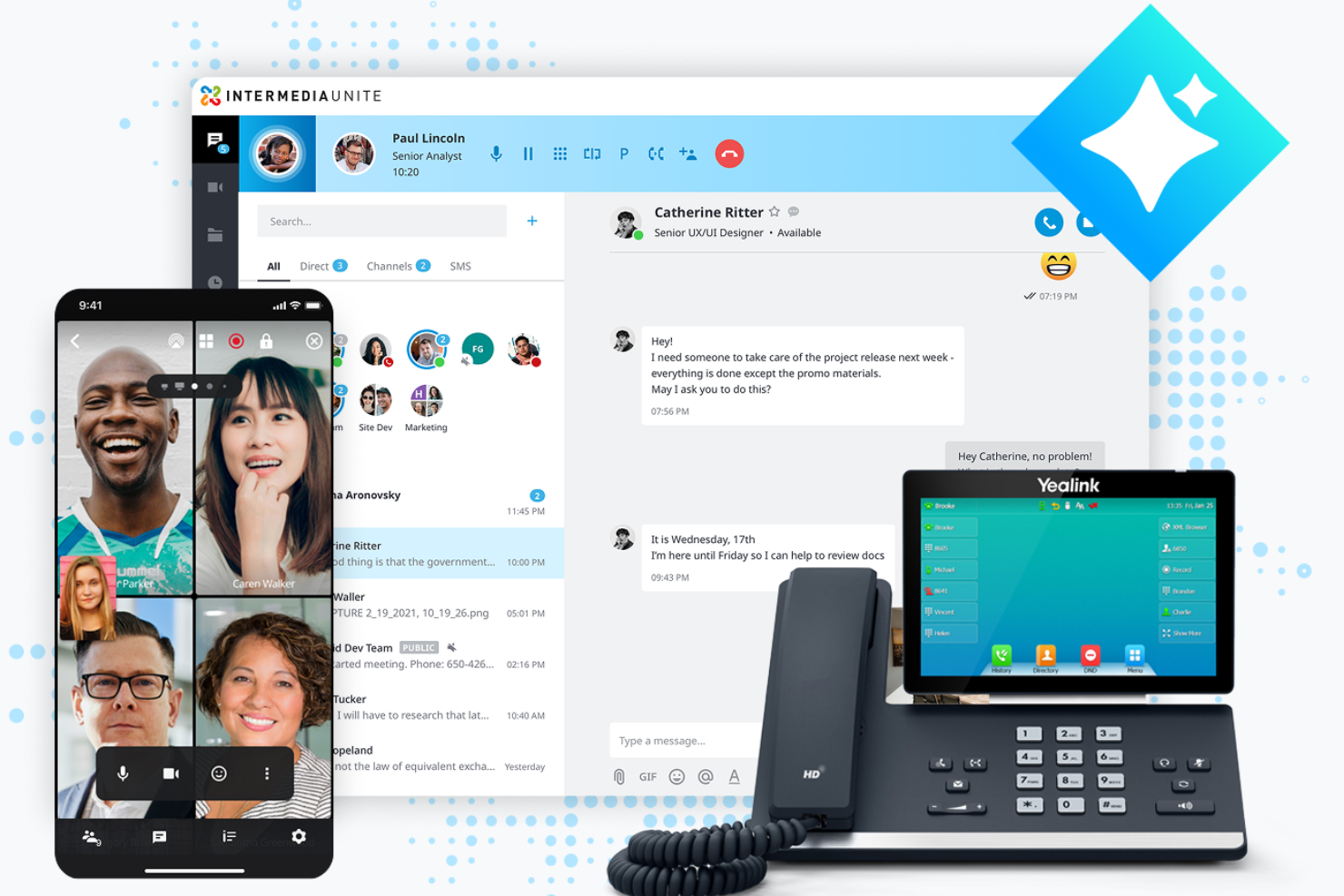
AnyMeeting is a video conferencing platform designed for small to medium-sized businesses looking for an extensive communication solution. Part of the Intermedia Unite cloud-based platform, it offers tools for hosting virtual meetings, webinars, and conference calls, supporting collaboration and connectivity.
Why it's a good Zoom alternative: AnyMeeting provides an all-in-one communication suite with features such as webinar hosting and meeting transcription. These capabilities make it suitable for businesses that need more than just video meetings. AnyMeeting offers screen sharing and customizable meeting layouts, allowing your team to tailor meetings to suit their specific needs.
Standout features and integrations:
Features include meeting transcription, which automatically records and transcribes your meetings for easy reference. The platform offers webinar hosting capabilities, providing tools to engage large audiences and customized layouts to enhance the overall meeting experience.
Integrations include Microsoft Office 365, Google Calendar, Slack, Salesforce, Zendesk, and more.
Pros and Cons
Pros:
- Customizable meeting layouts
- Meeting transcription available
- Supports webinar hosting
Cons:
- Limited scalability for larger enterprises
- Limited advanced features

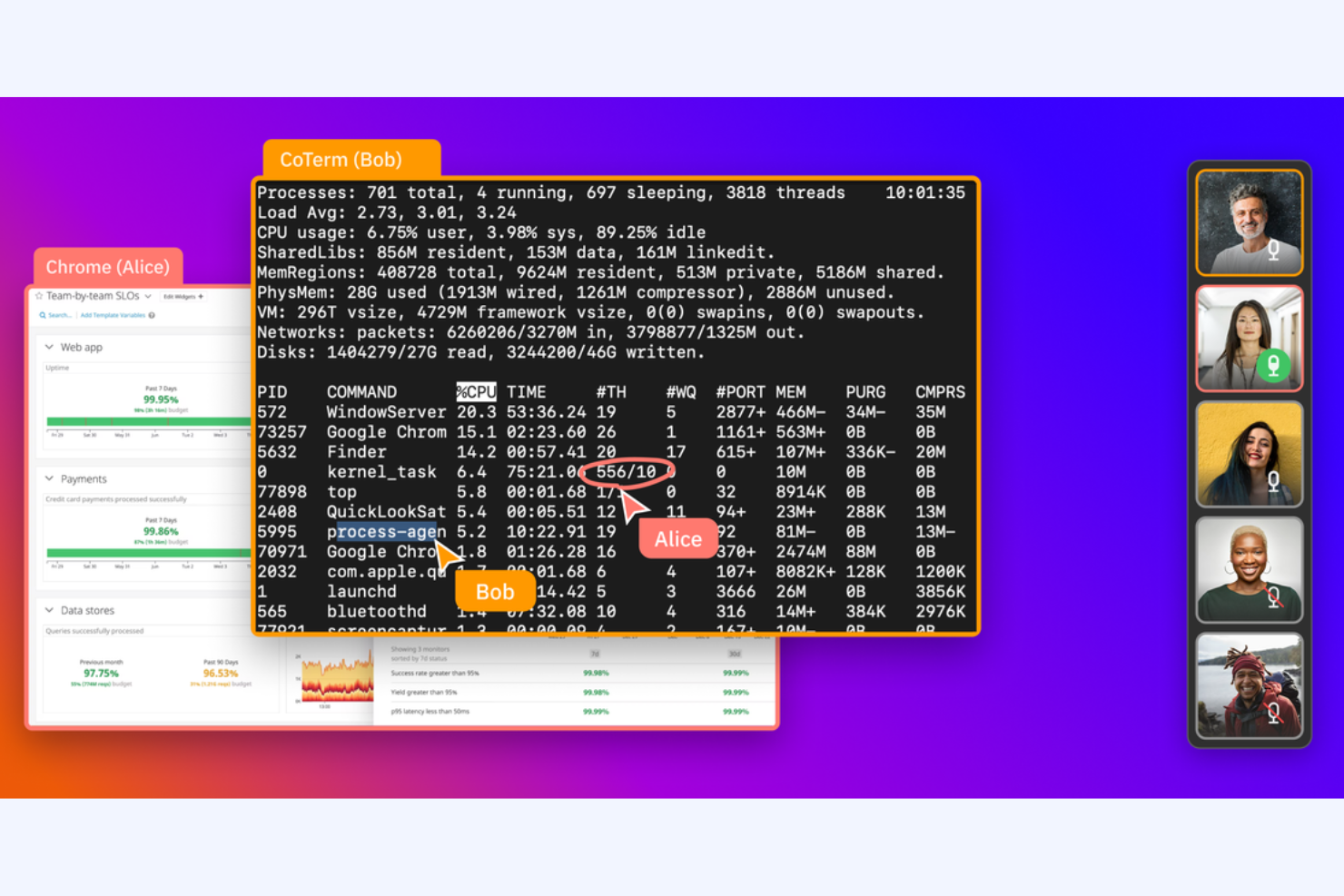
CoScreen is a screen-sharing tool for developers and teams that require real-time collaboration. It's used by software engineers and tech teams to facilitate pair programming and debugging sessions.
Why it's a good Zoom alternative: CoScreen allows multiple users to share their screens simultaneously, making it ideal for technical collaboration. Unlike Zoom, which focuses on video meetings, CoScreen emphasizes real-time code editing and problem-solving. Its low-latency performance ensures that your team's interactions are smooth and efficient, allowing for effective collaboration in coding environments.
Standout features and integrations:
Features include simultaneous screen sharing, which lets everyone on your team share their screen at the same time. You can also use low-latency video calls to ensure smooth communication during sessions. CoScreen supports real-time code editing, making it a valuable tool for developers working together on projects.
Integrations include Slack, GitHub, Jira, Asana, Google Calendar, Zoom, Visual Studio Code, IntelliJ IDEA, and more.
Pros and Cons
Pros:
- Real-time code editing
- Low-latency performance
- Ideal for pair programming
Cons:
- Limited non-technical features
- Geared towards developers
Other Zoom Alternatives
Here are some additional Zoom alternatives for video conferencing software that didn’t make it onto my shortlist, but are still worth checking out:
- ClickMeeting
For large webcasts and hosted video conferences
- TeamViewer
For remote support
- Miro
For dedicated visual collaboration
- ON24
For data-driven webinars
- eyeson
For low-bandwidth video calls


Zoom Alternatives Selection Criteria
When selecting the best Zoom alternatives to include in this list, I considered common buyer needs and pain points related to video conferencing and online meeting software products, such as security concerns and ease of use. I also used the following framework to keep my evaluation structured and fair:
Core Functionality (25% of total score)
To be considered for inclusion in this list, each solution had to fulfill these common use cases:
- Host virtual meetings
- Facilitate screen sharing
- Support video and audio calls
- Provide chat functionality
Additional Standout Features (25% of total score)
To help further narrow down the competition, I also looked for unique features, such as:
- AI-powered meeting transcriptions
- Virtual backgrounds
- Interactive whiteboards
- Real-time language translation
- Meeting recordings
Usability (10% of total score)
To get a sense of the usability of each system, I considered the following:
- Intuitive interface
- Easy navigation
- Quick access to features
- Customizable settings
- Mobile app availability
Onboarding (10% of total score)
To evaluate the onboarding experience for each platform, I considered the following:
- Availability of training videos
- Interactive product tours
- Access to templates
- Chatbot assistance
- Webinars for new users
Customer Support (10% of total score)
To assess each software provider’s customer support services, I considered the following:
- 24/7 availability
- Live chat support
- Comprehensive help center
- Response time
- Multilingual support
Value For Money (10% of total score)
To evaluate the value for money of each platform, I considered the following:
- Pricing tiers
- Feature set per plan
- Free trial availability
- Discounts for annual billing
- Cost compared to competitors
Customer Reviews (10% of total score)
To get a sense of overall customer satisfaction, I considered the following when reading customer reviews:
- Overall satisfaction ratings
- Commonly cited strengths
- Frequently mentioned issues
- Feedback on feature updates
- Recommendations from users
Why Look for a Zoom Alternative?
While Zoom is a good choice of video conferencing and online meeting software, there are a number of reasons why some users seek out alternative solutions. You might be looking for a Zoom alternative because…
- You need more advanced security features
- Your team requires better integration with tools
- You're facing limitations with large meetings
- You want more customization options
- Your team experiences frequent connectivity issues
If any of these sound like you, you’ve come to the right place. My list includes several video conferencing and online meeting software options that are better suited for teams facing these challenges with Zoom and seeking alternative solutions.
Zoom Key Features
Here are some of the key features of Zoom, to help you contrast and compare what alternative solutions offer:
- Virtual backgrounds: Change your meeting background to any image or video, which helps maintain privacy and reduces distractions.
- Breakout rooms: Split your meeting into smaller group calls for focused discussions during workshops or team activities.
- Screen sharing: Share your desktop or specific applications with your team to present information effectively during meetings.
- Recording and transcripts: Record meetings and automatically generate transcripts, providing a resource for those who couldn't attend.
- Meeting chat: Use the chat feature to send messages to participants, share files, and enhance communication during meetings.
- Polls and surveys: Collect feedback or make decisions quickly with in-meeting polls and surveys, engaging participants actively.
- End-to-end encryption: Ensure your meetings are secure with encryption, protecting your data and communications.
- Waiting room: Control when participants join your meeting by placing them in a waiting room before the session starts.
- Annotation tools: Use annotation tools to highlight or mark up shared content, enhancing collaboration and understanding.
- Virtual hand raising: Allow participants to raise a virtual hand when they want to speak, helping manage larger meetings efficiently.
What’s Next:
If you're in the process of researching video conferencing and online meeting software, connect with a SoftwareSelect advisor for free recommendations.
You fill out a form and have a quick chat where they get into the specifics of your needs. Then you'll get a shortlist of software to review. They'll even support you through the entire buying process, including price negotiations.