
Adobe Connect Review: Pros, Cons, Features and Pricing Explained



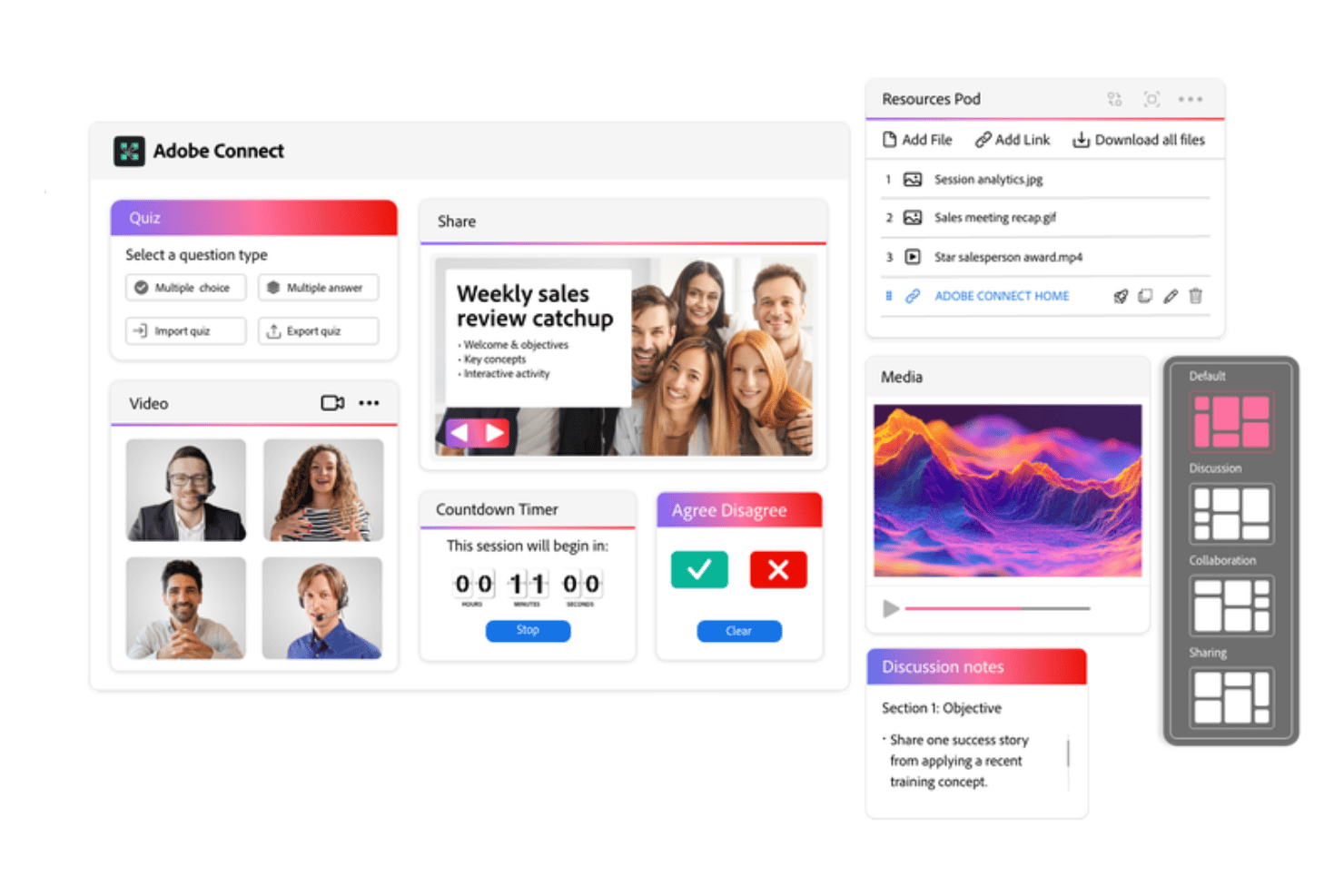
Adobe Connect is a video conferencing software built around customizable virtual rooms, persistent meeting spaces, and structured webinar delivery. I'd consider it if your team runs formal training programs or large-scale webinars that need precise control over the participant experience. Where Zoom defaults to general-purpose meetings, Adobe Connect gives you granular layout control, breakout pods, and content persistence—features that hold up across complex, multi-session events where the structure of the experience matters as much as the content itself.
Adobe Connect Evaluation Summary
- From $190/host (billed annually)
- Free demo available
Why Trust Our Software Recommendations
Our team has been testing and reviewing software since 2012. As project managers ourselves, we know how difficult—and important—it is to choose the right software.
For this guide, we evaluated tools using hands-on testing and independent research, scoring tools using our selection criteria. We also draw on insights from industry thought leaders and practicing project management experts.
Our reviews reflect our human editorial judgment, not a sales pitch.
Expert reviewers:
Adobe Connect Overview
When judging Adobe Connect, I'd say its room customization, breakout rooms, and persistent spaces set it apart, especially for training and workshops. Compared to leading web conferencing software alternatives, the interface and onboarding can feel dated or complex—but the platform excels when you need deep interaction, real-time collaboration, and enterprise-grade security. Pricing is on the higher end, but you get detailed controls and integration flexibility. You'll get the most value if your priority is creating tailored, recurring virtual experiences for education, government, or highly regulated teams that need reliability over simplicity.
pros
-
Customizable layouts for interactive, branded virtual rooms
-
Persistent meeting spaces available for ongoing sessions
-
Advanced host controls for participant management and security
cons
-
Outdated interface compared to more modern competitors
-
Initial setup and onboarding feels complex for new users
-
Occasional stability issues with audio and video quality
-

Smartsheet
Visit WebsiteThis rating combines scores from multiple user review sites to reflect overall customer sentiment about the product.4.5 -
Celoxis
Visit WebsiteThis rating combines scores from multiple user review sites to reflect overall customer sentiment about the product.4.5 -
Accelo
Visit WebsiteThis rating combines scores from multiple user review sites to reflect overall customer sentiment about the product.4.4





Our Review Methodology
How We Test & Score Tools
We’ve spent years building, refining, and improving our software testing and scoring system. The rubric is designed to capture the nuances of software selection and what makes a tool effective, focusing on critical aspects of the decision-making process.
Below, you can see exactly how our testing and scoring works across seven criteria. It allows us to provide an unbiased evaluation of the software based on core functionality, standout features, ease of use, onboarding, customer support, integrations, customer reviews, and value for money.
Core Functionality (25% of final scoring)
The starting point of our evaluation is always the core functionality of the tool. Does it have the basic features and functions that a user would expect to see? Are any of those core features locked to higher-tiered pricing plans? At its core, we expect a tool to stand up against the baseline capabilities of its competitors.
Standout Features (25% of final scoring)
Next, we evaluate uncommon standout features that go above and beyond the core functionality typically found in tools of its kind. A high score reflects specialized or unique features that make the product faster, more efficient, or offer additional value to the user.
We also evaluate how easy it is to integrate with other tools typically found in the tech stack to expand the functionality and utility of the software. Tools offering plentiful native integrations, 3rd party connections, and API access to build custom integrations score best.
Ease of Use (10% of final scoring)
We consider how quick and easy it is to execute the tasks defined in the core functionality using the tool. High scoring software is well designed, intuitive to use, offers mobile apps, provides templates, and makes relatively complex tasks seem simple.
Onboarding (10% of final scoring)
We know how important rapid team adoption is for a new platform, so we evaluate how easy it is to learn and use a tool with minimal training. We evaluate how quickly a team member can get set up and start using the tool with no experience. High scoring solutions indicate little or no support is required.
Customer Support (10% of final scoring)
We review how quick and easy it is to get unstuck and find help by phone, live chat, or knowledge base. Tools and companies that provide real-time support score best, while chatbots score worst.
Customer Reviews (10% of final scoring)
Beyond our own testing and evaluation, we consider the net promoter score from current and past customers. We review their likelihood, given the option, to choose the tool again for the core functionality. A high scoring software reflects a high net promoter score from current or past customers.
Value for Money (10% of final scoring)
Lastly, in consideration of all the other criteria, we review the average price of entry level plans against the core features and consider the value of the other evaluation criteria. Software that delivers more, for less, will score higher.
Core Features
Customizable Pods
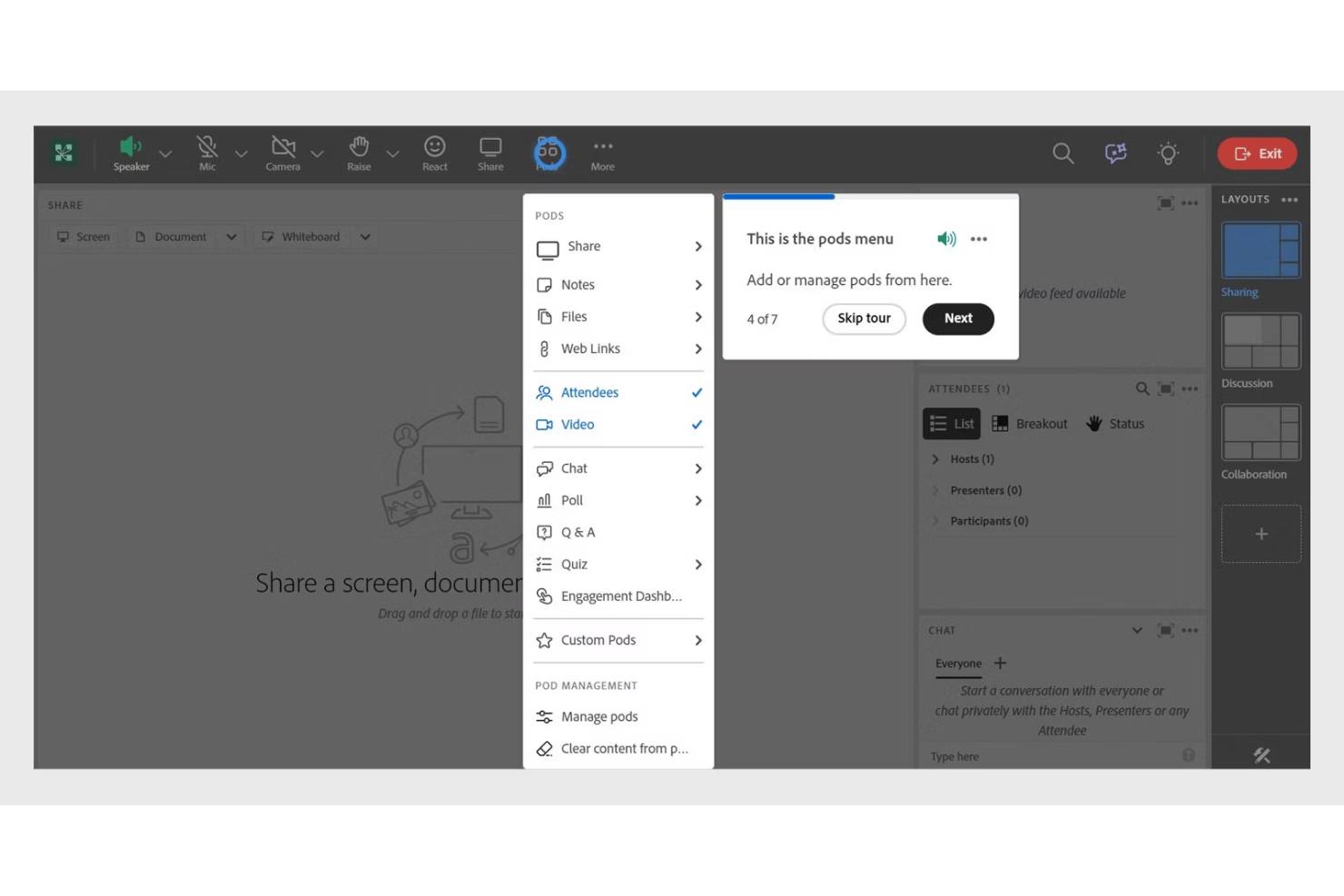
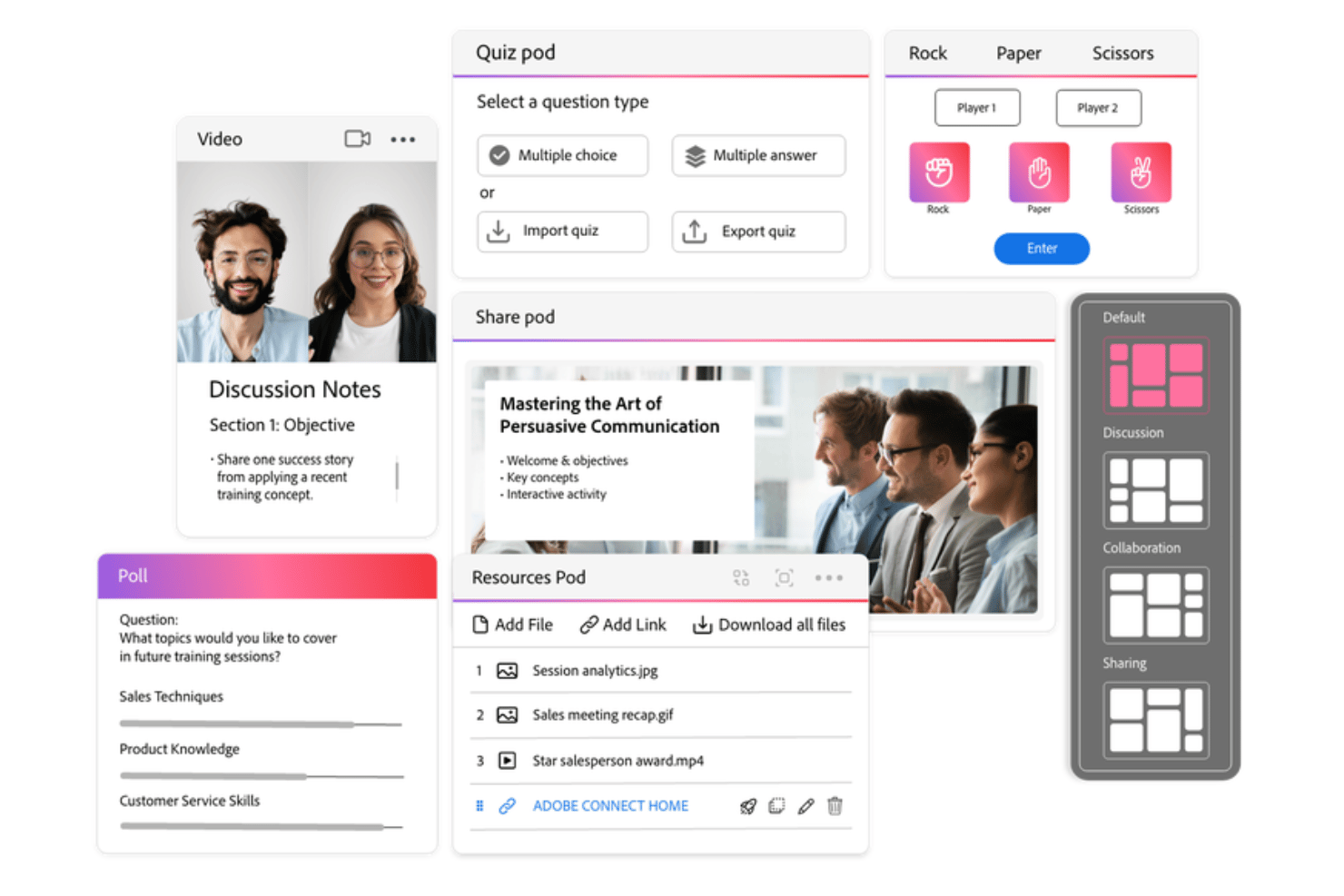
Pods let you add apps, quizzes, whiteboards, or polls to your meeting room. You can tailor each session's tools and content to fit different needs.
Breakout Rooms
Split participants into small groups instantly for focused discussions. Hosts can move between rooms and broadcast messages or resources as needed.
Persistent Meeting Rooms
Create virtual rooms that save layouts, files, and content for ongoing use. Teams can return to the same environment each session, making collaboration continuous.
Advanced Host Controls
Hosts control entry, set permissions, monitor engagement, and manage participant roles. This keeps sessions secure and focused, especially for larger groups.
HD Video and Audio
HD video and rich audio support up to several hundred participants. The platform handles panel discussions, webinars, and training sessions with reliable quality.
Interactive Whiteboard
Draw, annotate, and share ideas live with your audience. Use the whiteboard for brainstorming, planning, or teaching, keeping sessions interactive and hands-on.
Ease of Use
Adobe Connect isn't the most intuitive video conferencing software out there, especially for first-time users, due to its dense interface and deep customization options. However, once you're familiar with its layout and tools, you gain unmatched flexibility with persistent rooms, pods, and advanced controls that many find worth the learning curve for complex meetings.
Integrations
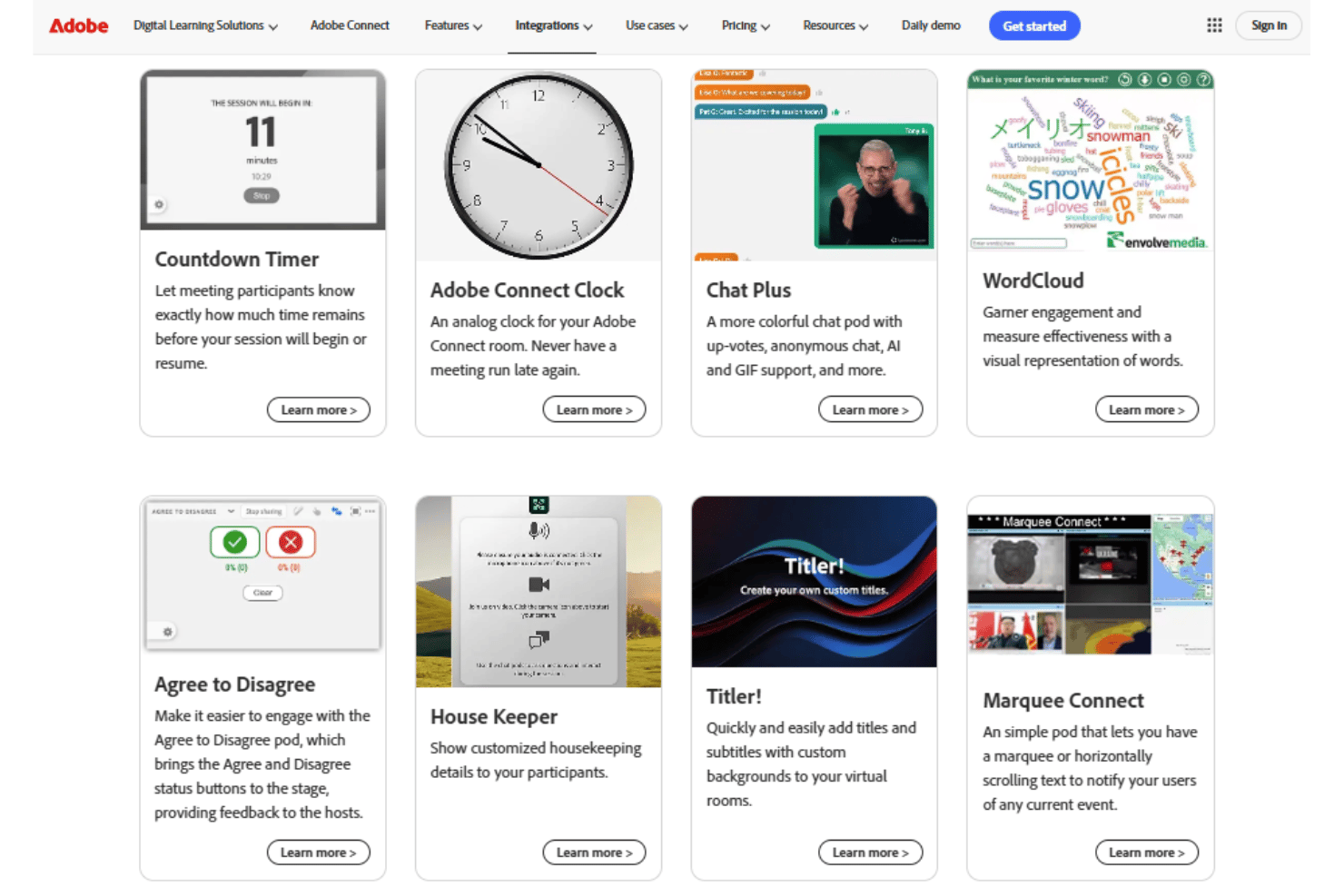
Adobe Connect integrates with Adobe Captivate, Adobe Presenter, and Adobe Experience Manager, among others.
Adobe Connect also offers an API for custom integrations and connects with some third-party integration tools.
Adobe Connect Specs
- API
- Calendar Management
- Chat
- Contact Management
- Contact Sharing
- External Integrations
- History/Version Control
- Multi-User
- Notifications
- Scheduling