
17 Best Email Apps Reviewed in 2026

Best Email Apps Shortlist
Here’s my shortlist of the best email apps:


Managing projects can be a juggling act, and emails often add to the chaos. You need a secure email app that helps you stay organized and keeps your team on track. In my experience, the right mail client can make all the difference.
I've tested and reviewed countless email apps to find the best options for you. My goal is to share unbiased insights that address your needs. Whether it's integrating with other tools or offering unique features, there's something for every team.
In this article, I'll guide you through my top picks, highlighting what makes each one stand out. Let's find the email app that fits your workflow and helps you manage projects more effectively.
Why You Can Trust Us
Best Email App Summary
This comparison chart summarizes pricing details for my top email apps to help you find the best one for your budget and business needs.
| Tool | Best For | Trial Info | Price | ||
|---|---|---|---|---|---|
| 1 | Best for business integration | Free 14-day free trial + free plan available | From $5.75/user/month (billed annually) | Website | |
| 2 | Best for Google Workspace users | Free plan available | From $7/user/month (billed annually) | Website | |
| 3 | Best for Apple device integration | Free plan available | From $0.99/month | Website | |
| 4 | Best for free domain options | Free demo available | Free forever plan | Website | |
| 5 | Best for large email storage | Free 14-day trial + free plan available | From $5/month | Website | |
| 6 | Best for AI-based features | Free plan available | From $14.99/month | Website | |
| 7 | Best for open-source customization | Free to use | Free forever plan | Website | |
| 8 | Best for privacy | Free 7-day trial + free plan available | From $3/month | Website | |
| 9 | Best for Windows users | Free 30-day trial + free plan available | From $1.67/user/month (billed annually) | Website | |
| 10 | Best for AI-powered assistance | Free plan available | From $25/user/month (billed annually) | Website |
-

Accelo
Visit WebsiteThis is an aggregated rating for this tool including ratings from Crozdesk users and ratings from other sites.4.4 -
Forecast
Visit WebsiteThis is an aggregated rating for this tool including ratings from Crozdesk users and ratings from other sites.4.6 -
Wrike
Visit WebsiteThis is an aggregated rating for this tool including ratings from Crozdesk users and ratings from other sites.4.2





Best Email App Review
Below are my detailed summaries of the best email apps that made it onto my shortlist. My reviews offer a detailed look at the key features, pros and cons, integrations, and ideal use cases of each tool to help you find the best one for you.

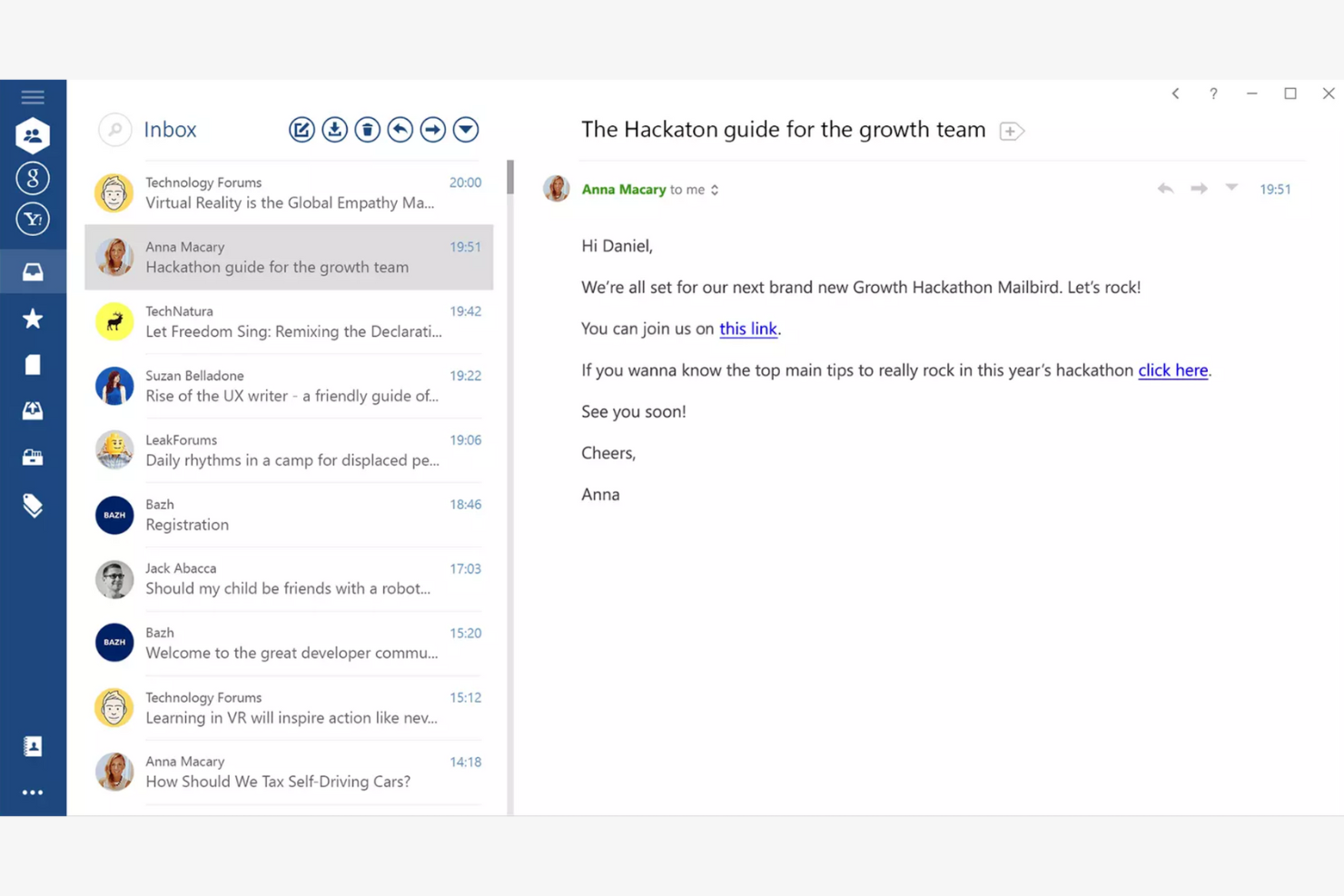
Mailbird is an email client tailored for Windows users, providing an all-in-one platform for managing multiple email accounts. It boosts productivity by offering features that simplify email management and communication.
Why I picked Mailbird: Mailbird is designed specifically for Windows, making it a great choice if your team already uses this operating system. The app's unified inbox lets you manage multiple accounts efficiently, while the speed reader feature helps you process emails quickly. The app's customization options also let you personalize your email experience to fit your needs.
Standout Features and Integrations:
Features include a snooze function to temporarily hide emails and keyboard shortcuts that make navigation quicker and easier. You can also customize the layout to fit your workflow.
Integrations include Slack, Google Calendar, Asana, Dropbox, Evernote, Trello, Facebook, Twitter, WeChat, ZeroBounce, and more.
Pros and Cons
Pros:
- Local-client architecture that keeps data on your device
- Customizable interface
- Unified inbox for multiple accounts
Cons:
- Shallow inbox automation and management tools
- Limited support for non-Windows platforms

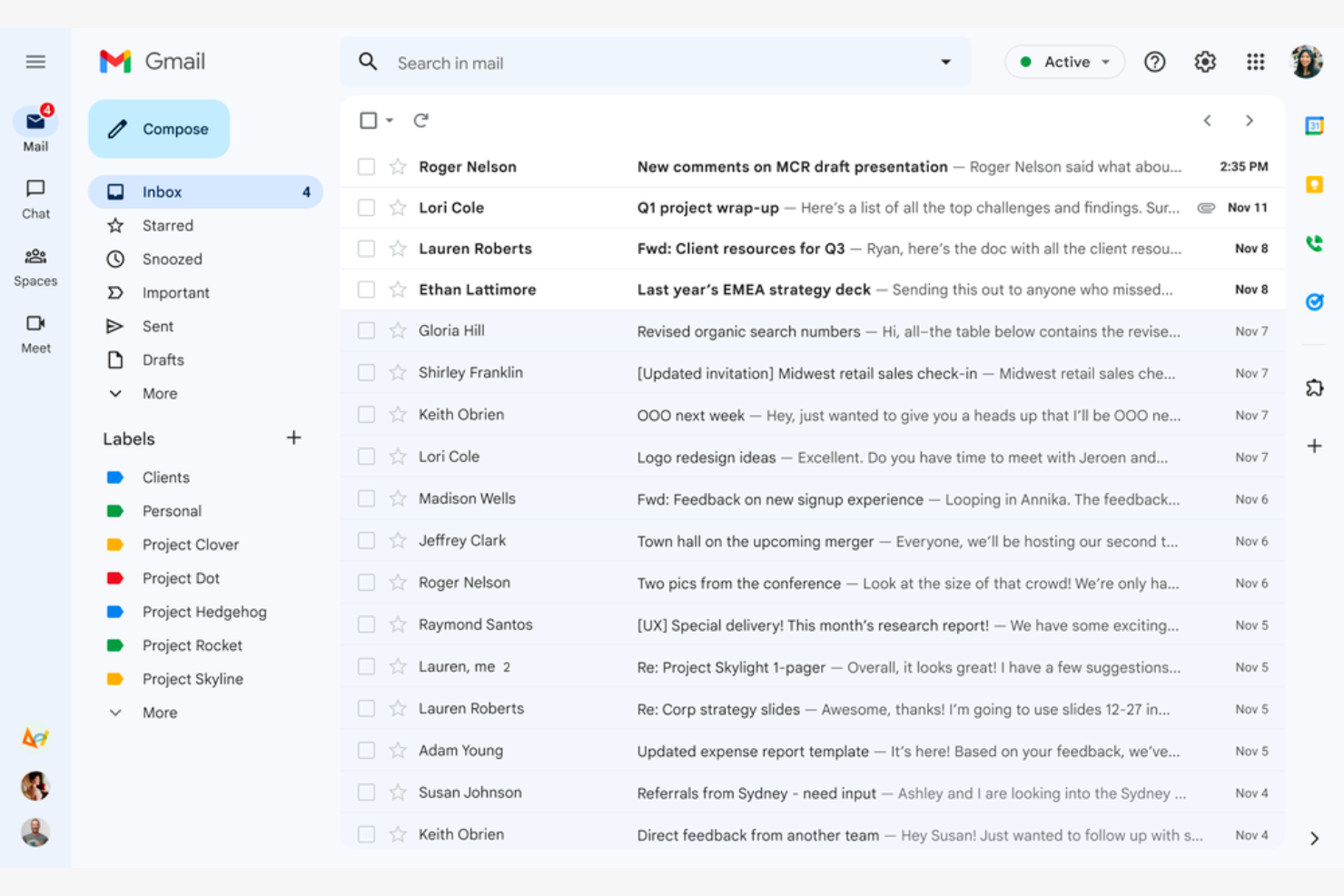
Google Gmail is a widely used email service that caters mainly to Google Workspace users. It offers essential email functions that integrate with Google services, giving both individuals and businesses a connected experience.
Why I picked Google Gmail: Google Gmail is ideal for Google Workspace users because it integrates with Google Drive, Calendar, and Docs. The conversation view groups your emails into threads so you never lose track of the discussion, while labels and filters help you categorize and sort emails efficiently. The Google Gmail app's spam filtering helps keep your inbox clean and protects you from phishing scams.
Standout Features and Integrations:
Features include 15GB of free storage, smart reply suggestions, and advanced search capabilities. You can schedule emails to be sent later, which is handy for coordinating with teams across time zones. The priority inbox also automatically highlights important emails so you never miss critical messages.
Integrations include Google Workspace and more.
Pros and Cons
Pros:
- Search functionality
- Integrates with the Google ecosystem
- Spam and phishing detection
Cons:
- Privacy concerns surrounding Google's data-driven business model
- No folder organization

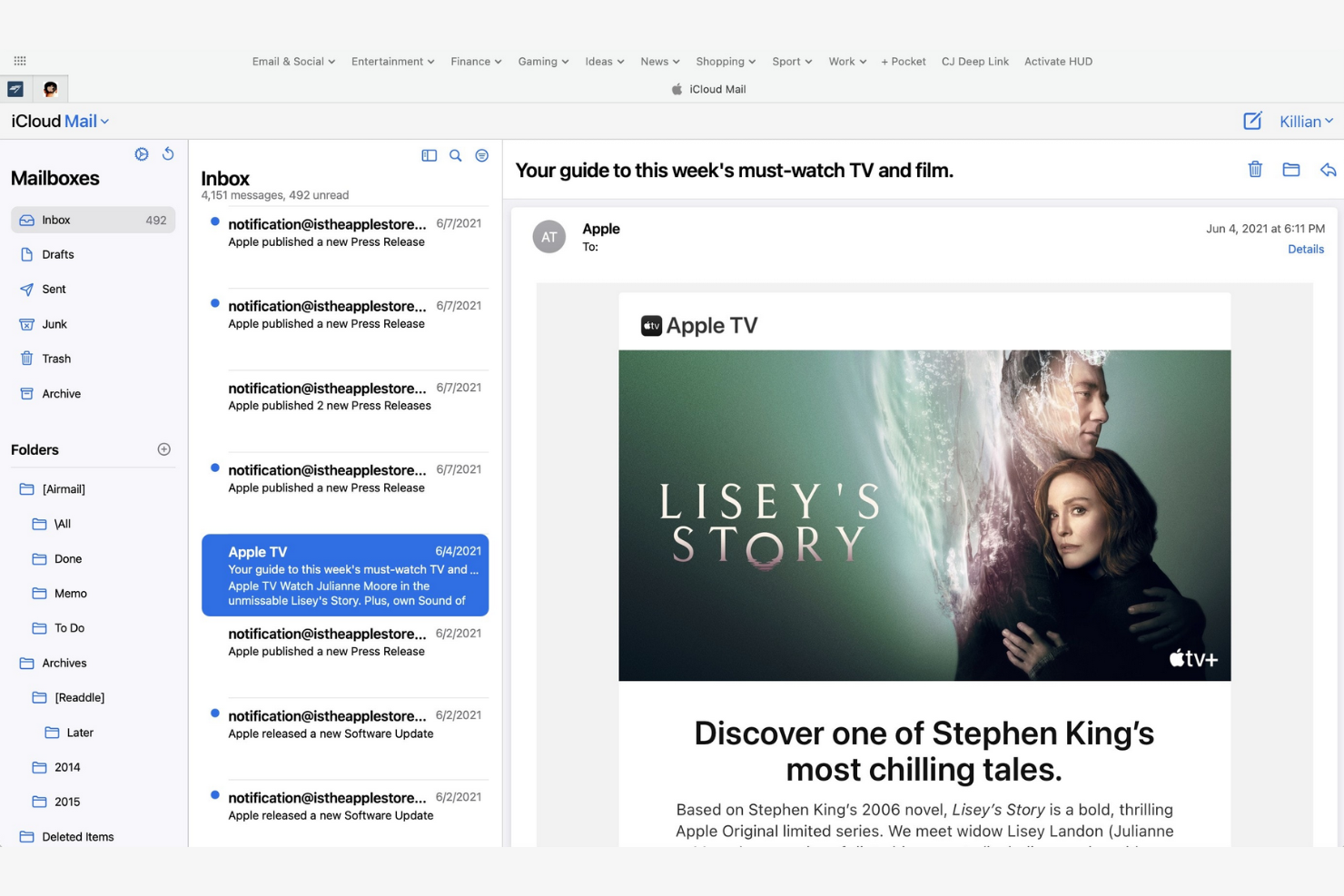
Apple iCloud Mail is an Apple-native email app that offers integration across iPhones, iPads, and Macs. It helps users stay organized and efficient with a suite of essential email management tools.
Why I picked Apple iCloud Mail: Apple iCloud Mail is tailored for Apple users, delivering consistent performance across all your Apple devices. The app's iCloud integration lets you quickly sync emails, contacts, and calendars, while the Handoff feature lets you switch between devices without losing your place. Also, the app's user-friendly interface makes managing emails straightforward.
Standout Features and Integrations:
Features include a priority inbox for important emails, customizable swipe gestures, and support for rich text formatting. You can manage multiple email accounts in one place, and the VIP feature also lets you set notifications for emails from important contacts so you never miss high-priority messages.
Integrations are not publicly listed.
Pros and Cons
Pros:
- Strong privacy protection and minimal data scanning
- Intuitive interface
- Integrates with Apple's ecosystem
Cons:
- Slow search
- Limited free space


mail.com is an email service catering to business owners who need customizable domain options. It lets users create professional-looking email addresses with tailored domain names.
Why I picked mail.com: mail.com's standout feature is free domain options, which let you personalize your email address with a custom domain name. This flexibility is ideal for both individuals and small businesses looking to upgrade their email presence. The tool's simple interface makes managing emails straightforward. The ability to use different domain names sets mail.com apart from other email apps.
Standout Features and Integrations:
Features include unlimited email storage and a customizable spam filter. You can also use the integrated online calendar to manage your schedule efficiently.
Integrations include Opera, Google Chrome, Safari, Mozilla Firefox, Mail Backup X, Mailspring, and more.
Pros and Cons
Pros:
- Intuitive interface
- Generous features included in the free plan
- Wide range of custom domain names
Cons:
- Poor spam protection
- Ads in the free version


Yahoo! Mail is an email service that offers users ample storage for their emails and attachments. Its high-capacity email inbox makes it ideal for both personal and business communication.
Why I picked Yahoo! Mail: Yahoo! Mail's expansive storage capacity is a key feature for users who manage a large volume of emails. You can store thousands of emails without worrying about running out of space. The intuitive interface lets you manage emails efficiently, and thanks to its customizable themes, you can personalize your email experience.
Standout Features and Integrations:
Features include an easy-to-use search function and a built-in calendar that lets you organize your schedule directly from your inbox. You can also customize the interface with unique themes to suit your preferences.
Integrations include Google Drive, Microsoft Office Online, Grammarly, Shift, WiseStamp, CredentialingSpectrum, Reoon Email Verifier, Rambox, Oki-Toki, and more.
Pros and Cons
Pros:
- Built-in calendar and reminder viewer
- Customizable themes available
- Generous email storage space
Cons:
- Track record of major data breaches
- Frequent upselling


Edison Mail is designed for users who value smart features and efficient email management. It increases productivity by automating routine tasks and providing intelligent insights.
Why I picked Edison Mail: Edison Mail's AI-powered features help you manage emails more efficiently. The app includes smart notifications that alert you to important emails, and the one-tap unsubscribe feature is a lifesaver for decluttering your inbox. The built-in assistant also organizes your travel and package information, keeping everything in one place.
Standout Features and Integrations:
Features include a focused inbox that prioritizes emails based on importance and customizable swipe gestures to speed up email management. You can also use dark mode to reduce eye strain during late-night work sessions.
Integrations include Google Workspace, Apple iCloud, Yahoo! Mail, AOL, Hotmail, Amazon, Walmart, Microsoft 365, and more.
Pros and Cons
Pros:
- Focused inbox for priority emails
- One-tap unsubscribing and bulk cleanup features
- Smart notifications
Cons:
- Subscription required
- Syncing errors

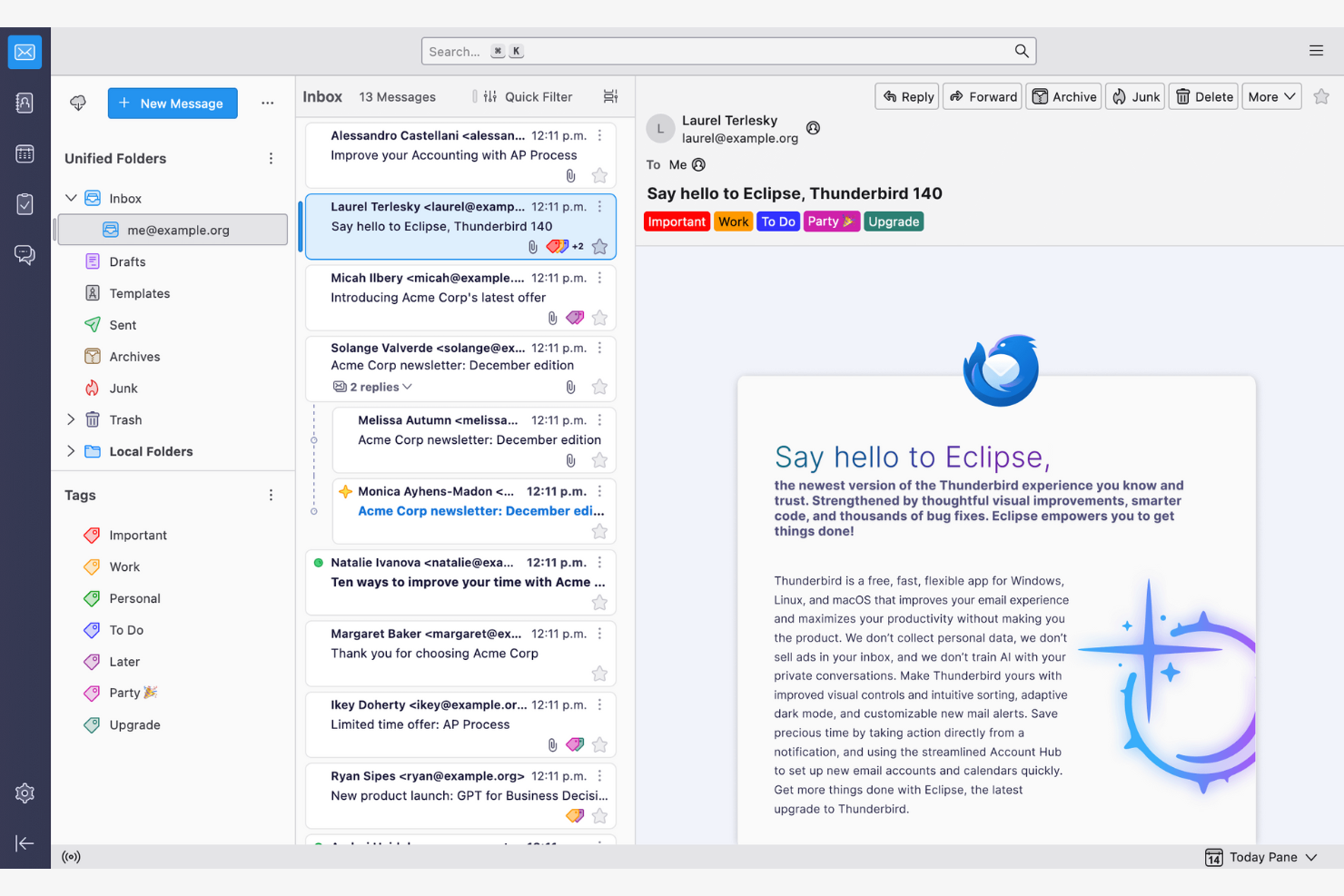
Thunderbird is an open-source email client that lets users customize and control their email environment. Its features make email management and communication more efficient.
Why I picked Thunderbird: Thunderbird is highly customizable, appealing to users who want to tailor it to their specific needs. You can use add-ons to upgrade the app's functionality, while the tabbed email feature lets you manage multiple conversations at once. Because the app is open-source, you can modify it to suit your preferences.
Standout Features and Integrations:
Features include a smart folder system to organize emails across different accounts, powerful spam filtering to block unwanted emails, and a quick filter toolbar to find emails more efficiently.
Integrations include Google Gmail, Yahoo! Mail, McAfee LiveSafe, Kasm Workspaces, Greatmail, PDFCreator, Mailfence, Aid4Mail, 1Tool CRM, and more.
Pros and Cons
Pros:
- Strong spam filtering and privacy options
- Unified inbox with tabs
- Customizable with add-ons
Cons:
- Basic user interface
- No native mobile app

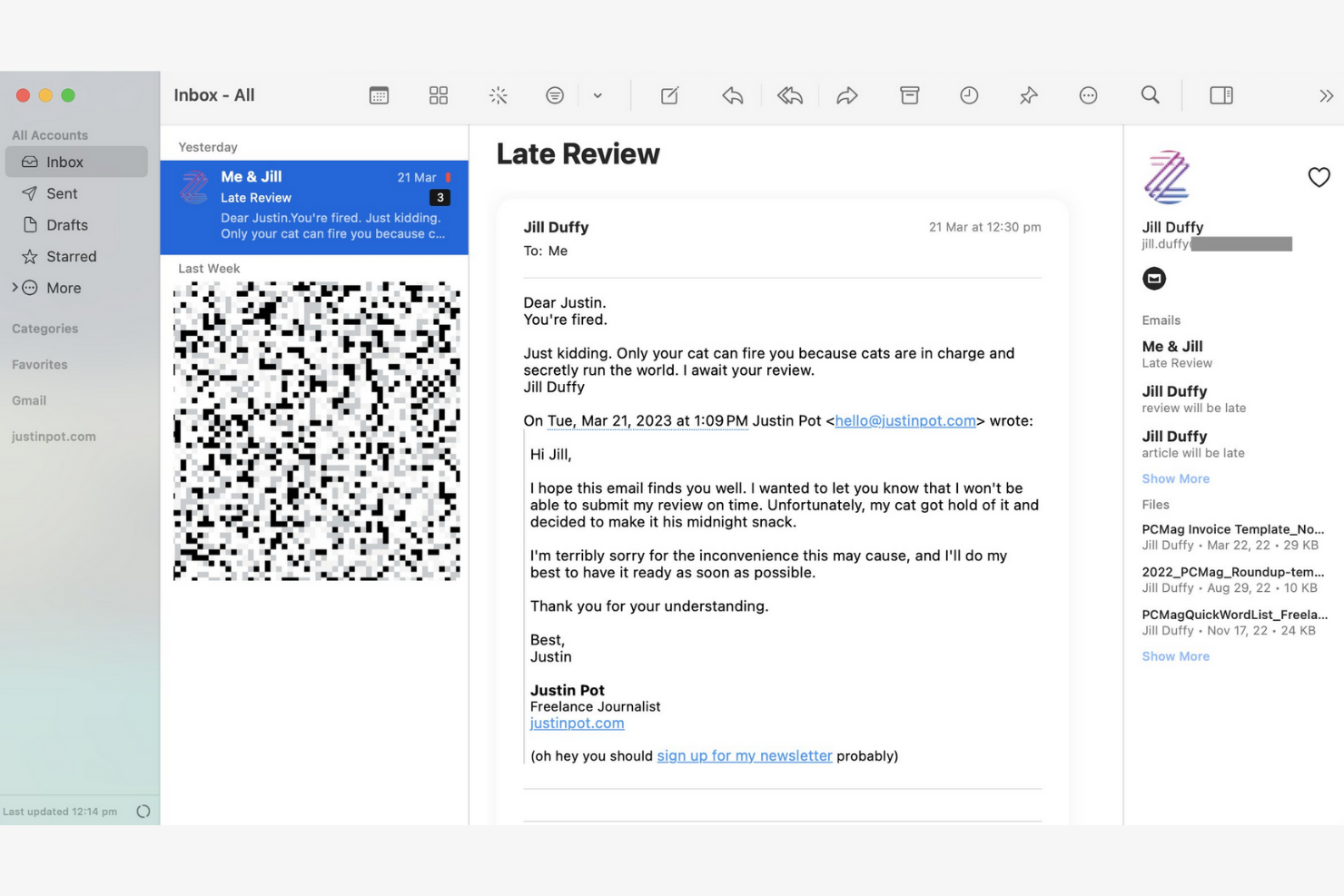
Canary Mail is an email client designed for individuals and teams who prioritize privacy and security in their communications. Its end-to-end encryption keeps your emails confidential and secure.
Why I picked Canary Mail: Canary Mail stands out for its commitment to privacy, offering a suite of data-protection features. You can encrypt emails with a single tap, giving you peace of mind for sensitive communications. The app's focus on security doesn't compromise usability, and the intuitive interface makes it simple to manage your emails while keeping them secure.
Standout Features and Integrations:
Features include search tools that help you find emails quickly, read receipts that show when your emails have been opened, and a snooze feature that temporarily hides emails so you can focus on more important tasks.
Integrations include Google Gmail, Apple iCloud, Proton Mail, Todoist, Asana, and more.
Pros and Cons
Pros:
- Unified inbox across multiple devices
- An AI copilot that functions offline
- Built-in encryption and privacy controls
Cons:
- The best Copilot features require a paid monthly subscription
- Complex encryption


Microsoft Outlook is an email client and personal information manager designed for businesses and professionals. Its integrated calendar features make communicating and scheduling more efficient.
Why I picked Microsoft Outlook: Outlook's strong integration with Microsoft Office makes it ideal for businesses that rely on Microsoft products. You can schedule meetings directly from your inbox to help your team stay organized, and the focused inbox feature shows you your most important emails first. The app's integrated calendar also lets you coordinate schedules.
Standout Features and Integrations:
Features include email categorization to manage messages efficiently, customizable rules to automate email sorting and prioritization, and a built-in task manager to keep track of your to-do lists.
Integrations include Microsoft 365 and more.
Pros and Cons
Pros:
- AI assistance
- Focused inbox for important emails
- Strong integration with the Microsoft 365 ecosystem
Cons:
- Requires regular updates
- Complex interface for new users


Superhuman Mail is an email client tailored for busy professionals who need to manage their emails quickly and efficiently. It focuses on delivering a fast email experience with advanced features that increase productivity.
Why I picked Superhuman Mail: Superhuman Mail prioritizes speed and efficiency, making it a top choice for users who want to process emails quickly. The app's keyboard shortcuts let you navigate and manage emails without a mouse, and the split inbox feature helps you focus by isolating important emails. Also, the app's undo send feature gives you further peace of mind.
Standout Features and Integrations:
Features include a powerful search function to find emails instantly, read-status indicators to see when emails have been opened, and follow-up reminders so you never miss an important response. Superhuman Mail also includes its own built-in AI assistant to help with drafting emails and scheduling meetings.
Integrations include HubSpot, Pipedrive, Salesforce, and more.
Pros and Cons
Pros:
- Minimal, distraction-free interface
- AI integration
- Keyboard shortcuts
Cons:
- Less intuitive for users who prefer traditional mouse-based navigation
- High subscription price relative to other providers
Other Email Apps
Here are some additional email app options that didn’t make it onto my shortlist, but are still worth checking out:
- Mailspring
For cross-platform use
- Spark
For team collaboration
- SaneBox
For email prioritization
- Gmelius
For turning Gmail into a workspace
- Clean Email
For inbox organization
- eM Client
For customization
- Missive
For dedicated team spaces


Email App Selection Criteria
When selecting the best email app to include in this list, I considered common buyer needs and pain points such as inbox organization and security features. I also used the following framework to keep my evaluation structured and fair:
Core Functionality (25% of total score)
To be considered for inclusion in this list, each solution had to fulfill these common use cases:
- Send and receive emails
- Organize emails into folders
- Search emails efficiently
- Filter spam and junk mail
- Sync across multiple devices
Additional Standout Features (25% of total score)
To help further narrow down the competition, I also looked for unique features, such as:
- End-to-end encryption
- AI-driven email sorting
- Integrated calendar functionality
- Customizable email templates
- Voice command capabilities
Usability (10% of total score)
To get a sense of the usability of each system, I considered the following:
- Intuitive navigation
- Clean interface design
- Customizable settings
- Minimal learning curve
- Responsive design for mobile use
Onboarding (10% of total score)
To evaluate the onboarding experience for each platform, I considered the following:
- Availability of training videos
- Presence of interactive product tours
- Access to detailed templates
- Support through chatbots
- Offering webinars for new users
Customer Support (10% of total score)
To assess each software provider’s customer support services, I considered the following:
- Availability of 24/7 support
- Multiple contact options
- Access to a broad knowledge base
- Responsiveness to inquiries
- Quality of support documentation
Value for Money (10% of total score)
To evaluate the value for money of each platform, I considered the following:
- Competitive pricing
- Range of features offered
- Availability of a free trial or a plan
- Flexibility of pricing plans
- Discounts for annual subscriptions
Customer Reviews (10% of total score)
To get a sense of overall customer satisfaction, I considered the following when reading customer reviews:
- Overall satisfaction ratings
- Feedback on feature functionality
- Comments on reliability and performance
- Opinions on ease of use
- Insights into customer service experiences
How To Choose an Email App
It’s easy to get bogged down in long feature lists and complex pricing structures. To help you stay focused as you work through your unique software selection process, here’s a checklist of factors to keep in mind:
| Factor | What To Consider |
|---|---|
| Scalability | Will the app grow with your team? Consider future email volume, user additions, and storage needs. Check if the app supports your growth without extra costs. |
| Integrations | Does the app work with your existing tools? Look for native integrations with calendars, task managers, and CRM systems to simplify workflows. |
| Customizability | Can you tailor the app to fit your needs? Evaluate options for layout adjustments, custom folders, and personal workflows to make sure they fit your team's style. |
| Ease of use | Is the app intuitive for all users? Test the interface for simplicity and check for a minimal learning curve to avoid training delays. |
| Implementation and onboarding | How quickly can you get started? Assess the setup process, availability of tutorials, and support for migrating existing emails to minimize downtime. |
| Cost | Does the pricing fit your budget? Compare plans, hidden fees, and long-term costs. Look for free trials to test the app before committing. |
| Security safeguards | How safe is your data? Verify encryption standards, data backup options, and compliance with privacy regulations to protect sensitive information. |
| Support availability | What help is available when issues arise? Check for 24/7 support, response times, and customer service channels so you have assistance when you need it. |
What Is an Email App?
An email app is a software tool that allows users to send, receive, and manage emails. Professionals like project managers, marketers, and business executives use these tools to strengthen communication and organization. Features such as email categorization, calendar integrations, and customizable notifications help with managing tasks, scheduling, and staying organized. These tools provide a structured way to handle communication efficiently, saving time and reducing clutter.
Features
When selecting an email app, keep an eye out for the following key features:
- Email categorization: Automatically sorts emails into folders, helping you prioritize and manage messages efficiently.
- Calendar integration: Syncs with calendars to simplify scheduling and help you never miss important events.
- Customizable notifications: Allow you to set alerts for specific emails, reducing distractions and keeping you focused on priorities.
- End-to-end encryption: Secures your emails and protects sensitive information from unauthorized access.
- Unified inbox: Combines multiple email accounts into one interface.
- Snooze function: Temporarily hides emails, letting you focus on immediate tasks without losing track of important messages.
- Read receipts: Notify you when recipients open your emails.
- Advanced search: Quickly finds specific emails using keywords or filters, saving time and effort.
- Customizable themes: Let you personalize the app's appearance to suit your preferences and improve usability.
- Follow-up reminders: Prompts you to revisit emails, helping important communications stay on track.
Benefits
Implementing an email app provides several benefits for your team and your business. Here are a few you can look forward to:
- Improved organization: Email categorization and unified inbox features help you keep messages organized and easy to find.
- Upgraded security: End-to-end encryption protects sensitive information, giving you peace of mind.
- Better time management: Customizable notifications and follow-up reminders help you focus on what matters most.
- Increased productivity: Integration with calendars and advanced search capabilities simplifies workflows and saves time.
- Personalized experience: Customizable themes let you tailor the app's appearance to your preferences, increasing usability.
- Effective communication tracking: Read receipts tell you when recipients open your emails, helping you gauge engagement.
- Task prioritization: Snooze function helps you manage tasks by temporarily hiding non-urgent emails.
Costs & Pricing
Selecting an email app requires understanding the various pricing models and plans available. Costs vary based on features, team size, add-ons, and more. The table below summarizes common plans, their average prices, and typical features included in email app solutions:
Plan Comparison Table for Email Apps
| Plan Type | Average Price | Common Features |
|---|---|---|
| Free Plan | $0 | Basic email functions, limited storage, and ads. |
| Personal Plan | $0-$10/user/month | Customizable themes, basic support, and increased storage. |
| Business Plan | $3-$20/user/month | Advanced security features, integration with calendars, and priority support. |
| Enterprise Plan | $12-$40+/user/month | Extensive security, dedicated account manager, and custom integrations. |
Email App FAQs
Here are some answers to common questions about email apps:
How do I migrate my emails to a new email app?
Yes, most email apps provide tools or guides to help you migrate emails. When switching, you should back up your existing emails and contacts. Many apps offer import options or integration with your current provider to make this process easier. Check if your new app has a migration tool or support service to assist you.
Can an email app help me manage multiple projects and stakeholders?
Yes, many email apps offer labels, folders, and automation to help you track communications across different projects and stakeholders. Use these tools to categorize emails by project or client and set alerts for high-priority threads.
Can I use an email app offline?
Yes, many email apps offer offline access, but features may be limited. You can often read and draft emails offline, but sending and receiving messages may require an internet connection. Verify that your chosen app supports offline mode if this is important to you, especially if you travel frequently.
How do email apps support team collaboration?
Email apps with built-in collaboration features, such as shared inboxes or commenting, let your team see progress, assign messages, and avoid duplicate replies. Some even allow you to turn emails directly into tasks or tickets.
What security measures should I look for in an email app?
Look for email apps that offer encryption, two-factor authentication, and spam filters. These features protect your data and reduce the risk of unauthorized access. Check if the app complies with data protection regulations relevant to your industry to keep your information secure.
How can I automate repetitive tasks in my email app?
Many email apps let you automate routine actions with rules, filters, or integrations. Set up auto-sorting, canned responses, or connect to workflow tools such as Slack or Trello to save time.
What’s Next:
If you're in the process of researching email apps, connect with a SoftwareSelect advisor for free recommendations.
You fill out a form and have a quick chat where they get into the specifics of your needs. Then you'll get a shortlist of software to review. They'll even support you through the entire buying process, including price negotiations.