
13 Best Client Portal Software for Small Businesses Reviewed in 2026

Best Client Portal Software for Small Businesses Shortlist
Here's my pick of the 10 best software from the 13 tools reviewed.


Managing a small business is no small feat, especially when juggling client relationships and project deadlines. You might find yourself buried under emails, struggling to keep everyone on the same page. That's where client portal software steps in to help.
In my experience reviewing software, these tools can simplify communication, organize documents, and keep your team aligned with your clients. They offer a centralized hub for collaboration, making it easier to manage projects and meet client expectations.
In this article, I'll share my top picks for client portal software tailored for small businesses. You'll find unbiased reviews, detailed comparisons, and insights into what makes each tool stand out. Let's make managing your projects a bit easier.
Why You Can Trust Us
Best Client Portal Software for Small Businesses Summary
This comparison chart summarizes pricing details for my top client portal software for small business selections to help you find the best one for your budget and business needs.
| Tool | Best For | Trial Info | Price | ||
|---|---|---|---|---|---|
| 1 | Best for financial management | Free plan + free demo + 7-day free trial available | From $9/user/month (billed annually) | Website | |
| 2 | Best for all-in-one business management | 14-day free trial available | From $19/month | Website | |
| 3 | Best for small service providers | Free demo + 14-day free trial available | From $29/month (billed annually) | Website | |
| 4 | Best for global business operations | Free demo available | Pricing upon request | Website | |
| 5 | Best for database management | 14-day free trial available | From $49/month (billed annually) | Website | |
| 6 | Best for customer support teams | Free trial + free demo available | From $19/user/month (billed annually) | Website | |
| 7 | Best for workflow automation | 14-day free trial + free plan available | From $19.99/month (billed annually) | Website | |
| 8 | Best for appointment-based businesses | Free demo available | From $244/month | Website | |
| 9 | Best for simple client interactions | Free plan + free demo + free trial available | From $37/month (billed annually) | Website | |
| 10 | Best for document sharing | Free plan + free demo available | From $350/month (billed monthly) | Website | |
| 11 | Best for team collaboration | Free demo + free 10-day trial available | From $95/month (billed annually) | Website | |
| 12 | Best for custom app building | Free demo + free 15-day trial available | From $8/user/month (billed annually) | Website |


-

Insightful
Visit WebsiteThis is an aggregated rating for this tool including ratings from Crozdesk users and ratings from other sites.4.8 -
Accelo
Visit WebsiteThis is an aggregated rating for this tool including ratings from Crozdesk users and ratings from other sites.4.4 -
Forecast
Visit WebsiteThis is an aggregated rating for this tool including ratings from Crozdesk users and ratings from other sites.4.6




Best Client Portal Software for Small Businesses Review
Below are my detailed summaries of the best client portal software for small businesses that made it onto my shortlist. My reviews offer a detailed look at the key features, pros and cons, integrations, and ideal use cases of each tool to help you find the best one for you.

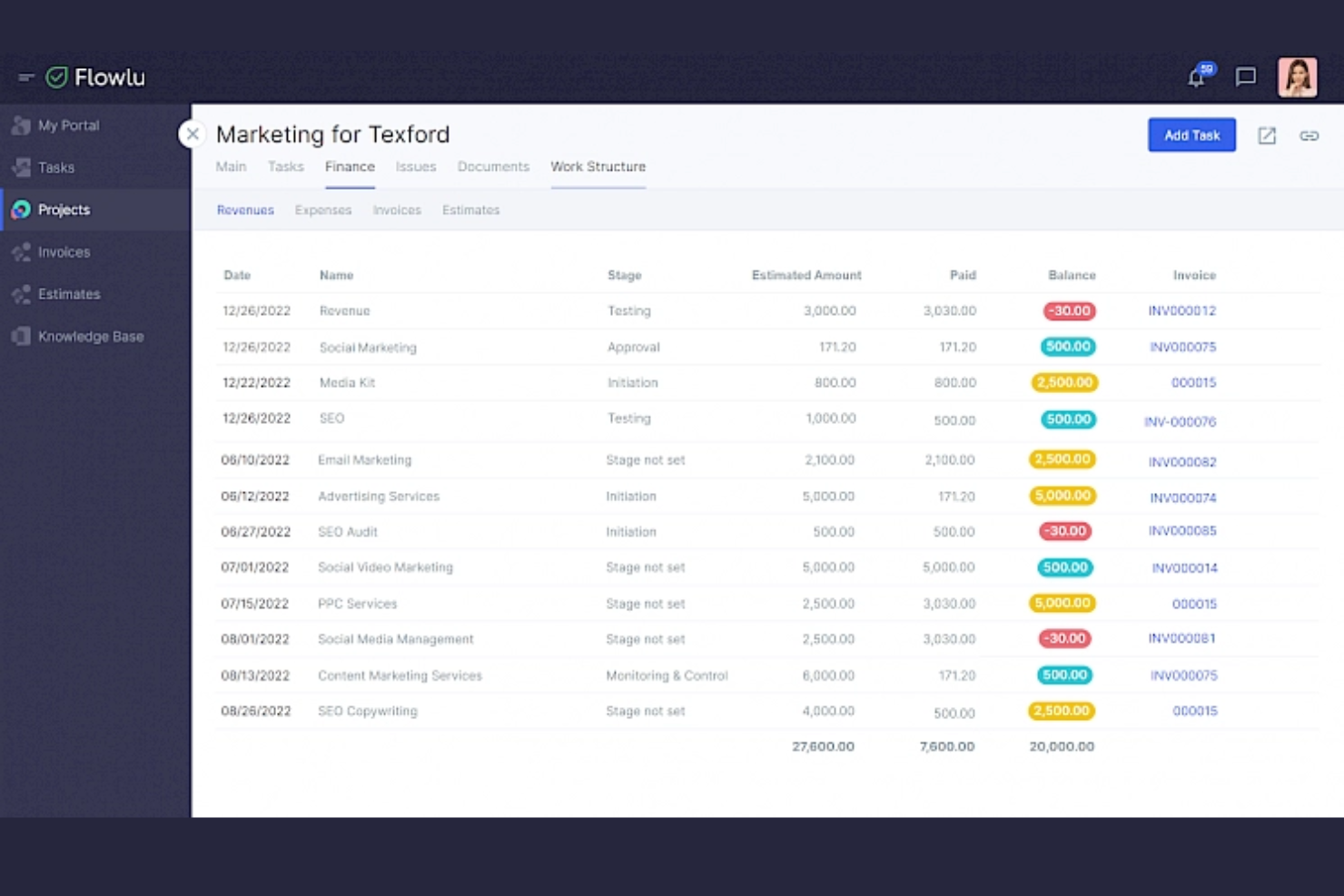
Flowlu is an all-in-one business management software designed for small to medium-sized businesses. It provides tools for project management, CRM, and financial management.
Why I picked Flowlu: Flowlu offers financial management features, including invoicing and expense tracking, making it ideal for businesses focused on financial oversight. The software also provides project and task management capabilities, ensuring that your team stays on track. Its CRM features help you maintain strong client relationships and manage interactions effectively.
Standout Features and Integrations:
Features include customizable dashboards that give you an overview of your business performance. The time tracking tool helps you monitor project progress and billable hours. Additionally, the knowledge base feature allows your team to store and share important information, fostering collaboration.
Integrations include Slack, Google Drive, Dropbox, Microsoft Outlook, Mailchimp, Trello, and more.
Pros and Cons
Pros:
- Supports growing teams
- Links projects to billing
- Strong financial visibility
Cons:
- Feature depth varies
- Not design-focused

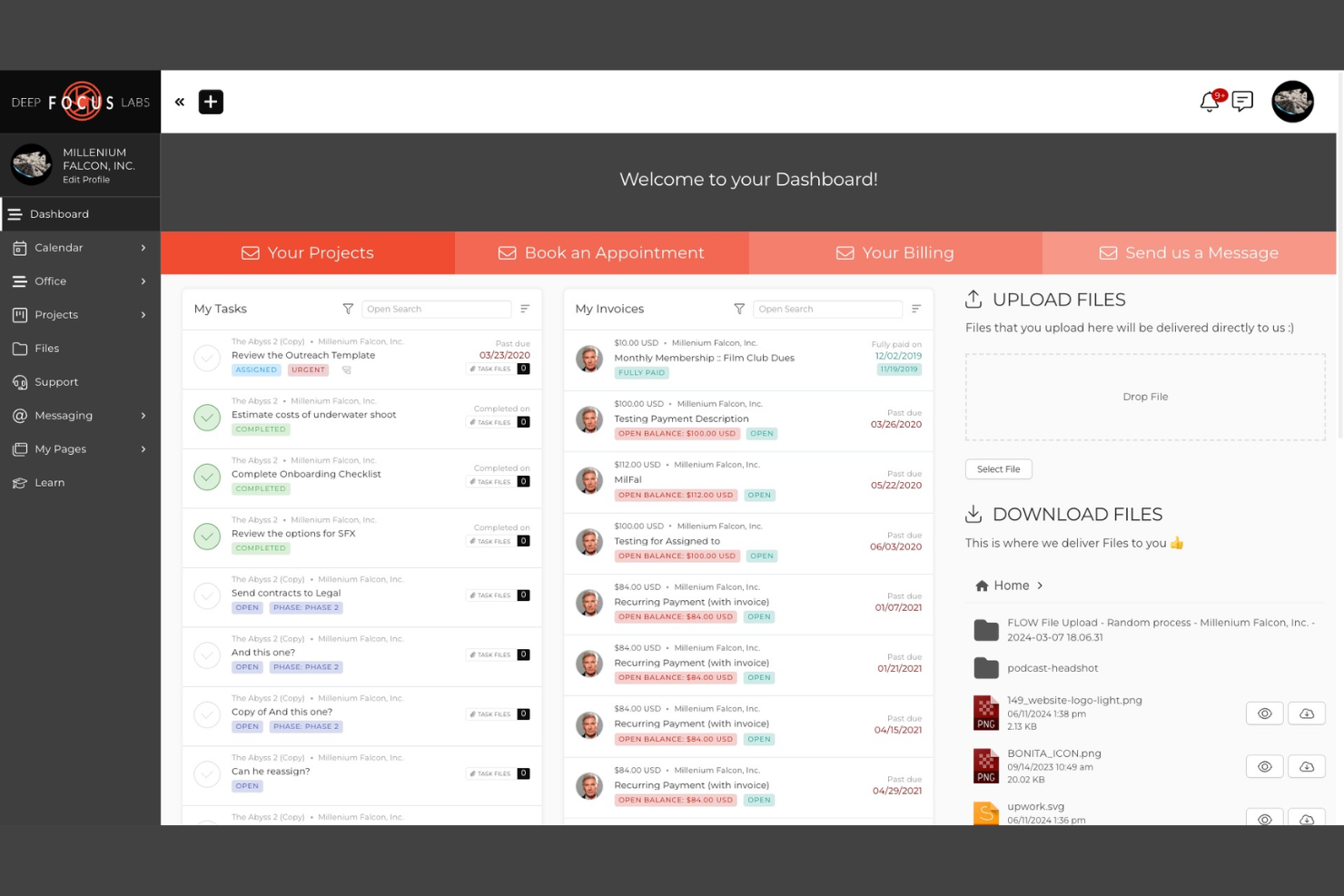
SuiteDash is an all-in-one business software solution aimed at small to medium-sized businesses. It offers a suite of tools that centralize project management, client communication, and business operations.
Why I picked SuiteDash: SuiteDash provides a unique all-in-one platform, eliminating the need for multiple separate tools. It includes features such as automated CRM, secure client portals, and onboarding processes that are tailored for efficient business management. The software's flexibility allows for extensive white-labeling, providing a personalized experience for your clients. Additionally, its unlimited pricing model means you can grow your team and client base without additional costs.
Standout Features and Integrations:
Features include learning modules that help you deliver training programs, dynamic proposals with eSignature capabilities, and support tickets for managing customer inquiries. The file exchange feature securely shares documents between clients and staff, and the secure messaging system ensures secure messaging to keep client conversations in one place.
Integrations include QuickBooks Online, Stripe, PayPal, Zoom, Google Calendar, Zapier, and more.
Pros and Cons
Pros:
- Strong white-labeling control
- Scales without per-user limits
- Handles many workflows centrally
Cons:
- Overcomplicated for simple needs
- Implementation requires upfront planning

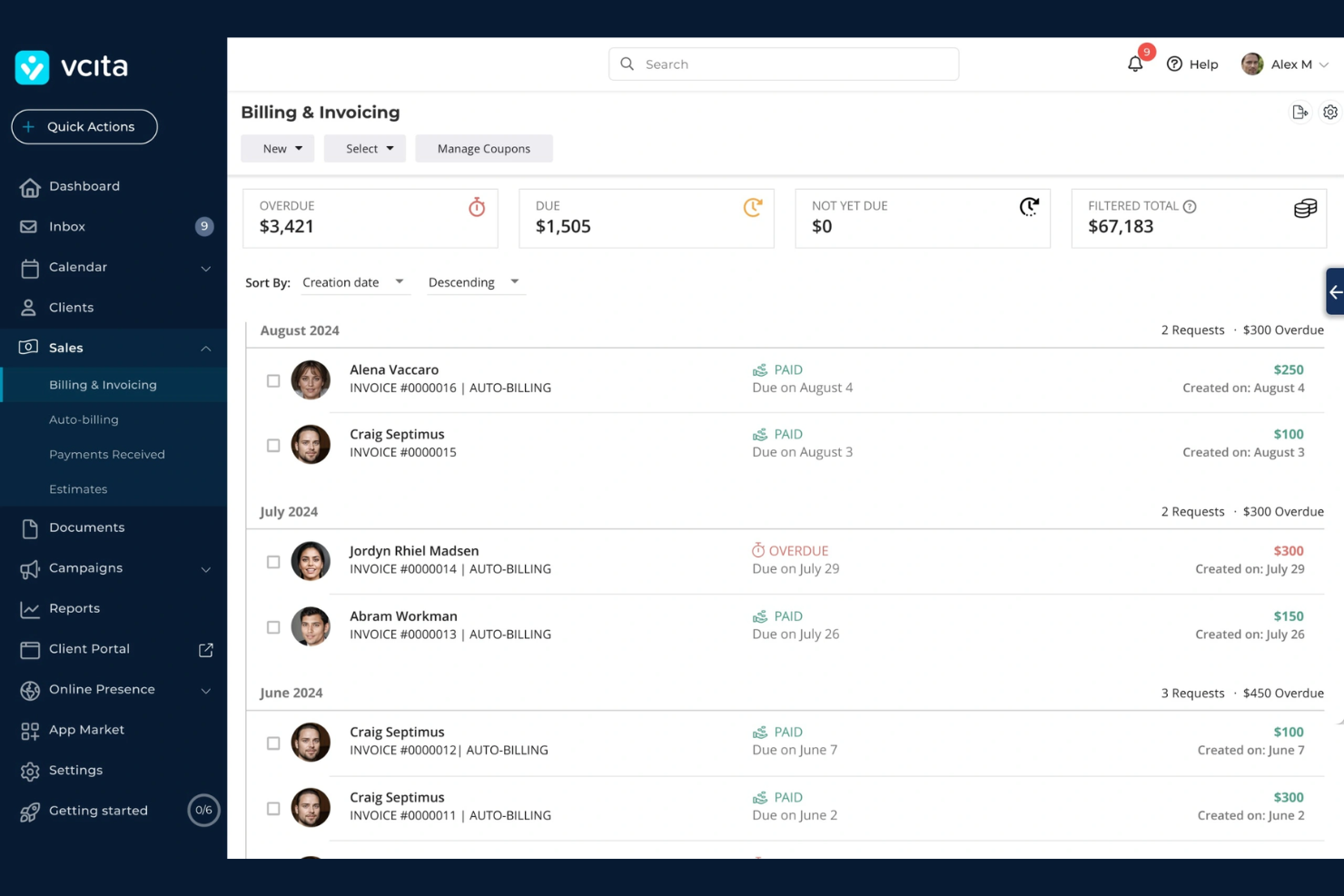
vcita is a business management and client engagement platform aimed at small service providers. It facilitates scheduling, client communication, and payment processing, optimizing the day-to-day operations of service-based businesses.
Why I picked vcita: vcita is tailored to meet the needs of small service providers with its suite of client engagement tools. It offers online scheduling so that your clients can book appointments. The platform also provides a customer portal, where clients can make payments and access their records. Its CRM capabilities help you manage client relationships.
Standout Features and Integrations:
Features include automated email and SMS reminders to reduce no-shows and improve client communication. The invoicing and billing feature simplifies financial transactions, and the marketing tools help you engage clients through campaigns. You can also track client interactions, providing insights into client behavior.
Integrations include QuickBooks, PayPal, Stripe, Zoom, Square, Zapier, and more.
Pros and Cons
Pros:
- Simple payment system
- Booking speeds up scheduling
- Built for service workflows
Cons:
- Scaling beyond services is hard
- Limited flexibility for agencies

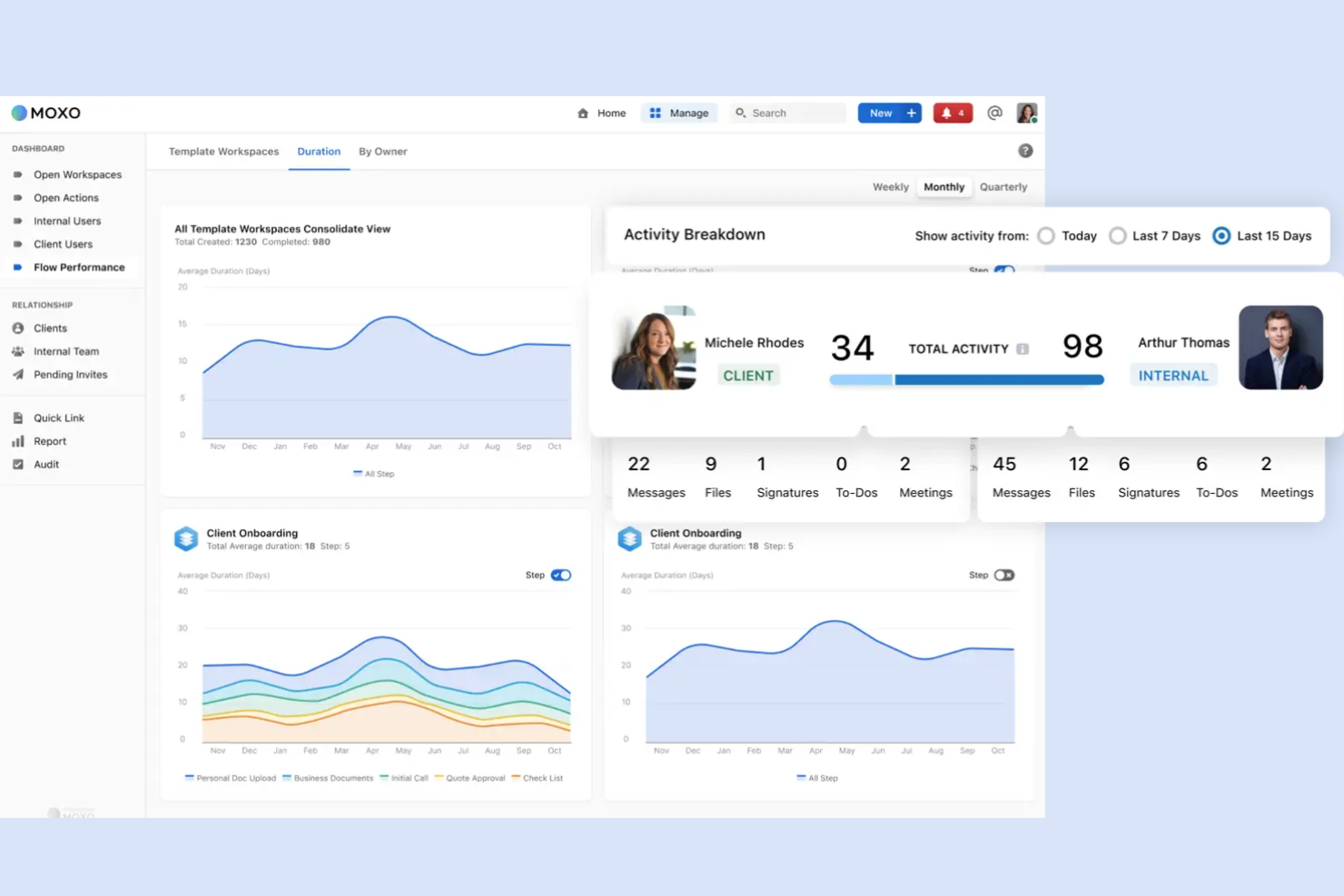
Moxo is a client interaction hub designed for businesses that operate globally. It offers tools for communication, collaboration, and workflow management, making it suitable for teams that need to coordinate across different regions.
Why I picked Moxo: Moxo provides a unified platform for managing client interactions worldwide, supporting global business operations. It offers features such as secure messaging, which enables your team to communicate with clients across different time zones. The task management tool helps you keep projects on track, regardless of location. Additionally, Moxo's digital signature capability ensures that documents are signed and processed efficiently.
Standout Features and Integrations:
Features include a virtual data room for secure document storage and sharing. The video conferencing tool allows for face-to-face meetings. Moxo also offers a client onboarding feature that simplifies the process of bringing new clients into your system.
Integrations include Salesforce, Slack, Stripe, QuickBooks, Box, HubSpot, and more.
Pros and Cons
Pros:
- Secure document handling
- Supports global operations
- Structured client workflows
Cons:
- Heavier than needed for SMBs
- Requires process definition

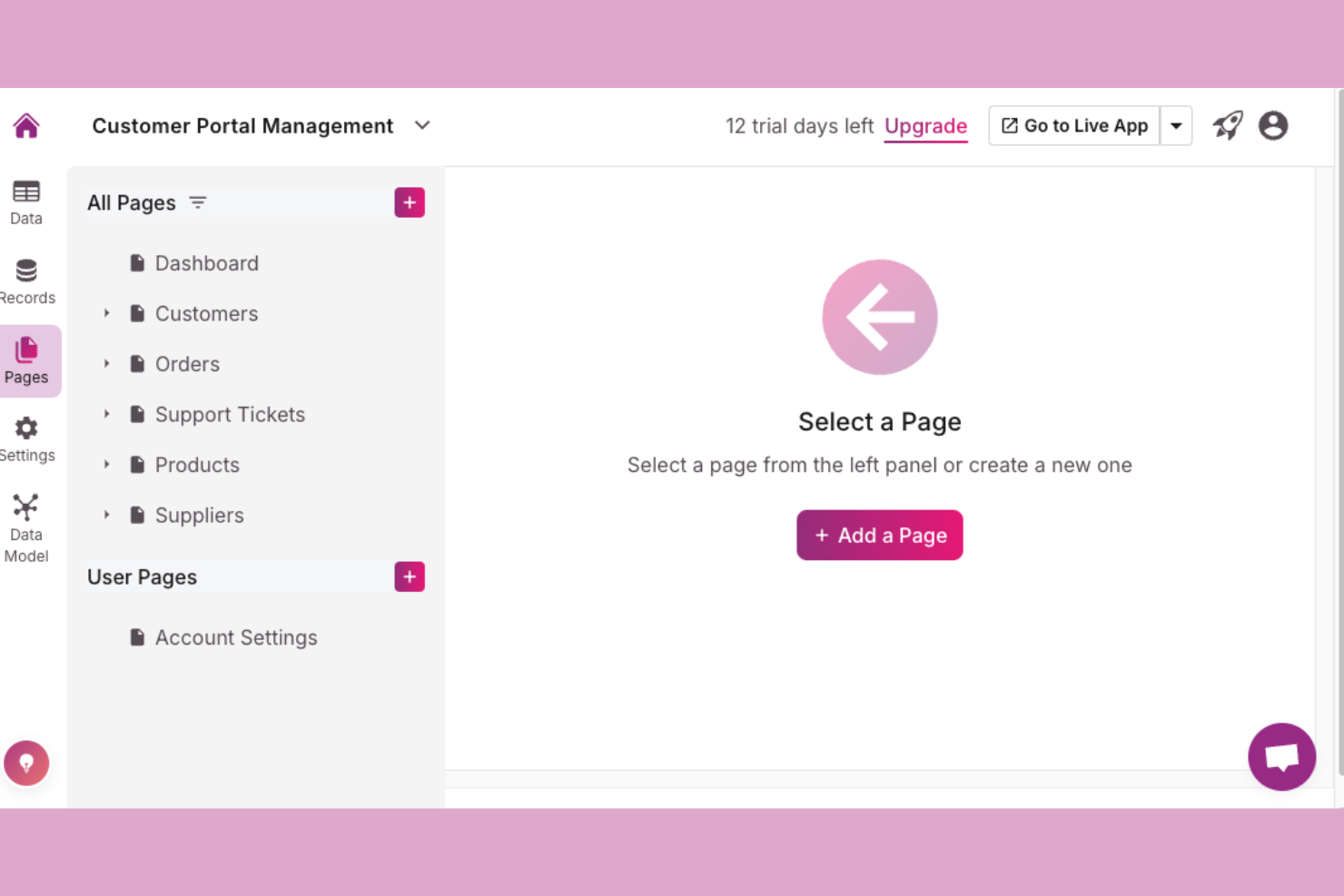
Knack is a database management platform tailored for small to medium-sized businesses looking to organize and manage data efficiently. It helps users build custom applications to simplify data processes and improve business operations.
Why I picked Knack: Knack excels in providing a user-friendly interface for building custom database applications. It offers tools for creating forms, reports, and dashboards, making data management intuitive and accessible. The platform allows you to customize workflows, ensuring that your business processes align with your specific needs. Additionally, Knack's drag-and-drop builder simplifies app creation, making it accessible even if you lack technical expertise.
Standout Features and Integrations:
Features include custom data structures that allow you to tailor your database to fit unique business requirements. The real-time reporting feature provides valuable insights into your data, helping you make informed decisions. Knack also offers user roles and permissions to control who accesses different parts of your database.
Integrations include Mailchimp, QuickBooks, Google Drive, Dropbox, PayPal, Salesforce, Slack, Stripe, HubSpot, and more.
Pros and Cons
Pros:
- Scales with complexity
- Fits operational databases
- Data-driven portal design
Cons:
- Requires admin ownership
- Basic visual design

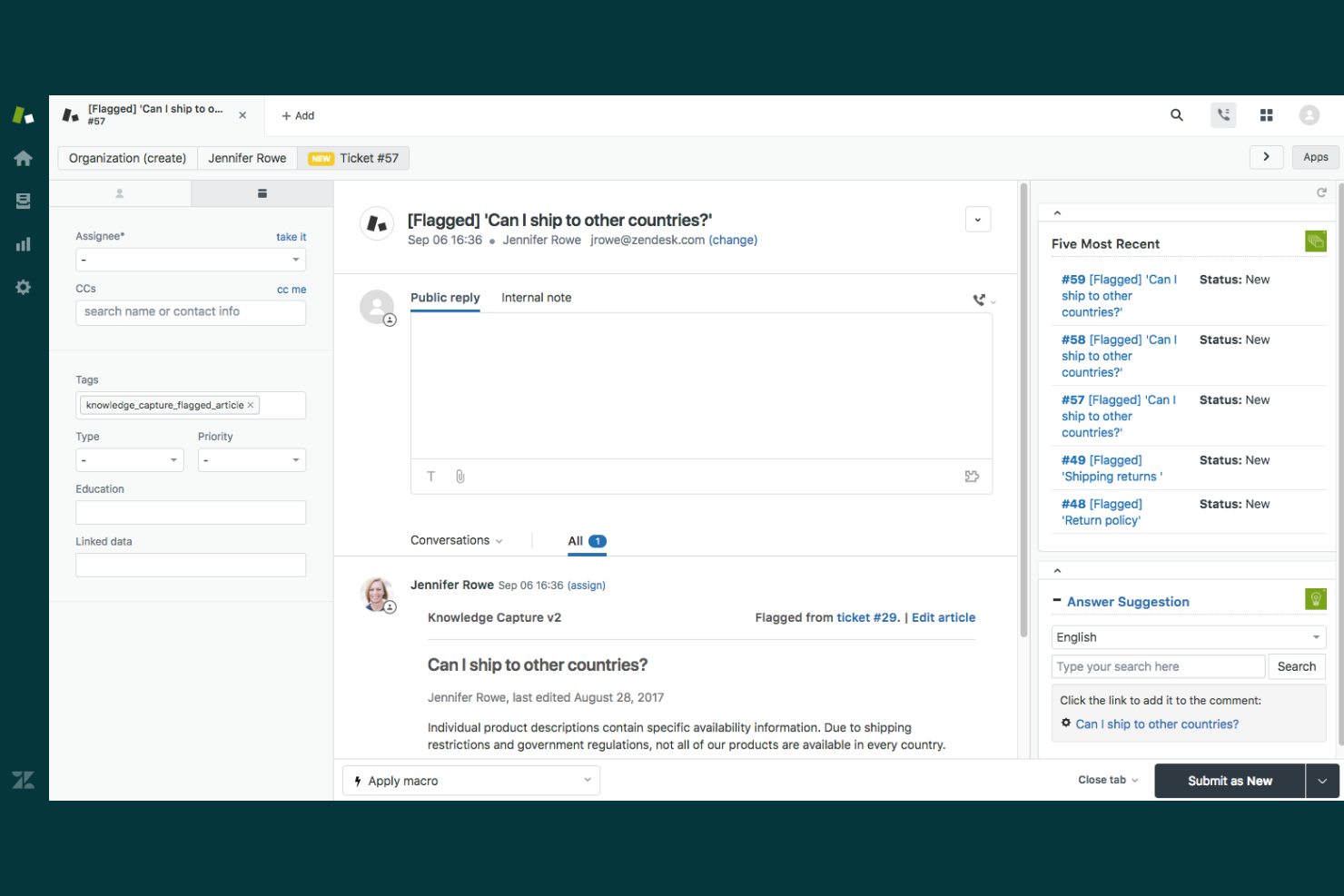
Zendesk is a customer service platform widely used by support teams to manage customer interactions and inquiries. It offers tools for ticketing, tracking, and resolving customer issues efficiently.
Why I picked Zendesk: Zendesk excels in providing a solution tailored for customer support teams. It includes features such as a centralized ticketing system and a customizable help center, making it ideal for managing customer inquiries. The platform's reporting and analytics tools help your team track performance and improve service quality. Its scalability ensures it can grow with your business, accommodating increasing customer demands.
Standout Features and Integrations:
Features include a knowledge base that empowers customers to find answers independently, live chat for real-time customer interaction, and community forums to engage users and gather feedback. The automation tools reduce repetitive tasks, and the mobile app keeps your team connected on the go.
Integrations include Slack, Shopify, Harvest, Pipedrive, Sprout Social, and more.
Pros and Cons
Pros:
- Proven support workflows
- Reliable at high volumes
- Strong ticket organization logic
Cons:
- Not project-oriented
- Customization needs training

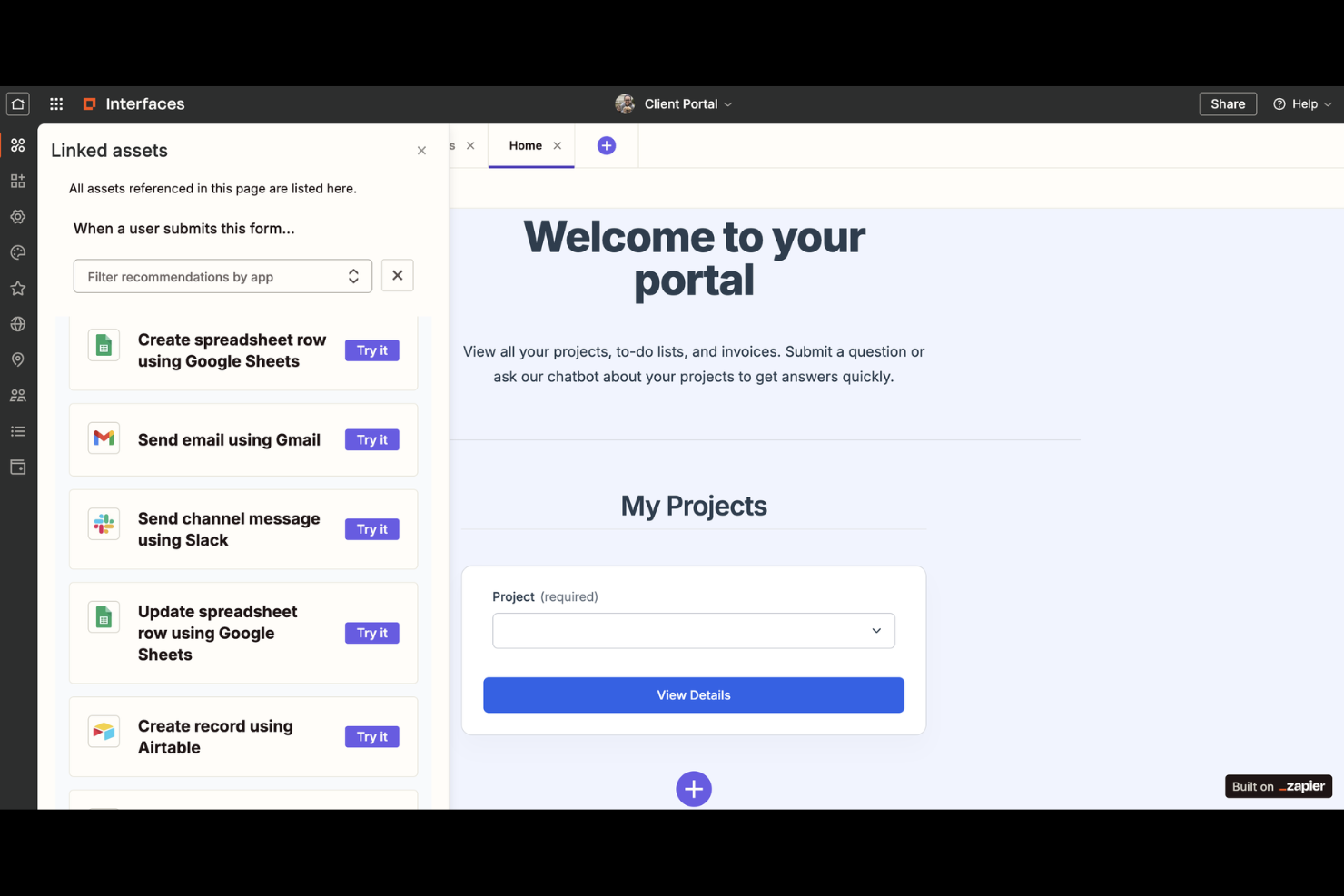
Zapier is an online automation tool that connects your favourite apps and services to automate repetitive tasks. It's widely used by businesses and teams looking to improve efficiency by automating workflows without needing any code.
Why I picked Zapier: Zapier enables your team to automate workflows across different apps, saving time and reducing manual work. It supports thousands of integrations, making it adaptable to various business needs. You can set up "Zaps," which are automated workflows triggered by specific events. Its simplicity and flexibility make it an ideal tool for automating tasks in small business environments.
Standout Features and Integrations:
Features include multi-step Zaps that allow you to automate complex workflows. The conditional logic feature lets you create Zaps that only run when certain conditions are met. Additionally, Zapier provides a collaborative workspace for teams to share and manage Zaps together, improving team productivity.
Integrations include Slack, Trello, Mailchimp, Salesforce, HubSpot, Notion, Airtable, Webflow, and more.
Pros and Cons
Pros:
- Deploys automation quickly
- Automates repetitive handoffs
- Connects tools without coding
Cons:
- Errors need monitoring
- Not a native portal
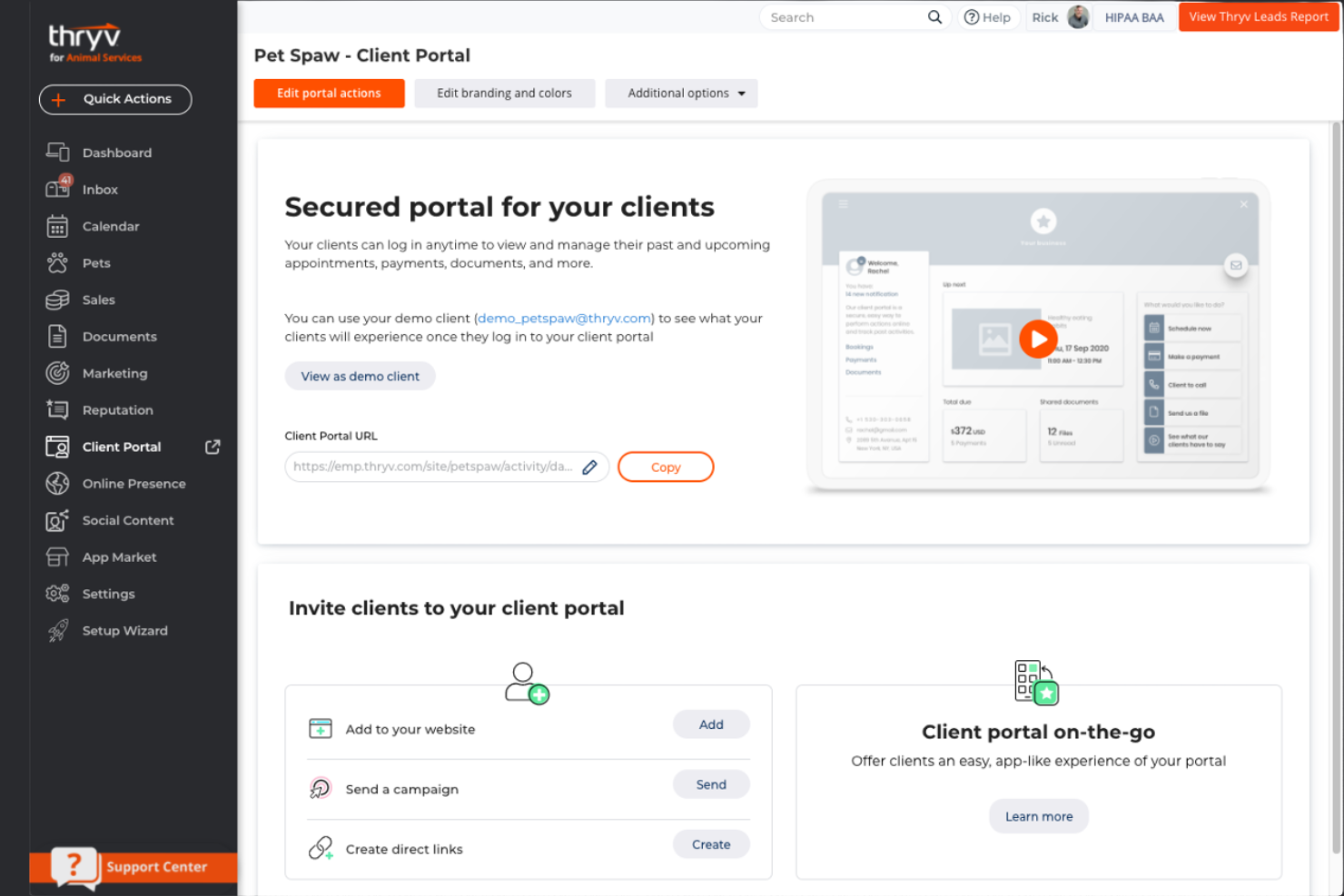
Thryv is a business management platform tailored for small businesses, particularly those that rely on appointment scheduling. It helps manage customer relationships, appointments, and payments, facilitating operations for service-based businesses.
Why I picked Thryv: Thryv integrates appointment scheduling with client management, making it ideal for appointment-based businesses. It offers online booking, allowing clients to schedule appointments at their convenience. The platform also includes automated reminders to reduce no-shows, and its payment processing feature simplifies transactions. Thryv's dashboard lets you oversee your business operations from one place.
Standout Features and Integrations:
Features include a customer communication hub that centralizes messages across channels. The marketing automation tools help nurture client relationships through targeted campaigns. Thryv's document storage feature ensures that important files are organized and accessible, improving operational efficiency.
Integrations include QuickBooks Online, PayPal, Constant Contact, Stripe, Indeed, Xero, and more.
Pros and Cons
Pros:
- Marketing tools included
- Central client communication
- Strong appointment handling
Cons:
- Limited customization depth
- Expensive for small teams
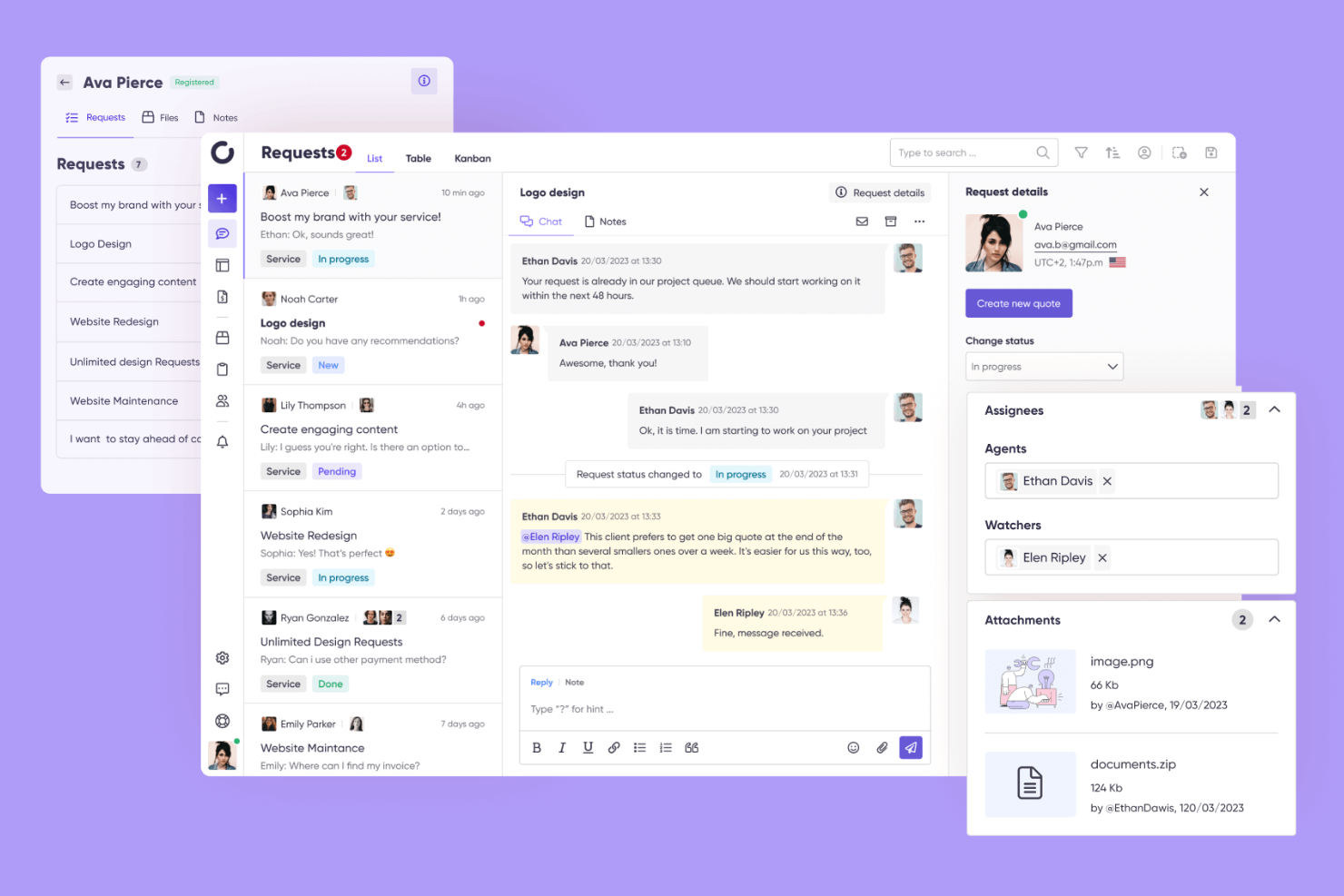
Zendo is a customer portal software designed for small businesses looking to simplify client interactions. It provides tools for communication, project management, and payment processing, making it ideal for straightforward client engagements.
Why I picked Zendo: Zendo offers an approach to managing client interactions that emphasizes simplicity. It includes features such as direct messaging, which allows you to communicate with clients efficiently. The tool's task management feature helps you track project progress and keep everything organized. Additionally, Zendo's payment collection support ensures that transactions are handled securely.
Standout Features and Integrations:
Features include a client dashboard that gives you a clear view of all client activities. The document sharing tool ensures that important files are accessible to clients. You can also customize workflows to fit your business processes, improving efficiency and productivity.
Integrations include Slack, Mailchimp, Trello, Zapier, Shopify, and more.
Pros and Cons
Pros:
- Minimal setup required
- Lightweight task tracking
- Straightforward client access
Cons:
- Narrow feature scope
- Not built for scale

Dock is a client portal software focused on optimizing document sharing and collaboration for small businesses. It serves teams that need to manage and share documents efficiently while maintaining a professional customer experience.
Why I picked Dock: Dock specializes in document sharing, providing tools that facilitate smooth collaboration with clients. It includes features such as custom client workspaces, allowing you to tailor the experience for each client. The platform's document tracking lets you see when clients view or download files, providing valuable insights. Additionally, Dock offers e-signature capabilities, ensuring that documents are signed and finalized quickly.
Standout Features and Integrations:
Features include customizable client portals that improve client interactions. The drag-and-drop interface simplifies the process of uploading and organizing documents. Dock also provides version control, ensuring that you and your clients are always working with the most current docs.
Integrations include Google Drive, Slack, Microsoft Teams, Notion, Loom, Zoom, and more.
Pros and Cons
Pros:
- Simple approval flows
- Professional client presentation
- Tracks client engagement
Cons:
- Pricing jumps quickly
- Narrow use case scope
Other Client Portal Software for Small Businesses
Here are some additional client portal software for small businesses options that didn’t make it onto my shortlist but are still worth checking out:
- Clinked
For team collaboration
- Zoho Creator
For custom app building
- Noloco
For no-code app creation


Client Portal Software for Small Businesses Selection Criteria
When selecting the best client portal software for small businesses to include in this list, I considered common buyer needs and pain points like improving client communication and ensuring data security. I also used the following framework to keep my evaluation structured and fair:
Core Functionality (25% of total score)
To be considered for inclusion in this list, each solution had to fulfill these common use cases:
- Provide secure client communication.
- Enable document sharing and storage.
- Manage client appointments and scheduling.
- Facilitate invoicing and payment processing.
- Offer customizable client portals.
Additional Standout Features (25% of total score)
To help further narrow down the competition, I also looked for unique features, such as:
- Advanced reporting and analytics
- Integration with CRM systems
- White-labeling options
- Multi-language support
- Automated client onboarding
Usability (10% of total score)
To get a sense of the usability of each system, I considered the following:
- Intuitive interface design
- Easy navigation and accessibility
- Minimal learning curve
- Clear and concise instructions
- Consistent user experience across devices
Onboarding (10% of total score)
To evaluate the onboarding experience for each platform, I considered the following:
- Availability of training videos and tutorials
- Interactivity of product tours
- Accessibility of templates and guides
- Support through chatbots and live help
- Webinars and workshops for new users
Customer Support (10% of total score)
To assess each software provider’s customer support services, I considered the following:
- 24/7 support availability
- Multiple support channels (email, chat, phone)
- Quick response times
- Access to a help center
- Availability of dedicated account managers
Value for Money (10% of total score)
To evaluate the value for money of each platform, I considered the following:
- Competitive pricing compared to peers
- Range of features offered at each price tier
- Flexibility in pricing plans
- Transparency in pricing structure
- Availability of discounts or packages
Customer Reviews (10% of total score)
To get a sense of overall customer satisfaction, I considered the following when reading customer reviews:
- Positive feedback on core features
- Consistency in performance and reliability
- High ratings for customer support
- User recommendations and testimonials
- Commonly reported issues and resolutions
How To Choose Client Portal Software for Small Business
It’s easy to get bogged down in long feature lists and complex pricing structures. To help you stay focused as you work through your unique software selection process, here’s a checklist of factors to keep in mind:
| Factor | What To Consider |
|---|---|
| Scalability | Can the software grow with your business? Consider whether it can handle more users or data as your team expands. Look for signs of scalability, such as unlimited users or storage options. |
| Integrations | Does it connect with your existing tools? Check whether it supports your CRM, email, and payment systems to avoid disruptions. Missing integrations can lead to inefficiencies and manual workarounds. |
| Customizability | How much can you tailor the software to your needs? Assess whether it allows branding changes or workflow adjustments. Limited customizability might mean the tool won't fit your unique processes. |
| Ease of use | Is the software intuitive for your team? Look for a user-friendly interface that minimizes training time. Complex systems can lead to frustration and decreased productivity. |
| Implementation and onboarding | How quickly can you get started? Evaluate the resources provided, such as tutorials or support, to ensure a smooth transition. Difficult onboarding can delay your team's use of the software. |
| Cost | Does the pricing fit your budget? Compare the cost against features and support levels. Be wary of hidden fees or costs that could strain your budget. |
| Security safeguards | Are your data and client information protected? Verify whether the software complies with industry standards and offers encryption. Poor security can lead to data breaches and client mistrust. |
| Support availability | How accessible is customer support? Ensure you can reach support through multiple channels when needed. Limited support options can lead to unresolved issues and downtime. |
What Is Client Portal Software for Small Businesses?
Client portal software for small businesses is a tool that allows businesses to manage client interactions and communications through a secure online platform. It's typically used by professionals such as project managers, service providers, and small business owners who need to collaborate with clients efficiently. File sharing, appointment scheduling, and invoicing features organize client information, improve communication, and simplify administrative tasks. Overall, these tools improve client relationships and business operations.
Features
When selecting client portal software for small businesses, keep an eye out for the following key features:
- Secure client communication: Facilitates private messaging between you and your clients, ensuring all interactions are confidential and protected.
- File sharing and storage: Allows you to store and share files, making it easy to access and manage important client documents.
- Appointment scheduling: Enables clients to book appointments directly, reducing back-and-forth communication and saving time.
- Invoicing and payment processing: Simplifies billing by allowing clients to view and pay invoices online, simplifying financial transactions.
- Customizable client portals: Let you tailor the client experience to match your brand, improving professional appearance and client satisfaction.
- Task management: Helps you organize and track project tasks, ensuring all team members and clients are on the same page.
- Automated reminders: Send notifications for upcoming appointments and deadlines, reducing no-shows and missed deadlines.
- Integration capabilities: Connects with other tools and systems you use, ensuring a smooth workflow without manual data entry.
- User roles and permissions: Controls access to information within the portal, ensuring that each user only sees what’s relevant to them.
- Digital signature: Allows clients to sign documents electronically, speeding up the approval process and reducing paperwork.
Benefits
Implementing client portal software for small businesses provides several benefits for your team and your business. Here are a few you can look forward to:
- Improved communication: Secure messaging features ensure clear and private communication with clients, reducing misunderstandings.
- Increased efficiency: Automated scheduling and reminders save time by minimizing manual tasks and keeping everyone on track.
- Improved client satisfaction: Customizable portals provide a personalized experience, which can lead to better client relationships.
- Simplified billing: Integrated invoicing and payment processing make financial transactions easier and faster, improving cash flow.
- Better organization: Centralized file storage and task management keep documents and projects organized, making information easy to find.
- Stronger data security: User roles and permissions protect sensitive information, ensuring only authorized users have access.
- Faster approvals: Digital signature capabilities speed up the document approval process, reducing delays in project timelines.
Costs & Pricing
Selecting client portal software for small businesses requires an understanding of the various pricing models and plans available. Costs vary based on features, team size, add-ons, and more. The table below summarizes common plans, their average prices, and typical features included in client portal software for small business solutions:
Plan Comparison Table for Client Portal Software for Small Business
| Plan Type | Average Price | Common Features |
| Free Plan | $0 | Basic file sharing, limited client interactions, and minimal customization. |
| Personal Plan | $5–$25/user/month | Secure messaging, basic scheduling, and document storage. |
| Business Plan | $25–$75/user/month | Advanced scheduling, invoicing, and customizable client portals. |
| Enterprise Plan | $50-750/user/month | Full integration capabilities, advanced security features, and dedicated support. |
Client Portal Software for Small Business FAQs
Here are some answers to common questions about client portal software for small businesses:
What is the difference between client portal software and a CRM?
Client portal software focuses on facilitating communication and collaboration between your business and clients. It provides a secure platform for sharing documents, scheduling, and messaging. In contrast, a CRM (customer relationship management) system is designed to manage and analyze customer interactions and data throughout the customer lifecycle. While both can improve client relations, client portal software is more about direct interaction, whereas CRM is about managing and analyzing data to improve business relationships. You might find it beneficial to use both together for a more holistic approach to customer management.
Can client portal software integrate with our existing systems?
Yes, most client portal software solutions offer integration capabilities with various existing systems. Check whether the software supports integration with your current tools, such as CRM systems, email platforms, and payment processors. Integrations can simplify your workflow by reducing manual data entry and ensuring all your systems work together efficiently. Before purchasing, list the tools you currently use and verify integration compatibility with the software provider.
Is client portal software secure?
Yes, client portal software is designed with security in mind to protect sensitive client data. Look for software that offers encryption, two-factor authentication, and regular security updates. Ensuring these features are in place helps protect your data from unauthorized access. It’s also wise to inquire about the software’s compliance with industry standards and regulations, such as GDPR, to ensure it meets your security requirements.
How do I know if client portal software is right for my business?
Evaluate your business needs, client interaction frequency, and current communication methods. If you find that managing client communications and data is becoming cumbersome or if you’re looking to optimize client engagement, client portal software could be beneficial. Consider the specific features you need, such as document sharing, invoicing, or appointment scheduling, and compare different software options to find the best fit for your business. Make sure to take advantage of free trials or demos to test the software’s functionality before committing.
What’s Next:
If you're in the process of researching client portal software for small businesses, connect with a SoftwareSelect advisor for free recommendations.
You fill out a form and have a quick chat where they get into the specifics of your needs. Then you'll get a shortlist of software to review. They'll even support you through the entire buying process, including price negotiations.