
20 Best Client Collaboration Software Reviewed in 2026

Best Client Collaboration Software Shortlist
Here’s my shortlist of the best client collaboration software:


Managing projects and collaborating with clients can be complex tasks. You're likely juggling multiple deadlines, coordinating with diverse teams, and trying to keep everyone on the same page. It can feel overwhelming.
Client collaboration software is designed to make your life easier. It helps you communicate better, organize tasks efficiently, and keep track of project progress. In my experience, having the right tools can significantly reduce stress and improve team productivity.
In this article, I'll share my top picks for client collaboration software. I'll provide an unbiased review based on thorough research and testing. You'll find insights into features, usability, and what makes each tool unique. Let's dive in and find the perfect solution for your team.
Why You Can Trust Us
Best Client Collaboration Software Summary
This comparison chart summarizes pricing details for my top client collaboration software selections to help you find the best one for your budget and business needs.
| Tool | Best For | Trial Info | Price | ||
|---|---|---|---|---|---|
| 1 | Best for creative reviews | Free demo + 10-day free trial available | From $249/month | Website | |
| 2 | Best for workflow automation | Free plan + free demo available | From $49/seat/month | Website | |
| 3 | Best for AI-powered project management | 30-day free trial + free plan + free demo available | From $10.99/user/month (billed annually) | Website | |
| 4 | Best for client portals | Free demo + free 10-day trial available | From $95/month (billed annually) | Website | |
| 5 | Best for team collaboration | 14-day free trial + free demo available | From $45/month (billed annually) | Website | |
| 6 | Best for AI-driven revenue enablement | Free plan + free demo available | From $60/user/month | Website | |
| 7 | Best for visual collaboration | Free plan + free demo available | From $9.99/member/month (billed annually) | Website | |
| 8 | Best for time tracking | 14-day free trial + free demo available | From $3.5/user/month (billed annually) | Website | |
| 9 | Best for gathering content | 14-day free trial + free demo available | From $35/month (billed annually) | Website | |
| 10 | Best for AI-assisted strategic alignment | Free plan + free demo available | From $35/user/month | Website |
-

Insightful
Visit WebsiteThis is an aggregated rating for this tool including ratings from Crozdesk users and ratings from other sites.4.8 -
Accelo
Visit WebsiteThis is an aggregated rating for this tool including ratings from Crozdesk users and ratings from other sites.4.4 -
Forecast
Visit WebsiteThis is an aggregated rating for this tool including ratings from Crozdesk users and ratings from other sites.4.6




Best Client Collaboration Software Review
Below are my detailed summaries of the best client collaboration software that made it onto my shortlist. My reviews offer a detailed look at the key features, pros and cons, integrations, and ideal use cases of each tool to help you find the best one for you.
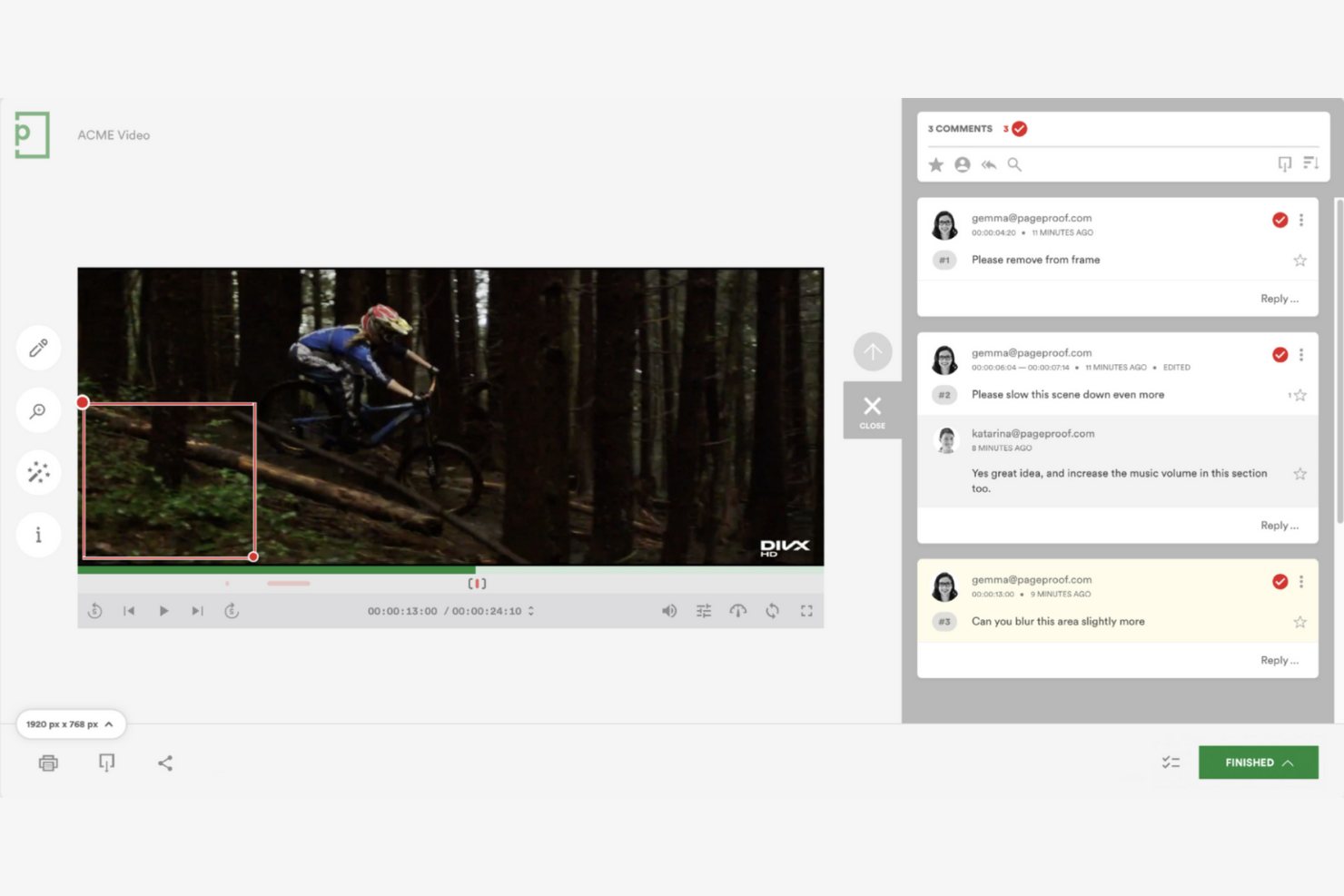
PageProof is a client collaboration software tailored for creative content approval, catering mainly to marketing and creative agencies. It facilitates the review and approval process for various file types, improving workflow efficiency and minimizing errors.
Why I picked PageProof: The platform excels in handling creative reviews with features such as smart workflows and markup tools that streamline feedback. PageProof's centralized feedback system helps reduce rework by keeping everyone on the same page. It also provides unlimited users for a fixed monthly fee, making it cost-effective for creative teams.
Standout Features and Integrations:
Features include support for all file types, allowing your team to review PDFs, images, videos, and more. Real-time commenting and markup tools make it easy to provide feedback directly on the files. Automated workflows help you track progress and approvals efficiently.
Integrations include Adobe Creative Cloud, Asana, Trello, Google Drive, Dropbox, Microsoft OneDrive, Slack, monday.com, and more.
Pros and Cons
Pros:
- Contextual on-file markup tools
- Centralized feedback
- Supports all file types
Cons:
- No in-app video conferencing
- Lack of built-in proof-versioning comparison
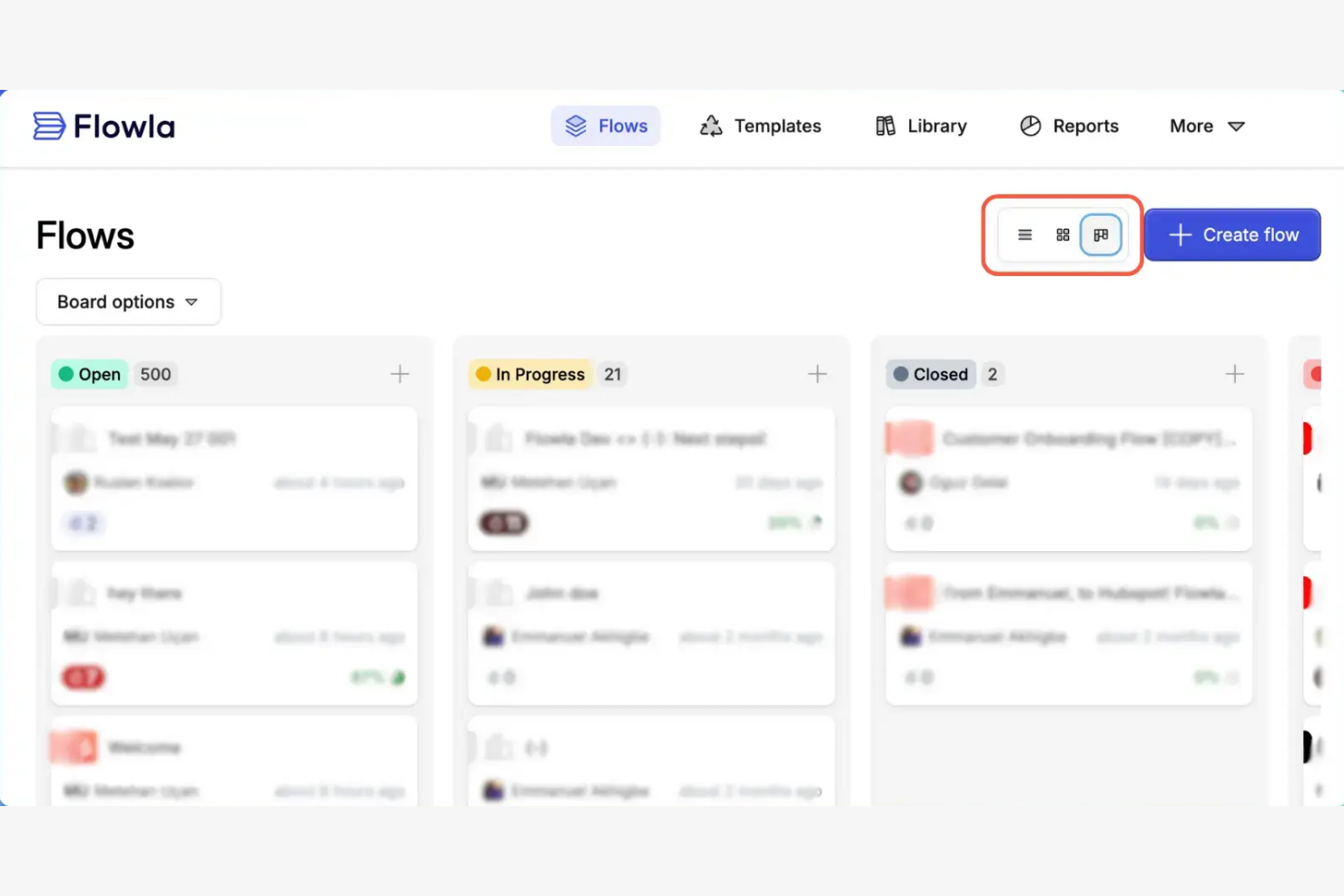
Flowla is a workflow automation tool designed for teams needing to simplify processes and improve efficiency. It primarily serves businesses looking to automate repetitive tasks and improve collaboration across departments.
Why I picked Flowla: The platform excels at automating workflows, making it a great choice for teams aiming to improve productivity. You can create custom workflows to automate routine tasks, reducing manual effort. Flowla's project management tools allow you to collaborate with clients in a single workspace.
Standout Features and Integrations:
Features include a drag-and-drop builder that helps you design workflows without coding. The platform offers triggers and actions to automate complex processes effectively. You can also use its reporting tools to gain insights into workflow efficiency and identify areas for improvement.
Integrations include Slack, Salesforce, HubSpot, Zapier, Attio, Calendly, and more.
Pros and Cons
Pros:
- Detailed performance analytics
- Effective automation tools
- Custom workflow creation
Cons:
- Occasional performance lags
- Resource-intensive interface transitions

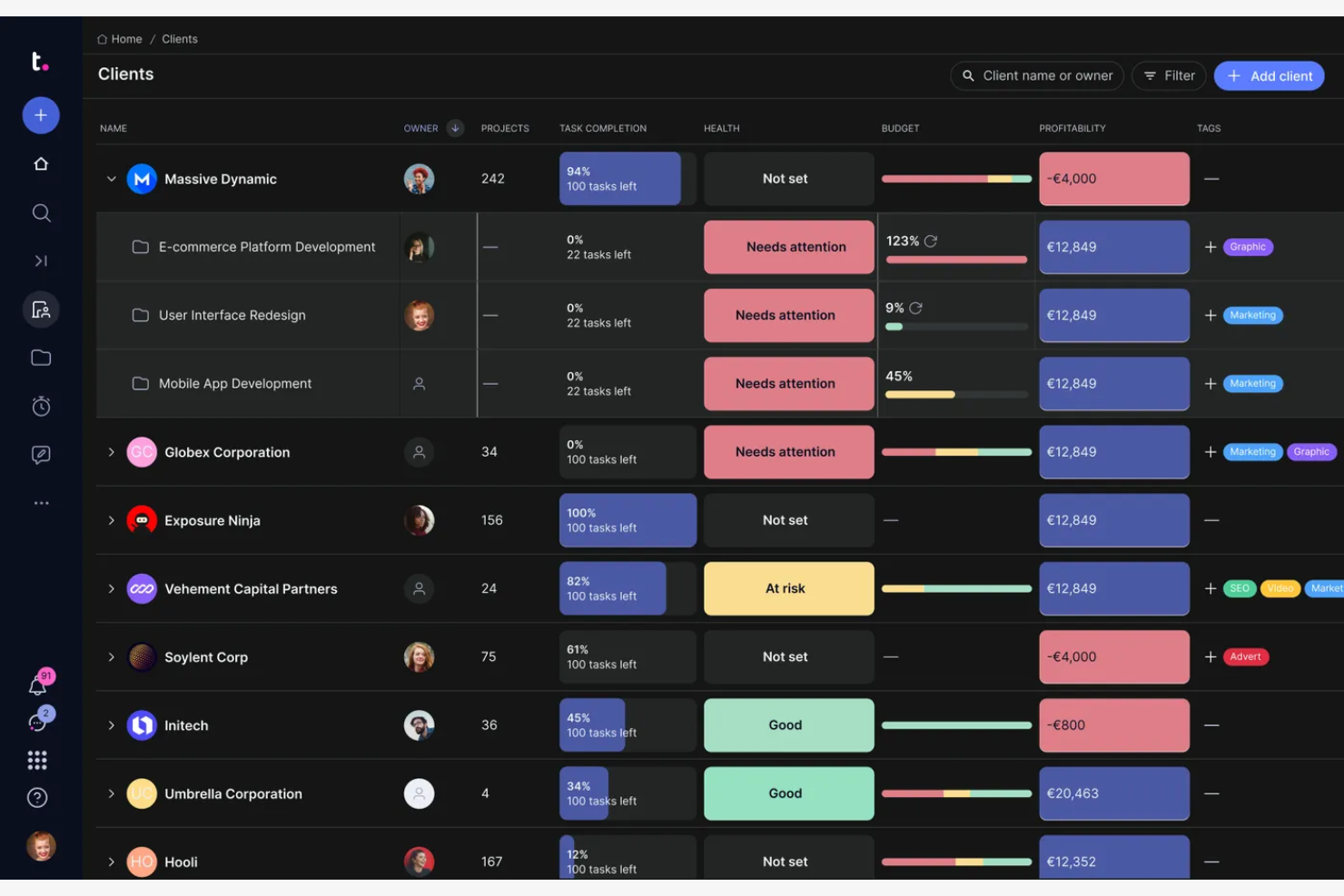
Teamwork.com is a project management software designed for teams needing detailed task management and collaboration tools. It's widely used by agencies and businesses to manage projects, track time, and communicate effectively.
Why I picked Teamwork.com: It offers extensive project management features that cater to both small and large teams. Templates help your team stay organized and support project planning. Teamwork.com also provides client access, enabling customer collaboration.
Standout Features and Integrations:
Features include the ability to create detailed task lists, which help you break down projects into manageable parts. You can also track time spent on tasks, providing clear insights into productivity. The platform offers Gantt charts and board views that provide visual project management options.
Integrations include Slack, QuickBooks, Mailchimp, Google Drive, Xero, Stripe, and more.
Pros and Cons
Pros:
- Custom project templates
- Interactive Gantt and board views
- Detailed task management
Cons:
- Extensive initial configuration requirements
- Limited mobile functionality

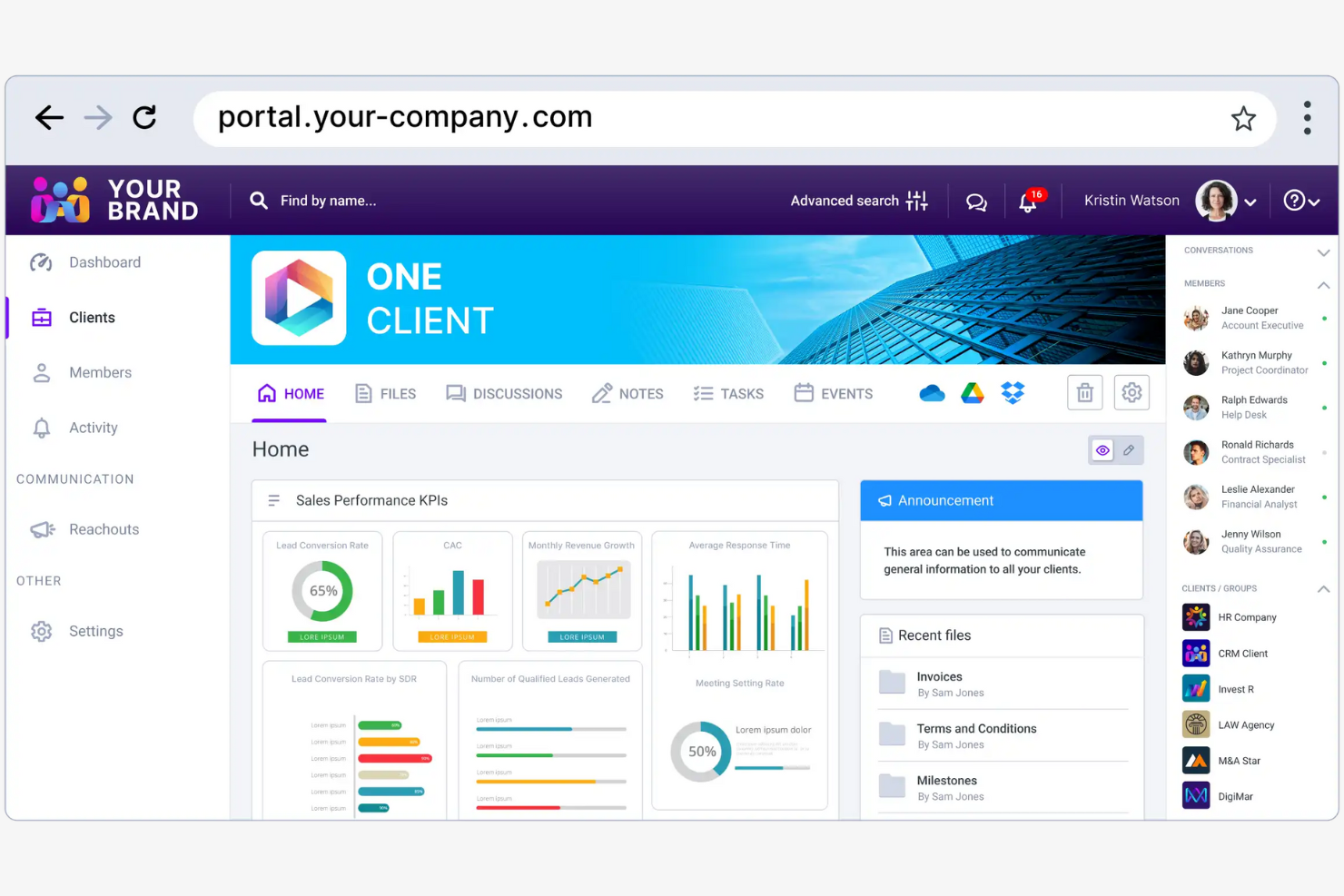
Clinked is a secure collaboration platform designed for businesses needing customizable client portals and document management. It's popular among industries such as finance, legal, and healthcare for managing client relationships and projects efficiently.
Why I picked Clinked: This platform offers a strong collaboration experience with real-time updates, file-sharing, and group chat. Clinked's mobile app ensures you can access files and communicate in real time. It integrates with a wide range of applications, making it versatile for various business needs.
Standout Features and Integrations:
Features include customizable client portals that let you brand your workspace to match your company's identity. You can manage documents securely with bank-grade encryption and track projects efficiently with task organization tools. Clinked also offers virtual data rooms for secure file sharing and e-signatures.
Integrations include Google Workspace, Adobe Acrobat Sign, Power BI, Voiceflow, Zapier, JotForm, DocuSign, and more.
Pros and Cons
Pros:
- Centralized group chat updates
- Secure file storage
- Branded white-label client environments
Cons:
- Complex initial setup
- Limited third-party software connectivity

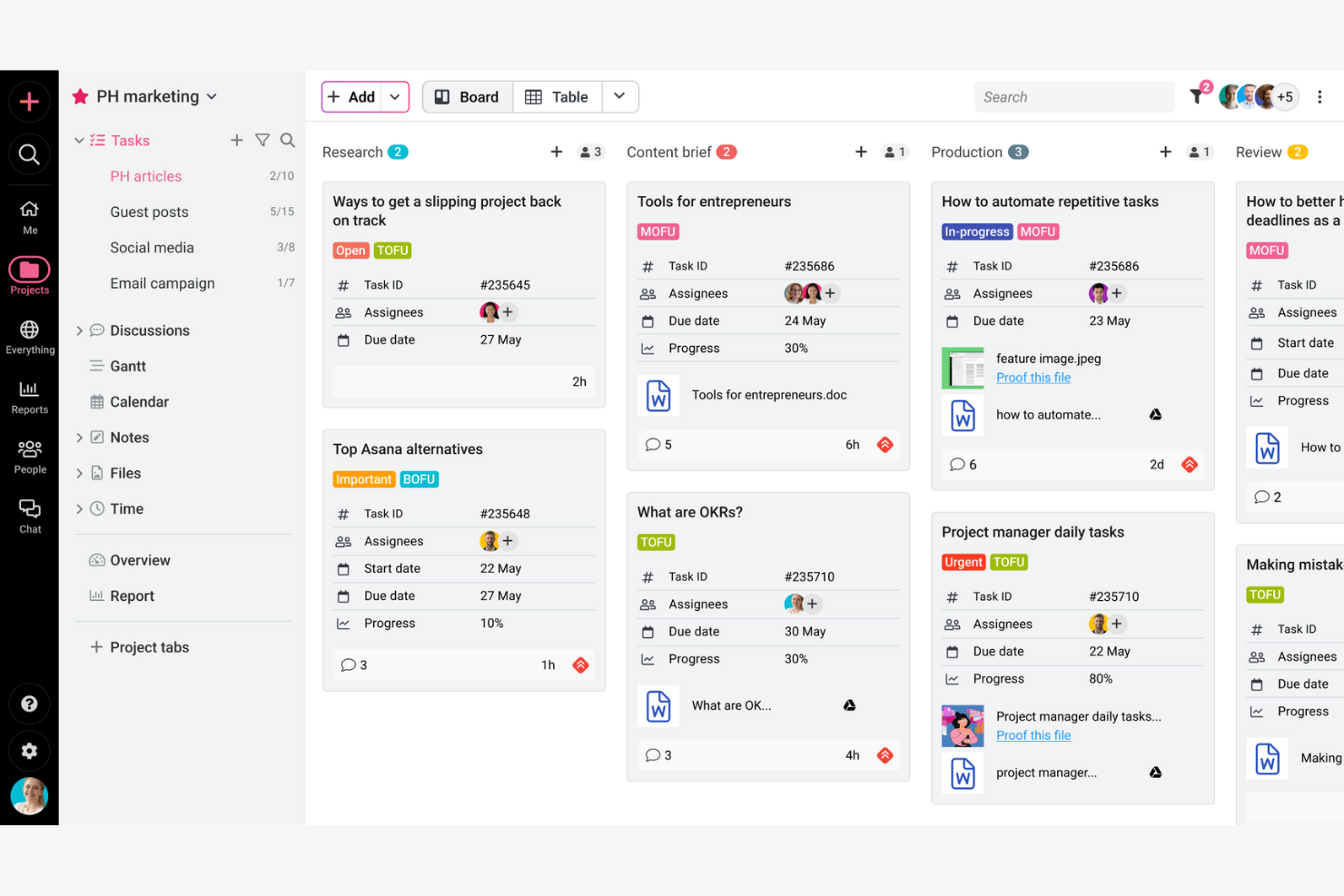
ProofHub is a project management and team collaboration software designed for businesses and teams needing to organize projects, collaborate, and track progress. It provides tools for planning, collaboration, and task management, catering to a wide range of industries.
Why I picked ProofHub: It offers extensive team collaboration features that allow your team to communicate and manage tasks efficiently. You can use its discussion boards and chat features to facilitate team communication. ProofHub also includes task management tools that help you assign tasks, set deadlines, and track progress. The platform's flexibility in project views ensures it fits different team needs and workflows.
Standout Features and Integrations:
Features include custom roles, allowing you to define access levels and responsibilities for team members. The platform offers time tracking tools that help your team monitor time spent on tasks. You can also use its file-sharing capabilities to keep all project documents organized and accessible.
Integrations include Google Calendar, Dropbox, OneDrive, Box, iCal, FreshBooks, QuickBooks, Slack, and more.
Pros and Cons
Pros:
- All-in-one workspace
- Flexible project views
- Custom roles and access levels
Cons:
- No dedicated offline mode
- Fixed native tool selection

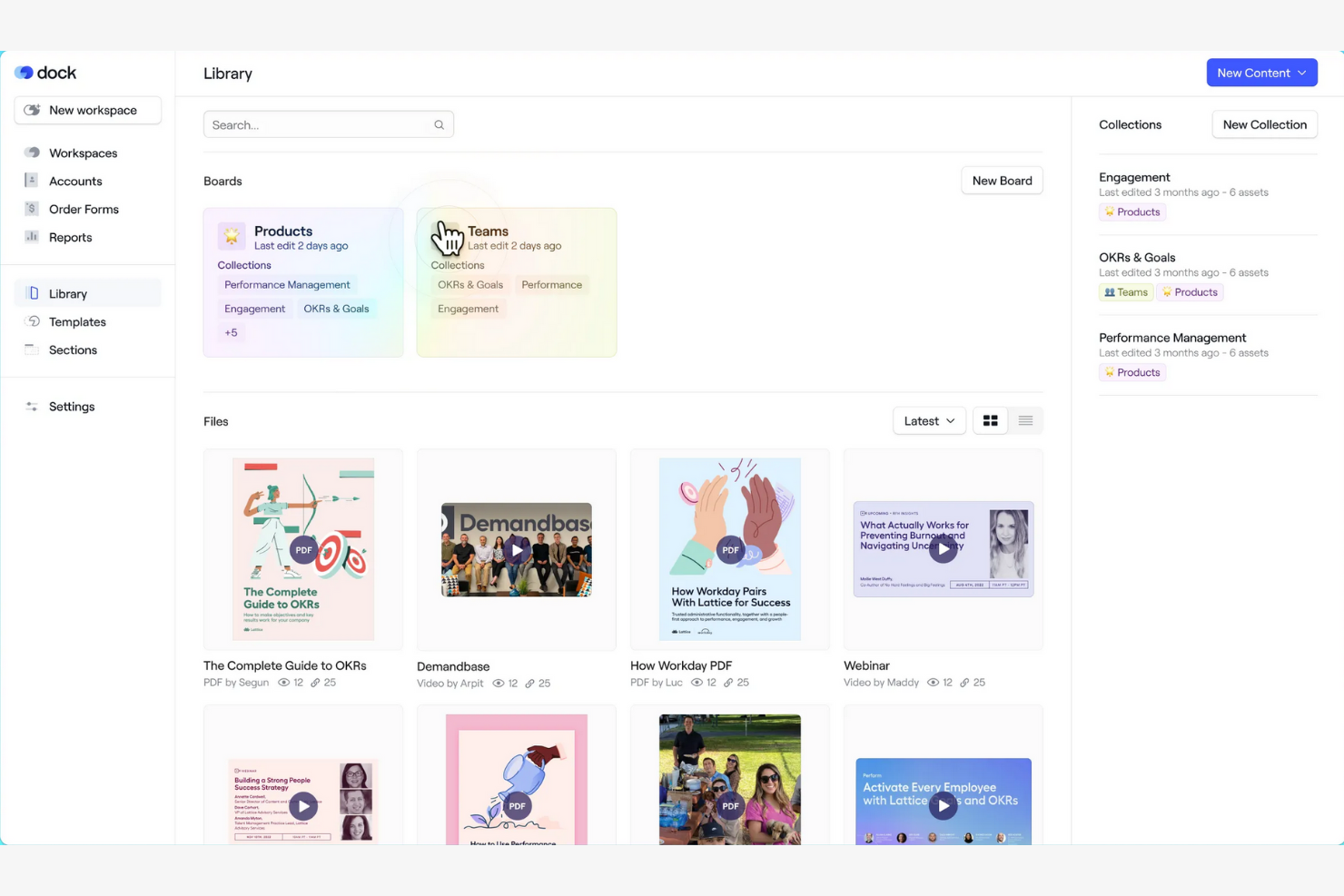
Dock is an AI revenue enablement and client collaboration platform designed for businesses that need efficient document sharing and client engagement. It serves teams by providing a centralized space to manage client interactions and share essential documents securely.
Why I picked Dock: The platform excels in document sharing, offering features that facilitate secure and organized file management. Dock allows for real-time collaboration, keeping your team and clients aligned. Customizable client portals eliminate the need for back-and-forth email threads and messy shared folders, keeping communication in one place.
Standout Features and Integrations:
Features include customizable client portals that let you tailor the user experience for each client. The platform provides analytics to help you understand how clients interact with shared documents. You can also manage permissions to control who accesses specific files, ensuring security and privacy.
Integrations include Slack, Google Drive, Microsoft SharePoint, Zoom, Gong, Chorus, Asana, and more.
Pros and Cons
Pros:
- Easy permissions management
- Real-time engagement insights
- Secure document management
Cons:
- Nuanced feature discovery process
- Limited workspace customization

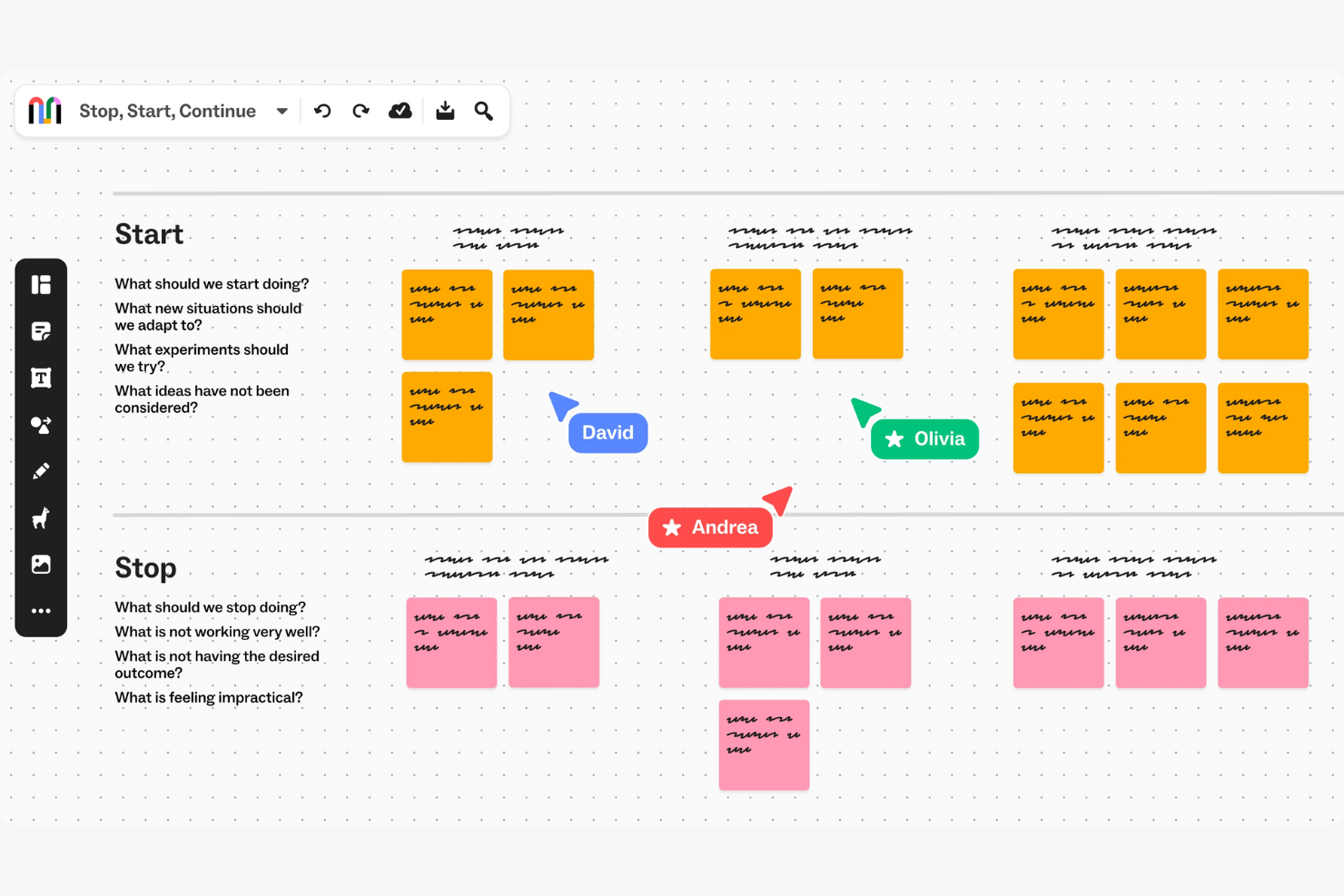
Mural is a digital workspace for visual collaboration, primarily used by creative teams and educators to brainstorm and design collaboratively. It helps in creating visual maps and diagrams that improve team alignment and creativity.
Why I picked Mural: The platform excels in supporting visual collaboration with various diagramming tools. You can facilitate remote workshops and brainstorming sessions with its interactive canvas. Mural's features allow your team to collaborate in real time, making it ideal for creative workflows. It also includes voting and timer functions to keep sessions organized and productive.
Standout Features and Integrations:
Features include an infinite canvas that lets your team map out ideas without constraints. The platform provides a library of templates to jumpstart your projects. You can also use sticky notes and drawing tools to turn abstract ideas into structured plans.
Integrations include Asana, Butter, Figma, Dropbox, GitHub, Google Calendar, Notion, Jira, and more.
Pros and Cons
Pros:
- Real-time collaboration
- Voting and timer functions
- Supports remote workshops
Cons:
- Bandwidth and performance sensitivity
- Limited linking and navigation clarity
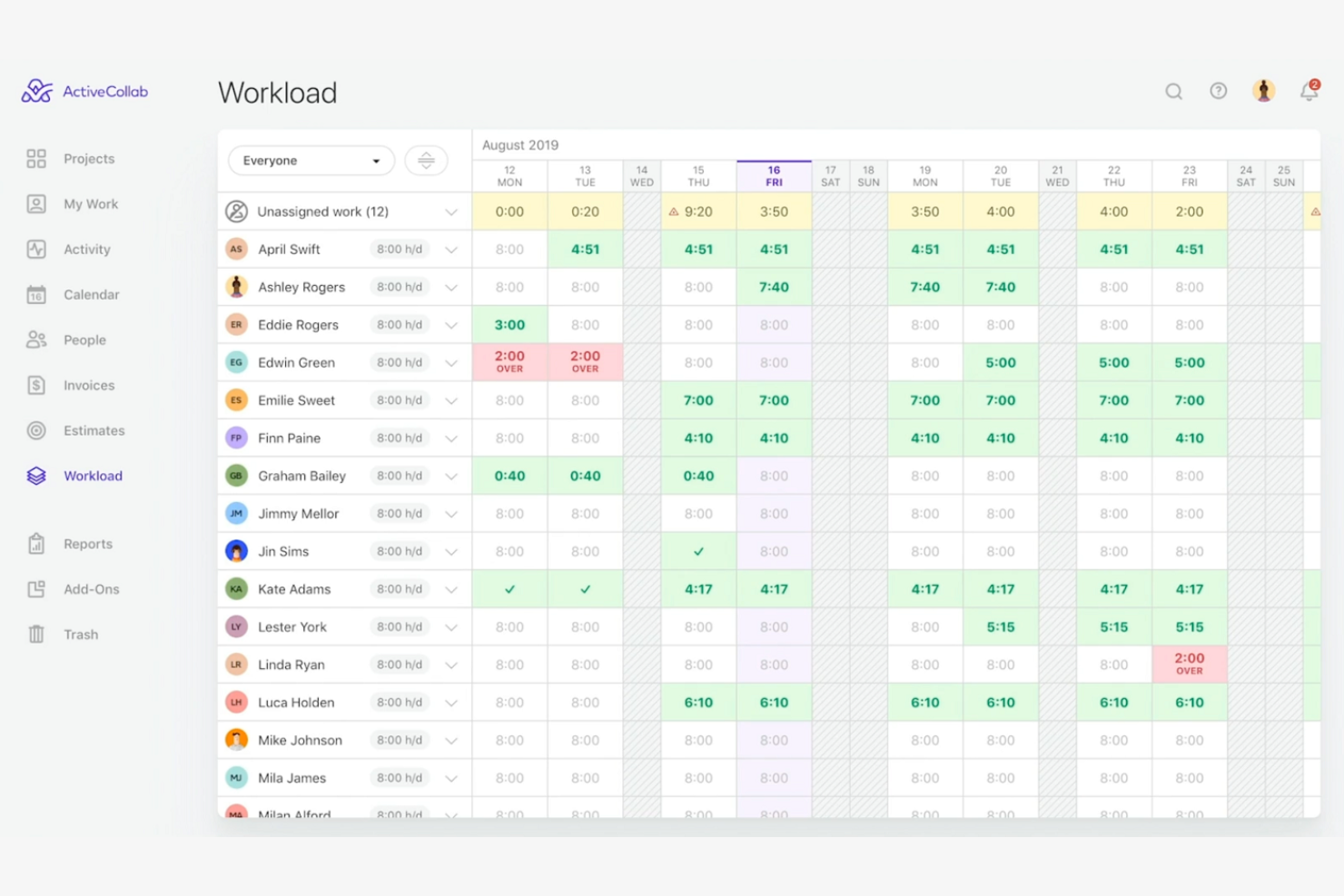
ActiveCollab is a project management tool tailored for creative teams and small businesses, providing features that support task management, collaboration, and time tracking. It helps teams organize their work, track project progress, and maintain productivity.
Why I picked ActiveCollab: The platform excels in time tracking, making it ideal for teams needing to monitor billable hours and project timelines. You can manage tasks and set deadlines, ensuring everyone stays on track. With real-time collaboration features, your team can communicate and share updates efficiently. ActiveCollab also offers invoicing tools that integrate with time tracking, simplifying billing processes.
Standout Features and Integrations:
Features include a task management system that lets your team create and assign tasks with due dates. The platform offers project templates to standardize your workflows and save time. You can also use its reporting tools to gain insights into project performance and team productivity.
Integrations include Slack, QuickBooks, Zapier, Dropbox, Google Drive, and more.
Pros and Cons
Pros:
- Integrated workspace
- Supports invoicing integration
- Effective time tracking tools
Cons:
- No native social media scheduling
- Restricted external tool ecosystem

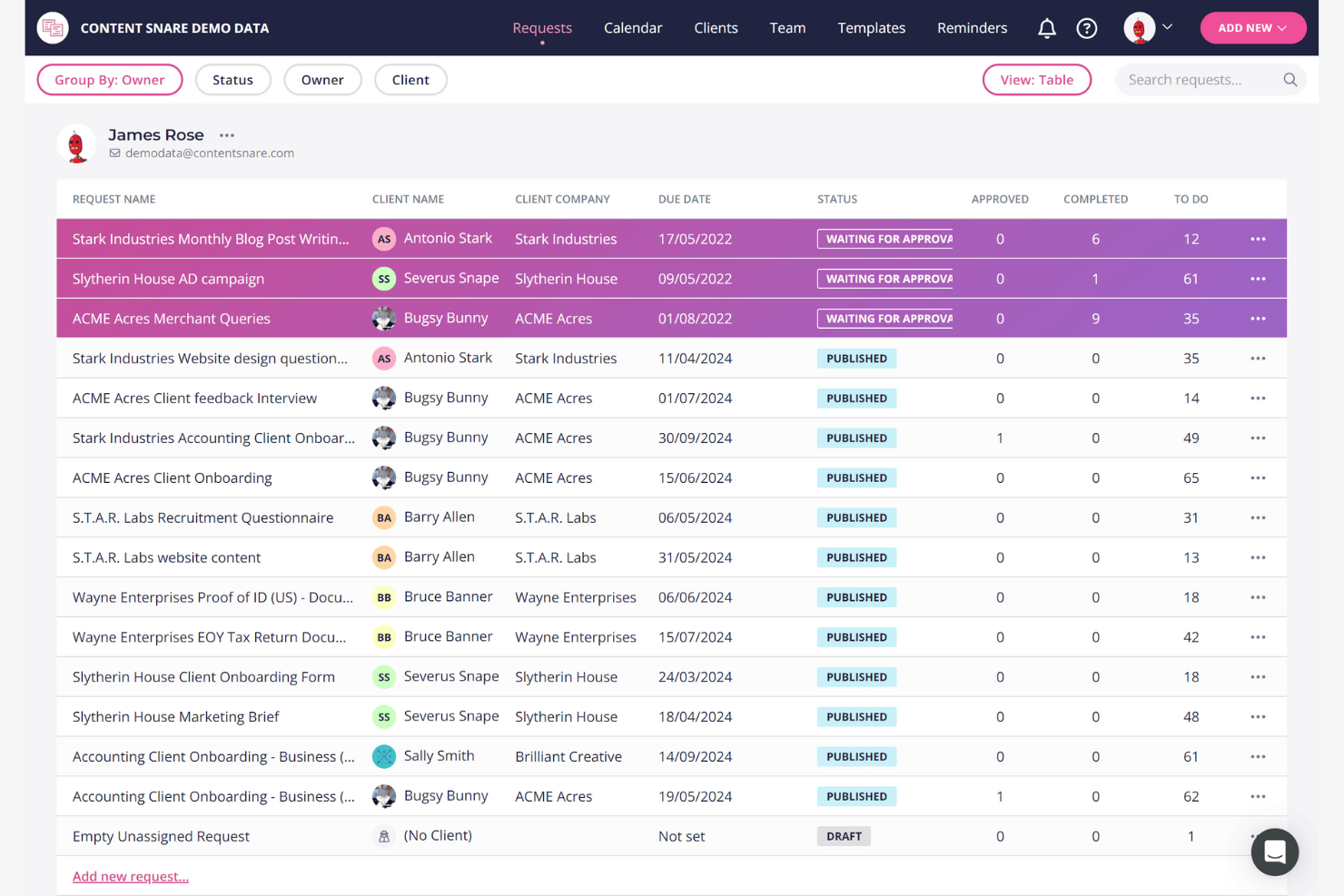
Content Snare is a content collection tool designed for agencies and businesses needing to gather information from clients efficiently. It helps simplify the process of requesting, tracking, and collecting content, which is essential for project timelines.
Why I picked Content Snare: The platform simplifies content gathering with features like automated reminders and structured request templates. You can set up requests with clear instructions, ensuring clients know exactly what to provide. Automated follow-ups reduce the need for manual chasing, saving your team time. Content Snare also allows you to organize submissions in one place, making it easy to track progress and stay on schedule.
Standout Features and Integrations:
Features include a drag-and-drop builder that lets you create custom request forms tailored to your needs. The platform offers a centralized dashboard where you can manage all content requests and track their status. You can also use its file upload feature to receive large files directly from clients.
Integrations include Zapier, Google Drive, Dropbox, Microsoft OneDrive, Make, Xero Practice Manager, FYI, and more.
Pros and Cons
Pros:
- Custom request forms
- Centralized content management
- Automated follow-ups for efficiency
Cons:
- Lengthy configuration process
- Focus on core intake functionality


Aligned is a collaboration platform designed to enrich buyer-seller interactions and expedite deal closures. It is primarily used by sales teams to improve stakeholder engagement and manage sales processes effectively.
Why I picked Aligned: The platform offers a Digital Sales Room that facilitates buyer collaboration, making it ideal for strategic alignment. It includes features such as Mutual Action Plans to track deal milestones. Aligned AI improves sales support, providing your team with actionable insights. The library of templates allows for quick setup, saving time in the process.
Standout Features and Integrations:
Features include a Customer Success Hub that helps your team manage customer onboarding efficiently. The platform offers a Playbook Standardization tool to ensure consistent sales practices. You can also use the Intro Room for sales development representatives to kickstart engagements.
Integrations include Salesforce, HubSpot, Slack, Zoom, Calendly, Loom, Miro, Chili Piper, Salesloft, and more.
Pros and Cons
Pros:
- High stakeholder visibility
- Effective sales support tools
- Frictionless buyer-side access
Cons:
- Complex for small teams
- Restricted visual branding flexibility
Other Client Collaboration Software
Here are some additional client collaboration software options that didn’t make it onto my shortlist, but are still worth checking out:
- CCH Axcess
For accounting firms
- Client Portal
For simplicity
- SmartVault
For secure document storage
- Workzone
For project visibility
- SuiteDash
For client portal customization
- Zendesk
For customer support integration
- ClickUp
For all-in-one task management
- Zendo
For service-based businesses
- SmartTask
For task prioritization
- Thomson Reuters Client Collaboration
For legal industry compliance


Client Collaboration Software Selection Criteria
When selecting the best client collaboration software to include in this list, I considered common buyer needs and pain points like improving team communication and project deadline management. I also used the following framework to keep my evaluation structured and fair:
Core Functionality (25% of total score)
To be considered for inclusion in this list, each solution had to fulfill these common use cases:
- File sharing
- Task management
- Communication tools
- Calendar and scheduling
- Project tracking
Additional Standout Features (25% of total score)
To help further narrow down the competition, I also looked for unique features, such as:
- Customizable client portals
- Real-time collaboration
- Advanced reporting tools
- Integration with CRM systems
- Workflow automation
Usability (10% of total score)
To get a sense of the usability of each system, I considered the following:
- Intuitive interface
- Easy navigation
- Minimal learning curve
- Customizable dashboards
- Responsive design
Onboarding (10% of total score)
To evaluate the onboarding experience for each platform, I considered the following:
- Availability of training videos
- Interactive product tours
- Ready-to-use templates
- Access to webinars
- Effective chatbots
Customer Support (10% of total score)
To assess each software provider's customer support services, I considered the following:
- 24/7 support availability
- Live chat options
- Extensive FAQs
- Email support
- Dedicated account managers
Value for Money (10% of total score)
To evaluate the value for money of each platform, I considered the following:
- Competitive pricing
- Flexible subscription plans
- Free trial availability
- Discounts for annual billing
- Features offered per price tier
Customer Reviews (10% of total score)
To get a sense of overall customer satisfaction, I considered the following when reading customer reviews:
- Overall satisfaction ratings
- Feedback on customer support
- Ease of use comments
- Feature effectiveness
- Reports of bugs or issues
How To Choose Client Collaboration Software
It's easy to get bogged down in long feature lists and complex pricing structures. To help you stay focused as you work through your unique software selection process, here's a checklist of factors to keep in mind:
| Factor | What To Consider |
|---|---|
| Scalability | Will the software grow with your team? Consider future expansion and whether the tool can handle increased users and projects without a hitch. |
| Integrations | Does it work with your existing tools? Check for compatibility with your current systems, like CRM, email, or project management platforms. |
| Customizability | Can you tailor the software to your needs? Look for options to adjust dashboards, workflows, and user permissions to fit your team's workflow. |
| Ease of use | How user-friendly is it? Test the interface for intuitiveness. Consider whether team members will need extensive training or if they can get started quickly. |
| Implementation and onboarding | What's the setup process like? Evaluate the time and resources needed for a smooth transition. Look for available support or tutorials during this period. |
| Cost | Is it within your budget? Compare pricing plans, including any hidden fees. Consider the value offered at different price tiers and what fits your financial plan. |
| Security safeguards | How secure is your data? Check for encryption, data backup, and user access controls to ensure your information stays protected. |
| Support availability | When can you get help? Consider the availability of customer support and whether it meets your team's needs, especially during critical times. |
What Is Client Collaboration Software?
Client collaboration software is a tool that helps teams work together effectively by providing a platform for communication, document sharing, and project management. These tools are commonly used by project managers, marketing professionals, and creative teams to increase productivity and ensure everyone is on the same page. Task management, file sharing, and communication features help with organizing projects, improving team coordination, and keeping clients informed. Overall, these tools offer a centralized space for managing client interactions and project workflows, leading to more efficient and successful outcomes.
Features
When selecting client collaboration software, keep an eye out for the following key features:
- File sharing: Enable teams to upload and share documents securely, ensuring everyone has access to the latest files.
- Task management: Help organize work by creating, assigning, and tracking tasks to keep projects on schedule.
- Communication tools: Provide chat and messaging options to facilitate real-time discussions and quick decision-making.
- Customizable dashboards: Allow users to tailor their workspaces to display relevant information and metrics for easy access.
- Time tracking: Track the time spent on tasks and projects, aiding in productivity analysis and billing accuracy.
- Client portals: Offer a dedicated space for clients to view project updates, access documents, and communicate with the team.
- Integration capabilities: Connect with other software tools to simplify workflows and data sharing across platforms.
- Reporting tools: Generate insights and reports on project progress and team performance to aid in strategic decisions.
- Security safeguards: Protect sensitive information with encryption and access controls to ensure data privacy.
- Workflow automation: Automate repetitive tasks to save time and reduce manual effort, improving team efficiency.
Benefits
Implementing client collaboration software provides several benefits for your team and your business. Here are a few you can look forward to:
- Improved communication: Real-time messaging and chat tools improve team interactions and help make faster decisions.
- Increased productivity: Task management and workflow automation reduce manual work, allowing your team to focus on more important tasks.
- Greater client engagement: Client portals provide clients with direct access to project updates and documents, fostering transparency and trust.
- Better organization: Document sharing and customizable dashboards keep all essential information in one place, making it easy to find and manage.
- Accurate billing: Time tracking features ensure billable hours are recorded correctly, helping with invoicing and financial planning.
- Data security: Security safeguards protect sensitive information, ensuring compliance and peace of mind.
- Informed decision-making: Reporting tools offer insights into project performance and team efficiency, aiding strategic planning.
Costs and Pricing
Selecting client collaboration software requires an understanding of the various pricing models and plans available. Costs vary based on features, team size, add-ons, and more. The table below summarizes common plans, their average prices, and typical features included in client collaboration software solutions:
Plan Comparison Table for Client Collaboration Software
| Plan Type | Average Price | Common Features |
|---|---|---|
| Free Plan | $0/user/month | Basic task management, limited file sharing, and basic communication tools. |
| Personal Plan | $10-$30/user/month | Advanced task management, file sharing, communication tools, and basic reporting. |
| Business Plan | $30-$75/user/month | Customizable dashboards, strengthened security, advanced reporting, and integrations. |
| Enterprise Plan | $75-$750+/user/month | Extensive security, workflow automation, dedicated support, and analytics. |
Client Collaboration Software FAQs
Here are some answers to common questions about client collaboration software:
How do I know if my team needs client collaboration software?
If your team struggles with communication, missed deadlines, or disorganized documents, client collaboration software might be beneficial. It helps simplify processes, improve communication, and keep everyone on the same page. Consider your team’s current workflow and pain points to determine if these tools can improve productivity and organization.
How do I onboard clients to new collaboration software effectively?
Start by giving a brief demo tailored to your client’s needs and creating simple guides or checklists. Set up an initial project together and establish clear expectations about how you’ll use the tool for communication and approvals. Follow up with clients early to address questions and encourage regular use.
Can client collaboration software be used across different industries?
Yes, client collaboration software is versatile and can be used across various industries, including marketing, legal, finance, and creative fields. The key is to find a tool that aligns with your industry-specific needs. Look for features that support your particular workflows, such as compliance tools for legal teams or creative review tools for marketing agencies.
How secure is client collaboration software?
Client collaboration software typically includes security features such as encryption, access controls, and data backups. When evaluating a tool, check for these security measures to ensure your data is protected. It’s also wise to review the vendor’s privacy policy and compliance with regulations such as GDPR or HIPAA, depending on your industry requirements.
Can client collaboration software help reduce email overload?
Yes, client collaboration software centralizes communications, so messages, files, and task updates stay in one place. This means fewer scattered emails, less risk of important info getting lost, and more efficient project updates for both you and your clients.
What should I consider when evaluating the scalability of client collaboration software?
When evaluating scalability, consider whether the software can handle an increase in users, projects, and data without performance issues. Check if the vendor offers flexible pricing plans that accommodate growth, and look for features such as customizable user roles and permissions. This ensures the tool can grow with your team and adapt to changing needs.
What's Next:
If you're in the process of researching client collaboration software, connect with a SoftwareSelect advisor for free recommendations.
You’ll fill out a form and have a quick chat where they get into the specifics of your needs. Then you'll get a shortlist of software to review. They'll even support you through the entire buying process, including price negotiations.