

10 Best TapClicks Alternatives in 2026

TapClicks Alternatives Shortlist


The best TapClicks alternatives give your agency flexible reporting, strong integrations, and dashboards that actually make sense to clients. If you’re searching for options, you’re likely looking for an agency reporting software platform that combines reporting with data management, supports better decision-making, and improves overall ease of use.
Many tools go beyond basic reporting by offering business intelligence features, CRM integrations, and even all-in-one solutions that centralize your marketing data. In this guide, you’ll find top-rated agency reporting software platforms that help you automate reporting, connect all your marketing data, and deliver insights your clients care about—so you can spend less time wrangling spreadsheets and more time driving results.
What is TapClicks?
TapClicks is a marketing analytics and reporting platform designed for agencies and marketing teams. It connects data from multiple sources, automates client reporting, and provides customizable dashboards. With TapClicks, you can centralize campaign performance, visualize key metrics, and simplify how you share results with clients. Agencies use TapClicks to save time on manual reporting and deliver clear, actionable insights across all their marketing channels.
Best TapClicks Alternatives Summary
This comparison chart summarizes pricing details for my top TapClicks alternative selections to help you find the best one for your budget and business needs.
| Tool | Best For | Trial Info | Price | ||
|---|---|---|---|---|---|
| 1 | Best for real-time business dashboards | 14-day free trial | From $120/month (billed annually) | Website | |
| 2 | Best for client marketing reports | 14-day free trial | From $20/client/month (billed annually) | Website | |
| 3 | Best for visual marketing reporting | Free plan available | From $229/month (billed annually) | Website | |
| 4 | Best for custom marketing data pipelines | Free demo available | Pricing upon request | Website | |
| 5 | Best for real-time performance tracking | 14-day free trial + free plan available | From $64/month (billed annually) | Website | |
| 6 | Best for automated marketing reporting | 14-day free trial + free demo available | From $62/month (billed annually) | Website | |
| 7 | Best for centralized marketing data | Free demo available | From $200/month (billed annually) | Website | |
| 8 | Best for marketing data integration | Free demo available | Pricing upon request | Website | |
| 9 | Best for business reporting and dashboards | 14-day free trial + free demo available | From $19.90/user/month (billed annually) | Website | |
| 10 | Best for agency analytics and reporting | Free demo available | Pricing upon request | Website |
Why You Can Trust Us
We’ve been testing and reviewing project management software since 2012. As project managers ourselves, we know how critical and difficult it is to make the right decision when selecting software.
We invest in deep research to help our audience make better software purchasing decisions. We’ve tested more than 2,000 tools for different project management use cases and written over 1,000 comprehensive software reviews. Learn how we stay transparent & our software review methodology.
-

Accelo
Visit WebsiteThis is an aggregated rating for this tool including ratings from Crozdesk users and ratings from other sites.4.4 -
Celoxis
Visit WebsiteThis is an aggregated rating for this tool including ratings from Crozdesk users and ratings from other sites.4.4 -
Wrike
Visit WebsiteThis is an aggregated rating for this tool including ratings from Crozdesk users and ratings from other sites.4.3





TapClicks Alternatives Reviews
Below are my detailed summaries of the best TapClicks alternatives that made it onto my shortlist. My reviews offer a detailed look at the features, integrations, and best use cases of each platform to help you find the best one for you.


Klipfolio is a dashboard and reporting platform built for agencies and teams who need to visualize real-time marketing and business data from multiple sources. If you want to create highly customizable dashboards and automate client reporting, this tool is designed for you.
Who Is Klipfolio Best For?
Agencies and marketing teams who need to monitor and report on real-time data from multiple sources.
Why Klipfolio Is a Good TapClicks alternatives
I picked Klipfolio because of how much control it gives you over dashboard design. The Klip Editor lets me build custom data visualizations from scratch using formulas and data transformations—something most reporting tools don't offer at this level. I also appreciate PowerMetrics, Klipfolio's metrics layer, which lets my team define and standardize KPIs once and reuse them across multiple dashboards. In practice, that means every client report is pulling from the same consistent data definitions, which cuts down on discrepancies and manual corrections.
Klipfolio Key Features
- Extensive chart library: Choose from 30+ chart types, including gauges, pictographs, maps, and funnels.
- HTML, CSS, and JS customization: Modify dashboard visuals using custom themes, JavaScript, and inline CSS for fully branded client reports.
- Automated reporting: Schedule dashboards and reports to render as PDFs or images and deliver them via automated email.
- Published links: Share dashboards with clients inside or outside your organization using public or password-protected links.
Klipfolio Integrations
Klipfolio offers 100+ native integrations, including Google Analytics, Facebook Ads, HubSpot, Salesforce, Google Sheets, Xero, QuickBooks, Shopify, Snowflake, and Zapier. An API is available for custom integrations.
Pros and Cons
Pros:
- Prebuilt templates for rapid dashboard setup
- Deep custom metrics calculations using formulas
- Real-time KPI tracking with instant refresh
Cons:
- Email report scheduling requires paid plans
- Initial data connections can be complex


AgencyAnalytics is a reporting platform built for marketing agencies that want to automate client reporting and monitor campaign performance in one place. If you manage multiple clients and need to connect dozens of marketing channels, this tool helps you centralize analytics and streamline updates.
Who Is AgencyAnalytics Best For?
Marketing agencies and consultants who need automated, multi-channel client reporting.
Why AgencyAnalytics Is a Good TapClicks Alternative
I picked AgencyAnalytics because the automated report scheduling feature genuinely removes the manual work of client reporting at scale. I like that you can flip a live dashboard into a polished, scheduled report in minutes, with data from 85+ integrations already populated. The report approval workflow is a feature I find especially useful—it lets me review and add commentary before anything goes out to clients. In practice, that means every report reflects my agency's voice, not just raw data.
AgencyAnalytics Key Features
- Drag-and-drop report builder: Build and customize client reports using a visual editor with adjustable widgets, fonts, colors, and background images.
- Slide deck report creation: Convert marketing performance data into presentation-ready slide decks directly within the report builder.
- Goal tracking widget: Set targets against any metric and display real-time progress toward client goals inside dashboards and reports.
- Roll-up reports and dashboards: Aggregate key metrics across multiple clients or locations into a single consolidated view.
AgencyAnalytics Integrations
AgencyAnalytics offers 85+ native integrations, including Google Analytics, Google Ads, Facebook Ads, LinkedIn Ads, Mailchimp, and more, with an API available for custom integrations.
Pros and Cons
Pros:
- Built-in approval workflow for report review
- Custom goal tracking and KPI widgets
- White-labeled dashboards for client branding
Cons:
- Lacks advanced cross-channel attribution modeling
- No built-in data warehouse or ETL tools

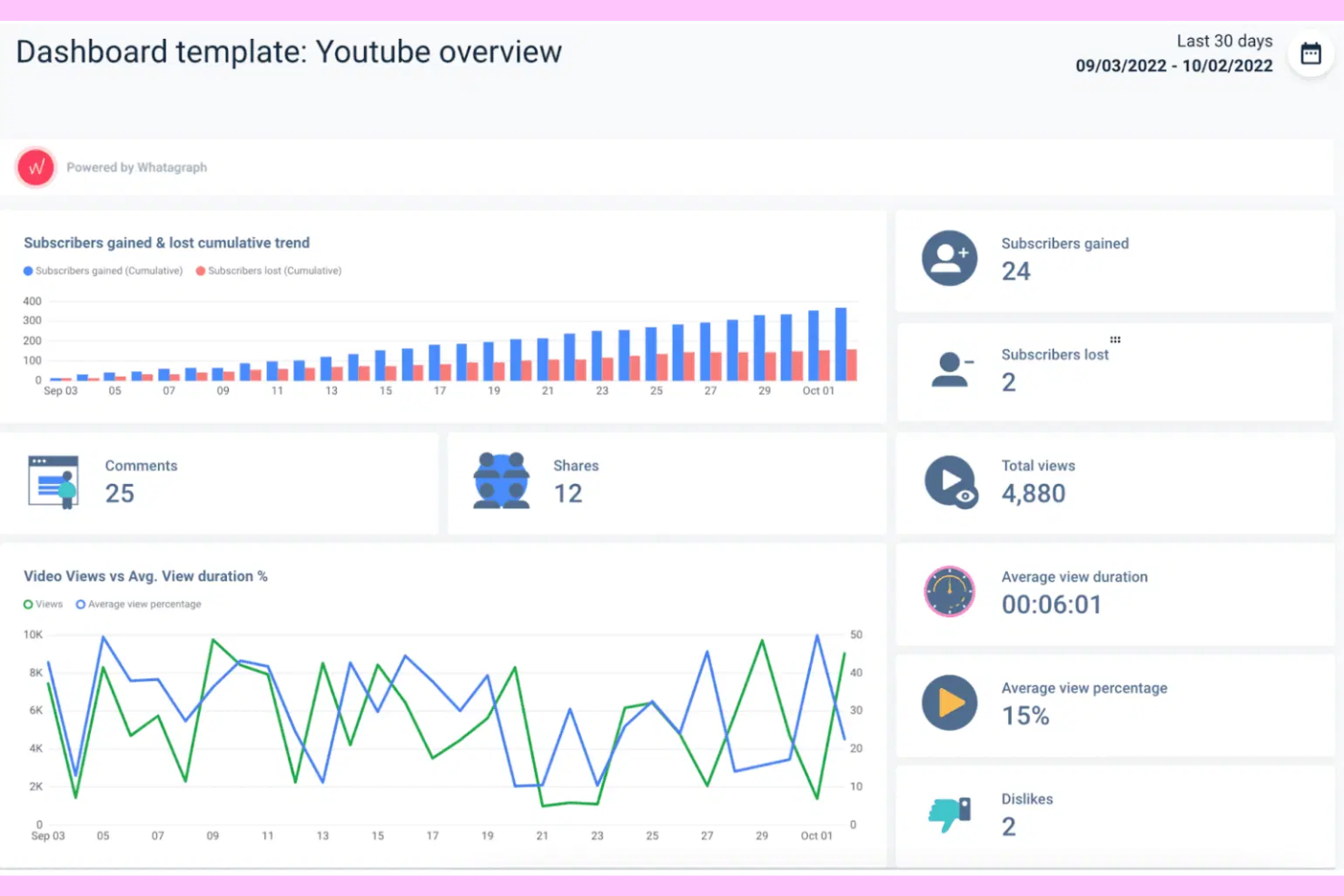
Whatagraph is a cross-channel reporting platform designed for marketing agencies that need to unify data from multiple sources. If you want to automate client reporting and deliver visually engaging, real-time analytics, this tool is built for you.
Who Is Whatagraph Best For?
Marketing agencies and in-house teams managing multi-channel digital campaigns.
Why Whatagraph Is a Good TapClicks Alternative
I picked Whatagraph because its built-in data pipeline handles cross-channel data unification without any middleware or manual ETL work. I like the Source Blends feature, which lets me combine data from platforms like Google Ads and Facebook Ads into a single cross-channel view. The no-code transformation engine is also genuinely useful—I can standardize naming conventions and build calculated metrics like blended ROAS across accounts. In practice, that means I'm spending less time wrangling data and more time delivering insights clients can act on.
Whatagraph Key Features
- AI report creation: Use natural language prompts to generate full marketing reports without building them manually from scratch.
- Client-facing AI chat: Let clients query their own data directly through a chat interface embedded in their live report.
- Multi-client workspaces: Manage hundreds of clients in isolated, branded workspaces with version history and linked templates.
- Role-based access control: Assign permissions across four tiers to control who can connect data, edit transformations, or view dashboards.
Whatagraph Integrations
Whatagraph offers native integrations with Google Analytics, Google Ads, Facebook Ads, LinkedIn Ads, HubSpot, Mailchimp, Shopify, Klaviyo, TikTok Ads, and more, with an API available for custom integrations.
Pros and Cons
Pros:
- Built-in approval workflow for report review
- Custom goal tracking and KPI widgets
- Automated scheduled reporting for multiple clients
Cons:
- Bulk editing data sources is not available
- Lacks in-depth granular permission settings

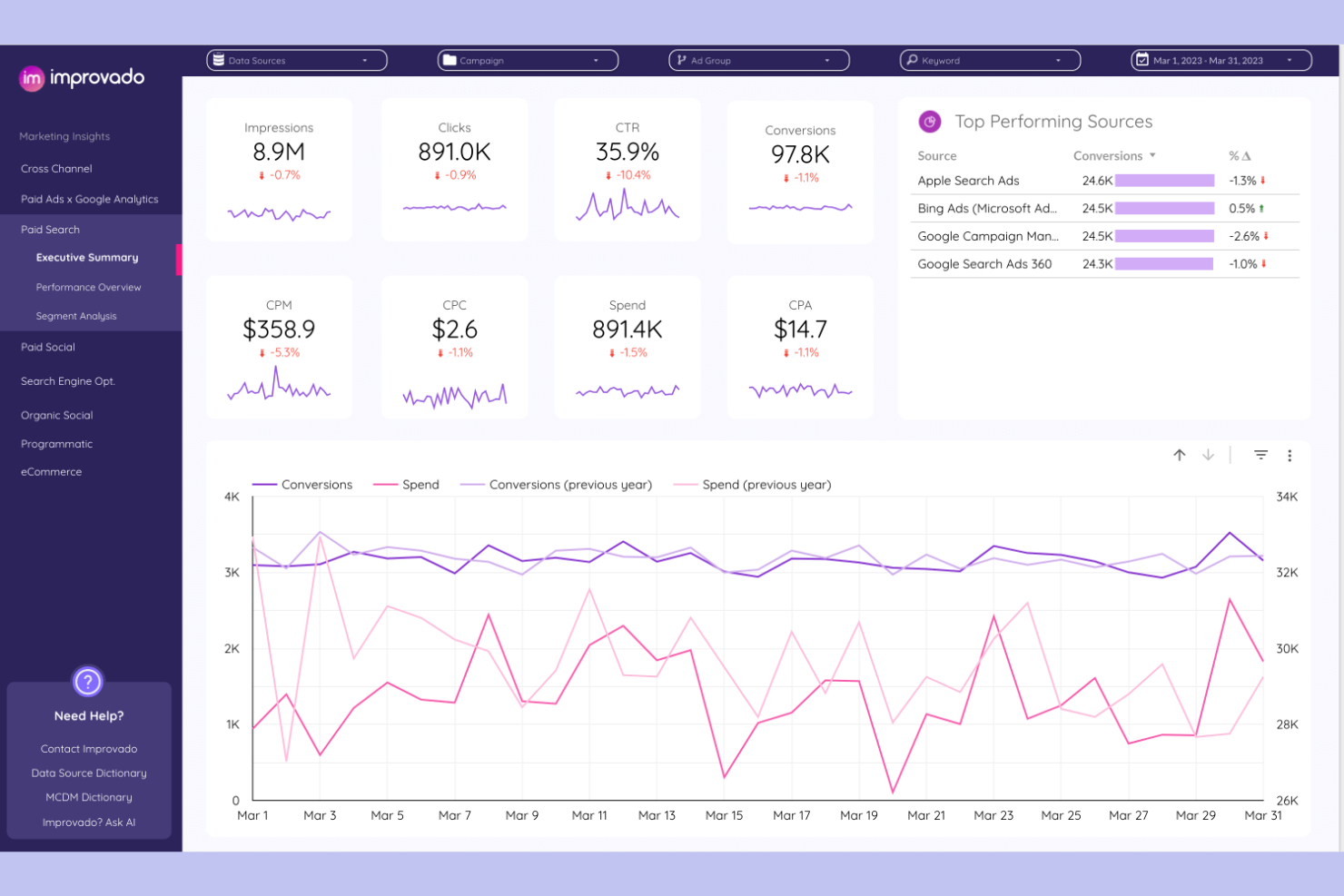
Improvado is a marketing analytics platform built for agencies and enterprise teams who need to centralize, transform, and visualize data from dozens of ad and analytics sources. If you want to automate complex reporting workflows and surface actionable insights across channels, this tool is designed for you.
Who Is Improvado Best For?
Marketing analytics teams at large agencies or enterprise brands managing high-volume, multi-channel campaigns.
Why Improvado Is a Good TapClicks alternatives
I picked Improvado because its AI-powered discovery layer surfaces anomalies and performance shifts across channels without me having to manually dig through dashboards. I really like the Insights feature, which automatically flags significant changes in metrics like ROAS or CPC and explains the likely cause. In practice, that means my team can catch underperforming campaigns before they drain budget, rather than finding out after the fact. For agencies managing large, complex ad portfolios, that kind of automated discovery is hard to find elsewhere.
Improvado Key Features
- Pre-built BI dashboards: Access ready-made dashboard templates compatible with Power BI, Looker Studio, and Tableau for common marketing use cases.
- Automated period-over-period reports: Schedule and automate recurring reports that compare performance across custom time periods without manual setup.
- Marketing data governance: Apply rules from a built-in guidelines library to monitor campaign data quality and flag compliance issues across your pipeline.
- AI analytics co-pilot: Query your marketing data in natural language and get answers presented as graphs, charts, or tables in seconds.
Improvado Integrations
Improvado offers 500+ native integrations, including Google Ads, Facebook Ads, LinkedIn Ads, Google Analytics, HubSpot, Salesforce, Shopify, Amazon Ads, TikTok Ads, and Google Sheets, with an API available for custom integrations.
Pros and Cons
Pros:
- Natural language analytics co-pilot
- Automated period-over-period reporting
- Pre-built dashboards for Power BI and Tableau
Cons:
- Lacks advanced cross-channel attribution modeling
- Limited visualization customization options

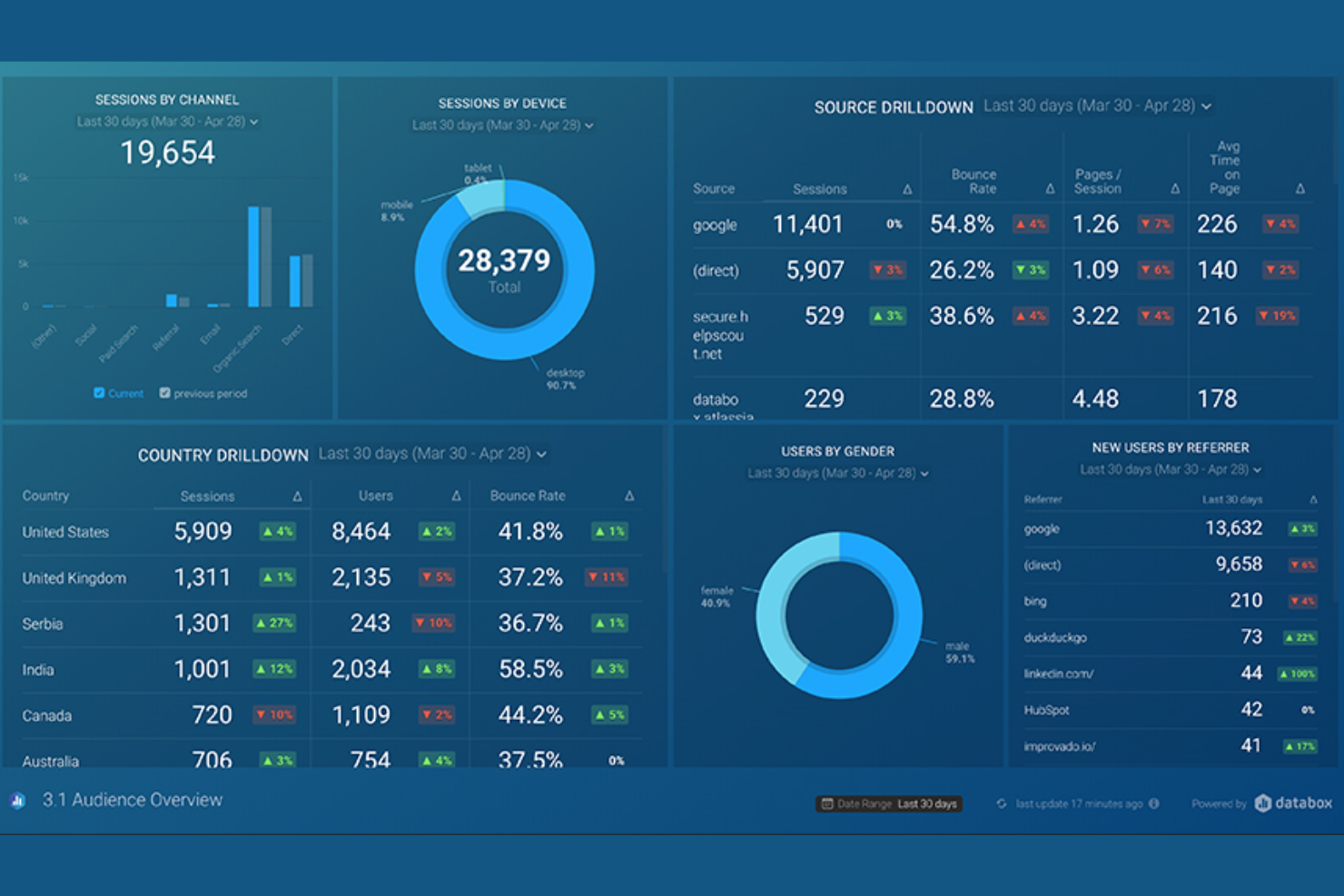
Databox is a business analytics platform built for agencies and marketing teams who need to consolidate data from multiple sources into real-time dashboards. It’s a strong fit for teams who want to track KPIs, visualize campaign performance, and automate client reporting without heavy setup.
Who Is Databox Best For?
Marketing agencies and in-house teams who need to centralize analytics and automate real-time reporting across multiple data sources.
Why Databox Is a Good TapClicks Alternative
I picked Databox because of its Data Stories feature, which lets me embed dynamic metric values directly into report text. When I send a monthly client report, the narrative updates automatically with the latest numbers—no manual edits needed. I also rely on Databox's presentation mode, which formats reports into full-screen slides with speaker notes for live client meetings. That combination of automated narrative reporting and live presentation formatting is something most agency reporting tools don't offer together.
Databox Key Features
- AI performance summaries: Databox's Genie AI analyst generates written summaries of key metrics directly inside reports.
- Report scheduling: Automatically send PDF reports to email or Slack on a daily, weekly, monthly, or quarterly cadence.
- Pre-built report templates: Access ready-made templates for channels like Google Ads, Facebook Ads, HubSpot, and Google Analytics 4.
- Custom branding: Adjust fonts, logos, images, and colors to match your company or client branding within reports.
Databox Integrations
Databox offers 130+ native integrations, including Google Analytics, Google Ads, Facebook Ads, HubSpot, Salesforce, Shopify, LinkedIn Ads, Mailchimp, Stripe, and Google Sheets. An API is available for custom integrations.
Pros and Cons
Pros:
- Automated data alerts for KPI changes
- Extensive gallery of one-click report templates
- Mobile app for data access anywhere
Cons:
- Limited historical data retention on lower tiers
- Manual data refreshes on free plans

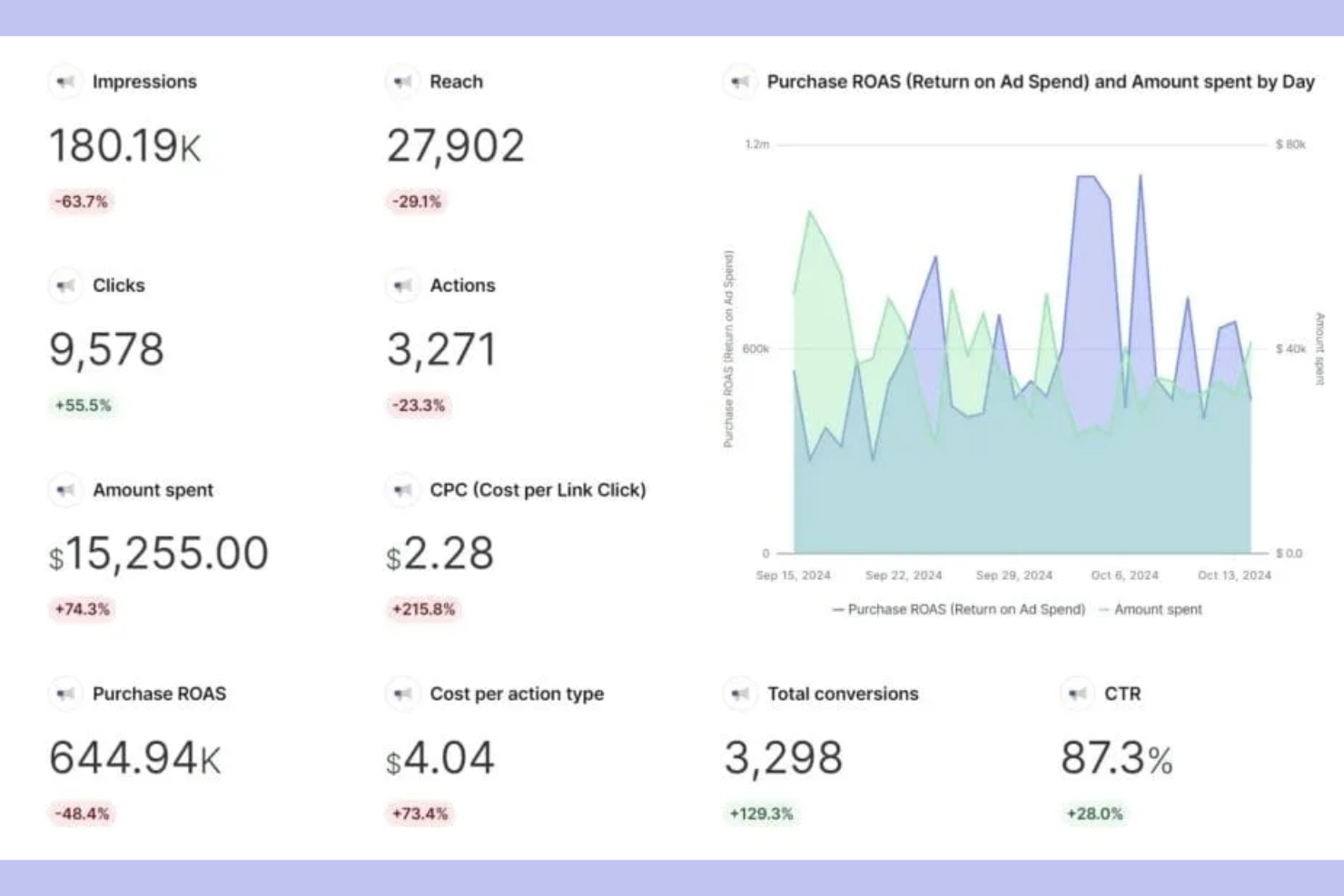
Swydo is a reporting and monitoring platform built for agencies and digital marketers who need to automate client reporting across multiple channels. It stands out for its workflow-driven approach, making it easy to schedule, customize, and manage recurring reports for clients.
Who Is Swydo Best For?
Agencies and digital marketing teams who need to automate and manage recurring client reports across multiple advertising and analytics platforms.
Why Swydo Is a Good TapClicks Alternative
I picked Swydo because of how it handles automated client reporting at scale. The dynamic report templates let my team build one master template and push it across every client account instantly—any update to a widget or metric rolls out everywhere at once, which removes a lot of repetitive maintenance work. I also rely on Swydo's monitoring boards to keep tabs on client KPIs across all accounts in a single view, with threshold-based alerts that flag issues before clients notice them. For agencies managing a high volume of recurring reports, that combination of automated scheduling and proactive monitoring is hard to match.
Swydo Key Features
- Pre-built report templates: Access a library of ready-made templates with predefined widgets and KPIs for channels like Google Ads, Meta, and LinkedIn.
- Goal tracking: Set custom targets for conversions, ROAS, or leads and track progress automatically against those targets within reports.
- Client boards: Build custom monitoring boards per client with KPI tables, target thresholds, and filtering by account manager or KPI status.
- PDF and online dashboard sharing: Deliver reports as downloadable PDFs or shareable online dashboards, depending on client preference.
Swydo Integrations
Swydo offers 32+ native integrations, including Google Ads, Facebook Ads, Google Analytics, LinkedIn Ads, Microsoft Advertising, Google Sheets, Mailchimp, HubSpot, Instagram Insights, and YouTube. An API is available for custom integrations.
Pros and Cons
Pros:
- Duplicate reports across client accounts instantly
- Built-in goal tracking for clients
- Automated reminders for report delivery
Cons:
- Scheduled reporting only on higher plans
- No built-in data warehousing features

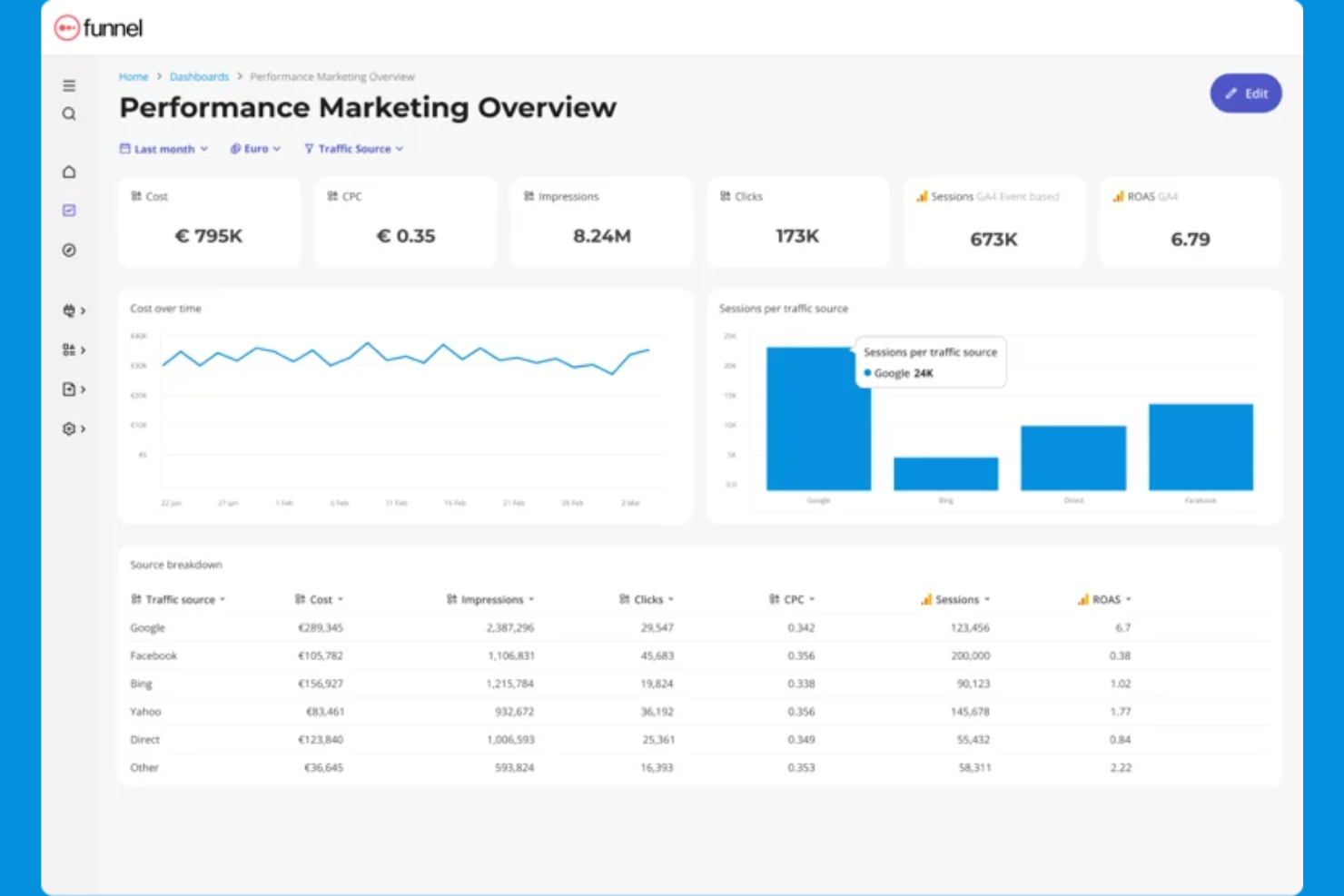
Funnel is a marketing data platform built for agencies and in-house teams who need to centralize, clean, and report on campaign data from hundreds of sources. If you want to automate data collection and deliver up-to-date, client-ready reports without manual wrangling, this tool is designed for you.
Who Is Funnel Best For?
Marketing agencies and in-house teams managing multi-channel digital campaigns across multiple clients or brands.
Why Funnel Is a Good TapClicks alternatives
I picked Funnel because it removes the manual work of pulling data from dozens of ad platforms and consolidating it into a single, clean reporting layer. What I really like is the automated data collection pipeline—Funnel connects to your sources, normalizes the data, and keeps it updated without anyone touching a spreadsheet. I also appreciate the Report feature, which lets my team build shareable, client-ready reports directly on top of live data. In practice, that means we're not rebuilding reports every week—they update automatically as new campaign data flows in.
Funnel Key Features
- Funnel Portals: Create secure, client-specific portals that give each client access to their own customized dashboard without sharing unrelated data.
- Drag-and-drop dashboard builder: Build reports from scratch or customize pre-built templates without writing any code.
- Multi-BI destination support: Send the same dataset to Looker Studio, Power BI, Tableau, Google Sheets, and Excel simultaneously.
- Pre-built dashboard templates: Start from ready-made templates for use cases like paid ads, Google Analytics, Shopify, and cross-channel performance marketing.
Funnel Integrations
Funnel offers native integrations with Google Ads, Facebook Ads, LinkedIn Ads, Google Analytics, HubSpot, Shopify, Amazon Ads, TikTok Ads, and Google Sheets, with an API available for custom integrations.
Pros and Cons
Pros:
- Custom data mapping for complex reporting needs
- Exports to Power BI, Tableau, and Google Sheets
- Live dashboards update with new campaign data
Cons:
- No direct white-label dashboard for clients
- No built-in visualization beyond dashboards

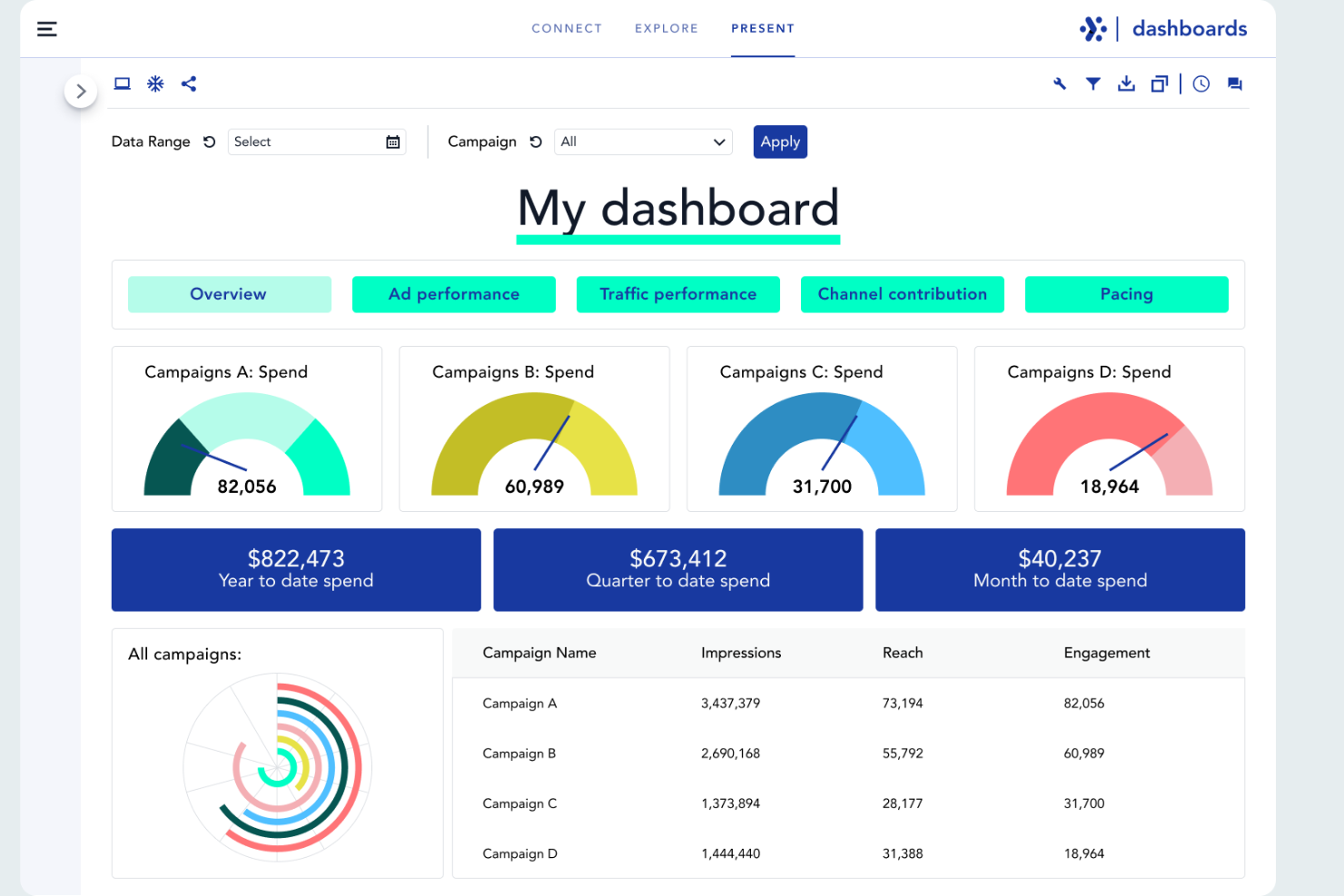
Adverity is a data integration and analytics platform built for marketing and agency teams that need to unify, clean, and analyze data from multiple sources. If you’re looking to automate complex data workflows and deliver actionable insights to clients, Adverity is worth considering.
Who Is Adverity Best For?
Marketing analysts and data teams at mid-sized to large agencies needing automated data integration and analytics.
Why Adverity Is a Good TapClicks Alternative
I picked Adverity because its automated data integration goes deeper than most reporting tools. I like that it handles data harmonization automatically, mapping inconsistent naming conventions across platforms so my team doesn't spend hours cleaning data before building reports. Adverity's DataStream feature lets me pull from hundreds of sources and schedule automated data refreshes, keeping dashboards current without manual intervention. For agencies managing large volumes of cross-channel data, that level of automation is hard to match.
Adverity Key Features
- Data quality monitoring: Automatically detect anomalies and inconsistencies across your data warehouse before they reach reports.
- Granular user access controls: Set role-based permissions to manage who can view, edit, or export data across teams and clients.
- Conversational AI querying: Ask natural-language questions directly against your data to surface insights without writing SQL.
- Data destination routing: Push harmonized data to BI tools and platforms like Tableau, Power BI, Snowflake, and Google BigQuery.
Adverity Integrations
Adverity offers 600+ native integrations with marketing, analytics, and cloud platforms, including Google Analytics, Facebook Ads, Amazon Advertising, Salesforce, HubSpot, and Snowflake. An API is available for custom integrations.
Pros and Cons
Pros:
- Enables automated, scheduled data refreshes
- Offers advanced data quality monitoring tools
- Handles complex data harmonization automatically
Cons:
- Lacks direct white-label reporting features
- Requires technical setup for advanced workflows

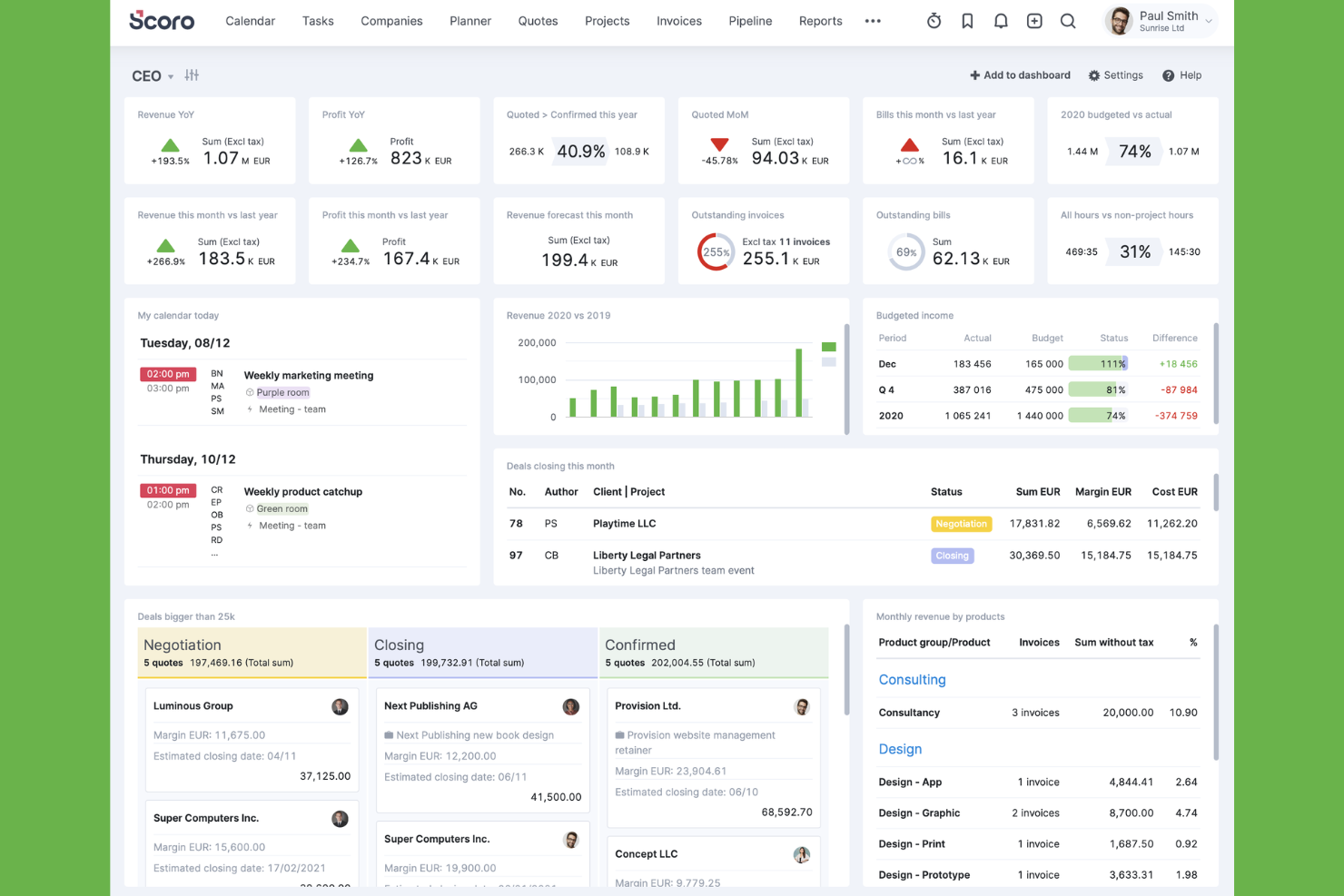
Scoro is a work management platform designed for agencies and consultancies that need unified project, time, and financial reporting. If you want to connect project delivery, resource planning, and real-time dashboards in one place, Scoro is worth considering.
Who Is Scoro Best For?
Agencies and consultancies that need to manage projects, resources, and reporting in a single platform.
Why Scoro Is a Good TapClicks Alternative
I picked Scoro because it connects project delivery and financial performance in the same reporting layer, which most agency reporting tools don't do. I like that Scoro's dashboards pull live data from budgets, time logs, and project milestones simultaneously, so my team can see profitability and utilization without switching platforms. In practice, that means I can track whether a retainer client is actually profitable in real time, not just at invoice time. For agencies that need reporting to reflect the full picture of how work and money move together, Scoro does that well.
Scoro Key Features
- Pre-built report templates: Access expert-built templates covering productivity, utilization, revenue, cost, and sales without building reports from scratch.
- Retainer tracking: Monitor recurring client work, including time logged and budget consumed, against each retainer in real time.
- Resource utilization reporting: Spot capacity gaps and workload imbalances across your team before they affect delivery.
- AI-powered insights: Use Scoro's built-in AI to surface instant insights and automate actions directly within the platform.
Scoro Integrations
Scoro offers native integrations with Xero, QuickBooks, Zapier, Google Calendar, Slack, and Dropbox, and provides an API for custom integrations.
Pros and Cons
Pros:
- Resource utilization and workload reporting
- Pre-built agency-focused report templates
- Combines project, financial, and reporting data
Cons:
- Custom report building can be restrictive
- No built-in marketing analytics connectors

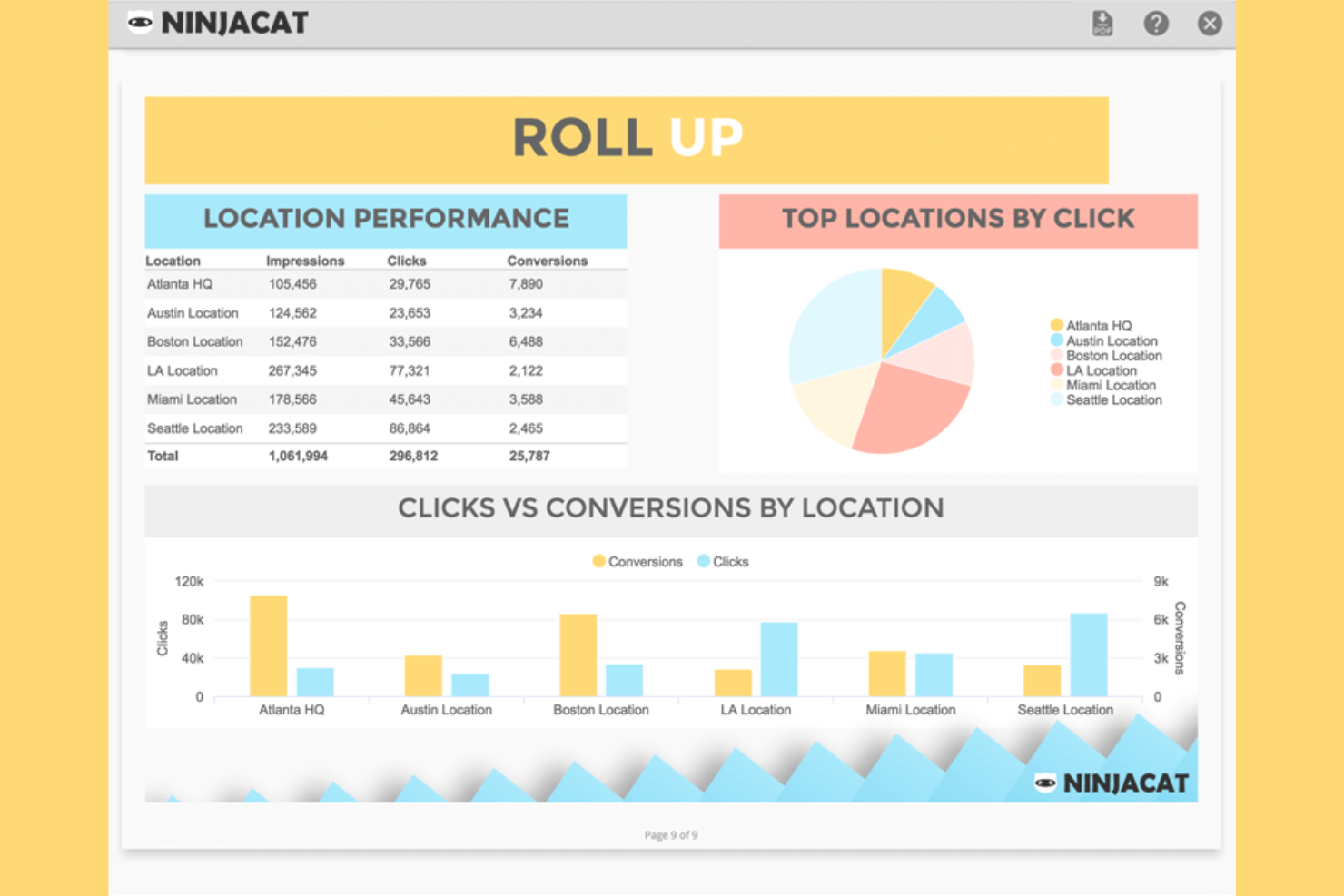
NinjaCat is a marketing reporting platform built for agencies and media companies that need to unify campaigns, call, and spend data in one place. If you want to automate client reporting across multiple ad channels and track performance down to the call level, NinjaCat is worth a look.
Who Is NinjaCat Best For?
Marketing agencies and media teams managing multi-channel campaigns and client reporting at scale.
Why NinjaCat Is a Good TapClicks Alternative
I picked NinjaCat because it handles the full reporting workflow for agencies managing multiple clients across channels, including ecommerce campaigns. I like that it combines call tracking and paid media data into one view, helping me present a complete performance story. Its roll-up reporting makes it easy to aggregate data across accounts while still drilling into details, and features like unlimited users support growing teams. Despite its advanced capabilities, the platform keeps the learning curve manageable, making it easier to scale reporting without added complexity.
NinjaCat Key Features
- AI Insights Widget: Generate plain-English data summaries and narratives directly alongside dashboard widgets or in reports.
- Report Template Gallery: Start from pre-built templates or save your own master layout to reuse across clients and campaigns.
- Agency markup calculations: Incorporate agency fees directly into calculated metrics like CPC or CPM within reports.
- Interactive client dashboards: Share permissioned, real-time dashboards with clients so they can filter and explore data on their own schedule.
NinjaCat Integrations
NinjaCat offers native integrations with Google Ads, Facebook, Google Analytics 4, Google Sheets, LinkedIn, Facebook Insights, and more. Custom connectors are available for additional data sources.
Pros and Cons
Pros:
- Offers white-labeled, client-facing dashboards
- Supports multi-location and franchise reporting
- Integrates call tracking with ad reporting
Cons:
- Report template editor can feel restrictive
- No built-in SEO or web analytics tools
Other TapClicks Alternatives
Here are some additional TapClicks alternatives that didn’t make it onto my shortlist, but are still worth checking out:
- DashThis
For automated agency reporting
- Supermetrics
For marketing data automation
- Tableau
For advanced data visualization
- Domo
For real-time business dashboards
- Raven Tools
For SEO reporting
- Looker
For cloud-based data exploration
- ReportGarden
For PPC reporting for agencies
- Power BI
For Microsoft-based analytics
- Octoboard
For automated client reporting
- Sprout Social
For social media analytics
- Oviond
For unified marketing dashboards
- Reporting Ninja
For white-label reporting


TapClicks Alternatives Selection Criteria
When selecting the best TapClicks alternatives to include in this list, I considered common buyer needs and pain points related to agency reporting software products, like managing multi-channel data sources and automating recurring client reports. I also used the following framework to keep my evaluation structured and fair:
Core Functionality (25% of total score)
To be considered for inclusion in this list, each solution had to fulfill these common use cases:
- Connect to multiple marketing data sources
- Build and customize client-facing reports
- Automate report scheduling and delivery
- Visualize campaign and channel performance
- Support white-label branding for agencies
Additional Standout Features (25% of total score)
To help further narrow down the competition, I also looked for unique features, such as:
- AI-generated performance summaries
- Dynamic narrative reporting with live metric values
- Presentation mode for live client meetings
- Multi-account management for agencies
- Advanced permission controls for client access
Usability (10% of total score)
To get a sense of the usability of each system, I considered the following:
- Intuitive dashboard and report builder
- Clean and modern interface design
- Logical navigation between data sources and reports
- Minimal clicks to access core features
- Responsive performance with large data sets
Onboarding (10% of total score)
To evaluate the onboarding experience for each platform, I considered the following:
- Availability of step-by-step product tours
- Access to training videos and webinars
- Pre-built templates for common report types
- In-app chatbots or guided setup
- Clear documentation for integrations and setup
Customer Support (10% of total score)
To assess each software provider’s customer support services, I considered the following:
- Live chat or real-time support availability
- Email and ticket-based support responsiveness
- Access to a searchable help center or knowledge base
- Availability of onboarding specialists or account managers
- Community forums or user groups for peer support
Value For Money (10% of total score)
To evaluate the value for money of each platform, I considered the following:
- Transparent and flexible pricing tiers
- Features included at each pricing level
- Free trial or free plan availability
- No hidden fees for integrations or users
- Scalability for growing agency needs
Customer Reviews (10% of total score)
To get a sense of overall customer satisfaction, I considered the following when reading customer reviews:
- Positive feedback on reporting automation
- Satisfaction with integration reliability
- Comments on customer support quality
- User sentiment about dashboard customization
- Reported issues with data accuracy or downtime
Why Look For A TapClicks Alternative?
While TapClicks is a good choice of agency reporting software, there are a number of reasons why some users seek out alternative solutions. You might be looking for a TapClicks alternative because…
- You need more flexible white-label branding options
- You want deeper integrations with niche marketing tools
- You require more advanced data visualization features
- You need better support for multi-account management
- You want a simpler onboarding process for new users
If any of these sound like you, you’ve come to the right place. My list contains several agency reporting software options that are better suited for teams facing these challenges with TapClicks and looking for alternative solutions.
TapClicks Key Features
Here are some of the key features of TapClicks, to help you contrast and compare what alternative solutions offer:
- Unified marketing dashboard: TapClicks brings together data from multiple marketing channels into a single, customizable dashboard, making it easy to monitor campaign performance at a glance.
- Automated reporting: Schedule and automate recurring client reports, so your team can deliver up-to-date insights without manual effort.
- Data connectors: TapClicks offers a wide range of built-in connectors for platforms like Google Ads, Facebook Ads, LinkedIn, and more, allowing you to pull in data from dozens of marketing sources.
- White-labeling: Agencies can fully brand dashboards and reports with their own logos, colors, and domain, providing a smooth client experience.
- Role-based access controls: Assign different permission levels to team members and clients, ensuring the right people have access to the right data.
- Data transformation tools: Clean, map, and blend data from different sources using TapClicks’ built-in transformation features, so you can create unified reports even from disparate data sets.
- Campaign management: Track, manage, and optimize marketing campaigns directly within the platform, including budget pacing and performance alerts.
- Client portal: Give clients secure, real-time access to their own dashboards and reports through a dedicated portal.
- Visualization library: Choose from a variety of chart types, graphs, and widgets to present data in the most impactful way for your audience.
- API access: Integrate TapClicks with your own systems or custom workflows using its API, supporting advanced automation and data sync needs.