Project Management Software Requirements Checklist


Choosing the right project management software comes down to knowing exactly what your team needs before you start comparing tools. From my experience, most selection processes go wrong early. Teams get distracted by flashy features and miss the requirements that actually matter day-to-day. The wrong call costs you months of painful adoption, a frustrated team, and an eventual re-migration.
This checklist walks you through every requirement worth evaluating, organized by priority, so you can cut through the noise, disqualify non-starters fast, and land on a tool your team will actually use.
Project Management Software Requirements Checklist
I use this checklist to separate deal-breakers from features that depend on how a team works, then compare vendors against the same criteria. Before booking demos, I mark each requirement as essential, standard, or specialized. Use the checklist below to guide your review:

Core Functional Requirements
Absolute Must-Haves
- Task creation, assignment, and tracking: The tool must let you create individual tasks, assign them to specific owners, set due dates, and update status through to completion. Meeting this requirement means every piece of work has a named owner, a deadline, and a visible status, without needing a spreadsheet alongside it.
- Project planning and scheduling: The tool must support defining project scope, setting milestones, mapping task dependencies, and visualizing timelines. This requirement is met when a project manager can build and share an end-to-end project plan entirely within the platform.
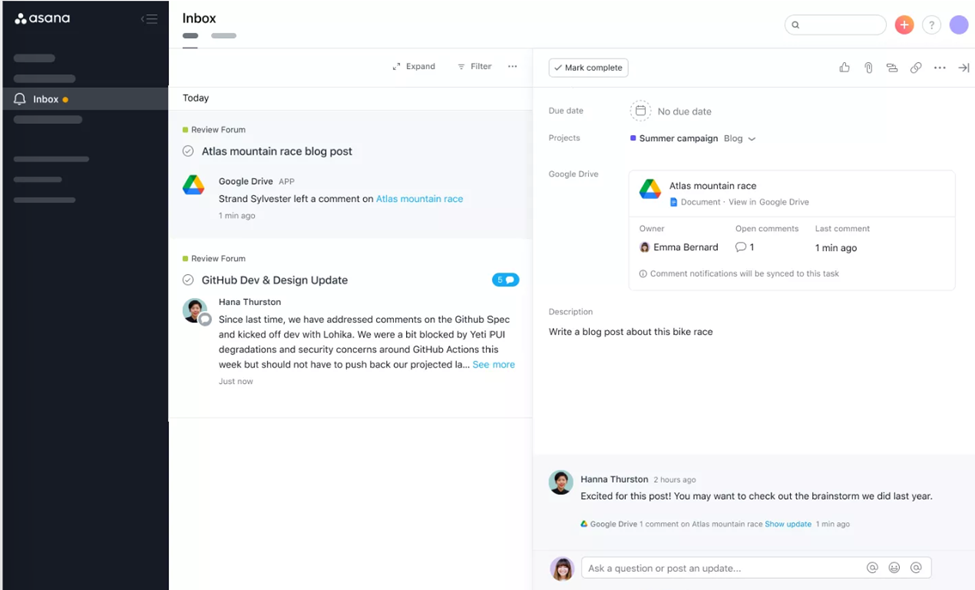
- Collaboration and communication: The tool must centralize comments, @mentions, notifications, and file sharing directly on tasks and projects. Meeting this requirement means your team doesn't need a separate messaging thread to discuss work—context stays attached to the work itself.
Standard Requirements
- Multiple project views: The tool should offer at least Kanban boards, Gantt charts, list views, and calendar views. This requirement is met when different team members can view the same project data in the format that fits their workflow without duplicating information.
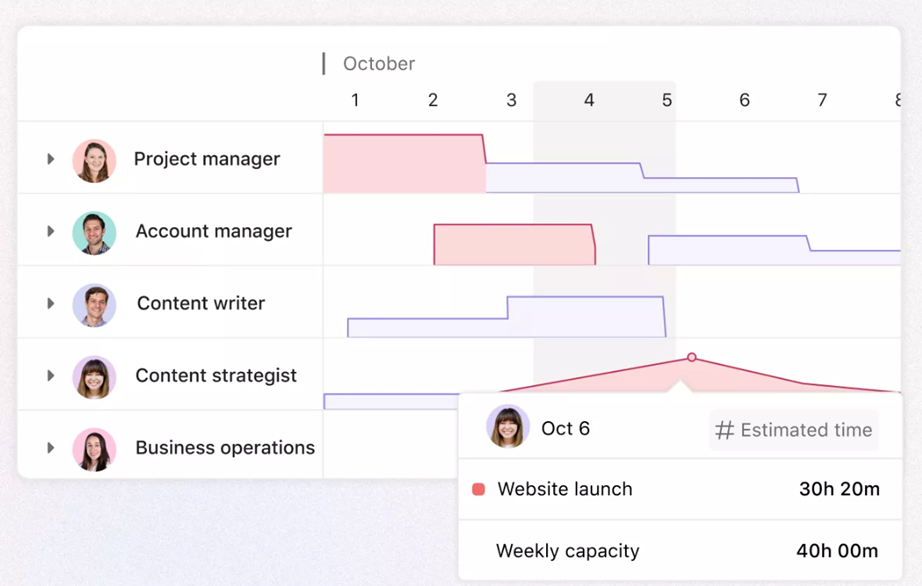
- Resource management and workload balancing: The tool should give managers visibility into each team member's current allocations, capacity, and over-utilization. This is met when you can spot who's overloaded and reassign work before a deadline slips.
- Time tracking and timesheets: The tool should allow team members to log hours directly against tasks. Meeting this requirement means time data is tied to specific work items, not entered into a separate system after the fact.
- Reporting and dashboards: The tool should provide customizable dashboards, project health indicators, and exportable reports. This is met when stakeholders can view real-time project status without asking a project manager to pull data manually.

Special Requirements
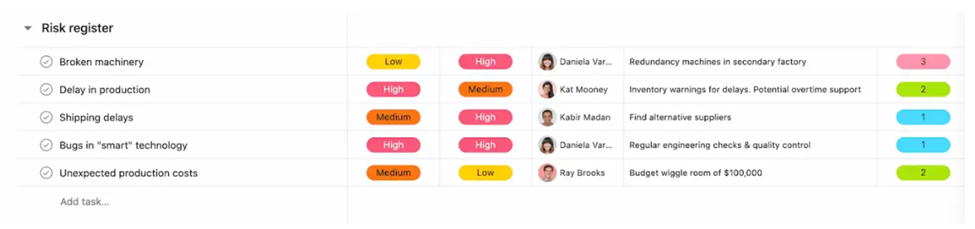
- Portfolio and program management: The tool should provide roll-up views across multiple concurrent projects, giving executives a single place to monitor status, risks, and resource usage across an entire portfolio. This is a specialized need for organizations managing dozens of simultaneous initiatives.
- Budget and cost tracking: The tool should allow teams to set project budgets, log costs, and track spend against plan. Meeting this requirement means a project manager can monitor financial performance inside the platform rather than maintaining a separate spreadsheet.
- Agile/Scrum-specific features: The tool should include sprint planning, backlog management, and burndown charts. This requirement applies specifically to software development teams running Scrum, and is met when the team can run a full sprint cycle—from backlog refinement to sprint review—without leaving the tool.
Technical & Integration Requirements
Absolute Must-Haves
- Cloud-based accessibility: The tool must be browser-based with a documented uptime SLA. This requirement is met when your team can log in from any device, anywhere, without installing software—and when the vendor publicly commits to a minimum availability threshold, typically 99.9% or higher.
- Core productivity tool integrations: The tool must include native connectors to email, calendar, and file storage platforms like Google Workspace and Microsoft 365. This is met when tasks, due dates, and files sync directly between the project management platform and the tools your team already works in—without manual exports or third-party workarounds.

Standard Requirements
- Mobile applications: Remote-friendly tools should offer full-featured iOS and Android apps that let team members update tasks, leave comments, and approve work from their phones. This is met when the mobile experience covers your team's day-to-day actions, not just read-only access to project data.
- API access and webhooks: The tool should offer a documented REST API and webhook support. This requirement is met when your developers can build custom integrations, push data to other systems, and trigger automated actions based on events inside the platform.
- Third-party app marketplace: The tool should include pre-built integrations with tools like Slack, Microsoft Teams, Jira, GitHub, Salesforce, and Zoom. This is met when your team can connect the platform to their existing stack without writing code.
- Data import and export: The tool should support bulk CSV and Excel import and export. This requirement is met when you can migrate existing project data in without rebuilding it manually, and pull data out in a format your team can actually use.
- Automation and workflow builder: The tool should include a no-code rules engine that automates repetitive actions—like changing a task status, sending a notification, or reassigning work when a trigger condition is met. This is met when a project manager, not a developer, can build and maintain those rules inside the platform.
Special Requirements
- On-premise or private cloud deployment: The tool should support self-hosted or private cloud installation for organizations with strict data residency or sovereignty requirements. This is met when your IT team can deploy and manage the application within your own infrastructure, without relying on the vendor's shared cloud environment.
- Developer tool integrations: The tool should connect directly to CI/CD pipelines, Git repositories, and issue trackers. This requirement applies to engineering teams, and is met when developers can link commits, pull requests, and build statuses to project tasks without switching between tools.
- BI tool connectivity: The tool should offer direct connectors to platforms like Power BI, Tableau, or Looker. This is met when your analytics team can pull live project data into their reporting environment without manual exports or intermediary ETL steps.
Security & Compliance Requirements
Absolute Must-Haves
- Role-based access control (RBAC): The tool must support granular permissions at the user, team, project, and object level. This requirement is met when you can give a contractor read-only access to one project while giving a team lead full edit rights across their entire department—without those permissions bleeding into unrelated workspaces.
- Data encryption: The tool must encrypt data in transit using TLS and at rest using AES-256. This requirement is met when the vendor can confirm both encryption standards are active by default, with no additional configuration required on your end.
- Secure authentication: The tool must support strong password policies and multi-factor authentication (MFA). This requirement is met when MFA can be enforced organization-wide, not just offered as an optional user setting.
Standard Requirements
- Single Sign-On (SSO): The tool should integrate with identity providers like Okta and Azure AD via SAML 2.0 or OAuth. This requirement is met when your team can log in through your existing identity provider without maintaining a separate set of credentials.
- Audit logs and activity history: The tool should maintain immutable records of user actions across the platform. This requirement is met when an administrator can pull a timestamped log of who changed what, and when, for any project or task.
- Regular data backups and disaster recovery: The vendor should document recovery time objectives (RTO) and recovery point objectives (RPO) and run tested recovery procedures. This requirement is met when the vendor can demonstrate—not just describe—how your data gets restored and how long that process takes.
- SOC 2 Type II certification: The tool should hold a current SOC 2 Type II report from an independent auditor. This requirement is met when the vendor can provide the report on request, confirming their security controls have been tested over a sustained observation period and not just at a single point in time.
Special Requirements
- GDPR, HIPAA, or FedRAMP compliance: The tool should hold the regulatory certifications relevant to your industry and operating region. This requirement is met when the vendor provides documented compliance attestations and will sign a Data Processing Agreement (DPA) or Business Associate Agreement (BAA) as applicable to your organization.
- Data residency options: The tool should let you choose the geographic region—EU, US, or APAC—where your data is stored and processed. This requirement is met when region selection is a configurable account setting, not a negotiated exception that requires a custom contract.
- Customer-managed encryption keys (BYOK): The tool should allow your organization to supply and manage its own encryption keys. This requirement is met when your security team controls the key lifecycle—including rotation and revocation—independent of the vendor's infrastructure.
Vendor Support & Implementation Requirements
Absolute Must-Haves
- Responsive customer support: The vendor must offer accessible support channels—at minimum email and live chat—with published response time SLAs. This requirement is met when you can reach a support agent during your business hours and receive a substantive response within the timeframe the vendor commits to in writing, not just a ticket acknowledgment.
- Documentation and knowledge base: The vendor must maintain a searchable self-service help center with up-to-date articles, how-to guides, and troubleshooting content. This requirement is met when your team can independently resolve common setup and configuration questions without opening a support ticket.
Standard Requirements
- Onboarding and implementation assistance: The vendor should provide guided setup, project templates, and data migration support for new customers. This requirement is met when you have a structured path from contract signing to a functioning workspace—not just a blank account and a link to the docs.
- Training resources: The vendor should offer video tutorials, live or recorded webinars, and ideally a certification program. This requirement is met when a new team member can get up to speed through structured learning materials without needing a dedicated internal trainer.
- Transparent pricing: The vendor should publish clear per-user or tiered pricing with no hidden fees, add-on charges, or minimum seat requirements buried in the contract. This requirement is met when you can calculate your total annual cost before getting on a sales call.
- Vendor stability and roadmap: The vendor should show evidence of financial health, a track record of product investment, and a public or shared product roadmap. This requirement is met when you can verify the vendor is actively shipping features—not coasting—and that the business is unlikely to fold or be acquired in a way that disrupts your operations.
- Service Level Agreements (SLAs): The vendor should provide contractual guarantees covering both uptime and support response times. This requirement is met when those commitments are written into your service agreement, not just referenced on a marketing page, with defined remedies if the vendor falls short.
Special Requirements
- Dedicated customer success manager: The vendor should assign a named customer success manager to enterprise accounts with complex deployment needs. This requirement is met when you have a single point of contact who knows your account, attends regular check-ins, and can escalate issues internally on your behalf.
- 24/7 premium support: The vendor should offer around-the-clock support for teams that operate across time zones or run the platform as a mission-critical system. This requirement is met when a qualified support agent—not a bot—is reachable at any hour, with response times that reflect the urgency of a production issue.
- Professional services: The vendor should offer paid consulting engagements for custom workflow design, complex integrations, or large-scale configuration work. This requirement is met when the vendor can staff a qualified implementation consultant to your project, not just hand you off to a third-party partner with no oversight.
User Experience & Change Management Requirements
Absolute Must-Haves
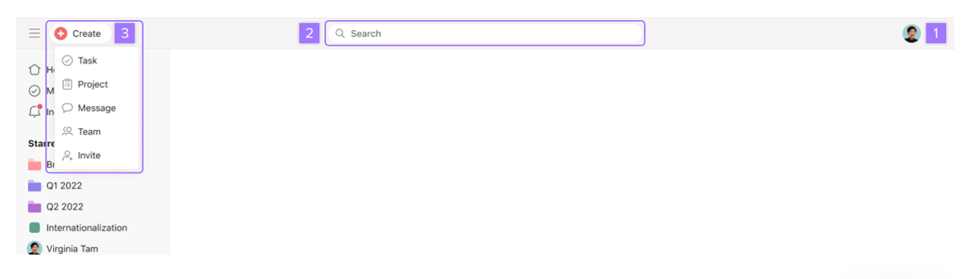
- Intuitive interface and low learning curve: Many people think project management software is difficult to use, and one of the biggest reasons is a complicated user interface. When looking for a new tool, it has to be navigable by new users without formal training, at a minimum. This requirement is met when a team member can create a task, update a status, and locate a project within their first session (without referencing a help article or asking a colleague).
- Configurable notifications and alerts: The tool must let individual users and administrators control which events trigger notifications, through which channels, and for whom. This requirement is met when a team member can opt out of noise that doesn't apply to their role without missing updates that do.
Standard Requirements
- Guest and external collaborator access: The tool should support external users—clients, contractors, or stakeholders—with scoped permissions that limit what they can see and do. This requirement is met when you can invite someone outside your organization to review or contribute to a specific project without granting them access to your full workspace.
- Customizable templates: The tool should include pre-built project and task templates that teams can adapt to their own workflows. This requirement is met when a project manager can launch a new initiative using a consistent starting structure rather than rebuilding the same setup from scratch each time.
- Accessibility compliance: One of the more notable benefits of PM Software is compliance. The tool should meet WCAG 2.1 AA standards, including keyboard navigation, screen reader compatibility, and sufficient color contrast. This requirement is met when team members with visual or motor impairments can perform core actions without workarounds.
- In-app guidance and contextual help: The tool should surface tooltips, walkthroughs, and embedded help content at the point of need. This requirement is met when a new user can complete an unfamiliar action—like setting up an automation or configuring a dashboard—by following prompts inside the platform rather than switching to an external help center.
- Change request tracking: The tool should let teams log, review, and approve scope changes tied directly to affected tasks or milestones. This requirement is met when a project manager can record an in-flight change, document its impact, route it for approval, and update the plan—all without leaving the platform.
Special Requirements
- Multi-language support: The tool should offer a localized interface across the languages your team operates in. This requirement is met when each user can set their own language preference and experience the full platform in that language—not just select menus or documentation.
- White-labeling and custom branding: The tool should allow organizations to apply their own logo, color scheme, and domain to the platform interface. This requirement is met when clients or end users interact with a workspace that reflects your brand, not the vendor's.
- Change management workflow automation: The tool should support structured change control processes—including configurable request forms, multi-stage approval routing, and audit trails for scope modifications. This requirement is met when your organization can enforce a formal change governance process directly in the platform without relying on email chains or external forms.
Industry-Specific/Optional Requirements
Not every requirement on this checklist applies to every team. This section covers the needs that are non-negotiable for certain industries or organizational contexts—and optional for everyone else. Before you evaluate vendors against these, confirm which ones actually apply to your situation.
Absolute Must-Haves
- Regulatory compliance (GDPR, HIPAA, FedRAMP): The tool must hold the certifications relevant to your industry and region. This requirement is met when the vendor provides documented compliance attestations and will sign a Data Processing Agreement (DPA) or Business Associate Agreement (BAA) as applicable to your organization.
- Agile and Scrum-specific features: The tool must support sprint planning, backlog management, and burndown charts. This requirement is met when a software development team can run a full sprint cycle—from backlog refinement to sprint review—without leaving the platform.
- On-premise or private cloud deployment: The tool must support self-hosted or private cloud installation. This requirement is met when your IT team can deploy and manage the application within your own infrastructure, independent of the vendor's shared cloud environment.
Standard Requirements
- Portfolio and program management: The tool should provide roll-up views across multiple concurrent projects. This requirement is met when executives have a single place to monitor status, risks, and resource usage across an entire portfolio.
- Budget and cost tracking: The tool should let teams set project budgets, log costs, and track spend against plan. This requirement is met when a project manager can monitor financial performance inside the platform rather than maintaining a separate spreadsheet.
- Data residency options: The tool should let you choose the geographic region—EU, US, or APAC—where your data is stored and processed. This requirement is met when region selection is a configurable account setting, not a negotiated exception buried in a custom contract.
- Dedicated customer success manager: The vendor should assign a named customer success manager to enterprise accounts. This requirement is met when you have a single point of contact who knows your account, joins regular check-ins, and can escalate issues internally on your behalf.
- 24/7 premium support: The vendor should offer around-the-clock support for teams operating across time zones or running the platform as a mission-critical system. This requirement is met when a qualified support agent—not a bot—is reachable at any hour, with response times that reflect the urgency of a production issue.
- Multi-language support: The tool should offer a localized interface across the languages your team operates in. This requirement is met when each user can set their own language preference and experience the full platform in that language, not just select menus or documentation.
- Developer tool integrations: The tool should connect directly to CI/CD pipelines, Git repositories, and issue trackers. This requirement is met when developers can link commits, pull requests, and build statuses to project tasks without switching between tools.
Special Requirements
- Customer-managed encryption keys (BYOK): The tool should allow your organization to supply and manage its own encryption keys. This requirement is met when your security team controls the full key lifecycle—including rotation and revocation—independent of the vendor's infrastructure.
- BI tool connectivity: The tool should offer direct connectors to platforms like Power BI, Tableau, or Looker. This requirement is met when your analytics team can pull live project data into their reporting environment without manual exports or intermediary ETL steps.
- Professional services: The vendor should offer paid consulting engagements for custom workflow design, complex integrations, or large-scale configuration work. This requirement is met when the vendor can staff a qualified implementation consultant to your project, not just refer you to a third-party partner.
- White-labeling and custom branding: The tool should allow your organization to apply its own logo, color scheme, and domain to the platform interface. This requirement is met when clients or end users interact with a workspace that reflects your brand, not the vendor's.
- Change management workflow automation: The tool should support configurable request forms, multi-stage approval routing, and audit trails for scope modifications. This requirement is met when your organization can enforce a formal change governance process directly in the platform without relying on email chains or external forms.
Overrated Requirements
In my experience, some project management features promise more than they deliver, especially when they duplicate tools your team already uses. Check whether each one solves a recurring workflow problem before making it a requirement:
- Built-in chat: This feature adds team messaging alongside tasks and projects. It’s often redundant when your team already uses Slack or Microsoft Teams, and work discussions can end up split across platforms.
- AI-generated status summaries: These tools turn project updates into brief summaries. They can repeat incomplete or outdated information, so they don’t replace clear ownership and current task data.
- Extensive customization: Custom fields, workflows, and dashboards let teams adapt the tool to their processes. Too many options can create setup and maintenance work without improving the views people use day to day.
- Points, badges, and leaderboards: These gamification features reward actions such as completing tasks or logging updates. They can encourage activity counts over useful project outcomes, especially when teams don’t value the incentives.
Steps to Customize Your Project Management Software Requirements Checklist
Use these steps to tailor your checklist to your team’s projects, workflows, and constraints:
- Define Business Goals and Project Scope: Identify the outcomes the software must support, such as delivering product releases, managing client projects, or tracking cross-functional work. Set the project types, teams, and visualize the workflows in scope.
- Gather Input From All Stakeholders: Ask project managers, product and engineering teams, designers, and decision-makers how they plan work, track dependencies, share updates, and report progress. Include end users who will update tasks regularly.
- Tier and Prioritize Requirements: Mark each requirement as essential, standard, or specialized based on how directly it supports your goals. Separate must-haves, such as task ownership and project planning, from features like portfolio reporting or sprint burndown charts.
- Assess Integration, Scalability, and Security Needs: List the tools the platform must connect with, such as calendars, file storage, chat, or developer systems. Check access controls, compliance needs, and whether the platform can support more projects, users, and data as your organization grows. You may even find tools that takeover tasks from tools you may have otherwise integrated with, for example project management tools with invoicing built-in.
- Calculate Total Cost of Ownership & ROI: Compare subscription fees with implementation, migration, training, support, and add-on costs. Estimate ROI against measurable project needs, such as reducing manual status reporting or improving visibility into workload and delivery dates.
The Best Software For Project Management
Choosing the best project management software takes time and thoughtfulness. Assess your needs, gather them, and effectively challenge and prioritize them. Here is a list of popular project management tools on the market, each offering a wide range of features to support your team:
Clicks on the links below may earn a commission, which supports our independent testing and review of software and services. Learn more about how we stay transparent.


Key Stakeholders in Project Management Software Selection
Include people from across the business so the requirements reflect daily workflows, technical constraints, and budget needs. Use this stakeholder list to clarify who should help define requirements and what each group brings to the decision:
| Stakeholder | Role |
|---|---|
| Project managers | Define planning, scheduling, dependency tracking, reporting, and portfolio visibility needs. |
| Product managers | Identify requirements for roadmaps, backlogs, prioritization, and cross-functional delivery. |
| Engineering leads | Specify sprint, issue-tracking, repository, and CI/CD integration needs. |
| Designers and other project team members | Describe task updates, collaboration, file sharing, notifications, and usability needs. |
| Executive sponsor | Set business goals, establish decision criteria, and identify the reporting leadership needs. |
| IT and security teams | Assess integrations, authentication, permissions, data residency, security, and compliance requirements. |
| Procurement and finance | Review pricing, contract terms, implementation costs, and budget constraints. |
| System administrators or operations leads | Define workspace configuration, user provisioning, templates, automation, and ongoing administration needs. |
| Clients or external collaborators | Identify guest access, review, approval, and project visibility requirements. |

Questions To Consider When Buying Project Management Software
When selecting project management software, consider who will use it, your budget, the technical implementation, team onboarding and skill levels, and what format (desktop, mobile, cloud) suits your project goals and deliverables. It can be helpful to record all this information in a project management software RFP as well.
Asking questions that are relevant to your goals when selecting project management software is crucial in aligning your methods with project demands and setting you up for project success. When evaluating project management software, consider the price and long-term value.
- Are there built-in fees for features you do not require?
- Can you opt out of what is not necessary?
- Is there a joining fee and a monthly subscription fee?
- What is the price per seat, and will you have to pay for unused seats?
Failing to ask the right questions can lead to situations where even the simplest of tools can become difficult to afford:
Trello used to be a go-to for small teams, but now, with so many add-ons required, it’s no longer the cheap and simple option it once was.

Your Checklist Is Ready: Now Here's How to Choose
Once you've mapped your requirements, the next step is narrowing your shortlist, running structured vendor demos, and learning exactly what to look for when you're choosing project management software. Next, you'll need to start calculating the total cost of ownership and building the business case that gets stakeholder sign-off.