



Teamwork.com vs. monday.com: Expert Comparison For 2026



Teamwork.com offers a robust solution for managing projects with efficiency and clarity. monday.com provides a flexible platform for organizing your team's work and collaboration.
While both tools excel in project management, their approaches differ: Teamwork.com focuses on comprehensive task management, whereas monday.com emphasizes customization and visual workflows. In this article, you'll find a detailed comparison of these project management software tools, examining their features, pros and cons, pricing, and more.
Teamwork.com vs. monday AI Workspace: An Overview
Teamwork.com
monday AI Workspace

Why Trust Our Software Recommendations
Our team has been testing and reviewing software since 2012. As project managers ourselves, we know how difficult—and important—it is to choose the right software.
For this guide, we evaluated tools using hands-on testing and independent research, scoring tools using our selection criteria. We also draw on insights from industry thought leaders and practicing project management experts.
Our reviews reflect our human editorial judgment, not a sales pitch.
Expert reviewers:
Teamwork.com vs. monday AI Workspace Pricing Comparison
| Teamwork.com | monday AI Workspace | |
|---|---|---|
| Free Trial | Free plan + 14-day trial + demo available | Free plan + 14-day trial available |
| Pricing | From $9.99/user/month (billed annually) | From $9/user/month (billed annually) |
Teamwork.com vs. monday.com Pricing & Hidden Costs
Teamwork.com pricing is structured with tiered plans that scale based on the number of users and features, with potential additional costs for premium features and add-ons. In contrast, monday.com pricing offers a per-user pricing model with different tiers that may include hidden costs for extra features or integrations.
To choose the right tool, evaluate your team's size, feature needs, and potential growth to ensure the pricing model aligns with your project management requirements.
Teamwork.com vs. monday AI Workspace Feature Comparison
With Teamwork.com’s proofing feature, you can easily manage projects requiring client feedback, making it invaluable for creative teams handling design approvals. By comparison, monday.com’s automation capabilities are excellent for reducing repetitive tasks, which is particularly beneficial in fast-paced environments that require streamlined workflows.
While Teamwork.com excels in managing client interactions, monday.com shines in automating processes, offering distinct advantages depending on your project needs.
| Teamwork.com | monday AI Workspace | |
|---|---|---|
| API | ||
| Batch Permissions & Access | ||
| Budgeting | ||
| Calendar Management | ||
| Collaboration Support | ||
| Contact Management | ||
| Contact Sharing | ||
| Customer Management | ||
| Dashboard | ||
| Dashboards | ||
| Data Export | ||
| Data Import | ||
| Data Visualization | ||
| Dependency Tracking | ||
| Document Sharing | ||
| Expense Tracking | ||
| External Integrations | ||
| File Sharing | ||
| Gantt Charts | ||
| Kanban Boards | ||
| Multi-User | ||
| Notifications | ||
| Project Management | ||
| Resource Management | ||
| Scheduling | ||
| Task Scheduling/Tracking | ||
| Third-Party Plugins/Add-Ons | ||
| Time Management | ||
| Travel Management | ||
| Workflow Management |
Teamwork.com vs. monday.com Integrations
| Integration | Teamwork.com | monday.com |
|---|---|---|
| Slack | ✅ | ✅ |
| Outlook | ✅ | ✅ |
| QuickBooks | ✅ | ❌ |
| HubSpot | ✅ | ✅ |
| Google Calendar | ✅ | ✅ |
| Miro | ❌ | ✅ |
| ❌ | ✅ | |
| Clockify | ✅ | ❌ |
| API | ✅ | ✅ |
| Zapier | ✅ | ✅ |
With Teamwork.com's integration with QuickBooks, you can seamlessly manage your project's financials, which is crucial for teams needing precise budget tracking. monday.com's integration with Miro is also great for visual collaboration, making it perfect for teams that conduct regular brainstorming sessions.
While Teamwork.com streamlines financial management, monday.com enhances creative collaboration, each catering to different project needs.
Teamwork.com vs. monday.com Security, Compliance & Reliability
| Factor | Teamwork.com | monday.com |
|---|---|---|
| Data Encryption | Encrypts data in transit using TLS and at rest with AES-256. | Uses AES-256 for data at rest and TLS for data in transit. |
| GDPR Compliance | Adheres to GDPR guidelines, with tools for data subject access. | Complies with GDPR, offering data export and deletion features. |
| Uptime Guarantee | Offers a 99.99% uptime Service Level Agreement (SLA) with robust infrastructure support. | Provides a 99.9% uptime SLA, backed by reliable cloud services. |
| Access Controls | Offers role-based permissions for secure user access. | Offers customizable permissions and user access levels. |
Teamwork.com and monday.com both offer strong security and compliance measures, with slight differences in uptime guarantees and access controls.
To choose the right vendor, evaluate the specific security needs of your team, such as data handling and user access, and prioritize features that align with your organization's compliance requirements.
Teamwork.com vs. monday.com Ease of Use
| Factor | Teamwork.com | monday.com |
|---|---|---|
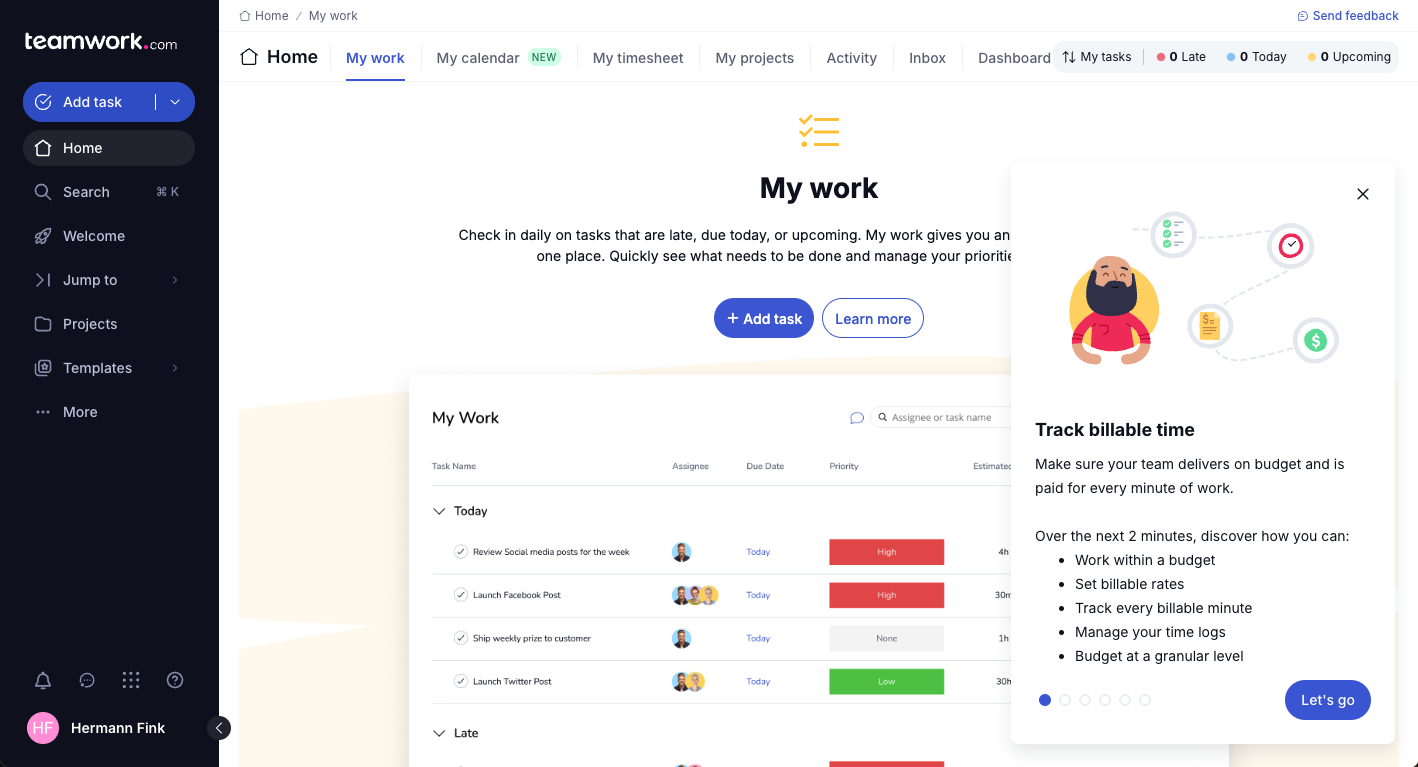
| User Experience | Offers a clean, tab-based interface that simplifies navigation. | Offers a vibrant, drag-and-drop interface for easy use. |
| Onboarding | Offers guided tutorials and a knowledge base for new users. | Provides interactive tutorials and a community forum. |
| Setup Process | Has a straightforward setup with customizable templates. | Offers quick setup with pre-built templates and automations. |
| Support | Provides 24/7 support via chat and email. | Offers multi-channel support, including webinars and live chat. |
monday.com is intuitive with its drag-and-drop interface, making it easier for visual thinkers, but its colorful layout can be overwhelming. Conversely, Teamwork.com offers a straightforward interface with strong support, although its tab-based design may feel dated to some users.
Teamwork.com vs monday AI Workspace: Pros & Cons
Teamwork.com
- You can manage workloads and resources effectively with its robust features.
- Teamwork's collaboration tools, like chat and message boards, keep your team connected.
- The platform's Academy offers useful videos to help you use it effectively.
- You might find the interface overwhelming with its many features.
- Some users feel the mobile app could be more intuitive.
- The learning curve can be steep for new users without prior experience.
monday AI Workspace
- The interface is easy to use, with simple drag and drop timeline and charting mechanics.
- You can create forms that live within your project as a view.
- There is a long list of supported integrations
- The Gantt view isn't useful for building a project.
- Recurring tasks are considered automations and limited to higher tier plans.
- There is a steep learning curve for beginners.
Best Use Cases for Teamwork.com and monday AI Workspace
Teamwork.com
- Creative Agencies Teamwork.com supports your agency with tools for managing client projects and tracking billable hours.
- Remote Teams Use Teamwork to stay connected with your team through its communication and collaboration features.
- Marketing Departments Manage your marketing campaigns with task lists, calendars, and resource allocation.
- Consulting Firms Track time and manage multiple client projects efficiently with Teamwork’s time tracking capabilities.
- Event Planning Organize events with ease using project timelines and task dependencies.
- Product Development Coordinate product launches with detailed task management and team collaboration features.
monday AI Workspace
- Creative departments With features like collaborative docs and a proofing screen, creative teams can improve feedback loops and increase delivery speeds.
- Marketing teams Its customizable dashboards and automation features let you track campaigns and workflows efficiently.
- Content creation monday.com's file management and commenting capabilities let teams manage media files and improve collaboration.
- Event planners The platform’s timeline views and easy collaboration features make managing multiple events straightforward.
- Product development You can track progress and updates across teams to maintain alignment and meet deadlines.
- Remote teams With collaborative features and real-time updates, remote teams can maintain productivity and communication effortlessly.
Who Should Use Teamwork.com and monday.com?
In my opinion, Teamwork.com is well-suited for project managers in creative industries who require strong client collaboration and task management. For fast-paced tech environments or startups, monday.com's customizable, visual workflows align better with dynamic team needs.
Those with budget constraints may prefer Teamwork.com's straightforward pricing, while teams needing extensive integrations and automation might find monday.com's flexibility worth the cost.
Differences Between Teamwork.com and monday AI Workspace
| Teamwork.com | monday AI Workspace | |
|---|---|---|
| Automation | Provides basic automation for task management. | Excels with customizable automations for streamlining tasks. |
| Client Collaboration | Includes proofing and feedback tools ideal for creative teams. | Focuses more on internal collaboration with visual workflows. |
| Integrations | Offers integrations, such as QuickBooks, for financial management. | Connects with Miro for visual collaboration and brainstorming. |
| Pricing | Uses tiered plans that scale with features and users. | Offers a per-user pricing model with tiered feature access. |
| User Interface | Has a clean, tab-based interface for straightforward navigation. | Features a colorful, drag-and-drop interface for visual ease. |
| Read Teamwork.com ReviewOpens new window | Visit monday AI WorkspaceOpens new window |
Similarities Between Teamwork.com and monday AI Workspace
| Collaboration | They provide tools to enhance team communication and collaboration. Teamwork.com includes messaging features, and monday.com offers comment threads on tasks for seamless interactions. |
|---|---|
| Customizable Workflows | The solutions allow you to customize workflows to fit your project needs. Teamwork.com offers templates for repeatable processes, while monday.com lets you build visual workflows from scratch. |
| Integrations | The platforms support integrations to extend their capabilities. Teamwork.com connects with tools like Slack for communication, and monday.com integrates with Zapier for broader connectivity. |
| Reporting | Each tool includes reporting features to monitor project performance. Teamwork.com provides detailed reports on workload, and monday.com offers visual dashboards for quick insights. |
| Task Management | Teamwork.com and monday.com offer robust task management features, letting you assign tasks, set deadlines, and track progress. Teamwork.com provides detailed task lists, while monday.com uses visual boards to manage tasks. |
| Read Teamwork.com ReviewOpens new window Visit monday AI WorkspaceOpens new window | |