


Monday CRM versus Productive: deskundige vergelijking voor 2026



Monday CRM biedt een gestroomlijnde aanpak voor het beheren van de klantinteracties van je team. Productive biedt daarentegen een robuust kader voor het optimaliseren van de productiviteit van je team naast klantbeheer. Hoewel beide tools gericht zijn op het verbeteren van je klantrelatieprocessen, verschillen ze in hun integratiemogelijkheden en het ontwerp van hun gebruikersinterface. In dit artikel vind je een uitgebreide vergelijking van de functies, voor- en nadelen, prijzen en meer van de tools, met de nadruk op hun toepassing voor klantrelatiebeheer.
monday CRM vs. Productive: An Overview
monday CRM


Productive



Waarom u onze softwareaanbevelingen kunt vertrouwen
Ons team test en beoordeelt software sinds 2012. Als projectmanagers weten we zelf hoe moeilijk — en belangrijk — het is om de juiste software te kiezen.
Voor deze gids hebben we tools geëvalueerd met behulp van praktijktests en onafhankelijk onderzoek, waarbij we tools beoordeelden aan de hand van onze selectiecriteria. We putten ook uit inzichten van vooraanstaande experts uit de branche en praktiserende projectmanagementprofessionals.
Onze reviews weerspiegelen ons menselijke redactionele oordeel, geen verkooppraatje.
Deskundige beoordelaars:
monday CRM vs. Productive Pricing Comparison
| monday CRM | Productive | |
|---|---|---|
| Free Trial | 14-day free trial + free demo available | 14-day free trial + free demo available |
| Pricing | From $12/seat/month (billed annually) | From $10/user/month (billed annually) |
Prijzen en verborgen kosten van Monday CRM versus Productive
De prijzen van Monday CRM zijn gebaseerd op verschillende abonnementsniveaus, waarbij de kosten stijgen naarmate je meer functies of gebruikers toevoegt. Mogelijk zijn er ook extra kosten voor premiumintegraties of aanvullende opslagruimte. De prijzen van Productive volgen eveneens een model met verschillende niveaus, waarbij de kosten afhangen van het aantal gebruikers en er extra kosten kunnen gelden voor geavanceerde functies of hogere gebruikslimieten.
Om de juiste tool voor je verkoopteam te kiezen, vergelijk je beide leveranciers door rekening te houden met de totale eigendomskosten, inclusief eventuele verborgen kosten. Bekijk hoe de prijsstelling van elke tool aansluit bij de omvang van je team, de verwachte groei en de specifieke functies die je nodig hebt. Overweeg proefperiodes of demo's om de waarde van elke tool in verhouding tot de kosten te beoordelen.
monday CRM vs. Productive Feature Comparison
\u003cspan style=\u0022font-weight: 400\u0022\u003eMet de automatiseringsmogelijkheden van Monday CRM kun je repetitieve taken, zoals opvolgmails, stroomlijnen. Dit maakt de tool ideaal voor een salesmanager die dagelijks meerdere klantinteracties afhandelt. De functie voor projectfinanciën van Productive is uitstekend geschikt voor het gedetailleerd bijhouden van budgetten en facturen, wat essentieel is voor effectief kostenbeheer in verkoopomgevingen die op projecten zijn gebaseerd. Terwijl Monday CRM workflowautomatisering vereenvoudigt, blinkt Productive uit in financieel toezicht en biedt de tool unieke voordelen afhankelijk van de specifieke behoeften van je team.\u003c/span\u003e
| monday CRM | Productive | |
|---|---|---|
| API | ||
| Data Export | ||
| Data Import | ||
| External Integrations | ||
| Multi-User | ||
| Notifications | ||
| Scheduling | ||
| Task Scheduling/Tracking |
Integraties van Monday CRM versus Productive
| Integratie | Monday CRM | Productive |
|---|---|---|
| Google Calendar | ✅ | ✅ |
| HubSpot | ✅ | ✅ |
| Jira | ✅ | ✅ |
| QuickBooks | ❌ | ✅ |
| Salesforce | ✅ | ❌ |
| Trello | ✅ | ❌ |
| Slack | ✅ | ✅ |
| Bamboo HR | ❌ | ✅ |
| API | ✅ | ✅ |
| Zapier | ✅ | ✅ |
Dankzij de integratie van Monday CRM met Salesforce kun je klantgegevens en verkooppijplijnen naadloos beheren. Dit is ideaal voor een salesmanager die realtime inzicht in klanten nodig heeft. De QuickBooks-integratie van Productive is uitstekend geschikt voor het bijhouden van financiële gegevens en facturering, vooral in verkoopomgevingen die op projecten zijn gebaseerd. Terwijl Monday CRM zich richt op het verbeteren van verkoopworkflows, blinkt Productive uit in financieel beheer en speelt de tool in op andere operationele behoeften.
Monday CRM versus Productive: Beveiliging, naleving en betrouwbaarheid
| Factor | Monday CRM | Productive |
|---|---|---|
| Gegevensversleuteling | Versleutelt gegevens zowel in rust als tijdens de overdracht, zodat informatie veilig wordt verwerkt. | Gebruikt AES-256-versleuteling om gegevens te beschermen en biedt robuuste beveiliging voor opgeslagen informatie. |
| Naleving van regelgeving | Voldoet aan de AVG en biedt aanpasbare instellingen voor gegevensprivacy, zodat gebruikers controle houden. | Waarborgt naleving van de AVG met regelmatige audits en maatregelen voor gegevensbescherming. |
| Betrouwbaarheid | Biedt een beschikbaarheid van 99,9% met realtime statusupdates die toegankelijk zijn voor gebruikers. | Biedt betrouwbare dienstverlening met een beschikbaarheidsgarantie van 99,9% en continue monitoring. |
| Toegangsbeheer | Beschikt over op rollen gebaseerde machtigingen om gebruikerstoegang tot gevoelige gegevens te beheren. | Implementeert gebruikersrollen en machtigingen om toegang te beperken op basis van de functie. |
Zowel Monday CRM als Productive bieden sterke kaders voor beveiliging en naleving, maar de aanpasbare privacy-instellingen van Monday CRM geven het een voorsprong op het gebied van gebruikerscontrole. Om de juiste leverancier te kiezen, beoordeelt u de specifieke behoeften van uw team op het gebied van gegevensbescherming. Houd daarbij rekening met factoren zoals versleutelingsstandaarden en nalevingsvereisten om de beste keuze te maken.
Monday CRM versus Productive: gebruiksgemak
| Factor | Monday CRM | Productive |
|---|---|---|
| Gebruikersinterface | Biedt een kleurrijke, intuïtieve interface met functionaliteit voor slepen en neerzetten, zodat navigeren eenvoudig is. | Heeft een strak, minimalistisch ontwerp dat zich richt op efficiënt taakbeheer. |
| Inwerkervaring | Biedt interactieve zelfstudies en handleidingen waarmee nieuwe gebruikers snel aan de slag kunnen. | Biedt een eenvoudig onboardingproces met handige tooltips en hulpmiddelen. |
| Installatie | Vereist minimale configuratie dankzij vooraf gebouwde sjablonen die de eerste inrichting stroomlijnen. | Maakt eenvoudige installatie mogelijk met aanpasbare workflows die aansluiten op verschillende teambehoeften. |
| Ondersteuning | Omvat 24/7-klantenondersteuning en een uitgebreide kennisbank voor het oplossen van problemen. | Biedt snelle ondersteuning via chat en e-mail, naast een uitgebreid helpcentrum. |
De levendige interface van Monday CRM maakt het platform aantrekkelijk, maar de grote hoeveelheid functies kan in het begin overweldigend zijn. Productive is dankzij het eenvoudige ontwerp gemakkelijker te navigeren, al mist het mogelijk een deel van de visuele aantrekkingskracht waarmee Monday CRM zich onderscheidt.
monday CRM vs Productive: Pros & Cons
monday CRM
- You can easily customize workflows to fit your team's specific needs.
- It enhances team collaboration with real-time updates and dashboards.
- The onboarding process is smooth and user-friendly, helping your team get started quickly.
- The interface can be overwhelming for smaller teams with its extensive capabilities.
- Some users find the navigation less intuitive compared to other tools.
- It might not be the best fit for teams needing advanced financial features.
Productive
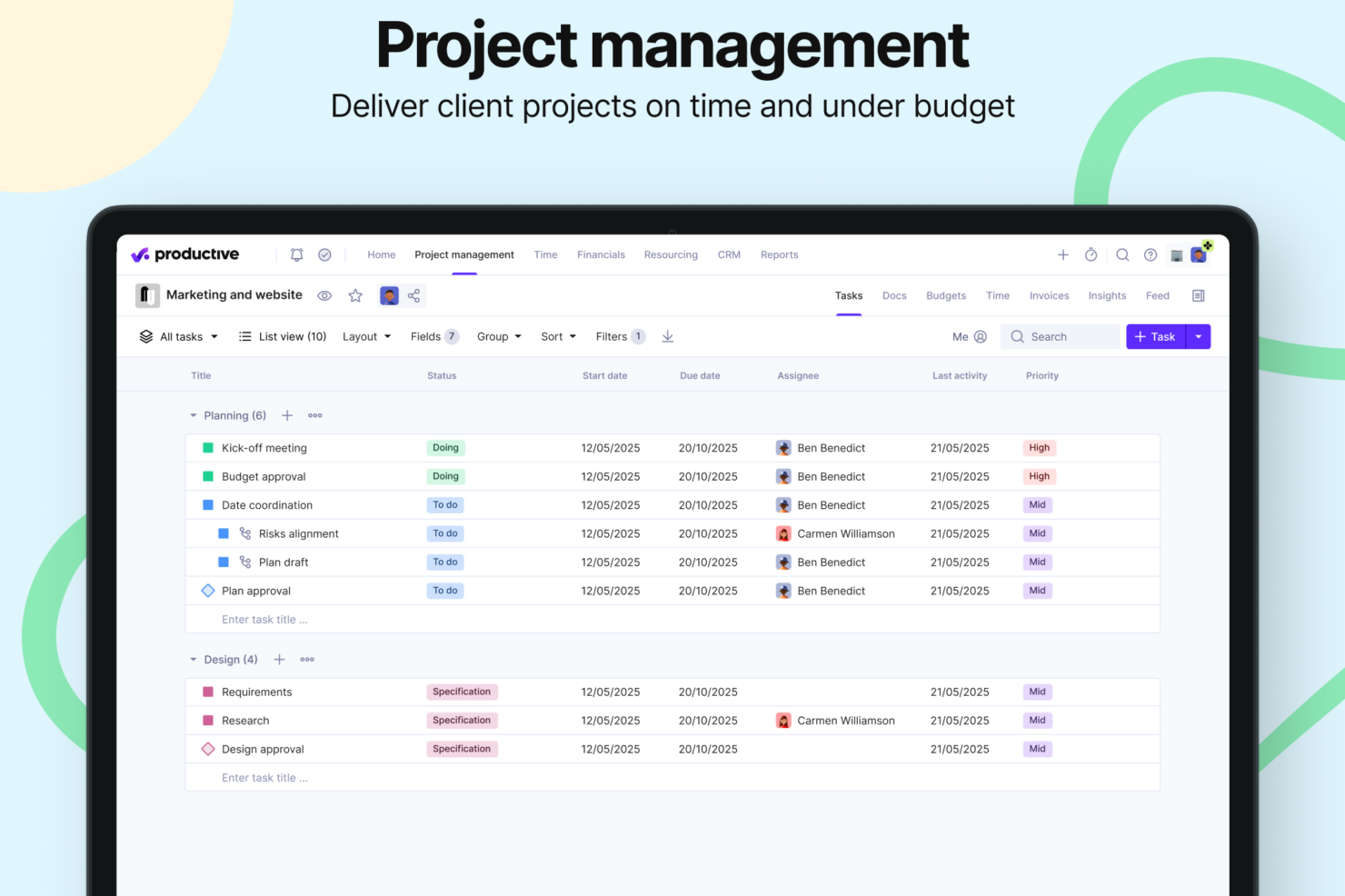
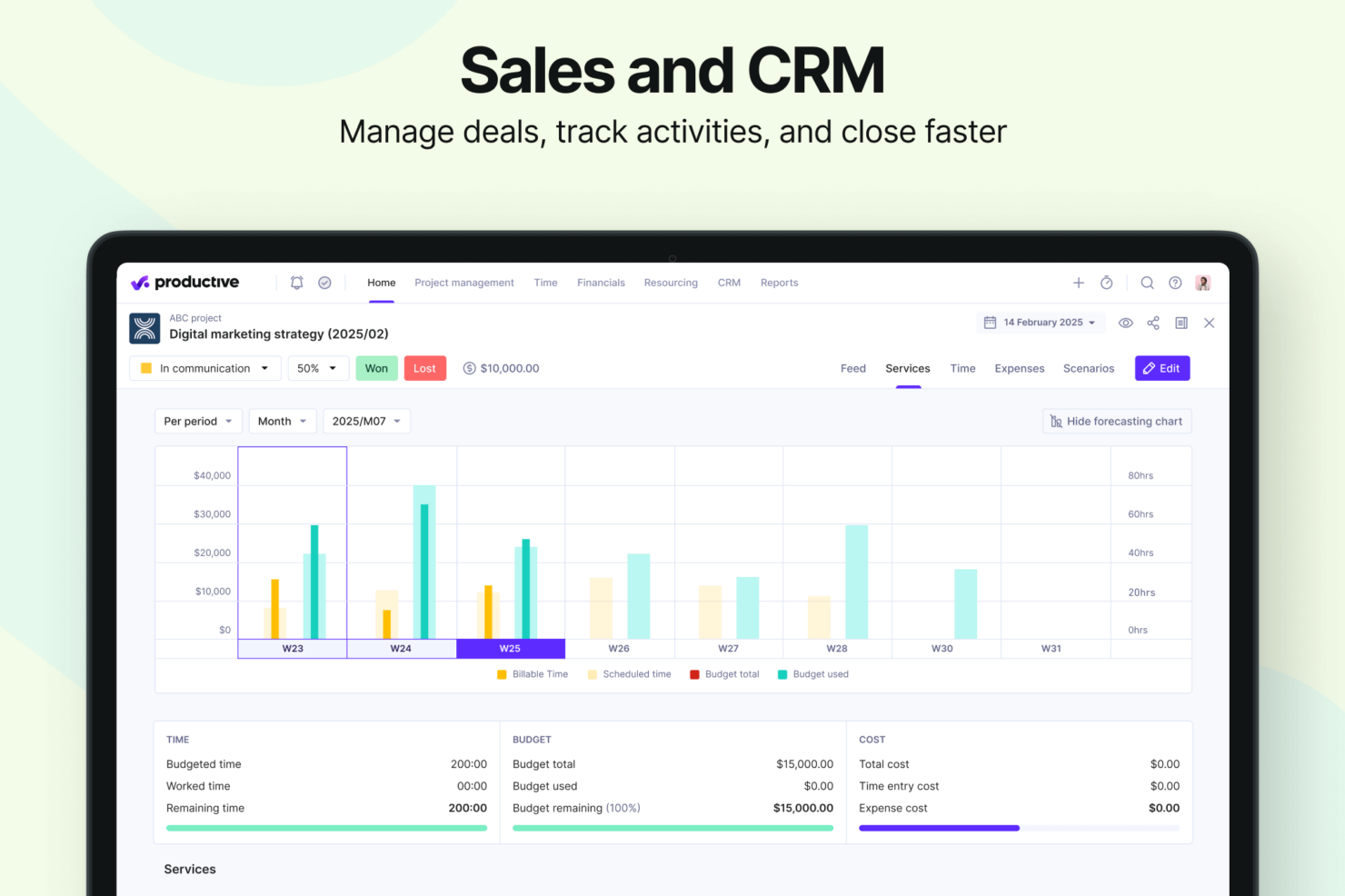
- Strong financial tracking and forecasting tools give you real-time insight into project profitability and overall business performance.
- You can handle agency projects end-to-end, from proposal to payment, which simplifies your workflow.
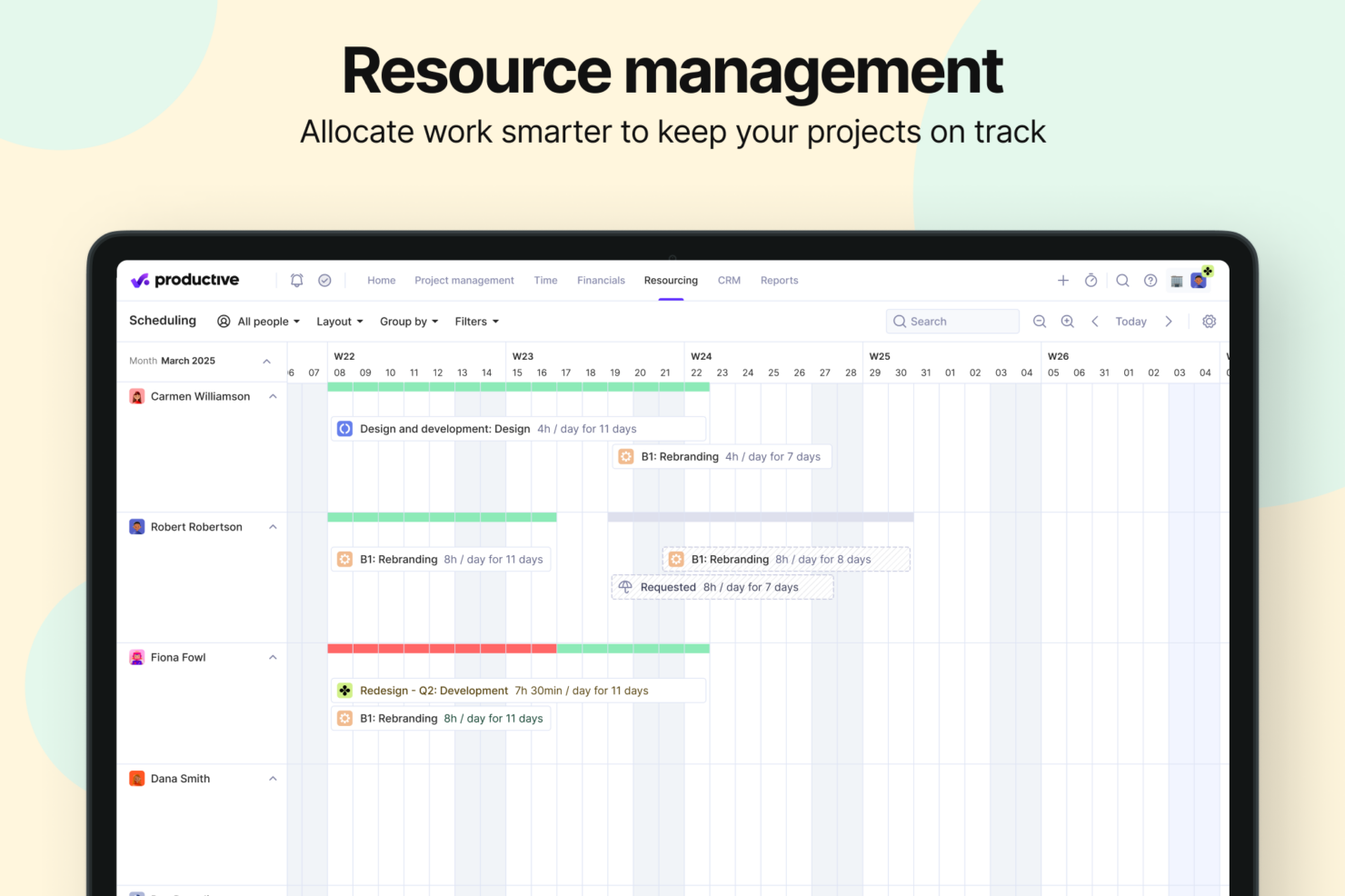
- Robust resource planning and workload management help you allocate people effectively.
- No free option available for teams looking for core project management functions.
- Advanced features can be complicated for small companies that just want basic task tracking.
- There's a minimum 3-seat requirement, so the tool isn't fit for single users or tiny teams.
Best Use Cases for monday CRM and Productive
monday CRM
- Marketing Teams Monday CRM lets you track campaigns and collaborate on content with its visual boards and real-time updates.
- Creative Agencies You can manage client projects and deadlines with customizable workflows that adapt to your needs.
- Sales Departments Track leads and sales pipelines with ease using Monday CRM’s intuitive dashboard and reporting features.
- Product Development Organize product roadmaps and collaborate with your team through Monday CRM’s task management and file-sharing capabilities.
- Event Planning Coordinate logistics and schedules seamlessly with Monday CRM’s timeline views and task assignments.
- Remote Teams Stay connected and on track with Monday CRM’s real-time collaboration tools and integration options.
Productive
- Creative agencies Agencies managing client retainers or project-based work gain real-time control over budgets, utilization, and profitability. Productive supports collaborative workflows while giving leadership deep financial insights.
- Architecture & Engineering Firms Productive aligns well with your workflows by combining project budgeting, resource planning, phased delivery, and profitability tracking.
- Consulting Firms Consultancies benefit from Productive’s integrated approach to scoping, staffing, project financials, and invoicing—providing clarity across complex engagements and supporting better revenue forecasting.
- Professional Service Providers Productive supports end-to-end service delivery with strong project financials, resource planning, time tracking, and billing workflows.
- IT Services IT service teams can streamline client engagements with robust time tracking, retainer management, cost tracking, and project profitability features.
- Mid-to-Large Businesses Organizations with growing teams benefit from Productive’s scalable project controls, forecasting, custom reporting, and multi-office management capabilities.
Wie moet Monday CRM gebruiken en wie moet Productive gebruiken?
Monday CRM is zeer geschikt voor verkoopteams die een sterk aanpasbaar platform nodig hebben om deals te beheren, repetitieve taken te automatiseren en een visueel overzicht van de volledige verkooppijplijn te krijgen. Het is ideaal voor teams die elke fase van het CRM willen afstemmen op hun unieke werkwijze, vooral in creatieve of snel veranderende sectoren. Productive is daarentegen ontwikkeld voor bureaus en dienstverlenende bedrijven die hun verkooppijplijn rechtstreeks willen koppelen aan budgettering, capaciteitsplanning en winstgevendheid. Als uw verkoopteam naadloze samenwerking tussen afdelingen nodig heeft, bijvoorbeeld tussen verkoop, financiën en uitvoering, is de alles-in-éénbenadering van Productive mogelijk geschikter. Voor visuele flexibiliteit en schaalbare CRM-automatisering levert Monday CRM uitstekende resultaten; voor gegevensrijke dealtracking en inzicht in bedrijfsprestaties blinkt Productive uit.
Differences Between monday CRM and Productive
| monday CRM | Productive | |
|---|---|---|
| Business Intelligence | monday CRM offers dashboards focused on sales performance, deal tracking, and pipeline analytics—not project profitability, delivery margins, or financial forecasting. | Productive includes budgeting, cost tracking, profitability forecasting, revenue insights, and a full BI layer for service businesses. |
| Document Management | monday CRM does not have a native document editor; it integrates with external tools (Google Docs, etc.). | Productive includes integrated Docs for specs, notes, briefs, and project documentation. |
| Project Delivery | monday CRM focuses on CRM workflows: lead collection, deal stages, pipelines, email sequences, automations, and contact management. | Productive manages the entire lifecycle: proposals, projects, tasks, resources, financials, invoicing, reporting, docs, and profitability. |
| Resource Management | monday CRM does not offer traditional resource planning. It provides activity/task scheduling for sales reps, but not project-based capacity or utilization management. | Productive includes mature tools for resource planning and workload management: filtering by skills, seniority, availability, placeholders for future hiring, and visual workload balancing. |
| Scenario Building | monday CRM does not offer scenario-planning functionality. Its forecasting is sales pipeline–oriented. | Built-in Scenario Builder allows modeling different project or deal scenarios, comparing costs, staffing, timing, and profitability before committing. |
| Visit monday CRMOpens new window | Visit ProductiveOpens new window |
Similarities Between monday CRM and Productive
| Cross-Platform Access | Both platforms are accessible across devices, allowing teams to manage work on the go through mobile apps or responsive web interfaces. |
|---|---|
| Customizable Workflows | Both tools let teams tailor workflows to fit their processes, with support for customizable stages and a variety of templates. |
| Integration Options | Each platform supports a wide range of third-party integrations, including tools like Slack, Google Calendar, and other popular apps. |
| Real-time Collaboration | Both tools let teams tailor workflows to fit their processes, with support for customizable stages and a variety of templates. |
| Reporting | Both Monday CRM and Productive offer reporting features that allow users to visualize key metrics and track performance across workflows. |
| Visit monday CRMOpens new window Visit ProductiveOpens new window | |