

De beste produktivitetsappene: Øk produktiviteten i 2026

10 de beste produktivitetsappene (inkludert gratis alternativer)


Vi lever i merkelige tider – ved siden av en raskt voksende industri av mindfulness-apper som skal hjelpe oss med å gjøre mindre, bruker vi alle slags produktivitetsapper som skal hjelpe oss med å oppnå mer.
Hvis du jobber i den digitale bransjen, har du sannsynligvis allerede prøvd en eller annen form for produktivitetsprogramvare. Men hva er produktivitetsprogramvare? Produktivitetsverktøy dekker et bredt område, fra enkle gjøremålslister til verktøy for produktivitetssporing som måler prestasjonen din på en bestemt dag.
Når du tenker på apper som fungerer godt for deg, bør du huske at de beste organiseringsappene eller de beste påminnelsesappene bare er de “beste” hvis de hjelper deg med å utføre det riktige arbeidet på en måte som fungerer godt for deg over tid.
Kort sagt er de beste produktivitetsappene verktøy som hjelper deg med å jobbe effektivt.
Slik blir du effektiv og produktiv
Altfor ofte fokuserer vi på produktivitet som et spørsmål om omfang: Hvor mye tjener jeg, og hvor raskt? For å kunne jobbe virkelig effektivt må vi endre måten vi tenker på produktivitet på: Det handler egentlig om å bruke tiden din bedre.
Hvordan bruker du tiden din bedre?
Først må vi finne ut hvordan vi kan bruke tiden vår mest produktivt. Stopp opp og spør deg selv:
- Hvilken innvirkning får det hvis jeg ikke gjør denne tilsynelatende presserende oppgaven nå? (For denne presserende oppgaven er sannsynligvis egentlig ikke så viktig!)
- Hvilke aktiviteter er viktigst for meg?
- Hva kan jeg (og bare jeg) gjøre som, hvis det gjøres godt, vil utgjøre en reell forskjell?
En god måte å svare på disse spørsmålene på er å bruke en prioriteringsmatrise for å liste opp oppgaver etter hvor presserende og viktige de er. Jeg liker å bruke matrisen nedenfor, som er basert på Eisenhower-matrisen:
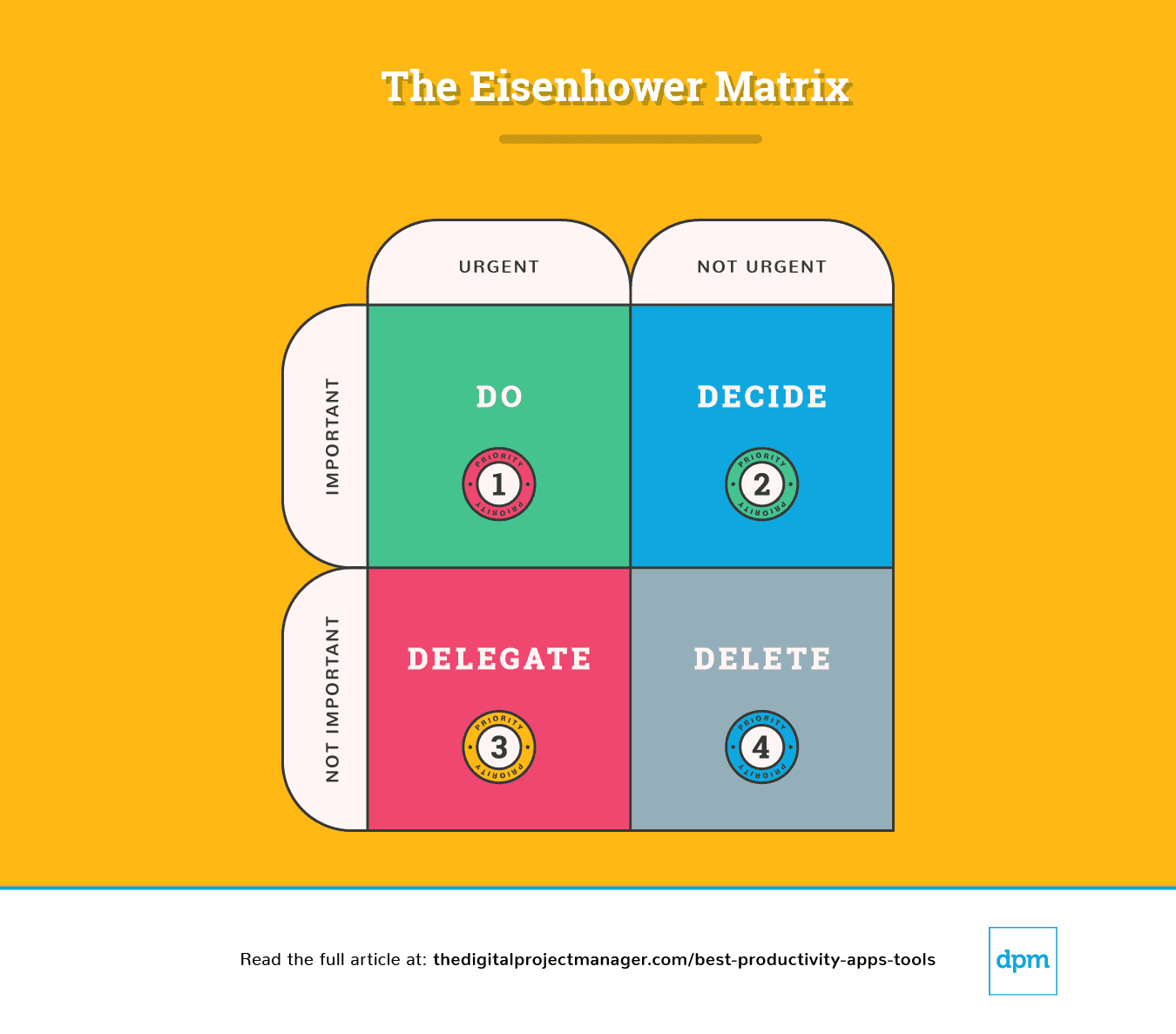
Forklaring av Eisenhower-matrisen
En enkel inndeling av dette diagrammet viser oss hvordan vi må gå frem med en oppgave:
Prioritet #1: Den er presserende og viktig. Sett i gang og gjør det.
Prioritet #2: Den er ikke presserende, men likevel viktig. Finn ut hvilke punkter som hindrer prosessen i å gå fremover. Bestem det ideelle tidspunktet, personen og metoden for å utføre oppgaven.
Prioritet #3: Den er presserende, men ikke viktig. Deleger oppgaven til den rette personen, slik at du kan konsentrere deg om viktige oppgaver.
Prioritet #4: Den er ikke presserende og heller ikke viktig; den er fjerdeprioritet. Fjern oppgaven.
På slutten av hver dag bør du bruke 10 minutter på å finne ut hvordan morgendagen din skal se ut – hva skal du gjøre, bestemme, delegere og slette?
Deretter bør du se nærmere på disse produktivitetsappene. Jeg har valgt ut dem som kan hjelpe deg med å få gjort det viktige arbeidet og bruke tiden effektivt ved å automatisere, spore, synkronisere og minne deg på oppgaver – slik at du får mer tid til å gjøre det arbeidet som betyr mest!
The Digital Project Manager er leserstøttet. Når du klikker på lenker på nettstedet vårt, kan vi få en provisjon. Finn ut mer.
Prioritet nr. 1: Det haster, og det er viktig. Sett i gang og gjør det.
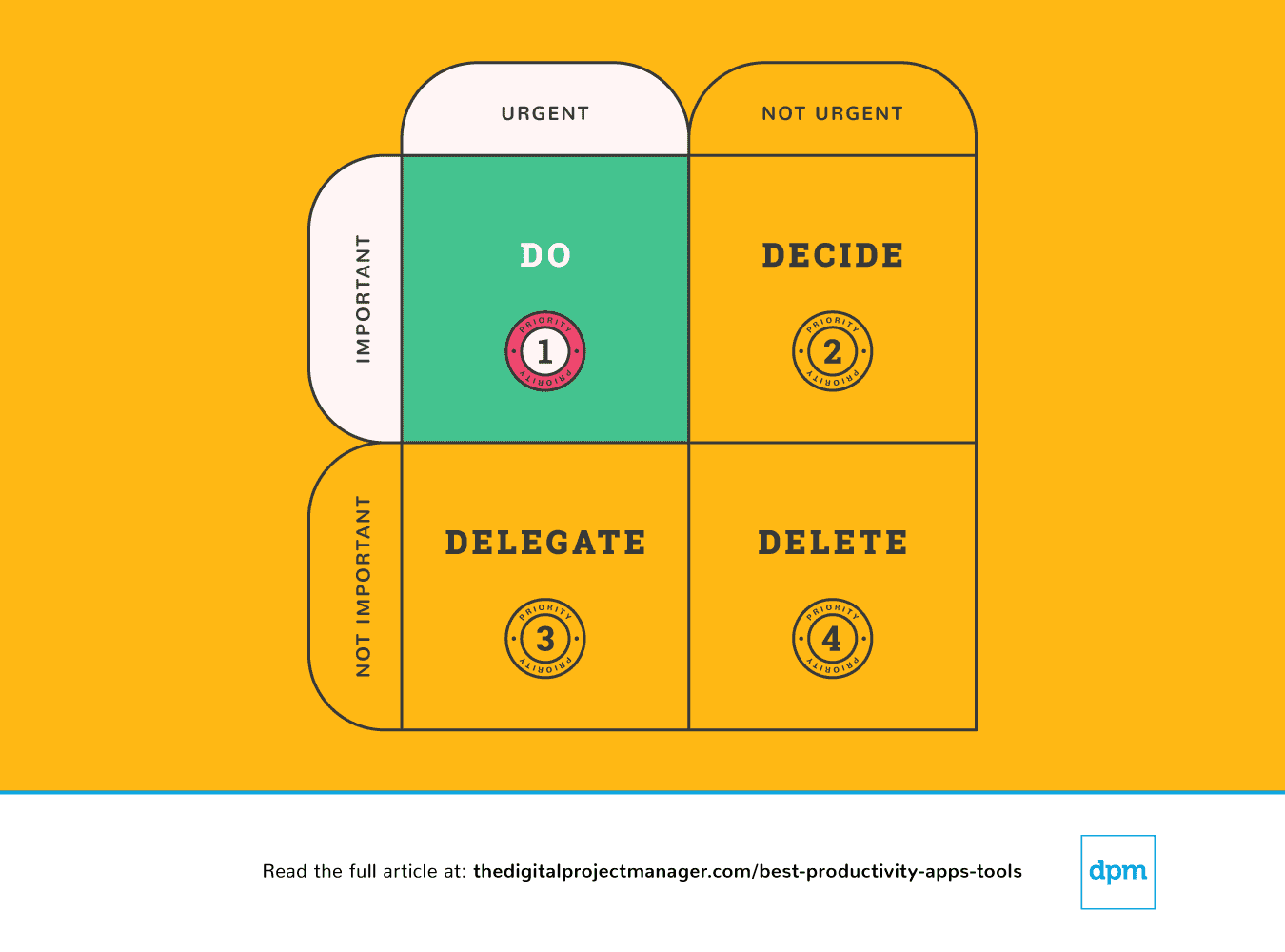
Dine viktigste oppgaver følger regelen “Gjør det nå”. Hvis du ser en oppgave som tar mindre enn 2 minutter, bør du derfor bare gjøre den med én gang (hvorfor? Fordi det tar mer tid å legge den til på oppgavelisten din og deretter planlegge og prioritere den).
Å starte på en oppgave med høy prioritet og fortsette med den til den er 100 % ferdig, er den virkelige prøven på karakteren din. Det er ikke enkelt, men det avgjør hvor produktiv du kommer til å være. Det krever selvdisiplin, men vi kan gjøre det enklere for oss selv med noen produktivitetsverktøy.
Prioritet nr. 2: Det haster ikke, men det er likevel viktig. Identifiser alle viktige punkter.
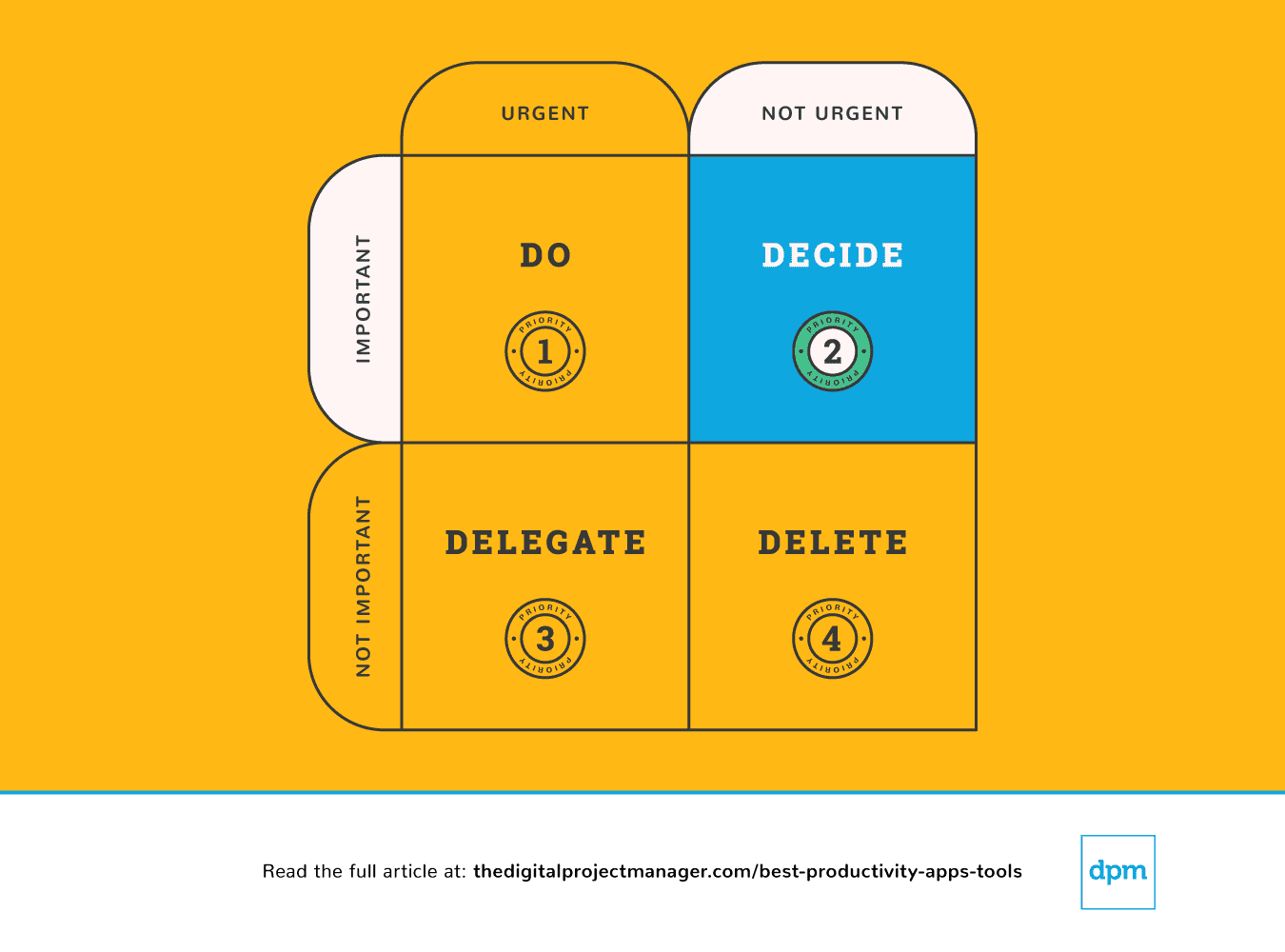
Når noe er viktig, men ikke nødvendigvis haster, må du ta deg tid til å finne en passende plan for hvordan du skal håndtere saken. Slutt å vingle – planlegg å gjøre de viktige tingene ordentlig.
Vi kan føle oss helt overveldet fordi vi blir trukket i for mange retninger – det føles som om det er for mye å gjøre og ingen måte å gjøre alle fornøyde på. For å ta beslutninger som gir mest mening for oss, teamet vårt og prosjektene våre, trenger vi en klar oversikt over alle oppgavene, prioriteringene og fremdriften vår.
Produktivitetsappene nedenfor er spesielt nyttige for prioritering av oppgaver – for å gjennomgå arbeidsflyten, følge fremdriften og gi oss all informasjonen vi trenger for å ta gode beslutninger mens vi håndterer arbeidet vårt.
Prioritet nr. 3: Det haster, men det er ikke viktig. Deleger.
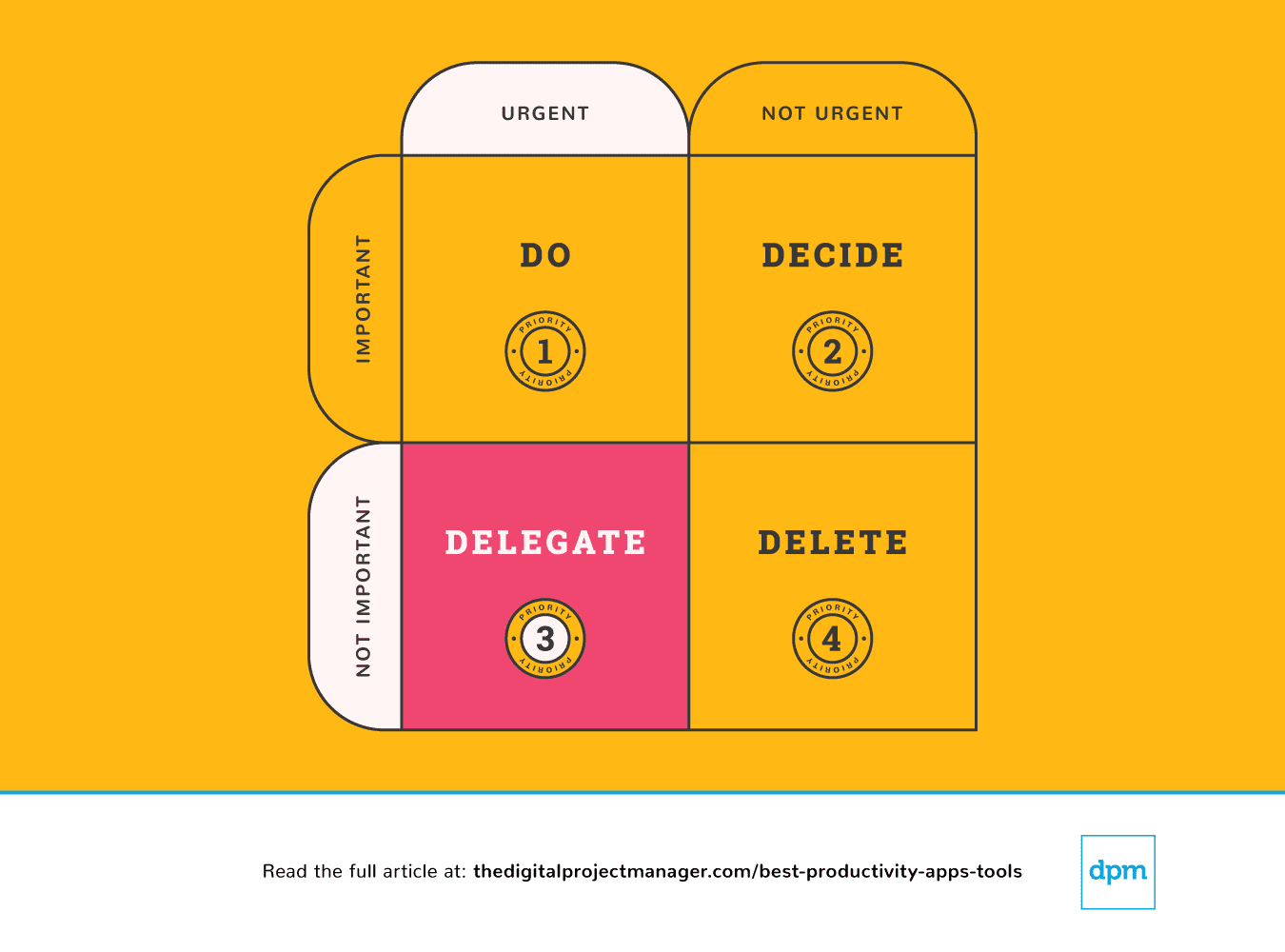 Noen synes det er enkelt å delegere oppgaver, mens andre kjenner en sterk trang til å “gjøre det selv”. Selv om det kan være vanskelig å gi oppgaver videre til andre mennesker, er det enkelt å overlate oppgaver til en maskin. Det finnes et stort utvalg av produktivitetsapper som gjør at vi kan få mer gjort på kortere tid ved å tilføre mer automatisering i arbeidsflytene våre og la en algoritme gjøre det rutinepregede arbeidet.
Prioritet nr. 4: Det haster ikke, og det er heller ikke viktig. Slett det.
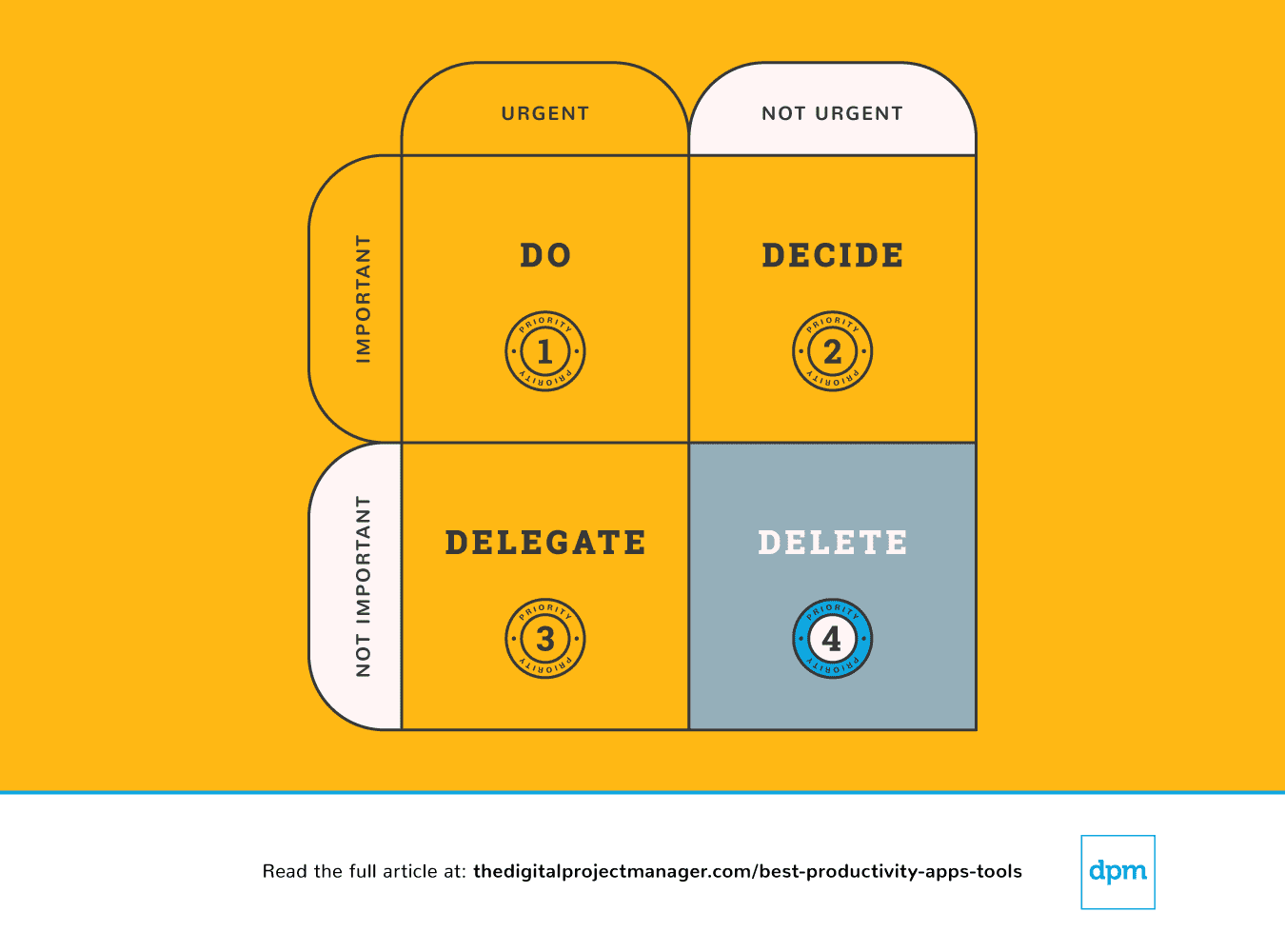 Til syvende og sist kan vi noen ganger være mer effektive når vi gjør mindre. Det finnes uendelig mange muligheter (og mange produktivitetsapper som kan hjelpe deg) til å si “ja” til gode ideer. Samtidig betyr det at du må si “nei” til de riktige tingene for å kunne gjennomføre dem. Lær deg å sette grenser, og si nei.
Det er flott å være hyggelig og vennlig og hjelpe andre. Problemet er at vi ikke alltid har tid til det. Det kan føre til at vi leverer for lite eller ingenting i det hele tatt. Du gjør ingen en tjeneste hvis du sier ja til noe du egentlig ikke kan levere ditt beste arbeid på.
Her er en flott produktivitetsapp som lar deg rydde oppgaver av bordet og sette grenser ved å opprette et system som gjør det enkelt for deg å si “nei”:

Best for custom workflows and task boards
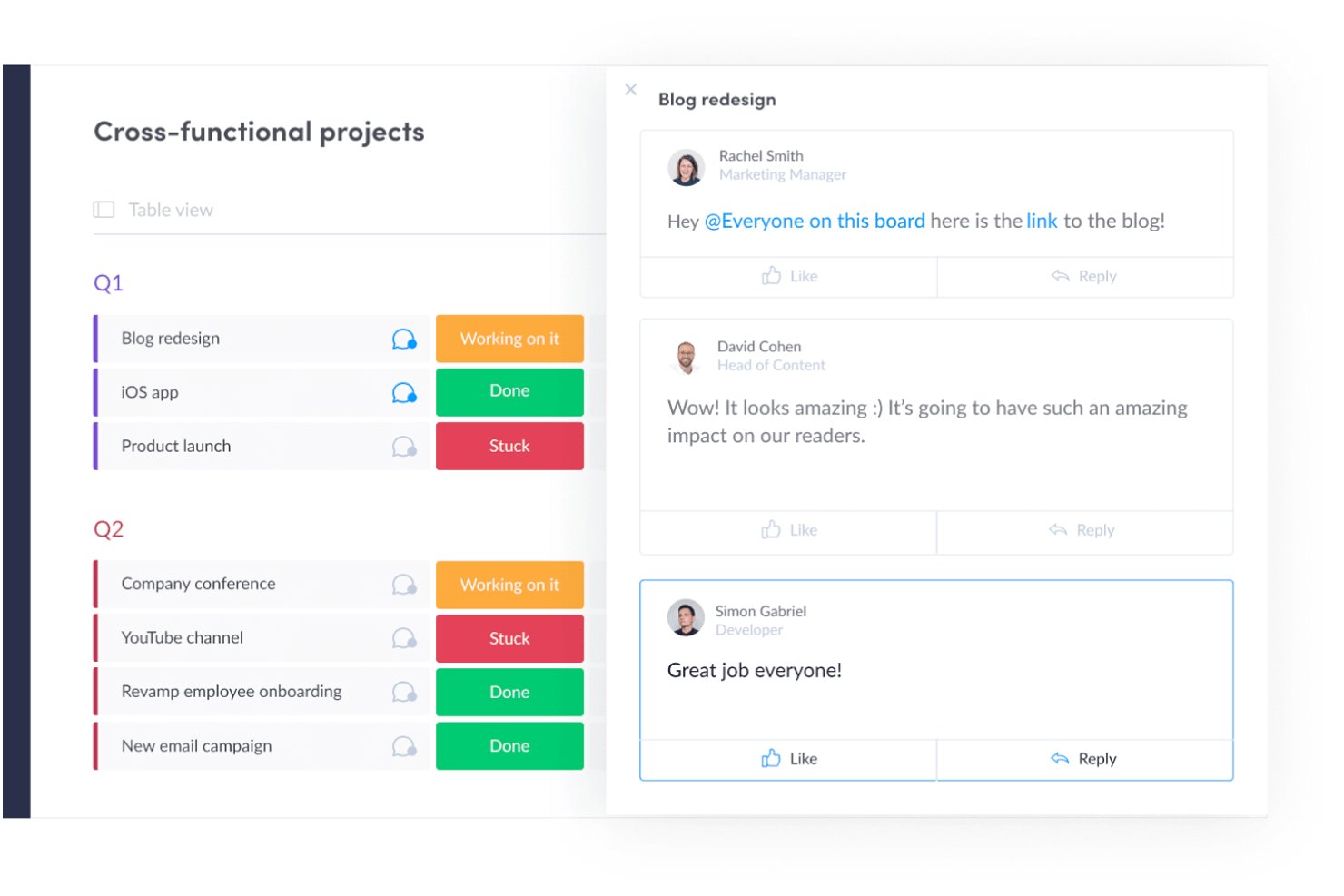
monday AI Workspace is a work management platform that combines customizable task boards, project planning, workflow automation, and AI-powered execution tools across project management, CRM, dev, and service operations.
Who Is monday AI Workspace Best For?
It's a strong fit for mid-to-large teams running multiple workstreams across product, marketing, operations, or engineering who need a single, highly configurable workspace.
Why I Picked monday AI Workspace
I've included monday AI Workspace in my top picks because no other tool makes it this easy to build workflows that match how your team works. The board system lets you configure custom columns, statuses, and automations around your specific process. I particularly like the AI Workflow Builder, which orchestrates multi-step automations across boards without needing a developer. My team can build a sprint board for engineering and a campaign tracker for marketing, each with its own automations.
monday AI Workspace Key Features
- AI Meeting Notetaker: Captures, summarizes, and distributes action items from project meetings automatically.
- Time tracking: Lets team members log hours directly within tasks for accurate project reporting.
- Integrated Docs: Supports collaborative note-taking and documentation tied to specific boards or projects.
- Custom dashboard reporting: Allows creation of real-time dashboards to visualize metrics across multiple workspaces.
monday AI Workspace Integrations
monday AI Workspace offers hundreds of native integrations through its built-in marketplace, including Slack, Microsoft Teams, Google Workspace, Salesforce, HubSpot, Jira, GitHub, Dropbox, Zoom, and Outlook. It also supports Zapier and provides an API for custom integrations.
Pros and Cons
Pros:
- Multiple project views including Gantt and workload
- AI workflow builder handles multi-step automations
- Highly customizable boards with flexible column types
Cons:
- Notification volume can become hard to manage
- Dashboards require manual configuration across boards
New Product Updates from monday AI Workspace
monday AI Workspace Adds Human Approval Routing
monday AI Workspace adds a human-in-the-loop approval block to AI Workflows, sending approval requests and routing workflow paths based on responses. For more information, visit monday AI Workspace's official site.
 .
.
Toggl
Best with automated time tracking
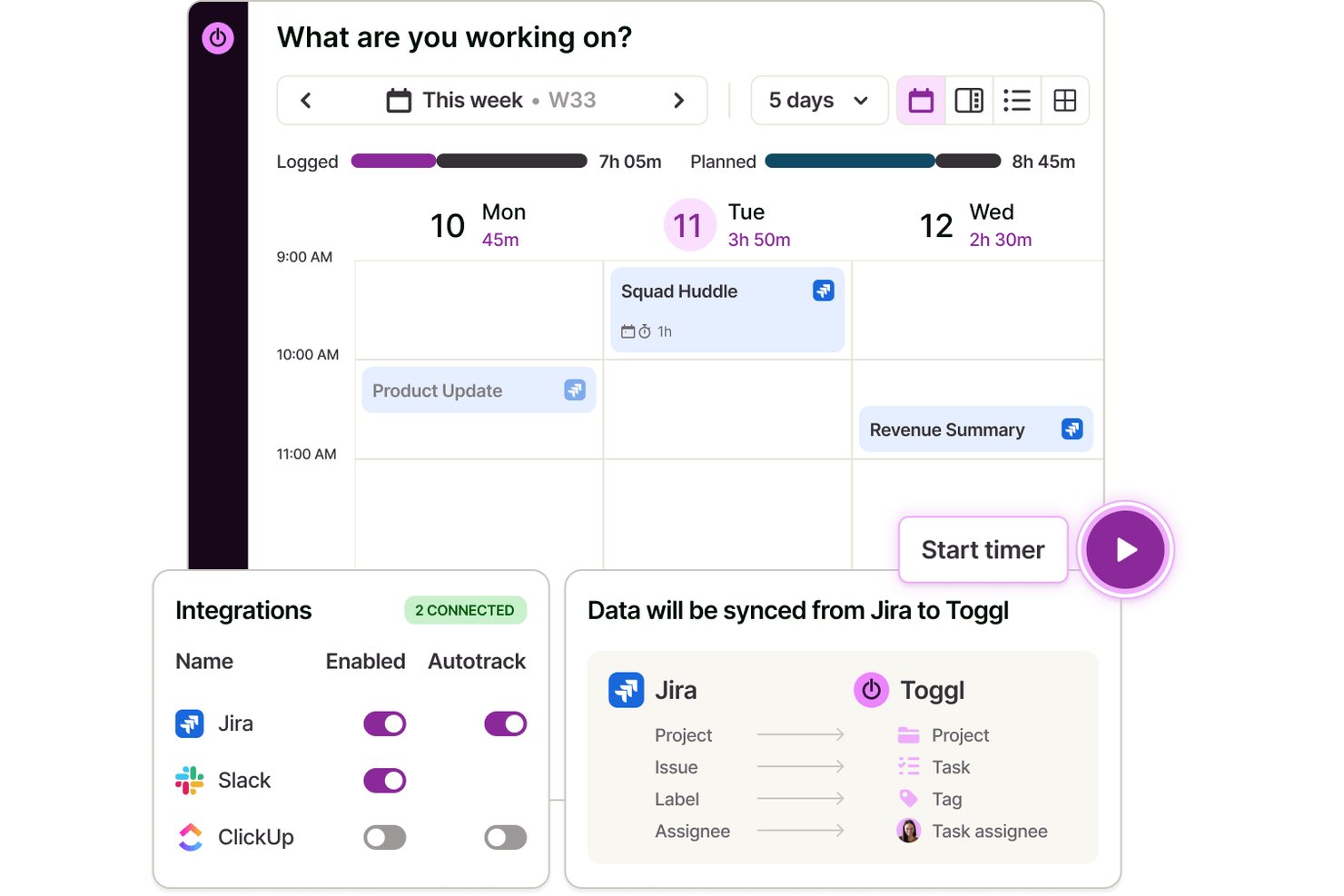
Toggl is a time tracking app that lets individuals and teams log hours across web, desktop, and mobile, with automated time capture, calendar integrations, and detailed productivity and profitability reporting.
Who Is Toggl Best For?
Toggl is a strong fit for freelancers, consultants, and agencies that bill by the hour and need accurate time data without invasive employee monitoring.
Why I Picked Toggl
I picked Toggl as one of the best because its approach to automated tracking is genuinely different. The desktop app silently logs every app and website you use for over 10 seconds, but that data stays private to you alone. You decide what becomes an official time entry, which means no screenshots, no keystroke logs, and no manager surveillance. It also converts calendar events into time entries automatically, so logging a client call takes zero extra effort. Toggl also has an AI assistant that lets you ask plain-language questions about your time and project data, making it easier to pull insights from what you've tracked.
Toggl Key Features
- Calendar view: See tracked time as blocks on a visual calendar and connect with Google or Outlook.
- Project and client tracking: Organize time entries by unlimited projects and clients for clean reporting.
- AI task creation and management: Create tasks from screenshots, notes, and ideas and manage them in Board, List, Calendar, or Timeline view
- Customizable reports: Build bar, donut, pivot, and line charts to analyze trends in tracked hours.
Toggl Integrations
Toggl offers native integrations with Asana, Trello, Jira, ClickUp, Salesforce, Google Calendar, Outlook Calendar, QuickBooks Online, Xero, and Slack.
Pros and Cons
Pros:
- Simple switching between projects and clients
- Full privacy controls on activity data
- Calendar events become time entries automatically
Cons:
- Mobile app can miss background tracking
- Lacks advanced task management features

Best productivity app for end-to-end project management
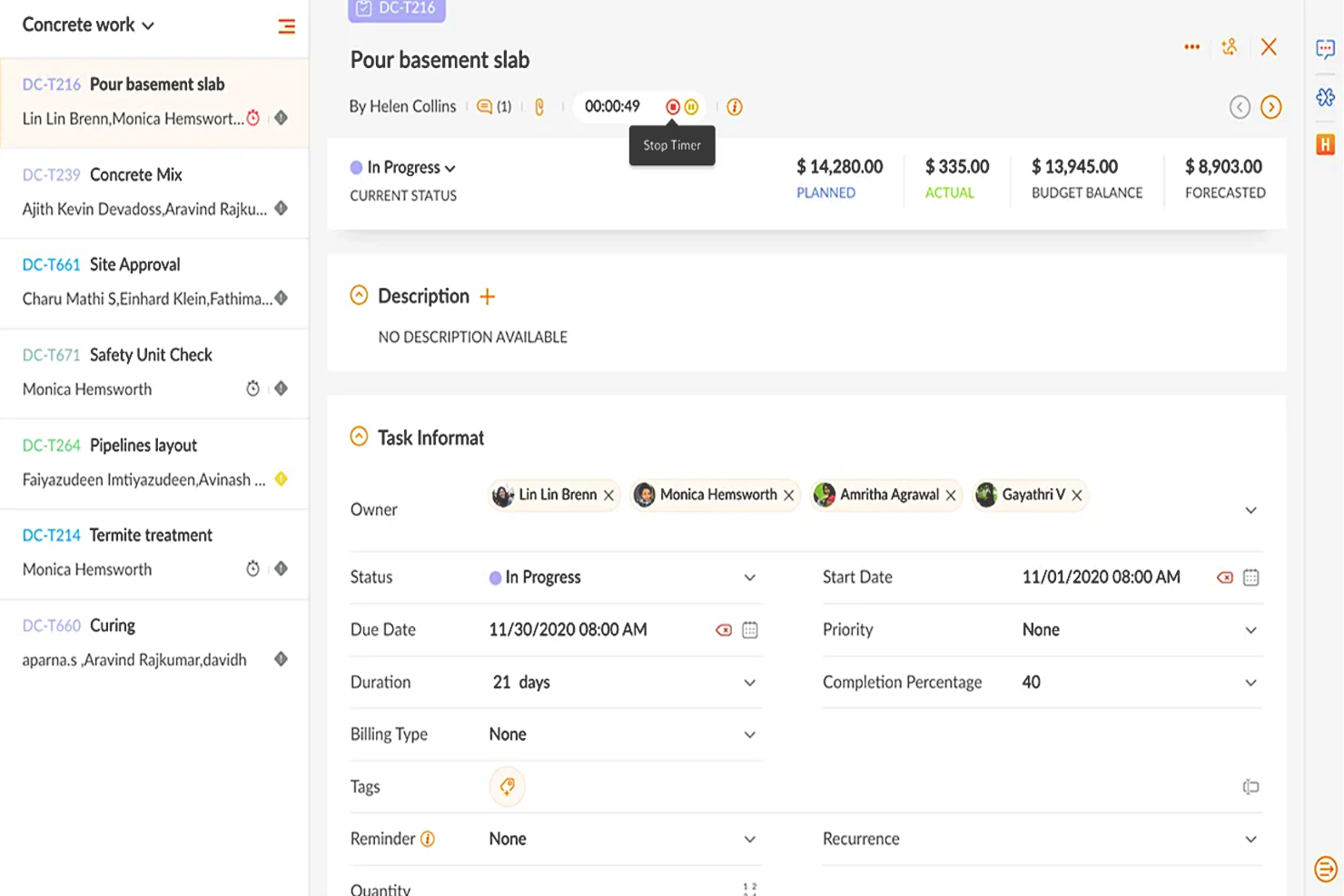
Zoho Projects is a cloud-based project management software that allows individuals and teams to collaborate, plan, and execute projects efficiently. The software enhances productivity by providing a centralized platform for task management, time tracking, document sharing, and team communication.
Why I picked Zoho Projects: It's a versatile software solution that different types of organizations and teams can use to manage their projects effectively. Its intuitive interface makes it easy to navigate and utilize, and it's user-friendly, with features that are easily accessible and organized logically. Their customizable user interface lets you choose the layout and features that best suit your needs.
You can create, manage, assign, and set task deadlines using Zoho Projects. You can also create task dependencies, ensuring that each job is completed in the correct order. It includes a calendar view allowing users to see their upcoming tasks and deadlines in one place.
Users can also track their time spent on each task, making it easier to manage their workload and allocate resources effectively. The time tracking feature can generate reports, providing valuable insights into team performance and project progress.
Zoho Projects Standout Features & Integrations
Features include collaboration tools that make it easy for team members to communicate and work together, a chat feature that supports real-time communication, and a comments section where team members can discuss specific tasks and projects. It also includes a document management system where team members can share and collaborate on documents, spreadsheets, and presentations.
Integrations are available with other Zoho apps, commonly used Google apps (Google Calendar, Drive, Spreadsheets, etc.), Microsoft apps (Calendar, Excel, Office 365, OneDrive, Teams, and SharePoint), and other third-party apps such as Basecamp, Jira, Slack, Zendesk, and Zapier.
New Product Updates from Zoho Projects
Zoho Projects Adds CodeX Scripts for Custom Modules
Zoho Projects now supports CodeX Scripts for custom modules, enabling conditional logic and rules for creating, updating, and deleting records. For more information, visit Zoho Projects' official site.
 .
.
Best for brainstorming, ideation, and task management in one

MeisterTask is a versatile project management tool that combines intuitive Kanban boards with powerful collaboration and customization features, making it ideal for teams of all sizes. Its seamless integration with MindMeister for brainstorming and ideation, along with robust task automation and real-time communication capabilities, streamlines workflow and enhances productivity across projects.
Why I picked MeisterTask: MeisterTask excels as a productivity app by offering a streamlined, intuitive interface that simplifies task and project management. It effectively combines customizable Kanban boards for visual workflow management with powerful features like task automation, due date reminders, and time tracking to enhance efficiency.
The app facilitates seamless collaboration through easy file sharing, commenting, and task assignments, keeping teams aligned and focused. Its integration with tools like MindMeister for mind mapping ensures a smooth transition from brainstorming to execution, making it easier for users to turn ideas into actionable tasks. MeisterTask's focus on user-friendly design and practical functionality makes it a valuable tool for individuals and teams aiming to boost productivity and achieve their goals more efficiently.
MeisterTask Standout Features and Integrations
Features include Kanban boards, task automation, mindmeister integration, customizable workflows, project templates, time tracking, file attachments, due date reminders, collaboration tools, activity streams, mobile apps, secure data encryption, multiple integrations with other tools, personalized dashboards, and flexible project views.
Integrations include Slack, Dropbox, Github, Google Drive, Microsoft Teams, Outlook, Trello, Asana, MindMeister, and hundreds more through a paid plan with Zapier.

ClickUp
Best for in-app communication tools

ClickUp is a productivity app that helps you and your team stay aligned on day-to-day tasks, projects, and company goals, among other things. Their platform brings your team together in one app to communicate, collaborate, simplify the work, and get more done.
Why I Picked ClickUp: You can work smarter as a team with real-time chat. Tag individuals or groups, assign comments for action items, and link tasks to ensure nothing gets lost in the daily grind. Stay on track to hit your goals with targets for task completions, numbers, and monetary values.
ClickUp Standout Features & Integrations
Features include task scheduling/tracking, project management, resource management, budgeting, contact management, data visualizations, employee database, expense tracking, file sharing, third-party plugins, collaboration support, timesheets, roadmapping, chat, customer management, email integration, feedback management, and process reporting.
Integrations include native integrations with Slack, Google Workspace, Dropbox, and many more tools, as well as over 1,000+ integrations through Zapier (may incur additional costs).
New Product Updates from ClickUp
ClickUp Adds Meetings Hub, Super Agent Templates, and ZoomInfo Integration
ClickUp adds a searchable Meetings Hub, new ways to clone and template Super Agents, and a ZoomInfo integration through the App Center. These updates improve meeting retrieval, agent reuse, and access to sales intelligence. For more information, visit ClickUp’s official site.
 .
.
Kintone
Best for building custom productivity apps
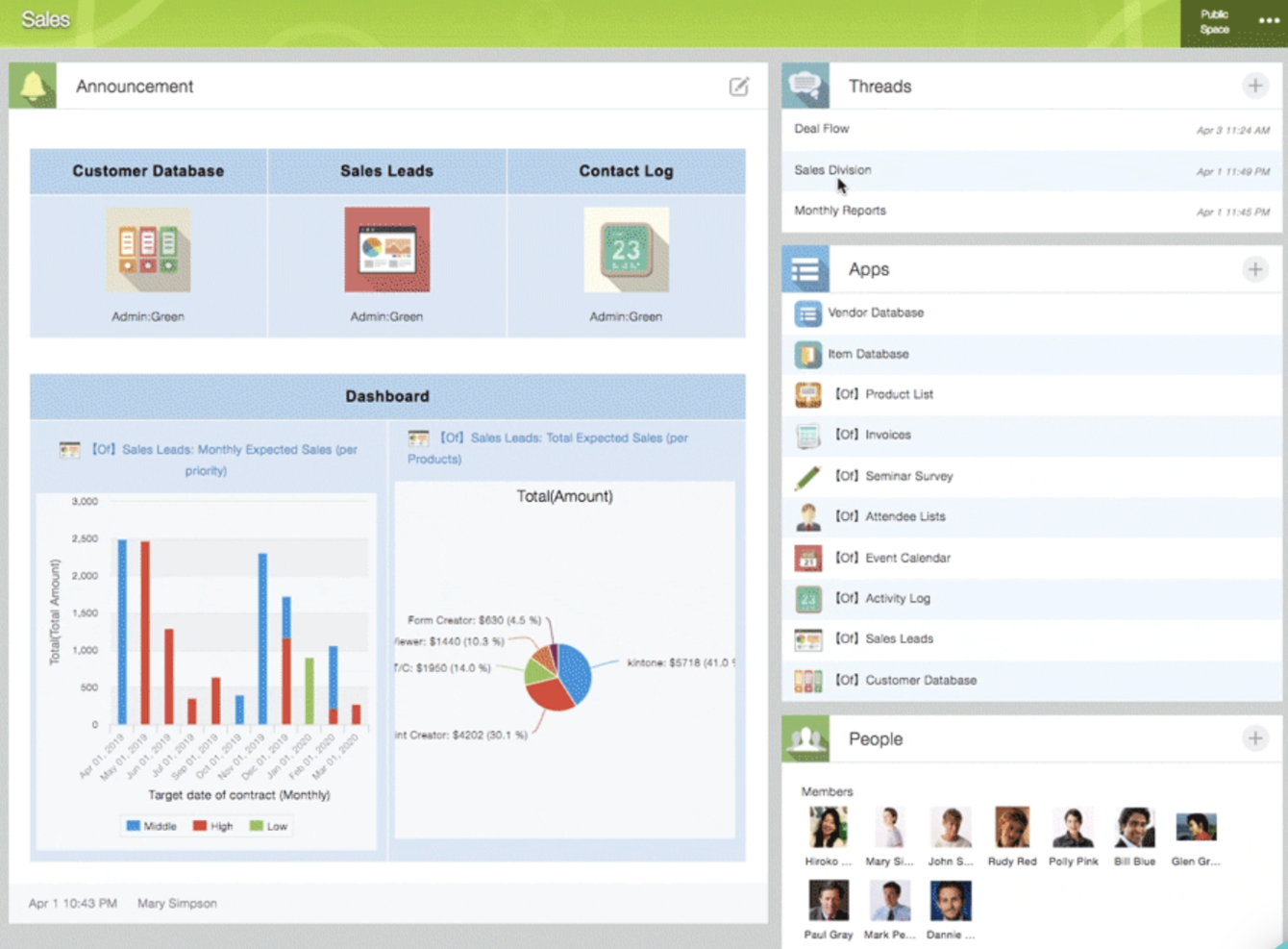
Kintone is a customizable app platform used by teams at Volvo Trucks North America, Japan Airlines, Shiseido, and over 23,000 organizations worldwide. Their unique approach allows you to build a wide variety of customizable “apps” either from scratch, using templates or from your existing spreadsheets, for data management, business processes, and workflows. Kintone apps can be customized for project management, sales CRM, customer databases, expense reports, shared to-do lists, equipment management, product feedback, and much more.
Why I Picked Kintone: Kintone lets you build no-code task management apps by dragging and dropping elements that you want to see onto the page: rich text fields, date fields, drop-down menus, number fields with built-in calculations, spaces for attachments, user or group selection menus, related data from other apps, tables, and more.
Once you’ve built the app you want, you can use it to more easily manage whatever data and tasks you and your team need to track. And with custom notifications and reminders as well as detailed permissions settings, your project tracking solution can look and work however you want it to.
What makes Kintone particularly great for project tracking are the features to filter and prioritize tasks by data field or team member to generate custom reports or dashboard views, as well as the ability to automate reminders and handoffs between team members for multi-step workflows.
Kintone’s built-in communication features also allow teams to discuss projects directly in the app and in topic or project-based threads. Dedicated “spaces” organize everything your team needs for your project, including task-tracking apps and searchable conversation threads.
Kintone Standout Features & Integrations
Features include project management, dashboards, resource management, analytics, calendar management, conversion tracking, employee onboarding, forecasting, lead scoring, timesheets, collaboration support, reports, pipeline management, budgeting, and process modeling.
Integrations include Slack, Gmail, Google Calendar, Outlook, Tableau, Dropbox, Salesforce, HubSpot, Eventbrite, WordPress, QuickBooks, MailChimp, and many more through a paid plan with Zapier or via API integrations.
Trello
Best for card-based task lists and Kanban boards
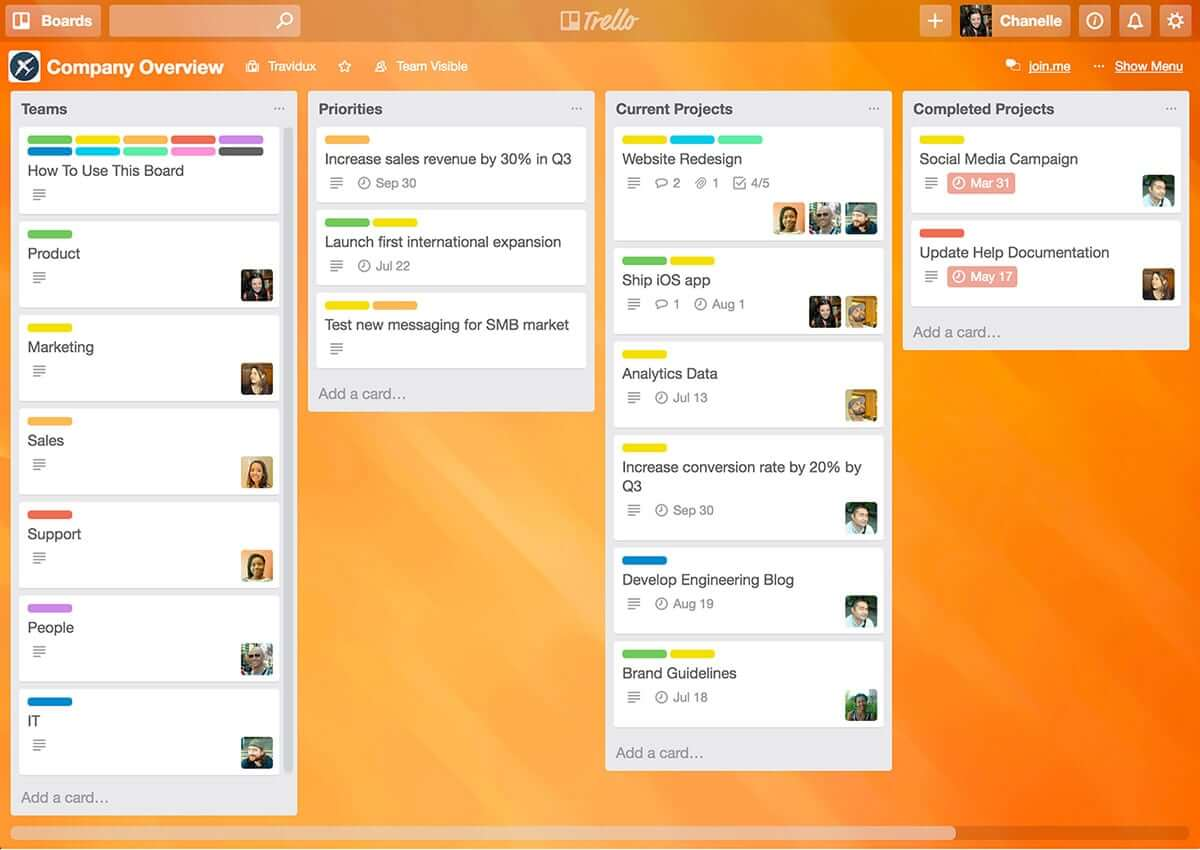
Trello is a Kanban board app that can be used to organize tasks visually. It’s user-friendly, with an intuitive drag-and-drop interface that makes it easy to learn. This popular tool can be used to help you visualize your deadlines, items in progress, and completed tasks, enabling you to make informed decisions about what to work on next according to the big picture.
Why I Picked Trello: Trello is a popular project management tool that helps teams organize tasks and collaborate on projects visually and intuitively. It uses a system of boards, lists, and cards to represent tasks and workflows, allowing team members to easily see what needs to be done, who is responsible for each task, and what the status of each task is. Trello can be customized to fit a wide range of project management needs, and it offers features such as due dates, checklists, attachments, and team member assignments. Its flexibility and ease of use make it a great tool for teams of all sizes and types, from small startups to large enterprises.
Trello Standout Features & Integrations
Features include boards, to-do lists, task management, workflow management, priority labels, due dates, file sharing, communication, a mobile app, and third-party integrations/add-ons.
Integrations include 200+ apps and tools your team depends on, like Slack, Google Drive, Salesforce, Dropbox directly into your Trello boards. (Note: Some connections require an additional subscription fee.)

Best for real-time collaboration

Whether you're leading a small business, managing a large enterprise, or navigating the educational sector, Google Workspace offers a suite of productivity tools designed to meet your diverse needs. With apps like Gmail, Drive, and Meet, you can seamlessly manage communications, storage, and virtual meetings while enhancing collaboration and maintaining strong security. With Gemini—Google’s premium AI—integrated across all plans, Workspace helps you draft emails faster, summarize documents instantly, generate ideas, and stay organized across devices. Whether you're handling client communication, creating content, or coordinating daily operations, Workspace boosts productivity and keeps your team connected.
Why I Picked Google Workspace
I picked Google Workspace for its unique blend of real-time collaboration, cloud accessibility, and AI-driven assistance. Tools like Google Docs and Sheets allow your team to work together simultaneously, eliminating version-control issues and reducing unnecessary email threads. Google Meet provides convenient video conferencing without relying on external software, making communication frictionless. Gemini is built directly into apps like Gmail, Docs, Sheets, and Meet, going beyond collaboration to actively enhance how you work. From drafting content to summarizing documents and managing tasks, having AI built in helps you stay efficient, responsive, and adaptive to changing business or project needs.
Google Workspace Key Features
In addition to its collaborative capabilities, Google Workspace offers several other features that boost productivity:
- Drive: Secure cloud storage with generous space options, ensuring your files are accessible anywhere, anytime.
- Calendar: Simplified scheduling with shared calendars and appointment booking pages to keep your team organized.
- Chat: Integrated messaging platform for real-time team communication and collaboration.
- NotebookLM: Instant insights and podcast-style Audio Overviews to accelerate team learning and content understanding.
Google Workspace Integrations
Integrations include Salesforce, Atlassian, Tableau, SAP, Okta, Microsoft Office 365, Slack, Zoom, Trello, and Asana.
Pros and Cons
Pros:
- Generous cloud storage options facilitate easy file access and sharing.
- Real-time collaboration tools improve team productivity and communication.
- Seamless integration with Google services enhances workflow efficiency.
Cons:
- Shared drive permissions and complex folder hierarchies can become difficult to manage if not structured carefully.
- Compatibility issues when collaborating externally with teams using non-Google file formats or Microsoft Office workflows.

Guru
Best tool for searching through all your apps to surface answers quickly
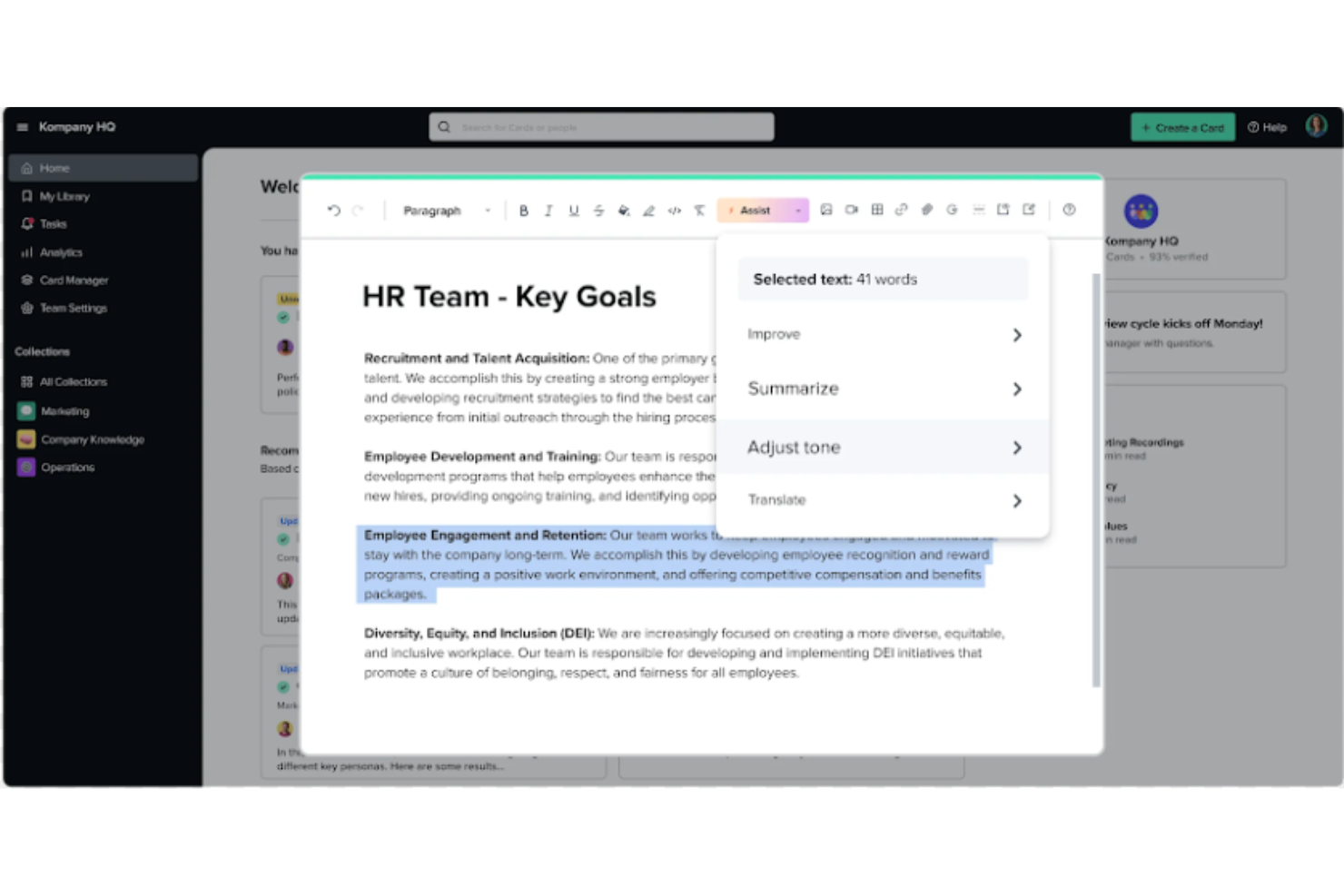
Guru is an advanced search and knowledge management platform that's designed to help users find relevant information quickly. Their advanced AI-driven search feature can search all your apps, documents, and slack #channels for answers — either directly in Slack or via a Chrome extension — making it easier to find information fast.
Why I Picked Guru: Guru employs AI to deliver instant answers within the user's workflow that are tailored to their specific role, location, and activities. The tool also facilitates the onboarding process for new hires, streamlines the creation, sharing, and organization of company documentation, and acts as a knowledge hub to disseminate educational content and troubleshooting guidance throughout an organization. The platform also integrates with a multitude of tools and services, enabling users to find answers and collaborate without leaving their workflow.
Overall, Guru is intended to eliminate the barriers created by knowledge silos and to improve productivity by automating information retrieval, thus allowing employees to concentrate on tasks that require human intelligence.
Guru Standout Features & Integrations
Features include enterprise AI search, an employee intranet, a company wiki, AI suggest and assist, custom branding tools, collaboration and feedback tools, mobile accessibility, and access controls and permissions.
Integrations include Trello, Cognito Forms, Jira Software Cloud, Confluence Cloud, HubSpot, Google Chat, Confluence Server, and GitHub.
Visor
Best for its user-friendly interface

Visor is a cloud-based SaaS product that aims to help individuals and businesses manage their time and tasks more efficiently. It's best suited for individuals and teams who need a comprehensive and easy-to-use productivity tool that allows them to manage their projects, tasks, and time all in one place.
Why I picked Visor: I chose Visor as one of the best productivity software because it's an all-in-one solution that brings together task management, project management, time tracking, and calendar features in a user-friendly interface. I appreciate that I can keep track of everything I need to do without having to switch between multiple tools or apps.
Another great feature is its real-time collaboration capabilities, which allow you to work with your team members on projects, assign tasks, and track progress. This feature makes it easy to communicate with team members and stay on top of everything that's going on in your projects. It also has an intelligent scheduling feature that suggests the best time slots for each task based on your availability and workload. This feature is particularly helpful when you have a lot of tasks to complete and you need to prioritize your time effectively.
Visor Standout Features & Integrations
Features include API, dashboards, data export/data import, data visualization, external integrations, Gantt charts, project management, task scheduling/tracking, resource management and third-party plugins/add-ons.
Integrations include Jira, HubSpot, and Salesforce.
Oppsummering av de beste produktivitetsappene
| Tool | Best For | Trial Info | Price | ||
|---|---|---|---|---|---|
| 1 | Best for custom workflows and task boards | Free plan available | From $9/user/month (billed annually) | Website | |
| 2 | Best with automated time tracking | Free plan + 30-day free trial + free demo available | From $9/user/month (billed annually) | Website | |
| 3 | Best productivity app for end-to-end project management | Free plan + 15-day free trial + free demo available | From $4/user/month (billed annually) | Website | |
| 4 | Best for brainstorming, ideation, and task management in one | Free trial + free plan + free demo available | From $13/user/month (billed annually) | Website | |
| 5 | Best for in-app communication tools | Free plan available | From $9/user/month (billed annually) | Website | |
| 6 | Best for building custom productivity apps | 30-day free trial + free demo available | From $24/user/month | Website | |
| 7 | Best for card-based task lists and Kanban boards | 14-day free trial | From $5/user/month (billed annually) | Website | |
| 8 | Best for real-time collaboration | 14-day free trial available | From $7/user/month (billed annually) | Website | |
| 9 | Best tool for searching through all your apps to surface answers quickly | Free demo available | Pricing upon request | Website | |
| 10 | Best for its user-friendly interface | Free plan available | From $18/user/month | Website |
Flere produktivitetsverktøy
Jeg har ikke hatt anledning til å gjennomgå alle disse verktøyene grundig ennå, men her er noen flere du kan undersøke dersom verktøyene som presenteres i denne artikkelen, ikke dekker behovene dine:
- Pneumatic Workflow
For unlimited workflow management
- Collabio Spaces
For iPhone & Mac
- Focus Booster
For the Pomodoro productivity technique
- SaneBox
For increasing productivity by streamlining your email inbox
- Slack
Instant messaging app for teams
- actiTIME
For detailed time tracking
- Hubstaff
For managing remote and field teams
- Hive
For flexible project views according to team needs
- Lucidspark
For ideation and collaboration using an infinite canvas
- Wrike
Productivity app for team collaboration


Trenger du hjelp til å begrense alternativene?
Dette verktøyet er svært nyttig. I samarbeid med Crozdesk har vi gjort vårt beste for å gi deg tilgang til «programvarevelgeren».
Hvis du oppgir noen detaljer om prosjektet ditt og funksjonene du ser etter i et prosjektstyringsverktøy, blir det laget en liste over verktøy som samsvarer med preferansene dine. Du oppgir e-postadressen din til teamet, og de sender deg en nyttig PDF-veiledning med en oppsummering av de beste treffene.
Kriterier for valg av produktivitetsapper
Når du ser på produktivitetsprogramvare, er det viktig å huske på én ting: Siden produktivitet i stor grad avhenger av innstillingene og de personlige vanene dine, er produktivitetsverktøyet i seg selv bare så effektivt.
Da vi gjennomgikk disse verktøyene, brukte vi imidlertid følgende utvalgskriterier i denne listen over produktivitetsapper:
- Brukervennlighet: Er grensesnittet enkelt, og er appens system lett å forstå? Er funksjonene i appen forvirrende, eller er de nyttige? Vi valgte bare apper som virkelig er enkle å bruke, uten ekstra innsats!
- Organisering og prioritering: Har produktivitetsappen for oppgavelister et tydelig system for organisering og omorganisering av oppgaver? For å merke prioriteringer og håndtere de viktigste oppgavene?
- Tilgjengelighet: Er den tilgjengelig på flere operativsystemer? Det finnes flere produktivitetsapper for Mac som ikke er tilgjengelige på Android, for eksempel Omni Focus. Vi har likevel forsøkt å holde oss til applikasjoner som er tilgjengelige på flere enheter.
- Rapportering: Hvilke typer rapporteringsfunksjoner har appen? Kan du følge med på tiden du bruker på oppgaver, sammenligne produktiviteten over tid eller bruke analyser til å måle om appen faktisk fungerer for deg?
- Integrasjoner: Kan den integreres med noen av de andre beste organiseringsappene, påminnelsesappene, appene for produktivitetssporing og så videre? Vi ser etter apper som kan synkroniseres med andre verktøy, slik at så mye som mulig av oppgavehåndteringen kan automatiseres.
- Pris: Gir prismodellen mening i forhold til nytten appen tilbyr? I de fleste tilfeller kan du bruke en freemium-versjon til personlig bruk. Betalte abonnementer koster vanligvis rundt $6/måned.
Hva synes du?
Hvilke produktivitetsapper bruker du for å arbeide organisert og effektivt? Synes du disse er nyttige, eller foretrekker du andre prioriteringsmetoder? Fortell oss om verktøyene som virkelig kan hjelpe oss med å være produktive.