

10 beste alternativer til Jotform for skjemaer i 2026

Beste alternativer til Jotform – kortliste


Jotform er et verdifullt verktøy for skjemabygging som hjelper team med å effektivisere innsamling og administrasjon av data. Men selv om dette stemmer, kan noen brukere være på utkikk etter alternative løsninger for å forbedre arbeidsflyten og idédugnadene sine.
Uansett hvorfor du vurderer å bytte til et alternativ til Jotform, kan det være litt utfordrende å finne det riktige verktøyet for teamet ditt. For å hjelpe deg i gang med søket brukte jeg min erfaring med prosjektstyringsprogramvare til å teste og sammenligne noen av de beste løsningene på markedet.
Enten du driver en liten bedrift eller en større virksomhet, er jeg sikker på at du finner ditt neste verktøy i listen nedenfor.
Hva er Jotform?
Jotform er et nettbasert verktøy for skjemabygging som lar brukere opprette tilpassede skjemaer, undersøkelser og spørreskjemaer uten å måtte programmere. Det tilbyr et dra-og-slipp-grensesnitt som gjør det enkelt å utforme skjemaer for datainnsamling, betalingsbehandling eller tilbakemeldinger fra kunder.
Hvorfor du kan stole på våre programvareanbefalinger
Teamet vårt har testet og anmeldt programvare siden 2012. Vi er selv prosjektledere, så vi vet hvor vanskelig og hvor viktig det er å velge riktig programvare.
I denne guiden har vi vurdert verktøyene gjennom praktisk testing og uavhengig research og gitt dem poeng ut fra våre utvelgelseskriterier. Vi bygger også på innsikt fra ledende eksperter i bransjen og erfarne prosjektledere.
Anmeldelsene våre bygger på vår egen redaksjonelle vurdering. De er ikke et salgsargument.
Ekspertanmeldere:
Sammenligningstabell over alternativer til Jotform
| Tool | Best For | Trial Info | Price | ||
|---|---|---|---|---|---|
| 1 | Best for versatile form creation | 7-day free trial | From $49/month (billed annually) | Website | |
| 2 | Best for comprehensive survey solutions | Free plan available | From $30/user/month (billed annually) | Website | |
| 3 | Best for drag-and-drop WordPress forms | Free plan available | From $8.25/month (billed annually) | Website | |
| 4 | Best for AI-powered form generation | Free plan available | From $19/month (billed annually) | Website | |
| 5 | Best for WordPress integration | Free demo available | From $4.92/month (billed annually) | Website | |
| 6 | Best for cloud storage | Free plan available | From $16.25/month (billed annually) | Website | |
| 7 | Best for Salesforce integration | Free trial available | Pricing upon request | Website | |
| 8 | Best for financial services | Not available | Pricing upon request | Website | |
| 9 | Best for affordability and ease of use | Free plan available | Pricing upon request | Website | |
| 10 | Best for Microsoft 365 users | Free plan available | Pricing upon request | Website |
Anmeldelser av de beste alternativene til Jotform
I denne analysen gir jeg en grundig gjennomgang av ulike alternativer til Jotform. Jeg går gjennom fordeler og ulemper ved hvert verktøy, funksjonene deres og de beste bruksområdene.

Best for versatile form creation
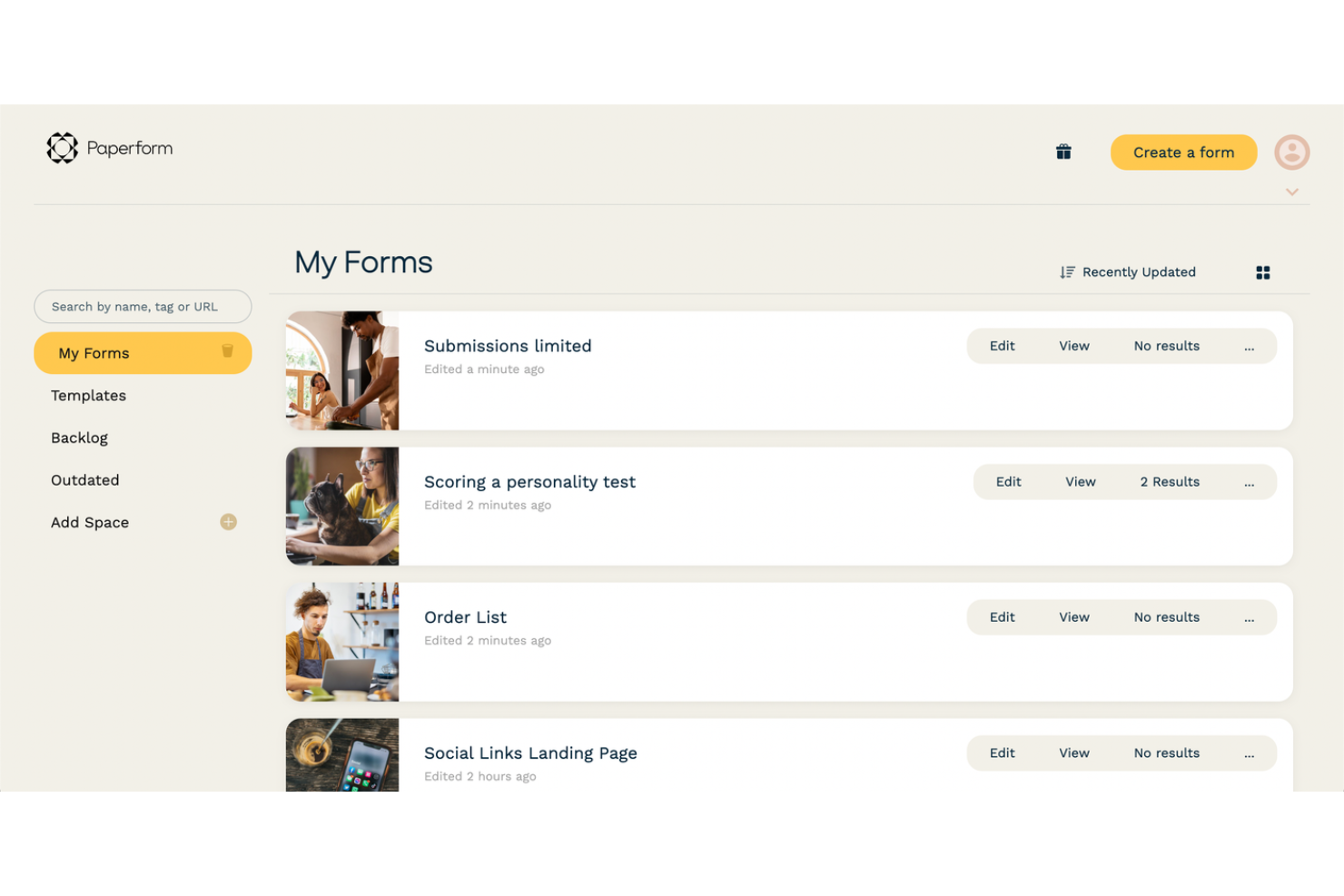
Paperform gives product and operations teams an online form builder for collecting project requests, feedback, and intake details, helping them organize submissions and move routine work into defined workflows.
Who Is Paperform Best For?
Paperform suits teams across industries that need customizable forms for varied business processes, from event registrations to client onboarding.
Why I Picked Paperform
I picked Paperform as a Jotform alternative because it’s best for versatile form creation. I like how conditional logic tailors intake questions and routes submissions based on answers, while formulas can calculate project costs or eligibility. Its Stepper workflows can then send submissions through approvals and hand-offs.
Paperform Key Features
- E-signature field: Capture signatures on forms and link signed documents to submissions.
- Payment collection: Accept one-time payments, deposits, subscriptions, coupons, and discounts.
- Appointment scheduling: Add scheduling fields and sync availability with Google Calendar.
- App integrations: Connect forms to tools such as Slack, HubSpot, Airtable, and Asana.
Paperform Integrations
Paperform has seven native integrations: Google Sheets, Slack, HubSpot, Mailchimp, Notion, Airtable, and Asana. It also connects with Zapier and Make, and offers a Public and Business API on select plans for custom integrations.
Pros and Cons
Pros:
- Payments, bookings, and signatures share one workflow
- Conditional logic and calculations support complex intake
- Branded form pages support polished intake experiences
Cons:
- Template colors can require finicky manual adjustments
- Limited question types can constrain specialized surveys

Best for comprehensive survey solutions
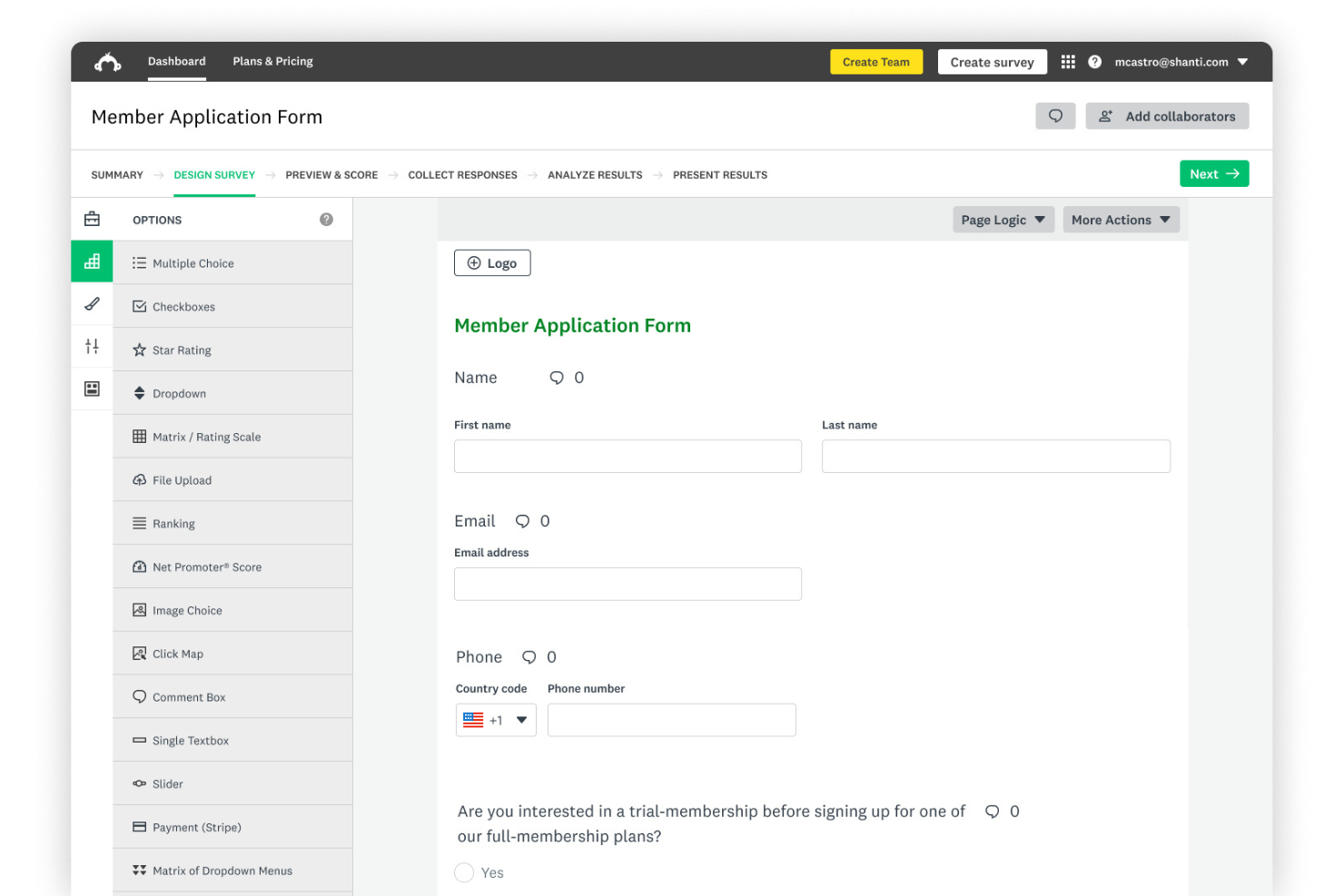
SurveyMonkey helps product, research, and operations teams collect and analyze structured feedback, offering a survey-focused alternative to Jotform when projects depend on clear response data.
Who Is SurveyMonkey Best For?
SurveyMonkey suits UX researchers and product teams that need to collect structured user feedback and compare responses across studies.
Why I Picked SurveyMonkey
I pick SurveyMonkey as a Jotform alternative when the need is “Best for comprehensive survey solutions.” I use its question branching to route respondents to relevant follow-ups, then filter and compare responses across studies to track changes in user feedback. That gives product teams structured research data to inform decisions.
SurveyMonkey Key Features
- Survey templates: Start with ready-made templates for customer satisfaction, employee engagement, and market research.
- Custom branding: Add your logo and adjust survey colors to match your organization’s brand.
- Question types: Add rating scales, matrix questions, and open-ended text fields.
- Response exports: Export survey results as Excel or CSV files for further analysis.
SurveyMonkey Integrations
SurveyMonkey’s integration catalog lists 200+ integrations, including Google Sheets, Slack, Microsoft Teams, Salesforce, Power BI, Tableau, Marketo, and Zoom; the latter five require Enterprise. It also connects with Zapier and provides an API for custom integrations.
Pros and Cons
Pros:
- Cross-tabs compare results across studies
- Branching routes respondents through relevant questions
- Research-focused question types and templates
Cons:
- Advanced analytics sit behind paid tiers
- No native payment or approval workflows

WPForms
Best for drag-and-drop WordPress forms
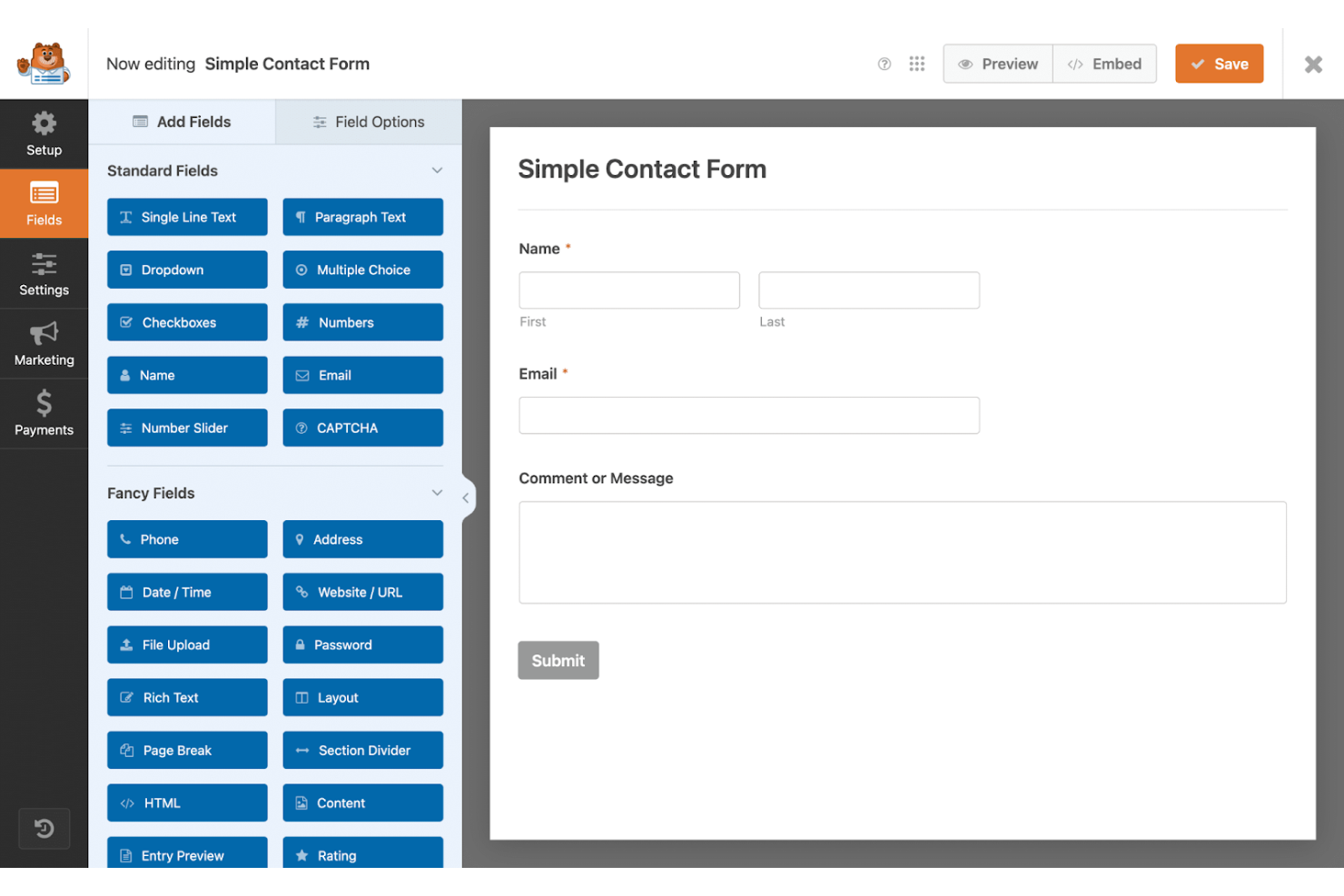
WPForms is a WordPress form builder for businesses and digital teams that need to collect project requests, support questions, and customer details on their sites instead of handling intake through scattered emails.
Who Is WPForms Best For?
WPForms suits WordPress site owners and small digital teams that need to build project intake, support, or feedback forms without coding.
Why I Picked WPForms
I picked WPForms as a Jotform alternative because it’s my pick for “Best for drag-and-drop WordPress forms.” I use its visual builder to create project request forms and conditional logic to show fields based on request type, keeping intake on the WordPress site.
WPForms Key Features
- Email notifications: Send form submissions to specified email addresses.
- File uploads: Let visitors attach files to form entries.
- Payment fields: Accept payments through supported payment providers.
- Entry management: View and manage submitted entries from the WordPress dashboard.
WPForms Integrations
WPForms offers native integrations with Google Sheets, HubSpot, Salesforce, Stripe, PayPal, Square, and Authorize.Net through dedicated add-ons. It also connects with Zapier.
Pros and Cons
Pros:
- Form revisions let you restore earlier versions
- Form entries stay in your WordPress dashboard
- Drag-and-drop builder includes live preview
Cons:
- Advanced workflows require paid plans
- Forms only run on WordPress sites

Best for AI-powered form generation
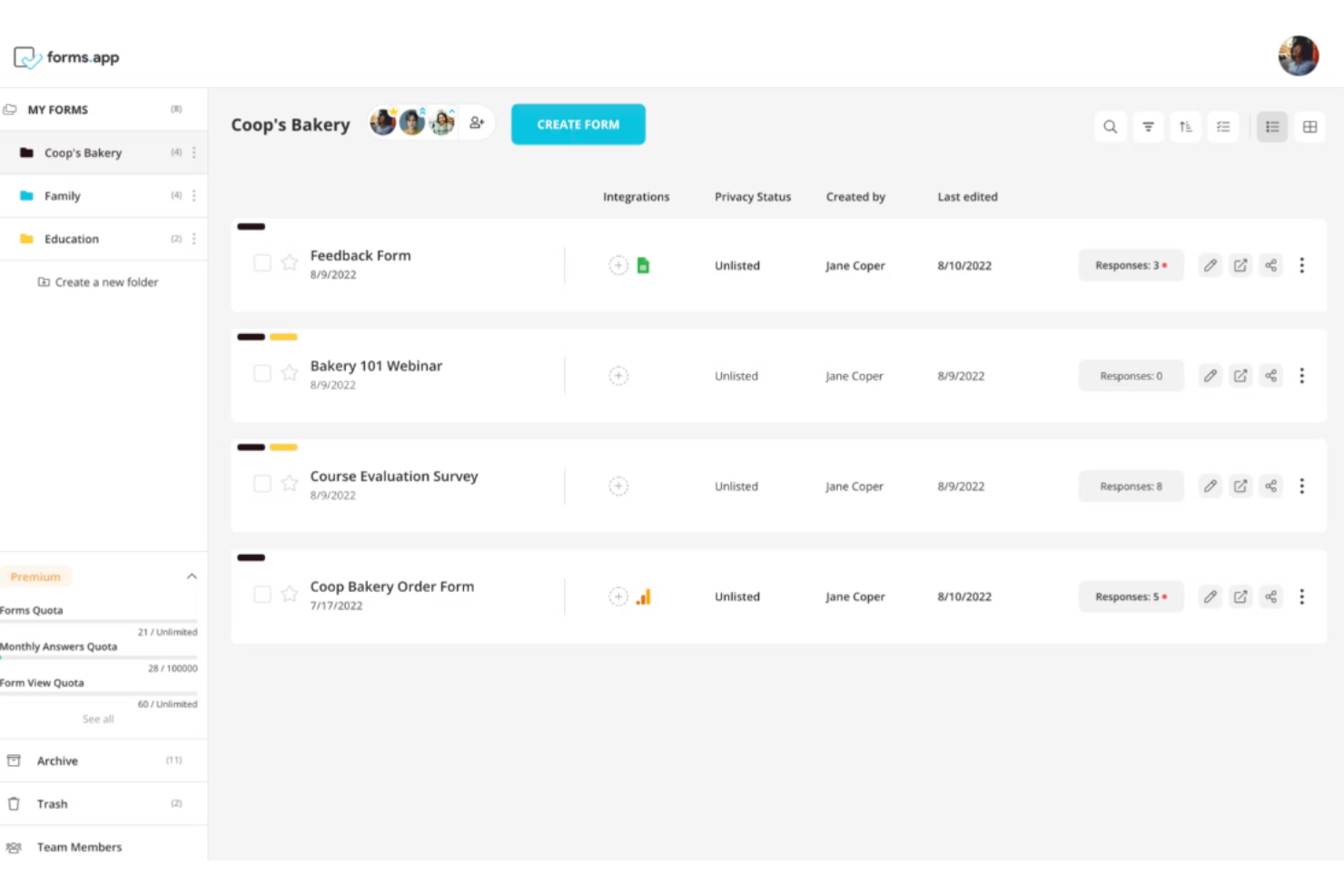
forms.app is an online form builder for project and operations teams seeking a Jotform alternative to collect requests, feedback, and approvals and organize routine workflows without custom development.
Who Is forms.app Best For?
forms.app suits project managers and operations teams who want to generate intake forms with AI instead of building each form from scratch.
Why I Picked forms.app
I picked forms.app for its “Best for AI-powered form generation” use case: its AI helps create project intake forms without building each one from scratch. I like that teams can use those forms to collect requests, feedback, and approvals, then organize routine workflows without custom development.
forms.app Key Features
- Conditional logic: Show or hide questions and skip pages based on responses.
- App integrations: Connect forms to Slack, Google Sheets, HubSpot, and other services.
- URL prefilling: Populate form fields with data passed through URL parameters.
- Response analytics: View submission statistics and analyze form results.
forms.app Integrations
forms.app offers native integrations with Google Sheets, Microsoft Excel, Slack, Notion, HubSpot, Mailchimp, Google Drive, and Google Calendar, and connects with Zapier. It also provides webhooks and an API for custom integrations.
Pros and Cons
Pros:
- Export submissions as PDFs with e-signatures
- Conditional logic and analytics come built in
- AI drafts forms from prompts in seconds
Cons:
- Mobile form creation is harder than desktop
- Complex logic can clutter the editor

Best for WordPress integration
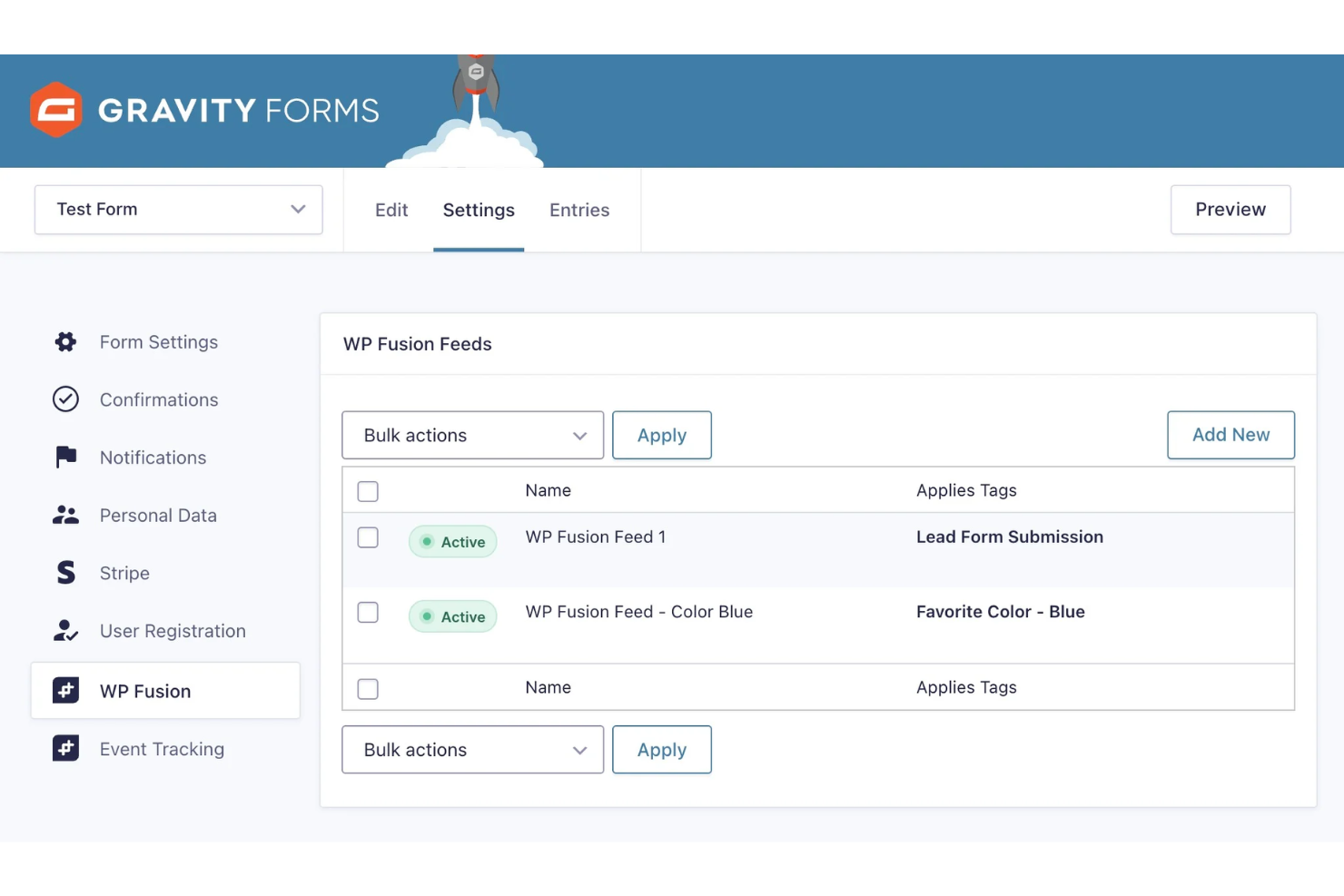
Gravity Forms helps project and operations teams turn online forms into structured requests and follow-up workflows, reducing manual data handling when they manage work through WordPress.
Who Is Gravity Forms Best For?
Gravity Forms suits project and operations teams with WordPress sites that need customizable forms to collect structured requests.
Why I Picked Gravity Forms
I picked Gravity Forms as a Jotform alternative for WordPress integration because you can embed project intake forms directly on a WordPress site. I use conditional logic to show fields based on request type and route notifications to the right owner, while submissions remain available in WordPress for follow-up.
Gravity Forms Key Features
- File upload: Add fields for respondents to attach documents or images.
- Multi-page forms: Split longer forms into pages with page break fields.
- Save and continue: Let respondents save progress and return to finish later.
- Form scheduling: Set start and end dates and times for form availability.
Gravity Forms Integrations
Gravity Forms offers official add-ons for HubSpot, Slack, and Trello, and connects with Zapier. Its REST API supports custom integrations.
Pros and Cons
Pros:
- Save-and-continue supports incomplete submissions
- Conditional logic handles branching intake paths
- WordPress-native embedding preserves site context
Cons:
- Fine-grained styling can require custom CSS
- Requires WordPress hosting and maintenance

Wufoo
Best for cloud storage
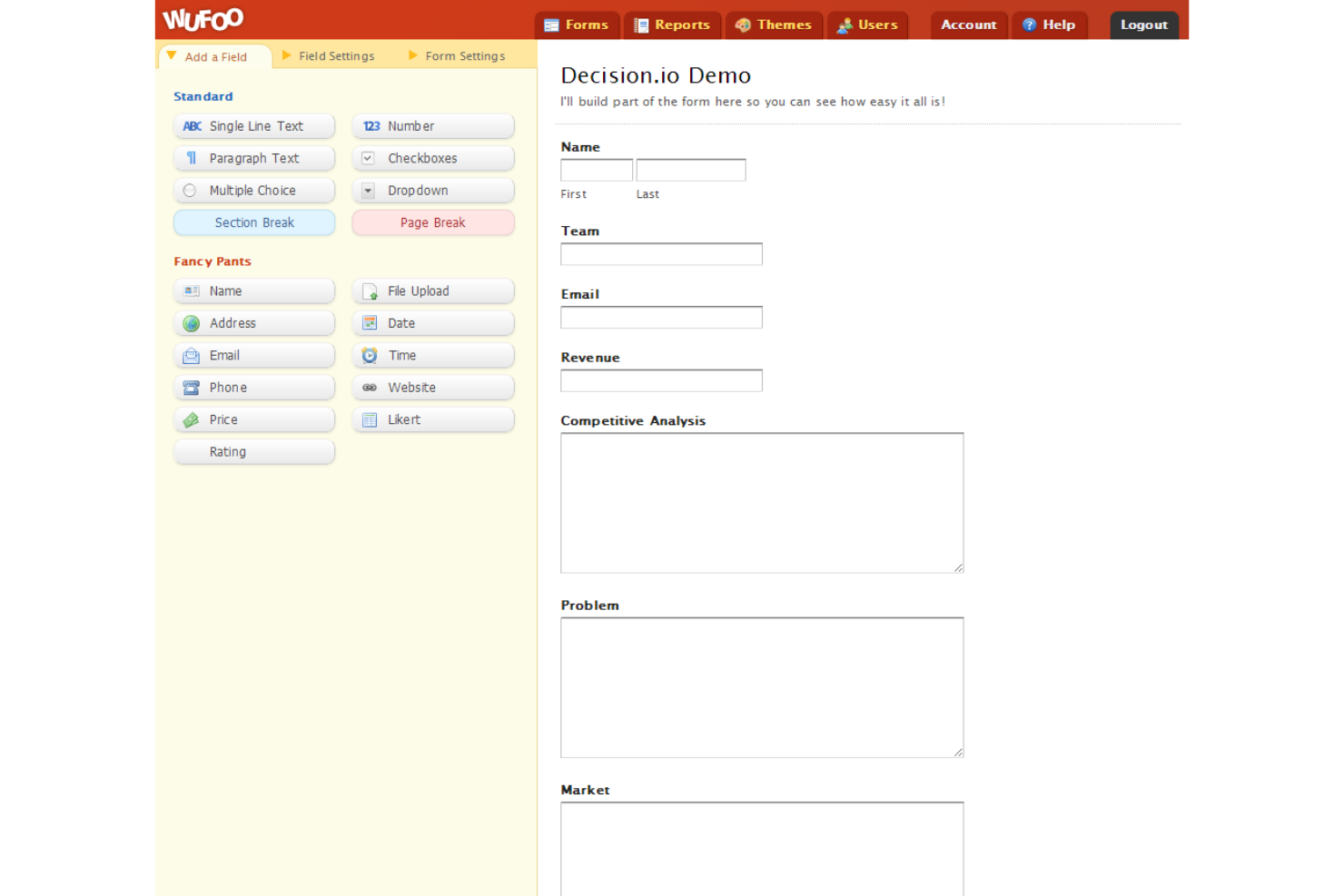
Wufoo is an online form builder for project and operations teams seeking a Jotform alternative to collect requests, feedback, and structured data for their workflows.
Who Is Wufoo Best For?
Wufoo suits event and office administrators who need no-code forms for sign-ups, registrations, and other routine data collection.
Why I Picked Wufoo
I picked Wufoo as a Jotform alternative for its “Best for cloud storage” use case: file-upload fields let request forms collect receipts, project briefs, or other files alongside structured details. I can review each submission with its uploaded materials in Wufoo, keeping intake records together for follow-up.
Wufoo Key Features
- Form builder: Create forms with a drag-and-drop editor.
- Conditional logic: Show or hide fields based on a respondent’s answers.
- Email notifications: Send alerts when someone submits a form.
- Form templates: Start with a prebuilt form for common use cases.
Wufoo Integrations
Wufoo offers dozens of native integrations, including Mailchimp, Salesforce, Asana, Stripe, and PayPal, and connects with Zapier. It also provides an API and webhooks for custom integrations.
Pros and Cons
Pros:
- Reports included on the free plan
- Conditional rules route requests by respondent answers
- File-upload fields keep intake documents with submissions
Cons:
- No built-in spam prevention for public forms
- Free plan excludes file uploads

Best for Salesforce integration
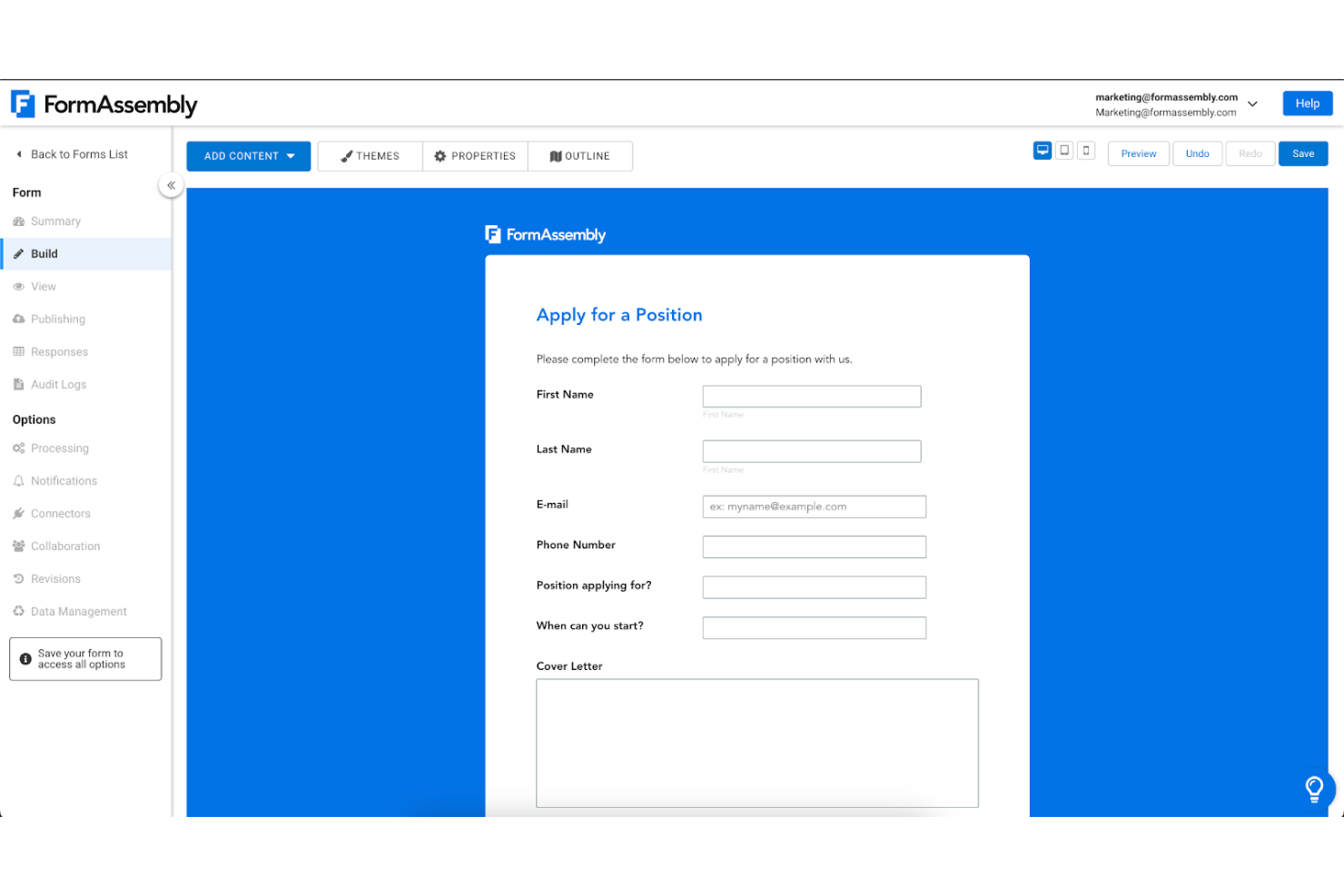
FormAssembly is an online form and data collection platform for organizations seeking a Jotform alternative to capture information and move submissions into business workflows with less manual follow-up.
Who Is FormAssembly Best For?
FormAssembly suits operations and CRM teams that need to collect form data and connect submissions with Salesforce workflows.
Why I Picked FormAssembly
I picked FormAssembly as a Jotform alternative for its Best for Salesforce integration capabilities. Its Salesforce connector can create or update records across API-accessible objects, and Prefill can pull existing and related Salesforce data into forms. I like that for account updates or service requests, where people shouldn’t have to re-enter details already in the CRM.
FormAssembly Key Features
- Conditional logic: Show or hide questions based on a respondent’s answers.
- Approval workflows: Route submissions through conditional approval steps and task assignments.
- E-signatures: Collect electronic signatures within forms or workflows.
- Offline mobile capture: Save form responses in the mobile app and submit them when connectivity returns.
FormAssembly Integrations
FormAssembly offers native connectors for more than 30 systems, including Salesforce, HubSpot, Microsoft 365, Google Sheets, Google Drive, Stripe, PayPal, ServiceNow, and SAP. It connects with Zapier and supports custom integrations through webhooks and a REST API.
Pros and Cons
Pros:
- E-signatures and approvals support full workflows
- Audit trails support governed data collection
- Conditional logic handles complex intake paths
Cons:
- Form styling can require code expertise
- Advanced workflows take time to configure

Under.io
Best for financial services
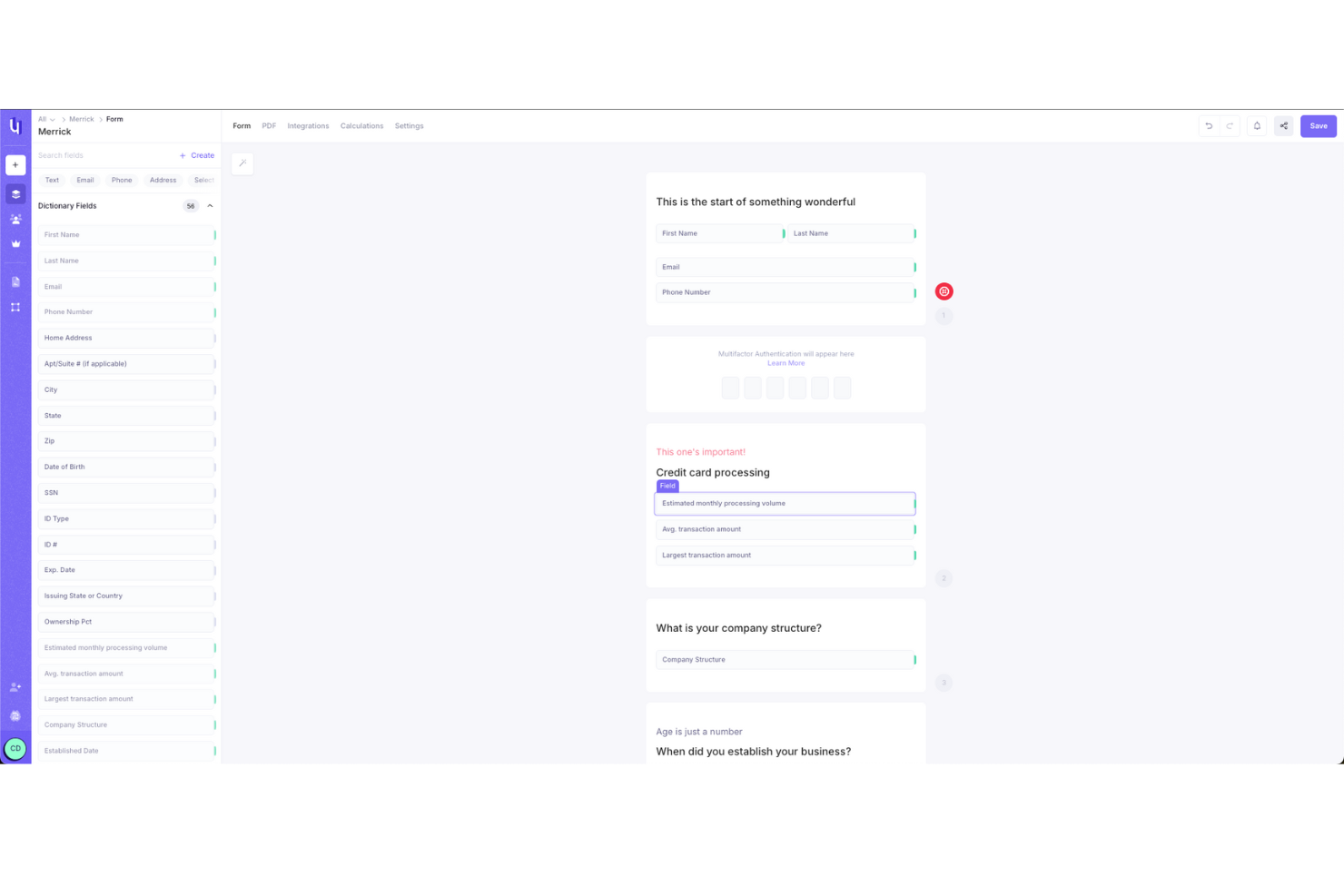
Under.io is a financial workflow platform for payment providers that connects digital applications, document collection, e-signatures, verification, and underwriting to reduce disconnected forms and manual review steps.
Who Is Under.io Best For?
Under.io fits financial services teams at payment providers that manage application review and underwriting workflows.
Why I Picked Under.io
I picked Under.io as my “Best for financial services” Jotform alternative because it connects digital applications with document collection, e-signatures, verification, and underwriting. I like how payment providers can carry applicant information from intake into review without relying on disconnected forms and manual handoffs.
Under.io Key Features
- Team and partner workflows: Configure workflows for internal teams and external partners.
- Processor-ready data: Structure application data for payment processing.
- APIs and integrations: Connect Under.io with other systems through APIs and integrations.
- Case management: Manage underwriting cases in a dedicated workspace.
Under.io Integrations
Under.io documents form integrations with Google Maps, Twilio, and Plaid for location access, multi-factor authentication, and bank verification. It also offers API access for custom integrations.
Pros and Cons
Pros:
- Combines identity checks with document collection
- Maps applicant data into reusable PDF documents
- Connects applications directly to underwriting review
Cons:
- Occasional customer link failures were reported
- Initial PDF mapping takes time

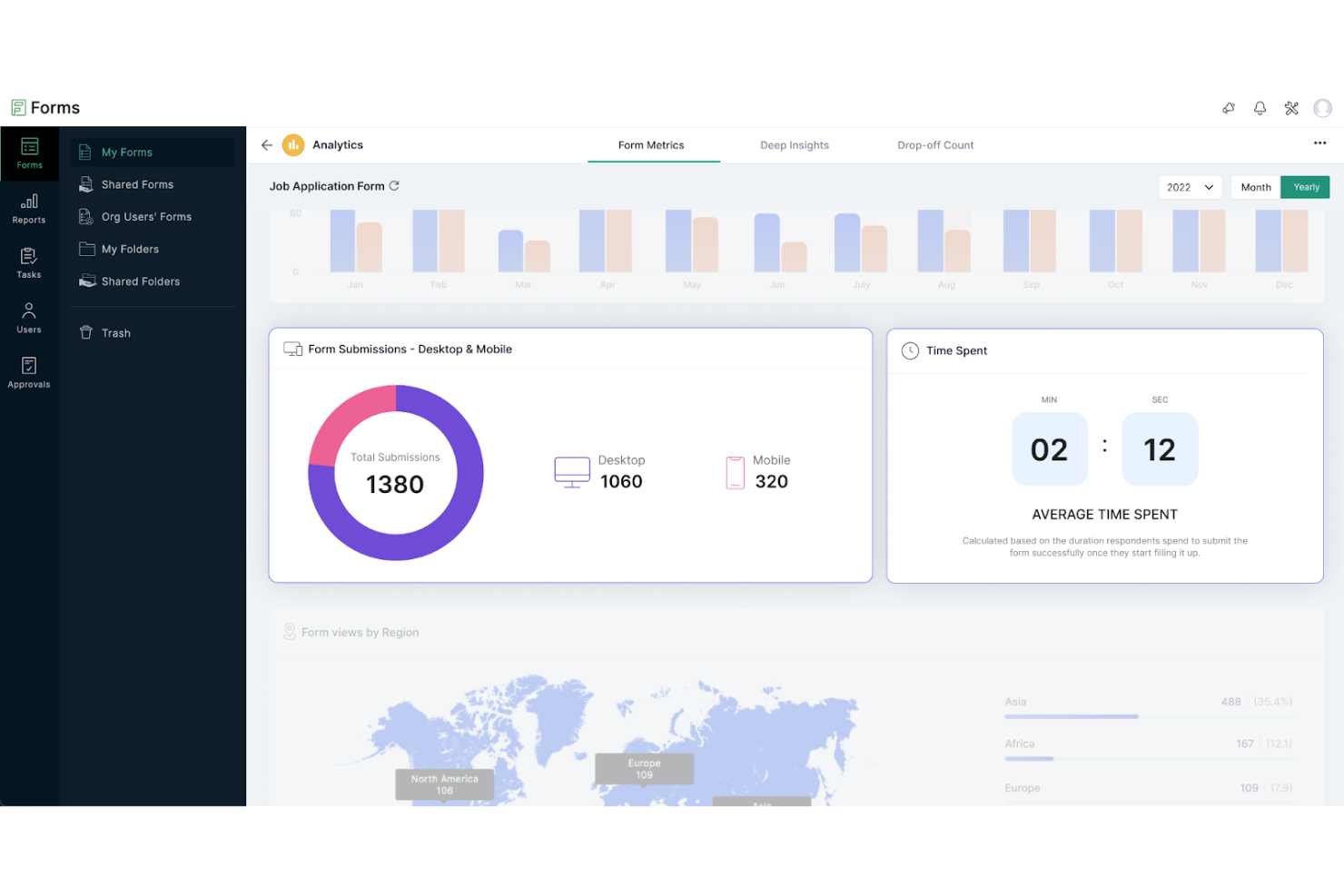
Zoho Forms helps project and operations teams build intake forms, collect requests, and route submissions into business workflows as an alternative to Jotform.
Who Is Zoho Forms Best For?
Small businesses and lean project teams that need an affordable, easy-to-learn tool for feedback surveys, registrations, and other data collection.
Why I Picked Zoho Forms
I picked Zoho Forms as a Jotform alternative because its conditional fields and approval routing give budget-conscious teams practical options for automating project intake. I like that a form can show follow-up questions based on responses, then route requests through conditional, multi-level approvals. That fits access or change requests where different stakeholders need to approve different submissions.
Zoho Forms Key Features
- Offline form collection: Capture submissions in the mobile app without an internet connection.
- App integrations: Connect forms with Zoho products and third-party apps, including Google Sheets and Slack.
- Email notifications: Send email alerts when someone submits a form.
- File uploads: Let respondents attach files or images to their submissions.
Zoho Forms Integrations
Zoho Forms integrates with Zoho CRM, Zoho Projects, Zoho Desk, Google Sheets, Google Workspace, Microsoft Teams, and Slack, and connects with Zapier. It also supports API-based connections to third-party applications for custom integrations.
Pros and Cons
Pros:
- Offline mobile collection supports fieldwork without connectivity
- Drag-and-drop editor supports quick form creation
- Conditional fields route respondents through relevant questions
Cons:
- Design options feel basic beside specialized form builders
- Advanced forms take planning to configure

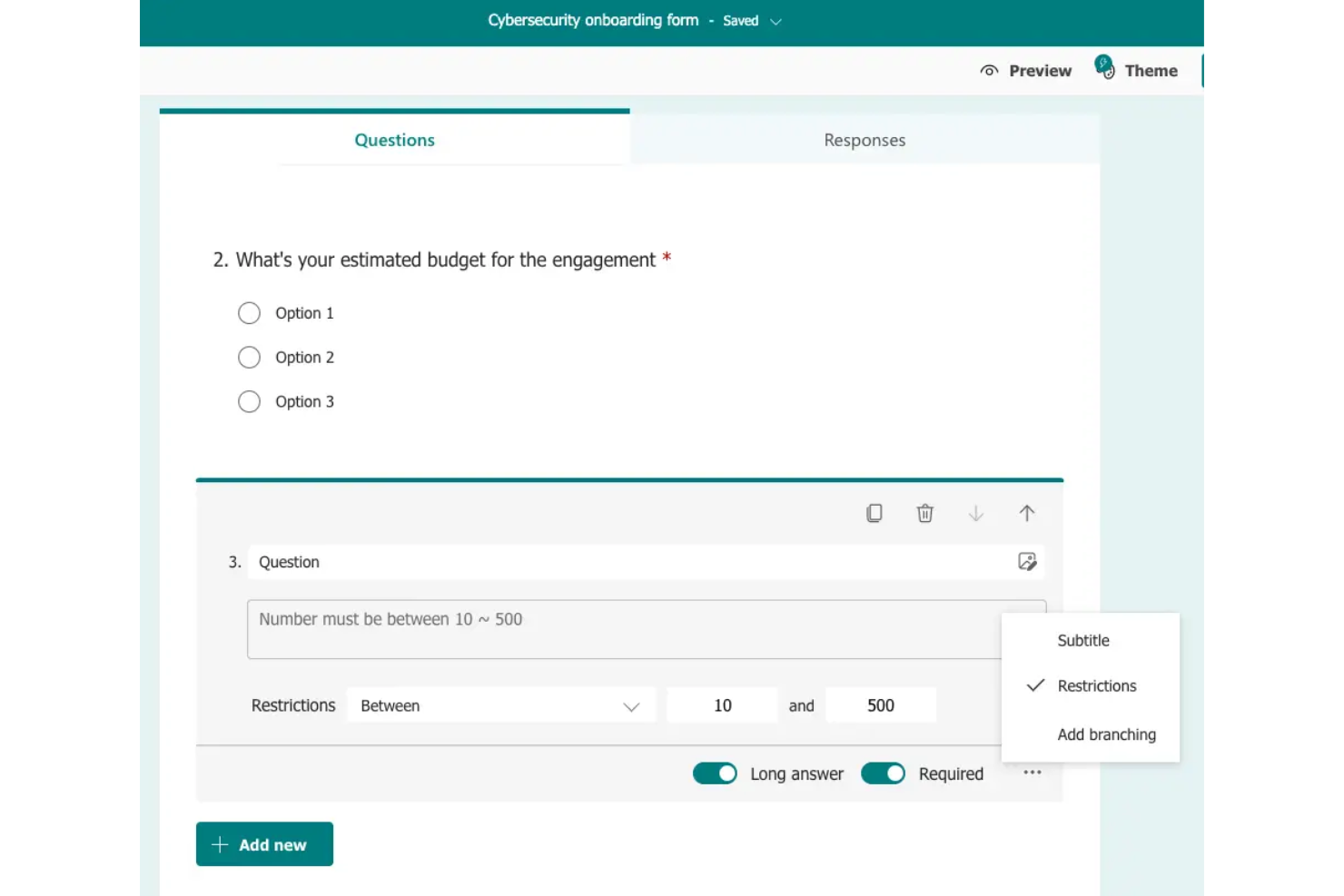
Microsoft Forms lets project teams create surveys and intake forms to gather feedback, capture requests, and feed response data into Microsoft 365 workflows.
Who Is Microsoft Forms Best For?
It’s a good fit for project coordinators and cross-functional teams already working in Microsoft 365 who need simple surveys and request forms.
Why I Picked Microsoft Forms
I picked Microsoft Forms as a Jotform alternative for its “Best for Microsoft 365 users” fit. I like that a project intake form can trigger a Power Automate flow when someone submits a response. I can also review request data in Excel, keeping it close to the Microsoft 365 tools my team already uses.
Microsoft Forms Key Features
- Question types: Add choice, text, rating, ranking, and date questions to forms.
- Branching: Route respondents to different questions based on their answers.
- Quiz mode: Mark correct answers and assign points to questions.
- Response settings: Set response periods and limit submissions to one per person.
Microsoft Forms Integrations
Microsoft Forms connects with Power Automate to trigger workflows after submissions and with Excel to review or route response data. You can also embed forms or results on SharePoint pages.
Pros and Cons
Pros:
- Automatic charts summarize collected responses
- Branching handles straightforward respondent paths
- Quickly build surveys, polls, and quizzes
Cons:
- Complex branching becomes hard to manage
- Basic themes restrict brand control
Andre alternativer til Jotform
Nedenfor finner du en liste over flere alternativer til Jotform som jeg har valgt ut. Selv om de ikke kom med blant de 10 beste, er de fortsatt verdifulle og verdt å undersøke nærmere.
- Tally
For unlimited free forms and submissions
- Tripetto
For conversational logic and flowchart design
- SurveySparrow
For engaging and multilingual surveys
- HoneyBook
For client management and invoicing
- Fluix
For document workflow automation
- Formstack
For secure data collection
- Heyflow
For building engaging user flows
- Typeform
For conversational form experiences
- Cognito Forms
For advanced form calculations
- Fillout
For creating interactive forms


Relaterte anmeldelser av prosjektstyringsprogramvare
Hvis du fortsatt ikke har funnet det du leter etter her, kan du se nærmere på disse andre relaterte verktøyene som vi har testet og evaluert:
- Prosjektstyringsprogramvare
- Ressursstyringsprogramvare
- Programvare for automatisering av arbeidsflyt
- Programvare for tidsregistrering
- Programvare for oppgavehåndtering
- Samarbeidsverktøy
- Gantt-diagramverktøy
- Produktivitetsverktøy
- Programvare for prosjektsporing
- Programvare for prosjektplanlegging
How I Evaluate Jotform Alternatives
I split evaluation into two layers: the baseline capabilities every tool must clear—think conditional routing and PM integrations—and the differentiators that separate the right fit from the rest.
Core Functionality (Table Stakes For This List)
When I'm selecting tools for my list, I rank each one on a scale from 0 (does not offer the functionality) to 5 (excels in this area) for each core functionality listed below. Then, I calculate the tool's total score into a percentage. Each tool needs to achieve a minimum total score of 65% to be considered for inclusion.
- Custom Form Builder: I look for a drag-and-drop builder with diverse field types—file uploads, dropdowns, date pickers—so teams can design intake forms without developer help.
- Project Workflow Integration: Each tool's ability to push submissions into tasks or records matters most. I check for native connections to tools like Asana, Jira, or monday.com.
- Conditional Logic & Automation: Branching logic and automated routing keep intake moving. I evaluate whether a form can assign tasks or notify stakeholders based on responses.
- Shareable & Embeddable Forms: Project intake often involves external clients. I look for public links, embeds, and guest access that don't force respondents onto a paid seat.
- Submission Management & Reporting: Beyond collecting responses, I check for filterable dashboards, export options, and visual reporting to track intake volume and status over time.
- Collaboration & Permissions: Teams share form ownership across PMOs and departments. I evaluate role-based access controls so builders, reviewers, and viewers each see only what they should.
Once I have a list of tools that meet this criteria, I consider what sets each platform apart.
Differentiating Factors (What Sets Vendors Apart)
Here's how I compare and contrast different vendors:
Standout Features
E-signature capture is a big differentiator when your intake involves approvals or change orders—it removes the need for a separate signing tool. I also evaluate offline mobile form support, which matters for construction and field operations teams collecting data at sites without reliable connectivity. Prefill and dynamic fields round things out by letting teams auto-populate repeat submissions with known data, cutting intake time on recurring project requests.
Beyond Features
Pricing model matters here because some tools charge per submission while others charge per seat—agencies handling high-volume client intake will feel that difference quickly. I also evaluate integrations and tech stack fit, specifically native connectors to tools like Jira, Slack, and Zapier that keep form data flowing into existing workflows. Security and compliance standards round out my assessment, especially SOC 2 and HIPAA certifications for teams collecting sensitive project or client data through external-facing forms.
Hvorfor se etter et alternativ til Jotform?
Selv om Jotform er et verdifullt verktøy, finnes det flere grunner til at du kan være på utkikk etter en alternativ løsning. Dette kan omfatte:
- Kostnad: Jotforms prisplaner kan overstige det du er villig til å betale, spesielt hvis du driver en liten bedrift eller har begrensede behov for skjemabygging. Ved å bytte til et rimeligere alternativ kan du få bedre kontroll over kostnadene uten å ofre viktige funksjoner.
- Tilpasning: Hvis du trenger mer avanserte tilpasningsmuligheter for skjemaer eller arbeidsflyter enn det Jotform tilbyr, kan du oppleve løsningen som begrensende. Ved å finne et alternativ med flere tilpasningsmuligheter kan du lage skjemaer som er bedre tilpasset de spesifikke kravene dine.
- Integrasjoner: Jotform kan mangle integrasjoner med enkelte spesialiserte verktøy eller programmer du er avhengig av i virksomheten. Ved å bytte til en plattform med de nødvendige integrasjonene kan du effektivisere arbeidsflytene og unngå manuelle omveier.
- Brukergrensesnitt: Du kan oppleve Jotforms brukergrensesnitt som mindre intuitivt eller vanskeligere å navigere i enn andre verktøy. Ved å velge et verktøy med et brukergrensesnitt som passer bedre til preferansene dine, kan du forbedre produktiviteten og brukervennligheten.
- Kundestøtte: Hvis Jotforms kundestøtte ikke er så rask eller spesialisert som du ønsker, spesielt ved mer komplekse problemer, kan dette være frustrerende. Ved å gå over til en tjeneste med mer dedikert eller raskere kundestøtte kan du få problemer løst raskere.
Viktige funksjoner for Jotform-alternativer
Her er noen viktige funksjoner i Jotform som den alternative programvaren bør kunne gjenskape eller forbedre for å passe godt til behovene dine.
- Dra og slipp: En skjemabygger med dra-og-slipp-funksjonalitet lar deg raskt opprette egendefinerte skjemaer ved å ganske enkelt dra elementer på plass. Denne funksjonen er verdifull fordi den forenkler prosessen med å lage skjemaer, sparer tid og gjør den tilgjengelig også for personer uten erfaring med programmering.
- Elektronisk signatur: Funksjoner for elektronisk signatur gjør det mulig å samle inn juridisk bindende signaturer fra alle enheter. Dette er viktig for å effektivisere arbeidsflyter, spesielt når du håndterer kontrakter, avtaler eller samtykkeskjemaer digitalt.
- Betinget logikk: Betinget logikk lar skjemaer vise eller skjule felt basert på brukerens svar, noe som gjør dem mer interaktive og brukervennlige. Denne funksjonen er avgjørende for å samle inn presise data, siden den gjør det mulig å tilpasse skjemautfyllingen til respondentens spesifikke behov.
- Innebygde skjemaer: Muligheten til å bygge inn skjemaer på hvilken som helst nettside uten programmering betyr at du enkelt kan integrere skjemaer på nettstedet ditt. Dette er viktig for sømløs datainnsamling, bedre brukeropplevelse og en konsekvent merkevare på tvers av plattformer.
- Frakoblede skjemaer: Frakoblede skjemaer lar deg samle inn data uten internettilkobling og synkroniserer automatisk når tilkoblingen gjenopprettes. Dette er spesielt nyttig ved feltarbeid eller arrangementer der internettilgangen kan være ustabil.
- Flere brukere: Tilgang for flere brukere gjør det mulig for ulike avdelinger, kolleger eller kunder å samarbeide om datainnsamling via skjemaer. Dette er avgjørende for teambaserte prosjekter, slik at alle involverte har den nødvendige tilgangen til å bidra og gjennomgå data.
- E-postvalidering: E-postvalidering sikrer at brukerne oppgir korrekt kontaktinformasjon ved å sende automatiske bekreftelsesmeldinger. Denne funksjonen er nødvendig for å opprettholde nøyaktige data og sikre effektiv kommunikasjon med respondentene.
- Samtalebaserte skjemaer: Samtalebaserte skjemaer stiller ett spørsmål per side for å skape en mer engasjerende og interaktiv brukeropplevelse. Dette formatet kan øke fullføringsgraden, siden det føles mer som en naturlig samtale enn et standard skjema.
- Skjemoversettelse: Oversettelse av skjemaer lar deg sette opp skjemaer på flere språk og nå ut til et bredere publikum. Dette er viktig for virksomheter som opererer i ulike markeder, slik at språkbarrierer ikke hindrer datainnsamlingen.
- Egendefinert CSS: Egendefinert CSS lar deg legge til egendefinert styling i skjemaene dine for full personalisering. Denne funksjonen er viktig for å opprettholde en konsekvent merkevare og lage skjemaer som passer til utseendet og følelsen på nettstedet eller markedsføringsmateriellet ditt. Oppdag det beste søkeordet og finn det beste verktøyet for teamet ditt. Sammenlign funksjoner, fordeler og ulemper, priser og mer i min komplette guide.