



Trello vs. Notion: Confronto e Recensioni Esperte per il 2026



Trello offre una piattaforma intuitiva per gestire compiti e progetti con facilità. Notion propone uno spazio di lavoro flessibile per organizzare le informazioni e collaborare con il tuo team. Sebbene Trello sia ideale per una gestione semplice delle attività, Notion presenta una gamma più ampia di funzionalità organizzative.
In questo articolo troverai un confronto dettagliato di questi strumenti, incluse le loro caratteristiche, vantaggi e svantaggi, e prezzi, per aiutarti a scegliere il software di project management più adatto alle tue esigenze.
Trello vs. Notion: An Overview
Trello




Notion



Perché fidarsi dei nostri consigli sui software
Il nostro team testa e recensisce software dal 2012. In quanto project manager noi stessi, sappiamo quanto sia difficile — e importante — scegliere il software giusto.
Per questa guida, abbiamo valutato gli strumenti attraverso test pratici e ricerche indipendenti, assegnando un punteggio agli strumenti in base ai nostri criteri di selezione. Ci basiamo inoltre sulle competenze di leader di pensiero del settore e di professionisti attivi nella gestione dei progetti.
Le nostre recensioni riflettono il nostro giudizio editoriale umano, non un discorso di vendita.
Revisori esperti:
Trello vs. Notion Pricing Comparison
| Trello | Notion | |
|---|---|---|
| Free Trial | 14-day free trial | Free plan available |
| Pricing | From $5/user/month (billed annually) | From $10/user/month (billed annually) |
I prezzi di Trello offrono un modello freemium con livelli a pagamento opzionali che aggiungono funzionalità avanzate, ma gli utenti dovrebbero essere consapevoli dei possibili costi per le integrazioni.
I prezzi di Notion seguono anch'essi una struttura freemium, con piani premium che offrono più spazio di lavoro e funzionalità di collaborazione aggiuntive e possono includere costi per l'espansione del team.
Per scegliere il piano tariffario più adatto, valuta la dimensione del tuo team, le funzionalità che ti servono ed eventuali costi aggiuntivi che potresti sostenere con la crescita del gruppo.
Trello vs. Notion Feature Comparison
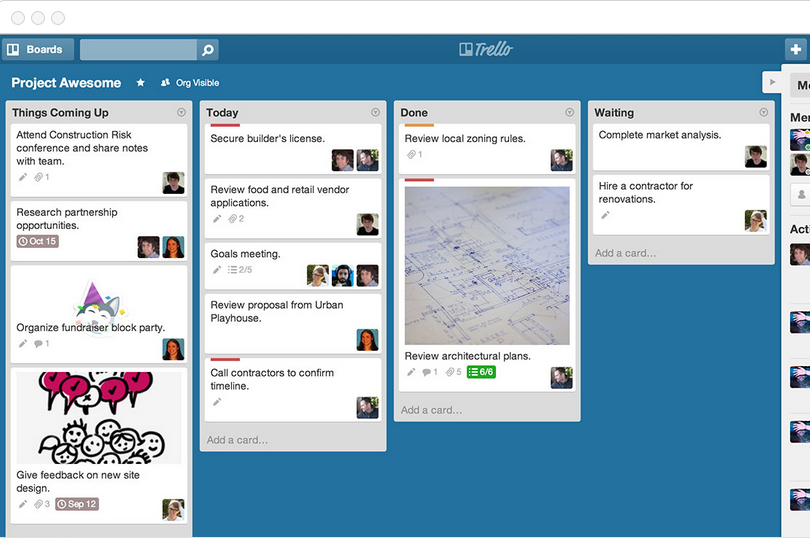
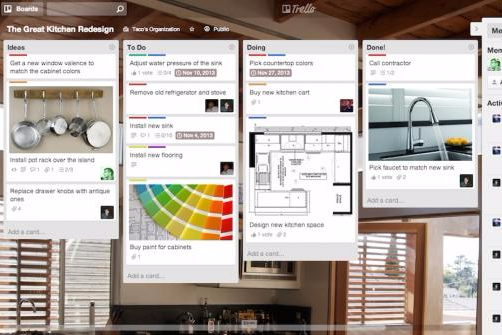
Le bacheche Kanban di Trello facilitano la visualizzazione del flusso di lavoro del team, ideali per gestire attività continue in contesti dinamici.
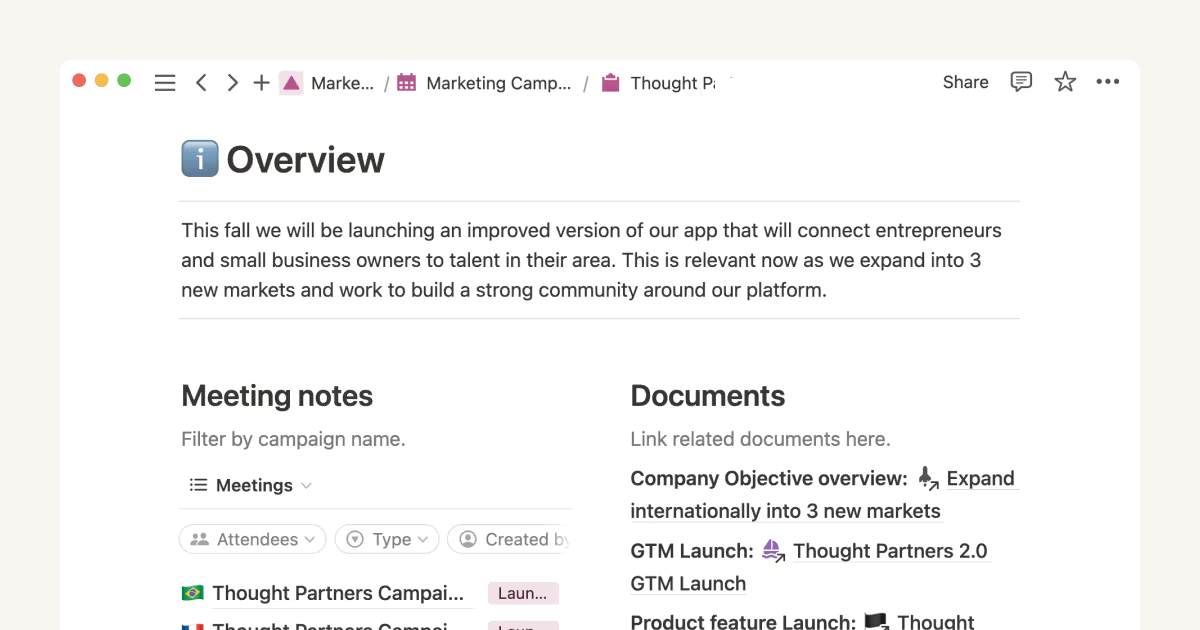
Le banche dati flessibili di Notion permettono di personalizzare gli spazi di lavoro per differenti esigenze progettuali, risultando particolarmente adatte per team che necessitano di una documentazione dettagliata. Trello eccelle nel monitoraggio visivo delle attività, mentre Notion è più indicato per organizzare informazioni complesse di progetto.
| Trello | Notion | |
|---|---|---|
| API | ||
| Calendar Management | ||
| Data Export | ||
| Data Import | ||
| External Integrations | ||
| Multi-User | ||
| Notifications | ||
| Project Management | ||
| Scheduling | ||
| Task Scheduling/Tracking |
Trello vs. Notion Integrazioni
| Integrazione | Trello | Notion |
| Slack | ✅ | ✅ |
| Google Drive | ✅ | ✅ |
| Microsoft Teams | ✅ | ❌ |
| GitHub | ✅ | ❌ |
| Zapier | ✅ | ✅ |
| Asana | ❌ | ✅ |
| Jira | ✅ | ❌ |
| Figma | ❌ | ✅ |
| API | ✅ | ✅ |
L'integrazione Slack di Trello fornisce aggiornamenti immediati sulle attività, aiutando i team a rimanere sincronizzati in tempo reale. L'integrazione di Notion con Figma favorisce una collaborazione fluida tra progettazione e pianificazione. Mentre Trello si concentra sulla comunicazione in tempo reale, Notion è più forte nel collegare il lavoro di design alla documentazione di progetto.
Trello vs. Notion Sicurezza, Conformità & Affidabilità
| Fattore | Trello | Notion |
| Crittografia dei dati | Notion fornisce impostazioni granulari dei permessi per gestire l'accesso allo spazio di lavoro e alle pagine. | Notion utilizza anche la crittografia AES-256 bit per i dati a riposo e TLS per quelli in transito. |
| Conformità normativa | Trello è conforme a GDPR e CCPA, garantendo protezione dei dati agli utenti. | Notion aderisce agli standard GDPR e CCPA per assicurare privacy e protezione dei dati dell'utente. |
| Controllo degli accessi | Trello offre permessi basati sui ruoli per controllare l'accesso alle bacheche e ai dati. | Notion utilizza anch'esso crittografia AES-256-bit per i dati a riposo e TLS per i dati in transito. |
| Backup & Ripristino | Trello effettua regolari backup dei dati e offre opzioni di recupero in caso di perdita delle informazioni. | Notion garantisce l'affidabilità dei dati grazie a backup automatici e sistemi di ripristino. |
Trello e Notion offrono entrambi solide caratteristiche di sicurezza e conformità, ma i controlli d'accesso avanzati di Trello possono risultare più adatti a team che richiedono una governance dei dati rigorosa.
Valuta le esigenze di sicurezza specifiche del tuo team, come standard di crittografia e obblighi di conformità, per determinare quale strumento è più in linea con le politiche della tua organizzazione.
Trello vs. Notion Facilità d'Uso
| Fattore | Trello | Notion |
| Interfaccia utente | Trello offre un’interfaccia semplice in stile Kanban, facile da navigare. | Notion offre uno spazio di lavoro personalizzabile, ma la sua flessibilità può risultare inizialmente ostica. |
| Esperienza di onboarding | Le guide rapide e i modelli di Trello rendono semplice la fase di onboarding per i nuovi utenti. | L'onboarding di Notion richiede più apprendimento a causa dell’ampia gamma di funzionalità. |
| Configurazione | Trello richiede una configurazione minima, permettendo ai team di iniziare subito. | La configurazione di Notion è più articolata e richiede tempo per impostare workspace e database. |
| Supporto | Trello offre un ampio centro assistenza e supporto tramite la community. | Notion fornisce guide dettagliate e forum comunitari attivi per il supporto. |
Trello si distingue per la facilità d'uso, grazie a un'interfaccia intuitiva e una configurazione minima, ideale per la gestione rapida delle attività. Notion presenta una curva di apprendimento più ripida, dovuta alle sue numerose opzioni di personalizzazione, ma diventa uno strumento potente per i team che vogliono investire tempo nell’apprendimento delle sue funzionalità.
Trello vs Notion: Pros & Cons
Trello
- You can easily visualize your tasks with Trello's board and card layout.
- It's simple to use, making it accessible for team members of all skill levels.
- Trello adapts to your team's workflow, offering flexibility in task management.
- Trello lacks advanced reporting features you might find in more complex tools.
- You can't create intricate task dependencies, which may limit complex project planning.
- Trello's simplicity might not suit large teams with detailed project management needs.
Notion
- You can tailor your workspace to fit your needs with flexible layouts and templates.
- The intuitive design makes it easy for users to navigate and organize their projects.
- You can take notes, manage projects, and maintain your databases in one place.
- It can be challenging for new users to master without spending time on tutorials.
- You might experience slow performance if you have large databases or complex setups.
- The mobile app is less intuitive than the desktop version.
Best Use Cases for Trello and Notion
Trello
- Creative Agencies Trello's visual task management makes it easy for you to track projects, ideas, and client feedback.
- Startups The flexibility Trello offers helps your team adapt quickly as you grow and change.
- Marketing Teams You can easily plan campaigns and track progress with Trello's board system.
- Design Departments Trello's simple interface allows you to manage design projects and revisions efficiently.
- Freelancers You can organize your tasks and deadlines without getting overwhelmed by complex features
- Product Development Trello's adaptability helps your team streamline workflows and manage product roadmaps effectively.
Notion
- Creative Agencies You can use customizable templates within a flexible workspace to manage creative projects and collaborate with the team.
- Freelancers You can manage multiple projects and clients in a single, organized platform.
- Startups You can tailor your workspace to your needs in order to manage rapid growth and changing project requirements.
- Remote Teams Notion supports constant communication and project tracking across different locations.
- Education Departments You can use Notion's database capabilities to organize curricula, schedules, and educational materials.
- Content Writers You can use the note-taking and organization features to manage research, drafts, and editorial calendars efficiently.
Chi dovrebbe usare Trello e chi dovrebbe usare Notion?
Trello è ideale per i team che necessitano di uno strumento semplice e visivo per gestire attività e progetti, specialmente in ambienti dinamici come startup o piccoli gruppi di lavoro. Notion invece è più adatto a chi cerca uno strumento completo per documentazione complessa e personalizzazione, rendendolo ideale per team creativi o progetti dalle esigenze variegate.
Se il vostro team dà valore alla facilità d’uso e a una configurazione rapida, Trello è un’ottima scelta. Se invece avete bisogno di flessibilità e profondità, Notion è la soluzione migliore.
Differences Between Trello and Notion
| Trello | Notion | |
|---|---|---|
| Automation | Trello includes built-in automation with Butler for repetitive tasks. | Notion lacks native automation but can be extended through integrations |
| Customization | Trello’s customization is limited to board and card settings. | Notion allows extensive customization with databases and templates. |
| Documentation | Trello focuses on visual task tracking rather than documentation. | Notion excels in combining project management with detailed documentation |
| Pricing | Trello employs a freemium model, offering paid tiers for additional features. | Notion also uses a freemium model but charges for added workspaces and features |
| User Interface | Trello offers a simple Kanban board layout for task management. | Notion provides a customizable workspace with various layout options. |
| Read Trello ReviewOpens new window | Read Notion ReviewOpens new window |
Similarities Between Trello and Notion
| Cloud-Based Access | Trello and Notion are cloud-based, so you can access your projects from anywhere, whether you’re in the office or on the go. |
|---|---|
| Collaboration | Both Trello and Notion support team collaboration by allowing multiple users to edit and comment on projects in real time. |
| Freemium Model | Trello and Notion both have a freemium pricing model, letting you start with basic features and scale up as your needs grow. |
| Integrations | Both tools offer a range of integrations with popular apps like Slack and Google Drive, enhancing their functionality. |
| User Support | Each platform has an active user community and provides extensive online resources, helping you get the most out of their features. |
| Read Trello ReviewOpens new window Read Notion ReviewOpens new window | |