


Monday CRM vs. Productive: Confronto Esperto per il 2026



Monday CRM offre un approccio semplificato per gestire le interazioni con i clienti del tuo team. Productive, invece, propone una struttura solida per ottimizzare la produttività del team insieme alla gestione dei clienti. Sebbene entrambi gli strumenti mirino a migliorare i processi di relazione con i clienti, si differenziano per le capacità di integrazione e il design dell'interfaccia utente. In questo articolo troverai un confronto completo delle funzionalità, vantaggi e svantaggi, prezzi e altro ancora, con particolare attenzione alla loro applicazione nella gestione delle relazioni con i clienti.
monday CRM vs. Productive: An Overview
monday CRM


Productive



Perché fidarsi dei nostri consigli sui software
Il nostro team testa e recensisce software dal 2012. In quanto project manager noi stessi, sappiamo quanto sia difficile — e importante — scegliere il software giusto.
Per questa guida, abbiamo valutato gli strumenti attraverso test pratici e ricerche indipendenti, assegnando un punteggio agli strumenti in base ai nostri criteri di selezione. Ci basiamo inoltre sulle competenze di leader di pensiero del settore e di professionisti attivi nella gestione dei progetti.
Le nostre recensioni riflettono il nostro giudizio editoriale umano, non un discorso di vendita.
Revisori esperti:
monday CRM vs. Productive Pricing Comparison
| monday CRM | Productive | |
|---|---|---|
| Free Trial | 14-day free trial + free demo available | 14-day free trial |
| Pricing | From $12/seat/month (billed annually) | From $10/user/month |
Monday CRM vs. Productive: Prezzi e Costi Nascosti
I prezzi di Monday CRM sono strutturati su piani a livelli che aumentano di costo man mano che aggiungi funzionalità o utenti, con potenziali costi aggiuntivi per integrazioni premium o spazio di archiviazione extra. I prezzi di Productive seguono anch'essi un modello a livelli, con tariffe che aumentano in base al numero di utenti e costi extra per funzionalità avanzate o limiti di utilizzo aumentati.
Per scegliere lo strumento più adatto per il tuo team di vendita, valuta entrambi i fornitori considerando il costo totale di proprietà, inclusi eventuali costi nascosti. Osserva come la struttura dei prezzi di ciascun strumento si adatti alle dimensioni del tuo team, alla crescita prevista e alle specifiche esigenze funzionali. Considera periodi di prova gratuita o dimostrazioni per valutare il valore offerto da ciascun tool rispetto al suo prezzo.
monday CRM vs. Productive Feature Comparison
Con le funzionalità di automazione di Monday CRM puoi semplificare attività ripetitive come le email di follow-up, rendendolo ideale per un responsabile vendite che gestisce molteplici interazioni con clienti ogni giorno. La funzione finanziaria di progetto di Productive è ottima per monitorare dettagliatamente budget e fatture, elemento essenziale per gestire con efficacia i costi nei contesti di vendita basati su progetto. Mentre Monday CRM semplifica l’automazione dei processi, Productive eccelle nella supervisione finanziaria, offrendo vantaggi specifici in base alle esigenze della tua squadra.
| monday CRM | Productive | |
|---|---|---|
| API | ||
| Data Export | ||
| Data Import | ||
| External Integrations | ||
| Multi-User | ||
| Notifications | ||
| Scheduling | ||
| Task Scheduling/Tracking |
Monday CRM vs. Productive: Integrazioni
| Integrazione | Monday CRM | Productive |
|---|---|---|
| Google Calendar | ✅ | ✅ |
| HubSpot | ✅ | ✅ |
| Jira | ✅ | ✅ |
| QuickBooks | ❌ | ✅ |
| Salesforce | ✅ | ❌ |
| Trello | ✅ | ❌ |
| Slack | ✅ | ✅ |
| Bamboo HR | ❌ | ✅ |
| API | ✅ | ✅ |
| Zapier | ✅ | ✅ |
L'integrazione di Monday CRM con Salesforce ti permette di gestire dati dei clienti e pipeline di vendita senza interruzioni, una soluzione perfetta per un responsabile vendite che necessita di informazioni sempre aggiornate sui clienti. L'integrazione di Productive con QuickBooks è ideale per la gestione di contabilità e fatturazione, particolarmente utile nei contesti di vendita su progetto. Mentre Monday CRM punta a potenziare i processi di vendita, Productive eccelle nella gestione finanziaria, rispondendo a differenti esigenze operative.
Monday CRM vs. Productive Sicurezza, Conformità & Affidabilità
| Fattore | Monday CRM | Productive |
|---|---|---|
| Crittografia dei dati | Crittografa i dati sia a riposo che in transito, garantendo una gestione sicura delle informazioni. | Utilizza la crittografia AES-256 per proteggere i dati, offrendo una sicurezza solida per le informazioni archiviate. |
| Conformità normativa | È conforme al GDPR e offre impostazioni personalizzabili sulla privacy dei dati per il controllo dell'utente. | Garantisce la conformità al GDPR con audit regolari e misure di protezione dei dati. |
| Affidabilità | Garantisce una disponibilità del 99,9% con aggiornamenti in tempo reale sullo stato accessibili agli utenti. | Offre un servizio affidabile con una garanzia di uptime del 99,9% e monitoraggio continuo. |
| Controlli di accesso | Dispone di permessi basati sui ruoli per controllare l'accesso degli utenti ai dati sensibili. | Implementa ruoli utente e permessi per limitare l'accesso in base alla funzione lavorativa. |
Sia Monday CRM che Productive offrono solide strutture di sicurezza e conformità, ma le impostazioni di privacy personalizzabili di Monday CRM lo rendono superiore nel controllo da parte dell'utente. Per scegliere il fornitore giusto, valuta le esigenze specifiche di protezione dei dati del tuo team, considerando fattori come gli standard di crittografia e i requisiti normativi per trovare la soluzione migliore.
Monday CRM vs. Productive Facilità d'Uso
| Fattore | Monday CRM | Productive |
|---|---|---|
| Interfaccia utente | Offre un'interfaccia colorata e intuitiva con funzionalità drag-and-drop per una navigazione facilitata. | Presenta un design pulito e minimalista che si concentra su una gestione efficiente delle attività. |
| Esperienza di onboarding | Fornisce tutorial interattivi e guide per aiutare i nuovi utenti a familiarizzare rapidamente. | Propone un processo di onboarding semplice con suggerimenti utili e risorse informative. |
| Configurazione | Richiede una configurazione minima grazie a template pre-impostati che semplificano l'avvio. | Permette una configurazione semplice con flussi di lavoro personalizzabili per adattarsi alle diverse esigenze dei team. |
| Supporto | Include assistenza clienti 24/7 e una knowledge base completa per la risoluzione dei problemi. | Fornisce un supporto reattivo tramite chat ed email, insieme a un centro assistenza dettagliato. |
L'interfaccia vivace di Monday CRM lo rende coinvolgente, ma la moltitudine di funzionalità può risultare all'inizio travolgente. Productive è più semplice da navigare grazie al suo design essenziale, anche se potrebbe mancare di parte dell’appeal visivo che distingue Monday CRM.
monday CRM vs Productive: Pros & Cons
monday CRM
- You can easily customize workflows to fit your team's specific needs.
- It enhances team collaboration with real-time updates and dashboards.
- The onboarding process is smooth and user-friendly, helping your team get started quickly.
- The interface can be overwhelming for smaller teams with its extensive capabilities.
- Some users find the navigation less intuitive compared to other tools.
- It might not be the best fit for teams needing advanced financial features.
Productive
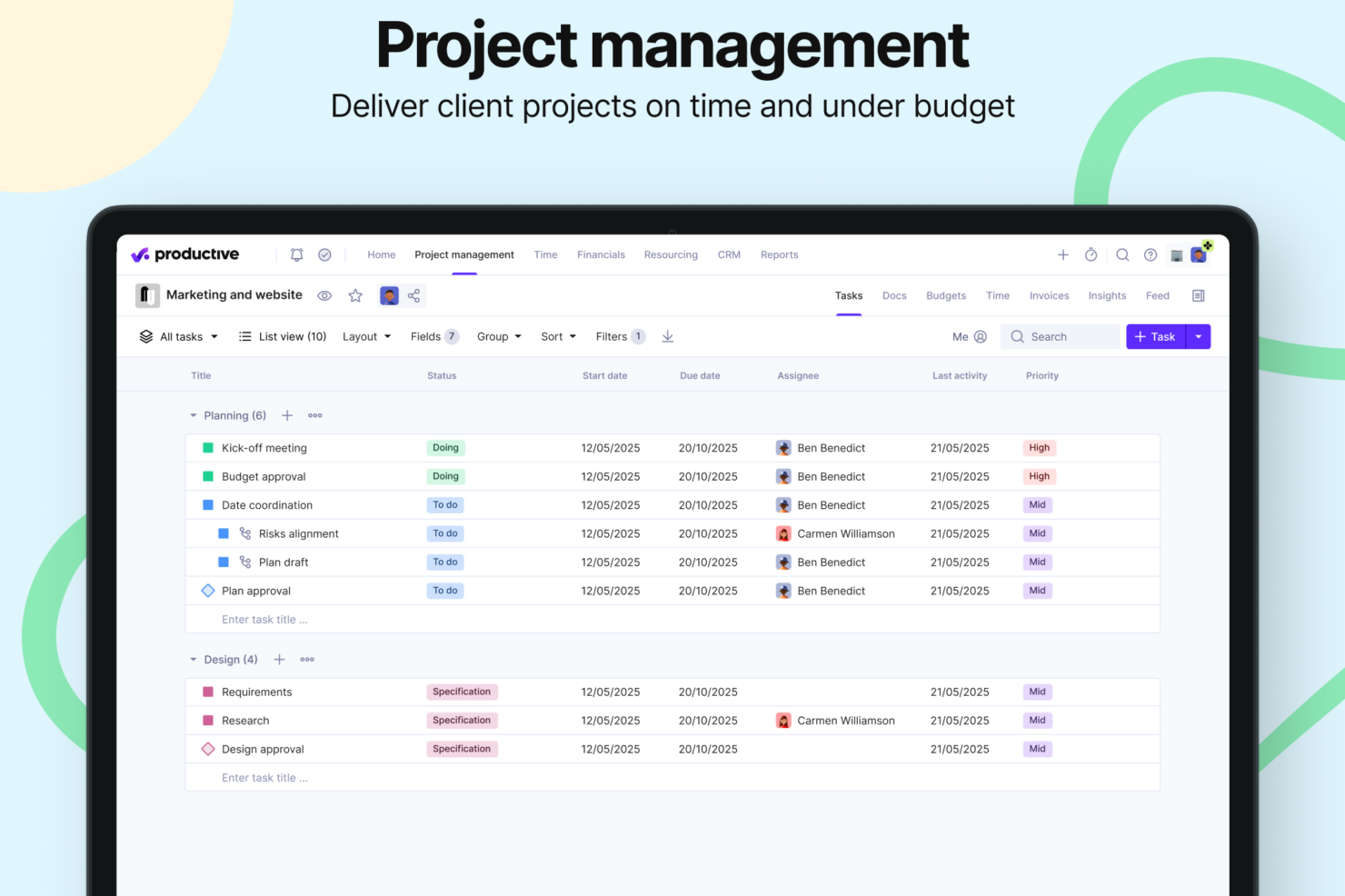
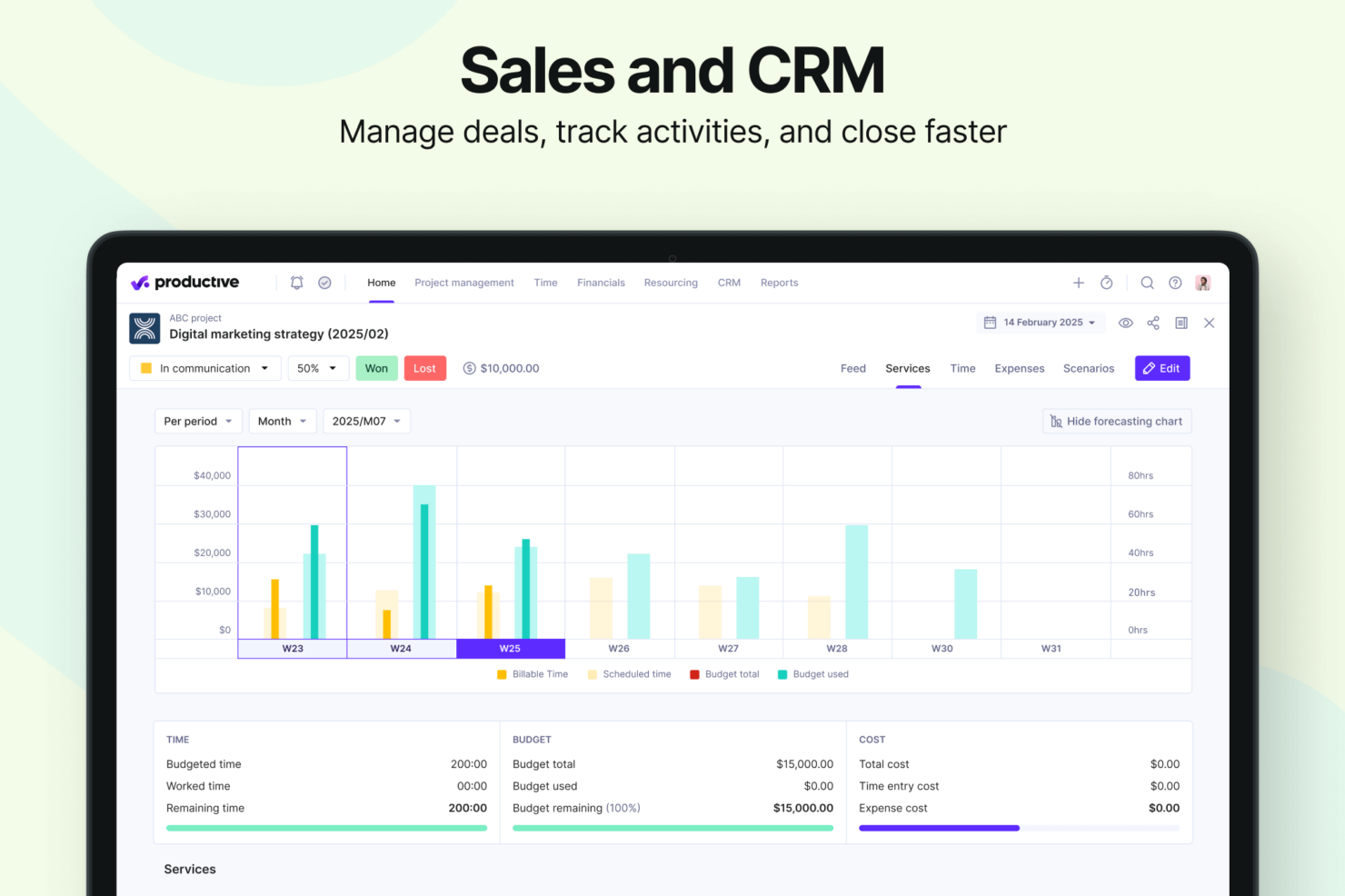
- Strong financial tracking and forecasting tools give you real-time insight into project profitability and overall business performance.
- You can handle agency projects end-to-end, from proposal to payment, which simplifies your workflow.
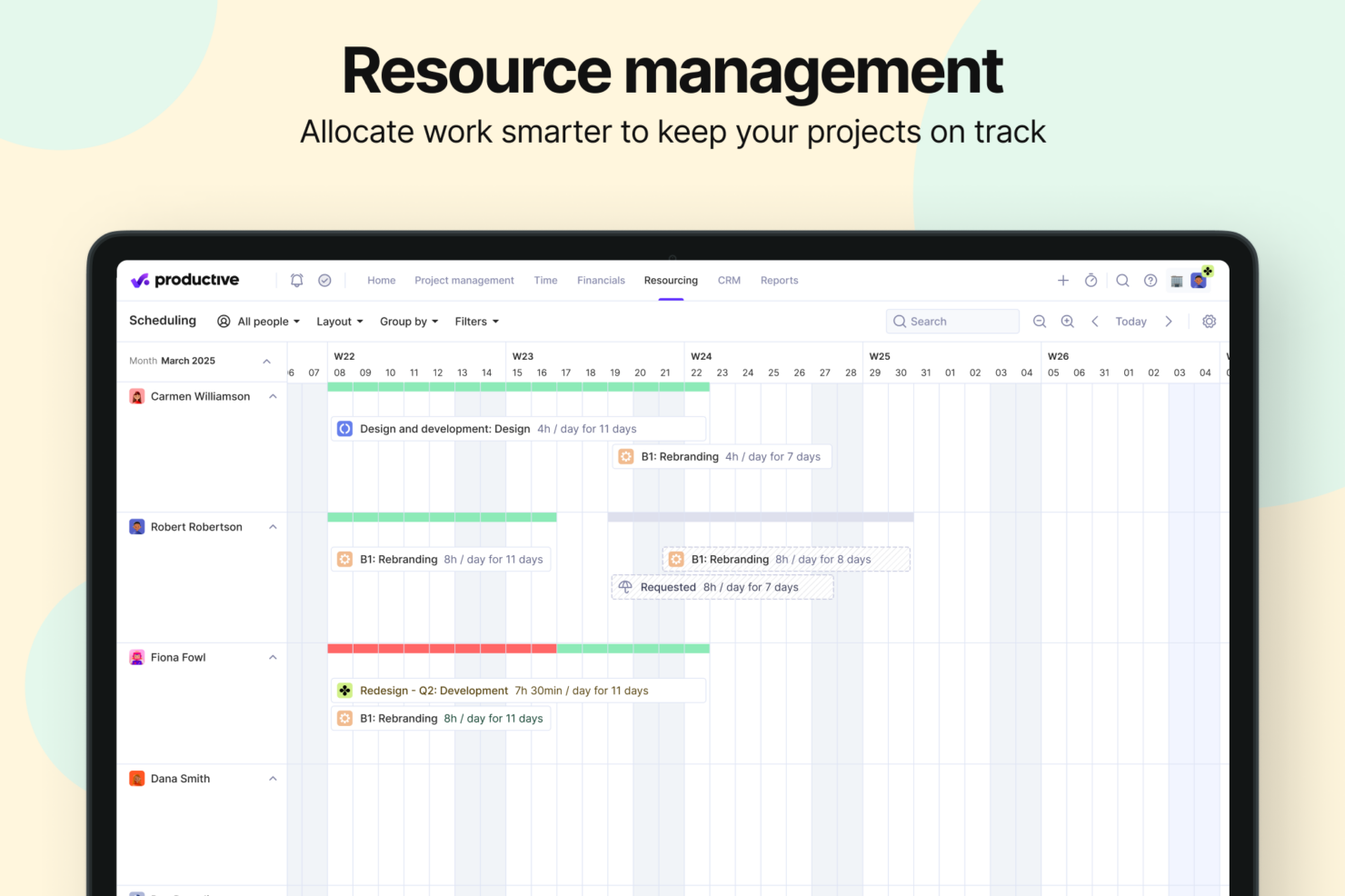
- Robust resource planning and workload management help you allocate people effectively.
- No free option available for teams looking for core project management functions.
- Advanced features can be complicated for small companies that just want basic task tracking.
- There's a minimum 3-seat requirement, so the tool isn't fit for single users or tiny teams.
Best Use Cases for monday CRM and Productive
monday CRM
- Marketing Teams Monday CRM lets you track campaigns and collaborate on content with its visual boards and real-time updates.
- Creative Agencies You can manage client projects and deadlines with customizable workflows that adapt to your needs.
- Sales Departments Track leads and sales pipelines with ease using Monday CRM’s intuitive dashboard and reporting features.
- Product Development Organize product roadmaps and collaborate with your team through Monday CRM’s task management and file-sharing capabilities.
- Event Planning Coordinate logistics and schedules seamlessly with Monday CRM’s timeline views and task assignments.
- Remote Teams Stay connected and on track with Monday CRM’s real-time collaboration tools and integration options.
Productive
- Creative agencies Agencies managing client retainers or project-based work gain real-time control over budgets, utilization, and profitability. Productive supports collaborative workflows while giving leadership deep financial insights.
- Architecture & Engineering Firms Productive aligns well with your workflows by combining project budgeting, resource planning, phased delivery, and profitability tracking.
- Consulting Firms Consultancies benefit from Productive’s integrated approach to scoping, staffing, project financials, and invoicing—providing clarity across complex engagements and supporting better revenue forecasting.
- Professional Service Providers Productive supports end-to-end service delivery with strong project financials, resource planning, time tracking, and billing workflows.
- IT Services IT service teams can streamline client engagements with robust time tracking, retainer management, cost tracking, and project profitability features.
- Mid-to-Large Businesses Organizations with growing teams benefit from Productive’s scalable project controls, forecasting, custom reporting, and multi-office management capabilities.
Chi dovrebbe usare Monday CRM e chi dovrebbe usare Productive?
Monday CRM è particolarmente adatto a team commerciali che cercano una piattaforma altamente personalizzabile per gestire le trattative, automatizzare le attività ripetitive e ottenere una panoramica visiva completa dell’intero funnel di vendita. È ideale per i team che desiderano adattare ogni fase del CRM ai propri processi unici, soprattutto nei settori creativi o ad alto ritmo. Productive, invece, è pensato per agenzie e aziende di servizi che necessitano di una pipeline commerciale collegata direttamente a budget, risorse e redditività. Se il tuo team commerciale ha bisogno di una collaborazione fluida tra reparti—come vendite, finanza ed erogazione servizi—l'approccio all-in-one di Productive può essere una scelta migliore. Per la flessibilità visiva e l’automazione CRM scalabile, Monday CRM eccelle; per il tracciamento dettagliato delle trattative e la visibilità sulle prestazioni aziendali, Productive si distingue.
Differences Between monday CRM and Productive
| monday CRM | Productive | |
|---|---|---|
| Business Intelligence | monday CRM offers dashboards focused on sales performance, deal tracking, and pipeline analytics—not project profitability, delivery margins, or financial forecasting. | Productive includes budgeting, cost tracking, profitability forecasting, revenue insights, and a full BI layer for service businesses. |
| Document Management | monday CRM does not have a native document editor; it integrates with external tools (Google Docs, etc.). | Productive includes integrated Docs for specs, notes, briefs, and project documentation. |
| Project Delivery | monday CRM focuses on CRM workflows: lead collection, deal stages, pipelines, email sequences, automations, and contact management. | Productive manages the entire lifecycle: proposals, projects, tasks, resources, financials, invoicing, reporting, docs, and profitability. |
| Resource Management | monday CRM does not offer traditional resource planning. It provides activity/task scheduling for sales reps, but not project-based capacity or utilization management. | Productive includes mature tools for resource planning and workload management: filtering by skills, seniority, availability, placeholders for future hiring, and visual workload balancing. |
| Scenario Building | monday CRM does not offer scenario-planning functionality. Its forecasting is sales pipeline–oriented. | Built-in Scenario Builder allows modeling different project or deal scenarios, comparing costs, staffing, timing, and profitability before committing. |
| Visit monday CRMOpens new window | Visit ProductiveOpens new window |
Similarities Between monday CRM and Productive
| Cross-Platform Access | Both platforms are accessible across devices, allowing teams to manage work on the go through mobile apps or responsive web interfaces. |
|---|---|
| Customizable Workflows | Both tools let teams tailor workflows to fit their processes, with support for customizable stages and a variety of templates. |
| Integration Options | Each platform supports a wide range of third-party integrations, including tools like Slack, Google Calendar, and other popular apps. |
| Real-time Collaboration | Both tools let teams tailor workflows to fit their processes, with support for customizable stages and a variety of templates. |
| Reporting | Both Monday CRM and Productive offer reporting features that allow users to visualize key metrics and track performance across workflows. |
| Visit monday CRMOpens new window Visit ProductiveOpens new window | |