

I 10 migliori software di contabilità dei progetti per la gestione del budget nel 2026

10 Elenco dei migliori software di contabilità dei progetti


Tenere traccia dei costi, dei budget e del tempo dedicato ai progetti non è semplice. Tra ambiti che cambiano e margini ridotti, è difficile avere una visione chiara dei propri dati finanziari continuando a portare avanti il lavoro.
È qui che il software di contabilità dei progetti può essere di grande aiuto. Ti offre una visione chiara dell'impatto dei tuoi progetti sui risultati economici, permettendoti di prendere decisioni consapevoli ed evitare sorprese.
In questo articolo ti presenterò i migliori strumenti di contabilità dei progetti che ho testato. Illustrerò i punti di forza di ciascuno, gli eventuali limiti e il modo in cui potrebbe integrarsi nel tuo flusso di lavoro.
Perché fidarsi dei nostri consigli sui software
Il nostro team testa e recensisce software dal 2012. In quanto project manager noi stessi, sappiamo quanto sia difficile — e importante — scegliere il software giusto.
Per questa guida, abbiamo valutato gli strumenti attraverso test pratici e ricerche indipendenti, assegnando un punteggio agli strumenti in base ai nostri criteri di selezione. Ci basiamo inoltre sulle competenze di leader di pensiero del settore e di professionisti attivi nella gestione dei progetti.
Le nostre recensioni riflettono il nostro giudizio editoriale umano, non un discorso di vendita.
Revisori esperti:
Tabella comparativa dei software di contabilità dei progetti
Questa tabella comparativa riassume i dettagli sui prezzi delle mie migliori selezioni di software di contabilità dei progetti:
| Tool | Best For | Trial Info | Price | ||
|---|---|---|---|---|---|
| 1 | Ideale per agenzie e società di consulenza | Prova gratuita di 14 giorni + demo gratuita disponibile | A partire da $19.90/utente/mese (fatturazione annuale) | Website | |
| 2 | Ideale per la gestione di progetti complessi | Prova gratuita di 30 giorni + demo gratuita disponibile | Da $9.99/utente/mese (fatturato annualmente) | Website | |
| 3 | Ideale per automatizzare le fatture ricorrenti | Piano gratuito disponibile (su richiesta via email) | Da $12.49 per utente/mese (fatturazione annuale) | Website | |
| 4 | Ideale per la pianificazione prioritaria e predittiva | Prova gratuita disponibile | Prezzo su richiesta | Website | |
| 5 | Ideale per il monitoraggio in tempo reale del burn rate | Prova gratuita di 14 giorni | A partire da $25/mese | Website | |
| 6 | Ideale per team PMO, EPMO e di sviluppo software | Prova gratuita disponibile | Prezzo su richiesta | Website | |
| 7 | Ideale per team di piccole e medie dimensioni | Prova gratuita di 14 giorni + demo gratuita disponibile | A partire da $3.5/utente/mese (fatturazione annuale) | Website | |
| 8 | Miglior software di contabilità di progetto per la pianificazione di progetti basata su diagrammi di Gantt | Prova gratuita di 14 giorni | Da $7/utente/mese (fatturazione annuale) | Website | |
| 9 | Ideale per la gestione delle spese di progetto | Demo gratuita disponibile | Da $8/utente/mese (fatturazione annuale) | Website | |
| 10 | Il miglior software di project accounting per agenzie | 14 giorni di prova gratuita + demo gratuita disponibile | Da $10/mese (fatturazione annuale) | Website |


Recensioni dei migliori software di contabilità dei progetti
Di seguito trovi le mie sintesi dettagliate dei migliori software di contabilità dei progetti inclusi nel mio elenco ristretto. Le mie recensioni offrono un’analisi approfondita delle funzionalità principali, dei vantaggi e degli svantaggi, delle integrazioni e dei casi d’uso ideali di ogni strumento, per aiutarti a trovare quello più adatto a te.

Scoro
Ideale per agenzie e società di consulenza

Scoro è un software di gestione del lavoro che funge anche da software di contabilità di progetto, aiutando agenzie e società di consulenza a semplificare i progetti, facilitare la creazione di preventivi e automatizzare la fatturazione. Dispongono di diversi piani, ma grazie alle funzionalità avanzate per la contabilità di progetto, credo che sia particolarmente adatto ad agenzie e fornitori di servizi professionali.
Perché ho scelto Scoro: La piattaforma è un software di gestione aziendale tutto-in-uno che include anche la gestione del tempo e del team, la fatturazione, le vendite e l’automazione dei servizi professionali. Tiene traccia di compiti e spese, automatizzando i processi di fatturazione e semplificando le attività di contabilità di progetto, come l’emissione delle fatture o la gestione delle spese.
Inoltre, Scoro consente agli utenti di avere una visione centralizzata di progetti, budget, attività, risorse e scadenze, favorendo una migliore coordinazione e gestione delle risorse. Apprezzo anche la piattaforma perché supporta la collaborazione tra i membri del team, facilitando la comunicazione, la condivisione di informazioni e la collaborazione tra i membri.
Caratteristiche distintive e integrazioni di Scoro
Caratteristiche distintive includono la possibilità di stimare simultaneamente i costi di consegna e monitorare i risultati previsti rispetto a quelli effettivi per garantire la consegna tempestiva dei progetti nei limiti del budget. Un’altra ottima funzionalità è la fatturazione, che automatizza i processi di incasso e fatturazione (con molteplici opzioni di pagamento che vanno dal bonifico alle carte di pagamento fino agli assegni cartacei). Puoi anche sincronizzare la fatturazione con i tuoi strumenti finanziari per avere informazioni di pagamento accurate e una rapida riscossione dei pagamenti.
Le integrazioni includono i principali strumenti aziendali come MS Exchange, Google Calendar, Quickbooks, Asana, Jira, Evernote, Trello, Harvest, Basecamp, GitHub, Xero, Expensify, Exact, Salesforce, Hubspot, Mailchimp, Stripe, Paypal, Woocommerce, Drift, Dropbox e Zendex. Zapier permette di connetterlo a molte altre app di terze parti. È inoltre possibile utilizzare l’API per creare integrazioni personalizzate e inviarle allo Scoro Marketplace.
Pros and Cons
Pros:
- Funzionalità di contabilità di progetto complete.
- Grande facilità d'uso, anche per i nuovi utenti.
- Le versioni mobili dell'app ti permettono di lavorare ovunque.
Cons:
- I prezzi non sono molto chiari per le fasce più basse.
- Curva di apprendimento ripida per i nuovi utenti.
New Product Updates from Scoro

Scoro Adds Time Mobile App and ELI Improvements
Scoro adds the Scoro Time mobile app for iOS/Android to track time anywhere and expands ELI with attachments, smarter filtering, and trigger-based actions. For more information, visit Scoro's official site.

Ideale per la gestione di progetti complessi

Teamwork è un software di contabilità di progetto che offre un controllo completo del budget e delle operazioni, oltre a una potente gestione dei progetti in un unico posto. Grazie alla sua versatilità, questo software è ideale per la gestione collaborativa dei progetti, soprattutto per i team che lavorano su progetti complessi che richiedono una vasta coordinazione e comunicazione.
Perché ho scelto Teamwork: Questa piattaforma eccelle nel favorire il controllo operativo dei progetti e la collaborazione grazie alla sua interfaccia intuitiva e agli strumenti di comunicazione robusti.
Ciò che mi ha davvero colpito di questa piattaforma è la capacità di ottimizzare i ricavi ricorrenti dai contratti di mantenimento monitorando tempo, tariffe e spese. Questo consente ai project manager o ai contabili di gestire le fluttuazioni di budget. Puoi anche utilizzarla per monitorare i margini di profitto seguendo le prestazioni di progetto, cliente e contratti di mantenimento, al fine di prendere decisioni basate sui dati.
Funzionalità distintive e integrazioni di Teamwork
Funzionalità distintive includono la rilevazione dei tempi e un diagramma di Gantt per la gestione del flusso di lavoro a supporto della pianificazione dei progetti. Gli utenti possono inoltre beneficiare della condivisione di file e della gestione dei documenti per uno scambio di informazioni e una collaborazione agevoli.
Integrazioni includono Slack, MS Teams, Hubspot, Skyvia, Atarim, Feedbucket, Parallax, Stripe, Bybrand, Integrately, Pabbly e Import2. Puoi inoltre utilizzare l’API di Teamwork per integrare Teamwork con gli strumenti che preferisci e creare integrazioni personalizzate.
Pros and Cons
Pros:
- Funzionalità avanzate di project management.
- Monitoraggio semplice di tempo e budget.
- Gestione del flusso di lavoro.
Cons:
- Curva di apprendimento ripida con un’interfaccia piuttosto complessa.
- Il prezzo può essere un po' troppo alto per piccoli team e startup
Nutcache
Ideale per automatizzare le fatture ricorrenti

Nutcache è una nota applicazione web di project management collaborativo, ideale per aziende e team di qualsiasi dimensione per migliorare la produttività. Include una gestione completa dei progetti con funzionalità di contabilità, come la fatturazione, il monitoraggio del tempo e la gestione delle spese.
Perché ho scelto Nutcache: Ciò che distingue Nutcache è l'attenzione della piattaforma verso la contabilità di progetto, come la gestione delle spese e la fatturazione. Queste funzionalità permettono di fatturare direttamente dalle bacheche di progetto, utilizzare ore e spese tracciate per addebitare i progetti, confrontare budget e tempi previsti con quelli effettivi e allegare documenti a preventivi e fatture. Nutcache supporta anche gateway di pagamento come 2Checkout, Authorize.net e Paypal, permettendo agli utenti di accettare pagamenti online e con carta di credito. Questo lo rende un'ottima opzione per i team di payroll meno esperti.
Inoltre, apprezzo che Nutcache sia una soluzione cloud compatibile con sistemi Android, iOS, Linux, Mac e Windows. Essendo la piattaforma disponibile sia in versione gratuita che a pagamento, puoi provarla gratuitamente per farti un'idea prima di decidere di acquistare un piano in abbonamento. Durante tutto questo periodo, avrai a disposizione funzionalità di qualità per supportare la gestione dei tuoi progetti.
Funzionalità e integrazioni di spicco di Nutcache
Funzionalità di spicco includono fatturazione e gestione delle spese per la produttività. Grazie a queste funzionalità, puoi gestire l’intero ciclo di vita della consegna di un progetto in uno spazio di lavoro collaborativo, dalla prima stima di budget alla fatturazione finale, passando per il monitoraggio del tempo, la gestione delle spese, la fatturazione ai clienti e la riscossione dei pagamenti. Le capacità di monitoraggio del budget in tempo reale permettono di vedere, in ogni momento, l’effettivo andamento rispetto agli obiettivi e alle stime di progetto.
Integrazioni includono Dynacom Accounting, PayPal, Stripe, 2Checkout, Authorized.Net, Quickbooks Online, Google Workspace, GitHub e Slack. Puoi inoltre utilizzare Zapier per collegare Nutcache alle tue app web preferite di terze parti e API per creare integrazioni personalizzate.
Pros and Cons
Pros:
- Combina project management con monitoraggio del tempo, fatturazione e gestione delle spese.
- Centralizza tutte le informazioni di progetto
- Permette di fatturare facilmente il lavoro del team.
Cons:
- Il report del tempo può talvolta avere malfunzionamenti.
- Curva di apprendimento elevata per i nuovi utenti.
Ideale per la pianificazione prioritaria e predittiva

LiquidPlanner è una soluzione innovativa di project accounting per i team che vogliono pianificare, prevedere, eseguire e monitorare i progetti superando le aspettative. Grazie alla sua programmazione predittiva, LiquidPlanner è ideale per la gestione dei progetti in ambienti dinamici dove priorità e scadenze cambiano frequentemente.
Perché ho scelto LiquidPlanner: Ho apprezzato LiquidPlanner perché solleva dalle spalle la gestione delle incertezze di progetto, inclusi i budget. La funzionalità di pianificazione predittiva adatta dinamicamente il progetto al cambiamento, offrendoti un'idea di ciò che accadrà quando pianifichi con sicurezza e aiutandoti a considerare tutto il personale e il tempo.
Mi è piaciuto anche come puoi bilanciare il carico di lavoro e la disponibilità per l'intero team su tutte le attività e progetti. Lo strumento valuta la complessità di tutti i progetti e la disponibilità delle persone — tramite il tracciamento del tempo — per modellare e aiutare a ottimizzare le prestazioni. Questo ti offre anche la possibilità di dare priorità ad attività e azioni. Inoltre, la funzione di stima dell'intervallo cattura l'incertezza e ti aiuta a prepararti per tempo.
Funzionalità e integrazioni distintive di LiquidPlanner
Le funzionalità di spicco includono la gestione delle risorse e il tracciamento del tempo, permettendo ai team di adattarsi e monitorare i cambiamenti. Puoi inoltre utilizzare approfondimenti intelligenti per automatizzare progetti, stime, tempi e budget per una pianificazione collaborativa e il controllo dei rischi.
Integrazioni includono Trello, Jira, Slack, Salesforce, ScribeHow, Box, FTP, Google Drive, Freshdesk, Zoho, Hubstaff e Dropbox. Migliaia di altre app e integrazioni software possono essere realizzate tramite l’Open API di LiquidPlanner o essere accessibili usando un account a pagamento con Zapier.
Pros and Cons
Pros:
- Pianificazione predittiva automatizzata e intelligente.
- Offre scenari migliori e peggiori di progetto.
- Strumenti avanzati di analisi per diverse risorse.
Cons:
- Non è possibile aggiungere sotto-attività alle attività di progetto.
- Piano gratuito limitato e opzioni di prezzo costose.

Puzzle
Ideale per il monitoraggio in tempo reale del burn rate
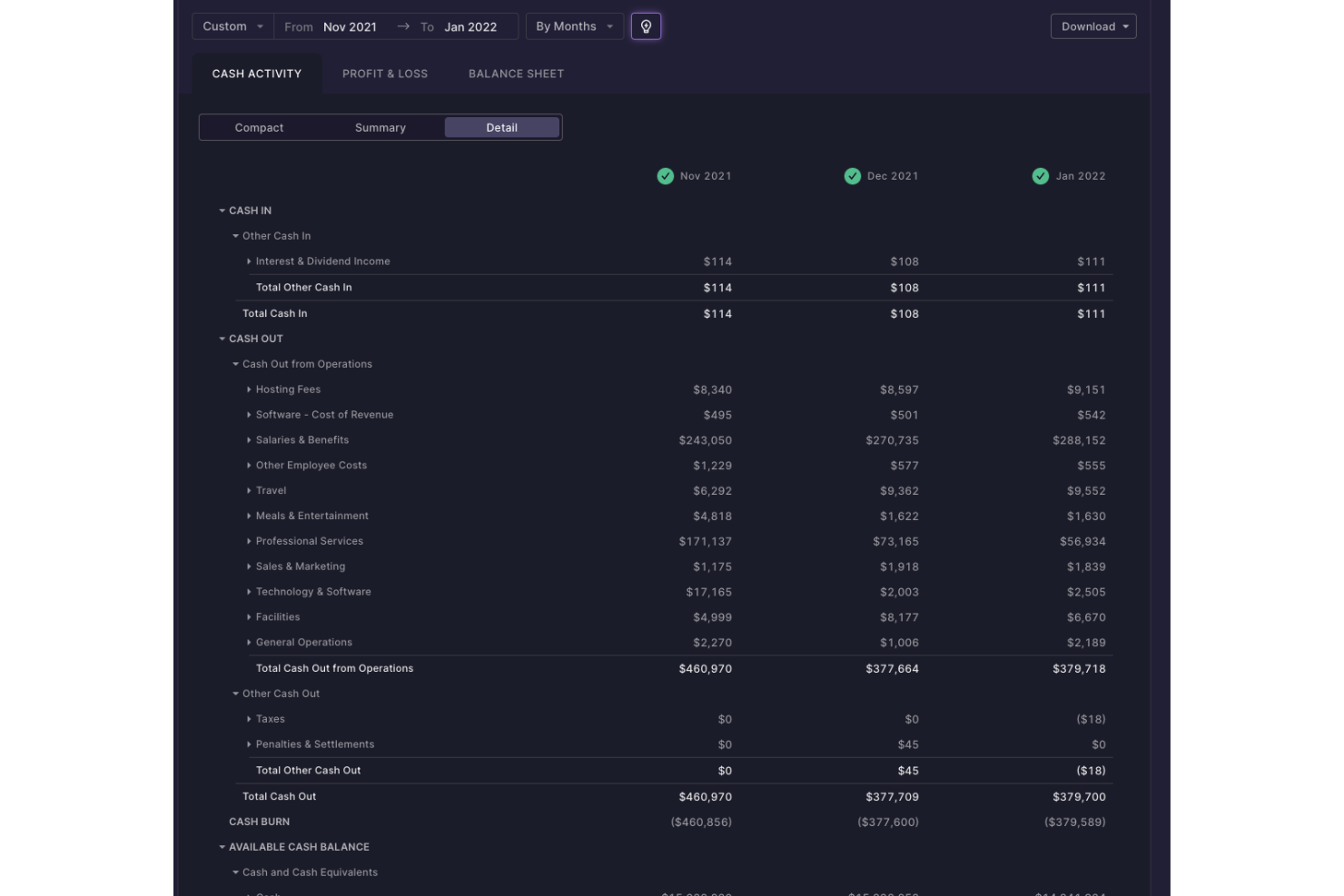
Puzzle.io è un software di contabilità nativo AI pensato per startup e piccole imprese. Sebbene il suo obiettivo principale sia l’automazione della contabilità, offre anche funzionalità di monitoraggio e reportistica finanziaria che supportano la contabilità di progetto, aiutandoti a tenere sotto controllo budget, spese e flusso di cassa durante l’avanzamento dei tuoi progetti.
Perché ho scelto Puzzle.io: Ho incluso Puzzle.io in questo elenco per la sua visibilità finanziaria in tempo reale unita all’analisi integrata del burn rate e della runway. Mentre i costi di progetto variano, puoi monitorare i movimenti di cassa su tutti i progetti e regolare le spese prima che sorgano problemi. Il suo sistema contabile a partita doppia supporta sia la contabilità per cassa che quella per competenza, offrendo flessibilità per i progetti che richiedono un monitoraggio dettagliato di ricavi e spese. Per le startup che gestiscono finanziamenti limitati o diversi progetti per clienti, questo livello di reportistica aiuta a mantenere il controllo finanziario in ogni fase.
Sebbene questa piattaforma sia stata progettata pensando alle startup, mette a disposizione strumenti di reportistica a livello di progetto che possono essere utili a qualsiasi piccola impresa che desidera semplificare la gestione finanziaria senza dover utilizzare più sistemi separati. Puoi tracciare le spese di progetto, monitorare la salute finanziaria e collaborare facilmente con consulenti contabili esterni quando necessario.
Funzionalità distintive e integrazioni di Puzzle.io
Funzionalità distintive includono il riconoscimento automatico dei ricavi per allineare le entrate di progetto con il lavoro svolto, l’analisi delle variazioni per segnalare spostamenti inattesi delle spese e il servizio di onboarding assistito che guida il tuo team nella configurazione.
Le integrazioni comprendono Ramp, Brex, Mercury, Every, Meow, Rippling, Gusto, Deel, Central, Stripe, Bill.com, Runway e Causal.
Pros and Cons
Pros:
- Supporta sia la contabilità per cassa che per competenza
- L’IA migliora l’accuratezza della categorizzazione nel tempo
- Automatizza il riconoscimento dei ricavi e la categorizzazione delle spese
Cons:
- Ecosistema di integrazioni più ristretto rispetto agli strumenti ERP
- Personalizzazione limitata per flussi di lavoro complessi


AdaptiveWork è uno strumento di gestione progetti pensato per la gestione Agile dei progetti, il che lo rende ideale per team di sviluppo software e organizzazioni che adottano metodologie Agile. La piattaforma permette ai project manager software di ottenere una visibilità in tempo reale su tutto il lavoro, automatizzare i flussi di lavoro e gestire proattivamente i rischi.
Perché ho scelto AdaptiveWork: Ho scelto AdaptiveWork per le sue funzionalità di gestione progetti come la pianificazione, l'analisi e la reportistica, la gestione dei flussi di lavoro e la delivery del team. Le sue funzionalità avanzate aiutano nella gestione delle risorse e delle capacità, nell'automazione senza interruzioni dei flussi di lavoro e nella gestione del portafoglio con report dinamici e collaborazioni esterne.
Ma ciò che ho apprezzato veramente di AdaptiveWork è l'aspetto della gestione finanziaria, che lo distingue dagli altri software di contabilità per progetti. Include il monitoraggio del budget per tenere sotto controllo le spese e garantire che ogni progetto rimanga entro i limiti prefissati. È possibile impostare tariffe orarie (anche a livello globale) per ruolo, utente o progetto. Il monitoraggio di tempi e spese consente di tracciare automaticamente tutte le ore fatturabili e non fatturabili attribuendole all'attività o al progetto corretto e di snellire il processo di approvazione. La soluzione offre anche una previsione dei ricavi rispetto ai ricavi attesi, così da poter pianificare meglio le attività con i clienti. Infine, i rate card definiscono tariffe specifiche delle risorse per offrire chiarezza su costi, fatturazione e ricavi.
Funzionalità e integrazioni distintive di AdaptiveWork
Funzionalità distintive includono Professional Services Automation e gestione finanziaria dei progetti. Grazie a queste funzionalità, i team e i project manager possono ottenere una visibilità in tempo reale su tutto il lavoro, automatizzare i flussi di lavoro, gestire in modo proattivo i rischi e amministrare risorse e budget di progetto per ottenere un impatto maggiore sull'attività aziendale.
Integrazioni includono Jira, Zendesk, Sharepoint, NOW, Excel, Microsoft Teams, Box, Slack S-Suite, AWS, Oracle, SAP, Procore e Tableau. L'accesso API e i webhook consentono di collegarsi ad altre app di terze parti. È anche possibile integrare migliaia di app di terze parti tramite Zapier.
Pros and Cons
Pros:
- Uno strumento altamente personalizzabile per un’integrazione semplice.
- Specializzato per PMO ed EPMO.
- Ampia gamma di integrazioni per efficienza ed efficacia.
- Funzionalità avanzate di gestione finanziaria dei progetti.
Cons:
- La piattaforma presenta una curva di apprendimento elevata.
- Il supporto per il prodotto può essere tardivo o carente.

ActiveCollab è un software di gestione progetti che offre agli utenti il completo controllo sul proprio lavoro — tutte le attività, i file, la comunicazione e i membri del team. ActiveCollab combina la gestione delle attività, il monitoraggio del tempo e la fatturazione in un unico strumento, ideale per team di piccole e medie dimensioni.
Perché ho scelto ActiveCollab: Mi piace come questa soluzione aiuti a organizzare le attività, i team e i file del tuo progetto in un unico posto. Puoi scegliere tra visualizzazione a timeline, elenchi di attività e Kanban board con dipendenze tra le attività e riprogrammazione automatica, attività ricorrenti e modifica di gruppo per mappare gli obiettivi e le tappe del tuo progetto.
Ma ciò che mi è piaciuto ancora di più è come questo software, altamente configurabile e ricco di strumenti di pianificazione e organizzazione, aiuti a ottimizzare i processi di gestione dei conti progetto fino al pagamento. Ad esempio, collegare la fatturazione e il gateway di pagamento con i registri di tracciamento del tempo direttamente nel sistema consente una fatturazione più accurata. E il vantaggio aggiuntivo di poter fare tutto questo online o tramite app mobile lo rende ideale per qualsiasi team, inclusi quelli di piccole e medie dimensioni.
Funzionalità e integrazioni principali di ActiveCollab
Funzionalità principali includono l'automazione degli elenchi di attività e la gestione del tempo con cronometro, rilevamento del tempo e fogli di presenza. Queste due funzionalità chiave ti aiutano a garantire che nessuno resti inattivo o sia sovraccaricato mentre il lavoro viene svolto nei tempi previsti senza sforare il budget del progetto. Il monitoraggio del tempo ottimizza anche la creazione delle fatture e migliora le stime di budget.
Integrazioni includono G-Drive, Dropbox, Hubstaff, Timecamp, Slack, QuickBooks, Stripe e Paypal. È inoltre possibile sviluppare e integrare soluzioni personalizzate tramite l'API di ActiveCollab e collegarsi ad altre app tramite Zapier e Webhooks.
Pros and Cons
Pros:
- Personalizzabile per adattarsi a flussi di lavoro con diversi gradi di complessità dei progetti.
- Tracciare il tempo su tutte le attività e su più progetti ottimizza la creazione delle fatture.
- La collaborazione con i clienti migliora la trasparenza nei report.
Cons:
- È difficile cercare file e dati all'interno di Active Collab.
- Il sistema a volte può essere lento e causare ritardi.

GanttPRO
Miglior software di contabilità di progetto per la pianificazione di progetti basata su diagrammi di Gantt

GanttPRO è uno strumento online per la creazione di diagrammi di Gantt per la gestione professionale dei progetti. Aiuta gli utenti a diventare più efficienti e produttivi nella gestione dei progetti, dalla concettualizzazione alla consegna, poiché integra tutti gli strumenti essenziali di gestione e contabilità dei progetti.
Perché ho scelto GanttPRO: Ho inserito GanttPRO in questa lista per la loro affidabile ed efficiente gestione del progetto e controllo del budget, aiutandoti a consegnare i progetti nei tempi previsti e rispettando le stime di spesa. Apprezzo che la funzione di budget di progetto ti dia la possibilità di calcolare il costo del tuo progetto in base al costo delle attività e delle risorse sulla loro durata e sul tipo di unità di lavoro, come manodopera, materiale o costi fissi necessari per completare il progetto. Questo ti permette di essere sempre al corrente delle esigenze di contabilità del progetto.
Pur essendo una piattaforma adatta a tutte le aziende, ha un prezzo mensile accessibile, il che rappresenta un ottimo servizio per qualsiasi piccolo imprenditore che non dispone del budget o delle risorse per software di contabilità di progetto e specialisti più costosi. È possibile utilizzare il controllo delle prestazioni finanziarie, impostare durata, stima o costi effettivi per le attività e le risorse del progetto, e supervisionare e tracciare entrate, spese e profitti.
Funzionalità e integrazioni principali di GanttPRO
Funzionalità principali includono modelli di diagrammi di Gantt e budget di progetto. Sono disponibili molti modelli di diagrammi di Gantt per consentirti di iniziare subito a lavorare ai tuoi progetti sia su Excel, Google Sheets o GanttPRO stesso. Il budget di progetto permette di calcolare i costi in termini di tempo e risorse e di consultare i costi preventivati rispetto a quelli effettivi.
Integrazioni includono Slack, Jira Cloud, OneDrive, Google Drive, Excel, MS Project e MS Teams. Usa l'API aperta di GanttPRO per collegare i tuoi strumenti e integrare GanttPRO nei tuoi processi aziendali esistenti.
Pros and Cons
Pros:
- Efficiente nella creazione e gestione di diagrammi di Gantt per progetti e budget.
- Modelli di diagrammi di Gantt facili da usare.
- Prezzo accessibile che si adatta anche alle piccole imprese.
Cons:
- Integrazioni limitate.
- Nessun strumento di report personalizzabile o dashboard personalizzabili

Ideale per la gestione delle spese di progetto
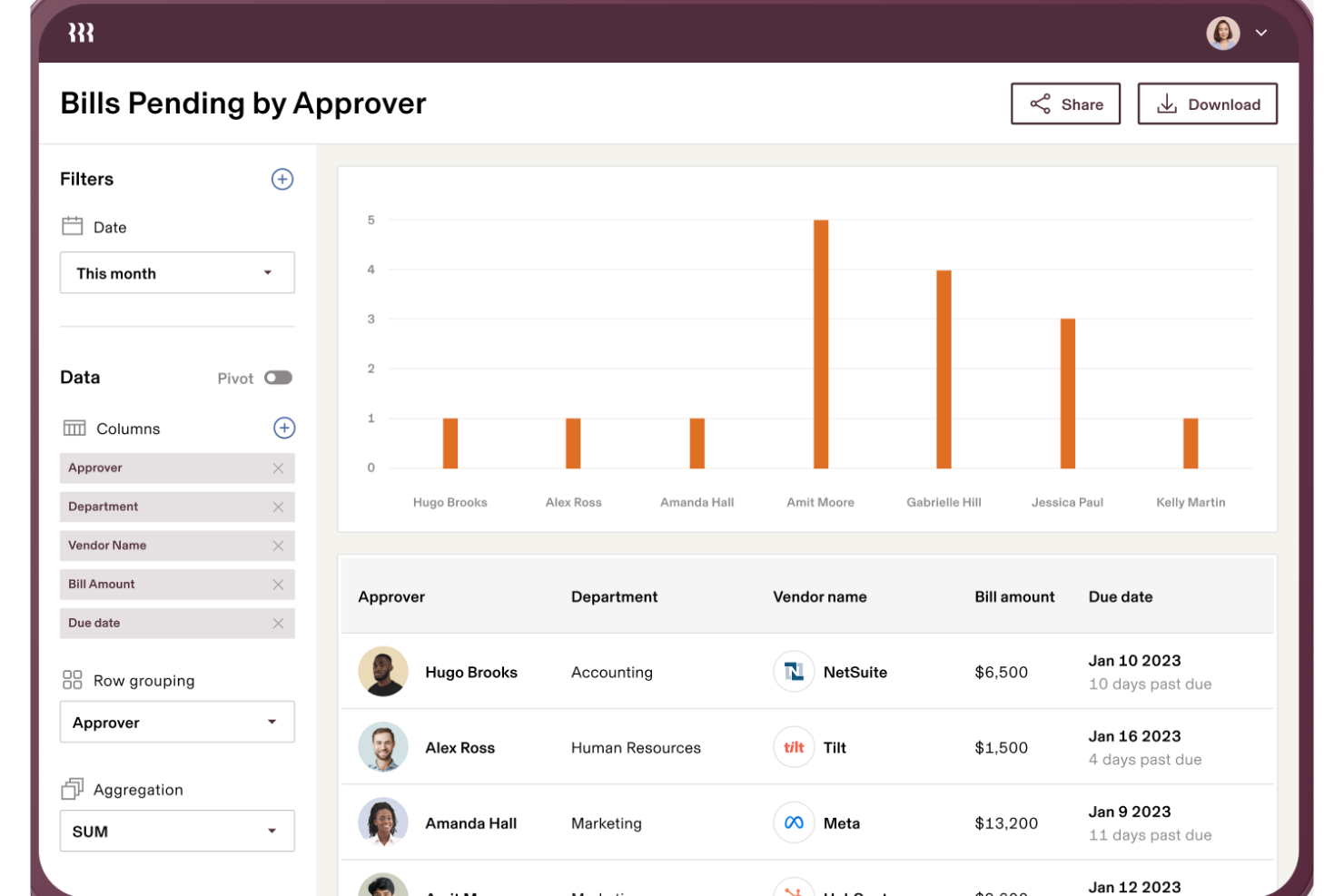
Rippling Spend è una piattaforma di gestione delle spese che aiuta le aziende a gestire tutte le uscite, dalla busta paga alle carte aziendali. È progettata per mantenere la spesa sotto controllo tramite l'applicazione automatica delle policy aziendali e la reportistica. Puoi controllare quanto viene speso, dove e da chi, tutto da un'unica piattaforma.
Perché ho scelto Rippling Spend: Per la contabilità dei progetti, Rippling Spend è efficace perché integra la gestione delle spese con la busta paga e le note spese, permettendo di allocare i costi di progetto direttamente ai relativi budget. Puoi monitorare in tempo reale le spese legate ai progetti, assicurandoti che il tuo team resti all'interno del budget.
La piattaforma consente inoltre di impostare limiti di spesa specifici e flussi di approvazione per le diverse fasi del progetto, mantenendo tutti responsabili. Questo livello di controllo rende più semplice la gestione della contabilità basata sui progetti, soprattutto quando sono attivi più progetti contemporaneamente.
Funzionalità distintive e integrazioni di Rippling Spend
Funzionalità distintive includono applicazione automatica delle policy, gestione globale delle spese, carte aziendali, generazione e approvazione di fatture, flussi di lavoro personalizzati, richiesta ricevute, reportistica in tempo reale e dashboard personalizzati.
Integrazioni includono Slack, Google Workspace, Office 365, AWS, Zoom, Dropbox e Salesforce.
Pros and Cons
Pros:
- Report dettagliati per dipartimenti, progetti e dipendenti
- Centralizza tutti i dati di spesa
- Policy di spesa personalizzate
Cons:
- Nessuna opzione per prova gratuita
- Manca di strumenti avanzati di previsione finanziaria

Productive
Il miglior software di project accounting per agenzie
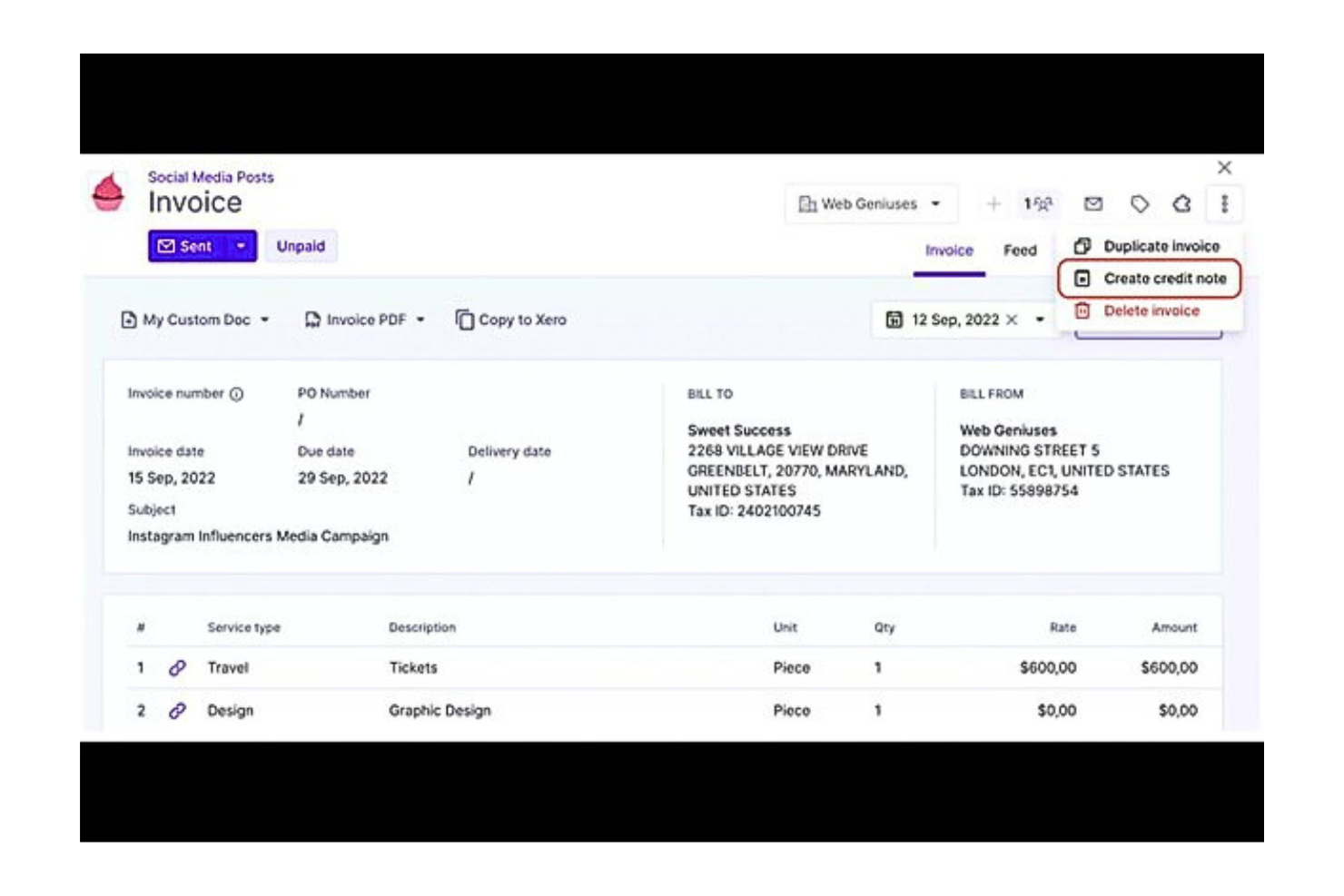
Productive è un software di project management ben noto, progettato per agenzie e attività di servizi professionali che desiderano gestire progetti, finanze e team su un'unica piattaforma. Include funzionalità chiave di gestione dei progetti come il monitoraggio del tempo, il controllo delle spese, contabilità e budget, allocazione delle risorse, pianificazione della capacità e gestione dei funnel di vendita.
Perché ho scelto Productive: Questa soluzione è particolarmente indicata per aziende in crescita o startup in fase di espansione rapida. Ho selezionato questa piattaforma perché, a differenza di molte altre nel settore, consente di gestire vendita, budgeting, pianificazione delle risorse, project management, reportistica e fatturazione in un unico posto per avere una visione completa e in tempo reale delle performance aziendali. Puoi consolidare i dati in un unico sistema di gestione agenziale e gestire i progetti dal potenziale cliente al pagamento e tutto ciò che sta in mezzo. È la piattaforma perfetta per agenzie e creativi che vogliono ridurre il numero di soluzioni su cui fanno affidamento.
Funzionalità distintive e integrazioni di Productive
Funzionalità chiave includono la gestione del budget, dove puoi monitorare in tempo reale lo stato dei tuoi budget e dei margini di profitto, e la fatturazione automatica che ti aiuta a risparmiare tempo generando fatture a partire dal tempo fatturabile registrato. Queste funzionalità ti permettono di avere sempre sotto controllo le finanze della tua agenzia e di avere una panoramica delle tue prestazioni finanziarie mentre lavori con i tuoi clienti. Ad esempio, puoi accedere ai report di fatturazione per vedere dati come importi già fatturati, importi da fatturare e importi scaduti.
Integrazioni includono strumenti come Hubspot, Slack, Google Calendar, Jira, Xero, Exac, Outlook, Quickbooks, Fortnox, CPP, Personio, CharlieHR, SAP, BambooHR, Factorial e ADP. Zapier ti permette di collegare Productive.io con migliaia di app popolari e applicazioni interne per personalizzare il tuo flusso di lavoro.
Pros and Cons
Pros:
- Dashboard altamente personalizzabile per organizzare e personalizzare il layout.
- Grande flessibilità sui budget per il controllo della spesa.
- Alto livello di integrazione con app business popolari.
- Analisi robuste delle prestazioni del team.
Cons:
- Potrebbe richiedere un certo tempo di apprendimento per i nuovi utenti.
- Il prezzo è un po' alto per i team più piccoli.
New Product Updates from Productive
Productive Adds Voice Dictation, Slack Connector, Proposals, and Overtime
Productive adds voice dictation, a Slack Connector, proposal controls, and overtime tracking. These updates support faster AI interactions, client proposals, and time management. For more information, visit Productive’s official site.
Altri software di contabilità dei progetti
Ecco alcune altre opzioni di software di contabilità dei progetti che non sono entrate nel mio elenco ristretto, ma che vale comunque la pena prendere in considerazione:
- Celoxis
Ideale per il monitoraggio di profitti e margini
- Runn
Ideale per la previsione di budget e la pianificazione di scenari
- HubPlanner
Ideale per la gestione della fatturazione e del budget


Come Valuto il Software di Contabilità di Progetto
Valuto questi strumenti su due livelli: i requisiti di base come il monitoraggio dei costi a livello di progetto e la fatturazione, e i fattori differenzianti che separano le opzioni davvero solide dal resto.
Funzionalità Principali (Requisiti Minimi per Questa Lista)
Quando seleziono gli strumenti per la mia lista, valuto ciascuno di essi su una scala da 0 (non offre la funzionalità) a 5 (eccelle in quest'area) per ogni funzionalità principale elencata qui sotto. Poi, calcolo il punteggio totale dello strumento in una percentuale. Ogni strumento deve raggiungere un punteggio totale minimo del 65% per essere considerato per l'inclusione.
- Monitoraggio dei Costi di Progetto: Cerco il monitoraggio in tempo reale di manodopera, materiali e costi generali per progetti specifici, incluso come i costi vengono ripartiti tra codici di costo e fasi.
- Budgeting e Previsione: Ogni strumento dovrebbe consentire di costruire budget di progetto su più voci e confrontare i dati reali con quelli pianificati, idealmente con calcoli ETC/EAC inclusi.
- Registrazione di Ore e Spese: Verifico se le registrazioni di tempo e spese sono collegate direttamente ai progetti con differenziazione tra fatturabile/non fatturabile—e se il flusso di approvazione è lineare prima della fatturazione.
- Fatturazione e Emissione Fatture Basata su Progetto: Lo strumento dovrebbe supportare fatturazione T&M, a tariffa fissa, a milestones e su avanzamento, così da poter adattare la fatturazione alla struttura contrattuale di ogni incarico.
- Riconoscimento dei Ricavi: Valuto come ogni piattaforma gestisce il riconoscimento percentuale di completamento, basato su milestone e a contratto completato secondo standard come ASC 606 e IFRS 15.
- Reportistica Finanziaria di Progetto: Gli strumenti dovrebbero produrre report P&L, WIP e di redditività a livello di progetto con sufficiente dettaglio per rispondere a domande sulla marginalità per progetto, cliente o portafoglio.
Una volta che ho una lista di strumenti che soddisfano questi criteri, considero cosa distingue ciascuna piattaforma.
Fattori Distintivi (Cosa Distingue i Fornitori)
Ecco come confronto i diversi fornitori:
Funzionalità Distintive
La gestione delle risorse è fondamentale—cerco strumenti che colleghino l'utilizzo del personale e la pianificazione delle capacità direttamente alla situazione finanziaria dei progetti, così da poter individuare team sottoutilizzati prima che le marginalità ne risentano. Il supporto multi-valuta e multi-ente è importante per le aziende che gestiscono progetti oltre confine, dove report consolidati fanno risparmiare ore di riconciliazione manuale. Valuto anche la gestione dei subappaltatori, soprattutto la capacità di collegare ordini di acquisto, liberatorie e fatture dei fornitori ai singoli progetti.
Oltre le Funzionalità
L’adattamento settoriale è un fattore che considero con attenzione. Uno strumento pensato per imprese edili, con flussi di lavoro AIA e ritenute d'acconto, servirà molto meglio un appaltatore generale rispetto a un'opzione generica. Verifico anche quanto bene ogni piattaforma si integri con il resto del tuo ecosistema tecnologico—integrazioni native con strumenti come Jira, Salesforce o QuickBooks significano meno inserimento manuale dei dati tra i sistemi. Anche la preparazione alla conformità è importante, soprattutto il supporto ad ASC 606 e IFRS 15, insieme a registri di audit e controlli di accesso basati su ruoli che soddisfano i requisiti di governance della finanza interna.
Come scegliere un software di contabilità dei progetti
È facile perdersi in lunghi elenchi di funzionalità e strutture tariffarie complesse. Per aiutarti a rimanere concentrato mentre affronti il tuo processo di selezione del software, ecco un elenco dei fattori da tenere a mente:
| Fattore | Cosa considerare |
| Scalabilità | Assicurati che il software possa supportare più utenti, più progetti e volumi di dati maggiori man mano che il tuo team cresce. |
| Integrazioni | Cerca strumenti che si colleghino facilmente ai sistemi esistenti, come il rilevamento del tempo, l'elaborazione delle buste paga e la contabilità del libro mastro generale. |
| Personalizzazione | I tuoi progetti non sono tutti uguali. Ti servono strumenti che ti consentano di modificare report, regole di fatturazione e flussi di lavoro in base al tuo processo. |
| Semplicità d'uso | Scegli uno strumento che il tuo team possa imparare rapidamente. Un'interfaccia disordinata o un numero eccessivo di passaggi possono rallentare il lavoro. |
| Budget | Assicurati che il prezzo sia adatto alle dimensioni del tuo team e al tuo caso d'uso. Evita gli strumenti che richiedono costosi componenti aggiuntivi per le funzionalità di base. |
| Misure di sicurezza | Stai gestendo dati finanziari: verifica che ogni software disponga di controlli per l'accesso degli utenti, crittografia dei dati e registri di controllo. |
| Strumenti di reporting | Scegli un software che ti permetta di creare report finanziari chiari e specifici per progetto senza dover ricorrere a soluzioni alternative basate sui fogli di calcolo. |
| Accesso all'assistenza | Se qualcosa si rompe, avrai bisogno di aiuto rapidamente. Verifica se l'assistenza è inclusa nel software e quali canali (chat, e-mail, telefono) sono disponibili. |
Tendenze nei software di contabilità dei progetti
Nella mia ricerca, ho raccolto innumerevoli aggiornamenti sui prodotti, comunicati stampa e registri delle versioni di diversi fornitori di software di contabilità dei progetti. Ecco le tendenze emergenti che sto tenendo d'occhio:
- Visibilità del budget in tempo reale: Un numero sempre maggiore di strumenti offre pannelli di controllo aggiornati in tempo reale che mostrano i dati effettivi rispetto al budget. Questo aiuta i responsabili di progetto a individuare tempestivamente le spese eccessive senza dover attendere i report di fine mese.
- Rilevazione dei ricavi basata sui progetti: I fornitori stanno sviluppando strumenti che gestiscono la rilevazione dei ricavi collegata alle tappe fondamentali del progetto o a metodi basati sulla percentuale di completamento. Questo è particolarmente utile per le aziende che gestiscono contratti a lungo termine.
- Previsioni basate sull'intelligenza artificiale: Alcuni strumenti utilizzano ora l'intelligenza artificiale per prevedere i costi dei progetti o segnalare i rischi sulla base dei dati storici. Questo aiuta i gruppi ad adeguare i piani prima che i problemi si trasformino in sforamenti dei costi.
- Autorizzazioni granulari basate sui ruoli: Si presta sempre più attenzione a consentire ai diversi membri del gruppo di accedere solo a ciò di cui hanno bisogno. In questo modo, il reparto finanziario vede i dati finanziari e i responsabili di progetto vedono i dati dei progetti, senza sovrapposizioni.
- Reportistica autonoma: Un numero sempre maggiore di piattaforme semplifica la creazione di report personalizzati senza la necessità di un analista dei dati. Gli utenti possono trascinare e rilasciare i campi o filtrare i dati per trovare autonomamente risposte rapide alle proprie domande.
Che cos'è il software di contabilità dei progetti?
Il software di contabilità dei progetti è un tipo di strumento che monitora l'andamento finanziario dei singoli progetti. Viene generalmente utilizzato da responsabili di progetto, contabili e gruppi finanziari che devono gestire budget, spese e fatturazione legati a specifiche attività.
Le funzionalità di monitoraggio del budget, rilevazione dei ricavi e reportistica finanziaria aiutano a tenere sotto controllo i costi dei progetti, soddisfare i requisiti di fatturazione e mantenere informati clienti e parti interessate. Questi strumenti aiutano i gruppi a prendere decisioni finanziarie migliori senza perdere di vista il lavoro quotidiano sui progetti.
Funzionalità del software di contabilità dei progetti
Quando scegli un software di contabilità dei progetti, presta attenzione alle seguenti funzionalità chiave:
- Monitoraggio del budget del progetto: Consente di impostare e monitorare i budget a livello di progetto per evitare sforamenti dei costi.
- Inserimento di ore e spese: Registra le ore lavorate dal gruppo e le relative spese per una fatturazione e una reportistica accurate.
- Strumenti per la rilevazione dei ricavi: Aiuta ad applicare le regole contabili per rilevare i ricavi man mano che il lavoro viene completato.
- Fatturazione personalizzata: Crea fatture basate sulle ore, sulle tappe fondamentali o su compensi fissi, in linea con i contratti dei clienti.
- Reportistica finanziaria dei progetti: Crea report che mostrano i margini di profitto, il valore maturato e l'andamento dei costi.
- Supporto multi-valuta: Gestisce i progetti internazionali convertendo le valute e applicando le normative fiscali locali.
- Controlli degli accessi basati sui ruoli: Limita l'accesso ai dati finanziari a utenti specifici in base alla funzione lavorativa.
- Previsioni e pianificazione: Utilizza i dati storici e la spesa attuale per prevedere i costi futuri dei progetti.
- Tracce di controllo: Registra ogni modifica finanziaria per garantire trasparenza e conformità.
- Allegati ai documenti: Consente di collegare ricevute, contratti e altri documenti finanziari a ciascun progetto.
Vantaggi del software di contabilità dei progetti
L'implementazione di un software di contabilità dei progetti può offrire diversi vantaggi al tuo gruppo e alla tua azienda. Eccone alcuni:
- Meno sorprese sul budget: Il monitoraggio e gli avvisi in tempo reale aiutano a individuare i problemi di costo prima che sfuggano di mano.
- Fatturazione più accurata: Il monitoraggio integrato di ore e spese garantisce che le fatture corrispondano al lavoro effettivamente svolto per il progetto.
- Reportistica finanziaria migliore: I report personalizzati offrono una visione chiara dell'andamento del progetto senza ricorrere a fogli di calcolo manuali.
- Verifiche più semplici: Le tracce di controllo e la conservazione dei registri semplificano la conformità e rendono le verifiche meno stressanti.
- Decisioni più rapide: I pannelli di controllo e le previsioni aiutano a prendere decisioni informate sulla direzione del progetto e sulle spese.
- Flusso di cassa migliorato: La fatturazione tempestiva e il monitoraggio dei ricavi aiutano a ricevere i pagamenti nei tempi previsti.
- Ruoli del gruppo più chiari: Le autorizzazioni degli utenti proteggono i dati finanziari e mostrano a ciascuna persona solo ciò di cui ha bisogno.
Costi e prezzi del software di contabilità dei progetti
La scelta di un software di contabilità dei progetti richiede la comprensione dei diversi modelli e piani tariffari disponibili. I costi variano in base alle funzionalità, alle dimensioni del gruppo, agli strumenti aggiuntivi e ad altri fattori. La tabella seguente riassume i piani comuni, i relativi prezzi medi e le funzionalità tipicamente incluse nelle soluzioni software di contabilità dei progetti:
Tabella di confronto dei piani per il software di contabilità di progetto
| Tipo di piano | Prezzo medio | Funzionalità comuni |
| Piano gratuito | $0 | Monitoraggio di base del tempo, inserimento limitato delle spese, un progetto e report semplici. |
| Piano personale | $10–$25/utente/mese | Più progetti, monitoraggio del budget, strumenti di fatturazione e integrazioni di base. |
| Piano aziendale | $25–$60/utente/mese | Report avanzati, rilevazione dei ricavi, strumenti di previsione e autorizzazioni degli utenti. |
| Piano per grandi aziende | $60–$120/utente/mese | Flussi di lavoro personalizzati, registri di audit, assistenza dedicata e controlli di sicurezza avanzati. |
Domande frequenti sul software di contabilità di progetto
Trova le risposte alle domande più comuni che altre persone pongono su questo argomento.