

Los 10 mejores creadores de diagramas de Gantt para la planificación de proyectos en 2026

10 Mejores herramientas para crear diagramas de Gantt


Las mejores herramientas para crear diagramas de Gantt te permiten planificar y gestionar proyectos con una cronología visual y clara que facilita organizar las tareas, gestionar las dependencias y hacer un seguimiento de los hitos. Sin un diagrama de Gantt, incumplirás los plazos, tendrás dificultades para realizar un seguimiento preciso del progreso y te enfrentarás a problemas de comunicación que retrasarán la entrega y reducirán la responsabilidad.
He utilizado mis más de 15 años de experiencia en gestión de proyectos para probar y analizar exhaustivamente más de 30 herramientas para crear diagramas de Gantt. He cubierto las funciones clave y los casos de uso de cada herramienta para que puedas encontrar la opción adecuada que respalde los flujos de trabajo de tu equipo y te ayude a coordinar equipos multifuncionales, planificar lanzamientos de productos y gestionar plazos superpuestos con control y claridad.
Por qué confiar en nuestras recomendaciones de software
Nuestro equipo lleva probando y evaluando software desde 2012. Como gestores de proyectos, sabemos lo difícil —y lo importante— que es elegir el software adecuado.
Para esta guía, evaluamos las herramientas mediante pruebas prácticas e investigación independiente, puntuando las herramientas según nuestros criterios de selección. También nos basamos en la experiencia de líderes de opinión del sector y de profesionales en activo de la gestión de proyectos.
Nuestras reseñas reflejan nuestro criterio editorial humano, no un discurso de ventas.
Revisores expertos:
Tabla comparativa de herramientas para crear diagramas de Gantt
La tabla siguiente compara las especificaciones principales de mi selección de herramientas para crear diagramas de Gantt.
| Tool | Best For | Trial Info | Price | ||
|---|---|---|---|---|---|
| 1 | Ideal para el seguimiento visual del progreso | Prueba gratuita de 14 días | Desde $6/usuario/mes | Website | |
| 2 | Mejor para escalabilidad | Prueba gratuita de 10 días | Desde $4/usuario/mes facturado anualmente. También tiene una versión gratuita para hasta 3 usuarios y 2 proyectos | Website | |
| 3 | Mejor para pizarras interactivas | Plan gratuito disponible | Desde $8/usuario/mes | Website | |
| 4 | Ideal para una planificación de proyectos detallada | Prueba gratuita | Desde $7/usuario/mes | Website | |
| 5 | Ideal para plantillas fáciles de usar | 30 días de prueba gratis | Desde $9.95/mes | Website | |
| 6 | Mejor para visualizar dependencias entre tareas | Plan gratuito disponible | Desde $10.99/usuario/mes (facturado anualmente) | Website | |
| 7 | Ideal para automatización de trabajo potenciada por IA | 14 días de prueba gratis | Desde $9.80/usuario/mes | Website | |
| 8 | Ideal para la colaboración en diseño | Plan gratuito disponible | Desde $3/usuario/mes (facturado anualmente) | Website | |
| 9 | Mejor para vistas personalizadas de tareas | Plan gratuito + demo gratis disponible | Gratis para siempre con planes de pago desde $5/mes | Website | |
| 10 | Ideal para presentaciones basadas en datos | Prueba gratuita de 30 días | Desde $21/usuario/mes | Website |


Análisis de las mejores herramientas para crear diagramas de Gantt
Este es mi resumen de cada herramienta de software para diagramas de Gantt incluida en mi lista:

Ideal para el seguimiento visual del progreso
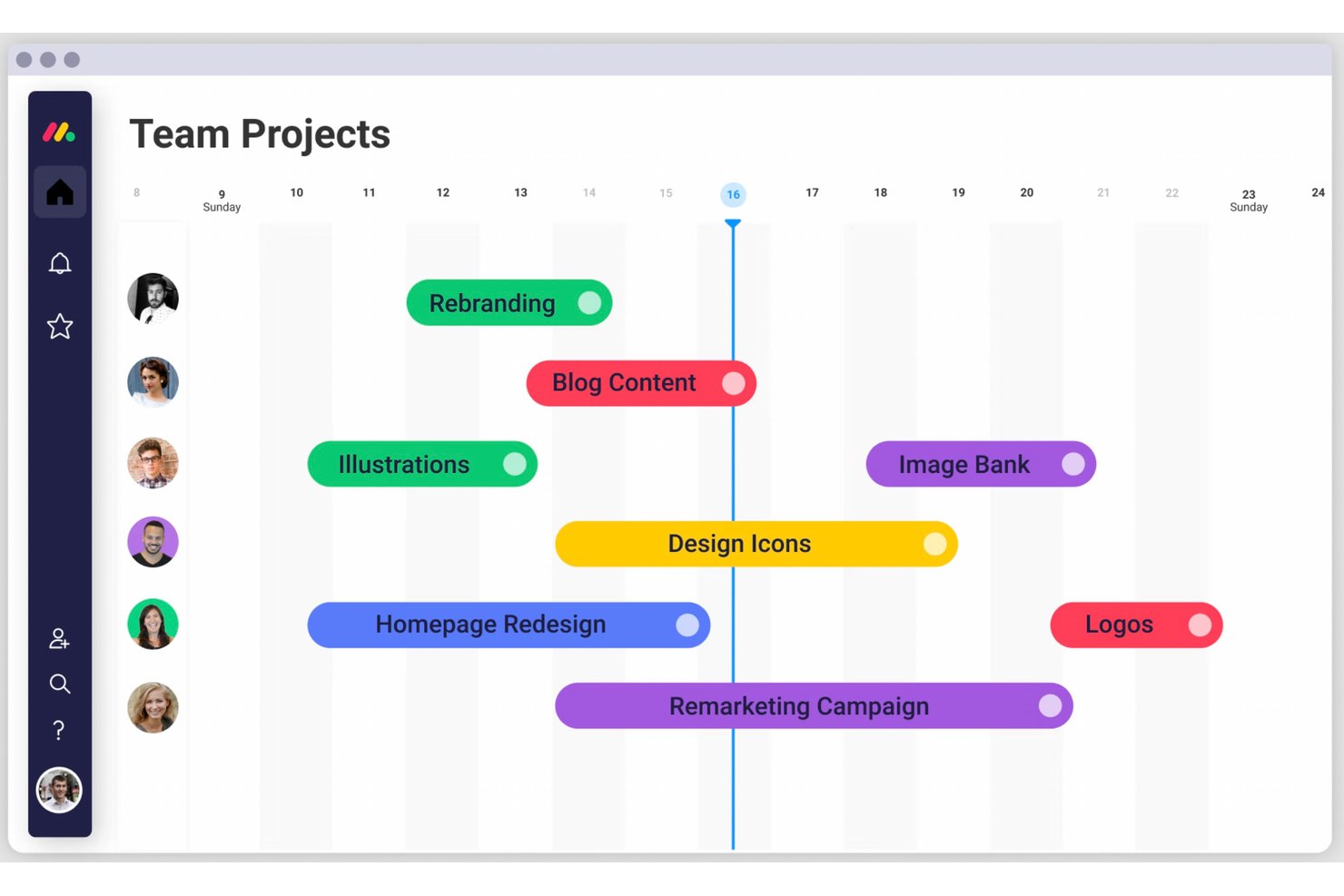
monday AI Workspace es una plataforma de gestión de trabajo potenciada por IA que combina vistas de diagramas de Gantt, dependencias de tareas, programación por arrastrar y soltar, seguimiento de hitos y colaboración en tiempo real entre proyectos y portafolios.
¿Para quién es mejor monday AI Workspace?
Es especialmente útil para equipos multifuncionales en tecnologías, productos e industrias creativas que necesitan gestionar múltiples proyectos concurrentes con visibilidad en tiempo real para todos los interesados.
Por qué elegí monday AI Workspace
Elegí monday AI Workspace como uno de los mejores por el control visual que obtengo directamente en el lienzo de Gantt. Puedo codificar con colores las tareas según estado, responsable o prioridad, aplicar formato condicional y seguir líneas base junto con las barras de progreso en tiempo real, todo sin salir de la vista de cronología. Lo que encuentro más útil es el resaltado del camino crítico: cuando una dependencia se retrasa, la cadena afectada se actualiza al instante, así sé exactamente dónde enfocar la atención antes de que el cronograma colapse.
Funciones clave de monday AI Workspace
- Constructor de flujos de trabajo con IA: Automatiza tareas, actualizaciones y flujos de proyectos usando lógica personalizable impulsada por IA.
- Vista de carga de trabajo: Muestra la asignación de recursos y la disponibilidad de todos los miembros del equipo para una dotación de personal eficiente en los proyectos.
- Tableros de portafolio: Consolida múltiples cronogramas de proyectos, tareas y métricas de progreso en un único tablero a nivel de portafolio.
- Biblioteca de plantillas: Ofrece plantillas prediseñadas de proyectos y diagramas de Gantt para una configuración rápida en metodologías de gestión de proyectos comunes.
Integraciones de monday AI Workspace
monday AI Workspace ofrece cientos de integraciones nativas, entre ellas Slack, Google Workspace, Microsoft 365, Salesforce, Jira, GitHub, Zoom, Dropbox, HubSpot y Zendesk. También es compatible con Zapier y dispone de una API para integraciones personalizadas.
Pros and Cons
Pros:
- Formato condicional usando colores en los cronogramas de Gantt
- El camino crítico se actualiza automáticamente en tareas vinculadas
- Consolidación de Gantt a nivel de portafolio para múltiples proyectos
Cons:
- Las funciones de Gantt están limitadas a planes de nivel superior
- Las automatizaciones tienen una curva de configuración inicial pronunciada
New Product Updates from monday AI Workspace
monday AI Workspace Adds Human Approval Routing
monday AI Workspace adds a human-in-the-loop approval block to AI Workflows, sending approval requests and routing workflow paths based on responses. For more information, visit monday AI Workspace's official site.

Mejor para escalabilidad
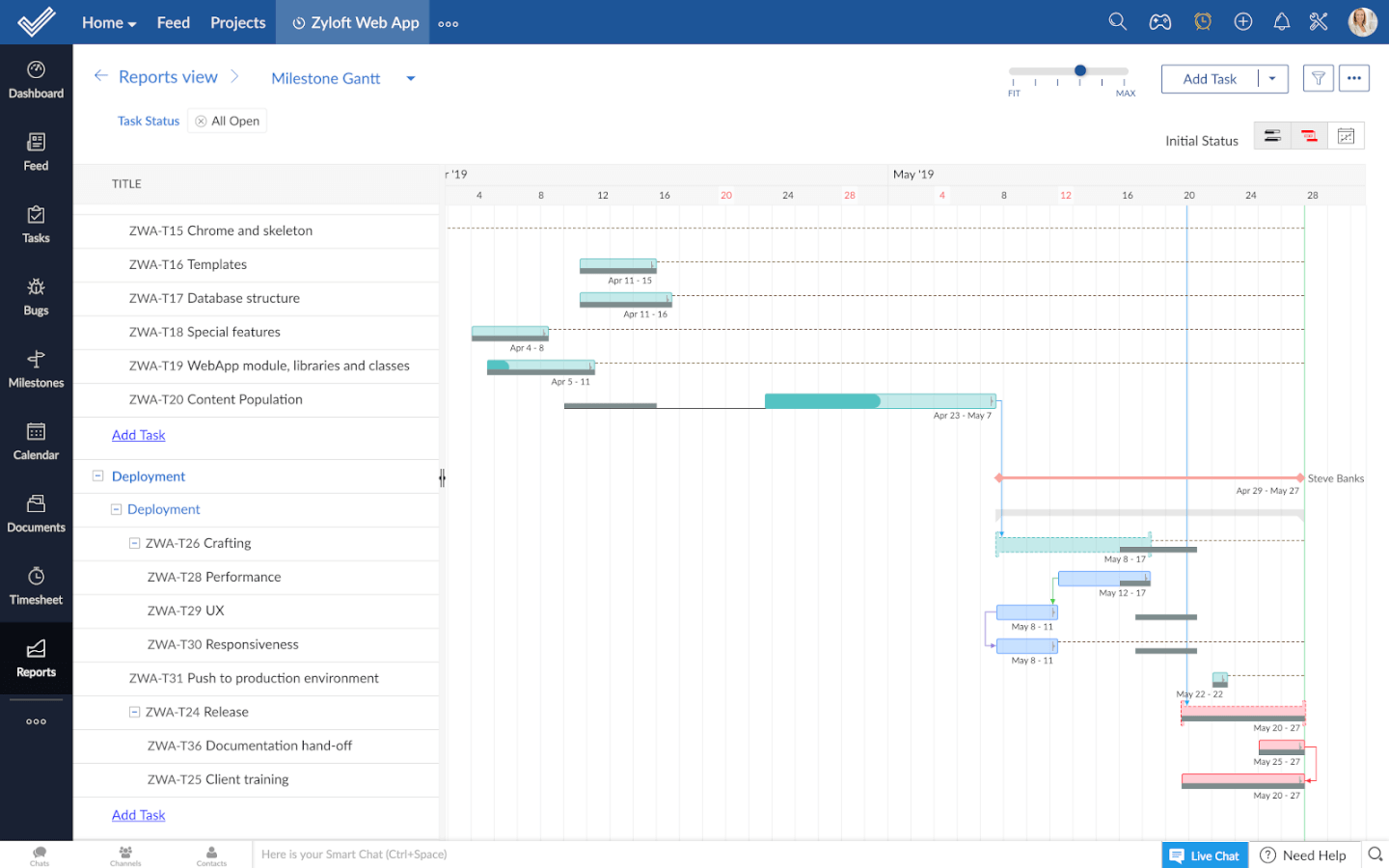
Zoho Projects es un software de gestión de proyectos con un creador de diagramas de Gantt integrado. Es una solución muy detallada que te ayuda a asegurarte de no perder información importante del proyecto.
Por qué elegí Zoho Projects
Elegí Zoho Projects por su capacidad de escalar junto al crecimiento de tus necesidades de gestión de proyectos, especialmente sus diagramas de Gantt. Con funciones como dependencias de tareas y comparaciones de línea base, puedes gestionar cronogramas complejos de proyectos y hacer seguimiento al progreso con el paso del tiempo. La capacidad de la plataforma para adaptarse a proyectos de diferentes tamaños y complejidades asegura que tu equipo pueda ajustarse a mayores exigencias sin perder el control. Además, el diagrama de Gantt de Zoho Projects ofrece funcionalidades como el seguimiento codificado por colores para los hitos, lo que brinda una visibilidad clara y una mejor planificación del proyecto.
Características clave de Zoho Projects
Zoho Projects también ofrece una variedad de otras funciones para la gestión de proyectos.
- Vistas personalizadas: Puedes adaptar la visualización de tu diagrama de Gantt según las preferencias del equipo, lo que permite un seguimiento del proyecto más personalizado.
- Utilización de recursos: Esto te permite monitorear y gestionar la carga de trabajo del equipo de manera efectiva visualizando la asignación de recursos directamente en tu diagrama de Gantt.
- Líneas base del proyecto: Puedes establecer y comparar líneas base del proyecto para rastrear las desviaciones respecto al plan original y ayudar a tu equipo a mantenerse en el rumbo correcto.
- Interfaz de arrastrar y soltar: Permite ajustar fácilmente los cronogramas y dependencias de tareas con una función intuitiva de arrastrar y soltar, lo que hace que los ajustes del proyecto sean sencillos y directos.
Integraciones de Zoho Projects
Las integraciones incluyen todas las aplicaciones de Zoho, Google Workspace, Microsoft Suite, Jira, Basecamp, Box, Dropbox, GitHub, GitLab, Zendesk y Slack, entre otras. También puedes conectarte a Zapier para integraciones adicionales.
Pros and Cons
Pros:
- Se conecta fácilmente con toda la suite de productos de Zoho
- Plan gratuito para hasta 2 proyectos
- Automatización de tareas a través de la función de blueprint
Cons:
- Las subtareas no están disponibles en el plan gratuito
- Requiere tiempo para aprender a usar la plataforma
New Product Updates from Zoho Projects
Zoho Projects Adds CodeX Scripts for Custom Modules
Zoho Projects now supports CodeX Scripts for custom modules, enabling conditional logic and rules for creating, updating, and deleting records. For more information, visit Zoho Projects' official site.
 .
.
Miro
Mejor para pizarras interactivas
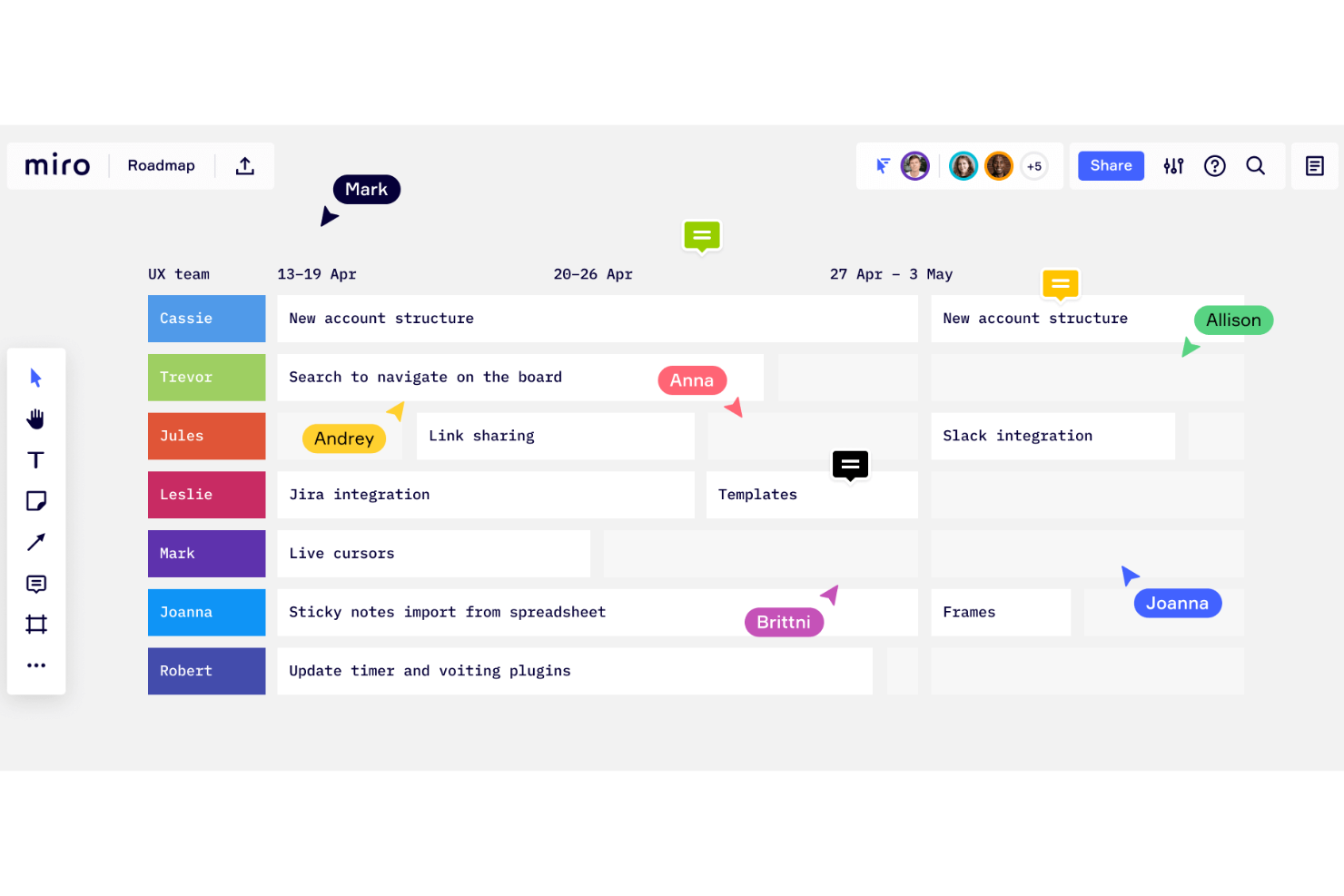
Miro es un pizarrón colaborativo en línea que ofrece más de 1.000 plantillas, incluidas mapas mentales, tableros Kanban, diagramas de Gantt, esquemas de productos, tableros de investigación y diagramas de flujo.
Por qué elegí Miro
Elegí Miro por su destacada capacidad como pizarrón interactivo, lo cual es perfecto para crear diagramas de Gantt. Lo que valoro es que Miro permite a tu equipo visualizar las líneas de tiempo del proyecto directamente en un lienzo colaborativo y facilita ajustar tareas y fechas límite en tiempo real. La funcionalidad de arrastrar y soltar hace que modificar tu diagrama de Gantt sea sencillo y mantiene la planificación de proyectos dinámica y receptiva.
Además, la capacidad de colaborar con los miembros del equipo en tiempo real significa que los aportes y actualizaciones se integran sin inconvenientes. Esto también mantiene a todos alineados sin el tedio del intercambio constante de comunicaciones.
Características clave de Miro
Miro también ofrece varias otras funciones que lo hacen útil para crear diagramas de Gantt y gestionar proyectos.
- Estimación de esfuerzo: Esta función permite considerar personas, tiempo y herramientas necesarias para las tareas y ayuda a identificar posibles riesgos desde las primeras etapas de la planificación.
- Hitos: Puedes establecer y celebrar hitos, lo que ayuda a mantener motivado a tu equipo y a asegurar que todos estén alineados con los objetivos del proyecto.
- Plantillas personalizables: Esto te permite comenzar con plantillas listas para usar o crear diagramas desde cero y añadir tareas, líneas de tiempo y codificación por colores para una mejor organización y claridad.
- Asistencia por IA: Las funciones de IA de Miro pueden estructurar automáticamente cronogramas y tareas en base a tus aportes, ahorrando tiempo y manteniendo la precisión.
Integraciones de Miro
Las integraciones incluyen Zoom, Figma, Asana, Microsoft Teams, Jira, Slack, Google Drive, Box, Confluence, monday.com, Airtable, Notion, Azure y Webex. Algunas integraciones solo están disponibles en planes de pago.
Pros and Cons
Pros:
- Configuración intuitiva y sencilla
- Plan gratuito para siempre disponible
- Funcionalidades de comunicación integradas
Cons:
- La función de zoom puede ser inestable en proyectos grandes
- Sin exportación de PDF de alta calidad en el plan gratuito
New Product Updates from Miro
Miro Adds Japan Data Residency for Enterprise Customers
Miro has introduced Japan data residency for enterprise customers, offering in-region storage for production data, backups, and metadata, plus in-region compute infrastructure. For more information, visit Miro's official site.

Ideal para una planificación de proyectos detallada
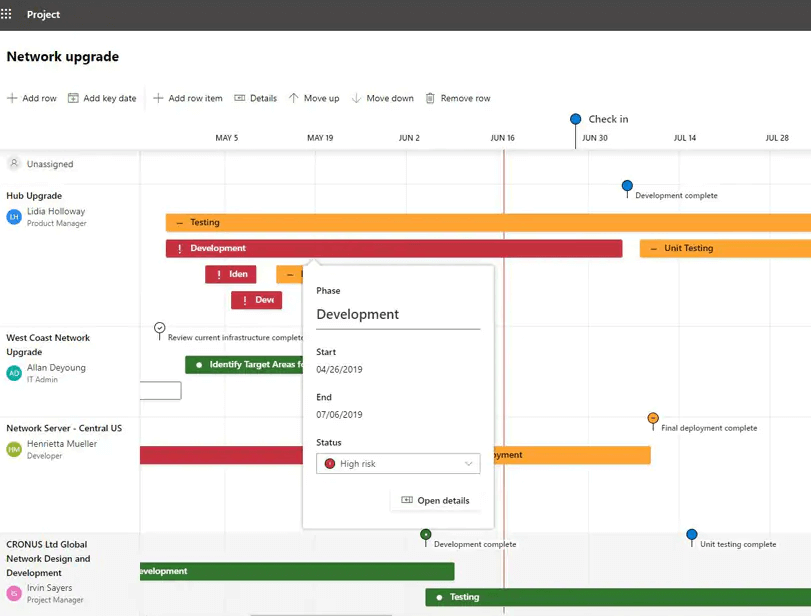
Microsoft Project es un software de gestión de proyectos desarrollado y vendido por Microsoft. Está diseñado para ayudarte a planificar, realizar seguimiento y gestionar proyectos de distintos tamaños y complejidades a través de una variedad de funciones, incluido su creador de diagramas de Gantt.
Por qué elegí Microsoft Project
Elegí Microsoft Project por su planificación de proyectos detallada, lo que lo convierte en una excelente opción para crear diagramas de Gantt. Con funciones como la organización jerárquica de tareas y la vinculación de dependencias, puedes visualizar cronogramas de proyectos complejos con claridad.
La personalización de las barras de Gantt permite ofrecer señales visuales individualizadas y te ayuda a gestionar tareas de proyectos intrincados. Además, las herramientas integradas de asignación de recursos y gestión de presupuestos ayudan a mantener la planificación del proyecto alineada con las capacidades de tu equipo y las limitaciones financieras.
Funciones clave de Microsoft Project
Microsoft Project también ofrece una variedad de otras funciones que lo hacen útil como creador de diagramas de Gantt.
- Vista de cronograma: Esta te permite ver una visión general del calendario de tu proyecto y proporciona una instantánea de alto nivel que complementa la vista detallada del diagrama de Gantt.
- Seguimiento de hitos: Puedes establecer puntos específicos en el cronograma de tu proyecto para centrarte en logros clave y asegurarte de que tu equipo cumpla con plazos cruciales.
- Uso compartido de recursos: Esto te permite gestionar recursos entre varios proyectos y asignar miembros del equipo y equipos de manera eficiente.
- Priorización de tareas: Al asignar niveles de prioridad a las tareas, puedes abordar primero las actividades más críticas, optimizar tus flujos de trabajo y maximizar la productividad.
Integraciones de Microsoft Project
Las integraciones incluyen otros programas de Microsoft, como Outlook, Excel, Skype y más.
Pros and Cons
Pros:
- Módulo de priorización de estrategias/objetivos
- Descripciones útiles de plantillas de proyectos para orientación
- Integración con otros programas de Microsoft
Cons:
- Opciones de personalización limitadas
- Curva de aprendizaje pronunciada
Canva
Ideal para plantillas fáciles de usar
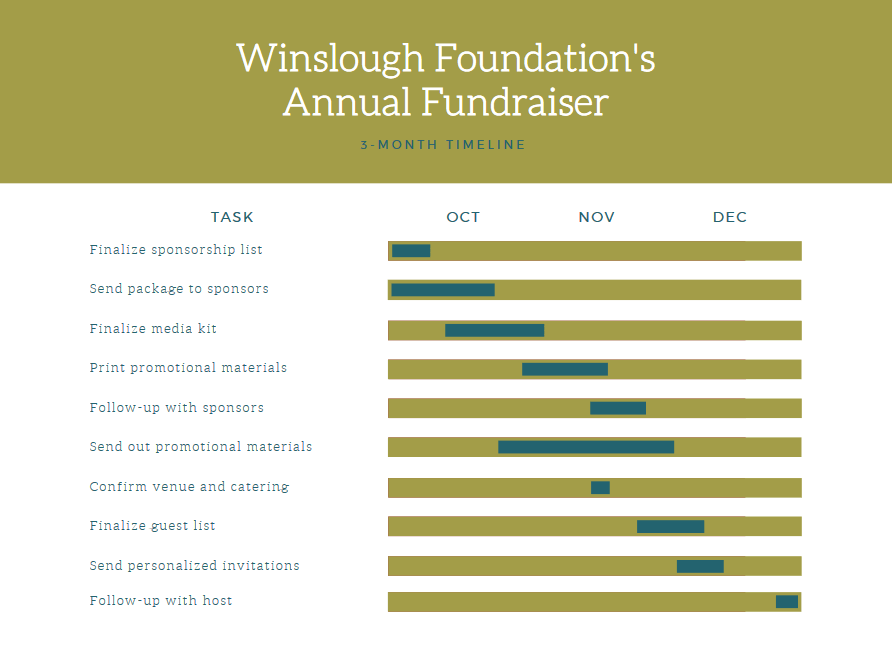
Canva es una plataforma de diseño en línea creada para ser fácil de usar, incluso para quienes no son expertos en diseño. Ofrece plantillas para todo tipo de cosas, desde diagramas de Gantt hasta presentaciones, infografías, recursos para redes sociales y mucho más.
Por Qué Elegí Canva
Soy un gran fanático de la interfaz simple y directa de este software, basada en arrastrar y soltar. Es fácil de usar, incluso para los menos expertos en tecnología. Elegí Canva para esta lista porque es intuitivo y cuenta con una enorme cantidad de plantillas listas para usar. Puedes elegir entre cientos de miles de plantillas disponibles y personalizarlas según tus necesidades. En mi opinión, el plan gratuito de Canva es una forma fantástica y rápida de crear un diagrama de Gantt listo para presentación, sin costo alguno. Además, podrás usar la plataforma para otras necesidades de diseño también.
Características Clave de Canva
Además de las plantillas, Canva ofrece una variedad de otras funciones útiles para la creación de diagramas de Gantt.
- Herramientas de personalización visual: Puedes ajustar fácilmente los colores, fuentes y estilos para que coincidan con tu marca y hacer que tus diagramas de Gantt sean funcionales y visualmente atractivos.
- Configuración de hitos: Esta función te permite marcar puntos importantes en la línea de tiempo de tu proyecto para ayudar a tu equipo a enfocarse en los entregables clave.
- Gestión de dependencias: Puedes conectar tareas para visualizar dependencias y asegurarte de que tu equipo comprenda la secuencia de las actividades del proyecto.
- Funciones de colaboración: Tú y tu equipo pueden editar y ver los cambios simultáneamente, lo que ayuda a mejorar la comunicación y el trabajo en equipo.
Integraciones de Canva
Las integraciones incluyen WordPress, eClincher, Rippling, Sendible, Post Planner y Viraltag.
Pros and Cons
Pros:
- Súper fácil de usar e intuitivo
- Cientos de miles de plantillas
- Producto presentable, no necesitas diseñador
Cons:
- Carece de funciones avanzadas para diagramas de Gantt
- Opciones de descarga limitadas con el plan gratuito

Asana
Mejor para visualizar dependencias entre tareas

Asana es una herramienta de gestión de proyectos que ayuda a los equipos a planificar, organizar y hacer seguimiento del trabajo a lo largo del tiempo. Una de las principales formas en que lo hace es mediante su vista de cronograma (también llamada vista Gantt), que te permite ver las tareas distribuidas a lo largo de un calendario.
Por qué elegí Asana
Elegí Asana porque te da la capacidad de crear dependencias entre tareas directamente en la vista de cronograma. Esto significa que no solo asignas fechas a las tareas, sino que también puedes mostrar cuáles tareas bloquean a otras o dependen de otras. A medida que surgen cambios (las tareas se mueven, hay retrasos), puedes ver cómo una modificación afecta a las tareas dependientes.
Características clave de Asana
Además de la visualización de dependencias entre tareas, Asana ofrece una variedad de otras funciones para la gestión de proyectos.
- Vista de cronograma: Te permite crear un plan visual del proyecto y definir fechas límite y hitos clave para un mejor seguimiento.
- Priorización de tareas: Puedes priorizar fácilmente las tareas dentro de los proyectos y asegurar que tu equipo se concentre en lo más importante en cada momento.
- Plantillas de proyectos: Facilita la creación rápida de nuevos proyectos con estructuras y flujos de trabajo predefinidos.
- Herramientas de colaboración en equipo: Con funciones de comunicación integradas como comentarios y archivos adjuntos, tu equipo puede colaborar y compartir información directamente en las tareas.
Integraciones de Asana
Las integraciones incluyen Slack, Google Drive, Everhour, Microsoft Teams, Amazon Q Index, Splunk, Entra ID, Tableau, Jira Cloud, Microsoft Office 365, MuleSoft y BetterCloud.
Pros and Cons
Pros:
- Destaca el camino crítico para identificar bloqueos
- Permite crear dependencias entre tareas en la vista de cronograma
- Admite subtareas dentro de un cronograma de proyecto más amplio
Cons:
- Los cronogramas complejos pueden volverse visualmente saturados
- El acceso a la API de línea base está limitado o no disponible para algunos datos

Wrike
Ideal para automatización de trabajo potenciada por IA
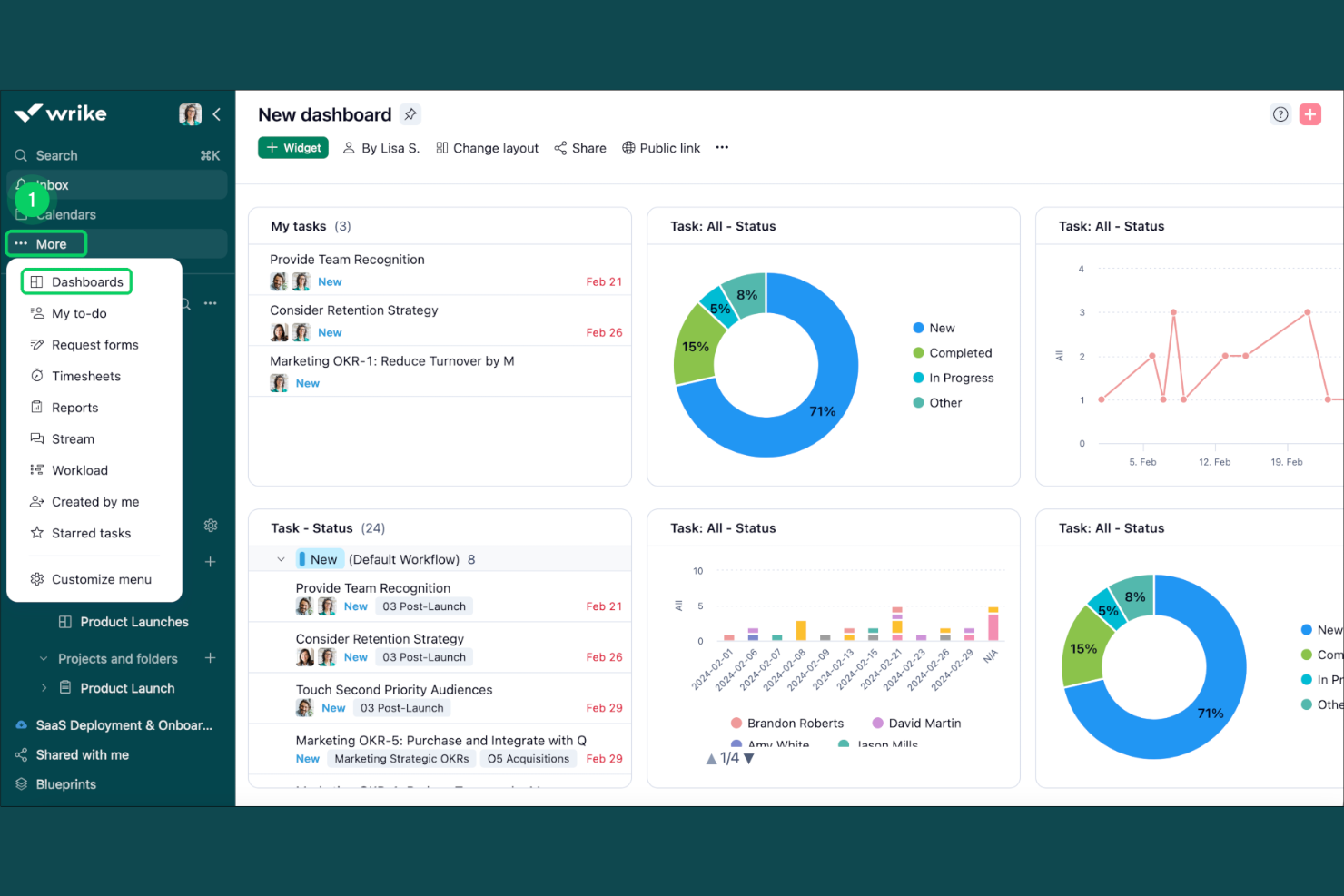
Wrike es una plataforma de gestión de proyectos basada en la nube que combina la programación mediante diagramas de Gantt, el seguimiento de tareas, la gestión de cargas de trabajo y la automatización potenciada por IA en proyectos y flujos de trabajo.
¿Para quién es mejor Wrike?
Wrike es ideal para equipos de tamaño mediano a empresarial que gestionan proyectos complejos con múltiples partes interesadas en áreas de producto, marketing y operaciones.
Por qué elegí Wrike
Elegí Wrike como uno de los mejores porque su automatización con IA va mucho más allá de simples sugerencias superficiales. Las capacidades de IA de Wrike pueden ayudar a resumir el trabajo, generar contenido y asistir en los flujos de trabajo de la gestión de proyectos. También me gusta Wrike Copilot, que está integrado en tus proyectos y responde preguntas sobre el estado de la cronología o el avance de los sprints en el momento. Específicamente para trabajar con diagramas de Gantt, esto significa menos tiempo persiguiendo actualizaciones y más tiempo gestionando dependencias reales e hitos importantes.
Características clave de Wrike
- Cronograma de Gantt interactivo: Arrastra y suelta tareas directamente en la línea de tiempo para reprogramar el trabajo y ajustar las dependencias en tiempo real.
- Vista de carga de trabajo: Consulta las tareas asignadas y la capacidad de cada miembro del equipo en todos los proyectos para detectar sobrecargas antes de que afecten la entrega.
- Tableros personalizados: Crea tableros específicos de proyectos que muestran el progreso de las tareas, elementos atrasados y el estado de los hitos de un vistazo.
- Plantillas de proyectos: Guarda y reutiliza estructuras de proyectos, incluidas cronologías y secuencias de tareas, como plantillas para flujos de trabajo repetibles.
Integraciones de Wrike
Wrike ofrece más de 400 integraciones mediante sus conectores integrados y el complemento Wrike Integrate, incluyendo herramientas como Salesforce, Microsoft Teams, Google Sheets, Slack, Adobe Creative Cloud, Jira, Power BI, Tableau, Miro y Zoom. También se conecta con Zapier y proporciona una API RESTful abierta para integraciones personalizadas.
Pros and Cons
Pros:
- Ruta crítica incorporada con análisis de holgura
- Importa archivos de proyecto .MPP, .MPX y .XML
- Las fechas de tareas dependientes se ajustan automáticamente ante cambios
Cons:
- La navegación entre espacios y vistas resulta confusa
- El control horario está limitado al plan Business y superiores
New Product Updates from Wrike
Wrike Adds Klaxoon MCP Integration
Wrike’s Klaxoon MCP integration is now generally available, enabling AI agents to navigate between Wrike tasks and attached whiteboards, read task context, and manage whiteboard attachments via API. For more information, visit Wrike's official site.

FigJam
Ideal para la colaboración en diseño

FigJam es una herramienta de pizarra en línea diseñada para facilitar la colaboración en tiempo real entre los miembros del equipo, proporcionando una plataforma dinámica para una variedad de actividades incluyendo lluvias de ideas, diagramación y planificación estratégica.
Por qué elegí FigJam
Elegí FigJam como creador de diagramas de Gantt debido a su capacidad para la colaboración en tiempo real, lo que es crucial para mantener actualizadas las líneas de tiempo de los proyectos y asegurar la alineación del equipo. Lo que diferencia a FigJam es su integración de funciones de IA que pueden generar plantillas personalizadas y automatizar tareas repetitivas, lo cual es especialmente útil al crear y actualizar diagramas de Gantt.
Creo que FigJam es la mejor opción para la colaboración en tiempo real de equipos de diseño porque no solo permite que los miembros trabajen juntos de manera síncrona con audio y chat en vivo, sino que también respalda la comunicación asincrónica mediante comentarios y reacciones, garantizando que todos los miembros del equipo, sin importar su ubicación o zona horaria, puedan contribuir al proceso de planificación del proyecto.
Características clave de FigJam
FigJam ofrece varias otras funciones que lo convierten en una opción destacada como software para diagramas de Gantt.
- Pizarra interactiva: Permite que tu equipo colabore en tiempo real, esboce ideas y planes de proyecto directamente en un lienzo digital y visualice líneas de tiempo complejas.
- Visualización de hitos: Puedes hacer seguimiento del progreso marcando fechas importantes y entregables dentro de la línea de tiempo y asegurándote de que todos estén alineados en los objetivos del proyecto.
- Herramientas de gestión de recursos: Permite asignar y hacer seguimiento de los recursos de manera efectiva (mediante plantillas), y mantener el equilibrio y la eficiencia a lo largo de las tareas del proyecto.
- Asignación y gestión de tareas: Puedes asignar tareas a los miembros del equipo directamente dentro del diagrama de Gantt, lo que facilita la gestión de los cronogramas y responsabilidades.
Integraciones de FigJam
Las integraciones incluyen Figma, Microsoft Teams, Asana, Jira, Mixpanel y GitHub.
Pros and Cons
Pros:
- Ofrece plantillas comunitarias para diversos usos
- Se integra con Figma para colaboración en diseño
- Interfaz fácil de usar e intuitiva
Cons:
- No hay acceso sin conexión disponible
- El soporte para incorporación y cuenta está limitado al plan empresarial

ClickUp
Mejor para vistas personalizadas de tareas

ClickUp es una solución integral de gestión de trabajo que ofrece un creador de diagramas de Gantt, además de otras funciones como pizarras, establecimiento de objetivos, gestión de documentos y mucho más.
Recientemente hablé con Jeff Cypher, un ex consultor de ClickUp que ahora trabaja para la empresa. Él habló sobre la flexibilidad de ClickUp en lo que respecta a los cambios en los proyectos. 'Recomiendo la vista de Gantt de ClickUp para los jefes de proyecto que necesitan ajustes dinámicos en sus proyectos', dice.
Por qué elegí ClickUp
Elegí ClickUp por sus vistas personalizables de tareas y los diagramas de Gantt. La interfaz de arrastrar y soltar de la plataforma permite ajustar fácilmente las tareas y dependencias, y ofrece claridad visual sobre los cronogramas de los proyectos y posibles obstáculos. Con funciones como ruta crítica y tiempo de holgura, puedes identificar y abordar rápidamente los retos de programación, lo que facilita mantener los proyectos encaminados. Esta personalización y flexibilidad hacen de ClickUp una opción ideal para los equipos que desean optimizar sus procesos de gestión de proyectos.
Funciones clave de ClickUp
ClickUp ofrece una variedad de otras funciones para crear diagramas de Gantt y gestionar proyectos.
- Hitos: Puedes seguir los logros más importantes del proyecto para asegurar que tu equipo cumpla los plazos clave.
- Seguimiento de tiempo: Esto te permite monitorear el tiempo dedicado a las tareas directamente desde la plataforma para gestionar mejor los recursos y los plazos.
- Prioridades de tareas: Puedes asignar niveles de prioridad a las tareas para ayudar a tu equipo a centrarse en lo más importante y mantener los proyectos avanzando sin problemas.
- Múltiples responsables: Esto te permite asignar tareas a varios miembros del equipo para fomentar la colaboración y mantener la responsabilidad en todos tus proyectos.
Integraciones de ClickUp
Las integraciones incluyen Slack, Google Workspace, Dropbox, Figma, Vimeo, Zoom, Box y Microsoft Teams. También puedes utilizar Zapier para integraciones adicionales, o crear integraciones personalizadas usando la API del software.
Pros and Cons
Pros:
- Usuarios ilimitados en el plan gratuito
- Más de 50 widgets para personalizar tu panel
- Almacenamiento de archivos ilimitado en todos los planes de pago
Cons:
- Los informes no están disponibles en el plan gratuito
- Almacenamiento, proyectos y campos personalizados limitados en el plan gratuito
New Product Updates from ClickUp
ClickUp Adds Meetings Hub, Super Agent Templates, and ZoomInfo Integration
ClickUp adds a searchable Meetings Hub, new ways to clone and template Super Agents, and a ZoomInfo integration through the App Center. These updates improve meeting retrieval, agent reuse, and access to sales intelligence. For more information, visit ClickUp’s official site.

thinkcell
Ideal para presentaciones basadas en datos
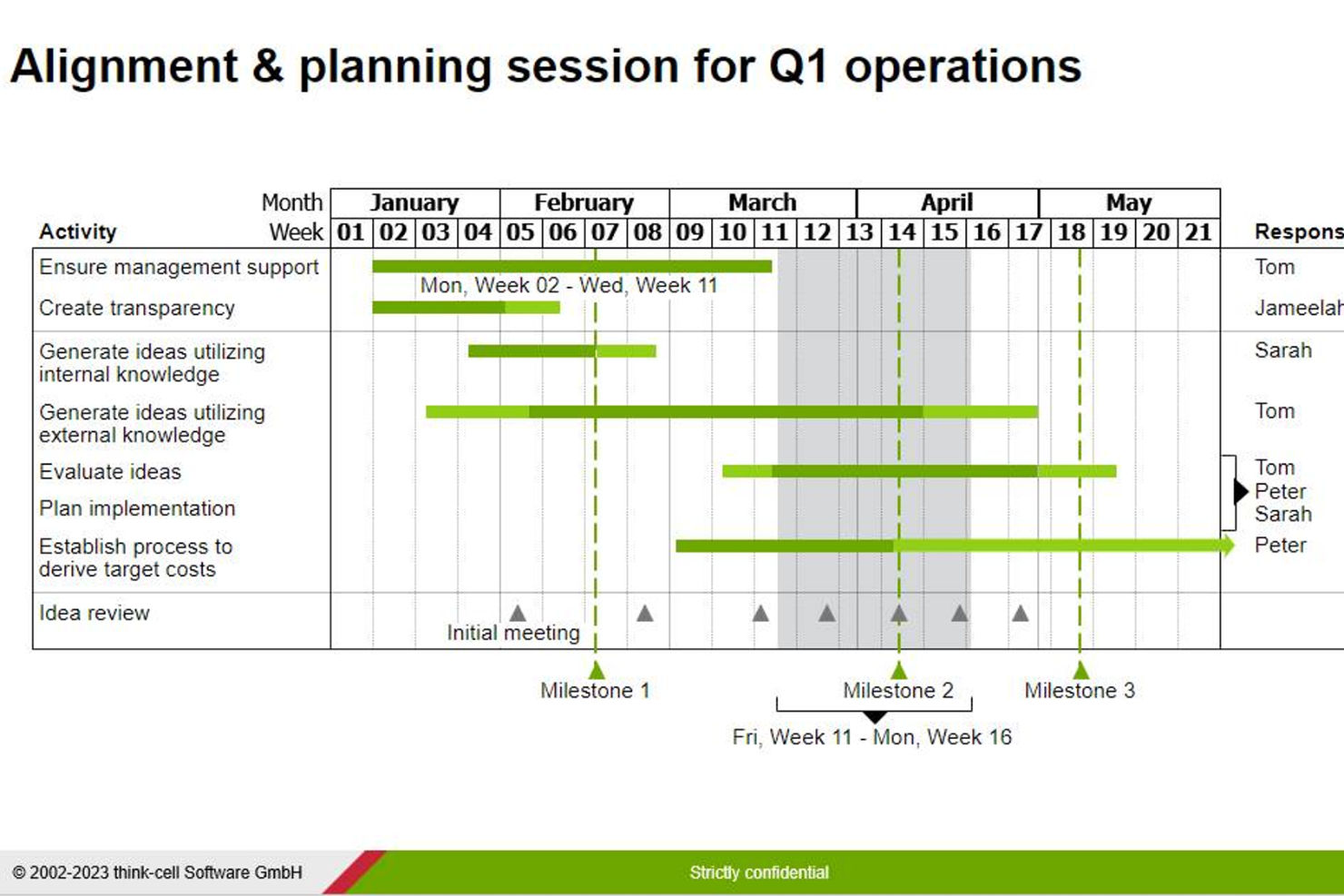
think-cell es un complemento de software para Microsoft PowerPoint y Excel que te ayuda a crear fácilmente varios tipos de gráficos para tus presentaciones a partes interesadas, incluyendo diagramas de Gantt.
Por qué elegí think-cell
Para los gerentes de proyectos que pasan más de 2 horas por semana preparando presentaciones en Excel o PowerPoint, creo que este software te ahorrará mucho tiempo y dolores de cabeza. Te permite crear diagramas de Gantt ajustables basados en calendarios directamente en PowerPoint, con capacidades de arrastrar y soltar para las líneas de tiempo, dependencias y hitos. También puedes vincular hojas de Excel a gráficos de PowerPoint para que cualquier actualización de datos se refleje automáticamente en tu diagrama de Gantt.
Características clave de think-cell
think-cell ofrece una variedad de características diseñadas para crear diagramas de Gantt efectivos.
- Ingreso interactivo de actividades: Esto te permite ingresar actividades directamente en el diagrama de Gantt para agilizar el proceso de construir la línea de tiempo de tu proyecto.
- Semanas laborales personalizables: Puedes definir la configuración de la semana laboral, como semanas de 5 o 7 días, para reflejar con precisión el horario de trabajo de tu equipo.
- Corchetes de duración temporal: Esto te permite agregar fácilmente corchetes para indicar la duración de tareas o fases específicas dentro de tu proyecto y proporciona señales visuales claras.
- Actualización automática de fechas: Cuando mueves tareas o hitos, las fechas se ajustan automáticamente, lo que garantiza que tu línea de tiempo permanezca precisa sin intervención manual.
Integraciones de think-cell
Las integraciones incluyen Microsoft PowerPoint y Microsoft Excel.
Pros and Cons
Pros:
- Potencia tus capacidades con productos de Microsoft
- Automatización para acelerar tareas repetitivas
- Fácil de usar, incluso para quienes no son expertos técnicos
Cons:
- Difícil trasladar los datos a un nuevo gráfico una vez creado uno
- Diseñado principalmente para Windows
Otros programas para crear diagramas de Gantt
Las herramientas anteriores no son las únicas que permiten crear diagramas de Gantt. Estas son otras herramientas de Gantt que merecen una mención especial.
- Visor
Ideal por su interfaz fácil de usar
- MindView
Ideal para estructuras de desglose del trabajo
- TeamGantt
Ideal para rastrear rutas críticas en proyectos
- Gantter
La mejor para recomendaciones con IA
- GanttPRO
Ideal para la gestión de carga de trabajo en tiempo real
- Smartsheet
Ideal para la planificación entre departamentos
- ProjectManager
Mejor para organizaciones empresariales
- Lucen
Ideal para la creación de cronogramas


Consulta nuestro vídeo sobre las mejores herramientas para crear diagramas de Gantt:


Análisis relacionados sobre gestión de proyectos
Si todavía no has encontrado lo que buscas, consulta estos otros análisis de herramientas de gestión de proyectos que hemos seleccionado para ti:
- Herramientas de productividad
- Software de seguimiento de proyectos
- Software de planificación de proyectos
- Software de gestión de proyectos
- Software de gestión de recursos
- Software de automatización de flujos de trabajo
- Software de gestión de proyectos con diagramas de Gantt
Wie ich Gantt-Diagramm-Tools bewerte
Ich bewerte Gantt-Diagramm-Tools auf zwei Ebenen: Ein Basisniveau, das jedes Tool erfüllen muss—Zeitleistenansichten, Aufgabenabhängigkeiten, Drag-and-Drop-Planung—und Unterscheidungsmerkmale, die die stärksten Optionen voneinander abheben.
Kernfunktionen (Grundvoraussetzungen für diese Liste)
Wenn ich Tools für meine Liste auswähle, bewerte ich jedes auf einer Skala von 0 (Funktion nicht vorhanden) bis 5 (herausragende Umsetzung) für jede der unten aufgeführten Kernfunktionen. Dann rechne ich die Gesamtpunktzahl des Tools in einen Prozentsatz um. Jedes Tool muss eine Mindest-Gesamtpunktzahl von 75 % erreichen, um in die engere Auswahl zu kommen.
- Zeitleisten-Visualisierung: Ich prüfe, ob die Gantt-Ansicht Tag-, Wochen- und Monats-Zoomstufen unterstützt—damit Sie sowohl einen zweiwöchigen Sprint als auch eine jahreslange Einführung aus demselben Diagramm planen können.
- Aufgabenabhängigkeiten: Jedes Tool sollte das Verknüpfen von Aufgaben mit den üblichen Abhängigkeitstypen ermöglichen. Ich achte darauf, wie das Diagramm Finish-to-Start-, Start-to-Start- und Vor-/Nachlaufzeiten abbildet.
- Drag-and-Drop-Planung: Ich bewerte, ob das Verschieben oder Anpassen eines Balkens auf der Leinwand automatisch die abhängigen Aufgaben mit anpasst, so wie es beispielsweise monday.com und Smartsheet tun.
- Meilensteine & Basispläne: Basis-Snapshots sind wichtig, wenn Stakeholder fragen, warum sich das Startdatum verschoben hat. Ich suche nach der Möglichkeit, geplante und tatsächliche Zeitachsen nebeneinander darzustellen.
- Kritischer Pfad & Fortschrittsverfolgung: Das Diagramm sollte zeigen, welche Abfolge den Endtermin bestimmt, und Prozentanzeigen für den Fertigstellungsgrad zeigen, damit Verzögerungen frühzeitig auffallen.
- Teilen & Export: Ich bewerte Exportmöglichkeiten (PDF, PNG, CSV) und teilbare Links, da Projektmanager regelmäßig eine saubere Zeitachse für Statusberichte oder Kunden-E-Mails benötigen.
Wenn ich eine Liste von Tools habe, die die Kriterien erfüllen, prüfe ich, wodurch sich jede Plattform abhebt.
Unterscheidungsmerkmale (Was Anbieter unterscheidet)
So vergleiche und kontrastiere ich verschiedene Anbieter:
Herausragende Funktionen
Portfolio-Rollups sind wichtig, wenn Sie mehrere Projekte gleichzeitig betreuen—ich achte darauf, ob Tools verschiedene Gantt-Diagramme in einer gemeinsamen Programm-Zeitleiste zusammenführen können. Automatische Terminplanung ist ein weiteres starkes Kriterium. Wenn sich eine Aufgabe um drei Tage verschiebt, sollte das Tool diese Änderung automatisch an alle nachgelagerten Abhängigkeiten weitergeben, ohne dass manuell nachgearbeitet werden muss. Ich bewerte auch Ansichten für Kunden und Stakeholder, da die meisten PMs Zeitpläne mit Personen teilen müssen, die keinen—oder keinen vollwertigen, kostenpflichtigen—Zugang benötigen oder erhalten sollten.
Über die Funktionen hinaus
Integrationen sind ein wesentlicher Unterschiedsfaktor. Ich prüfe, ob das Tool sich mit Plattformen verbindet, die Ihr Team bereits nutzt—Jira für Entwicklerarbeit, Slack für Updates oder SharePoint für Dokumentation. Ein Gantt-Diagramm, das isoliert ist, verursacht Mehrfacheingaben. Auch die Skalierbarkeit zählt: Ich schaue, ob das Tool sowohl 50 Aufgaben als auch ein Portfolio mit 5.000 Aufgaben ohne Verzögerungen verarbeiten kann. Schließlich bewerte ich die Onboarding-Ressourcen, insbesondere vorgefertigte Vorlagen für gängige Projekttypen wie Produkteinführungen oder Bauphasen, die die Zeit bis zum Nutzen verkürzen.
Cómo elegir un programa para crear diagramas de Gantt
Es fácil perderse entre largas listas de funciones y estructuras de precios complejas. Para ayudarte a mantener la concentración, aquí tienes una lista de factores que debes tener en cuenta:
| Factor | Qué tener en cuenta |
|---|---|
| Escalabilidad | Asegúrate de que la herramienta pueda gestionar el crecimiento de tu equipo y unos proyectos cada vez más complejos sin ralentizarse. |
| Integraciones | Comprueba si el programa se conecta con las herramientas que ya utilizas, como programas de gestión de proyectos, CRM o almacenamiento en la nube. |
| Personalización | Busca opciones para adaptar los diagramas de Gantt con campos, colores o diseños personalizados que se ajusten al flujo de trabajo de tu equipo. |
| Facilidad de uso | Asegúrate de que la interfaz sea intuitiva para que tu equipo pueda empezar a utilizarla rápidamente sin una formación exhaustiva. |
| Presupuesto | Compara los planes de precios y asegúrate de que incluyan las funciones que necesitas sin exigir complementos costosos. |
| Medidas de seguridad | Verifica que la plataforma cuente con medidas sólidas de protección de datos, como cifrado y controles de acceso de usuarios, para mantener tus proyectos a salvo. |
| Colaboración | Confirma que permita la colaboración en equipo mediante funciones como comentarios en las tareas, actualizaciones en tiempo real y uso compartido de archivos. |
| Herramientas de informes | Comprueba si ofrece informes claros y prácticos que ayuden a realizar un seguimiento del progreso y a tomar decisiones basadas en datos. |
Tendencias en los creadores de diagramas de Gantt
Estas son algunas de las tendencias en los creadores de diagramas de Gantt que prevemos que sigan desarrollándose este año:
- Mejores interfaces visuales: Programas como Smartsheet y ClickUp han realizado mejoras importantes en sus interfaces para que la visualización de proyectos sea más intuitiva, colorida e interactiva.
- Integración de inteligencia artificial: Herramientas como Hive y Height ofrecen funciones de inteligencia artificial que pueden automatizar tareas que consumen mucho tiempo y proporcionar información predictiva. Esto resulta especialmente útil para la asignación de recursos y la identificación de riesgos, y puede ayudar a reducir tu carga de trabajo.
- Complementos de colaboración en tiempo real: Con la disminución del software especializado, cada vez más herramientas ofrecen complementos e integraciones que permiten a los usuarios debatir, compartir archivos y tomar decisiones sin salir de la plataforma.
¿Qué es un creador de diagramas de Gantt?
Un creador de diagramas de Gantt es una herramienta de gestión de proyectos para crear diagramas de Gantt —líneas de tiempo visuales de proyectos— y utilizarlos para realizar un seguimiento del progreso. Puedes utilizar un programa de diagramas de Gantt para organizar tareas, duraciones, fechas de inicio y finalización, dependencias, la ruta crítica y los recursos.
Los programas de diagramas de Gantt también suelen incluir funciones para asignar tareas y distribuir recursos, pueden ayudar a simplificar la planificación de proyectos y permiten aportar claridad y coordinación al plan y al progreso del proyecto.
Funciones
Al seleccionar un creador de diagramas de Gantt, presta atención a las siguientes funciones clave:
- Dependencias entre tareas: Puedes vincular fácilmente las tareas y visualizar cuáles deben completarse primero. Esto te ayuda a detectar cuellos de botella y a mantener los proyectos en marcha.
- Interfaz de arrastrar y soltar: Te permite hacer clic y mover las tareas directamente en la línea de tiempo, lo que agiliza y simplifica la actualización de los calendarios.
- Seguimiento de hitos: Puedes establecer y visualizar los hitos clave del proyecto para que todos sepan cómo avanza el trabajo.
- Asignación de recursos: Te permite asignar miembros del equipo o recursos a tareas específicas, evitar sobrecargar a nadie y mantener a todos coordinados.
- Personalización del zoom y de la línea de tiempo: Puedes ajustar la vista desde horas hasta meses para centrarte en los detalles o contemplar una visión general según sea necesario.
- Seguimiento del progreso: Ayuda a controlar el porcentaje de finalización de cada tarea para que siempre tengas una visión clara del estado del proyecto.
- Herramientas de colaboración: Puedes invitar a compañeros, dejar comentarios o compartir actualizaciones del proyecto para simplificar el trabajo en equipo y facilitar la comunicación.
- Opciones de exportación y uso compartido: Te permite crear archivos PDF, enlaces o exportaciones de imagen de tus diagramas y compartir los planes del proyecto con clientes o compañeros de equipo.
- Código de colores: Puedes utilizar esquemas de colores para clasificar las tareas por equipo, prioridad o fase, y mantener organizado el diagrama.
- Resaltado de la ruta crítica: Te ayuda a identificar la serie de tareas que afectan directamente a la fecha de finalización del proyecto para que puedas centrarte en lo más urgente.
Funciones de inteligencia artificial que debes buscar en un creador de diagramas de Gantt
Muchos creadores de diagramas de Gantt también incluyen funciones basadas en inteligencia artificial para ahorrarte tiempo y aumentar la eficiencia:
- Programación automatizada: Puedes dejar que la IA sugiera secuencias y cronogramas de tareas óptimos en función de los requisitos del proyecto, los plazos y la disponibilidad de recursos.
- Análisis predictivo: Obtendrás previsiones de posibles retrasos o riesgos mediante el análisis de datos históricos y las tendencias actuales del proyecto.
- Asignación inteligente de recursos: Puedes obtener recomendaciones basadas en IA para asignar miembros del equipo o recursos, mantener equilibradas las cargas de trabajo y evitar conflictos.
- Entrada en lenguaje natural: Esto te permite describir tu proyecto en un lenguaje sencillo y la IA generará un borrador del diagrama de Gantt sin necesidad de introducir los datos manualmente.
- Actualizaciones automatizadas del progreso: La IA puede realizar un seguimiento de la finalización de las tareas y actualizar el diagrama automáticamente mediante su integración con otras herramientas de gestión de proyectos o incluso analizando las comunicaciones del equipo.
- Notificaciones inteligentes: Recibirás recordatorios y alertas proactivos sobre próximos plazos, posibles obstáculos o cambios en el cronograma.
- Planificación de escenarios: Puedes utilizar la IA para modelar escenarios hipotéticos y ver cómo podrían afectar a tu cronograma los cambios en el alcance, los recursos o los plazos.
- Priorización de tareas: Recibirás sugerencias sobre qué tareas priorizar en función de las dependencias, los plazos y la capacidad del equipo, para mantener tu proyecto encaminado.
Aunque estas funciones son habituales en esta categoría de software, los productos cambian constantemente. Por ello, ten en cuenta la frecuencia de actualización del producto. Como señala Robyn Birkedal:
Algo que conviene tener en cuenta es la frecuencia con la que se actualiza una herramienta. Las nuevas funciones pueden ser excelentes, pero si no te mantienes al día, los cambios inesperados en la interfaz pueden resultar abrumadores.

Ventajas del software para crear diagramas de Gantt
Estas son cinco ventajas principales del software para crear diagramas de Gantt:
- Gestión de proyectos optimizada: El software de diagramas de Gantt proporciona una plataforma centralizada para gestionar todas las tareas del proyecto. Este enfoque consolidado te permite supervisar el progreso de las tareas, la asignación de recursos y los plazos, además de mejorar la ejecución del proyecto.
- Mejor colaboración del equipo: Los miembros del equipo pueden compartir actualizaciones, ofrecer comentarios y mantener una comunicación clara. Esto garantiza que todos estén alineados con los objetivos del proyecto y puedan mantener su productividad.
- Asignación eficiente de recursos: El software de diagramas de Gantt te permite visualizar y gestionar eficazmente la distribución de recursos. Al asignar los recursos estratégicamente, puedes garantizar un uso óptimo, mejorar los resultados del proyecto y evitar el agotamiento de los recursos.
- Identificación y mitigación de los riesgos del proyecto: Los análisis avanzados que ofrece el software de diagramas de Gantt permiten detectar posibles obstáculos y gestionar los riesgos a tiempo. Esto te permite resolver los problemas de forma proactiva y minimizar los retrasos del proyecto.
- Mejor toma de decisiones: Gracias a sus informes completos y sus análisis detallados, el software de diagramas de Gantt te proporciona a ti y a las partes interesadas los datos necesarios para tomar decisiones fundamentadas. Eliminarás las suposiciones del proceso y ayudarás a orientar los proyectos hacia el éxito basándote en pruebas sólidas.
Costes y precios
A continuación se muestra una tabla con las diferentes opciones de planes y sus precios para el software de diagramas de Gantt:
| Nombre del plan | Precio (por usuario/mes) | Funciones |
|---|---|---|
| Gratuito | $0 | Funcionalidad básica de diagramas de Gantt, usuarios y proyectos limitados |
| Básico | $5 - $10 | Creación de diagramas de Gantt, dependencias entre tareas, informes básicos, usuarios y proyectos limitados |
| Estándar | $10 - $20 | Funciones avanzadas de diagramas de Gantt, programación de tareas, gestión de recursos, varios usuarios y proyectos |
| Premium | $20 - $50 | Programación avanzada de proyectos, diagramas de Gantt personalizables, integraciones, usuarios y proyectos ilimitados |
Las etapas habituales en las que tu empresa puede querer mejorar su plan de precios incluyen:
- Aumento de la complejidad del proyecto: Cuando los proyectos se vuelven más complejos, es posible que tengas que actualizar a un nivel de precios superior para acceder a funciones avanzadas.
- Ampliación del equipo: A medida que tu equipo crece, es posible que tengas que ampliar tu nivel de precios para admitir más licencias de usuario, mejores herramientas de colaboración y una gestión de permisos más sofisticada.
- Necesidades de integración: Cuando necesites integrar tu software de diagramas de Gantt con otras herramientas, como CRM, ERP o paquetes de gestión de proyectos, actualizar a un nivel de precios superior puede proporcionar capacidades avanzadas de integración.
- Requisitos de datos y generación de informes: Es posible que tengas que actualizar tu nivel de precios si necesitas funciones avanzadas de generación de informes, análisis y visualización de datos.
- Atención al cliente y formación: Los niveles superiores de atención al cliente, formación e incorporación se vuelven esenciales a medida que tu empresa crece, ya que te ayudarán a utilizar la herramienta de forma eficaz y a maximizar sus beneficios.
Preguntas frecuentes sobre creadores de diagramas de Gantt
Encuentra respuestas a preguntas frecuentes sobre este tema.
¿Cuál es el mejor software gratuito para crear diagramas de Gantt?
El mejor software gratuito para crear diagramas de Gantt depende de tus casos de uso específicos, pero algunas de las opciones más populares incluyen herramientas como ClickUp, TeamGantt y GanttProject. Cada una ofrece un nivel gratuito con funciones básicas como la programación de tareas y la visualización de cronogramas.
ClickUp destaca por sus vistas de proyecto flexibles y sus usuarios ilimitados. TeamGantt tiene una interfaz intuitiva de arrastrar y soltar, pero limita a los usuarios gratuitos a un proyecto a la vez. GanttProject se puede descargar completamente gratis. Tener en cuenta el tamaño de tu equipo y la complejidad de tus proyectos te ayudará a elegir la opción gratuita adecuada para tus necesidades.
¿Cómo se comparan los diagramas de Gantt con los tableros Kanban para gestionar tareas?
Los diagramas de Gantt te ayudan a planificar y realizar el seguimiento de proyectos mediante cronogramas, dependencias e hitos. Son ideales para programar y visualizar cómo se solapan las tareas.
Los tableros Kanban se centran en los flujos de trabajo y utilizan columnas para mostrar el estado de las tareas; son más adecuados para trabajos centrados en tareas que implican muchos traspasos. Si necesitas ver los plazos y las dependencias generales, los diagramas de Gantt son mejores. Muchos gestores de proyectos utilizan ambos: Kanban para el trabajo diario y un diagrama de Gantt para obtener una visión general del proyecto completo.
¿Cuáles son las prácticas recomendadas para actualizar los diagramas de Gantt durante un proyecto?
Actualiza tu diagrama de Gantt con regularidad (al menos una vez por semana) para mantenerlo actualizado y asegurarte de que refleja los cambios reales. Revisa el estado de las tareas, ajusta los plazos cuando haya retrasos y comunica las actualizaciones a tu equipo.
Utiliza códigos de colores o comentarios para destacar cambios y aclaraciones. La mayoría de las herramientas admiten actualizaciones automatizadas con notificaciones. Las actualizaciones constantes te ayudan a detectar cuellos de botella, mantener a tu equipo coordinado y evitar sorpresas cerca de los plazos.
¿Cuáles son las principales diferencias entre los creadores de diagramas de Gantt gratuitos y de pago?
Las herramientas gratuitas para crear diagramas de Gantt suelen limitar el número de usuarios, la cantidad de proyectos que puedes ejecutar, las integraciones o las funciones avanzadas, como la elaboración de informes y la gestión de recursos. Las herramientas de pago ofrecen más opciones de colaboración, automatizaciones, campos personalizados y un mejor servicio de asistencia.
Si gestionas muchos proyectos o necesitas funciones como el seguimiento de la carga de trabajo y las integraciones, elige un plan de pago. Empezar con un plan gratuito es una buena forma de evaluar si una herramienta se adapta a tus necesidades, pero tendrás que actualizarlo a medida que crezcan tu equipo y la complejidad de tus proyectos.
¿Puedo integrar un creador de diagramas de Gantt con otras herramientas de gestión de proyectos?
Sí, la mayoría de los creadores de diagramas de Gantt se integran con otras herramientas de gestión de proyectos, como Asana, Trello, Slack y Google Workspace. Las integraciones te ayudan a sincronizar tareas, automatizar flujos de trabajo y reducir las actualizaciones manuales y duplicadas entre plataformas.
Consulta el mercado de aplicaciones o la configuración del software para ver las opciones de integración. Si tu equipo ya utiliza una herramienta principal de gestión de proyectos, es posible que ya incluya funciones de diagramas de Gantt, pero también puedes buscar software de diagramas de Gantt que se conecte de forma nativa o mediante Zapier.
¿Cómo puedo gestionar la asignación de recursos mediante un software de diagramas de Gantt?
La mayoría de las herramientas de diagramas de Gantt te permiten asignar tareas, realizar un seguimiento de las cargas de trabajo y visualizar la capacidad del equipo. Asigna recursos, como miembros del equipo o equipos, directamente a las tareas en el cronograma. Puedes utilizar funciones como las vistas de carga de trabajo o los histogramas de recursos para detectar miembros del equipo sobrecargados o tiempos de inactividad. Revisa periódicamente las asignaciones para mantener equilibradas las cargas de trabajo y evitar el agotamiento o los retrasos.
¿Qué debo tener en cuenta al elegir un creador de diagramas de Gantt para mi equipo?
Céntrate en un diseño intuitivo, las funciones de colaboración, las opciones de integración y el precio. Asegúrate de que la herramienta ofrezca funcionalidad de arrastrar y soltar, seguimiento de dependencias y opciones de exportación.
Comprueba si admite el seguimiento del tiempo, las actualizaciones en tiempo real y la mensajería del equipo. Elige una solución que se adapte al tamaño de tu proyecto y a la familiaridad de tu equipo con los diagramas de Gantt. Siempre puedes solicitar una prueba gratuita o utilizar versiones gratuitas antes de comprometerte.
¿Existen herramientas de diagramas de Gantt compatibles con la gestión ágil de proyectos?
Sí, muchos creadores de diagramas de Gantt, como ClickUp, Smartsheet y Wrike, ofrecen funciones compatibles con los métodos ágiles. Busca gestión de la lista de tareas pendientes, planificación de sprints y flexibilidad en los cronogramas. Algunas herramientas combinan cronogramas de Gantt con tableros ágiles, para que puedas ejecutar sprints mientras realizas el seguimiento de cronogramas y dependencias generales. Esto te ayuda a combinar los flujos de trabajo ágiles con una programación estructurada.