

Ex-HP PM and Current AI-Automation Consultant Breaks Down How to Implement AI Effectively and Responsibly
Stan Yanakiev is an ex-HP program manager with a software engineering background. And he is the founder of Mindrise, an AI-automation consultancy helping small businesses to get real-world value through AI.

Stan Yanakiev
Former Program Manager at HP

Career Shift: Stan Yanakiev transitioned from software engineering to AI-focused project management for small businesses.
AI Approach: Stan combines traditional project management with adaptive AI methods for more efficient delivery.
Workflow Planning: AI inclusion requires careful design to balance flexibility with control and maintain human oversight.
Automation Benefits: Automation in project management enhances productivity through task simplification and frees up valuable time.
Responsible Use: AI outputs need thorough review, with human oversight ensuring project accountability and data protection.
Stan Yanakiev is an ex-HP program manager with a software engineering background. And he is the founder of Mindrise, an AI-automation consultancy helping small businesses to get real-world value through AI.
We spoke with Stan to get a sense for how project managers can implement AI effectively and responsibly. Here's what he told us.
Stan Yanakiev’s Path From Software Engineer to AI Automation Consultant
My interest in technology started at the age of thirteen, when I taught myself to program on an Eastern European clone of the famous Apple II microcomputer. After a couple of years as a software developer, I switched to project management and have dedicated my 25-year career to this profession.

I was attracted to natural language processing (NLP) early in my career and even founded two startups focused on AI. In 2007, I used an internal text-analysis tool at Hewlett-Packard to drive business process improvements across EMEA call centers, applying Six Sigma techniques. Those were early years when, despite the enthusiasm, the challenges of AI still outweighed the benefits. Using the tool still brought some benefits, so it didn’t fail completely. However, it was much harder to derive value from it, compared with today’s AI.
Over the past several years, I’ve led digital and transformation initiatives in the energy sector as a contract project manager. One of my key achievements is developing strategic technical and business smart-metering capability at SMS, one of the UK’s largest installers.
Now my company, Mindrise, offers practical AI automation solutions to small UK businesses, helping them use AI in realistic, results-driven ways to gain efficiency, reduce costs, and enable business growth. We focus on improving productivity through workflow automation, document generation, reporting, and data integration using low-code platforms such as Make, n8n, and Zapier. We also provide ongoing optimization and support so that clients’ automations continue to evolve as their business grows.
How to Keep Traditional Project Management Structure While Adopting Lightweight AI Delivery
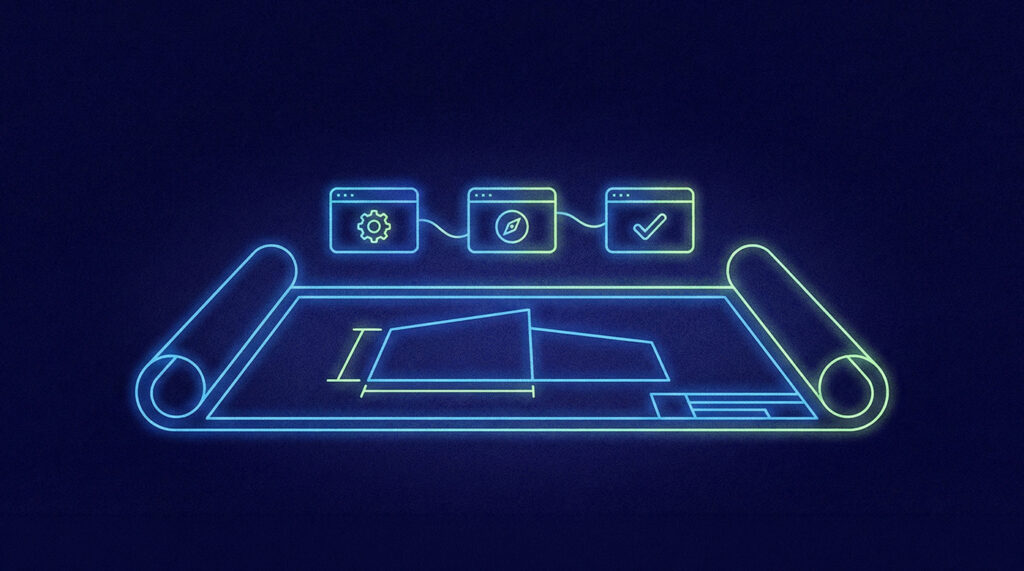
My delivery approach remains based on structured project management frameworks. But because of AI, I'm moving toward lighter and more adaptive delivery, keeping the discipline of traditional methods, while reducing overhead and allowing more focus on high-value project management work.
I use it for time-consuming routine tasks and as a contributor in ideation. It helps me automate meeting minutes, documentation, and reporting while staying fully aligned with traditional delivery requirements. In fact, I believe that when it’s used carefully and ethically, there are few tasks it can't handle — aside from the truly human-centric tasks, such as leading, managing, and collaborating.
As a result, my role is evolving from “do everything" to that of an orchestrator and optimizer of AI. This allows me to refocus my energy on high-value, human-centric aspects of project management, such as keeping stakeholders aligned, removing blockers, and ensuring productive team collaboration and motivation.
How a Workflow’s Tolerance for Unpredictability Should Guide Your AI Implementation Strategy

The more intelligence we build in, the more carefully the design must be planned, executed, and tested.
That's because, when a workflow doesn’t include AI and is purely rule-based, it produces deterministic results that can be tested like any traditional software system. But adding AI introduces a probabilistic element, so we need to ensure that the variability of outputs doesn’t backfire. It’s important to understand how much creativity or unpredictability is acceptable for the specific application and to implement appropriate safeguards, such as keeping a human in the loop.
Adding AI introduces a probabilistic element, so we need to ensure that the variability of outputs doesn’t backfire. It’s important to understand how much creativity or unpredictability is acceptable for the specific application and to implement appropriate safeguards, such as keeping a human in the loop.
Workflows that include agentic AI offer the greatest freedom, but that flexibility must be intentional — we need to be sure it’s truly appropriate for the use case.
When it comes to delivery, I focus on practical applications of AI to ensure realistic and predictable outcomes. Fancy uses of AI may look attractive in YouTube videos, but they are not something one can rely on in a professional setting. When applying AI, I look to achieve clear ROI — for example, reducing manual processing time or effort by X%, or halving documentation turnaround time.
When it comes to delivery, I focus on practical applications of AI to ensure realistic and predictable outcomes. Fancy uses of AI may look attractive in YouTube videos, but they are not something one can rely on in a professional setting. When applying AI, I look to achieve clear ROI.

Practical Use Cases for AI and Automation in Project Management
There are multiple ways to use AI in project management, and trying to name them risks putting limits on them. But here are a few:
- Meeting minutes: The most obvious and low-effort area for automation in my delivery work is meeting minutes. I use ChatGPT together with the transcript from a Microsoft Teams call recording for this. It's a major time saver.
- Document management and content creation: Think risk and issue generation and assessment, automated status reporting, and lessons learned. I’ve explored automating these tasks using PMI Infinity, ChatGPT, Claude, HTML dashboards, Google Apps Script for risks and issues, and Microsoft 365 Copilot for creating lessons learned.
- Validation: It can support validation work, like reviewing and assessing technical designs.
- Scope: It can draft scope based on key project facts, or review and refine it
- Brainstorming: It can help create options and support brainstorming to find solutions. I rely heavily on ChatGPT for this.
- Communications: I use ChatGPT for drafting communication to stakeholders
- Presentations: For planning, creating, and delivering presentations, I’ve reviewed tools such as Gamma and Canva.
But tasks that require emotional intelligence and collaboration — like team alignment and people management — should remain in the remit of the project manager.
A Real-World Example of AI in Project Management
Let's take meeting minutes as a simple example. The first time I used AI in a project, there was a critical blocker that threatened to put it on hold with multiple financial, reputation-related, and technical consequences. I needed to find a resolution fast, which required achieving consensus between several external suppliers, as well as internal stakeholders.
I organized an online workshop, bringing together all the key people. I asked for permission to record the call on MS Teams so I could obtain a transcript. After the call, I redacted and pseudonymized the transcript, replacing sensitive information with placeholders. I wrote a prompt for ChatGPT, asking it to create meeting minutes with discussion points and action items. Then, I reviewed the output, corrected where necessary, replaced the placeholders, and sent it to a large recipient group.
It would have taken me at least an hour to sift through my notes and write accurate minutes, but I was able to complete it in 20 minutes with AI. The result was high-quality minutes, neatly formatted. And it ensured quick and precise communication to a large team with clear action items, which allowed proactive follow-up and resolution of issues. Plus, it freed me to join the next call on time.
How to Build an Effective AI Tech Stack for Project Delivery
As a project manager, I am pragmatic. I will use any tool as soon as I am convinced of its value. And I will drop it if it is not appropriate. Let's start with the traditional project management tools I use:
- Microsoft Project for scheduling
- Jira for as project management software for agile projects
- Trello for smaller Kanban-like efforts
But in recent years, I've started putting LLMs to much greater use than before. Each of these LLMs can be used for similar purposes, but they all have different strengths and weaknesses:
- ChatGPT: I find ChatGPT excellent overall, particularly for process optimization and efficiency.
- Copilot: Copilot is based on ChatGPT, but its output isn’t identical. So I sometimes use it to verify or compare results.
- Claude: Claude tends to be more “creative” and produces visually appealing charts and documents.
- Gemini: I’ve used Gemini less so far. Its earlier versions felt limited, but the version integrated into Google search results is quite good. I need to review the latest version.
I develop AI workflows through Mindrise using low-code/no-code platforms, such as:
- Make: Make has an intuitive interface that makes it more user-friendly and even a bit more “fun” to work with.
- n8n: n8n is more technical and allows the use of programming code more easily — though that can make it too complex for some clients.
- Zapier: Zapier supports a wider range of apps and integrations.
I am also experimenting with new AI tools for planning, creating, and delivering presentations, including Gamma and Canva.
AI delivers less value to teams and businesses without automation. That's why, overall, my favorite AI tool is Make.com. It can be used to build rule-based automations or AI-enabled scenarios, including agentic AI.
AI is not optimal for teams and businesses without automation. That’s why, overall, my favorite AI tool is Make.com. It can be used to build rule-based automations or AI-enabled scenarios, including agentic AI.
How to Use AI Responsibly in Project Management
We must always remember that we remain in the driver's seat. We are responsible for our projects.
Sensitive personal or business information should never be shared freely with open models. It can be protected by pseudonymizing or redacting inputs before processing.
Sensitive personal or business information should never be shared freely with open models. It can be protected by pseudonymizing or redacting inputs before processing. Also, AI outputs should always be treated as drafts — reviewed and approved before use or sharing.
Also, AI outputs should always be treated as drafts — reviewed and approved before use or sharing.
That's why, at Mindrise, keeping a human in the loop is a core principle when designing automation workflows to ensure both accuracy and accountability.
How AI Helps Project Managers Focus On What Matters Most — Being More Human
Learn how to use AI and approach it as you would any new technology — that's my advice.
On the surface, it may look easy, but it takes learning, practice, and a fair amount of trial and error before you can achieve results stable enough for professional use.
Start small and stay practical. If you lack the necessary expertise in-house, look for a supplier who can help you overcome the main barriers to adoption.
Once you have a few easy automations in place, consider how they allow you to reshape your business more strategically. Then scale up.

And remember, it's a tool — a tool that enhances human capabilities.
AI allows us to focus on what really matters. It raises our productivity and effectiveness to levels we have not seen before. And it even gives us a chance to be more human.
AI allows us to focus on what really matters. It raises our productivity and effectiveness to levels we have not seen before. And it even gives us a chance to be more human.
Follow Along
You can follow Stan as he continues finding AI and automation opportunities for businesses on LinkedIn. And check out his company, Mindrise.
More expert interviews to come on The Digital Project Manager.


