



Zoho Projects vs. ClickUp: Expert Comparison & Review 2026



Zoho Projects offers a robust solution for managing your team's projects with efficiency and ease. ClickUp caters to versatile project management needs with its flexible platform. While Zoho Projects excels in structured project planning, ClickUp stands out for its adaptability and customization options. In this article, you'll find a detailed comparison of these two project management software tools, exploring their features, pros and cons, pricing, and more.
Zoho Projects vs. ClickUp: An Overview
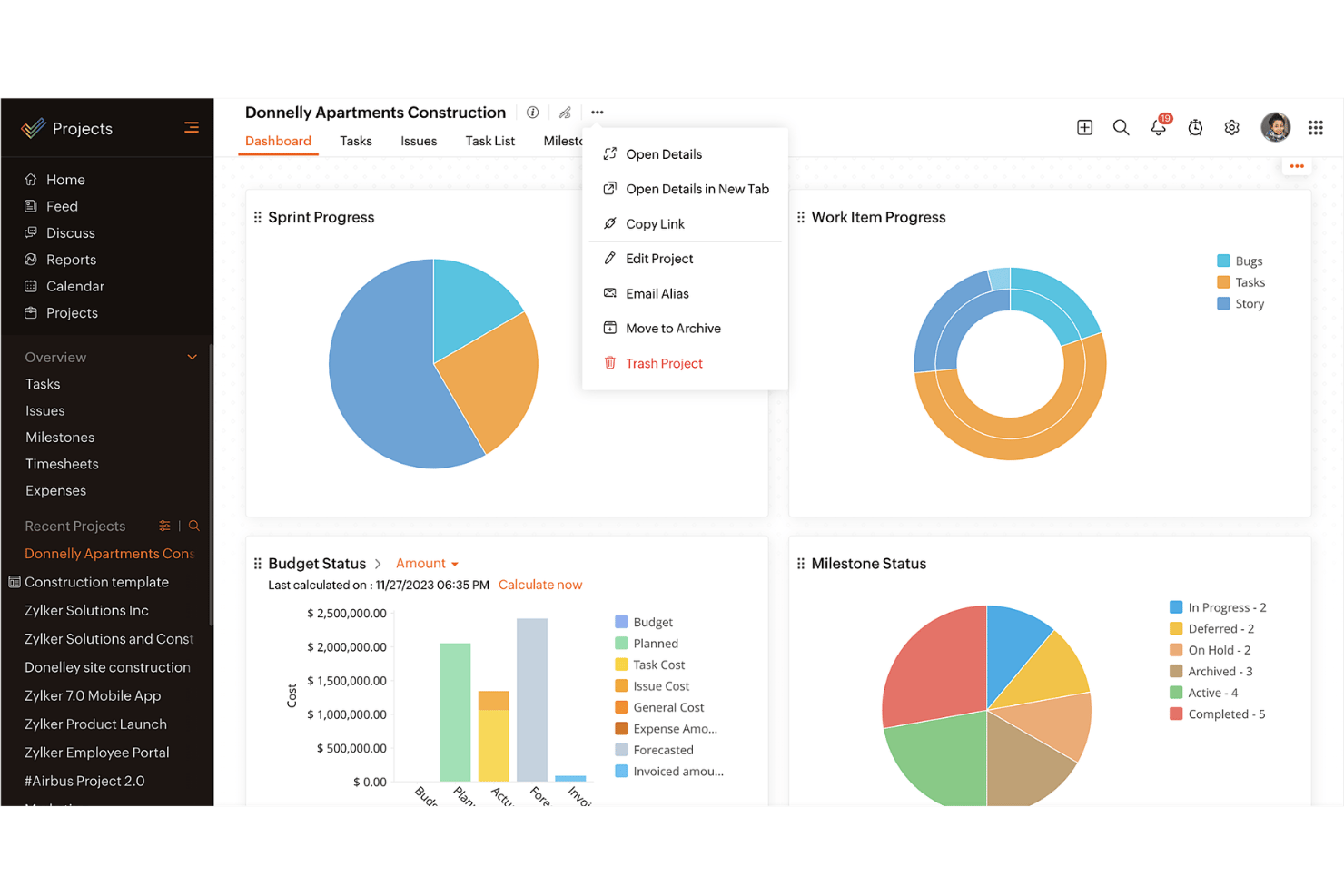
Zoho Projects
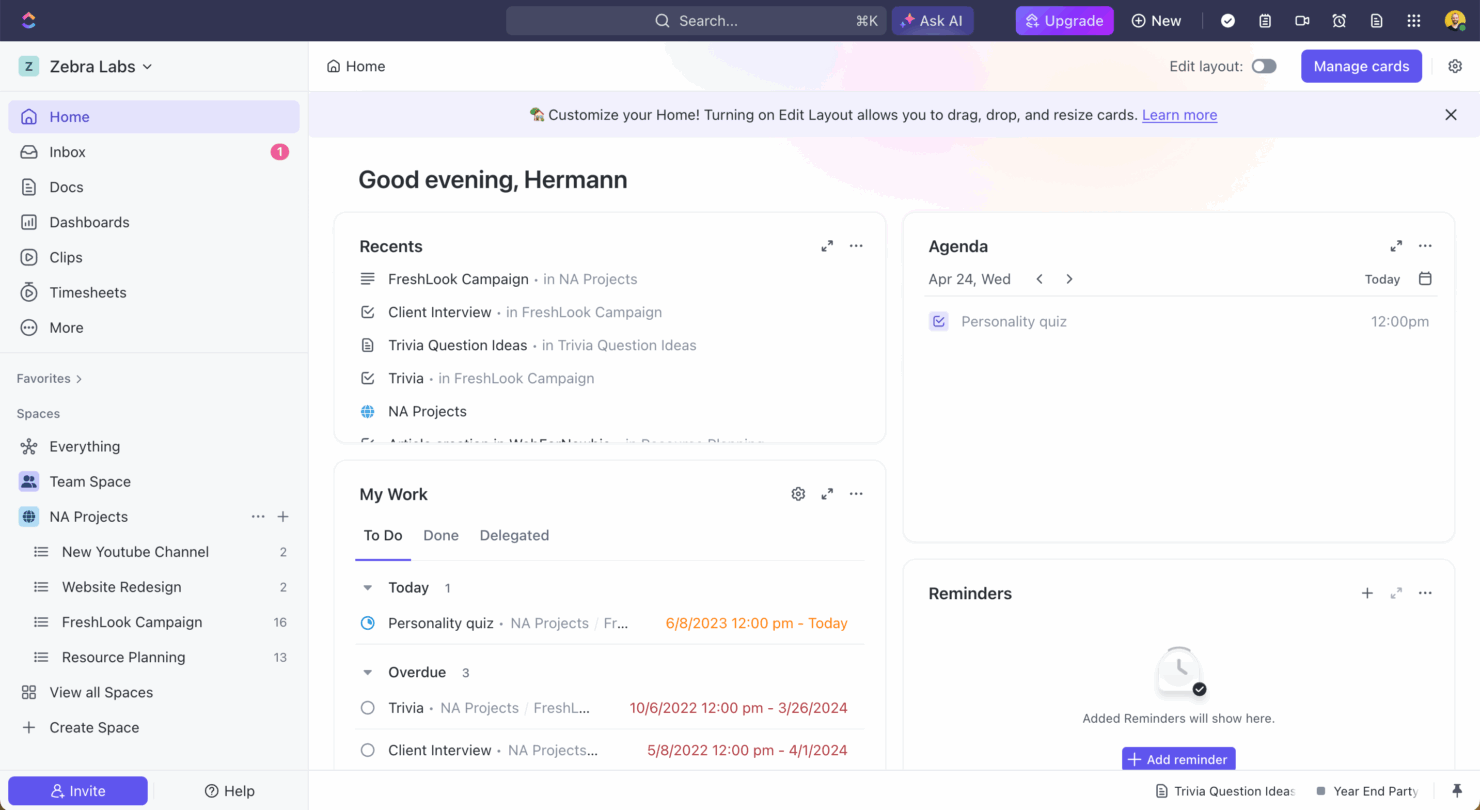
ClickUp
Why Trust Our Software Recommendations
Our team has been testing and reviewing software since 2012. As project managers ourselves, we know how difficult—and important—it is to choose the right software.
For this guide, we evaluated tools using hands-on testing and independent research, scoring tools using our selection criteria. We also draw on insights from industry thought leaders and practicing project management experts.
Our reviews reflect our human editorial judgment, not a sales pitch.
Expert reviewers:
Zoho Projects vs. ClickUp Pricing & Hidden Costs
Zoho Projects pricing is structured with tiered plans, offering a range of features based on the level you choose, but be aware of potential add-ons that can increase costs. ClickUp pricing follows a similar tiered model, with a free tier and additional costs for premium features and storage. To select the tool with the right pricing for your needs, evaluate the specific features your team requires and consider any hidden costs that might arise as your needs grow. Make sure to align the tool's offerings with your project goals and the potential for scaling in the future.
Zoho Projects vs. ClickUp Feature Comparison
With Zoho Projects’s milestone tracking, you can manage complex projects by setting clear phases, which is invaluable when coordinating long-term timelines. ClickUp’s versatile task management allows you to customize workflows extensively, making it perfect for teams that need to adapt to changing project scopes. Each tool provides unique strengths: Zoho Projects is ideal for structured project phases, while ClickUp excels in customization and flexibility.
| Zoho Projects | ClickUp | |
|---|---|---|
| API | ||
| Batch Permissions & Access | ||
| Budgeting | ||
| Calendar Management | ||
| Collaboration Support | ||
| Contact Management | ||
| Contact Sharing | ||
| Customer Management | ||
| Dashboard | ||
| Dashboards | ||
| Data Export | ||
| Data Import | ||
| Data Visualization | ||
| Dependency Tracking | ||
| Document Sharing | ||
| Expense Tracking | ||
| External Integrations | ||
| File Sharing | ||
| Gantt Charts | ||
| Kanban Boards | ||
| Multi-User | ||
| Notifications | ||
| Project Management | ||
| Resource Management | ||
| Scheduling | ||
| Task Scheduling/Tracking | ||
| Third-Party Plugins/Add-Ons | ||
| Time Management | ||
| Travel Management | ||
| Workflow Management |
Zoho Projects vs. ClickUp Integrations
| Integration | Zoho Projects | ClickUp |
|---|---|---|
| Slack | ✅ | ✅ |
| Google Drive | ✅ | ✅ |
| Microsoft Teams | ✅ | ✅ |
| Dropbox | ✅ | ✅ |
| HubSpot | ❌ | ✅ |
| Figma | ❌ | ✅ |
| GitHub | ❌ | ✅ |
| Salesforce | ✅ | ❌ |
| API | ✅ | ✅ |
| Zapier | ✅ | ✅ |
With Zoho Projects's integration with Microsoft Teams, you can streamline communication and collaboration, which is especially valuable when managing remote teams. ClickUp's integration with Slack is great for keeping your team updated on task progress without leaving your chat platform. Both tools offer integrations that enhance productivity in different ways, so consider which integrations align best with your workflow.
Zoho Projects vs. ClickUp Security, Compliance & Reliability
| Factor | Zoho Projects | ClickUp |
|---|---|---|
| Data Privacy | Zoho Projects adheres to GDPR standards, ensuring your data's privacy and protection. | ClickUp complies with GDPR and CCPA, offering robust privacy controls for your data. |
| Encryption | Zoho Projects uses AES-256 encryption to secure data both in transit and at rest. | ClickUp employs AES-256 encryption, safeguarding your data during transfer and storage. |
| Uptime Reliability | Zoho Projects guarantees 99.9% uptime, providing consistent access to your projects. | ClickUp also offers 99.99% uptime, ensuring minimal disruption to your workflow. |
Zoho Projects and ClickUp both prioritize security and compliance, but ClickUp slightly edges out with its additional CCPA compliance. When evaluating security and compliance features, focus on understanding the specific data protection measures each tool offers and consider how they fit your team’s compliance requirements.
Zoho Projects vs. ClickUp Ease of Use
| Factor | Zoho Projects | ClickUp |
|---|---|---|
| User Interface | Zoho Projects offers a clean interface with customizable dashboards for easy navigation. | ClickUp boasts a highly customizable interface, allowing you to tailor views to your needs. |
| Onboarding Experience | Zoho Projects provides guided tutorials and step-by-step setup instructions to help you get started. | ClickUp offers an intuitive onboarding process with video tutorials and templates. |
| Support | Zoho Projects includes 24/5 customer support via chat and email for quick assistance. | ClickUp provides 24/7 support with live chat and a comprehensive help center. |
Zoho Projects is straightforward with its clean interface, but ClickUp's highly customizable views can make it more adaptable for varied workflows. ClickUp excels in customization and support, while Zoho Projects shines in straightforward onboarding and ease of navigation.
Zoho Projects vs ClickUp: Pros & Cons
Zoho Projects
- Task dependencies are highly visual and easy to set up.
- Built-in time tracking integrates smoothly with billing features.
- Customizable project templates support repeatable workflows.
- Reporting customization can be limited for advanced needs.
- Mobile app notifications do not always sync in real time.
- Gantt chart drag-and-drop can feel sluggish with large projects.
ClickUp
- Extensive task management features keep your projects organized and on track
- Real-time collaboration makes team communication more effective
- Built-in automations reduce manual work and speed up your workflow
- Users often find the learning curve steep due to its rich feature set
- Some users report occasional performance lags when managing large projects
- Mobile app can be less intuitive than the desktop version
Best Use Cases for Zoho Projects and ClickUp
Zoho Projects
- Small Agencies Kanban boards, time tracking, and client billing streamline project delivery and reporting for agency teams.
- IT Departments Issue tracking, blueprint automations, and strong permission controls provide what IT teams need for complex internal projects.
- Consulting Firms Time sheets, detailed reports, and project-level billing help consultants keep track of client hours and invoicing.
- Remote Teams Robust collaboration tools, document sharing, and project forums help distributed users stay connected.
- Marketing Teams Reusable templates, task dependencies, and timeline tracking make repeated campaigns run smoothly and transparently.
- Construction Projects Gantt charts, milestones, and resource allocation features support the scheduling needs of construction and field project managers.
ClickUp
- Creative agencies ClickUp's customizable dashboards and task automation features can help you manage client projects, track feedback and revisions, and keep creative teams aligned.
- Tech startups ClickUp supports agile development with sprints and real-time collaboration features that can help teams iterate quickly.
- Marketing teams You can streamline campaign planning and execution using ClickUp’s task dependencies and timelines.
- Remote teams ClickUp's real-time updates and collaboration tools keep everyone on the same page, no matter where they are.
- Product managers ClickUp’s roadmaps and goal-tracking features help you align development with business objectives.
- Freelancers You can track your tasks and deadlines efficiently with ClickUp’s simple task and time management tools.
Who Should Use Zoho Projects, and Who Should Use ClickUp?
In my opinion, Zoho Projects is ideal for teams that need a structured project management tool with straightforward features and a focus on clear timelines. It's well-suited for industries where traditional project phases are key, like construction or manufacturing. On the other hand, I believe ClickUp is perfect for teams needing flexibility and customization, especially in dynamic industries like tech startups or creative agencies. If your team values adaptability and diverse workflows, ClickUp is likely the better fit.
Differences Between Zoho Projects and ClickUp
| Zoho Projects | ClickUp | |
|---|---|---|
| Automation | Zoho Projects includes basic automation for task management. | ClickUp offers advanced automation capabilities, allowing complex workflows. |
| Integrations | Zoho Projects integrates well with Microsoft Teams and Salesforce. | ClickUp excels with integrations like Slack, Figma, and GitHub. |
| Pricing | Zoho Projects offers tiered plans with additional costs for premium add-ons. | ClickUp provides a free tier with premium features available at extra cost. |
| Support | Zoho Projects provides 24/5 support via chat and email. | ClickUp offers 24/7 support with live chat and a detailed help center. |
| User Interface | Zoho Projects has a clean, straightforward interface for easy navigation. | ClickUp features a highly customizable interface tailored to your needs. |
| Read Zoho Projects ReviewOpens new window | Visit ClickUpOpens new window |
Similarities Between Zoho Projects and ClickUp
| Cloud-Based Access | Zoho Projects and ClickUp are cloud-based, offering your team remote access to project data anytime, anywhere, which is essential for modern teams. |
|---|---|
| Collaboration | Zoho Projects and ClickUp both integrate communication tools, enhancing team collaboration and keeping everyone in the loop. |
| Project Timelines | Each tool provides project timeline views, helping you visualize project phases and deadlines, ensuring your team stays on track. |
| Reporting | Both platforms allow you to generate custom reports, giving you insights into project performance and team productivity. |
| Task Management | Both Zoho Projects and ClickUp offer robust task management features, letting you assign, track, and manage tasks efficiently within your team. |
| Read Zoho Projects ReviewOpens new window Visit ClickUpOpens new window | |