


Trello vs. Todoist: Comparison and Expert Reviews for 2026


Choosing between Trello’s visual boards and Todoist’s streamlined lists can feel like a tug-of-war when you’re searching for the right personal task management software to organize your life. Trello gives you a flexible, drag-and-drop canvas for mapping out projects, while Todoist keeps your focus sharp with simple, powerful task lists. If you’re tired of sticky notes and scattered reminders, you’re not alone—finding a tool that matches your style can make or break your daily momentum.
In this article, you’ll get a side-by-side look at how Trello and Todoist stack up for personal use, with expert insights to help you pick the one that fits your workflow and keeps your priorities clear.
Trello vs. Todoist: An Overview
Trello




Todoist


Why You Can Trust Us
We’ve been testing and reviewing project management software since 2012. As project managers ourselves, we know how critical and difficult it is to make the right decision when selecting software.
We invest in deep research to help our audience make better software purchasing decisions. We’ve tested more than 2,000 tools for different project management use cases and written over 1,000 comprehensive software reviews. Learn how we stay transparent & our software review methodology.
Trello vs. Todoist Pricing Comparison
| Trello | Todoist | |
|---|---|---|
| Free Trial | Free trial + free plan available | Free plan available |
| Pricing | From $5/user/month (billed annually) | From $5/user/month (billed annually) |
Trello vs. Todoist Pricing & Hidden Costs
Trello uses a tiered pricing model, offering a free plan with basic features and paid plans that unlock advanced automation, integrations, and larger file attachments. You might run into extra costs if you need premium Power-Ups or integrations beyond the basics. Todoist also follows a freemium approach, with core task management available for free and premium features—like reminders, labels, and advanced filters—reserved for paid plans. Some users find themselves upgrading to access collaboration tools or more project slots.
Trello vs. Todoist Feature Comparison
| Trello | Todoist | |
|---|---|---|
| API | ||
| Calendar Management | ||
| Collaboration Support | ||
| Dashboards | ||
| Data Export | ||
| Data Import | ||
| External Integrations | ||
| File Sharing | ||
| Gantt Charts | ||
| Kanban Boards | ||
| Multi-User | ||
| Notifications | ||
| Project Management | ||
| Task Scheduling/Tracking | ||
| Time Management |
Trello vs. Todoist Integrations
| Integration | Trello | Todoist |
| Google Drive | ✅ | ✅ |
| Slack | ✅ | ✅ |
| Microsoft Teams | ✅ | ✅ |
| Dropbox | ✅ | ✅ |
| Outlook | ✅ | ✅ |
| Evernote | ✅ | ✅ |
| Jira | ✅ | ✅ |
| Google Calendar | ✅ | ✅ |
| API | ✅ | ✅ |
| Zapier | ✅ | ✅ |
Trello and Todoist both cover essential integrations like Google Drive, Slack, Outlook, and Google Calendar. However, Trello offers a broader and more mature integration ecosystem through its “Power-Ups,” with over 200 integrations compared to roughly 60+ for Todoist. Both platforms offer API and Zapier connections, so you can bridge any gaps and tailor integrations to your workflow.
Trello vs. Todoist Security, Compliance & Reliability
| Factor | Trello | Todoist |
| Data Encryption | Encrypts data in transit and at rest using industry-standard protocols. | Uses TLS encryption for data in transit and AES-256 for data at rest. |
| Regulatory Compliance | Offers SOC 2 Type II and GDPR compliance for business users. | Complies with GDPR and supports data export and deletion on request. |
| Account Protection | Supports two-factor authentication (2FA) for all users. | Offers two-factor authentication (2FA) for all users. |
| Uptime & Reliability | Maintains high uptime with public status updates and incident reporting. | Delivers high uptime and transparent status updates for service health. |
Both Trello and Todoist deliver strong security and compliance for personal use, but Trello’s SOC 2 Type II certification gives it an edge for users with stricter requirements. Trello’s reliability and business-grade compliance stand out, while Todoist’s straightforward privacy controls and robust encryption make it a trustworthy choice for everyday task management.
Trello vs. Todoist Ease of Use
| Factor | Trello | Todoist |
| User Interface | Uses a visual, card-based board layout that’s intuitive for project mapping. | Features a clean, minimalist list-based view that keeps tasks front and center. |
| Onboarding | Offers interactive tutorials and templates to help new users get started quickly. | Provides a simple onboarding checklist and helpful tooltips for beginners. |
| Task Entry | Lets you add tasks by dragging cards or using quick-add shortcuts. | Supports natural language input for fast, flexible task creation. |
| Mobile Experience | Mobile app mirrors the board experience with smooth drag-and-drop. | Mobile app is fast, uncluttered, and optimized for quick task capture. |
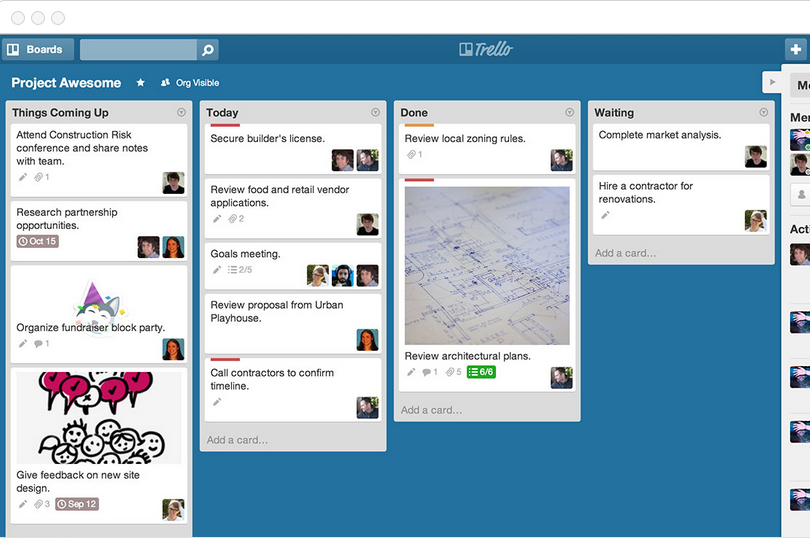
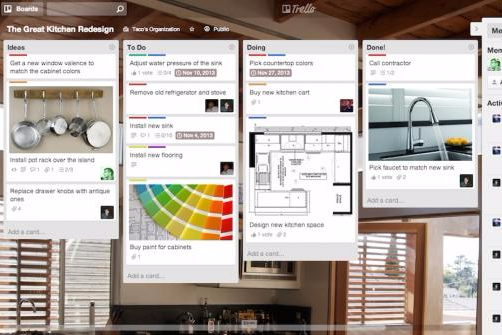
Todoist is the go-to for users who want a no-fuss, list-first project management software experience, while Trello shines for those who think visually and like to organize with boards. Trello’s flexible layout is great for mapping out projects, but Todoist’s natural language input and streamlined design make it a breeze for daily task capture.
Trello vs Todoist: Pros & Cons
Trello
- Trello adapts to your team's workflow, offering flexibility in task management.
- It's simple to use, making it accessible for team members of all skill levels.
- You can easily visualize your tasks with Trello's board and card layout.
- Trello's simplicity might not suit large teams with detailed project management needs.
- You can't create intricate task dependencies, which may limit complex project planning.
- Trello lacks advanced reporting features you might find in more complex tools.
Todoist
- The tool provides strong collaboration capabilities, making it easy to share projects and communicate with your team.
- Its user-friendly interface simplifies task management with features like natural language input and productivity reports.
- Todoist offers cross-platform support with reliable syncing, ensuring your tasks are accessible everywhere.
- The app could be seen as offering limited customization for power users seeking more tailored task management solutions.
- Users may find Todoist lacks some of the advanced features that competitors provide.
- Some advanced features are limited to paid tiers, which might not suit users looking for extensive free options.
Best Use Cases for Trello and Todoist
Trello
- Creative Agencies Trello's visual task management makes it easy for you to track projects, ideas, and client feedback.
- Startups The flexibility Trello offers helps your team adapt quickly as you grow and change.
- Marketing Teams You can easily plan campaigns and track progress with Trello's board system.
- Design Departments Trello's simple interface allows you to manage design projects and revisions efficiently.
- Freelancers You can organize your tasks and deadlines without getting overwhelmed by complex features
- Product Development Trello's adaptability helps your team streamline workflows and manage product roadmaps effectively.
Todoist
- Freelancers Todoist’s simple interface helps you keep track of multiple projects without getting overwhelmed.
- Small Businesses The tool’s collaboration features let your team share tasks and stay aligned easily.
- Remote Teams With cross-platform access, your distributed team can manage tasks from anywhere.
- Marketing Departments Todoist’s task-sharing capabilities ensure your team stays on top of campaigns.
- Project Coordinators Natural language input simplifies adding and organizing tasks, saving you time.
- Education Professionals Teachers can organize classes and assignments effortlessly with Todoist’s intuitive task lists.
Who Should Use Trello, and Who Should Use Todoist?
Trello is a perfect fit if you’re a visual thinker, love mapping out projects, or need to juggle multiple priorities with more complex projects—especially if you work in creative fields, tech, or collaborative environments. The Trello boards make it easy to track progress and manage shifting tasks with a team or solo.
Todoist is ideal if you crave simplicity, want to power through daily to-dos, or prefer a minimalist, list-driven workflow—great for freelancers, consultants, or anyone who values speed and focus. If you want to keep things straightforward and personal, Todoist is a great option; if you need flexibility and visual structure, Trello would be the better fit.
Differences Between Trello and Todoist
| Trello | Todoist | |
|---|---|---|
| Automation | Offers built-in automation with Butler for repetitive tasks. | Provides basic automation functionality through filters and integrations. |
| Collaboration | Designed for team members to collaborate easily with shared boards. | Focuses on individual tasks and productivity with light sharing options. |
| Customization | Highly customizable with Power-Ups and card fields. | Customization is limited to labels, filters, and priorities. |
| Task Structure Depth | Trello cards, a board view, and lists for a more visual workflow. | No native task dependency support. |
| Read Trello ReviewOpens new window | Read Todoist ReviewOpens new window |
Similarities Between Trello and Todoist
| Automated Reminders | Both provide reminders for upcoming tasks through due dates and notifications. |
|---|---|
| Cross-Platform Access | Both offer seamless access on web, desktop, and mobile apps, letting you manage tasks anywhere. |
| Pricing Plans | Both offer a free plan with core features, so you can get started without a commitment. |
| Scheduling Tools | Both support setting due dates and scheduling tasks (including recurring tasks) to manage deadlines effectively. |
| Tasks & Docs Integration | Both allow categorizing tasks using labels, tags, or similar organizational tools. |
| Read Trello ReviewOpens new window Read Todoist ReviewOpens new window | |