



monday dev vs. Wrike: Comparison & Expert Reviews For 2026



monday dev, built on the monday.com Work OS, provides versatile project management software designed to streamline product development workflows for teams of all sizes, particularly in software development. It also supports agile methodologies with features like sprint planning boards, backlog management, and burndown charts, which makes it well-suited for teams following Scrum or Kanban practices.
Wrike, on the other hand, provides a comprehensive project management platform that enhances team collaboration, resource management, and project visibility. It’s particularly strong in structured work management, offering advanced tools for dependency tracking, workload balancing, and cross-departmental coordination.
While both platforms excel in aiding project planning and work management, their approach to customization and integration sets them apart. In this article, we'll delve into a detailed comparison of their key features, pros and cons, and pricing to help you decide which all-in-one solution best fits your team's needs.
monday dev vs. Wrike: An Overview
monday dev

Wrike


Why Trust Our Software Recommendations
Our team has been testing and reviewing software since 2012. As project managers ourselves, we know how difficult—and important—it is to choose the right software.
For this guide, we evaluated tools using hands-on testing and independent research, scoring tools using our selection criteria. We also draw on insights from industry thought leaders and practicing project management experts.
Our reviews reflect our human editorial judgment, not a sales pitch.
Expert reviewers:
monday dev vs. Wrike Pricing Comparison
| monday dev | Wrike | |
|---|---|---|
| Free Trial | Free trial available | 14-day free trial |
| Pricing | From $9/month (billed annually) | Pricing upon request |
monday dev vs. Wrike Pricing & Hidden Costs
monday dev offers a tiered subscription model that scales with your team's size and specific needs. However, be aware that potential add-ons, such as additional automation actions or advanced features, may incur extra costs.
Wrike pricing offers a similar tiered approach, with potential costs for additional features and integrations, including tools like Wrike Integrate or advanced reporting.
To select the right tool for your project, evaluate the core features you need and consider the total cost over time, including any extra fees for scaling, custom fields, or integrations within different paid plans.
monday dev vs. Wrike Feature Comparison
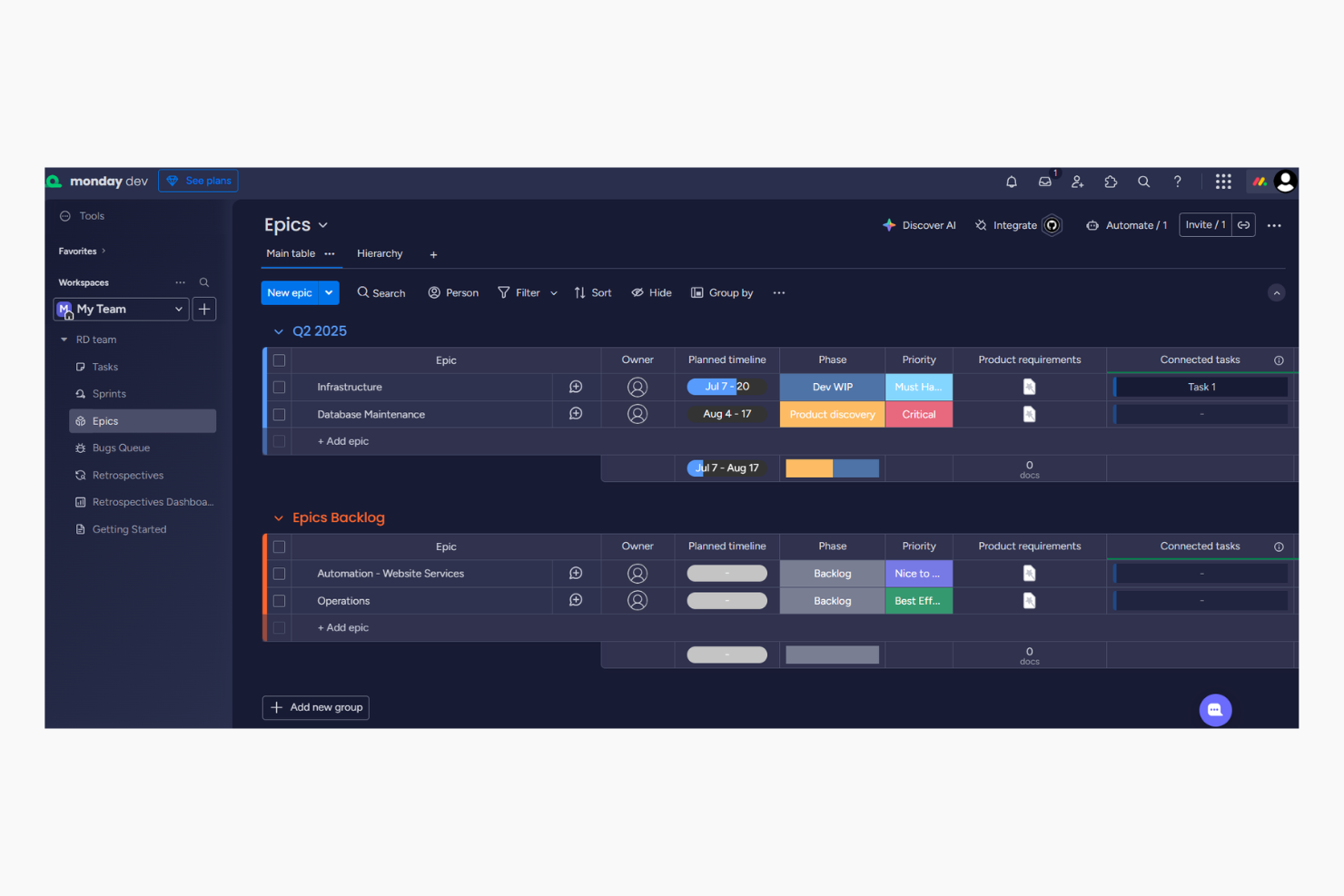
monday dev’s automations allow you to effortlessly streamline repetitive tasks, making it an invaluable tool for teams managing complex projects with tight deadlines. monday dev also features drag-and-drop functionality, Kanban boards, Gantt charts, and customizable project templates that provide flexible options for visualizing tasks and tracking milestones, dependencies, and due dates.
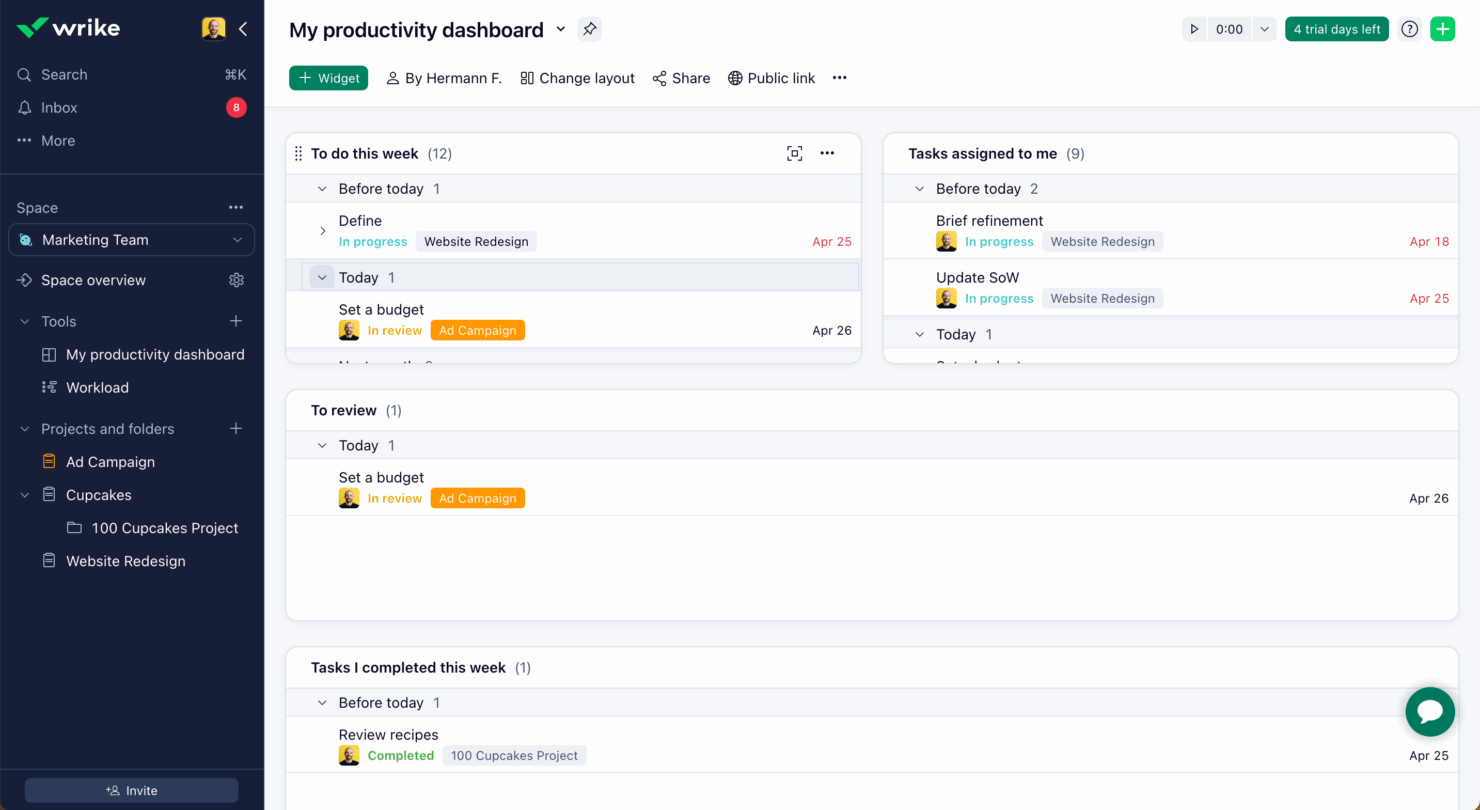
In contrast, Wrike’s time tracking features are great for keeping tabs on project hours, especially in environments where billing by the hour is crucial. Wrike also enhances time tracking with workload views and subtasks that help teams manage task hierarchies effectively.
Overall, while monday dev enhances workflow efficiency, Wrike excels in detailed project time management.
| monday dev | Wrike | |
|---|---|---|
| API | ||
| Collaboration Support | ||
| Data Export | ||
| Data Import | ||
| Data Visualization | ||
| External Integrations | ||
| Multi-User | ||
| Notifications | ||
| Third-Party Plugins/Add-Ons | ||
| Workflow Management |
monday dev vs. Wrike Integrations
| Integration | monday dev | Wrike |
|---|---|---|
| ✅ | ❌ | |
| HubSpot | ✅ | ✅ |
| Miro | ✅ | ✅ |
| Trello | ✅ | ❌ |
| Asana | ✅ | ❌ |
| Microsoft Teams | ✅ | ✅ |
| Slack | ✅ | ✅ |
| Google Workspace | ✅ | ✅ |
| API | ✅ | ✅ |
| Zapier | ✅ | ✅ |
With monday dev's integration with LinkedIn, you can automate social media tasks—a significant asset for marketing teams managing multiple campaigns. HubSpot and Miro also integrate smoothly with monday dev to support proofing, collaboration, and CRM workflows.
Wrike’s integration with Miro allows users to embed whiteboards directly into tasks and projects, while its integration with Google Drive and Gmail enables users to attach files directly to tasks, preview documents in-app, and turn emails into actionable tasks.
monday dev vs. Wrike Security, Compliance & Reliability
Both monday dev and Wrike offer strong security and compliance features, but their specific compliance standards and encryption methods may sway your decision. To choose the right tool, focus on the specific compliance standards relevant to your industry and evaluate how each tool's security measures align with your team’s needs and scalability.
monday dev vs. Wrike Ease of Use
monday dev is ideal for teams seeking a quick setup, vibrant interfaces, and efficient management of workload, resource allocation, and project progress tracking. Wrike excels in functionality and detailed configuration, which makes it particularly suitable for teams managing larger-scale projects.
Both tools also offer mobile apps that support task updates, collaboration, and real-time notifications to keep teams connected on-the-go.
monday dev vs Wrike: Pros & Cons
monday dev
- Easily customize workflows, including sprint planning and Kanban board configurations
- Visual project tracking keeps your team aligned and focused
- Automation features save time on repetitive tasks
- Gantt chart view is less intuitive than other tools
- Mobile app lacks full functionality for managing product roadmap tasks.
- Initial setup might be overwhelming for teams new to agile tools
Wrike
- Wrike's proofing feature allows you to compare file versions dynamically.
- The user-friendly interface ensures easy navigation for your team.
- Wrike's AI features are available in all plans at no extra cost.
- It can be unclear where form responses are stored within the tool.
- Some integrations require an additional cost, regardless of the plan.
- Two-factor authentication is only available with the enterprise plan.
Best Use Cases for monday dev and Wrike
monday dev
- Tech startups Customizable workflows help your team adapt and grow rapidly in a dynamic environment, especially during fast-paced product development cycles.
- Software development Automation features and bug tracking streamline repetitive tasks, allowing your developers to focus on coding.
- Product management teams Roadmapping tools and backlog prioritization help your team align stakeholders and deliver product updates on schedule.
- IT departments Efficient task tracking and automation improve your team's response to issues and requests, especially when managing technical dependencies.
- Remote teams Collaboration tools keep your team members connected, no matter where they are working.
- Creative agencies Customizable dashboards provide your team with the flexibility needed for unique projects, backed by a centralized knowledge base and shared docs.
- Local nonprofits The setup complexity and feature set might be more than what your team requires.
Wrike
- Marketing Teams Wrike’s proofing feature helps you streamline creative approval processes with ease.
- Creative Agencies Wrike’s dynamic file version comparison keeps your creative projects on track.
- IT Departments Wrike’s user-friendly interface simplifies complex project coordination for your team.
- Product Development Wrike’s AI features boost your team’s productivity without extra costs.
- Event Management Wrike’s task scheduling ensures your events are planned and executed flawlessly.
- Construction Projects Wrike’s robust project tracking keeps your construction timelines and budgets in check.
Who Should Use monday dev, and Who Should Use Wrike?
In my opinion, monday dev is best if you work in software development and need a simple, visual way to manage sprints, bugs, and product roadmaps. It feels like a lighter lift for startup teams or tech-first companies who don’t want to fiddle with heavy admin.
Wrike, to me, makes more sense for large, cross-functional teams that need structure, custom workflows, and more advanced reporting. If your work crosses departments or industries and you’ve got a bigger setup, Wrike is probably the better fit.
Differences Between monday dev and Wrike
| monday dev | Wrike | |
|---|---|---|
| Automation | Offers simple automation to streamline repetitive tasks quickly | Provides advanced automation focused on dependencies and resource allocation |
| Customization | Allows extensive workflow and dashboard flexibility | Provides customizable dashboards, but requires more effort to configure |
| Onboarding | Provides interactive tutorials for a quick start | Includes detailed guides but requires more time to learn and set up |
| Pricing Model | Uses a tiered subscription model that can include additional costs for add-ons | Offers tiered pricing with potential costs for extra features and integrations |
| User Interface | Features a colorful, intuitive interface that appeals to creative teams | Offers a more traditional, professional interface focused on functionality |
| Read monday dev ReviewOpens new window | Visit WrikeOpens new window |
Similarities Between monday dev and Wrike
| Collaboration | Both tools offer integrations with platforms like Slack and Microsoft Teams for seamless team collaboration. |
|---|---|
| Integration Options | Both support a wide range of integrations through Zapier, enhancing connectivity with other apps. |
| Reporting | Both tools offer custom dashboards with advanced reporting, custom fields, and ability to track progress. |
| Security | Each platform includes AES‑256 encryption and GDPR compliance. |
| Task Management | monday dev and Wrike provide comprehensive task management with subtasks, milestones, due dates, and dependencies. |
| Read monday dev ReviewOpens new window Visit WrikeOpens new window | |
Join For More Project Management Insights
Want to learn more about project management and project management software? Join our membership community to access 100+ templates, samples, and examples, and connect with 100s of other digital project managers in Slack.