


Lucidchart Review: Pros, Cons, Features & Pricing



Somewhere in a tangle of static drawings and version-controlled chaos, a good idea is waiting to be understood. The way your team maps its work shouldn't be the thing slowing that work down.
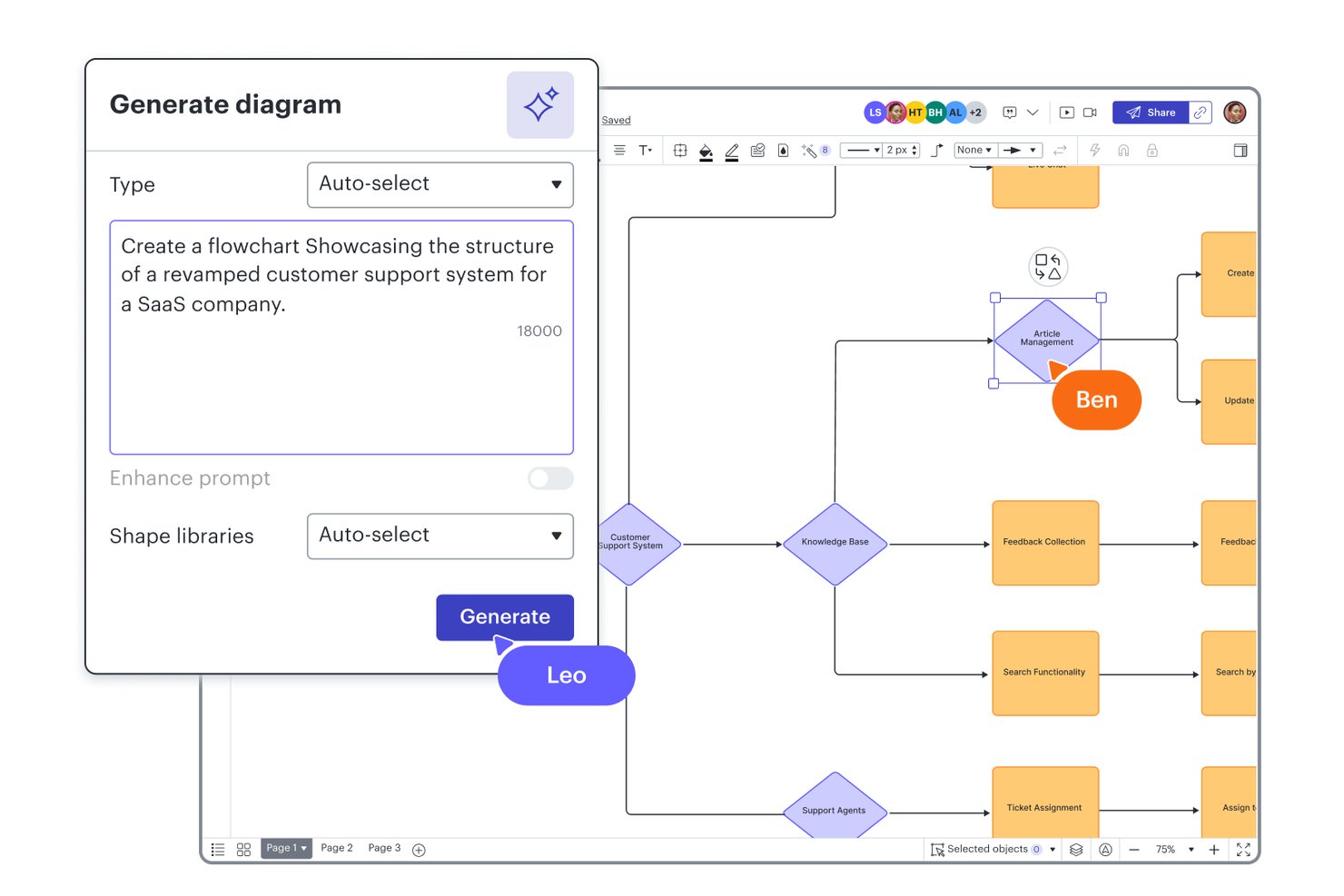
Lucidchart is a modern workflow diagram software that helps teams map, visualize, and improve complex processes on an intuitive, browser-based canvas. You’re likely here because your current diagramming tools can’t keep up with today’s cross-functional workflows, or you’re tired of hitting collaboration or integration roadblocks. While certain tools have been industry staples for years, Lucidchart stands out when you need real-time collaboration, flexible integrations, and the freedom to work anywhere your projects take you.
If you’re weighing your options, here’s why teams wanting speed and adaptability consistently pick Lucidchart over slower, more traditional competitors.
Lucidchart Evaluation Summary
- From $9/month (billed annually)
- Free plan + 7-day free trial available
Why Trust Our Software Recommendations
Our team has been testing and reviewing software since 2012. As project managers ourselves, we know how difficult—and important—it is to choose the right software.
For this guide, we evaluated tools using hands-on testing and independent research, scoring tools using our selection criteria. We also draw on insights from industry thought leaders and practicing project management experts.
Our reviews reflect our human editorial judgment, not a sales pitch.
Expert reviewers:
Lucidchart Overview
Among the diagramming and collaboration tools I've used, Lucidchart consistently stands out for its easy onboarding, clean interface, and strong collaboration features. I find its integrations with project management and cloud storage platforms a deciding factor for teams working across apps, and the pricing is fair for the value—especially if you want scalable access. While it's not the lowest cost solution and some advanced data features are reserved for the Enterprise plan, I'd choose Lucidchart for teams who need quick setup and real-time sharing rather than heavyweight customization. If your environment values speed, modern UX, and smooth collaboration, Lucidchart is probably the right call.
pros
-
Real-time collaboration works smoothly across distributed teams
-
Extensive template library speeds up diagram creation
-
Browser-based editor requires no software installation
cons
-
Offline editing options are extremely limited
-
More advanced data features require an Enterprise plan
-
Accessing the full toolset can mean switching between Lucidchart and Lucidspark
-

Celoxis
Visit WebsiteThis rating combines scores from multiple user review sites to reflect overall customer sentiment about the product.4.5 -
Smartsheet
Visit WebsiteThis rating combines scores from multiple user review sites to reflect overall customer sentiment about the product.4.5 -
Accelo
Visit WebsiteThis rating combines scores from multiple user review sites to reflect overall customer sentiment about the product.4.4





Our Review Methodology
How We Test & Score Tools
We’ve spent years building, refining, and improving our software testing and scoring system. The rubric is designed to capture the nuances of software selection and what makes a tool effective, focusing on critical aspects of the decision-making process.
Below, you can see exactly how our testing and scoring works across seven criteria. It allows us to provide an unbiased evaluation of the software based on core functionality, standout features, ease of use, onboarding, customer support, integrations, customer reviews, and value for money.
Core Functionality (25% of final scoring)
The starting point of our evaluation is always the core functionality of the tool. Does it have the basic features and functions that a user would expect to see? Are any of those core features locked to higher-tiered pricing plans? At its core, we expect a tool to stand up against the baseline capabilities of its competitors.
Standout Features (25% of final scoring)
Next, we evaluate uncommon standout features that go above and beyond the core functionality typically found in tools of its kind. A high score reflects specialized or unique features that make the product faster, more efficient, or offer additional value to the user.
We also evaluate how easy it is to integrate with other tools typically found in the tech stack to expand the functionality and utility of the software. Tools offering plentiful native integrations, 3rd party connections, and API access to build custom integrations score best.
Ease of Use (10% of final scoring)
We consider how quick and easy it is to execute the tasks defined in the core functionality using the tool. High scoring software is well designed, intuitive to use, offers mobile apps, provides templates, and makes relatively complex tasks seem simple.
Onboarding (10% of final scoring)
We know how important rapid team adoption is for a new platform, so we evaluate how easy it is to learn and use a tool with minimal training. We evaluate how quickly a team member can get set up and start using the tool with no experience. High scoring solutions indicate little or no support is required.
Customer Support (10% of final scoring)
We review how quick and easy it is to get unstuck and find help by phone, live chat, or knowledge base. Tools and companies that provide real-time support score best, while chatbots score worst.
Customer Reviews (10% of final scoring)
Beyond our own testing and evaluation, we consider the net promoter score from current and past customers. We review their likelihood, given the option, to choose the tool again for the core functionality. A high scoring software reflects a high net promoter score from current or past customers.
Value for Money (10% of final scoring)
Lastly, in consideration of all the other criteria, we review the average price of entry level plans against the core features and consider the value of the other evaluation criteria. Software that delivers more, for less, will score higher.
Core Features
Drag-and-Drop Diagramming
Quickly build workflows by dragging shapes onto the canvas and connecting them. This saves teams time mapping processes and ensures layouts stay clean.
Real-Time Collaboration
Multiple users can edit the same document at once with instant updates. You’ll see others’ changes live, making group workflows much smoother.
Extensive Template Library
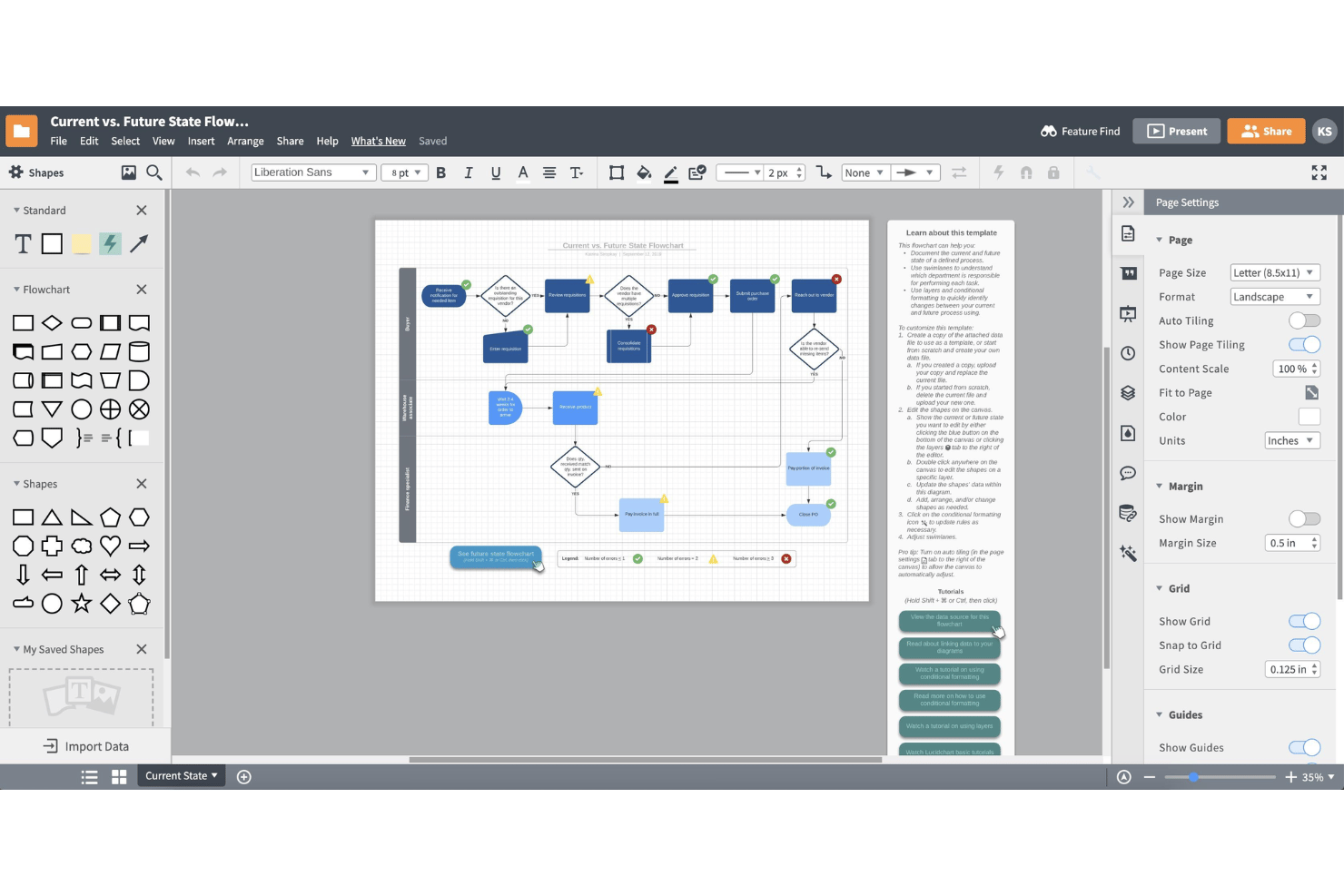
Start diagrams fast with workflow, flowchart, and process templates, or save your own custom templates to standardize recurring work. Templates help new users skip setup and get to diagramming right away.
Revision History
You can view and restore earlier diagram versions any time. This feature helps you track project changes, especially with large or complex workflows.
Commenting and In-Context Feedback
Users can leave comments directly on shapes or diagram sections. This supports focused feedback and reduces back-and-forth over email.
Conditional Formatting
Shapes and lines automatically change style based on set rules or data. This lets you flag bottlenecks or highlight process steps visually for your team, and Lucid AI can even write the formatting rules.
Ease of Use
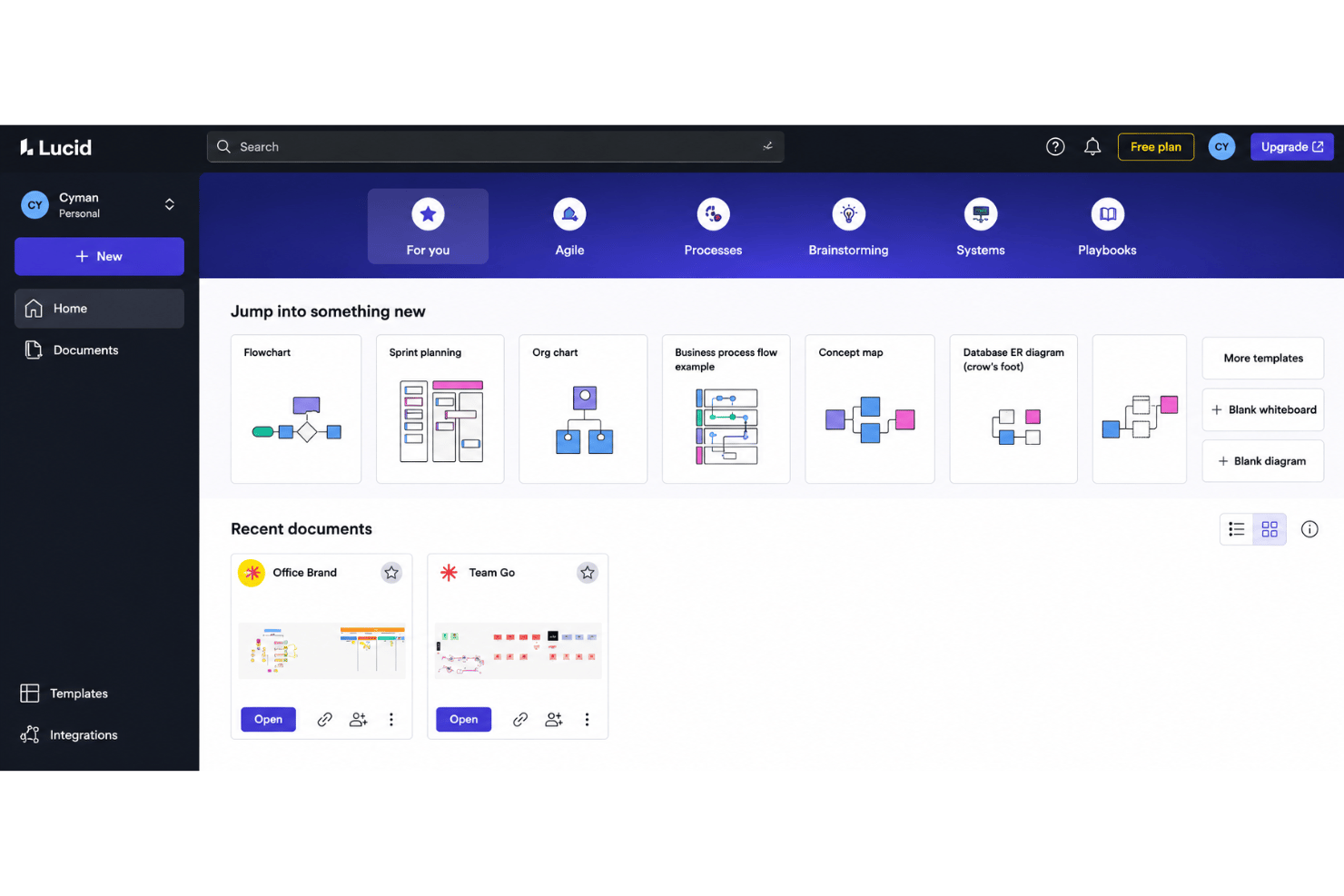
Lucidchart feels genuinely intuitive, with drag-and-drop tools, a clean user interface, searchable templates, and clear onboarding cues that help users start diagramming fast. I think most teams find navigation simple, and reviews often mention how easy it is to work together in real time. Even users with limited diagramming experience can create tidy, professional workflows without much training.
Integrations
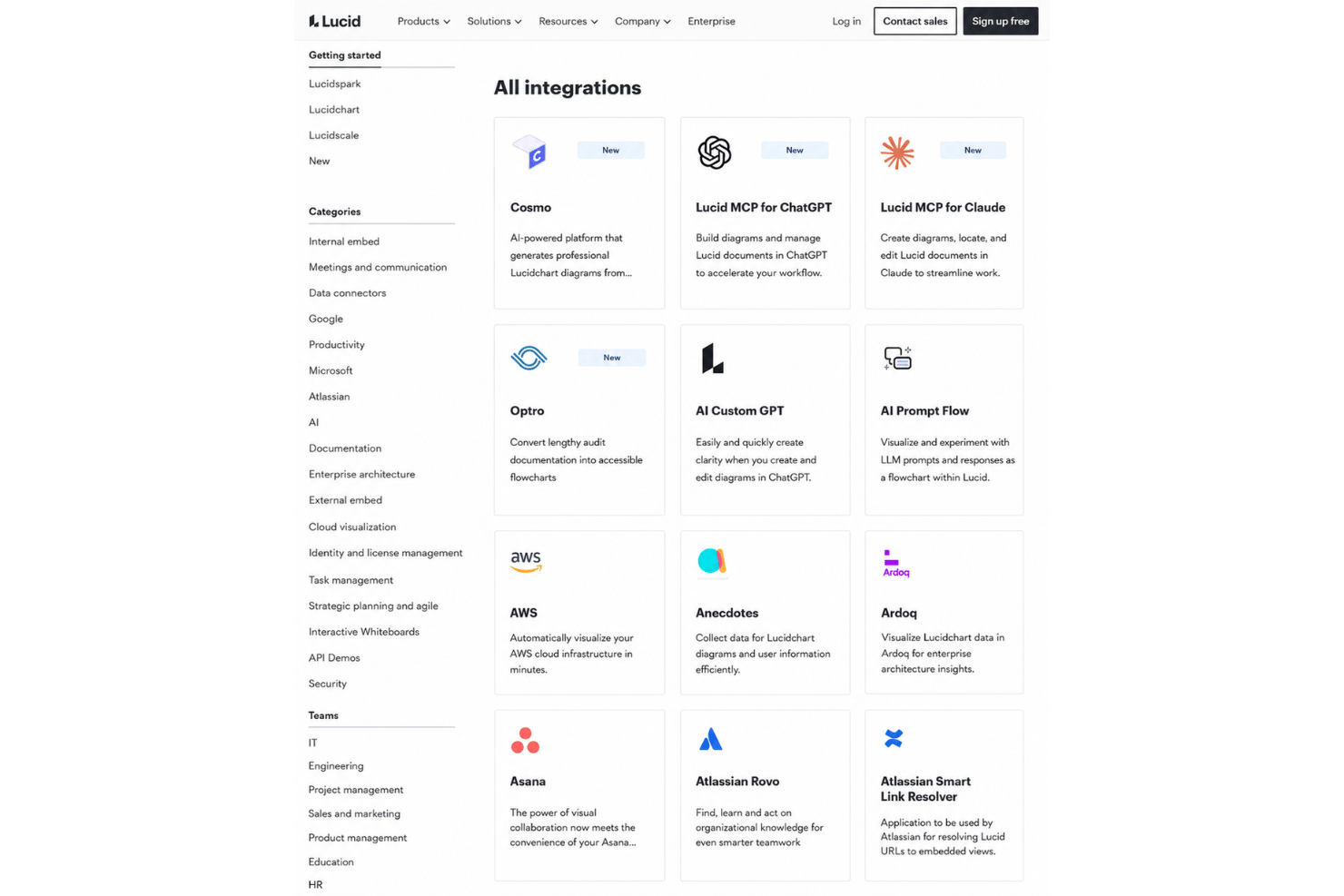
Lucidchart integrates with Google Workspace, Microsoft 365, Notion, Jira, Slack, Confluence, Ardoq, and AWS, among others.
Lucid also offers a REST API and connects with third-party integration tools like Zapier.
Lucidchart Specs
- Data Visualization
- Multi-User
- Pixel Graphics
- Third-Party Plugins/Add-Ons
- Vector File Support
Lucidchart FAQs
Can I restrict access to sensitive diagrams or folders in Lucidchart?
How does Lucidchart handle data security and compliance?
What happens if my team needs to work offline?
Does Lucidchart support versioning for workflow process diagrams?
Can I import existing diagrams from other tools?
Is it easy to collaborate with external partners or clients?
What limits or quotas exist on the free plan?
How quickly can my team get started with Lucidchart?
Can I use Lucidchart for personal projects?
What’s Next?
Want to connect with other digital project managers to share resources and best practices? Join our membership community and get access to 100+ templates, samples, and examples and connect with 100s of other digital project managers in Slack.