Loom Review: Pros, Cons, Features, and Pricing Explained


Loom is a free collaboration tool that lets your team record and share video messages to communicate updates, feedback, and walkthroughs without scheduling live meetings. For project managers dealing with shifting priorities, distributed teams, and the need for clear, async communication, Loom offers a way to reduce meeting overload and keep everyone aligned.
In this review, I'll walk you through Loom's features, best and worst use cases, pros and cons, and pricing—so you can decide if it's the right fit for your team's workflow.
Loom Evaluation Summary
- $18/month
- Free demo available
Why You Can Trust Us
We’ve been testing and reviewing project management software since 2012. As project managers ourselves, we know how critical and difficult it is to make the right decision when selecting software.
We invest in deep research to help our audience make better software purchasing decisions. We’ve tested more than 2,000 tools for different project management use cases and written over 1,000 comprehensive software reviews. Learn how we stay transparent & our software review methodology.
Loom Overview
When evaluating Loom, its quick video recording, intuitive interface, and generous free plan make it easy to recommend for teams prioritizing async updates and visual walkthroughs. Compared to others, Loom's onboarding is faster and its chrome extension is more reliable, but it lacks advanced project tracking and deep workflow integrations. If you're selecting a screen recording tool for onboarding, feedback, or sharing demos across distributed teams, Loom is a top pick. However, if you need built-in task management or complex integrations, you may find Loom underperforms in those areas.
pros
-
Built-in AI features generate transcripts and summaries.
-
Free plan includes unlimited viewers and up to 25 videos.
-
Video messaging reduces the need for live meetings.
cons
-
Lacks advanced workflow automation compared to others.
-
Free plan limits video length to five minutes.
-
No built-in task or project management features.
-

Accelo
Visit WebsiteThis is an aggregated rating for this tool including ratings from Crozdesk users and ratings from other sites.4.4 -
Wrike
Visit WebsiteThis is an aggregated rating for this tool including ratings from Crozdesk users and ratings from other sites.4.2 -
Forecast
Visit WebsiteThis is an aggregated rating for this tool including ratings from Crozdesk users and ratings from other sites.4.6




Our Review Methodology
How We Test & Score Tools
We’ve spent years building, refining, and improving our software testing and scoring system. The rubric is designed to capture the nuances of software selection and what makes a tool effective, focusing on critical aspects of the decision-making process.
Below, you can see exactly how our testing and scoring works across seven criteria. It allows us to provide an unbiased evaluation of the software based on core functionality, standout features, ease of use, onboarding, customer support, integrations, customer reviews, and value for money.
Core Functionality (25% of final scoring)
The starting point of our evaluation is always the core functionality of the tool. Does it have the basic features and functions that a user would expect to see? Are any of those core features locked to higher-tiered pricing plans? At its core, we expect a tool to stand up against the baseline capabilities of its competitors.
Standout Features (25% of final scoring)
Next, we evaluate uncommon standout features that go above and beyond the core functionality typically found in tools of its kind. A high score reflects specialized or unique features that make the product faster, more efficient, or offer additional value to the user.
We also evaluate how easy it is to integrate with other tools typically found in the tech stack to expand the functionality and utility of the software. Tools offering plentiful native integrations, 3rd party connections, and API access to build custom integrations score best.
Ease of Use (10% of final scoring)
We consider how quick and easy it is to execute the tasks defined in the core functionality using the tool. High scoring software is well designed, intuitive to use, offers mobile apps, provides templates, and makes relatively complex tasks seem simple.
Onboarding (10% of final scoring)
We know how important rapid team adoption is for a new platform, so we evaluate how easy it is to learn and use a tool with minimal training. We evaluate how quickly a team member can get set up and start using the tool with no experience. High scoring solutions indicate little or no support is required.
Customer Support (10% of final scoring)
We review how quick and easy it is to get unstuck and find help by phone, live chat, or knowledge base. Tools and companies that provide real-time support score best, while chatbots score worst.
Customer Reviews (10% of final scoring)
Beyond our own testing and evaluation, we consider the net promoter score from current and past customers. We review their likelihood, given the option, to choose the tool again for the core functionality. A high scoring software reflects a high net promoter score from current or past customers.
Value for Money (10% of final scoring)
Lastly, in consideration of all the other criteria, we review the average price of entry level plans against the core features and consider the value of the other evaluation criteria. Software that delivers more, for less, will score higher.
Core Features
Screen and Camera Recording
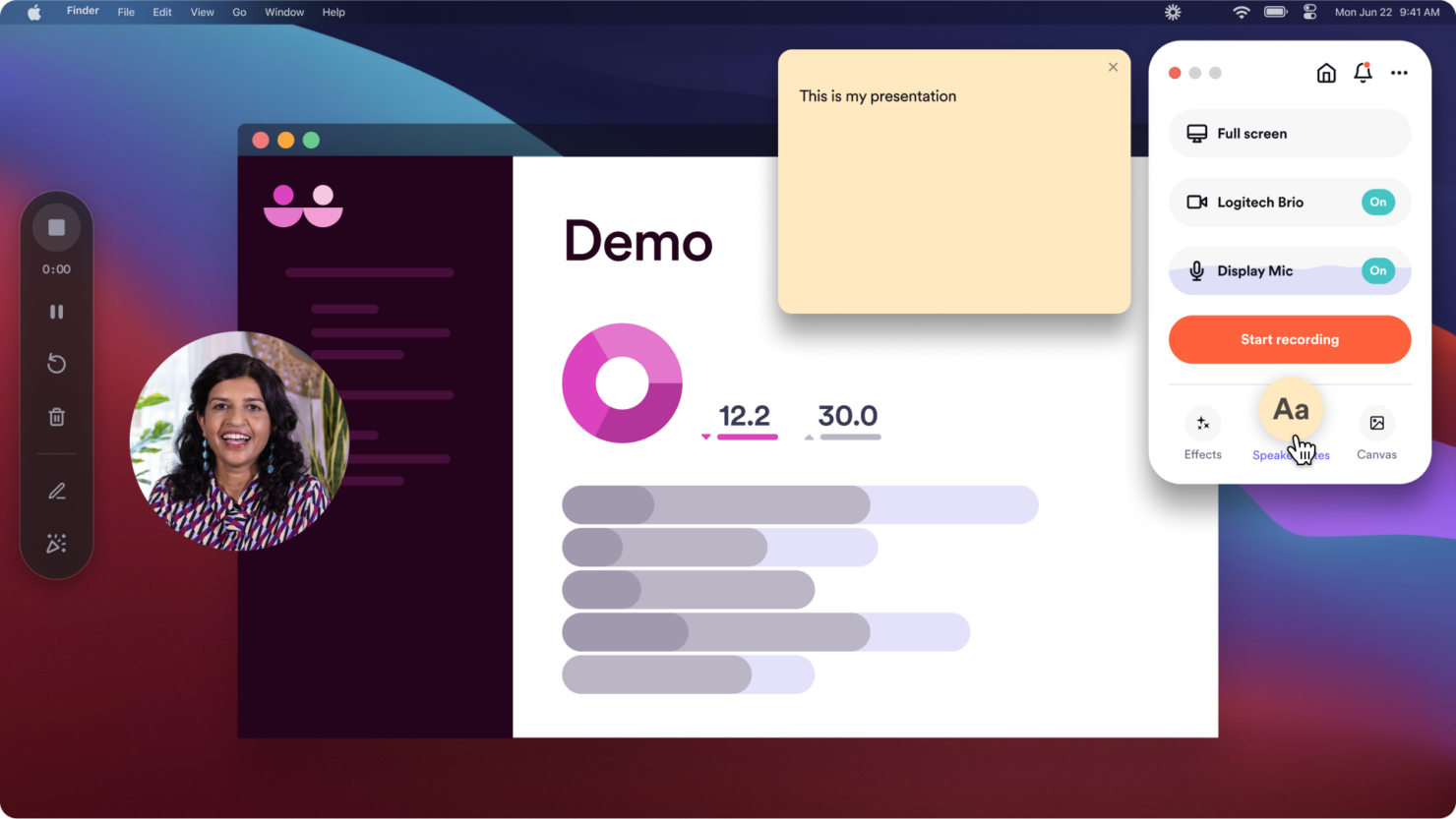
Capture your screen, webcam, or both at once to create video messages for walkthroughs, demos, or feedback. The camera bubble feature lets you stay visible on screen while recording.
Instant Video Sharing
Share recorded videos instantly with a link—no downloads required. Recipients can watch in-browser, and you can embed videos directly into docs, wikis, or pages for seamless access.
AI-Powered Transcripts
Loom automatically generates searchable transcripts for each video. Users can skim or reference content without watching the full recording.
Viewer Insights
See who watched your videos and when, with basic engagement analytics. Track views to confirm message delivery and engagement.
Video Editing Tools
Trim, cut, or remove filler words from videos directly in Loom's web app. Make quick edits without re-recording.
Video Library Organization
Organize videos into folders and workspaces for easy access and sharing. Teams can keep content structured by project, topic, or department.
Ease of Use
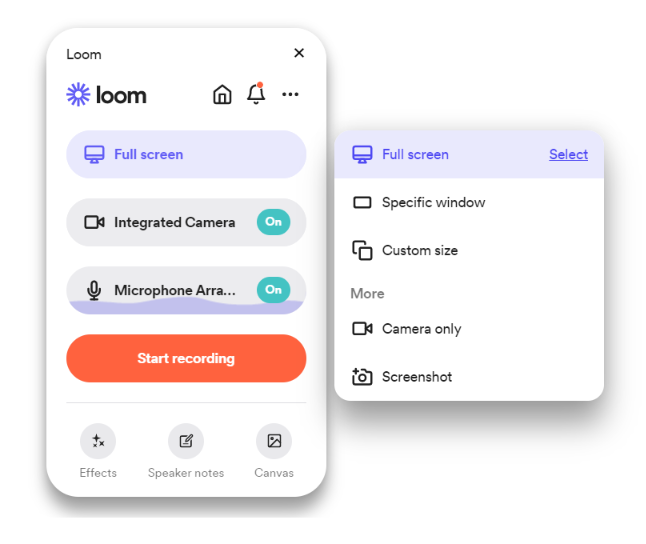
Loom is widely recognized for its intuitive interface and minimal setup, letting users record and share videos in just a few clicks. The chrome extension, desktop app—available on Mac and Windows—and mobile apps for iOS and Android all offer clear controls, and features like instant sharing and automatic transcripts reduce friction for new users.
Many reviewers highlight how quickly teams adopt Loom, especially for async updates and feedback, making it one of the most approachable free collaboration tools available—even for beginners.

Integrations
Loom integrates with Slack, Google Workspace, Jira, Confluence, Calendly, Salesforce, Asana, Zoom, and Microsoft Teams, among others.
Loom also offers an API and connects with third-party integration tools like Zapier.
Loom Specs
- 3D Print Analyzation
- Architectural Design
- Big Data
- BitCoin
- CAD File Support
- Click-to-Dial
- Collaboration Support
- CRM Integration
- Electrical Design
- FBX File Support
- Knowledge Base
- Mechanical Design
- Multi-Account
- Multi-App
- Multi-Currency
- Multi-Site
- Multi-User
- Natural Resources
- Notifications
- OBJ File Support
- P&L
- PayPal
- Pixel Graphics
- PLY File Support
- Remote Access
- SMS
- Social-Media Integration
- STL File Support
- Stripe
- Support Forum
- Ticket Management
- Trading
- Ultra-High-Res Monitor Support
- Vector File Support
- Video
- VRML File Support
- X3G File Support