

10 Best Loom Alternatives for Async Video in 2026

10 Best Loom Alternatives Shortlist


The role of a project manager can be tough. You're juggling deadlines, coordinating teams, and pushing for productivity. Video communication tools like Loom have been a go-to for many, but sometimes, it just doesn't fit your team's needs.
Maybe you're looking for better features, more storage, or specific compliance. In my experience, finding the right tool can make all the difference in collaboration and efficiency.
In this article, I'll walk you through the best Loom alternatives. I've independently tested and reviewed each option to help you find the perfect fit. Let's explore solutions that can truly support your team's unique challenges.
What Is Loom?
Loom is a video communication and collaboration software that lets you easily record and share video messages. It's widely used by professionals such as project managers, educators, and marketers who need to communicate complex ideas quickly.
With recording, screen sharing, and instant sharing features, Loom helps you and your team convey messages effectively. Overall, Loom offers a straightforward way to enhance communication and collaboration within teams.
Best Loom Alternatives Summary
This comparison chart summarizes pricing details for my top Loom alternative selections to help you find the best one for your budget and business needs.
| Tool | Best For | Trial Info | Price | ||
|---|---|---|---|---|---|
| 1 | Best for multilingual tutorial documentation | 10-day free trial + free demo available | From $40/month (billed annually) | Website | |
| 2 | Best for marketing teams | Free plan available | From $79/month (billed annually) | Website | |
| 3 | Best for video editing | Free plan available | From $39/year | Website | |
| 4 | Best for transcription | Free plan available | From $12/user/month | Website | |
| 5 | Best for video analytics | Free plan + free trial + free demo available | From $59/user/month (billed annually) | Website | |
| 6 | Best for file sharing | 7-day free trial | From $8.25 /member/month | Website | |
| 7 | Best for sales engagement | Free demo available | From $42/month | Website | |
| 8 | Best for simple screen recording | Free plan available | From $8.16/user/month (billed annually) | Website | |
| 9 | Best for creative storytelling | 7-day free trial available | From $13/month (billed annually) | Website | |
| 10 | Best for AI insights | 7-day free trial available | From $120/month (billed annually) | Website |
Why Trust Our Software Recommendations
Our team has been testing and reviewing software since 2012. As project managers ourselves, we know how difficult—and important—it is to choose the right software.
For this guide, we evaluated tools using hands-on testing and independent research, scoring tools using our selection criteria. We also draw on insights from industry thought leaders and practicing project management experts.
Our reviews reflect our human editorial judgment, not a sales pitch.
Expert reviewers:
Best Loom Alternatives Reviews
Below are my detailed summaries of the best Loom alternatives that made it onto my shortlist. My reviews offer a detailed look at the key features, pros and cons, integrations, and ideal use cases of each tool to help you find the best one for you.

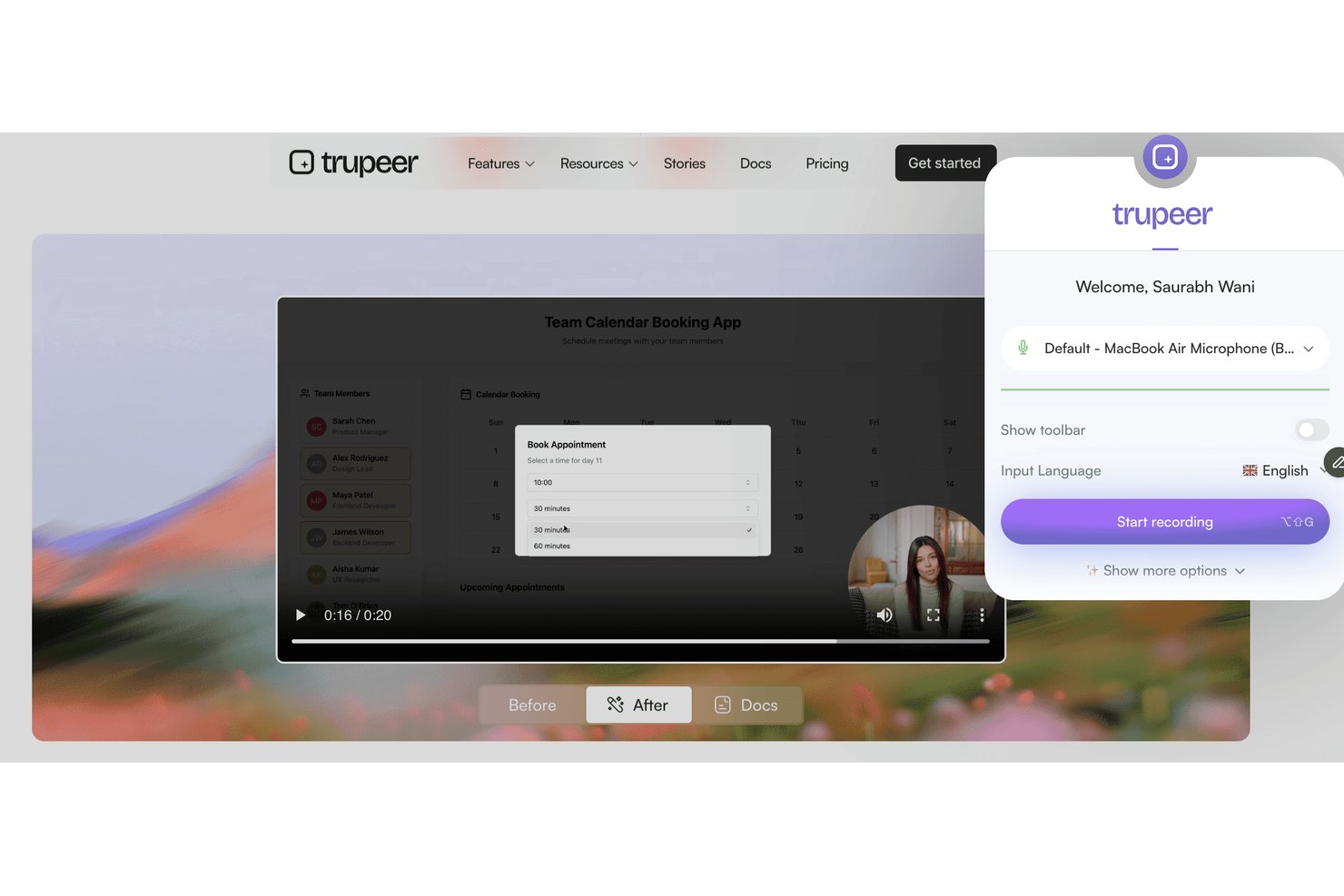
Trupeer is a screen recording and video messaging platform designed for teams who need to deliver clear visual instructions, onboard users, or share process walkthroughs across distributed or multicultural teams.
Who Is Trupeer Best For?
Trupeer is a fit for global teams that need to create, share, and localize visual process documentation across different languages.
Why Trupeer Is a Good Loom Alternative
I picked Trupeer because my team needs to deliver training and walkthroughs in several languages. Trupeer's automatic multilingual screen recording and video messaging features let me create process documentation for global teams, then instantly localize instructions and share tutorials with users in their preferred language.
Trupeer Key Features
- In-app recording dashboard: Record your screen, camera, or both directly from your browser without installing extra software.
- Branded video templates: Customize your recordings with your company’s logo, colors, and branded layouts.
- Advanced viewer analytics: Track who watched each video, how long they viewed, and drop-off points.
- Granular access controls: Set permissions for videos at the workspace, team, or user level to manage privacy and sharing.
Trupeer Integrations
Trupeer offers native integrations with Slack, Notion, Jira, and Confluence, plus Loom and Zoom imports. Enterprise customers can build custom integrations through the REST API, while MCP connects Trupeer with Claude and ChatGPT.
Pros and Cons
Pros:
- Granular viewer tracking and access controls
- Branded video templates for company consistency
- Multilingual tutorials auto-generated from recordings
Cons:
- Pricing not transparent without contacting sales
- No native direct third-party integrations

Wistia
Best for marketing teams

Wistia is a video hosting platform tailored for businesses looking to create and manage video content. It's ideal for marketing and creative teams who want to enhance brand storytelling and engage audiences.
Why it's a good Loom alternative: Wistia provides advanced marketing tools that let you track viewer engagement and integrate a clickable call to action into your videos. You can customize your video player to align with your brand, creating a consistent look. The platform also allows for detailed video analytics, helping you understand audience behavior. These features make Wistia a strong choice for marketing teams focused on data-driven video strategies.
Standout features & integrations:
Features include video SEO tools to improve discoverability and heatmaps to visualize viewer engagement. Wistia also provides lead generation forms to capture audience information.
Integrations include HubSpot, Mailchimp, Salesforce, Adobe Marketo Engage, Zapier, Google Analytics, Pardot, and more.
Pros and Cons
Pros:
- Includes detailed analytics
- Advanced marketing tools
- Customizable video player
Cons:
- Only include basic annotation tools
- Limited built-in editing tools

Camtasia
Best for video editing

Camtasia is a video editing and screen recording software designed for creating professional-quality videos. It's widely used by educators, marketing teams, and corporate trainers who need to produce polished content with ease.
Why it's a good Loom alternative: Camtasia offers advanced editing tools that allow you to fine-tune your videos with precision. Features like multitrack timelines and animations enable detailed customization. The software also provides built-in templates and options to enhance your projects. These capabilities make Camtasia an excellent choice for users focused on comprehensive video editing.
Standout features & integrations:
Features include green screen effects for creative backgrounds, voice narration to add personal touches to videos, and quiz creation to make interactive content.
Integrations are not publicly listed.
Pros and Cons
Pros:
- Offers interactive quizzes
- High-quality output
- Advanced editing capabilities
Cons:
- Interactive video features could be considered basic
- No real-time co-editing

VEED
Best for transcription

Veed is an online video editing tool for creators and teams who need simple video production and editing. It's popular among marketing teams, educators, and content creators who want to produce polished videos quickly.
Why it's a good Loom alternative: Veed offers transcription services that automatically convert speech to text, making it easier for you to create accessible content. Its user-friendly interface allows you to edit videos with features such as text overlays and subtitles. The platform supports exporting videos in multiple formats, catering to various distribution needs. These features make Veed a strong option for those focusing on transcription and accessibility.
Standout features & integrations:
Features include video trimming and cutting to refine your content, filters and effects to enhance visual appeal, and background noise removal for clearer audio.
Integrations are not listed publicly.
Pros and Cons
Pros:
- No software download needed
- Simple editing interface
- Easy transcription tools
Cons:
- Editing restrictions for large files
- Limited advanced features


Vidyard is a video platform designed for businesses to create, host, and share video content. It's mainly used by marketing and sales teams looking to enhance engagement and track video performance.
Why it's a good Loom alternative: Vidyard offers advanced video analytics, helping you monitor viewer engagement and video performance. With features like personalized video creation and interactive calls to action, it supports targeted communication. The platform allows for easy video sharing across various channels, enhancing your reach. These capabilities make Vidyard a strong choice for businesses focused on data-driven video strategies.
Standout features & integrations:
Features include video hosting for easy management, customizable video players that match your brand, and video SEO tools to increase search visibility.
Integrations include Salesforce, HubSpot, Marketo, LinkedIn, Facebook, YouTube, Slack, Google Analytics, and more.
Pros and Cons
Pros:
- Strong branding capabilities
- Interactive features
- Includes advanced analytics tools
Cons:
- Minimal on-video annotations
- Limited collaboration tools


Jumpshare is a file-sharing and screen-recording tool designed for teams and individuals who need quick and efficient content sharing. It's widely used by professionals who prioritize collaboration and communication through visual content.
Why it's a good Loom alternative: Jumpshare excels in file sharing with its drag-and-drop functionality, allowing you to share files instantly. You can record your screen and share video links without lengthy uploads. The tool also offers visual annotations to help you convey your message clearly. These features make it ideal for teams focused on quick and effective communication.
Standout features & integrations:
Features include screenshot capture with annotation to highlight key points, GIF creation for engaging content, and scheduled sharing to control file access.
Integrations include Slack, Trello, Asana, Microsoft Teams, Google Drive, Dropbox, Jira, Salesforce, Zendesk, and Basecamp.
Pros and Cons
Pros:
- GIF creation
- Visual annotations
- Instant file sharing
Cons:
- Minimal audio editing capabilities
- Limited video editing


Dubb is a video communication platform designed to enhance sales and marketing efforts through personalized video messaging. It's primarily used by sales and marketing teams who want to engage prospective customers and current clients with interactive video content.
Why it's a good Loom alternative: Dubb offers features like video email and SMS campaigns that help you reach your audience directly. You can include call-to-action buttons in your videos to drive engagement and conversions. The platform also allows for video tracking, so you know how your audience interacts with your content. These features make Dubb a valuable tool for teams focused on boosting sales engagement.
Standout features & integrations:
Features include customizable video landing pages to match your brand, automated workflows to streamline communication, and video analytics to track performance.
Integrations include Salesforce, HubSpot, Mailchimp, YouTube, Zoho CRM, and more.
Pros and Cons
Pros:
- Video tracking capabilities
- Interactive call-to-action buttons
- Personalized video messaging
Cons:
- Minimal audio controls
- Few annotation tools


Cap is an open-source screen recording tool designed for users who need straightforward video capture. It's ideal for teams and individuals looking to record screens in high quality.
Why it's a good Loom alternative: Cap offers simple screen recording with features such as 4K recording and 60fps capture. Its intelligent compression ensures your videos are of high quality without large file sizes. Instant and Studio Modes provide flexibility in how you capture your content. These features make it a great choice for those focusing on efficient and high-quality video recording.
Standout features & integrations:
Features include auto-generated transcriptions for accessibility as well as titles and summaries that help keep your content organized. Cap also has async collaboration tools with comments and reactions for team feedback.
Integrations include Google Drive, Dropbox, Slack, Trello, Asana, Jira, Zoom, Microsoft Teams, and monday.com.
Pros and Cons
Pros:
- Easy to set up
- Open-source flexibility
- High-quality recording
Cons:
- No mobile app
- Limited advanced editing


Tella is a video recording and editing tool designed for creators and teams who want to produce engaging video content. It's popular with marketing teams, educators, and content creators who focus on storytelling and presentation.
Why it's a good Loom alternative: Tella provides creative storytelling features that let you combine video clips, screen recordings, and text overlays. You can customize your videos with different layouts and backgrounds, adding a unique touch to your content. The tool also supports easy sharing and collaboration, making it ideal for team projects. These features cater to those looking to enhance their storytelling with video.
Standout features & integrations:
Features include customizable video templates for quick editing, automatic captioning to make content accessible, and the ability to export videos in multiple formats for different platforms.
Integrations include Google Drive, Dropbox, Slack, Trello, Asana, Zoom, Microsoft Teams, YouTube, Vimeo, and LinkedIn.
Pros and Cons
Pros:
- Includes automatic captions
- Engaging templates
- Creative editing options
Cons:
- Lacks advanced visuals/effects
- Limited audio control options


Clueso is an AI-powered platform designed to transform raw screen recordings into polished product videos and step-by-step instructions. It's primarily used by teams in customer education, product marketing, and sales enablement to streamline content creation.
Why it's a good Loom alternative: Clueso offers advanced AI features that automate video editing and provide lifelike AI voice-overs, saving you time and effort. You can utilize smart auto-zooms and eye-catching captions to enhance your videos. The platform also generates standard operating procedures (SOPs) automatically, making it a valuable tool for detailed documentation. These capabilities make Clueso an excellent option for teams looking to leverage AI for efficient content creation.
Standout features & integrations:
Features include customizable music options to enrich your videos, visual enhancements for professional-quality output, and resizing capabilities to fit various formats.
Integrations are not publicly listed.
Pros and Cons
Pros:
- Includes auto-generated SOPs
- Lifelike AI voice-overs
- Offers automated video editing
Cons:
- Minimal subtitle/custom overlay tools
- Limited editing controls
Other Loom Alternatives
Here are some additional Loom alternatives that didn’t make it onto my shortlist but are still worth checking out:
- ScreenRec
For privacy controls
- Poindeo
For team collaboration
- UserGuiding
For user onboarding
- Screenflow
For Mac users
- Bandicam Screen Recorder
For gaming videos
- OBS Studio
For live streaming


How I Evaluate Loom Alternatives
I split my evaluation into two layers: baseline requirements every async video tool must clear, and the differentiators—like PM integrations and AI summaries—that make one the right fit.
Core Functionality (Table Stakes For This List)
When I'm selecting tools for my list, I rank each one on a scale from 0 (does not offer the functionality) to 5 (excels in this area) for each core functionality listed below. Then, I calculate the tool's total score into a percentage. Each tool needs to achieve a minimum total score of 65% to be considered for inclusion.
- Screen Recording Options: I check whether you can capture a full screen, specific window, or selected region—like recording just your Gantt chart without exposing the rest of your desktop.
- Webcam & Audio Capture: A floating webcam overlay paired with mic input adds the human element that makes async updates feel personal, so I evaluate overlay controls and audio quality.
- Instant Shareable Links: After hitting stop, the tool should generate a cloud-hosted link right away—no manual uploads, no file attachments clogging up Slack threads.
- Cloud Video Library: I look for organized storage with folders, workspaces, and search so your team can find last quarter's sprint retrospective walkthrough months later without scrolling endlessly.
- Viewer Engagement Tools: Timestamped comments and emoji reactions turn a one-way recording into a conversation, so I evaluate how each tool handles viewer feedback on specific moments in a video.
- Project Tool Integrations: Embedding a video directly into a Jira ticket or Notion doc keeps context where work happens, so I look at the depth of native integrations across PM and communication platforms.
Once I have a list of tools that meet this criteria, I consider what sets each platform apart.
Differentiating Factors (What Sets Vendors Apart)
Here's how I compare and contrast different vendors:
Standout Features
AI-generated transcripts and summaries matter because a PM juggling three workstreams doesn't have time to rewatch a 10-minute update—they need key points pulled out automatically. Built-in editing tools like trimming dead air and removing filler words help you ship polished walkthroughs without opening a separate editor. I also evaluate viewer analytics, since knowing whether stakeholders actually watched your sprint review recording tells you more than a read receipt ever will.
Beyond Features
Pricing structure plays a big role when you're rolling out an async video tool across a 20-person project team—I look at whether per-seat costs stay reasonable at scale and whether free tiers impose recording limits that would block daily use. Security matters too: teams sharing internal roadmaps and stakeholder updates need SOC 2 compliance and SSO at a minimum. I also evaluate collaboration controls, particularly guest access permissions for sharing project recordings with external clients or contractors.
Why Look For a Loom Alternative?
While Loom is a good choice of video communication and collaboration software, there are a number of reasons why some users seek out alternative solutions. You might be looking for a Loom alternative for reasons such as:
- You need advanced video editing features
- Your team members require more storage space
- You want better analytics for videos
- You need to comply with data regulations
- Your team needs offline access
- You require more customization options
If any of these sound like you, you’ve come to the right place. My list contains several web-based and desktop app video editing software options that could suit teams looking for a paid or free Loom alternative.
Loom Key Features
Here are some of the key features of Loom to help you contrast and compare what alternative solutions offer:
- Audio and screen capture: Screen and audio can be recorded on macOS, Windows, and mobile devices, which makes it easy for teams to create video content on any platform.
- Instant sharing: Share videos instantly via links, email, or by embedding them on websites.
- Basic editing tools: Trimming and annotation features can customize videos and highlight important points for the audience.
- Feedback options: Engage viewers with comments and emojis to encourage interactive communication and feedback.
- Closed captioning: Add captions to videos to improve accessibility and reach a wider audience.
- Chrome extension: The extension is easy to install and provides quick and convenient access to recording features.
- Recording options: Options to capture the screen only, webcam only, or both provide flexibility in content presentation.
- Device compatibility: Accessibility on Mac, Windows, iOS, and Android devices ensures teams can use it wherever they are.
- 720p recording: Record up to 720p in the free version, with options to upgrade for higher quality video production.
What’s Next:
If you're in the process of researching video communication and collaboration software, connect with a SoftwareSelect advisor for free recommendations.
You fill out a form and have a quick chat where they get into the specifics of your needs. Then you'll get a shortlist of software to review. They'll even support you through the entire buying process, including price negotiations.