
14 Best Templafy Alternatives for 2026

Templafy Alternatives Shortlist
Here’s my shortlist of Templafy alternatives:


A strong Templafy alternative gives your team flexible content automation, reliable workflow integration, and support for multi-channel content delivery. If you’re searching for alternatives to Templafy, you’re likely facing challenges with content management, automation, or scaling your processes across platforms. Many teams prioritize user-friendly, all-in-one SaaS solutions with strong ease of use, customizable templates, and support for add-ins that extend functionality. This list will help you compare leading options for 2026, so you can find the right management solution for your team’s content automation needs—whether you’re focused on document compliance, campaign management, or AI-powered content creation.
What Is Templafy?
Templafy is a content automation platform that helps organizations manage, create, and distribute business documents and digital assets. It centralizes templates, brand assets, and compliance tools, making it easier for teams to produce on-brand, up-to-date content. Templafy is used by marketing, legal, and compliance teams to reduce manual work, maintain consistency, and ensure regulatory standards are met across all business communications. Teams often evaluate the platform through user reviews and integrate it into broader project management workflows to keep content production aligned with organizational processes.
Best Templafy Alternatives Summary
This comparison chart summarizes pricing details for my top Templafy alternative selections to help you find the best one for your budget and business needs.
| Tool | Best For | Trial Info | Price | ||
|---|---|---|---|---|---|
| 1 | Best for managing multi-channel content calendars | Free trial available | From $24/user/month (billed annually) | Website | |
| 2 | Best for integrating CRM with content tools | Free plan available | From $20/seat/month (billed annually) | Website | |
| 3 | Best for AI-powered content generation | 7-day free trial + free demo available | From $59/seat/month (billed annually) | Website | |
| 4 | Best for automating cross-platform workflows | 14-day free trial + free plan available | From $19.99/month (billed annually) | Website | |
| 5 | Best for email campaign automation | Free plan + free demo available | From $8.08/month (billed annually) | Website | |
| 6 | Best for sales enablement content delivery | Free demo available | Pricing upon request | Website | |
| 7 | Best for quick copywriting tasks | Free plan available | From $7.50/month (billed annually) | Website | |
| 8 | Best for regulated document compliance | Not available | From $250/license | Website | |
| 9 | Best for social media content scheduling | 14-day free trial + free demo available | From $12/month (billed annually) | Website | |
| 10 | Best for open-source workflow automation | Free plan available | From $5/active flow/month | Website | |
| 11 | Best for AI-driven content ideation | Not available | From $9/month | Website | |
| 12 | Best for digital asset organization | Free demo available | Pricing upon request | Website |
Why You Can Trust Us
-

Insightful
Visit WebsiteThis is an aggregated rating for this tool including ratings from Crozdesk users and ratings from other sites.4.8 -
Accelo
Visit WebsiteThis is an aggregated rating for this tool including ratings from Crozdesk users and ratings from other sites.4.4 -
Wrike
Visit WebsiteThis is an aggregated rating for this tool including ratings from Crozdesk users and ratings from other sites.4.2





Templafy Alternatives Reviews
Below are my detailed summaries of the Templafy alternatives that made it onto my shortlist. My reviews offer a detailed look at the features, best use cases, and integrations of each platform to help you find the best one for your team.


If your team needs to coordinate content across multiple social channels, SocialBee offers a focused solution. This platform is designed for marketing teams and agencies that want to centralize content planning, scheduling, and publishing. SocialBee stands out from Templafy by providing a visual content calendar and specialized tools for managing posts across platforms like Facebook, LinkedIn, and Instagram.
Why SocialBee Is a Good Templafy Alternative
For teams focused on managing content calendars across multiple channels, SocialBee offers targeted automation that Templafy doesn’t address. I picked SocialBee because its visual calendar lets you organize, schedule, and preview posts for all your social platforms in one place. The platform also includes category-based scheduling, so you can automate recurring content types without manual intervention. These features make SocialBee a strong choice for marketing teams that need to streamline multi-channel content delivery.
SocialBee Key Features
Some other features in SocialBee help teams automate and manage content more efficiently:
- Content Recycling: Automatically reuses evergreen posts to keep your channels active without manual rescheduling.
- Approval Workflows: Lets team members review and approve content before it goes live, supporting collaboration and brand consistency.
- Bulk Import: Uploads multiple posts at once from CSV files, saving time on content entry for large campaigns.
- Analytics Dashboard: Tracks engagement and performance metrics for each channel, giving you insight into what content works best.
SocialBee Integrations
Integrations include Zapier, Pabbly, Make, Buffer, Hootsuite, Bitly, Switchy, Canva, Unsplash, GIPHY, and more.
Pros and Cons
Pros:
- Approval workflows for team collaboration
- Built-in content recycling for evergreen posts
- Bulk import of posts via CSV files
Cons:
- Analytics focused on social metrics only
- Limited support for non-social content types

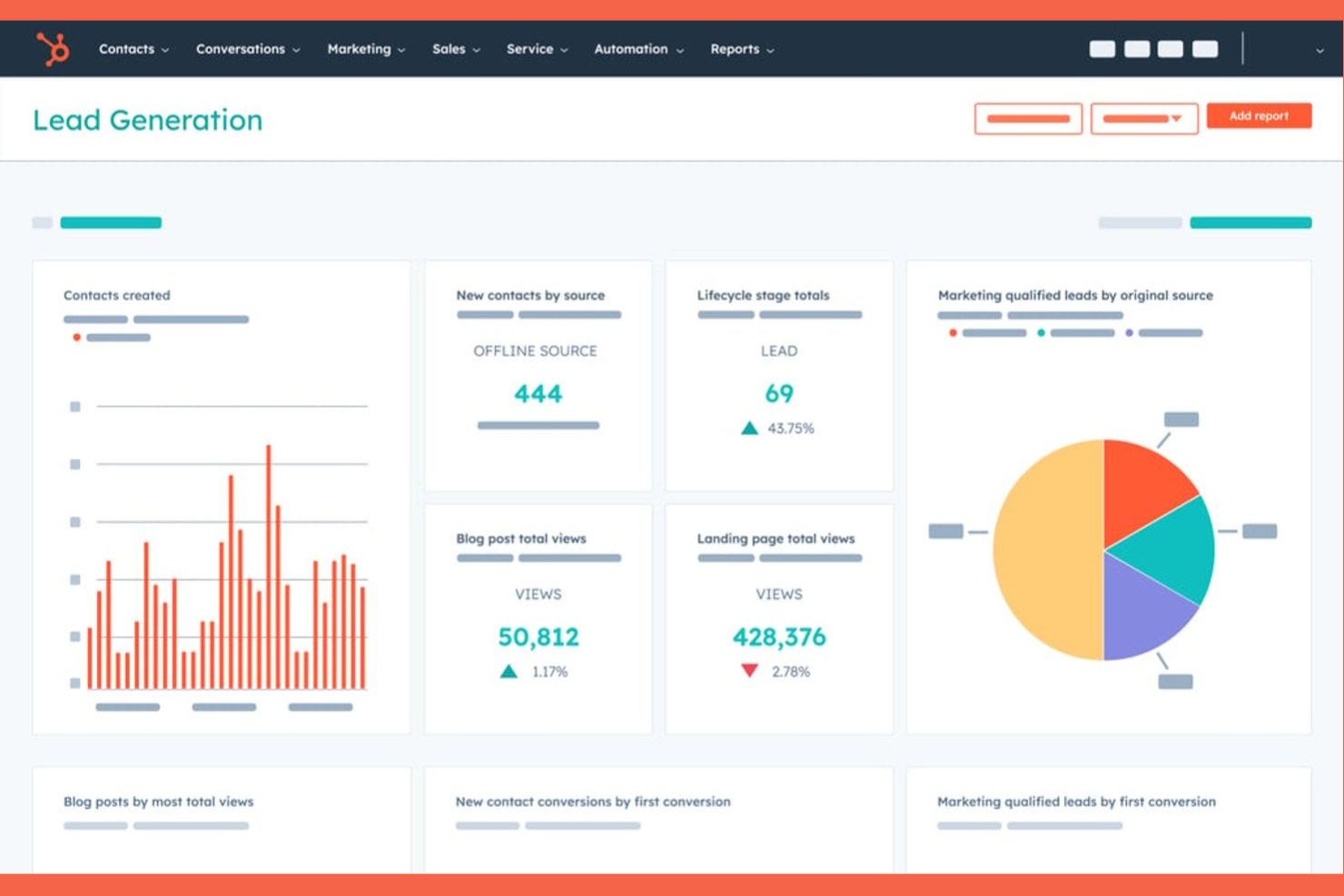
When you need to connect your CRM data directly with your content workflows, HubSpot offers a unified platform that brings these functions together. It’s a strong fit for marketing, sales, and customer success teams that want to automate content delivery based on real-time customer insights. Unlike Templafy, HubSpot stands out for its deep integration between CRM, content creation, and campaign management tools.
Why HubSpot Is a Good Templafy Alternative
If you want to automate content based on live CRM data, HubSpot is built for that kind of workflow. I picked HubSpot because it lets you trigger content delivery, email campaigns, and document generation directly from customer records and deal stages. The platform’s content management system is tightly connected to its CRM, so you can personalize assets and automate outreach using up-to-date customer information. For teams that need content automation to work hand-in-hand with sales and marketing data, HubSpot offers a level of integration that Templafy doesn’t match.
HubSpot Key Features
Some other features in HubSpot help teams automate and manage content across channels:
- Drag-and-Drop Landing Page Builder: Create and publish landing pages without coding using a visual editor.
- Blog Publishing Platform: Draft, schedule, and optimize blog posts directly within the platform.
- Social Media Scheduling: Plan and automate posts across multiple social media accounts from one dashboard.
- File Manager: Organize, store, and share digital assets with built-in version control.
HubSpot Integrations
Integrations include Salesforce, Shopify, WordPress, Slack, Zoom, Mailchimp, Microsoft Dynamics 365, Eventbrite, SurveyMonkey, and Google Workspace.
Pros and Cons
Pros:
- Centralized file manager for digital assets
- Built-in blog and landing page publishing
- CRM and content tools are fully integrated
Cons:
- Fewer controls for enterprise content permissions
- Asset management is basic compared to Templafy

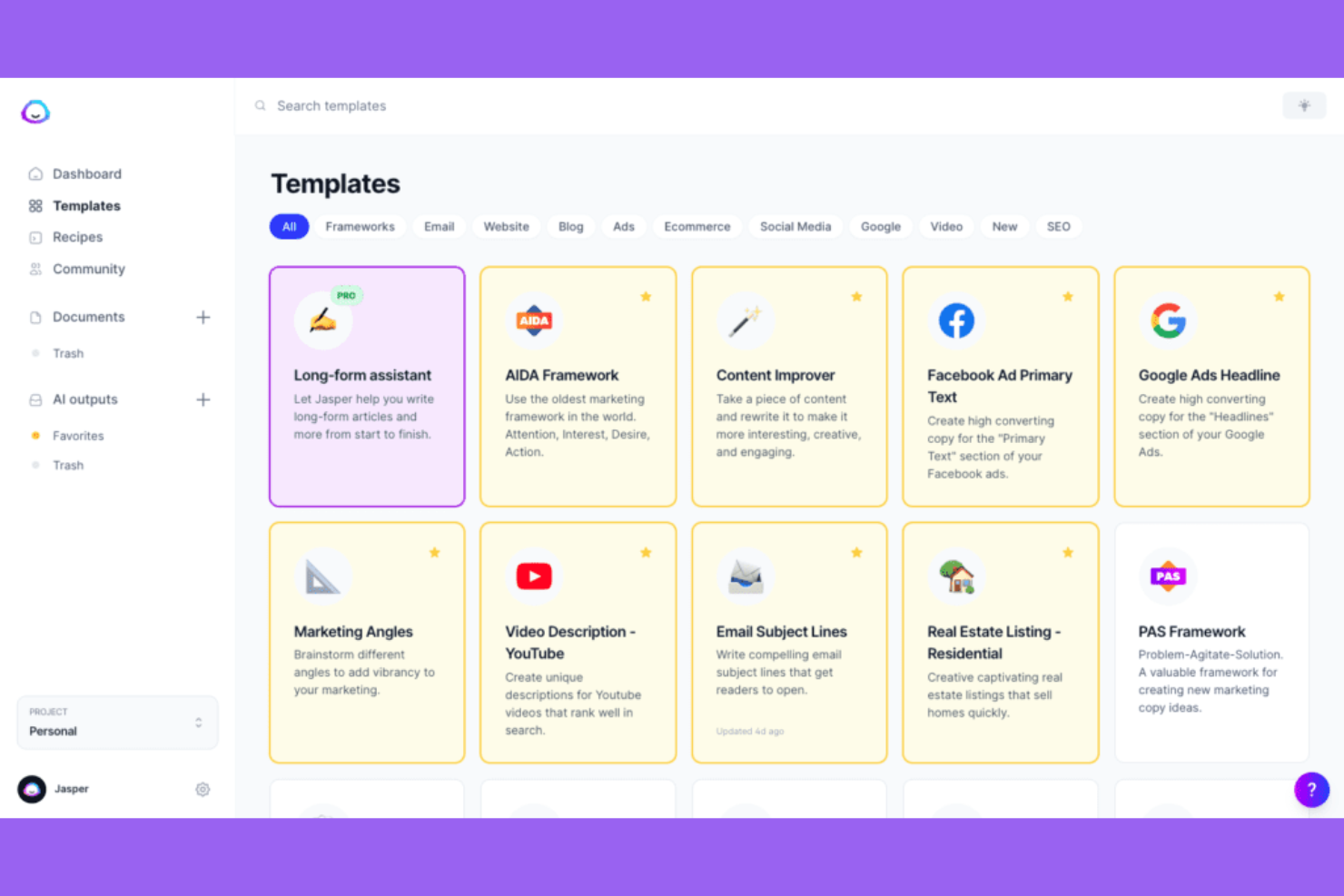
Jasper uses AI to help marketing and content teams generate high-quality written content at scale. It’s especially useful for businesses that need to produce blog posts, ad copy, and branded messaging quickly while maintaining a consistent voice. Unlike Templafy, Jasper focuses on automating the creative process with advanced AI models and customizable brand guidelines.
Why Jasper Is a Good Templafy Alternative
For teams that want to automate content creation with AI, Jasper offers a unique approach compared to Templafy. I picked Jasper because it uses advanced generative AI to produce blog posts, marketing copy, and branded assets in minutes. The platform lets you set brand voice guidelines and create templates for different content types, so your messaging stays consistent across channels. If your priority is scaling content production with AI-driven tools, Jasper brings capabilities that traditional template management platforms don’t offer.
Jasper Key Features
Some other features in Jasper help teams automate and refine their content workflows:
- AI Image Generation: Create original images and graphics using AI prompts directly within the platform.
- Content Rewriting Tool: Instantly rewrite or rephrase existing content to match different tones or formats.
- Collaboration Workspaces: Invite team members to shared workspaces for real-time content editing and feedback.
- Plagiarism Checker: Scan generated content to ensure originality and avoid duplicate text issues.
Jasper Integrations
Integrations include Webflow, Google BigQuery, Google Sheets, Make, Zapier, and more.
Pros and Cons
Pros:
- Content rewriting tool adapts existing materials
- Collaboration workspaces support team editing
- Built-in plagiarism checker for generated text
Cons:
- No approval workflows for content governance
- Lacks advanced digital asset organization tools


Zapier is built for teams that need to automate workflows across a wide range of business apps and platforms. If you’re managing content and processes that span multiple tools, Zapier connects them without requiring custom code or IT support. Unlike Templafy, Zapier stands out by letting you automate actions between hundreds of apps, making it ideal for teams with complex, cross-platform content operations.
Why Zapier Is a Good Templafy Alternative
When you need to automate content workflows that span multiple platforms, Zapier offers flexibility that Templafy doesn’t match. I picked Zapier because it lets you set up automated triggers and actions—called Zaps—between hundreds of business apps, so you can move content, files, and data without manual effort. Multi-step workflows and conditional logic help you build complex automations that fit your team’s unique processes. This makes Zapier a strong choice for teams that want to connect content operations across different tools and environments.
Zapier Key Features
Some other features in Zapier help teams automate and manage content across platforms:
- Shared Folders: Organize and share Zaps with your team for collaborative workflow management.
- Version History: Track changes and revert to previous versions of your automations as needed.
- Task Usage Monitoring: View detailed logs and analytics on how many tasks your automations are running.
- Schedule by Zapier: Set up time-based triggers to automate recurring content actions without relying on external calendar tools.
Zapier Integrations
Integrations include Google Sheets, Slack, Gmail, Trello, Asana, Salesforce, Mailchimp, Dropbox, HubSpot, Twitter, and more.
Pros and Cons
Pros:
- Built-in scheduling for recurring content actions
- Task usage monitoring and detailed activity logs
- No-code automation builder for non-technical users
Cons:
- Limited to automating existing app actions
- Lacks advanced content approval workflows
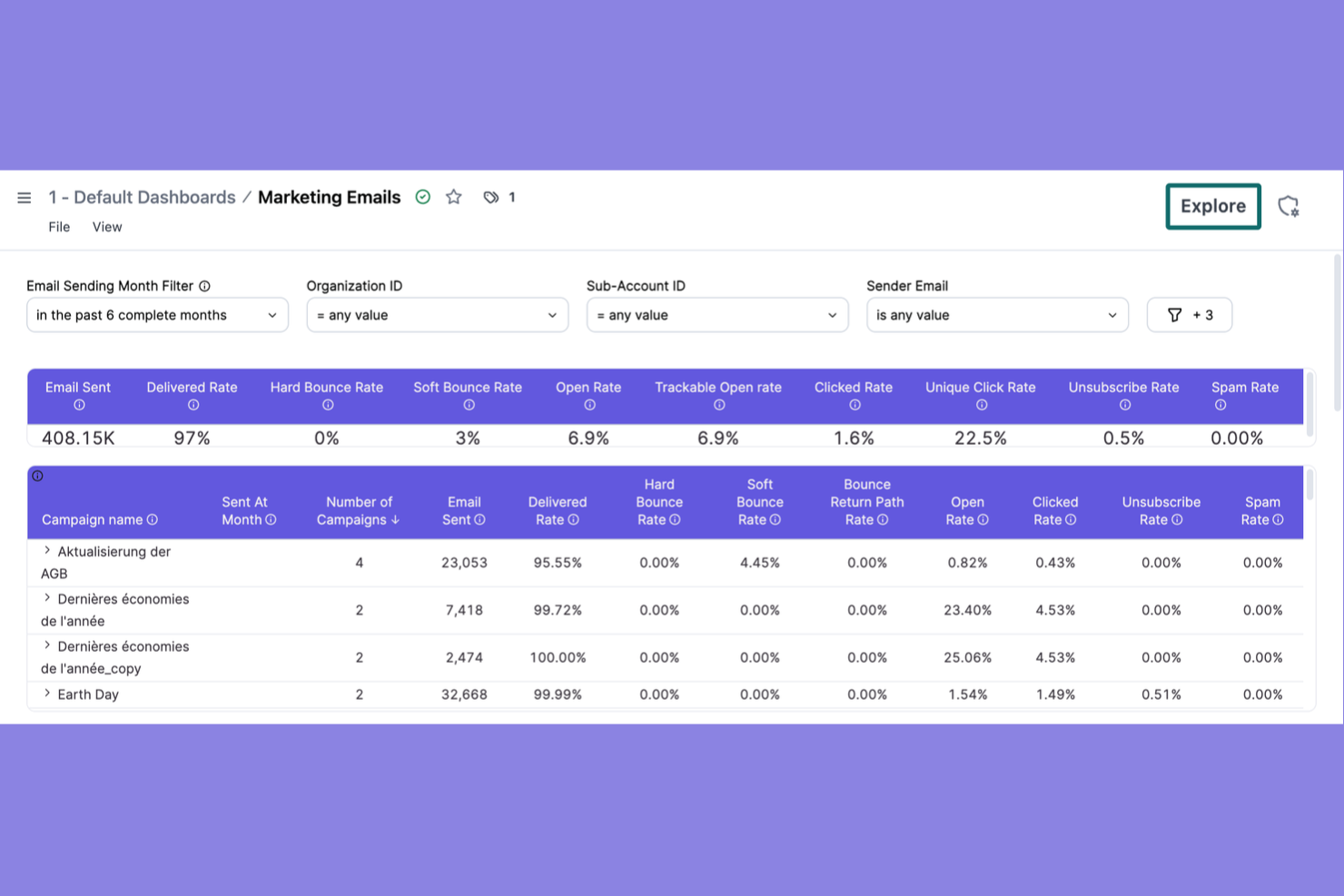
If your team needs to automate and personalize email campaigns at scale, Brevo is built for you. It’s especially useful for marketing teams and content managers who want advanced automation, segmentation, and real-time analytics for email communications. Unlike Templafy, Brevo focuses on campaign creation, delivery optimization, and tracking, making it a strong fit for businesses prioritizing email-driven content automation.
Why Brevo Is a Good Templafy Alternative
For teams focused on automating email campaigns, Brevo offers a specialized approach that Templafy doesn’t cover. I picked Brevo because it lets you build dynamic email workflows with advanced triggers, audience segmentation, and personalized content blocks. The visual automation builder makes it easy to map out campaign logic and automate follow-ups based on recipient behavior. If your content automation needs center on email marketing, Brevo delivers targeted features that help you manage and optimize campaigns at scale.
Brevo Key Features
Some other features in Brevo help teams manage and automate their email content more efficiently:
- Drag-and-Drop Email Editor: Design custom email templates without coding using a visual interface.
- A/B Testing: Test different subject lines or content blocks to optimize campaign performance.
- Transactional Email Management: Send automated order confirmations, password resets, and notifications directly from the platform.
- SMS Campaign Automation: Create and schedule SMS messages alongside email campaigns for multi-channel outreach.
Brevo Integrations
Integrations include Shopify, WordPress, WooCommerce, Salesforce, Zapier, Magento, PrestaShop, Google Analytics, Facebook Ads, Microsoft Dynamics, and more.
Pros and Cons
Pros:
- Transactional email support for order notifications
- A/B testing for subject lines and content
- Drag-and-drop editor for custom email templates
Cons:
- No centralized brand compliance controls
- No document template management or governance

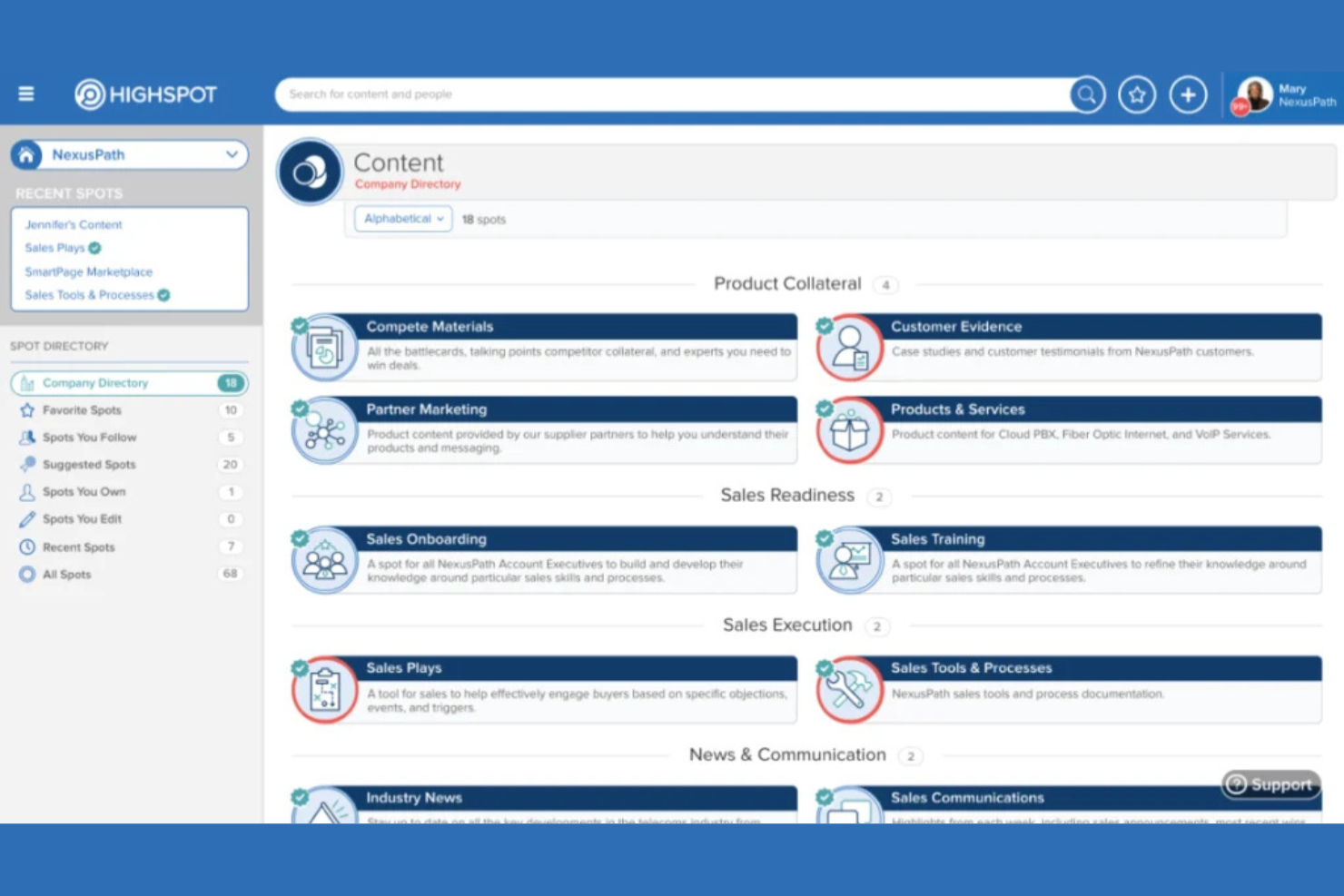
Sales and marketing teams looking to deliver the right content at the right time may find Highspot especially useful. The platform specializes in organizing, distributing, and tracking sales enablement materials so reps can access up-to-date resources during every stage of the sales process. Unlike Templafy, Highspot emphasizes content engagement analytics and buyer interaction insights to help teams refine their sales strategies.
Why Highspot Is a Good Templafy Alternative
When your team needs to deliver sales content directly to customer-facing teams, Highspot offers a focused solution that goes beyond traditional template management. I picked Highspot because it centralizes sales enablement materials and uses advanced search to help reps find the right content fast. The platform also tracks how prospects engage with shared materials, giving you actionable insights to refine your content strategy. For organizations prioritizing sales content delivery and engagement analytics, Highspot brings capabilities that Templafy doesn’t address.
Highspot Key Features
Some other features in Highspot help teams manage and optimize their sales content workflows:
- Content Governance Controls: Set permissions and expiration dates for sales materials to ensure only current content is used.
- Pitch Templates: Create and share standardized pitch decks and email templates for consistent messaging.
- Guided Selling Playbooks: Build interactive playbooks that guide reps through recommended content and actions for each sales stage.
- Integration With CRM Systems: Connect Highspot with platforms like Salesforce to sync content usage data and track engagement within your sales pipeline.
Highspot Integrations
Integrations include Salesforce, Microsoft Dynamics 365, Slack, Outlook, Gmail, Zoom, Microsoft Teams, LinkedIn Sales Navigator, Adobe Sign, and more.
Pros and Cons
Pros:
- Provides pitch templates for consistent messaging
- Offers guided selling playbooks for reps
- Tracks prospect engagement with shared content
Cons:
- Limited support for non-sales content workflows
- Lacks automated document assembly features
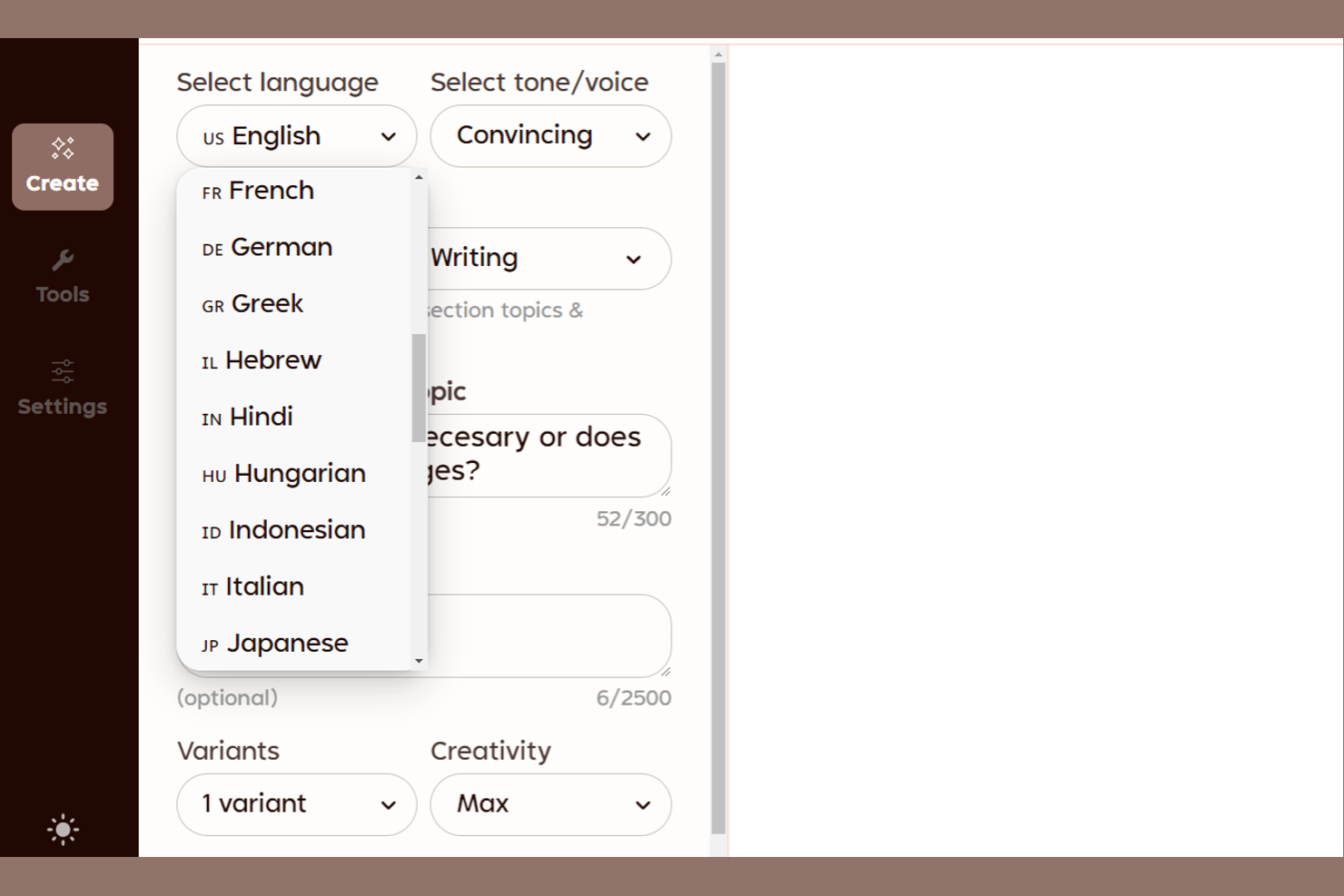
When you need to generate short-form content quickly, Rytr offers a focused solution for busy marketers, copywriters, and small business teams. The tool specializes in producing ad copy, emails, and social posts in seconds, making it a strong fit for fast-paced environments. Unlike Templafy, Rytr is built for rapid ideation and on-demand copywriting rather than document management or template governance.
Why Rytr Is a Good Templafy Alternative
If your team needs to produce short-form content on demand, Rytr is built specifically for quick copywriting tasks. I picked Rytr because it uses AI to generate ad copy, emails, and social media posts in seconds, which is ideal for fast-paced marketing or sales teams. The tool offers a variety of writing tones and templates, so you can quickly adapt content for different channels or audiences. For anyone looking to automate repetitive copywriting work rather than manage document templates, Rytr offers a focused alternative to Templafy.
Rytr Key Features
Some other features that make Rytr useful for content automation include:
- Plagiarism Checker: Scan generated content to ensure originality before publishing.
- Team Collaboration Tools: Invite team members and manage shared projects within the platform.
- Custom Use Case Creation: Build and save your own writing templates for recurring content needs.
- Rich Text Editor: Format, edit, and organize content directly in the browser-based editor.
Rytr Integrations
Native integrations are not currently listed.
Pros and Cons
Pros:
- Includes a browser-based rich text editor
- Offers custom use case template creation
- Generates content in over 30 languages
Cons:
- No centralized brand asset management
- No document template management features

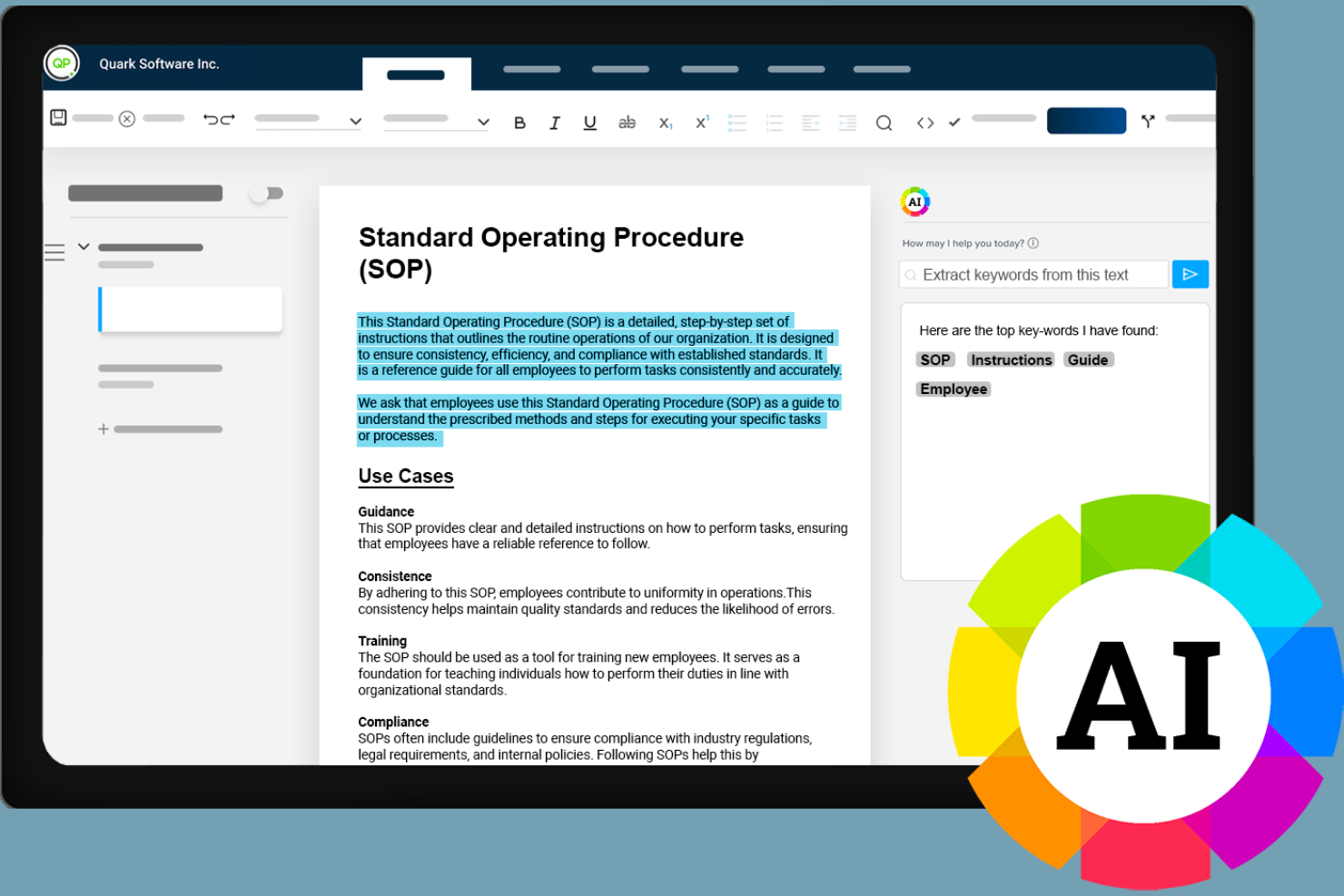
If your organization needs to automate content while meeting strict regulatory requirements, Quark is designed with compliance in mind. The platform appeals to teams in highly regulated industries like finance, healthcare, and government that need to manage complex document lifecycles. Unlike Templafy, Quark emphasizes granular control over document versioning, audit trails, and policy-driven workflows to help you maintain compliance at every stage.
Why Quark Is a Good Templafy Alternative
For teams that need to automate content creation while meeting strict regulatory standards, Quark offers specialized compliance features that set it apart from Templafy. I picked Quark because it provides detailed audit trails and policy-driven workflows, which help organizations document every change and approval step. The platform also supports granular version control, so you can track document history and ensure only approved content is distributed. If your business operates in a regulated industry, Quark’s compliance-focused automation tools address requirements that many other content automation platforms overlook.
Quark Key Features
In addition to its compliance-focused capabilities, Quark offers several other features for managing complex content workflows:
- Component Content Management: Break down documents into reusable content components for faster updates and consistency.
- Automated Publishing: Schedule and distribute content automatically across multiple channels and formats.
- Collaboration Workspaces: Enable teams to work together on documents with real-time commenting and task assignments.
- Content Analytics Dashboard: Monitor content usage, engagement, and performance with built-in analytics tools.
Quark Integrations
Integrations include Adobe InDesign, Microsoft Word, Salesforce, SharePoint, Dropbox, Google Drive, Box, SAP, Oracle, and IBM.
Pros and Cons
Pros:
- Offers automated multi-channel publishing
- Enables component-based content reuse
- Supports granular document version control
Cons:
- Steep setup process for complex workflows
- Limited template design customization options


For teams focused on managing and scheduling social media content, Pallyy offers a dedicated platform built for visual planning and publishing. Agencies, social media managers, and marketing teams can use Pallyy to organize, preview, and automate posts across multiple channels from a single dashboard. Unlike Templafy, Pallyy is purpose-built for social content workflows, making it a strong fit for brands prioritizing social media automation over document management.
Why Pallyy Is a Good Templafy Alternative
When your team’s content automation needs center on social media, Pallyy offers a focused solution for scheduling and managing posts. I picked Pallyy because it provides a visual content calendar, bulk scheduling tools, and direct publishing to platforms like Instagram, Facebook, and LinkedIn. The platform also includes a media library for organizing creative assets and a post preview feature to ensure content looks right before it goes live. For teams prioritizing social media workflows over document automation, Pallyy fills a gap that Templafy doesn’t address.
Pallyy Key Features
Some other features that make Pallyy useful for content automation include:
- Social Inbox: Manage and reply to comments and messages from multiple social accounts in one place.
- Analytics Dashboard: Track engagement metrics and post performance across all connected platforms.
- Approval Workflows: Route posts for review and approval before publishing to maintain brand standards.
- Hashtag Lists: Save and organize groups of hashtags for quick insertion into posts.
Pallyy Integrations
Integrations include Instagram, Facebook, Twitter, LinkedIn, Pinterest, Google My Business, TikTok, YouTube, and more.
Pros and Cons
Pros:
- Hashtag list management for quick reuse
- Analytics dashboard for tracking post performance
- Post approval workflows for team collaboration
Cons:
- No centralized document repository or search
- Limited support for non-social content types

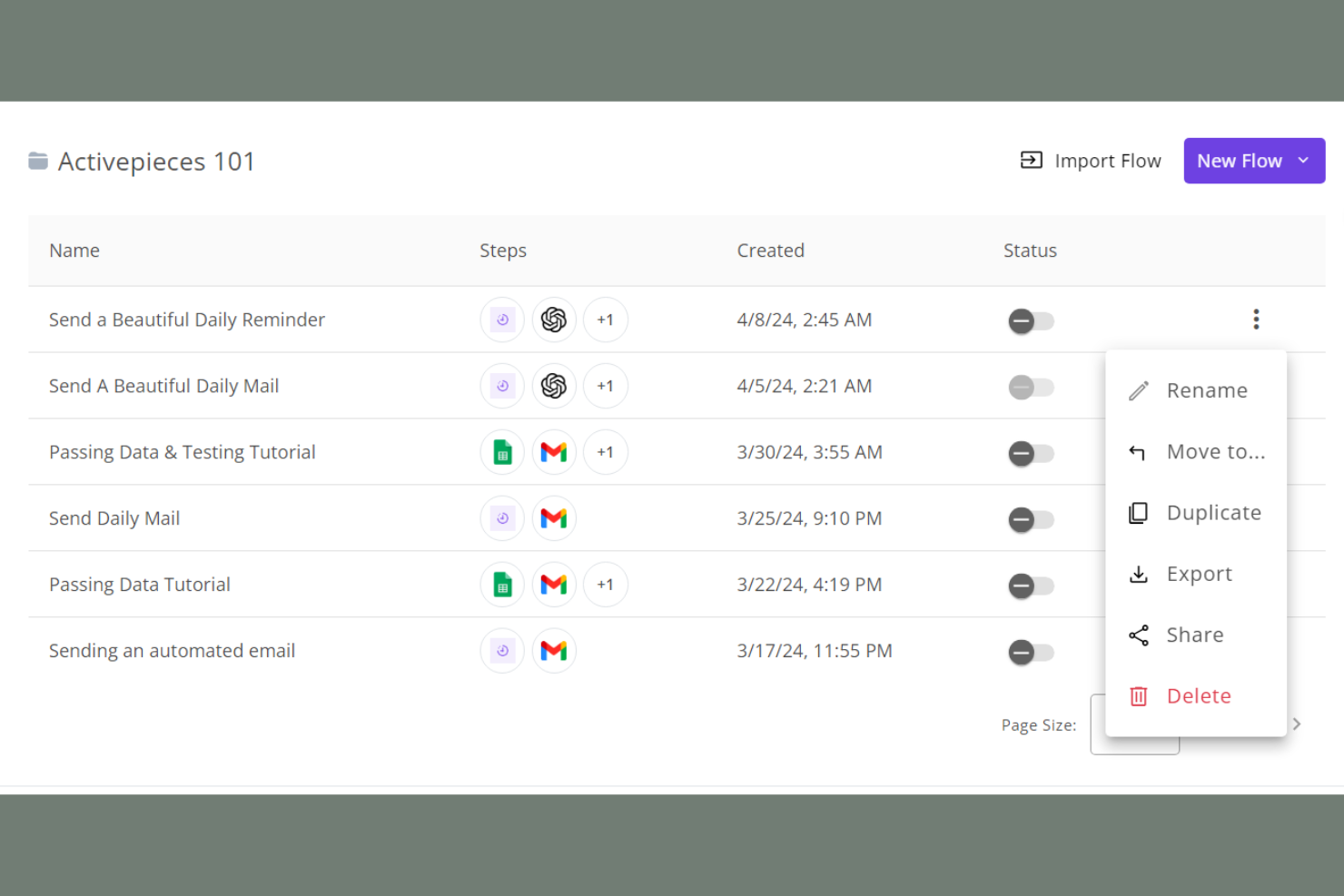
If you’re looking for an open-source approach to workflow automation, Activepieces stands out as a flexible option. This tool is well-suited for IT teams, developers, and businesses that want to build, customize, and self-host their own automation pipelines. Unlike Templafy, Activepieces gives you full control over your automation logic and data privacy, making it a strong fit for organizations with unique integration or compliance needs.
Why Activepieces Is a Good Templafy Alternative
For teams that want to automate content workflows with full transparency and control, Activepieces offers an open-source solution that’s hard to match. I picked Activepieces because it lets you build and customize automation flows using a visual editor, then self-host those automations to meet strict data privacy or compliance requirements. The platform supports custom code steps and reusable workflow components, which is especially useful for organizations with unique or complex automation needs. If you need content automation that you can fully adapt and own, Activepieces gives you the flexibility that closed platforms like Templafy can’t provide.
Activepieces Key Features
Some other features that make Activepieces appealing for content automation include:
- Prebuilt Connectors Library: Access a growing library of connectors for popular apps and services.
- Trigger-Based Automation: Set up automations that run based on specific events or triggers.
- Role-Based Access Controls: Assign permissions to users based on their roles within your organization.
- Workflow Versioning: Track and manage different versions of your automation workflows.
Activepieces Integrations
Integrations include Slack, Google Workspace, Microsoft Teams, Salesforce, Dropbox, Box, HubSpot, Shopify, Trello, Asana, and more.
Pros and Cons
Pros:
- Role-based access controls for team management
- Visual workflow builder supports custom automations
- Open-source codebase allows full self-hosting
Cons:
- Limited documentation for advanced workflow features
- No prebuilt content automation templates


If you’re searching for content automation software that puts AI-driven ideation front and center, ContentBot is worth a look. This platform is built for marketing teams, content strategists, and agencies that need a steady stream of fresh ideas and creative prompts. Unlike Templafy, ContentBot specializes in generating original content concepts, outlines, and drafts using advanced AI models to help you overcome creative blocks and accelerate content planning.
Why ContentBot Is a Good Templafy Alternative
When you need a content automation tool that excels at generating new ideas, ContentBot stands out for its AI-driven approach. I picked ContentBot because it offers features like AI-powered topic suggestions and automated content outlines, which help teams move past creative roadblocks. The platform also includes tools for generating blog post drafts and marketing copy, making it especially useful for content marketers and agencies. If your main challenge is coming up with fresh, relevant content ideas, ContentBot delivers capabilities that Templafy doesn’t focus on.
ContentBot Key Features
Some other features that make ContentBot appealing for content automation include:
- Automated Email Writer: Generate email drafts for campaigns, outreach, or follow-ups using AI templates.
- Content Paraphrasing Tool: Instantly rewrite existing text to create unique variations for different channels.
- Long-Form Content Generator: Produce full-length articles or reports with minimal input.
- Plagiarism Checker: Scan generated content to ensure originality and avoid duplicate text issues.
ContentBot Integrations
Native integrations are not currently listed.
Pros and Cons
Pros:
- Provides paraphrasing and rewriting features
- Supports automated email and ad copywriting
- Offers long-form content generation tools
Cons:
- No template governance or brand compliance tools
- Lacks advanced document management controls

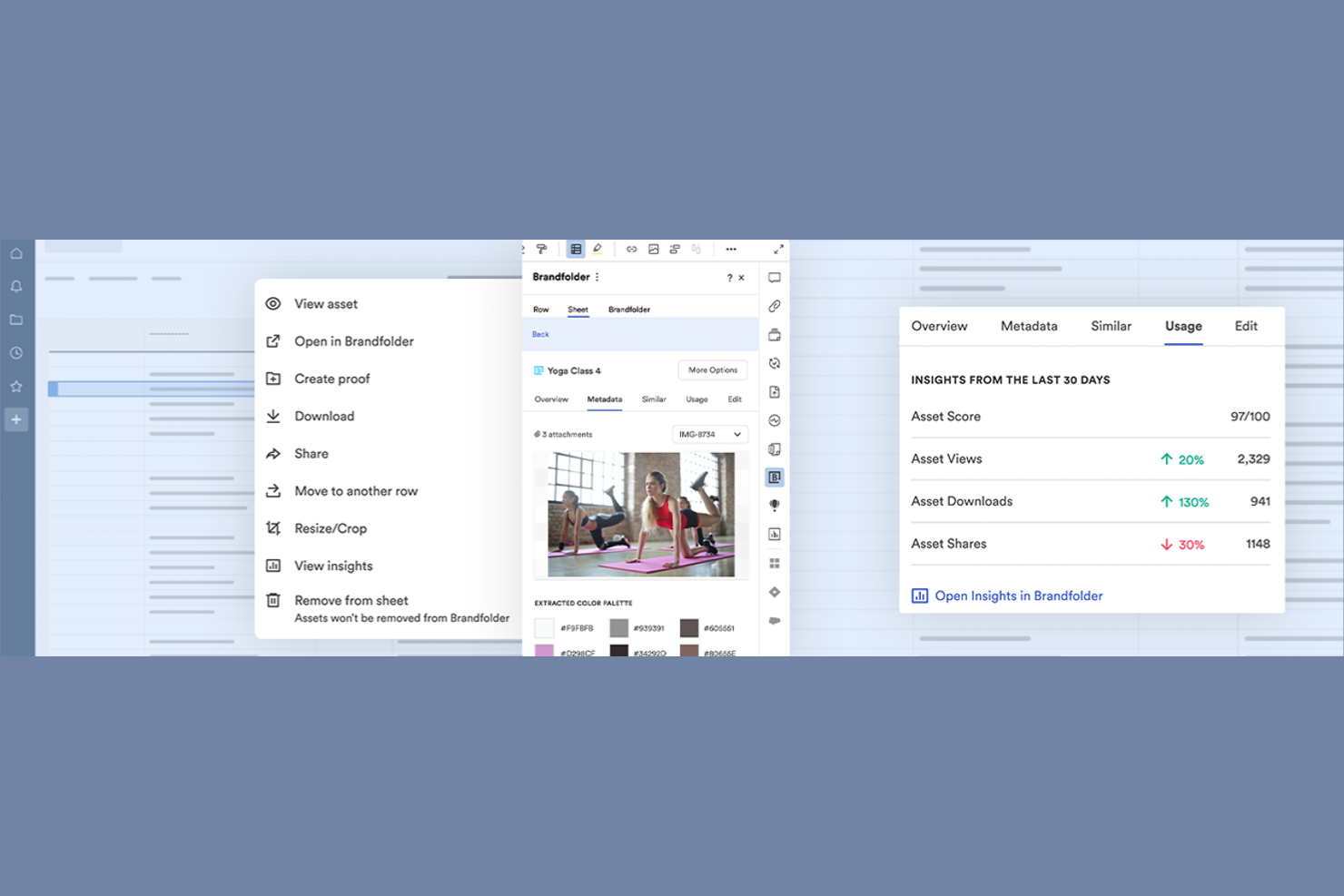
For teams that need to organize and manage a growing library of digital assets, Brandfolder offers a focused solution. This platform is designed for marketing departments, creative teams, and brand managers who need to centralize, tag, and distribute brand assets at scale. Unlike Templafy, Brandfolder specializes in digital asset organization, making it easier to find, share, and control access to logos, images, videos, and other brand files.
Why Brandfolder Is a Good Templafy Alternative
If your main challenge is organizing and controlling access to digital assets, Brandfolder offers a focused approach that sets it apart from Templafy. I picked Brandfolder because it provides advanced asset tagging, metadata management, and permission controls, which help teams keep brand files organized and secure. The platform also supports bulk asset uploads and version control, making it easier to manage large libraries of creative content. For businesses that need to centralize and distribute digital assets efficiently, Brandfolder delivers specialized tools that go beyond standard content automation.
Brandfolder Key Features
Some other features that make Brandfolder valuable for content automation include:
- Custom Branding Portals: Create dedicated portals for partners, clients, or teams to access curated asset collections.
- Asset Expiration Management: Set expiration dates for assets to control usage and maintain brand compliance.
- AI-Powered Image Recognition: Automatically tag and categorize images using built-in AI capabilities.
- Usage Analytics Dashboard: Track asset downloads, shares, and engagement with real-time analytics.
Brandfolder Integrations
Integrations include Adobe Creative Cloud, Slack, Microsoft Teams, Google Workspace, Dropbox, Box, Hootsuite, Salesforce, Shopify, WordPress, and more.
Pros and Cons
Pros:
- Custom branding portals for different audiences
- AI-powered image recognition speeds up tagging
- Asset version control supports brand consistency
Cons:
- Limited support for dynamic document creation
- Lacks document template automation features
Other Templafy Alternatives
Here are some additional Templafy alternatives that didn’t make it onto my shortlist, but are still worth checking out:
- Sendible
For agency client content collaboration
- ContentStudio
For content workflow analytics


Templafy Alternatives Selection Criteria
When selecting the best Templafy alternatives to include in this list, I considered common buyer needs and pain points related to content automation software products, like automating repetitive content creation tasks and maintaining brand consistency across documents. I also used the following framework to keep my evaluation structured and fair:
Core Functionality (25% of total score)
To be considered for inclusion in this list, each solution had to fulfill these common use cases:
- Automate content creation workflows
- Manage and store digital assets
- Enable template-based document generation
- Support multi-channel content publishing
- Provide user access controls
Additional Standout Features (25% of total score)
To help further narrow down the competition, I also looked for unique features, such as:
- AI-powered content suggestions
- Automated compliance checks
- Real-time collaboration on content
- Advanced analytics and reporting
- Integration with third-party business tools
Usability (10% of total score)
To get a sense of the usability of each system, I considered the following:
- Simple and intuitive user interface
- Clear navigation and menu structure
- Minimal clicks to complete core tasks
- Responsive design for all devices
- Customizable dashboards and views
Onboarding (10% of total score)
To evaluate the onboarding experience for each platform, I considered the following:
- Availability of step-by-step product tours
- Access to training videos and documentation
- Pre-built templates for quick setup
- Live webinars or onboarding sessions
- In-app chatbots for real-time help
Customer Support (10% of total score)
To assess each software provider’s customer support services, I considered the following:
- Multiple support channels available
- Fast response times to inquiries
- Access to a searchable help center
- Availability of dedicated account managers
- Community forums for peer support
Value For Money (10% of total score)
To evaluate the value for money of each platform, I considered the following:
- Transparent and flexible pricing plans
- Features included at each pricing tier
- Free trial or free plan availability
- No hidden fees or surprise charges
- Discounts for annual billing or volume
Customer Reviews (10% of total score)
To get a sense of overall customer satisfaction, I considered the following when reading customer reviews:
- Positive feedback on core features
- Reports of reliable system uptime
- Comments on ease of implementation
- Praise for customer support quality
- Suggestions for future improvements
Why Look For a Templafy Alternative?
While Templafy is a good choice of content automation software, there are a number of reasons why some users seek out alternative solutions. You might be looking for a Templafy alternative because…
- Needing more advanced social media scheduling features
- Wanting a simpler tool for small teams
- Requiring integrations with niche business platforms
- Facing budget constraints with enterprise pricing
- Seeking better support for creative content workflows
- Operating in regions where Templafy is not available
If any of these sound like you, you’ve come to the right place. My list contains several content automation software options that are better suited for teams facing these challenges with Templafy and looking for alternative solutions.
Templafy Key Features
Here are some of the key features of Templafy, to help you contrast and compare what alternative solutions offer:
- Centralized template management for documents and presentations
- Automated document creation workflows
- Brand compliance enforcement across all content
- Digital asset management and distribution
- Real-time collaboration on document editing
- Integration with Microsoft Office and Google Workspace
- User access controls and permissions
- Automated content updates and version control
- Compliance tracking and reporting
- Secure cloud-based storage for all assets