
15 Best Process Mapping Software Reviewed in 2026

Best Process Mapping Software Shortlist
Here’s my shortlist of the best process mapping software:


Finding the right process mapping software can be a real challenge. You want a tool that fits your team's needs and simplifies complex workflows, guiding you through each step clearly and efficiently.
I've tested and reviewed many software solutions to help you make the right choice, and my goal is to provide an unbiased, well-researched review of the top picks on the market, all in one place.
In this article, you'll find insights into what makes each tool unique. Whether you're looking for a user-friendly interface or specific features, I've got you covered. Let's dive in!
Why You Can Trust Us
Best Process Mapping Software Summary
This comparison chart summarizes pricing details for my top process mapping software selections to help you find the best one for your budget and business needs.
| Tool | Best For | Trial Info | Price | ||
|---|---|---|---|---|---|
| 1 | Best for AI-powered workflow management | Free plan + free demo available | Pricing upon request | Website | |
| 2 | Best for real-time collaboration | Free demo + free plan available | From $9.99/user/month (billed annually) | Website | |
| 3 | Best for visual diagram variety | Free plan available | From $5/user/month (billed annually) | Website | |
| 4 | Best for beginners | Free trial available | From $7.95/user/month (billed annually) | Website | |
| 5 | Best for low-code AI-powered process automation | Free demo available | Pricing upon request | Website | |
| 6 | Best for agile teams who also map user stories | Free demo + 30-day free trial available | From $6/month | Website | |
| 7 | Best open-source process mapping solution | Not available | Free to use | Website | |
| 8 | Best for compliance tracking | Free demo + 30-day free trial available | Pricing upon request | Website | |
| 9 | Best for process automation on the Bizagi platform | Free plan available | Pricing upon request | Website | |
| 10 | Best for technical enterprise users | Free demo + 30-day free trial available | From $245/license | Website |
-

Insightful
Visit WebsiteThis is an aggregated rating for this tool including ratings from Crozdesk users and ratings from other sites.4.8 -
Accelo
Visit WebsiteThis is an aggregated rating for this tool including ratings from Crozdesk users and ratings from other sites.4.4 -
Wrike
Visit WebsiteThis is an aggregated rating for this tool including ratings from Crozdesk users and ratings from other sites.4.2





Best Process Mapping Software Reviews
Below are detailed summaries of the products that made it onto my best process mapping software shortlist. My reviews offer a detailed look at the key features, pros and cons, integrations, and ideal use cases of each tool to help you find the best fit.

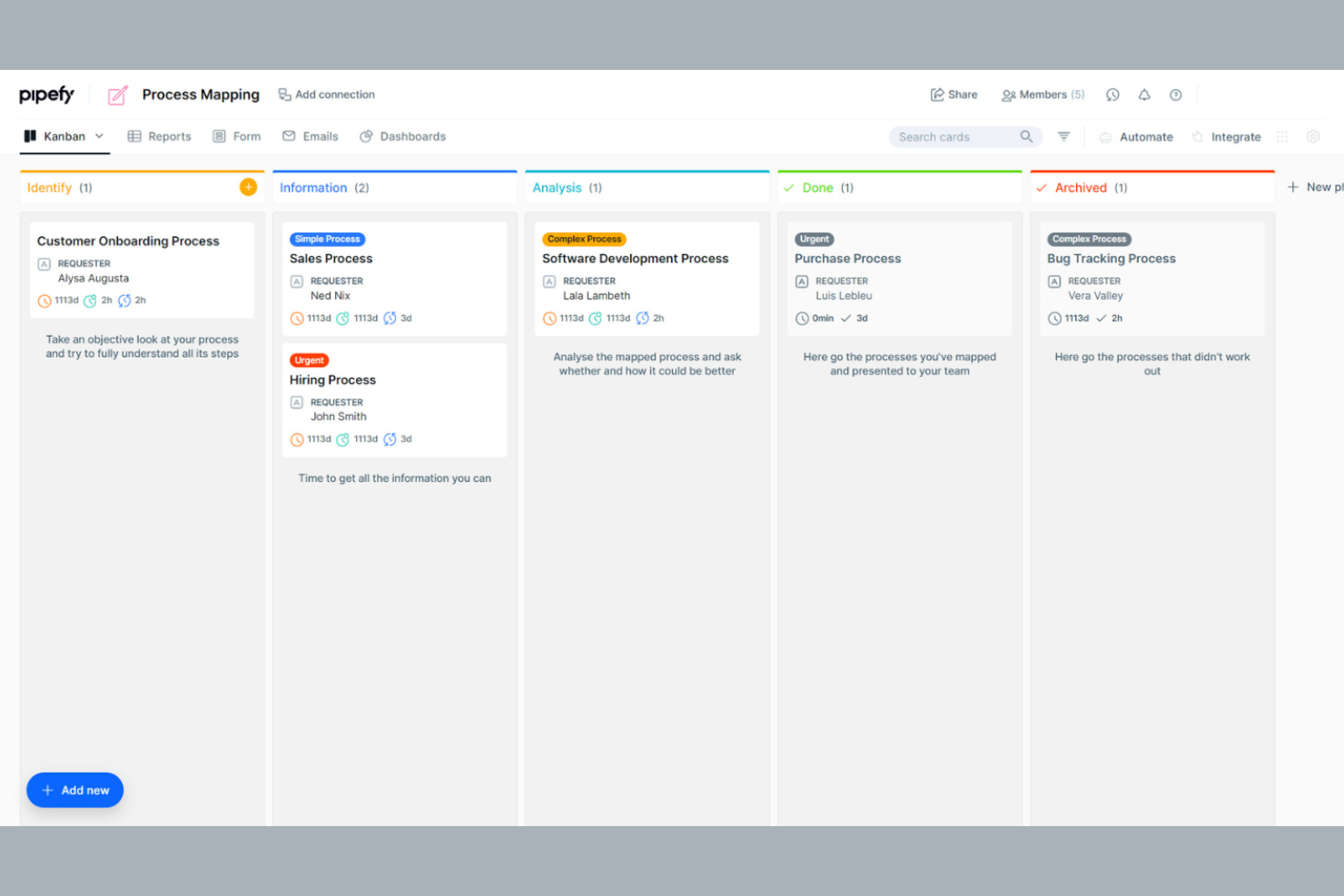
Pipefy is a workflow automation tool that caters to teams looking to optimize their business processes. It is ideal for businesses that need to manage tasks, track progress, and tighten operations across departments. The platform offers a user-friendly interface and customizable workflows to suit various business needs.
Why I picked Pipefy: Pipefy excels in workflow management, offering a variety of tools that support you in improving team efficiency.
Standout Features and Integrations:
Features include customizable templates that support step-by-step documentation of your processes and workflow automation tools to help you eliminate repetitive tasks. You can also track progress in real time, giving you visibility into your team's operations.
Integrations include Slack, Trello, Asana, Google Drive, Dropbox, Salesforce, Zendesk, HubSpot, and more.
Pros and Cons
Pros:
- Kanban-style task visualization
- Automation tools to reduce manual tasks
- Native AI Agent orchestration
Cons:
- Manual logic mapping
- Limited advanced features
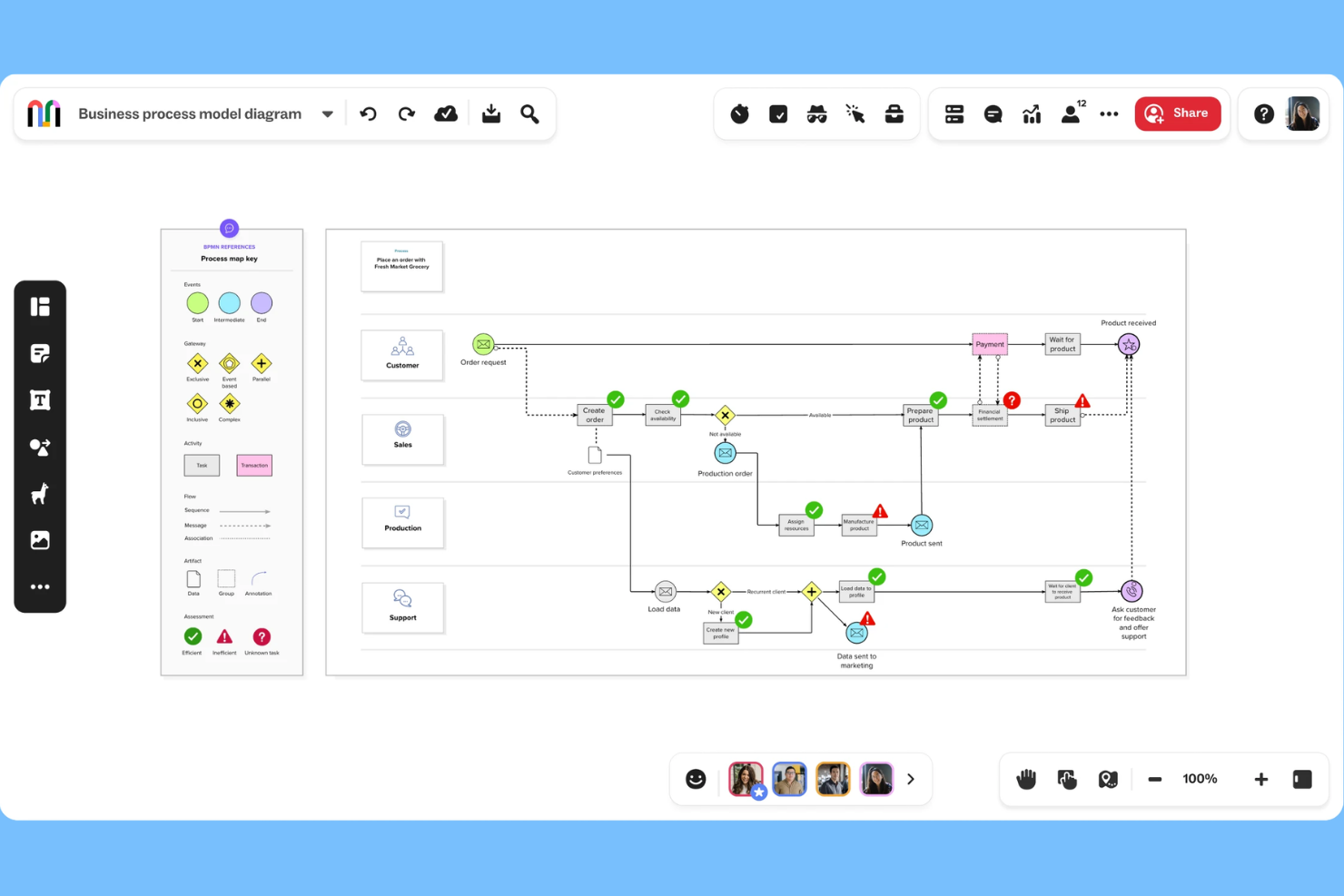
Mural is an online process mapping tool designed for teams looking to collaborate in real-time. It serves organizations aiming to improve workflows, design processes, and identify bottlenecks. Mural offers a user-friendly platform with customizable templates and drag-and-drop functionality.
Why I picked Mural: Mural excels in real-time collaboration, making it perfect for team members who need to work together to map their process steps. The intuitive design helps teams quickly adapt and integrate Mural into their workflow.
Standout Features and Integrations:
Features include an extensive library of templates that cater to various process mapping needs, helping you get started quickly. The drag-and-drop functionality makes customizing maps simple, and you can also embed or export your maps in multiple formats.
Integrations include Microsoft Teams, Google Drive, Dropbox, Slack, Asana, Trello, Confluence, GitHub, Zoom, and more.
Pros and Cons
Pros:
- Excels at real-time collaboration
- Infinite virtual whiteboard space
- Intuitive visual platform
Cons:
- Options can be overwhelming for beginners
- Limited features in free version

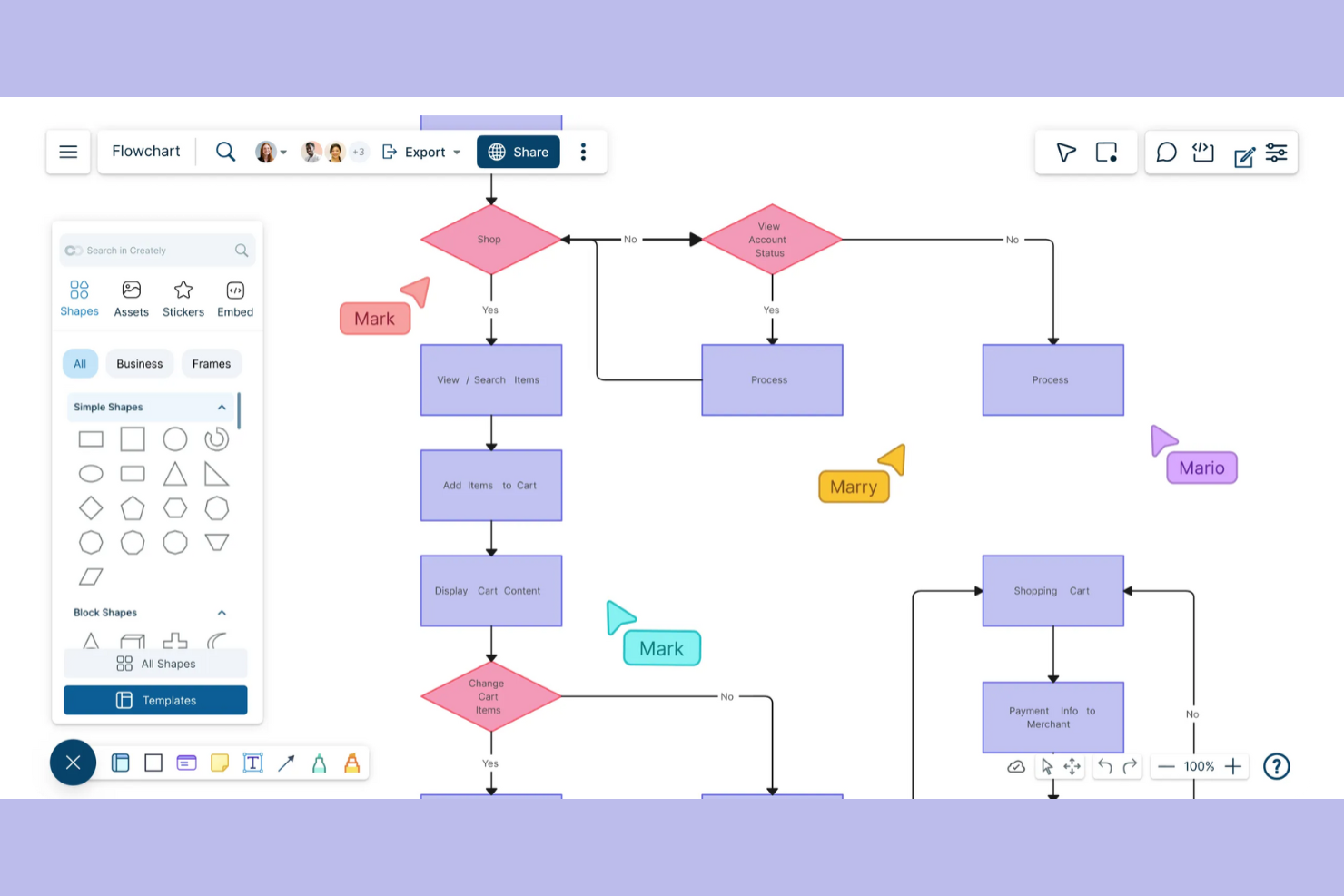
Creately helps teams build detailed process maps and flowcharts with real-time collaboration. It's designed for users who want to visually organize complex information and collaborate with others in real-time.
Why I picked Creately: Creately excels at creating visual diagrams, which is ideal for teams creating detailed visual representations. It provides an intuitive drag-and-drop interface, making diagramming straightforward and efficient.
Standout Features and Integrations:
Features include a vast library of templates that you can customize to fit your needs and real-time collaboration tools that support your team in working together to get the details right.
Integrations include Slack, Microsoft Teams, Confluence, and more.
Pros and Cons
Pros:
- Contextual in-app commenting
- One-click "Infinite Canvas" expansion
- Supports multiple diagram types
Cons:
- SVG and PDF export require a paid plan
- Occasional performance issues


SmartDraw is designed to make the creation of professional diagrams quick and easy. It's aimed at users who want automatic formatting and familiar sharing options.
Why I picked SmartDraw: SmartDraw simplifies process mapping with its intuitive design, making it ideal for beginners. The software supports collaboration by allowing teams to work on shared maps, and integrations with platforms like Google Drive and Dropbox make it easy to share and store diagrams.
Standout Features and Integrations:
Features include automatic formatting, a variety of sharing and export options, and customizable templates. These features make getting started less intimidating and ensure your diagrams look professional with minimal effort. Enterprise licensing options are also available for larger organizations.
Integrations include Google Drive, Dropbox, Box, OneDrive, Confluence, Microsoft Teams, Trello, and more.
Pros and Cons
Pros:
- Ribbon UI Wide range of templates
- Familiar Microsoft-style
- Automatic diagram adjustments
Cons:
- Limited customization in templates
- Shared storage is limited on lower tiers
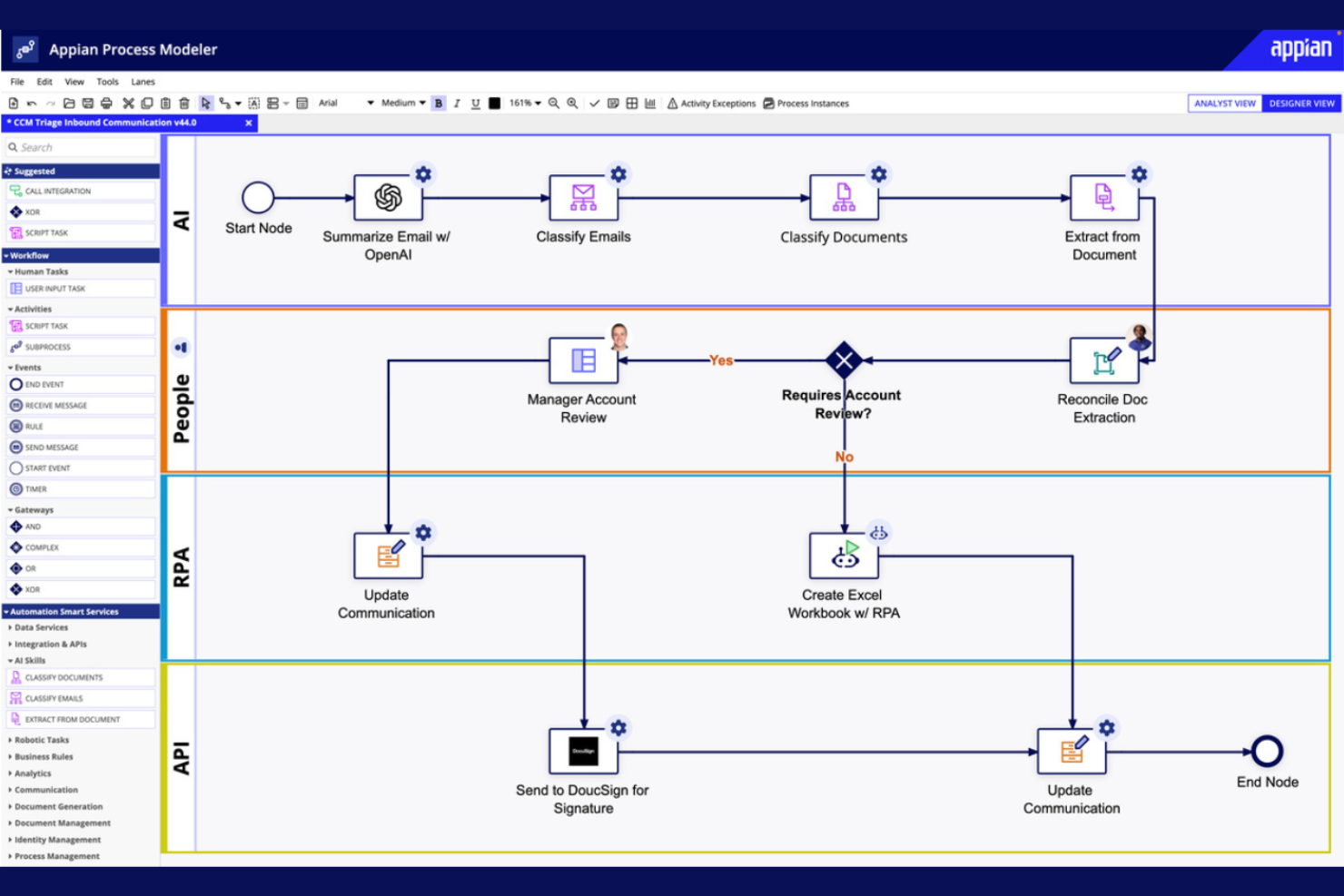
Appian is a low-code development platform designed for businesses that want to create applications quickly and efficiently. It's ideal for organizations looking to increase operational efficiency without extensive coding expertise. The platform offers tools for process automation, application development, and workflow management.
Why I picked Appian: Appian allows you to automate processes with minimal coding, reducing development time significantly. The platform's drag-and-drop interface makes it accessible to users with varying technical skills.
Standout Features and Integrations:
Features include a drag-and-drop interface that simplifies the creation of applications. The platform supports process automation to help you optimize workflows. You can also use its real-time analytics to monitor and improve process performance.
Integrations are not publicly listed.
Pros and Cons
Pros:
- Instant operational visibility
- High-speed app delivery
- Low-code development platform
Cons:
- Some processes are RAM-intensive
- Standardized low-code components

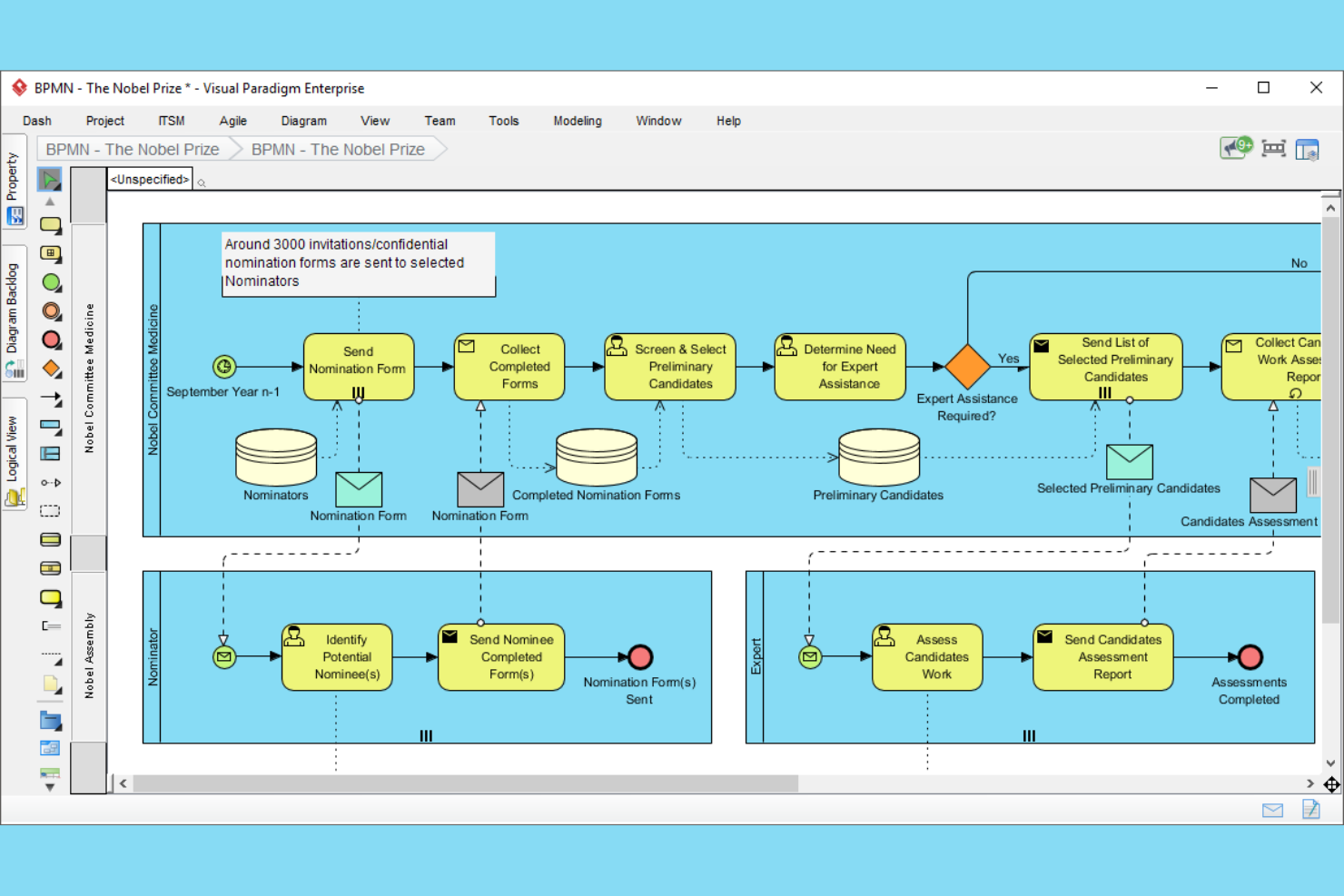
Visual Paradigm is a tool designed for agile teams that need to manage and map user stories as well as processes. It's ideal for software development teams looking to improve their agile processes. The platform offers tools for user story mapping, process modeling, and team collaboration.
Why I picked Visual Paradigm: Visual Paradigm is tailored for agile teams, providing tools that support agile methodologies. The tool's collaboration features support real-time team interaction, ensuring everyone stays on the same page. Its business process model features allow you to refine workflows to suit agile practices.
Standout Features and Integrations:
Features include a user story mapping tool as well as a process modeling tool to help you visualize and optimize every aspect of your projects. You can also use its real-time collaboration tools to keep your team aligned and focused.
Integrations include Jira, Confluence, and more.
Pros and Cons
Pros:
- Includes user story mapping tool
- Integrated Post-it toolset
- Supports agile methodologies
Cons:
- Configuration can be time-consuming
- Requires agile knowledge

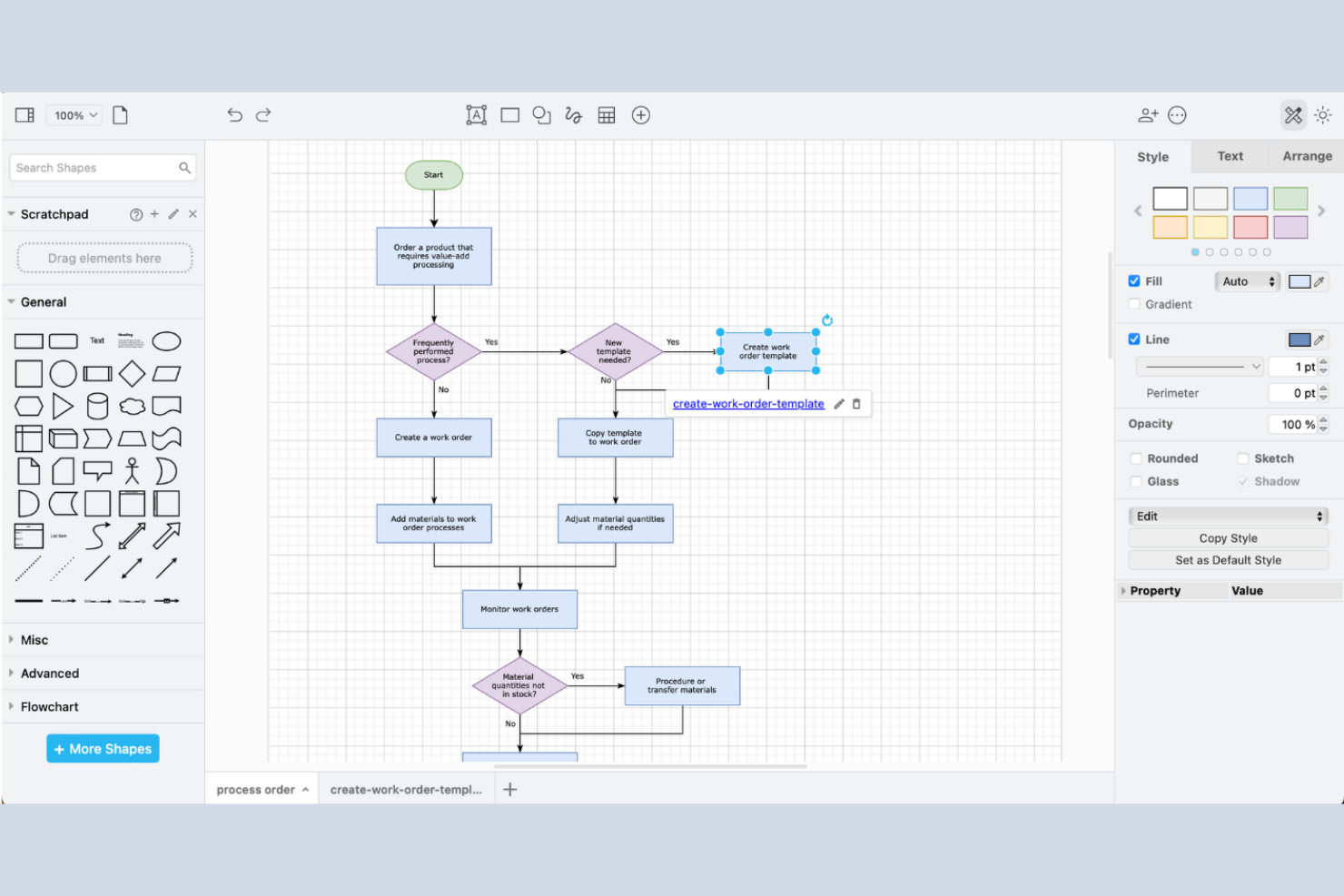
draw.io is a versatile diagramming tool that caters to individuals and teams looking for a cost-effective solution for creating process maps and diagrams. The platform offers an intuitive interface and a variety of diagramming options.
Why I picked draw.io: draw.io is ideal for those seeking a free solution for process mapping. The tool provides a user-friendly interface that simplifies the diagram creation process. You can access various shapes and templates to customize your diagrams.
Standout Features and Integrations:
Features include an extensive library of shapes and templates that you can use to create detailed diagrams. The tool offers offline functionality so you’re not dependent on an internet connection for basic tasks. You can also export diagrams in multiple formats to suit your needs.
Integrations include Google Drive, OneDrive, Dropbox, GitHub, GitLab, Confluence, and more.
Pros and Cons
Pros:
- Supports multiple file formats
- Works offline effectively
- Open source and no cost
Cons:
- Lacks dedicated customer support
- Browser-based rendering limits

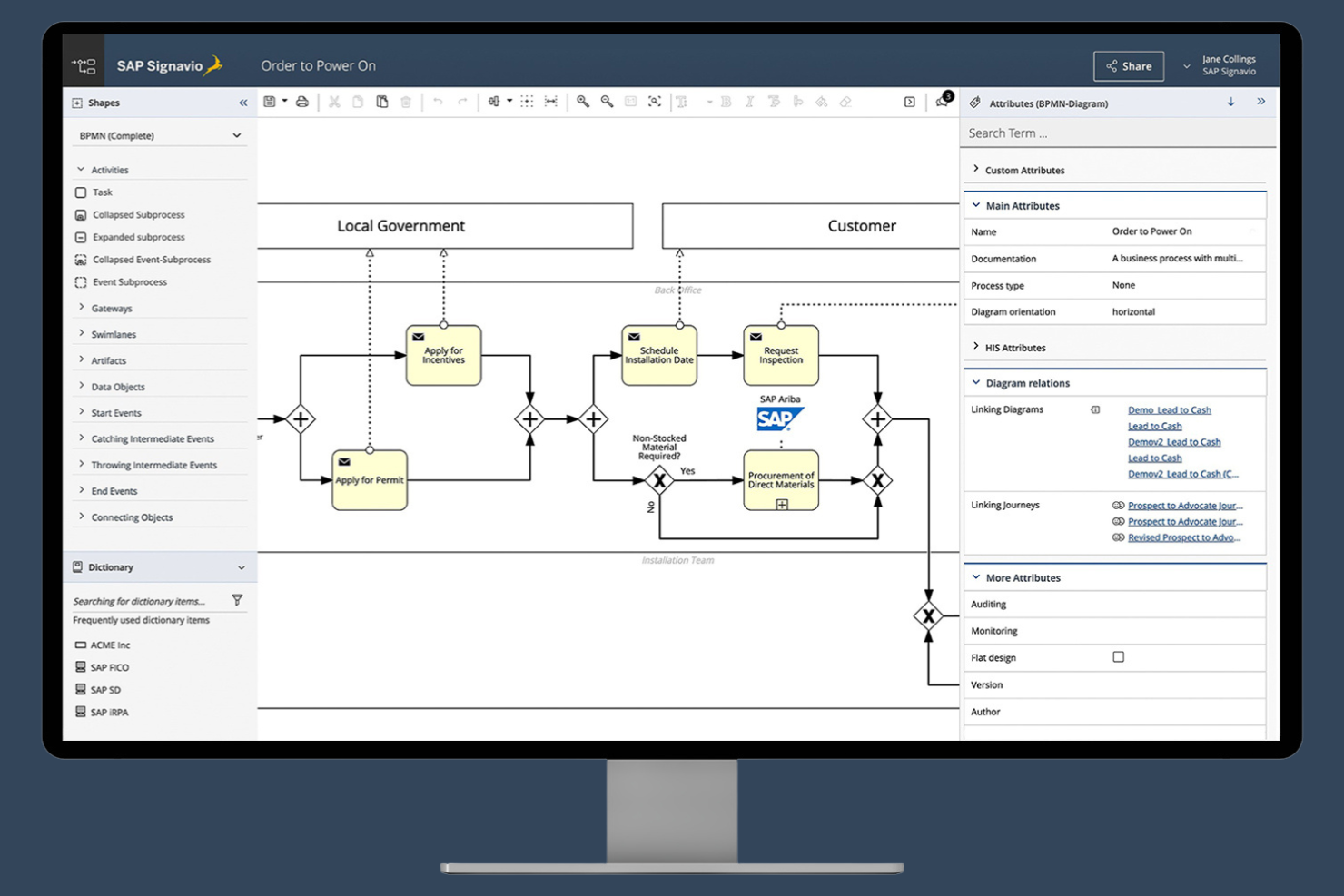
SAP Signavio Process Modeler is a process modeling tool that focuses on process optimization and compliance. It's used by organizations that require precise process documentation and analysis to ensure compliance with industry standards. The platform offers tools for modeling, analyzing, and optimizing business processes, enabling a culture of continuous improvement.
Why I picked SAP Signavio Process Modeler: SAP Signavio Process Modeler excels in compliance tracking, making it valuable for teams that need to maintain industry standards. It provides detailed process documentation to help you track and manage compliance requirements, as well as collaboration features to help your team brainstorm and improve compliance processes.
Standout Features and Integrations:
Features include a collaborative workspace that supports team engagement and real-time analytics to help you monitor and improve process efficiency. You can also access customizable reporting tools to generate detailed compliance reports.
Integrations include SAP Cloud ALM and more.
Pros and Cons
Pros:
- Engages teams in process optimization
- Built-in compliance governance
- Customizable reporting tools
Cons:
- Not ideal if you don’t use other SAP products
- Pricing details are not transparent
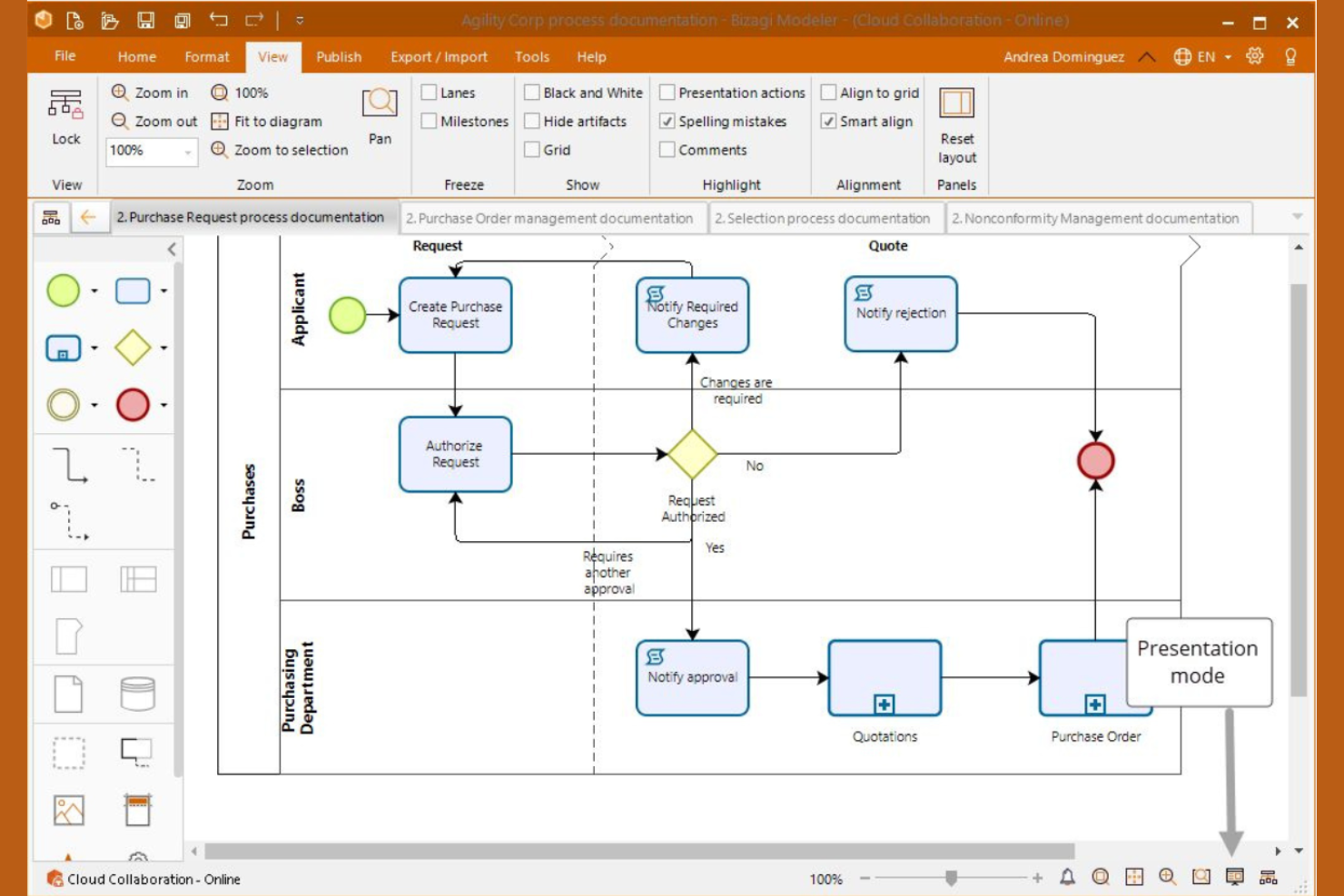
Bizagi Modeler is a business process management tool designed for organizations aiming to automate and optimize workflows. It's ideal for enterprises looking to improve operational efficiency through detailed process mapping and automation. The platform offers tools for modeling, execution, and monitoring of business processes.
Why I picked Bizagi Modeler: Bizagi Modeler is tailored for process improvement and automation, making it a strong choice for teams focused on streamlining operations. It’s a powerful standalone modeling component that lets you visualize and refine processes. When combined with the broader Bizagi platform, automation features help you implement changes and track performance.
Standout Features and Integrations:
Features include a drag-and-drop business process mapping interface that simplifies creating complex workflows. The simulation capabilities allow you to test processes before implementation. You can also access real-time analytics to monitor process flow performance.
Integrations include Microsoft SharePoint, SAP, Microsoft Azure, UiPath, Automation Anywhere, and more.
Pros and Cons
Pros:
- Contextual in-app commenting
- Supports process simulation
- Strong BPMN modeling and simulation
Cons:
- Complex setup process
- High resource consumption

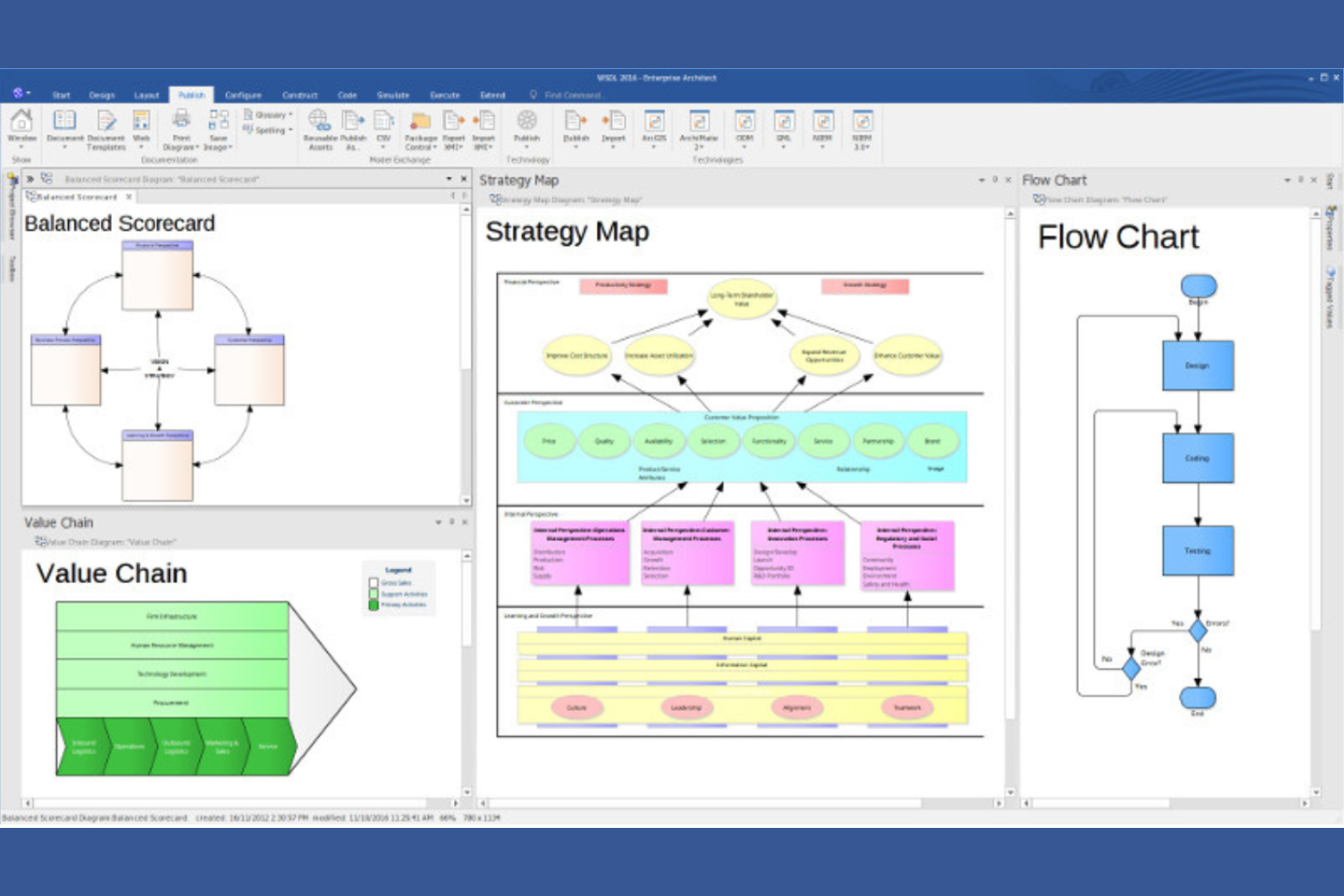
Enterprise Architect serves large organizations needing detailed modeling and visualization of complex systems. It's designed for enterprise architects and business analysts focused on aligning IT infrastructure with business goals. The platform supports a wide array of modeling languages and standards.
Why I picked Enterprise Architect: The tool provides a detailed modeling environment that supports UML, BPMN, and SysML, which are essential for complex system design. Its collaboration tools help your team work together on large-scale projects efficiently.
Standout Features and Integrations:
Features include a repository structure that supports version control and project management. The tool offers extensive reporting options to help you keep stakeholders informed. You can also use visual modeling tools to design and analyze complex systems.
Integrations include Microsoft Teams, SharePoint, Azure DevOps, Jira, Confluence, ServiceNow, and more.
Pros and Cons
Pros:
- Scalable for large enterprises
- Extensive reporting capabilities
- Supports multiple modeling languages
Cons:
- Non-standard UI layout
- Requires technical expertise
Other Process Mapping Software
Here are some additional process mapping software options that didn’t make it onto my shortlist but are still worth checking out:
- Process Street
For workflow documentation
- Kissflow
For project management
- Lucidchart
For visual collaboration
- Nintex
For process automation
- Microsoft Visio
For Microsoft ecosystem


Process Mapping Software Selection Criteria
When selecting the best process mapping software to include in this list, I considered common buyer needs and pain points like ease of use and integration capabilities. I also used the following framework to keep my evaluation structured and fair:
Core Functionality (25% of total score)
To be considered for inclusion in this list, each solution had to fulfill these common use cases:
- Create process diagrams
- Map workflows
- Collaborate in real-time
- Export diagrams in various formats
- Customize templates
Additional Standout Features (25% of total score)
To help further narrow down the competition, I also looked for unique features, such as:
- Advanced analytics
- AI-driven suggestions
- Mobile app availability
- Integration with third-party tools
- Customizable automation
Usability (10% of total score)
To get a sense of the usability of each system, I considered the following:
- Intuitive user interface
- Minimal learning curve
- Responsive design
- Clear navigation
- Customizable dashboard
Onboarding (10% of total score)
To evaluate the onboarding experience for each platform, I considered the following:
- Availability of training videos
- Interactive product tours
- Access to templates
- Live webinars
- Chatbot assistance
Customer Support (10% of total score)
To assess each software provider’s customer support services, I considered the following:
- 24/7 support availability
- Multichannel support options
- Response time
- Knowledge base access
- Personalized assistance
Value For Money (10% of total score)
To evaluate the value for money of each platform, I considered the following:
- Competitive pricing
- Feature set vs. cost
- Flexible pricing plans
- Free trial availability
- Long-term cost benefits
Customer Reviews (10% of total score)
To get a sense of overall customer satisfaction, I considered the following when reading customer reviews:
- User satisfaction ratings
- Feedback on reliability
- Comments on feature usefulness
- Insights on support experiences
- Overall value perception
How To Choose Process Mapping Software
It’s easy to get bogged down in long feature lists and complex pricing structures. To help you stay focused as you work through your unique software selection process, here’s a checklist of factors to keep in mind:
| Factor | What To Consider |
|---|---|
| Scalability | Can the software grow with your business? Look for options that support increasing users and processes without a hitch. Consider future growth and whether the tool can handle it. |
| Integrations | Does it connect with your existing tools? Check compatibility with your current systems, such as CRM, ERP, or project management tools, to avoid workflow disruptions. |
| Customizability | Can you tailor the software to fit your needs? Look for tools that let you modify workflows, templates, and dashboards to match your unique processes. |
| Ease of Use | Is it user-friendly for your team? Evaluate the learning curve and whether your team can adopt it quickly without extensive training. |
| Implementation and Onboarding | How smooth is the setup process? Consider the time and resources needed to get up and running. Look for tools with guided onboarding and ample support. |
| Cost | Does it fit your budget? Compare pricing models—monthly vs. annual, per user vs. flat rate. Be wary of hidden fees or costs that might not be obvious. |
| Security Safeguards | Are your data protected? Ensure the software meets industry standards for data protection, such as encryption and regular security audits. |
| Support Availability | Is help available when you need it? Consider the vendor's support channels and hours. Look for 24/7 support if your team operates in different time zones. |
What Is Process Mapping Software?
Process mapping software helps visualize and organize workflows and processes. It is a tool that is typically used by professionals like business analysts, project managers, and operations managers to improve efficiency and clarity.
Drag-and-drop interfaces, real-time collaboration, and customizable templates help with creating and managing process maps. Overall, these tools simplify complex processes and improve team communication.
Features
When selecting process mapping software, keep an eye out for the following key features:
- Drag-and-drop interface: Allow users to create and modify process maps regardless of their technical skill level, improving accessibility.
- Real-time collaboration: Enable multiple users to work on the same process map simultaneously, improving team communication and efficiency.
- Customizable templates: Provide pre-designed process map templates that can be tailored to fit specific business needs, saving time and effort.
- Integration capabilities: Connect with other business tools like CRM and ERP systems, ensuring uninterrupted data flow and reducing manual input.
- Automation support: Reduce repetitive tasks, allowing users to focus on more strategic work and increasing productivity.
- Analytics and reporting: Offer insights into process performance, helping users identify bottlenecks and optimize workflows.
- Scalability: Support growing businesses by allowing for an increase in users and processes without compromising performance.
- Security safeguards: Ensure data protection through encryption and compliance with industry standards, providing peace of mind.
- User-friendly navigation: Make it easy for users to find and access features, reducing the learning curve and promoting adoption.
Benefits
Process mapping software provides several benefits for your team and your business. Here is some of what you can look forward to:
- Improved efficiency: Automation tools reduce manual tasks, allowing your team to focus on higher-value activities.
- Greater collaboration: Real-time collaboration features ensure everyone is on the same page, improving teamwork and communication.
- Better process visibility: Customizable templates and drag-and-drop interfaces help visualize workflows, making processes clearer for everyone involved.
- Informed decision-making: Documentation of your processes enables analytics and reporting that can provide insights into performance, helping your team identify areas for improvement.
- Time savings: User-friendly navigation and customizable templates speed up the creation and modification of process maps.
Costs and Pricing
Selecting process mapping software requires an understanding of the various pricing models and plans available. Costs vary based on features, team size, add-ons, and more. The table below summarizes common plans, their average prices, and typical features included in process mapping software solutions:
Plan Comparison Table for Process Mapping Software
| Plan Type | Average Price | Common Features |
|---|---|---|
| Free Plan | $0 | Basic diagram creation, limited templates, and community support. |
| Personal Plan | $5-$25/user/month | Advanced templates, basic integrations, and limited automation features. |
| Business Plan | $25-$50/user/month | Full integrations, real-time collaboration, and analytics and reporting tools. |
| Enterprise Plan | $50-$100/user/month | Customizable workflows, advanced security, dedicated support, and unlimited users. |
Process Mapping Software FAQs
Here are some answers to common questions about process mapping software:
What is process mapping software used for?
Process mapping software is used to visualize and document workflows and processes. It helps your team understand how tasks are connected and identify areas for improvement. By creating visual diagrams, you can see bottlenecks and inefficiencies, making it easier to simplify operations and increase productivity.
Can process mapping software integrate with other tools?
Yes, most process mapping software can integrate with other tools like CRM systems, project management apps, and cloud storage services. This integration ensures a flow of information across platforms, reducing manual data entry and improving efficiency. Check the software’s integration capabilities to ensure it meets your team’s specific needs.
Is process mapping software suitable for small businesses?
Yes, process mapping software is suitable for small businesses. It helps small teams organize workflows and improve efficiency without needing extensive resources. Many software options offer pricing plans that fit smaller budgets, allowing you to benefit from advanced features without a high investment.
How do I choose the right process mapping software for my team?
To choose the right process mapping software, evaluate your team’s specific needs and workflows. Consider factors like ease of use, integration capabilities, and scalability. Test different options with free trials to see which one aligns best with your processes. Prioritize tools that offer the features you need at a price that fits your budget.
What’s Next:
If you're in the process of researching process mapping software, connect with a SoftwareSelect advisor for free recommendations.
You fill out a form and have a quick chat where they get into the specifics of your needs. Then you'll get a shortlist of software to review. They'll even support you through the entire buying process, including price negotiations.