
17 Best Microsoft Whiteboard Alternatives in 2026

Microsoft Whiteboard Alternatives Shortlist
Here’s my shortlist of the best Microsoft Whiteboard alternatives:


A strong Microsoft Whiteboard alternative gives your team a flexible virtual whiteboard, a robust collaboration platform, and integrations that fit your workflow, whether on Windows or macOS. If you’re searching for an online whiteboard like Conceptboard or another whiteboard tool, you likely need advanced whiteboard features, integrated task management, or a modern user interface with a gentle learning curve. This list will help you compare the top whiteboard software for 2026, so you can find a user-friendly solution that matches your team’s style, supports critical decision-making, and adapts to the way you work.
What Is Microsoft Whiteboard?
Microsoft Whiteboard is a free-form whiteboard platform from Microsoft, easily accessible via a free version. It lets individuals and remote teams draw, write, add sticky notes, and share ideas in real time, making visualization for planning or retrospectives seamless. Microsoft Whiteboard integrates directly with Microsoft 365 apps, ensuring high ease of use alongside Teams and OneNote. It’s designed for brainstorming, planning, and visual collaboration across devices.
Best Microsoft Whiteboard Alternatives Summary
This comparison chart summarizes pricing details for my top Microsoft Whiteboard alternative selections to help you find the best one for your budget and business needs.
| Tool | Best For | Trial Info | Price | ||
|---|---|---|---|---|---|
| 1 | Best with design tool integrations | Free plan available | From $3/user/month (billed annually) | Website | |
| 2 | Best for https://www.collaboard.app/-focused collaboration | Free plan available | From $5/user/month | Website | |
| 3 | Best for real-time video explanations | Free plan available | From $69/year | Website | |
| 4 | Best for organizing complex information | Free to use | Free to use | Website | |
| 5 | Best for structured meeting workflows | 30-day free trial + free plan + free demo available | From $8.33/user/month (billed annually) | Website | |
| 6 | Best for interactive content sharing | Free plan available | From $11.61/month | Website | |
| 7 | Best for advanced visual collaboration templates | Free trial + free demo available | From $9.99/user/month (billed annually) | Website | |
| 8 | Best for wireframing and UI planning | Free plan available | From $14/month (billed annually) | Website | |
| 9 | Best for natural drawing experience | Free plan available | From $5/month | Website | |
| 10 | Best for quick creative brainstorming | Free plan available | From $19/person/month | Website |
Why You Can Trust Us
We’ve been testing and reviewing project management software since 2012. As project managers ourselves, we know how critical and difficult it is to make the right decision when selecting software.
We invest in deep research to help our audience make better software purchasing decisions. We’ve tested more than 2,000 tools for different project management use cases and written over 1,000 comprehensive software reviews. Learn how we stay transparent & our software review methodology.
-

Accelo
Visit WebsiteThis is an aggregated rating for this tool including ratings from Crozdesk users and ratings from other sites.4.4 -
Wrike
Visit WebsiteThis is an aggregated rating for this tool including ratings from Crozdesk users and ratings from other sites.4.2 -
monday.com
Visit WebsiteThis is an aggregated rating for this tool including ratings from Crozdesk users and ratings from other sites.4.6





Microsoft Whiteboard Alternatives Reviews
Below are my detailed summaries of the best Microsoft Whiteboard alternatives that made it onto my shortlist. My reviews offer a detailed look at the features, best use cases, and integrations of each platform to help you find the best one for you.

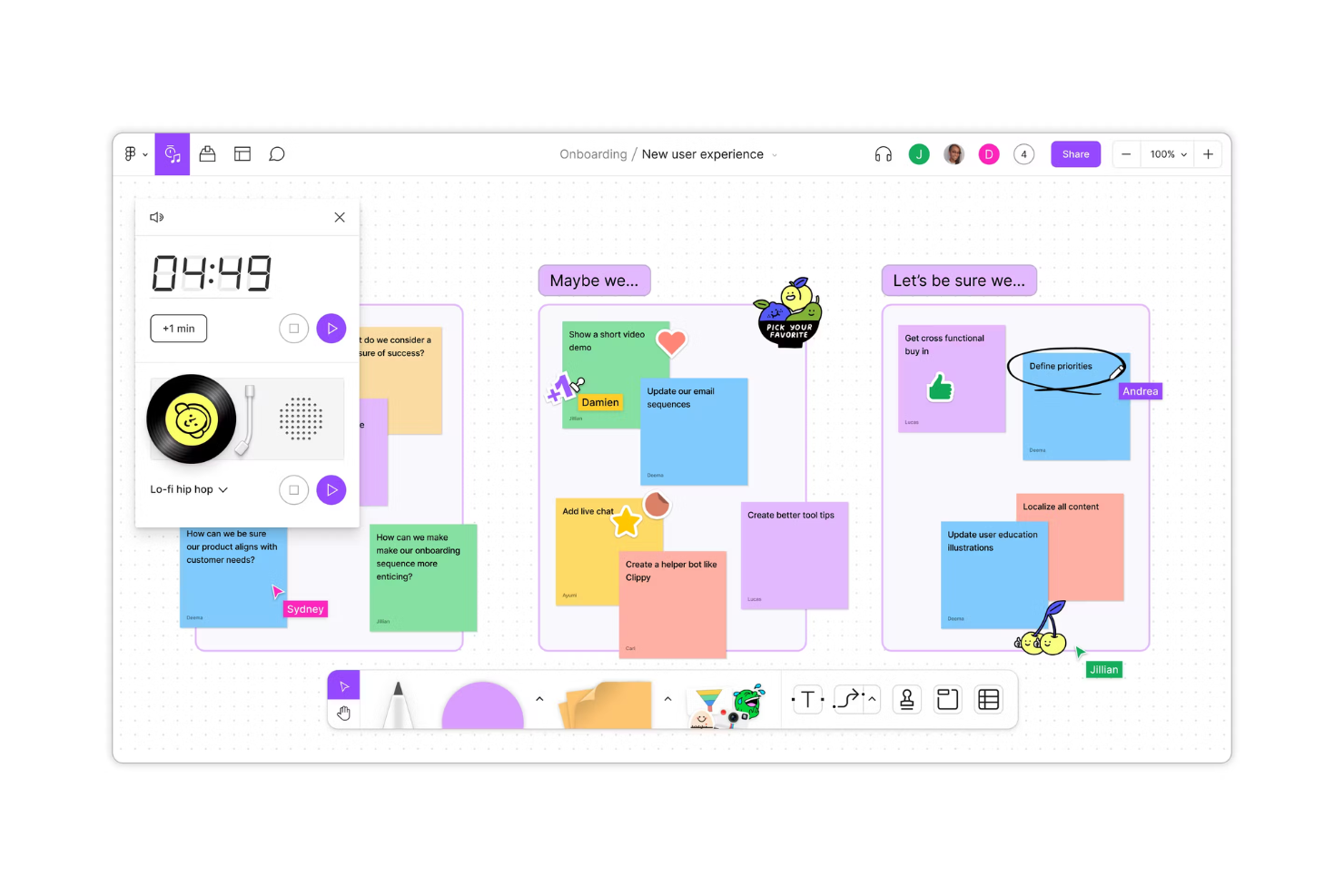
Design and product teams looking for a collaborative whiteboard that connects directly with their design workflow often turn to FigJam. The tool is tightly integrated with Figma, making it easy to move between brainstorming, diagramming, and prototyping without switching platforms. FigJam is especially useful for teams that want to bring design files, feedback, and ideation together in one visual space.
Why FigJam Is a Good Microsoft Whiteboard Alternative
For teams that need a digital canvas tightly connected to their design tools, FigJam is a natural fit. I picked FigJam because it lets you embed live Figma files directly into your boards, so you can reference or update designs in real time during workshops or reviews. The tool also supports interactive widgets and sticky notes, making it easy to capture feedback and ideas right alongside your design assets. This level of integration helps design-driven teams keep their collaboration and creative work in sync without jumping between platforms.
FigJam Key Features
Some other features in FigJam that help teams collaborate visually include:
- Audio Chat: Start live voice conversations directly within the canvas for real-time discussions.
- Emoji Reactions: Use emoji and stamps to quickly react to ideas or highlight feedback during sessions.
- Pre-built Templates: Access a library of templates for brainstorming, diagramming, and agile ceremonies.
- Timer Tool: Set a countdown timer on the board to keep workshops and activities on track.
FigJam Integrations
Integrations include Figma, Microsoft Teams, Slack, Asana, Jira, and Notion.
Pros and Cons
Pros:
- Excellent plugins library
- Fast performance on web
- Better vector drawing
Cons:
- Costly for non-designers
- Focused heavily on design

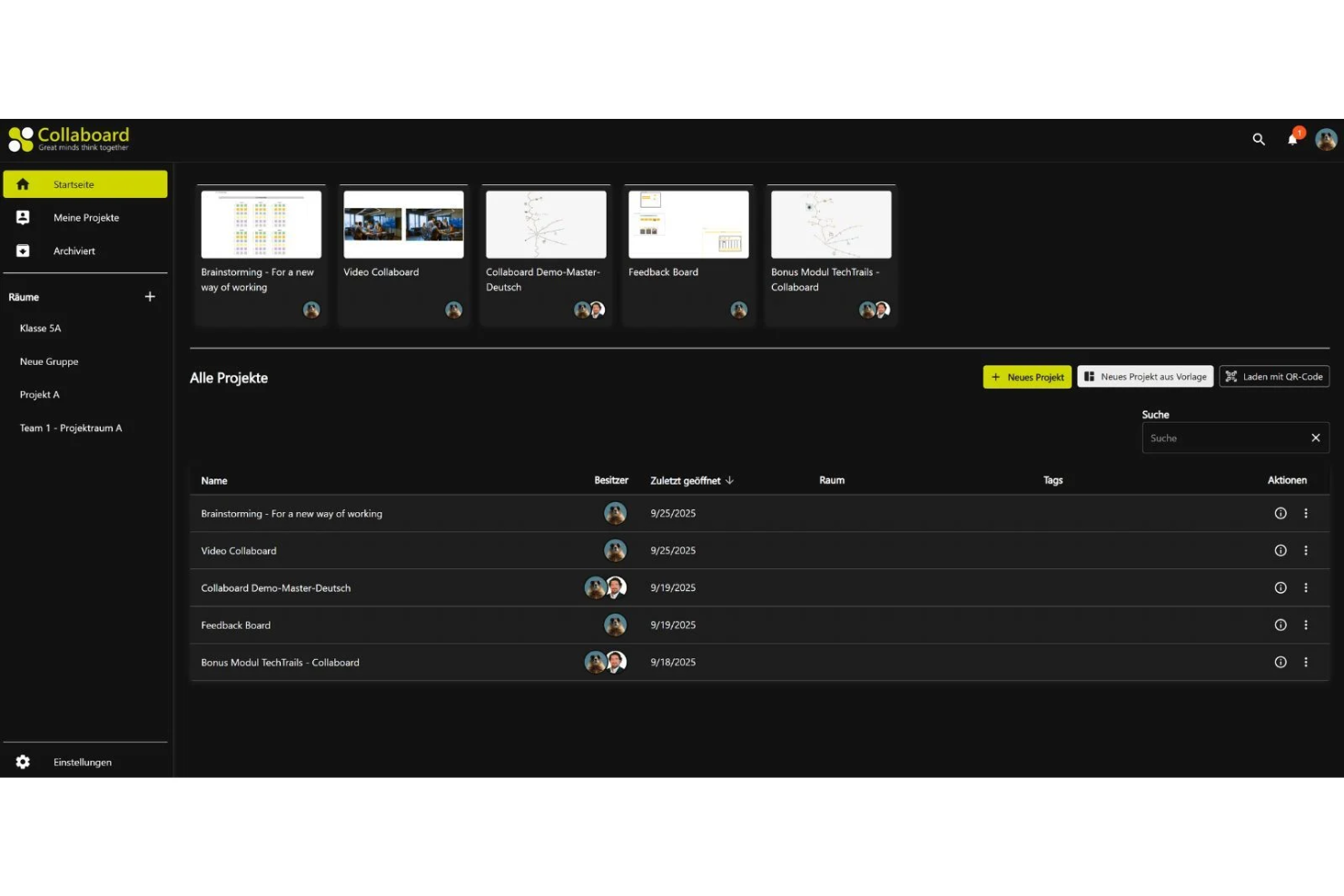
For teams that need strict data privacy while collaborating visually, Collaboard offers a secure digital whiteboard environment. It’s a strong fit for organizations in regulated industries, public sector, or any group with sensitive information to protect during brainstorming and planning. Collaboard stands out by offering on-premises hosting and advanced data control options that go beyond what most cloud-based whiteboards provide.
Why Collaboard Is a Good Microsoft Whiteboard Alternative
If privacy is your top concern, Collaboard offers a level of data protection that’s hard to match in this space. I picked Collaboard because it lets you choose on-premises or private cloud hosting, so your sensitive brainstorming sessions never leave your organization’s control. The platform also includes granular user permissions and compliance with strict data privacy standards, which is especially important for regulated industries. These features make Collaboard a strong choice for teams that can’t compromise on security while collaborating visually.
Collaboard Key Features
Some other features in Collaboard that help teams collaborate and organize ideas include:
- Video Conferencing Integration: Start video calls directly within your whiteboard workspace for live discussions.
- Templates Library: Access a range of pre-built templates for mind mapping, project planning, and workshops.
- Sticky Notes and Shapes: Add sticky notes, shapes, and connectors to visually organize thoughts and workflows.
- PDF and Image Import: Upload and annotate PDFs or images directly on the canvas for richer collaboration.
Collaboard Integrations
Integrations include Microsoft Teams, Webex, Nextcloud, XWiki, and Jira.
Pros and Cons
Pros:
- Secure external sharing
- Good map integrations
- High data security focus
Cons:
- Higher self-hosting cost
- No native Office suite

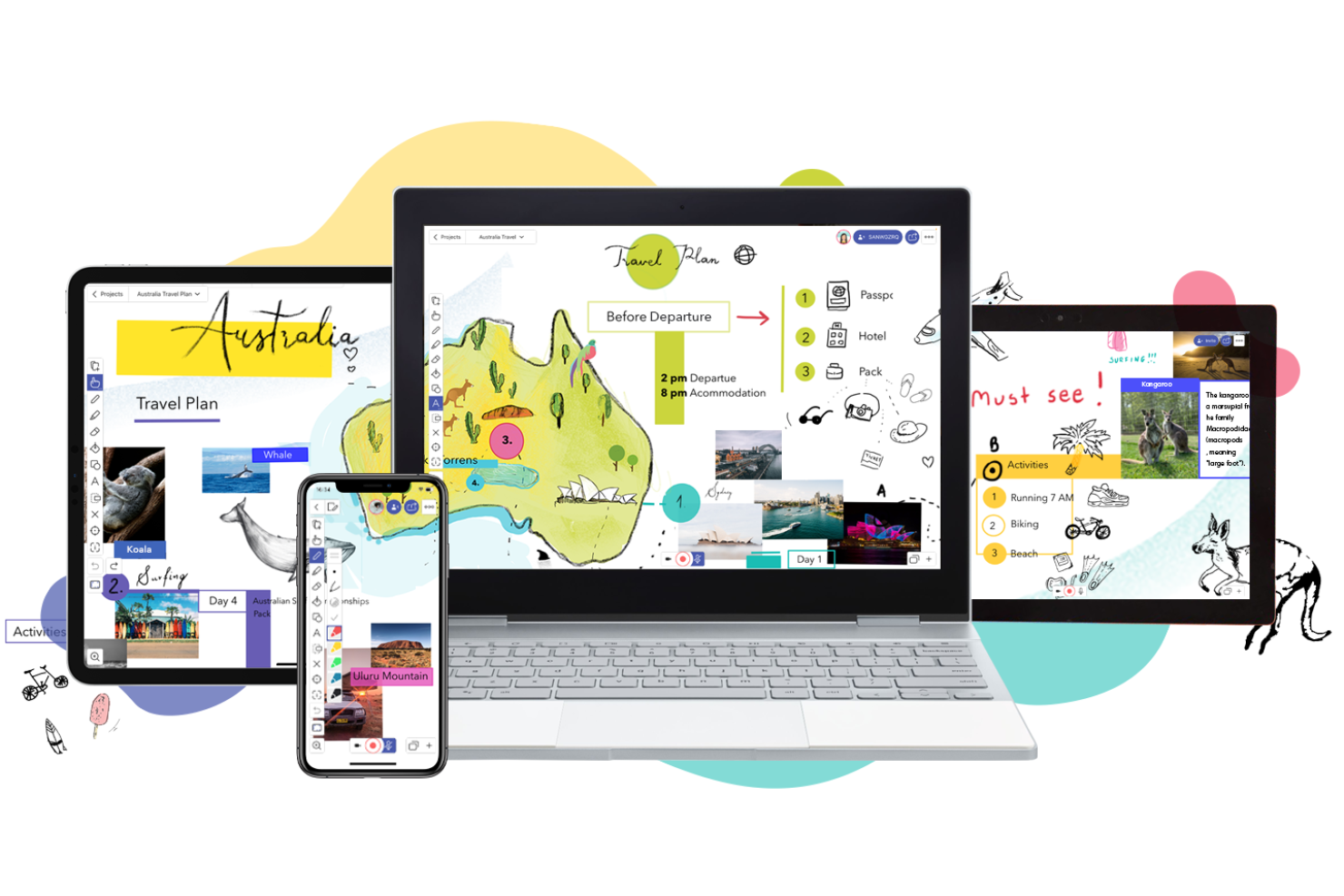
If you’re looking to create interactive video explanations or live visual walkthroughs, Explain Everything gives you a collaborative whiteboard with built-in recording tools. This platform is especially useful for trainers, educators, and teams who need to present ideas visually and capture the process in real time. Unlike Microsoft Whiteboard, Explain Everything lets you record, annotate, and share dynamic video sessions directly from your canvas.
Why Explain Everything Is a Good Microsoft Whiteboard Alternative
For teams that need to create and share real-time video explanations, Explain Everything offers a unique set of tools that go beyond static whiteboarding. I picked Explain Everything because you can record your entire canvas activity—including drawing, moving objects, and adding voiceover—directly within the platform. The tool also supports live collaboration, so multiple users can contribute to a session while it’s being recorded. If you want a digital canvas that doubles as a video creation and presentation space, Explain Everything is a strong alternative to Microsoft Whiteboard.
Explain Everything Key Features
Some other features that make Explain Everything useful for collaborative work include:
- Infinite Canvas: Expand your workspace without limits to accommodate large projects or brainstorming sessions.
- Import and Export Options: Bring in files from PDF, PPT, images, and export your work in multiple formats.
- Handwriting Recognition: Convert handwritten notes into editable text directly on the canvas.
- Shape and Line Tools: Draw precise shapes and lines to structure diagrams and visual explanations.
Explain Everything Integrations
Integrations include Google Classroom, Canvas, Schoology, Moodle, Blackboard, and Microsoft Teams.
Pros and Cons
Pros:
- Good timeline editing
- Audio voiceover support
- Ideal for tutorials
Cons:
- Lacks deep MS Teams sync
- Pricey for pro features

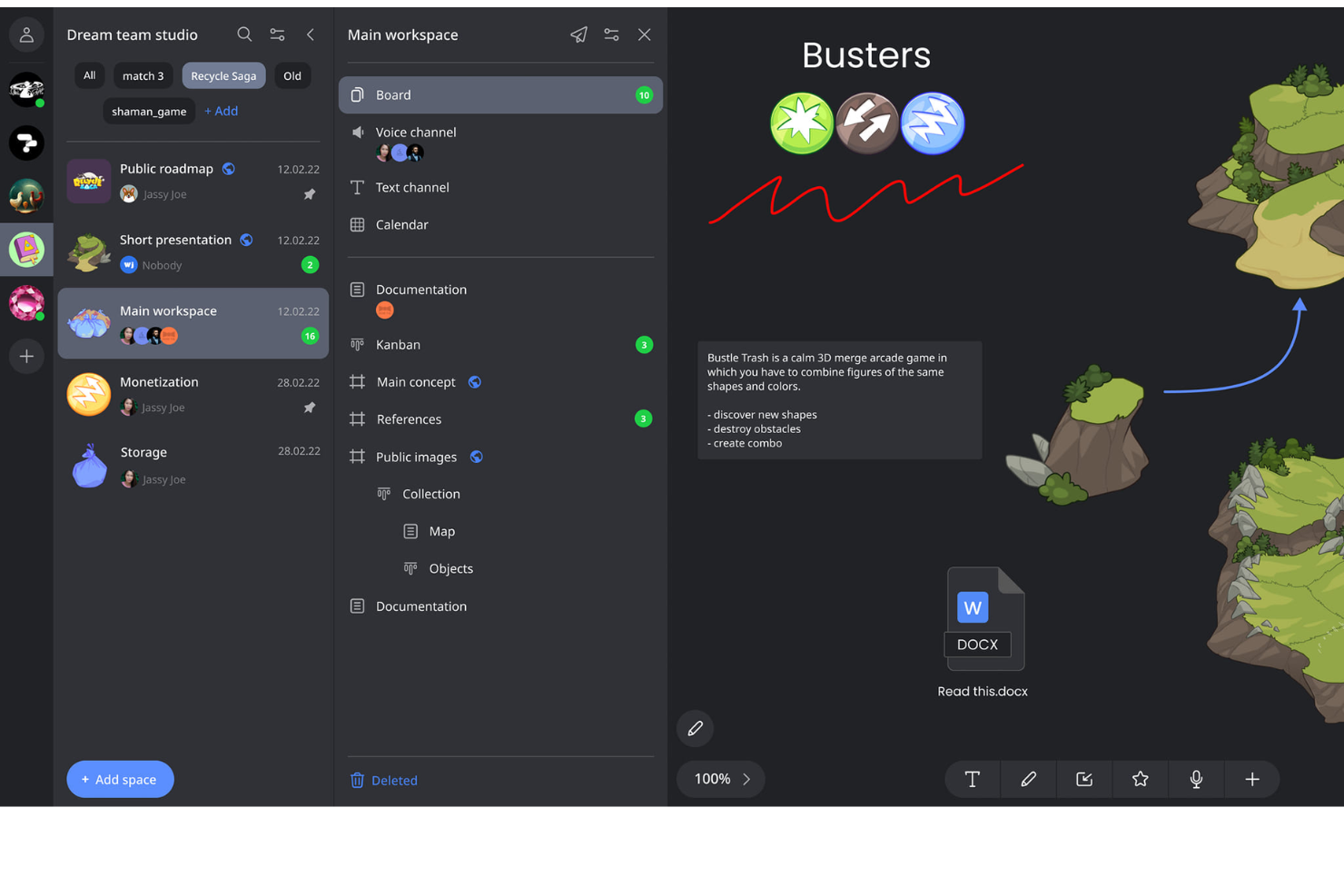
If you need to organize large volumes of information or map out complex projects, Weje offers a flexible digital canvas built for structure. This tool is a strong fit for project managers, researchers, and teams who need to connect documents, links, and visuals in one place. Unlike Microsoft Whiteboard, Weje lets you create multi-layered boards with nested cards, making it easier to manage intricate workflows and knowledge bases.
Why Weje Is a Good Microsoft Whiteboard Alternative
When you need to bring order to complex information, Weje stands out as a digital canvas built for structure and organization. I picked Weje because it lets you create boards with nested cards, so you can break down big topics into manageable pieces and link related content together. The tool also supports embedding documents, images, and web links directly onto your boards, which helps teams centralize research and resources. If you’re looking for a Microsoft Whiteboard alternative that handles layered information and knowledge mapping, Weje is a strong choice.
Weje Key Features
Some other features in Weje that help teams organize and collaborate include:
- Real-Time Collaboration: Multiple users can edit boards at the same time and see changes instantly.
- Mind Map Tool: Create visual mind maps to connect ideas and concepts across your workspace.
- Customizable Tags: Add tags to cards and boards for easier sorting and filtering of information.
- File Attachments: Upload and attach files directly to cards for quick access to supporting documents.
Weje Integrations
Integrations include Google Drive, Dropbox, OneDrive, Slack, Trello, Asana, Microsoft Teams, Evernote, Notion, and GitHub.
Pros and Cons
Pros:
- Good for mood boards
- Fast text entry flows
- Clean data grouping
Cons:
- Not for live sketching
- Small integration list

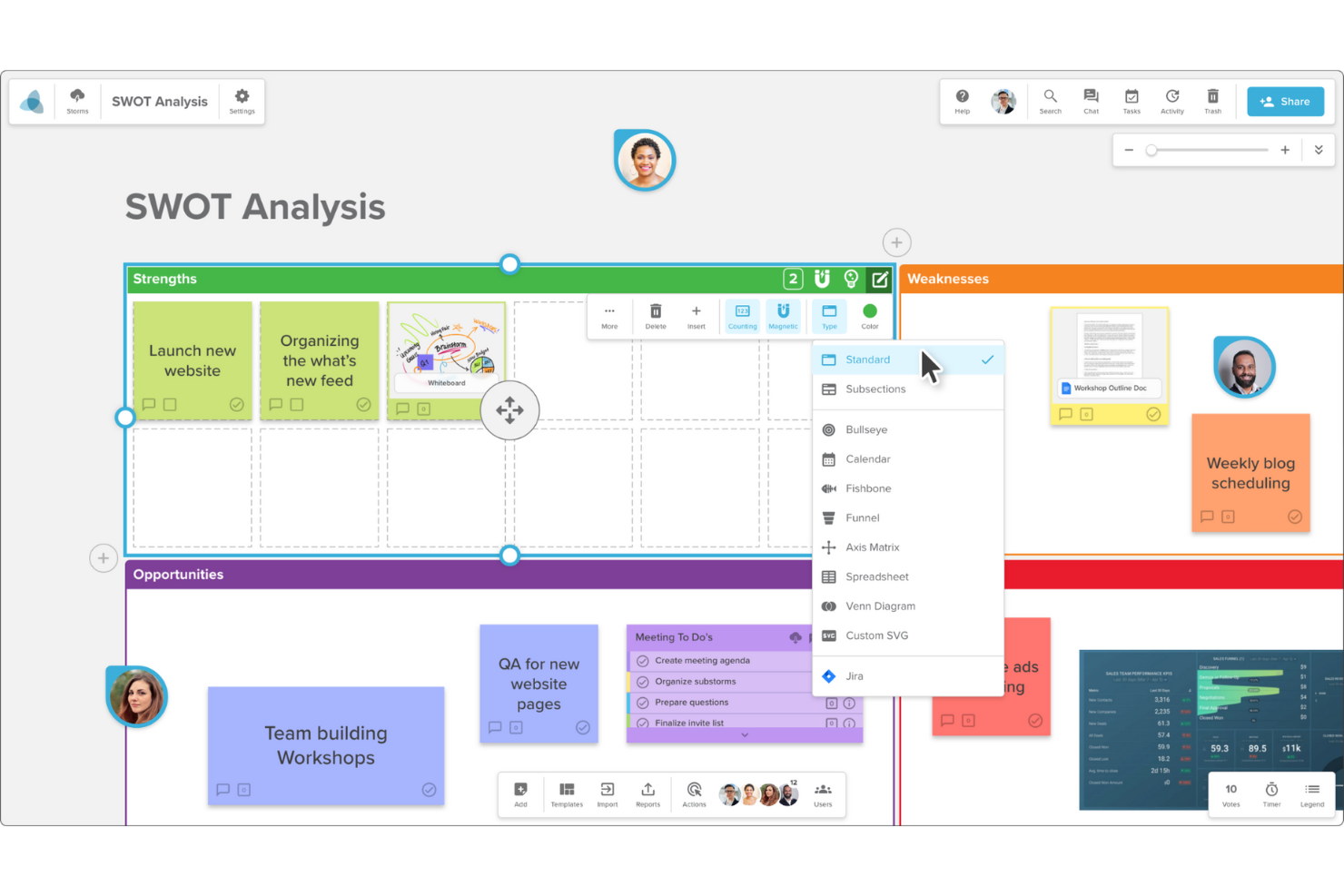
When your team needs more structure than a blank canvas, Stormboard offers a digital workspace designed for organized meetings and workshops. It’s especially useful for project managers, facilitators, and teams that want to guide brainstorming or planning sessions with templates and built-in workflows. Stormboard stands out by letting you capture, sort, and action meeting ideas in a way that’s tightly integrated with agenda-driven collaboration.
Why Stormboard Is a Good Microsoft Whiteboard Alternative
Unlike most digital whiteboards, Stormboard is built around structured meeting workflows that help teams move from brainstorming to action. I picked Stormboard because it offers agenda-driven templates and step-by-step meeting guides, making it easy to keep sessions focused and productive. The tool also lets you assign tasks and track decisions directly within the board, so nothing gets lost after the meeting ends. For teams that want more than just a blank canvas, Stormboard brings much-needed structure to collaborative work.
Stormboard Key Features
Some other features in Stormboard that help teams collaborate and organize information include:
- Sticky Notes and Index Cards: Add, move, and group digital sticky notes and index cards to capture and organize ideas visually.
- Voting and Dotmocracy Tools: Use built-in voting features to prioritize ideas and reach consensus quickly.
- Reporting and Export Options: Generate detailed reports and export boards to formats like PDF, Word, or Excel for easy sharing.
- Real-Time Collaboration: Collaborate with team members simultaneously, seeing updates and changes as they happen.
Stormboard Integrations
Integrations include Microsoft Teams, Slack, Jira, Azure DevOps, and Rally.
Pros and Cons
Pros:
- Great for agile planning
- Better export to Excel
- Easy task assignments
Cons:
- Feels less like a canvas
- Not ideal for sketching

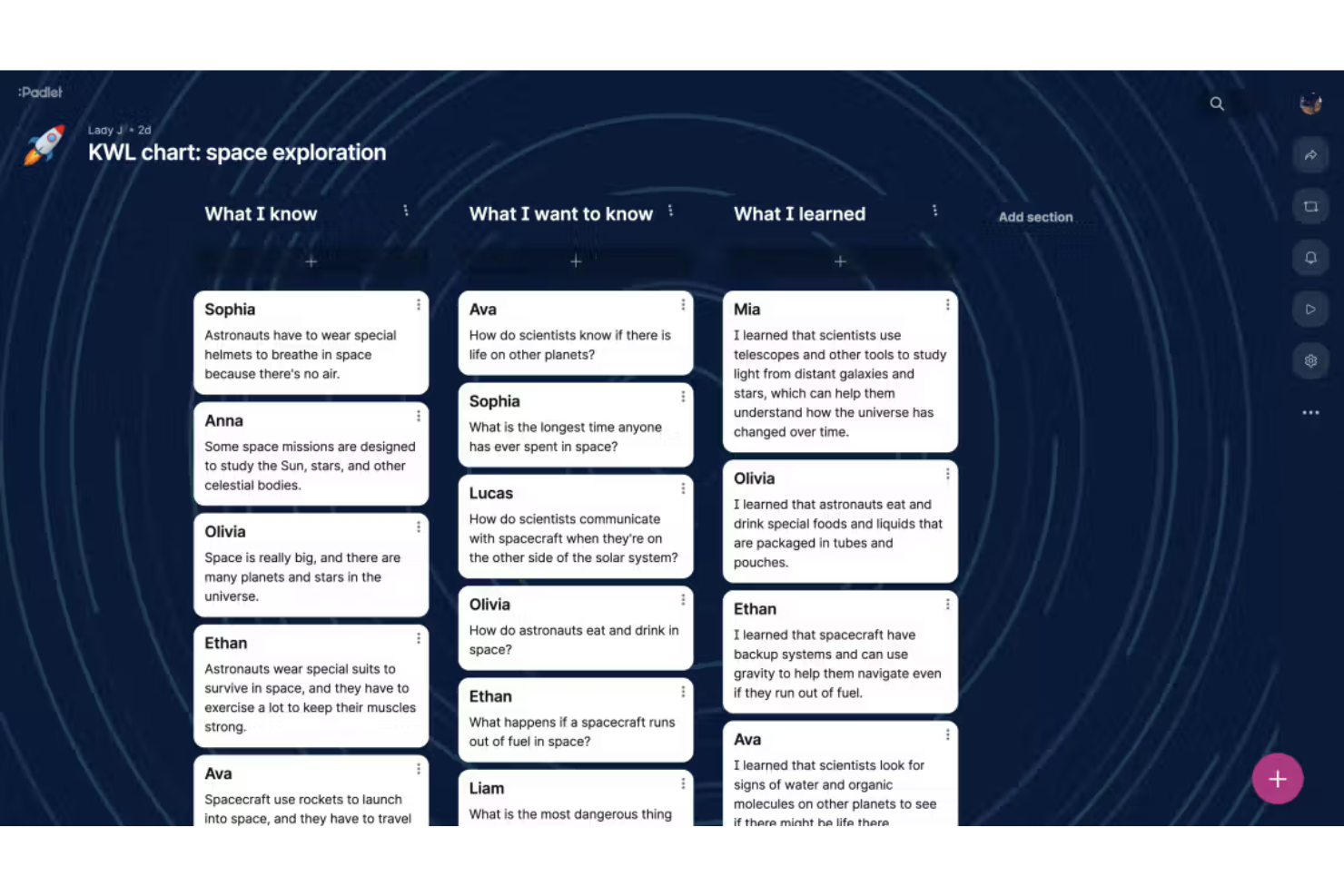
If your team needs a digital canvas that makes sharing interactive content simple, Padlet is worth a look. It’s especially popular with educators, creative teams, and facilitators who want to collect, organize, and display a wide range of media in one place. Padlet stands out by letting users embed videos, images, links, and documents directly onto boards, making collaboration visually engaging and highly interactive.
Why Padlet Is a Good Microsoft Whiteboard Alternative
Padlet takes interactive content sharing to another level, making it a strong choice for teams that want more than just drawing and sticky notes. I picked Padlet because it lets you embed videos, images, audio, and documents directly onto your boards, so collaboration goes beyond text and sketches. The tool also supports real-time commenting and reactions, which helps teams gather feedback and spark discussion right on the canvas. If you’re looking for a digital whiteboard that’s built for sharing and engaging with rich media, Padlet is a clear alternative to Microsoft Whiteboard.
Padlet Key Features
Some other features in Padlet that help teams organize and present information include:
- Multiple Board Layouts: Choose from grid, stream, shelf, map, and timeline layouts to structure your content visually.
- Custom Branding: Add your organization’s logo and colors to personalize boards for your team or audience.
- Moderation Tools: Approve posts before they appear and manage user permissions for secure collaboration.
- QR Code Sharing: Instantly generate QR codes to share boards with participants for quick access.
Padlet Integrations
Integrations include Zapier, Safari, Firefox, Chrome, Microsoft Edge, iOS, and Android.
Pros and Cons
Pros:
- Quick link sharing
- Fun wallpaper options
- Very intuitive layout
Cons:
- Limited free tier boards
- Weak Teams integration

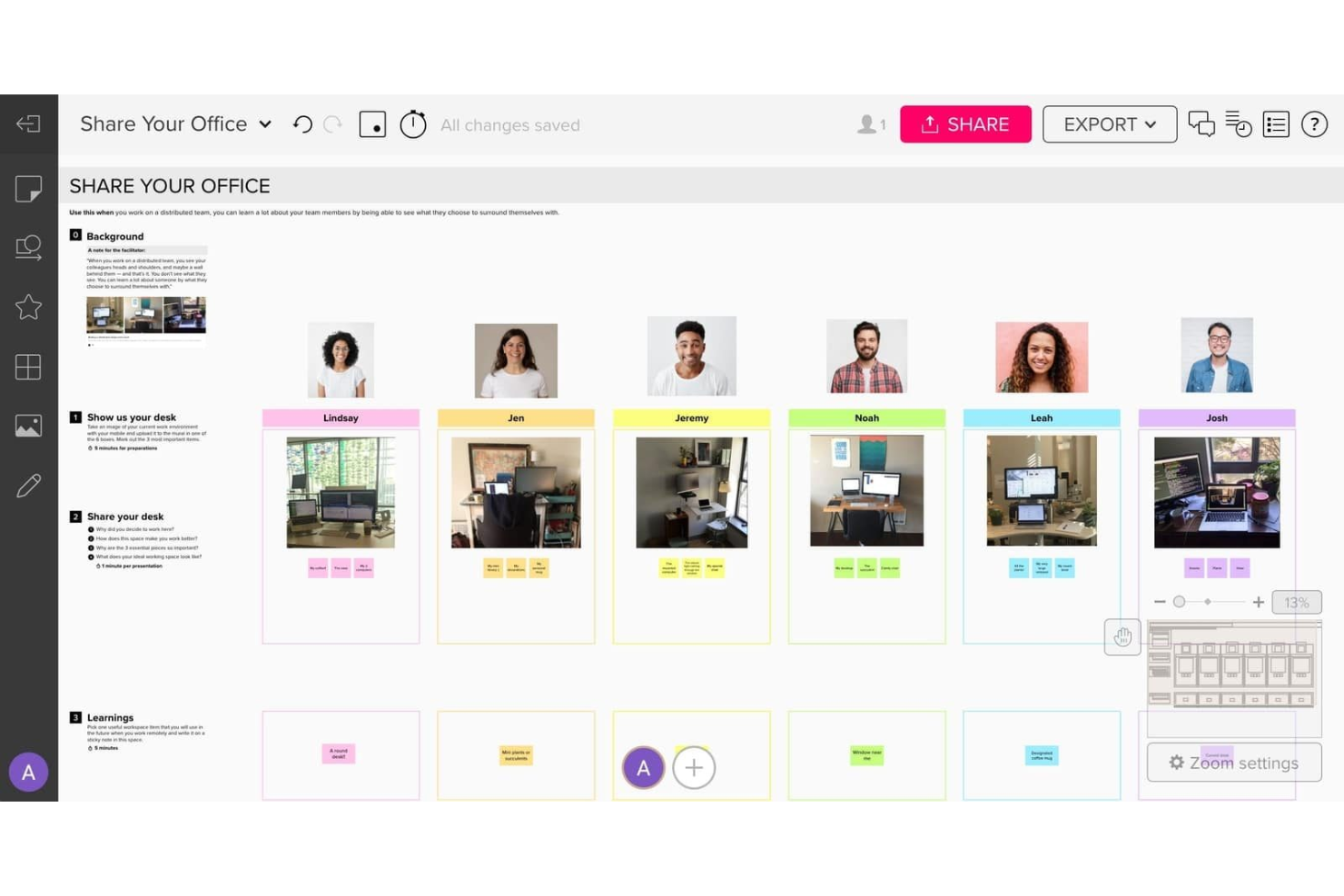
If your team needs advanced visual collaboration templates, Mural offers a flexible digital workspace designed for creative professionals and cross-functional teams. The platform stands out with its extensive template library and facilitation features that support structured workshops, design sprints, and brainstorming sessions. Mural is a strong fit for organizations that want more guided collaboration than Microsoft Whiteboard provides.
Why Mural Is a Good Microsoft Whiteboard Alternative
Mural stands out for its advanced visual collaboration templates, which go far beyond what Microsoft Whiteboard offers. I picked Mural because its template library covers everything from agile ceremonies to design thinking, making it easy to kick off structured sessions. The platform also includes built-in facilitation tools like voting, timers, and private mode to guide group activities. These features help teams move from brainstorming to action with more structure and clarity than most digital canvases provide.
Mural Key Features
Some other features in Mural that are useful for digital collaboration include:
- Infinite Canvas: The workspace expands as you add content, so you never run out of room for ideas or diagrams.
- Sticky Notes and Drawing Tools: Add color-coded sticky notes, freehand drawings, and shapes to organize and visualize information.
- Content Export Options: Export boards as PDFs, images, or templates to share outcomes or reuse frameworks.
- Guest Access: Invite external collaborators to specific boards without requiring them to create an account.
Mural Integrations
Integrations include Microsoft Teams, Slack, Jira, Webex, Zoom, and Asana.
Pros and Cons
Pros:
- Anonymous mode for inputs
- Built-in timer controls
- More complex diagramming
Cons:
- Overkill for simple tasks
- More expensive per user

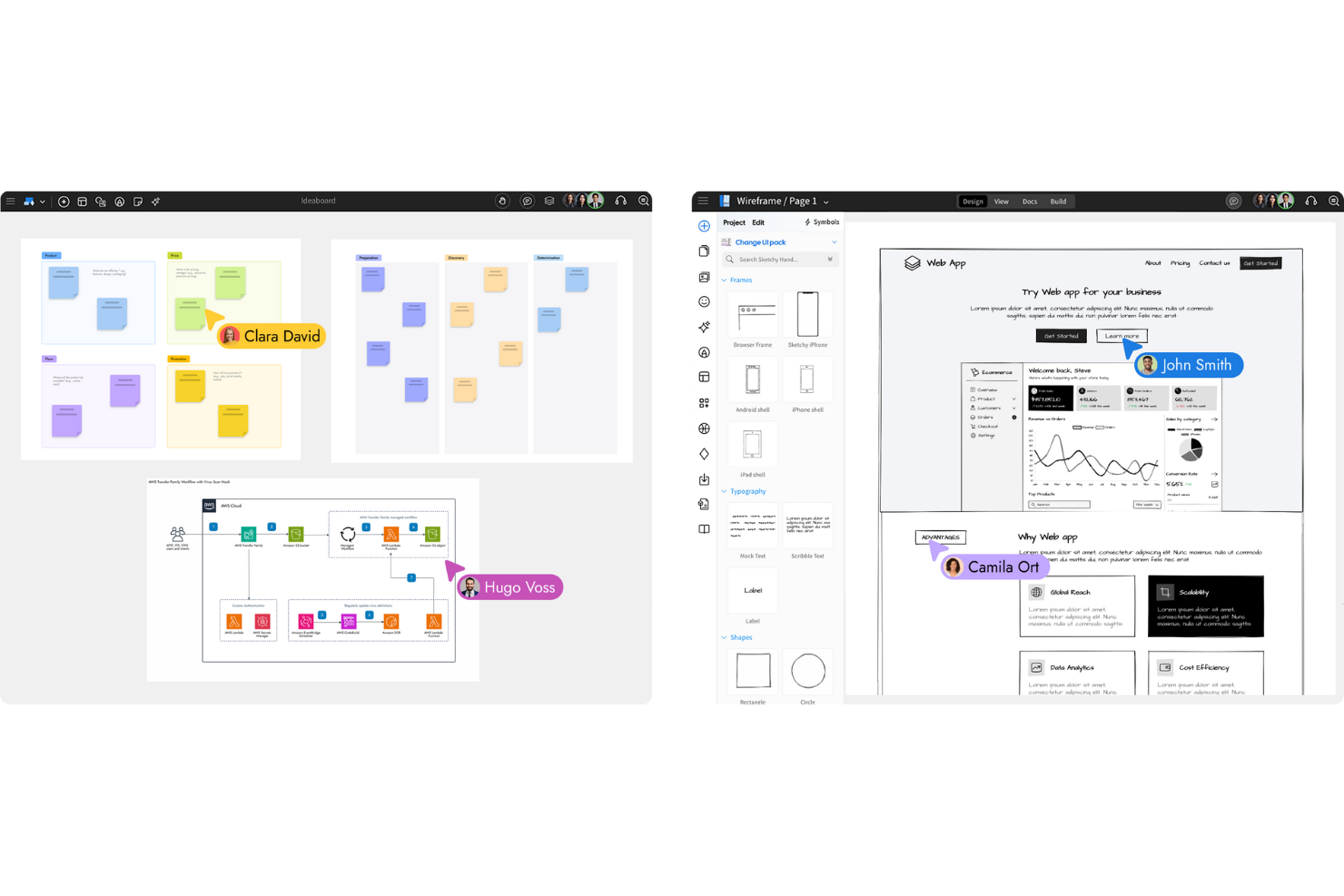
If your team needs a dedicated space for wireframing and UI planning, MockFlow is built for that purpose. Product managers, UX designers, and developers use it to map out user flows and interface layouts with specialized tools and templates. Unlike Microsoft Whiteboard, MockFlow offers a structured environment for creating, organizing, and iterating on detailed wireframes and design systems.
Why MockFlow Is a Good Microsoft Whiteboard Alternative
For teams focused on wireframing and UI planning, MockFlow offers a purpose-built environment that goes far beyond basic sketching. I picked MockFlow because it provides a library of ready-made UI components and templates, making it easy to create detailed wireframes for web and mobile apps. The platform also supports design system management, so you can maintain consistency across multiple projects and teams. If you need a digital canvas that’s tailored for structured interface design rather than open-ended brainstorming, MockFlow is a strong alternative to Microsoft Whiteboard.
MockFlow Key Features
Some other features that make MockFlow useful for digital canvas work include:
- Real-Time Collaboration: Multiple users can edit and comment on wireframes at the same time.
- Revision History: Track changes and restore previous versions of your wireframes.
- Export to Multiple Formats: Download wireframes as PNG, PDF, or HTML files for sharing or documentation.
- Custom Component Creation: Build and reuse your own UI components across different projects.
MockFlow Integrations
Integrations include Slack, Microsoft Teams, Jira, Trello, Confluence, and Google Workspace.
Pros and Cons
Pros:
- Easy prototype sharing
- Revision history tracking
- Great for app designers
Cons:
- Niche tool not general
- No MS Teams meeting link


Artists, designers, and teams who want a digital whiteboard that feels like drawing on paper often turn to Limnu. This tool stands out for its smooth, realistic sketching experience, making it ideal for brainstorming, visual thinking, and creative collaboration. Unlike Microsoft Whiteboard, Limnu’s canvas and drawing tools are designed to closely mimic the look and feel of traditional hand-drawn work.
Why Limnu Is a Good Microsoft Whiteboard Alternative
If you’re looking for a digital canvas that closely replicates the feel of drawing on real paper, Limnu is worth considering. I picked Limnu because its brush and pen tools offer smooth, pressure-sensitive strokes that make sketching and handwriting feel natural. The platform’s infinite canvas lets you freely expand your workspace, which is especially useful for brainstorming and visual mapping. For anyone who values a lifelike drawing experience in their collaboration software, Limnu stands out as a strong alternative to Microsoft Whiteboard.
Limnu Key Features
Some other features that make Limnu appealing for collaborative teams include:
- Team Boards: Create shared boards for group brainstorming and ongoing projects.
- Board History: Access previous versions of your boards to review or restore past work.
- Sticky Notes: Add digital sticky notes anywhere on the canvas for quick ideas or comments.
- Guest Access: Invite collaborators to join boards without requiring them to create an account.
Limnu Integrations
Integrations include Slack, Microsoft Teams, Zoom, Google Drive, Dropbox, Trello, Asana, Jira, Miro, and Notion.
Pros and Cons
Pros:
- Great for quick sketches
- Very simple interface
- Instant board sharing
Cons:
- Missing task management
- Weak text formatting

If you want a whiteboard that makes creative brainstorming fast and visually engaging, Canva Whiteboards is worth a look. The tool is especially appealing to marketing teams, educators, and anyone who needs to combine visuals, templates, and free-form ideas on a single canvas. Canva Whiteboards stands out for its drag-and-drop design elements and access to a huge library of graphics, making it easy to turn rough ideas into polished visual plans.
Why Canva Whiteboards Is a Good Microsoft Whiteboard Alternative
When you need to jump into a creative session and get ideas flowing quickly, Canva Whiteboards offers a unique advantage. I picked Canva Whiteboards because it gives you instant access to thousands of templates, images, and design elements that you can drag right onto your canvas. The tool also supports real-time collaboration, so your team can brainstorm, sketch, and organize ideas together without any setup delays. This makes Canva Whiteboards especially useful for teams that want to move from concept to visual plan in just a few minutes.
Canva Whiteboards Key Features
Some other features in Canva Whiteboards that help teams collaborate and organize ideas include:
- Sticky Notes: Add colorful sticky notes anywhere on the canvas to capture thoughts or feedback.
- Infinite Canvas: Expand your workspace as much as you need without running out of room.
- Drawing Tools: Use freehand drawing and annotation tools to sketch or highlight directly on the board.
- Commenting: Leave threaded comments on any element for targeted feedback and discussion.
Canva Whiteboards Integrations
Integrations include Slack, Microsoft Teams, Google Drive, Dropbox, Zoom, Trello, Asana, Miro, Notion, and Figma.
Pros and Cons
Pros:
- Good for marketing teams
- Great typography options
- Better presentation modes
Cons:
- Missing MS auth sync
- Cluttered UI for drawing
Other Microsoft Whiteboard Alternatives
Here are some additional Microsoft Whiteboard alternative options that didn’t make it onto my shortlist, but are still worth checking out:
- Frameable Whiteboard
With Microsoft Teams integration
- Whiteboard.fi
For instant classroom engagement
- Miro
For large-scale team collaboration
- Lucidspark
With visual ideation tools
- Boardmix
For workflow process mapping
- OpenBoard
For open-source classroom use
- Lessonspace
For remote tutoring sessions


Microsoft Whiteboard Alternatives Selection Criteria
When selecting the best Microsoft Whiteboard alternatives to include in this list, I considered common buyer needs and pain points related to free‑form digital canvas and collaboration software products, like supporting structured wireframing and enabling real-time team collaboration. I also used the following framework to keep my evaluation structured and fair:
Core Functionality (25% of total score)
To be considered for inclusion in this list, each solution had to fulfill these common use cases:
- Create and edit digital whiteboards
- Collaborate with multiple users in real time
- Add sticky notes, shapes, and connectors
- Share boards with team members or guests
- Export boards to common file formats
Additional Standout Features (25% of total score)
To help further narrow down the competition, I also looked for unique features, such as:
- Built-in wireframing and prototyping tools
- Design system management capabilities
- Advanced permission and access controls
- Integration with project management platforms
- AI-powered diagram or content suggestions
Usability (10% of total score)
To get a sense of the usability of each system, I considered the following:
- Clean and intuitive interface design
- Minimal clicks to access core features
- Responsive performance with large boards
- Customizable workspace layouts
- Accessibility for users with disabilities
Onboarding (10% of total score)
To evaluate the onboarding experience for each platform, I considered the following:
- Availability of step-by-step product tours
- Access to training videos and documentation
- Pre-built templates for common use cases
- In-app chatbots or guided help
- Webinars or live onboarding sessions
Customer Support (10% of total score)
To assess each software provider’s customer support services, I considered the following:
- Multiple support channels (chat, email, phone)
- Fast response times to inquiries
- Access to a searchable knowledge base
- Community forums or user groups
- Availability of dedicated account managers
Value For Money (10% of total score)
To evaluate the value for money of each platform, I considered the following:
- Transparent and flexible pricing plans
- Features included in lower-tier plans
- Free plan or trial availability
- Discounts for annual billing or nonprofits
- No hidden fees or surprise charges
Customer Reviews (10% of total score)
To get a sense of overall customer satisfaction, I considered the following when reading customer reviews:
- Positive feedback on collaboration features
- Reports of reliable uptime and performance
- Comments on ease of adoption by teams
- Critiques of feature gaps or limitations
- Overall value and satisfaction ratings
Why Look For a Microsoft Whiteboard Alternative?
While Microsoft Whiteboard is a good choice of free‑form digital canvas and collaboration software, there are a number of reasons why some users seek out alternative solutions. You might be looking for a Microsoft Whiteboard alternative because…
- You need advanced wireframing or prototyping tools
- Your team collaborates across non-Microsoft platforms
- You require more granular access controls
- You want offline access to your boards
- Your organization needs integrations beyond Microsoft 365
- You need better support for large-scale workshops
If any of these sound like you, you’ve come to the right place. My list contains several free‑form digital canvas and collaboration software options that are better suited for teams facing these challenges with Microsoft Whiteboard and looking for alternative solutions.
Microsoft Whiteboard Key Features
Here are some of the key features of Microsoft Whiteboard, to help you contrast and compare what alternative solutions offer:
- Real-time multi-user collaboration on shared boards
- Integration with Microsoft Teams and Office 365
- Sticky notes, text, shapes, and drawing tools
- Infinite canvas for freeform brainstorming
- Templates for common meeting and workshop scenarios
- Image and document upload support
- Inking and handwriting recognition
- Board sharing with internal and external users
- Version history and board recovery options
- Web, Windows, iOS, and Android app availability