

10 Best LucidLink Alternatives in 2026

10 Best LucidLink Alternatives Shortlist


The best LucidLink alternatives give your team fast, remote file access, real-time collaboration, and reliable cloud storage—without friction. If you’re searching for LucidLink alternatives, you probably need tools that handle large project files, keep distributed teams in sync, and protect your data. Choosing the right option means your projects stay on schedule no matter where people are working from.
In this list, you’ll find my take on which cloud collaboration tools stand out for creative, media, and tech teams who care about secure, always-available cloud workflows.
What Is LucidLink?
LucidLink is a cloud collaboration tool that lets teams access and work with large files remotely as if they were stored locally. You can share, stream, and edit data straight from the cloud, making it popular for creative and technical projects. LucidLink stands out for connecting distributed teams, supporting real-time workflows, and keeping files secure—so everyone works from the same source, no matter their location.
Why Trust Our Software Recommendations
Our team has been testing and reviewing software since 2012. As project managers ourselves, we know how difficult—and important—it is to choose the right software.
For this guide, we evaluated tools using hands-on testing and independent research, scoring tools using our selection criteria. We also draw on insights from industry thought leaders and practicing project management experts.
Our reviews reflect our human editorial judgment, not a sales pitch.
Expert reviewers:
LucidLink Alternatives Comparison Table
This comparison table summarizes pricing details for my top LucidLink alternative selections:
| Tool | Best For | Trial Info | Price | ||
|---|---|---|---|---|---|
| 1 | Best for regulated content governance | Free demo + 15-day free trial available | From $22/user/month (billed annually) | Website | |
| 2 | Best for exabyte-scale cloud file storage | 30-day free trial | Pricing upon request | Website | |
| 3 | Best for federated media asset management | Free trial available | From $9/user/month | Website | |
| 4 | Best for AI-agent storage workspaces | 14-day free trial | From $29/month (billed annually) | Website | |
| 5 | Best for offline proxy video editing | Free plan available | From $49/month | Website | |
| 6 | Best for multi-site file locking | Free demo available | Pricing upon request | Website | |
| 7 | Best for AI-powered cloud NAS | Free trial available | From $29.75/user/month (billed annually) | Website | |
| 8 | Best for high-throughput creative file streaming | 14-day free trial | From $75/TB/month | Website | |
| 9 | Best for ransomware-resilient file recovery | 14-day free trial | Pricing upon request | Website | |
| 10 | Best for secure edge file services | Free demo available | Pricing upon request | Website |

Egnyte
Best for regulated content governance
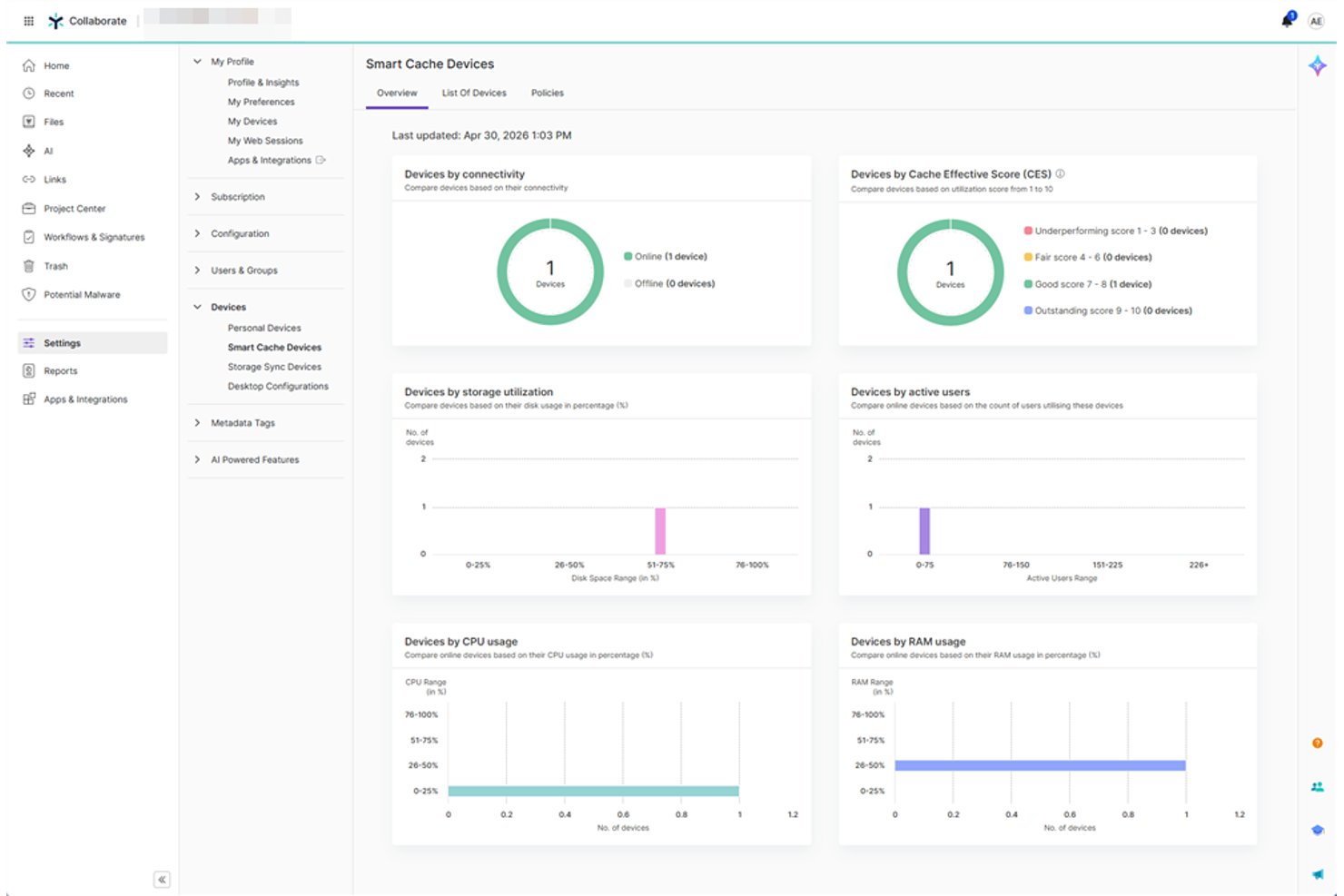
Egnyte is a cloud content platform built for regulated industries like AEC, life sciences, and financial services, combining file collaboration, AI-powered search, and enterprise-grade governance in a single system.
Who Is Egnyte Best For?
Egnyte is a strong fit for mid-to-enterprise teams in compliance-heavy industries where IT and operations teams need centralized control over file access, data residency, and audit trails.
Why Egnyte Is a Good LucidLink Alternative
I've included Egnyte in my top picks because its content governance layer is genuinely hard to replicate elsewhere. I appreciate how sensitive data classification and content lifecycle policies (retain, archive, delete) run automatically across your file system, which matters when you're managing deliverables under HIPAA, CMMC 2.0, or FDA 21 CFR Part 11. Ransomware detection with behavioral ML and 90-day snapshot recovery add another layer I rely on when audit readiness isn't optional.
Egnyte Key Features
- Desktop, web, and mobile access: Lets you collaborate on files from Windows, macOS, iOS, Android, and web browsers.
- Global file locking: Prevents overwrites and ensures file consistency when multiple users access shared content.
- Version history and recovery: Maintains previous file versions and allows you to restore or review changes as needed.
- Auto integrations with Microsoft 365 and Google Workspace: Supports co-editing and workflows directly within your preferred productivity tools.
Egnyte Integrations
Egnyte offers native integrations with Microsoft 365, Google Workspace, Slack, Salesforce, Autodesk Construction Cloud, Procore, and Adobe. An API is available for custom integrations.
Pros and Cons
Pros:
- Ransomware detection with snapshot file recovery
- Granular file and folder permission controls
- Strong built-in compliance and governance controls
Cons:
- Complex admin setup for new users
- Not optimized for large media file streaming

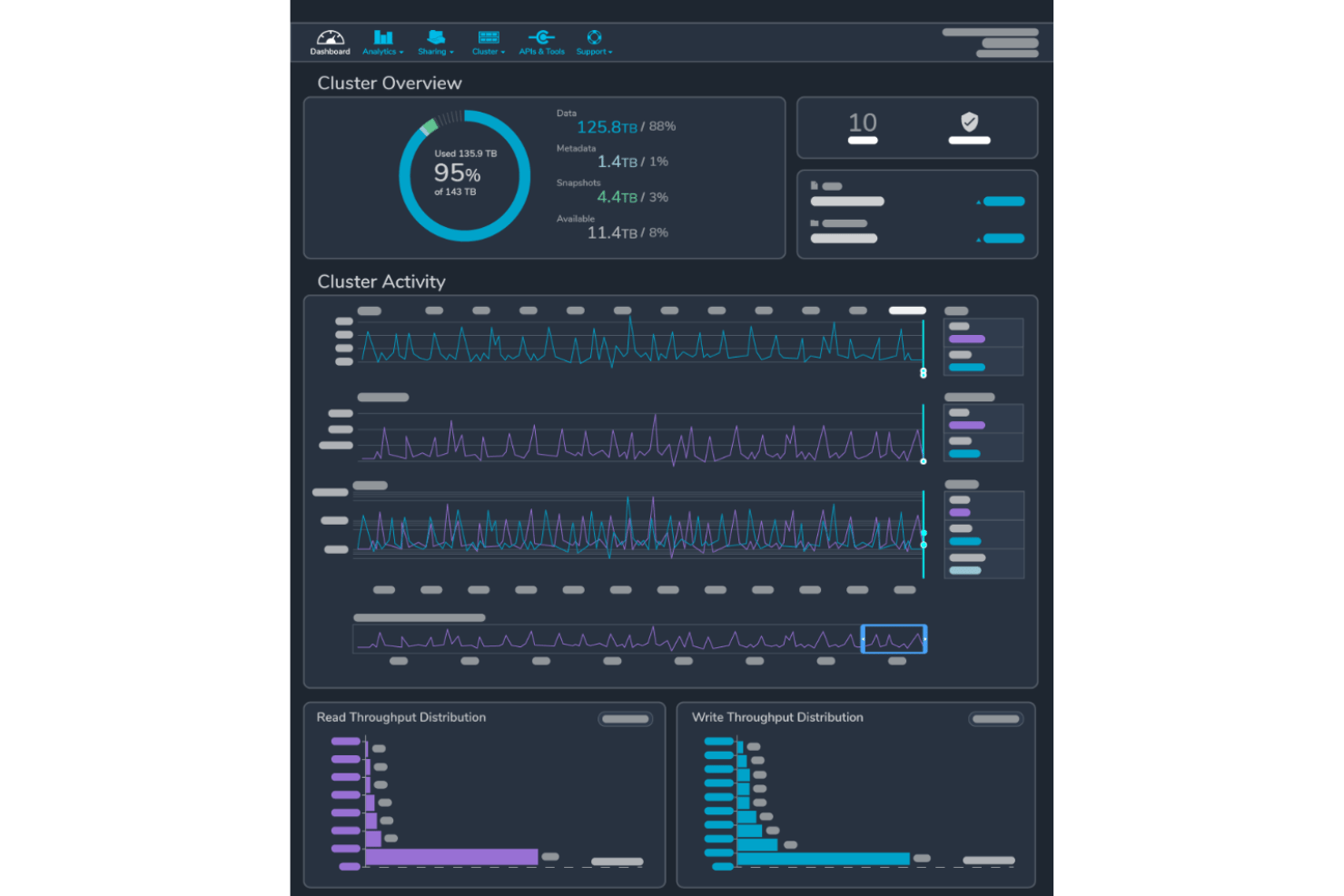
Qumulo is an enterprise file data platform built for large-scale media, VFX, and life sciences teams that need a unified global file system spanning on-premises, edge, and cloud environments without sacrificing performance at scale.
Who Is Qumulo Best For?
Qumulo is a strong fit for enterprise IT and storage teams managing petabyte- to exabyte-scale unstructured data across multi-site or hybrid cloud environments.
Why Qumulo Is a Good LucidLink Alternative
I picked Qumulo because no other platform on this list scales as cleanly from terabytes to exabytes without performance trade-offs. Its Cloud Data Fabric creates a single global namespace across on-premises, edge, and cloud, so large media libraries stay consistently accessible across every location. NeuralCache uses AI-driven predictive prefetching to serve files before you request them, which meaningfully cuts wait time on petabyte-scale media projects.
Qumulo Key Features
- Global namespace: Unifies file access across all locations so teams see the same data everywhere in real time.
- Multi-protocol support: Lets users connect via NFS, SMB, or S3 for flexible workflow integration across creative and technical roles.
- Audit logging: Captures file activity and access histories to support detailed compliance and asset tracking.
- Role-based permissions: Allows admins to assign granular access controls at the file and folder level for secure collaboration.
Qumulo Integrations
Qumulo offers native integrations with major identity providers like Azure Active Directory and supports connectivity with Microsoft 365, AWS S3, and Google Cloud Platform. An API is available for custom integrations.
Pros and Cons
Pros:
- Real-time file system analytics and visibility
- Global namespace unifies on-prem and cloud
- Scales to exabyte-level unstructured file storage
Cons:
- Complex setup for smaller production teams
- Not purpose-built for creative media workflows

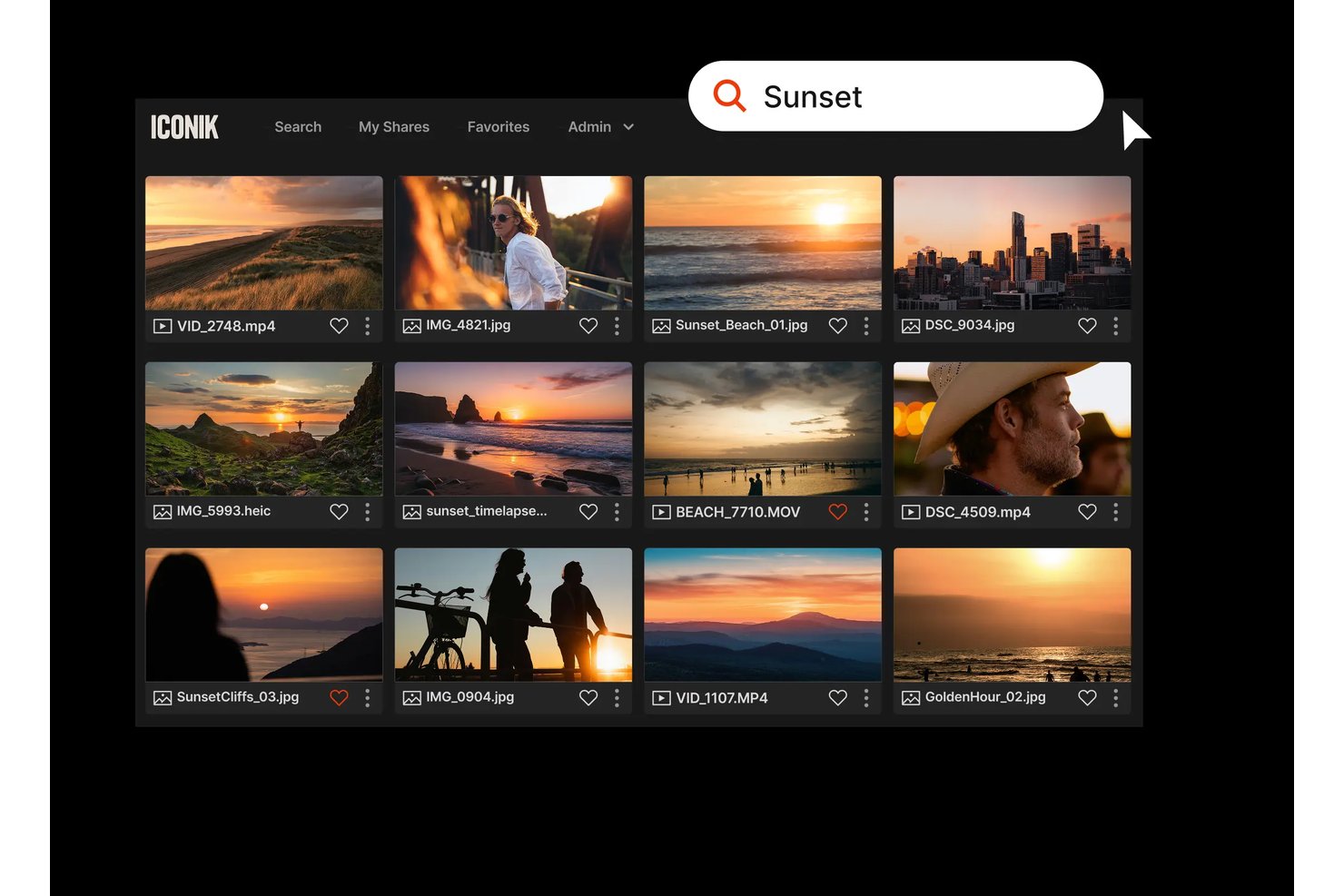
Iconik is a cloud-native media asset management platform built for post-production and creative operations teams who need to organize, search, and collaborate on large media libraries spread across multiple storage systems.
Who Is Iconik Best For?
Iconik is a strong fit for media and entertainment studios managing distributed libraries across on-prem and cloud storage.
Why Iconik Is a Good LucidLink Alternative
I've included Iconik in my top picks because its federated MAM approach lets my team index and search media across on-prem servers, AWS, and GCS simultaneously without consolidating everything into one storage system. Where LucidLink handles file streaming, Iconik adds AI-powered metadata tagging and time-coded search across every connected location, so finding a specific frame in a library of a billion assets takes seconds. I especially appreciate the bring-your-own-storage model, which means switching doesn't require a costly infrastructure migration.
Iconik Key Features
- Review tools and time-coded commenting: Collaborators can leave frame-accurate comments and annotations on video assets within the platform.
- Multi-cloud and on-prem storage connections: Manage assets across AWS, Azure, Google Cloud, and local servers from a single interface.
- Role-based access and SSO: Set detailed permission levels and integrate with SAML SSO for secure user authentication.
- Adobe and Avid integrations: Access, search, and pull assets into editing timelines with native panels for industry-standard creative tools.
Iconik Integrations
Iconik offers native integrations with Adobe Premiere Pro, DaVinci Resolve, Avid Media Composer, Final Cut Pro, AWS, Google Cloud Platform, Backblaze B2, Frame.io, and Microsoft Azure. An API is available for custom integrations.
Pros and Cons
Pros:
- Frame-accurate commenting keeps review cycles in-platform
- AI metadata tagging speeds up asset discovery
- Indexes assets across any storage without migration
Cons:
- Interface can feel dense for new users
- Multi-cloud setup requires significant technical overhead
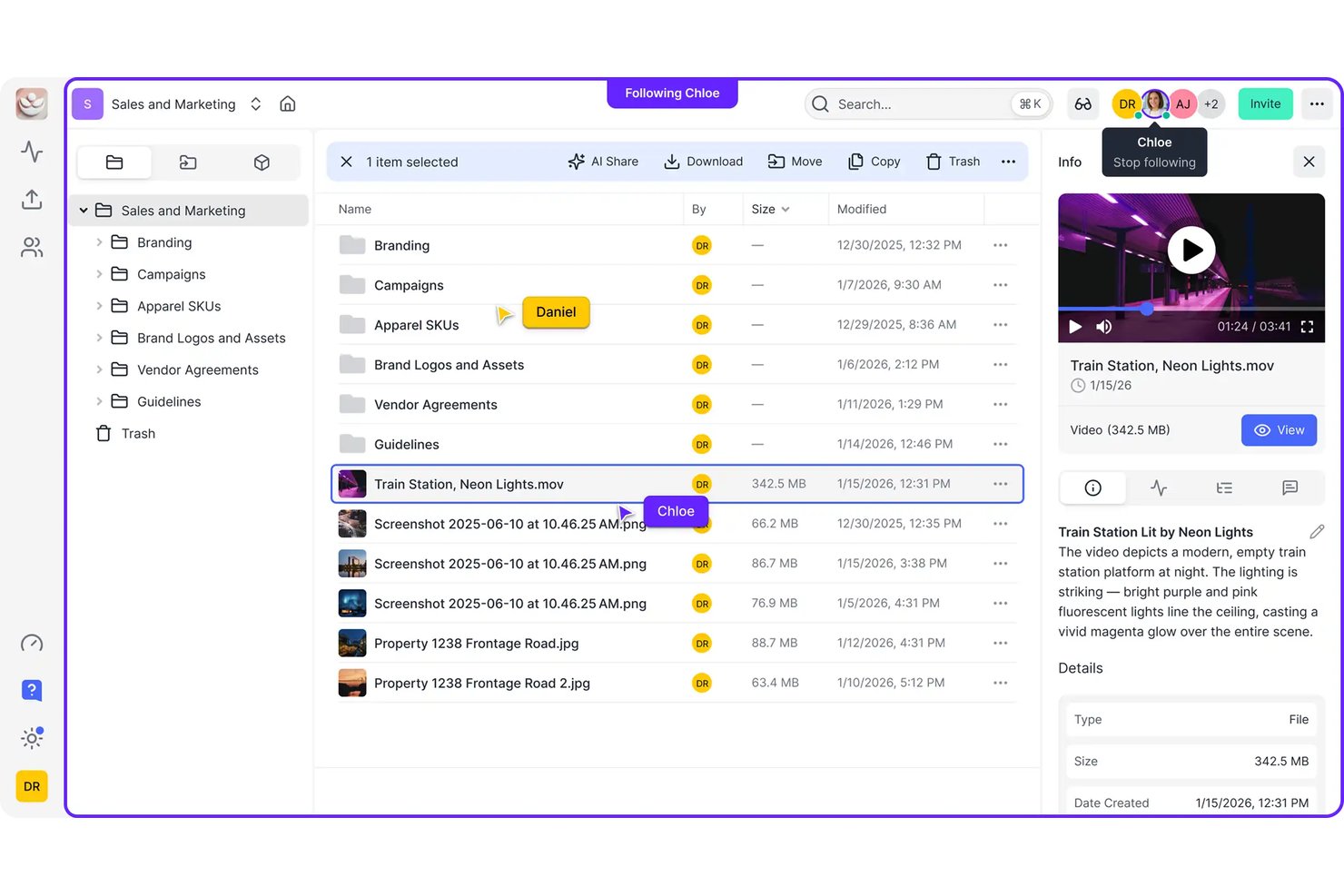
Fastio is a cloud storage platform designed for teams that work alongside AI agents, offering project-based workspaces where files, permissions, and agent-driven workflows coexist without the overhead of traditional sync-first storage tools.
Who Is Fastio Best For?
Fastio suits small-to-mid-sized teams that run AI agents as part of their workflows and need structured, permission-controlled storage those agents can reliably read and write.
Why Fastio Is a Good LucidLink Alternative
I've included Fastio in my top picks because its MCP integration lets AI agents autonomously create workspaces, upload files, and manage permissions without manual setup. Intelligence Mode adds semantic search and auto-indexing so agents can query across thousands of files and return cited answers. Scoped tokens and an append-only audit log mean every agent action is tracked and permissioned, which I haven't seen handled this cleanly in other cloud storage tools.
Fastio Key Features
- Workspace-based storage: Organize files, permissions, and agent operations within discrete, project-specific workspaces.
- Branded client portals: Share files and collect uploads from clients through custom, no-login web portals.
- Video review and HLS streaming: Preview and comment on videos in-browser with frame-accurate markup and instant scrubbing.
- Desktop sync for Mac: Mount workspaces as native Finder volumes with selective sync and offline file pinning.
Fastio Integrations
Native integrations are not clearly documented. Fastio offers an API for custom integrations.
Pros and Cons
Pros:
- Semantic search works across all uploaded project files
- Scoped tokens control agent-level permissions precisely
- AI agent workspace access is natively supported
Cons:
- Limited large media file streaming capabilities
- No native creative app plugins available

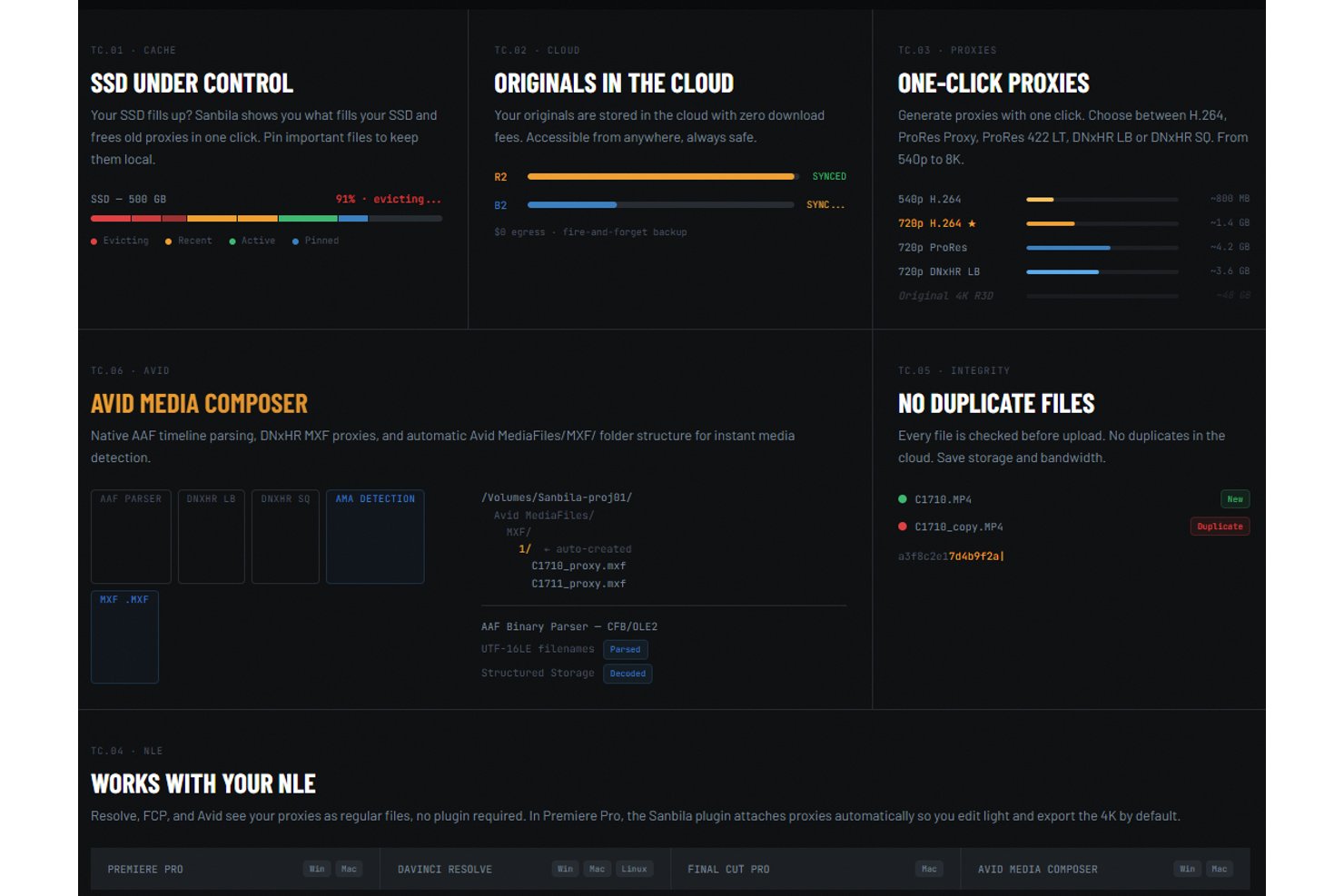
Sanbila is a cloud-native video editing platform built for post-production teams who need offline access to footage without paying per-user fees or relying on a constant internet connection.
Who Is Sanbila Best For?
Sanbila suits freelance video editors and small studios working with high-resolution formats like R3D, BRAW, and ARRI who need predictable flat-rate cloud storage costs.
Why Sanbila Is a Good LucidLink Alternative
I picked Sanbila as one of the best because its cloud-side proxy generation is genuinely different. While LucidLink requires a live connection to stream originals, Sanbila generates lightweight proxies (ProRes Proxy, DNxHR LB, H.264) on its own cloud and stores them on your SSD, so I can cut 4K footage in Premiere Pro or DaVinci Resolve without any internet connection. When the edit wraps, Smart Relink reads the exported XML and streams only the clips I actually used at full resolution.
Sanbila Key Features
- Virtual folder mounting: Stream originals from cloud storage to your NLE through a virtual drive interface.
- Deduplication on upload: Files are checked for duplicates before upload to save storage space and costs.
- Role-based project permissions: Assign Owner, Editor, or Viewer roles to control who can view, edit, or manage assets.
- Cross-platform desktop apps: Native applications are available for Windows, macOS, and Linux editors.
Sanbila Integrations
Sanbila offers native integrations with Adobe Premiere Pro, DaVinci Resolve, Final Cut Pro, and Avid Media Composer, and provides an API for custom integrations.
Pros and Cons
Pros:
- Smart Relink reconnects only clips actually used
- Supports R3D, BRAW, and ARRIRAW natively
- Offline proxy editing without live internet connection
Cons:
- Real-time multi-user collaboration features are limited
- Smaller user community than more established tools

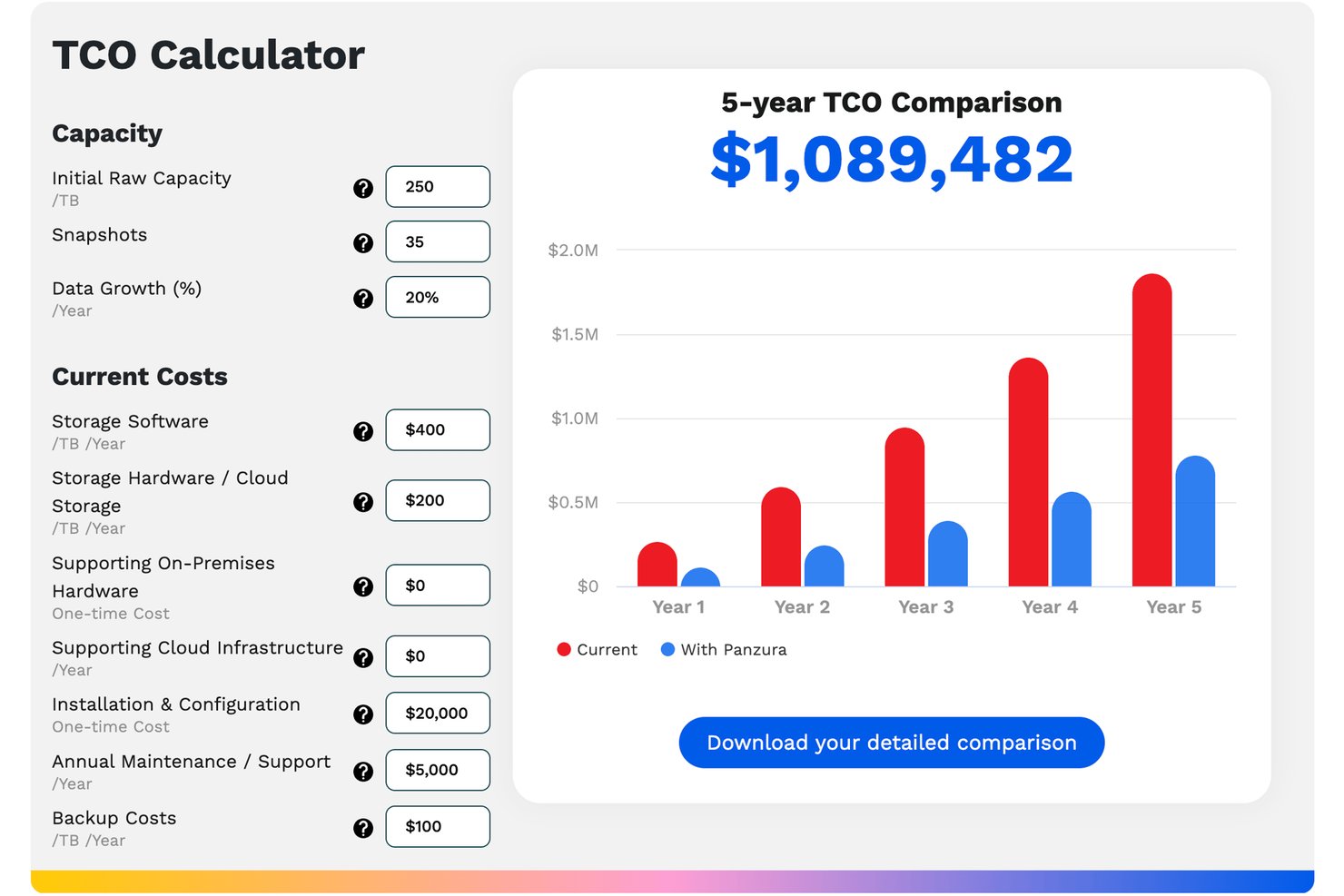
Panzura CloudFS is a hybrid-cloud global file system built for multi-site enterprises in AEC, manufacturing, and regulated industries that need to consolidate unstructured data across locations without sacrificing file-locking or data consistency.
Who Is Panzura CloudFS Best For?
It's a strong fit for enterprise IT teams managing file infrastructure across three or more physical sites, particularly in AEC, healthcare, or regulated industries.
Why Panzura CloudFS Is a Good LucidLink Alternative
I've included Panzura CloudFS in my top picks because its patented real-time global file locking is the most direct answer to the collaboration gap LucidLink leaves for multi-site teams. In practice, that means my team can have engineers in three different offices editing the same large Revit model simultaneously without version collisions. Its byte-range locking and peer-to-peer full-mesh architecture handle that coordination at the file level, not just the folder level.
Panzura CloudFS Key Features
- Intelligent edge caching: Files are automatically cached and pinned onsite for LAN-speed access without full copies at every location.
- Granular RBAC permissions: Admins manage access by user, group, or role using Active Directory or Entra ID integration.
- Immutable WORM storage: All data is protected from modification or deletion, meeting compliance needs for regulated industries.
- Integrated ransomware detection: AI-powered threat control proactively detects and quarantines suspicious file activities.
Panzura CloudFS Integrations
Panzura CloudFS has native integrations across the Microsoft ecosystem, including Microsoft 365 and Azure, supports Revit and AutoCAD workflows, and offers an API for custom integrations.
Pros and Cons
Pros:
- Local caching delivers LAN-speed file access
- Supports petabyte-scale unstructured data storage
- Patented file locking prevents multi-site edit conflicts
Cons:
- Complex setup requires dedicated IT involvement
- Not built for media or creative workflows
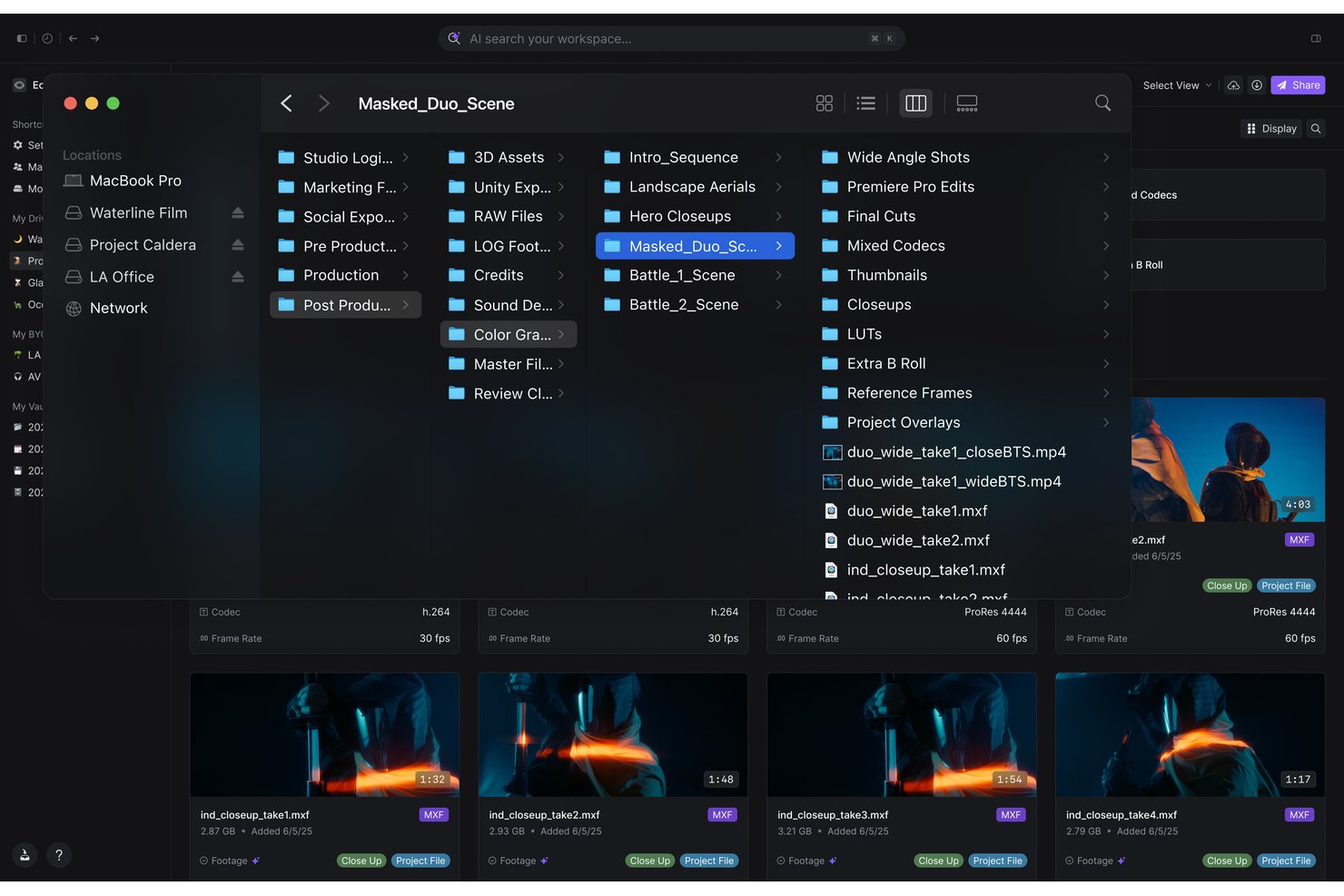
Shade is an AI-powered cloud NAS platform built for media and post-production teams who need to stream, search, and collaborate on large creative files without downloads, syncs, or fragmented tool stacks.
Who Is Shade Best For?
Shade fits agencies, broadcasters, and creative studios managing high-volume video and media libraries across distributed teams.
Why Shade Is a Good LucidLink Alternative
I've included Shade in my top picks because it takes the mounted-drive streaming model LucidLink pioneered and layers genuine AI search on top. ShadeFS mounts your library locally and streams files directly into Premiere or DaVinci timelines, while the AI indexes every clip on ingest: scene detection, transcription with timecodes, and facial recognition. My team can search by spoken content, face, or scene type across millions of assets instantly.
Shade Key Features
- Multiple storage backends: Connects to local NAS, S3 buckets, and on-prem storage for hybrid workflows.
- Native desktop apps: Offers fully supported apps for Windows, macOS, and Linux environments.
- Role-based access controls: Lets administrators set granular file and folder permissions for users and groups.
- Slack integration: Sends project updates and comments directly to your team’s communication channels.
Shade Integrations
Shade offers native integrations with Adobe Premiere Pro, DaVinci Resolve, Final Cut Pro, Unreal Engine, Blender, Unity, and Slack. An API is available for custom integrations.
Pros and Cons
Pros:
- Handles petabyte-scale media libraries natively
- ShadeFS mounts directly into NLE timelines
- AI indexes clips on ingest automatically
Cons:
- Fewer documented enterprise reference customers
- Less ecosystem maturity than LucidLink

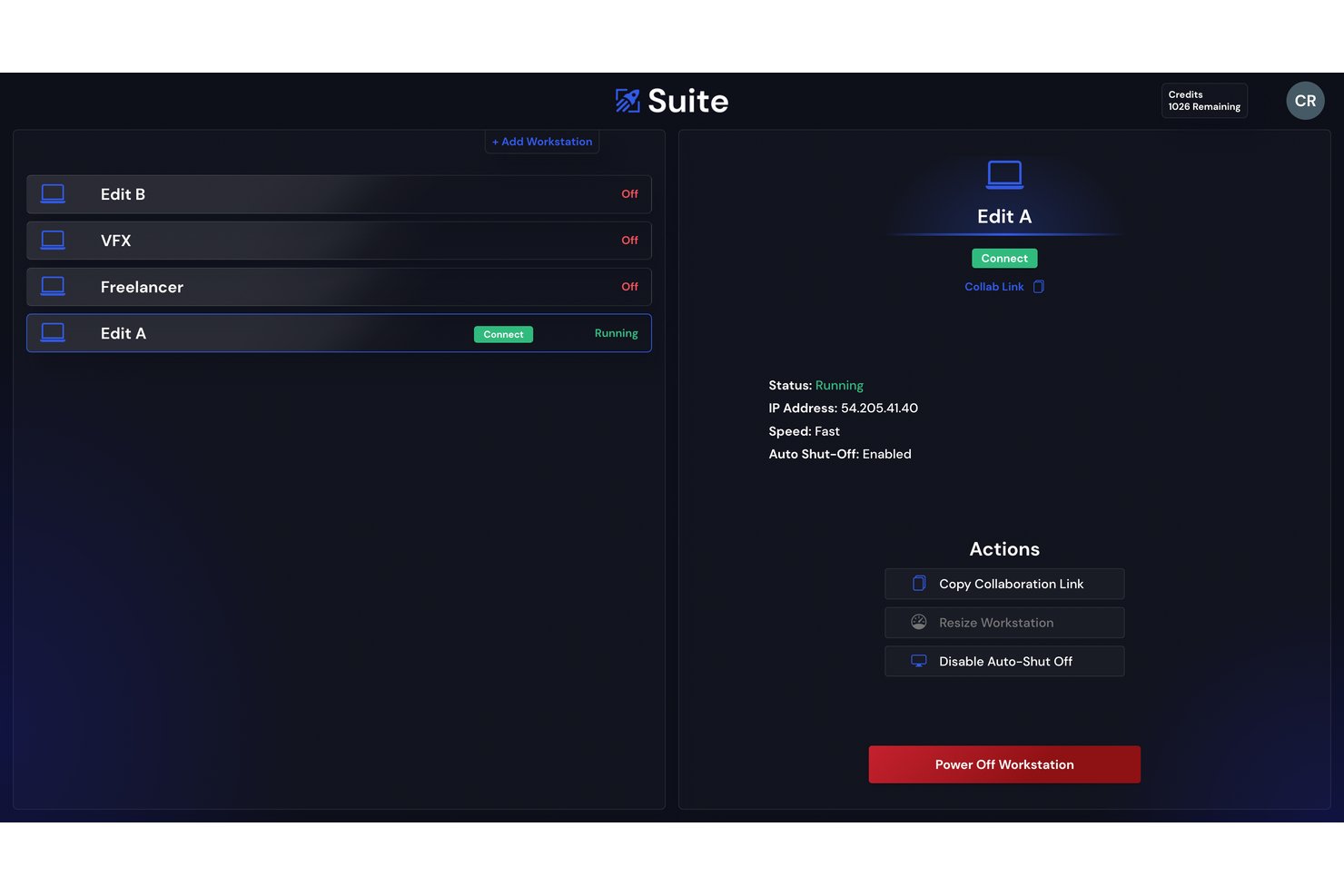
Suite Studios is a cloud file streaming platform built for post-production and media teams who need to access, edit, and collaborate on large RAW files across distributed locations without waiting for downloads or syncs.
Who Is Suite Studios Best For?
Suite Studios suits media production companies, post-production houses, and creative studios managing high-volume video workflows across remote or multi-location teams.
Why Suite Studios Is a Good LucidLink Alternative
Suite Studios earns its spot on my shortlist because the throughput numbers are genuinely different from what LucidLink delivers. I've streamed RAW footage at 24 Gbps read and 10 Gbps write, meaning editors aren't waiting on playback or buffering mid-session. The S3-native architecture is the real differentiator: files live as standard objects in your own storage bucket, so existing pipeline tools can read and write directly without routing through Suite at all, unlike LucidLink's proprietary format dependency.
Suite Studios Key Features
- Time Machine version history: Every version of every file can be recovered instantly for full rollback and audit.
- Admin API for automation: Centralized control lets teams automate user, group, and permission management through a REST API.
- Granular user and group permissions: Set specific access at the file and folder level for tighter security across projects.
- Onsite caching for hybrid workflows: Lets on-prem teams boost access speeds by caching cloud files locally when needed.
Suite Studios Integrations
Suite Studios presents files as a native drive, making them accessible to creative applications like Adobe Premiere Pro, Final Cut Pro, DaVinci Resolve, and Avid Media Composer. An API is available for custom integrations.
Pros and Cons
Pros:
- Time Machine versioning recovers any file instantly
- S3-native storage keeps files vendor-agnostic
- Delivers 24 Gbps read speeds natively
Cons:
- Linux support lags behind Windows and macOS
- Smaller user community than established competitors
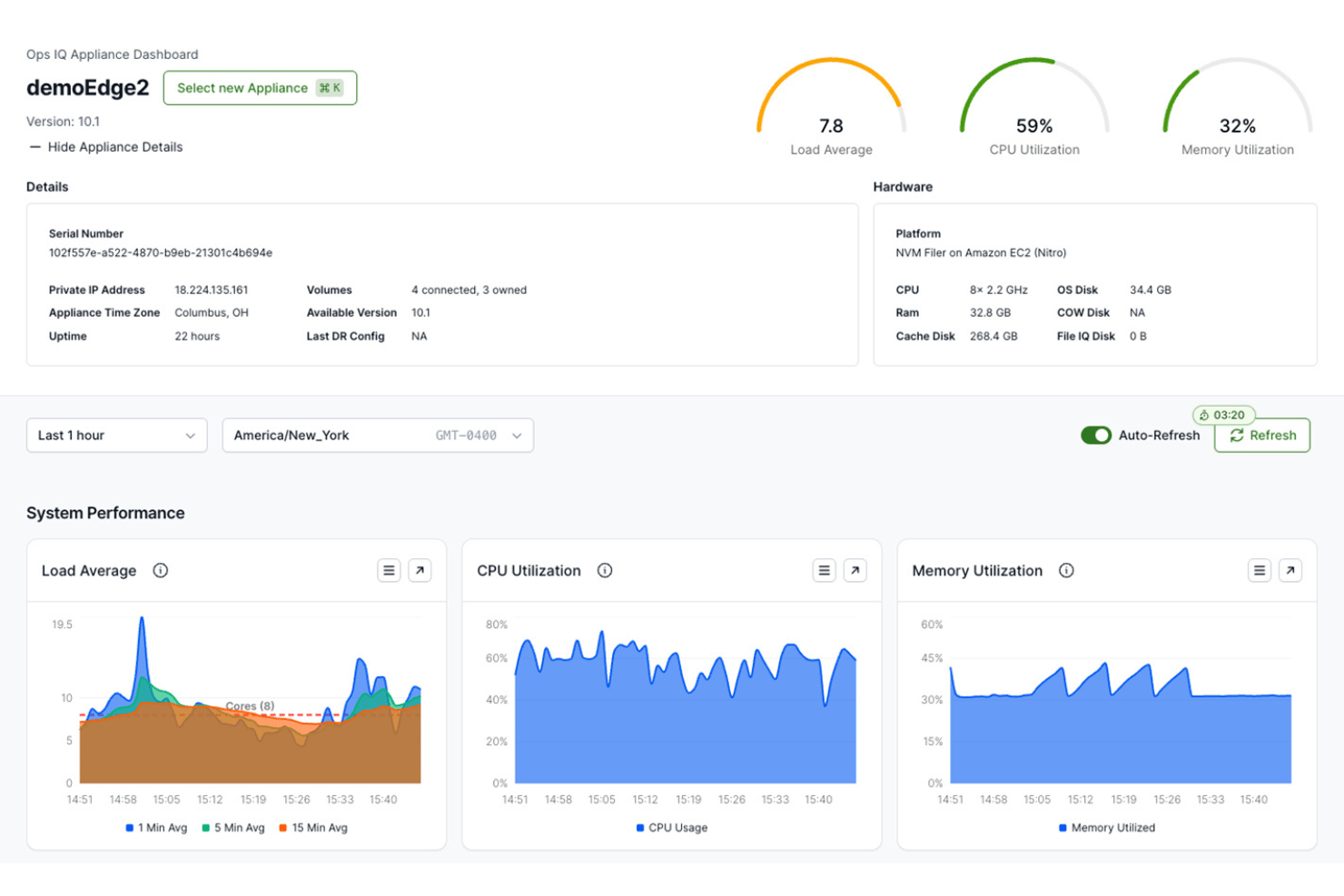
Nasuni is an enterprise file data platform for large organizations that need to consolidate NAS infrastructure and deliver consistent file access across distributed locations from a single cloud-based system.
Who Is Nasuni Best For?
Nasuni is a strong fit for IT infrastructure teams at large enterprises managing file storage across multiple physical locations or data centers.
Why Nasuni Is a Good LucidLink Alternative
Nasuni earns its spot on my shortlist because of its immutable snapshot architecture, which captures every file version continuously and stores it in a way that ransomware can't touch. I've seen teams recover specific files or entire shares in minutes rather than days using Nasuni's self-service restore tools. The Ransomware Protection add-on layers in anomaly detection and SecOps integration, giving IT teams an early warning system before an attack spreads.
Nasuni Key Features
- Unlimited immutable snapshots: Automatically backs up every file version, enabling point-in-time restores at any scale.
- Global file system (UniFS): Delivers a single namespace for all file data across clouds and locations.
- Edge appliance caching: Enables high-speed local access to cloud-stored files from multiple sites.
- Integration with Microsoft 365 web editing: Lets users edit Office documents in-browser without downloading or installing clients.
Nasuni Integrations
Nasuni has native integrations across the Microsoft ecosystem, including Microsoft 365 and Azure. An API is available for custom integrations.
Pros and Cons
Pros:
- Rapid granular point-in-time file restores
- Single global namespace across distributed locations
- Continuous immutable snapshots protect against ransomware
Cons:
- Complex initial setup for smaller teams
- Not optimized for media or creative workflows
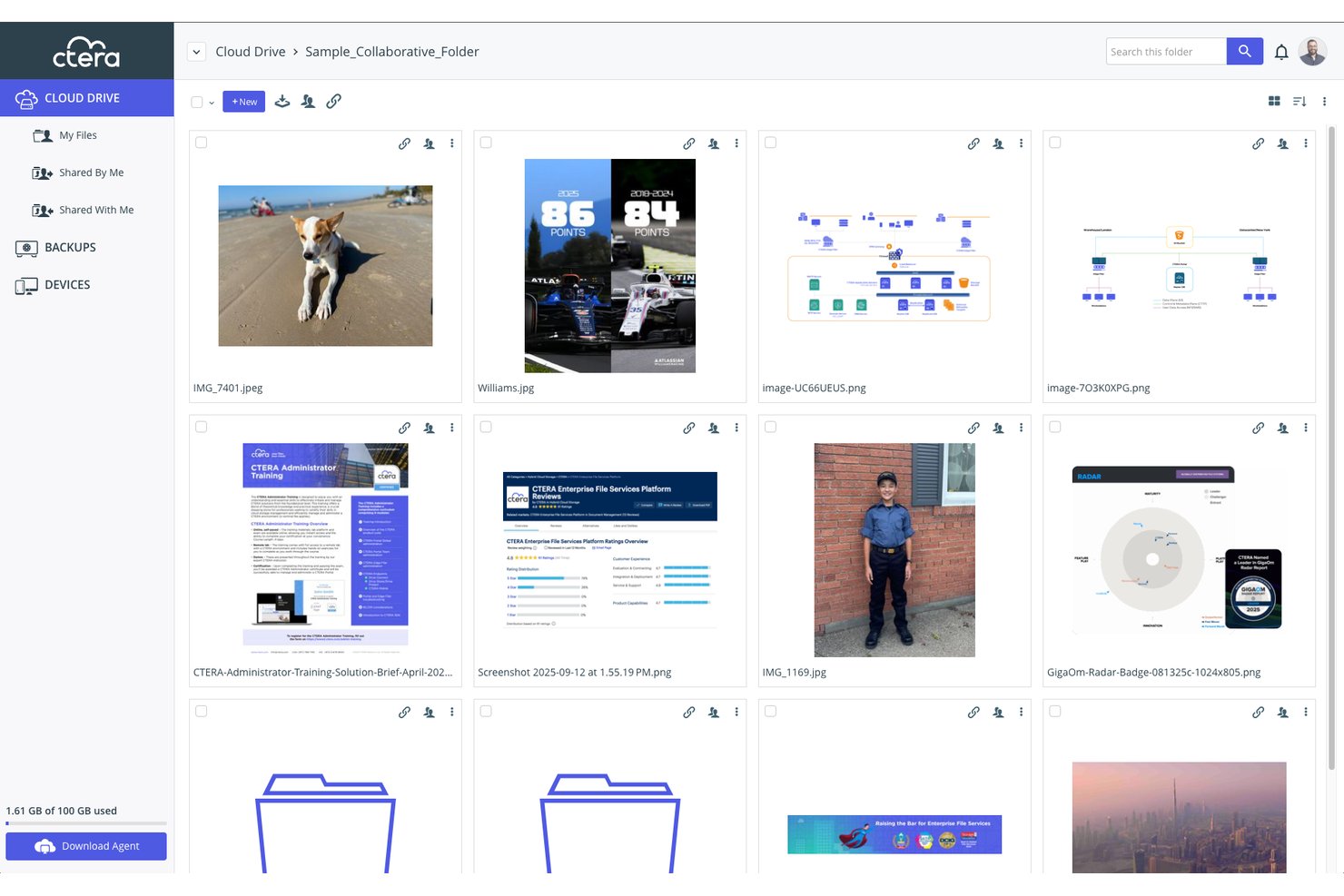
CTERA is an enterprise hybrid-cloud file services platform built for distributed organizations that need centralized control over large-scale file storage across multiple locations, without relying on VPNs or legacy NAS infrastructure.
Who Is CTERA Best For?
CTERA fits large enterprises with IT teams managing file access across remote offices, branch locations, or multi-site operations at petabyte scale.
Why CTERA Is a Good LucidLink Alternative
I picked CTERA as one of the best because its zero-trust architecture and AES-256 encryption with customer-held keys give IT teams a level of control that LucidLink doesn't match at enterprise scale. I particularly like the edge filer model, which caches files locally at each site while keeping everything centrally managed, so remote offices get LAN-speed access without a separate VPN layer. The air-gapped, immutable snapshots mean that if ransomware hits, I can roll back instantly without losing project data.
CTERA Key Features
- Global namespace: Present a single, unified file system across all locations and users.
- Centralized management console: Configure, monitor, and manage edge filers and file access through a unified web-based interface.
- API-first architecture: Integrate and automate with RESTful APIs for enterprise workflows and custom applications.
- Immutable snapshots: Protect data from ransomware and accidental deletion with air-gapped, point-in-time file versions.
CTERA Integrations
CTERA offers native integrations with Active Directory, LDAP, and SIEM platforms, and provides an API for custom integrations.
Pros and Cons
Pros:
- Scales to petabyte-level media storage needs
- Edge caching delivers LAN-speed file access
- Customer-held encryption keys for sensitive files
Cons:
- Complex deployment requires dedicated IT resources
- Not optimized for creative app workflows
Other LucidLink Alternatives
Here are some additional LucidLink alternatives options that didn’t make it onto my shortlist, but are still worth checking out:
- MASV
For pay-as-you-go large-file transfers
- Signiant Media Shuttle
For enterprise media transfer portals
- Box
For enterprise content workflow automation
- Dropbox
For familiar cross-device file syncing
- Frame.io
For frame-accurate video review
- Wasabi
For predictable egress-free cloud storage
- Backblaze B2 Cloud Storage
For low-cost S3-compatible object storage
- IBM Aspera
For high-latency global data transfers


How I Evaluate LucidLink Alternatives
When I review tools for remote media collaboration, I split my assessment into two layers: core functionality every LucidLink alternative must have, and differentiators that set vendors apart. Core functionality reflects what LucidLink itself does.
Core Functionality (Table Stakes For This List)
When I'm selecting tools for my list, I rank each one on a scale from 0 (does not offer the functionality) to 5 (excels in this area) for each core functionality listed below. Then, I calculate the tool's total score into a percentage. Each tool needs to achieve a minimum total score of 65% to be considered for inclusion.
- Cloud File Streaming: I look for tools that let editors scrub through 4K or 8K timelines on demand, without waiting for full downloads to local drives.
- Large File Handling: Multi-GB RAW camera files and 3D scenes should open and save without slowdowns, even on projects with terabytes of assets.
- Real-Time Collaboration: I evaluate whether multiple team members across locations can access the same project files with updates visible in near real-time.
- Cross-Platform Support: Creative teams run mixed environments, so I check for native apps on Windows, macOS, and Linux with consistent performance.
- Granular Access Controls: Freelancers and external vendors often need scoped access, so I look for folder- or file-level permissions with role-based controls.
- Creative Tool Integration: I check whether files mount as a local drive or plug directly into tools like Adobe Premiere, DaVinci Resolve, or Autodesk Maya.
Once I have a list of tools that meet the criteria, I consider what sets each platform apart.
Differentiating Factors (What Sets Vendors Apart)
Here's how I compare and contrast different vendors:
Standout Features
Global file locking matters when multiple editors or colorists open the same project file across time zones—I look for real-time lock status that prevents overwrites before they happen. Proxy and transcode automation is another factor I evaluate closely. Tools that auto-generate lightweight proxies on upload let remote editors scrub timelines without pulling full-res media. I also check for bandwidth-adaptive streaming, which keeps 4K/8K playback smooth even on slower connections by adjusting cache behavior to local network conditions.
Beyond Features
Pricing structure is a major differentiator. I check whether a vendor charges per-user, per-TB, or bundles both, and whether egress or API fees add up as projects scale. Security and compliance also carry weight for studios handling pre-release content—I look for MPA/TPN certification, SOC 2 compliance, and options like zero-knowledge encryption. Post-production workflow fit matters too. I evaluate whether tools support high-bitrate formats like ProRes or ARRIRAW and work alongside existing on-prem SAN/NAS setups for hybrid environments.
Why Look For A LucidLink Alternative?
While LucidLink is a good choice of cloud collaboration tools, there are a number of reasons why some users seek out alternative solutions. You might be looking for a LucidLink alternative because…
- Needing lower total costs for large teams or projects
- Wanting deeper integrations with specific creative applications
- Requiring truly global performance, including in low-bandwidth regions
- Needing support for hybrid on-prem/cloud workflows
- Wanting more flexible user or seat-based pricing
- Requiring certifications for highly sensitive content
If any of these sound like you, you’ve come to the right place. My list contains several cloud collaboration tools options that are better suited for teams facing these challenges with LucidLink and looking for alternative solutions.
LucidLink Key Features
Here are some of the key features of LucidLink, to help you contrast and compare what alternative solutions offer:
- Cloud file streaming: Access and work with files directly from the cloud without waiting for full downloads, making real-time collaboration possible on large assets.
- Large file handling: Open, edit, and save multi-GB video, design, or 3D files smoothly, even with distributed teams or remote storage.
- Real-time collaboration: Multiple users can access and update project files at once, ensuring everyone sees the latest changes without sync delays.
- Cross-platform support: Use LucidLink across Windows, macOS, and Linux, allowing teams with different setups to work together seamlessly.
- Granular access controls: Assign folder or file-level permissions to users and groups, protecting sensitive assets and restricting access as needed.
- Creative tool integration: Mount the cloud drive directly into apps like Adobe Premiere, DaVinci Resolve, and Autodesk, so editors and creators stay in their workflows.
- Global file locking: Prevent accidental overwrites by allowing team members to see when a file is in use, helping distributed teams avoid conflicts.
- Bandwidth-adaptive streaming: Files stream on-demand and adjust to local network conditions, keeping playback smooth for both high and low bandwidth users.
- Proxy and preview automation: Automatically generate lightweight proxy files and previews, enabling fast editing and review of high-res media from anywhere.
- Audit logging and compliance: Track activity on files and folders to maintain security, manage user behavior, and help meet compliance requirements.