

14 Best Flock Alternatives in 2026

Flock Alternatives Shortlist


A strong Flock alternative offers reliable instant messaging, easy team collaboration, and integrations that fit your workflow. If you’re searching for Flock alternatives, you’re likely looking for tools that support fast internal communication, flexible project coordination, and compatibility with the platforms your team already uses.
With so many options available, it’s tough to know which solution will actually streamline processes and break down communication silos.
This list will help you compare the top Flock alternatives for 2026, so you can confidently choose the right platform for your team’s needs.
What is Flock?
Flock is a messaging app and collaboration app designed to help teams communicate, handle file storage, and manage tasks in one place.
It offers group and direct messaging, video and voice calls, searchable chat history, and integrations with popular work tools. Flock is used by teams that need a centralized space for conversations and to foster teamwork, especially in fast-paced digital environments where quick communication and task tracking are essential.
Best Flock Alternatives Summary
This comparison chart summarizes pricing details for my top Flock alternative selections to help you find the best one for your budget and business needs.
| Tool | Best For | Trial Info | Price | ||
|---|---|---|---|---|---|
| 1 | Best for threaded conversation organization | Free plan + free demo available | From $6.67/user/month (billed annually) | Website | |
| 2 | Best for simple team chat setup | Free plan + free demo available | From $3/user/month (billed annually) | Website | |
| 3 | Best for frontline employee communication | 14-day free trial + free demo available | Pricing upon request | Website | |
| 4 | Best for Microsoft 365 integration | 30-day free trial available | From $4/user/month (billed annually) | Website | |
| 5 | Best for Zoho ecosystem integration | Free plan available | From $1.80/user/month (billed annually) | Website | |
| 6 | Best for deskless team engagement | 14-day free trial + free demo | From $3.75/user/month (billed annually) | Website | |
| 7 | Best for built-in task management | 15-day trial + free plan + free demo available | From $49/organization/month (billed annually) | Website | |
| 8 | Best for self-hosted deployment | Free plan + free demo available | From $3/user/month (billed annually) | Website | |
| 9 | Best for Google Workspace users | 14-day free trial + free plan available | From $7/user/month (billed annually) | Website | |
| 10 | Best for extensive third-party app support | Free plan available | From $8.75/user/month | Website |
Why You Can Trust Us
We’ve been testing and reviewing project management software since 2012. As project managers ourselves, we know how critical and difficult it is to make the right decision when selecting software.
We invest in deep research to help our audience make better software purchasing decisions. We’ve tested more than 2,000 tools for different project management use cases and written over 1,000 comprehensive software reviews. Learn how we stay transparent & our software review methodology.
-

Accelo
Visit WebsiteThis is an aggregated rating for this tool including ratings from Crozdesk users and ratings from other sites.4.4 -
Wrike
Visit WebsiteThis is an aggregated rating for this tool including ratings from Crozdesk users and ratings from other sites.4.3 -
monday.com
Visit WebsiteThis is an aggregated rating for this tool including ratings from Crozdesk users and ratings from other sites.4.6





Flock Alternatives Reviews
Below are my detailed summaries of the Flock alternatives that made it onto my shortlist. My reviews offer a detailed look at the features, integrations, and best use cases of each platform to help you find the best one for you.
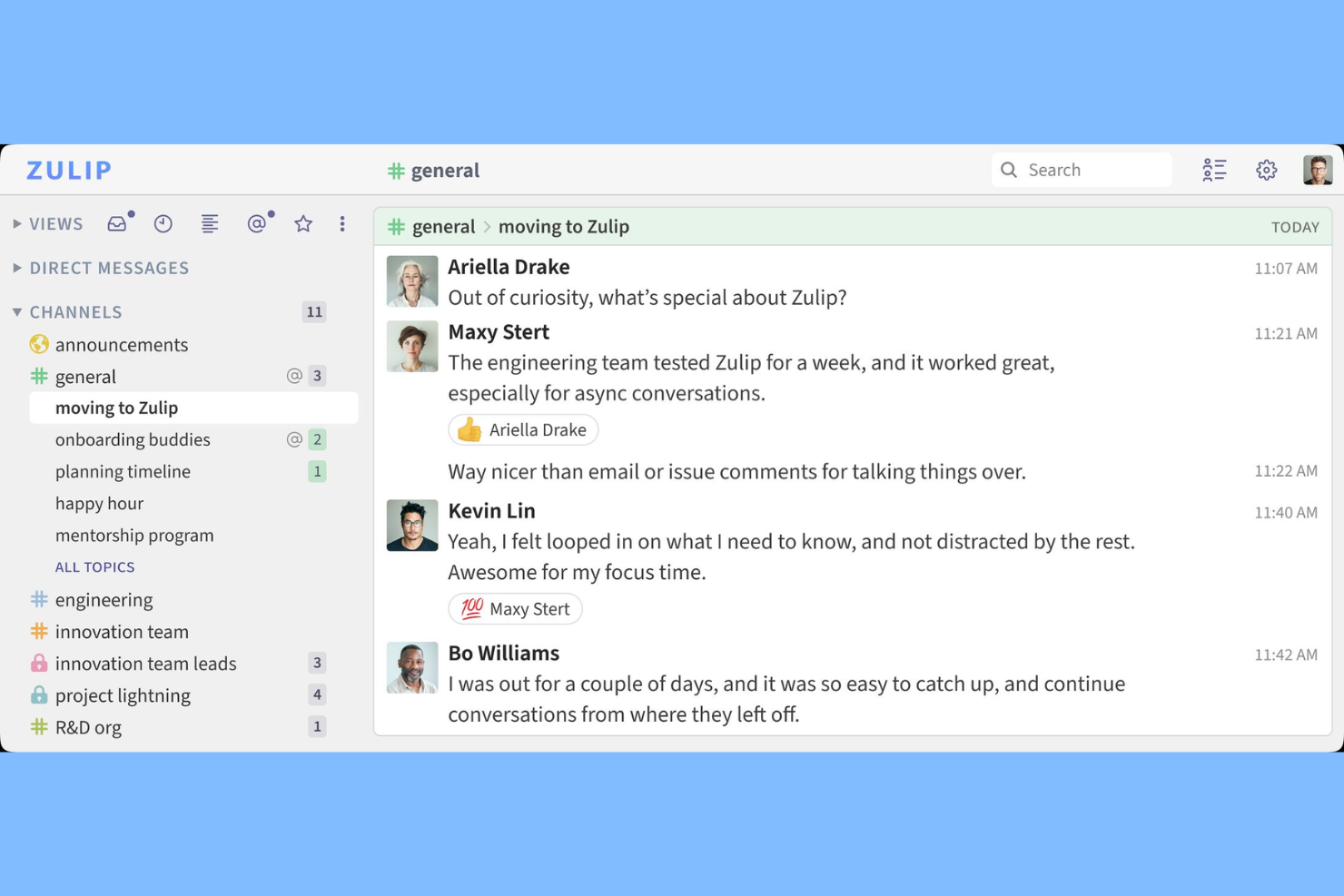
If your team struggles to keep conversations organized in busy group chats, Zulip offers a unique approach. This tool uses topic-based threading within channels, making it easier for distributed teams and technical organizations to follow multiple discussions at once. Unlike Flock, Zulip’s threaded model helps you track conversations without losing context, even when messages come in rapidly.
Why Zulip Is a Good Flock Alternative
Unlike most chat tools, Zulip organizes every message into a topic-based thread, which is why I picked it as a strong Flock alternative. This structure lets you follow multiple conversations in parallel without losing track of important details. You can jump into any topic at any time, even if the discussion started hours or days ago. For teams that need to manage complex, overlapping discussions, Zulip’s threading model keeps everything clear and accessible.
Zulip Key Features
Some other features in Zulip that teams may find useful include:
- Markdown Support: Format messages with headings, lists, and code blocks using Markdown syntax.
- Granular Notification Controls: Set notification preferences at the stream or topic level for better focus.
- Open Source Codebase: Access and modify Zulip’s source code to fit your organization’s needs.
- Full-Text Search: Quickly find messages and files across all streams and topics.
Zulip Integrations
Integrations include GitHub, Jira, Sentry, Travis CI, Zendesk, and Stripe.
Pros and Cons
Pros:
- Handles huge user volumes
- Open-source platform
- Never lose a conversation
Cons:
- Smaller integration library
- Too structured for quick chat

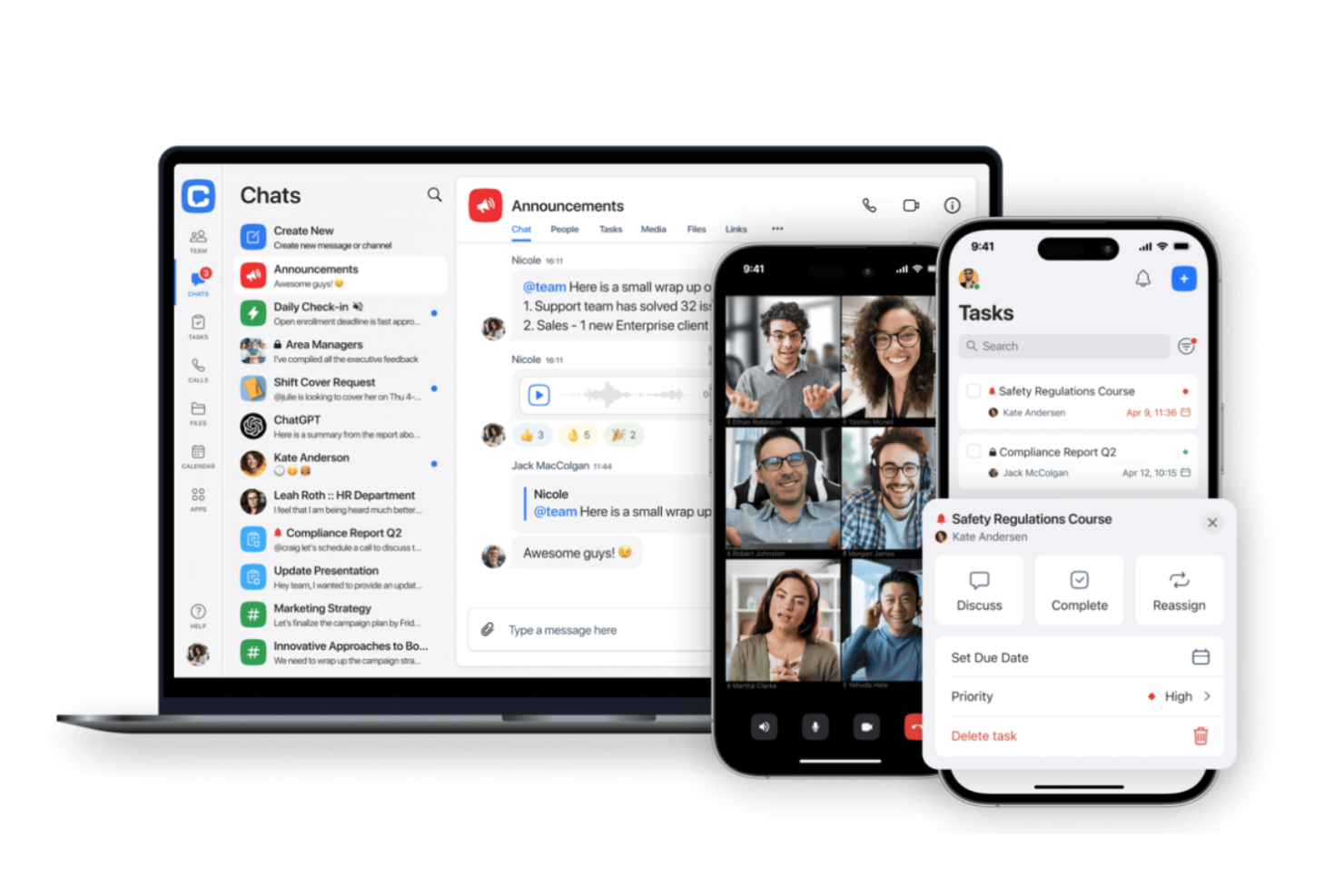
Getting your team up and running with a chat tool doesn’t have to be complicated—Chanty is designed for quick, straightforward setup. It’s a strong choice for small businesses or teams that want to avoid the complexity of feature-heavy platforms like Flock. Chanty keeps things simple with focused chat, task management, and easy onboarding for new users.
Why Chanty Is a Good Flock Alternative
If you want a team chat solution that skips the setup hassle, Chanty is worth considering. I picked it as a Flock alternative because you can create channels, start conversations, and assign tasks in just a few clicks. Chanty’s Teambook feature organizes messages, tasks, and shared content in a single, searchable hub. This focus on simplicity helps teams get started quickly without extra configuration or onboarding steps.
Chanty Key Features
Some other features in Chanty that stand out for teams looking at Flock alternatives include:
- Voice Messaging: Send quick voice notes directly in chat for faster communication.
- Built-In Audio and Video Calls: Start one-on-one or group calls without leaving the app.
- Pinned Messages: Pin important messages in any conversation for easy reference.
- Third-Party App Integrations: Connect with tools like Trello, GitHub, and Google Drive to bring external workflows into your chat.
Chanty Integrations
Integrations include Trello, Asana, Google Drive, Dropbox, GitHub, and GitLab.
Pros and Cons
Pros:
- Good voice message tools
- Fast team chat messaging
- Highly affordable pricing
Cons:
- Search function is basic
- Not for massive enterprises
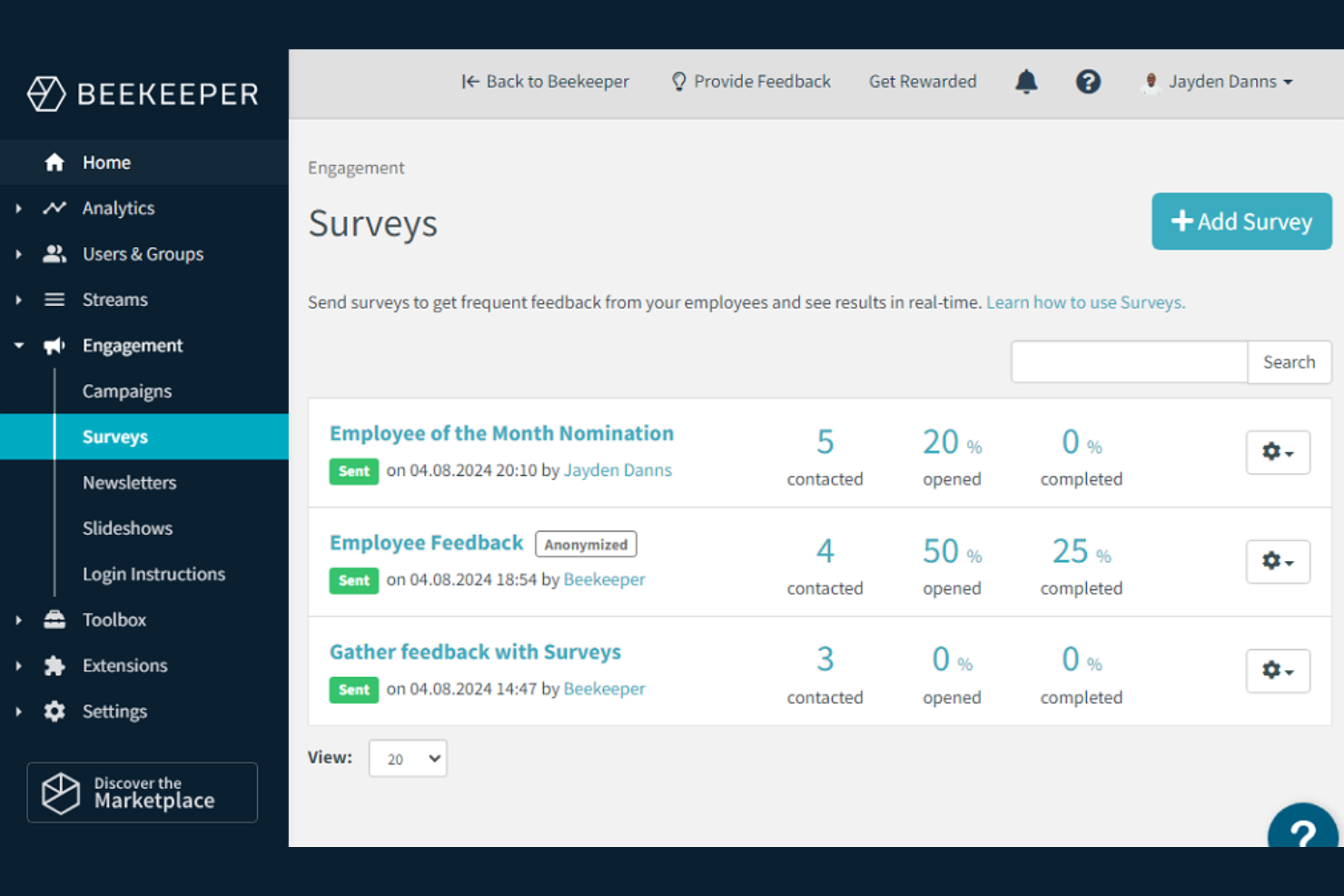
If you need a communication platform built specifically for frontline teams, Beekeeper is worth considering. The tool is designed for industries like hospitality, manufacturing, and retail, where employees often don’t have company email or regular computer access. Beekeeper stands out by offering mobile-first messaging, shift communication, and digital workflows that help keep non-desk workers informed and engaged.
Why Beekeeper Is a Good Flock Alternative
For teams that need to reach frontline employees who aren’t at a desk, Beekeeper offers a focused solution that Flock doesn’t. I picked Beekeeper because it provides mobile-first group messaging, real-time announcements, and digital forms that work well for workers without company email. The platform also supports shift communication and automated workflows, which help managers keep everyone aligned and informed. These features make Beekeeper a strong choice for industries where traditional chat tools fall short.
Beekeeper Key Features
Some other features in Beekeeper that are useful for teams moving from Flock include:
- Document Library: Store and share important files and resources in a centralized location.
- Employee Directory: Quickly search for and connect with colleagues across locations and departments.
- Task Management: Assign, track, and manage tasks directly within the app.
- HR Integrations: Connect Beekeeper with HR systems to sync employee data and automate onboarding.
Beekeeper Integrations
Integrations include Workday, SAP SuccessFactors, ADP, SharePoint, and UKG.
Pros and Cons
Pros:
- Does not need corporate email
- High employee engagement
- Easy shift management tools
Cons:
- Customization is limited
- Not for remote tech workers

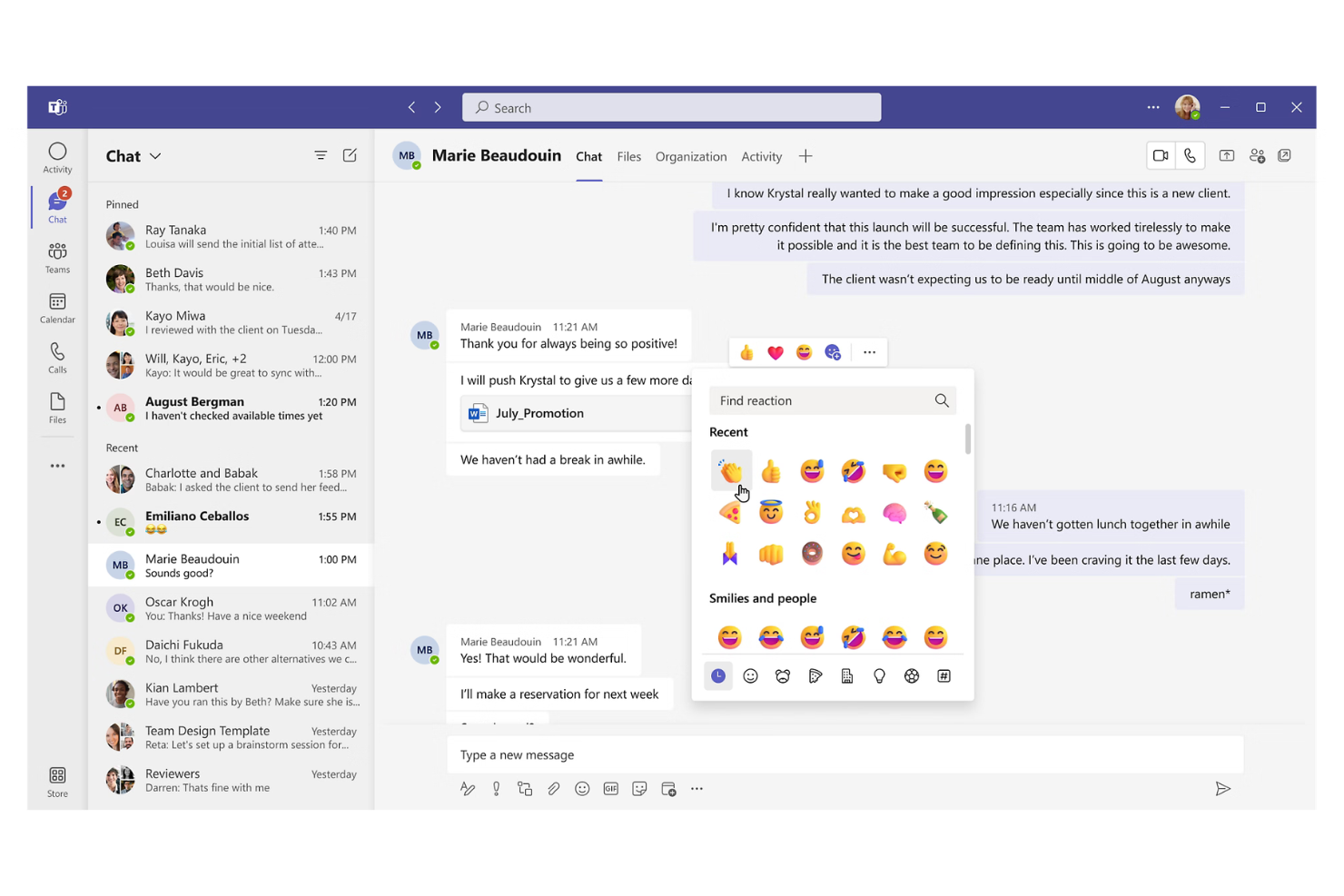
If your team relies on Microsoft 365, Microsoft Teams offers a unified chat and collaboration experience tightly integrated with your existing tools. This platform is a strong fit for organizations that want to connect messaging, meetings, and document sharing within the Microsoft ecosystem. Teams helps reduce context switching by bringing files, calendars, and conversations together in one place.
Why Microsoft Teams Is a Good Flock Alternative
For teams already using Microsoft 365, Microsoft Teams stands out because of its deep integration with the entire suite of Microsoft productivity tools. I picked it as a Flock alternative since you can collaborate on Word, Excel, and PowerPoint files directly within chat channels, without switching apps. Teams also connects meetings, calendars, and shared files in one workspace, making it easier to keep projects organized. This level of integration helps reduce friction for businesses that depend on Microsoft’s ecosystem.
Microsoft Teams Key Features
Some other features in Microsoft Teams that are useful for teams considering Flock alternatives include:
- Channel-Based Messaging: Organize conversations by topic, project, or department to keep discussions focused and easy to find.
- Customizable Tabs: Add tabs for apps, files, or websites directly within each channel for quick access to important resources.
- Task Assignment and Tracking: Use built-in task management tools to assign, track, and update tasks without leaving the platform.
- Guest Access Controls: Invite external collaborators to specific channels or meetings while maintaining control over permissions and data access.
Microsoft Teams Integrations
Integrations include SharePoint, OneDrive, Planner, GitHub, Trello, Jira, and Asana.
Pros and Cons
Pros:
- Huge meeting capacities
- Deep file sharing sync
- Enterprise-grade security
Cons:
- Overkill for small teams
- Clunky interface design

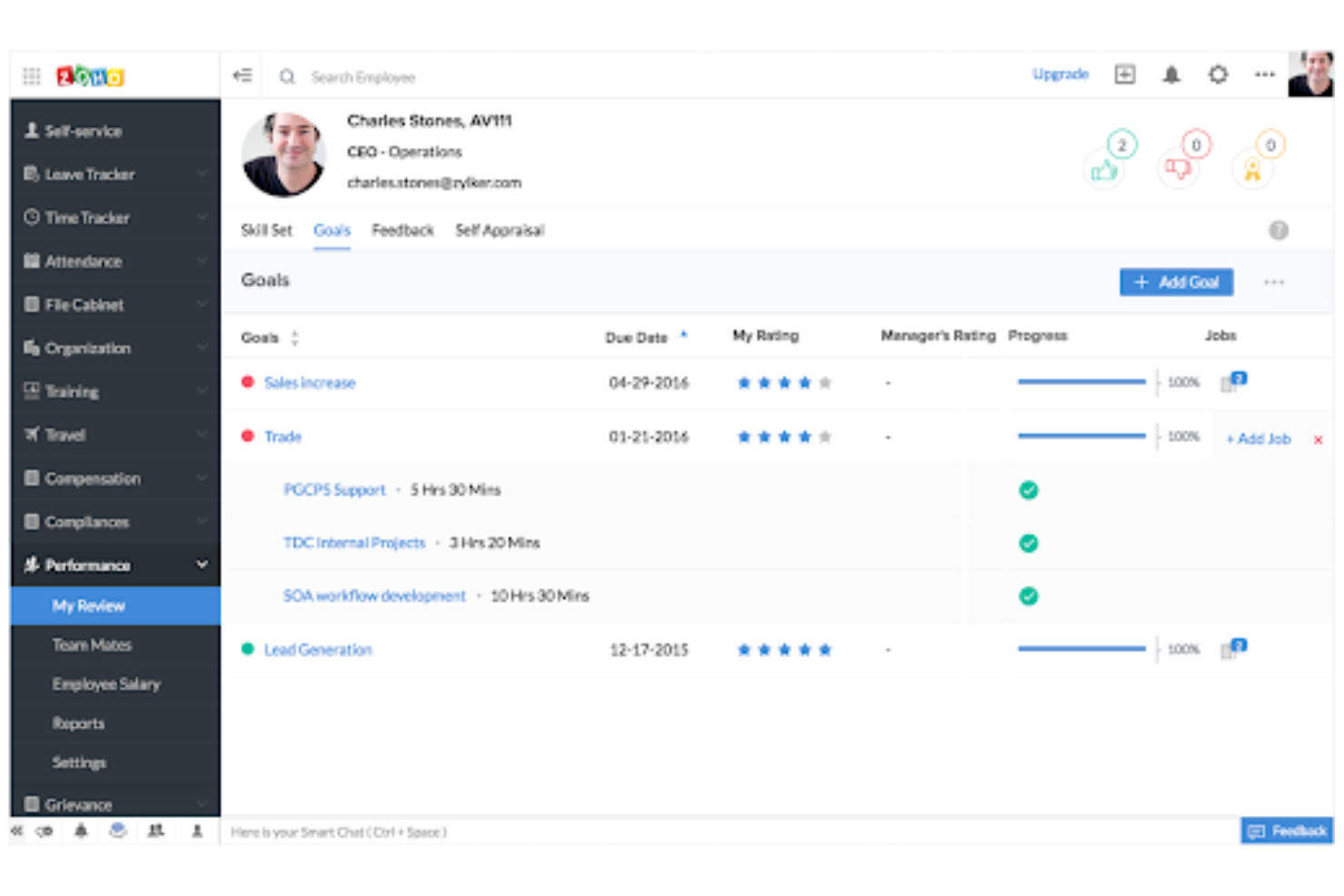
Teams already using Zoho’s suite of business apps will find Zoho Cliq especially appealing. This chat platform connects directly with Zoho tools like CRM, Projects, and Desk, making it easy to centralize communication and automate workflows. If you want a Flock alternative that fits tightly into the Zoho ecosystem, Zoho Cliq is purpose-built for that need.
Why Zoho Cliq Is a Good Flock Alternative
For teams already invested in Zoho’s business apps, Zoho Cliq stands out as a natural Flock alternative. I picked it because it offers deep, native integration with Zoho tools like CRM, Projects, and Desk, allowing you to automate notifications and trigger actions directly from chat. You can create bots and custom commands that interact with your Zoho data without leaving the conversation. This level of ecosystem integration is hard to match if your workflows depend on Zoho products.
Zoho Cliq Key Features
Some other features in Zoho Cliq that may interest teams include:
- Threaded Conversations: Organize discussions within channels using message threads for better context.
- Audio and Video Calls: Start voice or video calls directly from any chat window.
- Message Pinning: Pin important messages in channels or chats for quick reference.
- Customizable User Roles: Assign different permissions and access levels to users based on their roles.
Zoho Cliq Integrations
Integrations include Zoho CRM, Zoho Desk, Google Drive, Trello, Mailchimp, and Dropbox.
Pros and Cons
Pros:
- Strong task management link
- Clean multi-column view
- Great custom chat bots
Cons:
- Mobile app drains battery
- Basic video call quality
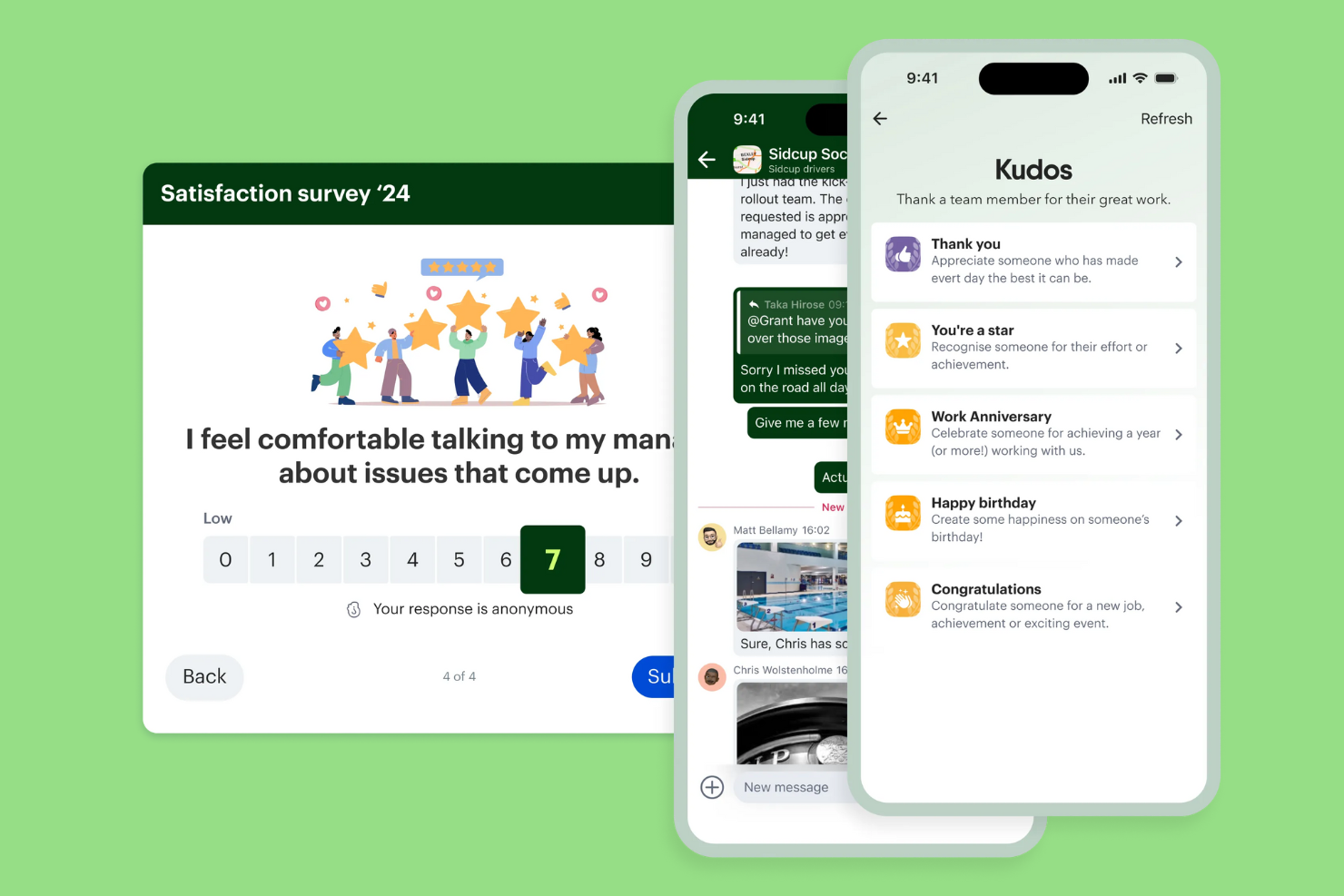
For organizations with frontline or deskless teams, Blink offers a mobile-first platform designed to keep everyone connected. Unlike Flock, Blink brings together chat, company news, and resource sharing in one app that’s built for workers who aren’t at a desk. It’s especially useful for industries like healthcare, retail, and logistics where real-time updates and engagement are essential.
Why Blink Is a Good Flock Alternative
Blink stands out for teams whose employees are rarely at a desk and need mobile-first communication. I picked it because it combines secure chat, a personalized news feed, and quick access to digital forms in one app. The platform’s focus on mobile notifications and resource hubs helps frontline workers stay informed and engaged wherever they are. If your team needs to reach people in the field or on the go, Blink offers features that Flock doesn’t prioritize.
Blink Key Features
Some other features that make Blink appealing for deskless teams include:
- Single Sign-On (SSO): Connect Blink to your existing identity provider for simplified and secure access.
- Pulse Surveys: Collect real-time feedback from employees with customizable survey tools.
- Document Library: Store and share important documents and policies in a centralized location.
- Customizable Home Screen: Tailor the app’s main dashboard to highlight key resources and updates for your team.
Blink Integrations
Integrations include SharePoint, Microsoft 365, Google Workspace, Jira, and Workday.
Pros and Cons
Pros:
- Strong shift worker focus
- Clean mandatory read feature
- High frontline adoption rate
Cons:
- Lacks complex task workflows
- Analytics can be quite basic
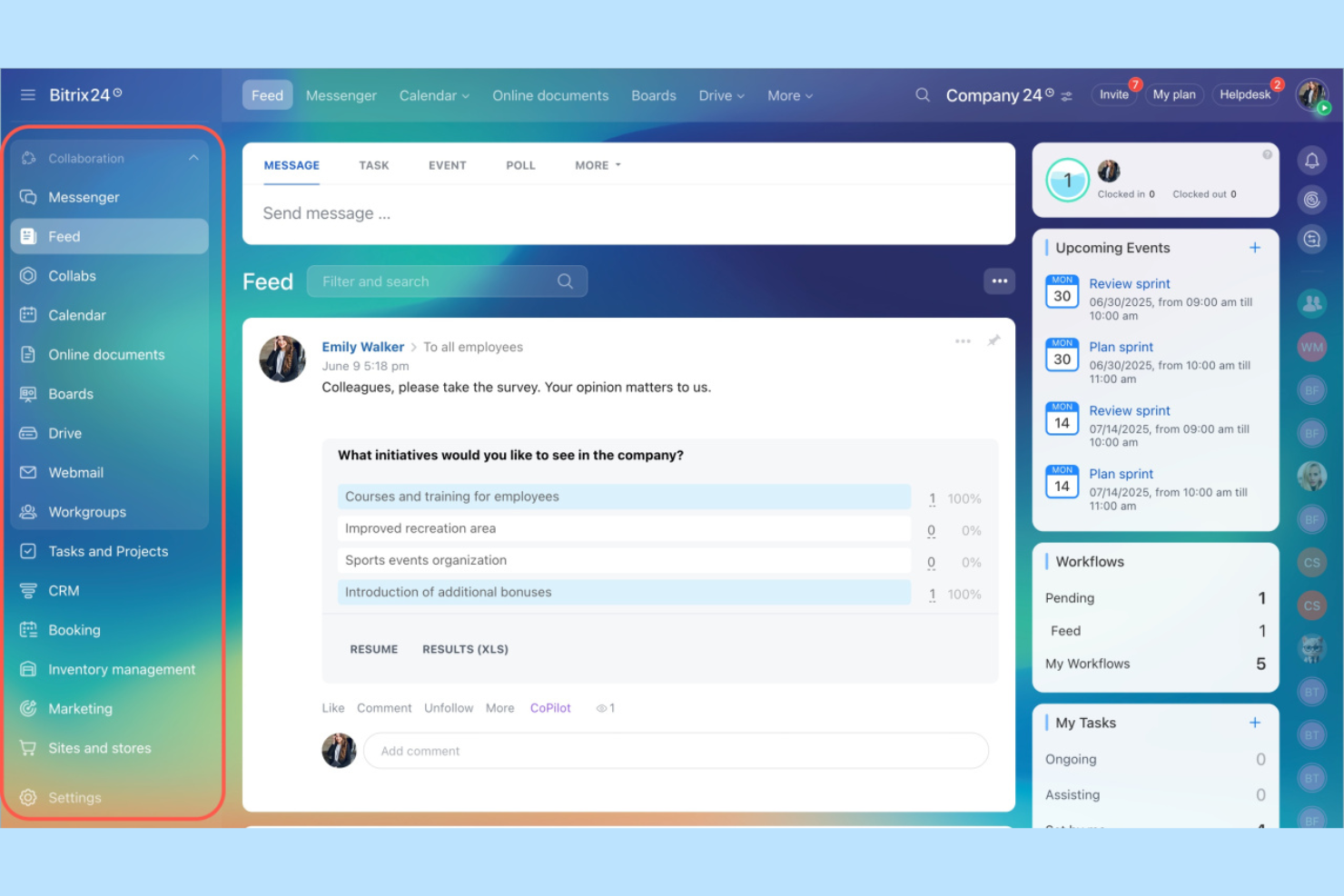
If your team needs chat and task management in one place, Bitrix24 is worth a look. This platform combines real-time messaging with built-in task and project tracking, making it a fit for teams that want to manage work without switching tools. Bitrix24 stands out from Flock by offering Kanban boards, Gantt charts, and workload planning alongside its chat features.
Why Bitrix24 Is a Good Flock Alternative
Unlike many chat tools, Bitrix24 puts task management at the center of its platform. I picked it for teams that want to assign, track, and visualize tasks without leaving their chat environment. You get Kanban boards, Gantt charts, and workload planning built right into the same workspace as your conversations. This makes Bitrix24 a strong choice if you want to keep both communication and project tracking tightly connected.
Bitrix24 Key Features
Some other features in Bitrix24 that may interest teams include:
- HD Video Conferencing: Host video meetings directly within the platform for up to 48 participants.
- Document Management: Store, share, and collaborate on files with built-in cloud storage.
- Employee Directory: Maintain a searchable database of team members and organizational structure.
- Customizable Workspaces: Set up separate workgroups and departments with their own chat, tasks, and calendars.
Bitrix24 Integrations
Integrations include Mailchimp, Xero, QuickBooks, Microsoft 365, Google Drive, and Dropbox.
Pros and Cons
Pros:
- Good intranet capabilities
- Free tier is very generous
- Built-in project management
Cons:
- Jack of all trades master none
- Support is notoriously slow

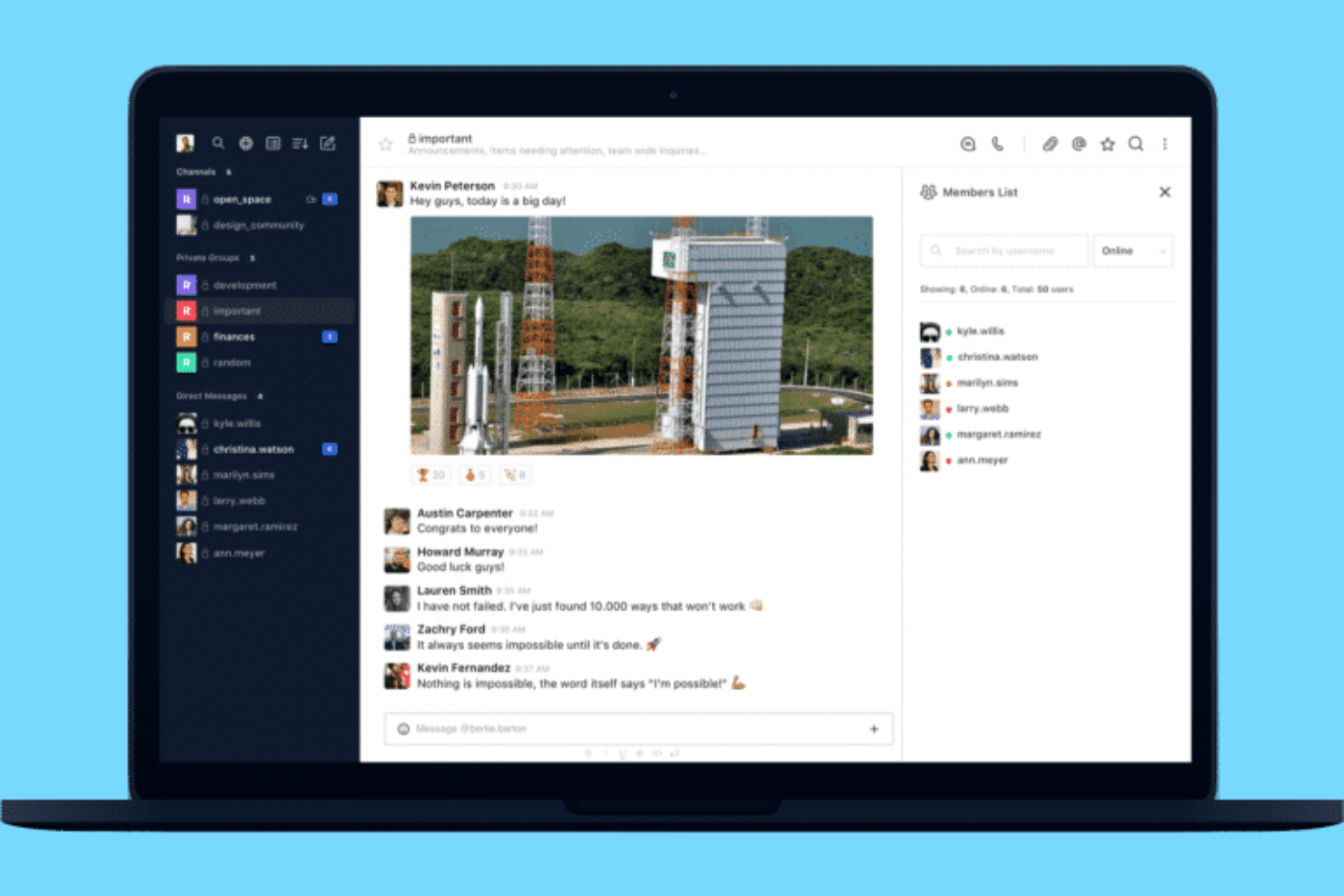
If your team needs full control over data and deployment, Rocket.Chat is a strong option. This open-source platform is ideal for organizations with strict security, compliance, or customization requirements, such as those in healthcare, government, or finance. Unlike Flock, Rocket.Chat lets you self-host, customize the codebase, and manage your own security protocols.
Why Rocket.Chat Is a Good Flock Alternative
For teams that need to host their own communication platform, Rocket.Chat offers a level of control that Flock doesn’t provide. I picked Rocket.Chat because you can deploy it on your own servers, giving you full ownership of your data and infrastructure. The platform also allows for deep customization through open-source code, so you can tailor features and workflows to your organization’s needs. This makes Rocket.Chat especially appealing for businesses with strict compliance or security requirements.
Rocket.Chat Key Features
Some other features in Rocket.Chat that are useful for teams considering Flock alternatives include:
- Omnichannel Messaging: Manage conversations from email, SMS, WhatsApp, and other channels in one place.
- Role-Based Permissions: Set granular access controls for users and groups.
- End-to-End Encryption: Protect messages with advanced encryption for private conversations.
- Marketplace Apps: Extend functionality with a range of add-ons from the Rocket.Chat marketplace.
Rocket.Chat Integrations
Integrations include Jira, GitHub, GitLab, Nextcloud, WhatsApp, and Telegram.
Pros and Cons
Pros:
- White-label customization
- Unlimited message history
- High data privacy control
Cons:
- Support relies on community
- Mobile app can be buggy

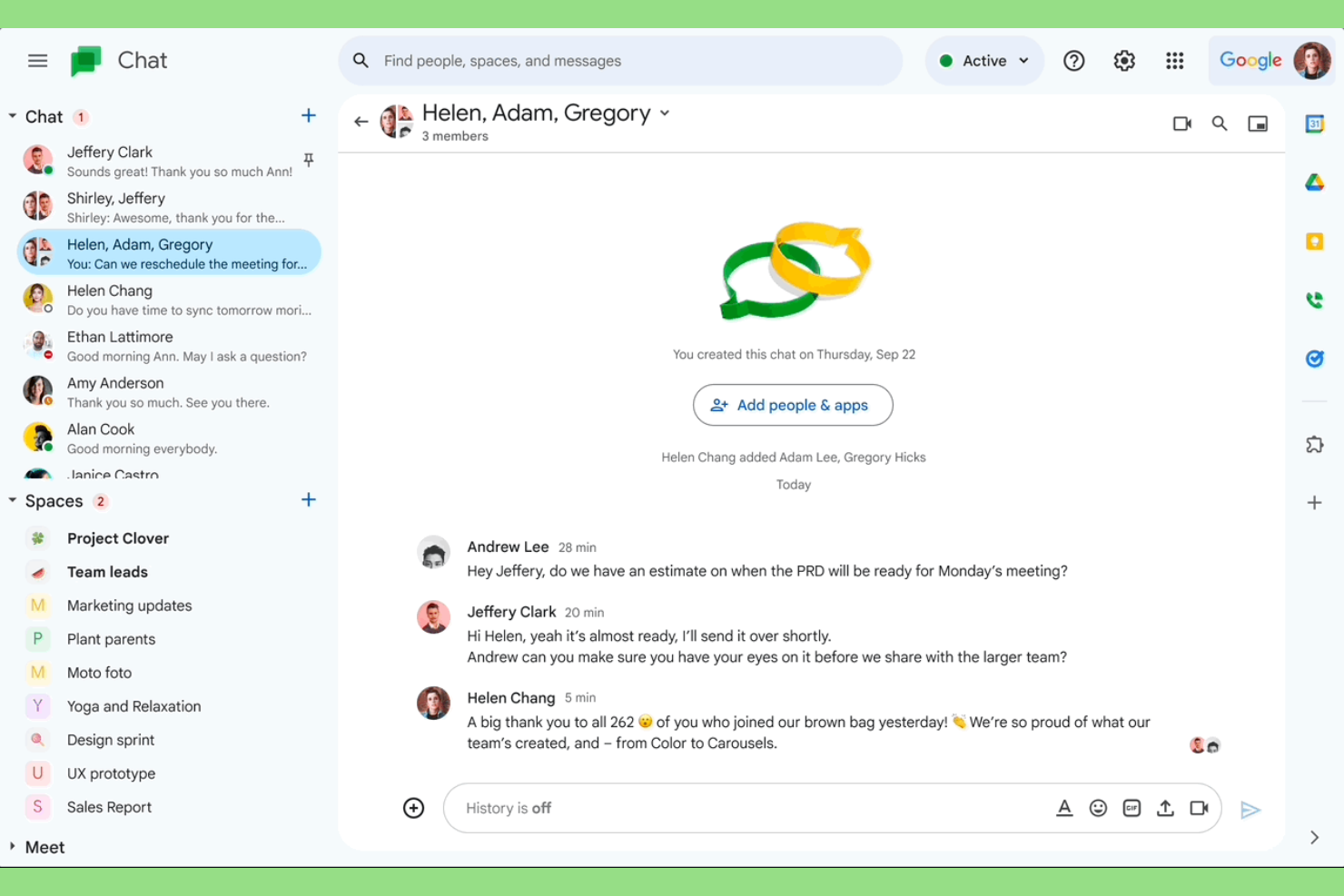
Teams already using Google Workspace will find Google Chat a natural fit for their workflow. This tool is designed for organizations that rely on Gmail, Google Drive, and other Workspace apps to keep communication and collaboration in one place. Unlike Flock, Google Chat offers direct integration with Google’s productivity suite, making it easier to share files, schedule meetings, and manage projects without switching platforms.
Why Google Chat Is a Good Flock Alternative
If your team already depends on Google Workspace, Google Chat is the most logical alternative to Flock. I picked Google Chat because it’s built directly into Gmail and connects seamlessly with Google Drive, Calendar, and Docs. You can start chats or group conversations right from your inbox and quickly share files or schedule meetings without leaving the platform. This tight integration helps teams keep all their communication and collaboration in one familiar environment.
Google Chat Key Features
Some other features in Google Chat that are helpful for teams looking at Flock alternatives include:
- Spaces for Topic-Based Collaboration: Organize conversations, files, and tasks by project or topic in dedicated spaces.
- Threaded Conversations: Keep discussions organized with message threads inside group chats.
- Bots and Automation: Use built-in bots to automate tasks like scheduling or reminders.
- Mobile and Desktop Apps: Access Google Chat from dedicated apps on both mobile devices and desktops.
Google Chat Integrations
Integrations include Google Drive, Google Meet, Google Docs, Jira, GitHub, and Asana.
Pros and Cons
Pros:
- Easy external guest access
- Included at no extra cost
- Clean threading structure
Cons:
- Notification bugs happen
- Fewer third-party apps

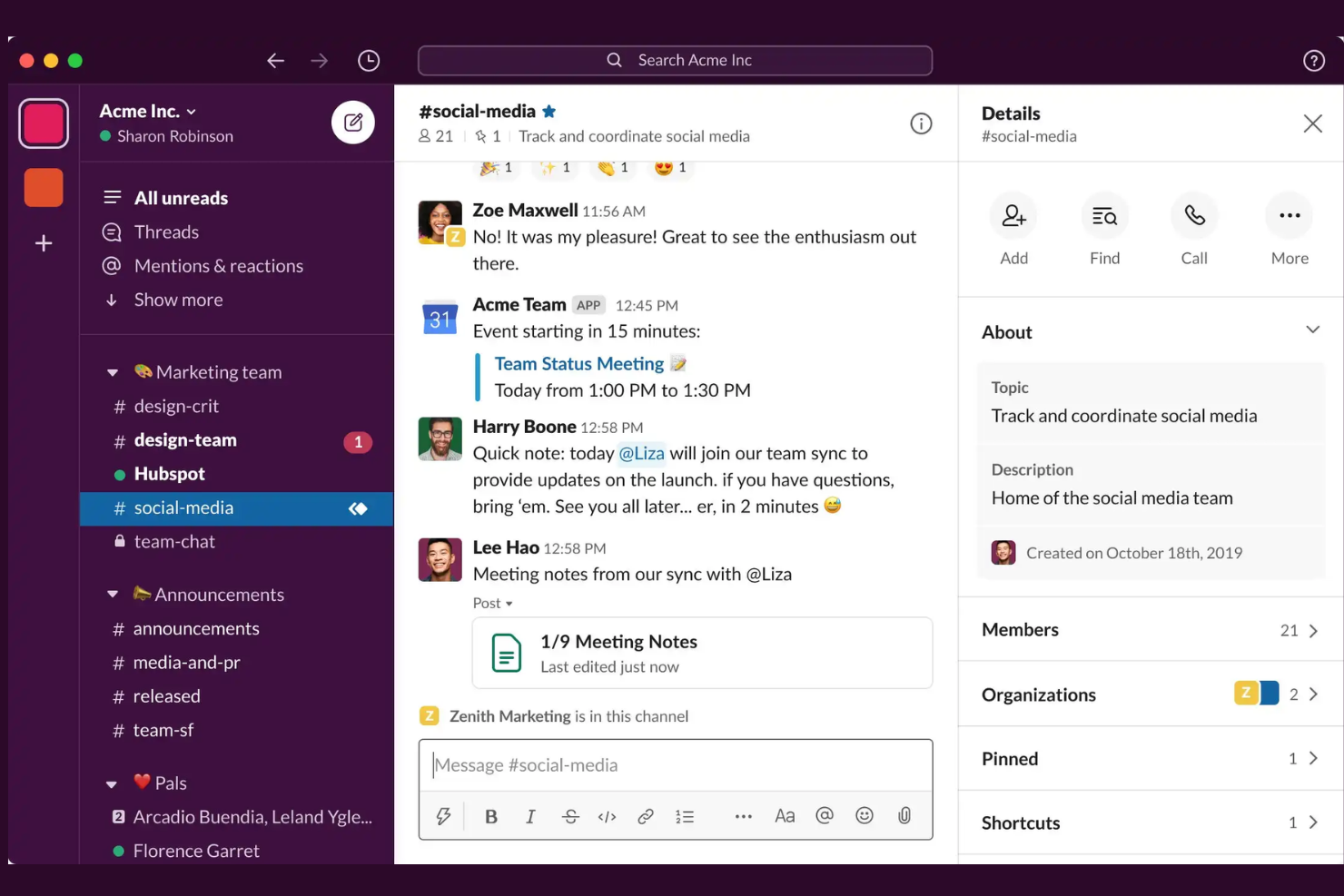
If your team relies on a wide range of business apps, Slack offers unmatched integration options compared to Flock. It’s a strong fit for tech companies, distributed teams, and organizations that need to connect chat with tools like Jira, Salesforce, or Google Workspace. Slack’s extensive app directory helps you centralize notifications, automate workflows, and keep all your work in one place.
Why Slack Is a Good Flock Alternative
For teams that depend on connecting their chat with dozens of other business tools, Slack is a top choice. I picked Slack as a Flock alternative because its app directory includes thousands of native integrations, letting you automate notifications, actions, and workflows directly in your channels. Features like workflow builder and message actions allow you to trigger tasks, approvals, or updates in connected apps without leaving Slack. This level of extensibility is hard to match if your team’s productivity depends on a tightly integrated tool stack.
Slack Key Features
Some other features in Slack that are useful for teams moving from Flock include:
- Threaded Conversations: Keep discussions organized by replying directly to specific messages within a channel.
- Custom Emoji and Reactions: Add personality and quick feedback to messages with custom emoji and reaction options.
- Slack Connect: Collaborate with external partners, vendors, or clients in shared channels.
- Granular Notification Settings: Control notifications at the channel, keyword, or mention level for focused communication.
Slack Integrations
Integrations include Asana, Box, ChatGPT, Claude, GitHub, Google Drive, Jira, Notion, Salesforce, and Zoom.
Pros and Cons
Pros:
- Strong channel organization
- Excellent search function
- Great custom emoji support
Cons:
- High notification noise
- Eats up RAM quickly
Other Flock alternatives
Here are some additional flock alternatives options that didn’t make it onto my shortlist, but are still worth checking out:
- Connecteam
For mobile workforce management
- FLEEP
For email and chat fusion
- Hive
For integrated project tracking
- Discord
With customizable voice channels


Flock Alternatives Selection Criteria
When selecting the best Flock alternatives to include in this list, I considered common buyer needs and pain points related to Flock alternatives products, like supporting distributed teams and enabling real-time communication across devices. I also used the following framework to keep my evaluation structured and fair:
Core Functionality (25% of total score) To be considered for inclusion in this list, each solution had to fulfill these common use cases:
- Send direct and group messages
- Share files and documents
- Search message history
- Manage user permissions
- Integrate with other workplace tools
Additional Standout Features (25% of total score) To help further narrow down the competition, I also looked for unique features, such as:
- Built-in surveys or polls
- Customizable home screens or dashboards
- Digital forms for field reporting
- News feeds or broadcast channels
- Mobile-first design for deskless teams
Usability (10% of total score) To get a sense of the usability of each system, I considered the following:
- Simple and intuitive navigation
- Clean and modern interface design
- Fast message delivery and notifications
- Easy access to core features
- Minimal setup required for new users
Onboarding (10% of total score) To evaluate the onboarding experience for each platform, I considered the following:
- Availability of training videos and tutorials
- Step-by-step product tours
- Pre-built templates for quick setup
- Access to onboarding webinars or live sessions
- In-app chatbots for onboarding support
Customer Support (10% of total score) To assess each software provider’s customer support services, I considered the following:
- 24/7 live chat or email support
- Detailed online help center or knowledge base
- Fast response times to inquiries
- Access to community forums or user groups
- Availability of dedicated account managers
Value For Money (10% of total score) To evaluate the value for money of each platform, I considered the following:
- Transparent and flexible pricing plans
- Free trials or demos available
- Features included at each pricing tier
- Discounts for annual billing or larger teams
- No hidden fees or surprise charges
Customer Reviews (10% of total score) To get a sense of overall customer satisfaction, I considered the following when reading customer reviews:
- Positive feedback on reliability and uptime
- Comments on feature usefulness
- Reports of customer support experiences
- User sentiment about mobile and desktop apps
- Feedback on integration capabilities
Why Look For a Flock Alternative?
While Flock is a good choice of flock alternatives, there are a number of reasons why some users seek out alternative solutions. You might be looking for a Flock alternative because…
- You need more advanced integrations with other tools
- Your team relies on mobile-first or deskless workflows
- You want more customization for notifications and alerts
- You require better support for large or distributed teams
- You need features tailored to specific industries
- You want more flexible pricing or billing options
If any of these sound like you, you’ve come to the right place. My list contains several flock alternatives options that are better suited for teams facing these challenges with Flock and looking for alternative solutions.
Flock Key Features
Here are some of the key features of Flock, to help you contrast and compare what alternative solutions offer:
- Direct and group messaging
- Built-in video conferencing
- File sharing and storage
- Searchable message history
- Shared to-do lists and reminders
- Channel-based conversations
- Polls and surveys
- Native integrations with productivity tools
- Guest user access
- Team announcement channels