

10 Best Email Management Software in 2026

Best Email Management Software Shortlist


Email management software helps you organize, prioritize, and automate your inbox so you can stay on top of communication without getting overwhelmed. If you’re searching for the best email management software, you’re probably dealing with overflowing inboxes, missed messages, or the challenge of keeping team communication organized.
The right tool can help your team collaborate, reduce manual sorting, and ensure nothing slips through the cracks. In this guide, you’ll find expert-vetted options to help you choose the best fit for your workflow, whether you need shared inboxes, automation, or advanced organization features.
Why Trust Our Software Recommendations
Our team has been testing and reviewing software since 2012. As project managers ourselves, we know how difficult—and important—it is to choose the right software.
For this guide, we evaluated tools using hands-on testing and independent research, scoring tools using our selection criteria. We also draw on insights from industry thought leaders and practicing project management experts.
Our reviews reflect our human editorial judgment, not a sales pitch.
Expert reviewers:
Email Management Software Comparison Table
This comparison table summarizes pricing details for my top email management software selections:
| Tool | Best For | Trial Info | Price | ||
|---|---|---|---|---|---|
| 1 | Best for unified inbox customization | Free 14-day free trial + free plan available | From $4.03/user/month (billed annually) | Website | |
| 2 | Best with integrated business apps | Free plan + 15-day free trial available | From $1/user/month (billed annually) | Website | |
| 3 | Best for managing shared Gmail accounts | 14-day free trial available | From $12/user/month (billed annually) | Website | |
| 4 | Best with marketing automation tools | 14-day free trial + free demo available | From $20/month | Website | |
| 5 | Best for collaborative team inboxes | 14-day free trial + free demo available | From $25/seat/month (billed annually) | Website | |
| 6 | Best for project-based email filing | Free demo + free trial available | Pricing upon request | Website | |
| 7 | Best with built-in docs and calendar | Free plan + free demo available | Pricing upon request | Website | |
| 8 | Best for bulk email organization | Free trial available | From $9/month | Website | |
| 9 | Best for AI-powered inbox prioritization | 14-day free trial available | From $4.13/month (billed biyearly) | Website | |
| 10 | Best for Gmail-based workflow automation | Free plan available | From $35/user/month | Website |

Email Management Software Reviews
Below are my detailed summaries of the best email management software that made it onto my shortlist. My reviews offer a detailed look at the features, integrations, and best use cases of each platform to help you find the best one for you.

Mailbird
Best for unified inbox customization
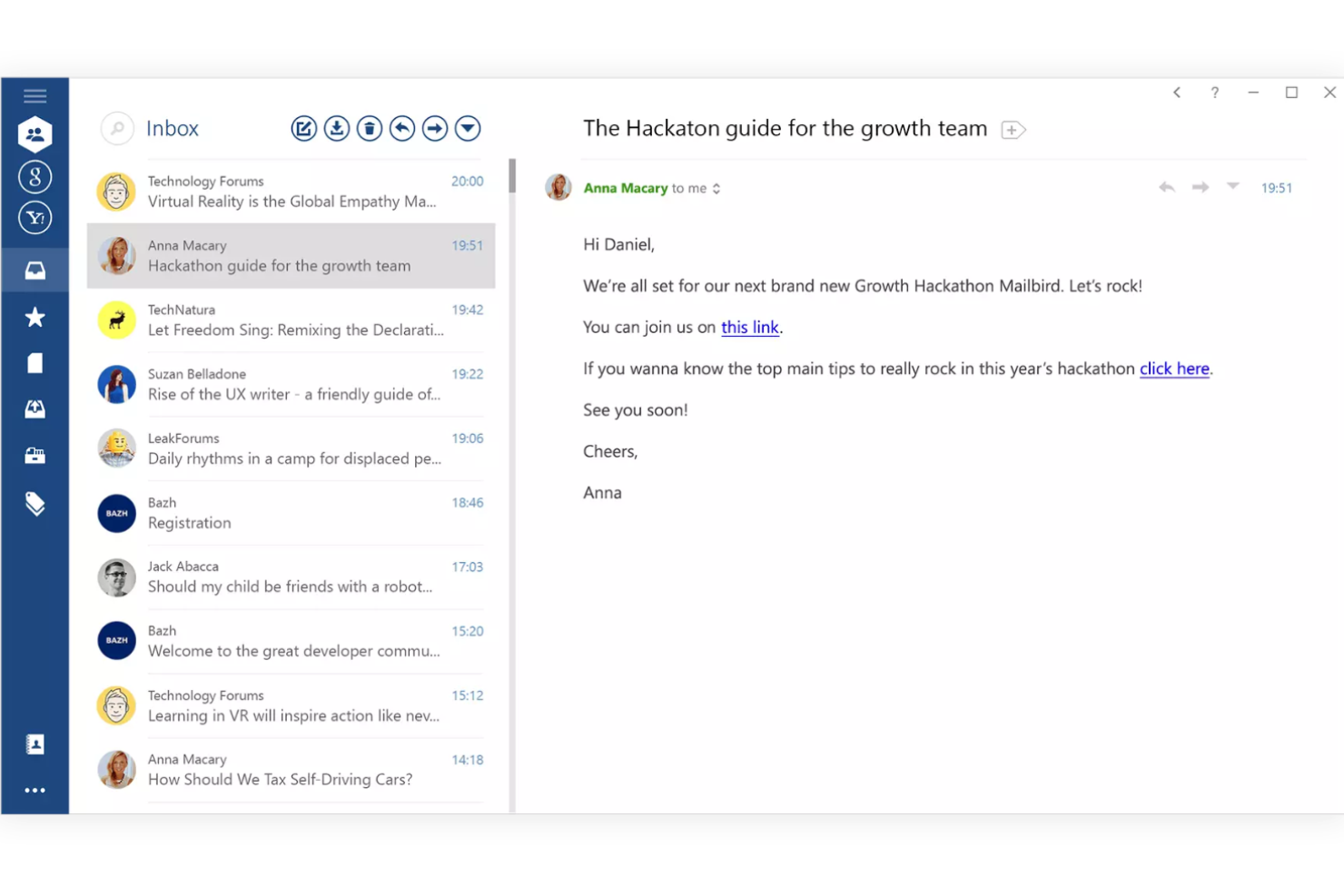
Mailbird is a Windows-based email client designed for professionals and small businesses who want to manage multiple email accounts, contacts, and app integrations from a single, highly customizable inbox.
Who Is Mailbird Best For?
Mailbird is a strong fit for small business teams and professionals who need to manage multiple email accounts on Windows.
Why I Picked Mailbird
I picked Mailbird as one of the best because I can customize my unified inbox with color coding, layout tweaks, and sidebar widgets for apps like WhatsApp and Google Calendar. I like that I can quickly switch between multiple accounts and set custom notification rules for each. In practice, that means my team can keep all communications and tools in one place, tailored to how we actually work.
Mailbird Key Features
- Unified contact management: Merge and manage contacts from all connected accounts in one place.
- Attachment search: Find attachments across all emails with a dedicated search tool.
- Snooze emails: Temporarily remove emails from your inbox and have them return at a set time.
- Speed reader: Quickly scan and read emails using a built-in speed reading tool.
Mailbird Integrations
Mailbird offers 30+ native integrations, including Slack, Dropbox, Google Calendar, Asana, WhatsApp, Facebook, Twitter, LinkedIn, Evernote, and Todoist, with an API available for custom integrations.
Pros and Cons
Pros:
- Fast attachment search across all accounts
- Customizable layout and sidebar app widgets
- Unified inbox supports multiple account types
Cons:
- Lacks built-in email templates
- No native Mac or web version

Best with integrated business apps
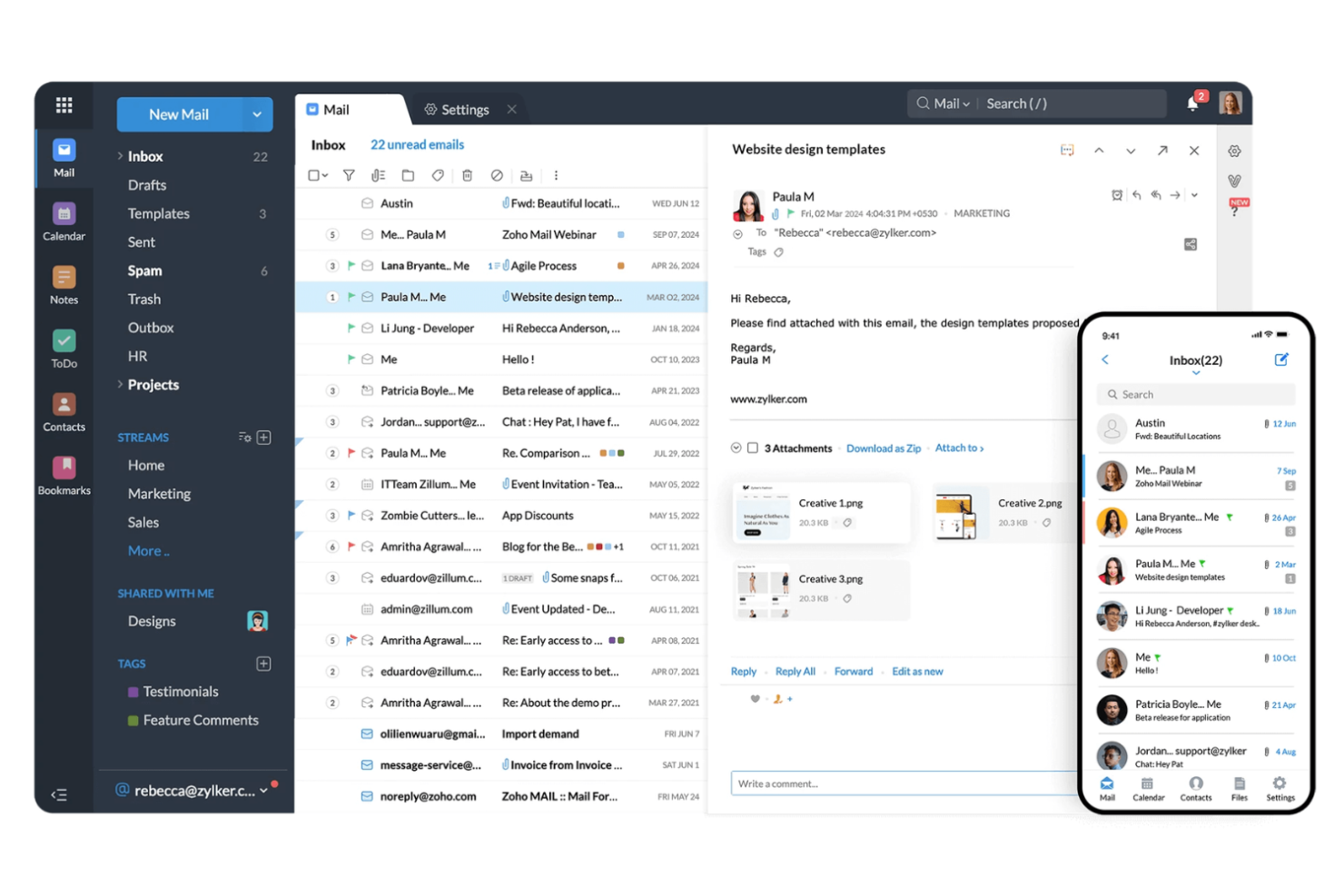
Zoho Mail is a business-focused email management platform used by organizations that want secure, ad-free email with built-in collaboration tools and productivity features for teams of any size.
Who Is Zoho Mail Best For?
Zoho Mail is a strong choice for small to midsize businesses that want integrated email and productivity tools in one platform.
Why I Picked Zoho Mail
I picked Zoho Mail as one of the best because I can manage email, calendar, tasks, and notes all in one place without switching apps. I like that my team can use Zoho Mail alongside Zoho CRM and Zoho Projects, making it easy to connect email conversations to business workflows. In practice, that means we keep our communications and project updates tightly linked, which helps us stay organized and responsive.
Zoho Mail Key Features
- Streams collaboration: Turn emails into chat-like conversations for team discussions.
- Custom domain hosting: Use your own business domain for all email addresses.
- Advanced search filters: Find emails quickly with detailed filtering and sorting options.
- Email recall: Retract sent emails before they reach the recipient’s inbox.
Zoho Mail Integrations
Zoho Mail offers 50+ native integrations, including Zoho CRM, Zoho Projects, Zoho Desk, Google Drive, Dropbox, Box, and Zapier. An API is also available for custom integrations.
Pros and Cons
Pros:
- Advanced search with multiple filtering options
- Streams feature enables chat-style team discussions
- Supports custom domain email hosting
Cons:
- No built-in email marketing tools
- Shared mailbox management is less intuitive

Keeping
Best for managing shared Gmail accounts
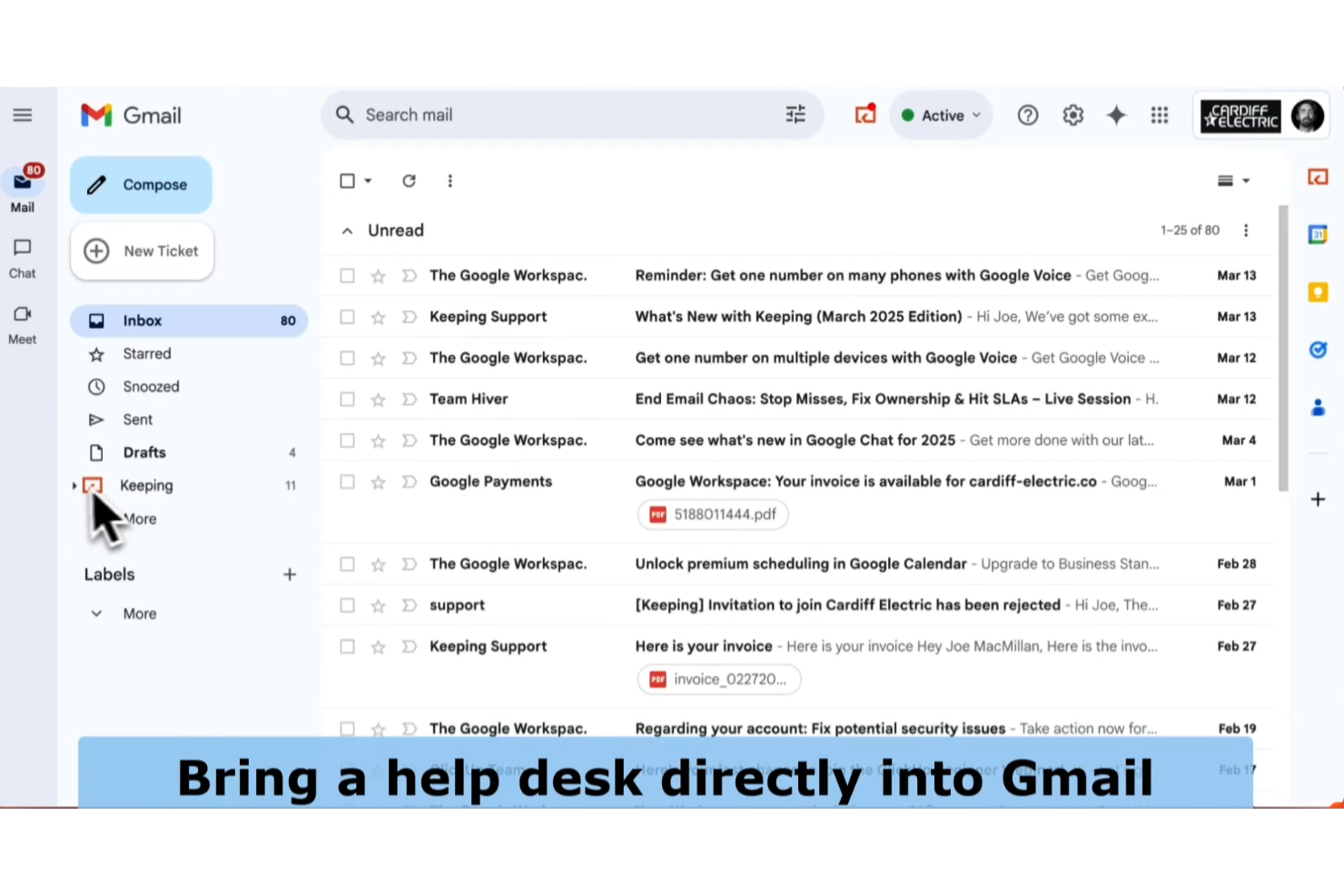
Keeping is a Gmail-based help desk tool designed for small businesses and support teams who want to manage customer emails, assign tickets, and collaborate without leaving their existing inbox.
Who Is Keeping Best For?
Keeping is a strong fit for small teams and businesses that manage customer support directly from shared Gmail accounts.
Why I Picked Keeping
I picked Keeping as one of the best because it lets my team manage and assign emails directly inside Gmail, so we don’t have to switch platforms. I like that we can turn emails into trackable tickets and add private notes for internal collaboration. In practice, that means we keep all customer conversations organized without leaving our shared inbox.
Keeping Key Features
- Reporting dashboard: Track metrics like response time and ticket volume.
- Collision detection: See when another team member is viewing or replying to an email.
- Custom tags: Categorize and filter emails with personalized tags.
- Snooze emails: Temporarily remove emails from the inbox and bring them back at a set time.
Keeping Integrations
Keeping offers a small set of native integrations, including Google Workspace, Slack, and Zapier, and also provides an API for custom integrations.
Pros and Cons
Pros:
- No need to switch between multiple platforms
- Tracks response times and ticket metrics
- Assigns emails to team members instantly
Cons:
- No built-in live chat or help desk widget
- Only works with Gmail and Google Workspace

Best with marketing automation tools
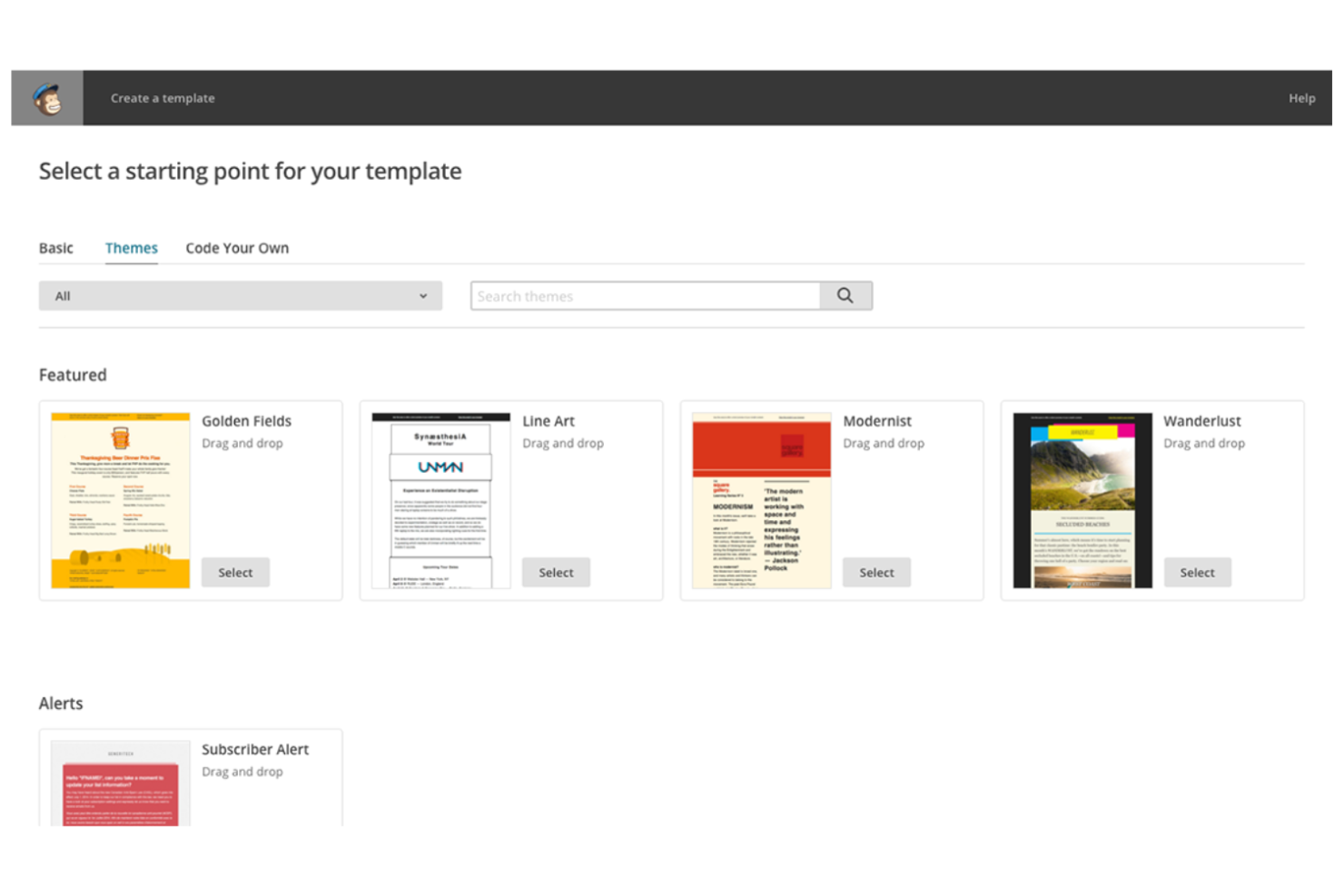
Mailchimp is a cloud-based platform used by marketers, ecommerce businesses, and small teams to manage email campaigns, automate communications, and analyze audience engagement from a single dashboard.
Who Is Mailchimp Best For?
Mailchimp is a strong fit for marketing teams and small businesses that want to automate email campaigns and manage audience outreach.
Why I Picked Mailchimp
I picked Mailchimp as one of the best because I can set up automated email journeys that trigger based on user behavior, segment audiences with advanced rules, and personalize content at scale. My team uses its visual workflow builder to map out complex campaigns and automate follow-ups without manual effort. I like that I can track campaign performance and optimize messaging using built-in analytics and A/B testing tools.
Mailchimp Key Features
- Drag-and-drop email builder: Create custom email layouts using a visual editor.
- Pre-built email templates: Choose from a library of professionally designed templates for different campaign types.
- Contact list management: Organize, import, and segment contacts for targeted messaging.
- Inbox preview: See how emails will appear across different devices and email clients.
Mailchimp Integrations
Mailchimp offers 300+ native integrations, including Shopify, WooCommerce, Salesforce, Eventbrite, Stripe, Squarespace, Canva, Google Analytics, Facebook, Instagram, and Zapier, with an API available for custom integrations.
Pros and Cons
Pros:
- Visual campaign builder for workflow mapping
- Built-in A/B testing for email optimization
- Segmentation tools for targeted audience messaging
Cons:
- Limited inbox management and email sorting
- List management can be confusing for new users

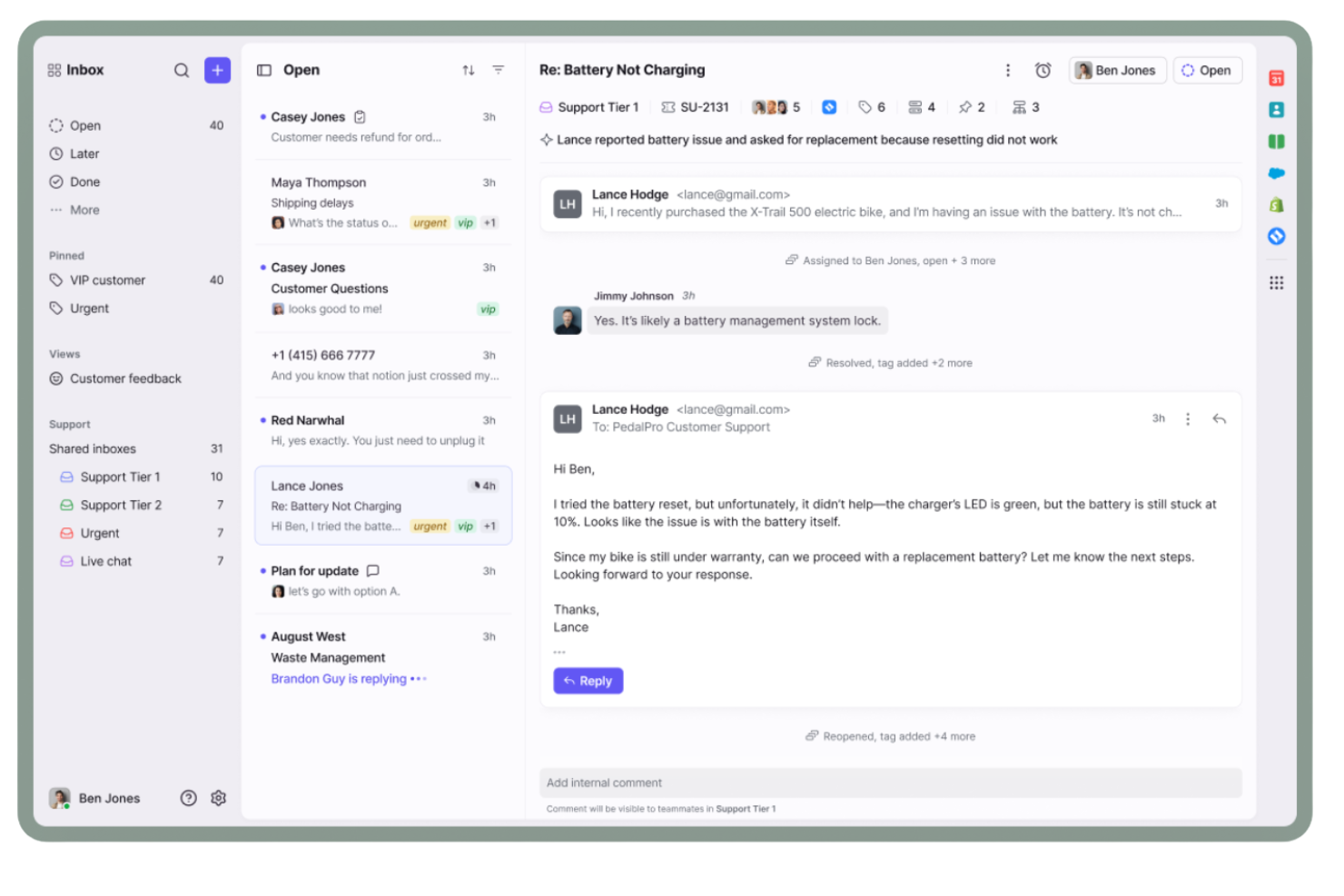
Front is an email management platform built for teams in customer support, operations, and account management who need to organize shared inboxes, assign conversations, and keep internal collaboration visible and actionable.
Who Is Front Best For?
Teams in customer support, client services, or operations who need to manage high volumes of shared email conversations.
Why I Picked Front
I picked Front as one of the best because my team can manage shared inboxes and assign emails to specific teammates without losing visibility. I like how Front lets us comment internally on threads, so we keep all context in one place. The collision detection feature helps us avoid duplicate replies when several people are working in the same inbox.
Front Key Features
- Analytics dashboard: Track team performance and inbox metrics in real time.
- Rules-based automation: Set up custom workflows to route and tag emails automatically.
- Multi-channel inbox: Manage email, SMS, and social messages from a single interface.
- App integrations: Connect with tools like Salesforce, Slack, and Asana directly from your inbox.
Front Integrations
Front offers 160+ native integrations, including Salesforce, HubSpot, Asana, Slack, Trello, Jira, Google Workspace, Microsoft 365, Aircall, Twilio, and Zapier. An API is available for custom integrations.
Pros and Cons
Pros:
- Assign emails to specific teammates instantly
- Collision detection prevents duplicate email replies
- Internal comments keep team discussions organized
Cons:
- No built-in calendar or scheduling tools
- Shared drafts can be accidentally overwritten
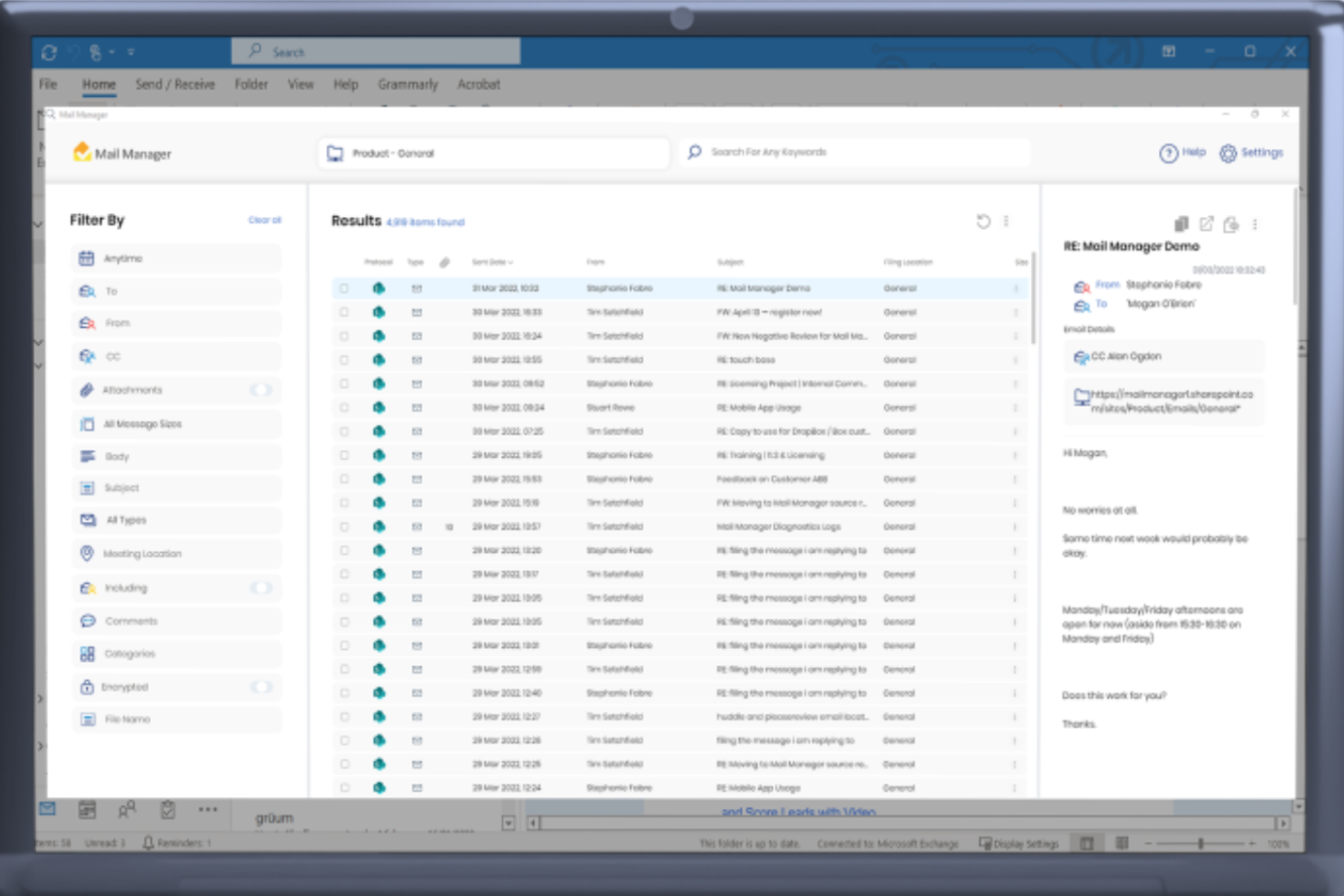
Ideagen Mail Manager is an email management solution built for project-driven teams in industries like construction, engineering, and consulting who need to organize, search, and file project correspondence efficiently.
Who Is Ideagen Mail Manager Best For?
Project managers and teams in construction, engineering, and consulting firms who need to organize and retrieve project-related emails.
Why I Picked Ideagen Mail Manager
I picked Ideagen Mail Manager as one of the best because I can file emails directly into project folders from Outlook, making it easy to keep all correspondence organized by project. I like that it prompts my team to file emails as we send or receive them, so nothing gets lost. The search function is fast and lets me find project-specific emails and attachments in seconds.
Ideagen Mail Manager Key Features
- Automatic email capture: Captures all inbound and outbound emails for compliance.
- Shared filing locations: Lets teams access and file emails in centralized folders.
- Duplicate detection: Flags and prevents duplicate emails in project folders.
- Mobile access: Allows users to file and search emails from mobile devices.
Ideagen Mail Manager Integrations
Ideagen Mail Manager offers native integrations across the Microsoft ecosystem, including Microsoft 365, SharePoint, and Teams, and an API is available for custom integrations.
Pros and Cons
Pros:
- Supports compliance with audit trails
- Fast search for project-specific correspondence
- Prompts users to file emails on send
Cons:
- Lacks automated email categorization by AI
- No built-in email analytics or reporting

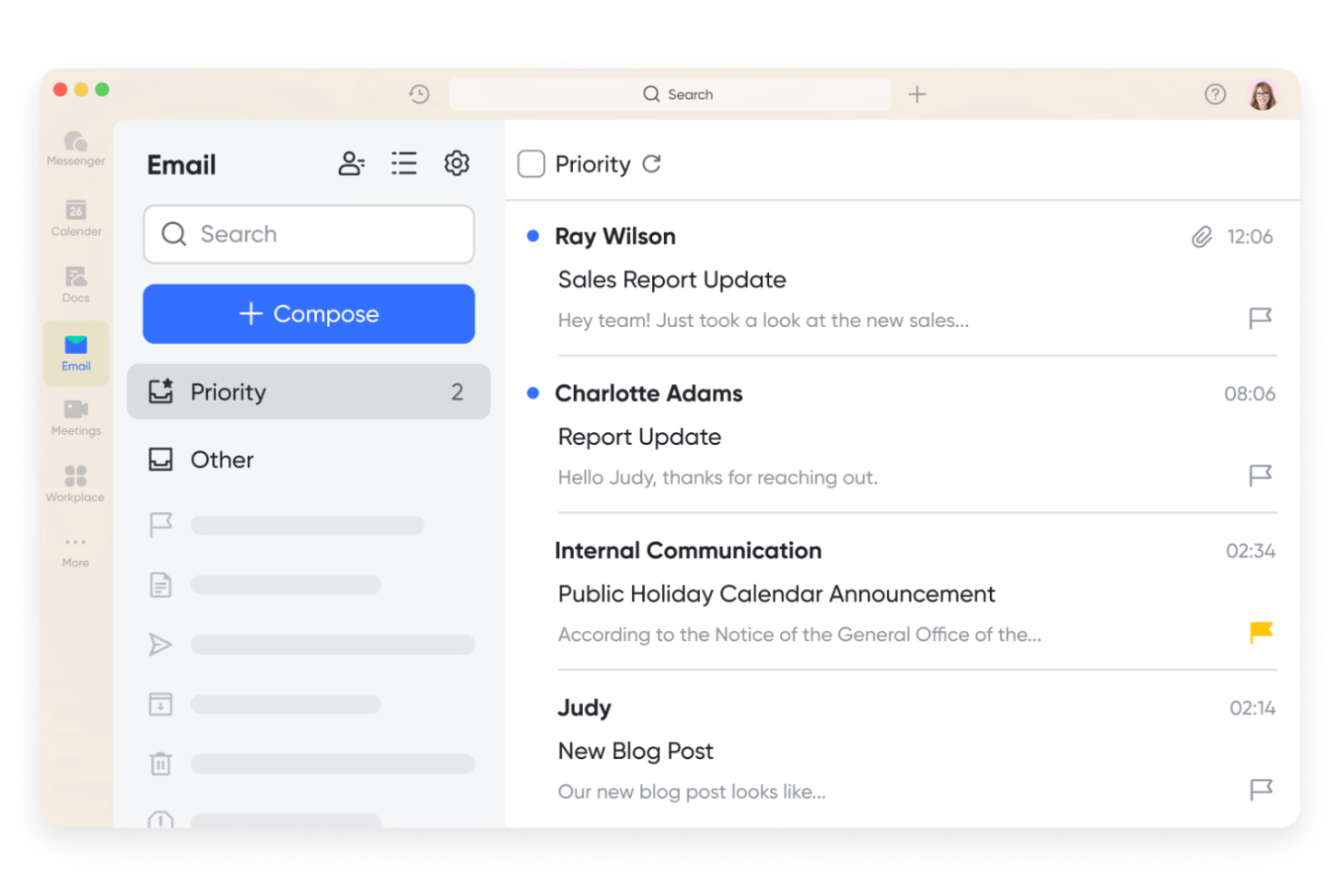
Lark Mail is a unified workspace for teams and businesses that want to manage email, chat, documents, and calendar in one platform, making it easier to keep communications and workflows connected.
Who Is Lark Mail Best For?
Lark Mail is a strong fit for distributed teams and growing businesses that want integrated email, docs, and calendar in one workspace.
Why I Picked Lark Mail
I picked Lark Mail as one of the best because I can manage email, documents, and calendar events all in one place without switching tabs. I like that my team can co-edit docs and schedule meetings directly from the same workspace where we handle email. In practice, that means we keep project files, conversations, and schedules tightly connected, which helps us avoid context switching.
Lark Mail Key Features
- Shared inboxes: Route and manage team emails collaboratively from a unified inbox.
- Message pinning: Pin important emails or messages for quick access within threads.
- Smart search: Search across emails, contacts, and attachments with advanced filters.
- Email templates: Create and reuse custom email templates for consistent communication.
Lark Mail Integrations
Lark Mail offers 100+ native integrations, including Google Drive, Dropbox, Salesforce, Jira, GitHub, Asana, Zoom, Slack, Trello, Zapier, and has an API for custom integrations.
Pros and Cons
Pros:
- Offers cloud storage for attachments and files
- Supports shared calendars for scheduling
- Integrated chat for quick team discussions
Cons:
- Limited analytics for email activity
- Lacks email marketing campaign features

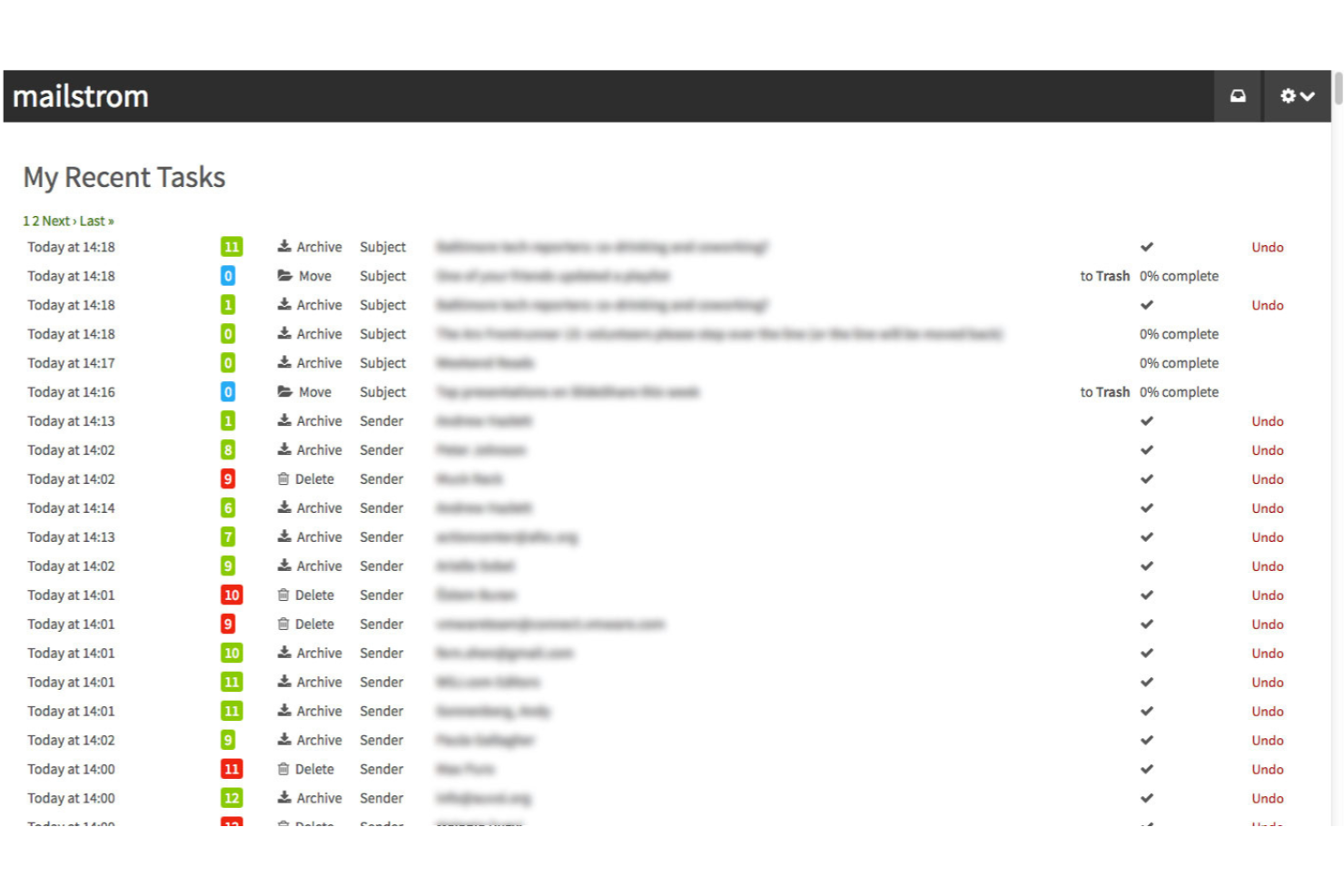
Mailstrom is an email management platform designed for professionals and teams who need to quickly organize, delete, and unsubscribe from large volumes of email across multiple accounts.
Who Is Mailstrom Best For?
Mailstrom is a great fit for professionals and small teams who need to declutter and organize high-volume inboxes quickly.
Why I Picked Mailstrom
I picked Mailstrom as one of the best because I can quickly group and delete thousands of emails by sender, subject, or time period, which is perfect for bulk organization. I like using the one-click unsubscribe feature to clear out newsletters and marketing emails in batches. My team is able to connect multiple accounts and manage clutter across Gmail, Outlook, and Yahoo from a single dashboard.
Mailstrom Key Features
- Attachment view: Lets you find and manage emails with large attachments.
- Block sender: Blocks unwanted senders directly from your inbox.
- Custom filters: Allows you to create rules for sorting and managing emails.
- Archive automation: Automatically archives emails based on your preferences.
Mailstrom Integrations
Mailstrom offers native integrations with Gmail, Outlook, Yahoo Mail, and AOL Mail, and connects with Zapier. An API is available for custom integrations.
Pros and Cons
Pros:
- Attachment view helps manage large files
- Daily digest summarizes filtered messages
- One-click unsubscribe from unwanted senders
Cons:
- Lacks ticketing or assignment capabilities
- Limited automation beyond bulk actions
SaneBox
Best for AI-powered inbox prioritization
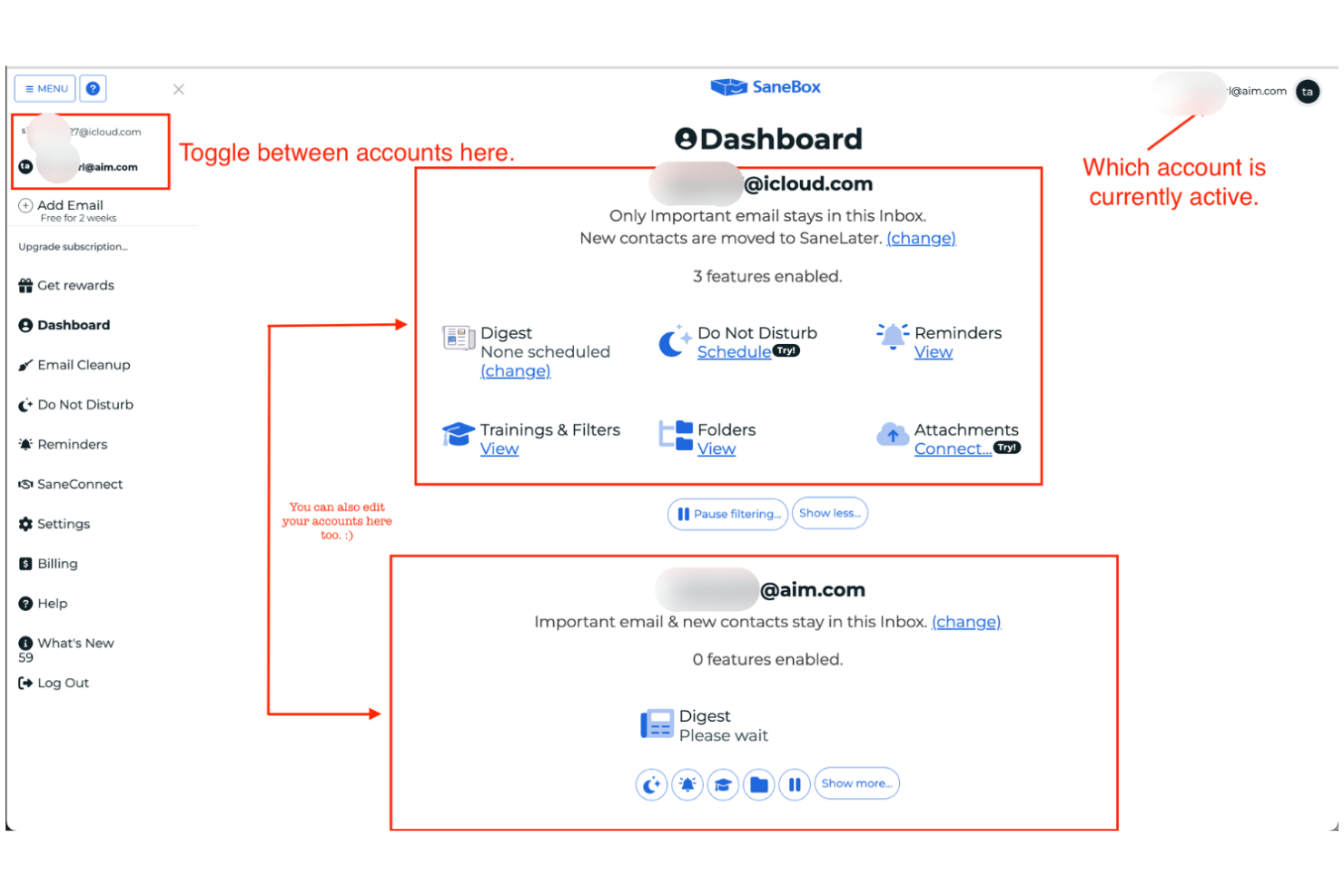
SaneBox is an email management tool for professionals and teams who want to automatically filter, organize, and prioritize messages in any email client without switching platforms or disrupting existing workflows.
Who Is SaneBox Best For?
SaneBox is a strong fit for busy professionals and executives who need to manage high volumes of email across multiple accounts.
Why I Picked SaneBox
I picked SaneBox as one of the best because I can rely on its AI to automatically sort low-priority emails into custom folders like SaneLater and SaneNews, so my main inbox stays focused. I like that I can train the AI by dragging messages between folders, which helps it get smarter over time. My team uses the SaneBlackHole feature to banish unwanted senders permanently, and I appreciate the daily digest that summarizes what’s been filtered out.
SaneBox Key Features
- Attachment management: Automatically moves email attachments to cloud storage services like Dropbox or Box.
- SaneReminders: Lets you set follow-up reminders by adding a date to the email address.
- SaneNoReplies: Tracks sent emails that haven’t received a response.
- Custom snooze folders: Lets you snooze emails for a set period and return them to your inbox later.
SaneBox Integrations
SaneBox offers a small set of native integrations, including Dropbox, Box, Evernote, Zoom, and Calendly, and connects with Zapier. An API is available for custom integrations.
Pros and Cons
Pros:
- SaneBlackHole unsubscribes and blocks senders
- Works with any email provider or client
- AI sorts emails into smart folders
Cons:
- Can’t create custom rules beyond folder training
- No mobile app for direct management
Hiver
Best for Gmail-based workflow automation
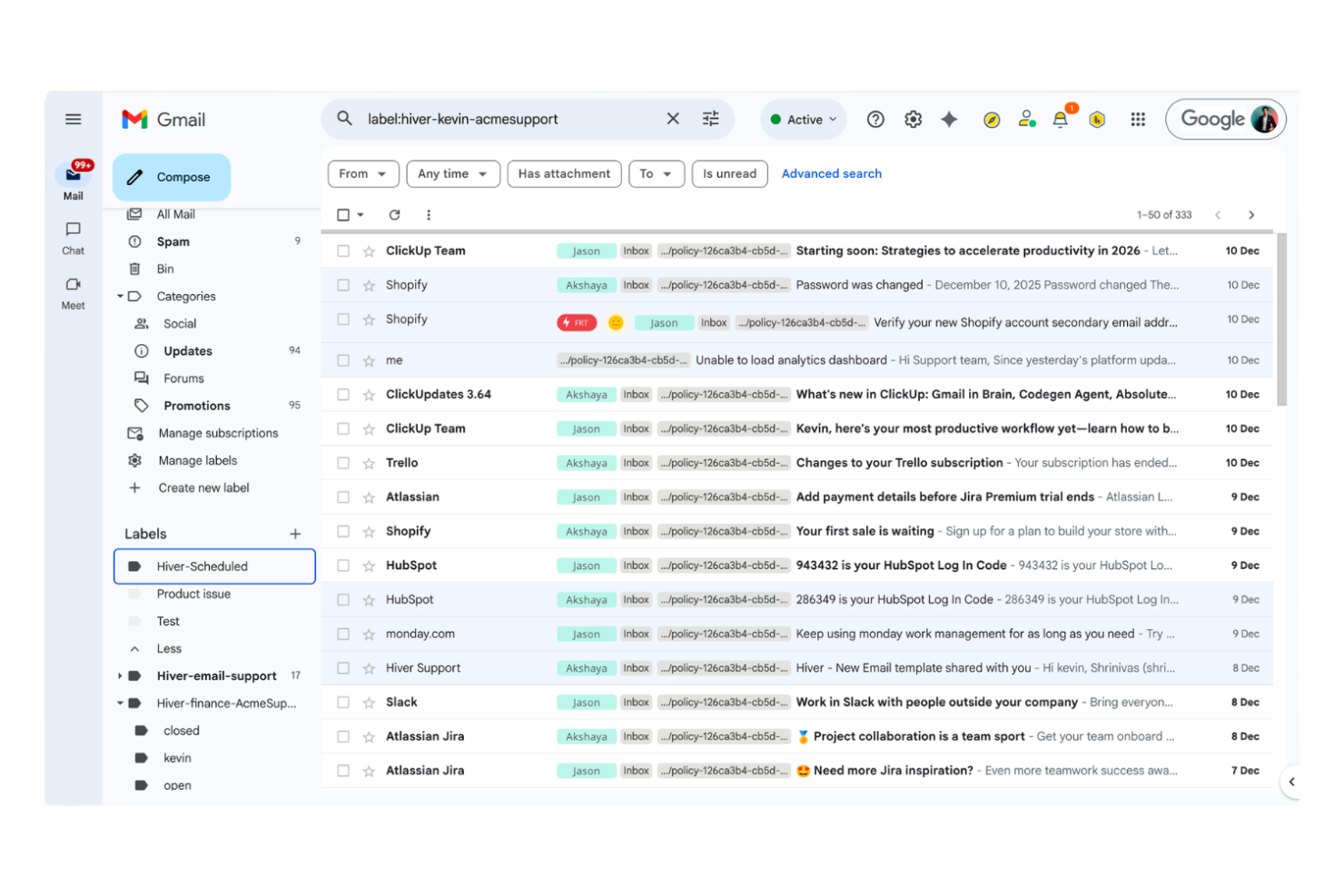
Hiver is an email management platform built for teams using Google Workspace, helping customer support, finance, and operations teams manage shared inboxes, assign emails, and automate workflows directly from Gmail.
Who Is Hiver Best For?
Hiver is a strong fit for customer support and operations teams in small to mid-sized businesses using Google Workspace.
Why I Picked Hiver
I picked Hiver as one of the best because I can automate repetitive email workflows right inside Gmail, like assigning emails to teammates or triggering follow-ups based on rules. I like that my team can use shared inboxes and collision alerts without leaving Google Workspace. In practice, that means we handle support and operations emails faster, with less manual sorting or missed messages.
Hiver Key Features
- Email tags: Organize and categorize emails with custom tags for easy tracking.
- SLA management: Set and monitor service level agreements directly within Gmail.
- Analytics and reporting: Access detailed reports on email volume, response times, and team performance.
- Email notes: Add private notes to email threads for internal team collaboration.
Hiver Integrations
Hiver offers 100+ native integrations, including Salesforce, Jira, HubSpot, QuickBooks, Okta, Shopify, Asana, Slack, Aircall, WhatsApp, and Zapier, with an API available for custom integrations.
Pros and Cons
Pros:
- Built-in SLA and analytics tools
- Tracks email status with visual indicators
- Email assignment and tracking features
Cons:
- No built-in live chat or phone support
- Some users report delays in email syncing
New Product Updates from Hiver

Hiver Brings Chat Widget Support to Mobile Apps
Hiver now lets you embed the Hiver Chat Widget in iOS, Android, React Native, and Flutter apps so customers can start chats without leaving your app. For more information, visit Hiver's official site.
Other Email Management Software
Here are some additional email management software options that didn’t make it onto my shortlist, but are still worth checking out:
- Missive
For chat and email in one workspace
- Help Scout
For customer support ticketing
- LiveAgent
With built-in live chat support
- Gmelius
For Gmail-based team collaboration
- Zendesk
For multichannel ticketing integration


How I Evaluate Email Management Software
I evaluate these tools in two layers: the baseline must-haves—shared inboxes, email-to-task conversion, PM integrations—and the differentiators that separate the best picks for project teams.
Core Functionality (Table Stakes For This List)
When I'm selecting tools for my list, I rank each one on a scale from 0 (does not offer the functionality) to 5 (excels in this area) for each core functionality listed below. Then, I calculate the tool's total score into a percentage. Each tool needs to achieve a minimum total score of 65% to be considered for inclusion.
- Email-to-Task Conversion: I check whether you can turn an email into an assigned, due-dated task—like converting a client request into a deliverable—without leaving your inbox.
- Shared Team Inboxes: Teams handling project intake or client requests need collaborative inboxes, so I look for assignment, collision detection, and internal notes.
- Project Tool Integrations: I evaluate native connections to PM platforms like Jira, Asana, and Monday to see if email threads and tasks sync bidirectionally.
- Email Threading & Organization: Tagging and grouping threads by project or client matters, so I check for structured taxonomy beyond basic folders and labels.
- Automation & Rules: I look for rule-based routing, auto-tagging, and follow-up triggers—like auto-assigning emails from a specific client to the right project lead.
- Tracking & Analytics: Response time reports, assignment tracking, and SLA dashboards help PMOs measure email workload, so I evaluate reporting depth and flexibility.
Once I have a list of tools that meet the criteria, I consider what sets each platform apart.
Differentiating Factors (What Sets Vendors Apart)
Here's how I compare and contrast different vendors:
Standout Features
AI summarization is a major differentiator—I look for tools that can distill a 30-message thread into key decisions and action items so a PM can catch up fast. Custom workflow templates also matter for teams running repeated processes like project intake or change requests. I check for client portal views too, since they let stakeholders track request status without generating more email traffic back to your team's inbox.
Beyond Features
Integration ecosystem depth is something I weigh heavily—a tool that connects to your PM stack, CRM, and file storage through native integrations saves your team from building fragile workarounds. Security also matters, especially for teams handling client-sensitive project data. I look for SOC 2 compliance, role-based access controls, and audit logs. Pricing transparency rounds out my evaluation. I check whether per-user or per-inbox pricing is clearly published and whether a free trial lets your team pilot the tool before committing.
Email Management Software Selection Criteria
When selecting the best email management software to include in this list, I considered common buyer needs and pain points like managing high volumes of incoming emails and ensuring fast, accurate responses. I also used the following framework to keep my evaluation structured and fair:
Core Functionality (25% of total score)
To be considered for inclusion in this list, each solution had to fulfill these common use cases:
- Manage shared inboxes for teams
- Assign and track email tickets
- Automate email routing and tagging
- Store and search email history
- Support internal team collaboration
Additional Standout Features (25% of total score)
To help further narrow down the competition, I also looked for unique features, such as:
- Built-in knowledge base or help center
- Collision detection for simultaneous replies
- In-app chat or live chat widget
- Advanced reporting and analytics dashboards
- AI-powered email response suggestions
Usability (10% of total score)
To get a sense of the usability of each system, I considered the following:
- Clean and intuitive user interface
- Simple navigation between inboxes and tickets
- Customizable views and filters
- Responsive design for mobile and desktop
- Minimal clicks to complete common actions
Onboarding (10% of total score)
To evaluate the onboarding experience for each platform, I considered the following:
- Step-by-step product tours or walkthroughs
- Availability of training videos and webinars
- Pre-built templates for common workflows
- In-app chatbots or guided setup
- Easy data import and migration tools
Customer Support (10% of total score)
To assess each software provider’s customer support services, I considered the following:
- 24/7 live chat or phone support
- Fast response times to support tickets
- Detailed online knowledge base
- Access to community forums or user groups
- Proactive onboarding and check-ins
Value For Money (10% of total score)
To evaluate the value for money of each platform, I considered the following:
- Transparent and flexible pricing plans
- Free trial or free tier availability
- Features included at each pricing level
- No hidden fees or surprise charges
- Discounts for annual or volume commitments
Customer Reviews (10% of total score)
To get a sense of overall customer satisfaction, I considered the following when reading customer reviews:
- Positive feedback on core features
- Reports of reliable uptime and performance
- Praise for customer support quality
- User comments on ease of adoption
- Constructive criticism and how vendors respond
How to Choose Email Management Software
It’s easy to get bogged down in long feature lists and complex pricing structures. To help you stay focused as you work through your unique software selection process, here’s a checklist of factors to keep in mind:
| Factor | What to Consider |
|---|---|
| Scalability | Will the software handle your projected email volume and team growth over the next 1-3 years? |
| Integrations | Does it connect natively with your CRM, chat, or project management tools, or will you need workarounds? |
| Customizability | Can you tailor workflows, tags, and views to match your team’s processes without heavy IT support? |
| Ease of use | Will your team adopt it quickly, or will the interface slow down daily work and require extra training? |
| Implementation and onboarding | How long will it take to get up and running, and what resources or support will you need during rollout? |
| Cost | Are pricing tiers clear, and do they align with your usage patterns and budget constraints? |
| Security safeguards | Does the tool offer encryption, access controls, and compliance with your industry’s data standards? |
| Support availability | Can you reach support when you need it, and are there SLAs or dedicated contacts for urgent issues? |
What Is Email Management Software?
Email management software is an email management system that helps teams organize, track, and respond to large volumes of messages from a shared workspace. It supports both business email management and individual use cases like managing a personal inbox.
These tools centralize communication, assign conversations, and automate tasks like tagging or triage, helping teams move closer to inbox zero. Many platforms include an AI assistant to categorize messages, optimize subject lines, and handle different types of emails more efficiently. Some solutions offer premium features or operate as a standalone system, improving collaboration, accountability, and response times across teams.
Features
When selecting email management software, keep an eye out for the following key features:
- Shared inbox: Lets multiple team members access, manage, and respond to emails from a single, centralized mailbox, improving visibility and collaboration.
- Ticket assignment: Allows you to assign incoming emails or conversations to specific team members, ensuring accountability and clear ownership of each request.
- Collision detection: Alerts users when someone else is viewing or replying to the same email, preventing duplicate responses and confusion.
- Automated workflows: Enable you to set up rules for routing, tagging, or prioritizing emails based on sender, keywords, or other criteria.
- Internal notes: Lets team members add private comments or context to email threads, supporting better handoffs and internal communication.
- Reporting and analytics: Provides dashboards and reports on metrics like response times, ticket volume, and team performance to help you monitor and improve service.
- Knowledge base integration: Connects your inbox to a library of help articles, so you can quickly share resources with customers or reference them internally.
- Custom tags and labels: Lets you categorize and organize emails using tags or labels tailored to your team’s workflow and reporting needs.
- Conversation history: Stores a complete log of all past interactions with each contact, making it easy to review context and maintain continuity.
- Role-based permissions: Allows you to control access levels for different users, ensuring sensitive information is only visible to the right team members.
Common Email Management Software AI Features
Beyond the standard email management software features listed above, many of these solutions are incorporating AI with features like:
- Automated response suggestions: Uses AI to analyze incoming emails and generate draft replies, helping teams respond faster and maintain consistent messaging.
- Intent detection: Identifies the purpose or urgency of each email using natural language processing, allowing for smarter prioritization and routing.
- Smart email categorization: Automatically sorts and tags emails based on content, sender, or sentiment, reducing manual organization and improving workflow efficiency.
- Anomaly detection: Flags unusual patterns in email volume or content, such as spikes in complaints or potential security threats, so teams can act quickly.
- Predictive analytics: Leverages historical data to forecast trends in email volume, response times, or customer satisfaction, supporting better resource planning.
Benefits
Implementing email management software provides several benefits for your team and your business. Here are a few you can look forward to:
- Faster response times: Automated workflows, ticket assignment, and AI-powered suggestions help your team reply to emails more quickly and consistently.
- Improved team collaboration: Shared inboxes, internal notes, and collision detection make it easier for teams to work together without confusion or duplicate work.
- Greater accountability: Ticket assignment and conversation history ensure every email has a clear owner and nothing slips through the cracks.
- Better customer experience: Knowledge base integration and organized conversation logs help your team deliver accurate, helpful responses every time.
- Actionable insights: Reporting and analytics features provide visibility into team performance, response trends, and areas for improvement.
- Improved security and compliance: Role-based permissions and security safeguards help protect sensitive information and support regulatory compliance.
- Scalability for growth: Centralized management and customizable workflows make it easy to handle increasing email volumes as your business expands.
Costs & Pricing
Selecting email management software requires an understanding of the various pricing models and plans available. Costs vary based on features, team size, add-ons, and more. The table below summarizes common plans, their average prices, and typical features included in email management software solutions:
Plan Comparison Table for Email Management Software
| Plan Type | Average Price | Common Features |
|---|---|---|
| Free Plan | $0 | Basic shared inbox, limited ticket assignment, basic reporting, and email history for a small team. |
| Personal Plan | $5-$15/user/month | Single-user access, email tracking, basic automation, and limited integrations. |
| Business Plan | $15-$40/user/month | Multi-user support, advanced workflows, reporting dashboards, knowledge base integration, and custom tags. |
| Enterprise Plan | $40-$100/user/month | Advanced security, role-based permissions, priority support, custom onboarding, and compliance tools. |
Email Management Software FAQs
Here are some answers to common questions about email management software:
How does email management software improve team productivity?
Email management software improves team productivity by centralizing communication, automating repetitive tasks, and making it easy to assign and track emails. This reduces time spent searching for information, prevents duplicate work, and helps teams respond faster to customers or colleagues.
Can email management software integrate with other business tools?
Yes, most email management software integrates with tools like CRMs, help desks, chat platforms, and project management systems. These integrations let you sync data, automate workflows, and keep all your communication and context in one place.
Is email management software secure for sensitive information?
Yes, reputable email management software includes security safeguards like encryption, access controls, and compliance features. Always check for certifications and ask vendors about their security practices to ensure they meet your organization’s requirements.
What should I consider when migrating to a new email management platform?
Plan for data migration, user training, and workflow adjustments. Look for solutions that offer import tools, onboarding support, and clear documentation to help your team transition smoothly without losing important information or disrupting service.
How do I know if my team needs email management software?
If your team struggles with high email volume, missed messages, slow response times, or unclear ownership of requests, email management software can help. It’s especially useful for customer support, sales, or any team handling shared inboxes.