

10 Best Cloud Resource Management Software Reviewed in 2026

Best Cloud Resource Management Software Shortlist


Cloud resource management software centralizes control over your cloud-based resources, simplifying management tasks. It offers the benefit of improved visibility and control over your cloud infrastructure.
However, finding the right cloud resource management software for your business can be challenging. After reviewing dozens of project management software, I can confidently guide you to the best options to help you discover the best fit for you and your team.
Why Trust Our Software Recommendations
Our team has been testing and reviewing software since 2012. As project managers ourselves, we know how difficult—and important—it is to choose the right software.
For this guide, we evaluated tools using hands-on testing and independent research, scoring tools using our selection criteria. We also draw on insights from industry thought leaders and practicing project management experts.
Our reviews reflect our human editorial judgment, not a sales pitch.
Expert reviewers:
Cloud Resource Management Software Comparison Table
This comparison table summarizes pricing details for my top cloud resource management software selections:
| Tool | Best For | Trial Info | Price | ||
|---|---|---|---|---|---|
| 1 | Best for strategic workforce planning | Free demo available | Pricing upon request | Website | |
| 2 | Best for community-driven cloud computing | Free plan available | Open source project and Available for free | Website | |
| 3 | Best for software and IoT solutions | Free demo available | Pricing upon request | Website | |
| 4 | Best for infrastructure automation | Free plan available | From $0.00014/hour/resource | Website | |
| 5 | Best for data security and cyber recovery | Free demo available | Pricing upon request. | Website | |
| 6 | Best for automated cloud cost optimization | Free plan available | Pricing upon request | Website | |
| 7 | Best for hybrid cloud operations | Free demo available | Pricing upon request | Website | |
| 8 | Best for cloud ROI optimization | Free plan available | From $708.33/month (billed annually) | Website | |
| 9 | Best for cloud management and governance | Free trial available | From $99/user/month (billed annually) | Website | |
| 10 | Best for technology intelligence | Not available | Pricing upon request | Website |
Best Cloud Resource Management Software Reviews
Each of the following reviews will cover the pros and cons, pricing, and features and integrations to help you choose the software that best fits your organizational needs and goals.

Retain is a resource planning and workforce management platform built for medium to large organizations, covering capacity planning, skills-based allocation, utilization tracking, and scheduling across teams and projects.
Who Is Retain Best For?
Retain is a strong fit for resource managers and operations leads at mid-to-large professional services firms managing complex, multi-project staffing demands.
Why I Picked Retain
I've included Retain in my top picks because it gives resource managers the forward-looking capacity data you need to plan people strategically, not just reactively. I particularly like the availability heatmap, which shows overallocated, fully booked, and available staff in one view, so you can spot capacity gaps before they become delivery problems. Paired with the Skills+ intelligence layer, which maps over 30,000 data-backed skills and delivers quarterly upskilling recommendations, I think Retain gives ops and resource leads a genuinely proactive planning capability.
Retain Key Features
- Tentative and confirmed bookings: Mark resource assignments as tentative or confirmed, so your schedule reflects actual versus planned commitments.
- Mass roll-forward scheduling: Extend recurring project resource schedules forward in bulk without manually rebuilding each assignment.
- Utilization reporting dashboards: View real-time utilization rates across individuals, teams, or departments to identify under- or over-allocated resources.
- Project financials tracking: Monitor budgeted versus actual costs at the project level using logged hours and resource rates.
Retain Integrations
Retain offers integrations that connect resource planning data across HR, CRM, and finance systems. Documented integrations include BambooHR, Microsoft Dynamics 365, Oracle, Oracle NetSuite OpenAir, Salesforce, SAP, SugarCRM, and Workday, along with native synchronization with Microsoft 365. Retain also supports workflow orchestration through middleware platforms like Microsoft Logic Apps, as well as MuleSoft. An API is available for custom integrations.
Pros and Cons
Pros:
- Strong multi-office and regional filtering
- AI-powered skills matching for assignments
- Visual wallchart for at-a-glance resource scheduling
Cons:
- No self-serve trial or transparent pricing
- Reporting customization falls short of expectations


Apache CloudStack is a versatile IaaS cloud computing platform that automates the deployment of cloud resources. It offers features that cater to various cloud environments and is supported by a proactive community.
Why I picked Apache CloudStack:
Apache CloudStack sets itself apart from other cloud resource management software with its features and support for diverse deployment scenarios. It provides a community-driven alternative to proprietary cloud solutions, granting organizations more control over their cloud infrastructure.
Standout features & integrations:
Features include compute orchestration, Network-as-a-Service, and user and account management. It offers a user-friendly web interface, RESTful API, and CLI for simplified management. The platform's hypervisor-agnostic nature supports VMware, KVM, XenServer, and XCP-ng.
Integrations include VMware vSphere, Oracle VM, KVM, XenServer, Xen Cloud Platform (XCP), oVirt, Nuage Networks VSP, F5 BigIP, Palo Alto Networks Firewall, SolidFire, and NexentaStor.
Pros and Cons
Pros:
- Rich API and integration capabilities
- Broad hypervisor and infrastructure support
- Open-source with no vendor lock-in
Cons:
- Variable community support responsiveness
- Technical expertise needed for deployment


Flexera offers a cloud management platform for software and IoT solutions. It’s recognized for its capabilities in discovery, provisioning, orchestration, monitoring, governance, and cost optimization across various cloud environments.
Why I picked Flexera:
Flexera’s features cater to the complexities of managing software and IoT solutions in the cloud. Its ability to provide full visibility and control over cloud resources makes it stand out from other cloud resource management solutions. Flexera also offers an orchestration engine, customizable policies, and a focus on cost optimization and governance.
Standout features & integrations:
Features include software license optimization, vulnerability management, asset discovery, spend optimization, cloud cost management, SaaS management, hardware asset management, contract management, compliance management, and lifecycle management.
Integrations include AWS, Microsoft Azure, VMware, Oracle, SAP, IBM Cloud, Salesforce, ServiceNow, BMC, and Jira
Pros and Cons
Pros:
- Customizable policies for governance of costs, operations, security, and compliance
- Powerful orchestration engine that automates actions across cloud servers and services
- Comprehensive capabilities for managing software and IoT solutions in the cloud
Cons:
- Limited mobile accessibility
- Steeper than average learning curve

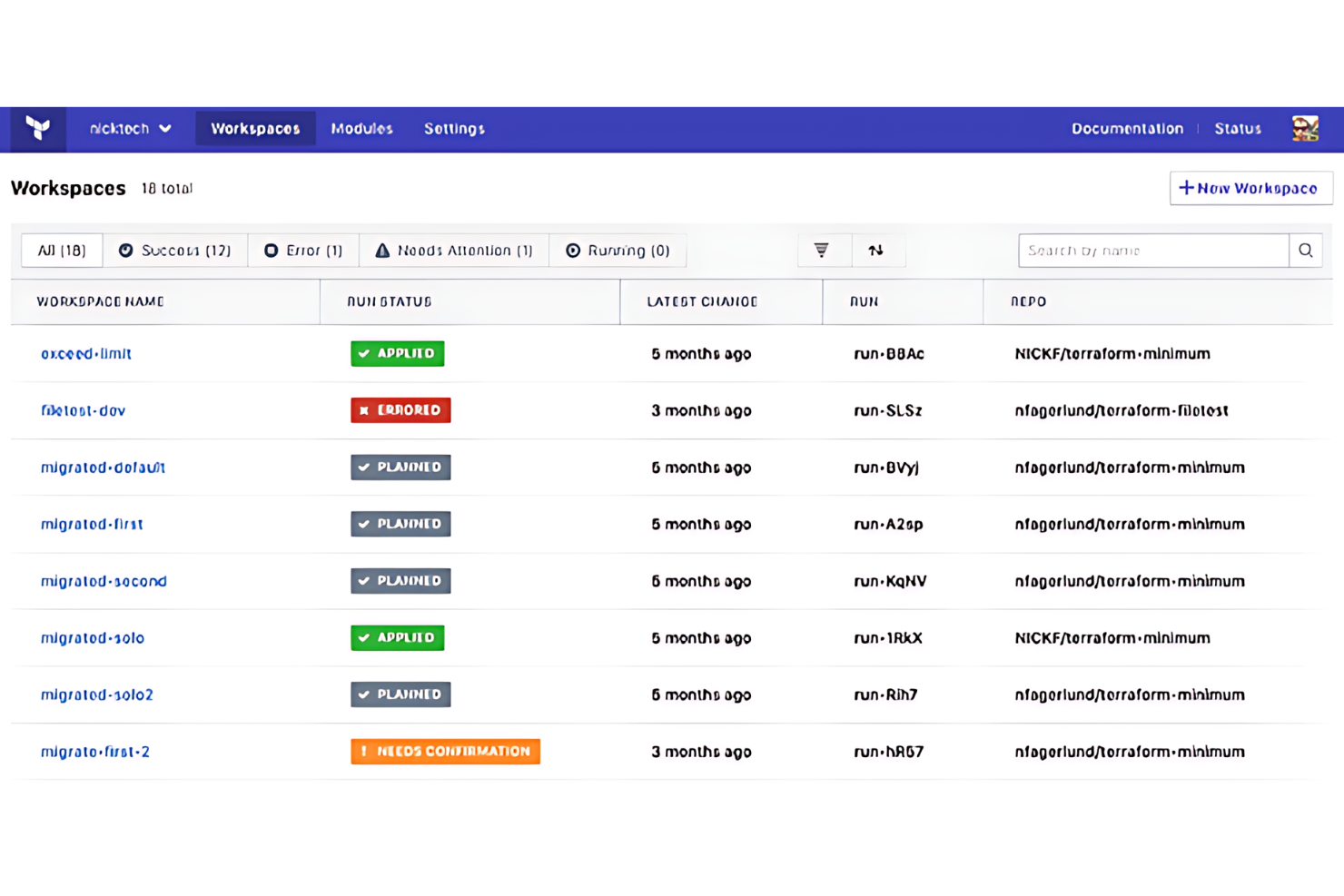
Terraform by HashiCorp is a tool that enables infrastructure as code for efficient cloud resource management. It allows users to define and provision infrastructure using a high-level configuration language.
Why I picked Terraform by HashiCorp:
Terraform’s infrastructure-as-code approach differentiates it from other cloud resource management software. It enables users to manage complex infrastructures with ease and precision. Terraform allows for consistent and reproducible infrastructure deployments across various cloud platforms.
Standout features & integrations:
Features include declarative configuration files for infrastructure management, execution plans that show what Terraform will do before any changes are made, and resource graph creation for understanding resource relationships.
Integrations with AWS, Azure, Google Cloud, Oracle Cloud, Alibaba Cloud, Kubernetes, GitHub, GitLab, and Bitbucket.
Pros and Cons
Pros:
- Advanced features for complex infrastructure management, such as state management and collaboration tools
- Free tier available for small-scale use or individual learning
- Multi-cloud support enables management across different cloud environments
Cons:
- Some advanced features may require additional support or expertise to utilize fully
- Performance issues with larger deployments and spreadsheets


Rubrik is a cloud data management platform that simplifies backup, recovery, and data governance across data centers and clouds. Rubrik stands out due to features designed to protect against ransomware and other threats.
Why I picked Rubrik:
Rubrik’s secure-by-design platform ensures that it cannot be altered once backup data is written, providing a solid defense against ransomware. It safeguards sensitive data and delivers rapid recovery and threat containment. Additionally, Its intuitive user interface simplifies the complex processes of data management, making it accessible for businesses of all sizes.
Standout features & integrations:
Features include SLA automation, rapid recovery with near-zero RTOs, and API-first integration. It also provides anomaly detection and threat monitoring as part of its data threat analytics.
Integrations include Microsoft 365, AWS, Azure, Google Cloud, Rubrik Cloud Vault, Microsoft Sentinel, Atlassian, VMware, Microsoft SQL Server, Oracle, and SAP HANA.
Pros and Cons
Pros:
- Comprehensive data threat analytics
- Rapid recovery capabilities
- Secure-by-design platform
Cons:
- Requires a personalized demo for detailed pricing and feature understanding
- May be complex for small businesses

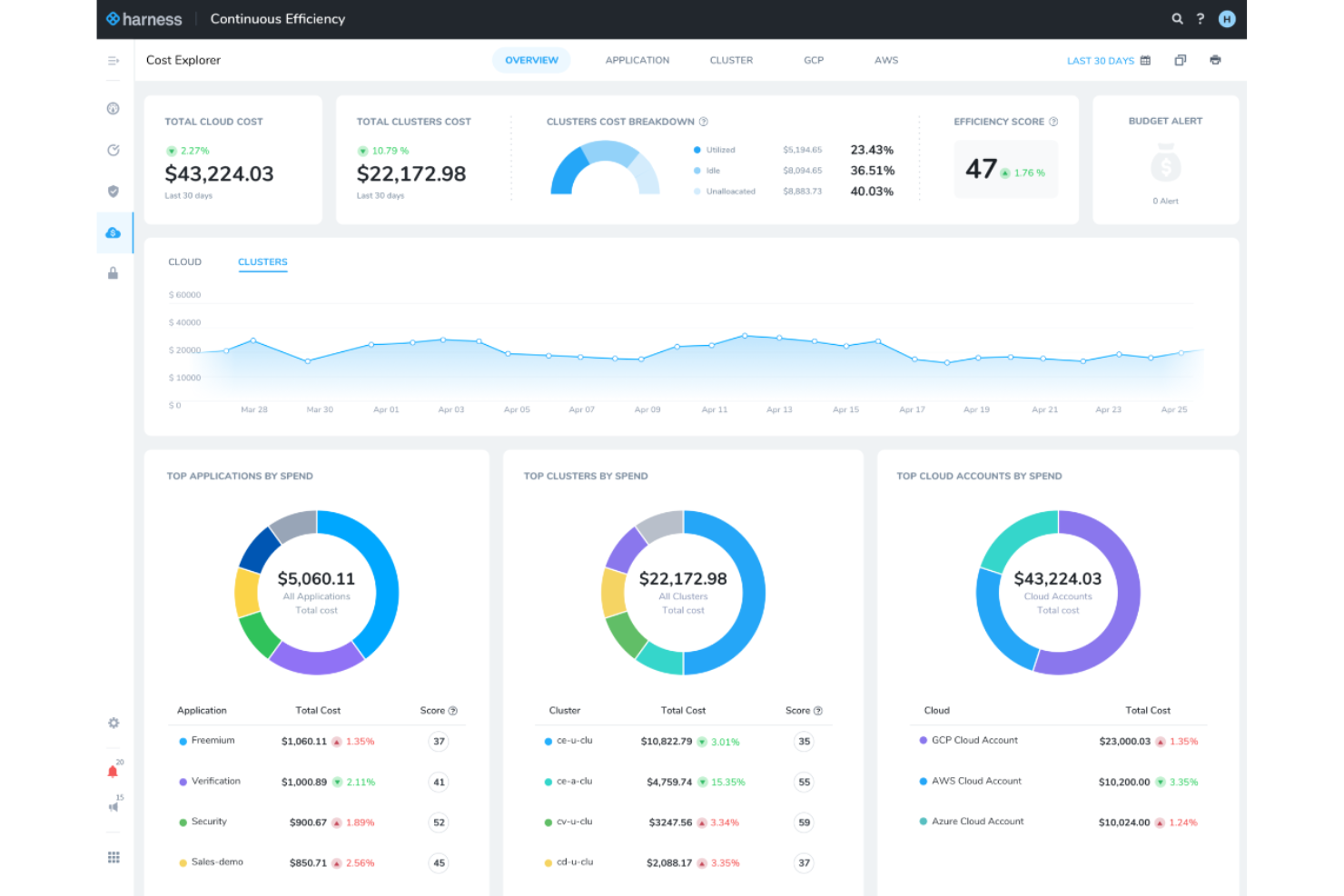
Harness Cloud Cost Management is a tool designed to automate cloud cost optimization. According to the company, it helps organizations save up to 70% on cloud bills through intelligent automation and detailed cost visibility.
Why I Picked Harness Cloud Cost Management:
I chose Harness Cloud Cost Management for its automation capabilities. The tool's ability to dynamically manage idle resources and provide granular cost visibility makes it a top choice. Harness Cloud Cost Management stands out because it offers features like dynamic idle resource detection and remediation. For example, it can automatically shut down idle cloud resources and bring them back when needed.
Standout features & integrations:
Features include automated cost optimization, granular cost reporting, and governance-as-code for managing cloud assets.
Integrations include AWS, Google Cloud, Microsoft Azure, Kubernetes, Datadog, Splunk, New Relic, PagerDuty, Slack, and Jira.
Pros and Cons
Pros:
- Governance-as-code
- Granular cost visibility
- Automated cost optimization
Cons:
- Limited to supported cloud providers
- May require initial setup time

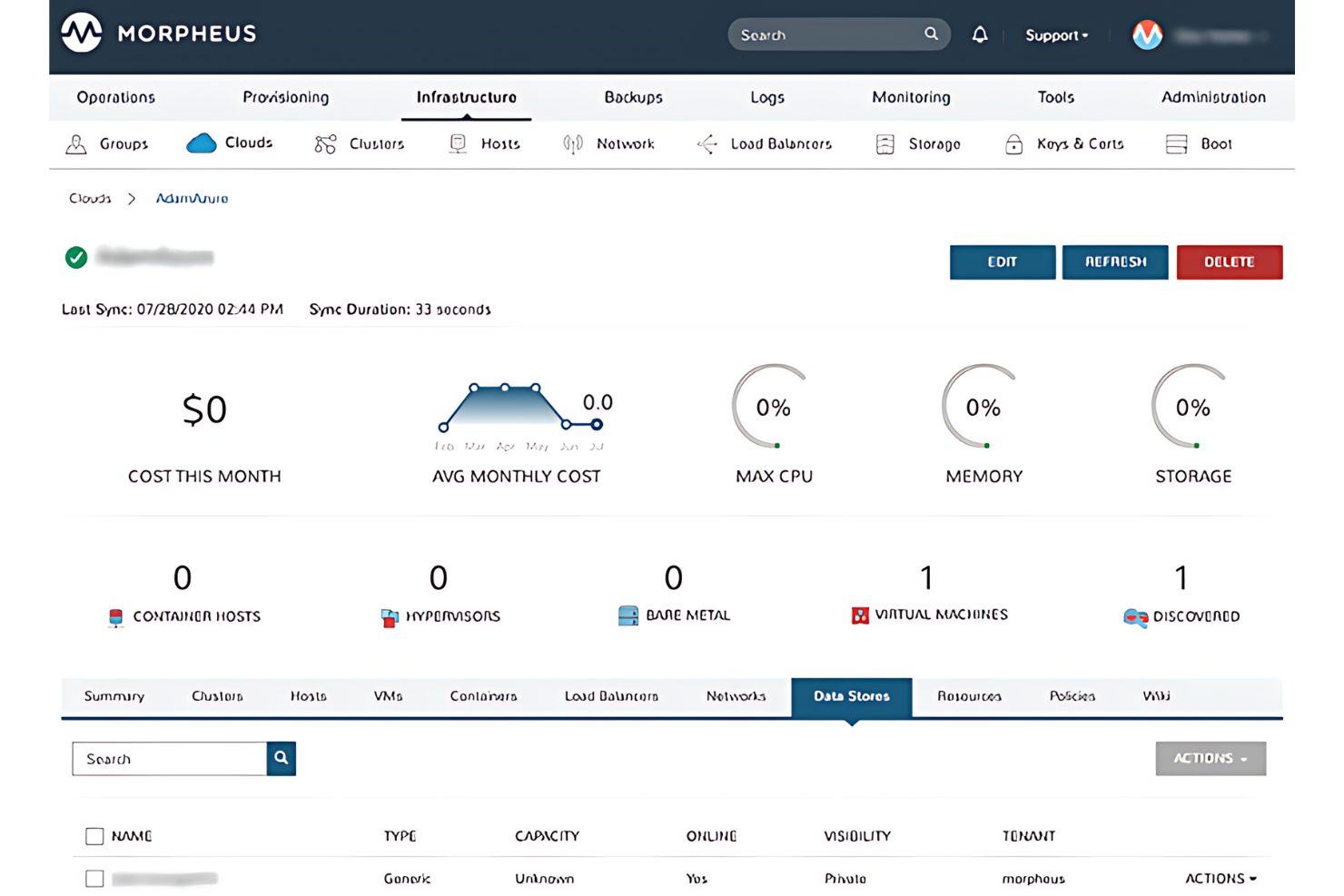
Morpheus Data offers hybrid cloud operations by providing a unified management console that simplifies the complexities of running applications across multiple clouds.
Why I picked Morpheus Data:
Morpheus Data distinguishes itself through its agility and control across various cloud environments. It delivers a single platform that simplifies the management of diverse cloud landscapes, ensuring control at an enterprise level. Its capabilities in automation, self-service provisioning, and cost optimization make it a standout choice for organizations looking to manage their cloud resources while driving down operational costs.
Standout features & integrations:
Features include a self-service engine, orchestration capabilities, and centralized control over private and public clouds. It has over 100 integrations, enabling rapid application deployment and management.
Integrations include VMware, AWS, Azure, Google Cloud Platform, Kubernetes, ServiceNow, Ansible, Chef, Puppet, Git, and Jenkins.
Pros and Cons
Pros:
- Closes security gaps efficiently
- Speeds up provisioning times
- Reduces cloud costs significantly
Cons:
- May require technical expertise for deployment and management
- Geared towards larger enterprises

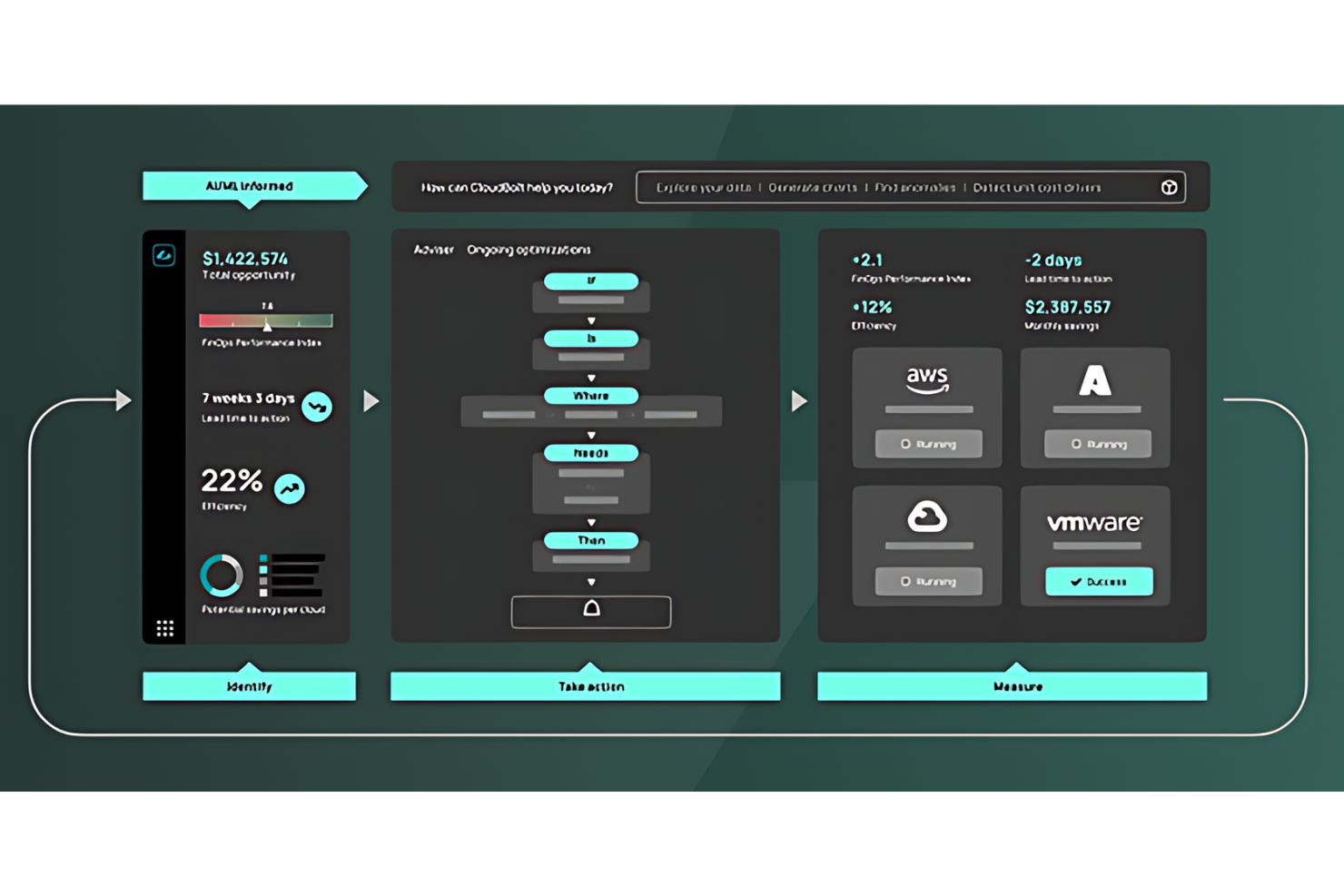
CloudBolt is a cloud resource management platform that simplifies hybrid and multi-cloud environments. It’s recognized for optimizing cloud ROI by reducing manual financial processes and automating cloud activities.
Why I picked CloudBolt:
CloudBolt’s approach to cloud management includes augmented FinOps and cloud financial management. Its ability to unify the cloud estate and provide a modern experience for IT consumers makes it stand out from other cloud management platforms. CloudBolt offers next-generation FinOps capabilities and intelligent automation, which are essential for maximizing cloud value and reducing waste.
Standout features & integrations:
Features include financial traceability, ensuring precise cost tracking and allocation, and advanced assisted intelligence that leverages AI for in-depth analysis. It also incorporates guardrails into every cloud action to promote cost-effective, value-centric actions.
Integrations include AWS, Azure, Google Cloud, Red Hat, and VMware.
Pros and Cons
Pros:
- Recognized as a market leader in the GigaOm Radar Report for FinOps
- Offers a unified control plane for all cloud resources
- Reduces manual financial processes significantly
Cons:
- Specific integrations and features may vary based on the cloud environment
- May require more in-depth skill sets to manage features


CloudCheckr is a cloud management system that provides visibility, analytics, and automation for cloud governance.
Why I picked CloudCheckr:
CloudCheckr’s features cater to large enterprises and managed service providers. Its ability to manage and reduce cloud costs, optimize resource management processes, and ensure governance makes it stand out. CloudCheckr’s visibility across cloud environments and automation of best practices help companies improve security and compliance.
Standout features & integrations:
Features include cost reporting, cost intelligence, and cloud billing. It also provides continuous security and compliance tools.
Integrations include AWS, Microsoft Azure, Google Cloud Platform, VMware, Oracle Cloud, IBM Cloud, Docker, Kubernetes, and Chef.
Pros and Cons
Pros:
- Cost optimization and reporting features
- Continuous security and compliance monitoring
- Comprehensive cloud management and governance capabilities
Cons:
- Limited customization options for reports and dashboards
- Complex user interface


Snow Software provides visibility and manageability across cloud resources, enabling organizations to optimize their IT infrastructure. Due to its approach to managing and optimizing IT assets, it stands out as the best for technology intelligence.
Why I picked Snow Software:
Snow Software’s technology intelligence capabilities differentiate it from other cloud resource management tools. Its ability to provide deep insights into IT operations makes it an invaluable asset for organizations seeking control over technology investments. Snow Software empowers businesses with the data needed to make informed decisions about their cloud environments and software assets.
Standout features & integrations:
Features include automated discovery of IT assets, optimization of cloud spend, and management of software licenses across various environments. Its platform gives IT leaders a clear view of their technology landscape.
Integrations include Microsoft Azure, AWS, VMware, Oracle, SAP, IBM, Salesforce, ServiceNow, Citrix, and Jira.
Pros and Cons
Pros:
- Effective governance and cost management capabilities
- Automated IT asset discovery
- In-depth visibility into cloud and software assets
Cons:
- May be more suited for larger organizations with extensive IT assets
- Potential complexity in deployment and integration
Other Cloud Resource Management Software
Below is a list of additional cloud resource management software that I shortlisted. While they didn’t make the top 10, they’re still valuable and worth further research.
- Spectro Cloud Palette
For scalable Kubernetes management
- Smartsheet
For capacity-driven project teams
- Datadog
For unified monitoring
- Nutanix
For simplistic cloud resource management
- Google Cloud
For data analytics and machine learning
- IBM Turbonomic
For application resource management
- CloudHealth by VMware
For cloud cost optimization
- AWS Management Console
For broad service offerings and flexibility
- Azure Management Tools
For AI and cloud-scale analytics
- Oracle Cloud Infrastructure Management
For data-driven teams
- ServiceNow Cloud Management
For intelligent automation and workflows


How I Evaluate Cloud Resource Management Software
I evaluate these tools in two layers: the baseline capabilities every PMO needs—like tagging spend to projects—and the differentiators that separate genuinely useful tools from the rest.
Core Functionality (Table Stakes For This List)
When I'm selecting tools for my list, I rank each one on a scale from 0 (does not offer the functionality) to 5 (excels in this area) for each core functionality listed below. Then, I calculate the tool's total score into a percentage. Each tool needs to achieve a minimum total score of 65% to be considered for inclusion.
- Multi-Cloud Resource Tracking: I check whether a tool gives me a single inventory view across AWS, Azure, and GCP so I can see what's running where without switching consoles.
- Cost Management & Allocation: Each tool should let me tag and allocate cloud spend to specific projects or teams, which is how I confirm chargeback and budget forecasting work in practice.
- Resource Provisioning & Optimization: I look for rightsizing recommendations and idle resource detection, especially the ability to act on suggestions like scaling down oversized VMs directly.
- Utilization Analytics & Reporting: Dashboards showing real-time consumption, capacity trends, and drill-downs by service type help me evaluate how well a tool supports data-driven project decisions.
- Project & Team Resource Mapping: The ability to group cloud assets by project, cost center, or business unit matters—tools like CloudZero and Apptio handle this differently, so I evaluate flexibility here.
- Policy & Governance Controls: I look for RBAC, automated policy enforcement, and compliance guardrails that prevent teams from spinning up unapproved resource types or exceeding spend limits.
Once I have a list of tools that meet this criteria, I consider what sets each platform apart.
Differentiating Factors (What Sets Vendors Apart)
Here's how I compare and contrast different vendors:
Standout Features
AI-driven forecasting is a big differentiator because it turns historical usage into actionable spend and capacity predictions your PMO can actually plan around. I also look for FinOps collaboration hubs where engineering, finance, and project leads can co-manage budgets and optimization tasks in shared workspaces. Custom automation workflows matter too—tools that let you trigger provisioning approvals or schedule resource shutdowns tied to project milestones save real time across sprints.
Beyond Features
Integrations are where I spend the most time evaluating. A tool that connects to Jira, Terraform, and your financial system means your PMO gets project-aware cost data without manual reconciliation. Security and compliance posture also weighs heavily—I check for SOC 2 Type II certification and read-only IAM connection models, since connecting a tool to your cloud accounts is a trust decision. Finally, I evaluate scalability by looking at how well a platform handles multi-account, multi-business-unit structures that reflect how large PMOs actually organize work.
How to Choose Cloud Resource Management Software
It’s easy to get bogged down in long feature lists and complex pricing structures. To help you stay focused as you work through your unique software selection process, here’s a checklist of factors to keep in mind:
| Factor | What to Consider |
|---|---|
| Scalability | Will the software grow with your business? Consider if it can handle increased workloads and additional users without performance issues. |
| Integrations | Does it connect with your existing tools? Check for compatibility with your current systems to avoid disruptions. |
| Customizability | Can you tailor it to your needs? Evaluate how easily you can adjust settings and workflows to match your team's processes. |
| Ease of use | Is it intuitive for your team? Look for a straightforward interface that requires minimal training to ensure quick adoption. |
| Implementation and onboarding | How long will setup take? Assess the resources and time needed to get the software up and running, including training and data migration. |
| Cost | Does it fit your budget? Compare pricing structures, hidden fees, and value for money to ensure it aligns with your financial constraints. |
| Security safeguards | Are your data and operations protected? Check for encryption, compliance with industry standards, and regular security updates. |
| Support availability | Is help accessible when needed? Consider the availability and responsiveness of customer support, including after-hours and multi-channel options. |
Trends in Cloud Resource Management Software
Cloud resource management software continues to grow and change, driven by cloud environments' increasing complexity and scale.
Here are some trends I noticed while reviewing cloud resource management software.
- Increased Emphasis on Cost Management: Software is becoming more adept at controlling costs, and real-time analytics can help businesses monitor and adjust resources to manage expenses. This trend helps maximize cloud investment returns.
- Integration with Artificial Intelligence: Artificial intelligence is being integrated into management tools as AI algorithms predict demand and automate resource allocation. This integration is essential for improving efficiency and reducing manual oversight.
- Enhanced Security Features: Security within cloud management software is getting stronger. Advanced threat detection and automated compliance checks are becoming standard. This trend is vital for protecting data in an increasingly hostile digital landscape.
- Sustainability Through Resource Optimization: Sustainability is a growing focus, and most software now includes features that minimize energy use and carbon footprint. This is important for businesses aiming to be environmentally responsible.
- Shift Towards Multi-Cloud Strategies: Tools now adapt to manage multiple cloud environments simultaneously, allowing for greater flexibility and risk mitigation. The web-based shift is significant for businesses looking to avoid vendor lock-in.
By embracing these developments, companies can expect to improve operational efficiency and drive innovation and growth in the coming years.
What Is Cloud Resource Management Software?
Cloud resource management software is a digital platform designed to manage, allocate, and utilize cloud computing resources. IT professionals and organizations use it to monitor and control cloud services. This ensures the efficient use of computing power, storage, and networking capabilities for businesses and stakeholders.
The software balances resource demand and availability, preventing over-provisioning and underutilization, common challenges in cloud environments.
Features
When selecting cloud resource management software, keep an eye out for the following key features:
- Cost optimization: Helps track and manage cloud expenses, ensuring resources are used efficiently and budgets are maintained.
- Security assessments: Provides insights into vulnerabilities and compliance with industry standards, keeping your cloud environment secure.
- Automated provisioning: Allows for quick deployment of resources, reducing manual intervention and speeding up project timelines.
- Compliance tracking: Ensures adherence to regulatory requirements, minimizing the risk of non-compliance penalties.
- Multi-cloud support: Manages resources across different cloud providers, offering flexibility and reducing vendor lock-in.
- Customizable dashboards: Offers tailored views of key metrics, helping users focus on the most critical information.
- Real-time alerts: Notifies users of changes or issues in the cloud environment, enabling quick responses to potential problems.
- Lifecycle management: Automates updates and patches, ensuring resources are always up to date and functioning optimally.
Benefits
Implementing cloud resource management software provides several benefits for your team and your business. Here are a few you can look forward to:
- Cost savings: By optimizing resource usage and tracking expenses, you can reduce unnecessary spending and stay within budget.
- Improved security: Regular security assessments and compliance tracking help protect your data and ensure adherence to industry standards.
- Increased efficiency: Automated provisioning and lifecycle management speed up deployment processes, allowing your team to focus on other tasks.
- Flexibility: Multi-cloud support offers the ability to manage resources across various platforms, reducing dependency on a single provider.
- Better decision-making: Customizable dashboards and real-time alerts provide insights and timely information, helping you make informed decisions.
- Regulatory compliance: Compliance tracking ensures your operations meet legal and industry requirements, minimizing the risk of penalties.
- Resource optimization: By monitoring performance and usage, you can allocate resources effectively, enhancing overall productivity.
Costs & Pricing
Selecting cloud resource management software requires an understanding of the various pricing models and plans available. Costs vary based on features, team size, add-ons, and more. The table below summarizes common plans, their average prices, and typical features included in cloud resource management software solutions:
Plan Comparison Table for Cloud Resource Management Software
| Plan Type | Average Price | Common Features |
|---|---|---|
| Free Plan | $0/user/month | Basic monitoring, limited support, and community access. |
| Personal Plan | $5-$25/user/month | Cost tracking, basic analytics, and email support. |
| Business Plan | $30-$50/user/month | Advanced analytics, multi-cloud support, and phone support. |
| Enterprise Plan | $60-$100/user/month | Customizable dashboards, dedicated account manager, and 24/7 support. |
Cloud Resource Management Software FAQs
Here are some frequently asked questions I receive about cloud resource management software.
Is the cloud resource management software easy to use?
The ease of use of cloud resource management software is a key consideration. It’s important to evaluate how tasks are performed within the tool and the number of steps required for critical operations. The design of the user interface, interactive features, and the availability of training from the vendor can all influence the usability of the software. Choose a tool that is intuitive and allows your team to adopt it with a minimal learning curve.
Is the cloud resource management software intuitive and collaborative?
Cloud resource management software should be intuitive to reduce learning time and facilitate quick adaptation by your team. Additionally, collaboration features are crucial for enabling team members in different locations to work together effectively. Look for software that provides a centralized online space for data sharing and decision-making.
Does the cloud resource management software allow different permission levels?
Software that offers various permission levels can be beneficial for different roles within an organization. By setting different permissions, project managers, team members, and clients can access the information and functionalities that are relevant to them. This can improve transparency and engagement with the tool.
Is it possible to do reporting with the cloud resource management software?
Reporting is an essential feature of resource management software. Check for the availability of standard reports and the ability to customize them to meet your needs. Some tools, such as eResource Scheduler, offer graphical reporting features and comprehensive dashboards, which are important for monitoring and decision-making.
Can the cloud resource management software manage end-to-end project lifecycle?
Cloud resource management software should support the entire project lifecycle, from project planning to delivery. It should enable risk management, resource availability and allocation, time tracking, and other essential project management functions. Make sure the tool you choose can handle all aspects of your projects effectively.
Will the cloud resource management software support the way your business operates?
The software should be compatible with your business operations and support your existing structures. It should also be adaptable to accommodate future improvements and updates. When selecting a tool, consider how well it integrates with your business processes and whether the vendor offers customization assistance.
Does the vendor offer post-implementation support for the cloud resource management software?
After implementing new software, post-implementation support is essential for a smooth transition. Inquire about the vendor’s support services, including training for new users and troubleshooting assistance. Check if support costs are included in the annual license fee and if the support team is available in your time zone or offers 24/7 assistance.