
14 Cloud Based Workflow Software for 2026

Cloud Based Workflow Software Shortlist
Here’s my shortlist of cloud based workflow software:


Cloud based workflow software lets your team design, automate, and manage business processes entirely online, so you can coordinate work from anywhere and adapt quickly as priorities shift. If you’re searching for the best cloud based workflow software, you’re likely looking to reduce manual steps, keep projects moving, and give everyone visibility into what’s happening—without the hassle of on-premise tools. This list will help you compare leading platforms, understand which features matter most for your needs, and make a confident decision for your team’s next phase of growth.
Why You Can Trust Us
Best Cloud Based Workflow Software Summary
This comparison chart summarizes pricing details for my top cloud based workflow software selections to help you find the best one for your budget and business needs.
| Tool | Best For | Trial Info | Price | ||
|---|---|---|---|---|---|
| 1 | Best for quick workflow deployment | Free trial available | From $10/user/month (billed annually) | Website | |
| 2 | Best with open-source workflow customization | Free plan available | From $20/month (billed annually) | Website | |
| 3 | Best for process mapping and automation | Free demo available | Not available | Website | |
| 4 | Best for secure document-centric workflows | Free plan + free demo available | From $14/user/month | Website | |
| 5 | Best for software development teams | Free plan available | From $7/user/month (billed annually) | Website | |
| 6 | Best for customizable task automation | Free plan available | From $7/user/month (billed annually) | Website | |
| 7 | Best for complex data pipeline management | Free plan available | Not available | Website | |
| 8 | Best for enterprise workload orchestration | Free demo available | Not available | Website | |
| 9 | Best with native Google Cloud integrations | Not available | Not available | Website | |
| 10 | Best for integrated collaboration tools | Free plan available | From $9/user/month (billed annually) | Website | |
| 11 | Best for cross-platform job scheduling | Free demo available | Not available | Website | |
| 12 | Best for no-code workflow design | Free trial + free demo available | From $2,500/month | Website |
-

Insightful
Visit WebsiteThis is an aggregated rating for this tool including ratings from Crozdesk users and ratings from other sites.4.8 -
Accelo
Visit WebsiteThis is an aggregated rating for this tool including ratings from Crozdesk users and ratings from other sites.4.4 -
Forecast
Visit WebsiteThis is an aggregated rating for this tool including ratings from Crozdesk users and ratings from other sites.4.6




Cloud Based Workflow Software Reviews
Below are my detailed summaries of cloud based workflow software that made it onto my shortlist. My reviews offer a detailed look at the features, integrations, and best use cases of each platform to help you find the best one for you.
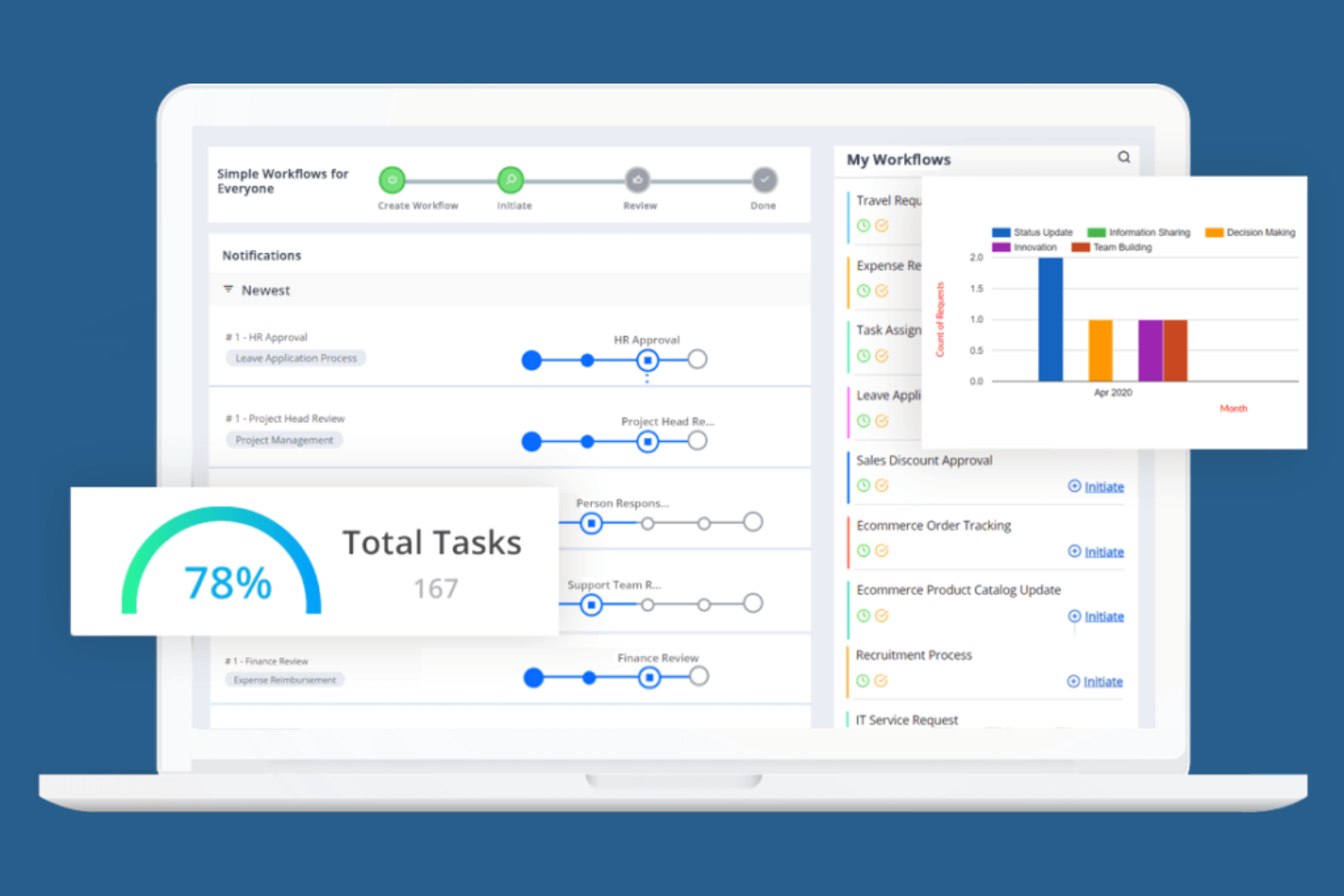
Cflow is designed for teams that need to deploy automated workflows quickly, without heavy IT involvement. It appeals to small and midsize businesses looking to digitize approvals, requests, and routine processes with minimal setup. The platform’s no-code workflow builder and ready-to-use templates help users launch new workflows in minutes.
Why I Picked Cflow
When speed is a top priority for workflow automation, Cflow stands out for its quick deployment capabilities. I picked Cflow because its no-code workflow builder lets users design and launch automated processes without technical expertise. The platform also offers a library of pre-built workflow templates, so teams can get started with common business processes right away. For organizations that need to digitize approvals, requests, or document routing in the cloud with minimal setup time, Cflow is a practical choice.
Cflow Key Features
In addition to its rapid deployment tools, Cflow includes several other features that support workflow automation in the cloud:
- Custom Form Designer: Build and modify forms with a drag-and-drop interface for capturing process data.
- Role-Based Access Control: Set permissions and manage user access based on roles within your organization.
- Automated Notifications: Send email or in-app alerts to keep stakeholders updated on workflow progress.
- Audit Trails: Track every action and change within workflows for compliance and transparency.
Cflow Integrations
Integrations include SAP, QuickBooks, Slack, Google Workspace, and Microsoft 365.
Pros and Cons
Pros:
- Good for HR and finance ops
- Easy mobile workflow approval
- Affordable cloud pricing
Cons:
- Analytics could be deeper
- Basic UI design feels dated


If you’re looking for a workflow automation platform with deep customization and open-source flexibility, N8n is worth considering. It’s built for technical teams and developers who want to design, modify, and self-host complex workflows without vendor lock-in. N8n’s node-based editor and open-source codebase let you tailor automations to fit unique business processes or compliance needs.
Why I Picked N8n
What sets N8n apart is its open-source approach to workflow automation, which gives teams full control over how their workflows are built and deployed. I picked N8n because it lets users customize every step of their automation, from building custom nodes to self-hosting the entire platform for greater data privacy. The visual node-based editor makes it possible to design complex, multi-step workflows that can be tailored to unique business requirements. For teams that want to avoid vendor lock-in and need flexibility to adapt workflows as their processes evolve, N8n offers a level of customization that’s hard to match in cloud based workflow software.
N8n Key Features
Some other features that make N8n appealing for workflow automation include:
- Version Control Support: Integrate with Git to manage workflow versions and track changes over time.
- Built-In Scheduler: Trigger workflows automatically based on time or recurring intervals.
- Error Workflow Handling: Configure custom error workflows to manage exceptions and failures.
- Environment Variables Management: Store and manage sensitive data or configuration settings securely within workflows.
N8n Integrations
Integrations include Slack, Discord, GitHub, Airtable, Google Workspace, PostgreSQL, and Mailchimp.
Pros and Cons
Pros:
- Visual builder is very clean
- Huge community integrations
- Deep custom node scripting
Cons:
- Less enterprise compliance
- Debugging nodes can be hard

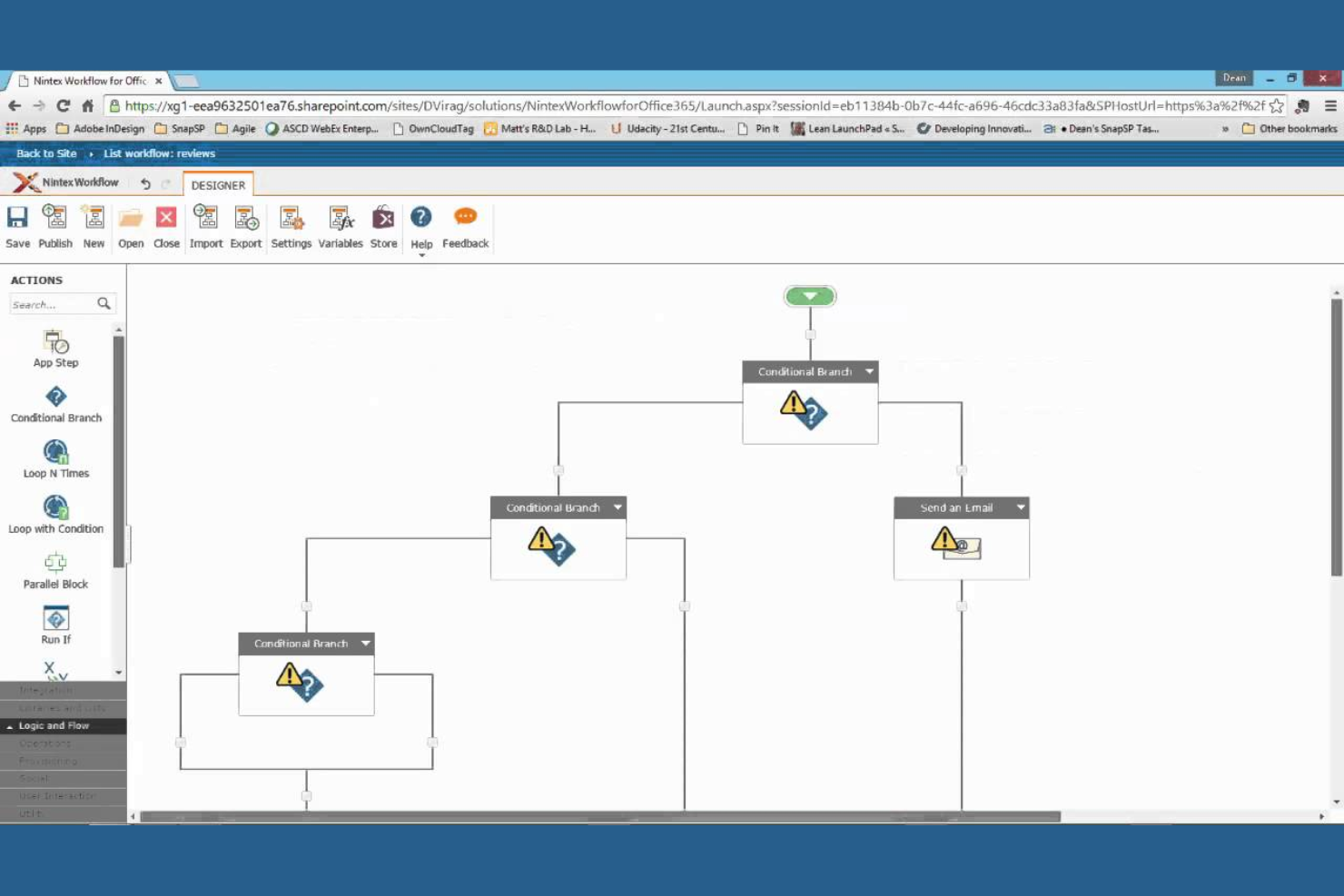
Nintex stands out for teams that need to map, automate, and optimize business processes without heavy IT involvement. Operations leaders and process analysts use it to visually design workflows, automate approvals, and document procedures across departments. Its drag-and-drop process mapping and automation tools help organizations standardize and improve complex workflows in regulated or fast-changing environments.
Why I Picked Nintex
For organizations that need to document and automate business processes visually, Nintex offers a focused set of tools for process mapping and automation. I picked Nintex because its drag-and-drop process designer lets teams quickly build, share, and update workflow diagrams without coding. The platform also supports automated approval routing and digital forms, which help standardize processes and reduce manual errors. If your team needs to map out complex procedures and automate repetitive steps in a cloud environment, Nintex provides a purpose-built solution.
Nintex Key Features
In addition to its process mapping and automation capabilities, Nintex offers several other features that support workflow management in the cloud:
- Document Generation: Automatically create and distribute documents based on workflow data and templates.
- Workflow Analytics: Track workflow performance and identify bottlenecks with built-in reporting tools.
- eSignature Integration: Collect digital signatures directly within automated workflows.
- Mobile App: Access, manage, and approve workflows from mobile devices.
Nintex Integrations
Integrations include Microsoft 365, SharePoint, Salesforce, ServiceNow, Box, Dropbox, and Adobe Sign.
Pros and Cons
Pros:
- Strong document generation
- Connects hybrid cloud apps
- Deep SharePoint integrations
Cons:
- Slow support resolution times
- Form builder is inflexible

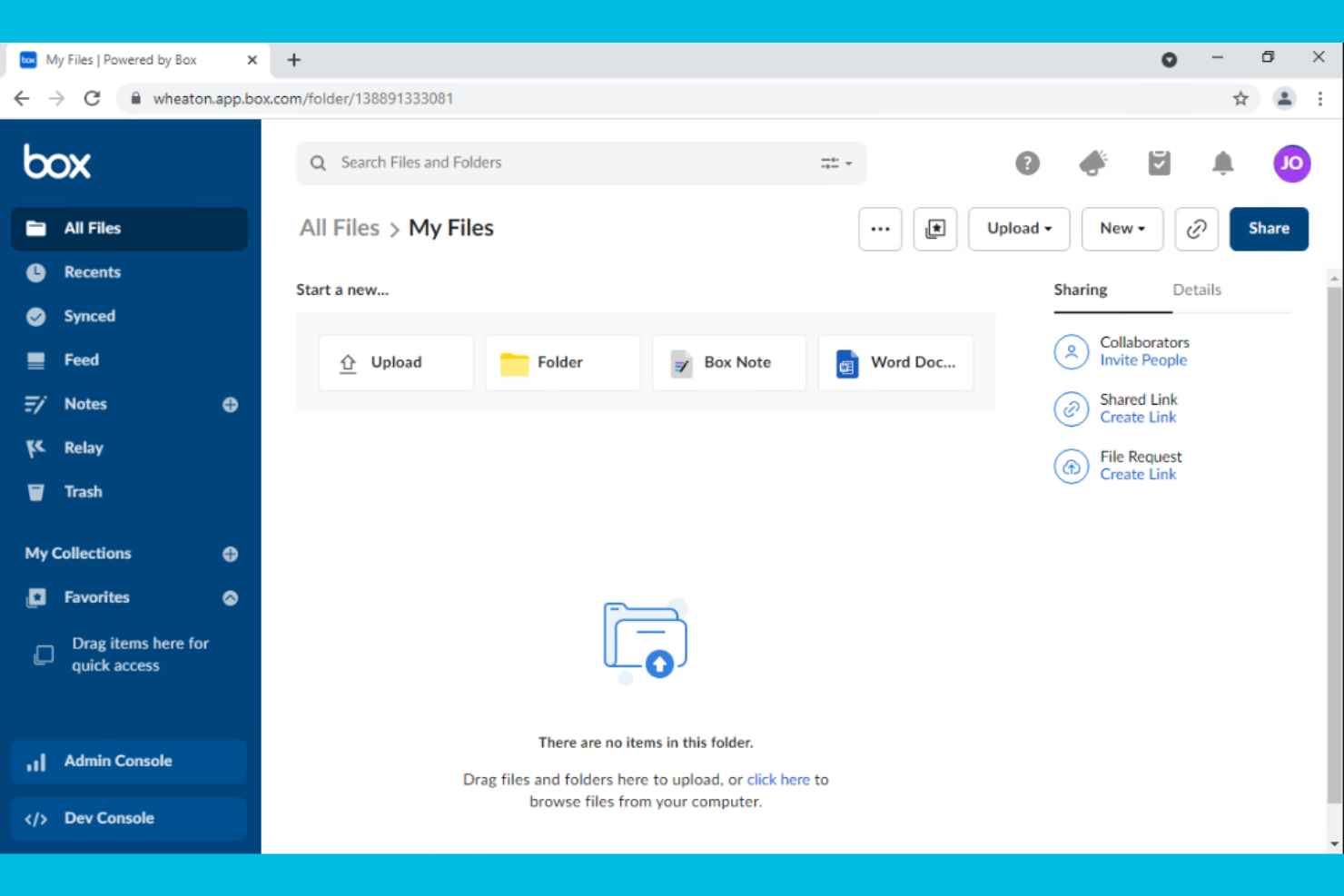
Box is designed for organizations that need to manage, share, and secure documents as part of their workflow. It’s a strong fit for teams in regulated industries or any business where document security and compliance are top priorities. With features for granular file permissions and automated document routing, Box helps teams keep sensitive information protected while moving work forward.
Why I Picked Box
When document security is a top concern, Box offers a workflow platform built around protecting sensitive files. I picked Box because it provides advanced security controls like granular permission settings and detailed audit trails, which are essential for teams handling confidential information. The platform also supports automated document workflows, allowing users to route, review, and approve files without compromising compliance. For organizations that need to balance collaboration with strict data protection, Box delivers a focused solution.
Box Key Features
In addition to its security-focused workflow tools, Box offers several other features that support document-centric processes:
- Version History: Track and restore previous versions of documents directly within the platform.
- eSignature Integration: Collect legally binding electronic signatures without leaving Box.
- Task Assignment: Assign tasks to team members and monitor progress on document-related work.
- Collaboration Workspaces: Create shared folders and workspaces for real-time document collaboration.
Box Integrations
Integrations include Microsoft 365, Google Workspace, Salesforce, Slack, Zoom, Okta, and ServiceNow.
Pros and Cons
Pros:
- Seamless e-signature add-ons
- Automated retention policies
- Easy document approvals
Cons:
- Workflow UI is very basic
- Relay feature costs extra
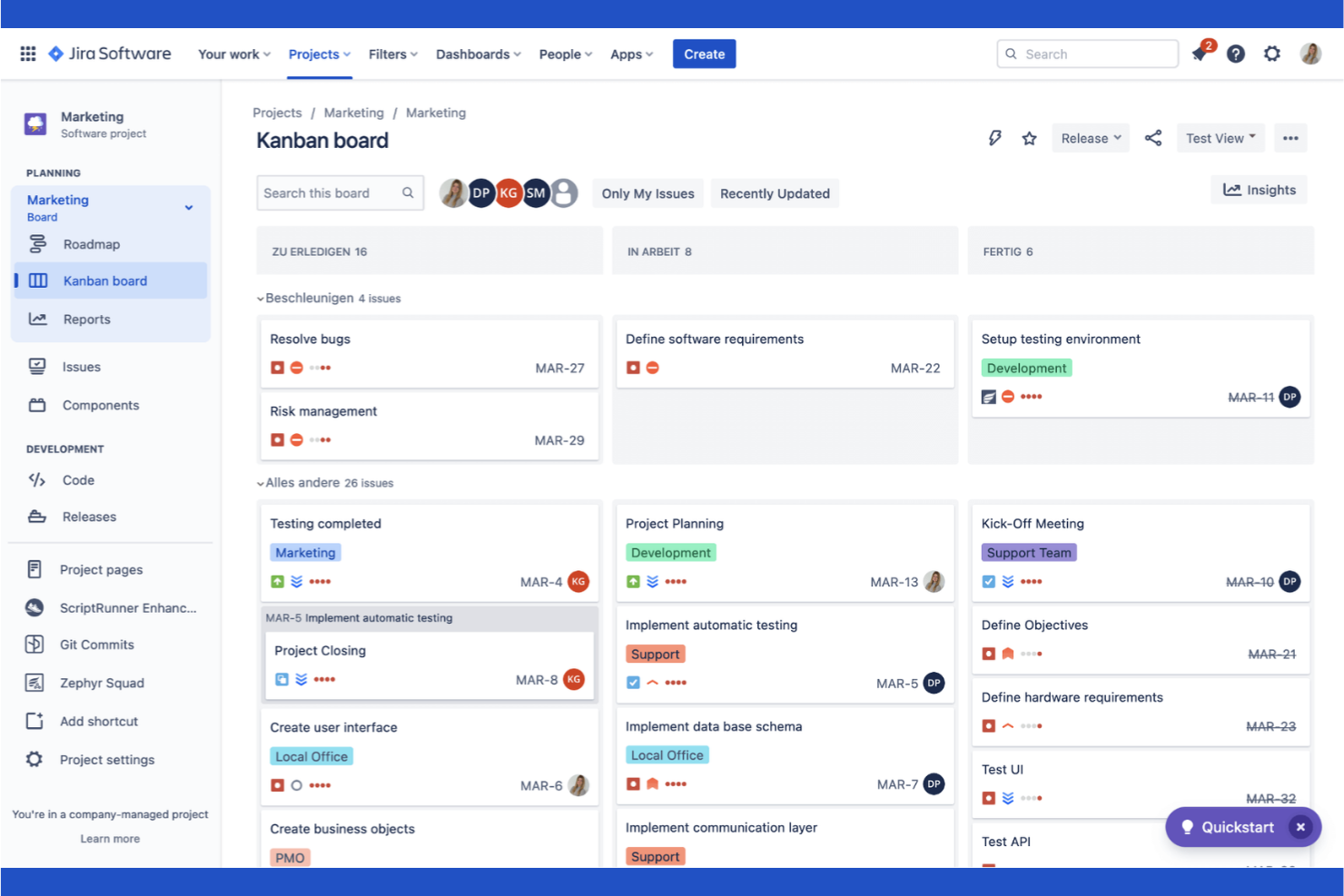
Atlassian brings together a suite of tools designed specifically for software development teams managing complex projects in the cloud. It’s especially useful for engineering leads, product managers, and DevOps teams who need to coordinate code, track issues, and automate deployment workflows. With integrated solutions for code repositories, agile boards, and incident management, Atlassian helps teams keep every part of the software delivery process connected.
Why I Picked Atlassian
For software development teams, Atlassian stands out by offering purpose-built tools that address the unique demands of building, shipping, and maintaining code in the cloud. I picked Atlassian because it brings together agile project tracking, code management, and incident response in a single ecosystem. Features like Jira’s customizable agile boards and Bitbucket’s integrated code repositories help teams manage sprints, track bugs, and collaborate on code reviews without switching platforms. This focus on the full software development lifecycle makes Atlassian a strong fit for teams that need to keep engineering, product, and operations tightly aligned.
Atlassian Key Features
Some other features that make Atlassian valuable for cloud-based workflows include:
- Confluence Knowledge Base: Create, organize, and share project documentation and team knowledge in a centralized space.
- Automation Rules: Set up custom triggers and actions to automate repetitive tasks across projects.
- Service Desk Portal: Manage IT requests and support tickets with a dedicated help desk interface.
- Advanced Reporting Dashboards: Build visual dashboards to track project metrics, team performance, and workflow bottlenecks.
Atlassian Integrations
Integrations include Slack, Microsoft Teams, GitHub, GitLab, Zendesk, AWS, and Figma.
Pros and Cons
Pros:
- Strong CI/CD pipeline sync
- Vast marketplace extensions
- Highly customizable rules
Cons:
- Cloud outages affect workflows
- Heavy focus on IT and dev ops

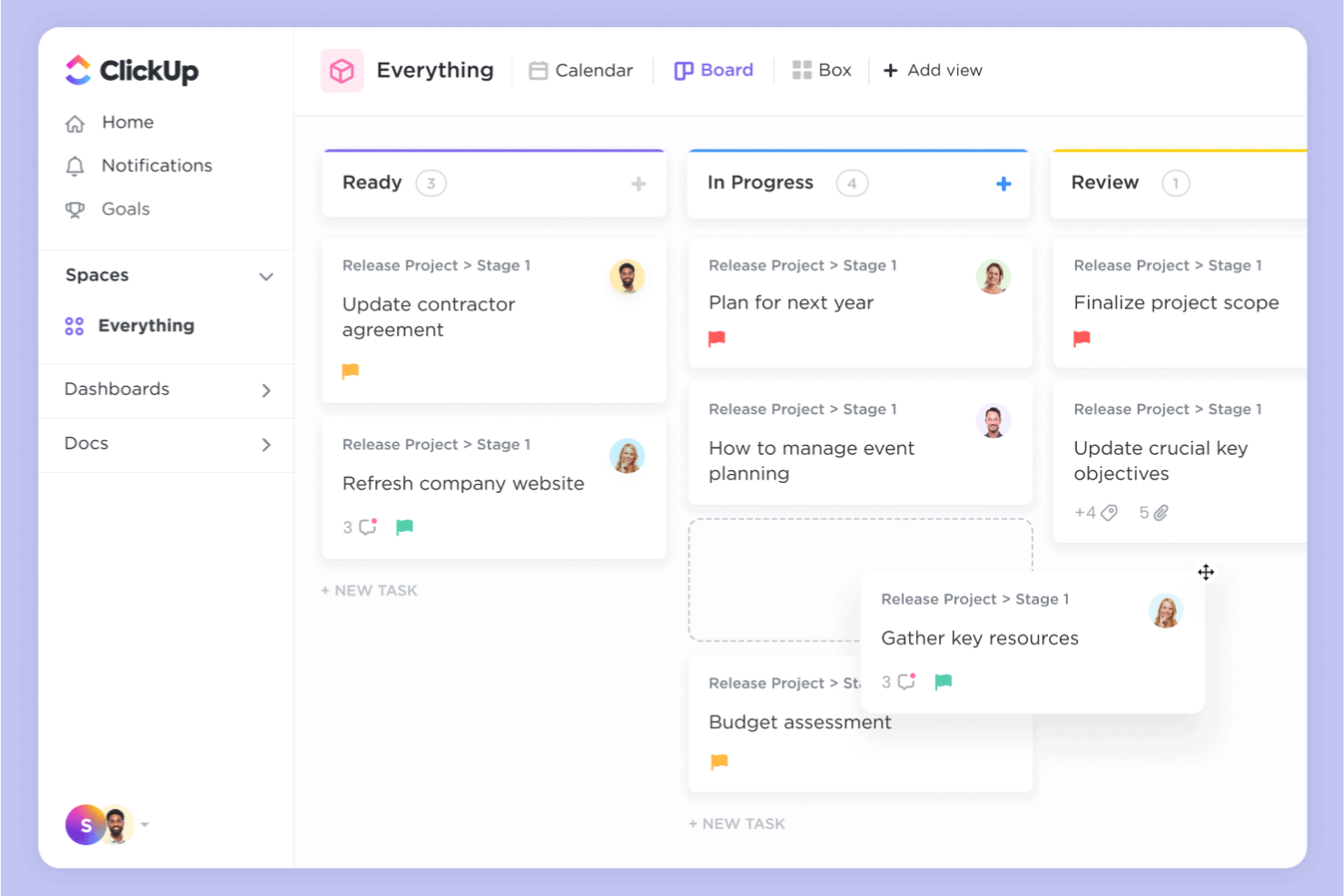
ClickUp gives teams a flexible way to build, automate, and manage workflows in the cloud. It’s a strong fit for project managers and cross-functional teams who need to tailor task processes to fit unique business needs. If you’re looking for granular control over task automation and workflow customization, ClickUp stands out with its adaptable approach.
Why I Picked ClickUp
I chose ClickUp because its customizable task automation stands out among cloud based workflow software. The platform lets you create custom automations for tasks, statuses, and notifications, so you can adapt workflows to match your team’s exact processes. I like that you can set up conditional logic and multi-step automations without coding, which helps teams handle complex or repetitive work. ClickUp’s automation builder gives you the flexibility to streamline approvals, handoffs, and recurring tasks in a way that fits your unique requirements.
ClickUp Key Features
Some other features in ClickUp help teams manage and optimize their workflows in the cloud:
- Custom Views: Choose from list, board, calendar, or Gantt views to visualize work in the way that fits your process.
- Docs and Wikis: Create and share documentation, SOPs, and knowledge bases directly within your workspace.
- Goal Tracking: Set, track, and update progress on team or project goals alongside your workflow tasks.
- Time Tracking: Log time spent on tasks and generate reports to monitor productivity and resource allocation.
ClickUp Integrations
Integrations include Slack, Google Workspace, GitHub, GitLab, Zoom, HubSpot, Zendesk, and Salesforce.
Pros and Cons
Pros:
- Cost-effective cloud pricing
- Huge integration ecosystem
- Real-time team collaboration
Cons:
- Mobile app lacks some features
- Automation limits on low tiers

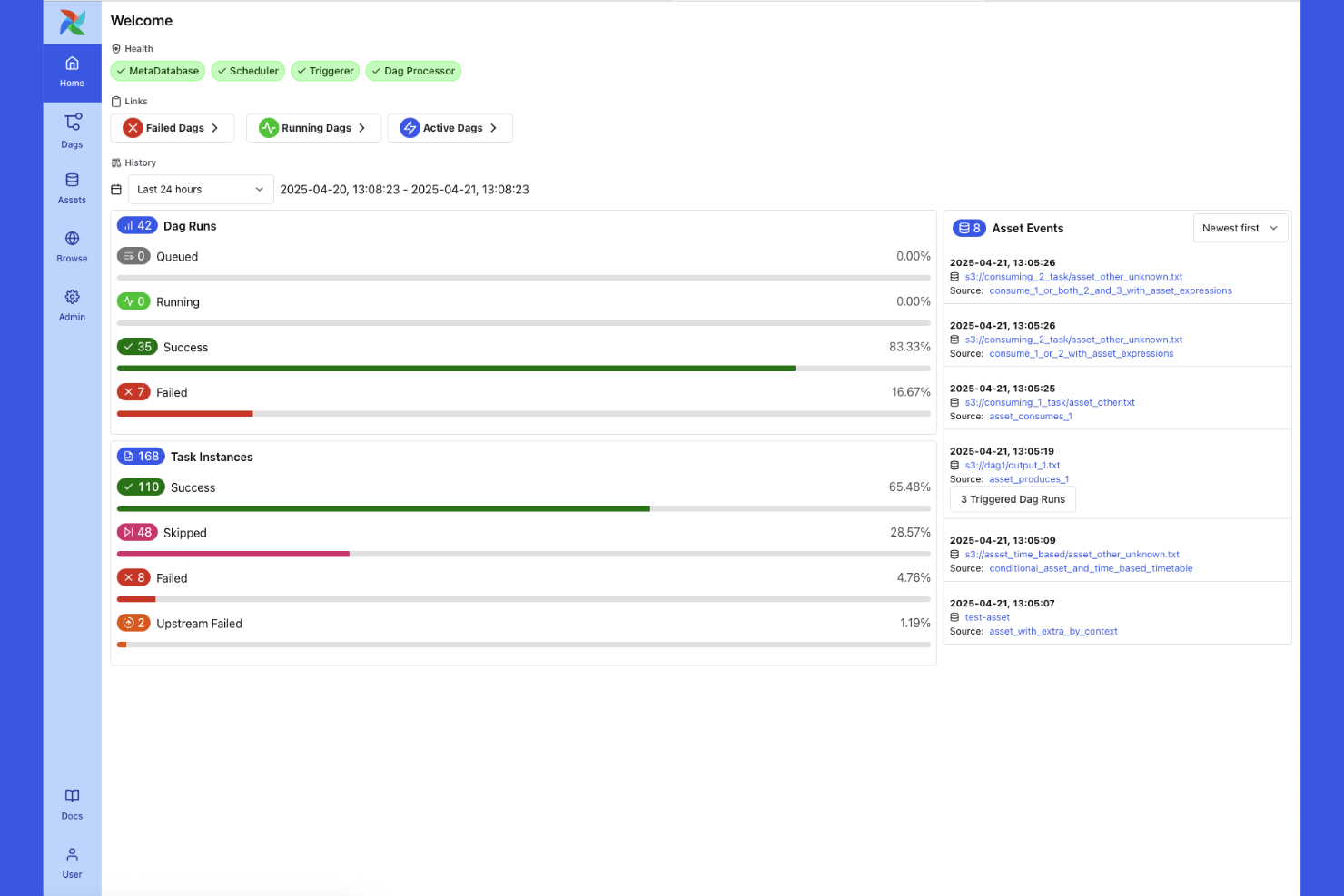
Apache Airflow is an open-source platform built for teams that need to design, schedule, and monitor complex data workflows in the cloud. Data engineers and analytics teams use it to orchestrate multi-step pipelines, automate dependencies, and manage data movement across systems. Its modular architecture and Python-based workflow definitions make it especially useful for organizations handling large-scale, dynamic data processes.
Why I Picked Apache Airflow
When managing intricate data workflows in the cloud, Apache Airflow offers a level of control and flexibility that’s hard to match. I picked Airflow because it lets you define complex, multi-step pipelines as code using Python, which is ideal for teams handling dynamic data dependencies and frequent changes. Its Directed Acyclic Graph (DAG) structure makes it possible to visualize, schedule, and monitor every stage of a data pipeline in detail. For organizations that need to orchestrate large-scale, interdependent data processes, Airflow’s modular approach and extensibility make it a strong fit.
Apache Airflow Key Features
Some other features that make Apache Airflow valuable for cloud-based workflow management include:
- Role-Based Access Control: Assign granular permissions to users and groups for secure workflow management.
- REST API: Interact programmatically with Airflow to trigger workflows, fetch logs, or manage tasks from external systems.
- Pluggable Executors: Choose from different execution backends, such as Celery or Kubernetes, to scale task processing.
- Built-In Scheduler: Automatically triggers tasks based on time, event, or external signals without manual intervention.
Apache Airflow Integrations
Integrations include AWS, Google Cloud Platform, Microsoft Azure, Snowflake, PostgreSQL, Databricks, and Kubernetes.
Pros and Cons
Pros:
- Deep task dependency tracking
- Integrates with any cloud data
- Massive open-source community
Cons:
- Not for business workflows
- Hard to maintain at scale

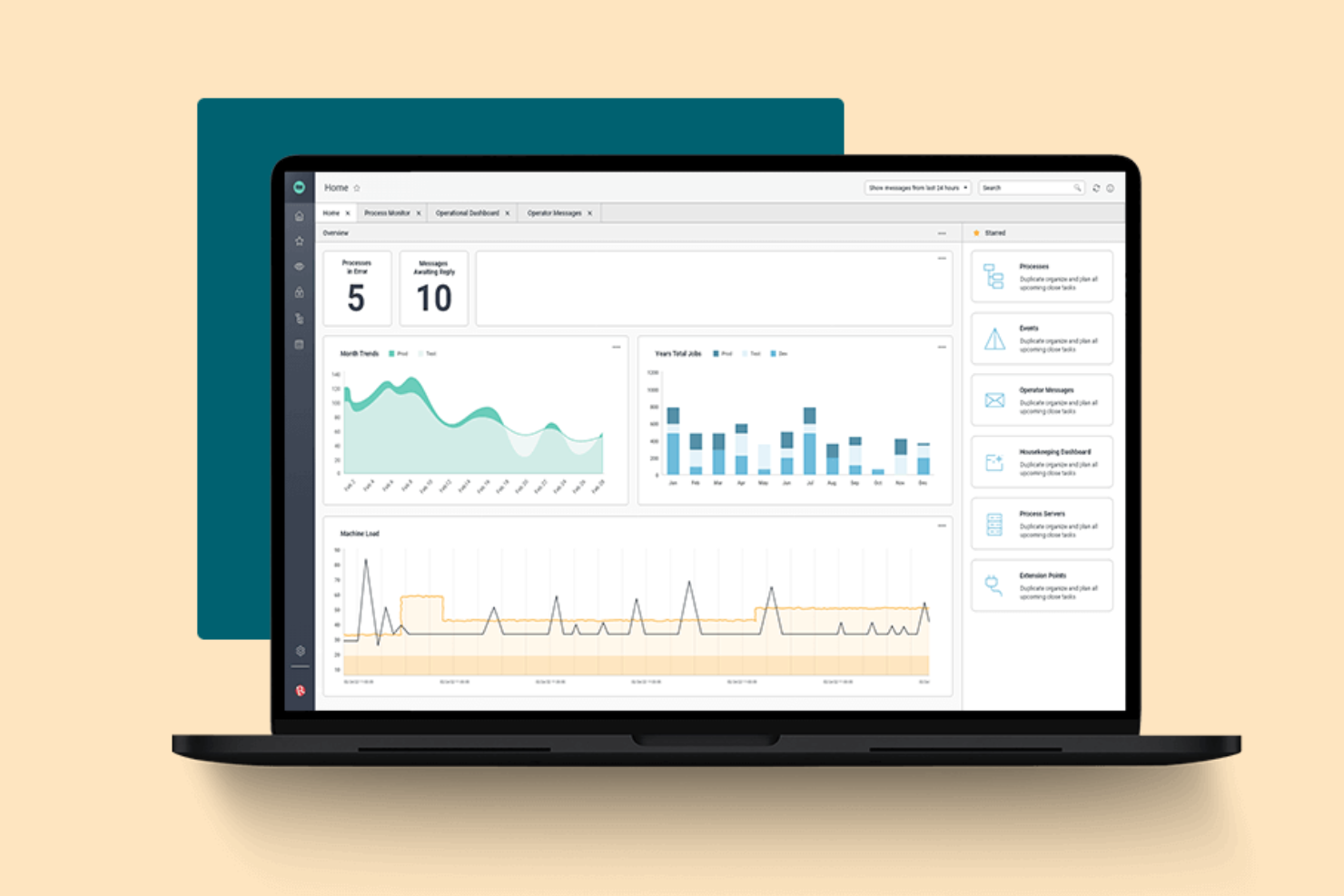
Redwood Software offers a cloud-based platform designed for orchestrating complex, enterprise-scale workloads. It’s built for IT leaders and operations teams in large organizations that need to automate, schedule, and monitor critical business processes across multiple systems. If your business manages high-volume, cross-application workflows, Redwood Software provides centralized control and visibility that’s hard to match.
Why I Picked Redwood Software
What sets Redwood Software apart is its focus on enterprise workload orchestration, which is essential for organizations managing complex, interconnected processes. The platform offers advanced scheduling and automation tools that let you coordinate workflows across ERP, cloud, and on-premises systems from a single dashboard. I appreciate how Redwood Software supports event-driven automation and real-time monitoring, so you can respond quickly to business-critical events. For teams that need to orchestrate high-volume, multi-system workflows with precision, Redwood Software delivers the control and scalability required.
Redwood Software Key Features
Some other features in Redwood Software help teams manage and optimize enterprise workflows in the cloud:
- Self-Service Automation Portal: Give business users a portal to launch and monitor their own automated processes without IT intervention.
- Audit Trails: Track every workflow action and change with detailed, exportable logs for compliance and governance.
- Role-Based Access Controls: Assign granular permissions to users and groups to manage workflow visibility and actions.
- API Integration Framework: Connect with external applications and services using built-in API connectors for seamless data exchange.
Redwood Software Integrations
Integrations include SAP, Oracle, ServiceNow, Snowflake, AWS, Microsoft Azure, and Boomi.
Pros and Cons
Pros:
- Highly reliable job execution
- Strong cloud security models
- Zero infrastructure to manage
Cons:
- Long deployment timelines
- UI feels very technical
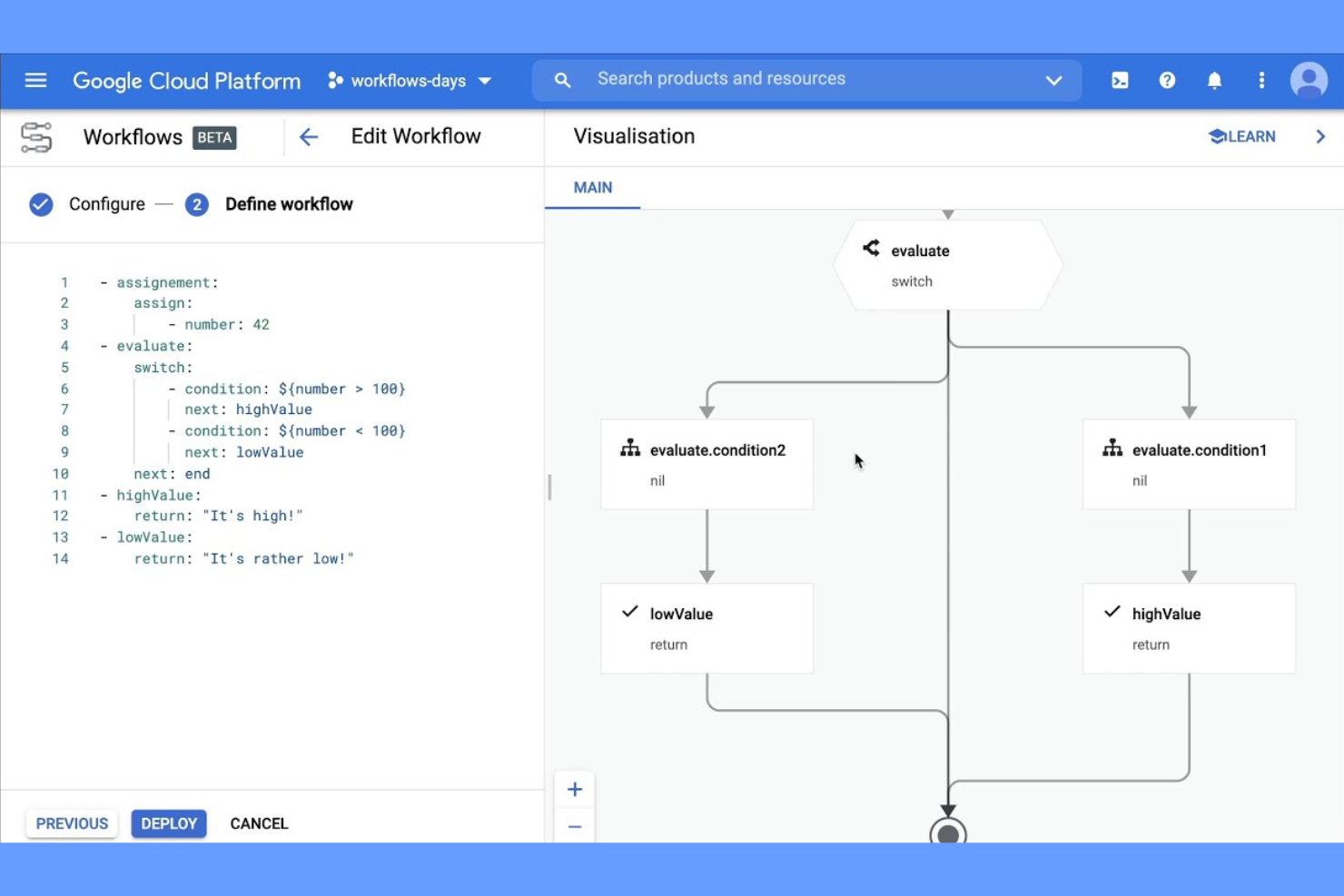
If your team relies on Google Cloud services, Google Cloud Workflows offers a way to automate and connect those services with minimal overhead. This tool is built for cloud architects, developers, and IT teams who need to coordinate APIs, microservices, and serverless functions within the Google Cloud ecosystem. It’s especially useful for orchestrating multi-step processes that span multiple Google Cloud products without leaving the platform.
Why I Picked Google Cloud Workflows
For teams already invested in Google Cloud, Google Cloud Workflows stands out because it’s purpose-built for orchestrating native Google Cloud services. You can design workflows that call Google Cloud Functions, trigger Cloud Run jobs, and manage Pub/Sub messaging all within a single, unified environment. I picked this tool because it lets you visually define and manage complex, multi-step processes that leverage the full range of Google Cloud APIs. This makes it a strong fit for organizations that want to automate and connect their cloud infrastructure without relying on third-party connectors.
Google Cloud Workflows Key Features
Some other features in Google Cloud Workflows help teams automate and manage cloud-based processes more efficiently:
- YAML-Based Workflow Definitions: Build and edit workflows using a human-readable YAML syntax for version control and collaboration.
- Error Handling and Retries: Configure custom error handling and automatic retries for each workflow step.
- Built-In Logging and Monitoring: Access detailed logs and performance metrics through Google Cloud’s operations suite.
- Conditional Logic Support: Add if/else branching and switch statements to control workflow execution paths.
Google Cloud Workflows Integrations
Integrations include Cloud Functions, Cloud Run, BigQuery, Pub/Sub, Compute Engine, and Cloud Storage.
Pros and Cons
Pros:
- Pay per execution pricing
- Fast microservice connections
- Scales automatically to zero
Cons:
- Locked into GCP ecosystem
- Not for visual business users

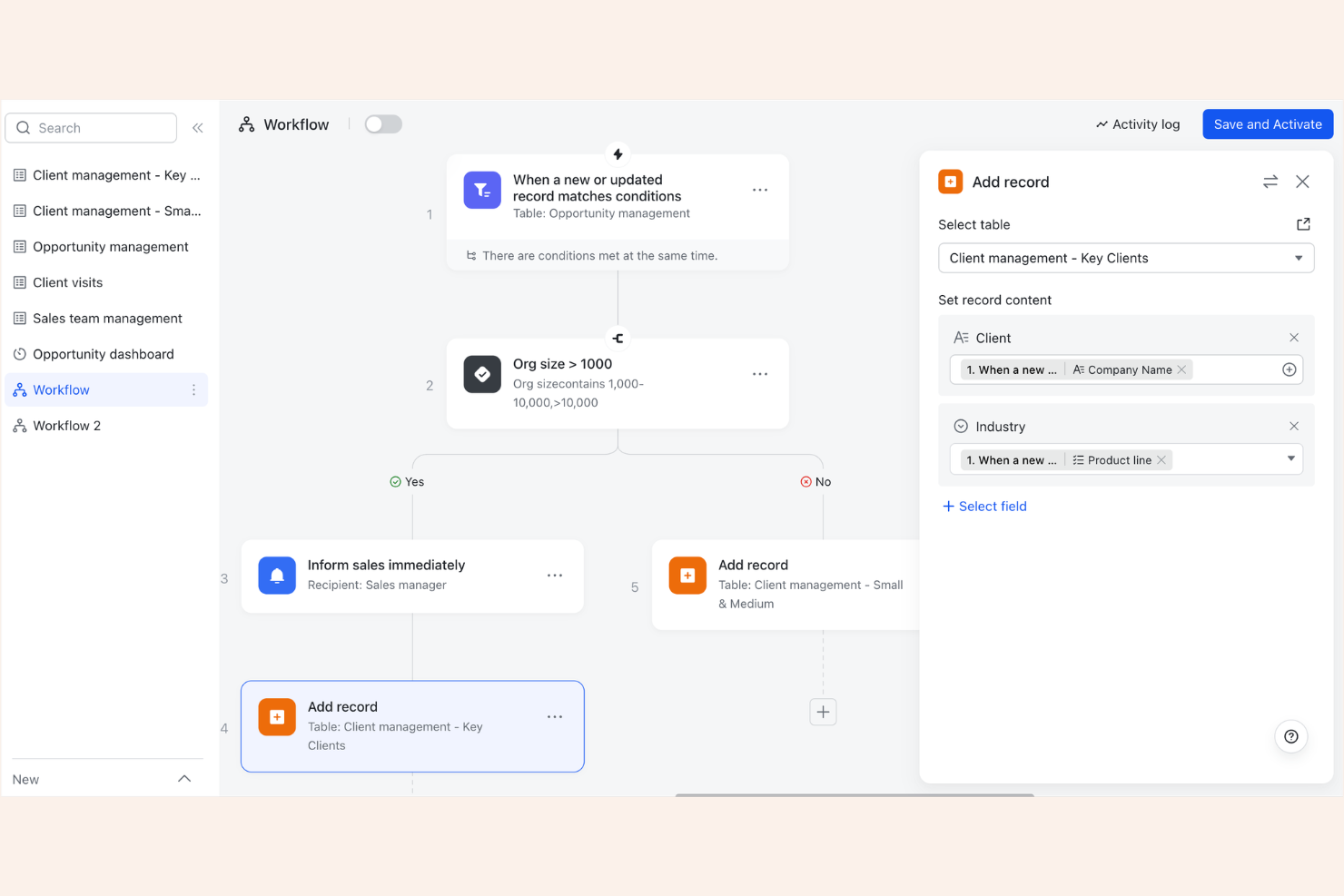
Lark Suite brings together messaging, video meetings, docs, and project management in a single cloud platform, operating as a comprehensive SAAS. It’s a strong fit for distributed teams and fast-moving businesses that want to centralize collaboration and workflow tools without juggling multiple apps. With real-time document editing and built-in communication features, Lark Suite transforms how teams work by helping them keep projects and conversations connected in one place.
Why I Picked Lark Suite
Lark Suite stands out for its end-to-end approach to collaboration, which is especially valuable for teams looking to unify their workflow in the cloud. I picked Lark Suite because it combines chat, video conferencing, shared calendars, and collaborative documents in a single platform, reducing the need to switch between separate tools. The ability to co-edit documents and manage tasks directly within the same workspace helps teams keep projects and communication tightly aligned. For businesses that want integrated collaboration tools to support both daily communication and project workflows, Lark Suite offers a cohesive, enterprise-grade solution.
Lark Suite Key Features
Some other features that make Lark Suite useful for cloud-based workflows include:
- Approval Workflow Automation: Set up custom approval flows for leave requests, expenses, and other business processes.
- Cloud Storage Integration: Store, share, and manage files securely within the platform.
- Third-Party App Marketplace: Add extra functionality by connecting with a range of business apps directly from the Lark Suite marketplace.
- Admin Console: Manage user permissions, security settings, and organizational policies from a centralized dashboard.
Lark Suite Integrations
Integrations include Jira, GitHub, Asana, Trello, Google Drive, Zapier, Zendesk, and Salesforce.
Pros and Cons
Pros:
- Highly affordable per user
- Great for remote global teams
- Deep chat and doc sync
Cons:
- Workflow logic is very basic
- Data privacy concerns for some

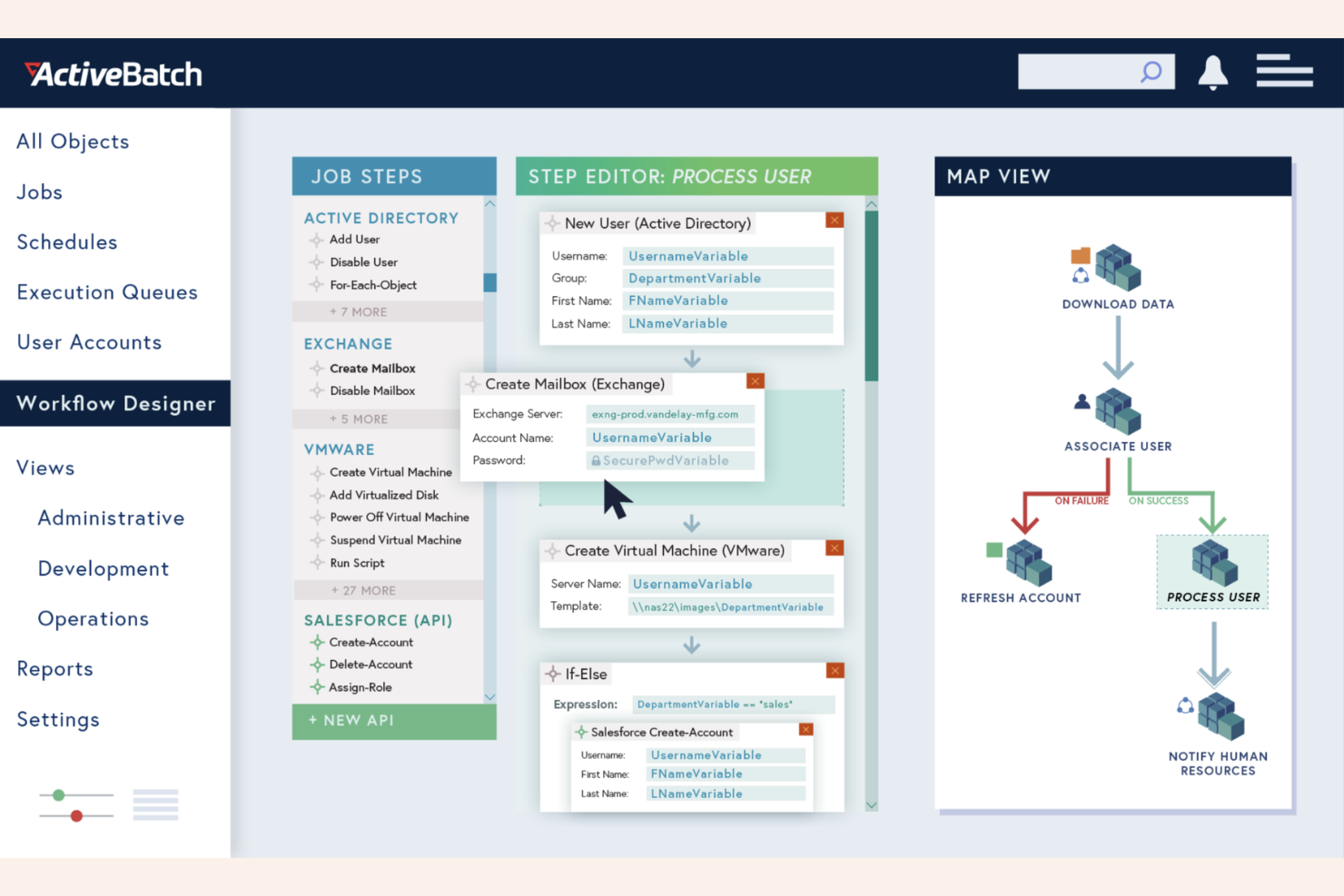
ActiveBatch is designed for organizations that need to coordinate workflows across multiple platforms and environments. IT teams and operations managers often turn to it when they need to automate complex job scheduling that spans on-premises, cloud, and hybrid systems. Its cross-platform capabilities help unify and manage diverse infrastructure without forcing teams to standardize on a single technology stack.
Why I picked ActiveBatch
It excels in IT automation, providing extensive pre-built job steps for various IT tasks. The tool's event-driven architecture allows workflows to react to system events and changes. Its drag-and-drop interface simplifies workflow creation, making it accessible for users with different technical skills. In my experience, the depth of IT automation features is a key differentiator.
ActiveBatch Key Features
In addition to its cross-platform scheduling capabilities, I also found several other features that support complex workflow automation:
- Drag-and-Drop Workflow Designer: Build and modify workflows visually using a no-code interface.
- Integrated Alerting and Notifications: Set up automated alerts for job failures, delays, or completions.
- REST API Support: Connect external applications and trigger workflows programmatically.
- Audit and Compliance Reporting: Generate detailed logs and reports for tracking workflow execution and meeting compliance requirements.
ActiveBatch Integrations
Integrations include ServiceNow, SAP, Oracle, Microsoft Azure, AWS, Snowflake, and VMware.
Pros and Cons
Pros:
- Reduces custom script needs
- Centralized cloud monitoring
- Large library of API steps
Cons:
- Complex initial configuration
- Best suited for IT admins only

Kissflow stands out for teams that want to build and manage workflows without writing code. It’s especially useful for business users and department leads who need to automate processes quickly, even if they don’t have technical backgrounds. The platform’s drag-and-drop workflow designer helps organizations reduce IT bottlenecks and adapt processes as needs change.
Why I Picked Kissflow
For teams that want to automate workflows without relying on IT, Kissflow’s no-code approach is a strong fit. The platform’s visual workflow builder lets users create, modify, and deploy processes using drag-and-drop tools and customizable templates. I picked Kissflow because it empowers business users to design approval flows, forms, and task assignments directly in the cloud. This flexibility helps organizations adapt quickly as their processes evolve, without waiting for technical resources.
Kissflow Key Features
Some other features that make Kissflow appealing for cloud-based workflow management include:
- Role-Based Access Controls: Assign permissions and manage user access based on roles within your organization.
- Mobile App Support: Access and manage workflows from iOS and Android devices.
- Built-In Analytics and Reporting: Track workflow performance and generate custom reports directly within the platform.
- Integration with Google Workspace and Microsoft 365: Connect workflows to popular productivity suites for seamless data sharing.
Kissflow Integrations
Integrations include Google Workspace, Microsoft 365, Salesforce, Slack, DocuSign, QuickBooks, and Dropbox.
Pros and Cons
Pros:
- Easy role-based access control
- Built-in cloud form design
- Great for business users
Cons:
- Pricing scales up quickly
- Struggles with huge datasets


Cloud Based Workflow Software Selection Criteria
When selecting the best cloud based workflow software to include in this list, I considered common buyer needs and pain points like managing distributed teams and automating repetitive processes. I also used the following framework to keep my evaluation structured and fair:
Core Functionality (25% of total score) To be considered for inclusion in this list, each solution had to fulfill these common use cases:
- Automate multi-step workflows
- Assign and track tasks
- Route approvals and requests
- Store and share documents
- Monitor workflow progress
Additional Standout Features (25% of total score) To help further narrow down the competition, I also looked for unique features, such as:
- Built-in real-time chat or messaging
- Customizable workflow templates
- AI-driven process suggestions and AI agents
- Integration with third-party business apps
- Advanced analytics and reporting
Usability (10% of total score) To get a sense of the usability of each system, I considered the following:
- Clean and user-friendly interface design
- Logical navigation between modules
- Minimal clicks to complete common actions
- Responsive performance on web and mobile
- Accessibility for users with different needs
Onboarding (10% of total score) To evaluate the onboarding experience for each platform, I considered the following:
- Availability of step-by-step product tours
- Access to training videos and documentation
- Pre-built workflow templates for quick setup
- In-app chatbots or guided help
- Live or recorded onboarding webinars
Customer Support (10% of total score) To assess each software provider’s customer support services, I considered the following:
- Multiple support channels like chat and email
- Fast response times to inquiries
- Access to a searchable help center
- Availability of community forums
- Dedicated account management for larger teams
Value For Money (10% of total score) To evaluate the value for money of each platform, I considered the following:
- Transparent and flexible pricing plans
- Features included at each pricing tier
- Free trial or free plan availability
- No hidden fees or surprise charges
- Discounts for annual or volume commitments
Customer Reviews (10% of total score) To get a sense of overall customer satisfaction, I considered the following when reading customer reviews:
- Consistency of positive feedback across platforms
- Reports of reliability and uptime
- Feedback on customer support experiences
- User comments on feature usefulness
- Trends in recent updates or improvements
How to Choose Cloud Based Workflow Software
It’s easy to get bogged down in long feature lists and complex pricing structures. To help you stay focused as you work through your unique software selection process, here’s a checklist of factors to keep in mind:
| Factor | What to Consider |
|---|---|
| Scalability | Will the software handle your team’s growth, new workflows, or increased process complexity over time? Check for user, workflow, and storage limits. |
| Integrations | Does the tool connect natively with your existing systems (like Slack, Google Workspace, or Salesforce)? Consider how much manual work is needed to bridge gaps. |
| Customizability | Can you tailor workflows, forms, and permissions to match your team’s processes without heavy IT involvement? Look for drag-and-drop builders or rule engines. |
| Ease of use | Will your team adopt the tool quickly, or will it require extensive training? Test the interface with a small group before committing. |
| Implementation and onboarding | How long will it take to get up and running? Ask about migration support, onboarding resources, and whether you’ll need outside consultants. |
| Cost | Are pricing tiers clear and predictable as your usage grows? Watch for extra charges for users, storage, or premium features. |
| Security safeguards | Does the software offer encryption, access controls, and audit logs? Confirm compliance with your organization’s security policies and industry standards. |
| Support availability | What support channels are offered, and during what hours? Consider if you’ll need 24/7 help or a dedicated account manager for critical workflows. |
What Is Cloud Based Workflow Software?
Cloud based workflow management software is a digital platform that helps teams design, automate, and manage business processes entirely online, acting as a key driver of digital transformation. These workflow management tools centralize tasks, approvals, and document sharing in a single workspace accessible from any device. By moving workflows to the cloud, organizations can coordinate distributed teams, track progress in real time, and adapt processes quickly as needs change.
Features of Cloud Based Workflow Software
When selecting cloud based workflow software, keep an eye out for the following key features:
- Workflow automation: Automates repetitive tasks and routes items through multi-step processes based on predefined rules, utilizing RPA concepts to reduce manual processes and errors.
- Task assignment: Lets you assign tasks to individuals or teams, set deadlines, and monitor progress from a centralized dashboard.
- Document management: Provides secure storage, sharing, and version control for files and documents used within workflows.
- Approval routing: Enables automated or manual routing of requests, forms, or documents to the right stakeholders for review and sign-off.
- Real-time collaboration: Supports simultaneous editing, commenting, and communication within tasks or documents, keeping everyone aligned.
- Custom form builder: Allows you to create and modify forms for data collection, intake, or process initiation without coding.
- Role-based permissions: Controls access to workflows, documents, and data based on user roles, ensuring sensitive information is only available to authorized users.
- Audit trails: Tracks all workflow activities, changes, and approvals, providing a clear record for compliance and accountability.
- Integration capabilities: Connects with other business tools like email, calendars, or CRM systems to sync data and trigger actions across platforms.
Benefits of Cloud Based Workflow Software
Implementing cloud based workflow software provides several benefits for your team and your business. Here are a few you can look forward to:
- Centralized process management: All tasks, documents, and approvals are managed in one online workspace, making it easier to coordinate distributed teams.
- Faster turnaround times: Automated routing and notifications help move work through each step quickly, reducing bottlenecks and delays.
- Improved visibility: Real-time dashboards and audit trails let you track progress, identify issues, and report on workflow performance at any time.
- Enhanced collaboration: Built-in chat, comments, and simultaneous editing keep everyone aligned and reduce the need for back-and-forth emails.
- Stronger compliance: Role-based permissions and detailed activity logs help protect sensitive data and support regulatory requirements.
- Scalability for growth: Cloud infrastructure and flexible user management allow you to add new workflows or team members as your business evolves.
- Reduced IT overhead: No on-premises servers or manual updates are needed, since the software is maintained and updated by the provider.
Costs and Pricing of Cloud Based Workflow Software
Selecting cloud based workflow software requires an understanding of the various pricing models and plans available. Costs vary based on features, team size, add-ons, and more. The table below summarizes common plans, their average prices, and typical features included in cloud based workflow software solutions:
Plan Comparison Table for Cloud Based Workflow Software
| Plan Type | Average Price | Common Features |
|---|---|---|
| Free Plan | $0 | Basic workflow automation, limited users, core task management, and basic document sharing. |
| Personal Plan | $7-$25/user/month | Single user access, expanded storage, custom forms, and email support. |
| Business Plan | $15-$50/user/month | Multi-user collaboration, advanced workflow automation, integrations, approval routing, and analytics. |
| Enterprise Plan | $1000+/month | Unlimited users, advanced security, custom permissions, audit trails, dedicated support, and SLAs. |
Cloud Based Workflow Software FAQs
Here are some answers to common questions about cloud based workflow software:
How secure is cloud based workflow software?
Cloud based workflow software typically uses encryption, access controls, and regular security audits to protect your data. Always review a vendor’s security certifications and ask about compliance with standards like SOC 2 or ISO 27001 before making a decision.
Can I integrate cloud based workflow software with my existing tools?
Yes, most cloud based workflow software offers integrations with popular business tools such as email, calendars, CRM systems, and file storage platforms. Check the integration marketplace or API documentation to confirm compatibility with your current tech stack.
What happens if my team outgrows our current plan?
Most providers offer scalable plans that let you add users, workflows, or storage as your needs change. Review upgrade paths and pricing tiers in advance to avoid unexpected costs or disruptions as your team grows.
How long does it take to implement cloud based workflow software?
Implementation time varies, but many platforms offer onboarding resources like templates, product tours, and training videos to help you get started quickly. For complex workflows or large teams, plan for a phased rollout and allow time for user training.
Is cloud based workflow software suitable for remote or distributed teams?
Yes, cloud based workflow software is designed for remote access, allowing distributed teams to collaborate, track progress, and manage approvals from anywhere with an internet connection. This flexibility supports hybrid and fully remote work environments.