
21 Best Client Management Software for Small Businesses In 2026

Client Management Software for Small Businesses Shortlist
Here’s my shortlist of client management software for small businesses:


Client management software helps your small business organize contacts, track interactions, and streamline sales or service workflows in one place. If you’re searching for the best way to keep up with clients, centralize communication, and support your team as your business grows, you’re in the right spot. With so many options, it’s tough to know which tools actually fit your needs, budget, and day-to-day reality.
This list breaks down the top client management software for small businesses in 2026, so you can compare features, spot key differences, and make a confident decision for your team.
Why You Can Trust Us
Best Client Management Software for Small Businesses Summary
This comparison chart summarizes pricing details for my top client management software for small business selections to help you find the best one for your budget and business needs.
| Tool | Best For | Trial Info | Price | ||
|---|---|---|---|---|---|
| 1 | Best with Microsoft 365 ecosystem integration | Free plan + free trial available | From $8/user/month (billed annually) | Website | |
| 2 | Best for action-focused contact management | 21-day free trial + free demo available | From $9.95/user/month (billed annually) | Website | |
| 3 | Best for marketing and sales alignment | Free plan available | From $20/month (billed monthly) | Website | |
| 4 | Best for automated follow-up sequences | 14-day free trial available | From $299/month (billed annually) | Website | |
| 5 | Best for project and task integration | Free demo + 14-day free trial available | From $29/user/month (billed annually) | Website | |
| 6 | Best for AI-powered lead scoring | Free plan + 21-day free trial available | From $9/user/month (billed annually) | Website | |
| 7 | Best for visual sales pipeline management | 14-day free trial available | From $14/user/month (billed annually) | Website | |
| 8 | Best for built-in team collaboration features | Free plan + free demo available | From $49/organization/month (billed annually) | Website | |
| 9 | Best with advanced automation tools | Free plan available | From $25/user/month | Website | |
| 10 | Best for simple, intuitive user experience | 30-day free trial available | From $15/user/month | Website | |
| 11 | Best for customizable workflow boards | Free demo available | Pricing upon request | Website | |
| 12 | Best for multichannel communication tracking | 15-day free trial + free demo available | From $14/user/month (billed annually) | Website |

-

Insightful
Visit WebsiteThis is an aggregated rating for this tool including ratings from Crozdesk users and ratings from other sites.4.8 -
Accelo
Visit WebsiteThis is an aggregated rating for this tool including ratings from Crozdesk users and ratings from other sites.4.4 -
Wrike
Visit WebsiteThis is an aggregated rating for this tool including ratings from Crozdesk users and ratings from other sites.4.2





Best Client Management Software for Small Businesses
Below are my detailed summaries of client management software for small businesses that made it onto my shortlist. My reviews offer a detailed look at the features, best use cases, and integrations of each platform to help you find the best one for you.

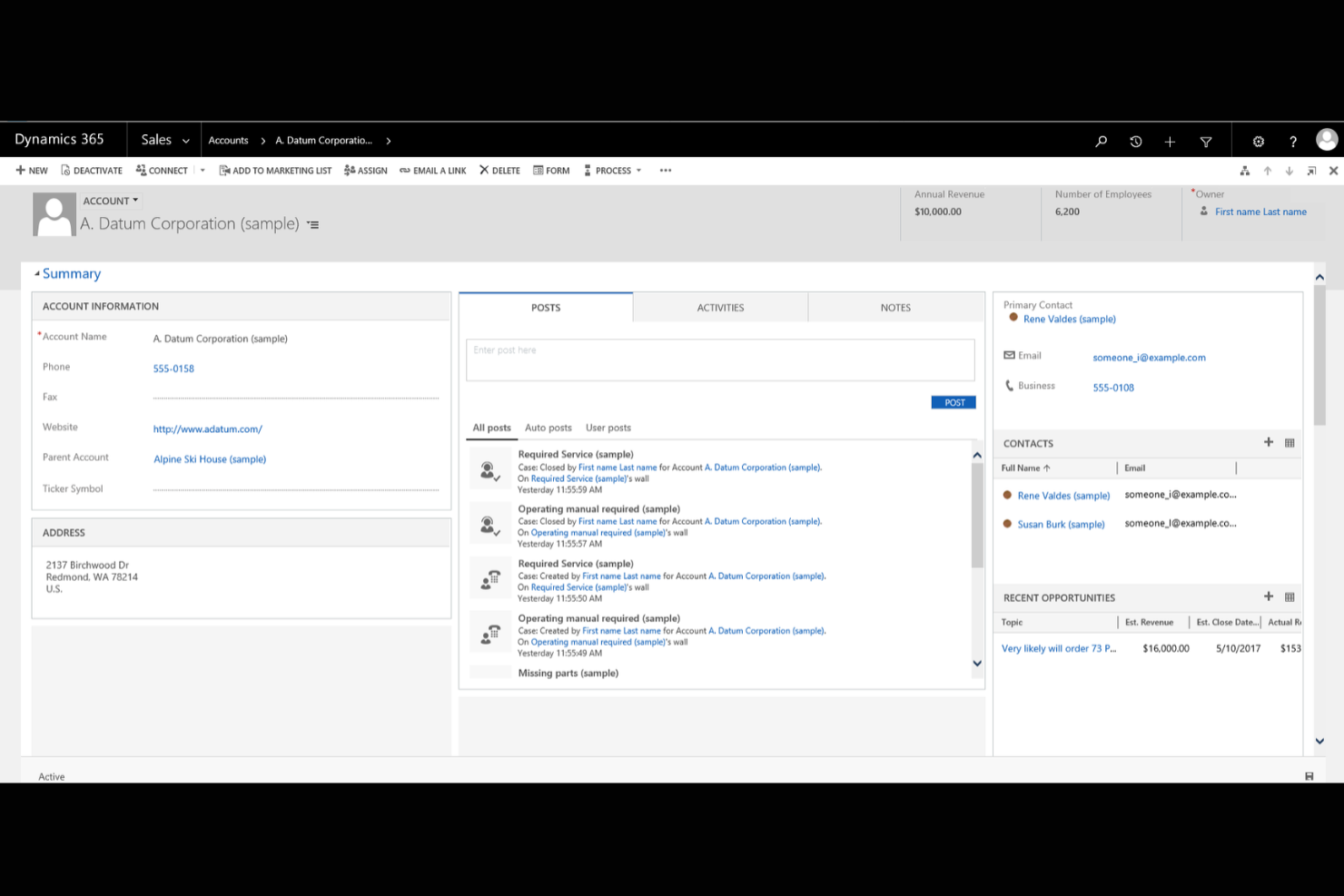
If your business already relies on Microsoft 365 tools, Microsoft Dynamics 365 offers a client management platform that fits right into your existing workflows. It’s designed for small businesses that want to connect sales, customer service, and marketing data across familiar Microsoft apps. With deep integration into Outlook, Teams, and Excel, Dynamics 365 helps you manage client relationships without switching between multiple systems.
Why I Picked Microsoft Dynamics 365
What sets Microsoft Dynamics 365 apart for small businesses is how deeply it connects with the Microsoft 365 ecosystem. I picked it because you can manage client data, track communications, and schedule meetings directly from familiar tools like Outlook and Teams. The platform also lets you automate workflows between Dynamics 365 and Excel, making it easier to update records and generate reports without manual data entry. For businesses already using Microsoft apps, this level of integration helps keep client management organized and efficient.
Microsoft Dynamics 365 Key Features
Some other features in Microsoft Dynamics 365 that small business users may find valuable include:
- Customizable Dashboards: Create visual dashboards to track sales, service, and marketing metrics in real time.
- Case Management: Organize and resolve customer service requests with built-in case tracking tools.
- Lead and Opportunity Management: Capture, qualify, and manage leads and sales opportunities from a single interface.
- Role-Based Access Controls: Set permissions and data visibility based on user roles within your organization.
Microsoft Dynamics 365 Integrations
Integrations include Microsoft 365, Power BI, LinkedIn Sales Navigator, Outlook, SharePoint, Teams, Azure, Adobe Sign, and OneDrive. Microsoft Dynamics 365 also offers an API for custom integrations.
Pros and Cons
Pros:
- Built-in case management supports structured customer service workflows
- Customizable dashboards let you track sales and service metrics
- Deep integration with Outlook, Teams, and other Microsoft 365 apps
Cons:
- Integration with non-Microsoft tools is more limited than that of some competitors
- Initial setup and configuration can require significant IT resources
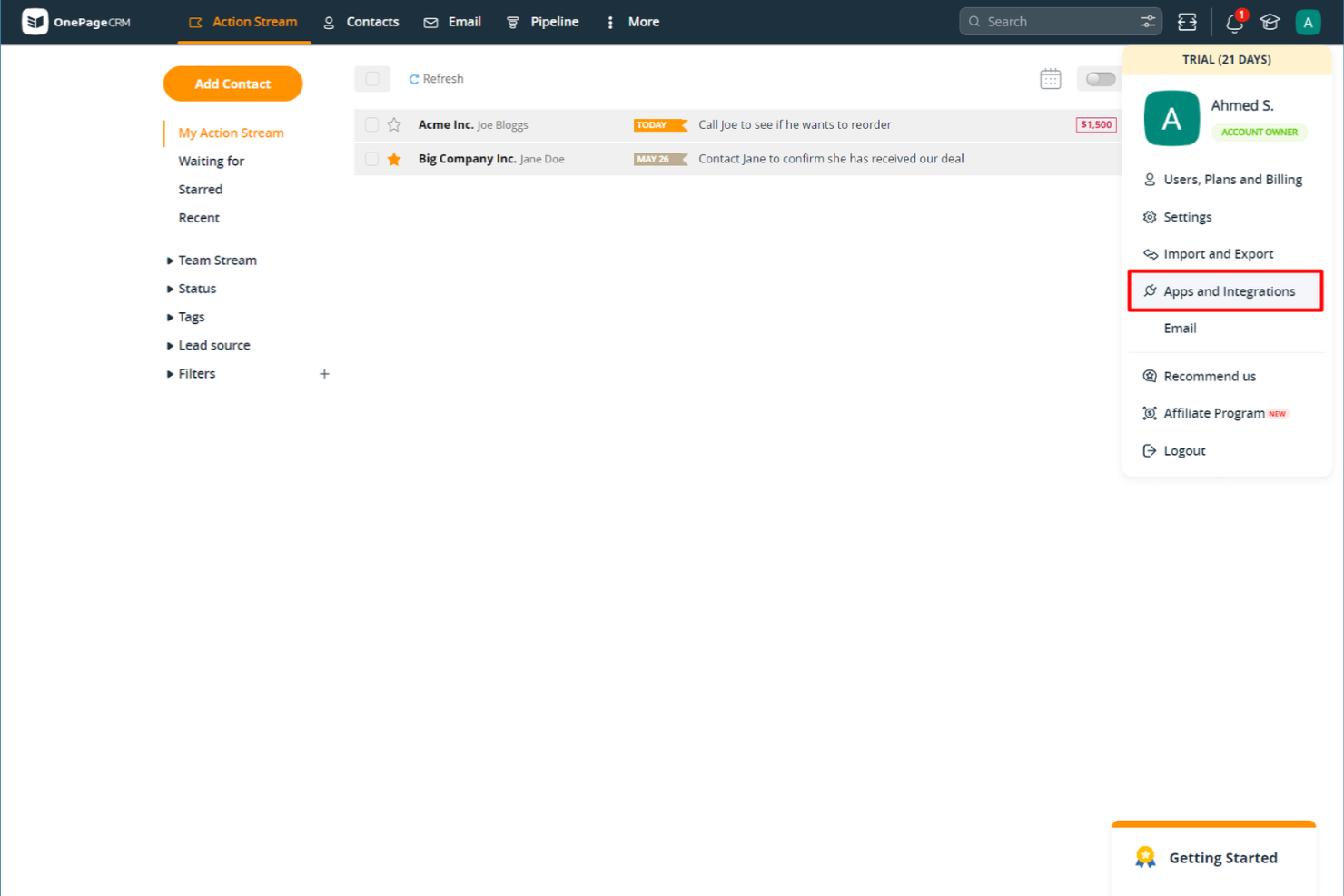
If you want a client management tool that keeps your team focused on next steps, OnePageCRM is worth a look. It’s designed for small businesses and sales teams that need a simple way to turn contacts into actionable tasks. With its action-focused approach, OnePageCRM helps you avoid letting leads slip through the cracks.
Why I Picked OnePageCRM
What sets OnePageCRM apart is its focus on turning every contact into a clear, actionable next step. Instead of just storing client information, the platform prompts you to assign and track follow-up actions for each contact, which helps small business teams stay proactive. I appreciate how the Next Action sales method is built right into the workflow, making it easy to prioritize and manage daily client tasks. For small businesses that want to keep momentum with leads and clients, this action-focused approach is a practical fit.
OnePageCRM Key Features
Some other features in OnePageCRM that small business users may find helpful include:
- Contact Import and Export: Quickly bring in or move out contact lists using CSV files or integrations.
- Email Sync and Templates: Connect your email account to send, receive, and track emails directly from the platform.
- Deal Management: Organize, track, and update sales opportunities with a simple pipeline view.
- Mobile App: Access contacts, actions, and deals on the go with dedicated iOS and Android apps.
OnePageCRM Integrations
Integrations include Gmail, Outlook, Mailchimp, Zapier, Xero, Google Calendar, Slack, HubSpot, and Pipedrive. Additionally, OnePageCRM offers an open API for custom integrations.
Pros and Cons
Pros:
- Email sync allows sending and tracking messages from the CRM
- Sales pipeline view offers simple drag-and-drop deal tracking
- Action-focused task lists help teams prioritize daily follow-ups
Cons:
- Bulk editing contacts is not available for all data fields
- No built-in marketing automation for email campaigns

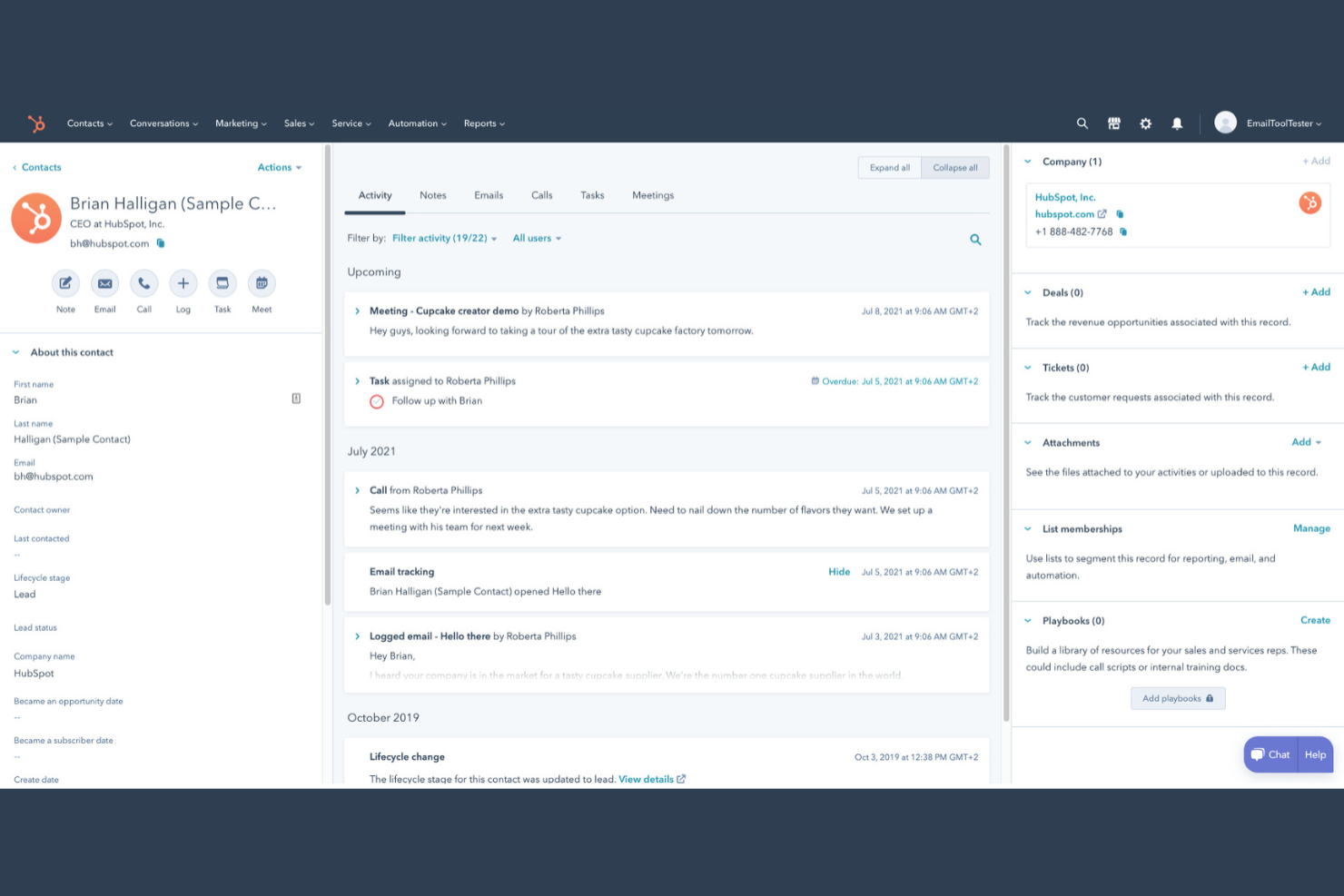
If you’re looking for a client management platform that connects your marketing and sales teams, HubSpot is worth a look. This tool is designed for small businesses that want to manage contacts, automate outreach, and track deals in one place. HubSpot stands out for its unified approach to client data, making it easier to align your sales and marketing efforts.
Why I Picked HubSpot
I chose HubSpot because it brings marketing and sales activities together in a way that’s especially useful for small businesses managing client relationships. The platform lets you track every client interaction, from first website visit to closed deal, all in one place. I like that you can automate email marketing campaigns and set up lead nurturing workflows that keep both sales and marketing teams on the same page. HubSpot’s shared contact database and deal pipelines help ensure no client details slip through the cracks as your team grows.
HubSpot Key Features
Some other features in HubSpot that small businesses may find useful include:
- Meeting Scheduler: Book appointments directly through the CRM system and sync with your calendar.
- Live Chat Widget: Add real-time chat to your website to connect with visitors and capture leads.
- Task Management: Assign, track, and prioritize tasks for your team within each client record.
- Document Tracking: Upload, share, and monitor client engagement and customer interactions with sales documents right from the platform.
HubSpot Integrations
Integrations include Salesforce, Shopify, WordPress, Slack, Zoom, Microsoft Outlook, Gmail, Mailchimp, SurveyMonkey, and Eventbrite.
Pros and Cons
Pros:
- Provides customizable pipelines for tracking deals and client status
- Offers built-in email tracking and automated follow-up reminders
- Centralizes client communication history across marketing and sales teams
Cons:
- Integration setup can be time-consuming for non-technical users
- Advanced automation features require upgrading to higher-tier plans

Keap stands out for small businesses that want to automate client follow-up and nurture leads without manual effort. It’s built for service providers and solopreneurs who need to keep track of contacts, appointments, and communications in one place. With Keap, you can set up automated email and text sequences that help you stay connected with clients at every stage.
Why I Picked Keap
Automated follow-up is where Keap really shines for small business client management. You can build custom email and text message sequences that trigger based on client actions, so you never miss a chance to follow up or nurture a lead. I like that Keap also lets you set reminders and automate appointment scheduling, which helps keep client communications timely and organized. For businesses that rely on consistent outreach and want to reduce manual follow-up, Keap’s automation tools are a strong fit.
Keap Key Features
Some other features in Keap that small business users may find useful include:
- Built-In CRM: Store, organize, and segment all your client contact details in one place.
- Invoice and Payment Processing: Send invoices and accept payments directly through the platform.
- Landing Page Builder: Create custom landing pages to capture leads and grow your contact list.
- Sales Pipeline Management: Track deals and opportunities as they move through your sales process.
Keap Integrations
Integrations include QuickBooks, Gmail, Outlook, Zapier, WordPress, Shopify, Facebook Ads, Google Calendar, Stripe, and PayPal.
Pros and Cons
Pros:
- CRM includes tagging and segmentation for targeted communication
- Built-in invoicing and payment tools support service businesses
- Automated follow-up sequences can be customized for each client
Cons:
- Pricing increases significantly as your contact list grows
- Workflow builder can be complex for first-time users

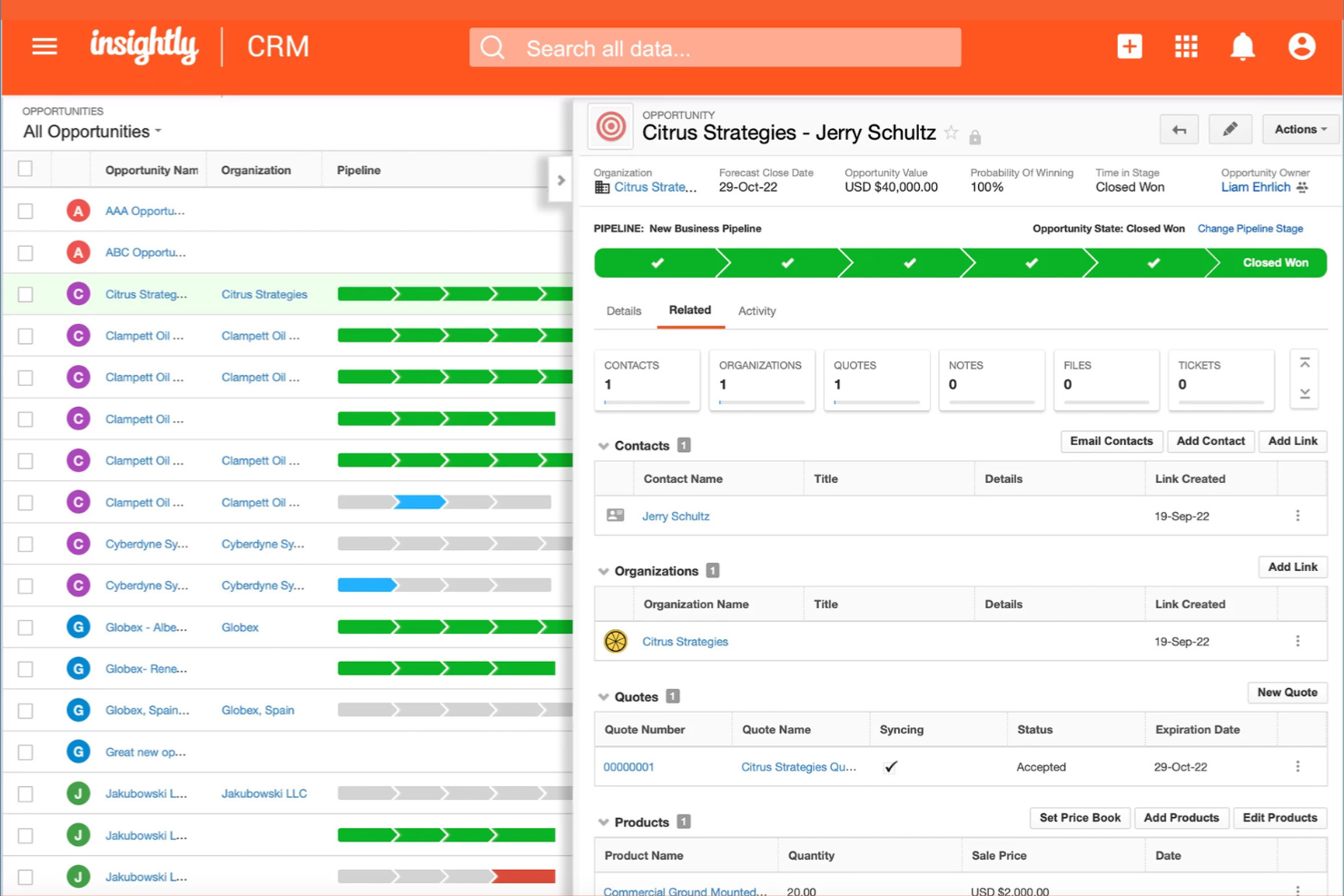
If your small business needs client management that connects directly with project and task workflows, Insightly is worth a look. This platform is designed for teams that want to manage customer relationships and project delivery in one place. It helps you link contacts, sales, and project tasks so nothing falls through the cracks as you move from deal to delivery.
Why I Picked Insightly
What sets Insightly apart for me is how it brings project and task management directly into the client management workflow. You can convert opportunities into projects with a single click, keeping all related client information and activities connected throughout the process. I appreciate that you can assign tasks, set milestones, and track project progress right alongside your client records. For small businesses juggling both sales and project delivery, Insightly’s integrated approach helps keep everything organized and visible in one place.
Insightly Key Features
Some other features in Insightly that small business teams may find valuable include:
- Relationship Linking: Connect contacts, organizations, and opportunities to see how everyone and everything is related.
- Custom Fields and Page Layouts: Tailor records and views to match your business’s unique processes and data needs.
- Email Templates and Tracking: Create reusable email templates and track when messages are opened or clicked.
- Workflow Automation: Set up automated actions and notifications based on triggers you define.
Insightly Integrations
Integrations include Gmail, Outlook, Mailchimp, QuickBooks, Slack, Dropbox, Google Drive, Microsoft Teams, Xero, and HubSpot. Insightly also offers an API for custom integrations.
Pros and Cons
Pros:
- Email templates and tracking support client communication efforts
- Custom fields and layouts adapt to unique business processes
- Workflow automation reduces manual data entry for small teams
Cons:
- Bulk data import can require manual cleanup and mapping
- Mobile app features are less extensive than the web version
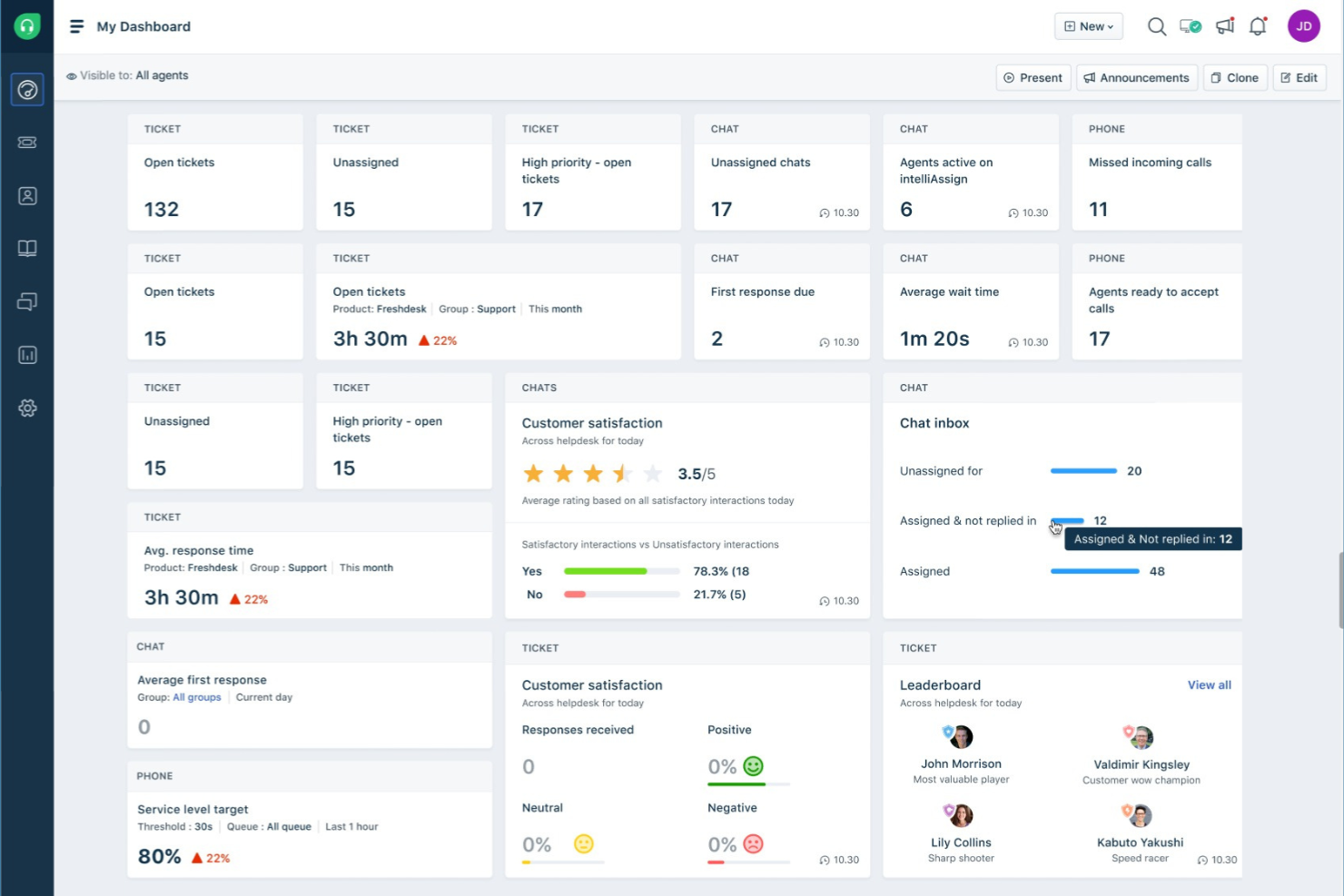
Freshworks CRM stands out for small businesses that want to prioritize leads using AI-driven insights. It’s built for sales teams and client-focused professionals who need to identify and act on high-potential opportunities quickly. With its AI-powered lead scoring, Freshworks CRM helps you focus your efforts where they matter most.
Why I Picked Freshworks CRM
What drew me to Freshworks CRM is its advanced use of AI to help small businesses focus on the right leads. The platform’s AI-powered lead scoring automatically analyzes contact behavior and engagement, ranking leads so your team can prioritize outreach. I like that it also offers predictive contact scoring, which helps you spot deals that are most likely to close. For small businesses that need to make the most of limited sales resources, these AI-driven features can make a real difference in how you manage and convert leads.
Freshworks CRM Key Features
Some other features in Freshworks CRM that small business teams may find useful include:
- Built-In Phone and Email: Make calls and send emails directly from the CRM, with automatic logging of all communications.
- Workflow Automation: Set up rules to automate repetitive tasks like follow-ups and data entry.
- Customizable Sales Pipelines: Design multiple pipelines to match different sales processes or business lines.
- Mobile App: Access contacts, deals, and tasks from anywhere using iOS and Android devices.
Freshworks CRM Integrations
Integrations include Gmail, Outlook, Mailchimp, Zapier, Slack, Google Calendar, QuickBooks, Shopify, Microsoft Teams, and Zoom.
Pros and Cons
Pros:
- Workflow automation reduces manual follow-up and data entry tasks
- Built-in phone and email tools centralize client communications
- AI-powered lead scoring helps prioritize high-potential sales opportunities
Cons:
- Bulk data import and export options are less flexible than alternatives
- Advanced features are only available on higher-tier plans

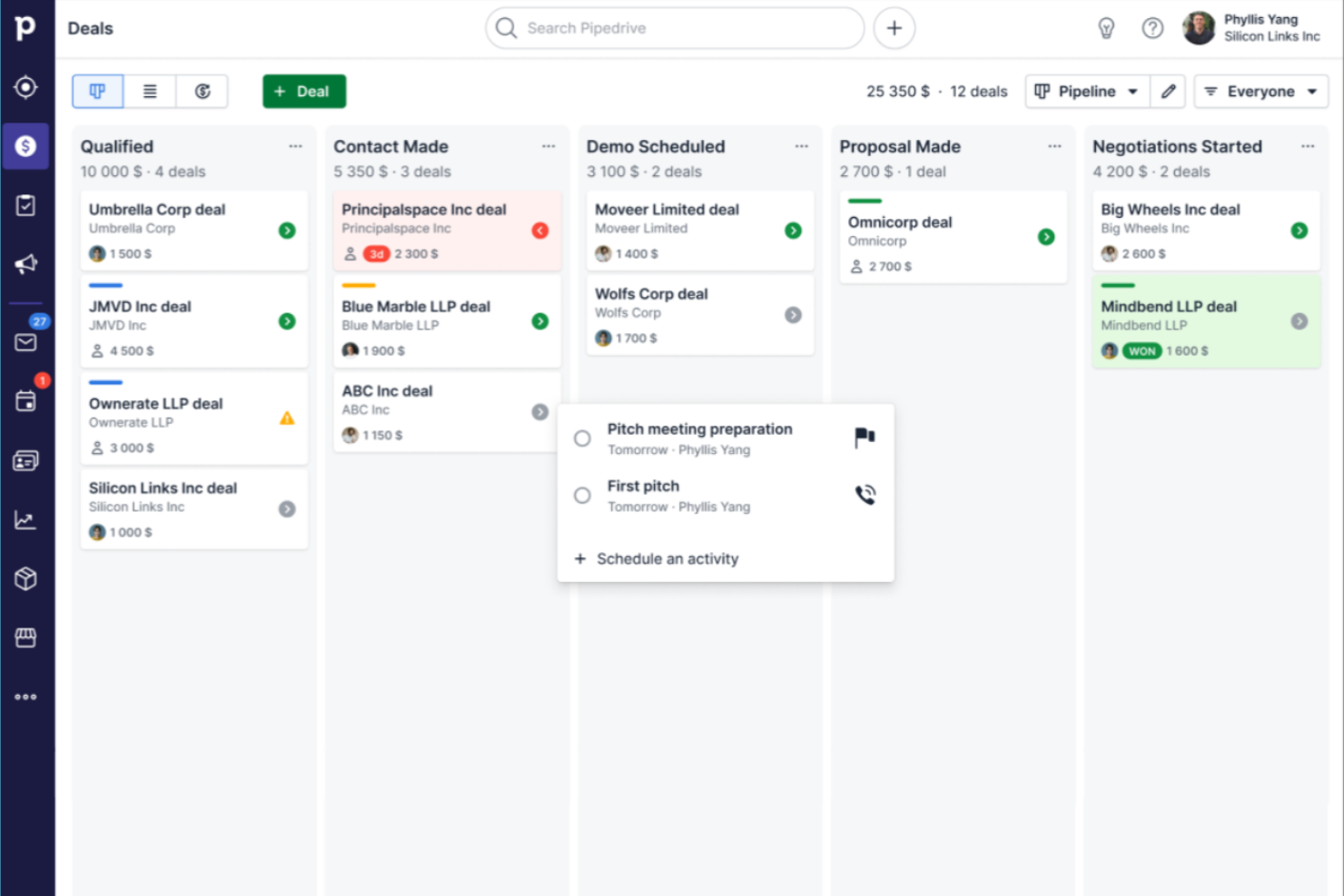
Sales-focused teams that want a clear, visual way to manage deals often turn to Pipedrive. This CRM is built for small businesses that need to track leads, activities, and progress through customizable pipeline stages. Its drag-and-drop interface helps you quickly spot bottlenecks and keep your sales process moving.
Why I Picked Pipedrive
What drew me to Pipedrive is its focus on visual sales pipeline management, which is especially valuable for small businesses that need to keep deals organized and moving forward. The drag-and-drop pipeline lets you see every deal’s stage at a glance and quickly update progress as things change. I like that you can customize pipeline stages to match your unique sales process, making it easy to adapt as your business grows. For teams that want a clear, actionable overview of their sales activity, Pipedrive’s visual approach stands out.
Pipedrive Key Features
Some other features in Pipedrive that small business teams may find useful include:
- Email Integration: Connect your email account to send, receive, and track messages directly within Pipedrive.
- Activity Reminders: Set reminders for calls, meetings, and follow-ups to keep deals moving.
- Contact and Organization Management: Store and organize detailed information about clients and companies in one place.
- Customizable Reports: Generate and customize sales and activity reports to monitor team performance.
Pipedrive Integrations
Integrations include Gmail, Outlook, Mailchimp, Trello, Slack, Zapier, Google Calendar, HubSpot, QuickBooks, and Microsoft Teams. Pipedrive also offers an open API for custom integrations.
Pros and Cons
Pros:
- Activity reminders help teams stay on top of follow-ups
- Email sync allows tracking conversations within each deal
- Visual pipelines make it simple to track deal progress
Cons:
- Workflow automation is only available on higher-priced plans
- Reporting features are limited on lower-tier plans
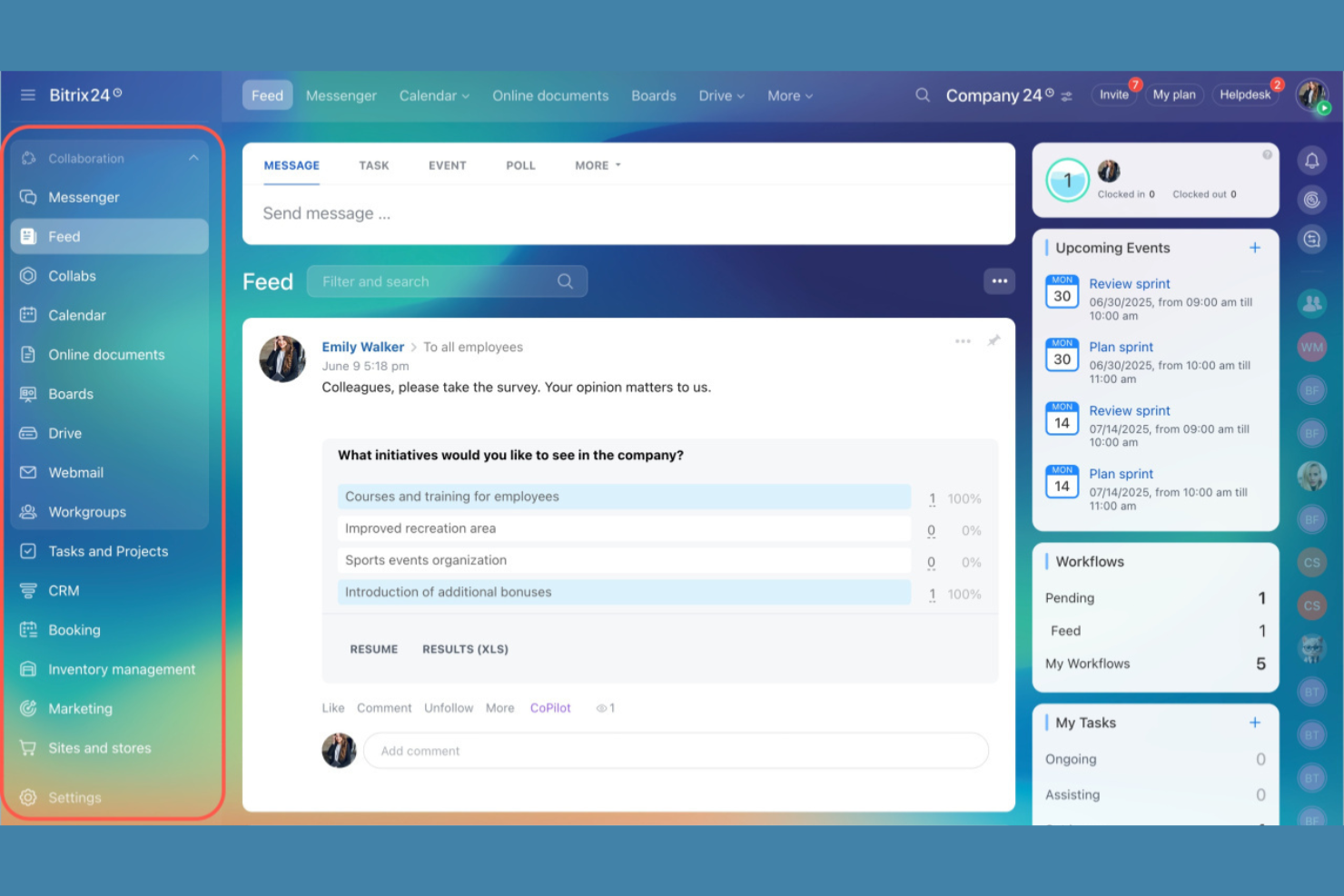
If your small business needs client management software with built-in team chat, document sharing, and project workspaces, Bitrix24 is worth a look. It’s designed for teams that want to manage client relationships and internal collaboration from a single platform. Service providers, agencies, and distributed teams can use Bitrix24 to keep client info, conversations, and tasks all in one place.
Why I Picked Bitrix24
What sets Bitrix24 apart for small businesses is its focus on team collaboration built right into the client management experience. You get group chat, shared calendars, and document management alongside your client records, so your team can coordinate work without switching tools. I appreciate how Bitrix24 lets you assign tasks, share files, and discuss client projects directly within the platform. This approach helps small teams stay organized and responsive, especially when client work requires input from multiple people.
Bitrix24 Key Features
Some other features in Bitrix24 that small businesses may find useful include:
- Client Database Management: Store, organize, and search all client information in a centralized database.
- Sales Funnel Visualization: Track deals and monitor progress through customizable sales pipelines.
- Web Form Builder: Create and embed custom forms to capture leads directly into your CRM.
- Time Tracking Tools: Log hours spent on client projects and tasks for better accountability.
Bitrix24 Integrations
Integrations include Microsoft Office 365, Google Workspace, Mailchimp, Slack, Zoom, Dropbox, OneDrive, Facebook, Instagram, and WhatsApp. Bitrix24 also offers an open API for custom integrations.
Pros and Cons
Pros:
- Document sharing and storage are available within the platform
- Task and project management tools are included with CRM features
- Built-in chat and video calls support real-time team collaboration
Cons:
- Interface can feel cluttered with many features enabled at once
- Email integration setup can be confusing for new users

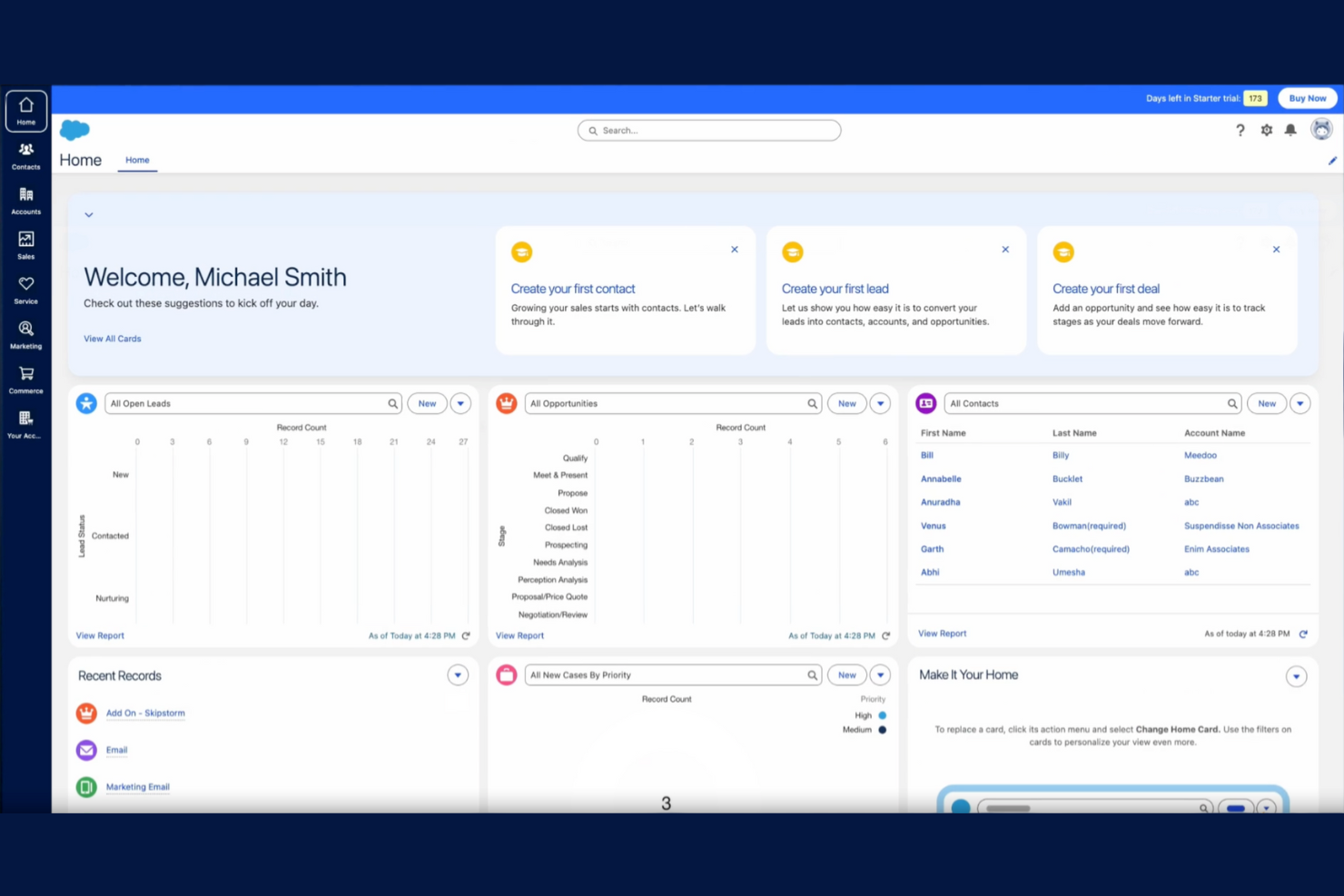
Salesforce gives small businesses access to automation tools that are usually reserved for larger organizations. If your team needs to manage complex client workflows, automate repetitive tasks, or set up custom sales processes, Salesforce offers a flexible platform to do it. Its advanced automation features help small businesses handle growing client lists and evolving sales cycles without losing track of important details.
Why I Picked Salesforce
What sets Salesforce apart as a small business CRM is its advanced automation capabilities that go far beyond basic client tracking. You can build custom workflows to automate lead assignments, follow-up reminders, and approval processes, which helps teams stay organized as client volume grows. I appreciate how Salesforce’s automation tools let you set up triggers and actions based on client behavior, so nothing falls through the cracks. For small businesses ready to scale, these user-friendly features make it possible to handle more clients without adding manual work.
Salesforce Key Features
Some other features in Salesforce that small businesses may find valuable include:
- Opportunity Management: Track and optimize every stage of your sales pipeline and update deal progress in real time.
- Contact and Account Management: Store detailed client information, notes, and communication history in one place.
- Customizable Dashboards: Build visual dashboards to monitor sales performance, forecasts, and client activity.
- Mobile App Access: Manage client records and sales tasks from anywhere using the Salesforce mobile app.
Salesforce Integrations
Integrations include Outlook, Gmail, Slack, Mailchimp, HubSpot, QuickBooks, DocuSign, Zoom, LinkedIn Sales Navigator, and Google Drive. Salesforce also offers an API for custom integrations.
Pros and Cons
Pros:
- Built-in reporting tools support detailed sales and client analysis
- Highly customizable fields and layouts for unique business needs
- Advanced workflow automation reduces manual client management tasks
Cons:
- Subscription costs are higher than many small business alternatives
- Initial setup and configuration can require significant time investment

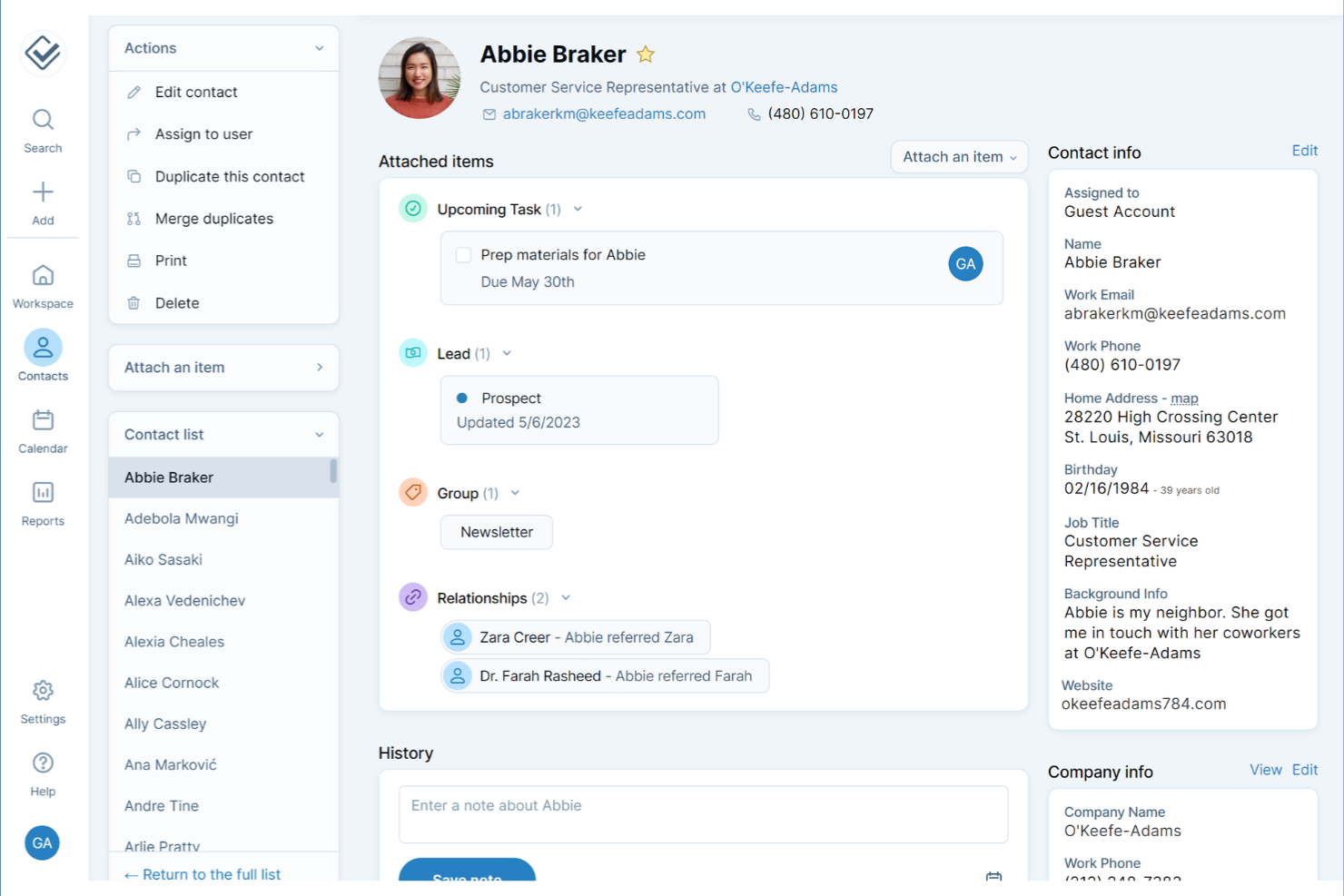
If you’re looking for a client management tool that skips the clutter and confusion, Less Annoying CRM is designed with simplicity at its core. It’s a strong fit for small business owners and solo professionals who want to manage the entire customer experience from contacts, to follow-ups, and tasks without a steep learning curve. The interface keeps everything straightforward, so you can focus on building client relationships instead of figuring out your software.
Why I Picked Less Annoying CRM
What sets Less Annoying CRM apart is its focus on a simple, intuitive user experience that doesn’t overwhelm small business teams. The dashboard puts contacts, tasks, and follow-ups front and center, so you always know what needs attention. I appreciate how the tool keeps navigation minimal, with everything just a click or two away. For small businesses and startups that want to avoid unnecessary complexity, Less Annoying CRM makes it easy to stay organized and on top of client relationships.
Less Annoying CRM Key Features
Some other features in Less Annoying CRM that small businesses may find useful include:
- Calendar and Event Scheduling: Schedule meetings, calls, and deadlines with a built-in calendar that syncs with your contacts.
- Pipeline Management: Track leads and deals through customizable pipelines to monitor sales progress.
- Team Collaboration Tools: Share contacts, notes, and tasks with team members for better coordination.
- Daily Agenda Emails: Receive a daily summary email with your upcoming tasks and events.
Less Annoying CRM Integrations
Native integrations are not currently listed by Less Annoying CRM. However, it does offer an open API for custom integrations.
Pros and Cons
Pros:
- Built-in calendar supports event scheduling and reminders
- Daily agenda emails help users stay on top of follow-ups
- Contact records include unlimited custom fields for client details
Cons:
- Reporting options are limited compared to other CRMs
- Lacks native integrations with popular accounting or marketing tools

For small businesses that want to tailor every step of their client management process, monday CRM offers flexible workflow boards you can shape to fit your team’s needs. It’s especially useful for agencies, consultancies, and service providers who need to track leads, projects, and client communications in one place. With monday CRM, you can build custom pipelines and automate repetitive tasks to match the way your business actually works.
Why I Picked monday CRM
Unlike many other client management tools, monday CRM stands out for its highly customizable workflow boards that let you design your own client pipelines and processes. You can create custom columns, statuses, and automations to match your team’s unique way of working. I like that you can visualize every stage of your client relationships and adjust boards as your business grows or changes. This flexibility makes monday CRM a strong fit for small businesses that want their software to adapt to their processes, not the other way around.
monday CRM Key Features
Some other features in monday CRM that small businesses may find helpful include:
- Contact and Account Management: Store, organize, and update all client and company details in one place.
- Email Integration: Connect your email to send, receive, and track client communications directly from the platform.
- Activity Tracking: Log calls, meetings, and notes to keep a complete history of client interactions.
- Reporting Dashboards: Build custom dashboards to visualize sales performance and client data.
monday CRM Integrations
Integrations include Slack, Microsoft Teams, Zoom, Google Calendar, Gmail, Outlook, Dropbox, Salesforce, HubSpot, and Shopify.
Pros and Cons
Pros:
- Visual dashboards help track sales and client activity trends
- Automations reduce manual updates for repetitive client tasks
- Workflow boards can be tailored for any client process
Cons:
- Permissions settings can be complex for small teams to manage
- Limited built-in phone call logging compared to some CRMs
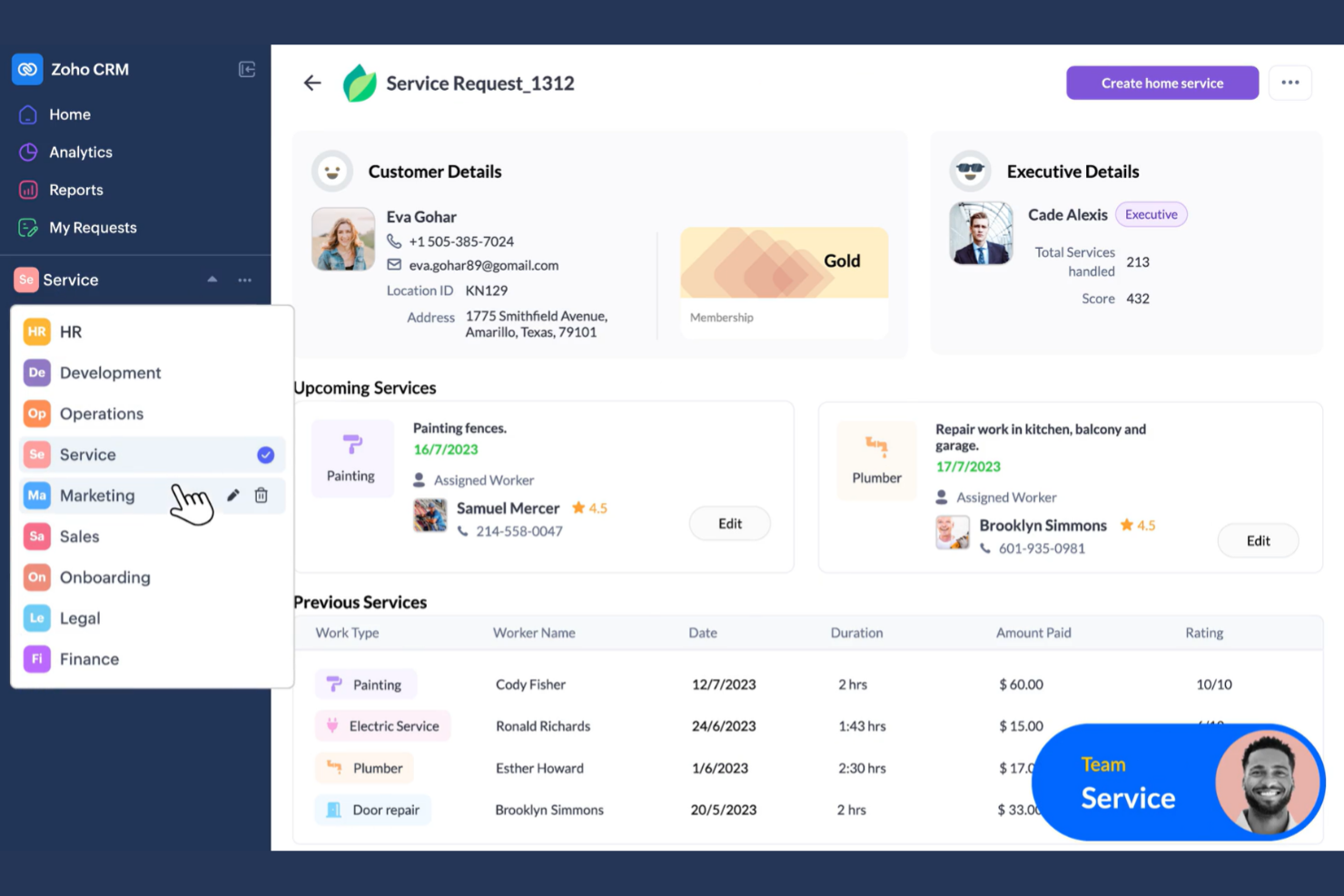
Zoho CRM stands out for small businesses that need to track client conversations across email, phone, social media, and live chat in one place. If your team juggles multiple communication channels, Zoho CRM brings everything together so you don’t lose context or miss follow-ups. It’s especially useful for service-based businesses and sales teams that rely on timely, coordinated client interactions.
Why I Picked Zoho CRM
For small businesses that need to keep up with clients across several channels, Zoho CRM offers a unified approach to communication tracking. You can log and view emails, phone calls, social media messages, and live chat conversations all within a single client record. I like that Zoho CRM automatically links these interactions to the right contact, so your team always has the full conversation history at hand. This makes it much easier to deliver consistent, informed service no matter how clients reach out.
Zoho CRM Key Features
Some other features in Zoho CRM that small businesses may find useful include:
- Sales Pipeline Management: Visualize and manage deals through every stage of your sales process.
- Workflow Automation: Set up rules to automate repetitive tasks like follow-ups and data entry.
- Custom Fields and Modules: Tailor client records and modules to match your business’s unique processes.
- AI-Powered Sales Assistant: Use Zia, Zoho’s AI assistant, to get sales predictions and task suggestions.
Zoho CRM Integrations
Integrations include Google Workspace, Microsoft Office 365, Mailchimp, Slack, QuickBooks, Zapier, Twilio, Shopify, Zendesk, and Microsoft Teams. Zoho CRM also offers an API for custom integrations.
Pros and Cons
Pros:
- Mobile app supports client management and updates on the go
- Built-in AI assistant offers sales predictions and task suggestions
- Custom modules let you tailor records to your business process
Cons:
- Occasional syncing issues with third-party email integrations
- Advanced reporting features require higher-tier paid plans
Other Client Management Software for Small Businesses
Here are some additional options of client management software for small businesses that didn’t make it onto my shortlist, but are still worth checking out:
- HoneyBook
For workflow automation in creative services
- Act!
For in-depth contact history tracking
- Nimble
For social media contact enrichment
- SuiteDash
For all-in-one client portals
- Bonsai
For contract and proposal management
- Dubsado
For customizable client intake forms
- Zendesk
For integrated customer support tools
- Agency Handy
For agency-specific templates
- Rednote CRM
For WhatsApp integration


Client Management Software for Small Businesses Selection Criteria
When selecting the best client management software for small businesses to include in this list, I considered common buyer needs and pain points like keeping all client information organized in one place and automating repetitive client communication tasks. I also used the following framework to keep my evaluation structured and fair:
Core Functionality (25% of total score)
To be considered for inclusion in this list, each solution had to fulfill these common use cases:
- Store and manage client contact information
- Track client interactions and communications
- Assign and monitor tasks related to clients
- Manage sales pipelines or deal stages
- Generate basic client reports
Additional Standout Features (25% of total score)
To help further narrow down the competition, I also looked for unique features, such as:
- Built-in client portals for document sharing
- Automated appointment scheduling with reminders
- Integration with accounting or invoicing tools
- Customizable workflow automation
- Mobile app with offline access
Usability (10% of total score)
To get a sense of the usability of each system, I considered the following:
- Simple and intuitive navigation
- Clean and modern interface design
- Minimal clicks to complete common tasks
- Customizable dashboard layouts
- Accessibility for users with different needs
Onboarding (10% of total score)
To evaluate the onboarding experience for each platform, I considered the following:
- Step-by-step product tours or walkthroughs
- Availability of training videos and webinars
- Pre-built templates for quick setup
- In-app chatbots or help widgets
- Clear documentation for data migration
Customer Support (10% of total score)
To assess each software provider’s customer support services, I considered the following:
- Multiple support channels like chat, email, and phone
- Fast response times to support requests
- Access to a searchable knowledge base
- Availability of onboarding specialists
- Community forums for peer support
Value For Money (10% of total score)
To evaluate the value for money of each platform, I considered the following:
- Transparent and predictable pricing structure
- Features included in entry-level plans
- Discounts for annual billing or multiple users
- Free trial or demo availability
- No hidden fees or surprise charges
Customer Reviews (10% of total score)
To get a sense of overall customer satisfaction, I considered the following when reading customer reviews:
- Consistent positive feedback on reliability
- Reports of responsive customer support
- User comments on feature usefulness
- Feedback on ease of setup and daily use
- Noted limitations or frustrations with the tool
How to Choose Client Management Software for a Small Business
It’s easy to get bogged down in long feature lists and complex pricing structures. To help you stay focused as you work through your unique software selection process, here’s a checklist of factors to keep in mind:
| Factor | What to Consider |
|---|---|
| Scalability | Will the software support your business as you add more clients, users, or services? Check for user limits, data caps, and upgrade paths. |
| Integrations | Does the tool connect natively with your existing email, calendar, accounting, or marketing platforms? Gaps here can create manual work. |
| Customizability | Can you tailor fields, workflows, and dashboards to match your processes? Rigid systems may force you to adapt your workflow. |
| Ease of use | How quickly can your team learn and adopt the tool? Look for clear navigation, minimal training needs, and a logical interface. |
| Implementation and onboarding | What resources and time are required to get up and running? Consider data migration, training, and vendor support during setup. |
| Cost | Are pricing tiers transparent and predictable as your team grows? Watch for add-on fees, minimum user counts, or required annual contracts. |
| Security safeguards | Does the software offer encryption, user permissions, and compliance with relevant standards? Ask about data residency and backup policies. |
| Support availability | What support channels are offered, and during what hours? If your team works outside standard business hours, 24/7 support may be crucial. |
What Is Client Management Software for Small Businesses?
Client management software is a digital tool that helps you organize, track, and manage all interactions and information related to your clients. It centralizes contact details, communication history, tasks, and sales activities in one place—so you’re not juggling spreadsheets, inbox threads, and sticky notes to piece together the full picture.
For small businesses, these tools do more than store data. They create structure around how you follow up, track opportunities, and deliver consistent service, even with a lean team. Instead of relying on memory or informal processes, you get shared visibility into client status, responsibilities, and next steps. The right system supports stronger relationships, more reliable follow-through, and scalable processes—so growth doesn’t automatically mean chaos.
Features of Client Management Software for Small Businesses
When selecting client management software for a small business, keep an eye out for the following key features:
- Contact management: Store, organize, and update client contact details, notes, and related documents in a centralized database.
- Interaction tracking: Log calls, emails, meetings, and other communications to maintain a complete history of client interactions.
- Task and activity management: Assign, schedule, and monitor tasks or follow-ups related to each client to ensure timely action.
- Pipeline management: Visualize and manage sales opportunities or project stages, helping you track progress from initial contact to close.
- Document storage: Upload, share, and manage contracts, proposals, and other client-related files securely within the platform.
- Calendar integration: Sync appointments, deadlines, and reminders with your existing calendar to avoid missed meetings or follow-ups.
- Reporting and analytics: Generate reports on client activity, sales performance, and team productivity to inform business decisions.
- Role-based access controls: Set permissions so team members only access the client data and features relevant to their roles.
- Custom fields and tags: Add custom data fields or tags to tailor the system to your unique client tracking needs.
- Mobile access: Use a mobile app or a responsive web interface to manage client information and tasks on the go.
Benefits of Client Management Software for a Small Business
Implementing client management software for a small business provides several benefits for your team and your business. Here are a few you can look forward to:
- Centralized client information: Keep all contact details, communication history, and documents in one accessible location for your entire team.
- Improved follow-up: Use task management and reminders to ensure no client request or opportunity is overlooked.
- Stronger client relationships: Track every interaction and personalize communication based on a complete client history.
- Greater team accountability: Assign tasks, monitor progress, and set role-based permissions to clarify responsibilities and protect sensitive data.
- Better decision-making: Access real-time reports and analytics to understand client activity, sales performance, and team workload.
- Faster onboarding: Leverage templates, product tours, and data import tools to get new team members up to speed quickly.
- Enhanced mobility: Manage client information and tasks from anywhere using mobile access or cloud-based platforms.
Costs and Pricing of Client Management Software for Small Businesses
Selecting client management software for a small business requires an understanding of the various pricing models and plans available. Costs vary based on features, team size, add-ons, and more. The table below summarizes common plans, their average prices, and typical features included in client management software for small business solutions:
Plan Comparison Table for Client Management Software for SMBs
| Plan Type | Average Price | Common Features |
|---|---|---|
| Free Plan | $0 | Basic contact management, limited task tracking, basic reporting, and email support. |
| Personal Plan | $5-$25/user/month | Contact and deal management, calendar integration, simple automation, and limited customization options. |
| Business Plan | $25-$60/user/month | Advanced reporting, workflow automation, document storage, integrations with other tools, and mobile access. |
| Enterprise Plan | $60-$120/user/month | Custom roles and permissions, advanced security, priority support, API access, and onboarding assistance. |
SMB Client Management Software FAQs
Here are some answers to common questions about client management software for small businesses:
How do I know if my small business needs client management software?
If you’re struggling to keep track of client details, follow-ups, or communication history using spreadsheets or email alone, it’s time to consider client management software. These tools help you organize information, automate reminders, and ensure nothing falls through the cracks as your client base grows.
Can client management software integrate with my existing tools?
Yes, most client management software for small businesses offers integrations with popular email, calendar, accounting, and marketing platforms. Before choosing a solution, check that it connects with the tools your team already uses to avoid manual data entry and workflow disruptions.
What’s the difference between client management software and CRM?
Client management software focuses on organizing client information, tracking interactions, and managing tasks. CRM (customer relationship management) systems often include these features but may also offer advanced sales, marketing, and analytics tools designed for larger or more complex organizations.
Is client management software secure for storing sensitive client data?
Yes, reputable client management software uses encryption, access controls, and regular security updates to protect your data. Always review a vendor’s security policies and compliance certifications to ensure they meet your business’s privacy and regulatory requirements.
How long does it take to implement client management software?
Implementation time varies by tool and team size. Many small businesses can get started within a few days using templates, product tours, and data import tools. More complex setups with custom workflows or integrations may take a few weeks to fully configure and onboard your team.
What’s Next:
If you're in the process of researching client management software for a small business, connect with a SoftwareSelect advisor for free recommendations.
You fill out a form and have a quick chat where they get into the specifics of your needs. Then you'll get a shortlist of software to review. They'll even support you through the entire buying process, including price negotiations.