



Airtable vs. Notion: Comparison & Expert Reviews For 2026



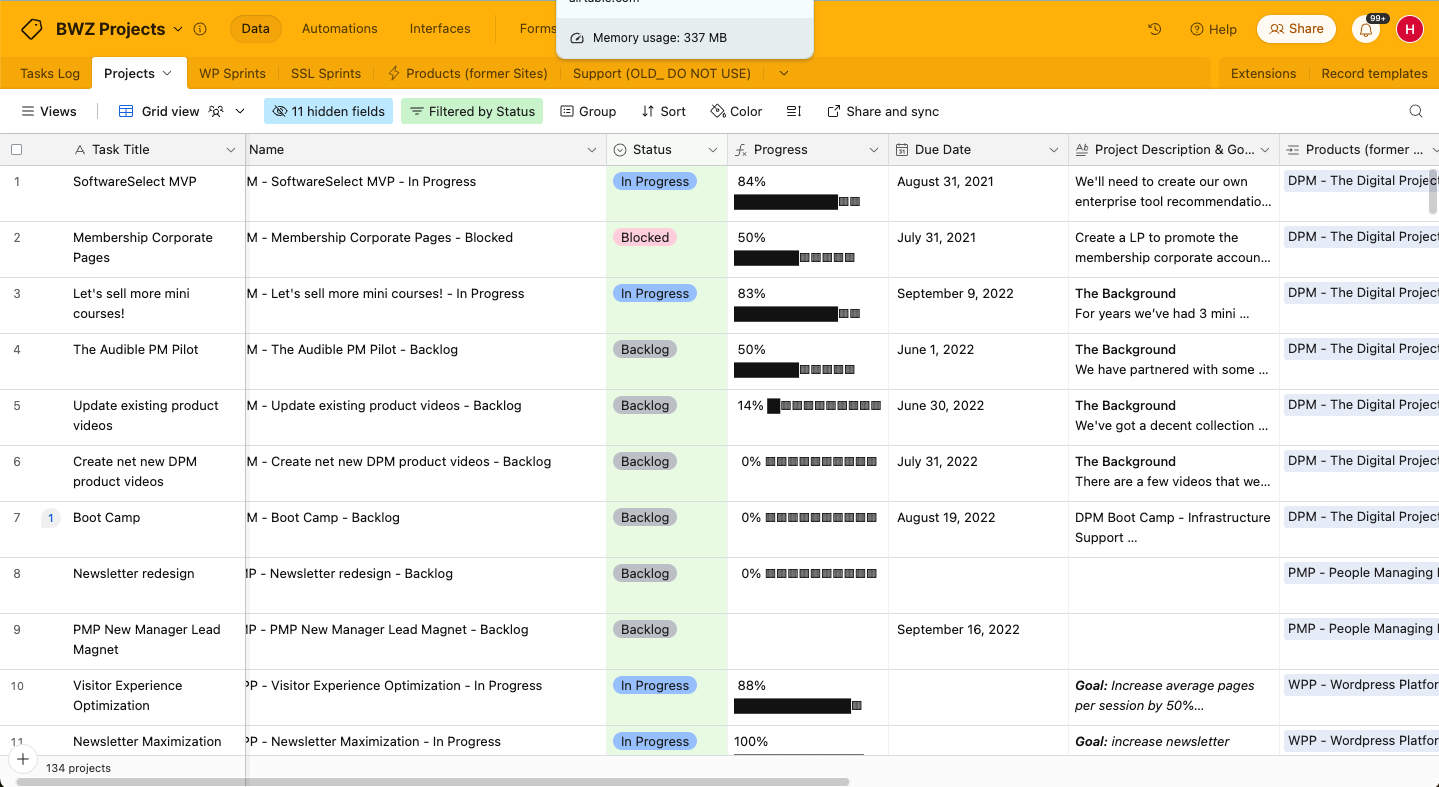
Airtable’s flexible system combines spreadsheet and database functionalities to help you organize your projects, and Notion offers a workspace that brings together notes, tasks, to-do lists, and databases to support a unified workflow. While both tools can help with team productivity, they differ in their approach to data organization and collaboration.
I’ve tested and evaluated each tool and their features, pros and cons, and pricing using my extensive project management experience. Find out which tool is the right project management software for your needs below.
Airtable vs. Notion: An Overview
Airtable
Notion

Why Trust Our Software Recommendations
Our team has been testing and reviewing software since 2012. As project managers ourselves, we know how difficult—and important—it is to choose the right software.
For this guide, we evaluated tools using hands-on testing and independent research, scoring tools using our selection criteria. We also draw on insights from industry thought leaders and practicing project management experts.
Our reviews reflect our human editorial judgment, not a sales pitch.
Expert reviewers:
Airtable vs. Notion Pricing Comparison
| Airtable | Notion | |
|---|---|---|
| Free Trial | Free plan + free demo + 14-day trial available | Free plan available |
| Pricing | From $20/user/month | From $10/user/month (billed annually) |
Airtable vs. Notion Pricing & Hidden Costs
Airtable’s pricing follows a tiered subscription model that scales with your team's needs, but you may run into extra costs if you hit your workflow automation or record limits. Notion’s pricing also follows a tiered approach and offers a free plan. Costs increase with added features or team members.
To choose the right pricing plan for your project management needs, evaluate each tool’s features and scalability. Make use of free trials to see how well each tool fits your workflow before committing.
Airtable vs. Notion Feature Comparison
Airtable’s customizable views let you manage complex projects via interfaces that you can tailor for different stakeholders, which is especially useful for making client updates. Notion’s flexible workspace is ideal for combining tasks, notes, and databases in one place. This is valuable when team collaboration and context sharing are essential.
| Airtable | Notion | |
|---|---|---|
| API | ||
| Calendar Management | ||
| Data Export | ||
| Data Import | ||
| External Integrations | ||
| Multi-User | ||
| Notifications | ||
| Project Management | ||
| Scheduling | ||
| Task Scheduling/Tracking |
Airtable vs. Notion Integrations
| Integration | Airtable | Notion |
|---|---|---|
| Slack | ✅ | ✅ |
| Google Drive | ✅ | ✅ |
| Salesforce | ✅ | ❌ |
| Trello | ❌ | ✅ |
| GitHub | ✅ | ✅ |
| Microsoft Teams | ❌ | ✅ |
| Dropbox | ✅ | ✅ |
| Figma | ❌ | ✅ |
| API | ✅ | ✅ |
| Zapier | ✅ | ✅ |
Airtable integrates with Slack so you can automate updates and notifications and help your team stay informed. Notion integrates with Figma to let design teams collaborate on visual projects without leaving the platform.
Airtable vs. Notion Security, Compliance & Reliability
| Factor | Airtable | Notion |
|---|---|---|
| Regulatory Compliance | Airtable complies with GDPR and CCPA to meet international standards. | Notion also adheres to GDPR and CCPA standards. |
| Encryption | Airtable provides encryption in transit and at rest for data security. | Notion encrypts data end-to-end and safeguards information across platforms. |
| Uptime Reliability | Airtable offers a 99.9% uptime service level agreement. | Notion offers high reliability and a 99.9% uptime promise. |
Airtable and Notion both offer strong security features. When evaluating these tools, review their compliance certifications and encryption standards, and prioritize the one that best meets your industry's specific regulatory requirements.
Airtable vs. Notion Ease of Use
| Factor | Airtable | Notion |
|---|---|---|
| User Interface | Airtable features a spreadsheet-like interface that’s intuitive for organizing data. | Notion offers a modular, user-friendly interface that allows for flexible workspace customization. |
| Onboarding Experience | Airtable provides guided templates to help you get started quickly. | Notion offers a variety of tutorials and templates to ease the learning curve. |
| Setup Process | Airtable’s setup is straightforward, but the customization options can be overwhelming at first. | Notion’s setup allows for detailed customization, which can be time-consuming. |
| Customer Support | Airtable offers live chat and email support for quick assistance. | Notion provides extensive documentation and community forums for support. |
Airtable’s familiar spreadsheet layout makes it simple to use, but its customization options can be overwhelming to get used to. Notion’s ability to create tailored workspaces is powerful, yet its depth can be overwhelming if you need a quick setup.
Airtable vs Notion: Pros & Cons
Airtable
- Its automation rules make it easy to notify stakeholders, even if they are outside the platform.
- Airtable's forms feature lets you efficiently gather information from external sources.
- You can connect and perform calculations across multiple bases.
- Customizing the templates requires a big time investment.
- It's not a traditional project management platform.
- The learning curve can be challenging for new users.
Notion
- You can tailor your workspace to fit your needs with flexible layouts and templates.
- The intuitive design makes it easy for users to navigate and organize their projects.
- You can take notes, manage projects, and maintain your databases in one place.
- It can be challenging for new users to master without spending time on tutorials.
- You might experience slow performance if you have large databases or complex setups.
- The mobile app is less intuitive than the desktop version.
Best Use Cases for Airtable and Notion
Airtable
- Creative agencies Airtable lets your team design custom project pipelines to foster creativity and improve task management.
- Marketing teams You can track campaigns with Airtable’s flexible and visual database and make sure every detail is covered.
- Small businesses Airtable adapts to your unique business processes and can scale with you as your team grows.
- Event planners Its visual calendar and task management features help you coordinate every detail efficiently.
- Consulting firms Track client projects and deliverables with Airtable’s customizable views and data organization.
- Product development You can manage product roadmaps and feature backlogs with Airtable’s powerful database tools.
Notion
- Creative Agencies You can use customizable templates within a flexible workspace to manage creative projects and collaborate with the team.
- Freelancers You can manage multiple projects and clients in a single, organized platform.
- Startups You can tailor your workspace to your needs in order to manage rapid growth and changing project requirements.
- Remote Teams Notion supports constant communication and project tracking across different locations.
- Education Departments You can use Notion's database capabilities to organize curricula, schedules, and educational materials.
- Content Writers You can use the note-taking and organization features to manage research, drafts, and editorial calendars efficiently.
Who Should Use Airtable, and Who Should Use Notion?
In my opinion, Airtable is best for teams that need a powerful database tool with a familiar spreadsheet interface, especially in marketing or project management, where clear data organization is essential.
Notion is ideal for creative teams or individuals whose use cases require a flexible workspace for note-taking and managing tasks and projects. It’s a great fit for startups or freelancers who value customization.
Differences Between Airtable and Notion
| Airtable | Notion | |
|---|---|---|
| Data Organization | Airtable uses a spreadsheet interface that helps with structured data management. | Notion provides a modular workspace that combines tasks, notes, and databases. |
| User Interface | Airtable has a familiar, spreadsheet-like UI that’s easy to get used to. | Notion’s UI is highly customizable and suitable for creating a flexible workspace. |
| Read Airtable ReviewOpens new window | Read Notion ReviewOpens new window |
Similarities Between Airtable and Notion
| Collaboration | Both Airtable and Notion support team collaboration, with Airtable offering real-time updates and Notion providing shared workspaces. |
|---|---|
| Cross-Platform Access | Both platforms are accessible on various devices, so your team can work from anywhere. |
| Customization | Both tools offer a high degree of customization. Airtable lets you customize views to suit your project needs, while Notion lets you create personalized workspaces. |
| Integrations | Each tool offers integrations with popular services like Slack and Google Workspace to improve productivity |
| User Support | Both Airtable and Notion have active user communities with forums and resources to help you maximize their tools. |
| Read Airtable ReviewOpens new window Read Notion ReviewOpens new window | |