



Zoho Projects mot ClickUp: Expertjämförelse och recension 2026



Zoho Projects erbjuder en robust lösning för att hantera ditt teams projekt effektivt och enkelt. ClickUp tillgodoser varierande behov av projekthantering med sin flexibla plattform. Medan Zoho Projects utmärker sig genom strukturerad projektplanering, utmärker sig ClickUp genom sin anpassningsförmåga och sina möjligheter till anpassning. I den här artikeln hittar du en detaljerad jämförelse av dessa två verktyg för projekthantering, med en genomgång av deras funktioner, för- och nackdelar, priser med mera.
Zoho Projects vs. ClickUp: An Overview
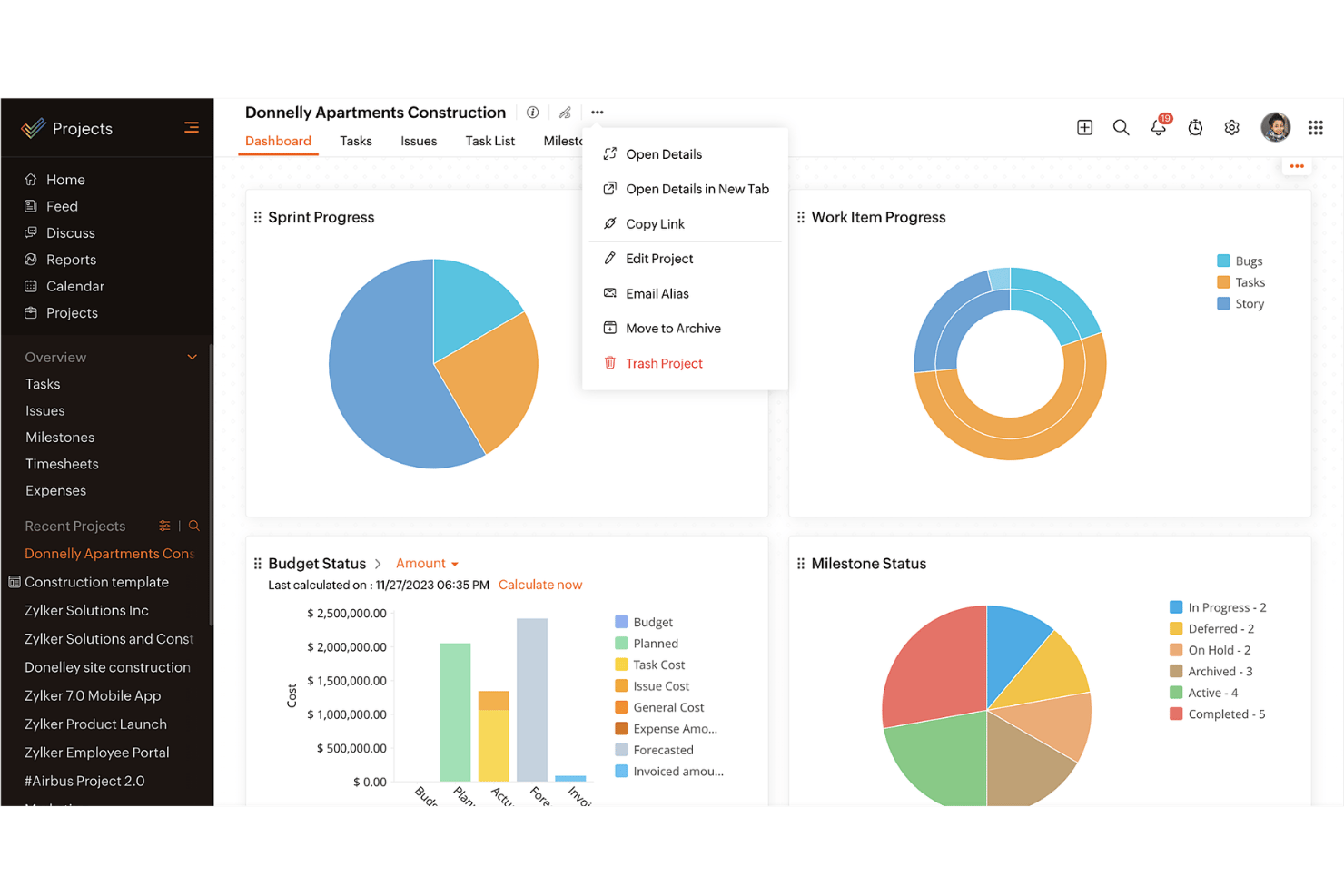
Zoho Projects


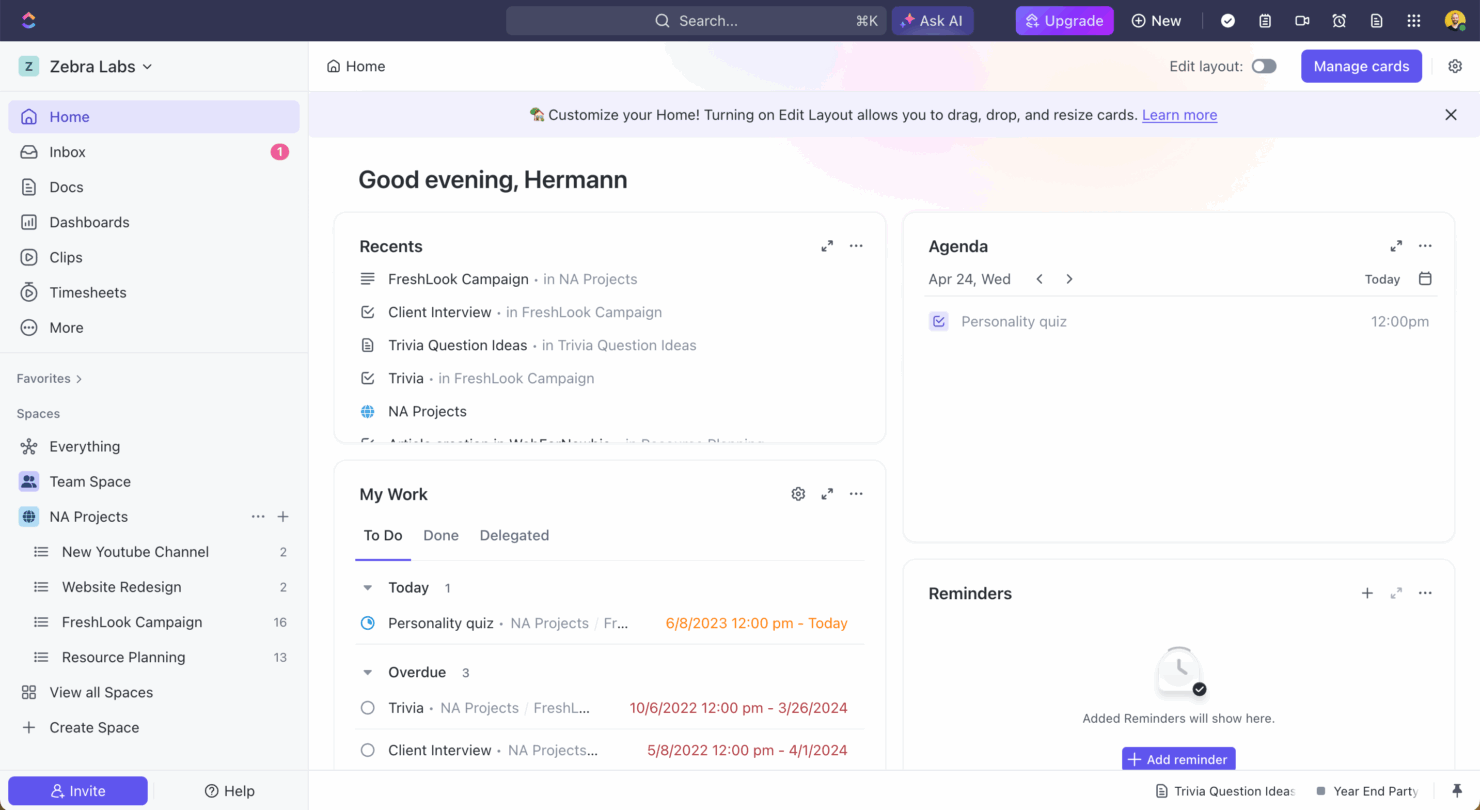
ClickUp
Varför du kan lita på våra programvarurekommendationer
Vårt team har testat och recenserat programvara sedan 2012. Som projektledare själva vet vi hur
svårt — och viktigt — det är att välja rätt programvara.
För den här guiden utvärderade vi verktyg genom praktisk testning och oberoende research, och betygsatte verktygen enligt våra urvalskriterier. Vi drar även nytta av insikter från branschens tankeledare och praktiserande projektledningsexperter.
Våra recensioner speglar vårt mänskliga redaktionella omdöme, inte ett säljbudskap.
Expertgranskare:
Priser för Zoho Projects jämfört med ClickUp och dolda kostnader
Priserna för Zoho Projects är strukturerade i nivåbaserade abonnemang, där funktionerna varierar beroende på vilken nivå du väljer, men var uppmärksam på eventuella tillägg som kan öka kostnaderna. Priserna för ClickUp följer en liknande nivåbaserad modell, med en kostnadsfri nivå och ytterligare kostnader för premiumfunktioner och lagring. För att välja verktyget med rätt pris för dina behov bör du utvärdera de specifika funktioner som ditt team behöver och ta hänsyn till eventuella dolda kostnader som kan uppstå när behoven växer. Se till att verktygets erbjudande stämmer överens med dina projektmål och möjligheten att skala upp i framtiden.
Zoho Projects vs. ClickUp Feature Comparison
Med Zoho Projects milstolpsspårning kan du hantera komplexa projekt genom att fastställa tydliga faser, vilket är ovärderligt när du samordnar långsiktiga tidsplaner. ClickUps mångsidiga uppgiftshantering låter dig anpassa arbetsflöden i stor utsträckning, vilket gör verktyget perfekt för team som behöver anpassa sig till förändrade projektomfattningar. Varje verktyg har unika styrkor: Zoho Projects passar bäst för strukturerade projektfaser, medan ClickUp utmärker sig genom anpassning och flexibilitet.
| Zoho Projects | ClickUp | |
|---|---|---|
| API | ||
| Batch Permissions & Access | ||
| Budgeting | ||
| Calendar Management | ||
| Collaboration Support | ||
| Contact Management | ||
| Contact Sharing | ||
| Customer Management | ||
| Dashboard | ||
| Dashboards | ||
| Data Export | ||
| Data Import | ||
| Data Visualization | ||
| Dependency Tracking | ||
| Document Sharing | ||
| Expense Tracking | ||
| External Integrations | ||
| File Sharing | ||
| Gantt Charts | ||
| Kanban Boards | ||
| Multi-User | ||
| Notifications | ||
| Project Management | ||
| Resource Management | ||
| Scheduling | ||
| Task Scheduling/Tracking | ||
| Third-Party Plugins/Add-Ons | ||
| Time Management | ||
| Travel Management | ||
| Workflow Management |
Zoho Projects jämfört med ClickUp – integrationer
| Integration | Zoho Projects | ClickUp |
|---|---|---|
| Slack | ✅ | ✅ |
| Google Drive | ✅ | ✅ |
| Microsoft Teams | ✅ | ✅ |
| Dropbox | ✅ | ✅ |
| HubSpot | ❌ | ✅ |
| Figma | ❌ | ✅ |
| GitHub | ❌ | ✅ |
| Salesforce | ✅ | ❌ |
| API | ✅ | ✅ |
| Zapier | ✅ | ✅ |
Med Zoho Projects integration med Microsoft Teams kan du effektivisera kommunikationen och samarbetet, vilket är särskilt värdefullt när du hanterar distansteam. ClickUps integration med Slack är utmärkt för att hålla teamet uppdaterat om uppgifternas framsteg utan att lämna chattplattformen. Båda verktygen erbjuder integrationer som förbättrar produktiviteten på olika sätt, så fundera på vilka integrationer som bäst passar ditt arbetsflöde.
Zoho Projects jämfört med ClickUp – säkerhet, efterlevnad & tillförlitlighet
| Faktor | Zoho Projects | ClickUp |
|---|---|---|
| Datasekretess | Zoho Projects följer GDPR-standarder och säkerställer sekretessen och skyddet för dina data. | ClickUp följer GDPR och CCPA och erbjuder robusta sekretesskontroller för dina data. |
| Kryptering | Zoho Projects använder AES-256-kryptering för att skydda data både under överföring och i vila. | ClickUp använder AES-256-kryptering och skyddar dina data under överföring och lagring. |
| Drifttillförlitlighet | Zoho Projects garanterar 99.9% drifttid och ger konsekvent åtkomst till dina projekt. | ClickUp erbjuder också 99.99% drifttid, vilket säkerställer minimala störningar i ditt arbetsflöde. |
Zoho Projects och ClickUp prioriterar båda säkerhet och efterlevnad, men ClickUp har ett litet övertag tack vare sin ytterligare CCPA-efterlevnad. När du utvärderar funktioner för säkerhet och efterlevnad bör du fokusera på att förstå de specifika dataskyddsåtgärder som varje verktyg erbjuder och överväga hur de passar ditt teams krav på efterlevnad.
Zoho Projects jämfört med ClickUp – användarvänlighet
| Faktor | Zoho Projects | ClickUp |
|---|---|---|
| Användargränssnitt | Zoho Projects erbjuder ett rent gränssnitt med anpassningsbara instrumentpaneler för enkel navigering. | ClickUp har ett mycket anpassningsbart gränssnitt som låter dig anpassa vyerna efter dina behov. |
| Introduktionsupplevelse | Zoho Projects erbjuder vägledda introduktioner och stegvisa installationsinstruktioner som hjälper dig att komma igång. | ClickUp erbjuder en intuitiv introduktionsprocess med videoguider och mallar. |
| Kundsupport | Zoho Projects inkluderar kundsupport 24/5 via chatt och e-post för snabb hjälp. | ClickUp erbjuder support dygnet runt med livechatt och ett omfattande hjälpcenter. |
Zoho Projects är enkelt att använda tack vare sitt rena gränssnitt, men ClickUps mycket anpassningsbara vyer kan göra det mer flexibelt för olika arbetsflöden. ClickUp utmärker sig genom anpassningsmöjligheter och support, medan Zoho Projects utmärker sig genom en enkel introduktion och smidig navigering.
Zoho Projects vs ClickUp: Pros & Cons
Zoho Projects
- Task dependencies are highly visual and easy to set up.
- Built-in time tracking integrates smoothly with billing features.
- Customizable project templates support repeatable workflows.
- Reporting customization can be limited for advanced needs.
- Mobile app notifications do not always sync in real time.
- Gantt chart drag-and-drop can feel sluggish with large projects.
ClickUp
- Extensive task management features keep your projects organized and on track
- Real-time collaboration makes team communication more effective
- Built-in automations reduce manual work and speed up your workflow
- Users often find the learning curve steep due to its rich feature set
- Some users report occasional performance lags when managing large projects
- Mobile app can be less intuitive than the desktop version
Best Use Cases for Zoho Projects and ClickUp
Zoho Projects
- Small Agencies Kanban boards, time tracking, and client billing streamline project delivery and reporting for agency teams.
- IT Departments Issue tracking, blueprint automations, and strong permission controls provide what IT teams need for complex internal projects.
- Consulting Firms Time sheets, detailed reports, and project-level billing help consultants keep track of client hours and invoicing.
- Remote Teams Robust collaboration tools, document sharing, and project forums help distributed users stay connected.
- Marketing Teams Reusable templates, task dependencies, and timeline tracking make repeated campaigns run smoothly and transparently.
- Construction Projects Gantt charts, milestones, and resource allocation features support the scheduling needs of construction and field project managers.
ClickUp
- Creative agencies ClickUp's customizable dashboards and task automation features can help you manage client projects, track feedback and revisions, and keep creative teams aligned.
- Tech startups ClickUp supports agile development with sprints and real-time collaboration features that can help teams iterate quickly.
- Marketing teams You can streamline campaign planning and execution using ClickUp’s task dependencies and timelines.
- Remote teams ClickUp's real-time updates and collaboration tools keep everyone on the same page, no matter where they are.
- Product managers ClickUp’s roadmaps and goal-tracking features help you align development with business objectives.
- Freelancers You can track your tasks and deadlines efficiently with ClickUp’s simple task and time management tools.
Vem bör använda Zoho Projects och vem bör använda ClickUp?
Enligt min åsikt är Zoho Projects idealiskt för team som behöver ett strukturerat projekthanteringsverktyg med enkla funktioner och fokus på tydliga tidslinjer. Det passar väl för branscher där traditionella projektfaser är viktiga, till exempel bygg och tillverkning. Å andra sidan anser jag att ClickUp är perfekt för team som behöver flexibilitet och anpassningsmöjligheter, särskilt i dynamiska branscher som teknikstartups eller kreativa byråer. Om ditt team värdesätter anpassningsförmåga och varierande arbetsflöden är ClickUp sannolikt det bättre valet.
Differences Between Zoho Projects and ClickUp
| Zoho Projects | ClickUp | |
|---|---|---|
| Automation | Zoho Projects includes basic automation for task management. | ClickUp offers advanced automation capabilities, allowing complex workflows. |
| Integrations | Zoho Projects integrates well with Microsoft Teams and Salesforce. | ClickUp excels with integrations like Slack, Figma, and GitHub. |
| Pricing | Zoho Projects offers tiered plans with additional costs for premium add-ons. | ClickUp provides a free tier with premium features available at extra cost. |
| Support | Zoho Projects provides 24/5 support via chat and email. | ClickUp offers 24/7 support with live chat and a detailed help center. |
| User Interface | Zoho Projects has a clean, straightforward interface for easy navigation. | ClickUp features a highly customizable interface tailored to your needs. |
| Read Zoho Projects ReviewOpens new window | Visit ClickUpOpens new window |
Similarities Between Zoho Projects and ClickUp
| Cloud-Based Access | Zoho Projects and ClickUp are cloud-based, offering your team remote access to project data anytime, anywhere, which is essential for modern teams. |
|---|---|
| Collaboration | Zoho Projects and ClickUp both integrate communication tools, enhancing team collaboration and keeping everyone in the loop. |
| Project Timelines | Each tool provides project timeline views, helping you visualize project phases and deadlines, ensuring your team stays on track. |
| Reporting | Both platforms allow you to generate custom reports, giving you insights into project performance and team productivity. |
| Task Management | Both Zoho Projects and ClickUp offer robust task management features, letting you assign, track, and manage tasks efficiently within your team. |
| Read Zoho Projects ReviewOpens new window Visit ClickUpOpens new window | |