



Productive vs. ClickUp: Expert Comparison & Reviews 2026



Productive offers a streamlined approach to managing your team's projects, while ClickUp provides a versatile platform for all your project management needs. The main difference between Productive and ClickUp lies in their approach to customization and integration capabilities.
In this article, we'll compare the tools and their features, pros and cons, pricing, and more to help you choose the best project management software for your team.
Productive vs. ClickUp: An Overview
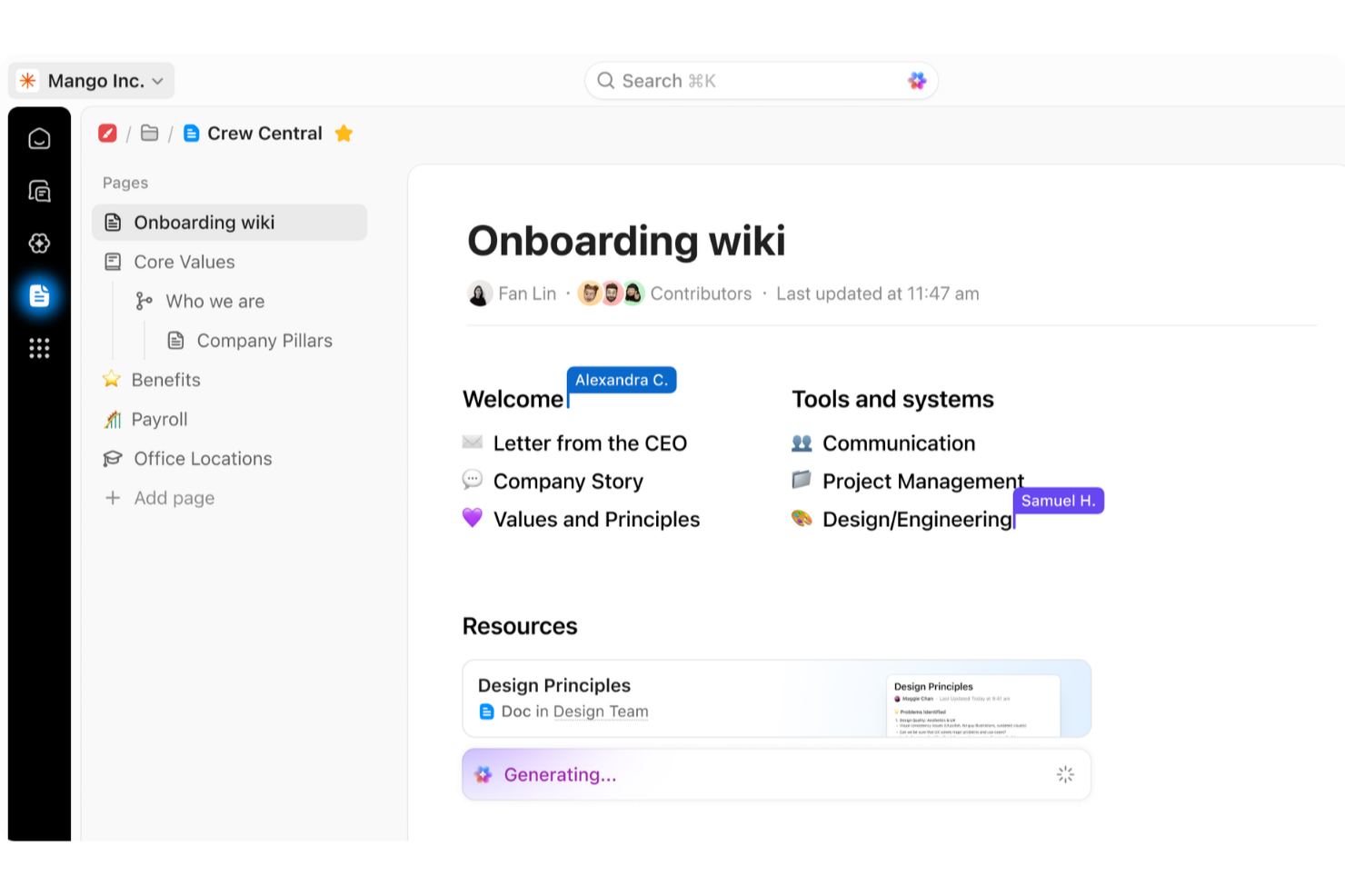
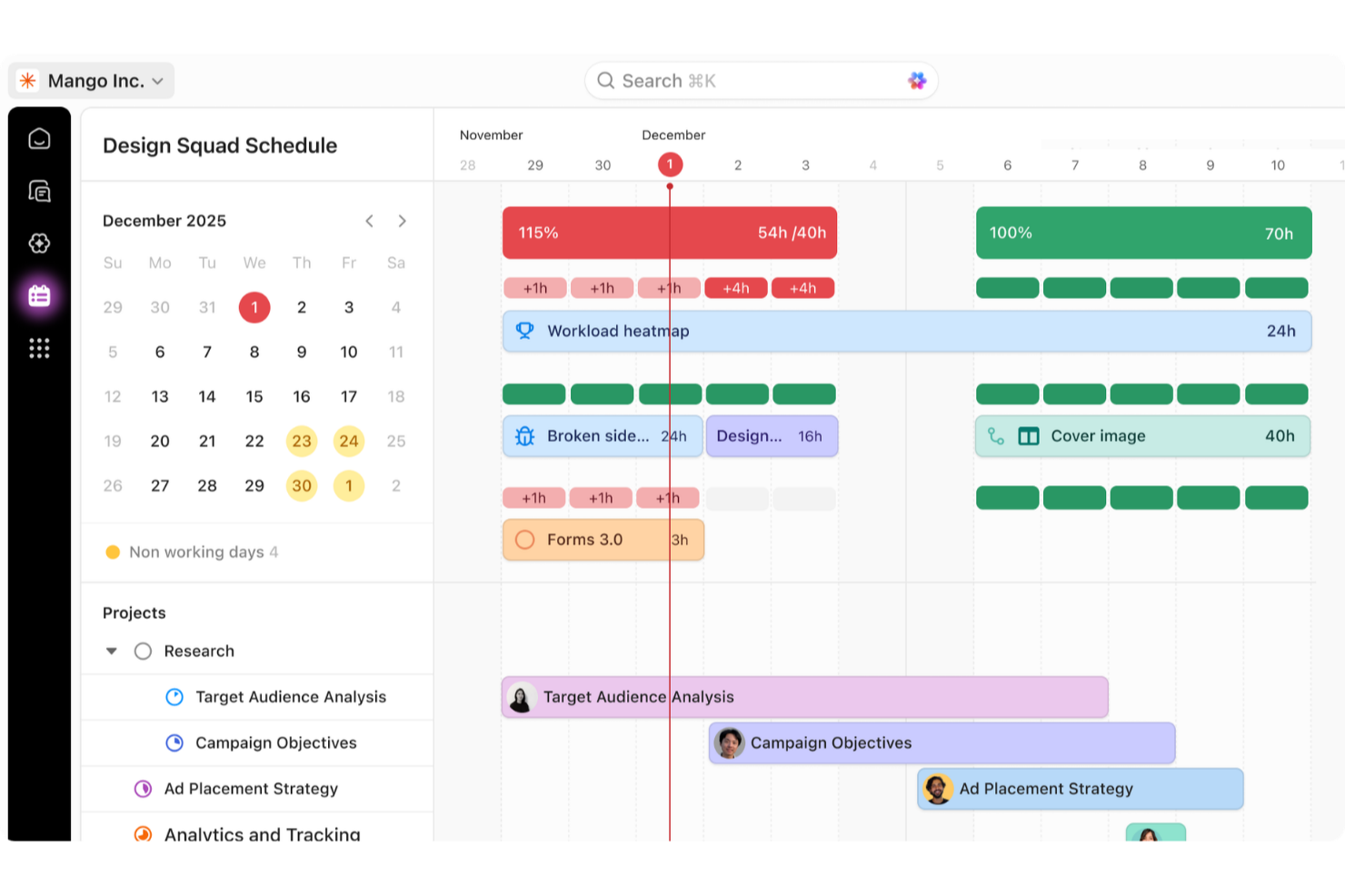
Productive

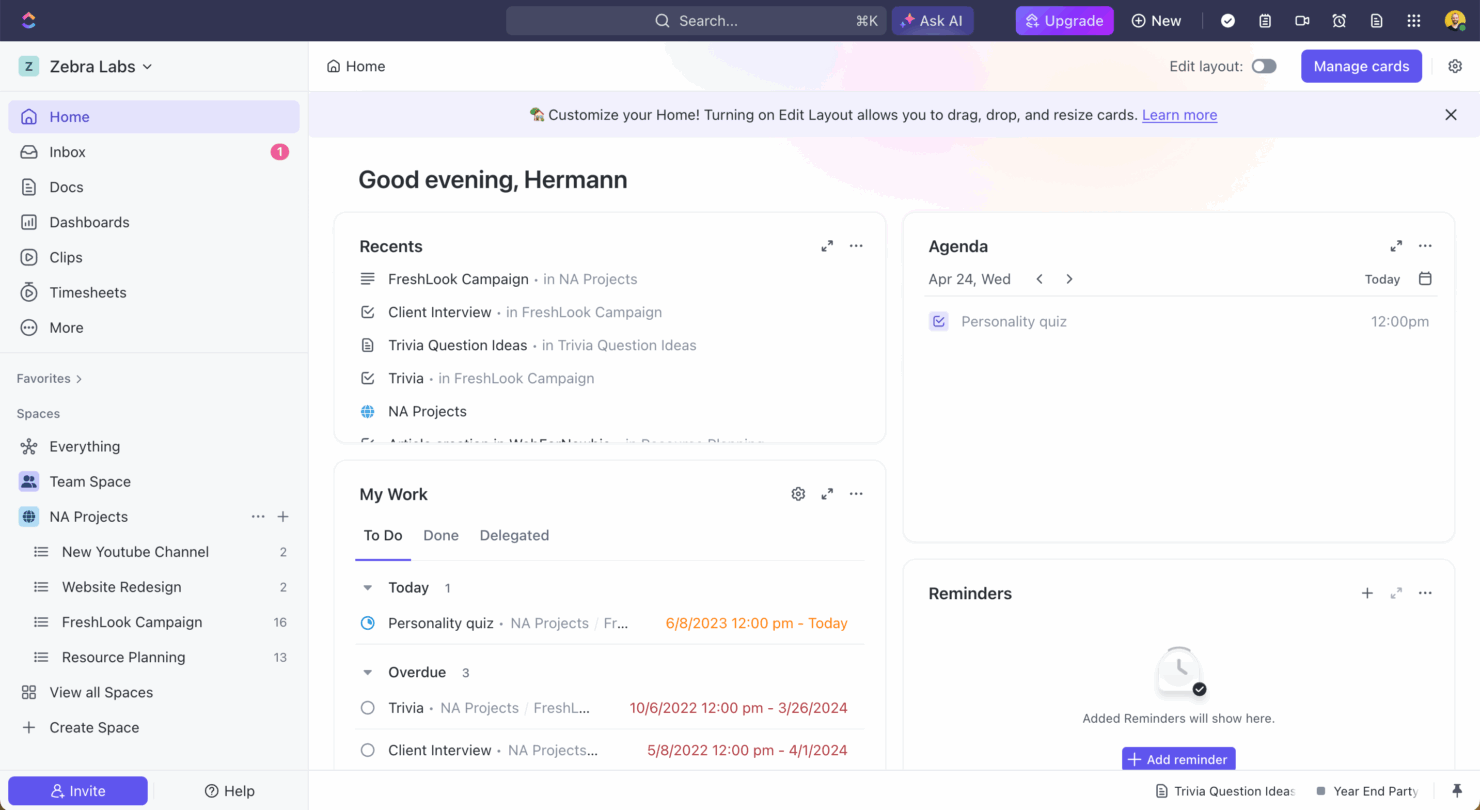
ClickUp




Why Trust Our Software Recommendations
Our team has been testing and reviewing software since 2012. As project managers ourselves, we know how difficult—and important—it is to choose the right software.
For this guide, we evaluated tools using hands-on testing and independent research, scoring tools using our selection criteria. We also draw on insights from industry thought leaders and practicing project management experts.
Our reviews reflect our human editorial judgment, not a sales pitch.
Expert reviewers:
Productive vs. ClickUp Pricing Comparison
| Productive | ClickUp | |
|---|---|---|
| Free Trial | 14-day free trial | Free plan + free trial + free demo available |
| Pricing | From $10/user/month (billed annually) | From $12/user/month |
Productive vs. ClickUp Pricing & Hidden Costs
Productive pricing is structured around a subscription model, with costs that can increase depending on the number of users and additional features like advanced analytics. ClickUp pricing follows a tiered subscription model, where costs may vary with the addition of extra storage or premium support options. To choose the right tool for your needs, evaluate the features you actually need and consider the potential for scaling up or down. Assess how each pricing model fits with your team's growth plans and the specific functionalities essential for your projects.
Productive vs. ClickUp Feature Comparison
With Productive’s project financials, you can manage budgets, invoices, and payments, which is invaluable when overseeing complex projects with multiple financial components. ClickUp’s task management is great for setting up detailed workflows and tracking time, making it ideal for teams needing comprehensive task visibility. Both tools offer unique strengths, so choosing between them depends on whether financial tracking or task management is more critical for your team’s success.
| Productive | ClickUp | |
|---|---|---|
| API | ||
| Budgeting | ||
| Dashboards | ||
| Data Export | ||
| Data Import | ||
| Expense Tracking | ||
| External Integrations | ||
| Gantt Charts | ||
| Multi-User | ||
| Notifications | ||
| Project Management | ||
| Resource Management | ||
| Scheduling | ||
| Task Scheduling/Tracking | ||
| Time Management | ||
| Workflow Management |
Productive vs. ClickUp Integrations
| Integration | Productive | ClickUp |
|---|---|---|
| Google Calendar | ✅ | ✅ |
| Slack | ✅ | ✅ |
| HubSpot | ✅ | ✅ |
| Jira | ✅ | ❌ |
| QuickBooks | ✅ | ❌ |
| Microsoft Teams | ❌ | ✅ |
| Zoom | ❌ | ✅ |
| Figma | ❌ | ✅ |
| API | ✅ | ✅ |
| Zapier | ✅ | ✅ |
With Productive's integration with QuickBooks, you can seamlessly manage financials, which is crucial for agencies handling multiple client accounts. ClickUp's integration with Slack is great for enhancing team communication and collaboration, especially when working on projects requiring constant updates. Both integrations cater to different needs, so your choice depends on whether financial management or communication is more critical to your work.
Productive vs. ClickUp Security, Compliance & Reliability
| Factor | Productive | ClickUp |
|---|---|---|
| Data Privacy | Productive uses GDPR-compliant data management policies to protect user data. | ClickUp adheres to GDPR and CCPA, ensuring user data privacy is a priority. |
| Encryption | Productive encrypts data at rest and in transit to maintain security. | ClickUp uses AES-256 encryption for data at rest and TLS for data in transit. |
| Uptime Reliability | Productive guarantees a 99.9% uptime with robust infrastructure. | ClickUp ensures reliability with a 99.99% uptime SLA. |
| Compliance | Productive aligns with ISO 27001 standards for information security. | ClickUp complies with SOC 2 Type II standards for data protection. |
Productive and ClickUp both offer strong security and compliance features, but ClickUp's broader compliance certifications might appeal more to enterprise-level teams. When evaluating these tools, consider your industry's specific compliance needs and review each vendor's certifications and security measures carefully to ensure they align with your project's requirements.
Productive vs. ClickUp Ease of Use
| Factor | Productive | ClickUp |
|---|---|---|
| User Interface | Productive offers a clean, intuitive interface with straightforward navigation. | ClickUp provides a customizable interface, which might be overwhelming at first. |
| Onboarding Experience | Productive includes step-by-step guides to help new users get started quickly. | ClickUp offers a comprehensive onboarding process with tutorials and webinars. |
| Setup | Productive's setup is simple and quick, allowing teams to start projects immediately. | ClickUp requires more setup time due to its extensive customization options. |
| Support | Productive provides responsive support through chat and email, with a helpful knowledge base. | ClickUp offers 24/7 support along with a detailed help center and community forums. |
Productive is easier to navigate with its straightforward interface, but ClickUp's extensive features can be daunting for new users. Productive makes it simple to get started quickly, while ClickUp's depth requires more time to master but offers greater flexibility once you do.
Productive vs ClickUp: Pros & Cons
Productive
- Strong financial tracking and forecasting tools give you real-time insight into project profitability and overall business performance.
- You can handle agency projects end-to-end, from proposal to payment, which simplifies your workflow.
- Robust resource planning and workload management help you allocate people effectively.
- No free option available for teams looking for core project management functions.
- Advanced features can be complicated for small companies that just want basic task tracking.
- There's a minimum 3-seat requirement, so the tool isn't fit for single users or tiny teams.
ClickUp
- Extensive task management features keep your projects organized and on track
- Real-time collaboration makes team communication more effective
- Built-in automations reduce manual work and speed up your workflow
- Users often find the learning curve steep due to its rich feature set
- Some users report occasional performance lags when managing large projects
- Mobile app can be less intuitive than the desktop version
Best Use Cases for Productive and ClickUp
Productive
- Creative agencies Agencies managing client retainers or project-based work gain real-time control over budgets, utilization, and profitability. Productive supports collaborative workflows while giving leadership deep financial insights.
- Architecture & Engineering Firms Productive aligns well with your workflows by combining project budgeting, resource planning, phased delivery, and profitability tracking.
- Consulting Firms Consultancies benefit from Productive’s integrated approach to scoping, staffing, project financials, and invoicing—providing clarity across complex engagements and supporting better revenue forecasting.
- Professional Service Providers Productive supports end-to-end service delivery with strong project financials, resource planning, time tracking, and billing workflows.
- IT Services IT service teams can streamline client engagements with robust time tracking, retainer management, cost tracking, and project profitability features.
- Mid-to-Large Businesses Organizations with growing teams benefit from Productive’s scalable project controls, forecasting, custom reporting, and multi-office management capabilities.
ClickUp
- Creative agencies ClickUp's customizable dashboards and task automation features can help you manage client projects, track feedback and revisions, and keep creative teams aligned.
- Tech startups ClickUp supports agile development with sprints and real-time collaboration features that can help teams iterate quickly.
- Marketing teams You can streamline campaign planning and execution using ClickUp’s task dependencies and timelines.
- Remote teams ClickUp's real-time updates and collaboration tools keep everyone on the same page, no matter where they are.
- Product managers ClickUp’s roadmaps and goal-tracking features help you align development with business objectives.
- Freelancers You can track your tasks and deadlines efficiently with ClickUp’s simple task and time management tools.
Who Should Use Productive, and Who Should Use ClickUp?
I believe Productive is best for agencies and teams focused on financial management and budget tracking, where simplicity and straightforward setup are key. From my perspective, ClickUp suits teams that thrive on customization and need comprehensive task management tools, especially in dynamic environments. In my opinion, if your team values flexibility and can invest time in mastering a robust tool, ClickUp is a great choice. However, if you need to focus on project financials without the complexity, Productive is the way to go.
Differences Between Productive and ClickUp
| Productive | ClickUp | |
|---|---|---|
| Customization | Productive offers fewer customization options (though they still exist, especially in reporting and automation), and is straightforward to use. | ClickUp allows extensive customization, which requires more setup time. |
| Financial Features | Productive excels in managing budgets and invoices for complex projects. | ClickUp focuses more on task management and lacks extensive financial tools. |
| Freemium Model | Productive does not offer a freemium plan. It starts with paid tiers designed for professional service teams that need full project, financial, and resource management. | ClickUp offers a generous free plan, making it more accessible for individuals and small teams who don’t need advanced financial or resource features. |
| Integrations | Productive integrates well with QuickBooks and other financial tools. | ClickUp integrates seamlessly with Slack and other communication platforms. |
| User Interface | Productive has a clean, intuitive interface for easy navigation. | ClickUp provides a highly flexible and customizable interface, which can feel complex or overwhelming for new users. |
| Visit ProductiveOpens new window | Visit ClickUpOpens new window |
Similarities Between Productive and ClickUp
| Automation | Both tools include automation features that streamline repetitive work, such as triggering actions, sending notifications, and updating tasks automatically. |
|---|---|
| Cloud-Based Access | Both Productive and ClickUp are fully cloud-based, enabling teams to access projects and data from anywhere on any device. |
| Collaboration | Each platform provides collaboration tools such as comments, mentions, and file sharing to help teams communicate in real time. |
| Support | Both platforms offer extensive support resources, including knowledge bases and customer assistance to help teams get the most out of the software. |
| Task Management | Both Productive and ClickUp offer robust task management, allowing teams to create, assign, and track tasks efficiently. |
| Visit ProductiveOpens new window Visit ClickUpOpens new window | |