



Teamwork.com vs. Asana: Comparison & Expert Reviews For 2026



Teamwork.com offers a strong platform for managing projects efficiently, acting as a single source of truth to streamline project data, while Asana provides an intuitive interface for handling tasks and team collaboration.
Both tools support organized workflows, but they differ in customization and integration options, which can influence your decision.
In this article, you'll find a detailed comparison of these tools, exploring their features, pros and cons, pricing, and more about selecting project management software.
Teamwork.com vs. Asana: An Overview
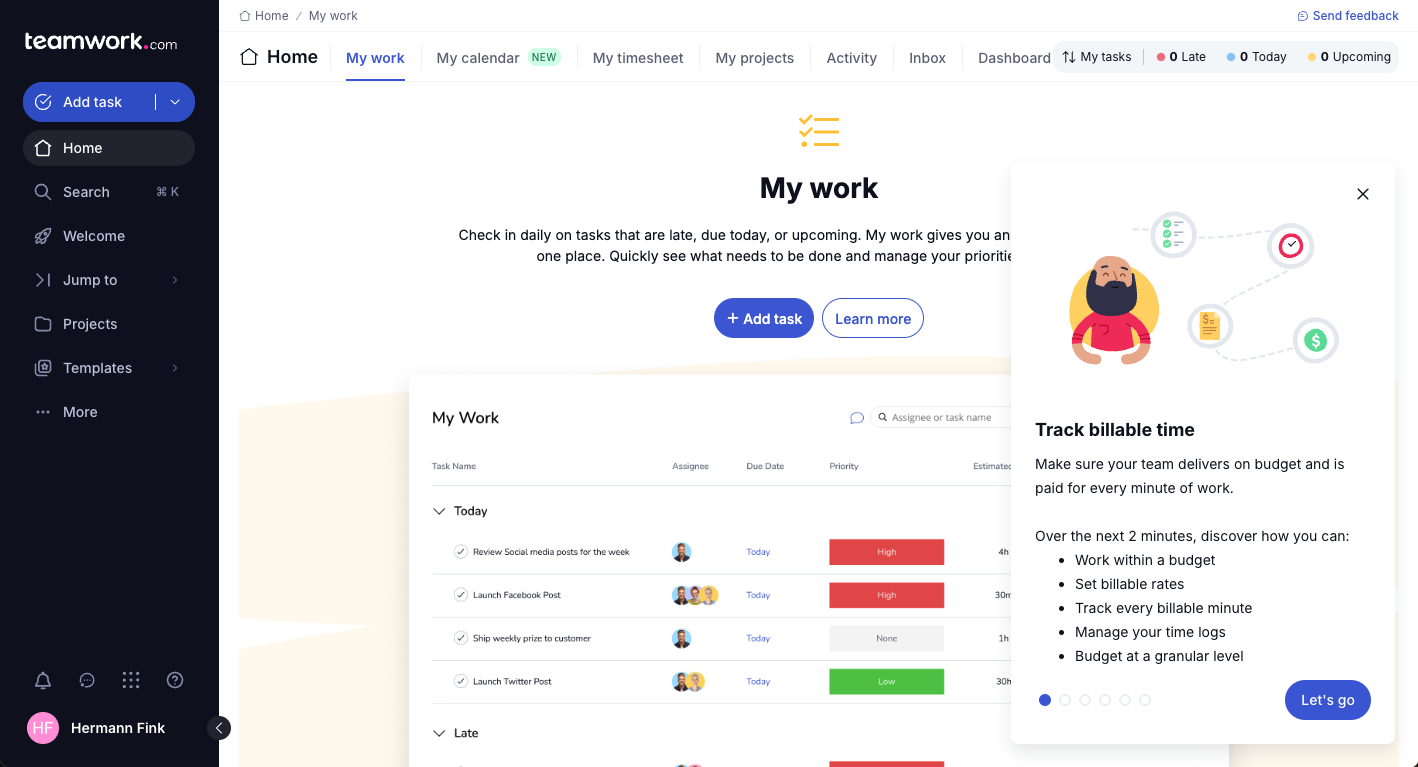
Teamwork.com
Asana

Why Trust Our Software Recommendations
Our team has been testing and reviewing software since 2012. As project managers ourselves, we know how difficult—and important—it is to choose the right software.
For this guide, we evaluated tools using hands-on testing and independent research, scoring tools using our selection criteria. We also draw on insights from industry thought leaders and practicing project management experts.
Our reviews reflect our human editorial judgment, not a sales pitch.
Expert reviewers:
Teamwork.com vs. Asana Pricing Comparison
| Teamwork.com | Asana | |
|---|---|---|
| Free Trial | Free plan + 14-day trial + demo available | Free plan + trial + demo available |
| Pricing | From $9.99/user/month (billed annually) | From $10.99/user/month (billed annually) |
Teamwork.com pricing offers tiered plans that cater to different team sizes and needs, with potential extra costs for premium features and additional users.
Asana pricing follows a similar tiered model, providing a free basic plan but introducing charges for advanced features and expanded access.
To select the right vendor for your needs, evaluate how each pricing structure aligns with your team's growth plans and feature requirements, and consider any hidden costs that might affect your budget.
Teamwork.com vs. Asana Feature Comparison
Teamwork.com offers a proofing feature that makes it easy to manage projects that need regular client feedback, which is especially useful for creative agencies.
Asana’s task management supports team accountability and clear project visibility, helping teams stay on track with tight deadlines.
Teamwork.com stands out for client collaboration, while Asana excels in organizing tasks, subtasks, and task dependencies to maintain transparency.
| Teamwork.com | Asana | |
|---|---|---|
| API | ||
| Batch Permissions & Access | ||
| Budgeting | ||
| Calendar Management | ||
| Collaboration Support | ||
| Contact Management | ||
| Contact Sharing | ||
| Customer Management | ||
| Dashboard | ||
| Dashboards | ||
| Data Export | ||
| Data Import | ||
| Data Visualization | ||
| Dependency Tracking | ||
| Document Sharing | ||
| Expense Tracking | ||
| External Integrations | ||
| File Sharing | ||
| Gantt Charts | ||
| Kanban Boards | ||
| Multi-User | ||
| Notifications | ||
| Project Management | ||
| Resource Management | ||
| Scheduling | ||
| Task Scheduling/Tracking | ||
| Third-Party Plugins/Add-Ons | ||
| Time Management | ||
| Travel Management | ||
| Workflow Management |
Teamwork.com vs. Asana Integrations
| Integration | Teamwork.com | Asana |
| Slack | ✅ | ✅ |
| Google Drive | ✅ | ✅ |
| Dropbox | ✅ | ✅ |
| HubSpot | ✅ | ❌ |
| QuickBooks | ✅ | ❌ |
| Outlook | ✅ | ✅ |
| Clockify | ✅ | ❌ |
| Toggl | ✅ | ✅ |
| API | ✅ | ✅ |
| Zapier | ✅ | ✅ |
Teamwork.com integrates with QuickBooks to help track project expenses and manage invoices, supporting financial oversight in budget-sensitive projects.
Asana connects with Slack for real-time communication, keeping your team updated on project changes without switching tools. Both tools offer integrations that serve different needs, with Teamwork.com focusing on financial management and Asana enhancing team communication.
Teamwork.com vs. Asana Security, Compliance & Reliability
| Factor | Teamwork.com | Asana |
| Data Privacy | Teamwork.com uses GDPR-compliant data processing, ensuring user data protection. | Asana adheres to GDPR standards, offering robust data privacy measures. |
| Encryption | Teamwork.com encrypts data in transit and at rest using advanced protocols. | Asana employs encryption for data in transit and at rest safeguard information. |
| Regulatory Compliance | Teamwork.com provides compliance with ISO 27001, ensuring high security standards. | Asana maintains compliance with SOC 2 Type II, emphasizing data security and privacy. |
| Reliability | Teamwork.com boasts a 99.99% uptime, ensuring consistent access and performance. | Asana offers a reliable service with minimal downtime, supporting uninterrupted workflow. |
Teamwork.com and Asana both provide strong security and compliance features, but Teamwork.com stands out with its ISO 27001 certification.
When comparing the two, consider the specific compliance standards and encryption methods they offer, and how well these align with your organization’s security requirements and client expectations.
Teamwork.com vs. Asana Ease of Use
| Factor | Teamwork.com | Asana |
| User Interface | Teamwork.com features a customizable dashboard, allowing users to tailor views to specific project needs. | Asana offers a clean, intuitive interface with a drag-and-drop functionality for easy task management. |
| Onboarding Experience | Teamwork.com provides comprehensive guides and tutorials to help you get started quickly. | Asana’s onboarding is streamlined with interactive tutorials and a user-friendly setup process. |
| Setup Process | Teamwork.com has a straightforward setup, with project templates for different project types. | Asana simplifies setup with pre-built project templates and quick-start guides for various workflows. |
| Support | Teamwork.com includes responsive customer support via chat and email. | Asana offers extensive support resources, including webinars and a community forum. |
Teamwork.com is well-suited for users who need a customizable interface and personalized support, though it may feel overwhelming at first. Asana offers an intuitive design and easy onboarding, but its simplicity can limit more advanced customization.
Teamwork.com vs Asana: Pros & Cons
Teamwork.com
- You can manage workloads and resources effectively with its robust features.
- Teamwork's collaboration tools, like chat and message boards, keep your team connected.
- The platform's Academy offers useful videos to help you use it effectively.
- You might find the interface overwhelming with its many features.
- Some users feel the mobile app could be more intuitive.
- The learning curve can be steep for new users without prior experience.
Asana
- You can easily track tasks and deadlines using Asana's intuitive interface.
- Asana's collaboration tools help your team communicate effectively in real-time.
- There are extensive customization options so you can tailor workflows and views to your specific needs.
- The reporting capabilities are somewhat basic, which may not satisfy teams needing detailed analytics.
- It can feel overwhelming if your team is small or your projects are simple.
- You might find the notification system a bit excessive or distracting.
Best Use Cases for Teamwork.com and Asana
Teamwork.com
- Creative Agencies Teamwork.com supports your agency with tools for managing client projects and tracking billable hours.
- Remote Teams Use Teamwork to stay connected with your team through its communication and collaboration features.
- Marketing Departments Manage your marketing campaigns with task lists, calendars, and resource allocation.
- Consulting Firms Track time and manage multiple client projects efficiently with Teamwork’s time tracking capabilities.
- Event Planning Organize events with ease using project timelines and task dependencies.
- Product Development Coordinate product launches with detailed task management and team collaboration features.
Asana
- Creative agencies You can manage creative workflows and client projects with Asana’s visual boards and timeline features.
- Tech startups You can coordinate product development and team tasks using Asana’s real-time updates and goal-setting tools.
- Marketing teams You can plan campaigns and track progress with Asana’s clear timelines and task comments.
- Nonprofits Asana lets you manage volunteer tasks, events, and fundraising efforts with clear task assignments and timelines.
- Remote teams You can collaborate effectively with Asana’s real-time updates and communication features.
- Event planners You can organize events easily with Asana’s task management and timeline visualization features.
Differences Between Teamwork.com and Asana
While Teamwork.com and Asana both have many similarities, they differ in a few key ways including:
| Teamwork.com | Asana | |
|---|---|---|
| Automation | Teamwork.com supports task automation with integrations like Zapier. | Asana offers built-in automation features for recurring tasks and workflows |
| Client Collaboration | Teamwork.com offers proofing features for detailed client feedback. | Asana lacks built-in proofing tools, focusing more on internal task management. |
| Customization | Teamwork.com provides customizable dashboards and views for tailored project management. | Asana offers limited customization, focusing on simplicity and ease of use. |
| Pricing | Teamwork.com uses tiered pricing with potential extra costs for premium features. | Asana also uses tiered pricing but includes a free basic plan with limited features. |
| User Interface | Teamwork.com has a customizable interface that may require a learning curve. | Asana features a clean, intuitive interface designed for immediate use. |
| Read Teamwork.com ReviewOpens new window | Read Asana ReviewOpens new window |
Similarities Between Teamwork.com and Asana
Teamwork.com and Asana both share similar basic project management features, as well as some more advanced features including:
| Collaboration | Teamwork.com and Asana both support team collaboration with shared workspaces and communication tools. Teamwork.com offers more client-facing features, while Asana focuses on internal task coordination and team management. |
|---|---|
| Integrations | Both platforms support a wide range of integrations, including Slack and Google Drive, to enable efficient collaboration. Teamwork.com offers more options for financial tool integrations, while Asana focuses more on communication and productivity tools. |
| Mobile Usability | Both provide mobile apps for managing projects on the go. Teamwork.com offers more customization features, while Asana prioritizes ease of use with a clean, simple interface. |
| Support | Both platforms provide support resources, including tutorials and guides. Teamwork.com offers personalized support, while Asana gives users access to active community forums for peer assistance. |
| Task Management | Teamwork.com and Asana both excel in task management, allowing you to assign tasks, create subtasks, set deadlines, and monitor progress. Teamwork.com includes advanced tracking capabilities, while Asana offers a simpler, more intuitive approach designed for ease of use. |
| Read Teamwork.com ReviewOpens new window Read Asana ReviewOpens new window | |