


Jira vs. Notion: Comparison & Expert Reviews For 2026



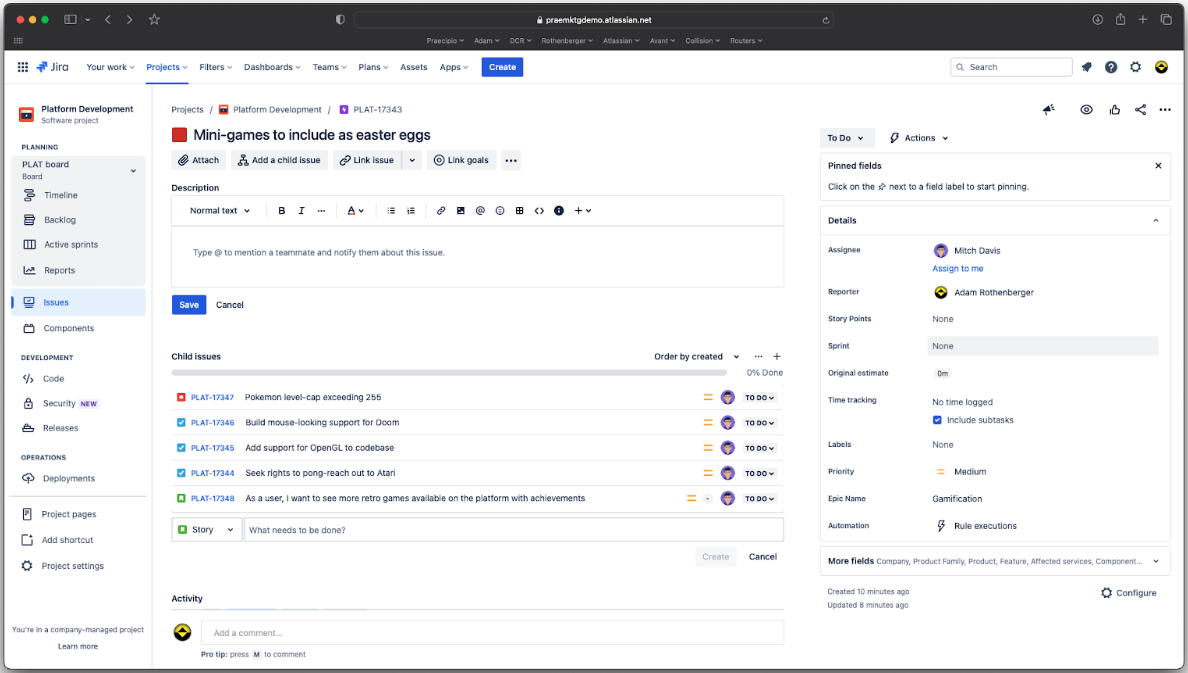
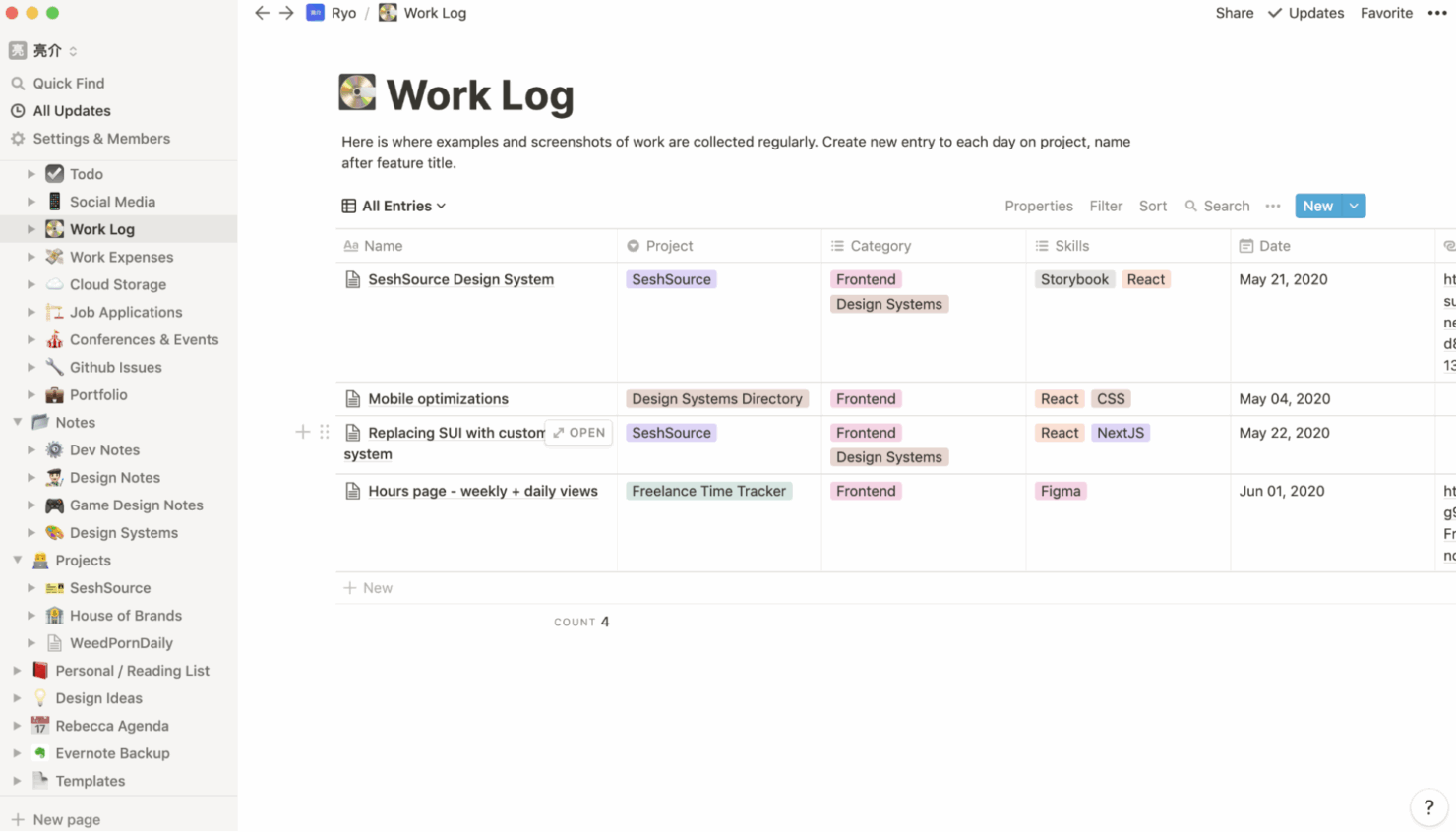
Jira is a project management tool designed for tracking and managing agile software development projects. Notion, on the other hand, offers a flexible workspace for team collaboration and organizing work. Jira excels in handling complex projects with multiple stakeholders, while Notion provides a more customizable environment for diverse workflows.
I’ve tested and compared each tool and their key features, pros and cons, pricing, and more to help you choose the best project management software for your team.
Jira vs. Notion: An Overview
Jira
Notion
Why Trust Our Software Recommendations
Our team has been testing and reviewing software since 2012. As project managers ourselves, we know how difficult—and important—it is to choose the right software.
For this guide, we evaluated tools using hands-on testing and independent research, scoring tools using our selection criteria. We also draw on insights from industry thought leaders and practicing project management experts.
Our reviews reflect our human editorial judgment, not a sales pitch.
Expert reviewers:
Jira vs. Notion Pricing Comparison
| Jira | Notion | |
|---|---|---|
| Free Trial | Free plan available | Free plan available |
| Pricing | From $8.48/user/month | From $10/user/month (billed annually) |
Jira vs. Notion Pricing & Hidden Costs
Jira’s pricing follows a tiered subscription model that scales with the number of users you need, and there are additional costs for advanced features and add-ons. Notion’s pricing also follows a subscription model and offers a flexible structure with free plans and paid plans.
To select the right tool, evaluate your team size, required features, and long-term growth needs. Consider the full range of functionalities you need now and in the future to make sure you’re investing in the best option for your projects.
Jira vs. Notion Feature Comparison
With Jira’s drag-and-drop roadmaps, you can easily plan and visualize project timelines. This makes it ideal for managing complex software development tasks. Notion’s flexible workspaces are great for organizing diverse workflows and are perfect for teams that need a customizable environment for creative projects.
| Jira | Notion | |
|---|---|---|
| API | ||
| Calendar Management | ||
| Data Export | ||
| Data Import | ||
| External Integrations | ||
| Multi-User | ||
| Notifications | ||
| Project Management | ||
| Task Scheduling/Tracking |
Jira vs. Notion Integrations
| Integration | Jira | Notion |
|---|---|---|
| Slack | ✅ | ✅ |
| Google Drive | ✅ | ✅ |
| Trello | ✅ | ✅ |
| GitHub | ✅ | ✅ |
| Figma | ✅ | ✅ |
| Miro | ✅ | ✅ |
| Microsoft Teams | ✅ | ✅ |
| Confluence | ✅ | ❌ |
| API | ✅ | ✅ |
| Zapier | ✅ | ✅ |
Jira's integration with GitHub lets you sync your development data with project management, which is crucial for software development teams that need to track code progress. Notion's Slack integration helps speed up communication and is great for instant updates and teamwork.
Jira vs. Notion Security, Compliance & Reliability
| Factor | Jira | Notion |
|---|---|---|
| Data Encryption | Jira uses AES-256 encryption for data at rest and TLS 1.2 for data in transit. | Notion encrypts data at rest with AES-256 and uses TLS 1.2 for data in transit. |
| Regulatory Compliance | Jira complies with GDPR, SOC 2, and ISO 27001 standards. | Notion adheres to GDPR, SOC 2, and ISO 27001 compliance standards. |
| Access Controls | Jira offers role-based permissions and two-factor authentication. | Notion provides granular access controls and two-factor authentication. |
| Uptime Reliability | Jira guarantees 99.9% uptime via their service level agreement. | Notion offers high reliability with regular backups and a 99.9% uptime promise. |
Jira and Notion both offer broad regulatory compliance. To evaluate security and compliance features, review each vendor's encryption standards, compliance certifications, and reliability guarantees to make sure they align with your team's specific needs.
Jira vs. Notion Ease of Use
| Factor | Jira | Notion |
|---|---|---|
| User Interface | Jira's interface can be complex and has a steep learning curve, with numerous menus and options that cater to detailed project tracking. | Notion offers a clean, minimalist interface that offers plenty of flexibility and customization. |
| Onboarding Experience | Jira provides detailed tutorials and documentation but can be overwhelming for new users. | Notion's onboarding is straightforward with interactive guides and templates for easy setup. |
| Customization | Jira allows extensive customization through plugins and configurations but requires technical expertise. | Notion excels in drag-and-drop customization, which makes it accessible for non-technical users. |
| Support | Jira offers robust support with community forums and dedicated help centers. | Notion provides responsive support with a focus on community-driven help and resources. |
Jira's extensive features can be daunting, which makes it harder to navigate for teams unfamiliar with project management software. Notion stands out for its simplicity and adaptability, and it’s easier to use for teams that need a more intuitive setup and flexible environment.
Jira vs Notion: Pros & Cons
Jira
- Agile workflow management supports Scrum and Kanban and can improve your teams' productivity.
- Automation rules are easy to set up, which helps your team speed up their work.
- Custom filters can be created and accessed quickly, which improves your team's efficiency.
- Field names can be confusing, which might slow down your team's workflow.
- The interface can be too crowded in Scrum projects, which can make it hard for your team to navigate.
- There's a lack of resource management capabilities, which could limit your team's planning.
Notion
- You can tailor your workspace to fit your needs with flexible layouts and templates.
- The intuitive design makes it easy for users to navigate and organize their projects.
- You can take notes, manage projects, and maintain your databases in one place.
- It can be challenging for new users to master without spending time on tutorials.
- You might experience slow performance if you have large databases or complex setups.
- The mobile app is less intuitive than the desktop version.
Best Use Cases for Jira and Notion
Jira
- Software development Jira’s agile tools like Scrum and Kanban boards make it perfect for managing software projects.
- IT departments Its issue tracking capabilities help your team efficiently handle technical support and bug fixes.
- Tech startups Jira offers customization capabilities that allow your team to scale and adapt as your projects grow.
- Agile teams Sprint planning and backlog management features keep your agile processes organized and effective.
- Large enterprises Jira’s automation rules can streamline your complex workflows and improve team productivity.
- Project managers Its reporting and analytics provide insights that help you make informed decisions quickly.
Notion
- Creative Agencies You can use customizable templates within a flexible workspace to manage creative projects and collaborate with the team.
- Freelancers You can manage multiple projects and clients in a single, organized platform.
- Startups You can tailor your workspace to your needs in order to manage rapid growth and changing project requirements.
- Remote Teams Notion supports constant communication and project tracking across different locations.
- Education Departments You can use Notion's database capabilities to organize curricula, schedules, and educational materials.
- Content Writers You can use the note-taking and organization features to manage research, drafts, and editorial calendars efficiently.
Who Should Use Jira, and Who Should Use Notion?
In my opinion, Jira is best suited for agile teams, software development teams, and industries that require detailed project tracking and agile methodologies. It's also ideal if you’re managing complex projects with multiple stakeholders. Notion is perfect for creative teams, small businesses, or startups that want a flexible, user-friendly tool that can handle custom workflows. It's a great choice if you need customization and simplicity instead of extensive technical features.
Differences Between Jira and Notion
| Jira | Notion | |
|---|---|---|
| Automation | Jira supports automation through advanced workflows and integrations with development tools. | Notion provides basic automation capabilities with integrations like Zapier. |
| Core Features | Jira is designed for agile project management with features like sprint planning and bug tracking. | Notion focuses on flexibility and customization for various workflows and team collaboration. |
| Customization | Jira allows extensive customization through plugins, but it requires technical expertise. | Notion excels in simple drag-and-drop customization, accessible to all team members. |
| Pricing | Jira offers a tiered subscription model that scales with user count and features. | Notion provides a flexible pricing structure with both free and paid plans. |
| User Interface | Jira's interface is feature-rich but can be complex for new users. | Notion offers a clean, minimalist interface that's easy to navigate. |
| Read Jira ReviewOpens new window | Read Notion ReviewOpens new window |
Similarities Between Jira and Notion
| Cloud-Based Access | Both are cloud-based, allowing your team to access projects from anywhere, with Jira focusing on agile projects and Notion on flexible workspaces. |
|---|---|
| Collaboration | Both Jira and Notion offer collaboration features; Jira with its comment threads and Notion with shared pages for team input. |
| Integrations | Both provide integration capabilities; Jira integrates with development tools like GitHub, while Notion connects with apps like Slack. |
| Security | Both prioritize security with data encryption; Jira offers robust compliance, while Notion ensures data privacy with easy-to-use controls. |
| Task Management | Both support task management; Jira excels in tracking detailed tasks, while Notion allows task organization within customizable workspaces. |
| Read Jira ReviewOpens new window Read Notion ReviewOpens new window | |