


Asana mot Zoho Projects: ekspertsammenligning og anmeldelser 2026



Asana tilbyr en strømlinjeformet tilnærming til organisering av teamets arbeidsflyter, mens Zoho Projects tilbyr en integrert plattform for fleksibel prosjektstyring. Begge verktøyene har som mål å hjelpe deg med å forbedre teamets produktivitet, men de skiller seg fra hverandre når det gjelder brukergrensesnitt og tilpasningsmuligheter.
Jeg har evaluert og sammenlignet disse verktøyene og deres viktigste funksjoner, fordeler og ulemper samt priser, med min ekspertise som prosjektleder. Les sammenligningen min nedenfor for å finne ut hvilken prosjektstyringsprogramvare som er det riktige verktøyet for prosjektene og prosessene dine.
Asana vs. Zoho Projects: An Overview
Asana
Zoho Projects
Why Trust Our Software Recommendations
Our team has been testing and reviewing software since 2012. As project managers ourselves, we know how difficult—and important—it is to choose the right software.
For this guide, we evaluated tools using hands-on testing and independent research, scoring tools using our selection criteria. We also draw on insights from industry thought leaders and practicing project management experts.
Our reviews reflect our human editorial judgment, not a sales pitch.
Expert reviewers:
Asana vs. Zoho Projects Pricing Comparison
| Asana | Zoho Projects | |
|---|---|---|
| Free Trial | Free plan available | Free plan + 15-day free trial available |
| Pricing | From $10.99/user/month (billed annually) | Pricing upon request |
Priser og skjulte kostnader for Asana vs. Zoho Projects
Asanas priser følger en abonnementsmodell med flere nivåer, med en gratis grunnversjon og premiumplaner som utvides med flere funksjoner og mer kundestøtte. Zoho Projects' priser følger også en modell med flere nivåer, med en gratisplan og betalte alternativer som tilbyr mer funksjonalitet og bedre sikkerhetstiltak.
For å velge den beste prosjektstyringsprogramvaren for deg bør du vurdere virksomhetens spesifikke behov, ta hensyn til hvilke prosjektstyringsfunksjoner du faktisk kommer til å bruke, og inkludere eventuelle skjulte kostnader for å finne det beste alternativet for budsjettet og arbeidsflyten din.
Asana vs. Zoho Projects Feature Comparison
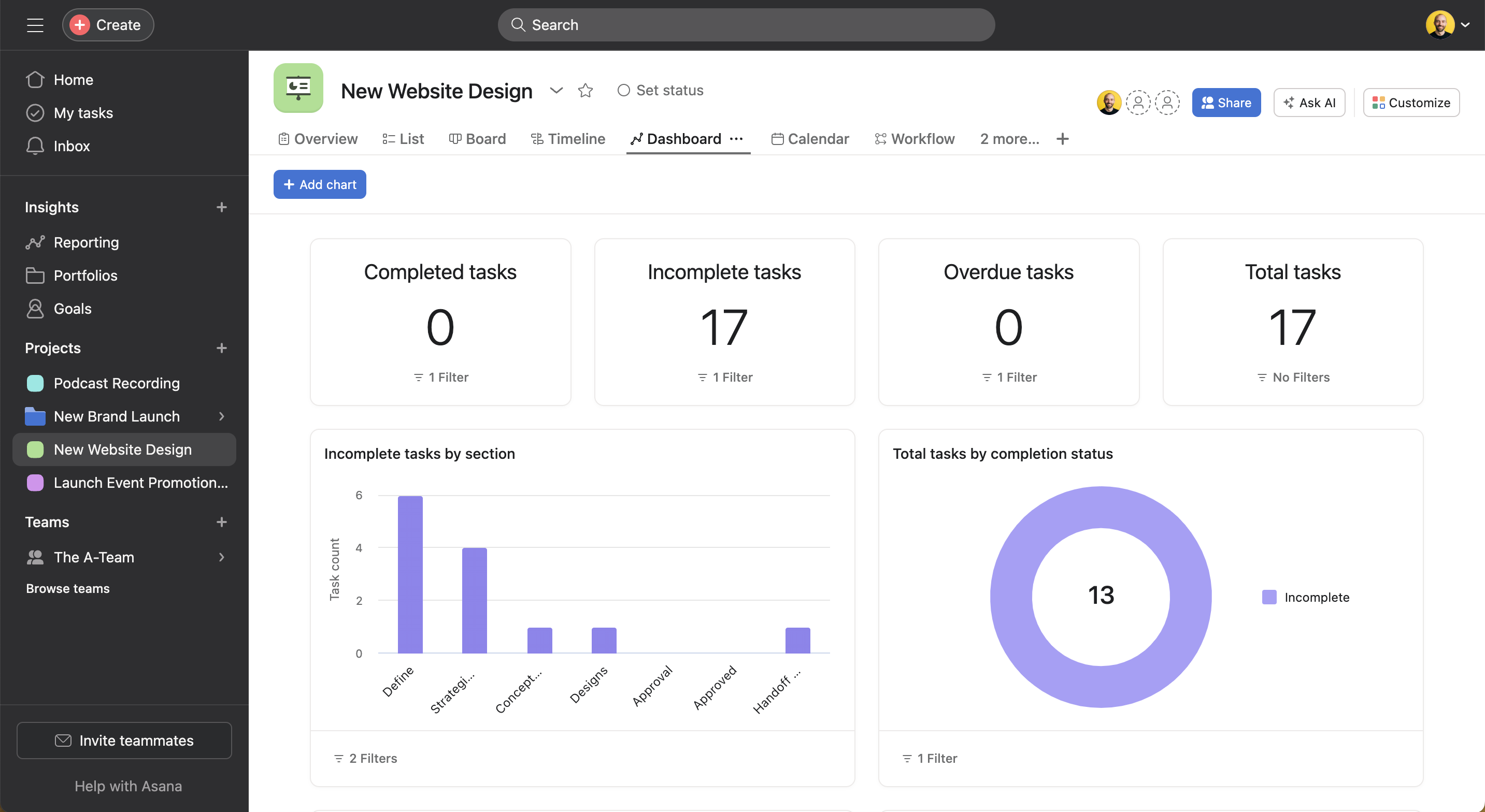
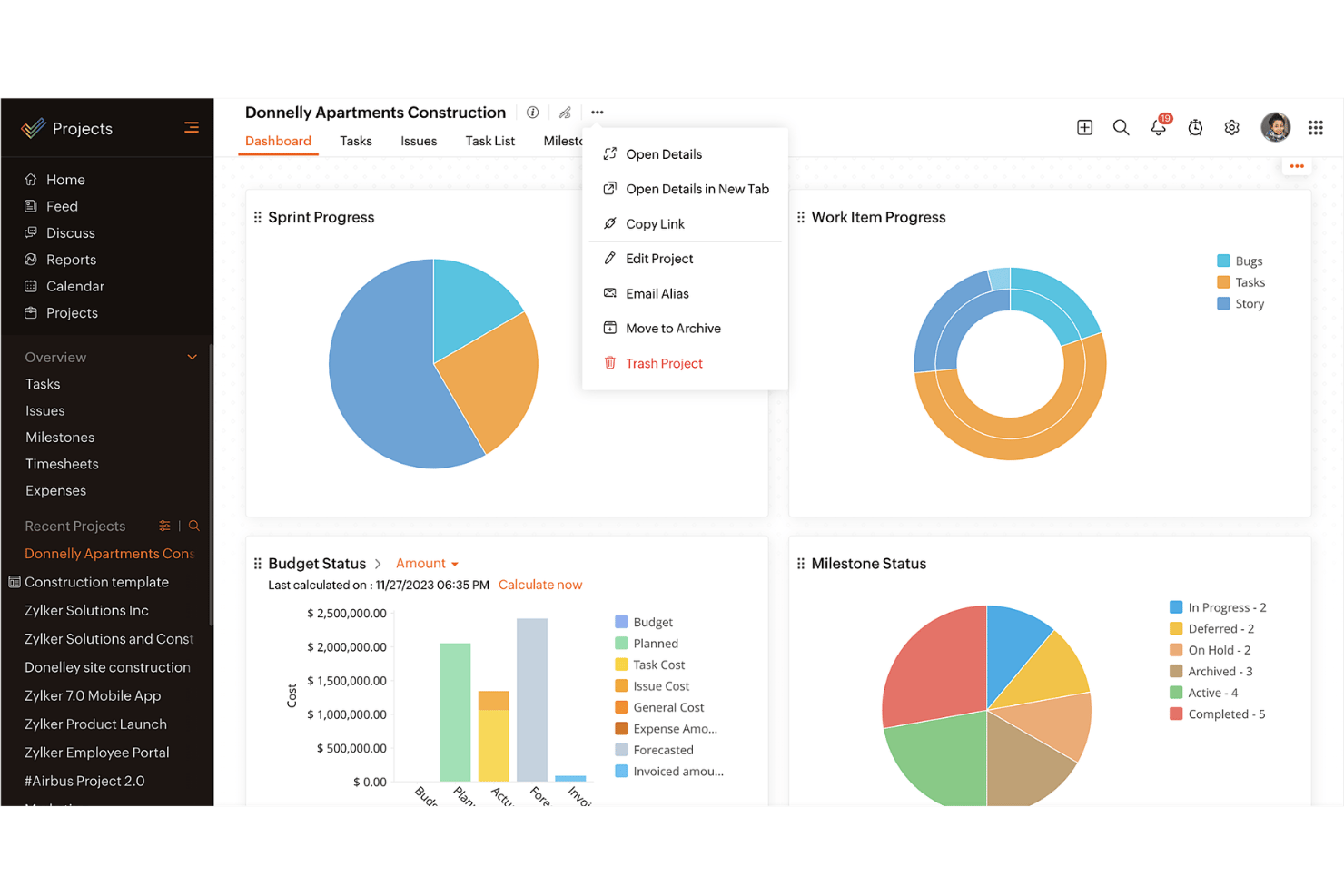
Med Asanas oppgavestyringsfunksjon kan du enkelt organisere daglige oppgaver og deloppgaver samt visualisere prosjekttidslinjer. Dette er perfekt for team som trenger funksjoner for tydelig oppgavefordeling og tidsfrister. Zoho Projects’ integrasjon med andre Zoho-applikasjoner er utmerket for virksomheter som allerede befinner seg i Zoho-økosystemet.
| Asana | Zoho Projects | |
|---|---|---|
| API | ||
| Batch Permissions & Access | ||
| Budgeting | ||
| Calendar Management | ||
| Collaboration Support | ||
| Contact Management | ||
| Contact Sharing | ||
| Customer Management | ||
| Dashboard | ||
| Dashboards | ||
| Data Export | ||
| Data Import | ||
| Data Visualization | ||
| Dependency Tracking | ||
| Document Sharing | ||
| Expense Tracking | ||
| External Integrations | ||
| File Sharing | ||
| Gantt Charts | ||
| Kanban Boards | ||
| Multi-User | ||
| Notifications | ||
| Project Management | ||
| Resource Management | ||
| Scheduling | ||
| Task Scheduling/Tracking | ||
| Third-Party Plugins/Add-Ons | ||
| Time Management | ||
| Travel Management | ||
| Workflow Management |
Integrasjoner i Asana vs. Zoho Projects
| Integrasjon | Asana | Zoho Projects |
|---|---|---|
| Slack | ✅ | ✅ |
| Microsoft Teams | ✅ | ✅ |
| Google Drive | ✅ | ✅ |
| Dropbox | ✅ | ✅ |
| Salesforce | ✅ | ❌ |
| Zendesk | ✅ | ✅ |
| Evernote | ✅ | ❌ |
| QuickBooks | ❌ | ❌ |
| API | ✅ | ✅ |
| Zapier | ✅ | ✅ |
Asanas integrasjon med Slack lar deg enkelt konvertere samtaler til oppgaver, noe som kan gjøre arbeidsflytene raskere og forbedre kommunikasjonen. Zoho Projects' integrasjon med Zendesk lar deg gjøre kundestøttehenvendelser om til oppgaver, noe som er nyttig for å håndtere oppfølging etter en lansering.
Sikkerhet, samsvar & pålitelighet for Asana vs. Zoho Projects
| Faktor | Asana | Zoho Projects |
|---|---|---|
| Personvern | Asana ivaretar personvernet med samsvar med GDPR og regelmessige revisjoner. | Zoho Projects tilbyr personvern gjennom samsvar med GDPR og kryptering. |
| Kryptering | Asana bruker AES-256-kryptering for data i hvile og TLS for data under overføring. | Zoho Projects bruker AES-256-kryptering og sikre datasentre. |
| Oppetid | Asana garanterer 99.9% oppetid for bedriftskunder. | Zoho Projects tilbyr 99.9% oppetid med redundante datasentre. |
Både Asana og Zoho Projects prioriterer sikkerhet og samsvar. Vurder teamets spesifikke behov for databeskyttelse, gå gjennom leverandørens samsvarssertifiseringer, og prioriter funksjoner som er i tråd med sikkerhetspolicyene dine.
Asana mot Zoho Projects – brukervennlighet
| Faktor | Asana | Zoho Projects |
|---|---|---|
| Brukergrensesnitt | Asana tilbyr et ryddig og brukervennlig grensesnitt med dra-og-slipp-funksjonalitet. | Zoho Projects har et tilpasningsbart grensesnitt med en brattere læringskurve. |
| Introduksjon | Asana tilbyr interaktive opplæringsprogrammer og hurtigveiledninger for oppsett. | Zoho Projects tilbyr omfattende introduksjonsvideoer og detaljerte veiledninger. |
| Brukerstøtte | Asana tilbyr omfattende nettressurser samt døgnåpen brukerstøtte for bedriftskunder. | Zoho Projects tilbyr en rekke hjelpeartikler og en kunnskapsbase. |
Asana utmerker seg når det gjelder brukervennlighet, med et oversiktlig grensesnitt og rask introduksjon. Zoho Projects er kraftig, men kan være mer utfordrende på grunn av de komplekse tilpasningsmulighetene, som kan kreve litt mer tid å sette seg inn i.
Asana vs Zoho Projects: Pros & Cons
Asana
- You can easily track tasks and deadlines using Asana's intuitive interface.
- Asana's collaboration tools help your team communicate effectively in real-time.
- There are extensive customization options so you can tailor workflows and views to your specific needs.
- The reporting capabilities are somewhat basic, which may not satisfy teams needing detailed analytics.
- It can feel overwhelming if your team is small or your projects are simple.
- You might find the notification system a bit excessive or distracting.
Zoho Projects
- Task dependencies are highly visual and easy to set up.
- Built-in time tracking integrates smoothly with billing features.
- Customizable project templates support repeatable workflows.
- Reporting customization can be limited for advanced needs.
- Mobile app notifications do not always sync in real time.
- Gantt chart drag-and-drop can feel sluggish with large projects.
Best Use Cases for Asana and Zoho Projects
Asana
- Creative agencies You can manage creative workflows and client projects with Asana’s visual boards and timeline features.
- Tech startups You can coordinate product development and team tasks using Asana’s real-time updates and goal-setting tools.
- Marketing teams You can plan campaigns and track progress with Asana’s clear timelines and task comments.
- Nonprofits Asana lets you manage volunteer tasks, events, and fundraising efforts with clear task assignments and timelines.
- Remote teams You can collaborate effectively with Asana’s real-time updates and communication features.
- Event planners You can organize events easily with Asana’s task management and timeline visualization features.
Zoho Projects
- Small Agencies Kanban boards, time tracking, and client billing streamline project delivery and reporting for agency teams.
- IT Departments Issue tracking, blueprint automations, and strong permission controls provide what IT teams need for complex internal projects.
- Consulting Firms Time sheets, detailed reports, and project-level billing help consultants keep track of client hours and invoicing.
- Remote Teams Robust collaboration tools, document sharing, and project forums help distributed users stay connected.
- Marketing Teams Reusable templates, task dependencies, and timeline tracking make repeated campaigns run smoothly and transparently.
- Construction Projects Gantt charts, milestones, and resource allocation features support the scheduling needs of construction and field project managers.
Hvem bør bruke Asana, og hvem bør bruke Zoho Projects?
Etter min mening passer Asana best for kreative team og oppstartsbedrifter som trenger et enkelt og intuitivt verktøy for å administrere oppgaver og samarbeide raskt. Hvis du er del av en større organisasjon eller arbeider i en bransje som krever omfattende tilpasningsmuligheter og integrasjon med andre forretningsverktøy, er Zoho Projects et bedre valg.
Fra mitt perspektiv passer Asana for team som ønsker enkel oppgavehåndtering, mens Zoho Projects er ideelt for dem som trenger detaljert kontroll og omfattende prosjektoppfølging. Zoho Projects tilbyr også mer omfattende funksjoner til en konkurransedyktig pris.
Differences Between Asana and Zoho Projects
| Asana | Zoho Projects | |
|---|---|---|
| Automation | Asana provides basic automation for task management. | Zoho Projects offers more advanced automation features for more complex project workflows. |
| Customization | Asana has limited customization and focuses on simplicity. | Zoho Projects offers extensive customization to fit complex needs. |
| User Interface | Asana has a clean, intuitive interface that makes adoption quicker. | Zoho Projects offers a customizable interface that requires more setup. |
| Read Asana ReviewOpens new window | Read Zoho Projects ReviewOpens new window |
Similarities Between Asana and Zoho Projects
| Cloud-Access | Both are cloud-based, so you can access your projects from anywhere. This is essential for remote work setups. |
|---|---|
| Collaboration | Both project management platforms provide team collaboration tools so your team members can communicate and share updates within the platform efficiently. |
| Mobile Apps | Each tool offers a mobile app that helps you manage tasks, stay updated on the go, and be productive outside the office. |
| Reporting | They both include reporting features that let you generate insights and track project performance. |
| Task Management | Both Asana and Zoho Projects offer task management features that let you assign tasks, set deadlines, and track progress easily. |
| Read Asana ReviewOpens new window Read Zoho Projects ReviewOpens new window | |