

10 beste programmer for prosjektregnskap for budsjettering i 2026

10 Beste programvare for prosjektregnskap – kortliste


Det er ikke enkelt å holde oversikt over prosjektkostnader, budsjetter og tidsbruk. Med endringer i prosjektomfanget og stramme marginer er det vanskelig å få et tydelig bilde av økonomien samtidig som arbeidet går fremover.
Det er her programvare for prosjektregnskap kan være til stor hjelp. Den gir deg oversikt over hvordan prosjektene påvirker resultatet, slik at du kan ta informerte beslutninger og unngå overraskelser.
I denne artikkelen går jeg gjennom de beste verktøyene for prosjektregnskap som jeg har testet. Jeg ser på hva hvert enkelt verktøy gjør bra, hvor det kan ha svakheter, og hvordan det kan passe inn i arbeidsflyten din.
Why Trust Our Software Recommendations
Our team has been testing and reviewing software since 2012. As project managers ourselves, we know how difficult—and important—it is to choose the right software.
For this guide, we evaluated tools using hands-on testing and independent research, scoring tools using our selection criteria. We also draw on insights from industry thought leaders and practicing project management experts.
Our reviews reflect our human editorial judgment, not a sales pitch.
Expert reviewers:
Sammenligningstabell for programvare til prosjektregnskap
Denne sammenligningstabellen oppsummerer prisopplysningene for mine beste utvalgte programmer for prosjektregnskap:
| Tool | Best For | Trial Info | Price | ||
|---|---|---|---|---|---|
| 1 | Best for Agencies and Consultancies | 14-day free trial | From $17/user/month | Website | |
| 2 | Best for complex project management | Free plan + 14-day free trial available | From $9.99/user/month (billed annually) | Website | |
| 3 | Best for automating recurring invoices | Free plan available (request via email) | From $12.49 project-planning/user/month (billed annually) | Website | |
| 4 | Best for priority-based and predictive scheduling | Free trial available | Pricing upon request | Website | |
| 5 | Best for real-time burn rate tracking | 14-day free trial | From $25/month | Website | |
| 6 | Best for PMO, EPMO, and Software Development teams | Free trial available | Pricing upon request | Website | |
| 7 | Best for small to medium-sized teams | 14-day free trial + free demo available | From $3.5/user/month (billed annually) | Website | |
| 8 | Best project accounting software for Gantt chart-based project planning | 14-day free trial | From $7/user/month (billed annually) | Website | |
| 9 | Best for project expense management | Free demo available | Pricing upon request | Website | |
| 10 | Best project accounting software for Agencies | 14-day free trial | From $10/user/month (billed annually) | Website |


Anmeldelser av den beste programvaren for prosjektregnskap
Nedenfor finner du mine detaljerte sammendrag av den beste programvaren for prosjektregnskap som kom med på kortlisten min. I anmeldelsene ser jeg nærmere på de viktigste funksjonene, fordeler og ulemper, integrasjoner og ideelle bruksområder for hvert verktøy, slik at du kan finne det som passer best for deg.

Scoro
Best for Agencies and Consultancies

Scoro is a work management software that doubles up as project accounting software to help agencies and consultancies streamline projects, simplify quoting, and automate billing. They have many different plans, but because of their advanced features for project accounting, I think it serves agencies and professional service providers as well.
Why I picked Scoro: The platform is an all-in-one business management software that also includes time and team management, billing, sales, and professional services automation. It tracks tasks and expenses while automating invoice processes and simplifying overall project accounting tasks such as invoicing or managing expenses.
In addition, Scoro allows users to have a centralized view of their projects, budgets, tasks, resources and deadlines, allowing for better coordination and resource management. I also like the platform because it supports team collaboration, facilitating communication, information, and sharing among team members.
Scoro Standout Features and Integrations
Standout features include simultaneously estimating delivery costs, and tracking estimated vs. actual results for timely delivery of projects within budget. Another great feature is invoicing, which automates billing and payment collection (with multiple payment options ranging from direct deposit to pay cards and paper checks). You can also sync the invoicing with your finance tools for accurate payment information and speedy cash collection.
Integrations include major business tools like MS Exchange, Google Calendar, Quickbooks, Asana, Jira, Evernote, Trello, Harvest, Basecamp, GitHub, Xero, Expensify, Exact, Salesforce, Hubspot, Mailchimp, Stripe, Paypal, Woocommerce, Drift, Dropbox, and Zendex. Zapier allows you to connect it to many other third-party apps. You can also use the API to create your own integrations and submit them to Scoro Marketplace.
Pros and Cons
Pros:
- Mobile versions of the app allow you to work from anywhere.
- Great ease of use, even for new users.
- Comprehensive project accounting features.
Cons:
- Steep learning curve for new users.
- Pricing is not so clear for lower tiers.
New Product Updates from Scoro

Scoro Adds Time Mobile App and ELI Improvements
Scoro adds the Scoro Time mobile app for iOS/Android to track time anywhere and expands ELI with attachments, smarter filtering, and trigger-based actions. For more information, visit Scoro's official site.

Best for complex project management

Teamwork is a project accounting software offering complete budget and operations control and powerful project management in one place. Because of its versatility, this software is ideal for collaborative project management, especially for teams working on complex projects that require extensive coordination and communication.
Why I picked Teamwork: This platform excels in fostering project operation control and collaboration with its intuitive interface and robust communication tools.
But what really impressed me about this platform is the capacity to optimize recurring revenue from retainers by tracking time, rates, and money spent. This enables project managers or accountants to balance budget fluctuations. You can also use it to monitor profit margins by monitoring project, client, and retainer performance to data-driven decisions.
Teamwork Standout Features and Integrations
Standout features include time tracking and a Gantt chart for workflow management to support project planning. Users can also benefit from file sharing and document management for easy information exchange and collaboration.
Integrations include Slack, MS Teams, Hubspot, Skyvia, Atarim, Feedbucket, Parallax, Stripe, Bybrand, Integrately, Pabbly, and Import2. You can also use Teamwork API to integrate Teamwork with the tools you love and create customized, tailored integrations.
Pros and Cons
Pros:
- Workflow management.
- Easy time and budget tracking.
- Advanced project management features.
Cons:
- The pricing can be a little too high for small teams and startups
- Steep learning curve with a somewhat complicated interface.
Nutcache
Best for automating recurring invoices

Nutcache is a well-known collaborative project management web app for businesses and teams of all sizes to improve their productivity. It includes comprehensive project management with project accounting capabilities such as invoicing, time tracking, and expense management.
Why I picked Nutcache: What makes Nutcache stand out is the platform's focus on project accounting, such as expense management and invoicing. These features allow users to invoice directly from project boards, use tracked time and expenses to bill projects, compare actual vs. estimated project budgets and time, and attach documents to estimates and invoices. Nutcache also supports payment gateways such as 2Checkout, Authorize.net, and Paypal, allowing users to accept online payments and credit cards. This makes it a great option for less experienced payroll teams.
In addition, I like Nutcache’s availability as a cloud-based solution compatible with Android, iOS, Linux, Mac and Windows systems. Being that the platform is available for free or paid, you can first try it out free and know the gist of it before going full swing with the subscription plans. All this time, you’ll get some quality features to support your project management needs.
Nutcache Standout Features and Integrations
Standout features include invoicing and expense management for productivity. With these features, you can manage the entire project delivery lifecycle in a collaborative workspace, from the initial budget estimate to the final billing, through project time tracking, expense management, invoicing your clients, and getting paid. The real-time budget capabilities allow you to see, at all times, exactly how you’re measuring up against project targets and estimates.
Integrations include Dynacom Accounting, PayPal, Stripe, 2Checkout, Authorized.Net, Quickbooks Online, Google Workspace, GitHub, and Slack. You can also use Zapier to link Nutcache to your favorite third-party web apps and API to build custom integrations.
Pros and Cons
Pros:
- Lets you invoice your team’s work with ease.
- Centralize all project information
- Combines project management with time tracking, invoicing and expense management.
Cons:
- Steep learning curve for new users.
- Time reporting might sometimes have glitches.
Best for priority-based and predictive scheduling

LiquidPlanner is a transformative project accounting solution for teams that want to plan, predict, perform, and track projects beyond expectations. Thanks to its predictive scheduling, LiquidPlanner is ideal for project management in dynamic environments where priorities and schedules frequently change.
Why I picked Liquid Planner: I liked LiquidPlanner because it takes the heavy lifting of managing project uncertainty off your shoulders, including budgets. The predictive scheduling capability dynamically adapts the project to change, giving you an instinct on what will happen when you plan confidently and helping you account for all staff and time.
I also liked how you can balance workload and bandwidth for the entire team across all tasks and projects. The tool considers all the projects’ complexity and people’s availability — through time tracking — to model and help optimize performance. This also gives you an opportunity to prioritize tasks and actions. In addition, the range-estimation feature captures uncertainty and helps you prepare in time.
Liquid Planner Standout Features and Integrations
Standout features include resource management, and time tracking allowing teams to adapt and track changes. You can also use intelligent insights to automate projects, estimates, time and budgets for collaborative planning and risk control.
Integrations include Trello, Jira, Slack, Salesforce, ScribeHow, Box, FTP, Google Drive, Freshdesk, Zoho, Hubstaff, and Dropbox. Thousands of other apps and software integrations can be built via LiquidPlanner’s Open API or accessed using a paid account with Zapier.
Pros and Cons
Pros:
- Rich insight tools for a variety of resources.
- Provides the project's best and worst-case scenarios.
- Automated & intelligent predictive scheduling.
Cons:
- Limited free plan and expensive pricing options.
- Can’t add sub-tasks to your project tasks.

Puzzle
Best for real-time burn rate tracking

Puzzle.io is AI-native accounting software built for startups and small businesses. While its primary focus is automating bookkeeping, it also includes financial tracking and reporting features that support project accounting, helping you monitor budgets, expenses, and cash flow as your projects progress.
Why I picked Puzzle.io: I included Puzzle.io on this list because of its real-time financial visibility paired with built-in burn rate and runway analysis. As project costs shift, you can monitor cash activity across projects and adjust spending before issues arise. Its double-entry accounting system supports both cash and accrual accounting, which makes it flexible for projects that require more detailed revenue and expense tracking. For startups managing limited funding or multiple client projects, this level of reporting can help maintain financial control at every stage.
While this platform is designed with startups in mind, it offers project-level reporting tools that would work for any small business looking to simplify financial management without juggling multiple disconnected systems. You can track project spending, monitor financial health, and collaborate easily with external bookkeepers when needed.
Puzzle.io Standout Features and Integrations
Standout features include automated revenue recognition to help align project income with work completed, variance analysis to flag unexpected shifts in expenses, and concierge onboarding to guide your team through setup.
Integrations include Ramp, Brex, Mercury, Every, Meow, Rippling, Gusto, Deel, Central, Stripe, Bill.com, Runway, and Causal.
Pros and Cons
Pros:
- Automates revenue recognition and expense categorization
- AI improves categorization accuracy over time
- Supports both cash and accrual accounting
Cons:
- Limited customization for complex workflows
- Smaller integration ecosystem compared to ERP tools


AdaptiveWork is a project management tool designed for Agile project management, making it ideal for software development teams and organizations that follow Agile methodologies. The platform enables software project managers to gain real-time visibility across all their work, automate workflows, and proactively manage risks.
Why I picked AdaptiveWork: I picked AdaptiveWork for its project management features like planning, analytics and reporting, workflow management, and team delivery. Its advanced features help with resource and capacity management, seamless workflow automation, and portfolio management with dynamic reporting and external collaborations.
But I really liked the financial management aspect of AdaptiveWork which makes it stand out among other project accounting software. It includes budget tracking to monitor expenses and ensure every project stays within budget. You can set hourly rates (even globally) and by role, user, or project. Time and expense tracking helps you automatically track all billable and non-billable hours to the appropriate work item or project and streamline the approval process. The solution also has revenue forecasting vs. expected revenue so you can better plan for your client engagements. And finally, rate cards define specific resource rates for clarity in cost, billing, and revenue.
AdaptiveWork Standout Features and Integrations
Standout features include Professional Services Automation and project financial management. With these features, teams and project managers can gain real-time visibility across all their work, automate workflows, proactively manage risks, and manage project resources and budgets to deliver greater business impact.
Integrations include Jira, Zendesk, Sharepoint, NOW, Excel, Microsoft Teams, Box, Slack S-Suite, AWS, Oracle, SAP, Procore and Tableau. API access and webhooks allow you to connect to other third-party apps. You can also integrate thousands of third-party apps using Zapier.
Pros and Cons
Pros:
- Advanced project financial management capabilities.
- Wide range of integrations for efficiency and effectiveness.
- Specialized for PMOs and EPMOs.
- A highly customizable tool for easy integration.
Cons:
- The support for the product can be late or lacking.
- The platform has a deep learning curve.
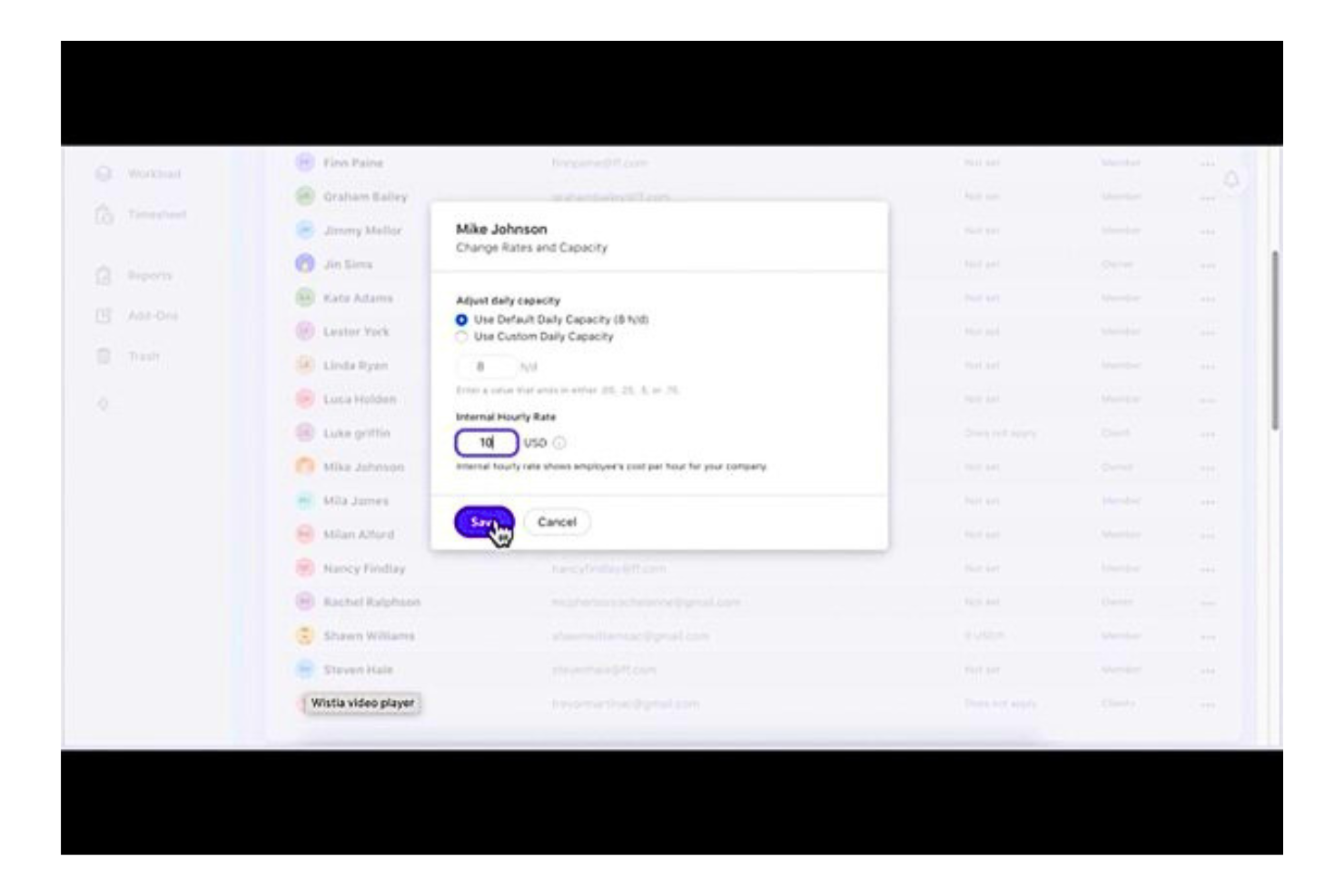
ActiveCollab is a project management software that gives users complete control over their work — all tasks, files, communication, and team members. ActiveCollab combines task management, time tracking, and billing into one tool, which is ideal for small and medium-sized teams.
Why I picked Active Collab: I like how this solution helps you organize your project’s tasks, teams, and files in one place. You can choose from a timeline view, task lists, and Kanban board with task dependencies and automatic rescheduling, recurring tasks, and batch editing to map your project goals and milestones.
But what I liked more is how this software’s highly configurable, rich in planning and organizational tools helps you streamline project account processes up to when you get paid. For example, linking invoicing and payment gateway with time tracking records right within the system gives you more accurate billing. And the additional advantage of doing all these online or on a mobile app makes it ideal for any team, including small and medium-sized teams.
Active Collab Standout Features and Integrations
Standout features include task list automation and time management with stopwatch, time tracking and timesheets. These two key features help you make sure that no one is idling or burning out as work gets done to be completed in the scheduled time without overburdening the project budget. Time tracking also optimizes invoice creation and improves budget estimates.
Integrations include G-Drive, Dropbox, Hubstaff, Timecamp, Slack, QuickBooks, Stripe and Paypal. You can also develop and integrate your own solutions with Active Collab API and integrate with other apps through Zapier and Webhooks.
Pros and Cons
Pros:
- Client collaboration improves reporting transparency.
- Tracking time on all tasks and across multiple projects optimizes invoice creation.
- Customizable to suit workflows of varying degrees of project complexity.
Cons:
- The system can sometimes run slow and create delays.
- It is difficult to search for files and data within Active Collab.

GanttPRO
Best project accounting software for Gantt chart-based project planning
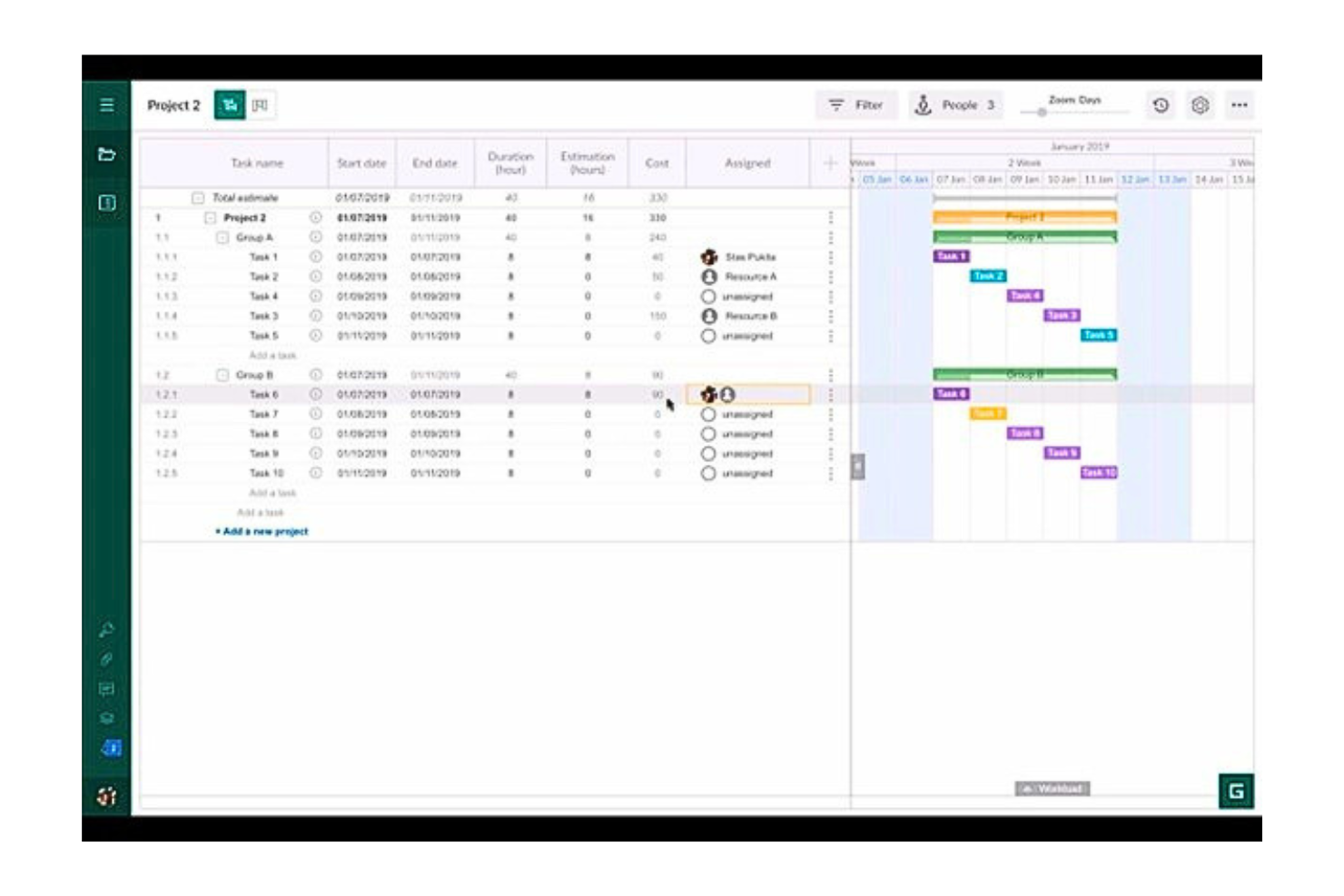
GanttPRO is an online Gantt chart maker for professional project management. It helps users become more efficient and productive in project management, from conceptualization to delivery, since it integrates all essential project management and accounting tools.
Why I picked GanttPRO: I included GanttPRO on this list because of their combined reliable and efficient project management and budget control, helping you deliver projects on time and within your budget estimates. I appreciate that the project budget feature gives you the capability to calculate the cost of your project based on the cost of tasks and resources on their duration and the type of the working unit such as labor, material, or fixed costs needed to complete the project. This allows you to always be on top of your project accounting needs.
While this platform is fit for all businesses, it has an affordable monthly price, which is a great service for any small business owner who doesn't have the budget or resources for larger project accounting software and specialists. You can use financial performance control, set duration, estimation, or actual cost for your project activities and resources and oversee and track income, expenses, and profits.
GanttPRO Standout Features and Integrations
Standout features include Gantt chart templates and project budgets. You get many Gantt chart templates to allow you to start working on your projects right away on either Excel, Google Sheets, or GanttPRO. The project budget allows you to calculate your project’s costs in terms of time and resources and view budgeted vs. actual costs.
Integrations include Slack, Jira Cloud, OneDrive, Google Drive, Excel, MS Project, and MS Teams. Use GanttPRO’s open API to connect your tools and Integrate GanttPRO into your existing business processes.
Pros and Cons
Pros:
- Affordable pricing that accommodates even small businesses.
- Easy to use Gantt chart templates.
- Efficient in building and managing Gantt charts for projects and budgets.
Cons:
- No customizable reporting tools or customizable dashboards
- Light on integrations.

Best for project expense management

Rippling Spend is a spend management platform that helps businesses handle their expenses, from payroll to corporate cards. It’s designed to keep spending in check through automated policy enforcement and reporting. You can control how much gets spent, where, and by whom, all from one platform.
Why I picked Rippling Spend: For project accounting, Rippling Spend works well because it integrates spending with payroll and expenses, allowing you to allocate project costs directly to their respective budgets. You can track project-based expenses in real time, ensuring that your team stays on budget.
The platform also lets you set specific spending limits and approval workflows for different project phases, keeping everyone accountable. This level of control makes it easier to handle project-based accounting, especially when you have multiple projects running at once.
Rippling Spend Standout Features and Integrations
Standout features include automatic policy enforcement, global spend management, corporate cards, bill generation and approval, custom workflows, receipt requests, real-time reporting, and customized dashboards.
Integrations include Slack, Google Workspace, Office 365, AWS, Zoom, Dropbox, and Salesforce.
Pros and Cons
Pros:
- Custom spending policies
- Centralizes all spending data
- Detailed reports for departments, projects, and employees
Cons:
- Lacks advanced financial forecasting tools
- No option for a free trial

Productive
Best project accounting software for Agencies

Productive is a well-known project management software designed for agencies and professional service businesses looking to manage their projects, finances, and teams in one platform. This includes key project management functionalities such as time tracking, expense tracking, accounting and budgeting, resource allocation, capacity planning, and sales funnels.
Why I picked Productive: This solution is particularly great for scaling businesses or startups undergoing rapid growth. I selected this platform because unlike many in the industry, you can run your sales, budgeting, resource planning, project management, reporting, and billing in one place for a complete and real-time view of your business performance. You can consolidate data in one agency management system and run projects from prospect to payment and everything in between. It is the perfect platform for agencies and creatives that want to reduce the number of platforms they depend on.
Productive Standout Features and Integrations
Standout features include budgeting, where you can monitor the state of your budgets and profit margins in real time, and automated billing to help you save time by generating invoices using tracked billable time. These features help you stay on top of your agency's finances and see the overall view of your financial performance while working with your clients. For example, you can peek into your invoicing reports to see data such as amounts already invoiced, amounts left for invoicing, and overdue amounts.
Integrations include tools like Hubspot, Slack, Google Calendar, Jira, Xero, Exac, Outlook, Quickbooks, Fortnox, CPP, Personio, CharlieHR, SAP, BambooHR, Factorial, and ADP. Zapier lets you connect Productive.io with thousands of popular apps and in-house apps to customize your workflow.
Pros and Cons
Pros:
- Robust team performance analytics.
- High level of integration with popular business apps.
- Flexibility with budgets is a great feature for budget control.
- Highly customizable dashboard to organize and personalize layout.
Cons:
- Pricing is a bit too high for smaller teams.
- Might have a steep learning curve for new users.
New Product Updates from Productive
Productive Adds Voice Dictation, Slack Connector, Proposals, and Overtime
Productive adds voice dictation, a Slack Connector, proposal controls, and overtime tracking. These updates support faster AI interactions, client proposals, and time management. For more information, visit Productive’s official site.
Annen programvare for prosjektregnskap
Her er noen flere alternativer for prosjektregnskap som ikke kom med på kortlisten min, men som likevel er verdt å undersøke:
- Celoxis
For profit and margin tracking
- Runn
For budget forecasting and scenario planning
- Paymo
For generating invoices & automating payments
- Forecast
For resource allocation and financial forecasting
- ProProfs Project
For workflow and payroll management for accounting firms.
- Deltek Replicon Time
For simplified project time and expense tracking
- Meisterplan
Cloud-based project accounting dashboards
- Harvest
To turn timesheets into invoices
- Sage Intacct
For advanced functionality project accounting needs
- HubPlanner
For billing and budget management


How I Evaluate Project Accounting Software
I evaluate these tools in two layers: baseline requirements like project-level cost tracking and billing, and the differentiators that separate genuinely strong options from the rest.
Core Functionality (Table Stakes For This List)
When I'm selecting tools for my list, I rank each one on a scale from 0 (does not offer the functionality) to 5 (excels in this area) for each core functionality listed below. Then, I calculate the tool's total score into a percentage. Each tool needs to achieve a minimum total score of 65% to be considered for inclusion.
- Project Cost Tracking: I look for real-time tracking of labor, materials, and overhead against specific projects, including how costs roll up across cost codes and phases.
- Budgeting & Forecasting: Each tool should let you build multi-line project budgets and compare actuals to planned figures, ideally with ETC/EAC calculations baked in.
- Time & Expense Capture: I check whether time and expense entries tie directly to projects with billable/non-billable splits—and whether approvals flow cleanly before hitting invoicing.
- Project-Based Billing & Invoicing: The tool should support T&M, fixed-fee, milestone, and progress billing so you can match invoicing to the contract structure on each engagement.
- Revenue Recognition: I evaluate how each platform handles percentage-of-completion, milestone-based, and completed-contract recognition under standards like ASC 606 and IFRS 15.
- Project Financial Reporting: Tools should produce project-level P&L, WIP, and profitability reports with enough drill-down to answer margin questions by project, client, or portfolio.
Once I have a list of tools that meet this criteria, I consider what sets each platform apart.
Differentiating Factors (What Sets Vendors Apart)
Here's how I compare and contrast different vendors:
Standout Features
Resource management is a big one—I look for tools that connect staff utilization and capacity planning directly to project financials so you can spot underutilized teams before margins slip. Multi-currency and multi-entity support matters for firms running projects across borders, where consolidated reporting saves hours of manual reconciliation. I also evaluate subcontractor management, especially the ability to tie purchase orders, lien waivers, and vendor invoices back to individual projects.
Beyond Features
Industry-specific fit is something I weigh heavily. A tool built for construction firms with AIA billing and retainage workflows will serve a general contractor far better than a generic option. I also check how well each platform connects to your broader tech stack—native integrations with tools like Jira, Salesforce, or QuickBooks mean less manual data entry between systems. Compliance readiness matters too, especially ASC 606 and IFRS 15 support, along with audit trails and role-based access controls that satisfy internal finance governance requirements.
Slik velger du programvare for prosjektregnskap
Det er lett å gå seg vill i lange funksjonslister og komplekse prismodeller. For å hjelpe deg med å holde fokus når du går gjennom den unike prosessen med å velge programvare, har jeg satt sammen en sjekkliste over faktorer du bør ha i bakhodet:
| Faktor | Dette bør du vurdere |
| Skalerbarhet | Kontroller at programvaren kan støtte flere brukere, flere prosjekter og større datamengder etter hvert som teamet vokser. |
| Integrasjoner | Se etter verktøy som enkelt kan kobles til de eksisterende systemene dine, for eksempel tidsregistrering, lønn og hovedbokføring. |
| Tilpasningsmuligheter | Prosjektene dine passer ikke i én og samme mal. Du bør velge verktøy som lar deg justere rapporter, faktureringsregler og arbeidsflyter slik at de samsvarer med prosessen din. |
| Brukervennlighet | Velg et verktøy teamet raskt kan lære seg. Et rotete grensesnitt eller for mange trinn kan gjøre arbeidet tregere. |
| Budsjett | Kontroller at prisen passer til teamets størrelse og bruksområde. Unngå verktøy som krever dyre tillegg for grunnleggende funksjoner. |
| Sikkerhetstiltak | Du håndterer økonomiske data – kontroller at all programvare har tilgangskontroller for brukere, datakryptering og revisjonslogger. |
| Rapporteringsverktøy | Velg programvare som lar deg lage tydelige, prosjektrelaterte økonomirapporter uten å måtte ty til en omvei via regneark. |
| Tilgang til brukerstøtte | Hvis noe slutter å fungere, trenger du rask hjelp. Kontroller om brukerstøtte er inkludert i programvaren, og hvilke kanaler (chat, e-post, telefon) som er tilgjengelige. |
Trender innen programvare for prosjektregnskap
I undersøkelsene mine hentet jeg inn utallige produktoppdateringer, pressemeldinger og lanseringslogger fra ulike leverandører av prosjektregnskapsprogramvare. Her er noen av de fremvoksende trendene jeg følger med på:
- Sanntidsinnsikt i budsjettet: Flere verktøy tilbyr sanntidsdashbord som viser faktiske tall opp mot budsjettet. Dette hjelper prosjektledere med å oppdage overforbruk tidlig, uten å måtte vente på rapporter ved månedsslutt.
- Inntektsføring basert på prosjekter: Leverandører utvikler verktøy som håndterer inntektsføring knyttet til prosjektmilepæler eller metoder basert på fullføringsgrad. Dette er særlig nyttig for virksomheter som håndterer langsiktige kontrakter.
- KI-drevet prognostisering: Noen verktøy bruker nå KI til å forutsi prosjektkostnader eller flagge risikoer basert på historiske data. Dette hjelper team med å justere planene før problemer utvikler seg til kostnadsoverskridelser.
- Detaljerte rollebaserte tillatelser: Det legges stadig større vekt på å gi ulike teammedlemmer tilgang til bare det de trenger. På den måten ser økonomiavdelingen økonomiske data, mens prosjektledere ser prosjektdata – uten overlapping.
- Selvbetjent rapportering: Flere plattformer gjør det enklere å lage tilpassede rapporter uten behov for en dataanalytiker. Brukerne kan dra og slippe felter eller filtrere data for å finne svar på raske spørsmål på egen hånd.
Hva er prosjektregnskapsprogramvare?
Prosjektregnskapsprogramvare er en type verktøy som følger den økonomiske utviklingen i enkeltprosjekter. Det brukes vanligvis av prosjektledere, regnskapsførere og økonomiteam som trenger å håndtere budsjetter, utgifter og fakturering knyttet til spesifikt arbeid.
Funksjoner for budsjettoppfølging, inntektsføring og økonomisk rapportering gjør det enklere å holde oversikt over prosjektkostnader, oppfylle faktureringskrav og holde kunder og interessenter informert. Disse verktøyene hjelper team med å ta bedre økonomiske beslutninger uten å miste oversikten over det daglige prosjektarbeidet.
Funksjoner i prosjektregnskapsprogramvare
Når du velger prosjektregnskapsprogramvare, bør du se etter følgende viktige funksjoner:
- Oppfølging av prosjektbudsjett: Lar deg fastsette og følge opp budsjetter på prosjektnivå for å unngå kostnadsoverskridelser.
- Registrering av tid og utgifter: Registrerer teamets arbeidstimer og tilknyttede utgifter for nøyaktig fakturering og rapportering.
- Verktøy for inntektsføring: Hjelper med å anvende regnskapsregler for å inntektsføre arbeid etter hvert som det fullføres.
- Tilpasset fakturering: Oppretter fakturaer basert på tid, milepæler eller faste honorarer, slik at de samsvarer med kundekontraktene.
- Økonomisk prosjektrapportering: Oppretter rapporter som viser fortjenestemarginer, opptjent verdi og kostnadsutvikling.
- Støtte for flere valutaer: Håndterer globale prosjekter ved å konvertere valutaer og anvende lokale skatteregler.
- Rollebasert tilgangskontroll: Begrenser økonomiske data til bestemte brukere basert på arbeidsfunksjon.
- Prognostisering og planlegging: Bruker historiske data og nåværende forbruk til å forutsi fremtidige prosjektkostnader.
- Revisjonsspor: Registrerer alle økonomiske endringer for å støtte åpenhet og etterlevelse.
- Vedlegg av dokumenter: Lar deg knytte kvitteringer, kontrakter og andre økonomiske dokumenter til hvert prosjekt.
Fordeler med prosjektregnskapsprogramvare
Implementering av prosjektregnskapsprogramvare kan gi flere fordeler for teamet og virksomheten din. Her er noen av fordelene du kan se frem til:
- Færre budsjettoverraskelser: Sanntidsoppfølging og varsler hjelper deg med å oppdage kostnadsproblemer før de kommer ut av kontroll.
- Mer nøyaktig fakturering: Innebygd registrering av tid og utgifter sørger for at fakturaene samsvarer med det faktiske prosjektarbeidet.
- Bedre økonomisk rapportering: Tilpassede rapporter gir deg et tydelig bilde av prosjektets resultater uten manuelle regneark.
- Enklere revisjoner: Revisjonsspor og dokumentasjon forenkler etterlevelsen av krav og gjør gjennomganger mindre belastende.
- Raskere beslutninger: Dashbord og prognoser hjelper deg med å ta informerte beslutninger om prosjektets retning og forbruk.
- Bedre kontantstrøm: Rettidig fakturering og inntektsoppfølging bidrar til at betalingene kommer inn som planlagt.
- Tydeligere teamroller: Brukertillatelser beskytter økonomiske data og viser hver person bare det de trenger.
Kostnader og priser for prosjektregnskapsprogramvare
Valg av prosjektregnskapsprogramvare krever en forståelse av de ulike prismodellene og abonnementene som er tilgjengelige. Kostnadene varierer basert på funksjoner, teamstørrelse, tillegg og mer. Tabellen nedenfor oppsummerer vanlige abonnementer, gjennomsnittsprisene deres og typiske funksjoner som er inkludert i løsninger for prosjektregnskapsprogramvare:
Sammenligningstabell for prosjektregnskapsprogramvare
| Plantype | Gjennomsnittspris | Vanlige funksjoner |
| Gratisabonnement | $0 | Grunnleggende tidsregistrering, begrenset registrering av utgifter, ett prosjekt og enkel rapportering. |
| Personlig abonnement | $10–$25/bruker/måned | Flere prosjekter, budsjettoppfølging, faktureringsverktøy og grunnleggende integrasjoner. |
| Forretningsabonnement | $25–$60/bruker/måned | Avansert rapportering, inntektsføring, prognoseverktøy og brukertillatelser. |
| Virksomhetsabonnement | $60–$120/bruker/måned | Tilpassede arbeidsflyter, revisjonslogger, dedikert brukerstøtte og avanserte sikkerhetskontroller. |
Vanlige spørsmål om prosjektregnskapsprogramvare
Finn svar på vanlige spørsmål andre stiller om dette emnet.