


Monday.Com Vs ClickUp: Reviews & Comparison For 2026



monday.com offers a flexible platform to streamline your team's workflows and collaboration. ClickUp provides a comprehensive suite of tools to enhance your productivity and project tracking. While both are powerful project management solutions, monday.com excels in customization options, whereas ClickUp impresses with its extensive feature set. In this article, you’ll find a detailed comparison of the tools, their features, pros and cons, pricing, and more to help you select the ideal project management software for your needs.
monday.com vs. ClickUp: An Overview
monday.com


ClickUp


Why You Can Trust Us
monday.com vs. ClickUp Pricing Comparison
| monday.com | ClickUp | |
|---|---|---|
| Free Trial | Free plan available | Free plan + free demo available |
| Pricing | From $9/user/month (billed annually) | From $7/user/month (billed annually) |
monday.com vs. ClickUp Pricing & Hidden Costs
monday.com pricing operates on a tiered subscription model, charging per user with potential additional costs for premium features and higher storage. ClickUp pricing also follows a tiered approach, offering a free plan with limitations and paid plans that provide expanded functionality and integrations. To choose the tool with the right pricing for your needs, evaluate the features your team requires and consider the scalability of each pricing plan as your projects and team grow.
monday.com vs. ClickUp Feature Comparison
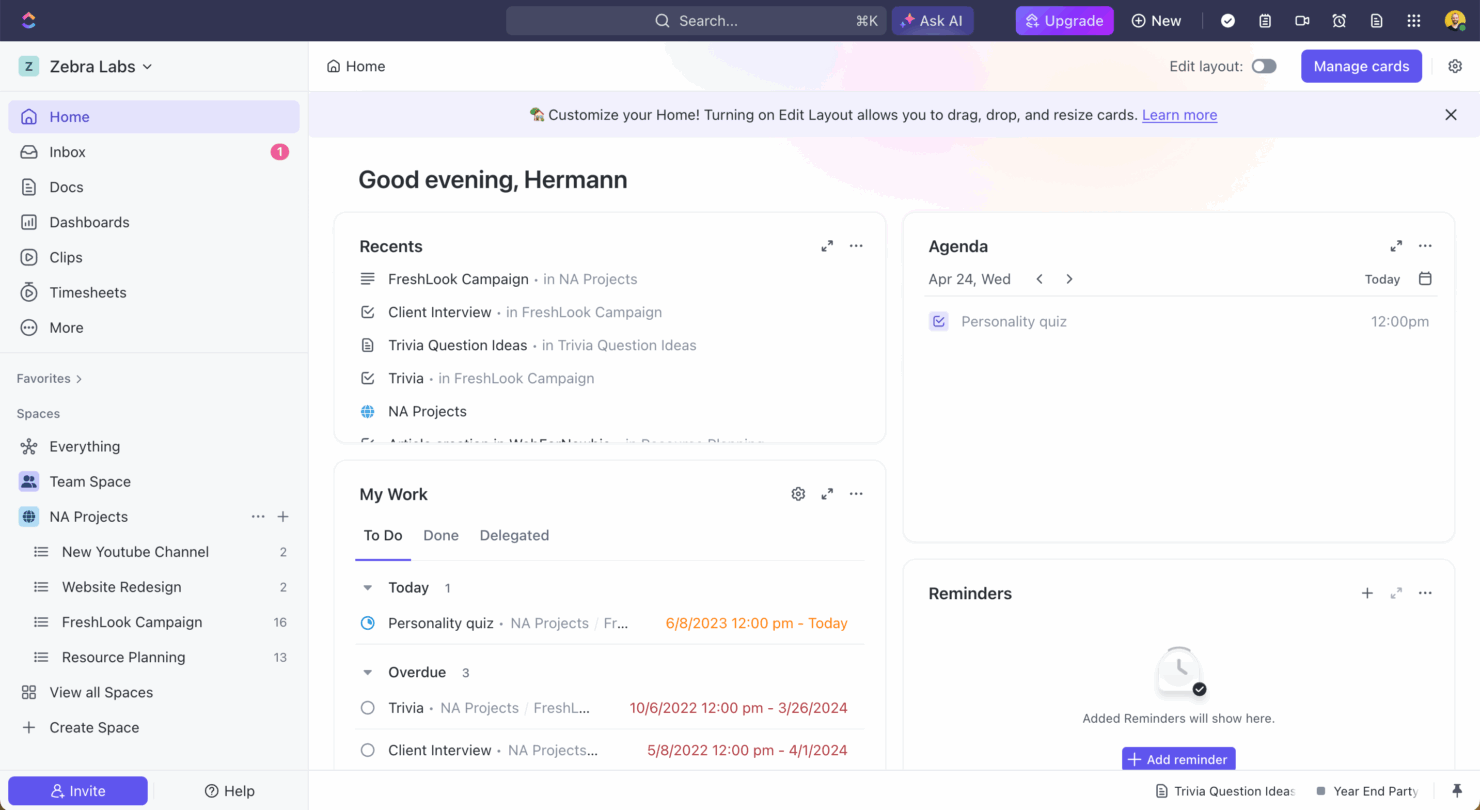
With monday.com’s automations, you can set up workflows that save time by automatically updating task statuses and notifying team members, which is particularly useful in fast-paced marketing projects. ClickUp’s task management excels by providing detailed task cards and bulk editing options, making it ideal for software development teams needing to handle complex task hierarchies efficiently. While monday.com streamlines project workflows with automation, ClickUp offers robust task management for intricate project structures.
| monday.com | ClickUp | |
|---|---|---|
| API | ||
| Batch Permissions & Access | ||
| Budgeting | ||
| Calendar Management | ||
| Collaboration Support | ||
| Contact Management | ||
| Contact Sharing | ||
| Customer Management | ||
| Dashboard | ||
| Dashboards | ||
| Data Export | ||
| Data Import | ||
| Data Visualization | ||
| Dependency Tracking | ||
| Document Sharing | ||
| Expense Tracking | ||
| External Integrations | ||
| File Sharing | ||
| Gantt Charts | ||
| Kanban Boards | ||
| Multi-User | ||
| Notifications | ||
| Project Management | ||
| Resource Management | ||
| Scheduling | ||
| Task Scheduling/Tracking | ||
| Third-Party Plugins/Add-Ons | ||
| Time Management | ||
| Travel Management | ||
| Workflow Management |
monday.com vs. ClickUp Integrations
| Integration | monday.com | ClickUp |
|---|---|---|
| ✅ | ❌ | |
| HubSpot | ✅ | ✅ |
| Miro | ✅ | ❌ |
| Slack | ✅ | ✅ |
| Google Calendar | ✅ | ✅ |
| Zoom | ✅ | ✅ |
| Microsoft Teams | ❌ | ✅ |
| Figma | ❌ | ✅ |
| API | ✅ | ✅ |
| Zapier | ✅ | ✅ |
With monday.com's integration with LinkedIn, you can automate social media tasks, making it perfect for marketing teams needing to manage multiple campaigns efficiently. ClickUp's integration with Microsoft Teams is great for teams that rely on real-time communication and collaboration, ensuring seamless updates and interactions without leaving the project management platform. While monday.com excels in supporting marketing automation, ClickUp enhances communication within teams through its robust integration capabilities.
monday.com vs. ClickUp Security, Compliance & Reliability
| Factor | monday.com | ClickUp |
|---|---|---|
| Data Privacy | monday.com complies with GDPR and offers data encryption to protect user information. | ClickUp provides data encryption and follows GDPR standards for data privacy. |
| Regulatory Compliance | monday.com is ISO 27001 certified, ensuring adherence to international security standards. | ClickUp is SOC 2 Type II compliant, demonstrating its commitment to security controls. |
| Uptime Reliability | monday.com guarantees 99.9% uptime, supported by robust infrastructure and monitoring. | ClickUp offers 99.99% uptime, ensuring high availability and reliability for users. |
monday.com and ClickUp both offer robust security and compliance features, but their certifications and uptime guarantees differ slightly. To choose the right tool, evaluate which compliance certifications align with your industry requirements and consider the importance of uptime reliability for your team's workflow.
monday.com vs. ClickUp Ease of Use
| Factor | monday.com | ClickUp |
|---|---|---|
| User Interface | monday.com offers a visually intuitive interface with drag-and-drop features for easy customization. | ClickUp provides a flexible interface with numerous customization options, which can be overwhelming for new users. |
| Onboarding Experience | monday.com provides guided tutorials and templates to help new users get started quickly. | ClickUp offers extensive documentation and video tutorials, but the learning curve can be steep due to its vast features. |
| Support | monday.com has responsive customer support with live chat and email options. | ClickUp offers 24/7 support but primarily through email, which may delay immediate assistance. |
monday.com is easier to navigate with its straightforward interface and quick onboarding, making it ideal for teams seeking simplicity. ClickUp, while feature-rich, can be challenging due to its complexity, but it excels in providing extensive customization for those willing to invest time in learning it.
monday.com vs ClickUp: Pros & Cons
monday.com
- The interface is easy to use, with simple drag and drop timeline and charting mechanics.
- There is a long list of supported integrations
- You can create forms that live within your project as a view.
- There is a steep learning curve for beginners.
- Recurring tasks are considered automations and limited to higher tier plans.
- The Gantt view isn't useful for building a project.
ClickUp
- Built-in automations reduce manual work and speed up your workflow
- Extensive task management features keep your projects organized and on track
- Real-time collaboration makes team communication more effective
- Users often find the learning curve steep due to its rich feature set
- Some users report occasional performance lags when managing large projects
- Mobile app can be less intuitive than the desktop version
Best Use Cases for monday.com and ClickUp
monday.com
- Remote teams With collaborative features and real-time updates, remote teams can maintain productivity and communication effortlessly.
- Content creation monday.com's file management and commenting capabilities let teams manage media files and improve collaboration.
- Creative departments With features like collaborative docs and a proofing screen, creative teams can improve feedback loops and increase delivery speeds.
- Product development You can track progress and updates across teams to maintain alignment and meet deadlines.
- Event planners The platform’s timeline views and easy collaboration features make managing multiple events straightforward.
- Marketing teams Its customizable dashboards and automation features let you track campaigns and workflows efficiently.
ClickUp
- Creative agencies ClickUp's customizable dashboards and task automation features can help you manage client projects, track feedback and revisions, and keep creative teams aligned.
- Product managers ClickUp’s roadmaps and goal-tracking features help you align development with business objectives.
- Remote teams ClickUp's real-time updates and collaboration tools keep everyone on the same page, no matter where they are.
- Marketing teams You can streamline campaign planning and execution using ClickUp’s task dependencies and timelines.
- Tech startups ClickUp supports agile development with sprints and real-time collaboration features that can help teams iterate quickly.
- Freelancers You can track your tasks and deadlines efficiently with ClickUp’s simple task and time management tools.
Who Should Use monday.com, and Who Should Use ClickUp?
In my opinion, monday.com is perfect for teams looking for a user-friendly platform with easy onboarding and visual task management, especially in creative industries like marketing or design. ClickUp, on the other hand, is well-suited for tech-savvy teams in software development or IT that need deep customization and a comprehensive feature set. If your team values simplicity and quick setup, go with monday.com, but if you need advanced features and don’t mind a steeper learning curve, ClickUp is the way to go.
Differences Between monday.com and ClickUp
| monday.com | ClickUp | |
|---|---|---|
| Automation | monday.com allows you to automate routine tasks with customizable triggers. | ClickUp provides powerful automation tools, but they require more setup time. |
| Integrations | monday.com supports integrations with tools like LinkedIn and Miro. | ClickUp integrates well with Microsoft Teams and Figma, offering different options. |
| Onboarding | monday.com has guided tutorials and templates for a quick start. | ClickUp requires more time to learn due to its vast feature set and documentation. |
| Pricing | monday.com uses a tiered pricing model based on user count and features. | ClickUp offers a tiered model with a free plan, but charges for advanced features. |
| User Interface | monday.com offers a simple, drag-and-drop interface that's easy to navigate. | ClickUp provides a more complex interface with extensive customization options. |
| Visit monday.comOpens new window | Visit ClickUpOpens new window |
Similarities Between monday.com and ClickUp
| Collaboration | Each platform provides tools for team collaboration, such as file sharing and real-time updates, to keep your team aligned. |
|---|---|
| Customizable Workflows | monday.com and ClickUp let you create custom workflows to suit your team's unique processes, enhancing productivity and efficiency. |
| Data Visualization | Both tools provide data visualization features, such as dashboards and charts, to help you make informed decisions based on project data. |
| Integrations | Both solutions support a wide range of integrations with popular apps like Slack and Google Calendar, enhancing their functionality. |
| Task Management | Both monday.com and ClickUp offer robust task management features, allowing you to assign tasks, set deadlines, and track progress effectively. |
| Visit monday.comOpens new window Visit ClickUpOpens new window | |