

I 10 migliori strumenti alternativi a Jamboard per la produttività nel 2026

Migliori alternative a Jamboard: selezione


Jamboard, una lavagna digitale sviluppata da Google, offre una piattaforma collaborativa in cui le squadre possono visualizzare le proprie idee e i propri progetti in tempo reale. Tuttavia, poiché il software non sarà più disponibile e chiuderà definitivamente, è importante pianificare in anticipo e trovare una soluzione alternativa.
Grazie alla mia vasta esperienza nel software di gestione dei progetti, ho ricercato e testato diverse alternative a Jamboard per aiutarti a trovare il tuo prossimo software per lavagne digitali preferito. Con queste informazioni, puoi passare con sicurezza a una nuova soluzione di lavagna digitale che soddisfi al meglio le esigenze collaborative della tua squadra.
Che cos'è Jamboard?
Jamboard è una lavagna digitale interattiva sviluppata da Google. Funge da piattaforma collaborativa in cui le squadre possono raccogliere visivamente idee, crearle e discuterne in tempo reale. Tra gli utenti più comuni figurano professionisti e squadre che lavorano da remoto e che necessitano di uno spazio dinamico per laboratori, lezioni o collaborazioni su progetti. Lo strumento è progettato per facilitare il lavoro di gruppo, consentendo ai partecipanti di interagire con i contenuti e tra loro, indipendentemente dalla loro posizione.
Perché fidarsi dei nostri consigli sui software
Il nostro team testa e recensisce software dal 2012. In quanto project manager noi stessi, sappiamo quanto sia difficile — e importante — scegliere il software giusto.
Per questa guida, abbiamo valutato gli strumenti attraverso test pratici e ricerche indipendenti, assegnando un punteggio agli strumenti in base ai nostri criteri di selezione. Ci basiamo inoltre sulle competenze di leader di pensiero del settore e di professionisti attivi nella gestione dei progetti.
Le nostre recensioni riflettono il nostro giudizio editoriale umano, non un discorso di vendita.
Revisori esperti:
Tabella di confronto delle alternative a Jamboard
Questa tabella di confronto riassume i dettagli sui prezzi delle mie migliori alternative a Jamboard:
| Tool | Best For | Trial Info | Price | ||
|---|---|---|---|---|---|
| 1 | Ideale per la collaborazione nei team UI/UX | Piano gratuito disponibile | Da $16/mese (fatturato annualmente) | Website | |
| 2 | Ideale per l'integrazione nei flussi di lavoro esistenti | Prova gratuita di 30 giorni + piano gratuito + demo gratuita disponibile | A partire da $8.33/utente/mese (fatturazione annuale) | Website | |
| 3 | Ideale per la collaborazione nei team di design | Not available | Da $7,95/utente/mese (min 5 utenti, fatturazione annuale) | Website | |
| 4 | Ideale per markup in ambito edilizia e ingegneria | Prova gratuita di 30 giorni | A partire da $260/utente/mese (fatturato annualmente) | Website | |
| 5 | Ideale per la gestione di progetti visivi su larga scala | Prova gratuita di 30 giorni + piano gratuito disponibile | Da €5/utente/mese | Website | |
| 6 | Ideale per il brainstorming visivo degli sviluppatori software | Prova gratuita di 14 giorni + piano gratuito disponibile | Da $4.90/utente/mese (fatturato annualmente) | Website | |
| 7 | Ideale per soluzioni integrate hardware-software | Demo gratuita disponibile | Da $50/utente/mese (fatturazione annuale, richiede l'acquisto dell'hardware Vibe) | Website | |
| 8 | Ideale per la collaborazione semplice in tempo reale | Piano gratuito disponibile | A partire da $9/utente/mese | Website | |
| 9 | Ideale per una sensazione realistica di disegno su lavagna | Piano gratuito disponibile | Da $5/mese | Website | |
| 10 | Ideale per brainstorming in ambienti Agile | Piano gratuito disponibile | Da $9/utente/mese (fatturato annualmente) | Website |
Recensioni delle migliori alternative a Jamboard
Di seguito troverai analisi approfondite e panoramiche delle migliori alternative a Jamboard. Queste recensioni illustreranno i pro e i contro di ogni strumento, ne esamineranno le funzionalità principali e metteranno in evidenza i casi d’uso più adatti.

FigJam
Ideale per la collaborazione nei team UI/UX

FigJam è uno strumento di whiteboard online progettato per facilitare sessioni di brainstorming interattive e collaborative, ideazione e creazione di diagrammi all'interno dei team. Offre un'interfaccia intuitiva con strumenti per disegnare, annotare e creare flowchart, rendendolo ideale per designer, sviluppatori e project manager.
Perché è una buona alternativa a Jamboard: FigJam offre funzionalità specializzate per la progettazione UI/UX che solitamente non sono disponibili nei comuni strumenti di whiteboard come Jamboard. La sua integrazione con Figma e l'attenzione ai flussi di lavoro di design lo rendono una scelta eccellente per i team di progettazione.
Funzionalità principali & integrazioni:
Le funzionalità includono strumenti di whiteboard intuitivi, collaborazione in tempo reale, template integrati per user flow, wireframing e sessioni di brainstorming, post-it, strumenti per disegno e forme, funzioni di voto e timer per ottimizzare le riunioni, chat dei cursori per feedback live, conversazioni audio e una vasta libreria di widget e plugin creati dalla community.
Le integrazioni includono Figma, Slack, Microsoft Teams, Google Drive, Dropbox, Jira, Trello, Asana, Zoom e Miro.
Pros and Cons
Pros:
- Integrazione perfetta con Figma
- Strumenti di design e collaborazione intuitivi
- Capacità di brainstorming in tempo reale
Cons:
- Funzionalità limitata fuori dai casi d'uso di design
- Può essere impegnativo per utenti non specialisti del design

Ideale per l'integrazione nei flussi di lavoro esistenti
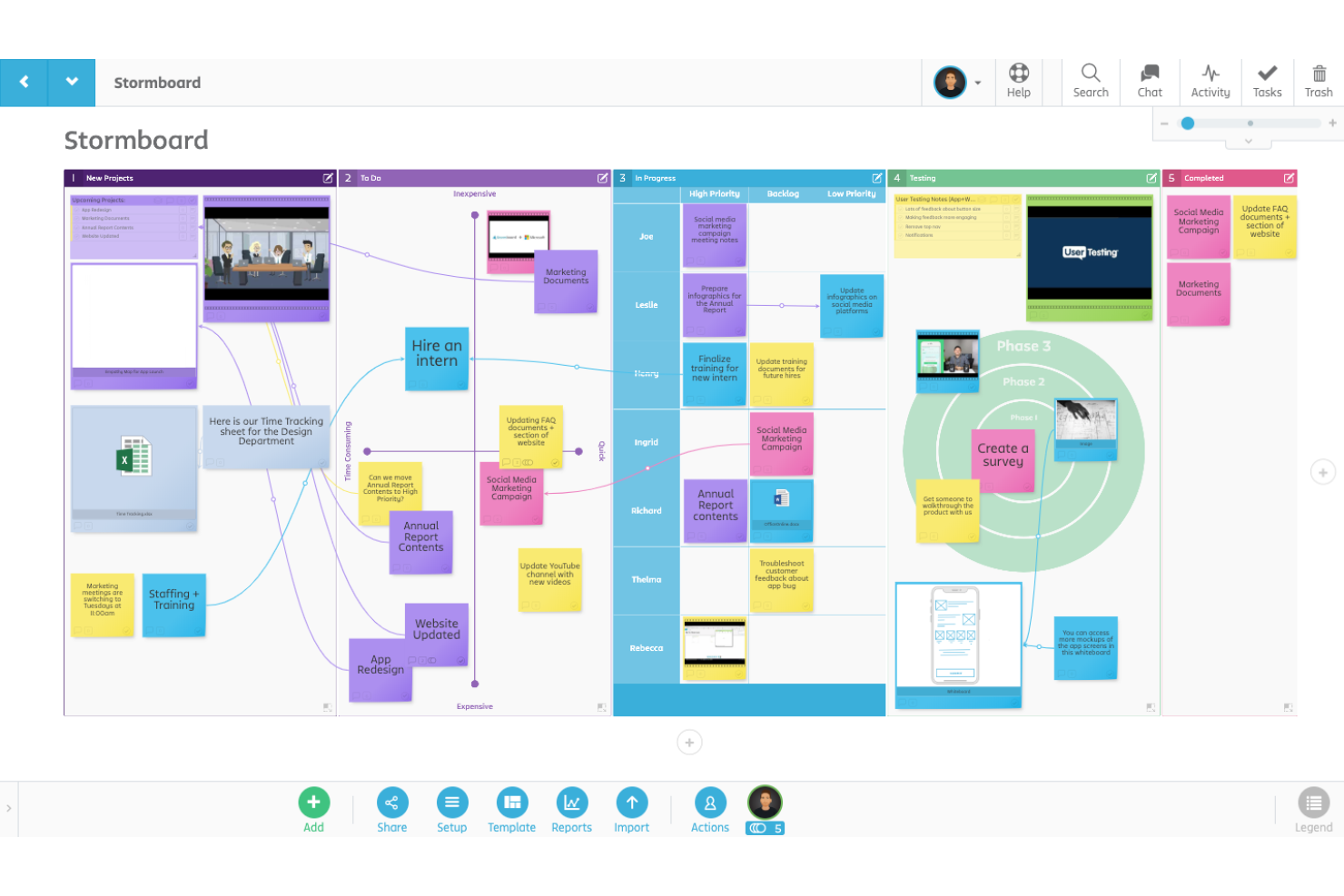
Stormboard è uno spazio di lavoro digitale progettato per facilitare una collaborazione di squadra più efficace, il brainstorming e la pianificazione dei progetti. Supporta la connettività continua con strumenti popolari come Microsoft Office 365, Google Workspace e Slack, permettendo ai team di mantenere i propri processi consolidati mentre sfruttano le funzionalità collaborative e di pianificazione visiva di Stormboard.
Perché è una buona alternativa a Jamboard: L’ampia gamma di opzioni di integrazione di Stormboard e le sue funzionalità di gestione progetti più complete la distinguono tra le altre soluzioni per lavagne digitali. Offre numerosi strumenti per la gestione delle attività, come l’assegnazione di compiti, il monitoraggio dei progressi e la generazione di report, rendendola ideale per progetti più complessi. Inoltre, la sua compatibilità con numerose applicazioni di terze parti ne aumenta la funzionalità in diversi ambienti professionali.
Funzionalità e integrazioni principali:
Le funzionalità includono collaborazione in tempo reale, note adesive digitali, lavagne interattive, modelli per diversi processi aziendali, strumenti avanzati di reportistica e analisi, assegnazione delle attività e monitoraggio dei progressi, spazi di lavoro personalizzabili, crittografia sicura dei dati e accessibilità da dispositivi mobili.
Le integrazioni includono Microsoft Teams, Microsoft Office, Google Drive, Slack, Trello, Dropbox, OneDrive, Zapier, Jira e Zoom.
Pros and Cons
Pros:
- Collaborazione in tempo reale
- Modelli personalizzabili
- Numerose opzioni di integrazione
Cons:
- Funzionalità offline limitate
- Curva di apprendimento iniziale per i nuovi utenti


InVision Freehand è una piattaforma collaborativa di lavagna online progettata per aiutare i team a visualizzare idee, mappare processi e iterare rapidamente sui progetti in tempo reale. Offre una tela interattiva dove i membri del team possono disegnare, scrivere e posizionare asset digitali.
Perché è una valida alternativa a Jamboard: InVision Freehand si distingue per la collaborazione nei team di design grazie alla sua interfaccia intuitiva e inclusiva che risponde specificamente alle esigenze dei designer. Supporta una gamma di strumenti visivi come wireframe, prototipazione e disegno in tempo reale, essenziali per creare e affinare concetti progettuali in modo collaborativo.
Funzionalità e integrazioni di spicco:
Le funzionalità includono collaborazione in tempo reale su una tela condivisa, ampi strumenti di disegno e annotazione, modelli per diversi processi di progettazione e pianificazione, tela infinita per uno spazio senza limiti, funzionalità di voto e sondaggi, condivisione schermo e opzioni di condivisione sicura per controllare accesso e visibilità.
Le integrazioni includono Slack, Microsoft Teams, Jira, Trello, Google Drive, Dropbox, Zoom, Adobe XD, Sketch e Figma.
Pros and Cons
Pros:
- Strumenti di design intuitivi
- Feedback in tempo reale
- Grande attenzione alle attività di design
Cons:
- Funzionalità limitate per progetti non di design
- Possibile curva di apprendimento per i nuovi utenti


Bluebeam Revu è un'applicazione software progettata specificamente per i professionisti dell'architettura, dell'ingegneria e delle costruzioni per semplificare processi complessi e aumentare l'efficienza e la collaborazione nei progetti.
Perché è una buona alternativa a Jamboard: Bluebeam Revu offre funzionalità avanzate di markup pensate per progetti di costruzione e ingegneria, che normalmente non sono disponibili negli strumenti di whiteboard standard come Jamboard. La sua attenzione alle esigenze specifiche del settore ne fa una scelta superiore per i professionisti di questi ambiti.
Funzionalità principali & integrazioni:
Le funzionalità includono strumenti avanzati di markup ed editing PDF, set di strumenti personalizzabili, confronto tra documenti e disegni, processi batch, creazione di PDF 2D e 3D, strumenti di misurazione per stime accurate e una lista dei markup per tracciare annotazioni e modifiche.
Le integrazioni includono Microsoft SharePoint, Dropbox, Box, OneDrive, AutoCAD, Revit, Navisworks, Google Drive, Outlook e Salesforce.
Pros and Cons
Pros:
- Strumenti di markup avanzati
- Collaborazione in tempo reale
- Gestione documentale solida
Cons:
- Costo superiore rispetto agli strumenti PDF di base
- Consumo elevato di risorse per file di grandi dimensioni


Conceptboard è uno strumento di collaborazione basato su cloud che si concentra sull'offrire una lavagna virtuale dove i team possono lavorare insieme visivamente e in tempo reale. È progettato per facilitare la collaborazione a distanza, rendendolo ideale per team distribuiti in diverse sedi.
Perché è una valida alternativa a Jamboard: Conceptboard eccelle nella gestione di progetti visivi su larga scala, un aspetto fondamentale per i team che affrontano flussi di lavoro estesi e dettagliati. Agevola la collaborazione senza sforzo tra grandi team grazie a funzionalità come aggiornamenti in tempo reale, opzioni di commento estese e strumenti di gestione delle attività, assicurando che tutti restino allineati e informati.
Funzionalità & integrazioni principali:
Le funzionalità includono una dimensione illimitata della tela, strumenti di collaborazione in tempo reale, ampie possibilità di commento e feedback, gestione delle attività con assegnazioni e scadenze, controlli di accesso sicuri, supporto per videoconferenze, opzioni di importazione ed esportazione di alta qualità, libreria di modelli per diversi casi d'uso e compatibilità con dispositivi mobili.
Le integrazioni includono Microsoft Teams, Slack, Google Drive, Dropbox, Trello, Asana, Jira, OneDrive, Zapier e Box.
Pros and Cons
Pros:
- Tela infinita per grandi progetti
- Collaborazione in tempo reale
- Strumenti avanzati di gestione progetti
Cons:
- Può essere intensivo in termini di risorse
- Richiede una connessione Internet stabile per prestazioni ottimali


Sketchboard è un software di lavagna digitale progettato principalmente per sviluppatori e team che necessitano di un modo visivo per fare brainstorming, pianificare e collaborare su progetti di progettazione e sviluppo software. Offre una tela virtuale su cui gli utenti possono disegnare diagrammi, flowchart e mappe mentali, utilizzando una varietà di forme e strumenti pensati per l'architettura e l'ingegneria del software.
Perché è una buona alternativa a Jamboard: Sketchboard offre funzionalità specificatamente pensate per gli sviluppatori software, come diagrammi UML e flowchart, che solitamente non si trovano negli strumenti di lavagna generici come Jamboard. La sua attenzione alle esigenze particolari degli sviluppatori lo rende un'ottima alternativa.
Funzionalità e integrazioni principali:
Le funzionalità includono una lavagna digitale, collaborazione in tempo reale, una varietà di strumenti e forme di disegno specifici per l'ingegneria del software, come simboli UML e flowchart, controllo di versione, supporto alla collaborazione asincrona, bacheche scalabili, opzioni di esportazione in diversi formati e un'interfaccia utente intuitiva progettata per facilitare la mappatura di sistemi e processi complessi.
Le integrazioni includono GitHub, Slack, Google Drive, Trello, Jira, Dropbox, Microsoft Teams, GitLab, Asana e Bitbucket.
Pros and Cons
Pros:
- Strumenti specializzati per lo sviluppo software
- Collaborazione in tempo reale
- Supporta vari tipi di diagrammi
Cons:
- Limitato a diagrammi e disegni
- Può risultare complesso per chi non è sviluppatore

Il software Vibe è uno strumento collaborativo che combina una lavagna digitale interattiva con ampie capacità di integrazione per facilitare la collaborazione e la comunicazione del team. È progettato per supportare una vasta gamma di funzioni, dal brainstorming e pianificazione di progetti all'istruzione e alle presentazioni a distanza.
Perché è una buona alternativa a Jamboard: Vibe offre una soluzione hardware e software perfettamente integrata che garantisce un'esperienza più coesa rispetto a Jamboard. Le sue funzionalità avanzate e l'hardware dedicato lo rendono un'opzione di spicco per le organizzazioni che cercano uno strumento collaborativo tutto-in-uno.
Funzionalità distintive e integrazioni:
Le funzionalità includono una lavagna digitale interattiva, modifica in tempo reale multiutente, archiviazione cloud, schermo touchscreen ad alta risoluzione, browser web integrato, condivisione ed esportazione semplice dei contenuti, accesso remoto tramite app mobili, ampi strumenti di annotazione e supporto per molteplici formati di file per presentazioni multimediali complete.
Le integrazioni includono Zoom, Microsoft Teams, Slack, Google Drive, OneDrive, Dropbox, Trello, Miro, Asana e Jira.
Pros and Cons
Pros:
- Touchscreen 4K di alta qualità
- Integrazione fluida tra hardware e software
- Strumenti di collaborazione in tempo reale
Cons:
- Richiede l'investimento in hardware dedicato
- Pensato principalmente per gli ambienti di lavoro in sede

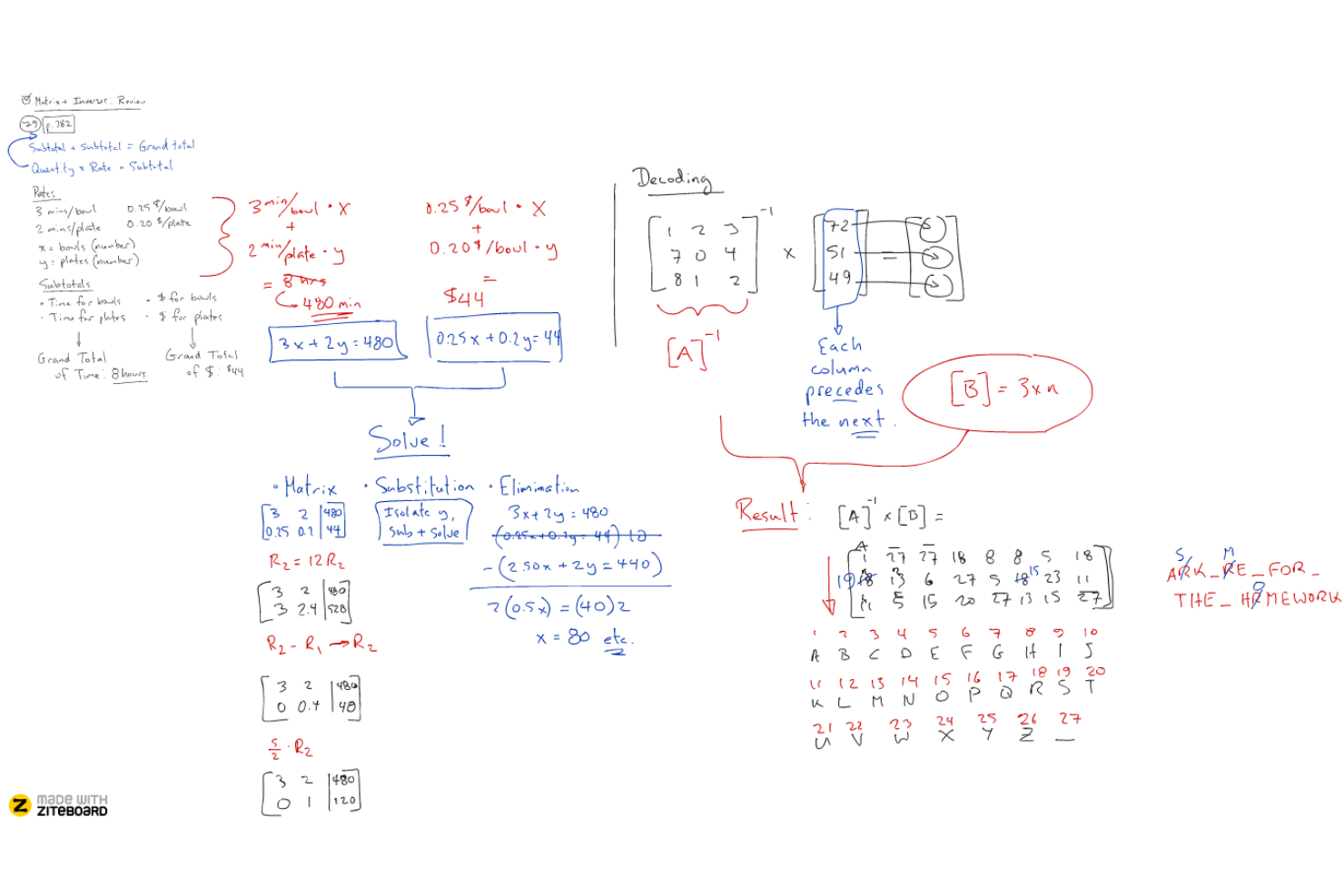
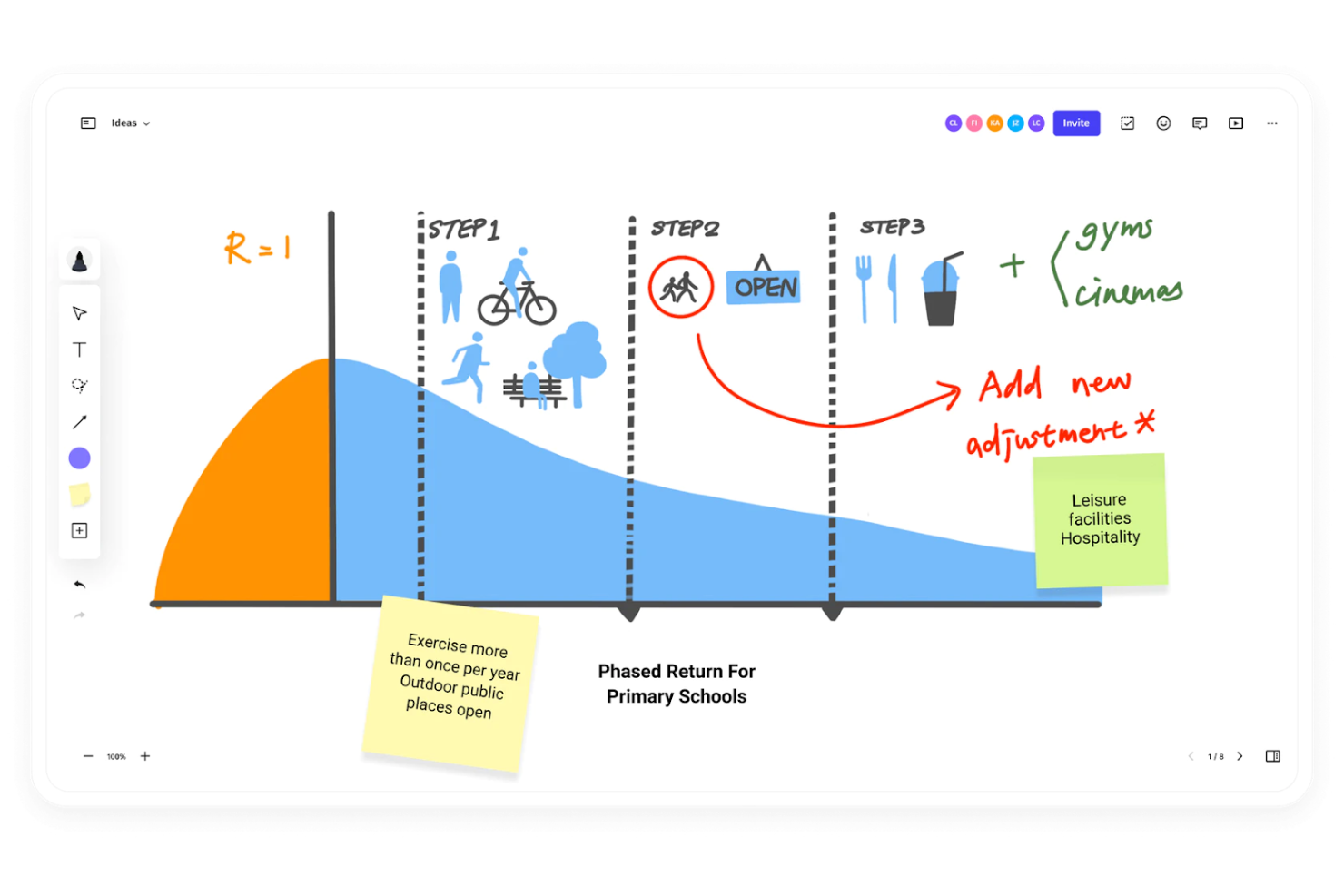
Ziteboard è uno strumento di lavagna online progettato per facilitare una collaborazione fluida e immediata in tempo reale. Offre un'interfaccia intuitiva che consente ai team di lavorare insieme senza sforzo, condividendo idee, schizzi e appunti all'istante.
Perché è una buona alternativa a Jamboard: Ziteboard si distingue per la sua piattaforma intuitiva che favorisce la collaborazione immediata tra i membri del team. La sua semplicità e attenzione all'essenziale lo rendono una scelta ideale per chi necessita di sessioni interattive efficienti e in tempo reale, senza funzionalità complesse.
Funzionalità principali e integrazioni:
Le funzionalità includono un'interfaccia utente ingrandibile, grafica vettoriale, sincronizzazione in tempo reale, gestione affidabile delle disconnessioni, URL permanenti e condivisibili delle lavagne, servizio white label, chat vocale e video, componente aggiuntivo per tracciato di grafici, importazione ed esportazione PDF, post-it, lavagne personalizzabili, box di navigazione e strumenti e forme intelligenti.
Le integrazioni includono WordPress, Google Suite e Adobe Illustrator.
Pros and Cons
Pros:
- Tela illimitata per ampie sessioni di brainstorming
- Collaborazione in tempo reale
- Facile integrazione con le principali piattaforme
Cons:
- Funzionalità avanzate limitate per progetti complessi
- Necessita di una connessione internet stabile per prestazioni ottimali


Limnu è uno strumento di collaborazione online che offre una lavagna digitale progettata per simulare la sensazione e la semplicità di utilizzo di una lavagna reale. È pensato per migliorare il lavoro di squadra offrendo un'interfaccia altamente intuitiva in cui gli utenti possono schizzare, disegnare e scrivere come se stessero usando veri pennarelli e cancellini.
Perché è una buona alternativa a Jamboard Limnu offre un'esperienza di disegno che somiglia molto a quella di una lavagna fisica, il che è vantaggioso per gli utenti alla ricerca di uno strumento familiare e confortevole. La sua semplicità e il suo realismo lo rendono una valida alternativa agli strumenti più digitali come Jamboard.
Funzionalità di rilievo e integrazioni:
Le funzionalità includono collaborazione in tempo reale su una lavagna digitale, disegno fluido con strumenti che imitano i veri pennarelli, una tela infinita per brainstorming estesi, interfaccia utente semplice, possibilità di creare più lavagne, gestione degli utenti per invitare e controllare gli accessi, compatibilità mobile per consentire la partecipazione da vari dispositivi e opzioni di condivisione semplici per diffondere rapidamente i contenuti della lavagna.
Le integrazioni includono Slack, Trello, Google Drive, Dropbox, Microsoft Teams, Zoom, Evernote, GitHub, Asana e Confluence.
Pros and Cons
Pros:
- Esperienza di disegno realistica
- Collaborazione in tempo reale
- Lavagne illimitate
Cons:
- Può essere meno efficace per la creazione di diagrammi dettagliati
- Opzioni di esportazione limitate

Lucidspark
Ideale per brainstorming in ambienti Agile
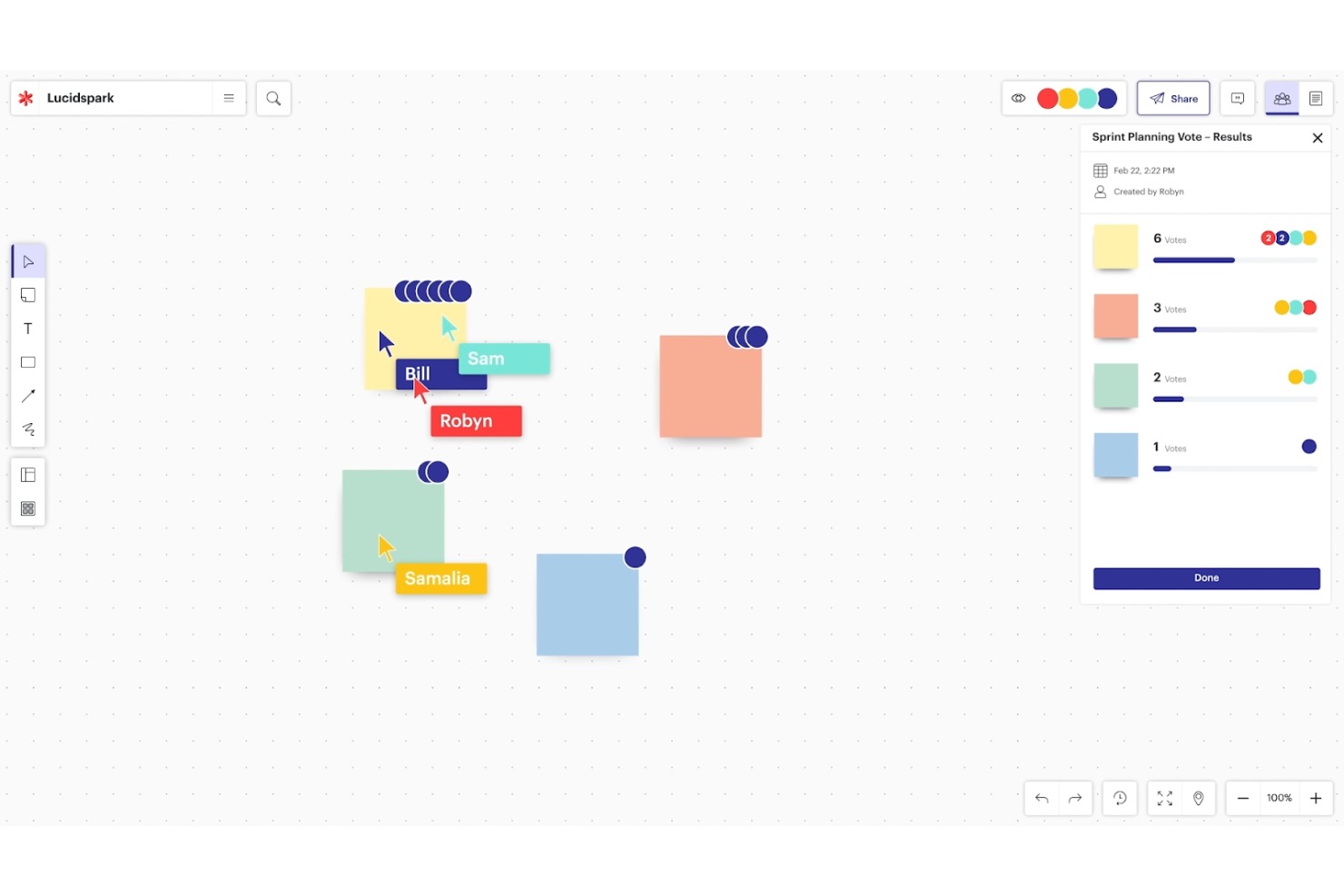
Lucidspark è una piattaforma di lavagna virtuale progettata per facilitare la collaborazione e il brainstorming tra i team, soprattutto in ambienti di lavoro remoti o ibridi. Supporta anche la collaborazione in tempo reale, consentendo ai partecipanti di contribuire simultaneamente.
Perché è una valida alternativa a Jamboard: Lucidspark eccelle nel supportare le metodologie Agile, che richiedono iterazione rapida e collaborazione in tempo reale. Offre funzionalità di collaborazione dinamica e modelli flessibili che si adattano alla natura iterativa dei flussi di lavoro Agile.
Funzionalità e integrazioni principali:
Funzionalità includono collaborazione in tempo reale su una lavagna virtuale condivisa, note adesive per catturare e organizzare idee, strumenti di disegno libero, modelli predefiniti per vari flussi di lavoro, funzioni di voto e timer per facilitare il processo decisionale, tracciamento del cursore dal vivo per vedere le azioni dei partecipanti e sessioni facilitate per brainstorming guidati.
Integrazioni includono Jira, Confluence, Trello, Slack, Microsoft Teams, Zoom, Google Drive, Dropbox, Lucidchart e Asana.
Pros and Cons
Pros:
- Funzionalità dinamiche di collaborazione
- Strumenti intuitivi per brainstorming
- Modelli flessibili per flussi di lavoro Agile
Cons:
- Può risultare complesso per i team non Agile
- Funzionalità offline limitate
Altre alternative a Jamboard
Di seguito è riportato un elenco di ulteriori alternative a Jamboard che ho selezionato. Sebbene non siano rientrate tra le prime 10, sono comunque valide e meritano ulteriori approfondimenti.
- GoodDay
Ideale per spazi di lavoro personalizzabili
- Wooclap
Ideale per l'apprendimento interattivo e il coinvolgimento del pubblico
- Microsoft Whiteboard
Ideale per un'integrazione senza interruzioni con Office 365
- Teamflow
Ideale per esperienze immersive di ufficio virtuale


Recensioni correlate sui software di gestione dei progetti
Se non hai ancora trovato quello che cerchi, dai un'occhiata a questi altri strumenti correlati che abbiamo testato e valutato:
- Software di gestione dei progetti
- Software di gestione delle risorse
- Software di automazione dei flussi di lavoro
- Software per il monitoraggio del tempo
- Software di gestione delle attività
- Strumenti di collaborazione
- Creazione di diagrammi di Gantt
- Strumenti di produttività
- Software per il monitoraggio dei progetti
- Software per la pianificazione dei progetti
Come valuto le alternative a Jamboard
Valuto le alternative a Jamboard su due livelli: la dotazione di base che ogni strumento deve offrire—canvas infinito, co-modifica in tempo reale, modelli per la gestione dei progetti—e i fattori che distinguono davvero le opzioni migliori.
Funzionalità fondamentali (requisiti imprescindibili per questo elenco)
Quando seleziono gli strumenti per il mio elenco, assegno a ciascuno un punteggio su una scala da 0 (non offre la funzionalità) a 5 (eccelle in quest'area) per ogni funzionalità fondamentale indicata di seguito. Poi calcolo il punteggio totale dello strumento e lo converto in percentuale. Ogni strumento deve raggiungere un punteggio totale minimo del 65% per essere preso in considerazione.
- Canvas digitale infinito: verifico se la bacheca consente di ingrandire, spostarsi e ampliarsi liberamente—una caratteristica importante quando si deve tracciare una roadmap completa di rilascio o una sequenza temporale articolata su più sprint.
- Collaborazione in tempo reale: i cursori dal vivo, gli indicatori di presenza e la modifica simultanea sono importanti quando il team distribuito conduce insieme un brainstorming o una retrospettiva.
- Modelli per la gestione dei progetti: cerco layout pronti all'uso, come bacheche Kanban, retrospettive degli sprint e strutture per le roadmap, che consentano di risparmiare tempo nella configurazione prima di un workshop.
- Note adesive e strumenti visivi: gli elementi fondamentali—note adesive digitali, penne, forme e connettori—devono essere abbastanza flessibili da consentire qualsiasi attività, dalla mappatura delle affinità ai diagrammi delle dipendenze.
- Integrazioni con gli strumenti di gestione dei progetti: valuto se la piattaforma si collega a strumenti come Jira, Asana o Trello, in modo che le idee raccolte sulla bacheca confluiscano nel backlog effettivo.
- Opzioni di condivisione ed esportazione: i team devono poter condividere le bacheche tramite link con controlli delle autorizzazioni ed esportarle in formati come PDF o PNG per gli aggiornamenti agli stakeholder e la documentazione.
Una volta ottenuto un elenco di strumenti che soddisfano questi criteri, considero ciò che distingue ogni piattaforma.
Fattori distintivi (ciò che differenzia i fornitori)
Ecco come confronto i diversi fornitori:
Funzionalità distintive
Gli strumenti per le votazioni e la facilitazione—votazione con puntini, timer e sondaggi—fanno davvero la differenza quando si conduce una retrospettiva e serve raggiungere rapidamente un consenso sulle attività da intraprendere. Cerco anche la conversione in attività, grazie alla quale una nota adesiva diventa un'attività assegnabile con una scadenza che si sincronizza nuovamente con lo strumento di gestione dei progetti. Anche la modalità di presentazione è importante: consente di accompagnare gli stakeholder attraverso una bacheca di revisione dello sprint seguendo una sequenza guidata, invece di mostrare un canvas disordinato.
Oltre le funzionalità
Poiché la maggior parte dei team che prendono in considerazione le alternative a Jamboard utilizza già Google Workspace, valuto quanto bene ogni strumento si integri con Drive, Docs e Meet. Un percorso di migrazione fluido—inclusa la possibilità di importare i file Jamboard esistenti—evita notevoli difficoltà durante l'inserimento dei nuovi utenti. Anche la struttura dei prezzi è importante; verifico se l'accesso per i visualizzatori è gratuito, poiché le bacheche di progetto spesso raggiungono stakeholder che hanno solo bisogno di osservare. L'accessibilità multipiattaforma completa la mia valutazione, in particolare il supporto per pennini e touchscreen nelle sale riunioni ibride.
Perché cercare un'alternativa a Jamboard
Gli utenti cercano spesso un'alternativa a Jamboard perché hanno bisogno di funzionalità più avanzate, di un maggiore accesso da dispositivi mobili, di determinati requisiti di integrazione o di più funzionalità collaborative.
E Google è perfettamente consapevole di questo, citando questi incidenti come il motivo principale della decisione di chiudere Jamboard. Secondo l’annuncio di Google, la crescente popolarità e le funzionalità degli altri software per lavagne digitali li hanno portati a cambiare strategia e a integrare Google Workspace con queste applicazioni di terze parti, invece di concentrarsi sull’espansione di Jamboard.
Sebbene gli attuali utenti di Jamboard potranno passare senza problemi a Workspace e migrare i Jams esistenti verso applicazioni di terze parti, per te e il tuo team potrebbe essere più semplice trovare una soluzione alternativa. Ed è qui che entrano in gioco le mie recensioni.
Caratteristiche principali delle alternative a Jamboard
La scelta delle alternative giuste a Jamboard richiede la comprensione delle caratteristiche principali che migliorano la collaborazione e la produttività nell’uso delle lavagne digitali. Ecco alcune delle funzionalità più importanti che la tua alternativa a Jamboard dovrebbe avere:
- Collaborazione in tempo reale: consente a più utenti di lavorare simultaneamente sulla stessa area di lavoro, risultando perfetta per le sessioni di brainstorming e le riunioni del team.
- Area di lavoro infinita: offre ampio spazio per sviluppare le idee senza i limiti delle lavagne fisiche, risultando ideale per gestire i progetti e delineare piani complessi.
- Strumenti di annotazione e disegno: sono essenziali per contrassegnare i documenti, creare diagrammi ed esprimere visivamente le idee, supportando la gestione dei flussi di lavoro di progettazione.
- Funzionalità di integrazione: si connette ad altri software come Slack, Trello o Google Workspace, consentendo ai team di gestire i propri flussi di lavoro senza problemi all’interno degli ecosistemi già in uso.
- Modelli e risorse predefinite: offre strutture e design pronti all’uso per velocizzare il processo di configurazione di nuove lavagne, aiutando i team a gestire in modo efficiente le sessioni di brainstorming.
- Controllo degli accessi e autorizzazioni: garantisce la sicurezza delle informazioni sensibili e consente agli utenti di gestire i diritti di accesso, un aspetto essenziale per mantenere le gerarchie del team e la privacy dei dati.
- Opzioni di esportazione e importazione: consente agli utenti di importare file esterni e salvare il lavoro in vari formati, supportando la gestione dei contenuti su piattaforme diverse.
- Supporto per dispositivi mobili e tablet: offre agli utenti la flessibilità di contribuire da qualsiasi dispositivo, una funzione essenziale per i team che gestiscono le attività in mobilità.
- Personalizzazione: consente ai team di adattare l’area di lavoro alle proprie esigenze specifiche, dai colori dello sfondo alle configurazioni predefinite degli strumenti, garantendo la possibilità di gestire il proprio ambiente creativo.
- Monitoraggio delle attività degli utenti e analisi: aiuta a monitorare il coinvolgimento e i contributi, un aspetto fondamentale per i team che devono gestire la partecipazione e misurare l’impatto delle proprie attività collaborative.
Scegliere la giusta alternativa a Jamboard significa trovare una soluzione che non solo soddisfi le esigenze specifiche del tuo team, ma migliori anche il modo in cui collaborate e visualizzate idee complesse. Cerca uno strumento che combini queste funzionalità con un’interfaccia intuitiva per massimizzare la produttività e la creatività del tuo team.