



Celoxis vs. Jira: Confronto e Recensioni degli Esperti per il 2026



Celoxis offre una soluzione per i team che necessitano di funzionalità di gestione progetti complete, mentre Jira è uno strumento di riferimento per i team agili che vogliono migliorare i loro flussi di lavoro. Celoxis e Jira offrono entrambe soluzioni efficaci per la gestione dei progetti, ma sono pensate per metodologie e necessità di team diverse.
Leggi il mio confronto ed esame esperto di ciascun strumento, che ho realizzato attingendo alla mia vasta esperienza nella gestione progetti. Affronto funzioni principali, pro e contro e prezzi per aiutarti a scegliere il software di project management più adatto al tuo team.
Celoxis vs. Jira: An Overview
Celoxis




Jira

Perché fidarsi dei nostri consigli sui software
Il nostro team testa e recensisce software dal 2012. In quanto project manager noi stessi, sappiamo quanto sia difficile — e importante — scegliere il software giusto.
Per questa guida, abbiamo valutato gli strumenti attraverso test pratici e ricerche indipendenti, assegnando un punteggio agli strumenti in base ai nostri criteri di selezione. Ci basiamo inoltre sulle competenze di leader di pensiero del settore e di professionisti attivi nella gestione dei progetti.
Le nostre recensioni riflettono il nostro giudizio editoriale umano, non un discorso di vendita.
Revisori esperti:
Celoxis vs. Jira Pricing Comparison
| Celoxis | Jira | |
|---|---|---|
| Free Trial | 14-day free trial | Free plan + 14-day free trial available |
| Pricing | From $10/user/month (billed annually) | From $7.91/user/month |
Prezzi Celoxis vs. Jira & Costi Nascosti
Il prezzo di Celoxis è strutturato come modello in abbonamento per utente, con costi che aumentano aggiungendo funzionalità premium, integrazioni e supporto. Il prezzo di Jira segue un modello di abbonamento a livelli simile che si adatta al numero di utenti, spazio di archiviazione e regole di automazione richieste.
Per scegliere lo strumento giusto per le tue esigenze, valuta la dimensione del tuo team, le funzionalità desiderate e il potenziale di crescita, per assicurarti che il modello di pricing si adatti ai tuoi progetti futuri.
Celoxis vs. Jira Feature Comparison
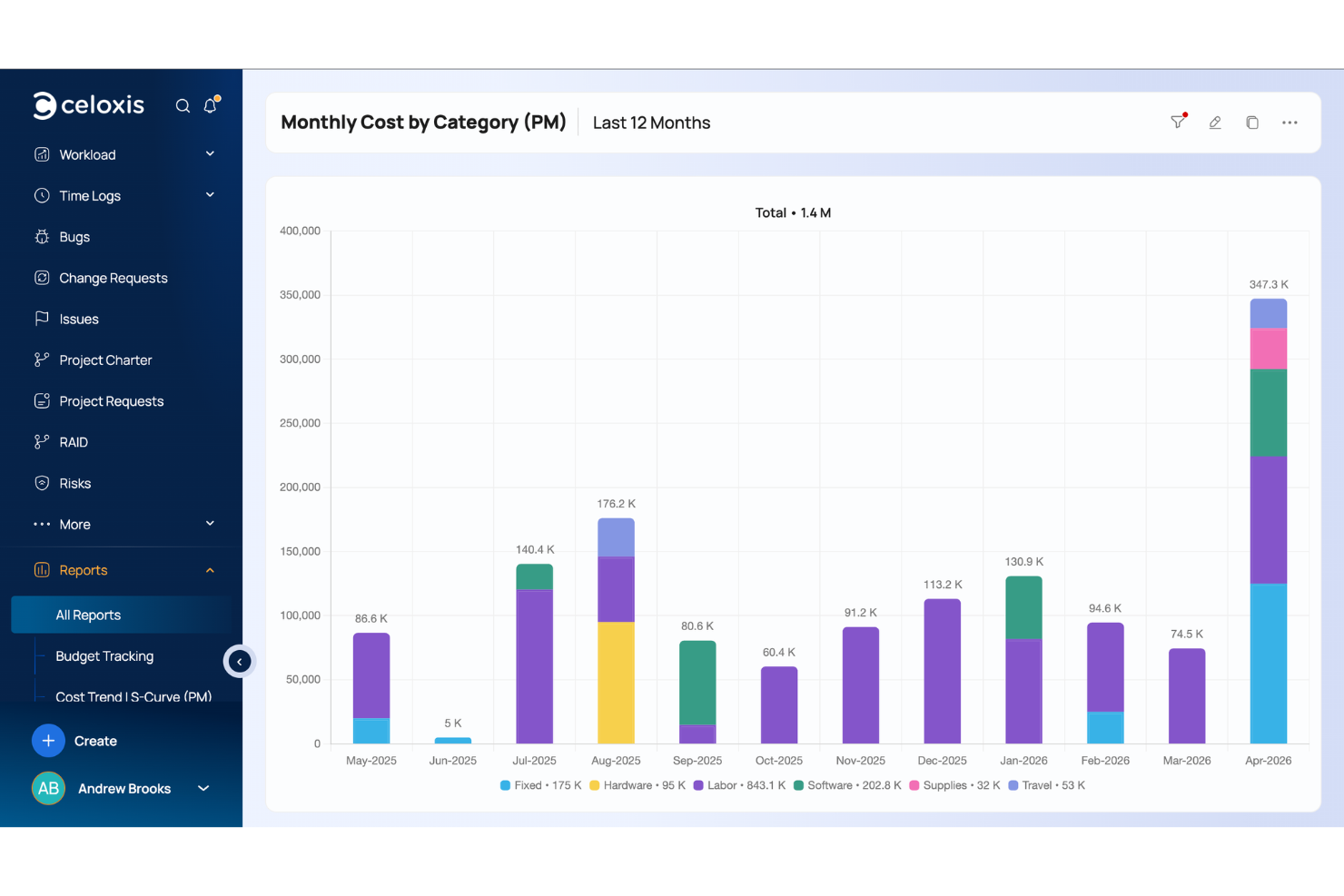
I dashboard personalizzabili di Celoxis sono perfetti per progetti complessi e su più fasi, e puoi facilmente tenere traccia dell’avanzamento del progetto e delle scadenze. Le roadmap drag-and-drop di Jira sono ideali per i team agili che hanno bisogno di visualizzare le tempistiche e modificare rapidamente le attività.
| Celoxis | Jira | |
|---|---|---|
| API | ||
| Calendar Management | ||
| Collaboration Support | ||
| Dashboards | ||
| Data Export | ||
| Data Import | ||
| External Integrations | ||
| File Sharing | ||
| Gantt Charts | ||
| Kanban Boards | ||
| Multi-User | ||
| Notifications | ||
| Project Management | ||
| Task Scheduling/Tracking | ||
| Time Management |
Celoxis vs. Jira Integrazioni
| Integrazione | Celoxis | Jira |
|---|---|---|
| Slack | ✅ | ✅ |
| Microsoft Teams | ✅ | ✅ |
| Google Workspace | ✅ | ✅ |
| Salesforce | ✅ | ❌ |
| Trello | ✅ | ✅ |
| QuickBooks | ✅ | ❌ |
| Dropbox | ❌ | ✅ |
| GitHub | ✅ | ✅ |
| API | ✅ | ✅ |
| Zapier | ✅ | ✅ |
L'integrazione di Celoxis con QuickBooks consente di gestire la contabilità direttamente all'interno dei flussi di lavoro di progetto. L'integrazione di Jira con GitHub è ottima per i team di sviluppo che devono collegare la gestione del codice al monitoraggio dei progetti e mantenere la collaborazione tra sviluppatori e project manager.
Celoxis vs. Jira Sicurezza, Conformità & Affidabilità
| Fattore | Celoxis | Jira |
|---|---|---|
| Privacy dei dati | Celoxis mantiene la privacy dei dati tramite data center sicuri e conformità GDPR e SOC 2. | Jira garantisce privacy e sicurezza dei dati tramite conformità SOC 2 e GDPR. |
| Crittografia | Celoxis utilizza la crittografia TLS per proteggere i dati in transito. | Jira impiega la crittografia TLS per proteggere i dati durante la trasmissione. |
| Controllo degli accessi | Celoxis offre controlli degli accessi basati sui ruoli che consentono di gestire le autorizzazioni degli utenti. | Jira offre permessi personalizzabili e controlli degli accessi basati sui ruoli. |
Sia Celoxis che Jira propongono funzioni robuste in materia di sicurezza e conformità. Concentrati sugli standard e le certificazioni rilevanti per il tuo settore e assicurati che il fornitore offra documentazione e supporto trasparenti.
Celoxis vs. Jira Facilità d'Uso
| Fattore | Celoxis | Jira |
|---|---|---|
| Interfaccia utente | Celoxis presenta un'interfaccia pulita e intuitiva, facile da navigare e con viste personalizzabili. | L'interfaccia di Jira è altamente personalizzabile ma può risultare complessa per i principianti. |
| Esperienza di onboarding | Celoxis offre un onboarding completo con tutorial e configurazioni guidate. | Jira fornisce una documentazione estesa e forum della community per l'onboarding. |
| Configurazione | Celoxis richiede una configurazione minima, il che consente un avvio rapido dei progetti. | La configurazione di Jira può essere lunga a causa dell'ampia gamma di opzioni di personalizzazione. |
| Supporto | Celoxis offre un supporto clienti reattivo con accesso diretto agli esperti. | Jira offre un supporto solido tramite un'ampia community online e guide dettagliate. |
Celoxis è semplice e facile da utilizzare fin da subito, il che lo rende ideale per i team che cercano semplicità e rapidità nella configurazione. Jira, sebbene sia molto potente in termini di personalizzazione, può essere travolgente all'inizio per via della sua complessità, ma offre comunque risorse dettagliate e una community di supporto per chi ne ha bisogno.
Celoxis vs Jira: Pros & Cons
Celoxis
- Celoxis excels in scheduling and resource management, helping your team stay organized.
- It offers advanced reporting features that give you valuable insights into your projects.
- The intuitive interface makes it easy for your team to adopt and use daily.
- Some users find the customization options overwhelming and time-consuming.
- The initial learning curve can be steep, especially for new team members.
- It may lack some out-of-the-box templates that other tools provide, requiring more setup time.
Jira
- Agile workflow management supports Scrum and Kanban and can improve your teams' productivity.
- Automation rules are easy to set up, which helps your team speed up their work.
- Custom filters can be created and accessed quickly, which improves your team's efficiency.
- Field names can be confusing, which might slow down your team's workflow.
- The interface can be too crowded in Scrum projects, which can make it hard for your team to navigate.
- There's a lack of resource management capabilities, which could limit your team's planning.
Best Use Cases for Celoxis and Jira
Celoxis
- IT Departments Celoxis helps you manage intricate IT projects with its detailed scheduling and resource allocation tools.
- Consulting Firms If you’re juggling multiple clients, Celoxis’s advanced reporting and project tracking features keep your work organized.
- Marketing Teams You can benefit from Celoxis’s ability to handle multifaceted campaigns and track performance metrics.
- Construction Companies Celoxis’s scheduling capabilities are ideal for managing timelines and resources in construction projects.
- Product Development Its features support complex product development cycles, keeping your team aligned and deadlines met.
- Event Planning Celoxis helps you coordinate numerous tasks and vendors, ensuring your events go off without a hitch.
Jira
- Software development Jira’s agile tools like Scrum and Kanban boards make it perfect for managing software projects.
- IT departments Its issue tracking capabilities help your team efficiently handle technical support and bug fixes.
- Tech startups Jira offers customization capabilities that allow your team to scale and adapt as your projects grow.
- Agile teams Sprint planning and backlog management features keep your agile processes organized and effective.
- Large enterprises Jira’s automation rules can streamline your complex workflows and improve team productivity.
- Project managers Its reporting and analytics provide insights that help you make informed decisions quickly.
Chi dovrebbe usare Celoxis e chi dovrebbe usare Jira?
Secondo me, Celoxis è ideale per i team che cercano una soluzione di project management diretta, con funzionalità di monitoraggio finanziario. È perfetto per le aziende che gestiscono più progetti in settori come manifattura e servizi professionali. Jira, dal mio punto di vista, è più adatto a team di sviluppo software agile che necessitano di maggiore personalizzazione e opzioni di integrazione per flussi di lavoro complessi.
Se il vostro team dà valore alla semplicità e a una configurazione rapida, consiglio Celoxis, ma se cercate maggiore flessibilità e una vasta gamma di funzionalità, Jira è la scelta giusta.
Differences Between Celoxis and Jira
| Celoxis | Jira | |
|---|---|---|
| Customization | Celoxis allows for dashboard customization to fit your project needs. | Jira offers extensive customization options for agile project management workflows. |
| Integrations | Celoxis integrates well with financial tools like QuickBooks. | Jira integrates with development tools like GitHub. |
| Onboarding | Celoxis provides guided setup with tutorials for quick onboarding. | Jira offers a wealth of documentation and community support. |
| User Interface | Celoxis has a clean, intuitive interface for easy navigation. | Jira's interface is customizable but can be complex for new users. |
| Read Celoxis ReviewOpens new window | Read Jira ReviewOpens new window |
Similarities Between Celoxis and Jira
| Automation | Celoxis and Jira both support automation for repetitive tasks and can help improve efficiency. |
|---|---|
| Collaboration | They both include collaboration features like task comments and file sharing to keep your team connected. |
| Project Tracking | Both Celoxis and Jira offer robust project tracking capabilities for monitoring timelines and deadlines effectively—Celoxis does this via customizable dashboards and Jira offers boards that are tailored to agile methodologies. |
| Reporting | Both provide comprehensive reporting tools and let you generate detailed reports on project performance. |
| Scalability | Each tool is designed to grow with your team and supports scalability by letting you add more users and features as needed. |
| Read Celoxis ReviewOpens new window Read Jira ReviewOpens new window | |