


Zoho Projects Bewertung 2026: Vorteile, Nachteile, Funktionen und Preise



Zoho Projects is a web based project management tool built for teams that need structured task tracking, Gantt charts, and time logging without paying a premium. I'd consider it most seriously if your team is already inside the Zoho ecosystem—it connects natively with Zoho CRM, Zoho Books, and other Zoho apps in ways that Asana simply can't replicate. If tight integration across your business operations matters more than a polished UI, Zoho Projects gives you considerably more for less.
Zoho Projects Evaluation Summary
- From $4/user/month (billed annually)
- 15-day free trial + free plan + free demo available
Warum Sie unseren Software-Empfehlungen vertrauen können
Unser Team testet und bewertet Software seit 2012. Als Projektmanager wissen wir selbst, wie schwierig – und wichtig – es ist, die richtige Software auszuwählen.
Für diesen Leitfaden haben wir Tools mithilfe von praktischen Tests und unabhängiger Recherche bewertet und dabei unsere Bewertungskriterien angewendet. Zudem greifen wir auf Erkenntnisse von Branchenvordenkern und praktizierenden Projektmanagement-Experten zurück.
Unsere Bewertungen spiegeln unser menschliches redaktionelles Urteilsvermögen wider, keine Verkaufsstrategie.
Expertenprüfer:
Zoho Projects Overview
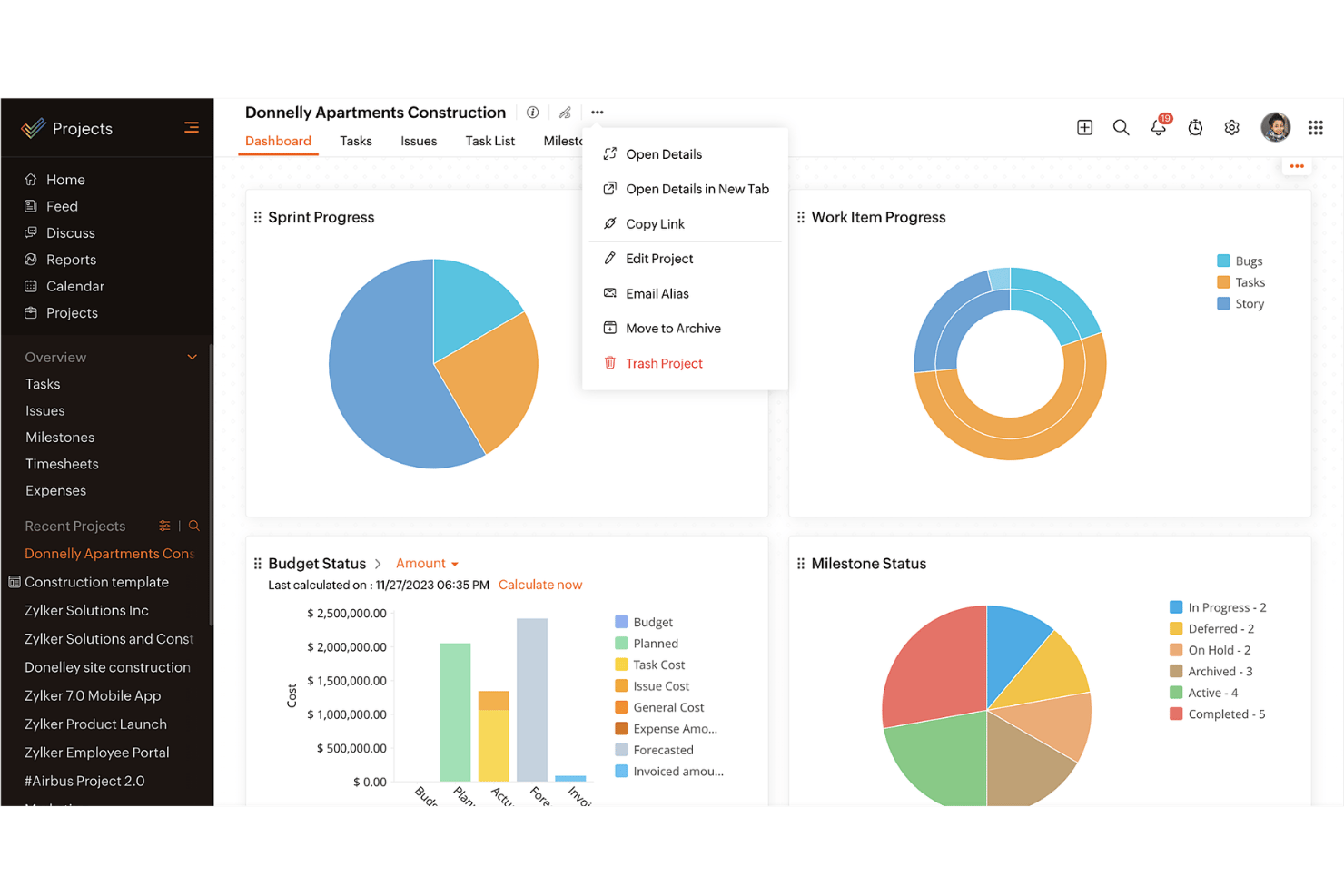
When judging Zoho Projects, its mix of customizable workflows, strong time tracking, and affordable pricing makes it a smart choice for teams moving fast on complex projects. Its onboarding process is quicker and less overwhelming than most, and the interface feels modern. I’ve found integrations with common tools sometimes require extra setup or add-ons, but task management is top-notch.
If you’re selecting software for a growing remote team or anyone who needs flexible planning plus granular reporting, Zoho Projects is a strong contender and should be on your shortlist.
pros
-
Task dependencies are highly visual and easy to set up.
-
Built-in time tracking integrates smoothly with billing features.
-
Customizable project templates support repeatable workflows.
cons
-
Reporting customization can be limited for advanced needs.
-
Mobile app notifications do not always sync in real time.
-
Gantt chart drag-and-drop can feel sluggish with large projects.
-

Celoxis
Visit WebsiteThis rating combines scores from multiple user review sites to reflect overall customer sentiment about the product.4.5 -
Smartsheet
Visit WebsiteThis rating combines scores from multiple user review sites to reflect overall customer sentiment about the product.4.5 -
Accelo
Visit WebsiteThis rating combines scores from multiple user review sites to reflect overall customer sentiment about the product.4.4





Unsere Bewertungsmethodik
Wie wir Tools testen & bewerten
Wir haben jahrelang unser System zur Softwareüberprüfung und -bewertung aufgebaut, verfeinert und verbessert. Das Bewertungsschema wurde entwickelt, um die Feinheiten der Softwareauswahl und die Effektivität eines Tools einzufangen, wobei der Fokus auf den entscheidenden Aspekten des Entscheidungsprozesses liegt. Unten sehen Sie genau, wie unser Test- und Bewertungssystem über sieben Kriterien hinweg funktioniert. So können wir eine objektive Einschätzung der Software auf Grundlage von Kernfunktionen, herausragenden Merkmalen, Benutzerfreundlichkeit, Onboarding, Kundenservice, Integrationen, Kundenbewertungen und Preis-Leistungs-Verhältnis bieten.
Kernfunktionalität (25% der Gesamtbewertung)
Ausgangspunkt unserer Bewertung ist immer die Kernfunktionalität des Tools. Hat es die grundlegenden Funktionen, die ein Nutzer erwarten würde? Sind einige dieser Kernfunktionen nur in höherpreisigen Tarifen verfügbar? Wir erwarten, dass ein Tool mindestens den grundlegenden Leistungsumfang seiner Mitbewerber erfüllt.
Herausragende Funktionen (25% der Gesamtbewertung)
Anschließend bewerten wir außergewöhnliche Funktionen, die über die üblichen Kernfunktionen hinausgehen. Eine hohe Bewertung spiegelt spezialisierte oder einzigartige Eigenschaften wider, durch die das Produkt schneller, effizienter oder für den Nutzer besonders wertvoll wird. Wir bewerten auch, wie einfach sich das Tool in andere Tools integrieren lässt, die üblicherweise im Tech-Stack zu finden sind, um die Funktionalität zu erweitern. Lösungen mit vielen nativen Integrationen, Drittanbieter-Anbindungen und API-Zugang zur Erstellung individueller Verknüpfungen schneiden am besten ab.
Benutzerfreundlichkeit (10% der Gesamtbewertung)
Wir berücksichtigen, wie schnell und einfach sich die Aufgaben – basierend auf der Kernfunktionalität – mit dem Tool erledigen lassen. Eine hohe Bewertung erhalten Tools, die durchdacht gestaltet und intuitiv bedienbar sind, mobile Apps und Vorlagen bieten und sogar komplexe Aufgaben einfach erscheinen lassen.
Onboarding (10% der Gesamtbewertung)
Wir wissen, wie wichtig eine schnelle Einführung im Team ist, und bewerten deshalb, wie leicht ein Tool mit minimaler Schulung erlernt und genutzt werden kann. Wir prüfen, wie schnell neue Teammitglieder ohne Vorkenntnisse starten können. Lösungen, die wenig oder gar keine Unterstützung erfordern, erhalten die höchste Bewertung.
Kundenservice (10% der Gesamtbewertung)
Wir überprüfen, wie schnell und unkompliziert Hilfe per Telefon, Live-Chat oder Wissensdatenbank verfügbar ist. Tools und Unternehmen, die Echtzeit-Support bieten, schneiden am besten ab; Chatbots am schlechtesten.
Kundenbewertungen (10% der Gesamtbewertung)
Neben unseren eigenen Tests beziehen wir auch den Net Promoter Score aktueller und ehemaliger Nutzer ein. Wir prüfen die Wahrscheinlichkeit, mit der sie das Tool erneut für die Kernfunktionalitäten wählen würden. Ein hohes Ergebnis spiegelt einen hohen Net Promoter Score bei aktuellen oder früheren Kund:innen wider.
Preis-Leistungs-Verhältnis (10% der Gesamtbewertung)
Abschließend vergleichen wir – unter Berücksichtigung aller anderen Kriterien – den Durchschnittspreis der Einstiegstarife mit den Kernfunktionen und bewerten das Preis-Leistungs-Verhältnis. Software, die mehr Leistung für weniger Geld bietet, bekommt die höchsten Werte.
Core Features
Task Management
Organize tasks with custom fields, subtasks, and dependencies. Visual boards help teams prioritize and schedule work quickly.
Project Templates
Create and reuse project templates to launch new projects faster. Templates keep recurring processes consistent for every team.
Time Tracking
Log hours directly on tasks with built-in time sheets. Billable and non-billable hours are easy to distinguish in reports.
Gantt Charts
View project timelines, milestones, and dependencies in a visual chart. Drag-and-drop editing lets you adjust schedules in seconds.
Issue Tracking
Capture, prioritize, and resolve bugs or project issues right in one place. Custom statuses make it simple to adapt to different workflows.
Document Management
Store, organize, and share files within each project. Version control helps teams keep up to date on the latest documents.
Ease of Use
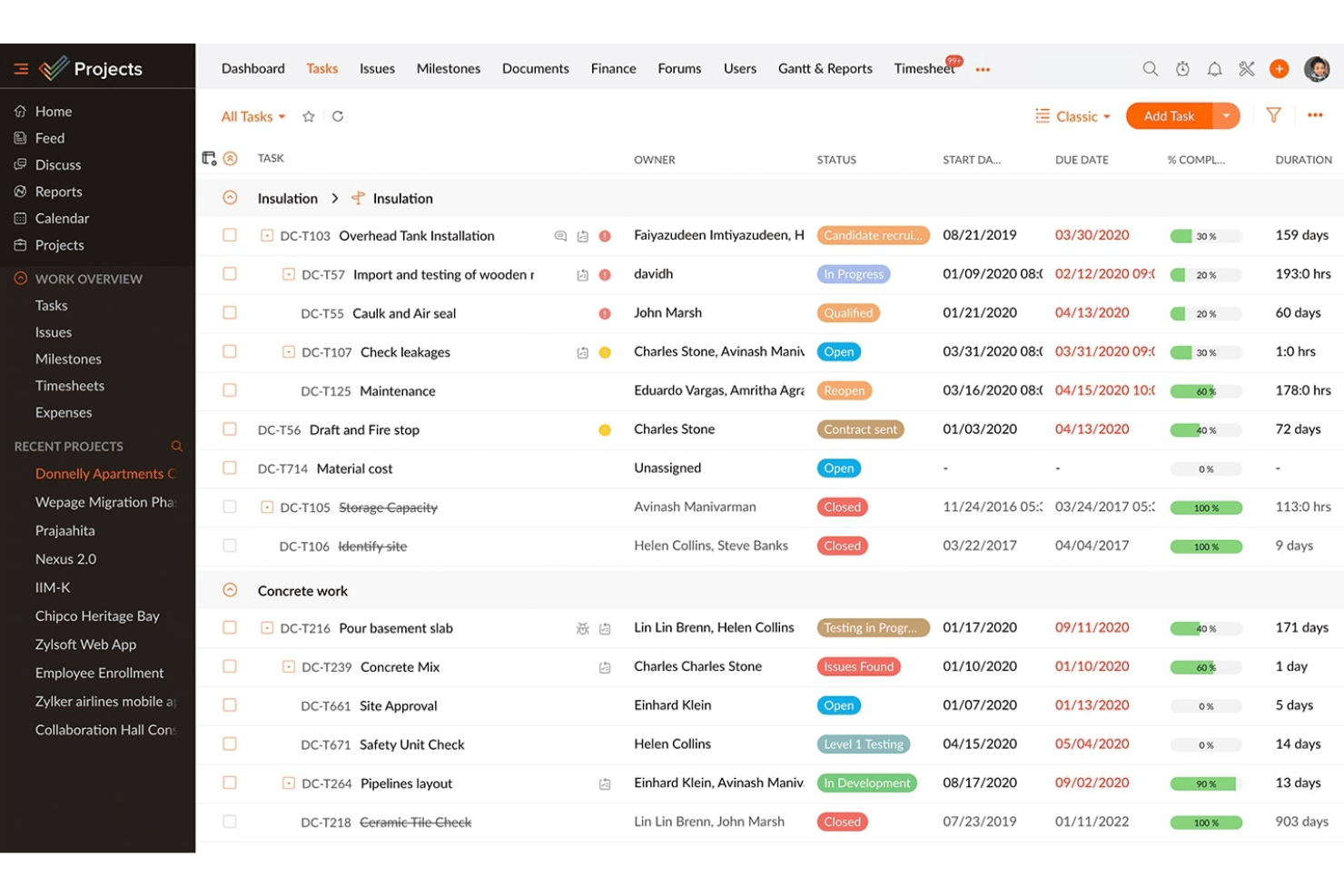
Zoho Projects is user-friendly, with a clean interface and drag-and-drop task tools that cut down setup time. Even new users can navigate dashboards, customize workflows, and switch views effortlessly. Features like in-context help popups and bulk task editing save time, making it less overwhelming for most teams.
Integrations
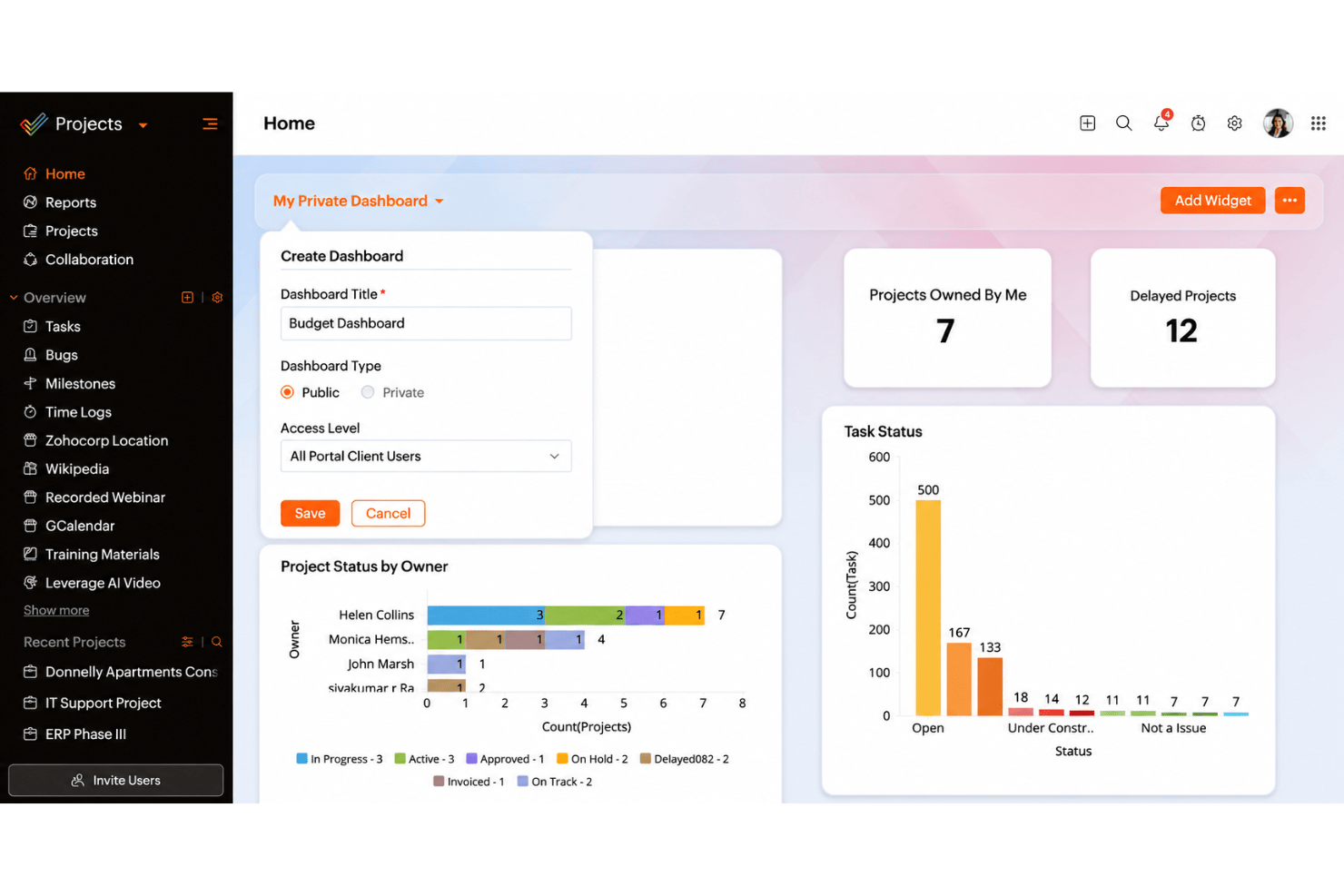
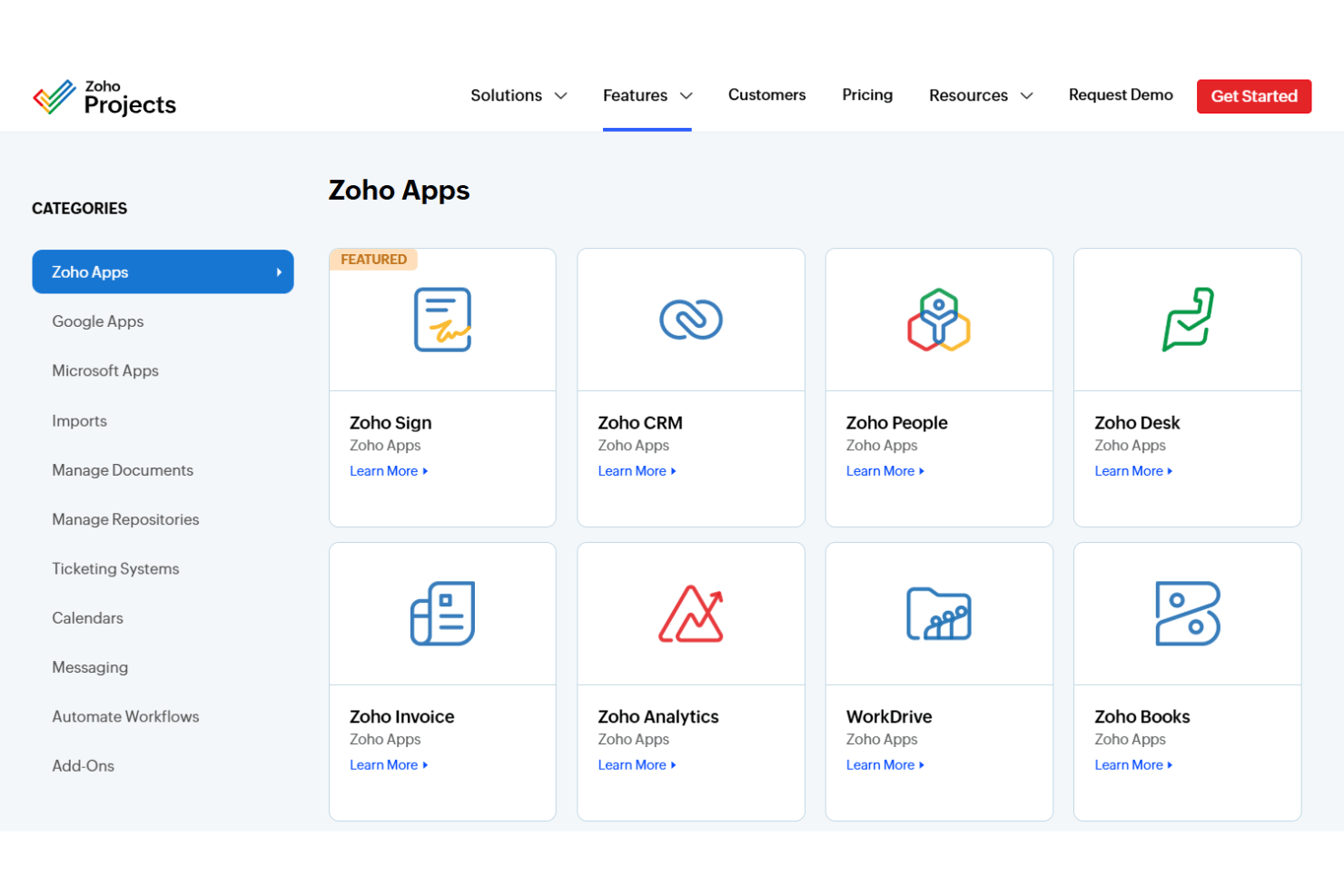
Zoho Projects integrates with Zoho CRM, Zoho Desk, Zoho Books, Google Drive, Microsoft Teams, Slack, Dropbox, Zapier, Github, and Google Calendar, among others.
Zoho Projects also offers a robust API and supports connections through third-party integration tools.
New Product Updates from Zoho Projects
Zoho Projects Adds CodeX Scripts for Custom Modules
Zoho Projects has added CodeX Scripts for custom modules to help teams automate governance and reduce errors in record management. You can now apply logic-driven controls across key record actions to keep data consistent and compliant. Highlights include:
- Conditional Logic: Apply rules that determine when custom module actions can occur.
- Record Validations: Enforce requirements before records are created, updated, or deleted.
- Custom Module Controls: Add more precise behavior to custom modules without relying only on standard settings.
Visit Zoho Projects’ official site for more details.
 for more details.
Zoho Projects Adds Time Log Restrictions
Zoho Projects has expanded time log restriction settings to help teams enforce more accurate, policy-compliant timesheet entries. These controls make it easier to standardize how and when users can log time across projects. Highlights include:
- Task Progress Restrictions: Limit time logging based on how far a task has progressed.
- Project Status Restrictions: Control time entry based on the current project status.
- IP Restrictions: Restrict time logging to approved IP addresses.
- Profile-Based Restrictions: Apply timer restrictions to specific user profiles.
Visit Zoho Projects’ official site for more details.

Zoho Projects Adds Time Log Grid View for Faster Tracking
Zoho Projects adds Time Log Grid View for recording logged hours against tasks and issues from a unified grid. This update reduces switching between views while making time entry and pattern analysis quicker. Highlights include:
- Unified Time Log Grid: Brings task and issue time entries together for easier review and management.
- Faster Time Entry: Lets users record work hours directly from the interactive grid.
- Visible Time Patterns: Makes logged-hour trends easier to identify across work items.
Visit Zoho Projects’ official site for more details.

Zoho Projects Adds Zia Suggestions for Weekly Time Logs
Zoho Projects adds Zia suggestions that automatically recommend weekly time log entries using assigned tasks and recorded work hours. These updates reduce manual time entry and make weekly timesheet completion faster. Highlights include:
- Zia Time Log Suggestions: Generates weekly time log recommendations based on assigned tasks and recorded work hours.
- AI-Assisted Timesheets: Helps users complete weekly timesheets with fewer manual entries.
Visit Zoho Projects' official site for more details.

Zoho Projects Revamps Its Chrome Extension
Zoho Projects has revamped its Chrome Extension to make day-to-day project actions faster without leaving the browser. The update helps teams capture work as it happens, track time immediately, and stay informed on project progress.Highlights include:
- Portal Access: Access all Zoho Projects portals directly from the Chrome Extension.
- Task Creation: Create new tasks without opening the main application.
- Issue Management: File and manage project issues from the browser.
- Time Logging: Log work hours directly through the extension.
- Project Activity Updates: Stay updated on project activity without switching tabs.
Visit Zoho Projects' official site for more details.

Zoho Projects Adds User Custom Fields and Layouts
Zoho Projects adds user custom fields, layout customization, and easier Users module access to improve user management. This update helps admins customize user records, collect relevant details, and manage user information more efficiently. Highlights include:
- User Custom Fields: Add custom fields to capture additional details for portal and client users.
- Custom User Layouts: Organize user invitation forms with tailored sections and field arrangements.
- Field Access Controls: Manage permissions for individual fields to control user data visibility.
Visit Zoho Projects’ official site for more details.

Zoho Projects Adds WhatsApp Business Integration
Zoho Projects has introduced a WhatsApp Business integration that helps teams communicate timely project and service updates to customers. This improves responsiveness by enabling automated, template-based messaging directly from workflow-driven processes. Highlights include:
- WhatsApp Business Integration: Teams can now connect WhatsApp Business accounts directly with Zoho Projects.
- Automated Customer Updates: Real-time notifications can be triggered automatically through workflow rules.
- Support for Custom Modules: The integration works across supported modules, including custom workflows and modules.
- Approved Message Templates: Notifications use approved WhatsApp message templates for automated communication workflows.
Visit Zoho Projects’ official site for more details.

Zoho Projects Adds Field-Level Permissions for Time Logs
Zoho Projects introduces field-level permissions for time logs to help teams manage access to sensitive time-tracking details more effectively. The update gives admins more control over who can view or edit specific log information. Highlights include:
- Field-Level Access Control: Admins can now manage permissions for specific fields within time logs.
- Improved Time Log Security: Teams can better protect minute-level time-tracking details and sensitive records.
- More Accurate Time Management: Controlled access helps maintain cleaner and more reliable time log data across projects.
Visit Zoho Projects’ official site for more details.
Zoho Projects Specs
- API
- Batch Permissions & Access
- Budgeting
- Calendar Management
- Collaboration Support
- Contact Management
- Contact Sharing
- Customer Management
- Dashboard
- Dashboards
- Data Export
- Data Import
- Data Visualization
- Dependency Tracking
- Document Sharing
- Expense Tracking
- External Integrations
- File Sharing
- Gantt Charts
- Kanban Boards
- Multi-User
- Notifications
- Project Management
- Resource Management
- Scheduling
- Task Scheduling/Tracking
- Third-Party Plugins/Add-Ons
- Time Management
- Travel Management
- Workflow Management


