



Zoho Projects vs. ClickUp: Expertenvergleich & Bewertung 2026



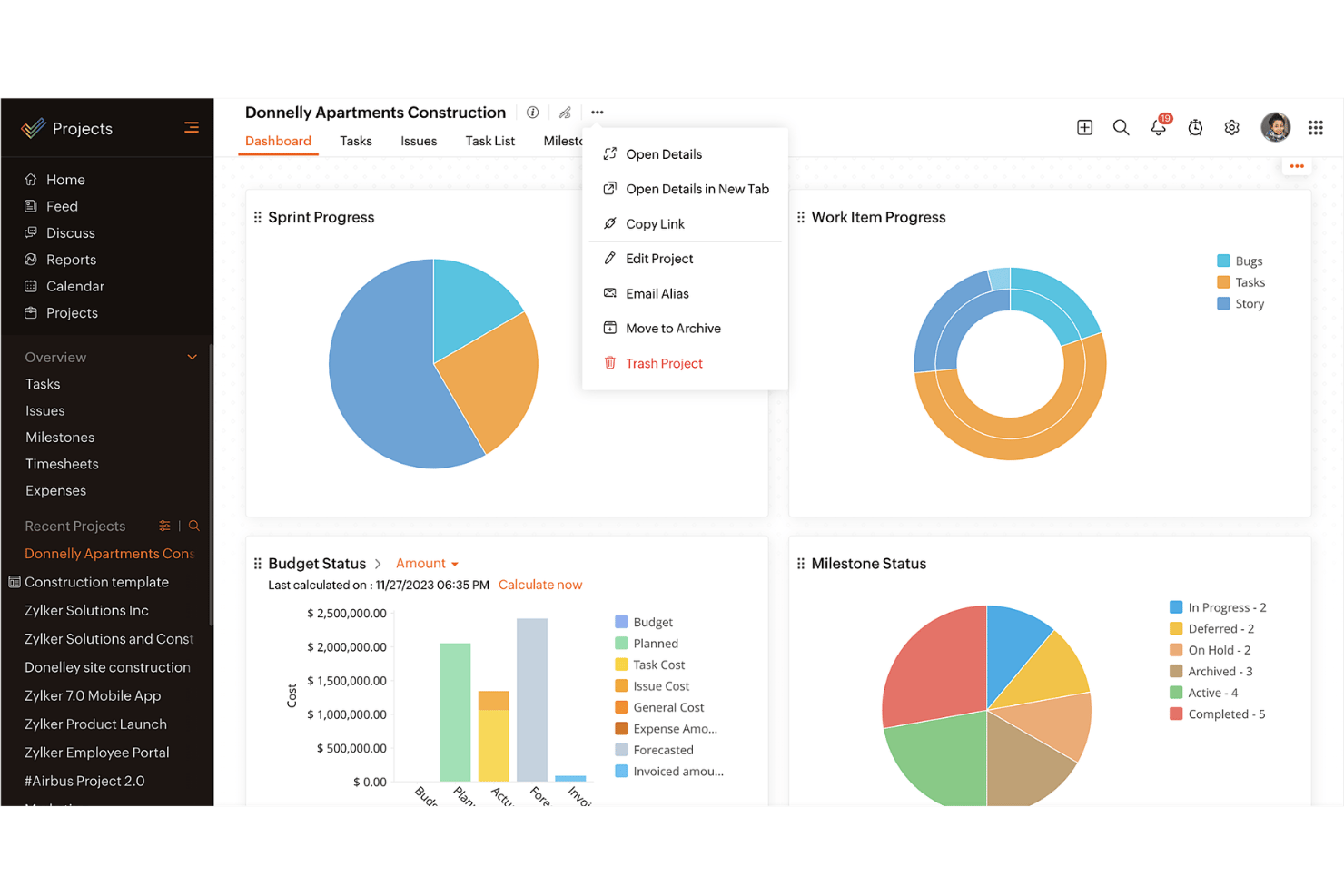
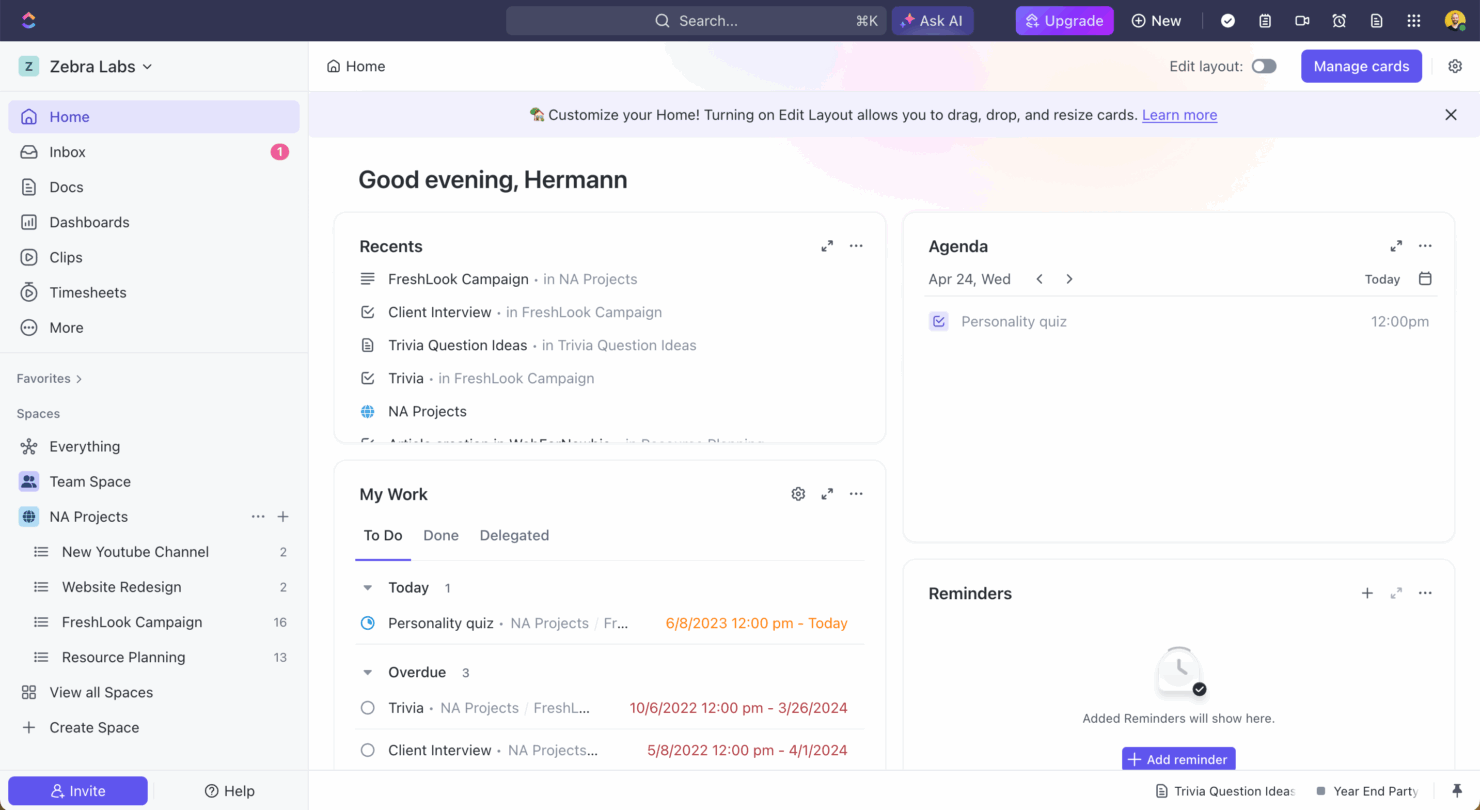
Zoho Projects bietet eine leistungsstarke Lösung für das effiziente und mühelose Management Ihrer Teamprojekte. ClickUp richtet sich mit seiner flexiblen Plattform an vielseitige Anforderungen im Projektmanagement. Während Zoho Projects in der strukturierten Projektplanung besonders stark ist, überzeugt ClickUp durch Anpassungsfähigkeit und vielfältige Individualisierungsmöglichkeiten. In diesem Artikel finden Sie einen detaillierten Vergleich dieser beiden Projektmanagement-Software-Tools, inklusive ihrer Funktionen, Vor- und Nachteile, Preise und mehr.
Zoho Projects vs. ClickUp: An Overview
Zoho Projects
ClickUp
Warum Sie unseren Software-Empfehlungen vertrauen können
Unser Team testet und bewertet Software seit 2012. Als Projektmanager wissen wir selbst, wie schwierig – und wichtig – es ist, die richtige Software auszuwählen.
Für diesen Leitfaden haben wir Tools mithilfe von praktischen Tests und unabhängiger Recherche bewertet und dabei unsere Bewertungskriterien angewendet. Zudem greifen wir auf Erkenntnisse von Branchenvordenkern und praktizierenden Projektmanagement-Experten zurück.
Unsere Bewertungen spiegeln unser menschliches redaktionelles Urteilsvermögen wider, keine Verkaufsstrategie.
Expertenprüfer:
Zoho Projects vs. ClickUp: Preise & versteckte Kosten
Die Preise von Zoho Projects sind in verschiedene Stufen unterteilt, wobei je nach gewähltem Plan unterschiedlich viele Funktionen zur Verfügung stehen. Beachten Sie dabei mögliche Zusatzoptionen, die die Kosten erhöhen können. Die Preisgestaltung bei ClickUp folgt einem ähnlichen Stufenmodell und bietet eine kostenlose Einstiegsversion sowie zusätzliche Funktionen und Speicherplatz gegen Aufpreis. Um das passende Tool hinsichtlich der Kosten zu wählen, sollten Sie sorgfältig prüfen, welche Funktionen Ihr Team tatsächlich benötigt, und mögliche versteckte Kosten berücksichtigen, die im Laufe der Zeit entstehen können. Vergleichen Sie das Angebot mit Ihren Projektzielen und achten Sie auf die Skalierbarkeit für die Zukunft.
Zoho Projects vs. ClickUp Feature Comparison
Mit der Meilensteinverfolgung von Zoho Projects können Sie komplexe Projekte effizient managen, indem Sie klare Phasen definieren – besonders wertvoll bei langfristigen Zeitplänen. Das vielseitige Aufgabenmanagement von ClickUp ermöglicht eine umfassende Anpassung von Workflows und ist damit ideal für Teams, die flexibel auf wechselnde Projektanforderungen reagieren müssen. Beide Tools bieten einzigartige Stärken: Zoho Projects glänzt bei strukturierten Projektabschnitten, während ClickUp bei Individualisierung und Flexibilität punktet.
| Zoho Projects | ClickUp | |
|---|---|---|
| API | ||
| Batch Permissions & Access | ||
| Budgeting | ||
| Calendar Management | ||
| Collaboration Support | ||
| Contact Management | ||
| Contact Sharing | ||
| Customer Management | ||
| Dashboard | ||
| Dashboards | ||
| Data Export | ||
| Data Import | ||
| Data Visualization | ||
| Dependency Tracking | ||
| Document Sharing | ||
| Expense Tracking | ||
| External Integrations | ||
| File Sharing | ||
| Gantt Charts | ||
| Kanban Boards | ||
| Multi-User | ||
| Notifications | ||
| Project Management | ||
| Resource Management | ||
| Scheduling | ||
| Task Scheduling/Tracking | ||
| Third-Party Plugins/Add-Ons | ||
| Time Management | ||
| Travel Management | ||
| Workflow Management |
Zoho Projects vs. ClickUp Integrationen
| Integration | Zoho Projects | ClickUp |
|---|---|---|
| Slack | ✅ | ✅ |
| Google Drive | ✅ | ✅ |
| Microsoft Teams | ✅ | ✅ |
| Dropbox | ✅ | ✅ |
| HubSpot | ❌ | ✅ |
| Figma | ❌ | ✅ |
| GitHub | ❌ | ✅ |
| Salesforce | ✅ | ❌ |
| API | ✅ | ✅ |
| Zapier | ✅ | ✅ |
Durch die Integration von Zoho Projects mit Microsoft Teams können Kommunikation und Zusammenarbeit nahtlos ablaufen – besonders hilfreich, wenn Sie verteilte oder Remote-Teams steuern. ClickUp punktet mit der Slack-Integration, die Ihrem Team aktuelle Aufgabenfortschritte direkt ins Chat-Tool bringt. Beide Lösungen bieten Integrationen zur Steigerung der Produktivität, achten Sie daher bei Ihrer Wahl auf jene, die sich am besten in Ihren Arbeitsablauf einfügen.
Zoho Projects vs. ClickUp Sicherheit, Compliance & Zuverlässigkeit
| Faktor | Zoho Projects | ClickUp |
|---|---|---|
| Datenschutz | Zoho Projects hält sich an die DSGVO-Standards und gewährleistet so den Schutz und die Privatsphäre Ihrer Daten. | ClickUp erfüllt sowohl die DSGVO als auch die CCPA und bietet robuste Datenschutzkontrollen für Ihre Daten. |
| Verschlüsselung | Zoho Projects verwendet AES-256-Verschlüsselung, um Daten sowohl während der Übertragung als auch im Ruhezustand zu sichern. | ClickUp setzt ebenfalls auf AES-256-Verschlüsselung und schützt Ihre Daten bei Übertragung und Speicherung. |
| Zuverlässigkeit der Betriebszeiten | Zoho Projects garantiert 99,9 % Betriebszeit und bietet dadurch einen durchgängigen Zugriff auf Ihre Projekte. | ClickUp bietet ebenfalls 99,99 % Betriebszeit, um minimale Unterbrechungen Ihres Workflows sicherzustellen. |
Zoho Projects und ClickUp legen beide großen Wert auf Sicherheit und Compliance, wobei ClickUp durch zusätzliche CCPA-Konformität einen leichten Vorteil bietet. Achten Sie bei der Evaluierung insbesondere darauf, welche spezifischen Datenschutzvorkehrungen die Tools bereitstellen und wie diese zu Ihren Compliance-Vorgaben passen.
Zoho Projects vs. ClickUp Benutzerfreundlichkeit
| Faktor | Zoho Projects | ClickUp |
|---|---|---|
| Benutzeroberfläche | Zoho Projects bietet eine übersichtliche Oberfläche mit anpassbaren Dashboards für eine einfache Navigation. | ClickUp verfügt über eine hochgradig anpassbare Benutzeroberfläche, mit der Sie Ansichten nach Ihren Bedürfnissen gestalten können. |
| Onboarding-Erlebnis | Zoho Projects stellt geführte Tutorials und Schritt-für-Schritt-Anleitungen zur Verfügung, um den Einstieg zu erleichtern. | ClickUp bietet einen intuitiven Onboarding-Prozess mit Video-Tutorials und Vorlagen. |
| Support | Zoho Projects beinhaltet einen 24/5 Kundensupport per Chat und E-Mail für schnelle Hilfe. | ClickUp bietet 24/7 Support mit Live-Chat und einem umfassenden Hilfezentrum. |
Zoho Projects ist dank der klaren Benutzeroberfläche unkompliziert zu bedienen, während die hochgradig anpassbaren Ansichten von ClickUp mehr Flexibilität für unterschiedliche Arbeitsabläufe bieten. ClickUp überzeugt bei Anpassungsmöglichkeiten und Support, Zoho Projects dagegen bei unkompliziertem Onboarding und einfacher Navigation.
Zoho Projects vs ClickUp: Pros & Cons
Zoho Projects
- Task dependencies are highly visual and easy to set up.
- Built-in time tracking integrates smoothly with billing features.
- Customizable project templates support repeatable workflows.
- Reporting customization can be limited for advanced needs.
- Mobile app notifications do not always sync in real time.
- Gantt chart drag-and-drop can feel sluggish with large projects.
ClickUp
- Extensive task management features keep your projects organized and on track
- Real-time collaboration makes team communication more effective
- Built-in automations reduce manual work and speed up your workflow
- Users often find the learning curve steep due to its rich feature set
- Some users report occasional performance lags when managing large projects
- Mobile app can be less intuitive than the desktop version
Best Use Cases for Zoho Projects and ClickUp
Zoho Projects
- Small Agencies Kanban boards, time tracking, and client billing streamline project delivery and reporting for agency teams.
- IT Departments Issue tracking, blueprint automations, and strong permission controls provide what IT teams need for complex internal projects.
- Consulting Firms Time sheets, detailed reports, and project-level billing help consultants keep track of client hours and invoicing.
- Remote Teams Robust collaboration tools, document sharing, and project forums help distributed users stay connected.
- Marketing Teams Reusable templates, task dependencies, and timeline tracking make repeated campaigns run smoothly and transparently.
- Construction Projects Gantt charts, milestones, and resource allocation features support the scheduling needs of construction and field project managers.
ClickUp
- Creative agencies ClickUp's customizable dashboards and task automation features can help you manage client projects, track feedback and revisions, and keep creative teams aligned.
- Tech startups ClickUp supports agile development with sprints and real-time collaboration features that can help teams iterate quickly.
- Marketing teams You can streamline campaign planning and execution using ClickUp’s task dependencies and timelines.
- Remote teams ClickUp's real-time updates and collaboration tools keep everyone on the same page, no matter where they are.
- Product managers ClickUp’s roadmaps and goal-tracking features help you align development with business objectives.
- Freelancers You can track your tasks and deadlines efficiently with ClickUp’s simple task and time management tools.
Wer sollte Zoho Projects nutzen und wer sollte ClickUp verwenden?
Meiner Meinung nach ist Zoho Projects ideal für Teams, die ein strukturiertes Projektmanagement-Tool mit einfachen Funktionen und einem Fokus auf klare Zeitpläne benötigen. Es eignet sich besonders für Branchen, in denen traditionelle Projektphasen im Mittelpunkt stehen, wie Bauwesen oder Produktion. ClickUp hingegen halte ich für perfekt für Teams, die Flexibilität und Anpassbarkeit benötigen, insbesondere in dynamischen Branchen wie Start-ups im Tech-Bereich oder Kreativagenturen. Wenn Ihr Team Wert auf Anpassungsfähigkeit und vielfältige Workflows legt, ist ClickUp wahrscheinlich die bessere Wahl.
Differences Between Zoho Projects and ClickUp
| Zoho Projects | ClickUp | |
|---|---|---|
| Automation | Zoho Projects includes basic automation for task management. | ClickUp offers advanced automation capabilities, allowing complex workflows. |
| Integrations | Zoho Projects integrates well with Microsoft Teams and Salesforce. | ClickUp excels with integrations like Slack, Figma, and GitHub. |
| Pricing | Zoho Projects offers tiered plans with additional costs for premium add-ons. | ClickUp provides a free tier with premium features available at extra cost. |
| Support | Zoho Projects provides 24/5 support via chat and email. | ClickUp offers 24/7 support with live chat and a detailed help center. |
| User Interface | Zoho Projects has a clean, straightforward interface for easy navigation. | ClickUp features a highly customizable interface tailored to your needs. |
| Read Zoho Projects ReviewOpens new window | Visit ClickUpOpens new window |
Similarities Between Zoho Projects and ClickUp
| Cloud-Based Access | Zoho Projects and ClickUp are cloud-based, offering your team remote access to project data anytime, anywhere, which is essential for modern teams. |
|---|---|
| Collaboration | Zoho Projects and ClickUp both integrate communication tools, enhancing team collaboration and keeping everyone in the loop. |
| Project Timelines | Each tool provides project timeline views, helping you visualize project phases and deadlines, ensuring your team stays on track. |
| Reporting | Both platforms allow you to generate custom reports, giving you insights into project performance and team productivity. |
| Task Management | Both Zoho Projects and ClickUp offer robust task management features, letting you assign, track, and manage tasks efficiently within your team. |
| Read Zoho Projects ReviewOpens new window Visit ClickUpOpens new window | |