


Lucid Visual Collaboration Suite 2026 Test: Vorteile, Nachteile und Funktionen



Every distributed team knows the quiet cost of misalignment; the duplicated work, the "wait, I thought we agreed on this" moments, the ideas that never quite make it out of someone's head. A good visual collaboration platform promises to close that gap, and the Lucid Visual Collaboration Suite is one of the names that keeps coming up.
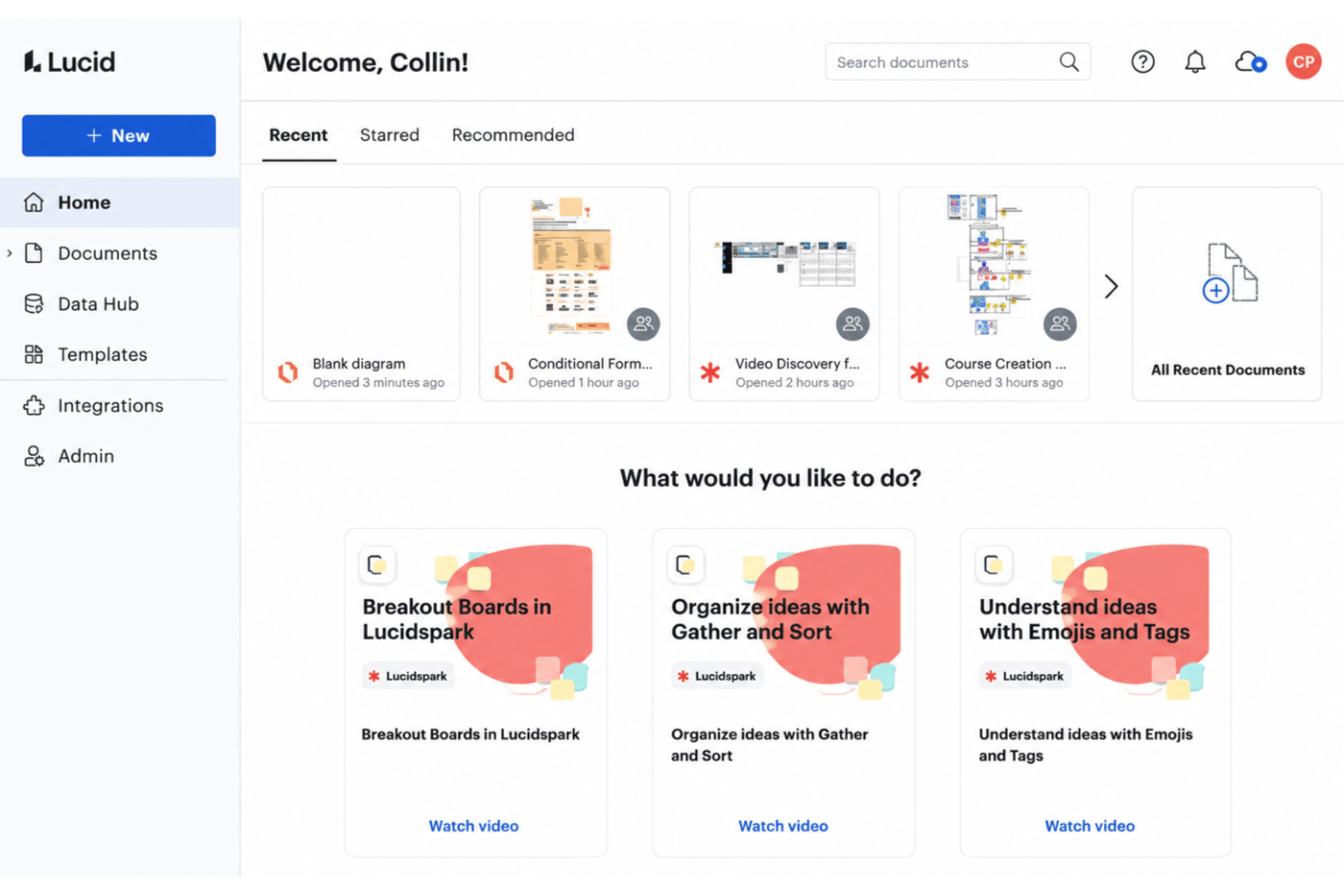
Lucid is a work acceleration and visual collaboration platform designed for teams who need fast, clear ways to map out ideas, processes, and technical systems together. The suite pairs Lucidchart, Lucid’s intelligent diagramming tool, with Lucidspark, its virtual whiteboard for brainstorming and working sessions. When shifting requirements, remote workflows, and distributed teams create project friction, Lucid helps you keep everyone aligned and moving forward
In this review, I break down Lucid’s features, use cases, strengths, trade-offs, and pricing—so you can decide if it’s the right fit for your project delivery needs.
Lucid Evaluation Summary
- From $15/month (billed annually)
- Free trial + free plan available
Warum Sie unseren Software-Empfehlungen vertrauen können
Unser Team testet und bewertet Software seit 2012. Als Projektmanager wissen wir selbst, wie schwierig – und wichtig – es ist, die richtige Software auszuwählen.
Für diesen Leitfaden haben wir Tools mithilfe von praktischen Tests und unabhängiger Recherche bewertet und dabei unsere Bewertungskriterien angewendet. Zudem greifen wir auf Erkenntnisse von Branchenvordenkern und praktizierenden Projektmanagement-Experten zurück.
Unsere Bewertungen spiegeln unser menschliches redaktionelles Urteilsvermögen wider, keine Verkaufsstrategie.
Expertenprüfer:
Lucid Overview
I think Lucid stands out for its universal canvas which lets work flow seamlessly between Lucidspark and Lucidchart, its flexible integration options, and advanced diagramming features that make judging process flows and technical systems a breeze. While pricing trends higher and onboarding complex diagrams can require extra learning, I’d pick Lucid for large or cross-functional teams who need interactive whiteboarding, real-time collaboration, and granular permissions. In my experience, it outperforms the competition for technical mapping, though less so for those seeking lightweight, visual note-taking. If you’re comparing tools for robust team diagramming with strong support, Lucid is worth serious consideration.
pros
-
Real-time collaboration supports remote and hybrid teams well
-
Advanced diagramming tools for technical and business workflows
-
Version history enables easy rollback to previous states
cons
-
Tapping the full toolset means moving between Lucidchart and Lucidspark
-
More advanced data features are reserved for the Enterprise plan
-
Limited offline access for users without internet connection
Is Lucid Right For Your Needs?
Who Would be a Good Fit for Lucid?
Lucid works best for teams that need real-time diagramming and advanced visual collaboration across technical, product, or business roles. It’s especially valuable in industries where process mapping, architecture, or strategic planning are daily activities; software development, SaaS, consulting, education, healthcare, financial services, and even the public sector, where Lucid’s FedRAMP and IRAP credentials carry real weight. Organizations looking for flexible templates, cloud-based access, and strong admin controls will find it a solid choice.
-
Product Management Teams
Lucid enables rapid user journey mapping, roadmapping, and workflow visualization for cross-functional project work.
-
Software Engineering
UML diagrams, system architectures, and data flow mapping are easy to build and share with real-time collaboration.
-
Enterprise IT Departments
Complex process mapping, network diagrams, and documentation can be maintained at scale with admin controls and access management.
-
Consulting Firms
Facilitates collaborative client workshops, value stream mapping, and dynamic presentations for stakeholder alignment.
-
Higher Education
Offers collaborative whiteboarding for faculty and students, encouraging interactive learning and group project work.
-
Large Enterprises
Lucid's scalability, advanced security, and integration options match large organizations' governance and compliance requirements.
Who Would be a Bad Fit for Lucid?
Lucid isn’t ideal for teams that need tooling deeply specialized to a single industry, or for nonvisual workflows where collaborative diagrams aren’t central to the work. Teams that work primarily offline may not get enough value to justify the investment, and detailed UX design is better served by dedicated design tools. Organizations with restricted tech stacks or minimal need for cloud-based collaboration should look elsewhere.
-
Highly Specialized industries
Fields that demand custom symbols, advanced simulation, or industry-certified modeling will outgrow a general-purpose canvas like Lucid’s.
-
Offline-Only Teams
With limited offline functionality, Lucid requires internet access for real-time collaboration and cloud saving.
-
Budget-Constrained Nonprofits
Subscription costs and extensive features may outweigh the needs of organizations with limited budgets and simple workflows.
-
Manual Labor Operations
Teams in fields like manufacturing or on-site construction may not need advanced digital diagrams for daily operations.
-
Small Local Businesses
Businesses focused on basic workflows and non-collaborative tasks will see limited day-to-day benefit from Lucid’s advanced capabilities.
Unsere Bewertungsmethodik
Wie wir Tools testen & bewerten
Wir haben jahrelang unser System zur Softwareüberprüfung und -bewertung aufgebaut, verfeinert und verbessert. Das Bewertungsschema wurde entwickelt, um die Feinheiten der Softwareauswahl und die Effektivität eines Tools einzufangen, wobei der Fokus auf den entscheidenden Aspekten des Entscheidungsprozesses liegt. Unten sehen Sie genau, wie unser Test- und Bewertungssystem über sieben Kriterien hinweg funktioniert. So können wir eine objektive Einschätzung der Software auf Grundlage von Kernfunktionen, herausragenden Merkmalen, Benutzerfreundlichkeit, Onboarding, Kundenservice, Integrationen, Kundenbewertungen und Preis-Leistungs-Verhältnis bieten.
Kernfunktionalität (25% der Gesamtbewertung)
Ausgangspunkt unserer Bewertung ist immer die Kernfunktionalität des Tools. Hat es die grundlegenden Funktionen, die ein Nutzer erwarten würde? Sind einige dieser Kernfunktionen nur in höherpreisigen Tarifen verfügbar? Wir erwarten, dass ein Tool mindestens den grundlegenden Leistungsumfang seiner Mitbewerber erfüllt.
Herausragende Funktionen (25% der Gesamtbewertung)
Anschließend bewerten wir außergewöhnliche Funktionen, die über die üblichen Kernfunktionen hinausgehen. Eine hohe Bewertung spiegelt spezialisierte oder einzigartige Eigenschaften wider, durch die das Produkt schneller, effizienter oder für den Nutzer besonders wertvoll wird. Wir bewerten auch, wie einfach sich das Tool in andere Tools integrieren lässt, die üblicherweise im Tech-Stack zu finden sind, um die Funktionalität zu erweitern. Lösungen mit vielen nativen Integrationen, Drittanbieter-Anbindungen und API-Zugang zur Erstellung individueller Verknüpfungen schneiden am besten ab.
Benutzerfreundlichkeit (10% der Gesamtbewertung)
Wir berücksichtigen, wie schnell und einfach sich die Aufgaben – basierend auf der Kernfunktionalität – mit dem Tool erledigen lassen. Eine hohe Bewertung erhalten Tools, die durchdacht gestaltet und intuitiv bedienbar sind, mobile Apps und Vorlagen bieten und sogar komplexe Aufgaben einfach erscheinen lassen.
Onboarding (10% der Gesamtbewertung)
Wir wissen, wie wichtig eine schnelle Einführung im Team ist, und bewerten deshalb, wie leicht ein Tool mit minimaler Schulung erlernt und genutzt werden kann. Wir prüfen, wie schnell neue Teammitglieder ohne Vorkenntnisse starten können. Lösungen, die wenig oder gar keine Unterstützung erfordern, erhalten die höchste Bewertung.
Kundenservice (10% der Gesamtbewertung)
Wir überprüfen, wie schnell und unkompliziert Hilfe per Telefon, Live-Chat oder Wissensdatenbank verfügbar ist. Tools und Unternehmen, die Echtzeit-Support bieten, schneiden am besten ab; Chatbots am schlechtesten.
Kundenbewertungen (10% der Gesamtbewertung)
Neben unseren eigenen Tests beziehen wir auch den Net Promoter Score aktueller und ehemaliger Nutzer ein. Wir prüfen die Wahrscheinlichkeit, mit der sie das Tool erneut für die Kernfunktionalitäten wählen würden. Ein hohes Ergebnis spiegelt einen hohen Net Promoter Score bei aktuellen oder früheren Kund:innen wider.
Preis-Leistungs-Verhältnis (10% der Gesamtbewertung)
Abschließend vergleichen wir – unter Berücksichtigung aller anderen Kriterien – den Durchschnittspreis der Einstiegstarife mit den Kernfunktionen und bewerten das Preis-Leistungs-Verhältnis. Software, die mehr Leistung für weniger Geld bietet, bekommt die höchsten Werte.
Core Features
Infinite Canvas
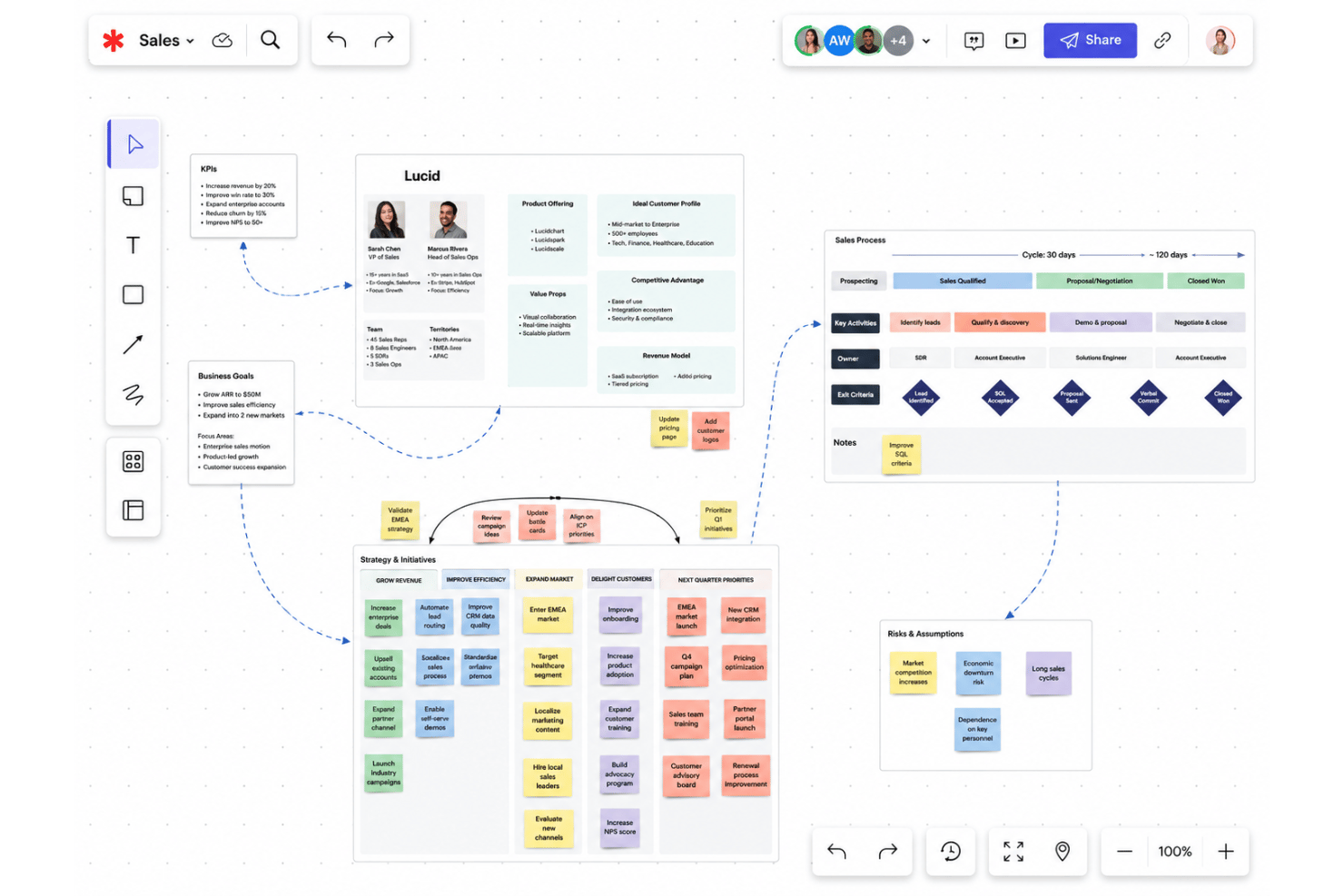
Map processes, brainstorm, and build with no space limitations. Teams can visualize complex projects without running out of workspace.
Real-Time Collaboration
Multiple users co-create, edit, and comment simultaneously. Changes update instantly, so feedback and alignment happen live in meetings.
Shape and Template Libraries
Access a vast catalog of industry-standard shapes and prebuilt templates. Quickly start network diagrams, flowcharts, or journey maps without starting from scratch.
Version History
Track every change and restore previous diagram versions instantly. Audit trails make it easy to manage project revisions and collaboration accountability.
Conditional Formatting
Apply rules to shapes and connectors for clear visual cues. Highlight status, ownership, or metrics automatically to focus attention.
Presentation Mode
Turn working documents into clean, shareable slide decks in one click. Guide stakeholders through diagrams without exporting or leaving the platform.
Standout Features
Data Linking
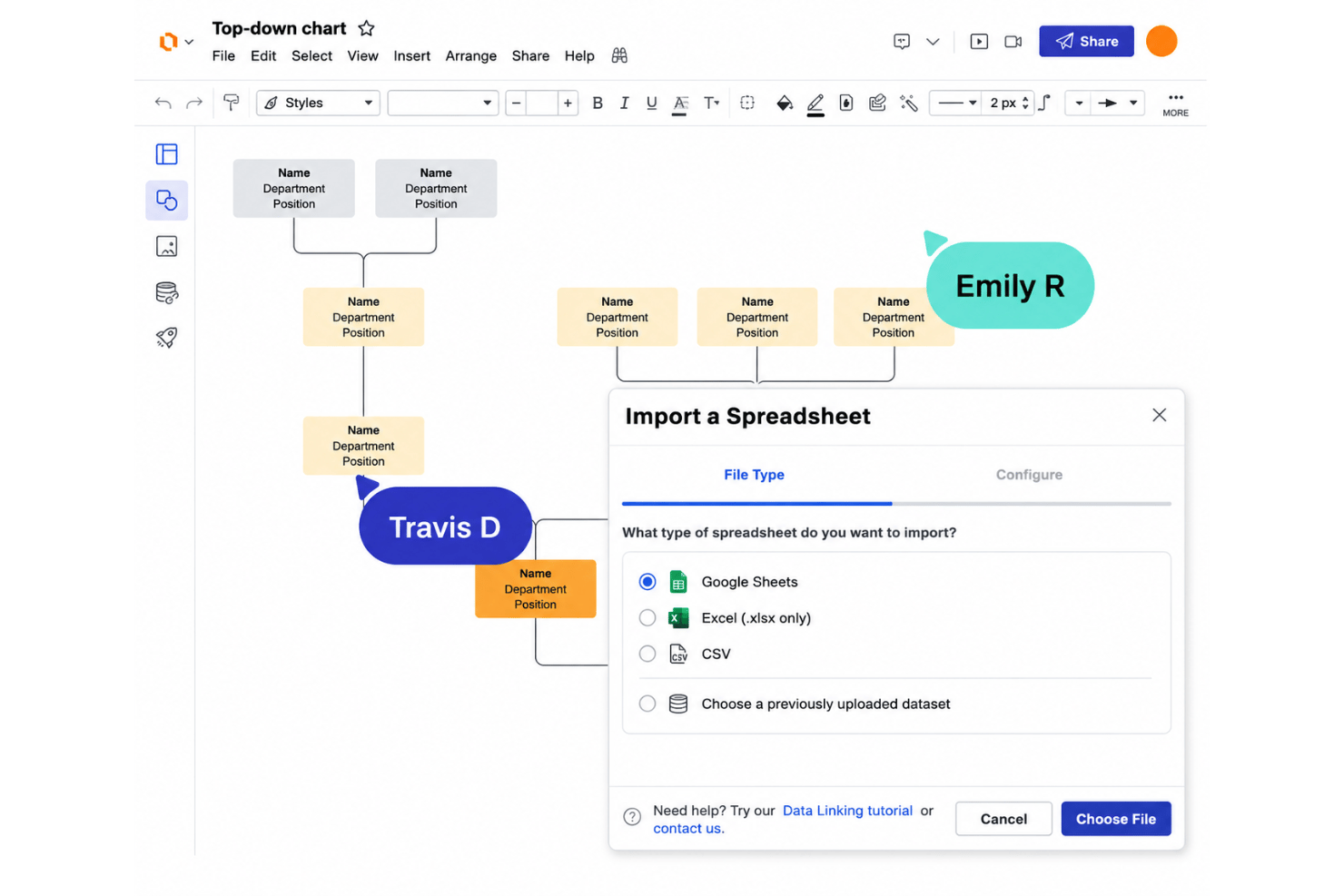
Connect live data from spreadsheets, Salesforce, or an HR system directly to diagrams, and generate org charts, ERDs, and account maps automatically. Google Sheets data syncs on its own, so visuals stay accurate as the source changes.
Lucid AI
Generate diagrams, boards, and documentation from AI prompts: flowcharts, ERDs, mind maps, and more, then sort and summarize ideas after a brainstorm. Speed up requirements mapping without manual shape placement or formatting.
Universal Canvas
Lucidchart and Lucidspark share one canvas, so a sticky-note brainstorm can become a polished process map without exporting or redrawing anything. It’s the glue that makes the suite feel like a single product.
Visual Activities
Participants rank, vote on, and react to ideas while Lucid aggregates the results to show where the group actually agrees—handy for retrospectives, planning sessions, and workshops.
Ease of Use
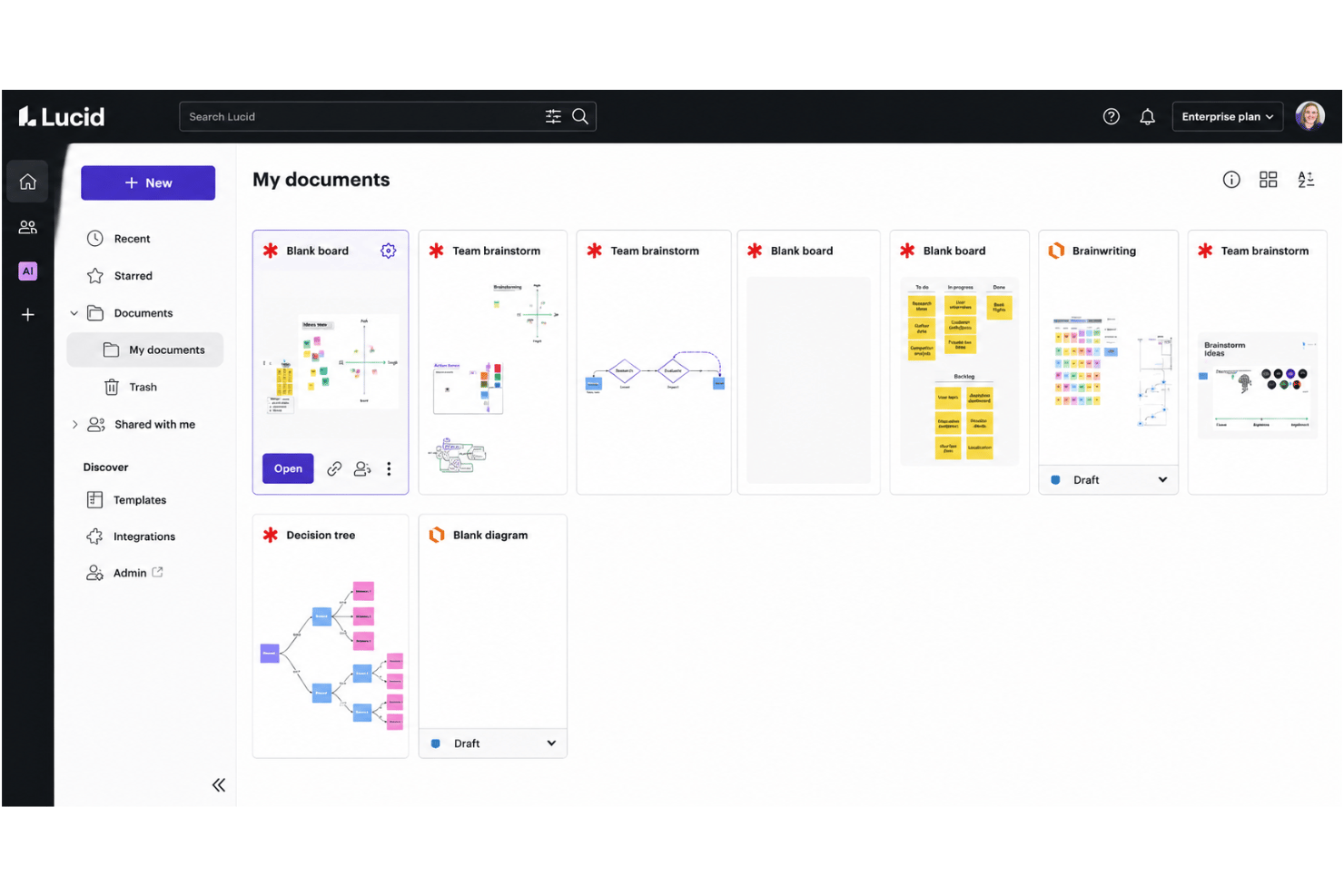
Lucid’s usability sets it apart, thanks to drag-and-drop editing, a wide array of searchable templates, and intuitive navigation that make building even complex diagrams feel approachable. Users frequently praise the fast onboarding and logical layout, though heavy authoring is best on a desktop—the mobile app is geared toward viewing diagrams and adding comments on the fly. Overall, I think most teams will find Lucid both inviting and efficient for collaborative work.
Onboarding
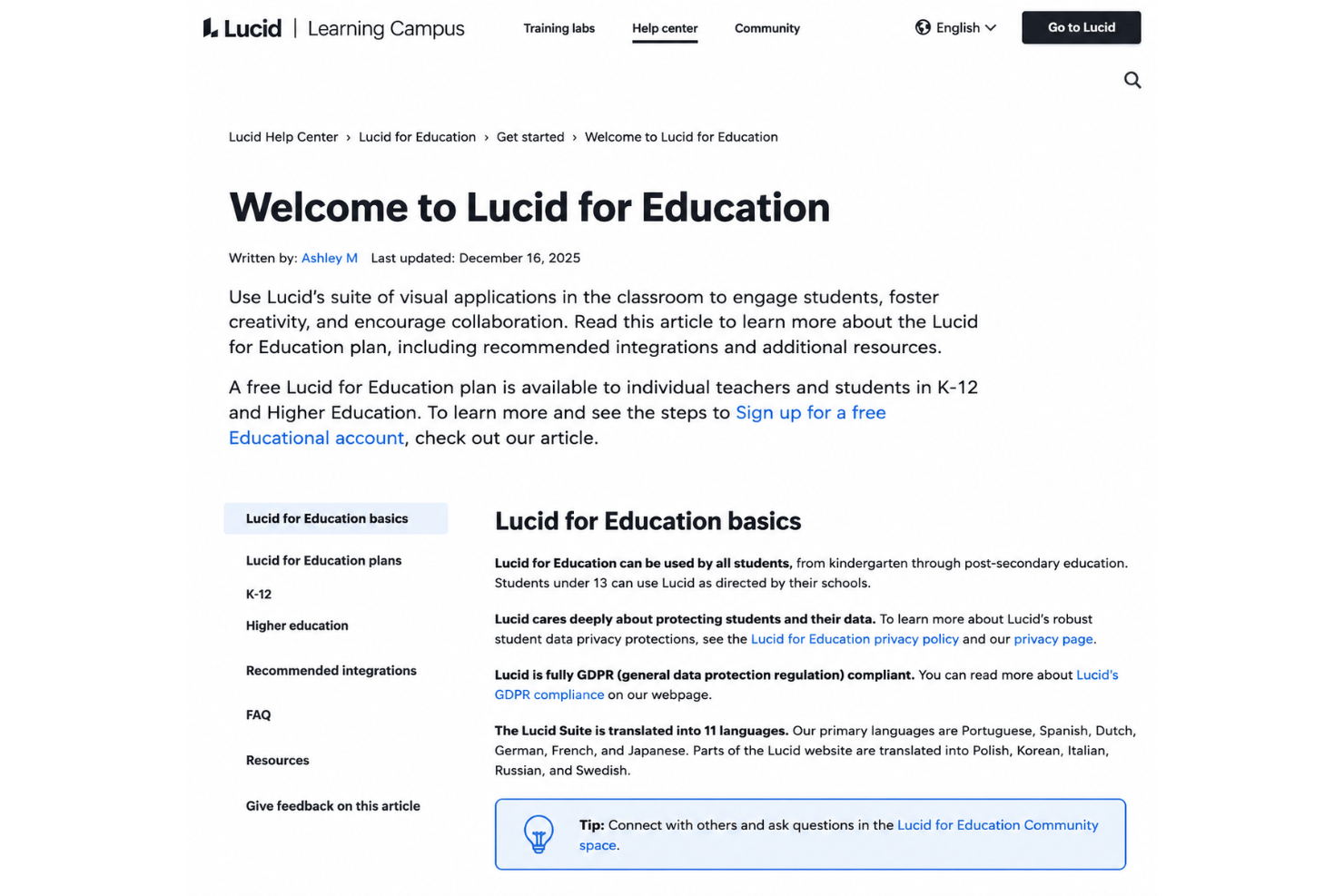
Lucid’s onboarding stands out with a guided email flow for every new user, template suggestions, and in-app tips that shorten the learning curve. New users also get a searchable help center, Lucid Training Labs for tutorials, and a vibrant user community for troubleshooting. Enterprise accounts can add professional services—including white-glove setup and a migration package for teams moving from competing tools.
Customer Support
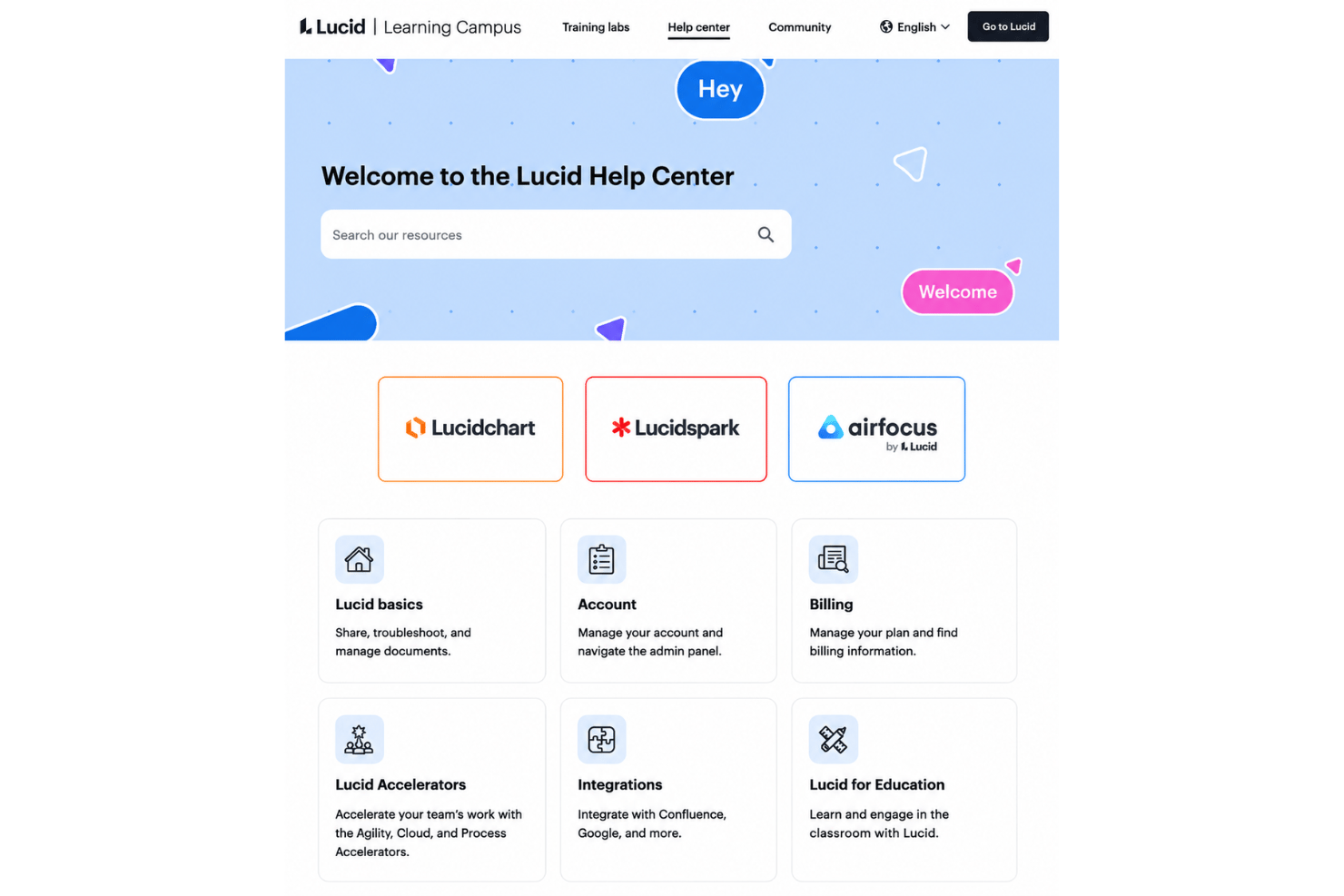
Lucid backs users with a well-organized help center, Lucid Training Labs for tutorials, and an active community for more specific questions. Most standard issues can be resolved through these self-service resources, while Enterprise customers can purchase professional services for hands-on coaching and support. In my experience, the documentation is strong enough that most teams resolve day-to-day questions without much delay.
Integrations
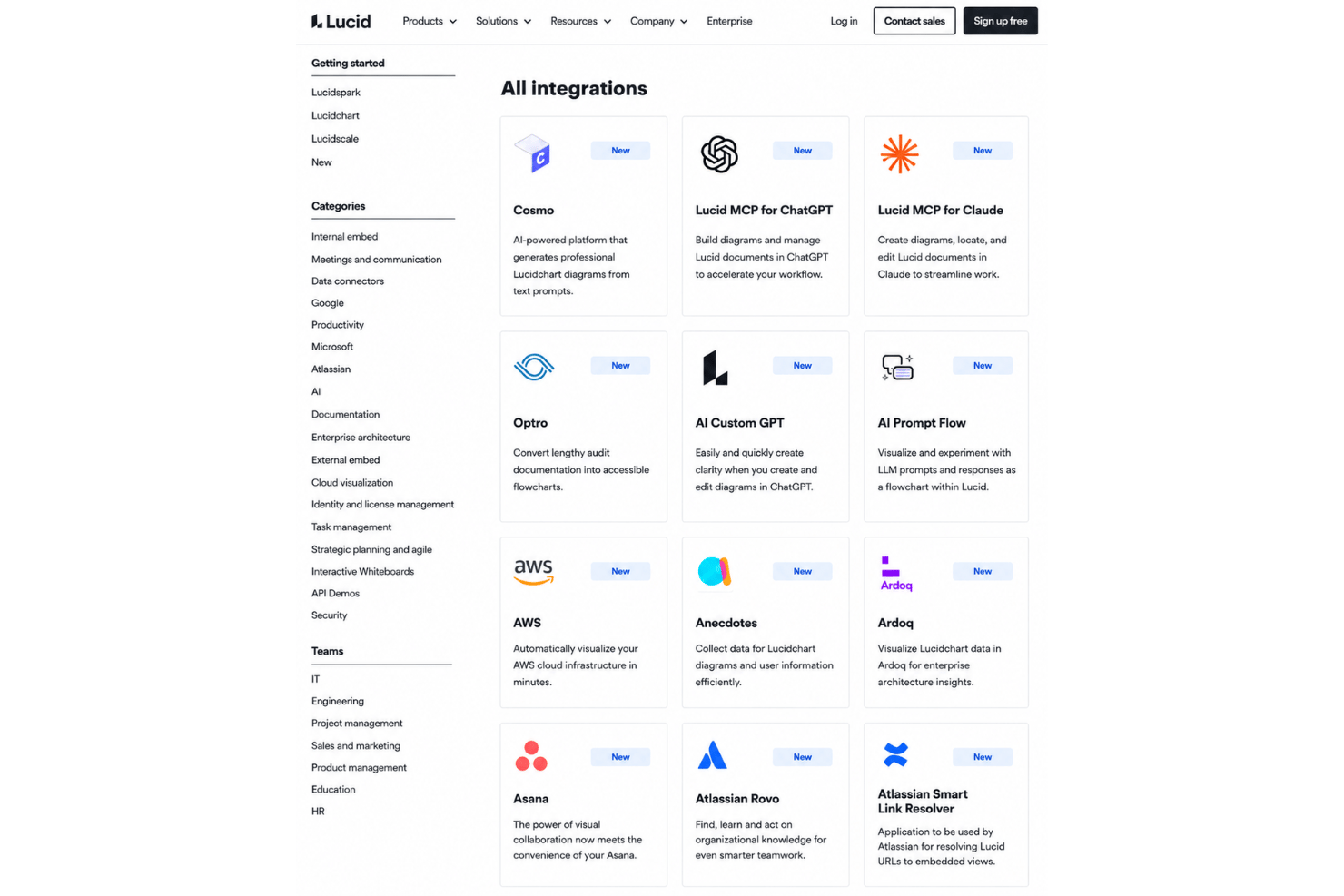
Lucid integrates with Google Workspace, Microsoft 365, Slack, Jira, Confluence, Salesforce, Ardoq, LeanIX, and AWS, among others, through its integration marketplace.
Lucid also offers a REST API, a developer platform, and an MCP server that connects Lucid to AI tools such as ChatGPT and Claude.
Value for Money
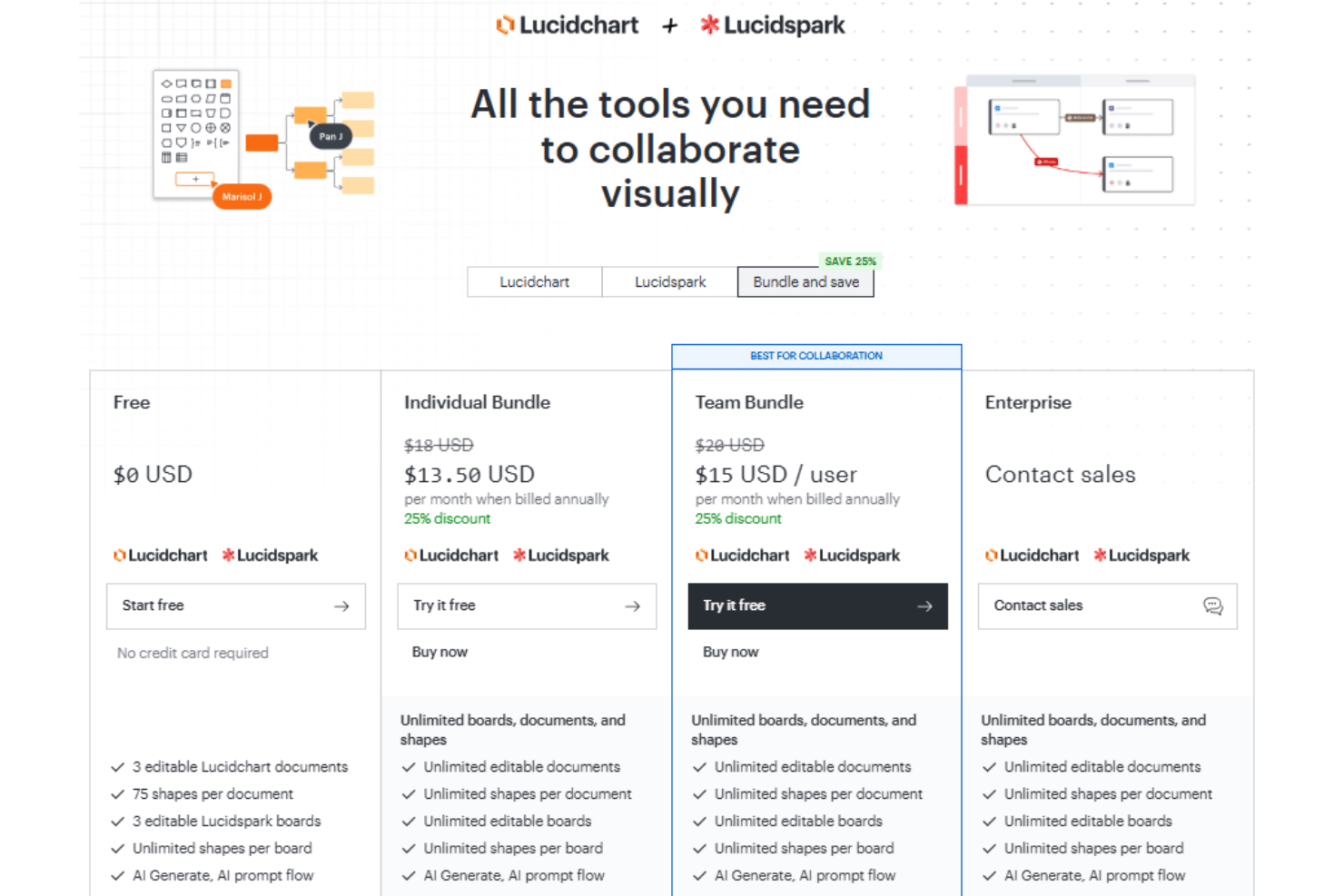
Lucid’s pricing is reasonable for the breadth of features, enterprise security, and scalability it offers. Because the suite covers everything from brainstorming to technical diagramming, many teams can also reduce costs by consolidating other tools, while larger organizations may find the advanced functionality well worth the investment.
- Free: Includes access to Lucidchart and Lucidspark, 75 shapes per document, 3 boards, and access to AI Generate.
- Individual Bundle: Adds unlimited documents, shapes, and boards.
- Team Bundle: Offers password protected publishing, admin controls, data syncing,a nd voting.
- Enterprise: Provides data overlays, Salesforce Schema import, and premium integrations.
Lucid Specs
- 2-Factor Authentication
- Access Management
- Anti-Virus
- API
- Audit Trail
- Bug Tracking
- Calendar Management
- Customer Management
- Dashboard
- Data Export
- Data Import
- Data Visualization
- Email Integration
- External Integrations
- File Sharing
- File Transfer
- Firewall
- Google Apps Integration
- Inventory Tracking
- Malware Protection
- Multi-User
- Network Device Performance Monitoring
- Network Traffic Monitoring
- Network Visualization
- Notifications
- Project Management
- Remote Access
- Risk Assessment
- SAP Integration
- Scheduling
- Software Integration
- Third-Party Plugins/Add-Ons
- Ticket Management
Lucid FAQs
How easy is it to onboard a cross-functional team to Lucid?
Can I control who has access to Lucid diagrams?
How does Lucid support real-time collaboration for distributed teams?
Is Lucid compliant with common industry security standards?
Does Lucid integrate with my project management and productivity tools?
What happens if I accidentally delete a diagram or need to restore an old version?
How scalable is Lucid for larger organizations or growing teams?
Is there a way to automate or dynamically update diagrams with external data?
What’s the difference between Lucidchart and Lucidspark?
Lucid Company Overview & History
Lucid Software is headquartered in South Jordan, Utah, with offices in Raleigh, Amsterdam, Melbourne, and Hamburg. Co-founded in 2010 by Ben Dilts and Karl Sun, it’s best known for Lucidchart and Lucidspark and now serves more than 100 million users across over 180 countries, with customers including Google, GE, and NBC Universal. Alongside the suite, Lucid offers airfocus, an AI-powered product management and roadmapping platform, and ranks as the most used work acceleration platform among the Fortune 500.
Lucid Major Milestones
- 2010: Company founded and Lucidchart launched.
- 2016: Lucidchart surpasses 10 million users worldwide.
- 2020: Lucidspark released to expand the visual collaboration suite.
- 2022: Lucid passes $100 million in annual recurring revenue.
- 2025: Lucid acquires airfocus and folds cloud visualization into the new Cloud Accelerator add-on.
- 2026: Lucid extends its AI platform with an MCP server connecting Lucid to AI tools such as ChatGPT and Claude.