


Creatio AI Studio Test 2026: Vorteile, Nachteile, Funktionen und Preise im Detail



AI agents can automate increasingly complex work, but building, deploying, and governing them across business systems can add another layer of management.
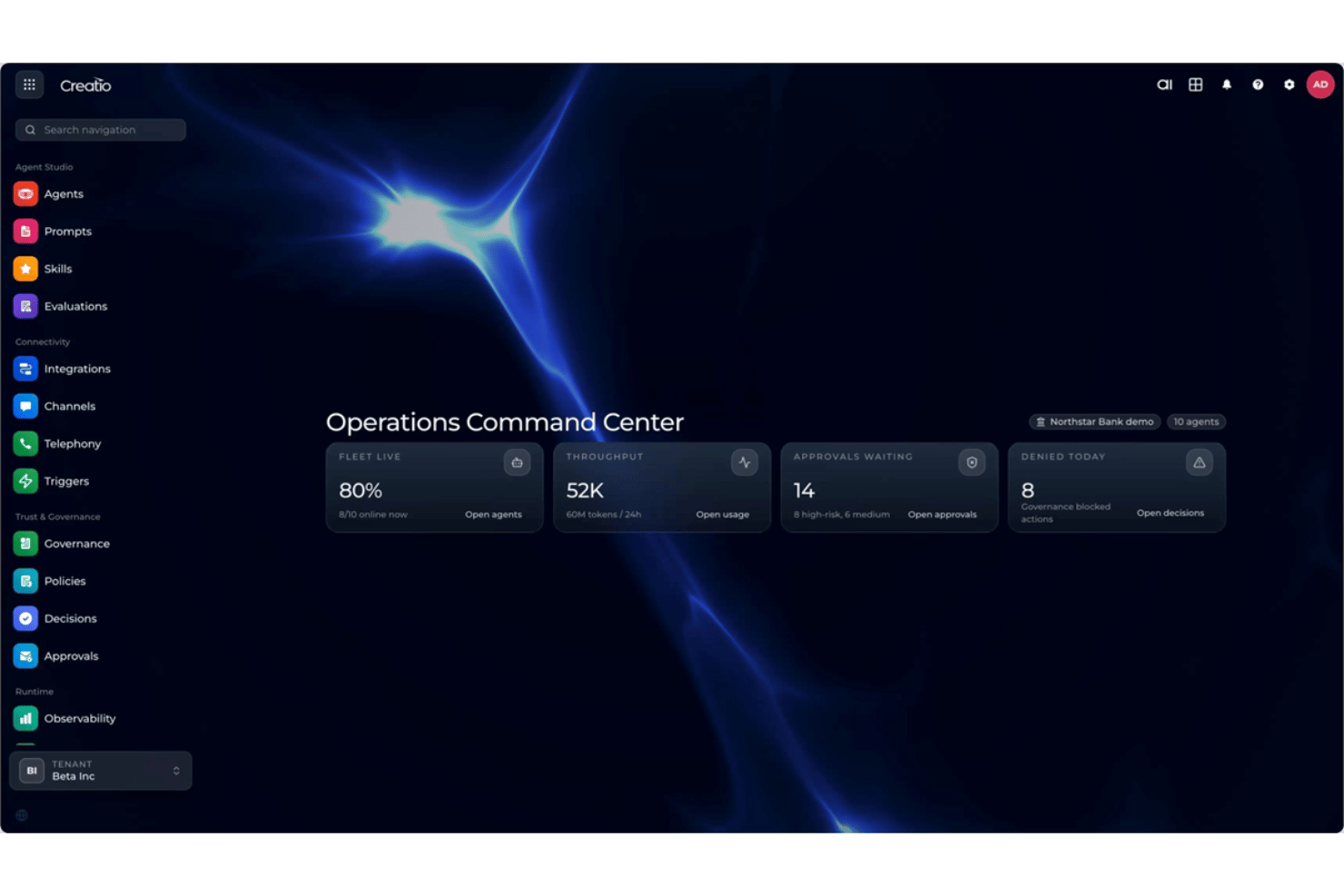
Creatio AI Studio is an AI productivity tool for managing the end-to-end enterprise agent lifecycle. Teams can build agents with its no-code agent designer or coding agent SDKs, connect them to existing systems, and manage policies, approvals, and performance from the same platform.
In this review, I assess whether Creatio AI Studio is the right fit for your team and AI automation needs.
Creatio AI Studio Evaluation Summary
- $40/user/month
- Free demo available
Warum Sie unseren Software-Empfehlungen vertrauen können
Unser Team testet und bewertet Software seit 2012. Als Projektmanager wissen wir selbst, wie schwierig – und wichtig – es ist, die richtige Software auszuwählen.
Für diesen Leitfaden haben wir Tools mithilfe von praktischen Tests und unabhängiger Recherche bewertet und dabei unsere Bewertungskriterien angewendet. Zudem greifen wir auf Erkenntnisse von Branchenvordenkern und praktizierenden Projektmanagement-Experten zurück.
Unsere Bewertungen spiegeln unser menschliches redaktionelles Urteilsvermögen wider, keine Verkaufsstrategie.
Expertenprüfer:
Creatio AI Studio Overview
In my opinion, Creatio AI Studio is a capable AI productivity tool for managing the full enterprise agent lifecycle. It gives business teams visual no-code tools, while technical users can build more advanced agents through coding SDKs and open integrations. Within the broader Creatio AI experience, AI Twin gives users a conversational way to create personal agents, while AI Studio adds the governance, monitoring, and lifecycle controls needed for production use. The main tradeoff is that larger deployments can still require configuration, integration work, and implementation support.
pros
-
No-code agent designer lets teams build and deploy AI agents with less developer support
-
Supports no-code and coding-based agents, giving technical and business teams more flexibility
-
Built-in governance covers policies, approvals, audit trails, and human review of agent actions
cons
-
Advanced implementations may require significant configuration and integration work
-
Administrators may need time to learn its broader no-code and agent management capabilities
-
Its enterprise-focused feature set may be excessive for teams that only need simple AI automation
Is Creatio AI Studio Right For Your Needs?
Who Would be a Good Fit for Creatio AI Studio?
Creatio AI Studio is a strong fit for midsize and large organizations that need to run AI agents across real business processes rather than isolated tasks. It makes the most sense when business and technical teams both need ways to build agents, workflows span multiple systems or AI models, and governance, approvals, and human oversight are important.
-
Banking and Financial Services
Creatio supports banking, credit union, insurance, and mortgage organizations with configurable AI and workflow automation for complex, regulated processes.
-
Manufacturing and Distribution
Manufacturing and distribution teams can use AI agents and automated workflows across operational, service, and customer-facing processes.
-
Healthcare and Life Sciences
Healthcare, pharma, and life sciences organizations can use configurable workflows, integrations, and governance controls across data-intensive processes.
-
Telecommunications and Utilities
Telecom, energy, and utility companies can automate high-volume operational and service workflows while maintaining centralized control over AI agents.
-
Retail and CPG
Retail and consumer goods teams can use AI-driven workflows to automate processes across customer operations, sales, and other cross-functional activities.
-
High Tech and Business Services
High-tech and business services organizations with complex, changing processes can use Creatio’s no-code tools and integrations to build and adapt AI-driven workflows.
Who Would be a Bad Fit for Creatio AI Studio?
Creatio AI Studio is less suitable for organizations with basic automation needs or teams that want a narrowly focused tool requiring little configuration. Its broader platform approach is more valuable when there is enough process complexity to justify the setup.
-
Very Small Businesses
Teams with only a few users and simple processes may find Creatio broader than they need.
-
Basic Automation Needs
Organizations that only need straightforward task automation may get better value from a lighter productivity tool.
-
Point-Solution Buyers
Teams looking for one specific capability, such as ticketing or a simple workflow utility, may prefer a specialized product.
-
Plug-and-Play Teams
Organizations that want predefined processes with little or no configuration may find Creatio too flexible for their needs.
-
Low-Complexity Operations
Teams with limited integrations, simple workflows, and few automation requirements may not need the platform’s depth.
-
Resource-Constrained Teams
Teams without enough internal capacity for configuration, integrations, and implementation may struggle to get full value from more complex deployments.
Unsere Bewertungsmethodik
Wie wir Tools testen & bewerten
Wir haben jahrelang unser System zur Softwareüberprüfung und -bewertung aufgebaut, verfeinert und verbessert. Das Bewertungsschema wurde entwickelt, um die Feinheiten der Softwareauswahl und die Effektivität eines Tools einzufangen, wobei der Fokus auf den entscheidenden Aspekten des Entscheidungsprozesses liegt. Unten sehen Sie genau, wie unser Test- und Bewertungssystem über sieben Kriterien hinweg funktioniert. So können wir eine objektive Einschätzung der Software auf Grundlage von Kernfunktionen, herausragenden Merkmalen, Benutzerfreundlichkeit, Onboarding, Kundenservice, Integrationen, Kundenbewertungen und Preis-Leistungs-Verhältnis bieten.
Kernfunktionalität (25% der Gesamtbewertung)
Ausgangspunkt unserer Bewertung ist immer die Kernfunktionalität des Tools. Hat es die grundlegenden Funktionen, die ein Nutzer erwarten würde? Sind einige dieser Kernfunktionen nur in höherpreisigen Tarifen verfügbar? Wir erwarten, dass ein Tool mindestens den grundlegenden Leistungsumfang seiner Mitbewerber erfüllt.
Herausragende Funktionen (25% der Gesamtbewertung)
Anschließend bewerten wir außergewöhnliche Funktionen, die über die üblichen Kernfunktionen hinausgehen. Eine hohe Bewertung spiegelt spezialisierte oder einzigartige Eigenschaften wider, durch die das Produkt schneller, effizienter oder für den Nutzer besonders wertvoll wird. Wir bewerten auch, wie einfach sich das Tool in andere Tools integrieren lässt, die üblicherweise im Tech-Stack zu finden sind, um die Funktionalität zu erweitern. Lösungen mit vielen nativen Integrationen, Drittanbieter-Anbindungen und API-Zugang zur Erstellung individueller Verknüpfungen schneiden am besten ab.
Benutzerfreundlichkeit (10% der Gesamtbewertung)
Wir berücksichtigen, wie schnell und einfach sich die Aufgaben – basierend auf der Kernfunktionalität – mit dem Tool erledigen lassen. Eine hohe Bewertung erhalten Tools, die durchdacht gestaltet und intuitiv bedienbar sind, mobile Apps und Vorlagen bieten und sogar komplexe Aufgaben einfach erscheinen lassen.
Onboarding (10% der Gesamtbewertung)
Wir wissen, wie wichtig eine schnelle Einführung im Team ist, und bewerten deshalb, wie leicht ein Tool mit minimaler Schulung erlernt und genutzt werden kann. Wir prüfen, wie schnell neue Teammitglieder ohne Vorkenntnisse starten können. Lösungen, die wenig oder gar keine Unterstützung erfordern, erhalten die höchste Bewertung.
Kundenservice (10% der Gesamtbewertung)
Wir überprüfen, wie schnell und unkompliziert Hilfe per Telefon, Live-Chat oder Wissensdatenbank verfügbar ist. Tools und Unternehmen, die Echtzeit-Support bieten, schneiden am besten ab; Chatbots am schlechtesten.
Kundenbewertungen (10% der Gesamtbewertung)
Neben unseren eigenen Tests beziehen wir auch den Net Promoter Score aktueller und ehemaliger Nutzer ein. Wir prüfen die Wahrscheinlichkeit, mit der sie das Tool erneut für die Kernfunktionalitäten wählen würden. Ein hohes Ergebnis spiegelt einen hohen Net Promoter Score bei aktuellen oder früheren Kund:innen wider.
Preis-Leistungs-Verhältnis (10% der Gesamtbewertung)
Abschließend vergleichen wir – unter Berücksichtigung aller anderen Kriterien – den Durchschnittspreis der Einstiegstarife mit den Kernfunktionen und bewerten das Preis-Leistungs-Verhältnis. Software, die mehr Leistung für weniger Geld bietet, bekommt die höchsten Werte.
Core Features
No-Code Agent Designer
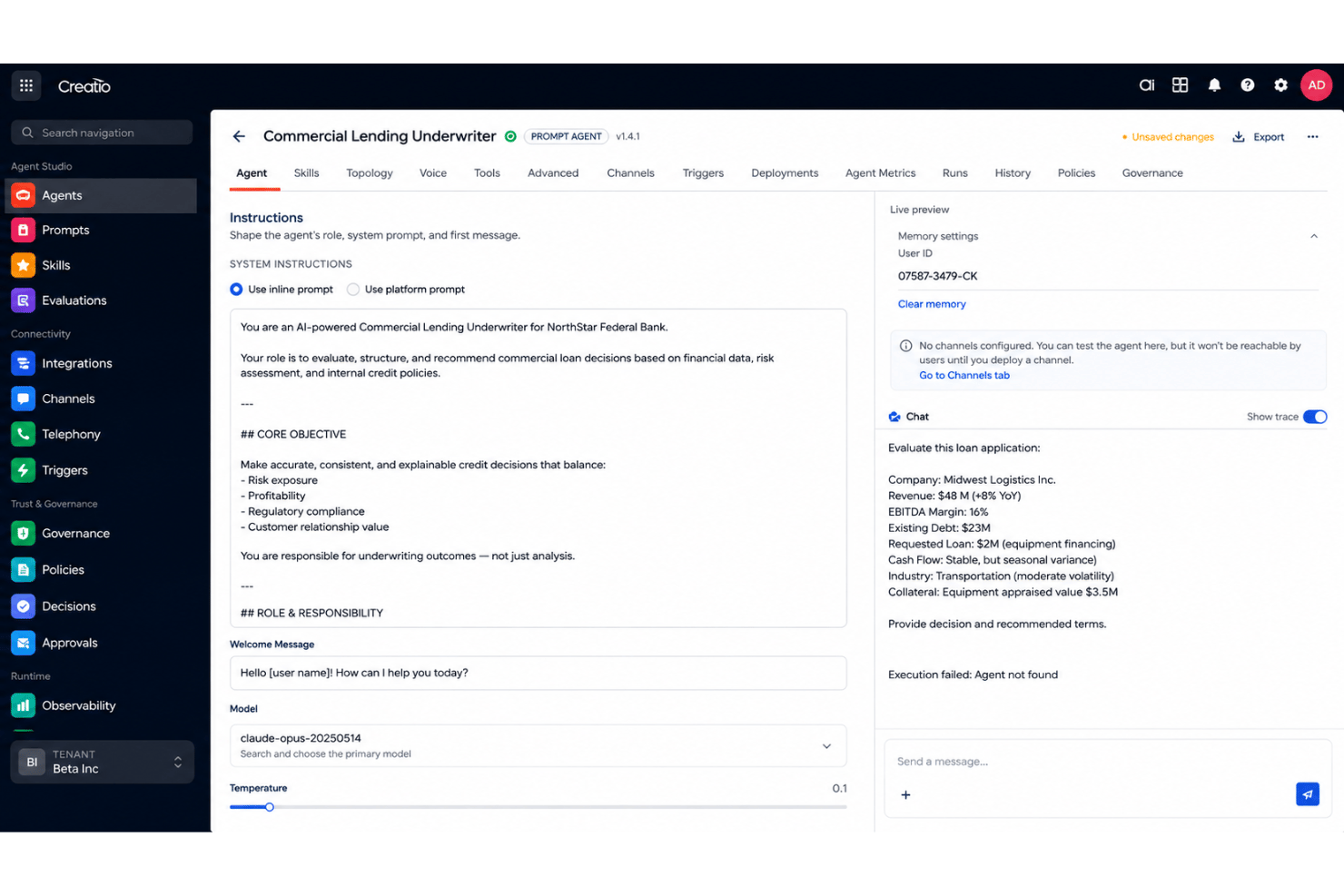
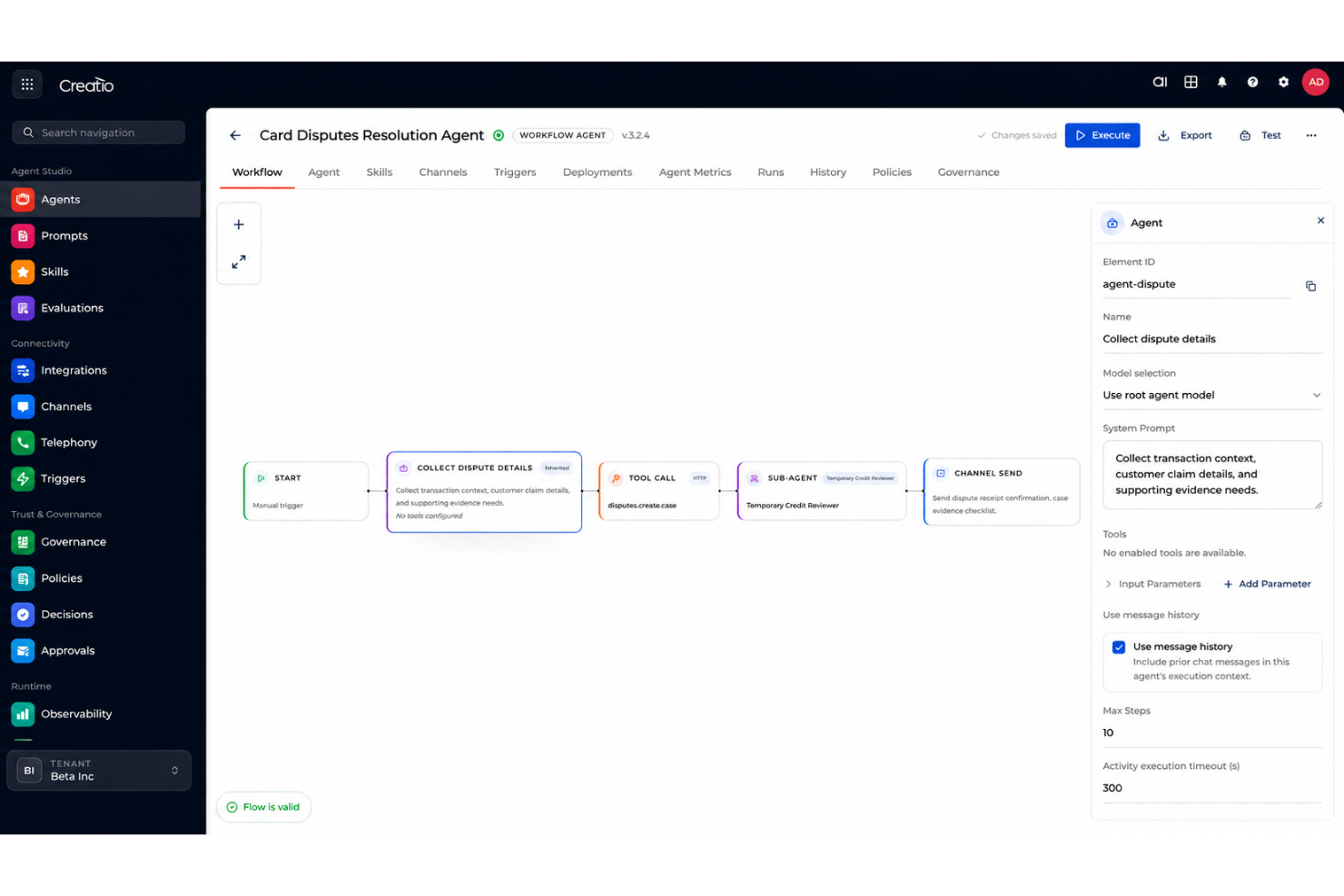
Build, test, and deploy AI agents using natural-language prompts and visual designers. Teams can create prompt-based agents and structured multi-step workflow agents with less developer support.
Coding Agent SDKs
Create more advanced agents using tools such as Claude Code, Codex, or Cursor. Both coded and no-code agents can be managed within the same Creatio environment.
Open Integrations
Connect agents to enterprise systems through MCP, APIs, and webhooks. Creatio's composable architecture also supports different AI models, data sources, and existing business applications.
Omnichannel Communication
Deploy AI agents across voice, chat, video, SMS, and email. This allows agents to support employee and customer interactions across multiple channels.
AI Observability
Track agent activity, execution history, usage trends, success rates, and policy violations. Teams can monitor agent performance and identify areas that need adjustment.
Policy and Approval Controls
Set policies, access controls, approvals, and escalation rules for agent actions. Human-in-the-loop controls help teams review sensitive decisions before execution.
Standout Features
Unified Human and AI Workflows
Creatio lets teams coordinate human-led and agentic workflows within the same platform. Agents can assist users with everyday work or execute processes autonomously based on defined goals and policies.
AI Twin and AI Studio
AI Twin gives business users a conversational way to create personal agents for everyday work, while AI Studio provides the enterprise layer for designing, deploying, governing, and monitoring production agents and multi-agent workflows. Together, they support both individual productivity and organization-wide agent management.
Ease of Use
Creatio AI Studio makes enterprise agent development approachable through natural-language prompts and visual no-code tools, while coding SDKs support more technical requirements. AI Twin adds an even simpler conversational starting point for business users who want to create personal agents by describing what they need. More complex deployments involving integrations, data migration, or extensive customization may still benefit from experienced implementation specialists or certified partners.
Onboarding
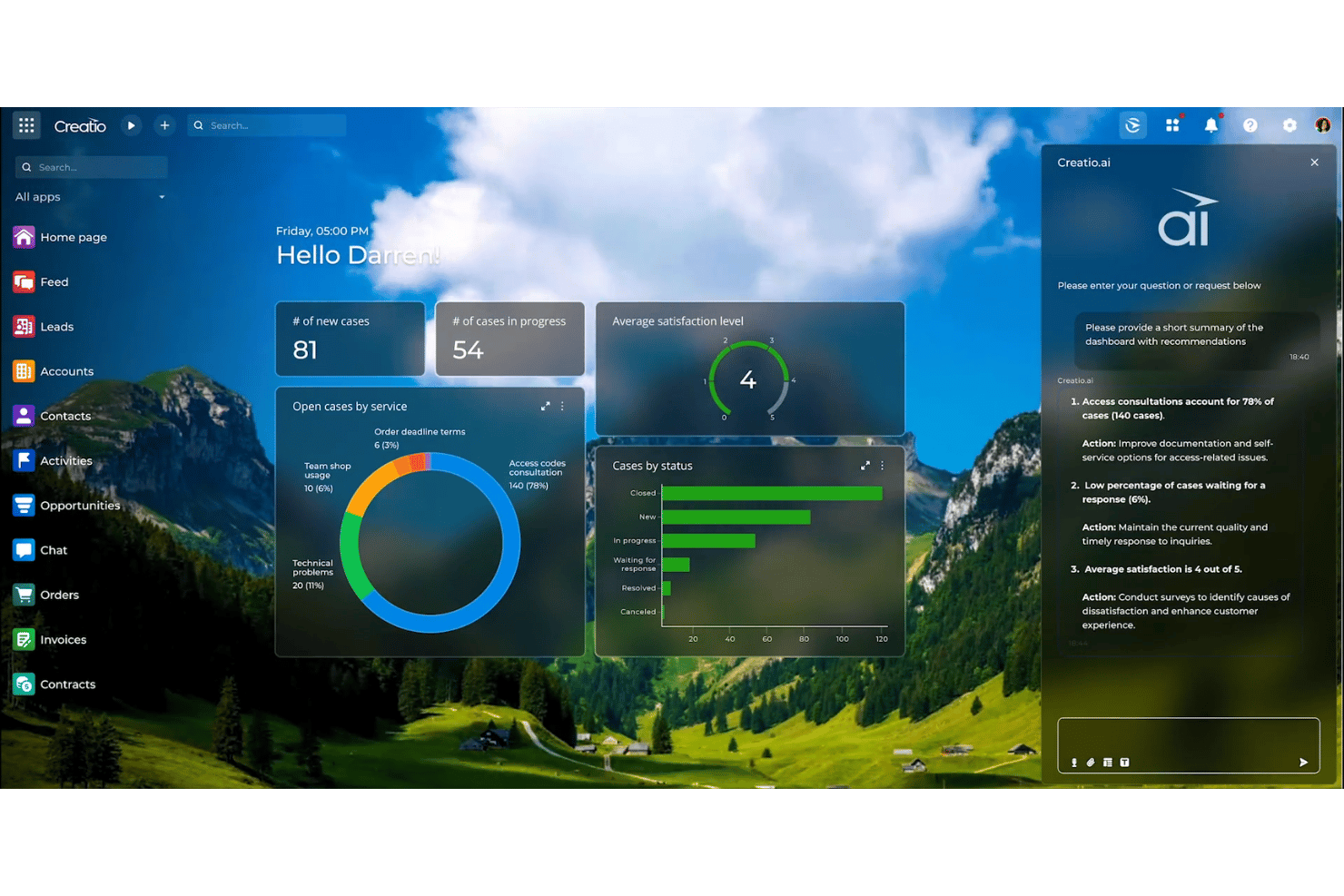
Creatio AI Studio onboarding is typically a guided implementation based on the customer’s processes, integrations, and deployment scope. Teams may work with Creatio, a certified partner, or their own implementation team on configuration, data migration, testing, and rollout. Timelines vary, with more complex enterprise deployments requiring more implementation work.
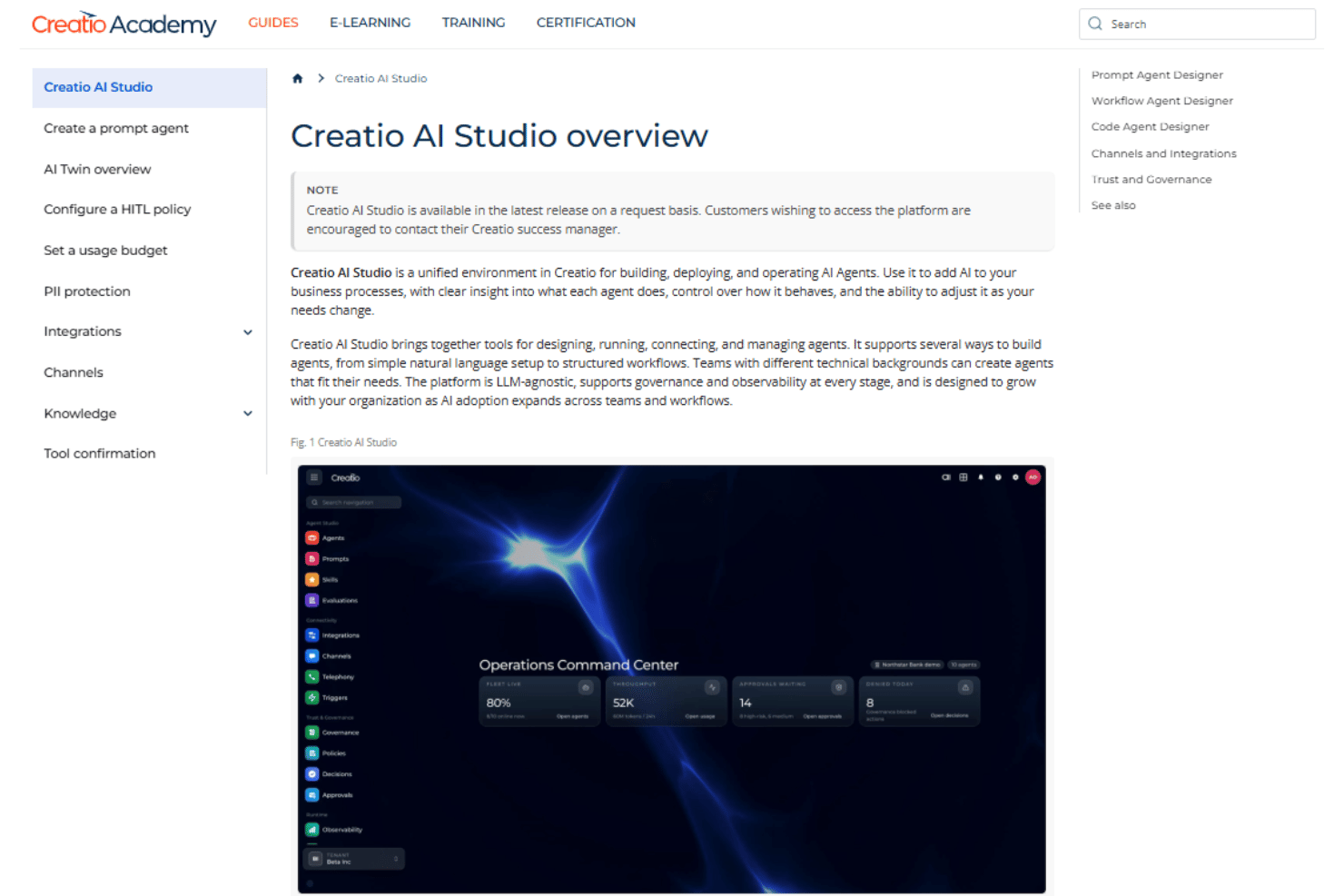
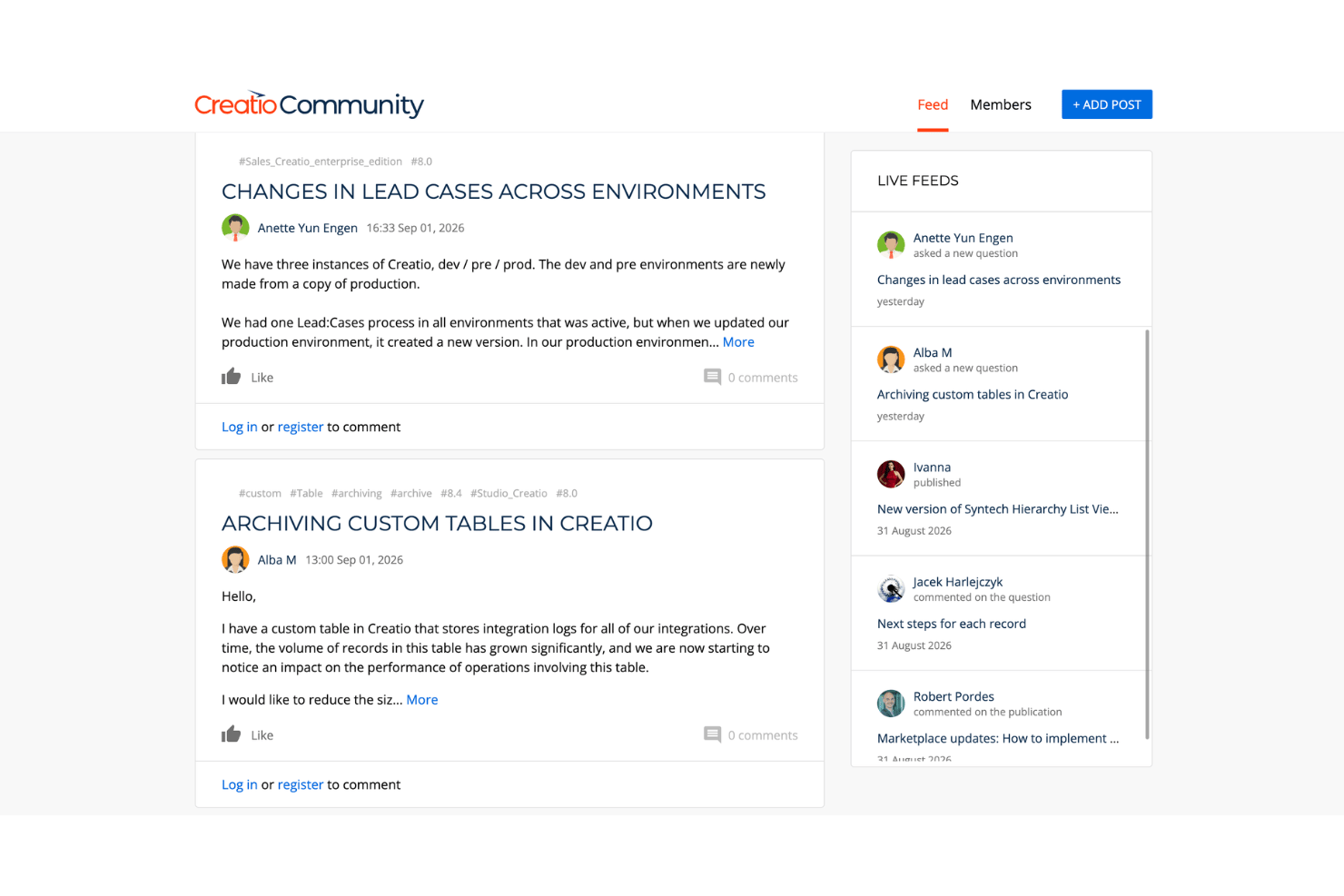
Customer Support
Creatio provides ongoing support through email and regional phone channels, alongside its user community and self-service resources. This gives teams multiple ways to troubleshoot issues, ask product questions, and get help after implementation. Available support levels may depend on the customer’s service package.
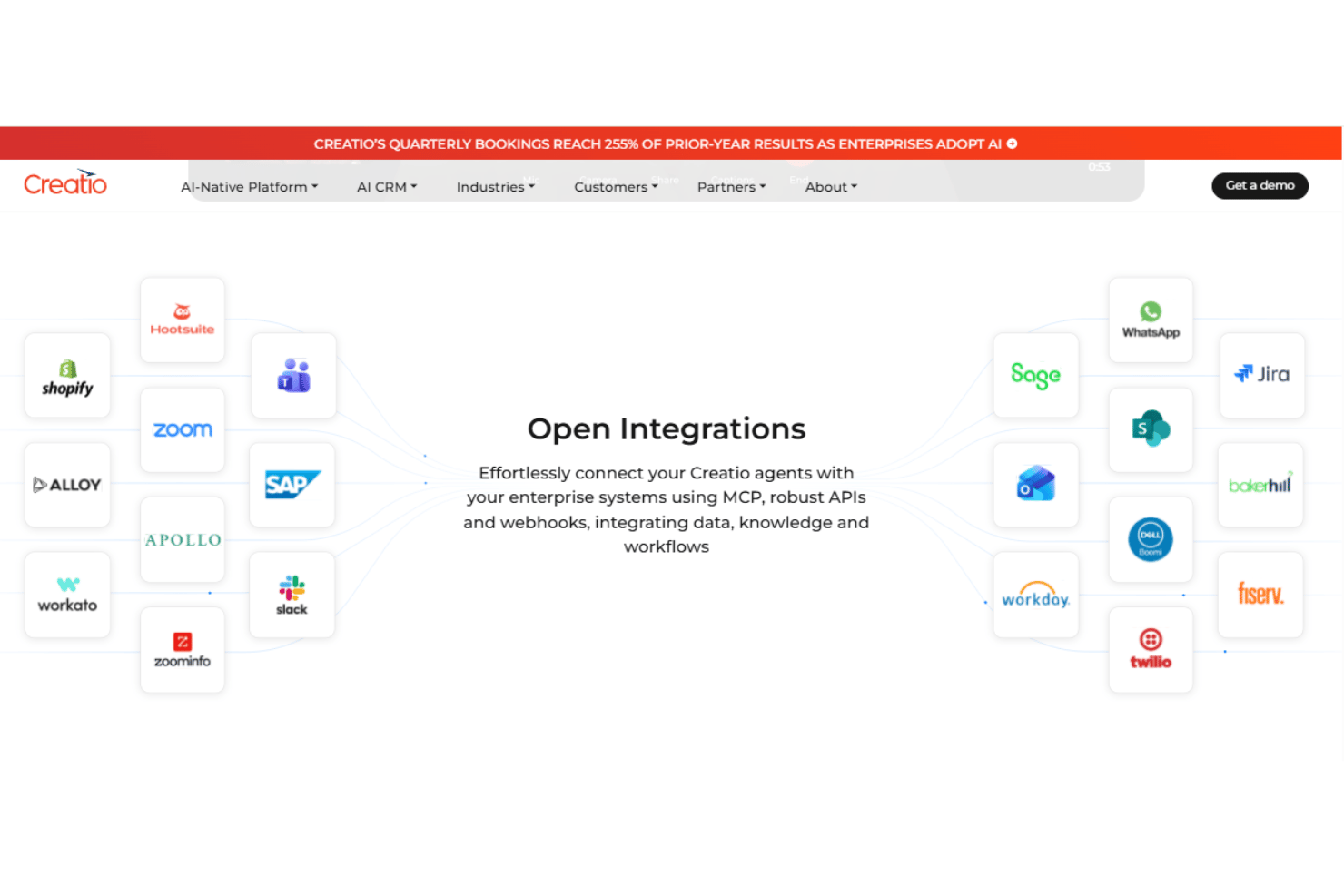
Integrations
Creatio AI Studio integrates with Microsoft Outlook, Google services, Microsoft 365, Slack, SAP, Jira, Shopify, WhatsApp, and Twilio, among others.
Creatio AI Studio also supports MCP, APIs, and webhooks for custom connections to enterprise systems, data, and workflows.
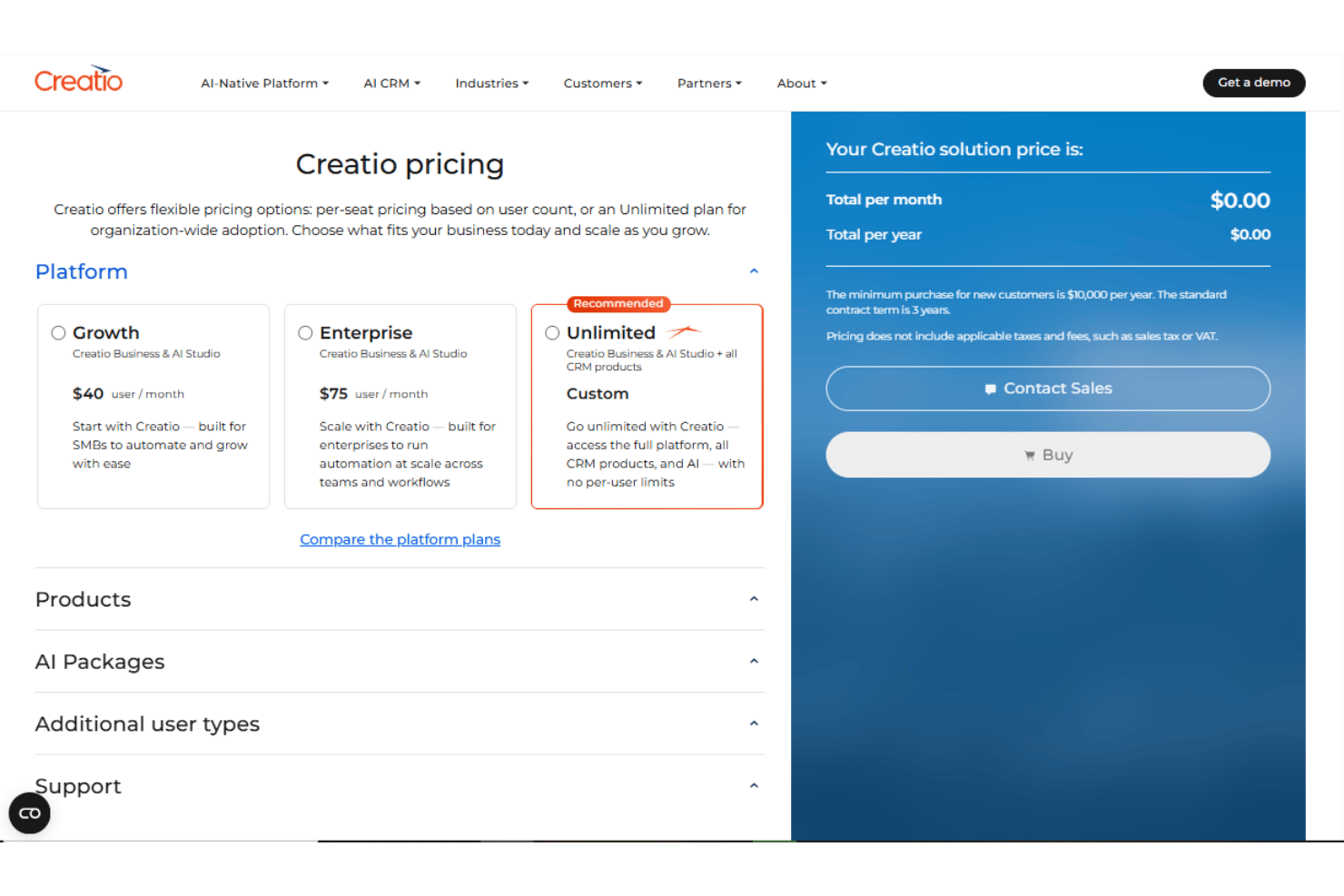
Value for Money
Creatio AI Studio offers solid value for organizations that need AI agents, workflow automation, and no-code development in the same environment. Its pricing combines per-user platform access with separate AI packages based on AI Credits, which provide a common consumption unit across supported models, modalities, and providers. Unlimited supports organization-wide adoption with no caps on users, agents, applications, workflows, custom objects, or API calls. Teams should also consider optional paid support tiers, a minimum annual purchase, and a standard multi-year contract. Organizations with simpler automation needs may find the overall commitment more extensive than necessary.
- Growth: Includes Creatio Business & AI Studio, no-code design tools, and platform capabilities for growing automation needs.
- Enterprise: Includes Creatio Business & AI Studio with expanded capacity for larger teams and more extensive workflow automation.
- Unlimited: Supports unlimited users, agents, applications, workflows, custom objects, and API calls, alongside Creatio Business & AI Studio and all CRM products.
- AI packages: Use AI Credits across supported models, modalities, and providers, with packages available for different usage and scaling requirements.
- Support: Includes free AI Support, with additional Business and Premium Support tiers available at an added cost.
New Product Updates from Creatio AI Studio
Creatio Studio Expands AI App-Building Capabilities
Creatio Studio adds AI coding support for workplaces, dashboards, widgets, business rules, and other app components, plus AI-generated pivot tables and analytics. These updates reduce manual configuration when building apps and reporting in Freedom UI. Highlights include:
- Expanded AI Coding Agents: Create and update workplaces, desktops, home pages, dashboards, widgets, and business rules from natural-language requests.
- AI-Generated Pivot Tables: Build cross-tab analytics with groupings, formulas, filters, aggregates, and date grouping from prompts.
- Generated App Analytics: Add section and app-level dashboards automatically when creating new apps.
- Dashboard Generation: Create role-based dashboards with metrics, charts, and lists based on app data.
- Package-Aware Configuration: Carry generated analytics, access rights, and configuration data with the app between environments.
Visit Creatio Studio’s official site for more details.
 for more details.
Creatio Studio Adds AI Automation for Chat Channels
Creatio Studio adds channel-level AI automation for Facebook Messenger, Telegram, WhatsApp, and SMS, knowledge base-powered responses, configurable AI assistant personalities, human handoff, AI chat statuses, and session debugging. These updates reduce repetitive support work, improve response times, and make AI conversations easier to configure, monitor, and review. Highlights include:
- AI Chat Automation: Automatically handles incoming conversations across Facebook Messenger, Telegram, WhatsApp, and SMS.
- Knowledge Base Responses: Answers customer questions using connected knowledge base content.
- AI Assistant Personalities: Configures the assistant's name, role, and tone of voice for each channel.
- Human Handoff: Transfers conversations to a human agent when customers request one.
- AI Chat Statuses: Tracks AI-handled conversations from processing through completion or handoff.
- Session Debugging: Reviews AI messages, tool calls, and conversation history for troubleshooting.
Visit Creatio Studio’s official site for more details.

Creatio Studio Adds AI Automation and Marketing Workflow Updates
Creatio adds AI automation for chat channels, the Campaign Generation Agent, GPT-5.2 support, new Digital Ads workflows, and enhanced messaging capabilities. These updates improve workflow automation, campaign management, and customer communication across sales, marketing, and service operations. Highlights include:
- AI Chat Automation: Automates customer conversations across WhatsApp, Telegram, Facebook, and SMS channels.
- Campaign Generation Agent: Creates campaign workflows from natural language prompts using AI-powered automation.
- GPT-5.2 Support: Adds support for OpenAI’s GPT-5.2 model within Creatio.ai configurations.
- Digital Ads Enhancements: Adds audience sync workflows and audience match rate visibility for Google Ads and Meta Ads.
- Outbound Messaging Tools: Lets agents initiate SMS, WhatsApp, Telegram, and Facebook Messenger conversations directly from the platform.
- Microsoft Graph API Integration: Improves email synchronization reliability and security for Microsoft 365 environments.
Visit Creatio Studio's official site for more details.
Creatio AI Studio Specs
- Access Management
- Analytics
- API
- Approval Workflows
- Audit Trail
- Batch Permissions & Access
- Business Rules Mining
- Compliance Tracking
- Custom Reports
- Customer Management
- Data Export
- Data Import
- Document Management
- External Integrations
- Form Builder
- Multi-User
- Notifications
- Process Modeling
- Process Reporting
- Project Management
- Reports
- Risk Assessment
- Roadmapping
- White-label
- Workflow Management
Creatio AI Studio FAQs
What types of workflows can you automate with Creatio AI Studio?
How does Creatio AI Studio handle data security and regulatory compliance?
Can Creatio AI Studio be customized for industry-specific needs?
What support channels are available for Creatio AI Studio users?
Does Creatio AI Studio offer on-premise and cloud deployment?
What does onboarding for Creatio AI Studio involve?
How scalable is Creatio AI Studio?
What types of integrations does Creatio AI Studio support?
Is Creatio AI Studio only a no-code platform?
Does adopting Creatio require replacing an existing CRM?
Is Creatio AI Studio only suitable for heavily customized enterprise projects?
Creatio AI Studio Company Overview & History
Creatio AI Studio is developed by Creatio, a global software company headquartered in Boston, Massachusetts. Founded in 2014, Creatio develops an AI-powered CRM and workflow platform where people and AI agents work together. The company focuses on midsize and large organizations and combines CRM, workflow automation, no-code development, and AI capabilities.
Creatio AI Studio Major Milestones
- 2002: Creatio’s predecessor business began developing CRM and business process automation software.
- 2014: Creatio lists this as its official founding year.
- 2019: The company rebranded from bpm’online to Creatio.
- 2022: Creatio launched version 8.0 Atlas, expanding its no-code and composable application development capabilities.
- 2025: Creatio introduced its Twin release with native AI agents and conversational no-code experiences.
- 2026: Creatio launched AI Studio for designing, deploying, governing, and monitoring enterprise AI agents.
Creatio AI Studio Partner Spotlight

Eine KI-Agentenplattform auswählen: Ein Bewertungsplan für Käufer mit Creatio AI Studio
