


Creatio AI Studio vs. Claude Managed Agents: Reviews, Features, And Comparison For 2026



As AI agents take on more complex work, teams need tools that can automate workflows without making them harder to manage. The challenge is finding the right balance between accessibility, flexibility, and control.
Creatio AI Studio and Claude Managed Agents are AI productivity tools for building and running AI agents across business workflows. I like that Creatio gives both business and technical teams more ways to build and govern agents, while Claude Managed Agents takes a more developer-led approach to autonomous execution.
In this comparison, I assess which tool is the better fit for your team, workflows, and automation needs.
Creatio AI Studio vs. Claude Managed Agents: An Overview
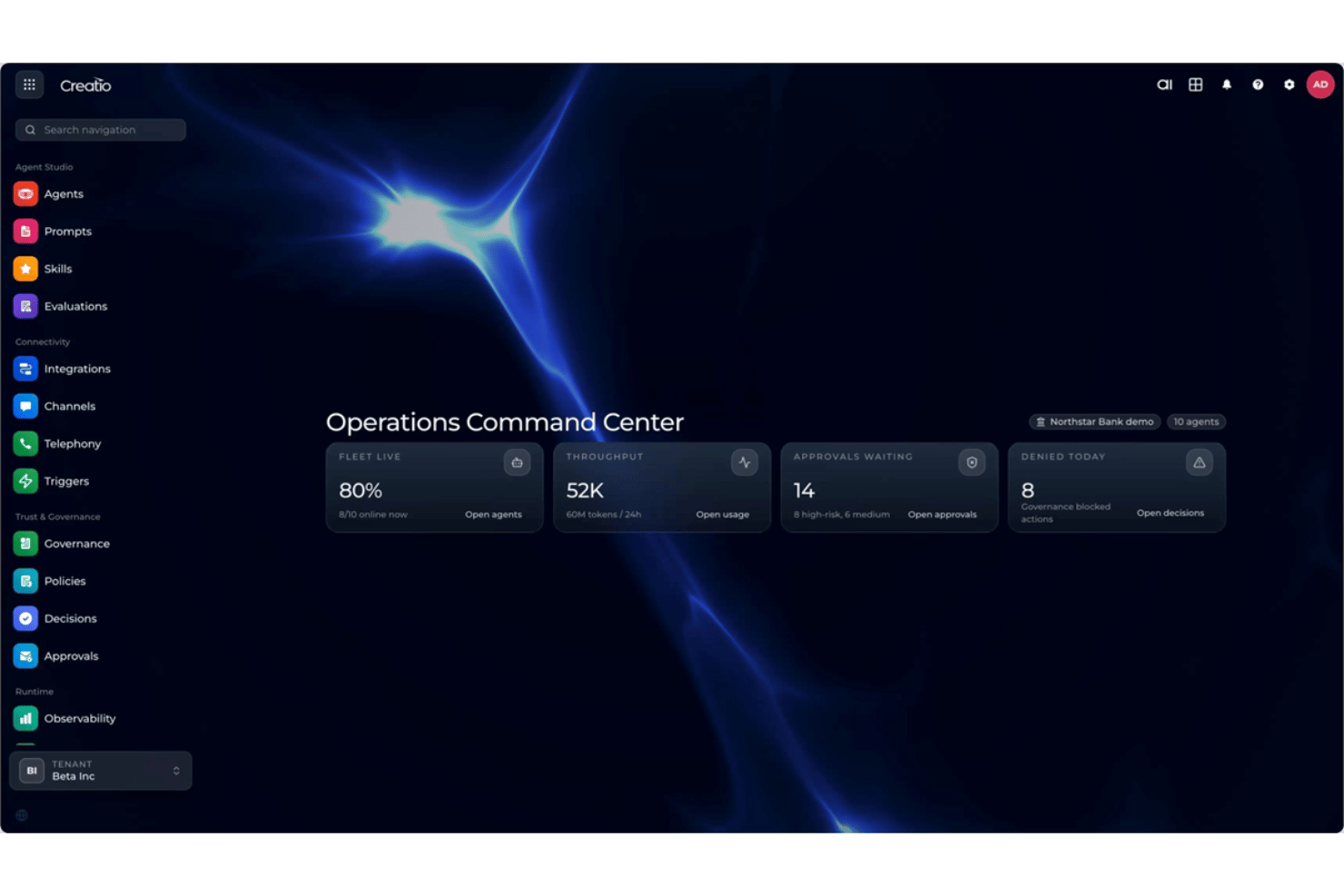
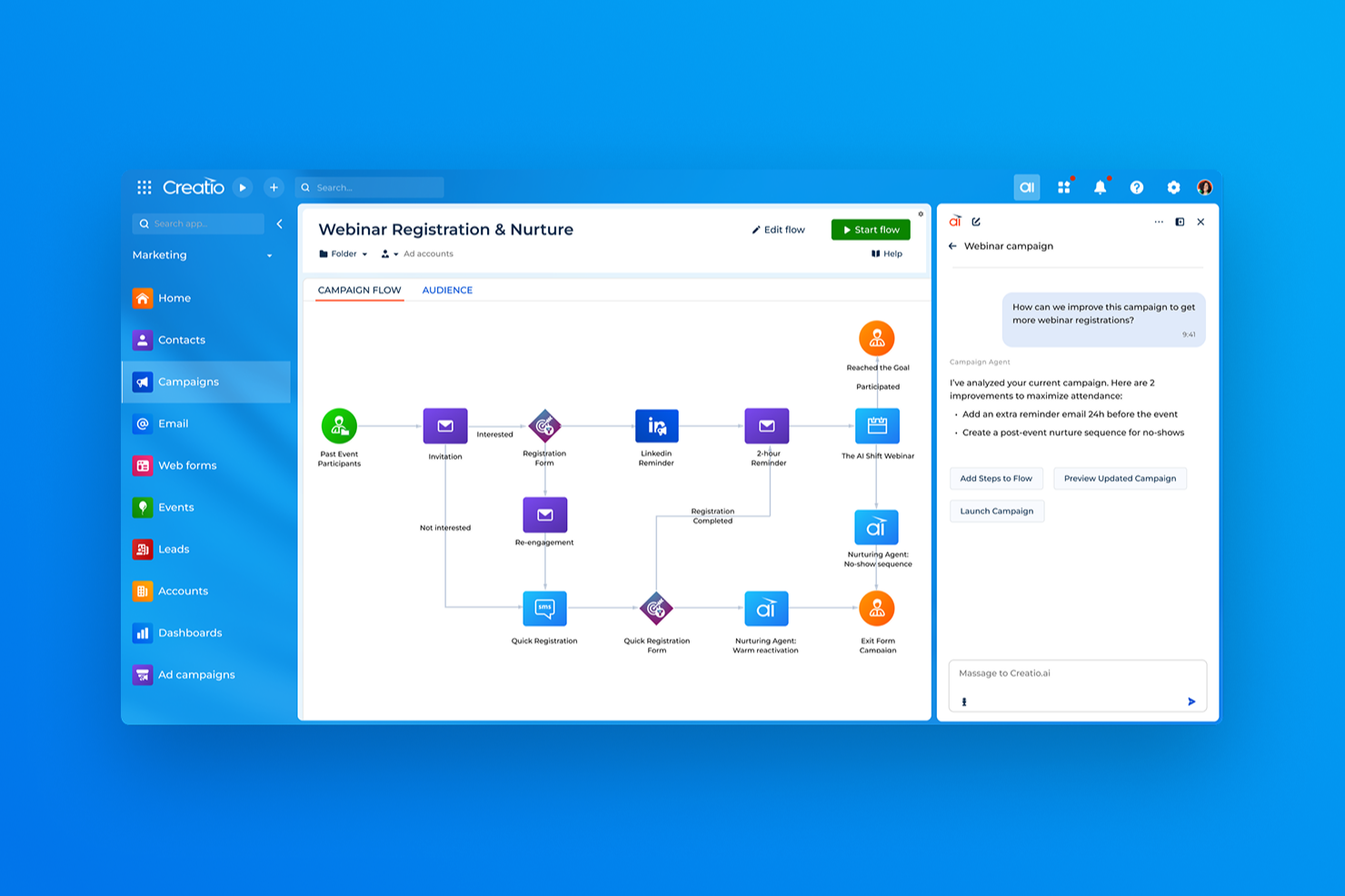
Creatio AI Studio


Claude Managed Agents
Why Trust Our Software Recommendations
Our team has been testing and reviewing software since 2012. As project managers ourselves, we know how difficult—and important—it is to choose the right software.
For this guide, we evaluated tools using hands-on testing and independent research, scoring tools using our selection criteria. We also draw on insights from industry thought leaders and practicing project management experts.
Our reviews reflect our human editorial judgment, not a sales pitch.
Expert reviewers:
Creatio AI Studio vs. Claude Managed Agents Pricing Comparison
| Creatio AI Studio | Claude Managed Agents | |
|---|---|---|
| Free Trial | Free demo available | No free trial available |
| Pricing | $40/user/month | From $0.08/active session-hour + model usage |
Creatio AI Studio vs. Claude Managed Agents Pricing & Hidden Costs
Creatio combines per-user platform pricing with separate AI packages based on AI Credits, plus optional support tiers. Its Unlimited model removes caps on users, agents, applications, workflows, custom objects, and API calls. New customers should also account for a minimum annual purchase and a standard multi-year contract. Meanwhile, Claude Managed Agents uses usage-based pricing tied to Claude model consumption and active session runtime, with additional costs for web search, fast mode, and U.S.-only inference.
To pick the right vendor, consider how you expect agent usage to scale across your workflows. I’d lean toward Creatio if a more structured platform and contract model helps with budgeting. By contrast, Claude Managed Agents follows a consumption model where spending changes with model usage, runtime, and optional services.
Creatio AI Studio vs. Claude Managed Agents Feature Comparison
| Creatio AI Studio | Claude Managed Agents | |
|---|---|---|
| API | ||
| Analytics | ||
| Custom Reports | ||
| Data Export | ||
| Data Import | ||
| External Integrations | ||
| Multi-User | ||
| Notifications | ||
| Process Reporting | ||
| Workflow Management |
Creatio AI Studio vs. Claude Managed Agents Integrations
| Integration | Creatio AI Studio | Claude Managed Agents |
|---|---|---|
| Google Workspace | ✅ | ✅ |
| Microsoft Teams | ✅ | ✅ |
| Slack | ✅ | ✅ |
| Jira | ✅ | ✅ |
| Zoom | ✅ | ✅ |
| SAP | ✅ | ✅ |
| HubSpot | ✅ | ✅ |
| Trello | ✅ | ✅ |
| API | ✅ | ✅ |
| Zapier | ✅ | ✅ |
Both Creatio AI Studio and Claude Managed Agents offer broad integration options across business systems and external tools. Creatio leans on its Marketplace, APIs, webhooks, and MCP to connect agents across a mixed tech stack, while Claude Managed Agents relies more heavily on MCP servers, APIs, and developer-configured tools. Creatio provides more built-in paths for connecting agents with broader business workflows inside the same platform.
Creatio AI Studio vs. Claude Managed Agents Security, Compliance & Reliability
| Factor | Creatio AI Studio | Claude Managed Agents |
|---|---|---|
| Data Privacy & Deployment | Supports AWS and Azure regions, multiple data residency options, on-premises deployment, full customer data ownership, and controls that keep customer data separate from shared model training. | Stateful sessions persist history and outputs, while self-hosted sandboxes can keep tool execution, files, and network egress within customer infrastructure. |
| Authentication & AI Governance | Supports native authentication, SAML 2.0 SSO, MFA, granular object-, record-, and operation-level RBAC, plus organization- and agent-level policies, tool approvals, confirmations, and human-in-the-loop controls. | Supports configurable permission policies that can allow tools automatically, require approval, or evaluate individual tool calls before execution. |
| Security & Compliance | Maintains SOC 2 Type II and ISO/IEC 27001 certifications, with encryption, access controls, audit logging, and data management capabilities that support GDPR and regulated workflows. | Anthropic’s API scope includes SOC 2 Type II and ISO certifications, though Managed Agents is not currently eligible for Zero Data Retention or HIPAA BAA coverage. |
| Encryption & Auditing | Uses encryption and detailed audit logging across administrative activity, data operations, and agent execution, with governance policies and explainability features supporting traceability. | Supports encrypted storage, eligible customer-managed encryption keys, and persistent event histories for tracing agent activity and execution. |
| Deployment & Reliability | Provides enterprise cloud SLAs alongside AI observability, execution history, policy monitoring, approvals, escalation controls, and lifecycle governance for production agents. | Supports Anthropic-managed or self-hosted sandboxes with persistent state and runtime controls for long-running agent execution. |
Overall, Creatio AI Studio emphasizes flexible deployment, organization- and agent-level governance, human oversight, auditability, and lifecycle monitoring through its AI Trust and Governance framework. Meanwhile, Claude Managed Agents focuses on configurable technical permissions and managed or self-hosted execution. Both support secure agentic workflows, but Creatio puts more governance and deployment controls directly into the broader business platform.
Creatio AI Studio vs. Claude Managed Agents Ease of Use
| Factor | Creatio AI Studio | Claude Managed Agents |
|---|---|---|
| Agent Building | Combines AI Twin’s conversational creation, visual no-code design, and coding SDKs for business and technical users. | Provides a visual Console for configuring and testing agents, alongside APIs and SDKs for production integration. |
| Onboarding | Typically follows guided implementation covering workflows, integrations, data preparation, testing, and user adoption. | Setup centers on configuring agents, tools, permissions, and runtime requirements. |
| Setup Flexibility | Combines no-code configuration, coded agents, open integrations, and support for different AI models within a composable architecture. | Supports managed or self-hosted environments and configurable tools for different agent workloads. |
| Learning Curve | No-code tools lower the barrier for business users, though complex deployments may still require training or specialist support. | Teams generally need more technical familiarity with APIs and agent configuration. |
| Support Resources | Provides Creatio Academy, documentation, training paths, professional services, and certified partners for implementation and ongoing adoption. | Provides technical documentation and developer resources for building and operating managed agents. |
From an ease-of-use perspective, Creatio AI Studio gives business and technical teams several paths into agent creation, from AI Twin and visual no-code design to coding SDKs. Meanwhile, Claude Managed Agents remains more developer-oriented, even though its Console provides visual configuration and testing before teams integrate agents into production applications through code. For teams that want business users directly involved in creating and managing agents, I’d lean toward Creatio, while Claude fits teams comfortable working with agent infrastructure.
Creatio AI Studio vs Claude Managed Agents: Pros & Cons
Creatio AI Studio
- No-code agent designer lets teams build and deploy AI agents with less developer support
- Supports no-code and coding-based agents, giving technical and business teams more flexibility
- Built-in governance covers policies, approvals, audit trails, and human review of agent actions
- Advanced implementations may require significant configuration and integration work
- Administrators may need time to learn its broader no-code and agent management capabilities
- Its enterprise-focused feature set may be excessive for teams that only need simple AI automation
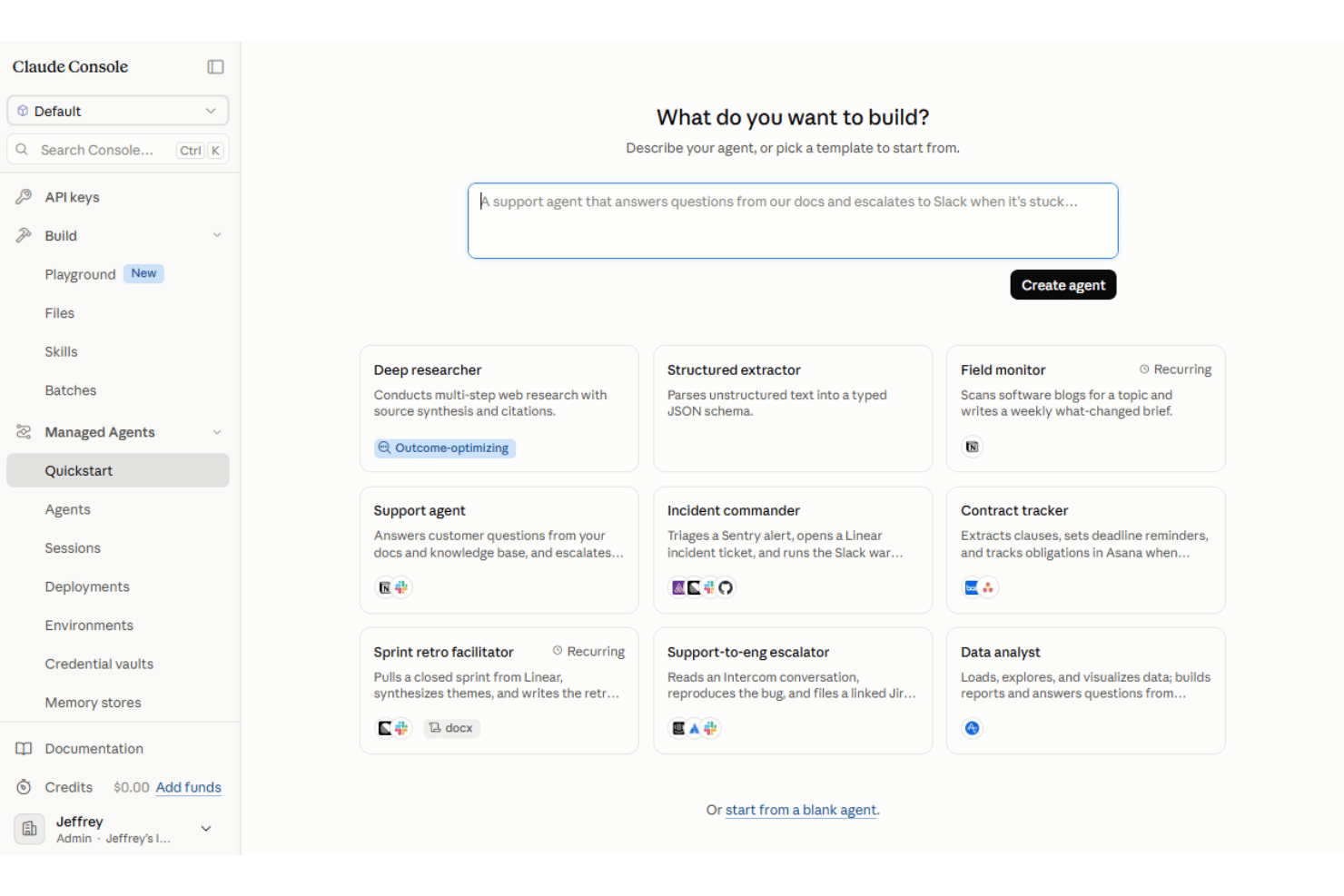
Claude Managed Agents
- Managed agent harness reduces the infrastructure teams need to build for agent loops, state, and tool execution
- Stateful sessions and scheduled deployments support long-running and recurring agent work
- Supports built-in tools, MCP connections, and managed or self-hosted execution environments
- Production implementation remains developer-oriented despite the visual Console
- Managed Agents is built for Claude models rather than offering a model-agnostic runtime
- The product remains in beta and is not currently eligible for Zero Data Retention or HIPAA BAA coverage
Best Use Cases for Creatio AI Studio and Claude Managed Agents
Creatio AI Studio
- Banking and Financial Services Creatio supports banking, credit union, insurance, and mortgage organizations with configurable AI and workflow automation for complex, regulated processes.
- Manufacturing and Distribution Manufacturing and distribution teams can use AI agents and automated workflows across operational, service, and customer-facing processes.
- Healthcare and Life Sciences Healthcare, pharma, and life sciences organizations can use configurable workflows, integrations, and governance controls across data-intensive processes.
- Telecommunications and Utilities Telecom, energy, and utility companies can automate high-volume operational and service workflows while maintaining centralized control over AI agents.
- Retail and CPG Retail and consumer goods teams can use AI-driven workflows to automate processes across customer operations, sales, and other cross-functional activities.
- High Tech and Business Services High-tech and business services organizations with complex, changing processes can use Creatio’s no-code tools and integrations to build and adapt AI-driven workflows.
Claude Managed Agents
- Software and Technology Teams Developer and platform teams can use Managed Agents for long-running technical workflows that involve code execution, files, tools, and external systems.
- Financial Services Organizations Financial services teams can build custom agents for research, reconciliation, compliance-related workflows, and other data-intensive operations.
- Customer Support Operations Technical teams can build agents that connect to business systems and handle multi-step support workflows using organizational data and external tools.
- Legal and Professional Services Organizations handling document-heavy work can build agents for research, summarization, and workflows involving large collections of files and external tools.
- Commerce and Digital Product Teams Development teams can build commerce agents that work across product data, tools, and external services using Claude Managed Agents as the runtime.
- Enterprise IT and Platform Teams Organizations with engineering resources can use managed or self-hosted sandboxes for long-running agent workloads that need tighter control over tools, files, and network access.
Who Should Use Creatio AI Studio, and Who Should Use Claude Managed Agents?
If you’re looking for an AI productivity tool that brings business users, technical teams, and AI agents into the same workflow environment, Creatio AI Studio is likely a good fit. It suits midsize and large organizations that need AI Twin and no-code agent creation, coded agents, multiple AI models, open integrations, omnichannel engagement, centralized governance, and human oversight across complex business processes.
If, instead, your team is building developer-led agents for long-running, stateful, or scheduled work, Claude Managed Agents may suit your needs. It fits technical teams that want Anthropic to handle much of the agent runtime infrastructure while retaining control over tools, permissions, MCP connections, and managed or self-hosted execution environments. Teams should also account for its current beta status.
Differences Between Creatio AI Studio and Claude Managed Agents
| Creatio AI Studio | Claude Managed Agents | |
|---|---|---|
| AI Model Flexibility | Uses an open architecture that supports OpenAI, Google, Anthropic, and other model strategies without tying teams to one provider. | Managed Agents is purpose-built for Claude models rather than operating as a model-agnostic agent runtime. |
| Agent Creation Path | Combines AI Twin’s conversational creation, visual no-code agent design, workflow agents, and coding SDKs within one governed environment. | Uses a developer-oriented platform with visual Console configuration plus APIs and SDKs for production applications. |
| Deployment Model | Supports AWS and Azure regions plus on-premises deployment options within the broader Creatio platform. | Supports Anthropic-managed or self-hosted sandboxes for tool execution while Claude and orchestration remain part of Anthropic’s platform. |
| Omnichannel Reach | Supports agents across voice, chat, video, SMS, email, and other business interaction channels within the Creatio environment. | Provides agent runtime and outputs while teams build or integrate the user-facing interface rather than receiving an equivalent omnichannel layer. |
| Pricing Structure | Combines platform access with separate AI packages and AI Credits, with Unlimited supporting broader organization-wide scaling. | Charges for Claude model usage plus active session runtime and applicable optional services. |
| Visit Creatio AI StudioOpens new window | Read Claude Managed Agents ReviewOpens new window |
Similarities Between Creatio AI Studio and Claude Managed Agents
| Business Context | Both let agents work with organizational data and workflow context so their outputs and actions reflect relevant business information. |
|---|---|
| Enterprise Connectivity | Both connect agents with external applications, business data, and tools through APIs, MCP, and other integration methods. |
| Monitoring & Traceability | Both provide visibility into agent activity and execution history, helping teams review behavior, troubleshoot issues, and understand workflow outcomes. |
| Multi-Step Execution | Both support agents that can carry out multi-step workflows, coordinate several actions, and continue working toward a defined outcome. |
| Reusable Agent Configuration | Both let teams define reusable agents with specific instructions, capabilities, and connected resources for repeated workflow use. |
| Visit Creatio AI StudioOpens new window Read Claude Managed Agents ReviewOpens new window | |