Confluence vs. Notion: Comparison & Expert Reviews For 2026
Struggling to pick between Confluence and Notion for project management? Uncover key differences, expert reviews, and find the best fit for your team's success.
We’ve been testing and reviewing project management software since 2012. As project managers ourselves, we know how critical and difficult it is to make the right decision when selecting software.
We invest in deep research to help our audience make better software purchasing decisions. We’ve tested more than 2,000 tools for different project management use cases and written over 1,000 comprehensive software reviews. Learn how we stay transparent & our software review methodology.
Confluence pricing follows a tiered subscription model, with potential extra costs for additional storage and premium features. Notion pricing also offers a tiered structure, but users might encounter hidden costs if they exceed usage limits or require integrations. To choose the right tool for your budget, evaluate your team's specific needs, consider how much you're likely to grow, and think about any additional features that might be necessary in the long run.
Confluence vs. Notion Feature Comparison
With Confluence’s collaborative documentation feature, you can easily manage your team’s knowledge base and keep everyone aligned during complex projects, which is invaluable in fast-paced environments. Notion’s database feature is great for organizing tasks and projects, allowing you to tailor your workspace to fit specific workflows, making it ideal for teams that require flexibility. Both Confluence and Notion offer unique advantages—Confluence excels in structured collaboration, while Notion provides customization for varied project needs.
Confluence's integration with Jira lets you seamlessly track project progress and manage tasks within your documentation space, which is crucial for teams heavily invested in agile methodologies. Notion's integration with Zapier is great for automating workflows across different apps, allowing you to customize alerts and task management to fit your team's unique processes. While Confluence excels in integrating with development tools, Notion provides flexibility through automation capabilities.
Confluence vs. Notion Security, Compliance & Reliability
Factor
Confluence
Notion
Data Encryption
Confluence uses AES-256 encryption for data at rest and TLS for data in transit.
Notion encrypts data at rest and in transit using industry-standard encryption protocols.
Regulatory Compliance
Confluence complies with GDPR and offers features for data residency.
Notion is GDPR compliant and provides tools to help manage user data effectively.
Access Controls
Confluence offers granular permission settings to control data access.
Notion provides role-based access controls to manage user permissions.
Data Backup
Confluence performs regular automated backups to secure data integrity.
Notion ensures data reliability through continuous backups and version history.
Confluence provides robust security and compliance features, while Notion offers a user-friendly approach to data privacy and access control. To choose the right tool, evaluate your team's specific compliance needs, and consider how each tool's security features align with your industry's regulations and your organization's data protection policies.
Confluence vs. Notion Ease of Use
Factor
Confluence
Notion
User Interface
Confluence's interface is robust but can be overwhelming with its many features.
Notion offers a clean and intuitive interface that's easy to navigate and customize.
Onboarding Experience
Confluence provides detailed guides and tutorials for a comprehensive onboarding.
Notion features a quick start guide and templates for a smoother onboarding process.
Customization
Confluence allows for customization through add-ons and integrations.
Notion excels in customization with its flexible page layouts and templates.
Support
Confluence offers extensive support through its community and detailed documentation.
Notion provides responsive support with a focus on user feedback and improvements.
Confluence's extensive features can make it challenging to navigate initially, but its powerful integration options are a plus for advanced users. Notion stands out for its simplicity and ease of customization, making it ideal for those who value a straightforward setup and flexible workspace.
Confluence vs Notion: Pros & Cons
Confluence
Pros
Your team can benefit from its extensive templates, saving time on setup.
It offers powerful search capabilities to quickly find the information you need.
You can easily collaborate with your team through intuitive document sharing.
Cons
Your team may experience occasional performance issues with large data sets.
It can be overwhelming for new users due to its extensive features.
You might find its interface less visually appealing compared to other tools.
Confluence helps you keep track of tasks, priority level, and status, as well as key project documentation.
Non-profit organizations You can organize and manage volunteer efforts and project documentation with Confluence's easy-to-use interface.
Product management Your product team can track development progress and share feedback efficiently with Confluence's collaborative features.
Remote teams You can maintain clear communication and document sharing across distances with Confluence's online capabilities.
Educational institutions Your institution can use Confluence to support faculty collaboration and manage course materials effectively.
Marketing departments You can streamline campaign planning and content creation with Confluence's templates and collaboration tools.
Software development teams Your team can benefit from Confluence's strong document management features, which keep project specs and updates centralized.
Notion
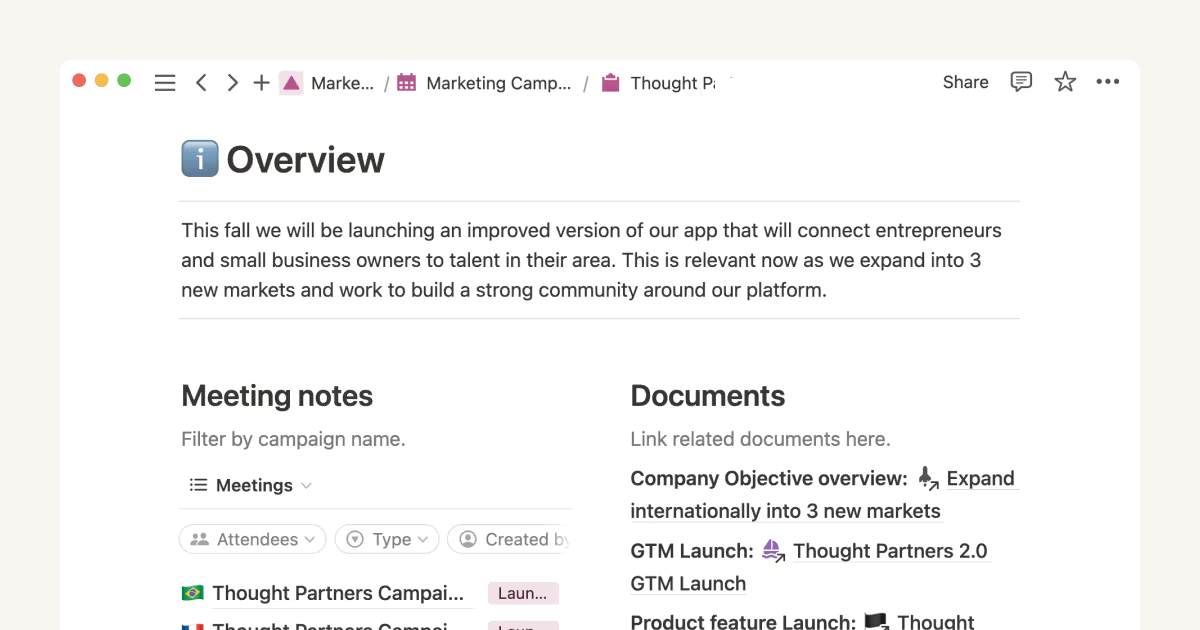
Notion helps you manage projects with customizable databases, tasks, and collaboration.
Notion Calendar
Notion Database
Notion Documentation
Content writers You can use the note-taking and organization features to manage research, drafts, and editorial calendars efficiently.
Education departments You can use Notion's database capabilities to organize curricula, schedules, and educational materials.
Remote teams Notion supports constant communication and project tracking across different locations.
Startups You can tailor your workspace to your needs in order to manage rapid growth and changing project requirements.
Freelancers You can manage multiple projects and clients in a single, organized platform.
Creative agencies You can use customizable templates within a flexible workspace to manage creative projects and collaborate with the team.
Who Should Use Confluence, and Who Should Use Notion?
In my opinion, Confluence is best suited for larger teams and organizations that need a structured environment for documentation and collaboration, especially in industries like tech where integration with development tools is crucial. From my perspective, Notion is ideal for small to medium-sized teams or individuals who value flexibility and customization in organizing their projects and tasks. I believe Notion's simplicity and adaptability make it a great choice for creative industries or startups with diverse workflows. If your team needs robust collaboration and integration features, go for Confluence; if you need a customizable and intuitive workspace, Notion is your go-to.
Differences Between Confluence and Notion
Confluence
Notion
Automation
Confluence integrates with development tools for automation.
Notion uses Zapier for automation across different apps.
Collaboration
Confluence offers structured collaboration with integration into Jira.
Notion provides flexible collaboration through shared pages and databases.
Customization
Confluence uses add-ons for customization.
Notion allows for easy customization with templates and flexible layouts.
Pricing
Confluence follows a tiered subscription model with potential extra costs.
Notion also uses a tiered model but can incur costs with overages and integrations.
User Interface
Confluence's interface is feature-rich but can be complex.
Notion features a clean, intuitive interface that's easy to navigate.
Confluence and Notion are accessible across devices, ensuring your team can work from anywhere with their mobile and web apps.
Collaboration
Both platforms facilitate team collaboration, with Confluence providing structured spaces and Notion offering flexible shared pages.
Documentation
Both Confluence and Notion excel in creating and managing documentation, with Confluence offering robust integration with other Atlassian tools, and Notion providing rich text and multimedia support.
Integrations
Confluence and Notion both support various integrations, enabling teams to connect with tools like Slack and Google Drive.
Pricing
Both use tiered pricing models, allowing teams to choose plans based on their size and feature needs.