

2026 İçin Seçilen Profesyonel Hizmetler İçin En İyi 10 Proje Yönetimi Yazılımı

Profesyonel Hizmetler için Proje Yönetimi Yazılımı Kısa Listesi


Profesyonel hizmetler için proje yönetimi yazılımı, ekibinizin kaynakları, bütçeleri ve zaman çizelgelerini tek bir yerden yönetirken müşteri projelerini planlamasına, takip etmesine ve teslim etmesine yardımcı olur. Doğru platformu arıyorsanız muhtemelen değişen müşteri talepleri, karmaşık faturalandırma süreçleri ve birden fazla projede gerçek zamanlı görünürlük ihtiyacı arasında denge kurmaya çalışıyorsunuz.
Doğru yazılım, ekipler arasındaki çalışmaları koordine etmenize, paydaşların aynı hedef doğrultusunda ilerlemesini sağlamanıza ve hiçbir işin gözden kaçmamasına yardımcı olabilir. Bu listede, özellikle profesyonel hizmet firmaları için tasarlanmış, özenle seçilmiş araçları bulacaksınız. Böylece özellikleri karşılaştırabilir ve işletmeniz için en uygun seçeneği belirleyebilirsiniz.
Why Trust Our Software Recommendations
Our team has been testing and reviewing software since 2012. As project managers ourselves, we know how difficult—and important—it is to choose the right software.
For this guide, we evaluated tools using hands-on testing and independent research, scoring tools using our selection criteria. We also draw on insights from industry thought leaders and practicing project management experts.
Our reviews reflect our human editorial judgment, not a sales pitch.
Expert reviewers:
Profesyonel Hizmetler için Proje Yönetimi Yazılımı Karşılaştırma Tablosu
Bu karşılaştırma tablosu, profesyonel hizmetler için öne çıkan proje yönetimi yazılımı seçimlerimin fiyatlandırma ayrıntılarını özetlemektedir:
Score legend (out of 5)
- Excellent 4.5–5
- Good 4–4.4
- Average 3–3.9
- Below average 2–2.9
- Poor 1–1.9
| Tool | Starting Price | Website | |||||||
|---|---|---|---|---|---|---|---|---|---|
| Best for enterprise-scale Gantt and resource planning | 3.7 out of 5 | 3 | 3 | 4 | 3 | 4 | 5 | £679.99 one-time purchase Not available | Website |
| Best for retainer budgets with rollover rules | 4.0 out of 5 | 5 | 4 | 4 | 3 | 4 | 4 | $9.99/user/month Free plan + 14-day free trial + free demo available | Website |
| Best for creative agency project and billing ops | 4.0 out of 5 | 4 | 4 | 4 | 4 | 4 | 4 | $53/user/month Free demo available | Website |
| Best for agency resource planning | 4.2 out of 5 | 5 | 5 | 4 | 3 | 4 | 4 | $10/user/month 14-day free trial | Book Demo |
| Best for time and billing in professional services | 4.0 out of 5 | 5 | 4 | 5 | 3 | 3 | 4 | $20/user/month Free demo available | Website |
| Best for visual project and capacity tracking | 3.5 out of 5 | 3 | 3 | 4 | 3 | 4 | 4 | $9/user/month Free plan + 14-day trial available | Book Demo |
| Best for automating intake-to-delivery workflows | 4.0 out of 5 | 4 | 3 | 4 | 4 | 4 | 5 | $10/user/month Free plan + 14-day trial + demo available | Book Demo |
| Best for consolidating tasks, docs, and team chat | 3.3 out of 5 | 3 | 2 | 3 | 4 | 4 | 4 | $7/user/month Free plan available | Website |
| Best for portfolio-wide resource forecasting | 4.5 out of 5 | 4 | 5 | 5 | 4 | 5 | 4 | Pricing upon request Free demo available | Website |
| Best for connected time, billing, and client work | 4.8 out of 5 | 5 | 5 | 5 | 5 | 4 | 5 | Pricing upon request Free demo available | Book Demo |
Profesyonel Hizmetler için Proje Yönetimi Yazılımı İncelemeleri
Aşağıda, kısa listeme giren profesyonel hizmetler için proje yönetimi yazılımlarına ilişkin ayrıntılı özetlerimi bulabilirsiniz. İncelemelerim, ekibiniz için en iyi seçeneği bulmanıza yardımcı olmak amacıyla her platformun özelliklerine, en uygun kullanım alanlarına ve entegrasyonlarına yakından bakmaktadır.
Best for enterprise-scale Gantt and resource planning
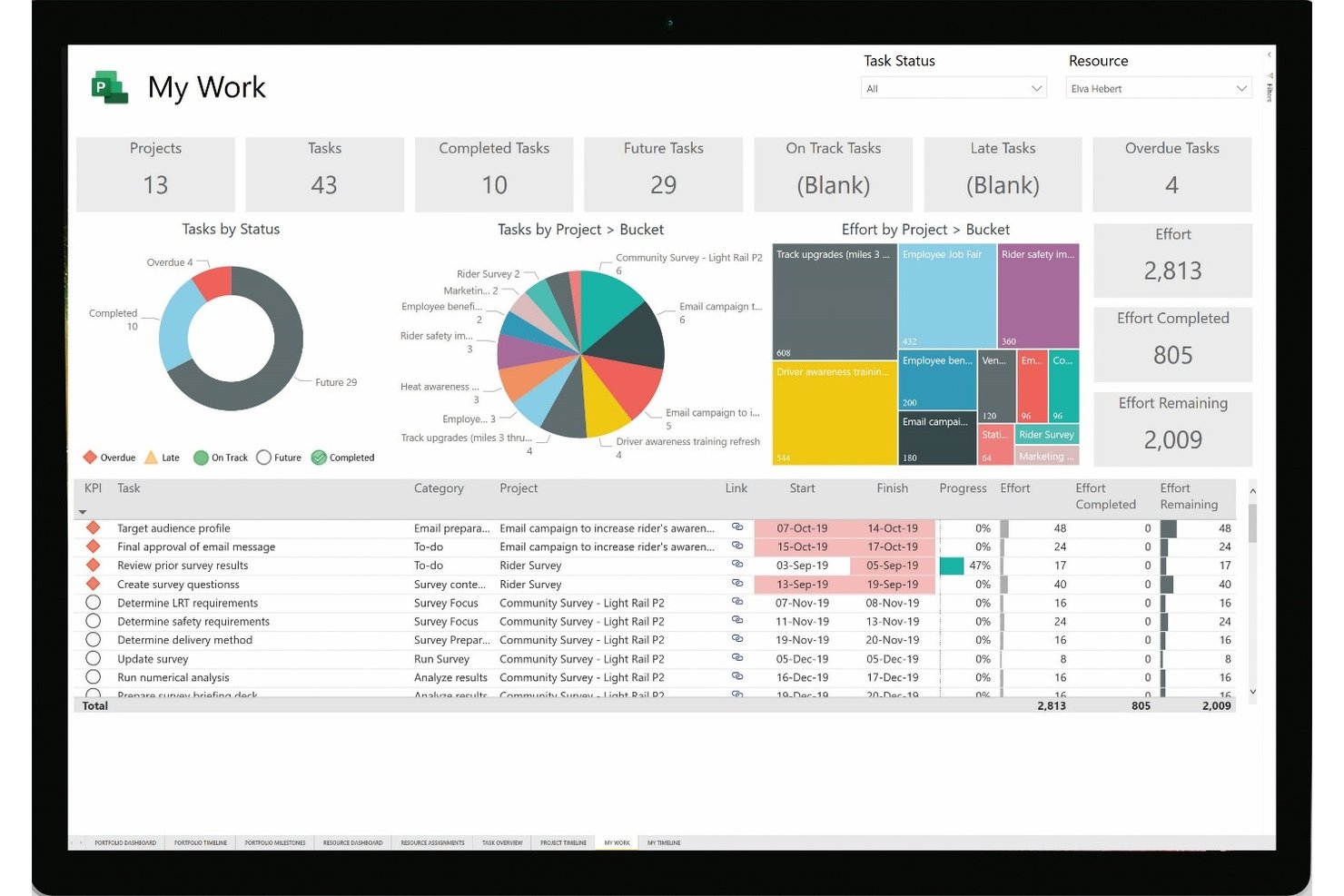
Microsoft Project is a project management platform from Microsoft that covers scheduling, resource allocation, portfolio management, time tracking, and cost tracking across single and multi-project environments.
Who Is Microsoft Project Best For?
Microsoft Project fits large organizations and enterprise teams that need deep scheduling control, cross-project resource management, and portfolio-level visibility across complex, concurrent workstreams.
Why I Picked Microsoft Project
Microsoft Project earns its spot on my shortlist because of the scheduling depth it brings to complex, multi-project environments. I'm talking about full critical path tracking across dependent tasks, effort-based scheduling, and automated rescheduling when actual finish dates shift—features that matter when you're managing concurrent workstreams with real dependencies. The resource pool and portfolio-level capacity planning (available on Plan 5) let you model staffing scenarios across your entire project portfolio before committing to a plan.
Microsoft Project Key Features
- Timesheet-based time tracking: Team members log actual hours or percentage complete in a single-entry timesheet, with configurable approval workflows and non-billable time tracking.
- Portfolio-level dashboards: Customizable dashboards surface project, task, and resource reports—including risks, issues, and deliverables—across your entire project portfolio.
- Resource pool management: A centralized resource pool consolidates availability, cost rates, and assignments across project files to help identify conflicts and view cross-project allocation.
- Project Web App external sharing: External users can be invited to collaborate on documents, risks, and issues through a shared Project Web App site.
Microsoft Project Integrations
Native integrations are not clearly documented. Microsoft Project supports REST and JavaScript interfaces for custom Project Server integrations, while Project Online stores data in SharePoint.
Pros and Cons
Pros:
- Portfolio scenarios help test staffing tradeoffs
- Shared resource pools expose cross-project staffing conflicts
- Detailed dependency scheduling supports shifting client deadlines
Cons:
- External collaboration lacks branded client approvals
- Client billing and invoicing need another system

Best for retainer budgets with rollover rules
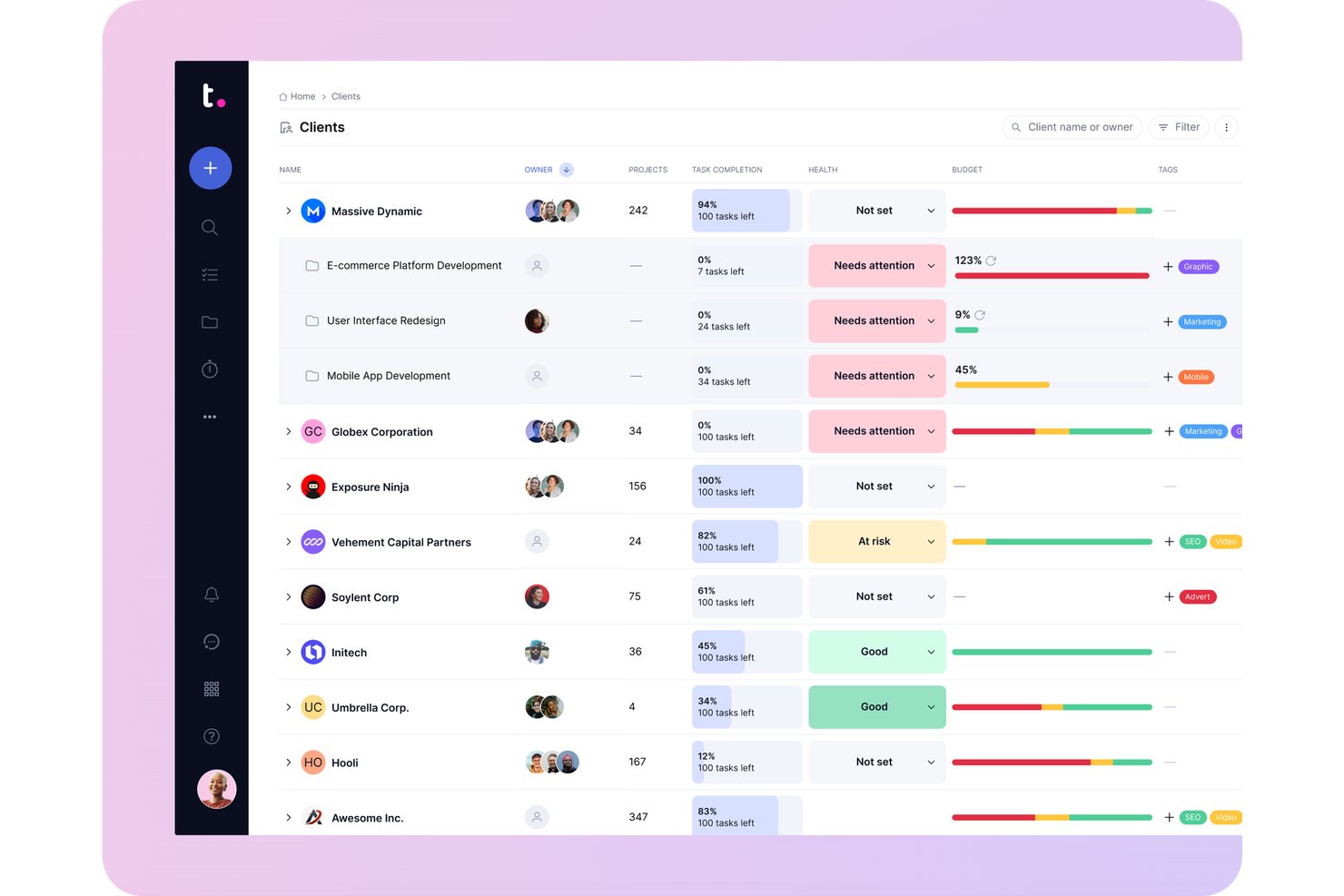
Teamwork.com is a project management platform purpose-built for client work, combining task planning, Gantt scheduling, time tracking, resource management, budgeting, and invoicing in a single client-organized workspace.
Who Is Teamwork.com Best For?
Teamwork.com is a strong fit for agencies and consulting teams that need to manage billable hours, client budgets, and project delivery in one place.
Why I Picked Teamwork.com
Teamwork.com earns its spot on my shortlist because it's built from the ground up for client work, not adapted for it. I particularly like how time logs connect directly to invoicing: billable hours flow into customizable client invoices that sync with QuickBooks, Xero, or NetSuite without manual reconciliation. Retainer budgets renew automatically on monthly or quarterly cycles, track logged time against the budget cap, and alert you before you go over.
Teamwork.com Key Features
- Workload planner: Visualizes team capacity across projects and flags over- and under-allocated users so you can rebalance work before deadlines slip.
- Proofs: Manages client review cycles from first draft through revisions to final sign-off, with approval tracked directly inside the project.
- Portfolio view: Displays health, status, and progress across all active client projects in a single view for cross-project oversight.
- Skills and role-based staffing: Categorizes team members by expertise so you can match the right people to incoming work based on skills and roles.
Teamwork.com Integrations
Teamwork.com offers 150+ integrations, including native QuickBooks Online, Xero, NetSuite, HubSpot, Salesforce, Slack, Microsoft Teams, and Google Calendar connectivity, plus SoftSync for Jira. It provides webhooks, API access, and Zapier.
Pros and Cons
Pros:
- Clients review proofs beside project discussions
- Workload views help rebalance concurrent engagements
- Client-level budgets connect tracked hours to billing
Cons:
- Client users can't access portfolio or reports
- Timer switching can leave short tasks unlogged

Best for creative agency project and billing ops
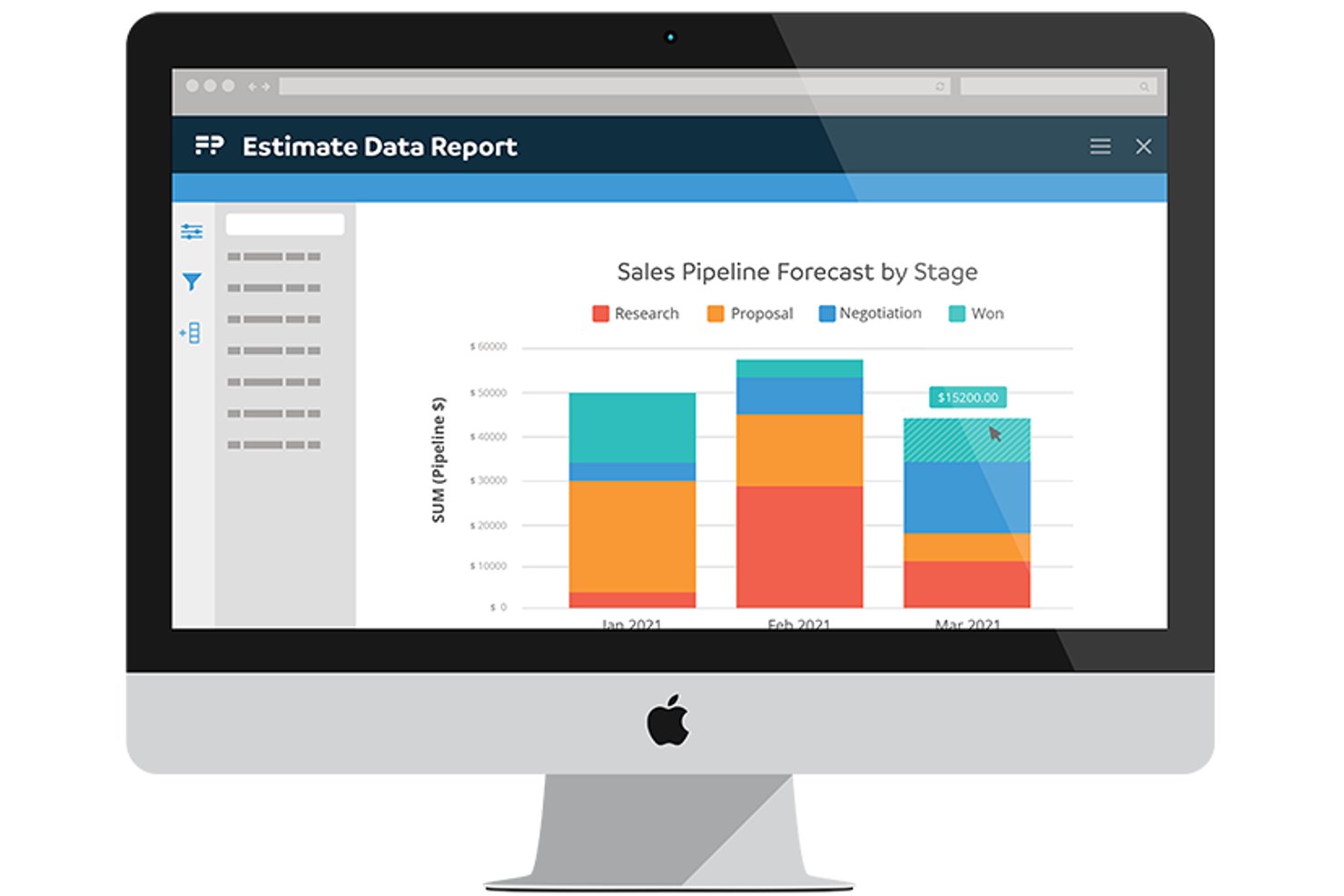
Function Point is an agency management platform that combines project planning, resource forecasting, time tracking, client portals, and financial management—including budgeting, invoicing, and profitability reporting—in one system built specifically for creative and professional services teams.
Who Is Function Point Best For?
Function Point suits creative and marketing agencies that need project management and client billing to work as one system rather than two separate tools.
Why I Picked Function Point
I've included Function Point in my top picks because it's one of the few tools where project budgets and client billing aren't bolted on as an afterthought—they're woven into every stage of the work. Estimates connect directly to project schedules, tracked time rolls up against those estimates, and the Profit Analysis Report shows estimated, predicted, actual, and invoiced figures side by side. I especially like how batch invoicing ties back to billable time already logged, so there's no manual reconciliation before you send a client invoice.
Function Point Key Features
- Work Planning View: Displays available hours by staff member or role and flags overloaded workloads with color-coded indicators so you can adjust assignments directly from the view.
- Client portal: Lets clients submit work requests, review and approve or decline estimates, access files, and track job status with agency-controlled permissions.
- Schedule templates: Pre-built or custom templates let you set up project schedules with Gantt or Kanban views, task dependencies, milestones, and assignees.
- Sales pipeline tracking: Tracks prospects and opportunities through a CRM so you can forecast potential work and revenue alongside active project delivery.
Function Point Integrations
Function Point offers native integrations with Asana, Outlook, Gmail, Google Calendar, QuickBooks Online, and QuickBooks Desktop. It also provides a REST API for custom integrations.
Pros and Cons
Pros:
- Profit reports compare estimated and invoiced work
- Client approvals and status share one portal
- Job-level time connects estimates and budgets
Cons:
- Multiple-project oversight can be hard to scan
- Reassigning staff and dates takes extra steps

Best for agency resource planning
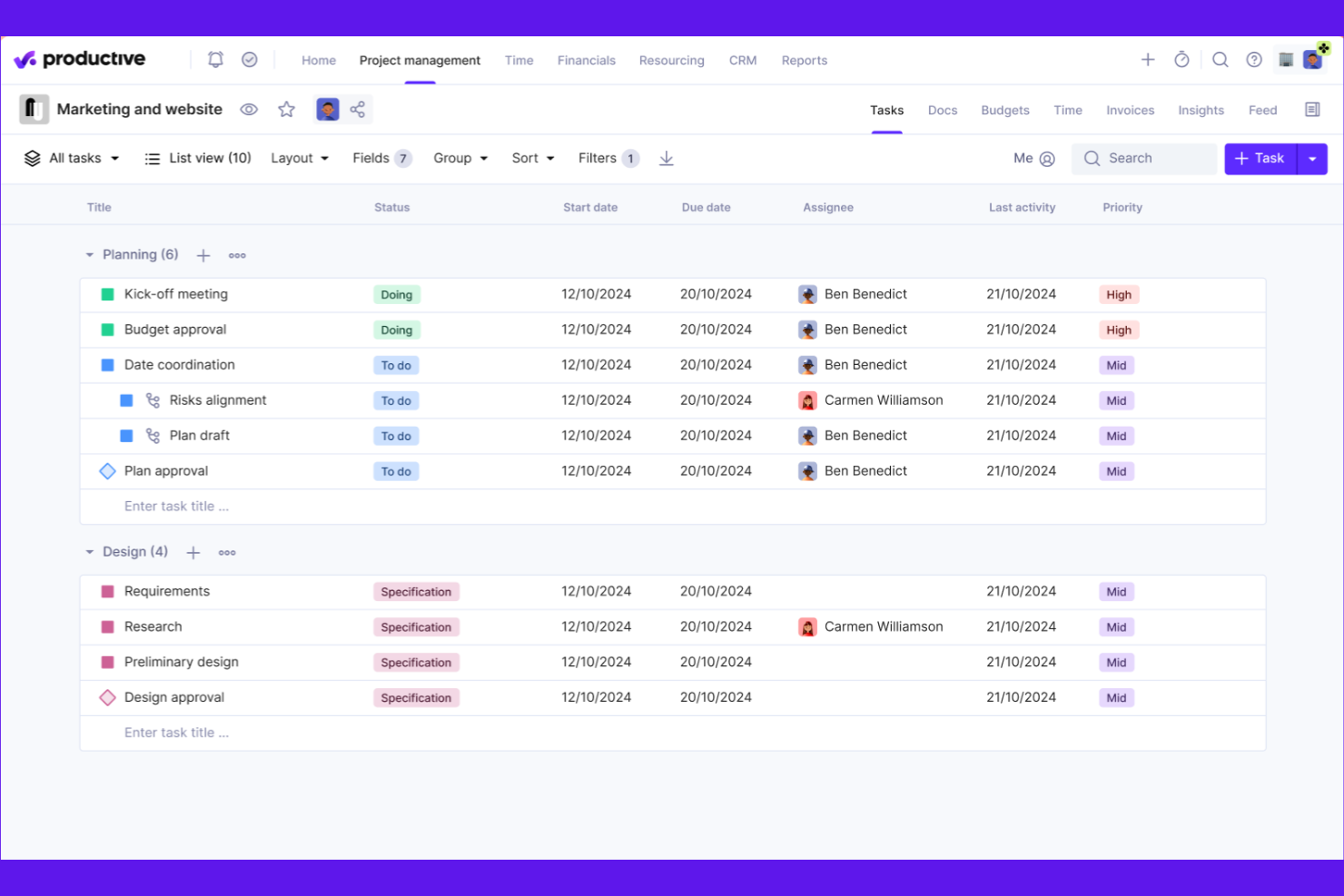
Productive is a professional services management platform that brings together project planning, resource scheduling, time tracking, budgeting, invoicing, and financial reporting in one workspace.
Who Is Productive Best For?
Productive is a strong fit for agency operations teams and project managers who need to track project budgets, profitability, and resource capacity across multiple client engagements in one place.
Why I Picked Productive
Productive earns its spot on my shortlist because budget and profitability tracking sit at the center of how it's built, not bolted on as an afterthought. I particularly like how real-time budget dashboards pull in tracked time, costs, and revenue simultaneously, with automated warnings firing before a project goes over. The budget warning system paired with per-service revenue recognition means I can see, mid-project, exactly which client engagements are slipping toward unprofitable territory before it's too late to course-correct.
Productive Key Features
- Resource Planner: View team workload, capacity, and availability across active projects using person, project, budget, and absence views.
- Retainer invoicing: Automatically generate draft invoices for recurring budgets to support ongoing client billing cycles.
- Scenario Builder: Model deal or project scenarios by adjusting services, resources, and bookings to compare costs, revenue, and profit before committing.
- Revenue recognition rules: Configure recognition criteria by service type so that only approved time entries and billable expenses count toward revenue.
Productive Integrations
Productive offers native integrations with Xero, QuickBooks Online, NetSuite, Sage, Google Calendar, Microsoft Outlook, Slack, Jira, HubSpot, and BambooHR. It also provides an HTTP API v2, webhooks, and Zapier for custom integrations.
Pros and Cons
Pros:
- Project-linked time entries support billing
- Capacity views coordinate concurrent client work
- Connected budgets reveal project profitability
Cons:
- Custom reports can be difficult to shape
- Task editing can require multiple clicks
New Product Updates from Productive
Productive Adds Email and Calendar Integrations for Agents
Productive adds Gmail, Outlook, Google Calendar, and Outlook Calendar connectors for its AI agents. These integrations let agents manage emails and create calendar events directly within Productive. For more information, visit Productive’s official site.
 .

BigTime
Best for time and billing in professional services
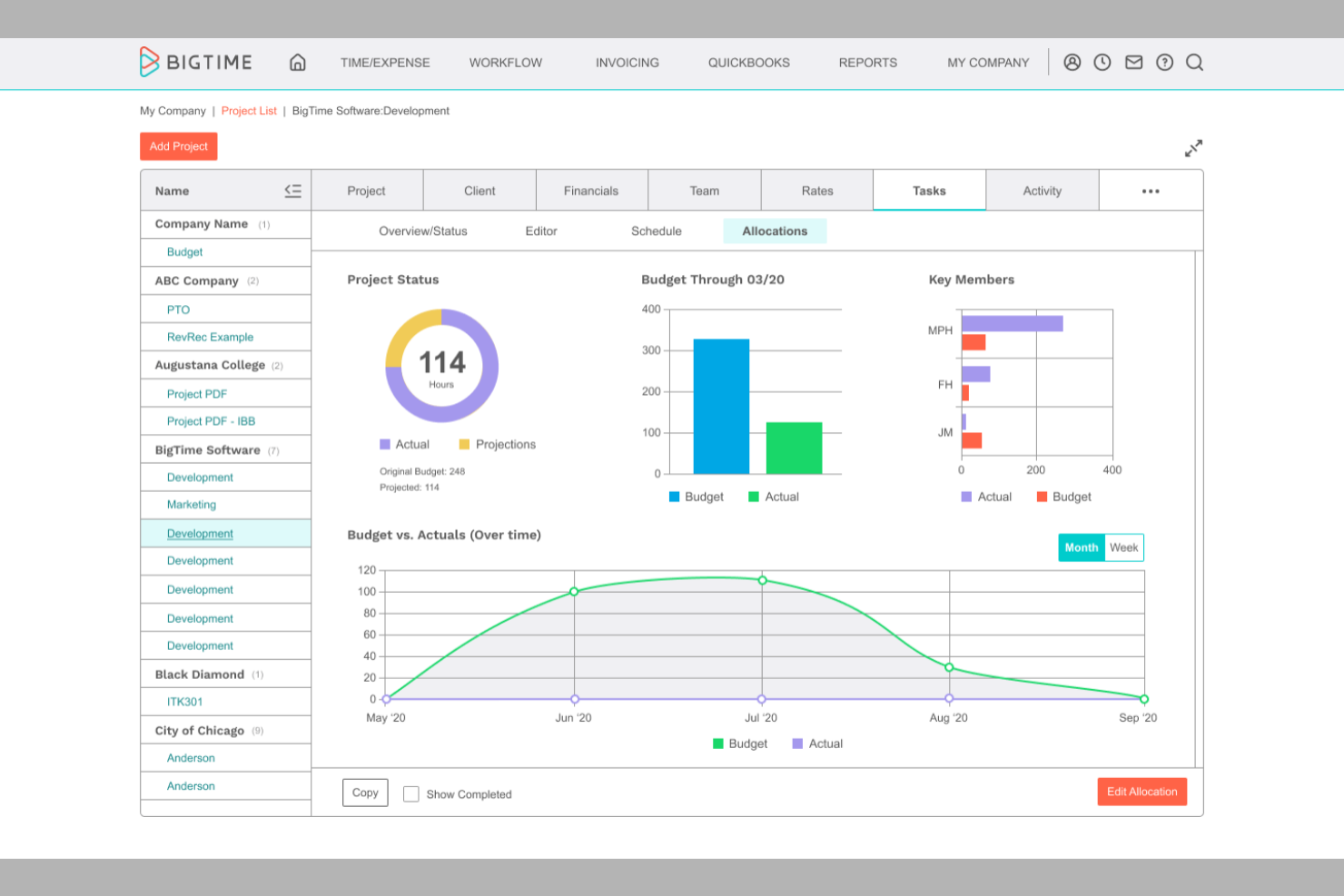
BigTime is a professional services automation platform that combines project management, time and expense tracking, resource planning, and billing and invoicing workflows.
Who Is BigTime Best For?
BigTime fits small to mid-sized professional services firms—consulting, accounting, and engineering practices—where getting from tracked time to a client invoice quickly is the priority.
Why I Picked BigTime
I've included BigTime in my top picks because the time-to-invoice billing workflow is genuinely one of the tightest I've seen in a PSA tool. Time entries flow directly into billing with auto-fill and auto-save on capture, and the platform supports time-and-materials, fixed-fee, and item-based billing models so you're not forcing every client engagement into the same mold. I also like that work-in-progress tracking surfaces unbilled time before it falls through the cracks at invoice time.
BigTime Key Features
- Resource demand and capacity planning: Plan and adjust staffing demand at both the person and project level, with a heat map and drag-and-drop calendar for scheduling.
- Gantt charts with critical path: Visualize task timelines, set Finish-to-Start and Start-to-Start dependencies, and use Auto-Schedule to shift tasks and their dependencies automatically.
- AI-assisted staff matching: The Resourcing Agent recommends staff for project demand based on availability, skills, seniority, and cost.
- Multi-level timesheet approvals: Route timesheet submissions through up to three approval levels—primary, secondary, and final—by team, manager, or department.
BigTime Integrations
BigTime offers native integrations with QuickBooks Online and Desktop, Sage Intacct, Xero, NetSuite, Microsoft Dynamics GP, Business Central, Salesforce, HubSpot, Jira, and Google Calendar. It also supports REST API and custom API connections.
Pros and Cons
Pros:
- Capacity planning models tentative staffing scenarios
- Project budgets connect hours and costs
- Time entries feed directly into invoicing
Cons:
- Reviewers report invoice and time-sync glitches
- Portfolio reporting lacks cross-project rollups

Best for visual project and capacity tracking
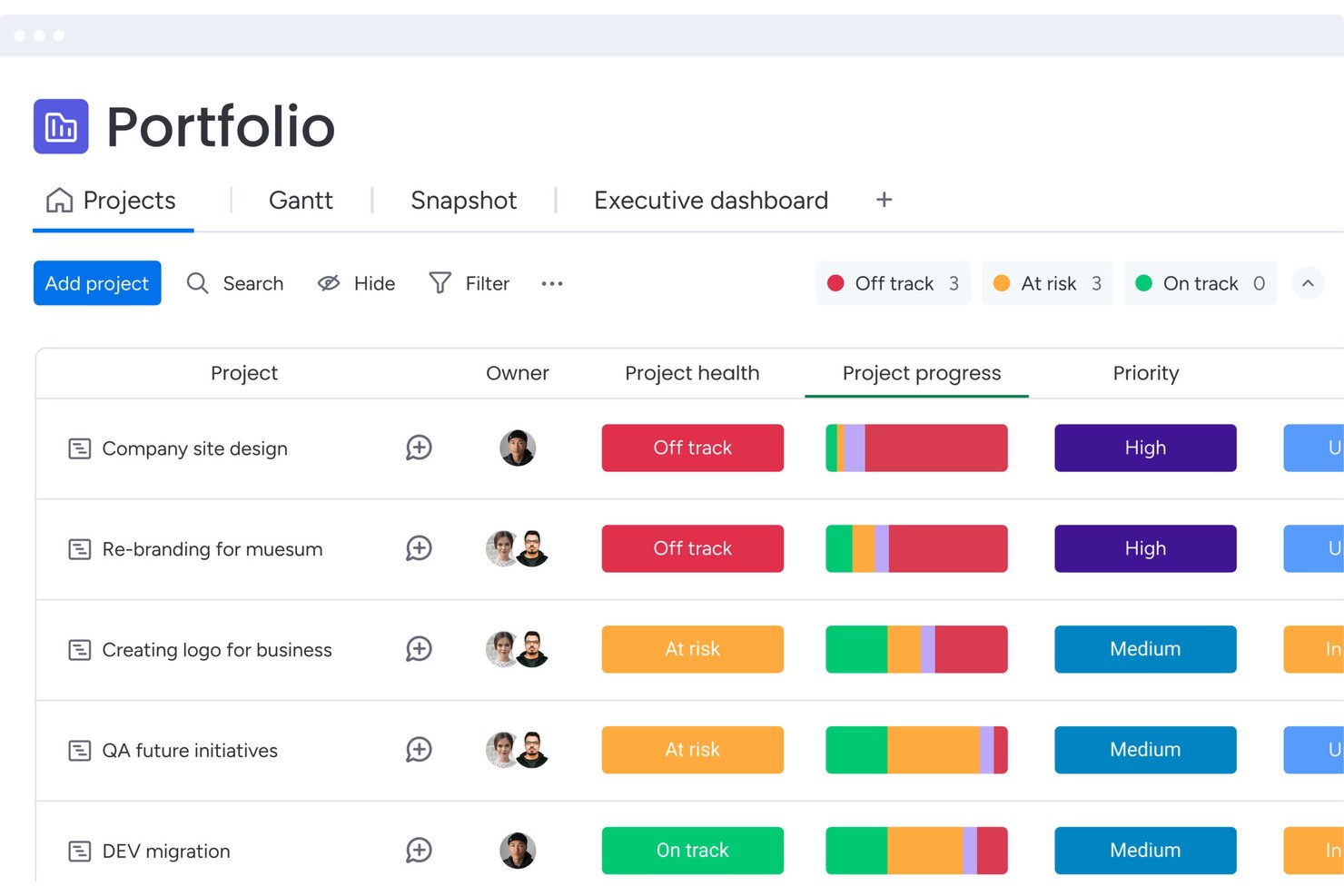
monday work management is an AI-powered project management platform that combines board-based task tracking, Gantt and timeline planning, resource management, and portfolio-level visibility across projects and teams.
Who Is monday AI Workspace Best For?
monday AI Workspace is a strong fit for agency and consulting teams that need flexible project boards, AI-assisted resource planning, and portfolio visibility across concurrent client engagements.
Why I Picked monday AI Workspace
I've included monday AI Workspace in my top picks because its AI-assisted staffing tools genuinely change how teams plan across concurrent client engagements. I especially like the Enterprise Resource Directory, which stores job roles, skills, and locations so AI Smart assignment can suggest the right person based on actual availability, not just gut feel. Paired with the Capacity manager, I can see over- and under-allocation across every active project at a glance.
monday AI Workspace Key Features
- Portfolio health snapshot: View project health, completed tasks, and planned vs. actual timelines across all connected projects in a single interactive dashboard.
- Approval-pipeline boards: Route work through structured approval stages using dedicated boards and automation triggers.
- Guest access for external collaborators: Invite clients or external stakeholders to specific boards without granting access to your full account.
- Budget tracking with formula columns: Set up planned and actual cost columns with formula-driven alerts to flag over-budget items across projects.
monday AI Workspace Integrations
monday AI Workspace offers 850+ integrations and apps, including QuickBooks, Salesforce, HubSpot, Slack, Google Calendar, Microsoft Teams, GitHub, and Gmail. Its GraphQL API and SDK support custom integrations.
Pros and Cons
Pros:
- Dashboards help track concurrent client projects
- AI suggests staff by skills and availability
- Reviewers praise visual project status boards
Cons:
- No branded client portal or built-in approvals
- Manual budgets limit live profitability reporting
New Product Updates from monday AI Workspace
monday AI Workspace Adds Human Approval Routing
monday AI Workspace adds a human-in-the-loop approval block to AI Workflows, sending approval requests and routing workflow paths based on responses. For more information, visit monday AI Workspace's official site.
 .

Wrike
Best for automating intake-to-delivery workflows
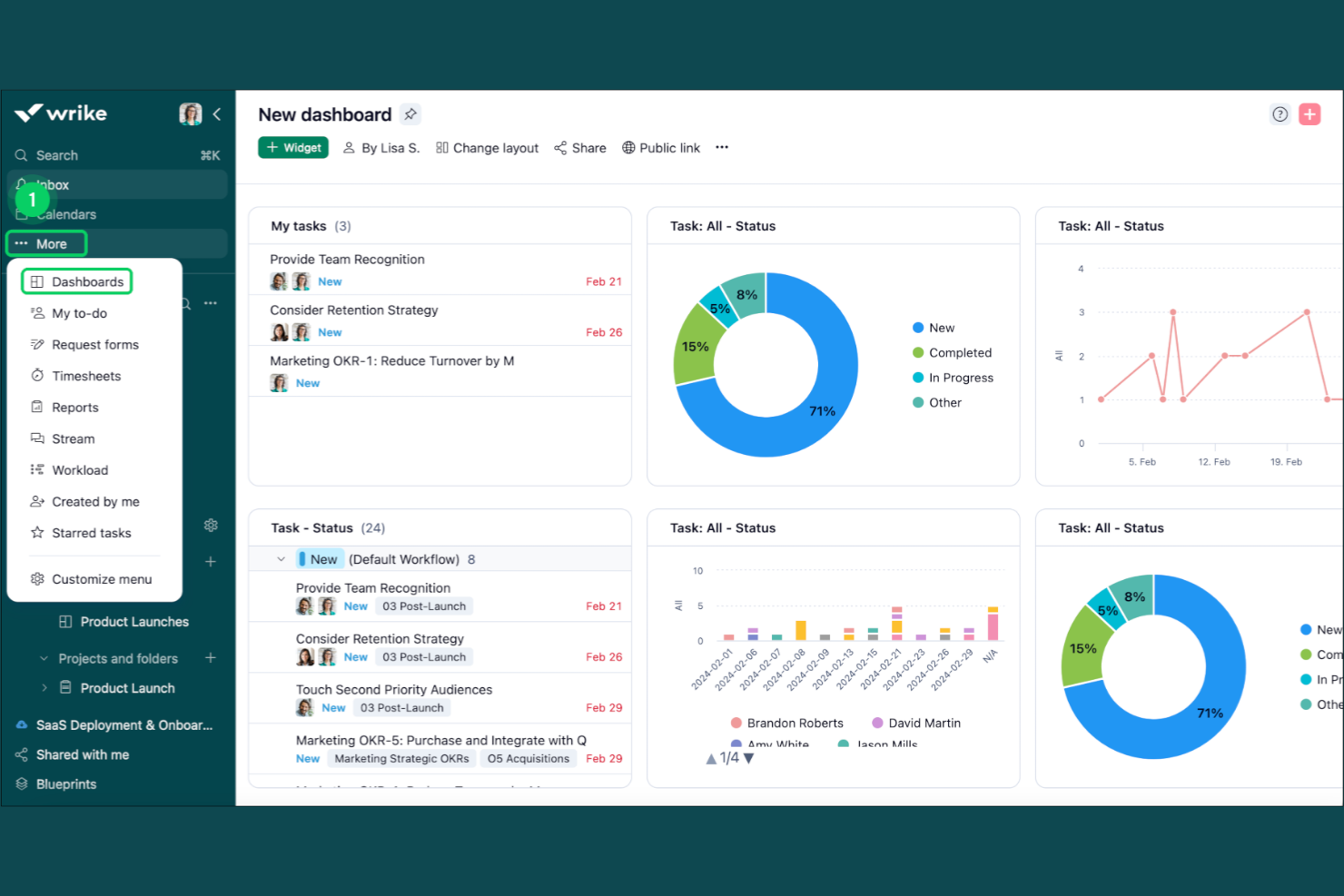
Wrike is a work and project management platform built for professional services teams, offering Gantt charts, resource planning, time tracking, workflow automation, client collaboration tools, and portfolio dashboards across a single workspace.
Who Is Wrike Best For?
Wrike is a strong fit for agencies and consulting teams that need to standardize intake, automate recurring workflows, and manage multiple client projects from a single workspace.
Why I Picked Wrike
Wrike earns its spot on my shortlist because its workflow automation goes deeper than most tools in this category. I particularly like how blueprints let you replicate entire project structures, including task sequences, dependencies, and custom request forms, so intake for a new client engagement doesn't start from scratch every time. Pair that with automation rules that can trigger invoice workflows across QuickBooks, and recurring delivery work becomes far easier to standardize at scale.
Wrike Key Features
- Guest approvals: External clients can review and approve files via email link without needing a Wrike account.
- Resource bookings: Reserve capacity from specific team members or job roles and estimate project hours against available bandwidth.
- Dynamic request forms: Route incoming work from internal or external requesters directly into a centralized intake workflow.
- Proofing and version comparison: Attach assets to tasks, collect visual feedback, and compare file versions during the review cycle.
Wrike Integrations
Wrike offers 400+ integrations, including QuickBooks, NetSuite, Salesforce, Power BI, Jira, GitHub, Google Sheets, and Microsoft Teams. Its REST API, webhooks, OAuth 2.0, Wrike Integrate, and Wrike Sync support custom connections and data synchronization.
Pros and Cons
Pros:
- Workload views reveal staff bottlenecks
- Blueprints standardize repeat client engagements
- Gantt timelines clarify cross-project dependencies
Cons:
- Search and navigation feel cumbersome at scale
- Initial setup can demand substantial effort
New Product Updates from Wrike

Wrike Redesigns Workspace Search With New Filters
Wrike introduces a redesigned Workspace Search interface with recent search shortcuts, item type and location filters, and parent-task context. These updates help users find relevant work items and navigate search results efficiently. For more information, visit Wrike’s official site.
 .

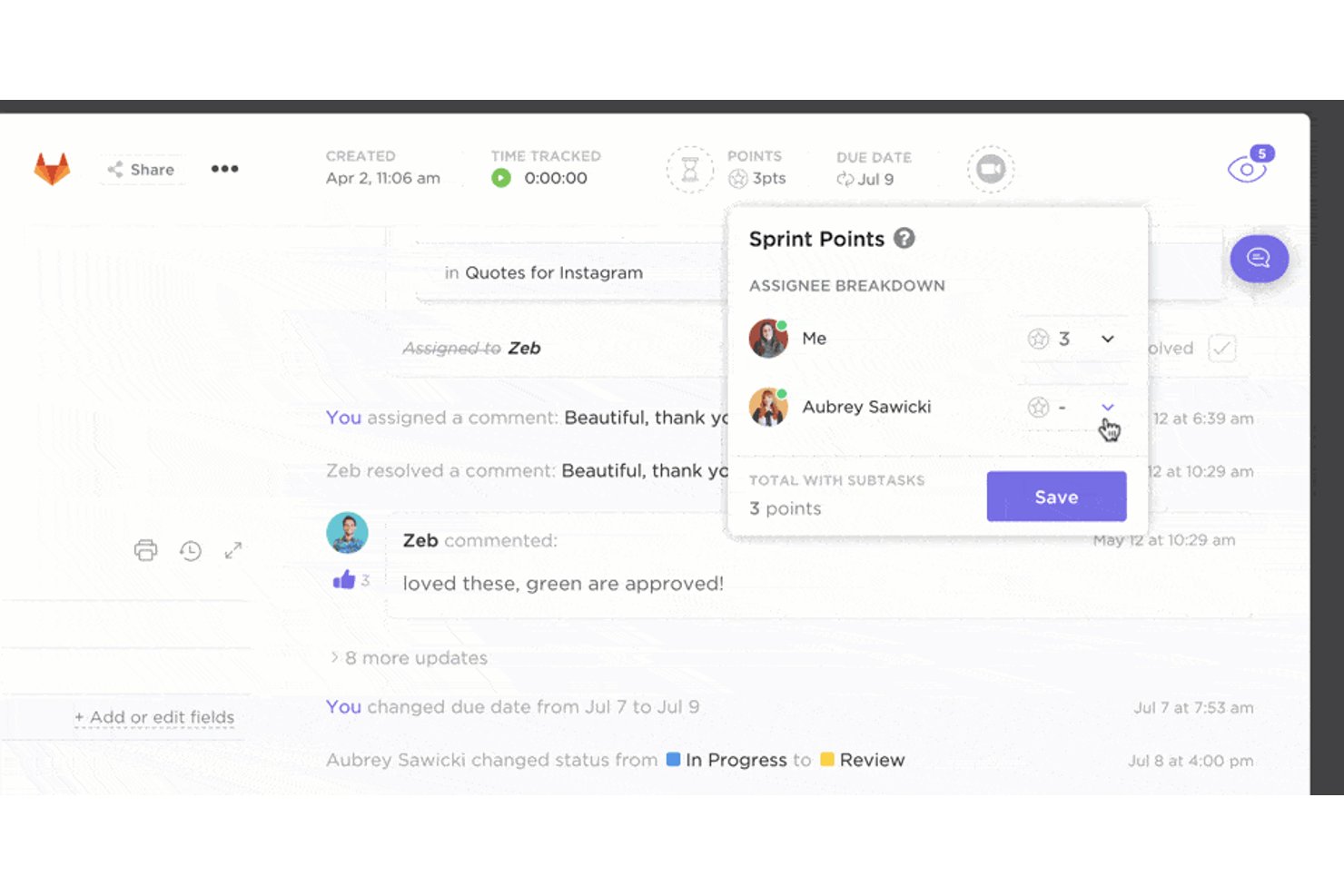
ClickUp is a work management platform that combines task tracking, Gantt-based project planning, workload management, collaborative docs, and built-in team chat in a single workspace.
Who Is ClickUp Best For?
ClickUp works well for agencies and consulting teams that want to manage tasks, docs, and client communication in one place without juggling multiple tools.
Why I Picked ClickUp
I've included ClickUp in my top picks because it's one of the few tools that genuinely collapses tasks, docs, and team chat into a single workspace without forcing you to compromise on project structure. I especially like how you can build a dedicated Space per client, apply a delivery template with mapped milestones and automations, then share a filtered client-facing Dashboard or a public Gantt link without ever leaving the platform. The built-in Workload view also lets me spot who's over capacity across concurrent engagements and reassign work on the spot.
ClickUp Key Features
- Guest permissions: Invite clients as view-only or comment-only guests with access scoped to specific tasks, lists, or dashboards.
- Workload view: Visualize team capacity using time estimates or task counts and reassign work when someone is over- or under-capacity.
- Delivery templates: Apply pre-built project templates with milestones, statuses, and automations, with dates mapped relative to a project start date.
- Billable time tracking: Tag time entries as billable or non-billable and surface them in dashboard cards broken down by role or team.
ClickUp Integrations
ClickUp offers native integrations with Harvest, Everhour, Toggl, TimeCamp, Clockify, HubSpot, Slack, Google Drive, and Microsoft Teams, plus Zapier. Its public API, webhooks, MCP Server, and OAuth support custom integrations and data synchronization.
Pros and Cons
Pros:
- Gantt dependencies expose delivery risks
- Client dashboards clarify cross-project status
- Tasks, docs, and chat in one workspace
Cons:
- Capacity and time reports feel basic
- Budget-versus-actual profitability needs work

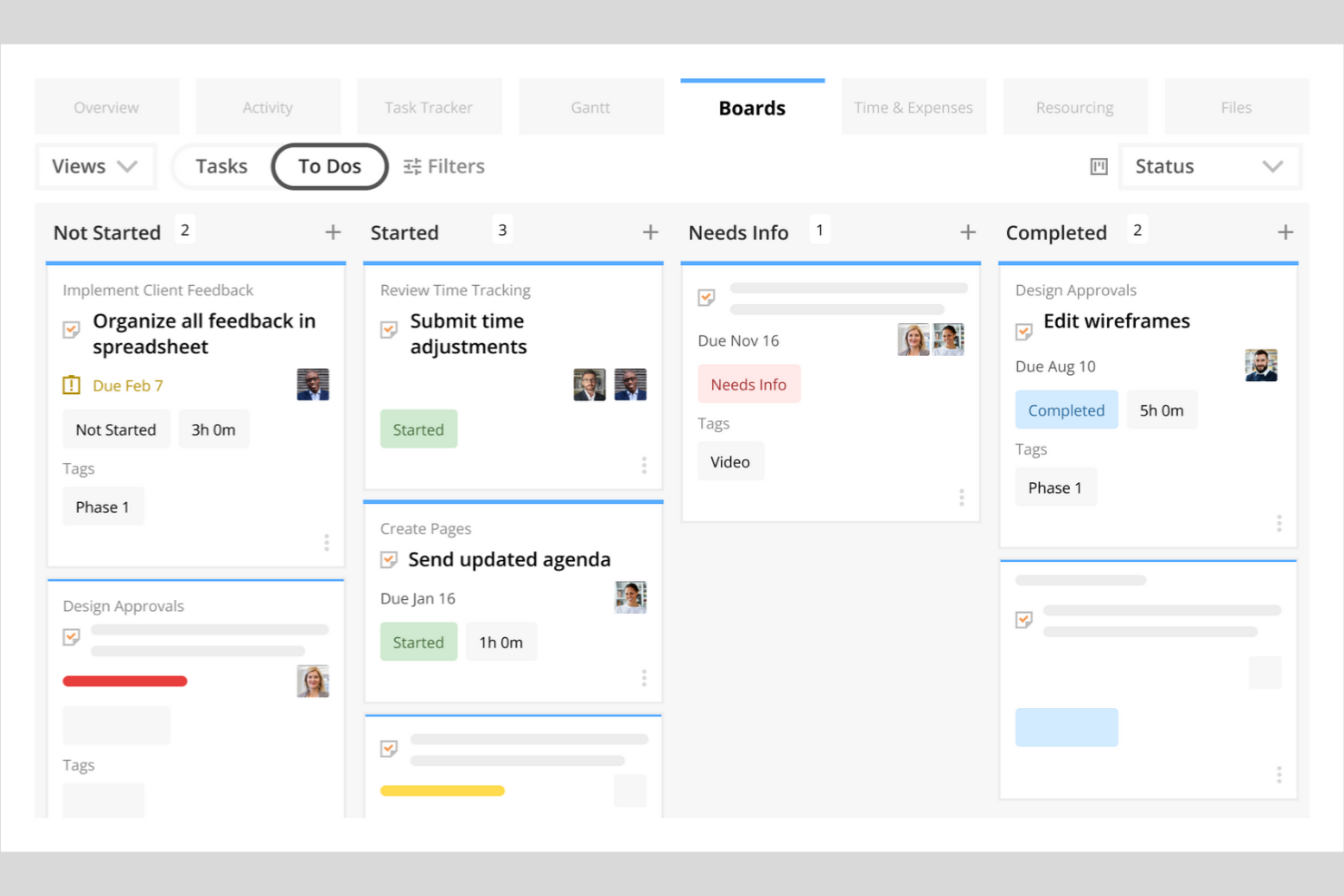
Kantata is a professional services automation platform that combines project management, resource management, capacity planning, financial tracking, and client collaboration tools for agencies and consulting firms.
Who Is Kantata Best For?
Kantata is a strong fit for resource managers and operations leads at mid-to-large professional services firms who need precise visibility into capacity, utilization, and staffing across multiple client engagements.
Why I Picked Kantata
Kantata earns its spot on my shortlist because its Resource Center gives you a genuinely accurate picture of who's available, what they're skilled at, and where capacity gaps are forming across your entire project portfolio. I particularly like how it surfaces ranked staffing recommendations based on skills, availability, and project needs simultaneously, so you're not guessing when allocating across concurrent client engagements. The scenario-based forecasting lets you model staffing and pricing against profitability before committing, which is exactly what resource planners need when demand shifts mid-quarter.
Kantata Key Features
- Revenue recognition methods: Kantata supports Time & Materials, Time & Materials (Capped), and percentage-complete revenue recognition methods tied to project budgets and forecasted hours.
- Branded client collaboration workspace: Clients get a dedicated workspace for reviewing project progress, approving deliverables, and accessing shared milestones and invoices.
- Gantt chart baselines: Global, Local, and Tasks Gantt views let you compare scheduled versus actual project dates across week, month, or year timelines.
- Audit logs: Kantata records who changed what and when across projects, tasks, permissions, time entries, and approvals, with admin-level filtering and export.
Kantata Integrations
Kantata lists over 1,200 prebuilt connectors, including Salesforce, QuickBooks, NetSuite, Sage Intacct, HubSpot, SAP, and BambooHR. It also offers a REST API with OAuth 2.0 authentication for custom integrations.
Pros and Cons
Pros:
- Tracks billable hours across client engagements
- Connects project budgets, margins, and burn rates
- Forecasts staffing demand by skills and availability
Cons:
- Allocation figures may need manual verification
- Project setup involves many moving parts

Accelo
Best for connected time, billing, and client work
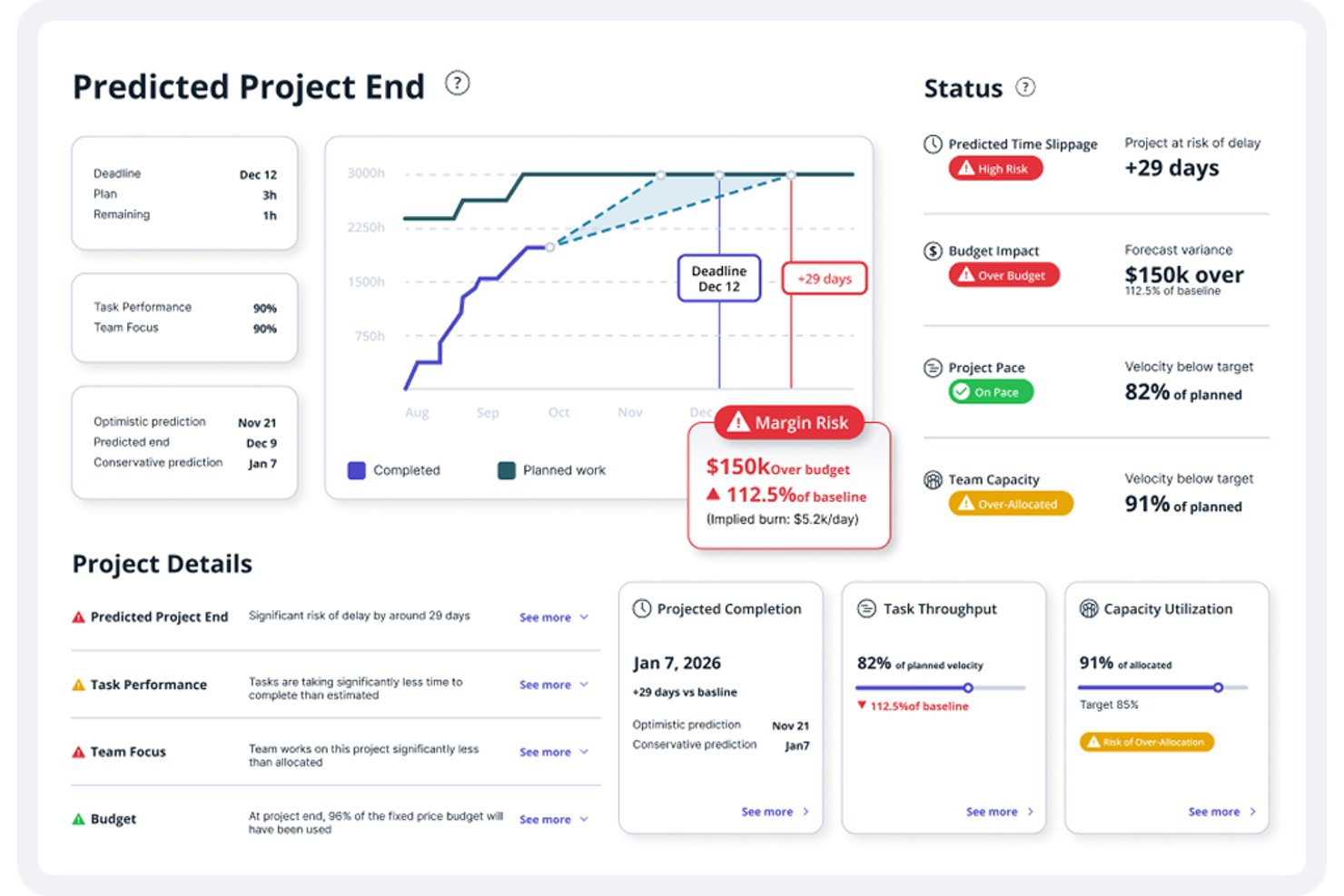
Accelo is a professional services automation platform that connects project management, resource planning, time tracking, retainer billing, and financial reporting into one system built specifically for client-facing services firms.
Who Is Accelo Best For?
Accelo is a strong fit for professional services firms—agencies, consultancies, and managed service providers—that need to connect project delivery, resourcing, and client billing in one place.
Why I Picked Accelo
Accelo earns its spot as one of the best on my shortlist because it's one of the few platforms that genuinely connects every stage of client work, from scoped quote to final invoice, without requiring a separate tool at each handoff. I especially like how time logged against any project, ticket, or retainer feeds directly into invoicing and profitability reporting, so budget burn is always visible in real time. The branded client workspace is also a differentiator: clients can review deliverables, sign off on milestones, and track retainer usage without a single email chain.
Accelo Key Features
- Dynamic scheduling: Automatically adjusts task dates as work is logged, deadlines shift, or dependencies change across your project plan.
- Retainer management: Tracks prepaid or postpaid retainer periods by fixed hours, fixed value, or unlimited hours, with configurable automatic invoicing.
- Skills-based resource scheduling: Filters and assigns team members by skill, role, or group, with AI-assisted recommendations for best-fit staffing.
- AI-assisted timesheet suggestions: Generates time entry suggestions based on actual work completed, reducing manual logging effort.
Accelo Integrations
Accelo supports integrations with QuickBooks, Xero, Sage Intacct, Salesforce, HubSpot, Jira, Microsoft 365, Google Workspace, and Zapier. It also offers RESTful and Forms APIs for custom integrations.
Pros and Cons
Pros:
- Client portals clarify project status and approvals
- Resource assignments reveal upcoming team capacity
- Project, time, and billing stay connected
Cons:
- Schedule dates can shift unexpectedly as work changes
- Dense screens complicate routine project work
New Product Updates from Accelo

Accelo Rebuilds Mobile App for Project and Time Management
Accelo rebuilds its mobile app with task management, new work creation, and mobile timesheets for Forecast customers. This helps teams keep project and time data current while working away from a desktop. For more information, visit Accelo’s official site.
 .
Profesyonel Hizmetler için Diğer Proje Yönetimi Yazılımları
Kısa listeme giremeyen ancak yine de incelemeye değer bazı profesyonel hizmetler için ek proje yönetimi yazılımı seçenekleri şunlardır:
- Runn
For resource and capacity planning
- Zoho Projects
For Zoho ecosystem billing and project tracking
- Planview AdaptiveWork
For portfolio-wide PSA and resource planning
- ProjectManager
For cross-project workload balancing
- Resource Guru
For visual resource scheduling across client work
- Workzone
For cross-client project visibility
- Projectworks
For professional services financial analytics


How I Evaluate Project Management Software for Professional Services
I split my evaluation into three parts, giving the most weight to core functionality: plan timelines, allocate staff, and see capacity across client projects. Next, I look for features like scenario-based staffing forecasts or client portals. Finally, I consider onboarding support, accounting integrations, and value as the firm grows.
Core Functionality (Table Stakes For This List)
When I'm selecting tools for my list, I score each one on a scale from 0 (does not offer the functionality) to 5 (excels in this area) for each core functionality listed below. I then convert the total into a percentage to help assess each tool's overall fit, with extra weight on any functionalities I’ve deemed essential.
- Project Planning & Scheduling (Essential): I look for timelines that connect tasks, dependencies, and milestones, so a delay in one client deliverable is visible across the project plan.
- Resource Management (Essential): I evaluate team capacity and workload views to see who can take on work when several client engagements need the same specialists.
- Time Tracking: I check whether staff can log billable and non-billable hours against clients, projects, or tasks and use those entries for utilization reporting.
- Budget & Financial Tracking: I look for planned-versus-actual project costs and budget variance views that help flag scope changes before they affect profitability.
- Client Portfolio View: I assess whether teams can filter a consolidated project view by client, status, or team to spot delivery risks across concurrent engagements.
- Client Collaboration & Reporting: I consider how teams share status, deliverables, and approvals with clients, from configurable reports to live project views.
Once I have a list of tools that meet the criteria, I consider what sets each platform apart.
Differentiating Factors (What Sets Vendors Apart)
Here's how I compare and contrast different vendors:
Standout Features
I look for scenario-based resource forecasting that lets you model staffing changes before committing—like testing whether pulling a designer off one account leaves another short-staffed next sprint. Skills and role-based staffing matters just as much, since matching talent by certification or specialty beats assigning whoever's free. I also evaluate client portals, where clients check status and approve deliverables without logging into your full workspace.
Beyond Features
I check whether each platform connects to accounting tools like QuickBooks, Xero, or NetSuite so project billing flows into the general ledger without duplicate entry. Vendor-led onboarding matters too—most services firms don't have dedicated IT staff, so guided data migration and role-specific training for PMs and finance users directly affects adoption. I also evaluate how licensing scales as headcount grows, including multi-currency support for firms with international clients.
Profesyonel Hizmetler için Proje Yönetimi Yazılımı Nasıl Seçilir?
Uzun özellik listeleri ve karmaşık fiyatlandırma yapıları arasında kaybolmak kolaydır. Kendinize özgü yazılım seçim sürecinizde ilerlerken odağınızı korumanıza yardımcı olmak için göz önünde bulundurmanız gereken faktörleri içeren bir kontrol listesi hazırladım:
| Faktör | Dikkat Edilmesi Gerekenler |
|---|---|
| Ölçeklenebilirlik | Büyüdükçe yazılım ekip büyüklüğünüzü ve proje hacminizi destekleyecek mi? İhtiyaçlarınız arttıkça kullanıcı sınırlarını, proje kotalarını ve fiyatlandırma artışlarını kontrol edin. |
| Entegrasyonlar | Temel sistemlerinize (CRM, muhasebe, İK, belge yönetimi) yerel olarak bağlanıyor mu? Buradaki eksiklikler manuel işlere ve veri silolarına yol açabilir. |
| Özelleştirilebilirlik | İş akışlarını, alanları ve izinleri firmanızın süreçlerine uyacak şekilde düzenleyebilir misiniz? Katı araçlar, ekibinizin çalışma biçimini değiştirmenize neden olabilir. |
| Kullanım kolaylığı | Ekibiniz hızlı bir şekilde benimseyecek mi? Açık bir gezinme yapısı, minimum eğitim gereksinimi ve ekibinizin teknik yeterlilik düzeyine uygun bir kullanıcı arayüzü arayın. |
| Uygulama ve kullanıma alma | Çalışmaya başlayabilmeniz ne kadar sürecek? Veri aktarımı desteğini, veri içe aktarma araçlarını ve kullanıma alma kaynaklarının veya hizmetlerinin bulunabilirliğini göz önünde bulundurun. |
| Maliyet | Ölçek büyüttükçe fiyatlandırma kademeleri şeffaf ve öngörülebilir mi? Yatırım getirinizi etkileyebilecek gizli ücretlere, gerekli eklentilere veya minimum sözleşme sürelerine dikkat edin. |
| Güvenlik önlemleri | Araç, veri gizliliği ve güvenlik standartlarınızı karşılıyor mu? Şifreleme, erişim denetimleri, denetim günlükleri ve ilgili düzenlemelere uyumluluk özelliklerini arayın. |
| Destek bulunabilirliği | Hangi destek kanalları sunuluyor ve hangi saatlerde hizmet veriliyor? 7/24 yardıma, özel hesap yönetimine veya kendi kendine hizmet kaynaklarına ihtiyacınız olup olmadığını değerlendirin. |
Profesyonel Hizmetler İçin Proje Yönetimi Yazılımı Nedir?
Profesyonel hizmetler için proje yönetimi yazılımı, hizmet tabanlı kuruluşların kaynakları, bütçeleri ve zaman çizelgelerini yönetirken müşteri projelerini planlamasına, izlemesine ve teslim etmesine yardımcı olan dijital bir platformdur. Bu yazılım çözümleri, firmaların çalışmaları daha etkili bir şekilde koordine edebilmesi için proje planlamasını, finansal yönetimi ve ekip iş birliğini tek bir sistemde bir araya getirir.
Profesyonel hizmet ekipleri, bağlantısız araçlara veya manuel süreçlere güvenmek yerine kaynak tahsisini, proje kârlılığını ve müşteriye teslim edilecekleri izlerken projeleri baştan sona yönetebilir. İş yükleri ve ilerleme hakkında daha iyi görünürlük elde eden kuruluşlar bilinçli kararlar alabilir, ekip iş birliğini destekleyebilir ve her projenin özel ihtiyaçlarını karşılamak üzere iş akışlarını uyarlayabilir.
Özellikler
Profesyonel hizmetler için proje yönetimi yazılımı seçerken aşağıdaki temel özelliklere dikkat edin:
- Proje planlama ve zamanlama: Birden çok ekip genelinde proje teslimi için net bir yol haritası oluşturmak üzere zaman çizelgeleri hazırlayın, kilometre taşlarını tanımlayın ve bağımlılıkları eşleyin.
- Kaynak yönetimi: Projelerin dengeli kalmasını ve profesyonel hizmet ekiplerinin müşteri taahhütlerini yerine getirebilmesini sağlamak için ekip üyelerini becerilerine, uygunluklarına ve iş yüklerine göre görevlendirin.
- Zaman takibi: Doğru faturalandırmayı desteklemek ve proje kârlılığını izlemek için ücretlendirilebilir ve ücretlendirilemez saatleri doğrudan platform içinde kaydedin.
- Bütçeleme ve gider takibi: Teslimat çalışmalarını finansal yönetimle ilişkilendirmek ve kârlılığı korumak için proje bütçelerini, giderlerini ve finansal performansını izleyin.
- Müşteri faturalandırması ve fatura oluşturma: Finansal verileri proje etkinliklerine bağlı tutarken izlenen zamana, teslim edilecek ürünlere veya kilometre taşlarına dayalı olarak kullanıcı dostu faturalar oluşturun.
- Kanban panoları: Ekiplerin iş yönetimi süreçlerini yönetebilmesi ve proje ilerlemesini daha kolay izleyebilmesi için görevleri Kanban panolarını kullanarak görsel olarak düzenleyin.
- Yapay zekâ destekli iş akışı otomasyonu: Birçok araç artık görev onayları, durum güncellemeleri ve bildirimler için iş akışlarını otomatikleştirerek ekiplerin manuel işleri azaltmasına ve projeleri ilerletmesine yardımcı oluyor.
- Raporlama ve analiz: Profesyonel hizmet ekipleri genelinde daha iyi karar almayı desteklemek için proje ilerlemesi, ekip kullanım oranı ve finansal ölçütler hakkında raporlar oluşturun.
- İş birliği araçları: Paylaşılan çalışma alanları, görev yorumları ve dosya paylaşımı aracılığıyla ekip iş birliğini etkinleştirerek paydaşların proje yaşam döngüsü boyunca uyum içinde kalmasını sağlayın.
- ERP entegrasyonları: Proje verilerini finansal yönetim ve daha geniş iş operasyonlarıyla uyumlu hâle getirmek için proje yönetimini ERP sistemlerine bağlayın.
Faydalar
Profesyonel hizmetler için proje yönetimi yazılımını uygulamak, ekibiniz ve işletmeniz için çeşitli faydalar sağlar. Yararlanmayı bekleyebileceğiniz birkaç fayda şunlardır:
- Merkezi proje görünürlüğü: Tüm proje zaman çizelgelerine, bütçelere ve teslimatlara tek bir yerden erişerek ilerlemeyi izlemeyi ve sorunları erkenden tespit etmeyi kolaylaştırın.
- İyileştirilmiş kaynak tahsisi: Darboğazları ve aşırı görevlendirmeyi azaltmak için ekip üyelerini gerçek zamanlı uygunluklarına ve beceri setlerine göre atayın.
- Doğru zaman ve gider takibi: Faturalandırılabilir saatleri ve proje maliyetlerini doğrudan platformda kaydederek hassas faturalandırmayı ve kârlılık analizini destekleyin.
- Kolaylaştırılmış müşteri faturalandırması: Manuel çalışmayı ve hataları azaltmak için fatura oluşturmayı ve faturalandırma döngülerini izlenen zaman, kilometre taşları veya teslimatlar üzerinden otomatikleştirin.
- Geliştirilmiş iş birliği: Belgeleri, güncellemeleri ve geri bildirimleri platform içinde paylaşarak proje yaşam döngüsü boyunca herkesin aynı doğrultuda ve bilgili kalmasını sağlayın.
- Özelleştirilebilir iş akışları: Verimliliği ve hesap verebilirliği artırmak için onay süreçlerini ve görev devirlerini firmanızın kendine özgü proje teslim yöntemlerine uyarlayın.
- Veriye dayalı karar alma: Proje performansını, kaynak kullanımını ve finansal sonuçları değerlendirmek için yerleşik raporlama ve analiz araçlarını kullanarak daha iyi iş kararlarını destekleyin.
Maliyetler ve Fiyatlandırma
Profesyonel hizmetler için proje yönetimi yazılımı seçmek, mevcut çeşitli fiyatlandırma modellerinin ve planların anlaşılmasını gerektirir. Maliyetler özelliklere, ekip büyüklüğüne, eklentilere ve diğer unsurlara göre değişir. Aşağıdaki tabloda, profesyonel hizmetler çözümlerine yönelik proje yönetimi yazılımlarında yaygın planlar, bu planların ortalama fiyatları ve genellikle sunulan özellikler özetlenmektedir:
Profesyonel Hizmetler İçin Proje Yönetimi Yazılımı Plan Karşılaştırma Tablosu
| Plan Türü | Ortalama Fiyat | Yaygın Özellikler |
|---|---|---|
| Ücretsiz Plan | $0 | Temel görev yönetimi, sınırlı kullanıcı sayısı, basit proje takibi ve temel raporlama. |
| Kişisel Plan | $5-$15/kullanıcı/ay | Görev atama, takvim entegrasyonu, sınırlı zaman takibi ve temel belge paylaşımı. |
| İşletme Planı | $20-$40/kullanıcı/ay | Gelişmiş proje planlama, kaynak yönetimi, zaman ve gider takibi, müşteri faturalandırması ve özel iş akışları. |
| Kurumsal Plan | $50-$100/kullanıcı/ay | Gelişmiş güvenlik, özel entegrasyonlar, özel destek, gelişmiş analiz ve uyumluluk yönetimi. |
Profesyonel Hizmetler için Proje Yönetimi Yazılımı SSS
Profesyonel hizmetler için proje yönetimi yazılımı hakkında sık sorulan bazı soruların yanıtları:
Profesyonel hizmetler için proje yönetimi yazılımı, genel proje yönetimi araçlarından nasıl farklıdır?
Profesyonel hizmetler için proje yönetimi yazılımı; zaman takibi, faturalandırma ve kaynak yönetimi gibi müşteri çalışmalarına yönelik özellikler içerir. Bu araçlar, hizmet odaklı ekiplerin müşteri projelerini yönetmesine, faturalandırılabilir saatleri takip etmesine ve faturalandırma işlemlerini yürütmesine yardımcı olur; bu özellikler genel proje yönetimi araçlarında her zaman bulunmayabilir.
Profesyonel hizmetler için proje yönetimi yazılımı, muhasebe veya CRM sistemleriyle entegre olabilir mi?
Evet, profesyonel hizmetler için proje yönetimi yazılımlarının çoğu, popüler muhasebe ve CRM sistemleriyle entegrasyonlar sunar. Bu, müşteri verilerini senkronize etmenize, faturalandırmayı otomatikleştirmenize ve proje etkinliklerini mali kayıtlarla ilişkilendirmenize olanak tanır; böylece manuel veri girişi azalır ve doğruluk artar.
Elektronik tablolardan profesyonel hizmetler için proje yönetimi yazılımına geçiş yaparken nelere dikkat etmeliyim?
Mevcut iş akışlarınızı ve veri alanlarınızı yeni sistemle eşleştirerek başlayın. Ekibinizin sorunsuz bir şekilde geçiş yapmasına yardımcı olacak içe aktarma araçlarını, işe alıştırma desteğini ve eğitim kaynaklarını arayın. Aşamalı bir kullanıma sunma planı yapın ve kullanıcı eğitimi ile süreç ayarlamaları için zaman ayırın.
Bu araçlarla aynı anda birden fazla müşteri ve proje yönetmek mümkün mü?
Evet, profesyonel hizmetler için proje yönetimi yazılımı aynı anda birden fazla müşteriyi ve projeyi yönetmek üzere tasarlanmıştır. Aynı platform içinde her müşteri veya proje için ayrı çalışma alanları oluşturabilir, ekipler atayabilir ve ilerlemeyi, bütçeleri ve faturalandırmayı takip edebilirsiniz.
Bu araçlar kaynak tahsisi ve kapasite planlamasına nasıl yardımcı olur?
Bu araçlar, ekip uygunluğunu, iş yükünü ve proje atamalarını gösteren panolar ve raporlar sunar. Kaynak ihtiyaçlarını öngörebilir, aşırı görevlendirmeyi önleyebilir ve projeleri planlandığı şekilde ilerletmek ve ekipleri dengede tutmak için atamaları gerçek zamanlı olarak ayarlayabilirsiniz.